“looking to buy a Lenovo T580 thinkpad. it comes with a 500gb HDD. for me to upgrade it to a "1 TB Solid State Drive, PCIe-NVMe OPAL2.0 M.2" they want another $561. which leads to my next ques, can i just buy this and replace it?”
Answer This Question
1-3 of 3 Answers
You could install the PCIe-NVMe as an additional drive and then make it the primary (recommended) or replace the HDD with a standard SATA SSD. You'll have to clone the original HDD to either one in order to preserve the operating system and Lenovo-specific recovery partitions, though. Alternatively, you could install the 'default' Windows 10 on either drive and avoid the bloatware. I recommend Samsung devices. The choice is yours. NO GUARANTEE OF COMPATIBILITY IS INFERRED OR IMPLIED. I AM NOT RESPONSIBLE FOR INCOMPATIBLE HARDWARE OR LOSS OF DATA.
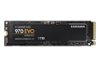
I would recommend:
Sorry, there was a problem. Please try again later.No. The hard drive model uses a sata interface. An NVMe drive won't connect. You could upgrade to sata SSD for more speed.
Sorry, there was a problem. Please try again later.Yes, yes you can and you should; check the manufacturer specs - you might be able to add a NVMe ssd and keep the hdd for extra storage, I did it with my Dell. I bought a 500gb Samsung SSD and kept the 2tb HDD it came with. If not, you can clone the HDD to the SSD - it's simplest if the SSD is at least the same size (gb for gb) yet can be done with a smaller Drive as long as the HDD current storage doesn't exceed the SSD. Right now (18NOV2018) you can pick up a Samsung 1tb SSD for about $150, worth every penny.
Sorry, there was a problem. Please try again later.