A:AnswerYes, the ICD-PX312 is compatible with windows 7 64. as well as all of the following operating systems. be sure to update to the latest update from our (the manufacturers ) website - esupport.sony.com
Windows® 7 Ultimate, Windows® 7 Professional, Windows® 7 Home Premium, Windows® 7 Home Basic, Windows® 7 Starter
Windows Vista® Ultimate Service Pack 2 or higher, Windows Vista® Business Service Pack 2 or higher, Windows Vista® Home Premium Service Pack 2 or higher, Windows Vista® Home Basic Service Pack 2 or higher,
Windows® XP Media Center Edition 2005 Service Pack 3 or higher, Windows® XP Media Center Edition 2004 Service Pack 3 or higher, Windows® XP Media Center Edition Service Pack 3 or higher, Windows® XP Professional Service Pack 3 or higher
Windows® XP Home Edition Service Pack 3 or higher,
Mac OS X (v10.2.8-v10.6)
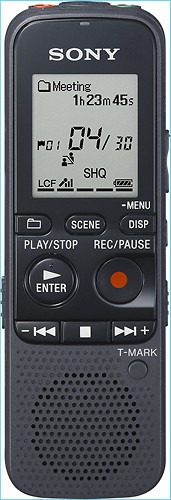
A:AnswerWhen you connect a stereo microphone (not supplied) to the IC recorder and the recording mode is set to “SHQ” or “HQ” mode, you can record sound in stereo.
A:AnswerThe Sony ICDPX312 Digital Voice Recorder records the voice files in the MP3 format. You can insert the Card in the Computer Memory card slot and then copy the MP3 voice files which can be located under the Voice folder. iTunes is compatible with the MP3 format; however, we suggest that you also check with the Apple support team for other compatible MP3 Software.
You can use any External Microphone which has a stereo mini connector. Ensure that the Select Input setting is set to MIC IN when connecting the external Microphone. Some of the recommended Sony Electret Condenser Microphones are: ECM-CS10, ECM-CZ10, ECM-DS70P, ECM-DS30P.
To record sound in a larger hall or a low sound away from the IC recorder, set the MIC sensitivity setting to High. To record general conversation, set it to Medium or Low.
A:AnswerCheck by playing the Voice file in the Computer as the Power output of the Sony ICDPX312 is only 300 mW. Also, check by setting the Mic Sensitivity option in the Detail Menu to Low.
If the issue still persists, we suggest that you contact our Technical Support Team to troubleshoot the issue further, as more details would be required to diagnose the issue. You can contact our Technical Support Team via chat, E-mail or Telephone at:
http://esupport.sony.com/US/p/select-system.pl?DIRECTOR=CONTACT
A:AnswerYes, the Sony ICDPX312 Digital Voice Recorder is designed with the beep sound option which indicates that either an operation has been accepted or an error has occurred. It can be set to OFF by accessing the BEEP option in the Detail menu.
A:AnswerThe Sony ICDPX312 Digital Voice Recorder is supplied with two LR03 (size AAA) Alkaline Batteries and they cannot be charged. NH-AAA-B2KN Rechargeable batteries are recommended to be used with the Sony Digital Voice Recorder. They can be charged using a NH AAA Battery Charger which can be located from the following page.
http://www.bestbuy.com/site/searchpage.jsp?_dyncharset=ISO-8859-1&_dynSessConf=-7323014724568062816&id=pcat17071&type=page&st=NiMH+AAA+battery+charger&sc=Global&cp=1&nrp=15&sp=&qp=&list=n&iht=y&usc=All+Categories&ks=960
Note: Do not use manganese batteries for this Sony Digital Voice Recorder.
A:AnswerWhile taking an Interview from the IC Recorder ICDPX312, it is recommended to record human voice at a distance of 1 to 2 meters (40 to 80 in.).
A:AnswerYou can format the Digital Voice Recorder using the menu of the device. Enter the menu settings scroll down to Detail menu and select Format. You can check this information using the operating instructions manual of the recorder.
http://docs.sony.com/release/ICDPX312_CA.pdf
A:AnswerThe Sony ICDPX312 Digital Voice Recorder has a stereo mini Microphone jack. You can use any External Microphone which has a stereo mini connector.
Some of the available Sony models are: ECM-CS10, ECM-CZ10, ECM-DS70P, ECM-DS30P electret condenser microphone. You can also use the Sony ECM-TL1 headphone-type electret condenser microphone to record sound from a telephone or a cell phone.
A:AnswerWhile Using the VOR Function of the Sony ICDPX312 IC Recorder, you can set the MIC Sensitivity to High to record a sound far away from the IC recorder or a low sound, such as recording in a spacious room. However, the IC Recorder will not record when connected to the Computer; it’ll use the battery power only while recording.














