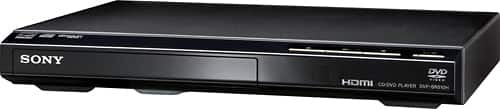
A:AnswerThe Sony DVD Players such as DVPCX995V or DVP-NS50P have continuous play feature to play continuously without having to restart it. These models are not available for online purchase. You can contact the nearest Best Buy Store for checking the availability of the DVD players.
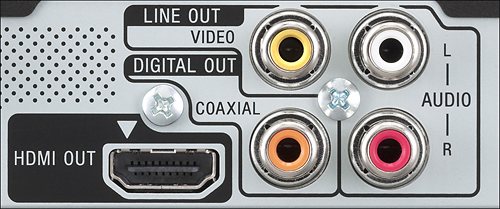
A:AnswerHi there, Using an HDMI cable already sends both audio and video signal. No need to use the RCA composite connection (red, white and yellow). You may find this link helpful:
https://us.en.kb.sony.com/app/answers/detail/a_id/40883
Regards,
~Ralph
A:AnswerYou can but I don't think you have to. I have external amp and speakers hooked up to my tv and the HDMI connection takes care of everything so I don't have to run separate RCA cables from the dvd player.
A:AnswerIt would depend on the type of TV and DVD disc that you will play on the DVPSR510H. If your TV has a 16:9 aspect ratio and the disc is recorded in 16:9 format it would display in full screen, but if the disc is recorded in 4:3 aspect ratio black bars will display on the left and right side of the TV. If you have a 4:3 aspect ratio TV and the disc is recorded in 16:9 aspect ratio black bars will display on the top and bottom part of the TV screen and will display in full screen if the disc is in 4:3 aspect ratio. For more information you may refer to the link below.
https://us.en.kb.sony.com/app/answers/detail/a_id/40538/p/47329,47330,70695/c/65,66/kw/aspect%20ratio
https://us.en.kb.sony.com/app/answers/detail/a_id/40227/p/47329,47330,70695/c/65,66/kw/aspect%20ratio
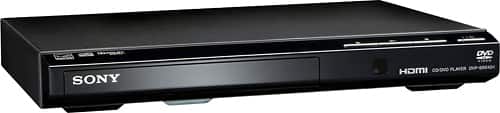
A:AnswerIf your TV cannot use the hdmi
cable then using the supplied 3 wires insert the yellow in the green/yellow connector on the TV the red and white in the same color connector , power on the TV and player ,then scroll and activate the av /composite input on the TV imput menu , open the dvd player insert a disc , push play and start enjoying one of the thousands movies available on DVD the most used and available media worldwide
A:AnswerHi Pat, You may connect it directly to the TV via HDMI connection if there is an available HDMI port. You may refer to this link for more information:
http://www.sony-asia.com/microsite/bravia_connectivityguide/bdp/hdmi/index.html
~Ralph
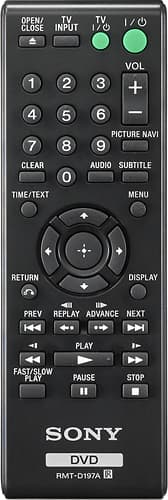
A:AnswerHi Kajay, We're sorry to hear that the buttons are not responding right away. It doesn't have a forward and reverse button on the unit itself. You may check this link out for troubleshooting steps to help isolate the issue:
https://us.en.kb.sony.com/app/answers/detail/a_id/76256
~Ralph
A:AnswerSupported formats and discs are:
Video CD : Yes (PBC)
SVCD : Yes (PBC)
CD (CD-DA) : Yes
DVD-Video : Yes
LPCM Playback : Yes (DVD/CD)
WMA Playback : Yes (DVD/CD)
MPEG1 Playback : Yes (DVD/CD)
JPEG Playback : Yes(DVD/CD)
MP3 Playback : Yes(DVD/CD)
DVD text : Yes
KODAK Picture CD : Yes
DVD Camcorder 8cm DVD : Yes (DVD-R/-RW/DVD+R DL/+RW)
DVD+RW : Yes
DVD+R : Yes
DVD-RW : Yes (Video/VR)
DVD+R Double Layer : Yes
DVD-R Dual Layer : Yes (Video/VR)
DVD-R : Yes (Video/VR)
CD text : Yes
MP4, I believe us usually high def and would normally need to be played on an appropriately formatted disc capable of that. I believe that would have to happen on a Blu-Ray player. While this has up-conversion and a HDMI output, that is intended for DVDs and file formats above.