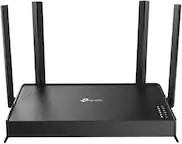
A:AnswerThe TL-WR902AC supports VPN Passthrough, however it does not establish the client or server connection itself - you will need VPN client/server software or hardware for that.
Regards,
TP-Link Support
A:AnswerYes, and you should be able to connect a laptop, and printer, to it. The biggest problem with using one of these over a cellular connection, the more devices you connect to that cellular connection, the hotter the insides of the smartphone are going to become. Note to all the Smartphone manufacturers! We do like our little devices, but, being able to run a laptop, tablet, printer, and digital camera using cloud software, AND, still take and make calls, From the location of this, What3words address, segregate.foreground.proposes. NOT having to fear premature demise, or a total meltdown of the connected smartphone, no doubt smoking! to provide those fully supported connections, that would be AWESOME!
A:AnswerIf you are going to use your Play Station online you will need to have a WIFI connection. This device DOES NOT ELIMINATE THE NEED FOR A RESIDENTIAL INTERNETT CONNECTION. Where ever you plan to use this device that location must have EXISTING internet service! All this device does is provide more reach/range for an existing internet connection and its wireless internet modem. This device also provides better security if it is used to connect to an EXISTING, public WIFY system as the data stream can be encrypted. That probably makes this a pointless purchase for you, correct? Well, depends, if you reside near a public WIFI location, this device may be able to provide internet service by hitching up to that locations internet service provider. If that WIFI's signal is too weak, this may be able to extend the serviceable area of that public access WIFI. However, you may want to look at one of the faster versions, I don't think this will be able to handle gaming in 4k or 3D.
A:AnswerThis is a WiFi router, once you connect it to the internet (e.g. hotel wifi) you can connect your other devices to this router to access the internet. Many people use this travel router to allow devices to connect to hotel WiFi when there is a login or password screen they aren't able to access. Consoles, phones, anything WiFi can now access Internet without needing to login when going through router.
A:AnswerYes, the TL-WR902AC is designed for use while traveling abroad, and supports various operation modes to accommodate your networking needs.
Regards,
TP-Link Support
A:AnswerThis device does not provide internet service. It enhances the wireless signal of existing WIFI service. You will need to have a WIFI cable modem, Fiber Modem, DSL Modem, or Satellite Modem at your location.
A:AnswerNo, you can set up the TL-WR902AC in repeater/extender mode, or even in Hotspot Router Mode, which will allow you to create a separate LAN using the original WiFi source as the upstream connection.
Regards,
TP-Link Support
A:AnswerWell, If I can talk to my 2016 Ford Platinum Expedition EL's 2 Main Onboard Computers, or any one of the 10 sub systems on that vehicle from my home office, its in the driveway. You should have NO problem with your PS4, however, you may want to upsize for a faster data transfer rate, this thing will not handle 4K. For me this thing is perfect, my Expeditions onboard MS CAN, HS CAN, and OBD-II vehicle networks all transfer data at 300 to 500 MBS. This thing maxes out at 600, rock solid, from a distance. when I plug the WIFI ELM 327 adapter into the vehicles OBD-II data port it creates its own network but the range is barely outside the vehicle, this takes that open unsecured network, secures it and broadcasts it pretty far. Anyway I can connect my office desktop system to that network, the office system is about 350 Feet from the vehicle. If I am outside, no barriers, it broadcasts about 1,000 feet, and would probably do much better if I could relocate the unit to the dash. It pulls its power from the #2 USB port under the center armrest inside the vehicle. Its really kind of amazing!
Seriously, it depends on the games: if you want to play 4K you need a much more robust WIFI set up. In my opinion I would go with one of the ones I point out below. This WIFI device I feel would be a disappointment, if not at first, certainly it would be eventually. This is more for office work, paper pushing, email, vehicle data communication, not conquering the world, ridding the universe of vile vermin, staking claim to the Orion Nebula, gaming??? First, or second, generation games, think games before PS-2, when X-Box, was just X-Box. While this thing is fantastic for me, for you, Need for Speed Heat, would be like driving the BQE out of NY at 5 pm on a Friday!
A:AnswerYou must have an existing Internet connection with hardwired service provided through a cable modem that can transmit wirelessly, WIFI, or direct connection hardwired to the computer. If you already have that, you don't need this. This can boost a, "free," internet signal perhaps provide a more stable public WIFI, Free, internet connection for you. I use it to communicate with the Ford MS CAN, HS CAN, OBD-II onboard vehicle network. For example, my 2016 Ford Platinum Expedition EL has 2 Main onboard computers, and 10 subsystems. The vehicles WIFI ELM 327 Adapter broadcasts an open WIFI signal a very, very, very short distance from the vehicle. This takes that open WIFI network, not internet, internet, but vehicle specific internet, boosts the signal, secures the connection, makes it private, so I can program the onboard systems to function the way I want, not the way Ford thinks I want them to, from my Desk Top computer 350 Feet away in my office. Where its dry, warm, and toasty.
A:AnswerThis unit requires an existing internet connection, AND wireless router, or wireless cable modem, if you have that, you don't need this. Now if you have a really generous neighbor with in 1,000 feet of your computer. And that neighbor is willing to share their connection, this is perfect!
A:AnswerThe router alone cannot provide Internet services. You will need to connect the router to an Internet source, such as a modem, for Internet connectivity. Once connected to an Internet source, you can connect devices such as your PS4 to the router via WiFi or Ethernet.
Regards,
TP-Link Support
A:AnswerNo; however you will need an active Internet subscription and connect it to the router via Ethernet cable if you want to access the Internet through the router.
Regards,
TP-Link Support
A:AnswerThis is a device to boost the signal provided by traditional WIFI, or free Public WIFI. If you have cable internet, T-1 Service, Optical Internet, or Satellite internet, this device would extend the range out and away from the service in your home. Kind of like this, you live in a 7,500 sq. ft. 4 level home. The service to the residence enters the office 3 floors down and 5,000 feet away from the 4 floor Solarium. You would follow the existing service to its weakest point where a stable laptop connection can be achieved, install this, and hopefully it will boost the signal enough for a stable connection in the Solarium. It can also provide a secure connection to public WIFI.