A:AnswerYes, the router comes with an Ethernet Cable. However, for Internet access, you will need and existing Internet connection (i.e. a modem and an Internet service provider).
Regards,
TP-Link Support
A:AnswerYES it actually works great in 2 story home. I've got my router upstairs & it not only works thru out the house but works great for my renters that live next door as well. I can even get it when I'm across the street out in neighbors pasture! I loved this router …. until it suddenly stopped working after 2 yrs now I'm bummed!
A:AnswerNo, this is a WiFi router, not modem+router combination device, and cannot take the place of your modem. You can, however, use the router in conjunction with your existing modem gateway.
A:AnswerYes, you can use the router's Access Point Mode feature as shown in our FAQ here: https://www.tp-link.com/us/support/faq/2066/
Regards,
TP-Link Support
A:AnswerFor Internet connectivity, you will need a modem, which you can then connect to this router via Ethernet to provide dual-band AC1200 WiFi for your home.
Regards,
TP-Link Support
A:AnswerYes, once properly installed, the router provides WiFi connectivity for any WiFi enabled device, such as your Roku stick and phone, to connect to.
Regards,
TP-Link SUpport
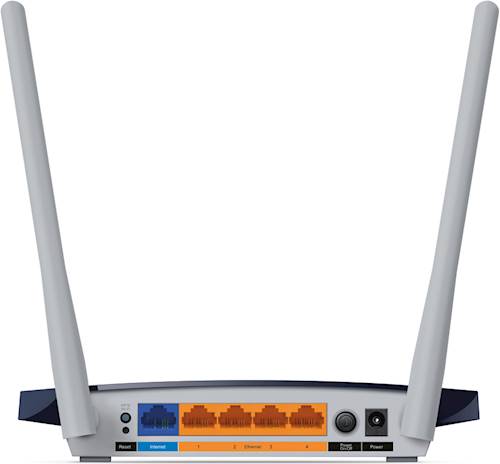
A:AnswerThe Ethernet ports of the C50 | AC1200 are 10/100Mbps. The specifications are posted by TP-Link at this URL https://www.tp-link.com/us/home-networking/wifi-router/archer-c50/#specifications
A:AnswerYes, you can connect the router to your existing Internet source (i.e. modem or ONT) via Ethernet cable and use the included setup guide to easily set it up. Please note the router cannot be used in place of a modem+router gateway as this does not include a modem.
A:AnswerOur routers can be used with virtually any Internet provider; however, you will need an existing Internet source (i.e. modem or ONT) that supplies Internet to the router via Ethernet cable. We recommend reaching out to your Internet provider to confirm whether your existing equipment is compatible with a third-party router.