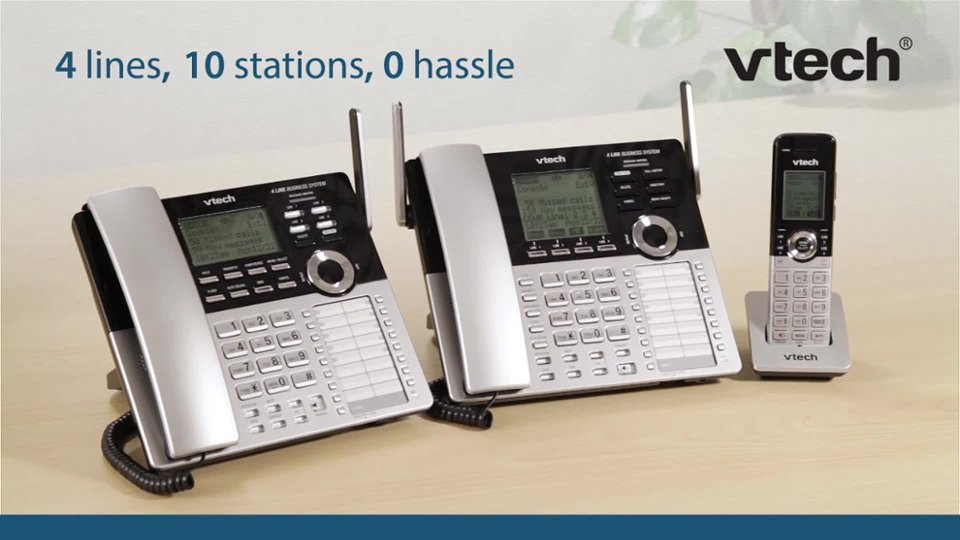
A:AnswerHi - Yes, the VTech CM18445 is capable of blocking an international call as long as you are subscribed to the service from your telephone service provider.
Thank you,
-VTech Support
A:AnswerHi - The messages left on the built in answering machine of the VTech CM18445 can be accessed remotely. You can dial your phone number using any touch tone phone, then enter the remote access code. The system will play new messages (if there is any), then followed by old messages.
Thank you,
-VTech Support
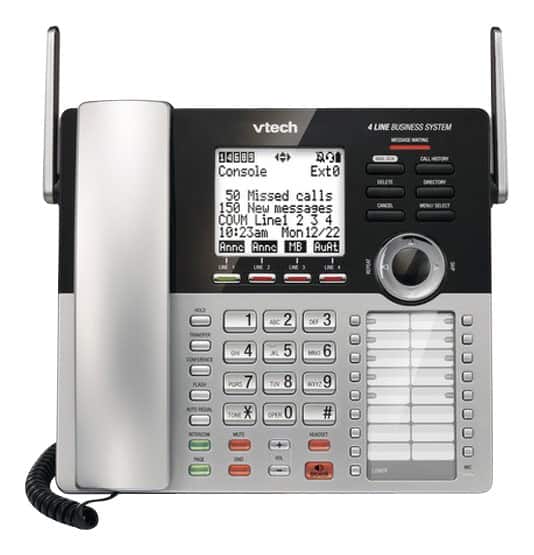
A:AnswerKay - The answering machine of the VTech CM18445 will still pick up a call on line 2 even if line 1 is on a call, and vice versa.
Thank you,
-VTech Support
A:AnswerJJ - We are sorry to hear that you are having issues with the VTech CM18445. Your rollover service might be picking up before the answering machine answers the call. If you are still experiencing an issue, you can contact our Customer Support at 1-800-595-9511. We are open from 9:00 AM to 4:00 PM, Mondays through Fridays.
Thank you,
-VTech Support
A:AnswerHi - The VTech CM18445 telephone system is compatible with regular lines commonly found in residential setting. You can hook this phone up to replace your old phones if you have a regular landline service. The telephone base can register up 9 devices (CM18245 or CM18045). For more details, you can contact our Customer Support at 1-800-595-9511. We are open from 9:00 AM to 4:00 PM, Mondays through Fridays.
Thank you,
-VTech Support
A:AnswerHi - Messages recorded on your Voicemail service will not be announced audibly on the telephone system. The built in answering machine of the VTech CM18445 on the other handset has a call screening feature. When the said feature is set to ON, you will be able to hear the messages via speakerphone while callers are leaving a message on the built in answering machine of the unit.
Thank you,
-VTech Support
A:AnswerBobby - The VTech CM18445 is capable of rollover as long as you are subscribed to the service from your telephone service provider. All three lines must be installed to the main Console. For more details on the installation, you can reach out to our support team at 1-800-222-3111. We are open from 9:00 AM to 4:00 PM, Mondays through Fridays.
Thank you,
-VTech Support
A:AnswerHi - The VTech CM18445 is capable of forwarding a call to a different line as long as you are subscribed to the service from your telephone service provider.
Thank you,
-VTech Support
A:AnswerBrian - We are sorry to hear that you are having issues with the VTech CM18445. The telephone system has an auto hold feature. The current call will be put on hold when you switch to another line and it will stay on hold even if the other party has already ended the call. You need to manually go back to the previous line to take the call off hold. If you have more questions, please contact our Consumer Sales and Service Center between the hours of 9:00 AM and 4:00 PM Monday through Friday at 1-800-595-9511.
Thank you,
-VTech Support
A:AnswerHi - The VTech CM18445 is not compatible with another 4 line telephone system. The only compatible devices with the Console are the expansion units model CM18045 and CM18245.
Thank you,
-VTech Support
A:AnswerHi - The VTech CM18445 has the ability to bridge to outside line. You can conference a call on line 1 and line 2. If you need to conference more than 2 lines, you may check with your telephone service provider if they offer such subscription.
Thank you,
-VTech Support
A:AnswerHi - We are unable to send technician to install the VTech CM18445. You can contact our Consumer Sales and Service Center between the hours of 9:00 AM and 4:00 PM Monday through Friday at 1-800-595-9511 for installation assistance.
Thank you,
-VTech Support
A:AnswerHi - The hold feature of the VTech CM18445 will not disable even if the person on the other line has ended the call. It can only be disabled by manually turning off the line. Thank you!
A:AnswerPhil - The VTech CM18445 has a call privacy feature that will not allow other system extension to listen on an active call. The said feature will not work on another phone that is not part of the system. Please contact our Consumer Sales and Service Center between the hours of 9:00 AM and 5:00 PM Monday through Friday at 1-800-595-9511. We can provide assistance on how to resolve your issue.
Thank you,
-VTech Support
A:AnswerErika - You need to contact your Telephone Service Provider to deactivate the rollover service as it is a subscription from them.
Thank you,
-VTech Support
A:AnswerFrosty - The VTech CM18445 is not capable of deactivating the 3 out of 4 lines capability. It will only give you a dial tone on the active line/s installed on the telephone base. For more details, please contact our Consumer Sales and Service Center between the hours of 9:00 AM and 3:00 PM Monday through Friday at 1-800-595-9511.
Thank you,
-VTech Support