“Is this drive able to be pulled out & placed into a computer IF the box fails? I have had horrible experience with these in the past where the drive is encrypted using hardware encrypted built into the chassis which means it cannot be moved.”
Answer This Question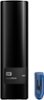
1-5 of 5 Answers
For a number of reasons, removing an external drive from the enclosure to install as an internal drive is not advisable. While this is possible and even easy to do with smaller capacity drives that use an on-board controller in the external box that is similar to the PC's controller, the larger capacity drives most often use proprietary controllers so you can't move the drive to other enclosures or to the PC. The proprietary controllers let the mfg get the capacity and the drive response in a drive that is at a low price point that gives them the market edge. Your option is to purchase an external empty closure that accepts any standard PC drive, then install your own drives, but that is a much costlier option. I have owned 30 or so external drives and have had only one failure of the oldest drive, so as long as you keep them on a power strip that protects them from power surges etc, you are probably ok with this drive for six to ten years.
Sorry, there was a problem. Please try again later.Although not guaranteed, every one of these drives that I have purchased have had a standard SATA hard drive that can be installed in a desktop PC. So to answer your question, yes it can.
Sorry, there was a problem. Please try again later.This model is not encrypted by default. I remove from enclosure for use in NAS and can see the files before I wipe.
Sorry, there was a problem. Please try again later.Yes! You can absolutely take this out of the enclosure, and there is NO hardware encryption. Look up "how to shuck EasyStore" in YouTube and you can find tons of guides on how to.
Sorry, there was a problem. Please try again later.Yes. I took 4 of the 10TB drives out of the external enclosures, and put them in my QNAP. Standard hdd power and SATA ports.
Sorry, there was a problem. Please try again later.