A:AnswerHi, As of February 2025, Western Digital has separated into two independent companies and the support process for your Western Digital and Sandisk branded products may have changed. All Hard Drive products remain with Western Digital, and all SSD and Flash products are now supported by Sandisk. We apologize for any confusion or inconvenience. For support of your SSD or Flash product, please contact the SanDisk support team on Social Media handle @sandisk
A:AnswerHi Mel, As of February 2025, Western Digital has separated into two independent companies and the support process for your Western Digital and Sandisk branded products may have changed. All Hard Drive products remain with Western Digital, and all SSD and Flash products are now supported by Sandisk. We apologize for any confusion or inconvenience. For support of your SSD or Flash product, please contact the SanDisk support team on Social Media handle @sandisk
A:AnswerHi JeanMac, As of February 2025, Western Digital has separated into two independent companies and the support process for your Western Digital and Sandisk branded products may have changed. All Hard Drive products remain with Western Digital, and all SSD and Flash products are now supported by Sandisk. We apologize for any confusion or inconvenience. For support of your SSD or Flash product, please contact the SanDisk support team on Social Media handle @sandisk
A:AnswerHi Frank, As of February 2025, Western Digital has separated into two independent companies and the support process for your Western Digital and Sandisk branded products may have changed. All Hard Drive products remain with Western Digital, and all SSD and Flash products are now supported by Sandisk. We apologize for any confusion or inconvenience. For support of your SSD or Flash product, please contact the SanDisk support team on Social Media handle @sandisk
A:AnswerHi, As of February 2025, Western Digital has separated into two independent companies and the support process for your Western Digital and Sandisk branded products may have changed. All Hard Drive products remain with Western Digital, and all SSD and Flash products are now supported by Sandisk. We apologize for any confusion or inconvenience. For support of your SSD or Flash product, please contact the SanDisk support team on Social Media handle @sandisk
A:AnswerThe cable that is included is a USB type A. You may be able to get an adapter to change from type A to C, but I am not techy enough to know if that would provide satisfactory performance.
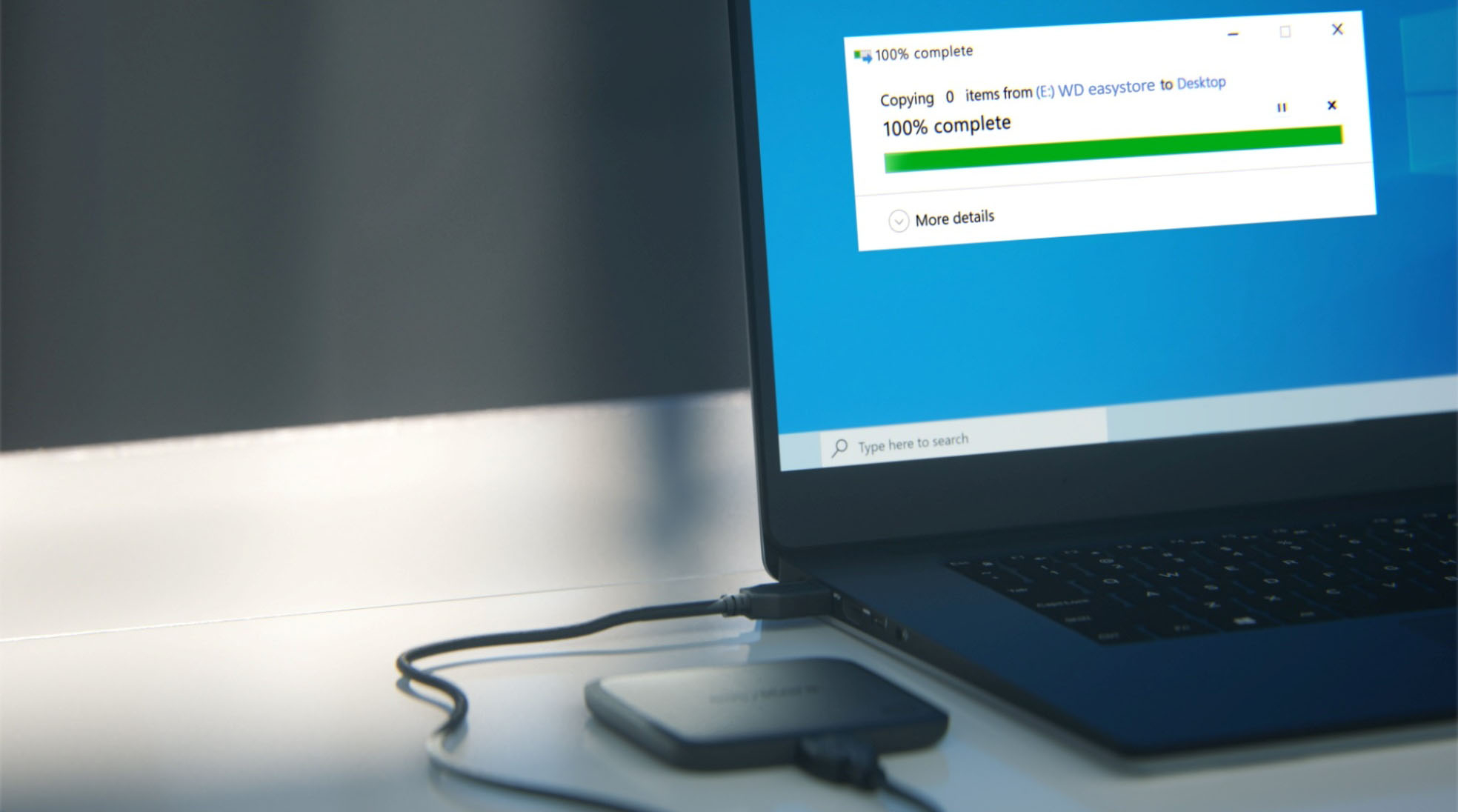
A:AnswerHello, Please be informed that it is a Plug-and-Play Drive that requires no software for setup or installation. You can download the user manual of the drive online using below mentioned link. We recommend you to please contact your host device vendor support to check whether the drive will support. https://www.westerndigital.com/en-ap/products/portable-drives/wd-easystore-usb-3-0-ssd?sku=WDBAYN0010BBK-WEBB -Need Help? Please see our "'Contact Us" page for information.
A:AnswerHello TFos, Please be informed that the Easystore Portable solid state drive is designed and tested for Windows and macOS computers. We have not tested the drive on mobile devices or an iPad. We recommend to use computer to backup the phone to the drive. Please refer to the link to know more about the drive: https://products.wdc.com/library/SpecSheet/ENG/data-sheet-easystore-ssd.pdf -Need Help? Please see our "'Contact Us" page for information.
A:AnswerHello Malikmaurice, Please be informed that you are referring to your computer's speed which depends on different aspects in which one is the internal drive of the computer. However, the WD Easystore Portable SSD is an external drive storage drive and do not play any role in the speed of computer. If you face any issues or require technical assistance, kindly please open a ticket at (https://support-en.wd.com/app/askweb) our support team will get in touch with you at the earliest.
A:AnswerHello Nettie, Please be informed that WD Easystore External Portable SSD drive is a plug 'n' play device tested and designed for Windows and Mac computers for seamless operation. You could use File History or Acronis on windows. You could refer to the link mentioned below: Windows 10 and 11 File History Backup and Restore to a WD DAS- https://support-en.wd.com/app/answers/detailweb/a_id/25298/ and for using Acronis you could refer to the link mentioned below: https://support-en.wd.com/app/answers/detailweb/a_id/30022/kw/acronis Also, Please be informed that for backup on Mac you could use macOS Time Machine Backup and Restore to a WD DAS- https://support-en.wd.com/app/answers/detail/a_id/18952/kw/time%20machine -Need Help? Please see our "'Contact Us" page for information.
A:AnswerNot sure what kind of accessories you're referring too. This little gizmo was complete right out of the package. I was using it to backup some files within ten minutes. The only thing I can think you might need is some backup software. I'm using what came with my Norton 360 and everything went painlessly.
A:AnswerHello Liz, please be informed that the Easystore Portable solid-state drive is designed and tested for Windows and macOS computers. We have not tested the drive on mobile devices or an iPad. We recommend to use computer to backup the phone to the drive. Please refer to the link to know more about the drive: https://products.wdc.com/library/SpecSheet/ENG/data-sheet-easystore-ssd.pdf -Need Help? Please see our "'Contact Us" page for information.
A:AnswerHi Jobo, Please be informed that the WD Easystore External SSD drive is a plug 'n' play device tested and designed for Windows and Mac computers for seamless operation. We recommend you to please contact your host device vendor support to check whether the drive will support. Please refer to the link to know more about the drive: https://products.wdc.com/library/SpecSheet/ENG/data-sheet-easystore-ssd.pdf -Need Help? Please see our "'Contact Us" page for information.
A:AnswerHi Xbox1S, Please be informed that the WD Easystore External SSD drive is a plug 'n' play device tested and designed for Windows and Mac computers for seamless operation. We recommend you to please contact your host device vendor support to check whether the drive will support. Please refer to the link to know more about the drive: https://products.wdc.com/library/SpecSheet/ENG/data-sheet-easystore-ssd.pdf -Need Help? Please see our "'Contact Us" page for information.
A:AnswerHello, Please be informed that the Easystore Portable solid state drive is designed and tested for Windows and macOS computers. We have not tested the drive on mobile devices or an Ipad. We recommend to use computer to backup the phone to the drive. Please refer to the link to know more about the drive: https://products.wdc.com/library/SpecSheet/ENG/data-sheet-easystore-ssd.pdf -Need Help? Please see our "'Contact Us" page for information.