Appliances Presidents’ Day SaleEnds 2/25. Limited quantities. No rainchecks.Shop now

Skip to contentGo to Product SearchGo to Footer
Main Content

Questions & Answers

Loading...
Page Showing 821-828 of 828 questions
  • QuestionHow do I set up WD EasyStore 2 TB to automatically backup on a daily basis without my having to do anything manual?

    Asked by samuel.

    • Answer Hi samuel, Please be informed that the WD Easystore​​​​​​​ Portable drive comes pre installed with WD Backup software. WD Backup is an application which automatically stores a copy of your files, photos, and documents with on premise backups to a WD drive as primary storage. It can also restore previous backups to your computer For more info about the WD Backup Software, refer to the link: https://support-en.wd.com/app/answers/detail/a_id/12279 -Need Help? Please see our "'Contact Us" page for information.

      Answered by Western Digital Team

  • QuestionWill this work with previous generation consoles, the Xbox 360 and PlayStation 3?

    Asked by Scott.

    • Answer Hi Scott, The WD My Easystore external hard drive is designed to be used with Windows or Mac OS. We recommend using "WD GAMING DRIVE ACCELERATED FOR XBOX" to be used on the Xbox console. Please refer to the link mentioned below for more information. WD GAMING DRIVE ACCELERATED FOR XBOX: https://documents.westerndigital.com/content/dam/doc-library/en_us/assets/public/wd/product/portable/wgdxbox1/4078-705152.pdf Need Help? Please see our "'Contact Us" page for information

      Answered by Western Digital Team

  • QuestionIs this a SMR or CMR drive?

    Asked by curious.

    • Answer We need to know the actual information about the drive. such as the SN or at least capacity. No information is provided here. If the drive is 8TB or higher it won't be SMR either so its a clear response if we know the capacity.

      Answered by Western Digital Team

  • QuestionIs this a SMR drive ?

    Asked by Mura.

    • Answer Hi Mura, You can refer to a blog post we made “What are the currently shipping SMR Drives” that does outline this more. Search for knowledge base article: 29458 Need Help? Please see our “ Contact Us” page for information

      Answered by Western Digital Team

  • QuestionDo these have sata interface on the hard drive itself? Say I wanted to remove it from the case it comes in and use it the drive in my laptop or something. Thanks

    Asked by Robertvastman.

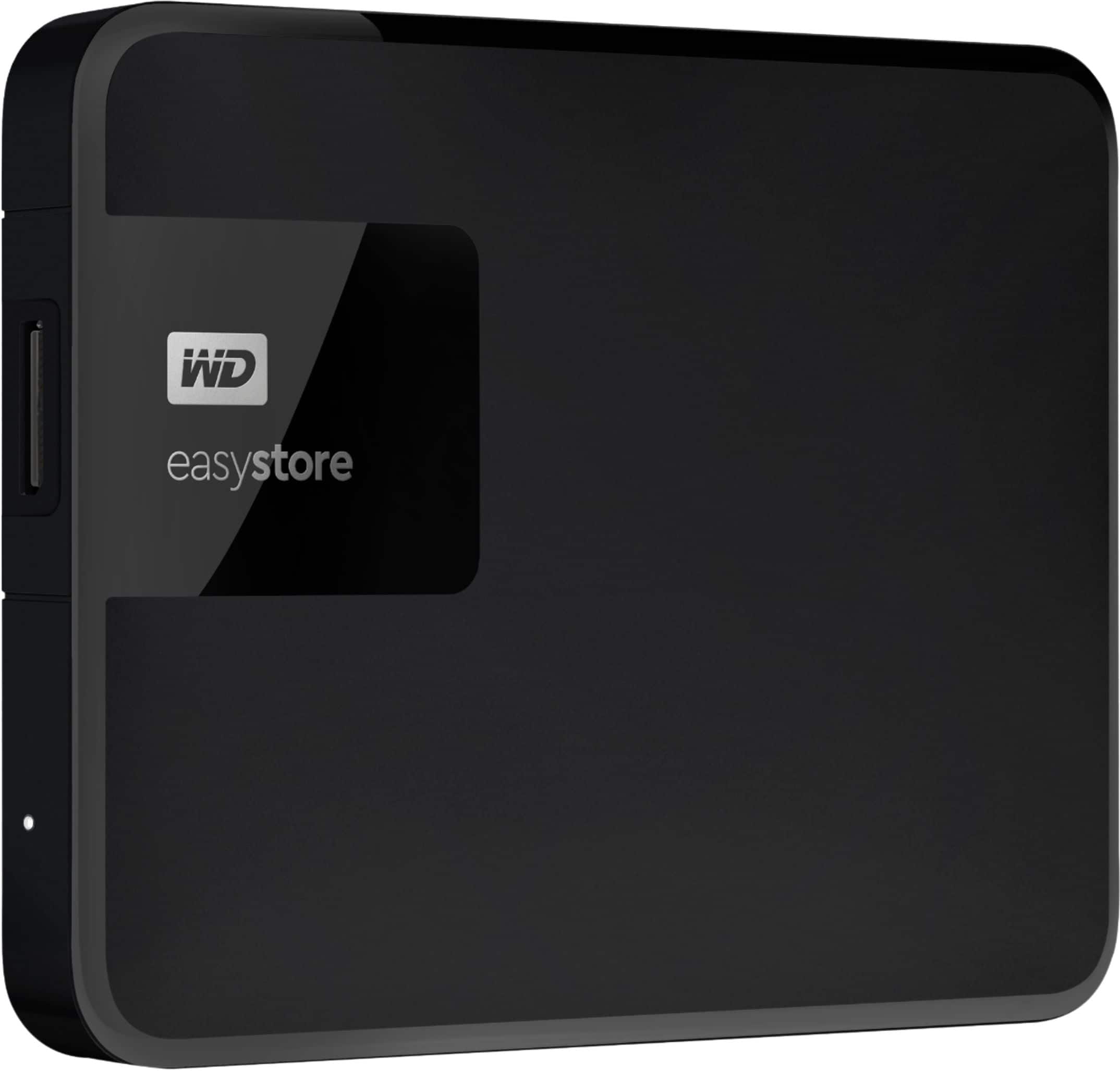
    • Answer No. Only interface is usb3, and case does not open to allow replacement of drive.

      Answered by Kisash

  • QuestionWhat is the difference between this WD Easystore model and WD Elements model WDBU6Y0020BBK-WESN? Both are USB 3.0, 2TB, both pre-formatted for PC.

    Asked by ReyJeff.

    • Answer They are basically the same as far as their technical specs are concerned. They are both usable with Mac or PC, and both have 5 Gbps transfer rate using USB 3.0. Except perhaps differences in packaging (I do not know if the internal hardware have any differences.) The only significant difference is the Easystore comes with back up software (I am not sure how useful they may be, and personally do not think they can be good because of frequent changes in operating software in both Mac and PC etc...) while the Element comes with what they call Smartware trail for 30 days. I never use software included in prepackaged hard drives.... and clearly I buy the Elements because they are cheaper. So, if you buy the Easystore, they are more expensive and you get the backup software. You may find using these software justifies the higher price or not, depending on your personal use.

      Answered by LanPhu

  • Questionwhat is its Maximum Read Speed?

    Asked by yo.

    • Answer Hi yo​​​​​​​, Please be informed that the WD Easystore drive is a plug and play device tested and designed for Windows and Mac computers for seamless operation. The Drive uses USB 3.0 Type-A Interface. For more info about the drive refer the below link- http://products.wdc.com/library/UM/ENG/4779-705168.pdf, For USB Interface: https://support-en.wd.com/app/answers/detail/a_id/5043 - Need Help? Please see our "'Contact Us" page for information.
      Answered by Western Digital Team

  • QuestionWhat is the read/write speed of this drive?

    Asked by Samy.

    • Answer Hi Samy, Please refer to the link given below to check the drive's features and specifications. http://products.wdc.com/library/UM/ENG/4779-705168.pdf Need Help? Please see our "'Contact Us" page for information.
      Answered by Western Digital Team