“Is there a way to get your photos from my cloud storage using the hard drives usb port?”
Answer This Question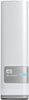
1-5 of 5 Answers
No, it is not a USB hard drive, but you can access the files through the network using numerous protocols (Windows File Share, Apple File Share, FTP, NFS, or via the WD Cloud Interface).
Sorry, there was a problem. Please try again later.You could try (and this is a guess), attaching a drive to the usb port, define a safe point, let the safepoint run, and then ... disconnect the drive -- the onboard computer will copy everything to the safe point drive, using the USB port, and not using the network or your PC.
Sorry, there was a problem. Please try again later.No.
Sorry, there was a problem. Please try again later.The USB port on it is only for conecting additional storage devices.
Sorry, there was a problem. Please try again later.Simple answer is NO: The USB port is for hanging a "slave" drive if you will, off the my cloud server. EVEN if you did hang something off here, if you mapped into it -- the network path would be for the data to first go up to your computer, and then back down to my cloud. Bottom line: you're better off copying directly from your computer to the drive. ***** The "deep answer" is maybe -- but you'd have to try SSH-ing into the root directory, and maybe there is a terminal service command that might allow for direct copies -- but that is just a guess. DO NOT DO THIS IF YOU ARE NOT COMFORTABLE & KNOWLEDGABLE working in a Linux root directory -- you could accidentally turn the drive into a brick.
Sorry, there was a problem. Please try again later.