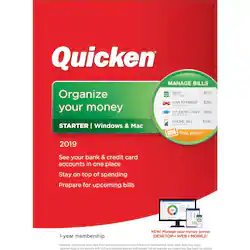
Quicken - Starter 2019 - Windows, Mac OS [Digital]
- Key Specs
- Operating System Compatibility: Windows, Mac OS
- Software Format: Digital (Physical software requires a disc, cartridge, etc. be inserted into the gaming console or computer to download and/or operate the software. Digital software allows for downloading and/or playing the software on the gaming console or computer without a physical disc, cartridge, etc. Physical (Download Code Only) software is purchased in physical form with a code that allows for downloading and/or playing the software on the gaming console or computer without a physical disc, cartridge, etc.)
- Subscription Period: 1 Year
- General
- Product Name: Quicken Starter 2019
- Brand: Quicken
- Publisher: Quicken
- Model Number: QUI940800F061
- Features
- Included Mobile App(s): true
- Designated Use: Home
- Account Management Type(s): Checking, Credit card, Savings
- Online Banking Function: true
- Bill-Pay Service: true
- Expense Budgeting: true
- Compatibility
- Operating System Compatibility: Windows, Mac OS
- Software Format: Digital (Physical software requires a disc, cartridge, etc. be inserted into the gaming console or computer to download and/or operate the software. Digital software allows for downloading and/or playing the software on the gaming console or computer without a physical disc, cartridge, etc. Physical (Download Code Only) software is purchased in physical form with a code that allows for downloading and/or playing the software on the gaming console or computer without a physical disc, cartridge, etc.)
- Format: Digital Download
- Requirements
- System Requirements: Windows: 1GHz or higher processor, 1GB RAM or more, 1024 x 768 or higher screen resolution; Mac: Intel-based Macintosh, 1280 x 800 or higher screen resolution (The software that a product must have for it to be able to integrate with another product.)
- Subscription: true
- Subscription Period: 1 Year
- Hard Drive Space Required: 1.5 gigabytes
- Other
- UPC: 841798101513
Organize your money, see your bank and credit card accounts in one place. Stay on top of bills and spending, and prepare for upcoming bills.
- See all your accounts in one place: Helps you simplify and organize your money.
- Download transactions from bank and credit card accounts automatically: Works with more than 14,500 participating financial institutions.
- Stay on top of spending: Categorize expenses to see exactly where your money goes.
- Prepare for upcoming bills: Conveniently access, download and pay your bills directly from Quicken.
- Protected with 256-bit encryption: Keeps all your information safe with proven security.
- Manage your money on the go: The Quicken app is compatible with iOS and Android phones and tablets.
- See all your accounts in one place: Helps you simplify and organize your money.
- Download transactions from bank and credit card accounts automatically: Works with more than 14,500 participating financial institutions.
- Stay on top of spending: Categorize expenses to see exactly where your money goes.
- Prepare for upcoming bills: Conveniently access, download and pay your bills directly from Quicken.
- Protected with 256-bit encryption: Keeps all your information safe with proven security.
- Manage your money on the go: The Quicken app is compatible with iOS and Android phones and tablets.
Whats Included
- Quicken Starter 2019 (1-Year Subscription)
- Quicken Starter 2019 (1-Year Subscription)
Q: Can this software be downloaded to more than 1 computer?
A: As long as you use the same Quicken ID and password, you can install and use on as many devices as you wish. Thank you.
A: Thanks for your question—you should be able to update this older version of Quicken to the latest version of Quicken, through the use of several intermediary steps—you can find those steps here: https://www.quicken.com/support/how-and-when-use-intermediate-version-convert-older-versions-quicken - however, in order to upgrade, you would need to have a subscription for the Deluxe or higher version of Quicken, as Starter doesn’t import older files.
Q: Is there a book For Quicken starter dummie
A: Books were published years ago, but are no longer updated. You might find one online somewhere, but these are no longer being published. If you need support, contact www.quicken.com/support.
A: Yes-you can print checks. Regarding MS Money files, please visit www.quicken.com/support for help with this.
A: The software will work great without the annual subscription, but the annual membership will give you the latest updates as they are available, connected services with your financial institutions, and occasional exclusive offers from Quicken preferred programs.














