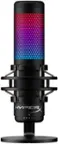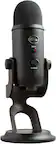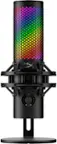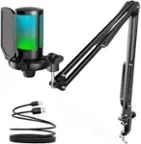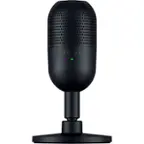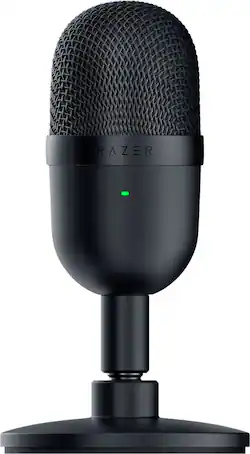
Razer - Seiren Mini Wired Ultra-compact Condenser Microphone - Black
- Key Specs
- Polar Pattern: Supercardioid
- Output(s): USB-A
- Microphone Type: Condenser microphones
- Wireless: false
- General
- Brand: Razer
- Model Number: RZ19-03450100-R3U1
- Product Name: Seiren Mini Wired Ultra-compact Condenser Microphone
- Color: Black
- Dimensions
- Product Height: 6.35 inches (The out of box height of the item. Height is measured as the vertical distance from the bottom of the item to the top as it would be primarily used or placed.)
- Product Length: 3.55 inches (The out of box length of the item. Length is measured as the longest dimension of the item.)
- Product Width: 3.15 inches (The out of box width of the item. Width is measured as the horizontal distance from one side of the item to the other as it would be primarily used or placed.)
- Product Weight: 1.04 pounds (The out of box weight of the item.)
- Cord Length: 5.9 inches
- Audio
- Polar Pattern: Supercardioid
- Output(s): USB-A
- Minimum Frequency Response: 20 hertz (Describes the maximum range of frequencies or musical tones a product can reproduce, from very low tones to very high treble tones. The minimum frequency or musical tone the speaker can reproduce. High treble tones have higher frequencies while low tones and deep bass have lower frequencies.)
- Maximum Frequency Response: 20 kilohertz (Describes the maximum range of frequencies or musical tones a product can reproduce, from very low tones to very high treble tones. The maximum frequency or musical tone the speaker can reproduce. High treble tones have higher frequencies while low tones and deep bass have lower frequencies.)
- Features
- Microphone Type: Condenser microphones
- Wireless: false
- Mute Function: true
- Lighting Type: None
- Compatibility
- Operating System Compatibility: Windows, Mac
- Warranty
- Warranty - Parts: 1 year
- Warranty - Labor: 1 year
- Other
- UPC: 811659037886
With the Razer Seiren Mini, big sounds can come in small packages. Introducing our ultra-compact condenser mic made for streaming with smaller or portable setups, and capable of producing professional-grade audio—thanks to a supercardioid pickup pattern and a 14mm condenser capsule. System Requirements: Windows 7,8, 10; Mac OS 10.8 onwards; Sony PS4
- Ultra-precise supercardioid pickup pattern: The Razer Seiren Mini is tuned with a tighter pickup angle, so it can focus on your voice while ensuring that background noises like typing and mouse clicks don’t get picked up.
- Professional Recording Quality: With its 14mm condenser capsule and flat frequency response, the mic broadcasts your voice with stellar clarity that’s filled with crisp highs and deep lows.
- Ultra-compact build: Made for minimalist or smaller setups, it barely takes up any desk space and is discreet on-camera, putting more focus on you. Easy to bring along if you need take your streaming elsewhere.
- Heavy-duty tilting stand: Sitting on a sturdy support, the mic can be angled to find the perfect sweetspot for your voice. It can also be detached and mounted on a boom arm or mic stand that uses a standard 5/8-inch thread.
- Shock Resistant: When things get exciting, accidental knocks and bumps happen. The built-in shock mount dampens these vibrations to help protect your stream against sound anomalies.
- Plug-and-play with USB: Within seconds of plugging into a USB port, the Razer Seiren Mini is good to go. Simply set its volume level using your streaming software of choice, and let your voice do the rest.
- Ultra-precise supercardioid pickup pattern: The Razer Seiren Mini is tuned with a tighter pickup angle, so it can focus on your voice while ensuring that background noises like typing and mouse clicks don’t get picked up.
- Professional Recording Quality: With its 14mm condenser capsule and flat frequency response, the mic broadcasts your voice with stellar clarity that’s filled with crisp highs and deep lows.
- Ultra-compact build: Made for minimalist or smaller setups, it barely takes up any desk space and is discreet on-camera, putting more focus on you. Easy to bring along if you need take your streaming elsewhere.
- Heavy-duty tilting stand: Sitting on a sturdy support, the mic can be angled to find the perfect sweetspot for your voice. It can also be detached and mounted on a boom arm or mic stand that uses a standard 5/8-inch thread.
- Shock Resistant: When things get exciting, accidental knocks and bumps happen. The built-in shock mount dampens these vibrations to help protect your stream against sound anomalies.
- Plug-and-play with USB: Within seconds of plugging into a USB port, the Razer Seiren Mini is good to go. Simply set its volume level using your streaming software of choice, and let your voice do the rest.
Whats Included
- Razer Seiren Mini
- Support rod
- Desk stand base
- Micro USB to USB cable
- Important Product Information Guide
- Razer Seiren Mini
- Support rod
- Desk stand base
- Micro USB to USB cable
- Important Product Information Guide
Product Manuals
Q: I want to buy this but I want to know if this picks up noises of a loud computer fan.
A: It doesn’t really pick up that much noise from the back so as long as the front of the mic is facing away from the fan you should be fine
Q: Since this is a wired microphone is it like a usb that I can plug in or what?
A: Yes. The Razer Seiren Mini can be plugged through it's provided Micro-USB to USB cable.
Q: Does this have a volume switch or adjustment at all? Maybe on the cord?
A: No. You can use the adjust volume in the Microphone Properties menu in your Sound Settings, or in the microphone volume settings of your streaming software (e.g., OBS, XSplit, etc.) or teleconferencing software (e.g., Zoom, Microsoft Teams, etc.)
Q: I want to get a mic arm for this mic, what size adapter or thread will i need
A: Yes, you can unscrew the capsule from its stand and attach it to a boom arm with a 5/8 inch thread. We recommend these boom arms: Rode PSA1
A: No, it doesn't have a mute button.
Q: can I use this with my iphone11
A: The Razer Seiren Mini has only been tested to work on PC and Playstation.
Q: Does this connect to a windows laptop?
A: Yes, I have a Dell laptop running Windows 10 and it works very well. I use it on a Windows 7 desktop also, and on both machines it auto configures.
Q: Does it always stay on or can you turn it off?
A: There is not an on/off button. I've limited what apps can use it (W10) and will unplug it when going through long periods of not using it