Customer Ratings & Reviews
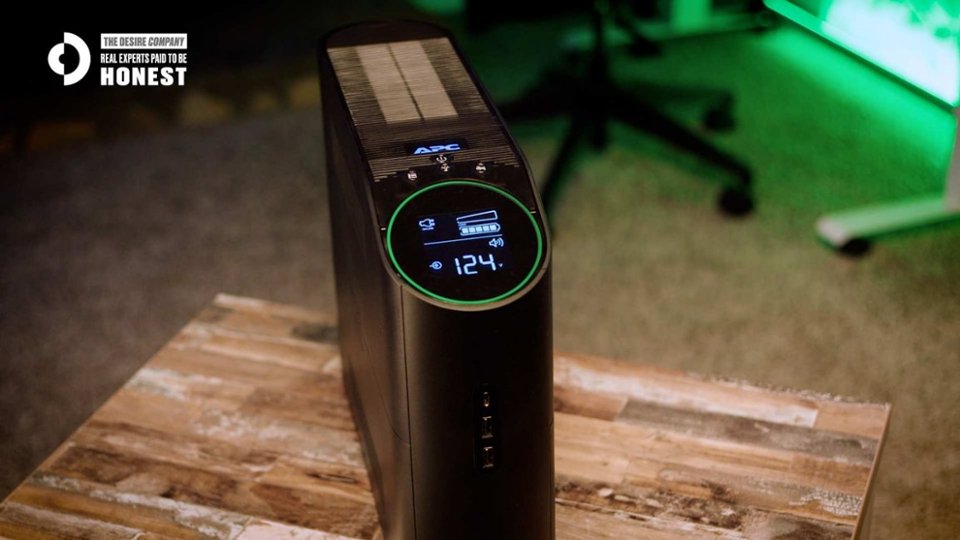
- Model:
- BGM1500-US
- SKU:
- 6596983
Rating by feature
- Value
Rating 4.4 out of 5 stars
- Quality
Rating 4.7 out of 5 stars
- Ease of Use
Rating 4.7 out of 5 stars
Customers are saying
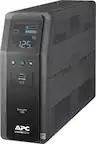
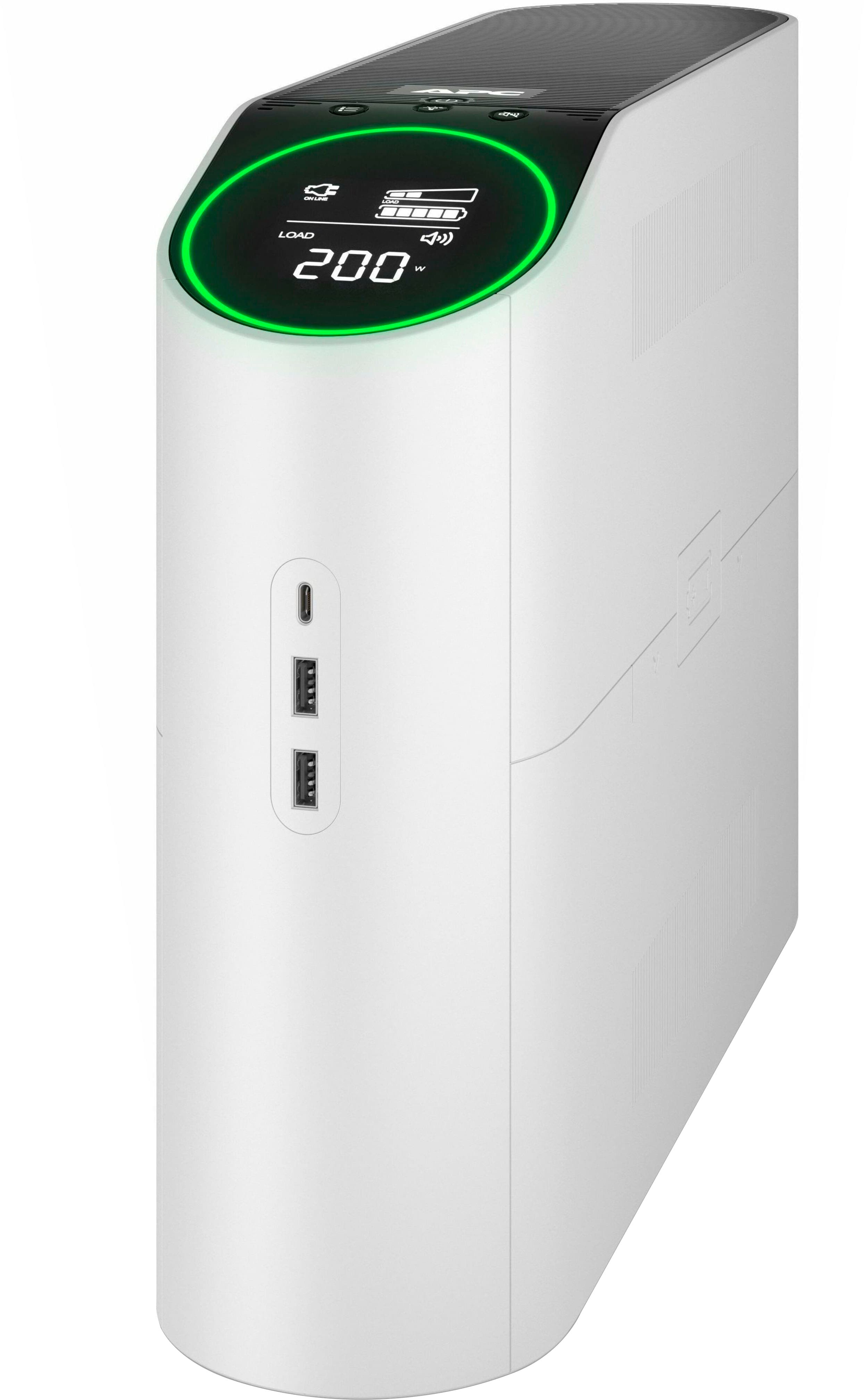
Customers admire the 1500VA APC Back-UPS Pro Gaming for its reliable battery life, surge protection, multiple USB ports, and overall performance. Many are also impressed with its design, bright display, customizable RGB lighting, and ample outlets. However, some customers have noted its considerable weight and size, while others have mentioned a distracting sound coming from the LED lights.
This summary was generated by AI based on customer reviews.
UPS
||Posted . Owned for 1 month when reviewed.This reviewer received promo considerations or sweepstakes entry for writing a review.I lose power often during the winter months so this is great for keeping my internet during down times.
I would recommend this to a friendBrand response from APCProductSupport
Posted .Thank you for providing feedback to our product. If you need additional assistance, please feel free to reach out to us directly at https://www.apc.com/us/en/support/ so we can address this issue and provide you with the support you need. Support is available Monday to Friday, 8am to 8pm EST

- Pros mentioned:Battery life, Usb portsCons mentioned:Size

Reliable Performance with Minor Drawbacks
|Posted .This reviewer received promo considerations or sweepstakes entry for writing a review.Setup process is straightforward, as it was essentially plug-and-play and came with a data cable, making it easy to get started. Coincidentally, shortly after setting it up, we experienced a days-long power outage due to the Bomb Cyclone, which provided a real test for the UPS. It performed exactly as expected, keeping our router and modem running for about three hours. However, there was a noticeable ozone smell, which I attributed to the lead-acid battery's first usage. The battery life met my expectations, although the recharge time was quite slow, taking most of a day. This is acceptable for a UPS, as its primary function is to provide temporary power during outages. The noise level was manageable, with the internal fans producing a sound when activated. While it wasn't overly loud, it did draw attention to the unit. The build quality is solid, but it's worth noting that the UPS is quite large and heavy. It fits in my setup, but only when laid down horizontally. Potential buyers should definitely consider the dimensions before purchasing. One downside is the lack of accompanying software. The UPS relies on the host operating system for status updates and does not offer much control over the unit itself. This means that while you can monitor when the UPS switches from live to battery power, you won't have much control over its functions. Additionally, the unit provides the ability to change the color of the ring around the display, but there is no option to remove the lighting altogether. So, if you want to "hide it away," it's not really possible. This was one thing I wished was possible. They clearly built it to be a "statement piece" as part of your gamer rig. Overall, for the price, this is an admirable unit. It provides reliable performance during power outages and has a sturdy build. While it has some limitations, such as the slow recharge time and lack of control software, it offers good value for money.
I would recommend this to a friend Amazing colors and looks futuristic.
||Posted . Owned for 2 months when reviewed.This reviewer received promo considerations or sweepstakes entry for writing a review.Great aesthetics and awesome lighting. Very adjustable and multiple colors. Works great!
I would recommend this to a friendEasy to setup
||Posted . Owned for 3 weeks when reviewed.This reviewer received promo considerations or sweepstakes entry for writing a review.Easy to setup. The quality of this Backup-UPS seems to be very good.
I would recommend this to a friend- Pros mentioned:Design
It is so quiet
|Posted .This reviewer received promo considerations or sweepstakes entry for writing a review.I recently got this product and I am happy with its performance. It is so quiet even when I am running a complicated computational simulation, it won’t make a lot of noise. It has a monitor on the top which shows the battery life and keeps me updated during gaming. I like the light, which is not too bright or too dark. The light helps me monitor my PC’s performance during work. It is compact enough that it does not require too much space. It is not too heavy, and I can move it easily in my office. The electricity usage is fair enough. All in all, I can recommend this product to anyone who is working with long-lasting computational programs or wants to play games for a long period of time. Just be sure that the power won’t go off and no interruption will happen. The best part for me is that the machine doesn’t make so much noise and heat. With my previous machines, I couldn’t stay in the room because of the high amount of produced heat. Overall, I am happy with what I got. Additionally, I appreciate how user-friendly the design is. The controls are intuitive, and the setup was quick and straightforward. The cooling system is highly efficient, ensuring that the device stays cool even during heavy usage. Furthermore, the sleek design blends well with my office setup, adding a modern touch to the space. The durability of the product also gives me confidence that it will last a long time without needing repairs or replacements. It’s truly a reliable investment.
I would recommend this to a friend - Pros mentioned:Battery life, Design
A must have if you live in brown-out country
|Posted .This reviewer received promo considerations or sweepstakes entry for writing a review.My power grid is less than ideal, and I’ve been wanting to pick up a battery backup for a year now. This looks very modern, with bright rgb lights that will be hidden under the desk. Set up was insanely easy. Took 14hrs to fill the backup battery. Heavy and well made, I expect this to last a long time. Very quiet except when the power goes out. My circuit breaker got tripped, and the APC beeped super loud every 10 seconds or so. With my 4070 Super, OLED monitor, the backup said it had approx 200 minutes to power down. Not bad, considering the amount of juice the pc sucks down. Design is great. Plenty of space to plug in all my electronic bricks, and even has a light on the back so you don’t need a flashlight to find an available outlet. Speaking of outlets, it has 6 battery protected outlets and 4 surge protected outlets. Perfect for a router, pc, monitor so you remain online when the neighborhood goes dark. Definitely a great device and a small price to pay to protect your $$$$ gaming pc and accessories.
I would recommend this to a friendBrand response from APCProductSupport
Posted .We appreciate the feedback you have provided in our product, however, we also apologize if you may have any inconvenience with the experience using our product as well. If you need further assistance and wanted to address your concern in regards to this product, please reach out to our customer support team with your details, and we'll work to make things right. We offer phone support at 800-800-4272 and chat service through our support site - https://www.apc.com/us/en/support/. Support is available Monday – Friday, 8am – 8pm EST.
Best Buy shipping USED products.
||Posted . Owned for 1 week when reviewed.This reviewer received promo considerations or sweepstakes entry for writing a review.Do NOT order from Best Buy -- this product arrived USED. Ordered from B&H instead for the exact same price and it was perfectly new. Best Buy lost a customer permanently.
No, I would not recommend this to a friendBrand response from APCProductSupport
Posted .We're sorry to hear about your experience with this APC Back UPS. It’s frustrating to receive a used product when you expect something new but it still has 3 years warranty from the purchase date. So if you need support/service, you can reach out to our Customer Care Center at https://www.apc.com/us/en/support/
- Pros mentioned:Battery life, Usb portsCons mentioned:Led
APC backUPS are the only one's I trust! Love this!
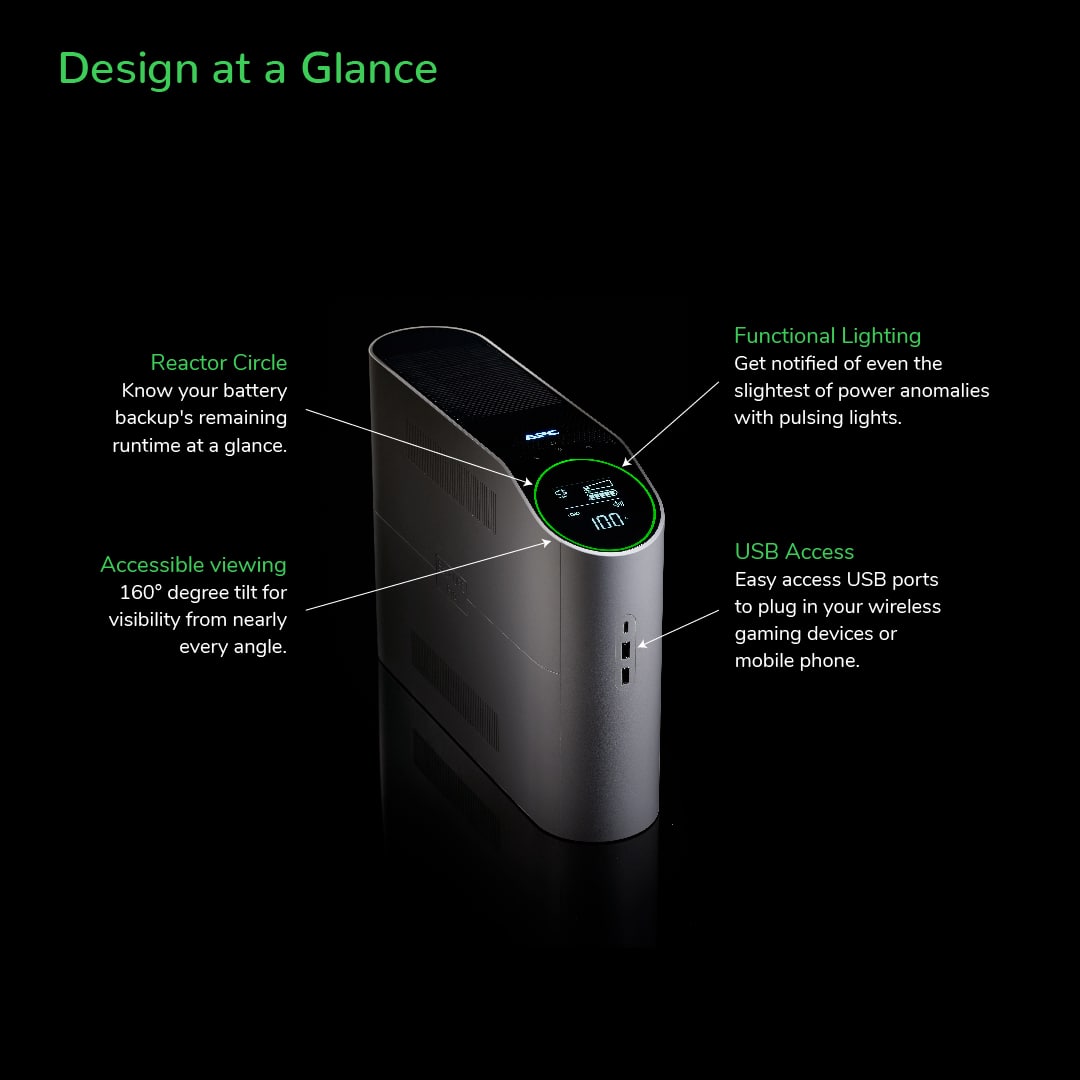
|Posted .This reviewer received promo considerations or sweepstakes entry for writing a review.This is my 4th APC UPS and they are always amazing. This is no different. The backup performs as described and unlike some of my others, this has more “bells and whistles” which are welcomed to me, but can easily be turned off if you don’t want them. Mostly I’m talking about the LED’s here. Which does bring me to my one CON of the unit. The LED’s hum something awful on the front ring. At least with my setup they do. The back light is fine, so I leave that on, but the front ring has a loud hum on brighter colors. (darker colors are less noticeable.) I tested this by leaving it on and not telling my wife and within minutes of sitting near it she said she can hear this horrible high pitched ringing. So that is a shame, but other than that, it works great. I assume most people aren’t buying this for the light up ring anyway. The nice part about the front ring though, is you can change the settings around and it will light up based on how much load/voltage/watts/etc (whatever you set it to) is left. So when I have a lot of things running that are plugged into the UPS, the light ring fills almost half way, when I only have a few things on, it’s less. A simple way to easily know how much you are using at any time. I really like that. Also, like most APC backups, the screen turns off after it times out, you can turn the audio alerts on or off and the battery is replaceable. I did struggle to get the battery cover back on, but that’s not something you do often, so I’m not knocking it for that. I suggest reading the material that comes with and making sure you understand how the back up works, especially if it’s your first one, but even if you are used to them. It’s important to know what settings are available, what the info screen means and how to safely protect your electronics. Again, just like all APC backups, the plugs on the back are clearly marked with surge, backup, or both. The plugs are a little close together, so wall warts will need short pigtails or spaced out, that’s a bummer but pretty standard, and there’s a switch that’s easy to find to flip it back on if the unit trips. Another thing that is unique to this UPS compared to my others is the USB ports on the front. I love this for quick charging or when guests need a port to plug into it. Since I have this backup in my living room with my entertainment system, I have a huge rack unit power supply that has all of my entertainment devices plugged into it, which in turn plugs into the UPS. The backup doesn’t show any wire faults or issues and is basically a second layer of protection. This is perfect for a living room or office/gaming area since this backup is more visually appealing than most from APC. there’s rounded edges, the LED lights (which do change colors btw) and the screen has an angle to easy read when it’s on the floor. The size is pretty small/standard and can squeeze in between things easily but leave room for it to breath. One last note on the LED’s, you can have the front and back on, just the back, or none. Since the front seems to hum something awful on my unit, I have just the back on and it provides a nice back glow to my living room entertainment unit display. So how does it perform in an outage? Well, we live in the country and the power blinks off and on allllll the time. We have a home generator that kicks on but I put UPS backups on all my electronics that I want to protect or not lose during the transfer over to the generator. This means I only need about 30 seconds to a minute of backup power before the generator kicks in, but if you have a large load on the unit, the run time will be short. Obviously this unit can handle the one minute I need, but the power has gone out twice already in the 5 days I’ve had this unit and I checked the run time on it and saw about 12 min on average when fully loaded. That’s an AVR 7.1, playstation 5, 65 inch TV, clock, and a few smaller items all on and running. The load was about 65% I believe it said. So obviously your results will vary, but suffice to say, this backup will work just fine for what I need and if the power was out even longer or the generator didn’t work, I would have plenty of time to turn devices off safely. OVERALL I love the APC UPS backups and will continue to trust them with all my expensive electronics. My home office which is a full size video editing bay, my $6000 dollar plus living room setup, and all my home server and projector screen rooms run on APC backups and I have never had anything break or get damaged. Even when my neighbors reported having thousands of dollars in damage during a brown out, I lost NOTHING. You can trust this brand and if you want a little flare to add to your setup, get this unit and light up your setup even in a black out!
I would recommend this to a friend - Pros mentioned:Battery life
Beefy enough to handle a desktop gaming PC
|Posted .This reviewer received promo considerations or sweepstakes entry for writing a review.The APC Back-UPS Pro Gaming edition is an uninterrupible power supply that is absolutely perfect for its target market, or even to general home users wanting a UPS with a high wattage capacity and pure sine wave output. The Back-UPS Pro is a little different from most UPSes in that it comes marketed to gamers and thus puts some of the benefits of a UPS in terms that pretty much every gamer can understand. As someone who has a rack mount UPS for a home server, and smaller UPSes on my network equipment, I've never been able to justify having a UPS on my desktop gaming rig because it's hard to find a unit with enough capacity and pure sine wave output without getting really expensive. Many of the units marketed with 1500va/1000W capacity have much longer battery life than I really need for my gaming PC. But the benefit of having a UPS for gaming can be profound. The power grid in my area has been less reliable of late (and I recently added a home generator), so I've experienced that feeling of my PC cutting off despite my home network still being up more than once in the last year. The Back-UPS Pro is able to handle my gaming PC running at full tilt (consuming about 600W between my overclocked CPU and GPU), and still have my monitor and thunderbolt dock connected to it so I don't lose video and input. At full charge, the Back-UPS Pro is able to provide about 14 minutes of battery life for my full desk setup when not gaming (about 37% load on the UPS) to 3 minutes when gaming at 100% CPU and GPU utilization. This is more than enough for me to be able to quickly save a game and log off/shut down. It also is not excessively noisy or chirpy. The unit is rated at 900W continuous load but it doesn't alarm as soon as you hit that number (which my setup can do in certain situations) which is the main reason I haven't had a UPS on this machine before. I'm happy that APC have figured out how to make this useful for gamers without being annoying. Like any "Gamer grade" products these days, the Back-UPS Pro Gaming Edition has RGB lighting, in the form of a ring around the main display. The RGB ring is customizable, and it's actually pretty useful in that it can function as something like a tachometer guage to show you the current battery level or power output readings. The Back-UPS Pro gaming edition is an excellent choice even if you are not a "gamer" - it is a very thin profile and easy to find a place for, it doesn't make you pay a premium for big batteries while still giving 900+ W capacity, and it has pure sine wave output for sensitive equipment. APC have made a product that might convince more gamers to protect their gear from brown outs and black outs, and it's still an extremely useful product even for non-gamers.
I would recommend this to a friendBrand response from APCProductSupport
Posted .Thank you for providing positive feedback to our product. If you have any questions or additional assistance needed, please reach out to us directly at https://www.apc.com/us/en/support/ so we can address this issue and provide you with the support you need. Support is available Monday to Friday, 8am to 8pm EST.
- Pros mentioned:Battery life, Design, Overall performance
Tower of Power
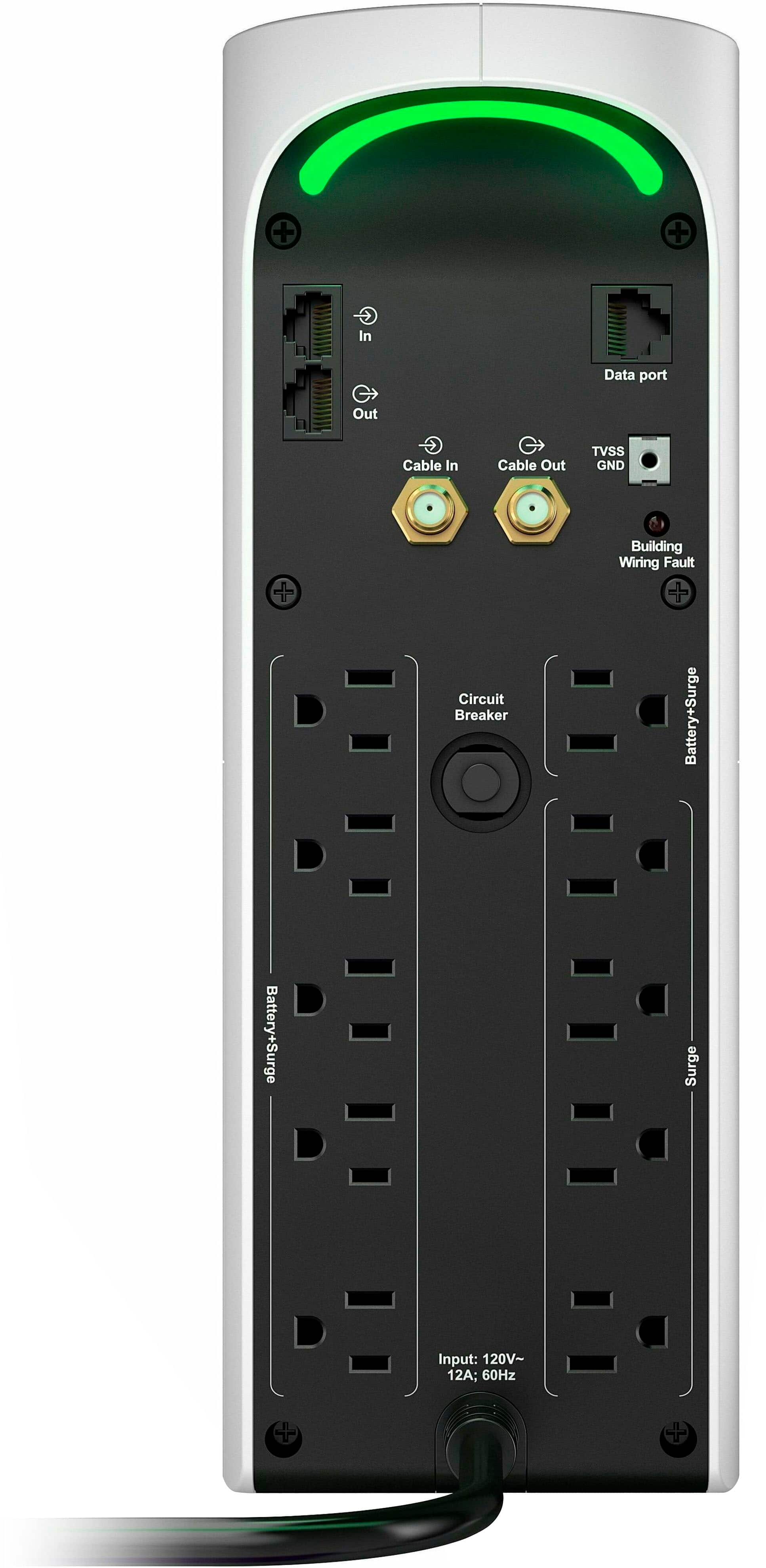
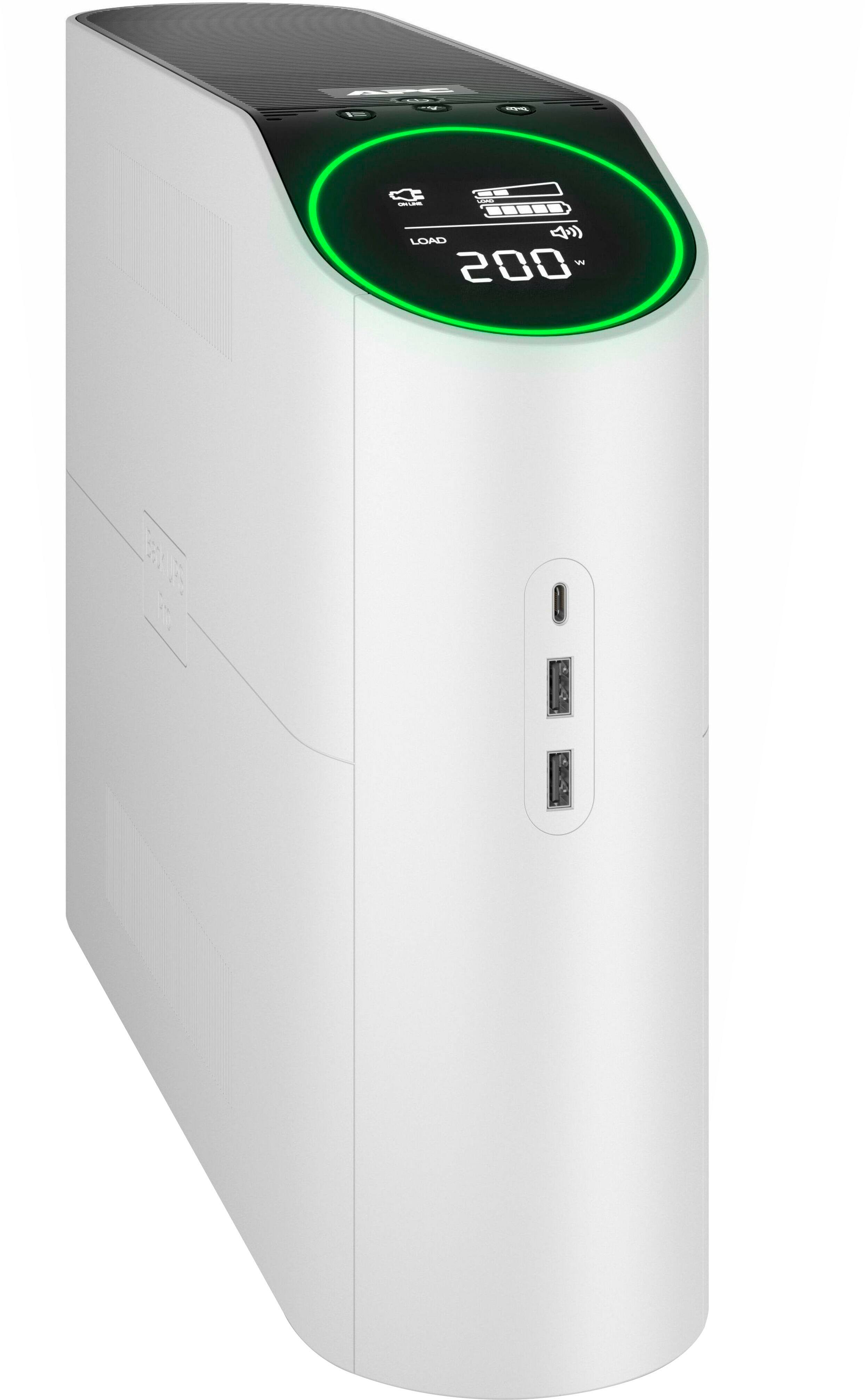
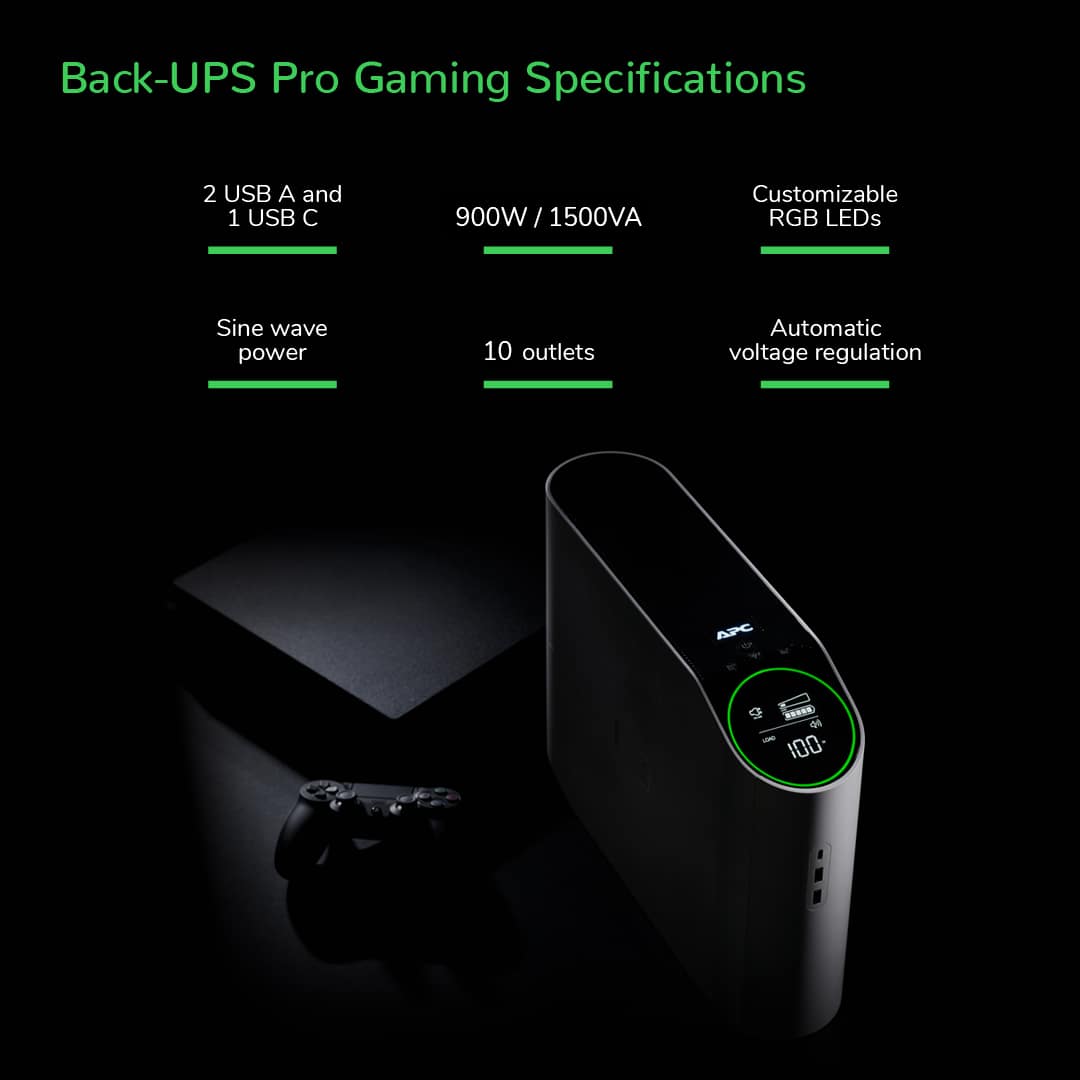
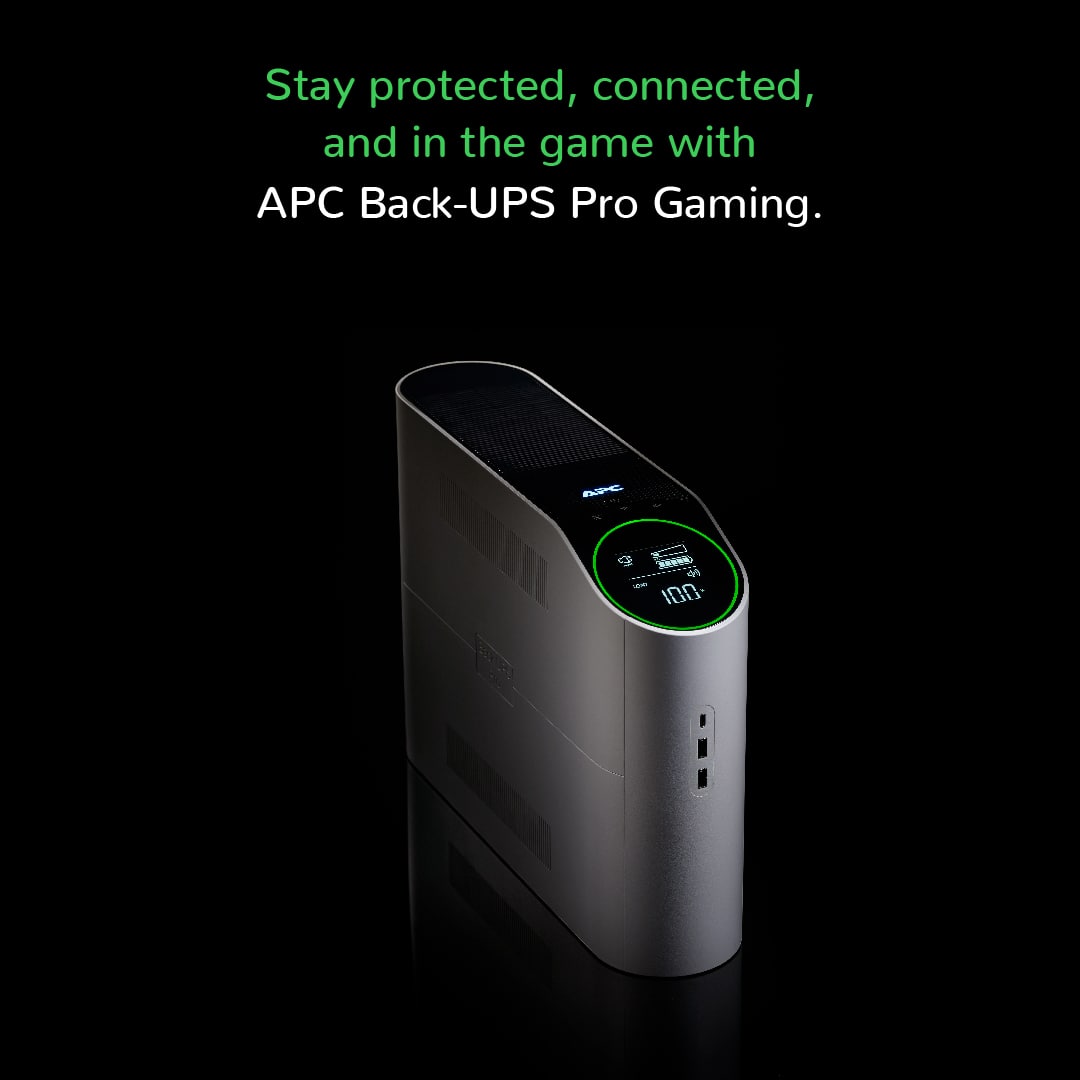
|Posted .This reviewer received promo considerations or sweepstakes entry for writing a review.The APC Back-UPS Pro 1500VA Tower UPS in black is sleek. This replaced a clunky, brick-like UPS that I've been using for years and freed up leg room/foot space under my desk. The tower itself is relatively heavy, sitting sturdily in place. This tower provides the function one needs in a UPS - surge protection and battery back-up. There is automatic voltage regulation built in to avoid any damage related to power fluctuations, which at my current residence is not as much an issue but previously while living in Florida, a game changer when surges occur. Unboxing was quick - recommend to read the directions on the inside of the box - as you do need to take off the battery cover and connect the battery prior to use, once this is done, you are good to go. The battery provides adequate charge to maintain use if power goes out - approximately 15 minutes for an Xbox, PlayStation or gaming laptop, 10 minutes for a gaming desktop (which I would approximate to about 5-8 if need the monitor support also). If power was to go out, this should give enough time to maintain WiFi, keep monitor going along with computer; while avoiding damage related to the surge/outage itself. There are two portions of the tower that have LED. First, there is an LED display that shows if power is from the wall along with the load that is currently being placed on the device and battery charge/life. This LED has a ring of color that can be changed to personal preference. With the changing of the front LED, there is also a back side LED to illuminate the cable plugs ins that changes LED color to match, a nice feature with an RBG setup. There are 6 battery backup outlets with surge protection along with 4 surge-only outlets. Allowing for multiple devices to be setup as needed, but if larger power cord plug ins are used, you may lose access to either 1 to 3 additional ports as space is limited. There is also a surge-protected coax port and network port. The unit reportedly has a 250k equipment protection policy that I hope to never use. The predicted lifespan of the battery is 3-5 years, and replacement appears as if it would be quick/simple. In summary, setup is quick, there is an LED to allow for knowing load and battery capacity (along with when replacement is needed), estimated runtime, an automatic voltage regulation feature and most importantly a MUTE button. I (and my wife) despise when power goes out an UPS start to beep. We know the power is out, the last thing we need is noise while a child is already upset, so for me that is one of the best features. Also, there are 2 USB and 1 USB-C ports on the front of the Tower, allowing for quick device plug in to charge which is a great plus. Overall, a nice techy upgrade to the office setup.
I would recommend this to a friend Hope it works 14 day return policy
||Posted . Owned for 1 week when reviewed.This reviewer received promo considerations or sweepstakes entry for writing a review.Christmas present. How you going to have 14 day return policy ? How can someone be able to use it if its a present. Pathetic company. Dont waste your money here.
No, I would not recommend this to a friendBrand response from APCProductSupport
Posted .We're sorry to hear about your experience with our product. We would like to address this matter promptly. Please reach out to our customer support team with your details, and we'll work to make things right. We offer phone support at 800-800-4272 and chat service through our support site - https://www.apc.com/us/en/support/. Support is available Monday – Friday, 8am – 8pm EST.
- Pros mentioned:Usb ports
Nice looking with large capacity and ample outlets
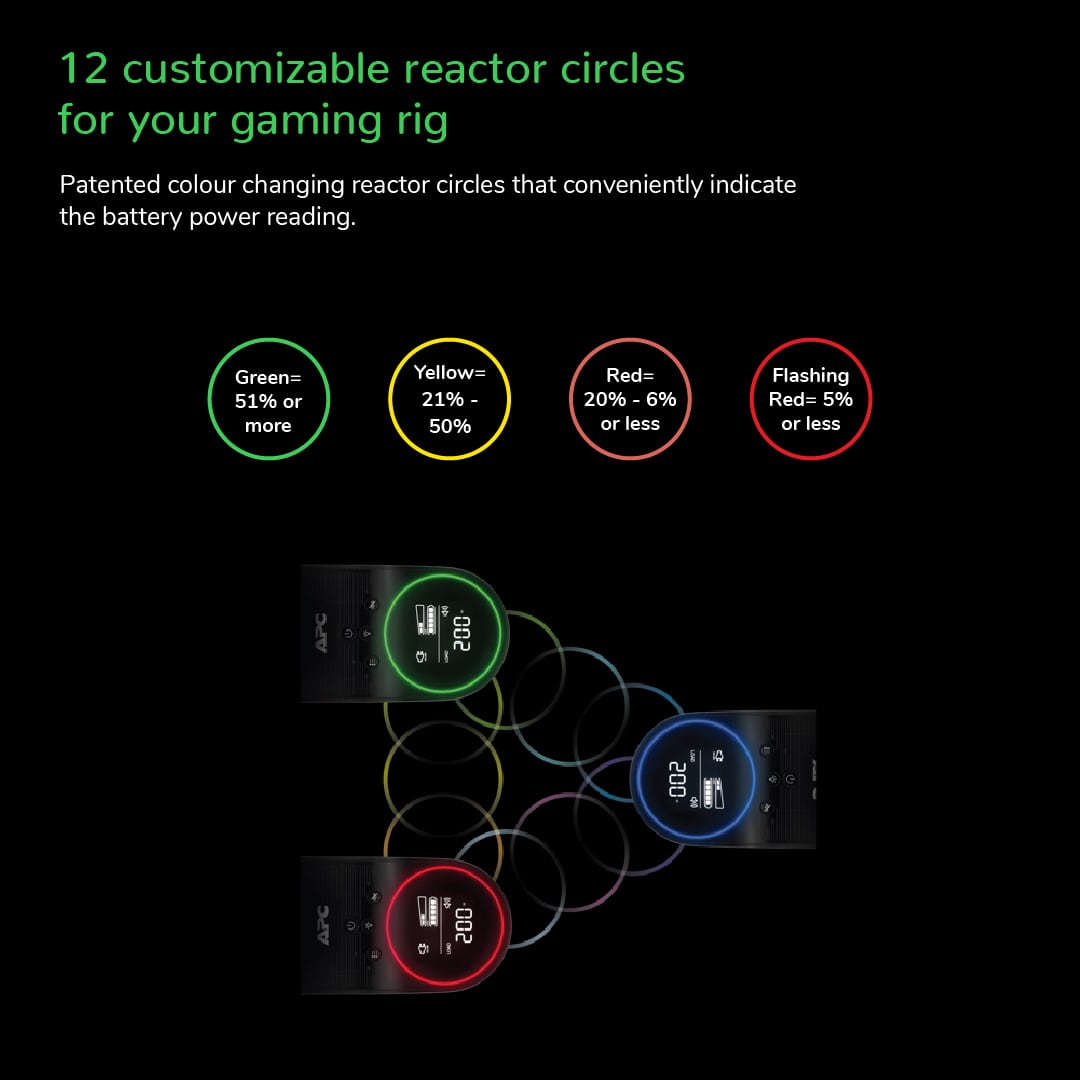
|Posted .This reviewer received promo considerations or sweepstakes entry for writing a review.Pretty simple instructions for setup. Remove battery door, connect red terminal to battery and close battery door. I did find that it was easy to open it, but it was a bit tricky to get the panels lined up to slide the battery door back into place. It took me several attempts to get it back on. There is then the data port cable that plugs into an RJ45 connector on the UPS and a USB connection on your computer. The next instruction was to download and install the PowerChute Personal Edition Software (PCPE) and a URL is provided. Interestingly, one of the first things that I noticed is a message on the main page for PCPE indicating the software is to be discontinued at the end of 2024 and replaced with PowerChute Serial Shutdown. I installed both to try out and found that I liked the Personal Edition which is a Windows application over the newer Serial Shutdown which is a web browser-based app having less features and functionality in my opinion. Also, you can only have one or the other installed at a time. There are ample outlets provided at the back of the unit. 4 providing surge protection and 6 providing battery backup plus surge protection. There are also an ethernet and coax surge protection connections as well plus 3 USB charging ports on the front. The display interface is large and provides relevant information about the status of the unit such as load, battery capacity, estimated runtime etc. If you plan on having your UPS, be a visible part of your setup there is a 12-color selectable LED circle light on the front as well as a matching LED color light on the rear of the unit. The lights can also be disabled if preferred. The case is slim and has an aesthetic design so it would look good sitting on or under the desk. This thing has plenty of capacity. I had my gaming PC, 2 gaming monitors and speakers connected and while running PC hard the load never went over 35-40%. There also just happened to be one short power outage since setting up the UPS and it performed flawlessly.
I would recommend this to a friend - Cons mentioned:Weight
Unobtrusive peace of mind
|Posted .This reviewer received promo considerations or sweepstakes entry for writing a review.Overall, I'm pretty happy with this backup power supply. I'm going to start with the nitpicking. There's three cons: it's horrendously heavy (as is to be expected of a gigantic battery), it emits a hissing noise (that you can't notice unless you're in a silent room with your head up next to the thing), and I'm not really thrilled with how the accompanying software is just a web page and has fewer configuration options than I hoped - you'd think a backup battery marketed towards gamers would have configuration options for the color of the LEDs, but I've not found such an option so it's been stuck on a soft white glow. (Note that this isn't bad - I am only complaining because during the first boot-up sequence I saw a lot more colors than just white, and APC did call this a "gaming" backup battery, and no group loves configurable RGB more than gamers.) Now that I'm done with inconsequential complaining, let's get to what I like about this thing. Overall I'm a pretty big fan of it. There's plenty of outlets that are surge protected, and there are plenty more that also have battery backup. Tapping the buttons on the top brings up the HUD, which will show you things like the charge level or how much load is being put on the system. I'm a really big fan of that feature. I also greatly appreciate the USB-A and USB-C outlets on the front of the system for charging mobile devices during a power outage. There are also connectors on the back for filtering other cable types such as ethernet and coaxial. So, aside from a few finicky details, I really like this thing. I'm glad to have a UPS that keep my computer running for long enough to save and quit my game rather than just dying immediately because I had my monitor plugged into the battery slot. If you like gaming and you live in a place with subpar wiring, I'd absolutely recommend one of these to improve your gaming experience.
I would recommend this to a friend - Pros mentioned:Battery life
Reliable, quality protection
|Posted .This reviewer received promo considerations or sweepstakes entry for writing a review.APC has always been at the top of Uninterruptible Power Supplies, and this one also doesn't disappoint. It's easy to setup as any other, and only requires connecting the battery after pulling it out of the box. It is a little awkward since the wire is short, but it didn't give me too much trouble. It may be helpful to have a second pair of hands to help you just in case. The battery was at about 40% charge out of the box, which is fairly typical, for the health and safety of the battery during shipping. I plugged it in, and nothing seemed to happen, even after pressing the power button. But to turn it on, you have to hold the power button for a few seconds. The same goes for basically the rest of the functions where you have to hold the button for 2-3 seconds (the only exception being the menu button). There is a colored ring light around the front display, and a light on the back the illuminates the connections. The rear light is kind of helpful for getting everything plugged in, but after that... I prefer to not showcase the rats-nest of wiring that I have. If you are good at keeping your wire-clutter nice, neat and organized, the accent lighting might be nice to highlight your handiwork. The rear light can be toggled off by holding the light button on the front. Holding it again will continue to toggle through the light configurations (front on, rear off; rear on, front off; both off; both on). Pressing the light button will change the color of the lights. Unfortunately there is no option to have it cycle through the colors. The front right light will illuminate as a partial ring depending on the last function display you had up. Battery remaining, battery load, and power usage will all cause the ring to partially light up to reflect the percent of the load/remaining time. I find this to be a pretty neat feature. Other function displays, such as voltage or frequency, will cause the ring to be fully lit. After a period of time the function display will turn off, just leaving the ring lit. It's great being able to see how much power I'm using at a glance, and how much estimated battery time that would give me at any given moment. Fortunately, I've not had any power outages, but I did unplug it, and then connected a cheap oscilloscope to the outlets and saw a nice smooth sinewave. You can install the APC software on your computer and connect to the UPS to change a few settings, but they're basically limited to adjusting the sensitivity of the UPS, viewing capacity/runtime, and triggering your computer to shutdown in the event of a power outage. You can also enter the cost of electricity, and it will estimate how the devices plugged into it have cost to run. But it seems the computer needs to be plugged in for this to be tracked; it does not get tracked locally on the UPS. Overall, I'm very happy with this UPS and have plenty of peace of mind that my computers and related equipment will be protected during power outages, surges, brownouts, etc... and won't interrupt my work or gaming session, while giving me enough time to wrap up, save my work, send parting messages, or fire up my generator.
I would recommend this to a friend Power to the people!
|Posted .This reviewer received promo considerations or sweepstakes entry for writing a review.I bought my first UPS (Uninterrupted Power Supply) after a tragic thunderstorm which cost me several hard drives and years of work. To be honest, with the state the power grid is in in my area, it's a must to have one. We have regular outages and blackouts which can harm or kill your electronics. Since I arranged a new office recently, I decided to go big and get the APC 1500VA. And I couldn't be happier. Before I run through the review, know that you should always get a UPS that will be able to handle more than you have plugged into it. The 1500VA is supporting a gaming laptop, a desktop gaming rig, a laser printer and an ultra-wide screen, as well as a couple of speakers. That might seem a lot, but I barely ever use everything at the same time, so it's more than enough. The first thing you'll notice is how heavy this thing is. Considering that it packs some big batteries (don't forget to connect them prior to use), it's not surprising. The box contains the unit, a power monitor cable which can be connected to a computer in order to gain insights into how well your device is doing and that's about it. A short quick start manual helps you figure out how to install the UPS and you're good to go. You should let the batteries charge fully before hooking up devices to it. Mine was done by the end of the day which was faster than I had expected. After setting it up at the end of the desk, I started plugging everything in and was done in less than 10 minutes (I had to reroute some cables else it might have taken even less time). Now, backup power supplies have become more than just power your devices in case of an outage. They keep the electricity flowing properly and mitigates power variations (think of a toaster oven that makes the lights flicker when you turn it on and off). This will help you to keep your system running efficiently and is less hard on power supplies and components. Of course, there's other advantages in using a UPS, such as protecting Ethernet connections. The biggest plus of APC's product is the interface. Located at the top of the device is a screen which shows all the details you'd ever need to know about the devices hooked up to the UPS. The buttons are labeled clearly and allow to monitor and change certain aspects of the UPS. I won't get into specifics but just know that it shows you the charge level, the wattage used and more. This baby is pretty close to being perfect. If you add the fact that it actually has a very small footprint on or under your desk, you know you've got a winner. I can't stress enough how important a backup power supply can be. As I mentioned at the beginning, not having one has cost me a lot, in terms of equipment damage as well as in lost data. I would recommend this UPS by APC for its convenience, build and options. Add the neat USB charging ports in the front and it's a must-have. Excellent product!
I would recommend this to a friend- Cons mentioned:Weight
Protect your game (and all your electronics!)
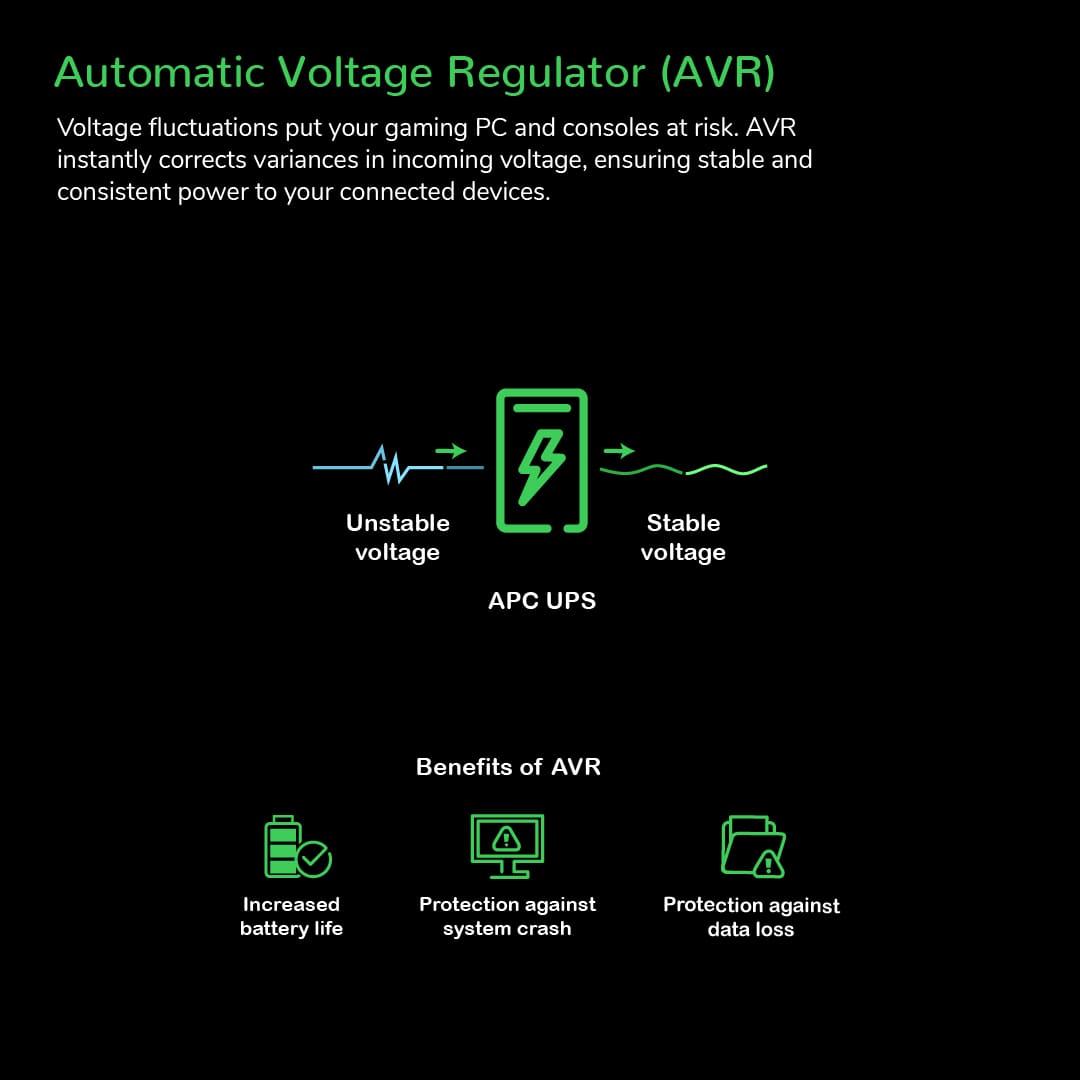
|Posted .This reviewer received promo considerations or sweepstakes entry for writing a review.We all (should) know that power surges are the enemy of sensitive electronics like consoles and computers. But power OUTAGES and voltage drops can be just as damaging, both to the longer term health of your devices and to your game progress. That's why having a UPS (uninterruptible power supply) is critical even if it's not the most "hip" new thing.. And when it comes to UPS, APC (by Schneider Electric) is one of the pillars of the industry - with many years of producing great products that provide solid protection and a strong feature set. And this new "gaming" focused version of the Back-UPS Pro 1500VA (900W) is a great example of what they can produce. While it has a bit of a gamer aesthetic, this UPS is all business (and can be used for work or play) with a HUGE capacity to ensure you can safely end your game and shut down even if the power goes down (note, some high end PC systems can pull more than 900W, make sure your setup is 900W or under at load if you want to be able to run on battery long enough to get out of the game / save / shut down). And if you're pulling LESS power, it will run even longer (of course run time is dependent on state of charge and total power usage across all 6 battery backed outlets). And if you're away from your PC, you can set up a USB connection between the data port on the back of the UPS and your computer and use the APC software to automatically detect a power outage and safely shutdown your PC without you having to do a thing! Beyond the battery backup though, there's another great feature here that sometimes gets overlooked and that's the "AVR" or average voltage regulator. Even if your power seldom goes out, you might have noticed that a light sometimes "dims" particularly if your AC or some other high power device kicks on. This is a voltage drop (also called a "brown out" sometimes) and can be just as bad if not WORSE for sensitive electronics like PCs and consoles that depend on solid, standard voltage for operation. Repeated voltage drops can lead to premature wear and failures on devices. But THIS APC unit has a AVR feature that allows it to detect drops in input voltage and automatically start using the battery to compensate, keeping the power to your devices constant and preventing wear and tear on them. Brilliant! And something everyone should have. So there you have it - a great UPS device for gaming or every day / work use with tons of features (did I mention it also functions as a surge protector, with 4 non-battery surge protected outlets and surge protection for co-ax cables as well?) and solid performance in my testing. It IS very heavy - as it should be with all the batteries - at 30lbs+ but such is how UPS devices are. So if you could use more stability in your power, give this APS Back-UPS Pro a try today!
I would recommend this to a friend - Pros mentioned:Battery life
One of APC best consumer options
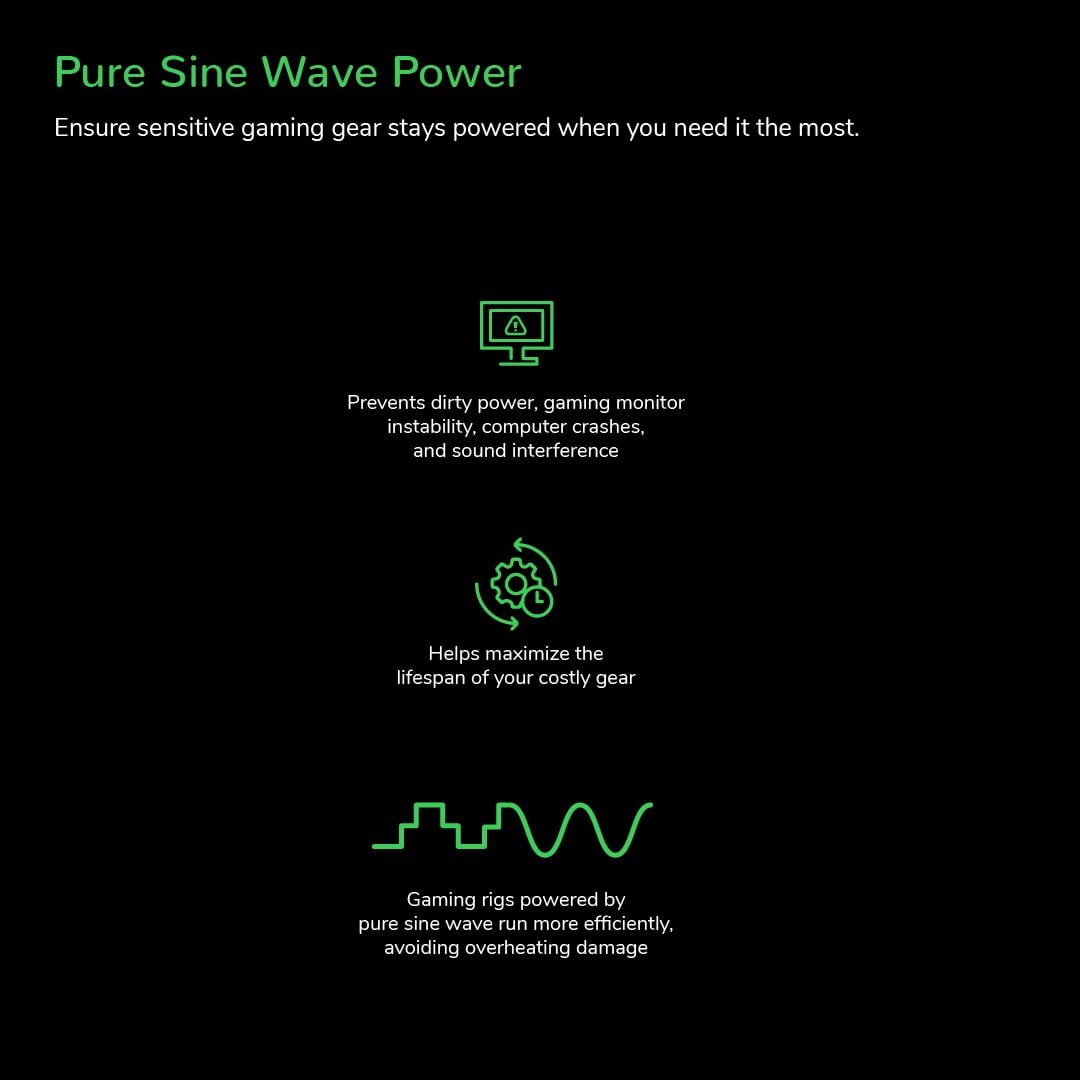
|Posted .This reviewer received promo considerations or sweepstakes entry for writing a review.As more and more homes have been built in my area I have noticed more and more instances of randomly dimming lights and some odd behavior from certain devices. I have transitioned from using standard surge protectors to UPS's for my important electronics like my computers, network equipment, and some entertainment equipment like my game consoles. The advantage of a UPS like this is that they are designed to help regulate voltage to your devices instead of just guard against power surges. When the power dips below the expected threshold it will use the battery to supplement as needed to ensure proper voltage is delivered to your devices. This particular UPS also provides pure sine wave output, not simulated, which is ideal for high end electronics like computer power supplies and A/V receivers for example. I am using this 1500VA back-up on my main gaming PC which has a 14900K and 4080 cooled by a custom water cooling loop running on a EVGA 1000W Platinum rated power supply. Playing modern AAA games like Black Ops 6 my PC will typically pull around 550-600W which is about ~60% of the capacity of this 1500VA unit which should support roughly 900W maximum. With that load it wont last long on the battery, maybe a couple minutes, but still ample time to close out of whatever game and shut down the computer safely in the event of a complete power loss. The only drawback to these UPS devices versus a GOOD traditional surge protector is the joules they can absorb. I have several APC surge protectors rated for ~4300 joules where as this unit has a more modest rating of 1080. With that being said APC still offers $150000 of connected equipment coverage with this unit and a 3 year warranty. The battery is replaceable in this unit as well for a longer service life. I have used both Cyberpower and APC over the years, this APC unit is one of the nicest I've owned so far so I would have no issues recommending this to friends and family if they needed a pure sine wave output UPS system.
I would recommend this to a friend - Pros mentioned:Battery life
I love all of it except price
Posted .This reviewer received promo considerations or sweepstakes entry for writing a review.I just got mine, honestly if price is not an issue, this is the best out there! Looks and works perfectly
I would recommend this to a friend