Customer Ratings & Reviews
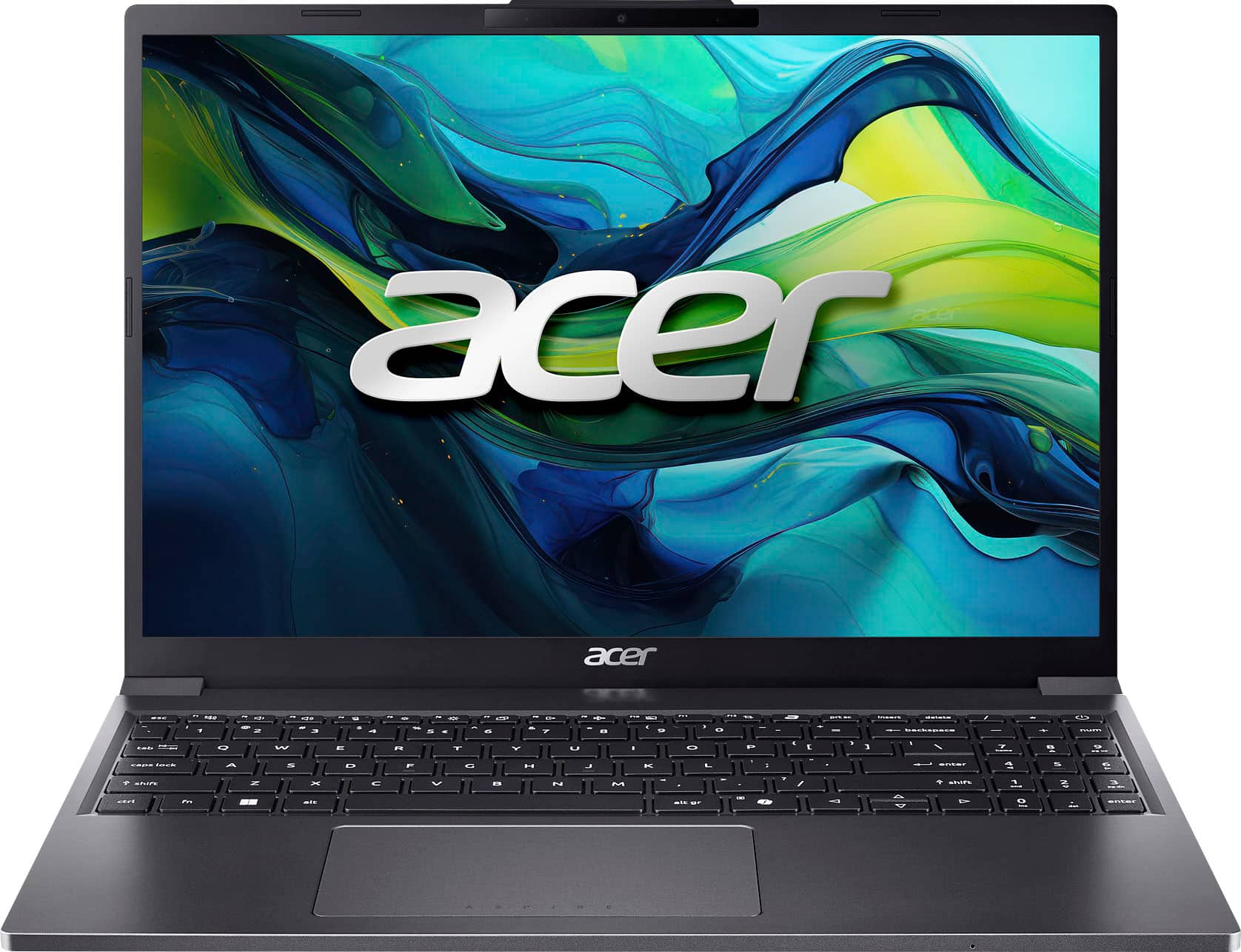
![The text on the image reads:
"ASPIRE A S P E esc 1 1 H n . H I a R n FI n3 t prtsc insert delete / A - 1 @ 2 # 3 $ 4 % 5 6 & 7 * 8 ( 9 ) 0 - - = backspace I + num tab Q W E R T Y U I o P I [ } ] I / 7 hama 8 a 9 i - caps lock A S D F G H J K L : : 1 enter 4 a 5 6 D shift Z X V B N M < I V ? / shift 1 and 2 7 3 P -s ctrl fn alt alt gr c 2 0 ins der enter"
The text appears to be a description of the keys on a keyboard, with some of the keys labeled as "ASPIRE" and "A S P E esc."](https://pisces.bbystatic.com/image2/BestBuy_US/images/products/5756e648-e910-417b-a323-b3396b5662ba.jpg)


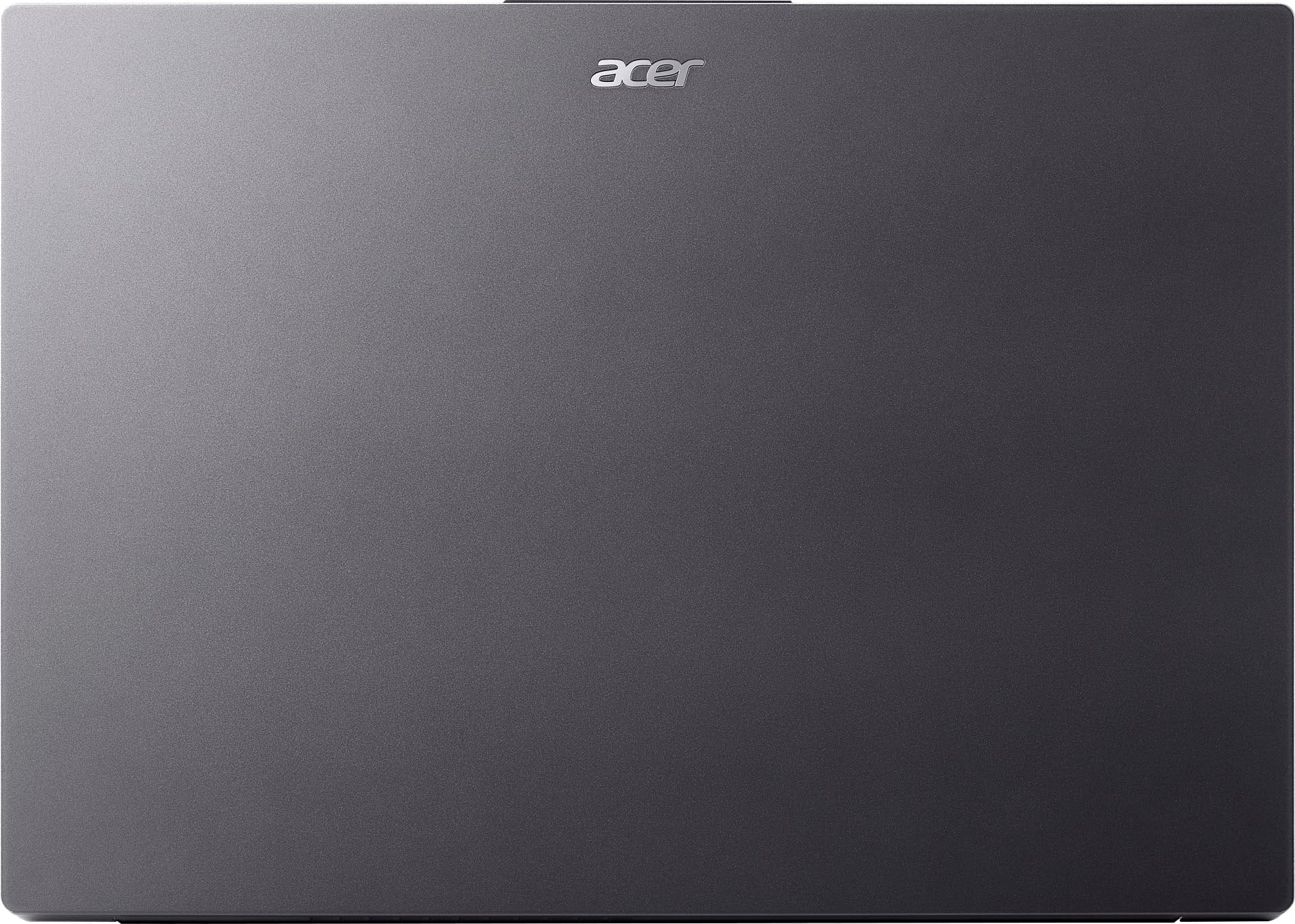

- Model:
- AG15-51P-510U
- SKU:
- 11277538
Rating by feature
- Battery Life
Rating 4.7 out of 5 stars
- Speed
Rating 4.8 out of 5 stars
- Display
Rating 4.9 out of 5 stars
Solid laptop, great price
||Posted . Owned for 2 weeks when reviewed.This reviewer received promo considerations or sweepstakes entry for writing a review.So I've had this laptop for about a week or two ago, it was bought for the price of $400 and within the same week they lowered the price to $320.00. I asked them if they could price match and they did! So now having this laptop at the price of $320.00 I think it's totally worth it and here's why 1. Display The display features a nice boxy 16:10 aspect ratio with a resolution of 1920 by 1200. This panel gets reasonably bright and has a matte finish to it. Bezels are thin and colors to me look good. Overall, this display works well for my needs, and I don't have much to complain about, especially for the price. 2. Build quality This laptop is built all out of plastic which is what I preferred because unlike aluminum I don't have to worry about it getting dented and/or scratched as easily and it brings the overall cost of the machine down, kind of a win win situation. Does it feel as premium as an aluminum housing? No, but that's ok. Despite this laptop being made out of plastic it still feels solid. It doesn't creak, it's not flimsy and they just did a good job. 3. Keyboard, trackpad, palm rest Typing on the keyboard is OKAY. The keys feel a little mushy, there's not that much travel to them and there's no back light to them as well. I personally like the texture of the keys because it has somewhat of a rough texture, but others say it feels cheap to them. The trackpad feels great, gliding on it feels natural and the feedback you get from clicking on it feels solid. The palm rest is nice and big, giving me enough room to type for long hours without any discomfort. 4. Battery life I've been using this laptop just about every day since I've had it and let me tell you. The battery life is also JUST OKAY and that's thanks to the 53wh battery this comes with. I can say I get about 4 to 6 hours of mixed use such as watching YouTube, typing documents and performing those awesome updates that Microsoft constantly puts out. Thankfully this laptop charges by the 65 watt USB type C charger. This means you are not bound to the charger it came with, you can use your phones charger or tablets charger to charge it (as long as they're usb c as well) making it versatile. 5. Upgradeability The upgradeability of this laptop is one of my favorite parts about it because you can upgrade/replace just about anything within this machine which a good portion of laptops are missing. This laptop uses dual channel DDR5 ram sticks, both are upgradeable and uses a 2280 PCIe SSD. If there's any advice, I could give you it would be to upgrade the ram from 8GB to 16GB, this will allow the laptop to maintain top performance for a longer amount of time. Since this machine is using just x1 8GB stick of ram you'll only need one other 8GB stick to upgrade to 16GB. 6. Speakers Speakers sound alright, they are bottom firring speakers and they sound tinny but do get somewhat loud. These are good enough to get you by but don't expect the world out of them. Conclusion Overall, this laptop checks the right boxes for the right price, I think even at $600.00 it's a fair deal but defiantly keep an eye out for any discounts towards this laptop. This laptop is built well, it charges by USB C, it has a nice display and is upgradeable which can't be said about most laptops in this price range. If you're looking for something reliable that's built well I'd say, go for this. The last photo showing the internals of this laptop is credited to Ben Reed who also revied this computer on BestBuy's website.
I would recommend this to a friendExcellent
||Posted .This reviewer received promo considerations or sweepstakes entry for writing a review.This computer works great for everything I use it for, which is mostly just a few games and doing things online that are easier on a computer than on a phone. But I'm sure if you work from home or are in school this would be great for that too. It's also very thin and lightweight especially compared to every other laptop I've had in the past which makes it easier to travel with it if I ever have to/want to. But I've always had a good experience with acer as a brand, this is the third laptop from them that I've had over the years. I would definitely recommend it
I would recommend this to a friendGreat laptop
||Posted . Owned for 1 month when reviewed.This reviewer received promo considerations or sweepstakes entry for writing a review.It's a very nice laptop to set up and if you're looking to stream , obs ,streamlabs and whatnot it does handle good , very light and it's very comfortable to use
I would recommend this to a friendFair purchase
||Posted .This reviewer received promo considerations or sweepstakes entry for writing a review.Good price for this valuable product . It’s light weight and clear picture
I would recommend this to a friendBest budget laptop
||Posted .This reviewer received promo considerations or sweepstakes entry for writing a review.It was half price at the deal of the day and just what I needed. Much faster than my old Lenovo. Got to be the best laptop under $500.
I would recommend this to a friend
Decent Budget Laptop, when on Sale
|Posted .This reviewer received promo considerations or sweepstakes entry for writing a review.I needed a budget laptop for a project, it just needed to be within budget and able to do basic computing. Bonus points for a larger screen and upgradeability for future use. That’s when I saw Acer had release a new Aspire Go 15 Laptop, the main draw was the current price at Best Buy of $399.99 and the larger 15.3” screen. Pros: - Decent budget Laptop when on Sale. - Larger 15.3” Screen. - Upgradeable Memory. - Solid feel for budget laptop. Cons: - CPU is not powerful, struggles with anything more than basic tasks. - Comes with only 8GB RAM installed. - Pre-Installed programs bog down the laptop. - High starting MSRP for budget laptop Setup: Setup was as standard as Windows 11 setups go; I didn’t have any issues. It did take a bit longer than most setups due to a large update and the low powered Intel i5-1334U CPU, as it is more power efficient than powerful. Usually, I can setup and update within 30mins at most at home, but this took over an hour to finish setup due to the large update and install during setup. Unfortunately, one issue I always have is the use of pre-installed programs like McAfee. It’s a given for most big names to have some form of “bloatware” installed, but I never like using the pre-installed antivirus as it often requires expensive subscriptions and does more harm than help for budget laptops. I quickly uninstalled it and noticed a much quicker startup and system performance. Specs: There’s really nothing to get excited about the Aspire Go 15 specs. It has an Intel i5-1334U, which is a 10-core CPU with 2 Performance and 8 Efficient cores. This is by no means a powerful CPU, I’d rarely ever consider picking up this specific core due to the low power, but this was within the budget and handles basic computing tasks. I was surprised it handled some light gaming, I was able to play vampire survivors without issue, though I wouldn’t expect much from it. With only 8GB of RAM, the laptop feels slow just browsing the web and even more bogged down with multiple applications at once. But Acer went with RAM slots instead of soldered on RAM, which means increasing the RAM is possible. I added another stick of 8GB DDR5 4800 MT/s to bring the total up to 16GB, which improved the system responsiveness greatly. The next thing I’ll consider upgrading is the included 256GB NVMe Storage, which is plenty for now but will quickly fill up. The 15.3in screen is larger than most budget laptops with a slightly larger resolution of 1600x1200. The display isn’t the brightest or best colored I’ve used, but it gets the job done. In direct sunlight, it can work, but with only 300 nits of brightness you will want 450 or above if you need to work in direct sunlight most of the time. For wireless connectivity, this has WiFi 6 and Bluetooth 5.1. For ports there are 2x USB-C, 2xUSB-A 3.2, Combo Headset jack, and an HDMI port. Both USB-C ports can be used to charge the laptop as well as data. Honestly, for a budget laptop setup, there are plenty of ports and using USB-C for power is a great plus if you use an external monitor that provides USB-C Power as one port can be used for dual function. The included web camera is okay, the low light is not great, but the resolution is 1080. Build & Feel: The case is a hard textured plastic, which is light and feels sturdy. The laptop is about 0.8in thick and weighs about 3.7lbs. It feels a bit boxier than a typical thin and light due to the squarer edges and larger size but technically qualifies due to the larger screen size. Though it doesn’t look like a thin and light. The keyboard keys have a slight texture to them, which I found pleasant for typing and made it easier to type on than smooth keys. It is nice to have a number pad, but with a shorter keypad it always throws me off a bit when I’m focused in then mistype on a number entry. I’m mixed on the layout, but I did find it helpful to have. Performance: The Acer Go 15 is no powerhouse, though it easily works through basic tasks like web browsing and typing. It can get bogged down with multiple browsing tabs open and another app, which is due to only having 8GB of RAM. Though as mentioned this can be easily solved by slotting another stick or upgrading to 32GB, this makes a huge difference in performance. The battery life will depend on your settings, though on the best power savings mode I was able to get a full 8 hours of “use” out of it with plenty to spare, this was mainly running a slide show through an external tv via the HDMI. In normal settings, not power savings, I found about 6ish hours was when I got the low battery warning, but this was doing multiple tasks throughout the day, with +/- 1 hour of use. For what I needed, this was plenty, as I almost always had a plug in nearby to charge with. Pricing: The biggest concern I have with the Acer Aspire Go 15 is the target MSRP of $599.99, even with the current conditions this seems very high for a budget laptop. Luckily, at this time there was an ongoing sale that lowered the price down to $399.99. On sale, this is a decent budget laptop. Conclusion: If you need a budget laptop with minimum features, then the Acer Aspire Go 15 is a great laptop to consider when on sale. A big plus for the larger than most screen and ability to upgrade the RAM for longer use. The biggest bottle neck is the underwhelming CPU, which is power efficient but lacking in power. If none of this is an issue for you, then the Acer Aspire Go 15 laptop might be a good option for you. Overall, this worked for a basic computer, which was all I needed. I’ll keep this on my list of budget laptops to recommend while on sale.
I would recommend this to a friendGood laptop, with a few caveats.
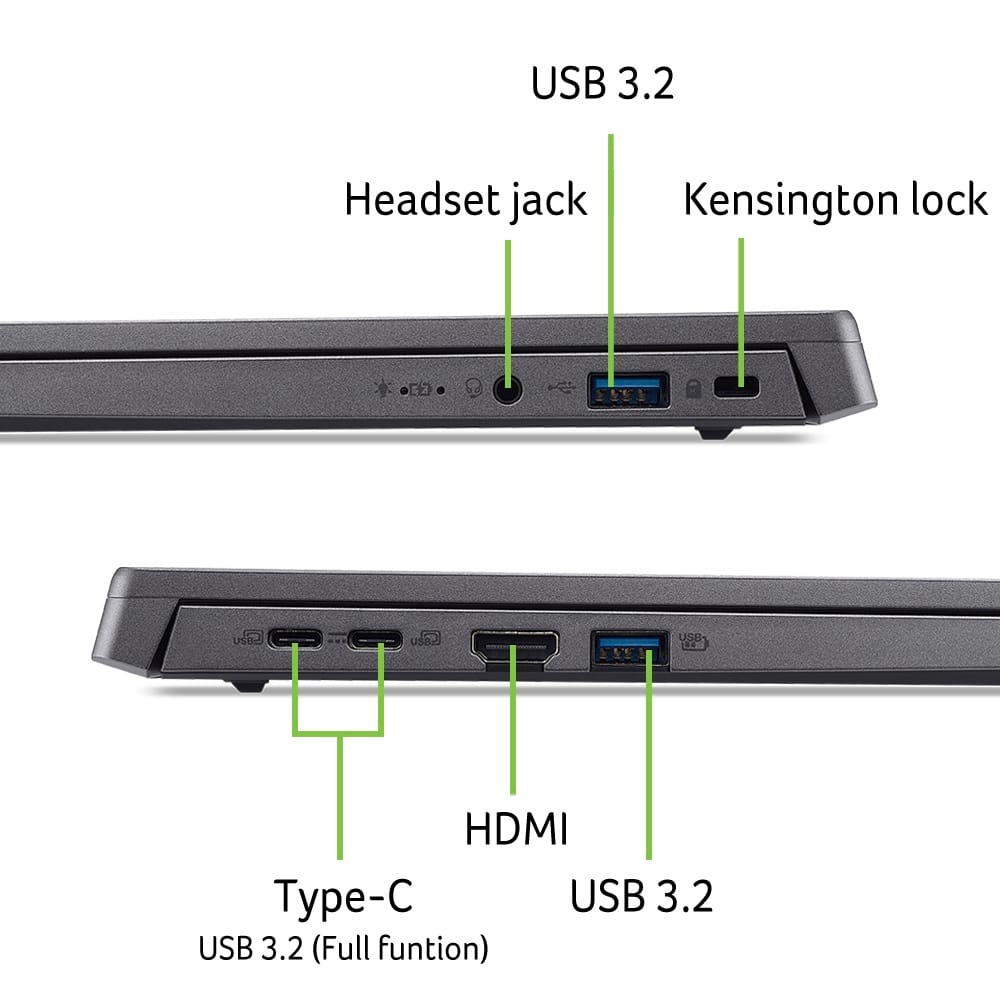
|Posted .This reviewer received promo considerations or sweepstakes entry for writing a review.This is a laptop whose class I can't really figure out. I believe it's meant to be a work laptop - people who need to answer emails, go to Zoom meetings, or maybe even some light programming could get use out of it - but what I don't understand is the specs, in relation to the price. As of writing this review, it's on sale for $399, and I think that makes sense. With the 256 gigs of NVME storage and the 8 gigs of RAM, plus the processor, and the taller aspect ratio of the screen (it feels a lot like those older laptops, with the square screens), it comes together as a well priced workstation for many use cases. But the original listed price is $599, and I would NOT recommend purchasing this laptop anywhere near that price. You can purchase a refurbished M1 MacBook Air or Pro on eBay for around that price, give or take a bit, for a much more powerful computer with better battery life (more on that in a bit) and a much better screen. Heck, you can buy a standard Windows laptop on this website that has more storage and probably more RAM for that price, too. Again, this is a great purchase at $400, but much more than that, and I'd question the value proposition. Here's the deal - you can upgrade the storage in this laptop pretty easily, but as far as I could tell from a cursory glance, you cannot upgrade the RAM, at least not without needing to do pretty obnoxious disassembly. All you have to do is take off the bottom cover - held on by a number of screws - and you have access to the M.2 slot. There's no RAM slot as far as I could tell. I imagine it's soldered on - the board appears to be too small to accommodate one without having it at an awkward angle, and even then, it would be on the underside of the board, which I wouldn't recommend any inexperienced people do, since it requires a careful hand and keeping track of all the tiny screws holding the motherboard in place. While I'm still kinda ragging on the computer, I'm gonna take this opportunity to air my grievances with the device itself. To start with: Bloatware. God, there's a lot. You get some standard stuff - proprietary Acer software left and right, to do things nobody asked for - but then you also have McAffee. Luckily, all of it is pretty easy to uninstall, but man, it's annoying that I need to in the first place. It will take a bit of time to do. The battery life on this was... meh. I used it for some online Zoom meetings as I train for a new job position. Thought it was a good opportunity to test this. Well, for 2 days, I had 2 classes, each about 3.5-4 hours long. The battery would go from completely full to power saving mode - 30% - in about 2 hours, and from there to 15% in another 20-30 minutes. In other words, I couldn't even get through one class without needing to charge it - I had to stay plugged in once I got halfway through my FIRST class of the day. This happened on both days. I know Zoom is pretty intensive and all, but my microphone and camera were off the whole time. You cannot reliably get a whole day's use out of this computer without the charger. Next, the WiFi on this thing was just... bad. Everything was loading super slow, and I couldn't figure out why. Went to test the internet speed, and found the culprit - My download AND upload speeds were a fraction of what they should be. 5-6 megabits per second download, 20 upload. My WiFi is 300/100. My other devices - mobile and desktop alike - get closer to 200/80. No matter where I was in the apartment, no matter what time of day it was, no matter what other devices were on WiFi, getting better speeds. This computer's wireless chip seems to be a bit of a dud. But, that said, this computer has a number of *really* good positives. To start with, honestly, the performance. Outside of scenarios where you're connected to the internet, this thing is snappy. It boots up in seconds. It loads programs in seconds. It navigate to new pages within programs without batting an eye. It feels great to use, when it's in its element. While I have qualms with the 8 gigs of RAM - not enough for Win11, in my opinion - it doesn't show if you only have a couple of programs running, which is my standard use case. Next, I really love the taller aspect ratio of the screen. For things like writing, programming and the like, it can't be beat. The extra vertical screen real estate just allows you to have more on the screen at once, and for certain applications, that's very valuable. I happen to do a lot of writing myself, and this screen makes the 16:9 screens I'm used to feel too short in comparison. Sure, it's not at 4K resolution or anything, but that's a bell/whistle. The screen you get looks great for what it is, and helps you be more productive, depending on your use case. Speaking of writing, the keyboard was a pleasant surprise. It is *solid.* There is NO deck flex during standard use, and you have to push it hard to make it bend at all. The keys are tactile and responsive - no spongy, squishy keys to be seen anywhere. It even has a number pad! Don't see a lot of those on laptops, these days. I'll mention that, because of the number pad, the QWERTY section was scooched a bit to the left. If you rest your wrists on the spaces outside the trackpad, typing will feel very awkward, as you'll need to angle your hands pretty far over to reach the keys normally. Not too big a deal though! I can't get my full WPM typing on it, but I can get pretty close, and that's good enough for me. User upgradability, even if it's only the storage, is always a good thing, in my book. It's got 2 USB C ports, 2 USB A 3.0 ports, a headphone jack, and an HDMI out. Pretty solid selection, for laptops in this day and age. All in all, I think this is a very solid laptop for productivity-oriented people. If you're looking for something to answer emails, do some writing, programming, and the like, this is a computer worth considering if it's on sale. It's got some problems, for sure, but at its current sale price, I think they're negligible if you're in the market. I'd say to look elsewhere, if it's the base $599 though.
I would recommend this to a friendSolid Budget Laptop!
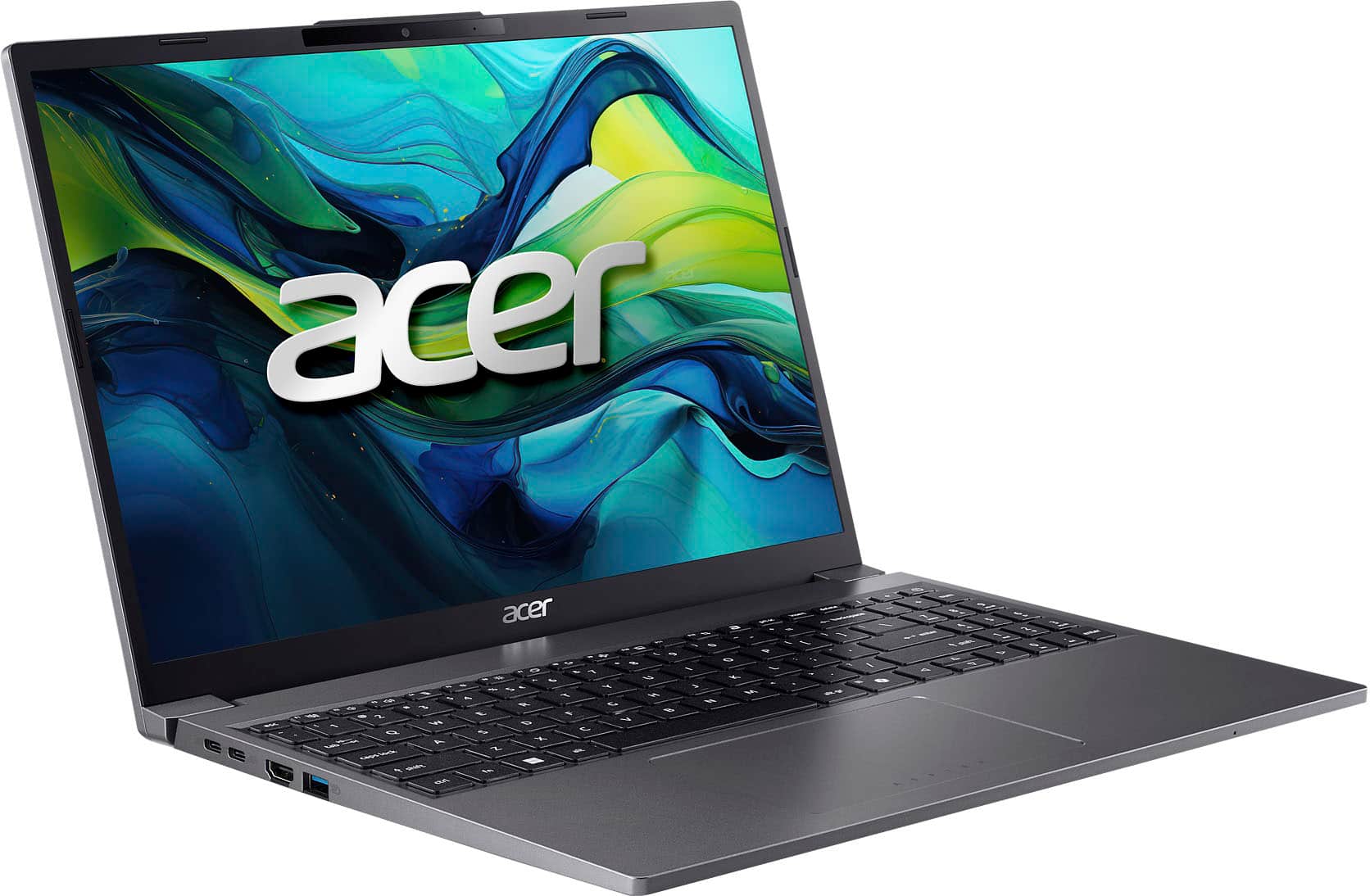
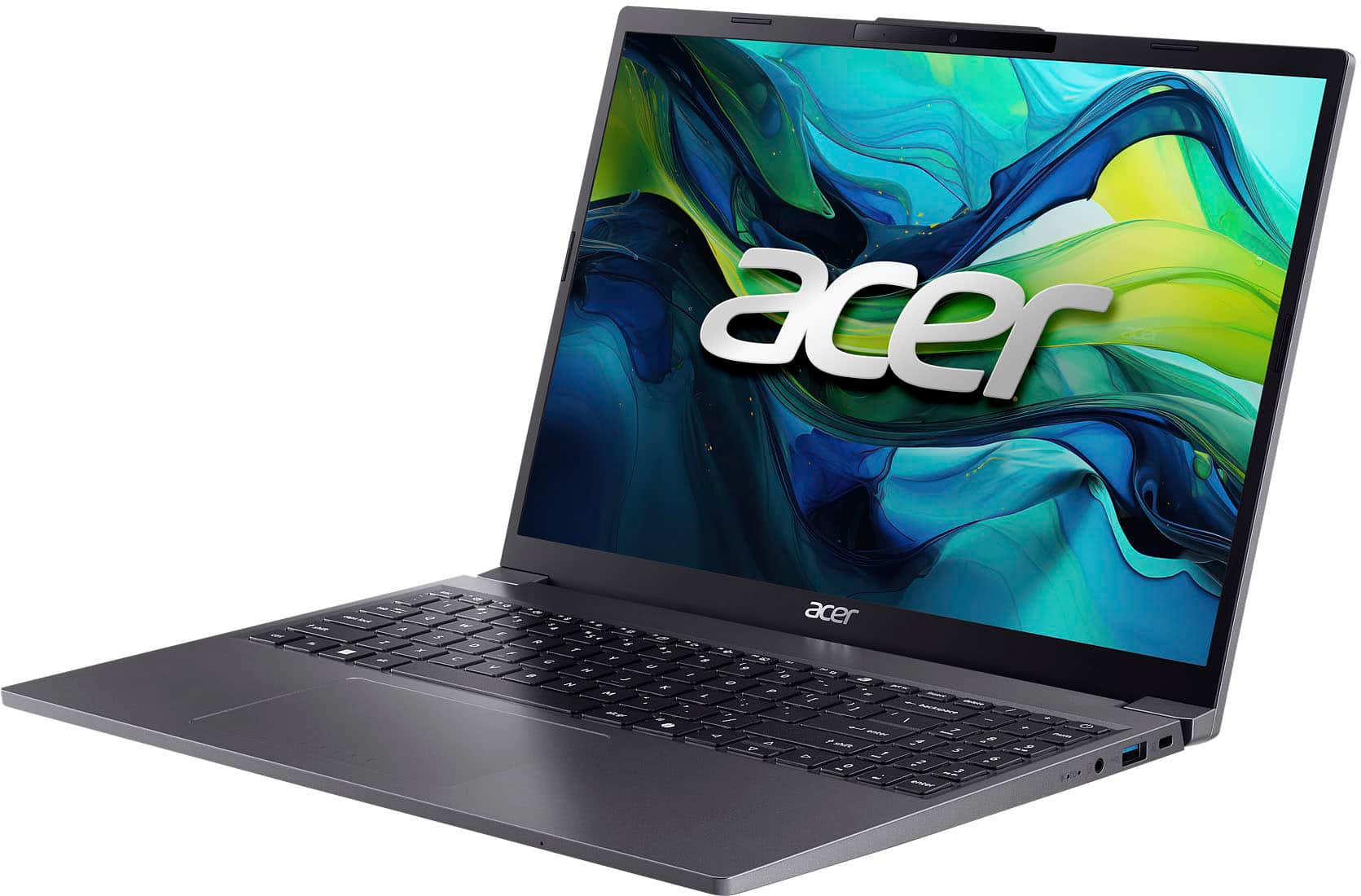
|Posted .This reviewer received promo considerations or sweepstakes entry for writing a review.The Acer - Aspire Go 15 Laptop – 15.3" WUXGA 1920 x 1200 IPS – Intel i5-1334U – Intel UHD Graphics - 8GB DDR4 – 256GB PCIe Gen4 SSD - Steel Gray is a solid budget laptop that can handle day-to-day activities and some gaming as well. It normally sells for $599 but as of this writing it's on sale for $399! Solid deal at either price. The laptop comes well packaged and protected. Pretty simple contents in the box... the laptop and power brick and a few papers. The laptop feels pretty solid. The screen opens easy, and they put a little protrusion in the middle of the upper part of the lid, so it is really easy to open with one finger. The 1920 x 1200 display is crisp and bright and easy to read. The 15.3 inches is a nice size. Not too small and not too big! The laptop is pretty light and slim, but a bit heavier than an ultralight laptop. Should not weigh you down much in a travel bag or laptop. The power brick is fairly small as well. Battery life is decent. I was able to get about 8 hours of streaming video with around 40% brightness before the battery ran out from 100%. Should last even longer in power save mode if you have to stretch it. The sound on the laptop is clear and bright and has plenty of volume range for a laptop. The built-in 1080p webcam does a nice job for video conferencing. The keyboard has a good tactile feel to it with a bit of texture on the keys. The 10-key on the right side is a nice touch! I do wish it had a backlight though! The trackpad is large and responsive and easy to use. As a gamer I had to try out the gaming capabilities just to see what kind of games I might be able to play on the integrated UHD graphics, and I was pleasantly surprised at how well some of the older games ran. I was playing games like Tomb Raider with close to 60 FPS, Borderlands with the settings on medium at between 45-60 FPS, and even Fortnite was playable with the low graphics settings at decent framerates. Not something you want to take to a gaming party, but you can do some casual gaming with it if you want to and have reasonable expectations! As far as performance for your non-gaming activities it scored well for performance with the 13th gen i5. Definitely quite capable at handling tasks like surfing the web, editing documents, watching videos, or editing a spreadsheet. The 8 gig of ram does a decent job at handling multiple applications at the same time. The SSD performs well although might fill up quick depending on usage. An external SSD should provide extra storage as needed. It has a decent number of ports. 2 high speed USB 3 ports, and HDMI, headphone jack, and 2 USB-C ports one of which is used for charging. Overall, this machine performs well and should meet the needs of someone looking for a budget laptop quite well!
I would recommend this to a friendGood Mid-range Laptop
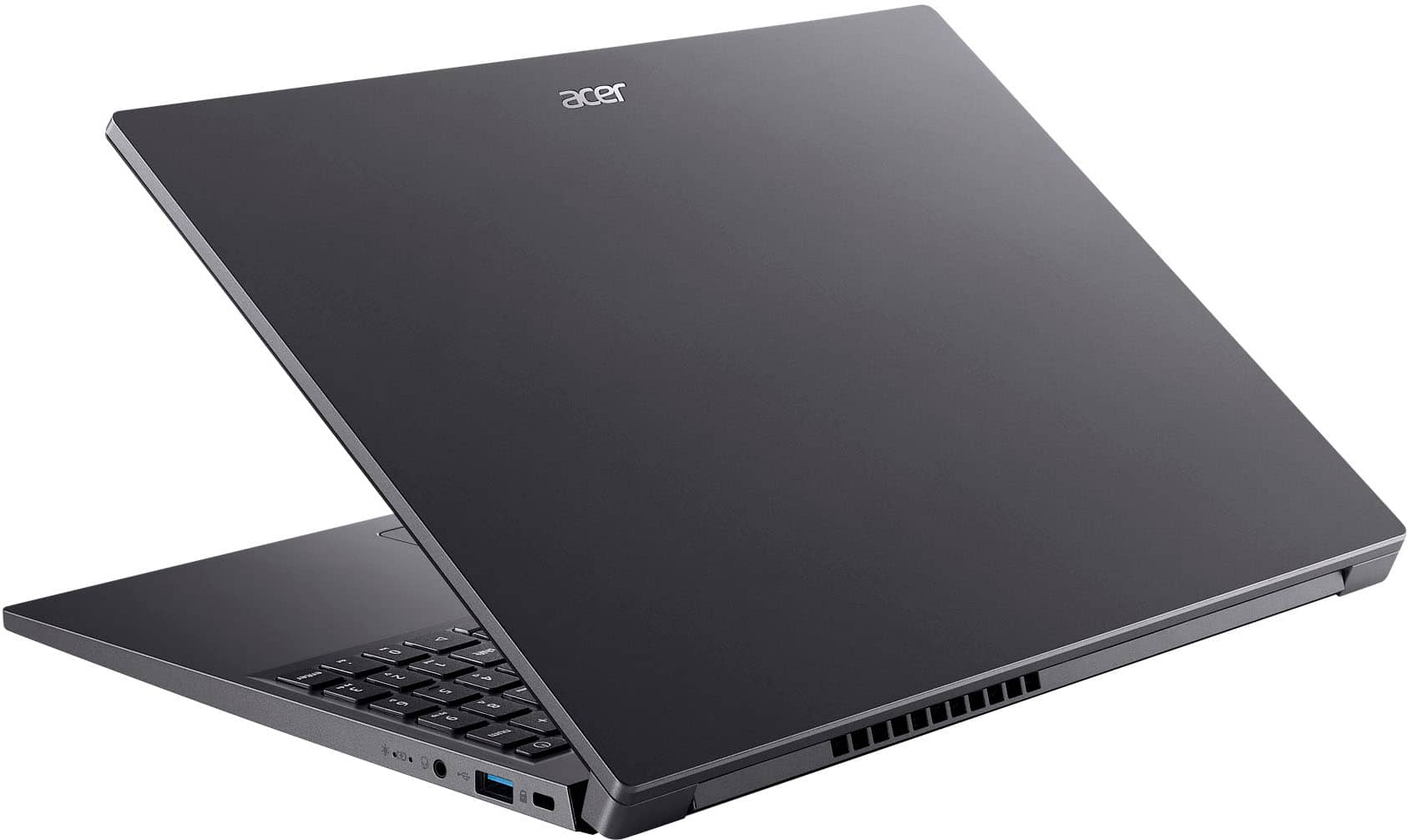
|Posted .This reviewer received promo considerations or sweepstakes entry for writing a review.The Acer Aspire Go 15 laptop was hard for me to rate. It's more than a three but less than a four. So I went with the star that was closest. It came well packaged though the box was a bit ripped from what looked like someone trying to pick it up. Still, all the wrapping held. The set up was so easy my mother could do it, and she's 91. The biggest issue I had was not with the Acer but with Windows and Chrome's war with each other for my defaults. It appears to be designed to be used when one travels. It comes with a warranty "passport" so you can keep warranty information with you and explains where in the world your warranty is valid. It also comes with a Kensington lock slot. It is thin, light weight, and a good medium size for travel. It took about two hours to charge from 6% too 100%.The graphics are good and so is the speed. My favorite feature is the small keypad, about half the size of a normal one, which I haven't seen on a laptop this size. So why the star loss? First it is not a touch screen. If this is meant for travel, a tray table does not have room for a mouse and the keypad isn't as easy to navigate. I, at least. cannot do one-handed scrolling with the keypad. The second concern is how long it holds a charge. The longest time was six hours and all I did was read. When I combined work, reading, surfing, and simple games (nothing graphic intensive), I got at most four hours at best and that was mostly reading. Maybe I'm now spoiled, but that's disappointing to me. Overall, I would recommend this laptop though caution consideration if one plans to work while travelling and not just at the endpoints.
I would recommend this to a friendBasic, Entry-Level Laptop
|Posted .This reviewer received promo considerations or sweepstakes entry for writing a review.TLDR: Too pricey for an entry-level laptop with minimal features. KEY SPECS / PORTS 13th Gen i5-1334 10C / 12T (2P Cores / 8E Cores) 8GB DDR5 RAM (User Upgradeable) 1920x1200 LED Panel 2 x USB-A 2 x USB-C 1 x HDMI 2.1 1 x 3.5mm Headphone PROS Good Battery Life (Approximately 6hrs) User Upgradeable Parts (RAM, SSD, Wi-Fi) Quiet & Energy Efficient CONS No Backlit Keyboard No Camera Privacy Shutter Slow Processor for so many cores On-board only graphics limits output potential Too pricey for such basic options SET-UP & PRE-CONFIGURED SOFTWARE Acer has done an excellent job of not installing a great deal of bloatware with their products. The Aspire Go has minimal extra software with only a few add-ons. Initial set-up is simple and just like any other Windows 11 PC. Aside from Acer Care and Purified Voice, there isn’t much to write about and that is a good thing. After initial start-up, the Aspire connects to Windows update, activates, and gets all its updated drivers, firmware, and security updates. My Aspire was up and running in about 45 minutes. Total update time was slower than most PC’s as the Aspire struggled with its limited RAM and weak processor. USE The Aspire Go is for parents and family members that need a PC for basic day-to-day tasks. It handles basic tasks and responsibilities with ease. Whether it be surfing the web, writing emails, watching videos, etc., the Aspire has the basics covered. Asking much more than the above and the Aspire begins to crumble quickly. With minimal SSD space and RAM, the Aspire doesn’t have a lot to draw on. Initial Windows installation and recovery easily eats up 50GB of available SSD space making little room for apps or documents. Additionally, with only 8GB of available RAM, the Aspire quickly eats into its available resources. A prime example is the review I’m writing now. Typing this online, Microsoft Edge is consuming well over 1GB of RAM by itself with nothing else open in the browser but this review. Plan on doing little more than one thing at a time with the Aspire. Thankfully, Acer has made it easy for owners to upgrade their product. Unlike other manufacturers that lock buyers into paying exorbitant prices for upgrades because all their components are soldered directly to the motherboard making them impossible to repair, replace, or upgrade, Acer allows users easy access to system components. For just a few bucks, I was able to upgrade to 16GB of DDR5 RAM and a 512GB nVME SSD. This made a world of difference in the little Aspire, giving it plenty of headroom. Performance improvements were immediately noticeable. The screen is a basic, matte finished panel with a resolution of 1920 x 1200. It is clear and legible and does a good job at minimizing glare and reflections. The bad thing is that it’s locked to only 60Hz. Should you need more real estate, the Aspire can easily switch to a larger monitor via the HDMI 2.1 port or one of the USB-C ports, as these support video output (and laptop charging). Note that when using a larger monitor with higher resolutions, the Aspire only supports 4k output at 30Hz. Anything more than 30Hz @ 4k reduces resolution to 1920 x 1080. Use a Full HD panel (1920 x 1080) and the included Intel graphics are fully capable of supporting refresh rates as high as 120Hz at 1080p. Wi-Fi speeds are good considering the Aspire is limited to only a 1x1 Intel AX101 network card. If your home has decent Wi-Fi coverage, networking speeds will be plenty sufficient to stream HD video or any other necessary tasks. I got a best of 400 Mb/s at approximately 10ft from Wi-Fi 7 capable node. Venture too far from a Wi-Fi spot and you will speeds drop off much quicker than most laptops that have more capable cards installed. The Intel i5-1334 processor provides enough power for basic computing tasks while sipping as little power as possible. On paper, the little i5 looks impressive containing 10 cores. Unfortunately, the core count is lop-sided. This i5 has only 2P (Performance) cores with the other 8 cores being E (Efficiency) cores. Still, the i5 has enough for basic tasks like emails, Windows Co-Pilot, 1080p video streaming, etc. It just isn’t a multi-tasking powerhouse. To help it, make sure to close unnecessary items when done. Though the keyboard lacks any form of backlighting, they keyboard itself is nice to use. Keys activate with minimal effort, and I like the texture on the keys themselves. It helps differentiate the keys from the computer’s surface in low light conditions. The included 10 keypad is a welcome addition. While the keys on the keypad are smaller than average and must be to make sure they could fit in the included chassis, I would gladly trade smaller keypad keys and a keypad versus no keypad at all. Good work Acer! FINAL THOUGHTS Maybe I’m just being a computer snob, I will fully admit it, but there are a lot more negatives with the Aspire Go than positives. It’s a shame too. Acer has always been positioned as a value brand compared to the competition. My Nitro laptops are prime examples. When reviewed, they offered good performance at a price that undercut the competition. This made them viable and compelling options for buyers. Not that the Acer Aspire is a bad product. It isn’t. It does everything it is designed to do. The problem is there are just too many similarly priced products that offer touchscreens, a 2-in-1 design, 1TB of storage, 16GB of RAM, i7 processors, etc., giving buyers considerably more for their money. NOT RECOMMENDED
No, I would not recommend this to a friendNice laptop
||Posted .This reviewer received promo considerations or sweepstakes entry for writing a review.I researched the CPU speeds of this computer and compared to others of a similar price. It was much quicker than the other models available which helped my decision. The display is very clear and big enough for most applications. I really like that it has a 10-key because I use spreadsheets and really need it. I watch the task manager and for the apps I run, the RAM is a little low. I'm going to upgrade. I was concerned about the 256 GB drive, but I'm just storing my larger files on OneDrive. Great little backup computer for working in coffee shops when I'm not at my desktop. I reccomend it for the price.
I would recommend this to a friendAffordable entry level laptop.
|Posted .This reviewer received promo considerations or sweepstakes entry for writing a review.Acer - Aspire Go 15 Laptop Summary: Affordable entry level laptop. Use: This laptop is a no-frills Windows intel based laptop. We own a variety of laptops in our household, and for the uninitiated, this Acer is a great option. It offers a budget friendly full laptop experience. Have a young or otherwise clumsy family member that needs a first laptop? This is the unit. Priced below popular mid-range tablets this unit will let you get most any work done as long as it isn't graphics heavy. Anything but basic games, forget-about-it. Browsing? Desktop or web-based Office applications? No problem. The screen is comfortable enough for this type of use and this includes watching movies. Anything that is graphics or high-resolution-heavy is not a workload well suited to this laptop. Having said that, Windows is snappy and Microsoft' Copilot quite responsive (even if web driven). This will be used primarily to do homework, and light browsing. That's it. It's a great buy if you're contemplating something that is broadly capatible with workloads and easy on the eyes. Pros: * Weight. This unit is a little heavy for it's class, but not too bad at just under 4 pounds. * Looks. The unit looks better than you might expect for the price. * Power. Uses standard USB-C port for power/ PD. So anything 65W or greater would be fine if you have other chargers. * Ports. 2xUSB-A, 2xUSB-C, HDMI, DisplayPort over USB-C, and audio out ports round out connectivity along with WiFi only. * WUXGA Display. Nothing stellar, but performs well due to its matte finish and resolution. * Specs - CPU, RAM, and storage aren't going to win prizes. RAM is upgradable. But they are fine for the price point. * Brand. We've owned a few Acers in our time, and we've always had a consistent experience with them over the years. We hope that experience holds! Cons: * Power. Despite being powered by USB-C cable, its power brick is clunky. Why not just provide a detachable cable/plug like the Ankers, or something? * Display Hinge. The display's hinge does feel a bit flimsy. There isn't support along the middle, so a lot of stress is places on the outer hinges. I have concerns of wear over repeated open/closing.
I would recommend this to a friendAwesome for the price!
||Posted . Owned for 2 months when reviewed.This reviewer received promo considerations or sweepstakes entry for writing a review.I bought this laptop when it was selling for 329$, I think it’s worth it at that price and even at 400$. The 1334u processor is more than enough for all your typical office apps and even light games like roblox/minecraft but itll struggle with anything more. Although the 8gb of ram is somewhat limiting, it was easy to upgrade to 16gb with another sodimm ddr5 stick.
I would recommend this to a friendExceed my expectations
||Posted . Owned for 2 weeks when reviewed.This reviewer received promo considerations or sweepstakes entry for writing a review.I’ve been using my Acer PC for a while now, and overall I’m quite satisfied. It offers reliable performance for daily tasks like browsing, streaming, and working on documents. The design is clean and modern, and it doesn’t take up much space on my desk. One thing I appreciate is how quietly it runs, even when multitasking. It boots up quickly, and apps open without much delay. The display (if it’s an all-in-one or paired with an Acer monitor) delivers sharp, vibrant colors, making videos and photos look great. On the downside, it’s not the most powerful option for heavy gaming or demanding creative work. You might notice slower performance if you try to run very resource-intensive software. But for its price and purpose, it delivers good value. Overall, I’d recommend this Acer PC to anyone who needs a dependable machine for everyday use, school, or light work.
I would recommend this to a friendGreat for the Value!
||Posted .This reviewer received promo considerations or sweepstakes entry for writing a review.Okay i got his laptop on sale ($300) thinking it would just get me by for the time, but honestly after putting in two stick of DDR5 ram and getting this to 32Gbs of ram it kick butt. now i use it for everything and it was easy to install the upgraded ram. screen is only 60 hz but that keeps it form bogging down to much. Super light weight I light how easy it is to carry. it is annoying that anything that runs windows now wants you to sign into a Microsoft account but there is a work around for a local account.
I would recommend this to a friendAcer Aspire a great buy!
||Posted .This reviewer received promo considerations or sweepstakes entry for writing a review.I really like the feel of this computer. It replaces an Acer Swift 3 from 2018. The Acer laptops are really quality made, and go the distance in my opinion. I mean who has time to transition to a new laptop every two years? With Acer, that is not a problem.
I would recommend this to a friendA great daily laptop!
||Posted . Owned for 1 month when reviewed.This reviewer received promo considerations or sweepstakes entry for writing a review.A fantastic laptop. I got it intended for basic Office functions and then pushed it by Running photoshop editing ~500mb multi layered projects. No problems, sleek and easy to carry.
I would recommend this to a friendGood size computer
||Posted . Owned for 3 weeks when reviewed.This reviewer received promo considerations or sweepstakes entry for writing a review.I was looking for a laptop to wfh with. This is a great size for the work I do. I need to be able to open two or more windows. So the screen is big enough. As well as the key board it come with the number keys on the side who’s is very helpful.
I would recommend this to a friendVery nice for the price
||Posted .This reviewer received promo considerations or sweepstakes entry for writing a review.This is a very nice computer that, at first glance, isn't that impressive, except, that is, for the price. After receiving this, I very easily upgraded the SSD to 1tb and the ram to 16gb. It's very snappy and does everything really well. The only thing that it lacks is a backlit keyboard, which matters more to me than I thought it would. A backlit keyboard cannot be retrofitted into this, as the backlight pin on the connector, inside the laptop, is missing. Oh well, a very good laptop for $299 + $75 in upgrade parts.
I would recommend this to a friendRuns smooth, looks good
||Posted .This reviewer received promo considerations or sweepstakes entry for writing a review.Runs smooth, display is clear, mutiple tabs/processes without lag. Battery life is decent, tends to lag whenever computer is left running/on and screened closed.
I would recommend this to a friend