Customer Ratings & Reviews

- Model:
- ADO951800F093
- SKU:
- 6067800
to a friend
Customers are saying
Customers frequently mention how Acrobat Pro DC (1-Year Subscription) allows them to easily edit, create, and manipulate PDF documents. They appreciate the cloud integration feature, which enables them to access and save files from anywhere. Additionally, customers find the software easy to use and particularly useful for creating fillable forms. However, some customers express dissatisfaction with the subscription-based pricing model, preferring a one-time payment option.
This summary was generated by AI based on customer reviews.
Covers all the bases
||Posted .This reviewer received promo considerations or sweepstakes entry for writing a review.Makes working on projects a breeze and is a real timesaver.
I would recommend this to a friendProfessional DC is the only way to go
||Posted . Owned for 1 month when reviewed.This reviewer received promo considerations or sweepstakes entry for writing a review.Well worth the investment if you use and edit PDF files
I would recommend this to a friendAs part of tablet along with other software
||Posted .This reviewer received promo considerations or sweepstakes entry for writing a review.Use on tablet purchased to estimate current projects
I would recommend this to a friendA little confusing, but it seems to work
||Posted . Owned for 1 month when reviewed.This reviewer received promo considerations or sweepstakes entry for writing a review.I am used to using Adobe Acrobat Pro, as I do a lot of editing of PDF files. I thought this would work in the same way, but the interface is much different than Acrobat Pro, so it took a while to figure out how to do some things. At first, it was not clear how this program was different from the downloadable reader. I am still not sure I can do all the things I could do in Acrobat Pro, partly because the layout of functions is rather different. Perhaps this is supposed to be an upgrade to what I used before, or perhaps it's a different product. I much more prefer regular Adobe Acrobat Pro.
No, I would not recommend this to a friendGreat for work
||Posted .This reviewer received promo considerations or sweepstakes entry for writing a review.Had to buy this for work. Does what is says plus more
I would recommend this to a friendNot as simple as you may think
||Posted .This reviewer received promo considerations or sweepstakes entry for writing a review.Although this is helpful, it is still somewhat difficult to use. I was familiar with PDF Converter Pro, but this was not available at Best Buy.
No, I would not recommend this to a friendGood product
||Posted .This reviewer received promo considerations or sweepstakes entry for writing a review.It is pretty useful although I would prefer have the opportunity to purchase it on a CD.
I would recommend this to a friend
The best of the best, but not for the casual user
|Posted .This reviewer received promo considerations or sweepstakes entry for writing a review.To give a succint review of Adobe Acrobat Pro DC , or any Adobe product , is next to impossible. The reality is Adobe products are the standard in which all others are measured, no other company is on the level of Adobe and this hold true for the Adobe Acrobat Pro DC . Let me start that I have been using Adobe Acrobat ( as well as the whole Adobe Creative Cloud Suite) for my job before I added this to my home computer for review. For those who are not aware of what Adobe Acrobat DC is and what it does. It is a full featured complete subscription based pdf editor that is comprised of 3 main parts Acrobat Pro, Acrobat Reader and Adobe Document cloud. It does not make sense to go over all the features so I will go over some of the things I like , some changes from prior versions, the installation/first time use and some of the basics that new users make like. So let’s talk about the installation and first time use. The program does take a few minutes to download and install, nothing major but it is a large amount of data. You have to register with Adobe to gain access to all the cloud functions. After that the program starts off with a checklist of getting started with Adobe Acrobat. I think that is important because there are so many features that a new user may be a bit overwhelmed by the sheer number of options. The program starts off with tutorial includes an introduction, an interative tour through some of the basic features, a section on exporting to other formats and a video on how to edit ( only 60 seconds.) Adobe did a great job in this tutorial. I’ve been using the program for a while and , once you get used to it, you start to realize how useful and advanced it is . I remember years ago the frustration in editing a document when Adobe Acrobat did not support the font or there was something that was just off with the font that Acrobat used. Not anymore, Acrobat DC automatically matches everything – font, style, color. You can even scan and it will match the font through OCR. It is simply amazing. Speaking of scanning and OCR, Adobe has a free app that scans through your phone ( or Ipad) and imports it into the program to be edited. Once document is loaded you will find the tabbed interface is easy to use, easy to manipulate and just well thought out. As I said I won’t go over all the features, you can find that anywhere. What I can say if you are in need of a powerful pdf editor that is integrated across multiple platforms, there is nothing better. However, the slight downside for the product is price. Adobe has never been known for inexpensive products and this holds true for Acrobat Pro DC. This is a subscription service that costs $180 a year. That is too much for the casual user so if you are not going to be a frequent user, look for an alternative product. If you want to buy the product outright, there is the Acrobat Pro 2017 for $450 but you are limited to the desktop version and you may lose some of the features of the subscription based version.
I would recommend this to a friendBest PDF Editor. Must for Business Users !!!
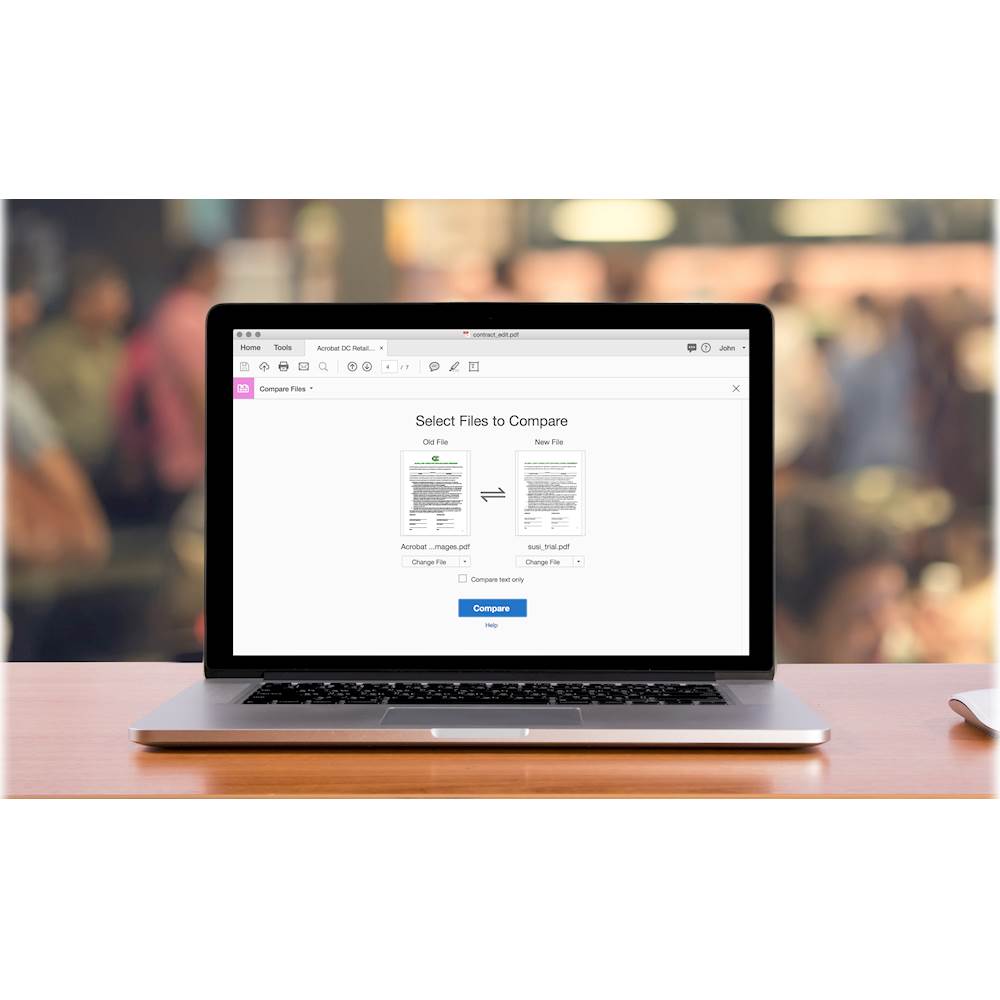
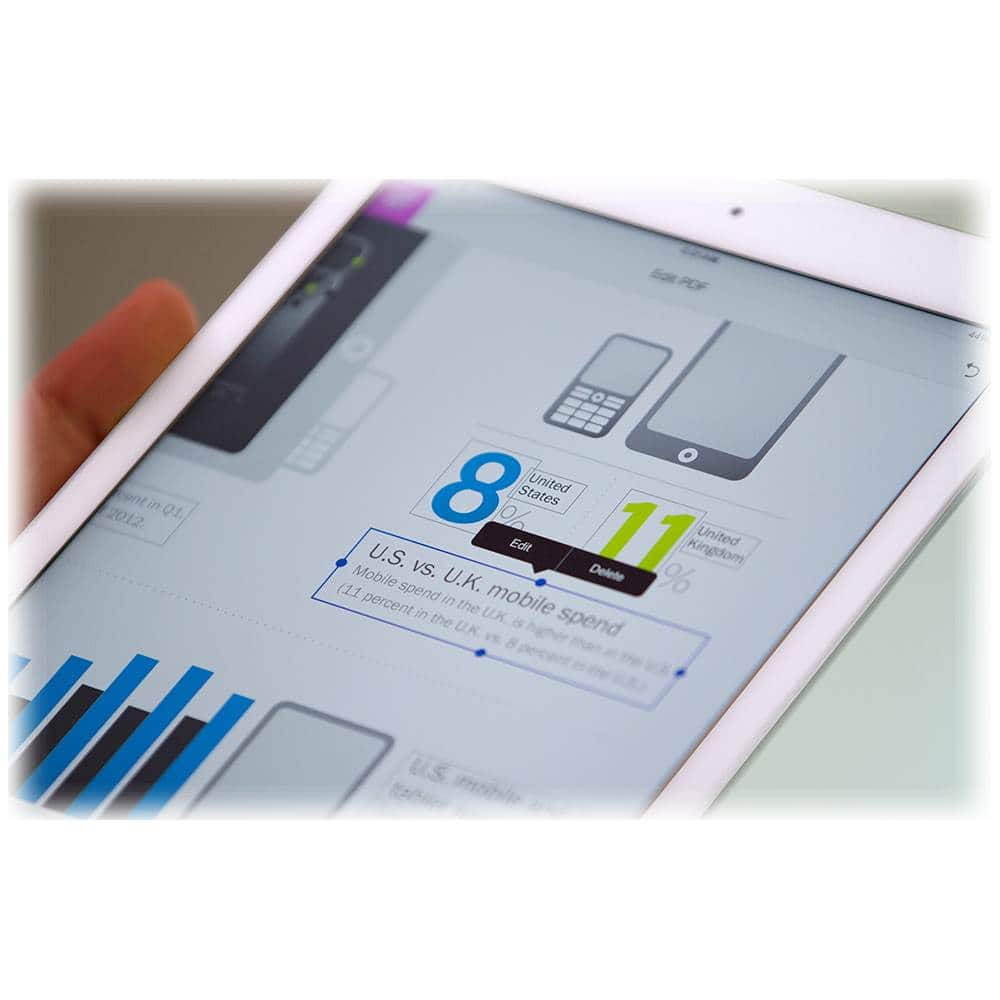
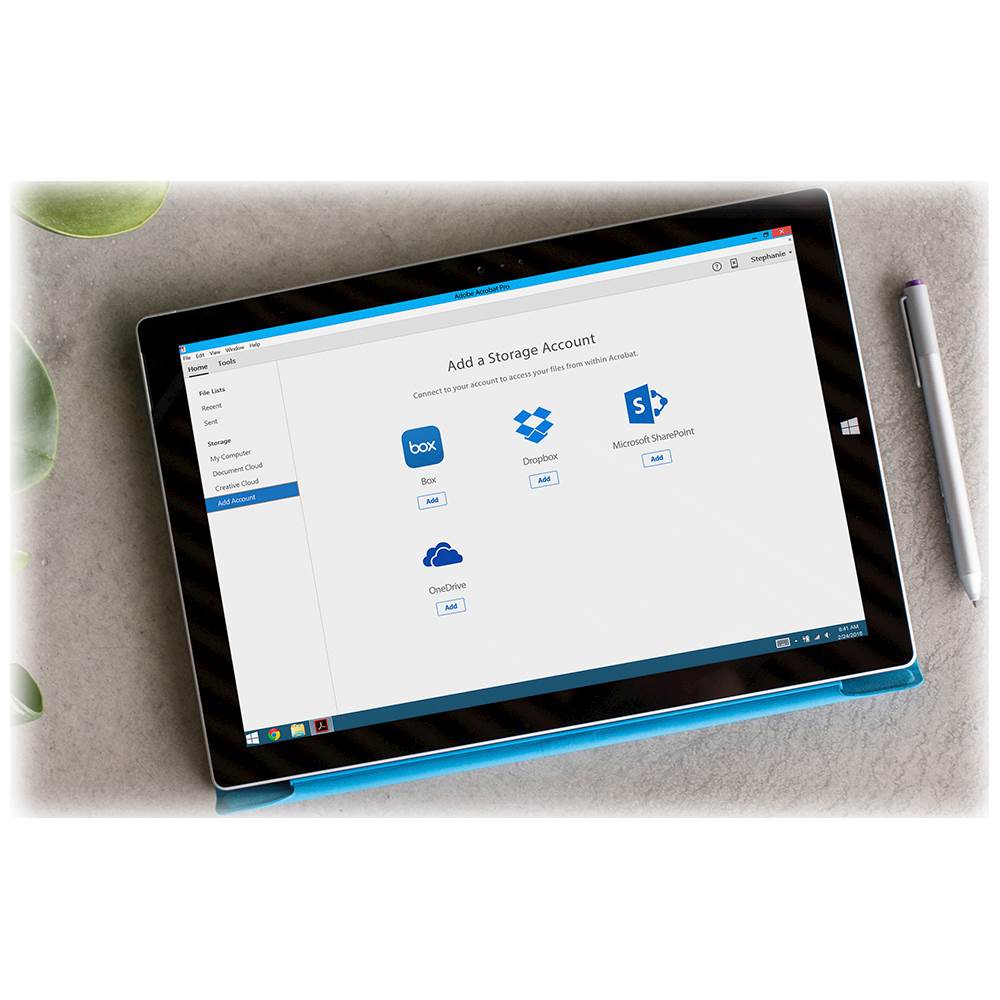
|Posted .This reviewer received promo considerations or sweepstakes entry for writing a review.Most of the windows / mac users are familiar with Adobe Acrobat reader for your school / business use. Adobe Acrobat Pro DC subscription based software will provide options to create, edit, convert, organize and sign PDFs from PC or mobile device. With Adobe document cloud services, it will provide access to PDF tools across all devices. I have installed Adobe Scan mobile app in iOS. It is super helpful to take pictures of paper documents and automatically convert them to editable PDFs with automatic font matching. Withpoint-and-click interface, you can edit PDF documents within Acrobat from your PC or iPad. The really nice feature is to compare two versions of a PDF using an easy-to-scan results summary of all differences. My son was able to convert all his school projects work from word, excel and PowerPoint format without losing original format. With Acrobat Pro DC, we were able to fill, sign and send forms fast from anywhere with smart auto-fill. I really liked the option to access, edit and store files directly to cloud like OneDrive, DropBox etc. It is seamless integration for editing documents on the go. I was able to create high-quality PDF files from Acrobat or popular Microsoft Office apps with restrictions to prevent others from copying, editing, or printing sensitive information especially contract, legal documents for business. It is bit pricey for 1 year subscription when there are many alternative products available to purchase with one time payment. Adobe should explore options for subscription with one time payment for life for future upgrade.
I would recommend this to a friendTough to cancel
||Posted . Owned for 11 months when reviewed.This reviewer received promo considerations or sweepstakes entry for writing a review.Ok when using but impossible to cancel. I have been trying for months.
I would recommend this to a friendOnly way to do PDF forms
|Posted .This reviewer received promo considerations or sweepstakes entry for writing a review.Summary: If you create PDF forms for business, there's really no other way to do it than with Adobe Acrobat Pro. While there are other applications out there that supposedly let you create/edit PDF forms, or modify PDF documents, Acrobat Pro is the only one that will always work, 100% of the time, end of discussion. The addition of the new Adobe Scan app for your smartphone, which integrates with the desktop application through Adobe Creative Cloud, makes for a great pairing for managing, OCRing and manipulating scans. Introduction: I've used Adobe PDF documents for more than 20 years - the ability to exchange binders and books of technical documentation for a couple of files on my computer's desktop was very liberating. As someone who generates software documentation, the ability to e-mail a file to someone - and KNOW the person would be able to open it, with zero problems or concerns - revolutionized the way I worked. It was suddenly easy and inexpensive to distribute documents to our customers as soon as it was changed or updated. I tested Acrobat Pro on macOS High Sierra (10.13), where I've used it for document scanning, form creation, and document signing. Pros: The only true complete PDF authoring and editing application. Built-in OCR functionality generates usable text (and even some usable punctuation) quickly from scanned documents. Works smoothly with scans from my Fujitsu S1300i scanner. Has a full complement of form-building and creation tools. Performs high-quality document conversions from other file formats (e.g., Microsoft Word) that include extensive document features, such as the PDF table of contents, that are left out by Word's own conversion routines. Cons: Application is built according to Adobe's generic OS-agnostic design, which comes across as dated and clunky on both Windows and macOS because it doesn't use native UI widgets. (For example, drag-and-drop for files does not work on macOS.) Document conversions go through Adobe Document Cloud, and are not done locally - this may be an issue in certain fields (e.g., healthcare) where there are concerns about privacy. Also, there wasn't any way to adjust quality settings on the conversion from Word to PDF, so while the finished PDF was very small in size, it came at the expense of very compressed images with lots of compression artifacts and lost details, limiting the usefulness of the document.
I would recommend this to a friendSoftware that puts you in control
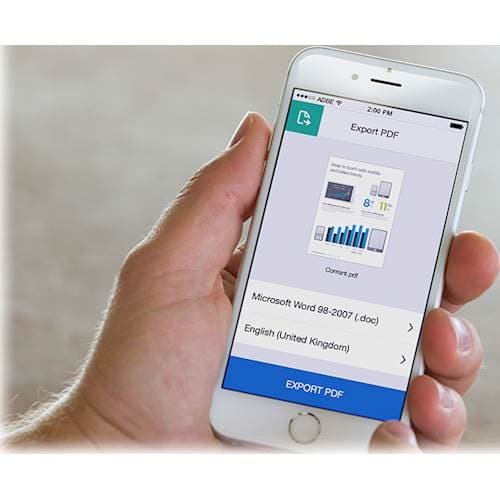
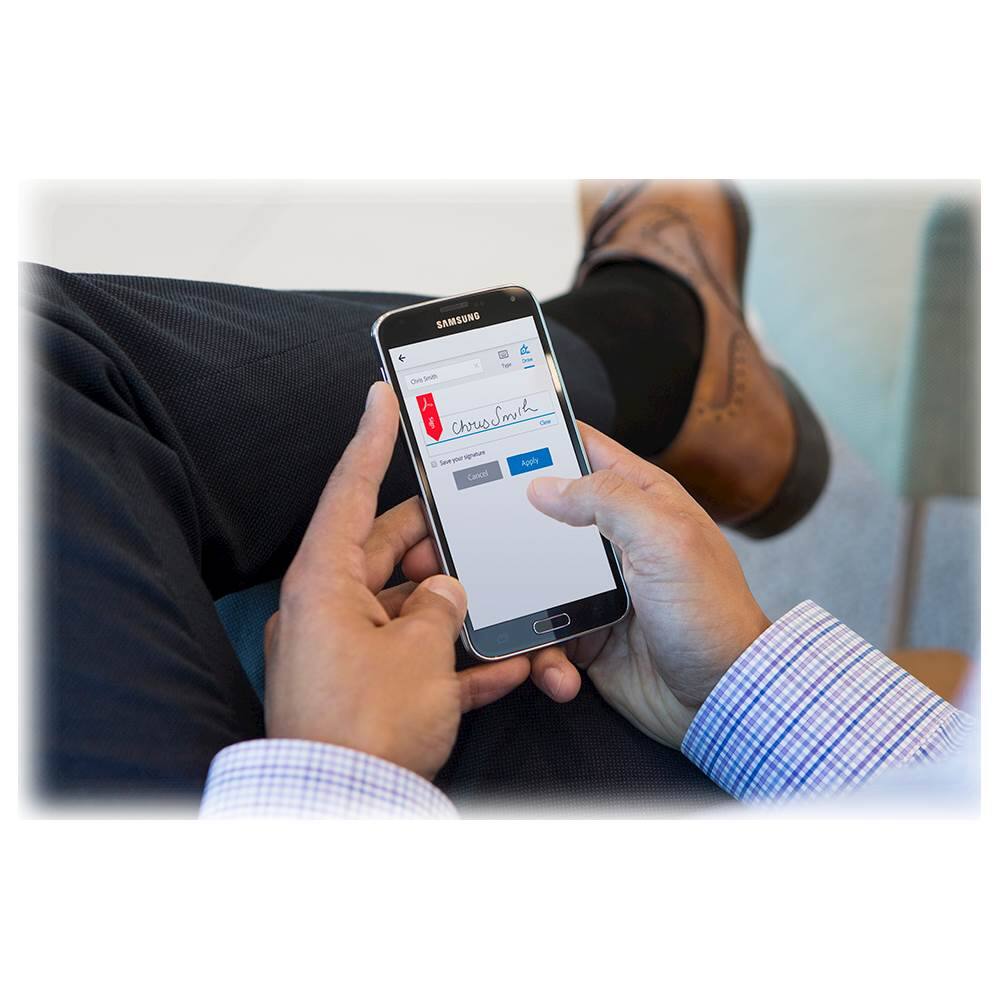
|Posted .This reviewer received promo considerations or sweepstakes entry for writing a review.I work with a variety of Office documents, as well as PDFs, that I want the ability to edit and modify. In order to do that, I upgraded my Adobe Reader to Adobe Acrobat Pro DC. Downloading the software, signing in to my existing Adobe account, and entering the redemption code was painless. If you don’t have an Adobe ID, it is simple to create one. Once in, you can immediately start to work. I did take the time to update security settings. Options under security & privacy include: extra security with 2-step verification code, connecting social accounts to access Adobe services, and account recovery. I downloaded the software on two computers as that is what my subscription allows, but I can access my files in my document cloud as I go between them. Storage accounts to add include Dropbox, OneDrive and Sharepoint. I encourage people new to Adobe Acrobat Pro to take the quick tour to become aware of what you can do with the program if unfamiliar with the expansiveness of the options, which include: 1. Going mobile – create, export and sign PDFs with the mobile app. 2. Edit PDFs (text and images) with the tool. Acrobat will automatically match fonts, colors and style. 3. Organize pages (insert, rotate, delete pages in the PDF). Drag and drop to reorder. 4. Get e-signatures with Send for Signature tool. Track, manage and archive files online. Though it sports a user friendly interface, if you still need more support before getting stated, there are many extremely helpful tutorials available for Beginners and Experienced Users under Learn & Support https://helpx.adobe.com/acrobat/tutorials.html. To me, it is worth one’s time to take 10 minutes a week to watch one or two of these to remind you of the options or to show you how to do things quicker and more efficiently. My first use of Acrobat Pro was to save a Word doc with graphics to PDF, then make edits. Options when saving included Send and Track before printing (if several people need to review). I liked the ability to remember text from previous work in the document and auto-fill, similar to Excel with text in cells. Once I gained familiarity with the tools and I customized the tool pane on the right and the quick tools bar on top to make editing go faster. Taking multiple documents and combining them into one was so convenient. That used to take me lots of time and leave me so frustrated. Each time I use this program, I am amazed about how much I can change and edit to suit my needs. Adobe Acrobat Pro gives me so much flexibility in managing my documents. I can see myself renewing my subscription in a year because I won’t be able to give up this control.
I would recommend this to a friendPerfect for large and small businesses
|Posted .This reviewer received promo considerations or sweepstakes entry for writing a review.My wife and I have a side business buying, renovating and renting out properties. We are constantly creating contracts and lease agreements for tenants and contractors. Before we had this software, we would typically use Microsoft Word to create these documents. With Adobe Acrobat, I'm able to convert my existing documents to pdf files and make them fillable forms. The interface is simple to use and very easy to edit with. With this software you can also convert excel files to pdfs and everything can be made into a fillable form. The only complaints that i can really make about this software is the cost and ability to calculate field values. I liked it better when back in the day, you bought the software and you could use it until your operating system was no longer compatible. Now, most software is subscription based, so you either pay a monthly fee or annual fee for use. Adobe isn't the only company that does this, but I prefer to pay once and have the software. The other complaint would be calculating fields. When you create a fillable form and want the math to automatically calculate, addition and multiplication are simple. However, doing subtraction or division requires you to create a simplified field notation or custom calculation script. Fortunately, my day job provides a subscription to Lynda.com and I was able to figure out how to do it. There is also Google, which provided some pretty good guidance on doing this. Other than those two things, i have no complaints about this software and I think it is a great resource for my business.
I would recommend this to a friendSolid Performer!!
|Posted .This reviewer received promo considerations or sweepstakes entry for writing a review.As a user of Adobe software for many years, this product continues to keep Adobe in the fore front when it comes to editing, converting, scanning and reading of PDF documents. I especially like how comprehensive this program is. The program once downloaded, requested to make Adobe my primary user of PDF documents, which converted all my scanned documents and saved PDF's effortlessly. Thus far, the program is intuitive with interactive applications that will help you in learning and doing new things. Suffice to say, whether you’re a novice or expert user this program will integrate seamless!
I would recommend this to a friendYou'll find out so many uses for this program.....
|Posted .This reviewer received promo considerations or sweepstakes entry for writing a review.I've been using Acrobat Pro at work for years now (Windows version), and this edition was the first I've used at home, and that is on a MAC.....is it worth it? Absolutely! The program does so much that you didn't know you could do with PDF's. It might be to edit a PDF so you can form fill it, it might be to convert a WORD doc into a PDF, it might even be to take a PDF someone else did and be able to edit it.....you might use it to bundle up multiple docs of different programs and make it into a single PDF. I've done all of these, and have done so for quite some time now. This edition brings with it all the existing features, and some new ones too. Optical Character Recognition (OCR) allows you to scan in docs and then edit the text. You can create forms, you can add notes, send for review, etc. There really is no other option for business these days, for sure. It works great with Microsoft Office, and most workplaces seem to have both. But more importantly, while there are cheaper options out there, there is no better option. And nowadays this has become more common at home, and we've been using it at home way more than we expected. Kids in college, job applications, combining multiple documents across multiple platforms into a single PDF, the list goes on and on.......you can use this for home and work. I'll be continuing on with this subscription well after the first year expires, it is a great way to have the most current copy and can assist with both home and work at the same time.
I would recommend this to a friendExcellent Intuitive Document Processing
|Posted .This reviewer received promo considerations or sweepstakes entry for writing a review.This program is outstanding. You will realize the power of Adobe Acrobat DC once you begin using it. An excellent way to start is to use the provided tutorials and built in ‘Help’ facilities; and also you can rely on YouTube videos for help. I have always been aware of PDF files and the free ‘reader’ and the fact you can’t edit them unless you have the editor that costs. But the cost is justified based on the abilities you will now have. Acrobat DC does allow you to create, export and sign PDFs anywhere. You will want to take advantage of the free Adobe Creative Cloud for storage. The design of the program is very smart, for example when you edit text the program will match the fonts automatically including colors and styles. You can organize pages and easily rotate pages as needed or drag and drop to re-order content. You can track and manage files and also get e-signatures to record that a document got a sign-off if needed – more of a business function, but it’s in there. You can convert Word and Excel files into PDFs. Operations are very intuitive especially if you are used to other tools like Adobe Photoshop Elements or MS Word. Tutorials you’d want to view are at: https://helpx.adobe.com/acrobat/tutorials.html#fundamentals I recommend this program if you have been frustrated with getting PDFs that you want to alter or if you basically need the ability to create and edit PDFs. It is well worth the effort to view the excellent tutorials provided by Adobe or others to become expert yourself.
I would recommend this to a friendThe standard for PDF software
|Posted .This reviewer received promo considerations or sweepstakes entry for writing a review.I have used Adobe Acrobat since version 3.0, a couple of decades ago. With each version, Adobe adds more features to keep the software relevant. Adobe Acrobat Pro is no exception. Many people have Acrobat Reader, a free, downloadable program. Acrobat Pro allows you to do more than read files. You can create and edit PDF (Portable Document Format) documents that just about anyone, using any type of computer or mobile device, can read. You can set how the document views, e.g., continuous scrolling, one page at a time, or multiple pages. You can add document properties that make it easier for search engines to find. You can send documents for secure electronic signature. Acrobat pro has lots of features. Here are a few of my favorites: - Ability to scan documents and make text searchable. - Ability to edit text, including point size, typeface and color - Ability to create forms. - Ability to move or delete items and add images. - Ability to optimize a PDF for fast web loading. - Ability to rotate and crop document pages--handy if you scan documents to PDF and they don't come out letter or legal-sized. - Cloud subscription gives you free updates for a year, so you have the latest version. - Acrobat Pro comes bundled with Creative Cloud "All Apps" in both standard and student subscriptions. Here are a few areas that could be improved: - Currently subscription (Cloud) only. This may cost the typical user much more than the legacy, single license version. However, students can get a price break. - Editing --needs the ability to see the location (coordinates) of different items, maybe with rulers? - Editing--needs the ability to resize an image or other object using inches/cm and/or %. All told, Adobe Acrobat Pro is the standard for PDF creation and editing software.
I would recommend this to a friendGreat Tool Opens Up Full Potential of PDF Format
|Posted .This reviewer received promo considerations or sweepstakes entry for writing a review.As a long time user of Acrobat and the pdf format to distribute documents, the ability to edit, split, and merge pdf files is a useful feature that previously, I've needed to use third party software to accomplish. Often, those come with limitations and other issues which reduce the amount of work I can carry out in that format. The Acrobat Pro DC (Document Cloud) subscription changes this dynamic for the better. Setup and installation was pretty straight forward, though for some reason, it took a long time for the DC download to initiate. Once everything is up an running, one gains the ability to: 1. Create pdfs from a variety of sources. 2. Edit existing pdf pages (reorder, delete, add). 3. Actually edit pdf documents (this is pretty cool, especially for pdf forms that don't leave enough space for long names or text). 4. Work with pdfs across many platforms. As I periodically do work on the go, being able to handle pdfs natively is a plus! 5. Search pdfs where text was not previously searchable. It's annoying that this one gains this capability because that means the creator of the original document deliberately suppressed that feature. That said, this is a plus for Adobe Pro DC. 6. More features - I started with features I've always wanted, but didn't have with the free version of Acrobat Reader. Having explored that, there's clearly a lot more features available that I've yet to use or discover. For those who have already secured licenses for the pro version, this may be old hat. So, why the four stars. . . well, because pdf is mostly a proprietary format. So, there's no competition on products like this. With no alternatives to compare, I don't feel comfortable awarding all five stars.
I would recommend this to a friendA must have for PDF users
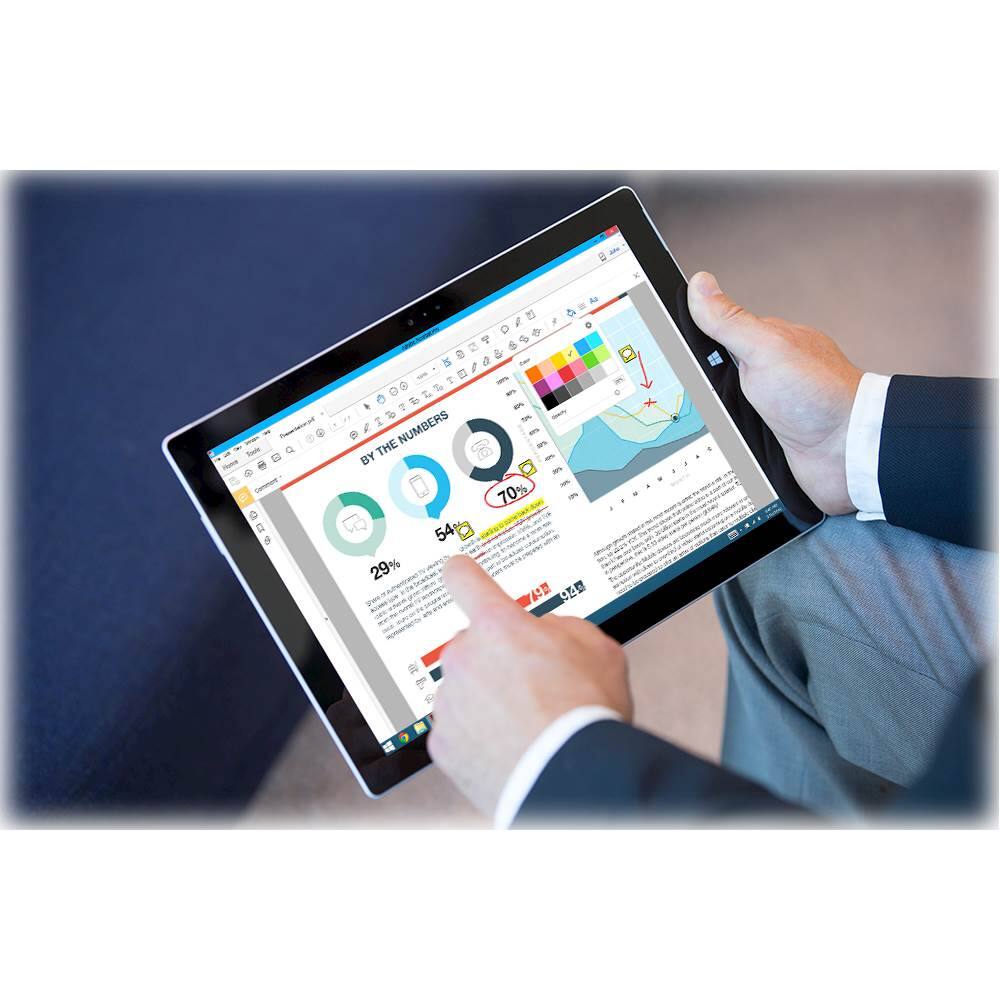
|Posted .This reviewer received promo considerations or sweepstakes entry for writing a review.Most of us have used PDF documents for years, as it has become the document standard for sharing and sending documents. The basic tools are handy for things such as highlighting and adding text boxes. The main frustration with the basic tools is that one simply cannot edit the document. Acrobat DC adds editing features and makes using the PDF format very nice. I pulled up old documents and was able to highlight, add text, edit existing text, add check boxes, circle sections, add bullet points, add initials and finally, I was able to add my signature to the document. Having a Windows' Pen and the Ink addition to the OS makes this very powerful and fun to work with. I was able to edit the PDF document from within the Adobe environment, but there is also an option to export the file to other document products such as Microsoft Word. This will remain part of my software library for years to come. I wish I had this product when I was in college. Adding notes and marking up the document would have been a great way to save my thoughts while studying. I would say the same for adding thoughts to work documents, quotes and proposals while reviewing them. The price is steep for an annual subscription, but it's worth it if you are going to use it.
I would recommend this to a friendBest PDF editor
|Posted .This reviewer received promo considerations or sweepstakes entry for writing a review.This Adobe Pro DC is so far the best PDF editor. This has the tabbed multiple PDF interface, which makes it easy to navigate and use instead of multiple windows. I was able to edit documents and add text without looking for the new font on the scanned document. This subscription comes with the cloud feature where you can upload the documents to Adobe cloud and have it handy from anywhere. You can covert, edit, create, and sign PDFs. It also integrates with the Office apps and you can use the plug-in instantaneously to convert any document in a single click. I have created documents with fillable forms. It makes it easy instead of sending word docs and worrying about any changes to it. The only thing I am not a fan of is the subscription model. This is definitely something business would prefer as it keeps the software up to date without allowing any installations via the IT department. I would definitely recommend it to anyone looking for an always update version of the Acrobat DC.
I would recommend this to a friend