Customer Ratings & Reviews
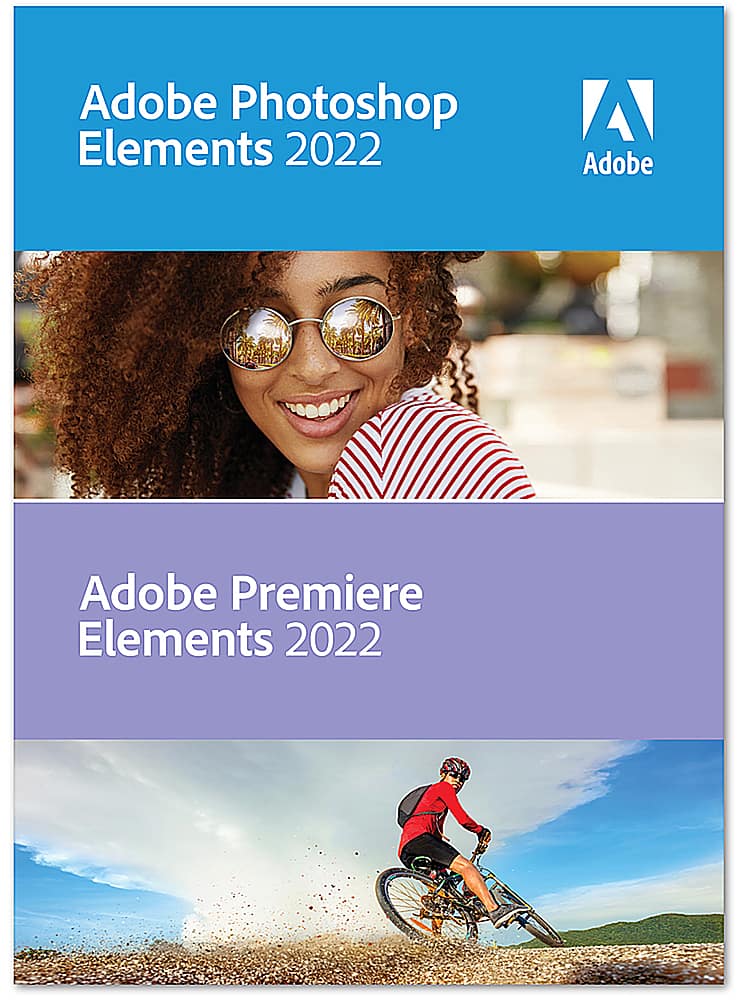



- Model:
- ADO951800V535
- SKU:
- 6475053
to a friend
Customers are saying
Customers consistently note the ease of use, particularly appreciating the streamlined workflow. Many also highlight the program's strong video editing capabilities and the helpful AI features, which simplify complex tasks and enhance photo and video correction. Positive feedback also mentions the fun and effective special effects. The value for the price point is another frequently cited advantage.
This summary was generated by AI based on customer reviews.
- Pros mentioned:Ease of use

Adobe is the go to editing company for a reason
|Posted .This reviewer received promo considerations or sweepstakes entry for writing a review.Adobe is the standard for photo and video editing for a reason. The program itself is fairly intuitive all things considered, but lets be honest, if you are doing editing at this level its never going to be something you can just pick up and you’re an expert at immediately. I feel like Premiere is a little easier to get an impressive result without training than Photoshop is, but one of the greatest things about both Premiere and Photoshop is that there is a ridiculous wealth of online tutorials, resources, tips and tricks that you can look up to get better. Half the value of genuine Adobe products is the community you instantly become a part of and the support you can get from them. I have tried various open source or free programs that came with hardware I’ve purchased and I can always make them do what I want, but I always feel like I’m fighting to make it work out. These programs feel more like they want you to get the result you’re thinking of. For me, that and the community resources to find out exactly how to do something are enough to make it well worth it to pay for the name brand version and not go with an open source competitor. This new edition has some changes to the layout that are pretty take it or leave it for me. I do a lot more video editing than photo editing myself, although my high school daughter has taken a few classes on graphic design and photography and just loves this program. So far I honestly haven’t found much difference between this version and previous ones I’ve used other than layout and UX, but it may be that I’m not a power user enough to stumble across those changes, or they are subtle improvements that I didn’t pick up on because I don’t use the programs for work every day. Overall I am very happy with this product and plan to get a few projects done that I’ve been putting off for a while.
I would recommend this to a friend - Pros mentioned:Ai technology
Get this for the warp tool and auto reframe
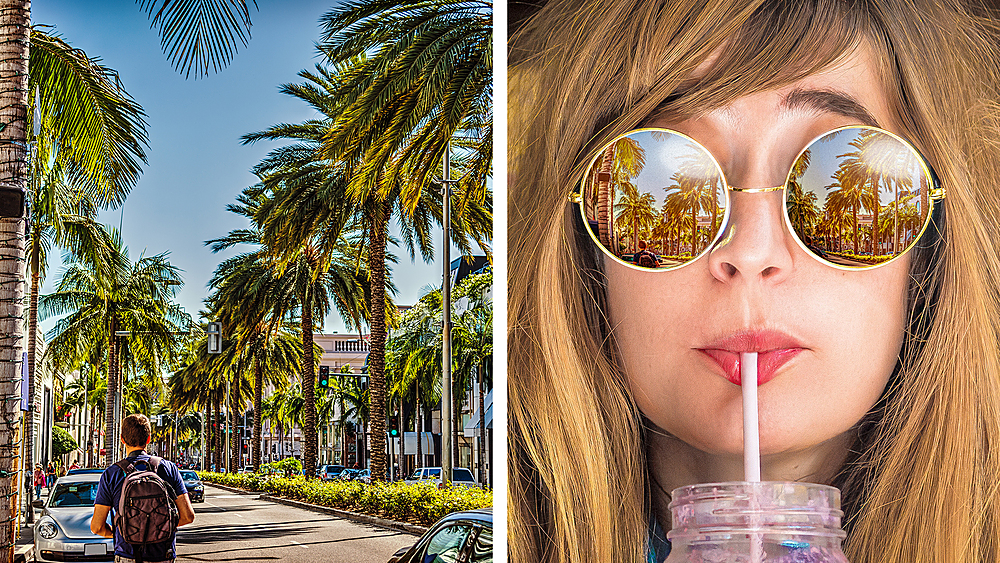
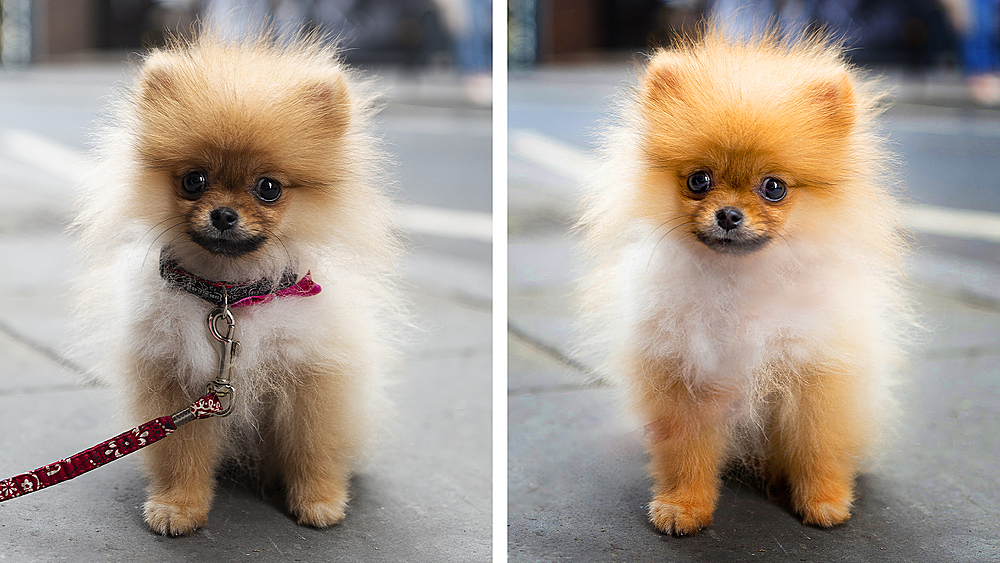
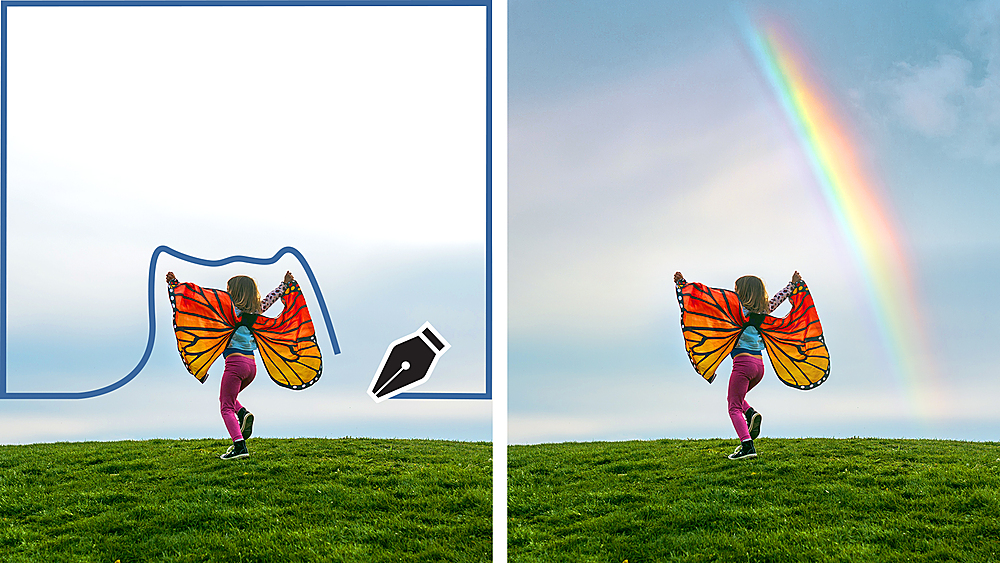
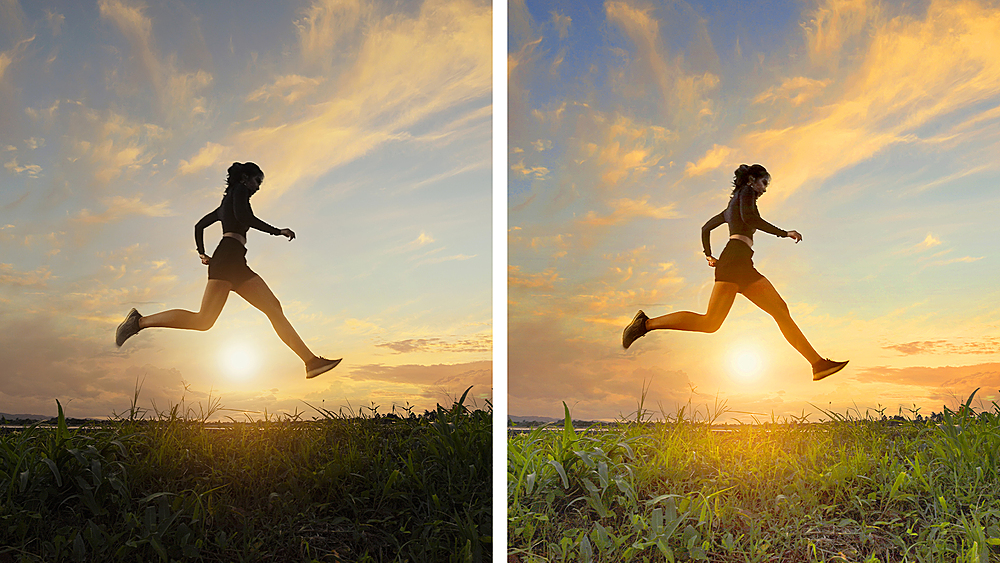
|Posted .This reviewer received promo considerations or sweepstakes entry for writing a review.This new version expand the Adobe Sensei AI technology and automated options. For Photoshop Elements, I like the 2 new guided edit, Perfect Pet allows me to create perfect pet picture by removing leash. When I need the output to be in different size such as 4:3 to wide screen, I use the Extend Background guided edit. Perfect timing for holidays, I use the moving overlay to add falling snow to my pictures. The best feature I like the most is the Warp Tool, it can fit image to any shape. I used it to correct camera lens distortion, it works better than using the Correct Camera Distortion filter. Artistic effects is another new feature but I am not crazy about it. For Premier Elements, I like the project preset, you can choose landscape, portrait, square or various social media platform etc. One of the best feature is the Auto Reframe that changes video to any format/aspect ratio like square to wide screen etc. This version has 2 new guided edit, Animated overlay and Adjust Shadows and Highlights. Adjust Shadows and Highlights make it very easy to adjust your video to bring out details in the shadow and over exposed area. I like this the best. Export preset is also very nice where you can to export videos in to social-friendly vertical and square aspect ratios such as Instagram.
I would recommend this to a friend - Pros mentioned:Ease of use
Great for a novice!
|Posted .This reviewer received promo considerations or sweepstakes entry for writing a review.As a novice at both photo and video editing, I really appreciate how easy Adobe makes it to do some really cool editing. (Well, at least I think it's cool.) I appreciate the tutorials on how to do things like colorize a specific portion of a photo, turn the photo into something artistic, or how to add an animated overlay to both a photo and video. There are also some more advanced features that I find very helpful, specifically the ability to adjust the hue/color saturation etc to an entire vide clip when we haven't lit it correctly while filming. Color correction is important to us in those situations. Additionally, they make it really east to connect our microphone and add a separate audio layer to our videos when we want to do a narration on a video we've taken. It may not be as sophisticated as the full version of Adobe Premiere or Final Cut, or any of those, but for our purposes it does everything we need and more. As I get better and more experienced at editing both photos and videos I'm really looking forward to taking full advantage of everything Adobe Premiere and Photoshop Elements 2022 has to offer. Would highly recommend to someone who is not an expert but would like to work toward becoming one someday.
I would recommend this to a friend sinks
||Posted . Owned for 2 weeks when reviewed.This reviewer received promo considerations or sweepstakes entry for writing a review.i do not like It si supposed help with my pictures i can not do it it sinks
No, I would not recommend this to a friendPowerful image and video editing with ease of use!
|Posted .This reviewer received promo considerations or sweepstakes entry for writing a review.Photoshop Elements 2022 and Premiere Elements 2022 make an easy to use pair with easy to use but powerful features! Features Both products do a great job making powerful features accessible. Each product opens to a home screen where you can choose a mode to work from. Quick, Guided, and Expert are the options. The Guided mode was extremely helpful for me. I'll talk about that more later. One of my favorite features in Photoshop Elements is the ability to extend a background. It has two methods, autofil and extend, both of which I've had great results with. I was impressed at the way I could extend photos and still have them look real. Sometimes I had to try masking differently a few times to get what I was going for but I was very happy with the results and the little effort. I used to run into problems with photos that were portrait that I wanted to be landscape to fill a screen nicely on a display with a 16x9 aspect ratio. Now, with the ability to extend a photo it will either give me exactly what I'm looking for or something that's easy to work with. Photoshop Elements seems to be very intelligent with it's object selection and ability to create what wasn't there. As far as video editing in Premiere Elements goes, I was impressed at how easy it was to do cool things with text overlays, changing and reversing timings for things like bounce-back effects, chroma key support, and animated graphic overlays with key frame based movements. Ease of use This is a huge part of the value of this pair as a package. Besides getting a very similar UI between the two they both have the "Guided" mode that teaches step by step how to use many features and apply all sorts of effects. This is a great value add because it can take me a long time to figure out how to do some of these tasks but when it walks me through once or twice I can go into the expert mode and do it fast on my own or even apply the same process or effect in a different way to help in another situation. These do more than give examples. They let you do what you want to do to your own images and video, so you actually come out with what you are trying to do. It's helpful and teaches you as you get your work done. Create Both Premiere and Photoshop Elements have a "Create" menu that I wanted to mention because they have some tools that could add value. In Premiere Elements you can Create a Video Story, Instant Movie, or a Video Collage. These work a bit like templates but give some options too. In Photoshop Elements you have a lot of different items it will help you create from Slideshows, Photo Books, and Collages to Greeting Cards, Photo Calendars, and DVD Jackets - and more. I love the many choices and ideas that these built-in template/wizard things provide! Summary I've used many different video and photo editors but I've never had ones with so many features that have powerful feature sets and great tools to help you learn and use those features. There is some integration between the two with a common launcher that opens when you run either program and a common media organizer tool but the greater value is in the similar UI and all the tools that help you to learn how to use and get the most from each product.
I would recommend this to a friend- Pros mentioned:Video editing
Still the best for new users, not for upgrade
|Posted .This reviewer received promo considerations or sweepstakes entry for writing a review.If you're looking for some decent photo editing and video editor for personal use, this is the best option out there. Both don't have everything full photoshop has, but for most people for your home use, this is more than enough. There maybe other simple option for photo editing, but for video editing Premier is top of the line. With that said, while I highly recommend this for new users, if you're looking to upgrade from a previous year, I don't feel there is much of a change. So I wouldn't recommend if you're looking to upgrade.
I would recommend this to a friend Great for the Basics.
|Posted .This reviewer received promo considerations or sweepstakes entry for writing a review.Great for the basics and to get your photos and videos where you want them. There is even a guide built right into the program to help you adjust your pictures or video. When you enter photoshop or premiere its right in the middle of the top bar. I recommend getting both photoshop and premiere because you never know when you will need them. Plus they are only a little over 2GB each so they will take up no room on your PC/MAC. There is a basic part and a expert part of the software. I never use the basic other than for cropping quick or that cool teeth whiting feature (were in a new century). I always use expert because it has features I want including the blur tool and the color picker tool in case I need to paint or blend something in. You really can do anything you want here and to me its almost a better paint program (standard with PC). So many things you can but here are the basics: Adjust your sharpness, brightness, contrast, and tones. Remove objects, whiten teeth and quick ways to resize your photos to print. Great features here. IF YOU WANT THE REAL DEAL! Artists, photographers, droners! You will not want the elements version but Adobe Photoshop, light room, illustrator or premiere pro. You should be looking at these programs/cloud base services. Elements in my opinion is for simple tasks for the every day person.
I would recommend this to a friendDoes what you need and more
|Posted .This reviewer received promo considerations or sweepstakes entry for writing a review.I must say, I haven't used Photoshop Element and Premier Elements in 10+ years. I can honestly say that I don't remember photo and video edits being so user friendly. Note that this package for two separate software, 1) Photoshop Elements for photo and still image edits and 2) Premier Elements. Even though they are two separate software installs, Adobe gives you a friendly interface to allow you to access either Photo or Video edits from either program (as long as you own both). Adobe has made this software usable for the novice as well as the expert photo and video editors. From the main page when you open up the application, you are presented with ideas for you to try as well as an open search for things you want to do. The search is pretty intelligent, for example a search for "Remove" comes up with quick results such as: Remove red eye, remove a layer, remove a selection, etc. Once you go into either Photo or Video editor, there are three tabs choose from. Quick, Guided, and Expert. Quick gives you the option to add quick effects from a decent selection. Guided, which was a game changer for the novice. There are a number of edits and effects that the software will walk you through. And of course if this is not your first time with this software, there is the Expert tab which gives you free range to do what ever this software can handle. Being a novice, I think the guided option has allowed me to do fun special effects without having to be a pro. So far I think this is a fun option for those in a wide range of editing level and would recommend.
I would recommend this to a friendGreat For Beginners and Pro's
|Posted .This reviewer received promo considerations or sweepstakes entry for writing a review.The Adobe Photoshop and Premiere Elements package is a great deal and a must have accessory for any professional or aspiring content creator. This is a two pack digital download consisting of two licenses. One for Photoshop and the other for Premier. There is no annual subscription and each license can be used on two different computers. However, the software can only be active on one computer at a time. Both of these software's have 3 modes of operation. Quick, Guided and expert. Quick provides a streamlined experience with all the basic tools necessary to make simple modifications to your content. Guided mode is more suited for the beginner content creator. It contains a nice library of transitions and tools that walk you through the steps necessary to perform advanced operations. Expert mode is best suited for the Pro's. It has the same familiar interface as previous versions of the software. This is the location where you can find all the functions necessary for complex content creation. it provides you with the ability to make granular modifications to your content without any wizards or limitations. Overall I love this software and highly recommend it for both beginners and Pros.
I would recommend this to a friendPowerful and easier to use but still needs work
|Posted .This reviewer received promo considerations or sweepstakes entry for writing a review.I had not tried Adobe products for a few years. Previously I used their software under academic license to make DVDs for sale for a non profit. While I no longer needed to watch third party YouTube videos to create the programs are still quite confusing and while some functions have been simplified there is little help when the automation is ineffective (example removing a subject too close to the primary subject). As is common for old school expensive software there is forced registration and many updates. Running on a new i7 with Nvidia card I still had times when I was not sure if crashed or just slow. Fairly powerful and easier than Gimp or full photoshop just know your creations will be time-consuming and less intuitive than app based editing or processing.
No, I would not recommend this to a friendCrop Suggestion Delay Sucks
Posted .This reviewer received promo considerations or sweepstakes entry for writing a review.If you do very many pictures, do not buy. I've used photoshop for years, but the new one has "crop suggestion" feature that you can't turn off and each time you crop, you have to wait for the 4 suggestions to come up before you can do anything else. One picture is okay, but I do multiple pictures a day for my business. I'm looking for a different program.
No, I would not recommend this to a friend