Customer Ratings & Reviews


- Model:
- ALLY-0091K
- SKU:
- 5651002
to a friend
Customers are saying
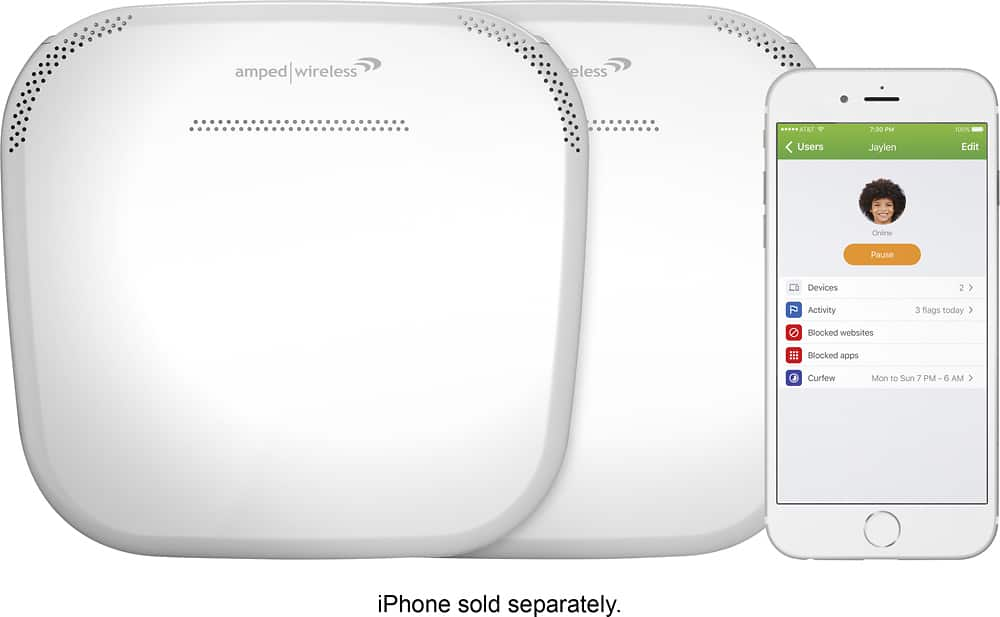
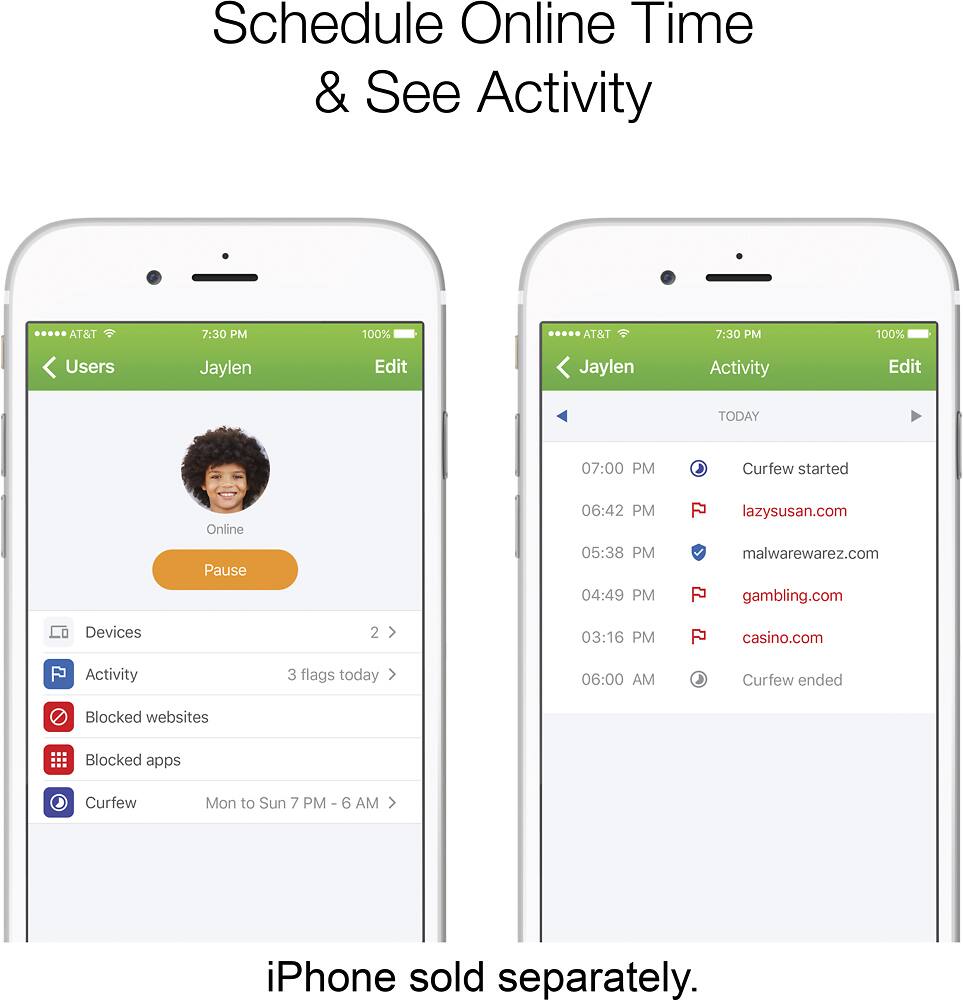
Customers commend the Ally Plus AC1900 Dual-Band Mesh Wi-Fi System for its easy setup, extensive coverage, and strong parental controls, frequently citing improvements in connectivity and speed. However, some users experienced connectivity challenges, particularly with the extender and signal strength in certain areas. The system's performance was generally praised, although some noted occasional pauses or decreases in connectivity when moving between coverage areas.
This summary was generated by AI based on customer reviews.

Amped Ally just Average
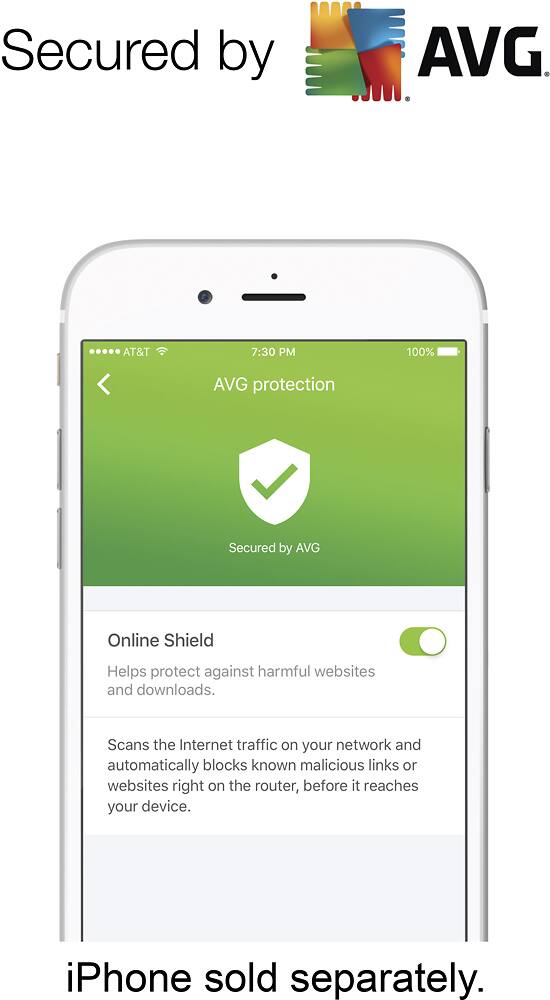
|Posted .This reviewer received promo considerations or sweepstakes entry for writing a review.Amped Ally Plus review The Amped Ally Plus is billed as a home WiFi system with up to 15,000 square foot of coverage. While I liked the Ally and some of its features, from my testing I think the coverage area is extremely optimistic. I would classify it more as a standard router/link extender combination than a "WiFi system" that will compete with some other whole-home WiFi systems that are currently available. It’s probably fine for someone with a small home network and not too many devices, but I’m not sure I’d recommend it if you have many devices (cameras, home automation, etc.) Unboxing and setting up the Ally was fairly easy. The instructions direct you to get the phone app in order to perform the initial setup. For Google Play, I’d recommend just searching for “amped ally” instead of the text they suggest in the instructions. There was a firmware update right away after I finished the setup. For some reason, I got a message that the update failed, but after it rebooted and I reconnected I was able to see that it actually updated just fine. I was a little surprised that no special characters were allowed in the WiFi password when I set that part up. I’ve never run into a restriction like that when setting up any other routers, but at least they allow up to 16 characters in the password. If you need to configure any advanced settings like port forwarding, those settings are not available in the app. For that, you have to login to ampedwireless.com from a machine connected through the Ally. (Be careful when you type the URL--I discovered there is a “setup.ampedwireles.com” domain that isn’t Amped.) Each time you login via a web browser you have to enter a special code that’s displayed in the app or, I believe, printed on the bottom of the router. I didn’t see a way to make it use a password of your own choosing, which would be a little more convenient. I also did not see a way to disable the router function and just have the Ally be a WiFi extension system like some of the other products out there. If you already have a router you need to keep using for some reason, like one with a cellular modem, etc., then this may not be the best solution for you. I did like that the app gave alerts when a new device joined the network. It was a lot of alerts at first, but once everything is settled they should be very infrequent. I think it’ll be nice to know when a new device connects. I also liked the firewall features and the built-in AVG protection from malware. It was interesting that this feature was disabled by default. Time will tell if enabling it causes any problems with false positives or breaks certain communications, etc. Guest wireless, a USB port for network storage, and QoS settings are also available. If you’re interested in your data usage, it looks like there are only very rudimentary network statistics available--mainly just packets sent and received. Overall, I would be hesitant to recommend this to advanced users, but it might be just fine for homes with simple networks.
I would recommend this to a friend- Pros mentioned:Ease of use
Would be great if the app was functioning
|Posted .This reviewer received promo considerations or sweepstakes entry for writing a review.I've been using the Ally Plus WiFi system for about a week. Below are my pros and cons. Disclaimer: I'm a novice when it comes to Network systems. Pros: - Very easy to set up. Literally took a few minutes. The Ally App was easy to use. - Attractive design. The white router and extender look good no matter where you put them. - WiFi Speed. I was previously using a very good Asus router. This one blew it out of the water. - It comes with a mobile app and an in-depth web interface for more experienced users. Cons: - Ally App. While the set up process was simple on the app the app itself is not functioning very well. It has worked a total of two days this week. It currently says "Server Unavailable". With so many great app features I wish it was functioning. - Not a WiFi mesh system. I do like the fact that you only have to set up one name and password and your devices will switch between the router and extender flawlessly.
No, I would not recommend this to a friend - Pros mentioned:Setup
Great for a family
|Posted .This reviewer received promo considerations or sweepstakes entry for writing a review.Has it's ups and downs but it's great for someone with little ones at home. Easy to set up on downloaded app and designed to be used as so. Can also be set up by going to ip address. No issues with streaming 4k content while having many more devises connected. Have a 1800 sq ft house and have zero issues with connectivity. Works great out in the back yard as well. Quick and easy set up out of the box. Has a lot of features for blocking and monitoring users so I wouldn't see a need for this set up unless you have kids at home or a halfway house or something of that nature. Nice quality and no resets yet.
I would recommend this to a friend - Pros mentioned:Setup
Whole Home Coverage
|Posted .This reviewer received promo considerations or sweepstakes entry for writing a review.This wireless system was very easy to set up. My signal strength is fantastic everywhere in the house, though my speed slows down when I'm closer to the satellite end. I'm ok with that because the speed decrease isn't really noticeable. I only know it slows down because of running speed tests. The parental controls features make this even more valuable for parents of children who use tablets.
I would recommend this to a friend Easy setup, good performance, featureless firmware
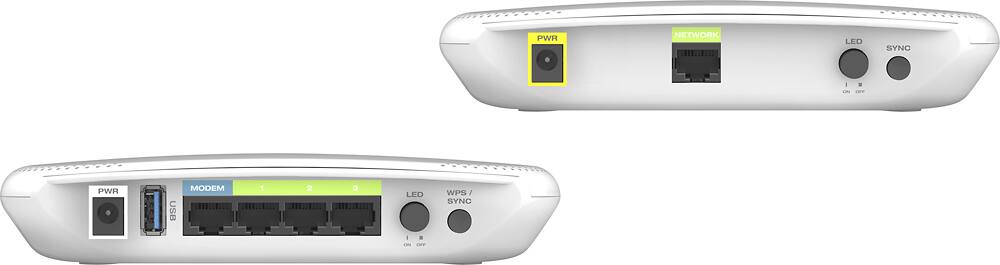
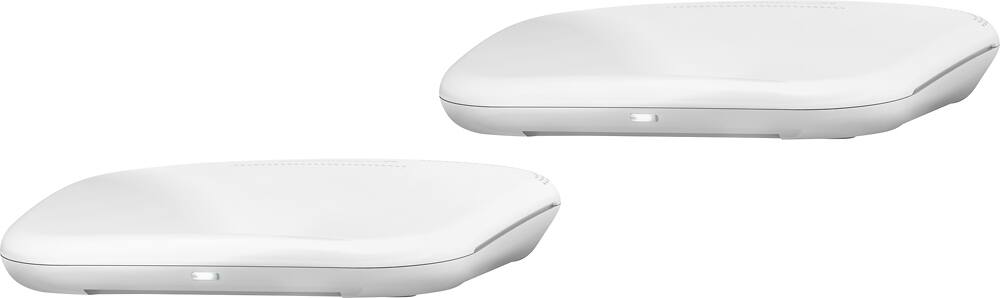
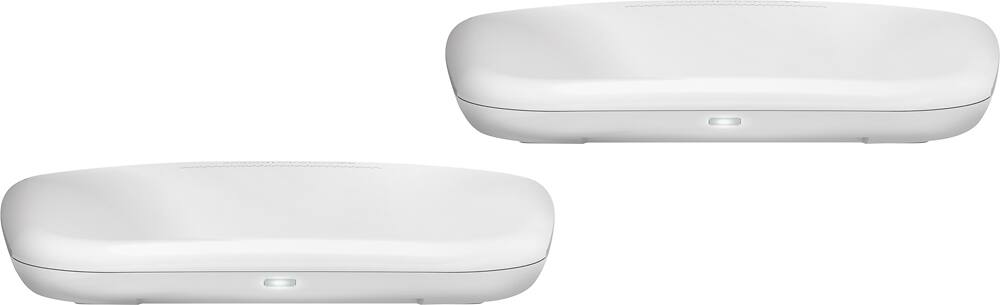
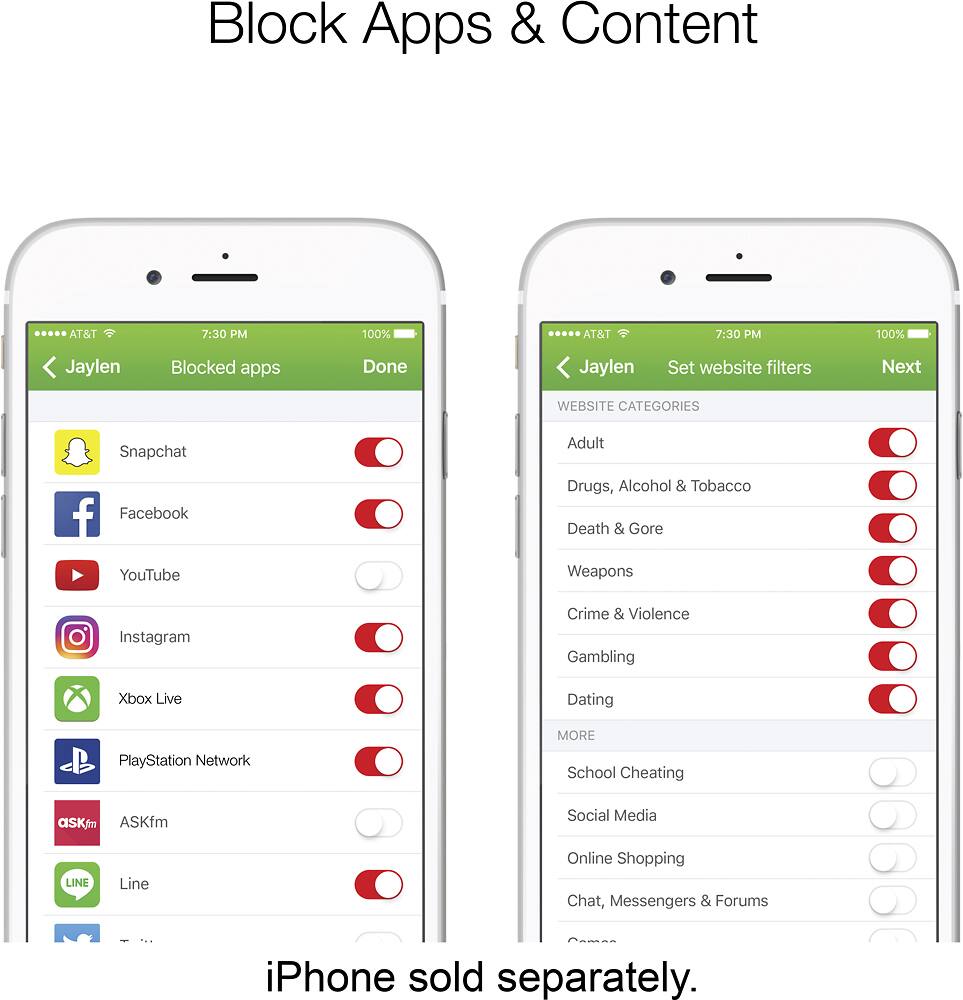
|Posted .This reviewer received promo considerations or sweepstakes entry for writing a review.The Ally Plus system is geared toward the technically challenged and does many things right to make setup and management easy for the end user. However, it also does plenty of things wrong, or not at all, and doesn’t bring any particularly interesting features to the table to entice users away from more popular brands. [ Setup ] The setup process is where the Ally Plus system really shines. Inside the product packaging, the included power adapters are placed directly under the router or extender that it is to be plugged into, and to remove any ambiguity, clearly identifying labels are attached to their cords. The included Ethernet cable came already plugged into the appropriate Ethernet jack, and is clearly labeled for insertion into a modem. The included extender is preconfigured to work with the router, so its setup is as simple as finding a good spot in the home for it, and plugging it into an AC outlet. Both the router and extender share network SSIDs (which is not the case with many competing products), which is convenient and helps prevent confusion. The included instructions are simple and easy to follow, which direct the user to install a mobile app for setup and management--though oddly a QR code isn’t displayed for quick installation. The app covers the most basic setup and management tasks, while the web interface provides access to the rest. It is possible to setup and configure this router solely through the web interface without using the Ally app at all, but some features are exclusive to the app, including the AVG protection and some parental features. [ Hardware / Performance ] Aesthetically, the router and extender have pleasing modern designs with soft rounded edges, a glossy finish, and no external antennas. An LED light toggle button is included, allowing the user to eliminate ambient light litter, a feature missing in many competing products. While competing products with external antennas may have an edge on maximum distance and bandwidth, the Ally still performs admirably. I maxed out at about 160 Mbps in LAN benchmarking between two AC WiFi client devices connected to the router at very close range, and speeds held up well over distance. It should be noted that the extender doesn’t have a dedicated backhaul radio, nor can its Ethernet port be used for a backhaul connection to the router, which means bandwidth through the extender will take a significant hit, as it has to use the same radios for transmission between itself and clients, as well as between itself and the router. Also to be considered is that the well-aged router/extender topology used by the Ally Plus system might very soon be taking a back seat to attractive new mesh topology technology featured in several competing offerings that tout greater flexibility and expandability. [ App / Features / Firmware ] The Ally app is not capable of local configuration of the router, but instead requires an active Internet connection and constant communication with a remote Ally/AVG server which unfortunately has been unstable for me, as the app periodically complained about the lack of a connection (despite the Internet connection being perfectly fine). The app wouldn’t accept my usual WiFi password--that I’ve used with at least four other WiFi routers without a problem--when setting up the router, complaining that it was too long (must be between 8 and 16 characters). I was able to use this same long password when configuring the router via web interface exclusively. This highlights one major security problem: besides the poor password policy, while using the app, router credentials are apparently stored on remote servers. Amped Wireless/AVG could have had their server(s) negotiate connections between remotely connected devices and routers, and allow the app/user to authenticate directly with the router, but instead it seems Amped Wireless/AVG wants to hold the keys to your kingdom. This apparent setup has dire security implications should Amped Wireless (or AVG?) suffer a security breach. Further indication that Ally Wireless cares little about security, the router doesn’t support TLS/SSL web configuration, neither by default nor as an option. This means a local attacker can gain administrative access to your router through simple sniffing or man-in-the-middle attacks. This is the first router I’ve ever owned that did not support this feature, even among first generation 802.11b routers. This router’s firmware is missing many basic features available in most or many competing products, such as ssh access, site survey, network tools such as ping, traceroute, and nslookup, network connection monitor, and reporting of hardware stats such as CPU and memory usage, as well as more advanced features such as IPv6, IPTV, dual WAN, switching between router/AP/repeater modes, bandwidth monitoring and restriction settings, and VPN server. The features this router does implement, it often implements minimally. For example, the dynamic DNS feature supports two services, the least I’ve seen among any SOHO WiFi router. Web connections that are blocked by site/keyword filtering simply time out, rather than the router providing an explanatory page. The list of apps that can be blocked by the Ally app is short, and there’s no promise that Amped Wireless/AVG will expand or update this list. Regarding the AVG ‘protection’, Amped Wireless ambiguously claims: "Your family's privacy deserves the best online protection. Keep your entire Wi-Fi network and all your devices safe from malware with powerful, built-in Web protection by AVG." Some third party reviewers have mistakenly interpreted this to claim real-time traffic monitoring for malware, but a quick EICAR test download proves this to be blatantly false. What this is almost certainly happening with this ‘protection’, is very basic blacklisting of certain websites and/or domain names, which is a service that the popular web browsers offer already for free. As a feature of this router, it has negligible if any appreciable value. [ Conclusion ] Amped Wireless has put together a router and extender combo system that is extremely easy to setup and begin using, a great boon for the elderly and less technically inclined. The hardware performs very well, but power users will almost certainly find the firmware features severely lacking.
No, I would not recommend this to a friendUnits needed to be too close to make sense for me.
|Posted .This reviewer received promo considerations or sweepstakes entry for writing a review.To start off the set up itself took awhile and starts by downloading the Amped Wireless Ally Wifi app. Once downloaded you create a quick account with just and email and password. The next step is unplugging your existing modem, then plugging it back on and waiting for it to reboot fully. Then you connect the Ally router to your modem with the included ethernet cable. Next is connecting your phone to the Ally's Wifi in your phones Wifi settings. Then its personalizing your new network with a new name if you want, and a password. I continued and got an error message saying something went wrong with a dismiss option. I dismissed it then got a no internet connection message. So I had to go back into my phones Wifi settings to reconnect to Ally. I believe this is because the connections info had changed due to the password creation. I finally got a success message thinking Im all set but it needed a firmware update. This took a few minutes, then the initial set up was done. Next was setting up the extender. This is where I ran into the main issue. I followed the instructions and plugged in the extender in an area about half way through the house. Well the house is not that big so I plugged it in in the closest room which is about 30 feet away. Any closer and it would have to literally be in the same room. Well the instructions say to wait until the LED stops blinking and depending on its color you will know the connection strength. Green = Solid, Orange = sufficient (but could be better), and Red = Weak signal move it closer. Well like I said there is no place closer in my house other than in the same room. So I had to move it into the same room about 15 feet away. This was the only way I could get a solid green. But once it was green the connection was pretty good. I had tested Wifi speeds with my phone before and after. With my original router my fastest speed with my cell was 94 mb/s download, and 12 mb/s upload. When connected to the Ally my fastest speed was 180mb/s download, and 12 mb/s upload. And the connection was strong when near one of the Ally devices. But dropped in strength and speed by more than half when in another room. This of course is just my experience and doesnt mean yours will be similar. So overall I would say this might help some, as a replacement for my existing set up it wouldnt make sense. Yes I got better speeds with my phone when close, but it didnt really improve the overall strength of the houses Wifi. And having to have the devices so close to get a solid connection defeats the overall purpose of trying to get a strong signal through the whole house. And the house is only a single story 3 bedroom. Maybe some of these issues could be fixed via firmware updates.
No, I would not recommend this to a friendBrand response from Amped Wireless Elite Support
Posted .Hello,
We apologize if the unit did not work to you expectations. WIFI coverage is dependent of the environment so there are several variables that need to be considered. What you are describing may due to the environment or there is a possibility there is an issue with the unit that need to be addressed. Please call our tech support line at 888-573-8820 so that a technician can assist you in troubleshooting the system.
Amped Wireless Tech Support
888-573-8820
Super easy setup. Up and running in 15 minutes!
|Posted .This reviewer received promo considerations or sweepstakes entry for writing a review.Super simple but effective whole home solution. Signal strength and speed are strong, even through the floor to the extender in the basement. My only "issue" is I wish the extender had a few Ethernet inputs, so this could work with non-wifi electronics in bedrooms. Otherwise, this is great for families. Easy to set up, and protects sensitive eyes from the horrors of the internet as well as viruses.
I would recommend this to a friend- Pros mentioned:Speed
Not the best for the price
|Posted .This reviewer received promo considerations or sweepstakes entry for writing a review.Let me preface this by saying I've had the Netgear Orbi up & running in the house for 6 months now. This is a two story home, 20'x50', with the entry point at the far point of the lower level, so getting good signal to the opposite end has always been an issue. After unboxing, I did experience some of the issues reported in other reviews - very quirky in initial setup, meaning failed attempts in connecting & placement, going back & forth between the mobile & laptop interface. Finally got it set up, but it was anything but an intuitive process. Once up & running, I have no issue with the coverage or speed. Streaming Amazon & Netflix simultaneously on multiple devices with no buffering. I'm not interested in advanced settings such as static ip's for each device, I just want to plug something in and forget about it. No such luck. I don't want to hear the wife & daughter yelling "there's no internet!" while I'm watching the game or my favorite show. And that's what I got - 2 system reboots in the course of a week. Fail! The unit went back in the box, and the Netgear Orbi which had worked flawlessly without me having to think about it, went back in service. Bottom line, good hardware, bad software, and not worth the price.
No, I would not recommend this to a friendBrand response from Amped Wireless Elite Support
Posted .Hello,
We apologize if the unit did not work for you. The disconnect issue you have described may be due to several factors. If possible, please call our tech support line at 888-573-8820 so that a technician can assist you in resolving your issue and getting the system working properly.
Amped Wireless Tech Support.
888-573-8820
So much better than my ISP
|Posted .This reviewer received promo considerations or sweepstakes entry for writing a review.If you have slightly more than an entry level knowledge of setting up your own home WiFi network, this product is fantastic. Once I was able to disable the DCHP/WiFi from my ISP's router, the setup on the Amped Wireless system was a breeze. I love the control it gives you via the GUI interface and love that, with the dual units, I have absolutely NO DEADSPOTS in my home. I can stream easily from any device in any room and have almost my entire 100 MBPS throughput on all devices. I can't reccomend this highly enough.
I would recommend this to a friendDesperately needs a firmware update
|Posted .This reviewer received promo considerations or sweepstakes entry for writing a review.TLDR: The Amped Ally is desperately in need of a firmware update. In its current state it has significant inconsistencies between configuration entered on the App and through the web interface. Several features that can be configured through the web interface DO NOT WORK and could lead to potential SECURITY PROBLEMS. Until these problems are resolved I cannot recommend this product. INTRODUCTION: The hot new thing in consumer networking is the so-called "mesh" wireless systems (though most of them are not actually mesh networks, a discussion for another day). This is the third consumer-grade mesh product I've tried; the previous two each received significant firmware updates in the first 30 days on the market, so I waited a little while for Amped to update the Ally's firmware before evaluating it. Sadly, Amped has issued *no* firmware updates to this product, so the review is based on the 2017-03-31 firmware it shipped with. CONFIGURATION: The Ally can be configured by iPhone/Android app or through the web interface. This creates a DISASTER of inconsistent behavior. For example, when configuring the wireless networks from the app, Amped has set an inexplicable requirement that the SSID for the WiFi network must be four or more characters, and limits the length of the WiFi password to 16 characters. WHAT? Neither of those is a limitation imposed by the WiFi standards, they just seem to be randomly imposed. Amusingly, if you configure through the web interface, you can set a one-letter SSID if you like, and your password can be up to 64 characters. WHAT? This is just an example of the endless inconsistencies between the two interfaces. Other reviewers have listed the myriad problems with the inconsistent behavior between web and app interfaces, so I won't continue to go into them here. I did *not* encounter the device notification problem others have noticed - every device on my network generated a notification, even wired devices. WIRELESS PERFORMANCE: Overall, good. Once I got the repeater configured, the Ally pair could consistently max out my internet connection through speedtest.net anywhere in my house (about 70mbs down/6mbps up). Wired routing performance also seems to be adequate up to at least 100mbps. CONCERNS: Aside from the inconsistencies in configuration between the web page and app, this is another "cloud service"-configured device, which will work fine until Amped loses interest in it and shuts down their cloud backend...or until Apple or Google changes something and their app stops working. The bigger problem I have - if you use their "advanced" interface to create a guest network, even if you set the guest network to only allow internet access, devices on the guest network have FULL ACCESS to everything that's on your regular network. So if you have a guest network without a password, guess what - you're letting ANYONE have full access to EVERYTHING on your network. The wireless scheduling feature also doesn't work; I tried to use it to deactivate the 2.4GHz network by scheduling it to be "on" for one minute every Monday at 2:00am...guess what...that stupid network is always there, and there's no way to shut off 2.4GHz otherwise. SIDE NOTE: Based on the responses to reviews I've seen elsewhere, Amped Wireless' response to the firmware issues that have been identified has been to tell people they're using it wrong, rather than addressing the fact that their product claims to do things it doesn't do. That and the lack of firmware updates doesn't give me a lot of confidence in this product going forward.
No, I would not recommend this to a friend- Pros mentioned:Range
Very capable Wi-Fi with amazing range
|Posted .This reviewer received promo considerations or sweepstakes entry for writing a review.The Amped Wireless Wi-Fi system is a very capable and full featured Wi-Fi extender. It has a full suite of options for setting up your own home network including security options and family friendly options. You are able to blacklist/white-list users either by IP or by MAC address which is a great option to keep intruders off of your network. I would definitely recommend this Wi-Fi to anyone looking to buy a Wi-Fi capable of covering a full house.
I would recommend this to a friend Excellent coverage and great features
|Posted .This reviewer received promo considerations or sweepstakes entry for writing a review.I liked that it provided an easy to use wireless network. The app had great parental controls which was the biggest bonus. I felt the wireless strength was onpar with the Linksys Velop. I liked that you can change the wireless settings in more detail than with the Linksys product. Averaged 140mbps of solid connection thru most of my home and back yard.
I would recommend this to a friendSo many issues
|Posted .This reviewer received promo considerations or sweepstakes entry for writing a review.Gosh I had to check other early reviews to see if other people were having the same problems that I was and it does seem to be the case. I am here to affirm them and add some of my own comments to the case because there are several other things that I have problems with on this router. I personally had issues throughout the whole setup process and it took me a lengthy amount of time to get it setup. This isn't so much due to the app itself which good luck searching for it. Use the website link they have in the setup guide then follow their website. It's annoying, but it works if you get it. Why does a router at this price range come with CAT5e cables instead of CAT6? The power cable is also so short that I actually couldn't run it to my surge protector so for my brief testing I had to plug it directly into a wall. So the physical setting up of this device is what makes it annoying and it just felt weird because I've never had a problem with it before. Speed drop off is pretty heavy. Just a room and a hall away my speed dropped by half from the initial router, and because the range on the router is so short in the same room I couldn't hook up the range extender so it's another issue with the physical setup of the router system. When I was in the same room I would get full speed, but I want it to carry at least a little bit. The physical design of the router is fine, but there are so many other budget friendly versions of this setup. Look elsewhere.
No, I would not recommend this to a friendBrand response from Amped Wireless Elite Support
Posted .Hello,
We are sorry that the system did not meet your expectations. We appreciate your feedback and will take your suggestions into consideration. Please feel free to call our tech support line at 888-573-8820 if you have any questions or concerns regarding the system.
Amped Wireless Tech Support
888-573-8820
- Pros mentioned:CoverageCons mentioned:Connectivity
did my research - wanted to like it
Posted .This reviewer received promo considerations or sweepstakes entry for writing a review.I did a lot of research before buying a mesh network. I am not a tech geek, but not a newbie either. My house is just under 2,000 sq ft, 2-story, and I have always had wifi coverage issues, had to move my modem around in the past in order for my smart TV to pick up a signal and still get enough of a signal to use all of our devices in the downstairs, but then upstairs is spotty. So I was excited about my Amped Ally purchase, especially after reading good reviews by respected sources like PCMag and CNET. The set-up was very easy. Setting up my account and password was easy and fast. I have had trouble connecting to the "connecting to the server" when viewing the app on my phone (to view the activity on my account) or having "Ally is offline" frequently. Connecting the first node was easy and when tested with my smart TV and multiple devices in use at the same time all on the downstairs level, all performed well, better than with my previous wifi modem. However, I could not get a good connection to the second node UNLESS it was on the SAME floor and not farther away than the next room. If I tried moving the second node to the bottom of the stairs, blinking red. (bad connection) At the top of the stairs, blinking red. In every room upstairs, same thing. I am glad that I bought this on sale since it does not do what I wanted it to do. However, my TV does work better, less buffering.
No, I would not recommend this to a friend No luck out of the box...
|Posted .This reviewer received promo considerations or sweepstakes entry for writing a review.I've never had any issues getting a router up and working in my home... until now. I suspect there is either a hardware issue or some type of issue with my specific topology that is causing an issue, but at this point I'm dead in the water. :( I'll have to not recommend the product until this gets sorted out.
No, I would not recommend this to a friendWorks great at my office
|Posted .This reviewer received promo considerations or sweepstakes entry for writing a review.I needed something for my office. I have many walls and obstructions around my building and regular single wifi router just don't cut it. This works really well, I placed the nodes out as instructed. The setup was very easy using the app on my phone. I'm getting wifi signal in parts of the building I have never been able to before. This is a great system and we'll worth getting if coverage is an issue
I would recommend this to a friendGarbage, do not buy
Posted .This reviewer received promo considerations or sweepstakes entry for writing a review.It's garbage. Take it from the Network Engineer with 18 years of experience. I bought this unit because I want the one with Parental Controls and this one was advertised as THE one for it. Problems started from minute one - with setup. Can only use the App, no computer allowed. OK, no problem. After the initial setup the router said it needs to update itself. Update never finished, instead error was shown. And nothing. Reboot, try to connect - new settings didn't work, neither did original settings. Hard reset, initial setup again, same error. Reboot, new settings worked. Yay! Now to the second unit - the extender. Plugged it in, waiting for something to happen in the app. Like "hey we found another unit, wanna connect it?". Nothing. The light on the second unit blinked for a minute or two and then became steady green. Hmmm. Green probably means it connected automatically. Tried the signal strength - no, the signal is coming from the router, not from the extender. Found SYNC button on the back, pushed it - green light started blinking. Pushed the same button on the router - it started blinking as well. All clients lost connection. After a minute - steady green light again. Does it mean it's connected now? Or not? Decided to put this dilemma aside and go back to the app - maybe I can find some answers there. Browsed through the app - it doesn't show the extender anywhere. But the new error appeared - see picture - app says I'm not connected to the Internet. Ran the SpeedTest, checked email - I'm connected. Back to app, retry - same screen. Force quit the app and started again, error disappeared. Tried to go to Advanced settings - nope, not available in app, for that I need a computer. Went to a computer, it's asking for a password. Tried the password I used when created an account (it's mandatory to create a cloud account) - doesn't work. Apparently for web login I need to use an access code that could be found inside the app. Started playing with the settings - slightest change reboots the router or disconnects all clients for a minute of two. I mean, why changing password for the guest network disconnects all clients from the main? Web interface was not very helpful as well. I changed the DNS from the default to Google public and the whole thing stopped working. Web interface was not accessible anymore and app kept saying that I'm not connected. The only thing it allowed me to do is factory reset of the unit. Great suggestion! After resetting it to factory default I juts brought it back to the store.
No, I would not recommend this to a friendBrand response from Amped Wireless Elite Support
Posted .Hello,
We apologize if the unit did not function to your expectations. The Ally system is designed to be managed by the application making it accessible from any where so that the security and parental features are accessible. The issues that you have described with the application are not how it is supposed to work so there may have been an issue with your unit. If it is not to late we invite you to call our tech support line at 888-573-8820 so that a technician can assist you with your unit and answer any questions you may have regarding the functionality of this or any of our units.
Great range, no more dead spots
Posted .This reviewer received promo considerations or sweepstakes entry for writing a review.Had some dead spots with my old router. Gave this a shot and it works great. Setup was easy just replaced my old router and run the app. My whole house has coverage and no more complaining from the family. Its a lot faster then what I had before and the app allows me to block websites for my children. I would recommend this to anyone that has coverage problems or a older slower router.
I would recommend this to a friend