Customer Ratings & Reviews


- Model:
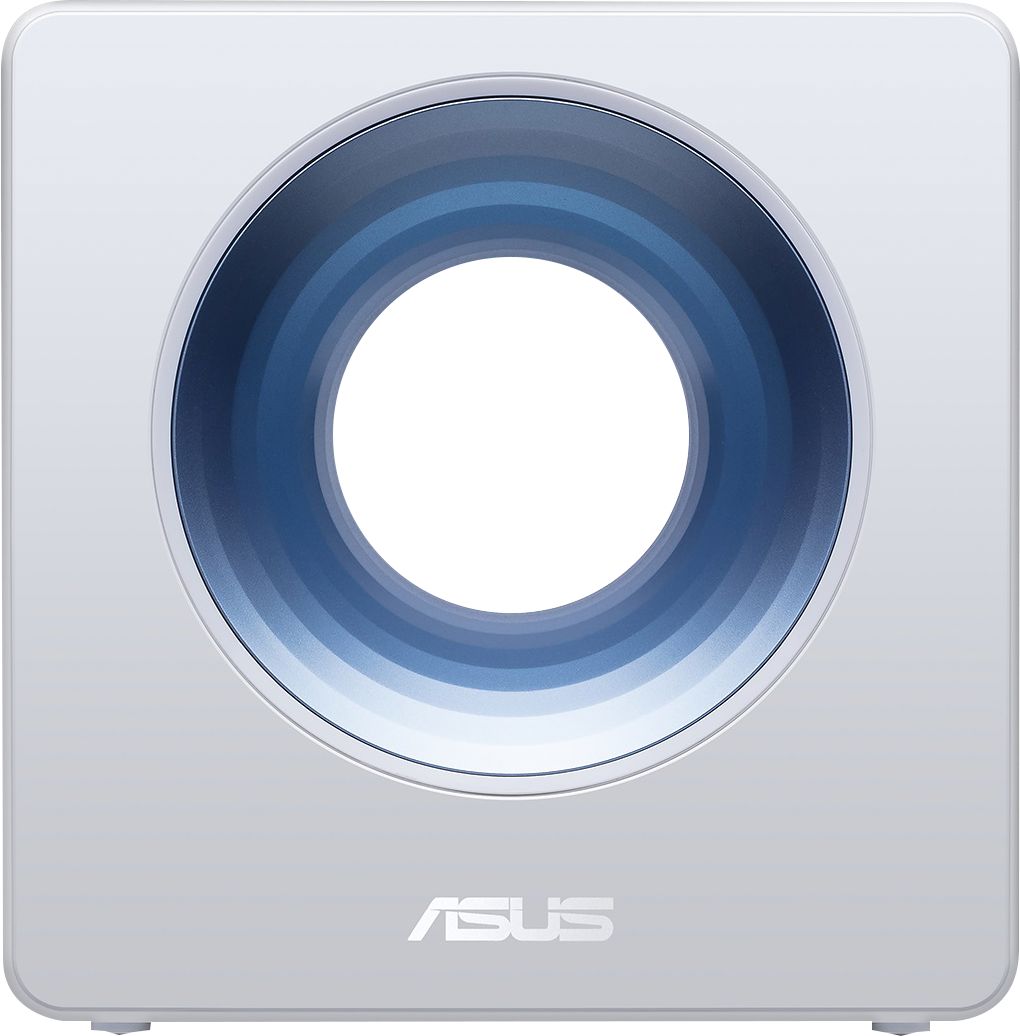
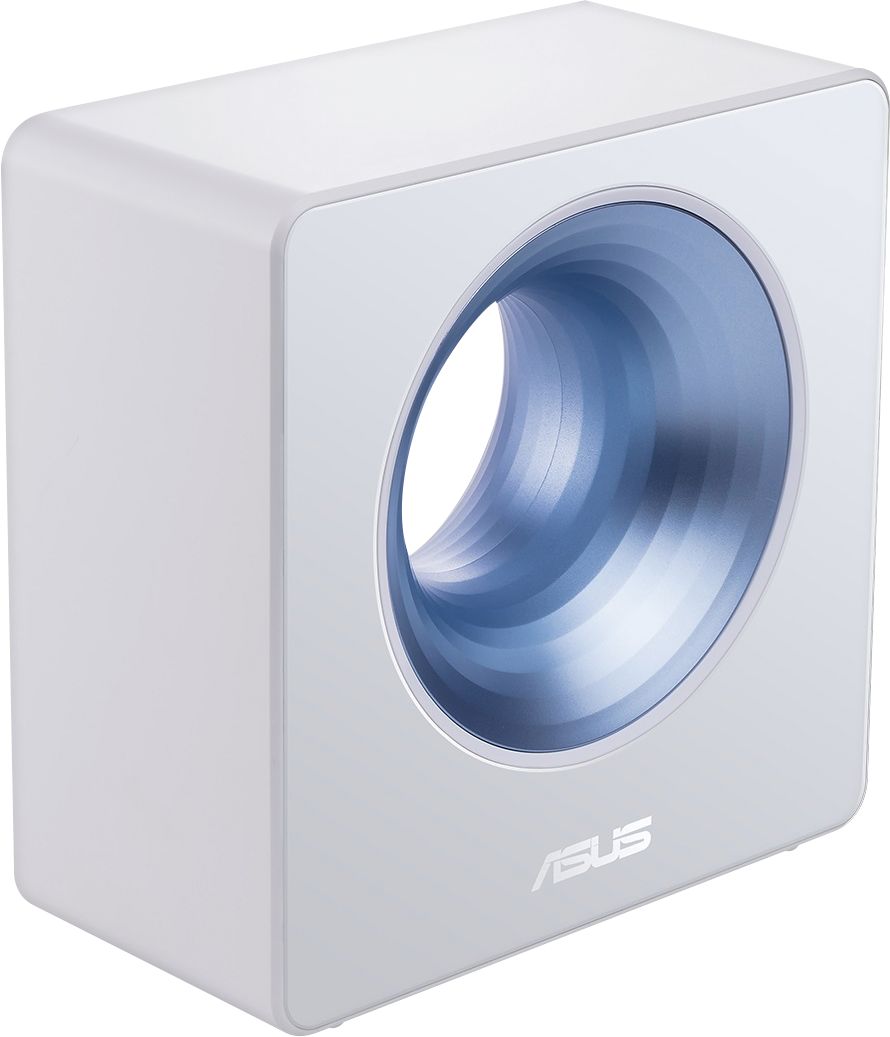
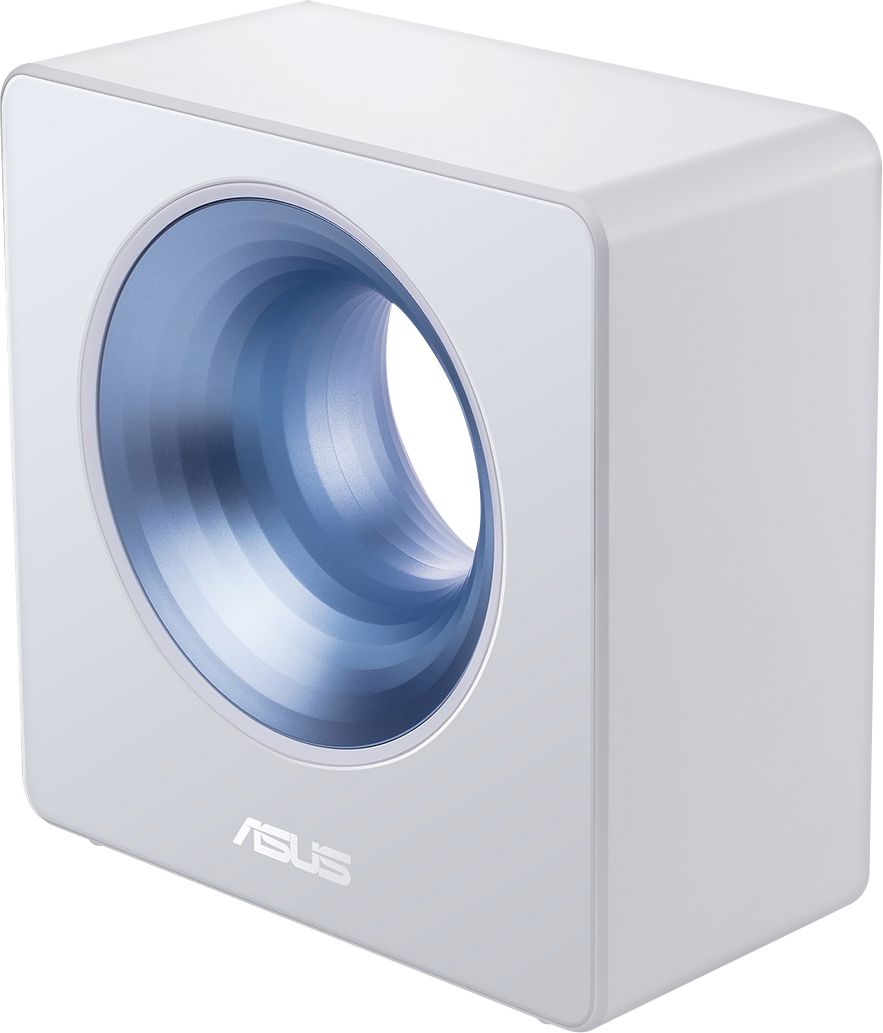
- BLUE CAVE AC2600
- SKU:
- 6238449
Rating by feature
- Value
Rating 3.9 out of 5 stars
- Quality
Rating 3.9 out of 5 stars
- Ease of Use
Rating 4.1 out of 5 stars
Customers are saying
Customers value the AC2600 Dual-Band Wi-Fi Router for its ease of setup, strong performance, and wide range. Many appreciate the router's design and the robust signal strength it provides, while some experienced occasional connection issues. Positive feedback also highlights the inclusion of useful features such as parental controls and enhanced security options. A few users noted challenges with the AiMesh functionality.
This summary was generated by AI based on customer reviews.
Crap
||Posted . Owned for 1.5 years when reviewed.This reviewer received promo considerations or sweepstakes entry for writing a review.Worked less than two years worst router I’ve ever owned
No, I would not recommend this to a friendBrand response from Asus_Answers
Posted .Dear Valued Customer,
Certainly, we understand your disappointment with the router. This must be frustrating, is it unable to turn on? If possible, give me a detailed description of any specifics regarding your situation so we can collaborate towards a resolution. Feel free to reach out to me at [email protected] and provide this link for reference. I'm here to help you and all others with these issues, as our customer loyalty department dedicated to bringing a resolution to all issues related to our products.
Thank you for choosing ASUS!
Best Regards,
Jamalie,
ASUS Customer Loyalty US Support
Poor reception
||Posted . Owned for 1.5 years when reviewed.This reviewer received promo considerations or sweepstakes entry for writing a review.poor wifi reception alot of dead spots and returned it
No, I would not recommend this to a friendBrand response from Asus_Answers
Posted .Dear Valued Customer,
It's unfortunate to hear to hear about your experience with the router. The poor WIFI reception could be of many factors. What you've experienced was not intentional and this was a random case. I will forward your feedback to the product team for future improvements. If you have any concerns, please visit our ASUS Support Webpage. We are here to help you and all others with these issues, as our customer loyalty department dedicated to bringing a resolution to all issues related to our products.
Thank you for choosing ASUS!
Best Regards,
Jamalie,
ASUS Customer Loyalty US Support
- Pros mentioned:Setup

A very functional and pretty router!!!!!!
|Posted .This reviewer received promo considerations or sweepstakes entry for writing a review.First off this router was a gem to set up. And for even more functionality it offers very nice advanced setting areas. I have not used the bundled software, it had a very nice user app. I would have really loved to have a mesh environment but for my fairly large home, I didn't notice any connection drops on my devices. I also like the parental controls. It's a lil to pretty for my tastes but it works.
I would recommend this to a friend Very Cool Looking With Lots of Stuff
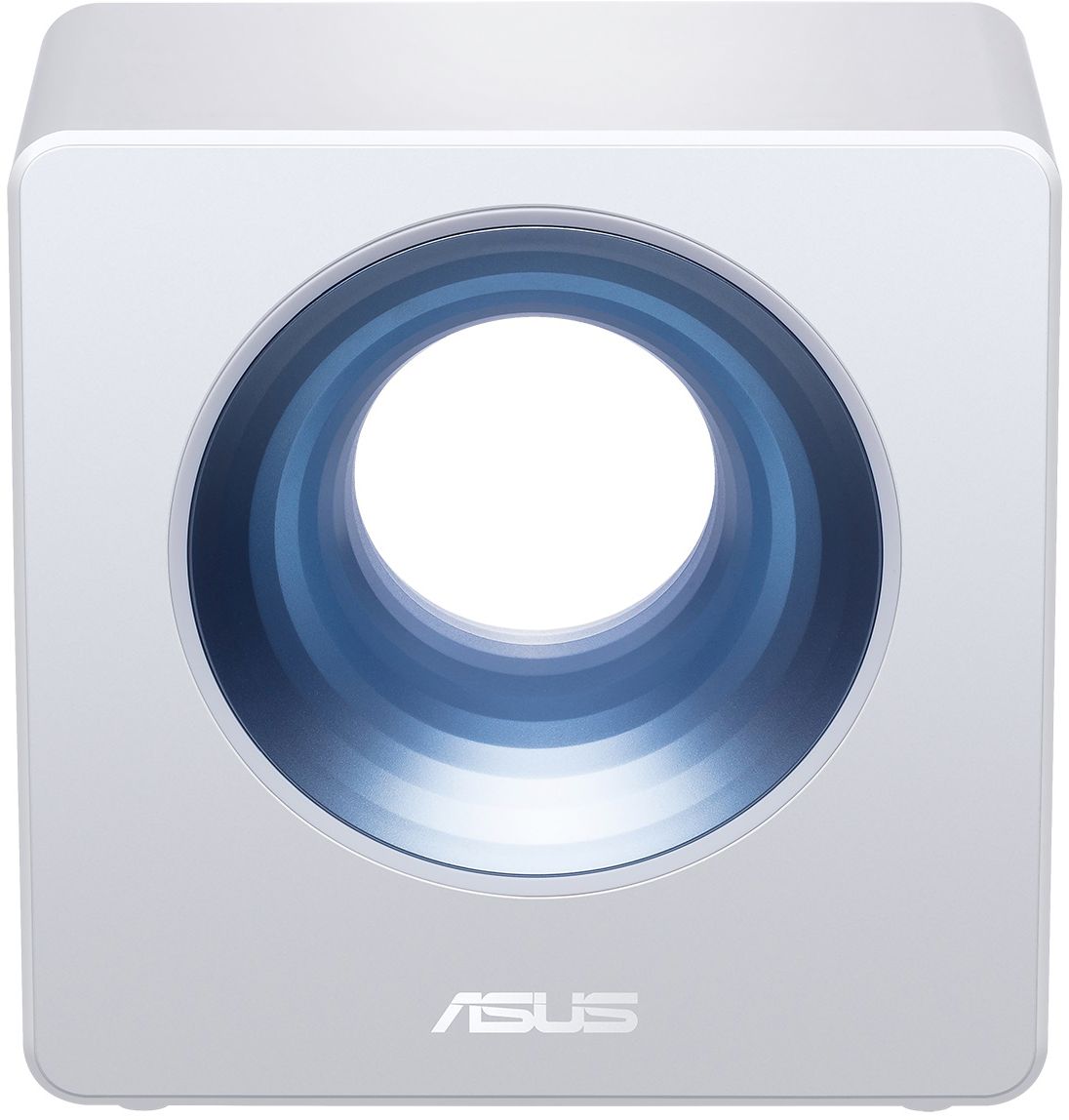
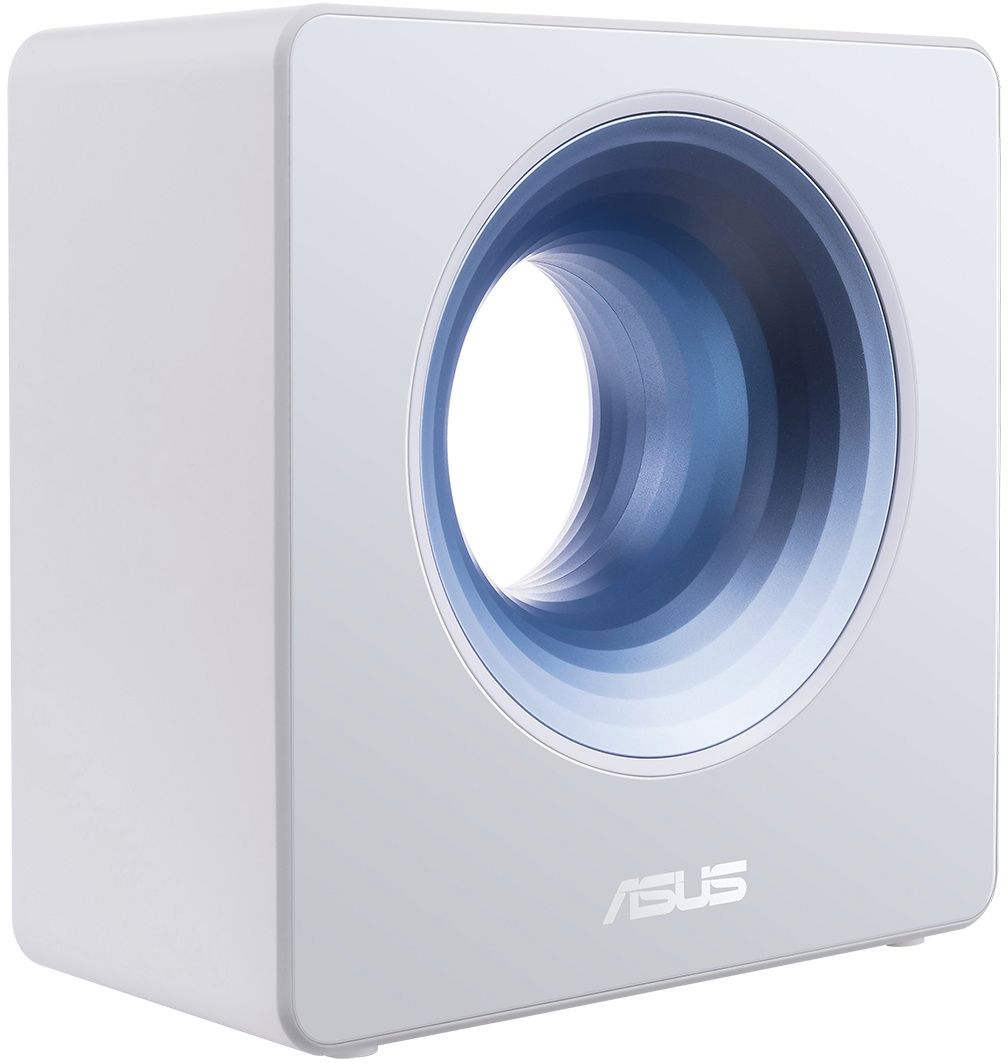
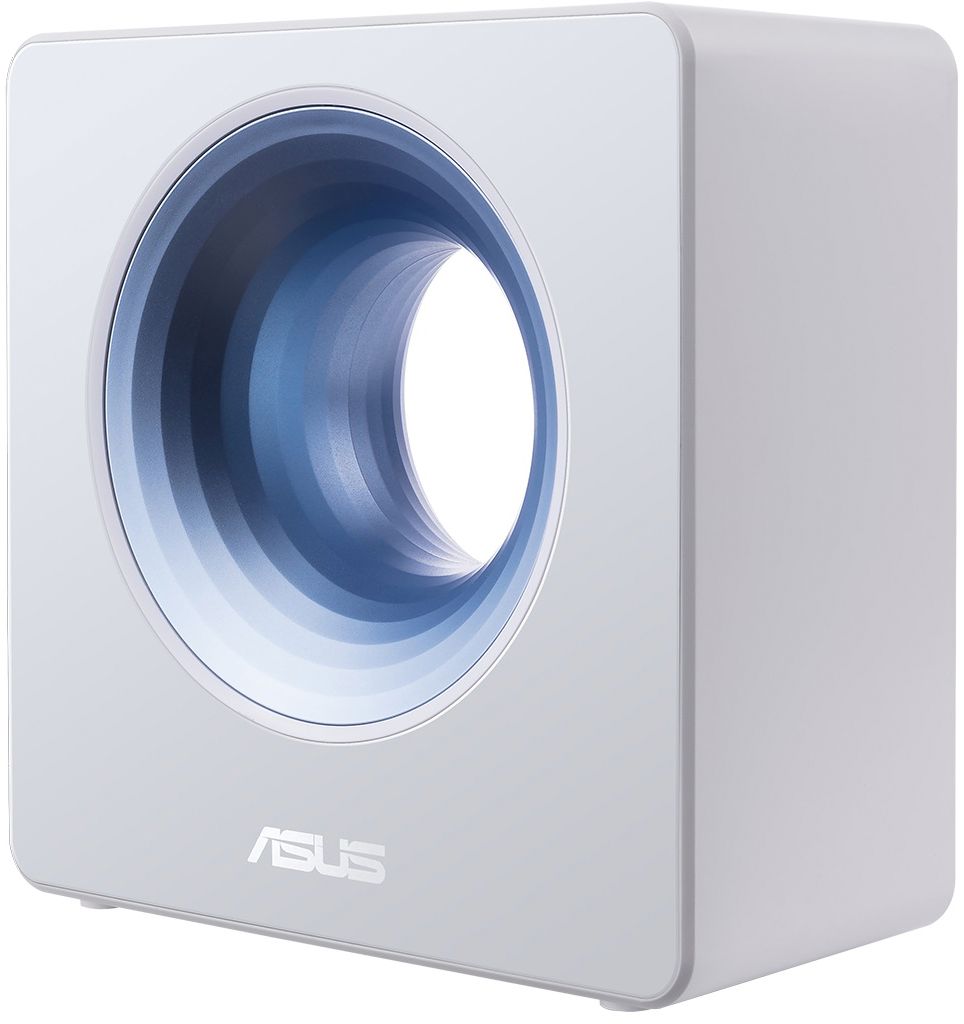
|Posted .This reviewer received promo considerations or sweepstakes entry for writing a review.The Asus - AC2600 Dual-Band Wi-Fi Router, Blue Cave, is not your average looking router. It does not have the antennas sticking out and quite frankly, I wanted to try this because of the Trend Micro for life coverage. I have been one of those Trend Micro annual fee subscription users and the thought that this router would protect at that point then be loaded on the device was appealing. This router also protects all your mobile devices, too. I am not a tech nerd or guru. The package contains the Blue Wave router, a RJ-45 cable, a power adapter and quick setup guide. The new network can be set up through the downloadable app in about 5 minutes, but give yourself more time than that to do so because there are numerous options that you can include on how and what you want to protect within your network. Wifi speeds are good and I have a large home spread out over 3 levels, including the basement. While I do not have young children, this router does allow for parental control to keep your kids away from sites that you may not want them to be at. I guess the only thing I would say is it a problem when there are more options than a non-tech guru knows about. Maybe not if you take the time to investigate and understand what the options are and if you think it is something you may want or need for the future.
I would recommend this to a friend- Pros mentioned:Ease of use, Range
Excellent Router
|Posted .This reviewer received promo considerations or sweepstakes entry for writing a review.The setup was a breeze and I love the app! It's incredibly simple to manage the devices as well as family usage with the app. No connectivity issues at all and range is great! Love the look of this unusual router! So happy to have this item!
I would recommend this to a friend Cool Looking and Cool Controls
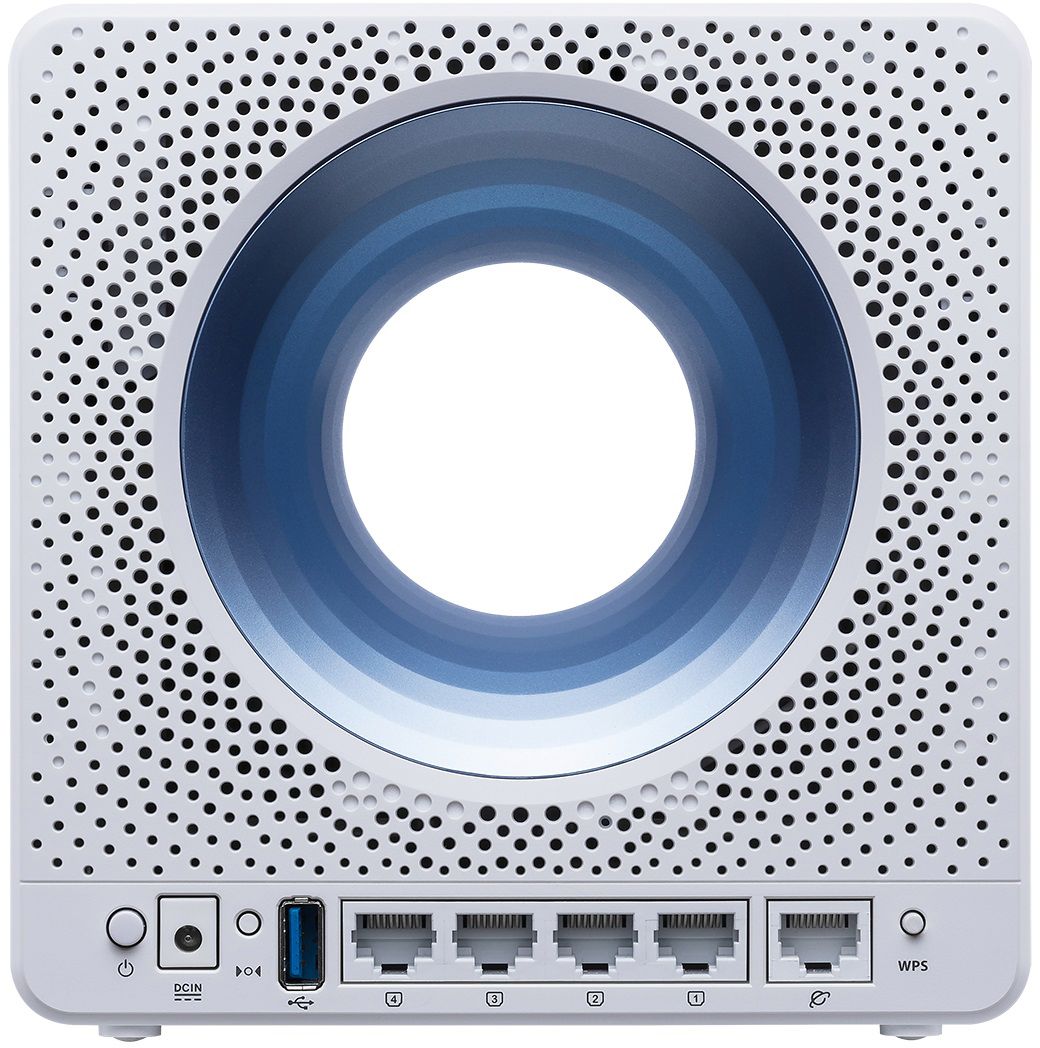
|Posted .This reviewer received promo considerations or sweepstakes entry for writing a review.The Asus Blue Cave is probably the coolest and most unique looking router I have ever seen. A blue glowing LED lamp lights the center hole of the Cave when it has internet connectivity. It's a roughly 8 inch by 8 inch by 4 inch deep "cube" of sorts, with the usual LAN ports and switches on the back. It's powered by a simple AC adapter which also plugs in the back. There's a power button, a reset button and a WPS button on the back also. The Cave takes up less space than the usual modern wireless router. This is an AC2600 router, which means it supports the 5Ghz band and up to 2600Mbps of data across it, measured by the sum of all the devices' usage that is accessing it. My PC was showing throughput of 443Mbps when I checked it, which is pretty good. For those that don't like messing with the DHCP functions of their internet equipment, the Blue Cave is ready for you. My DSL modem/router is already doing the job of assigning the IP addresses for my network and you can get into trouble with more than one device doing it--but the Cave was preset to assign a series of IP addresses far above in numerical order, so no worries of IP conflicts. The setup was simple, just a few instructions and connections and it was set to go. The user interface through the browser is really nice and has lots of features for managing internet access by user or device. But as nice and comprehensive as that is, the Android app for controlling and tweaking the Blue Cave is great. Far better and more fun to use than the stripped down apps of the competitors. You can sit there, phone in hand, and shut down your kids devices one by one when it's bed time. Or stem that bandwidth drain coming from someone watching a movie. The possibilities are endless for being the Bandwidth and Access King of your house. This would be a great tool for a small hotel or bed-n-breakfast. I walked outside with my phone connected and still had 80% signal 50 yards from the router. It had 100% everywhere inside my single-story house. Five stars for Asus on this one. I have set up other routers like this that were much more expensive and they can't touch the looks, features and fun of the Blue Cave.
I would recommend this to a friend- Pros mentioned:Speed
odd name, cool router
|Posted .This reviewer received promo considerations or sweepstakes entry for writing a review.Yes everyone has a router, and they all look and act the same. Except for ASUS, they had to be different. Just looking at this you would not know this was a home router, and a pretty powerful one. I used this as a the home WiFi for my Spectrum internet. I have the 300mbs so decent speed to being with. I did have some concerns, with the no visible antenna like my Linksys has would this work in my 1800 sq ft house. At the router ( I use speedof.me to test) I was getting about 250 down hardwired and about 190 down on my iPhone. With the new router, no changes. I moved to the far sound of the house into the garage. Old router had about a 50% drop, same with the new (and this look much more attractive in my living room than the Linksys). Setup is pretty simple, my only complaint is this is not DD-WRT compatible. I will end up using this as the primary WiFI router in the house and use my older Linksys are the repeater. Need a new WiFi router that does not have the look of an alien attacking you? Get this!
I would recommend this to a friend Good, just not for me
|Posted .This reviewer received promo considerations or sweepstakes entry for writing a review.I received this router today and it looks like a piece of art. It has a lot to live up to as I currently love my Linksys EA9500. Right off the bat I see I have an issue. I have 8 gigaports in the Linksys and use 5. The Asus router only has 4 available slots. So I run over to the Victorville store and pick up a Linksys 5 port bridge. That should allow me to test the unit and connect all my wired connections. I get it up and running but I got to say it seems kind of slow and lagging. I have a number of wireless connections including a Roku tv and 3 additional Rokus. Also I'm a Cortana user and the Alexa functions don't work for me. I also run AVG ultimate, so the one year Trend Micro does me no good. AVG allows me to add as many devices as I want too. My understanding is Trend Micro only allows 4, that barely covers my desktops and laptops. What about my phone, tablets and gaming devices? As for the device other than the lag. It nice to look at and if I didn't have a decent/great router, this would probably be a winner. I'm spoiled with the Linksys. The Asus installed very easily but just didn't do it for me. I would recommend it to others, especially novices that could use the built in Trend Micro software on a small home network. I would have loved to love it and that's why I bought the bridge to give it a fair shake. It will definitely go in the closet as a back up should my current router start to flake. Seems most routers I've owned never have firmware updates as sooner or later they do the restarting thing everyday. So far, so good with the antennae tank.
I would recommend this to a friendFast WiFi Router that also looks great
|Posted .This reviewer received promo considerations or sweepstakes entry for writing a review.There's 2 problems we have at home. 1. The default WiFi modem with Spectrum is awful and 2. my other half complains that the router looks ugly (it has to be next to our TV). I picked the ASUS as it looks more like a piece of decorative art and it's mostly white with the "blue cave'. Setup took about 30min using the Asus router app (iOS) but you can also setup on Android. App can be found here https://www.asus.com/asus-router-app/ If you get this before the end of 2018 it comes with a free Trend Micro subscription for your PC. I didn't redeem this, but it might be useful for you. The router has inbuilt Trend Micro AI which is free for the life of the router. If you're more technically include, the Asus Blue Cave can operate in Router, Access Point or Bridge Mode. It also has 4 LAN ports (so great for wired connections to my nearby Smart TV in my case, as well as my PS4), it also has a USB 3 port. The ASUS Blue Cave is close to perfect and I wish I could give it 4.5 stars but the review system doesn't let me. I deducted half a star because the router can be connected to Alexa so you can use Alexa commands to make it work, which seems useful but I disabled as I didn't want my family executing random commands via voice.
I would recommend this to a friend- Pros mentioned:Ease of use, Performance, Speed
Beautiful Looks w/ BRAINS & PERFORMANCE, TOO!
Posted .This reviewer received promo considerations or sweepstakes entry for writing a review.Simply put.... the Asus Blue Cave is an Amazing router! It's certainly the most atheistically pleasing router, currently on the market & packs a punch when it comes to performance, particularly with its FAST SPEED & SUPER USER-FRIENDLY set-up & admin controls via the Asus dashboard & mobile app. Highly recommend this router to anyone who is in the market for a fast, reliable & gorgeous router.
I would recommend this to a friend Stylish and feature rich
|Posted .This reviewer received promo considerations or sweepstakes entry for writing a review.This is my first time out with an ASUS product. Used the website to set it up even tho I have the Android app installed. Noticed an immediate increase of internet speed on my Chromebook which runs on Wireless-AC. Old router was a single band N model. Blue Cave has the latest Wi-Fi features which includes AC. Had a hard time getting some of my LoT connected devices set up again. The Google stuff was the easiest. Note my two Geeni Wi-Fi light bulbs and power strip didn’t survive the switch to the new router. What I need to do next is to hook up my old single band N router to the ASUS Blue Cave and see what happens. It did help get one of my cameras going again. Firmware check shows I’m up to date. OG Pixel phone had no issues connecting to both 2.4 GHz and 5.0 bands. Same with gaming laptop PC and Chromebox. Printing on all PC’s OK as it was before. Must say this router does have an unusual appearance. Footprint takes up a bit less space than the conventional shaped router I was using. I did make sure I have separate SSID’s and passwords for both bands. Most LoT devices only run on the 2.4 band which sucks so if shopping for new devices, try to get dual band features. As for security features as they relate to LoT connected devices, only time will tell if I do have added protection against the bad guys.
I would recommend this to a friendStylish performer
|Posted .This reviewer received promo considerations or sweepstakes entry for writing a review.Summary: The ASUS Blue Cave wireless router delivers on WiFi coverage and performance, while looking good and being easy to configure. The Good: Excellent and consistent WiFi coverage at 5 and 2.4GHz. Actually outperforms a couple of WiFi routers with higher "rated" speeds that I have tried. While the range is not quite as good as some other routers, the Blue Cave's connections are more reliable and usable at the "fringe" of reception. Offers fully-featured, old-school web browser-based configuration in a world where everyone is forcing you to use their "app". Great file sharing performance from connected USB drives, and supports Time Machine. Rock-solid connections with no interruptions, hiccups or headaches. 80MHz channel mode works properly with iPhone/iPad devices (this has been an issue with other routers/APs). Looks stylish! The Bad: Configuration is a little tricky for beginners - the ASUS web interface offers a lot of options and not all of them are clearly explained, so some features require some trial-and-error to get working as expected.
I would recommend this to a friend- Pros mentioned:SpeedCons mentioned:Connection
Great Looks, Poor Functionality
Posted .This reviewer received promo considerations or sweepstakes entry for writing a review.I will start off by saying I am an IT professional and have been in the field for 8+ years. I bought this router to replace my Netgear Nighthawk 1900 after years of use and it died. I was excited to get a router that had faster capabilities also very stylish. Upon unboxing and initial setup I was seeing very fast speeds that I didnt see with my previous router. Almost 100mbps jump in wifi download speeds. Fast forward to the next day while working from home and I lost connection so I look at the router and it had a red light meaning it lost connection to the internet. It resolved itself and connection was back. This continued to happen numerous times throughout the day and night. When this would happen it would also disconnect other things hardwired to the modem from the internet which is really odd. I opened a ticket with ASUS support, had to do a reset on the router and set it up specific to their settings which are no where listed in the installation guide. The issue continued to happened. I disconnected the router, and enabled the wifi on the Motorola surfboard modem even though its slow and the past two days have not seen a single drop in connection. I plugged in the ASUS once again and within an hour the connection dropped. I followed up with ASUS support and they provided me a long info sheet to fill out with everything from the model and firmware of my modem, model and firmware of the router, operating system and driver info from devices connecting to the router, log files from the router, network topology layout of my setup, and ISP info. This is a simple home router that should basically be plug and play for the average user and I imagine a lot of people wouldnt even know how to provide that info. Router will be returned in the next few days with hopefully something that works.
No, I would not recommend this to a friend Everyone Kept asking, “What is That?”
|Posted .This reviewer received promo considerations or sweepstakes entry for writing a review.ASUS is the gold standard for routers. The software is intuitive, easy to use, and gives you all the features you need in a router. My family kept asking what it was due to the fact it looks nothing like a router and blends in seamlessly with my home décor. Pros: -Asus router interface and setup are probably the easiest I’ve ever used with lots of features -Doesn’t look like a router, I don’t have to hide it and it just looks like a decorative item -The smartphone app makes changing features and settings a breeze without pulling out the laptop -Connection speeds are snappy, easy to connect devices using QR code -Comes with built in security features such as firewall and DoS protection -Smaller than I expected it to be Cons: -No MU-MIMO support -Lots of features, may be overwhelming for some Final Thoughts: This is the first ASUS router I’ve owned and the menus and navigation have been far more intuitive than any other router I’ve used. I now understand why ASUS routers are so highly rated.
I would recommend this to a friend- Pros mentioned:Setup
Neat router
Posted .This reviewer received promo considerations or sweepstakes entry for writing a review.Easy setup, and it shielded me from knowing the in-the-weeds details to get going, but it still has lots of low-level techie features available for me to tweak if I want to. It just worked for me out of the box. The admin interface is elegant too. I appreciate how my 2.4GHz and 5GHz devices can now all talk to each other. My previous Netgear AC1200 router had a silly feature that walled them off into 2 separate camps (a.k.a., 'wireless isolation'), even though they were on the same subnet. This is important to me because of all the smart home gadgets I have and not all of them can talk 802.11ac on the 5 GHz band.
I would recommend this to a friend Best Router Ever
|Posted .This reviewer received promo considerations or sweepstakes entry for writing a review.I was using an Apple Airport for the last 4 years and this past year I bought a Ring Video Doorbell 2. Most times when I tried to access the camera remotely or even from inside the house, it rarely connected telling me "Activating Device" and eventually failed. I then tried a D-Link AC router and it worked slightly better than the Airport but still didn't connect every time.I assumed it was the fault of the Ring Doorbell. I figured I would try this Asus AC2600 Router and see if it worked better. Wow! Am I ever glad I did. I am now able to connect to the Ring each and every time without fail. I have been testing it from all over just to see if it connects and it has never not connected. With the amount of devices I have on my network such as Echos, Google Homes, computers, etc. I am glad I found a router that can handle the job so well.
I would recommend this to a friend- Pros mentioned:Speed
Great Product.
Posted .This reviewer received promo considerations or sweepstakes entry for writing a review.Was having problems with a 8 yr old AirPort Extreme so was in need of a new router. I loved the aesthetic as it was interesting and more in the style of my old one. Wow this thing is nice it is super fast on my Xfinity connection. It goes through a solid concrete wall with no degradation in speed. Setup is up easy, but not as easy as a Apple Airport product. I love that the firmware update enables AiMesh. The built in security features are top notch. This was a great upgrade.
I would recommend this to a friend Feature Full, Unstable Results
|Posted .This reviewer received promo considerations or sweepstakes entry for writing a review.I originally thought this was going to turn into a very long review because Asus threw in everything including the kitchen sink with the Blue Cave router. While it offers Trendnet security, VPN capability, USB drive cloud capability, and Radius security it ultimately doesn't matter. All the features in the world don't translate into a good Wi-Fi router if the device cannot remain stable. I have been using this router for three days and it has intermittently reboot itself at least once per day. I thought maybe the unit was applying updates to either the firmware or signature patches, but that doesn't seem to be it. Turns out it is just unstable. If Asus can figure out how to maintain uptime on the router than they might have a pretty great product on their hands. Wi-Fi distance and throughput is excellent on the 5GHz AC band. I can stream 4K all around my house without any buffering issues. I would love for this router to become my mainstay, but until a software update comes along to make it truly usable it is going in the closet. I'm hooking the Netgear Orbi back up for now....
No, I would not recommend this to a friend- Pros mentioned:Setup
1 year later....
Posted .This reviewer received promo considerations or sweepstakes entry for writing a review.It’s a great router. Always dependable with more features than the competitors. Setup was actually really easy. You can schedule it to reboot itself regularly. It gives you security suggestions without forcing you to accept them. I’ve only had to reset it a couple times when specific iot devices didn’t want to behave.
I would recommend this to a friend - Pros mentioned:Speed
Night and Day Difference. Thanks ASUS!
Posted .This reviewer received promo considerations or sweepstakes entry for writing a review.Purchased this two days ago and all I can say is that I’m simply amazed. I came from a Netgear router/modem combination and was always lagging while streaming or gaming. I purchased the Netgear around two years ago but it’s performance seemed like it was from the early 2000s from day 1. Enter the Cave. The ASUS router app made everything simple and is available on all my devices. Very nice setup to tweak network settings without plugging into the computer. Went from getting downloads speeds of less than 50 mbps to >175 mbps while upload stayed the same secondary to internet package limits. Awesome product and will continue to support ASUS products in the future. Also, the staff at the Best Buy Westland location were nothing but helpful. Especially the young guy with the high top fade and black glasses.
I would recommend this to a friend