Customer Ratings & Reviews
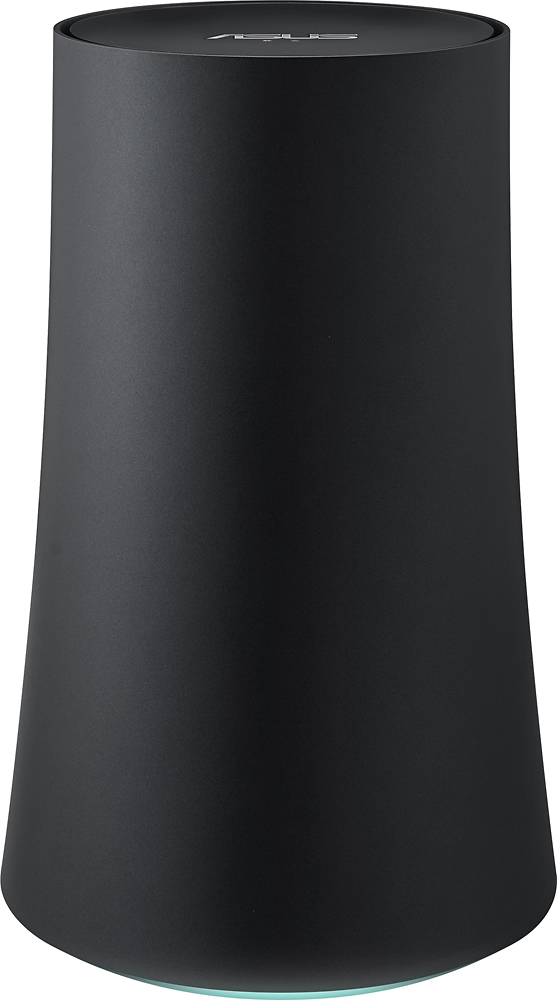
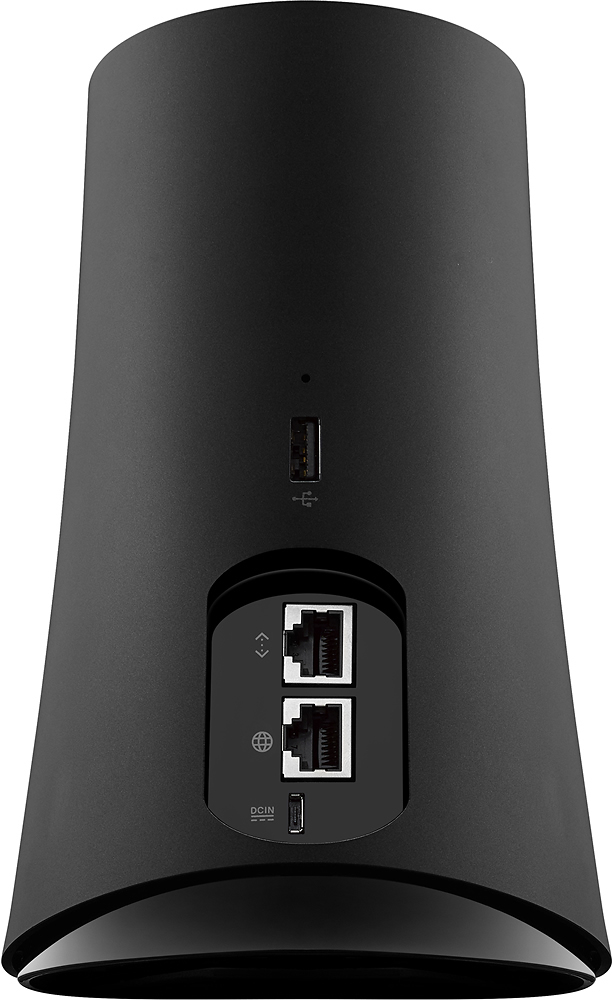
- Model:
- SRT-AC1900
- |
- SKU:
- 4588401
Customer reviews
Rating 4.4 out of 5 stars with 51 reviews
(51 customer reviews)to a friend
Customers are saying
Customers are enthusiastic about the OnHub Wireless-AC Router's ease of use and strong signal, with many praising its simple setup and reliable connection. The router's extended range is also frequently highlighted as a positive aspect, enabling better Wi-Fi coverage throughout homes. While some users noted that performance could be improved, the overwhelmingly positive feedback centers on the user-friendliness and reliable signal strength.
This summary was generated by AI based on customer reviews.
- Pros mentioned:Internet speed
Rated 5 out of 5 stars
Above expectations.
Posted .This reviewer received promo considerations or sweepstakes entry for writing a review.I really wanted a router that I could prioritize devices on from my room, from my phone, so I could stream movies to my chromecast and cut my roommates bandwidth off (he streams shows while he torrents) while I do it. I have a rather large 3 bedroom apartment and above 15 competing wifis, so the signal can get noisey. From my room I was getting 14 mbps on a good day. Now I am getting 80 mbps from my phone. Really did not expect that. All of the tp link reviews complained about poor reception at distances. I figured Asus would do a better job and boy did they.
I would recommend this to a friend - Pros mentioned:Ease of use
Rated 5 out of 5 stars
A better router than I was hoping for.
||Posted .This reviewer received promo considerations or sweepstakes entry for writing a review.This router covers all of the dead spots in my house (including a casita) and areas that I had to use extenders for before. It was very easy to install but it does require a smart phone for installation.
I would recommend this to a friend - Pros mentioned:Internet speed, Setup
Rated 5 out of 5 stars
Finally Happy With My WiFi
||Posted .This reviewer received promo considerations or sweepstakes entry for writing a review.I used to be a network power user, but as I got older, I just want things to work. I've tried several times and setups before biting the bullet for this one. 2 combo modem/routers from my cable provider (first mistake), a Tp-Link combo of my own (didn't seem to be stable for my cable internet service), adding range extenders (I didn't like how I had to keep switching SSIDs from my main to my extended network). Things were just getting way too complicated, my iot devices kept cutting out and staying disconnected, and the fastest I could ever get was when I was wired into my laptop, then the speeds dropped off on wifi. Fast forward to this OnHub. I did my research and I've read that the Asus had better antennas for larger homes, although there were less of them. I went for quality, not quantity. I also got this one price matched, as I found a better price elsewhere, so I called and customer service was friendly and helpful and got the better price. Setup was a breeze! You do need an iOS or Android phone to set things up with their app, which I didn't mind (some people who previously reviewed minded). It made things clear and easy to do. I was up and running in mere minutes! Keep in mind though, that you still need a modem - coax from the wall to the modem is your internet, then the ethernet cable from the modem to the onhub connects your wifi. The app itself managing your network is simple and clear. There's a dashboard to show your health of the network, you can see your devices connected and the data it's downloading and uploading. There's a parental control feature that lets you pause Internet to any device you want. There's also a device priority feature which prioritizes your data. So simple, I LOVE IT! This is how all network routers should behave - all automatic and smart. For the cons, I'd say it is lacking for the power user. There's no way to set up static IP (I don't really need that feature), there's no feature to add an external USB drive to it for a network drive, there's no WPS feature (not that I know of), and there's only one extra ethernet port to get wired in (you'll need a switch if want to connect more to it)
I would recommend this to a friend - Pros mentioned:Internet speed, Setup
Rated 5 out of 5 stars
I am registering JUST to post this...
||Posted .This reviewer received promo considerations or sweepstakes entry for writing a review.First: I don't typically review things, but this router is the exception to my rule. I had purchased a Netgear "Nighthawk" router (AC1900) a couple of years back when it was "top of the line" and never managed to consistently get the performance out of it that others seem to. I decided to try this Asus OnHub just to rule out my hardware being the issue with my network (I was only getting about 30mbps down on a 300mbps plan). HOLY CRAT the difference the OnHub made... The moment it was setup I ran a speed test at nearly 220mbps, and have been averaging 200-300mbps ever since. I have a 3000sqft two story home, and this thing is fast EVERYWHERE. It was the only change I made to my network, so I am going to give it ALL of the credit. Is it the "fastest" out there? Maybe not, but at this point between the ease of setup (which is easy to the point of being too easy, but whatever, the app is nice for NON-network admin types and even has a decent network mapping feature) and the results (literally 10x the speed I was pulling out of that 2 year old Netgear, which in fairness must have had an issue), this router is a NO BRAINER at the price point. A+++ Asus!
I would recommend this to a friend - Pros mentioned:Internet speed
Rated 5 out of 5 stars
Excellent Product
||Posted .This reviewer received promo considerations or sweepstakes entry for writing a review.I live in an apartment complex and I used to have Wifi trouble all the time (Wifi drop and back), not any more since I got it in December
I would recommend this to a friend - Cons mentioned:Performance
Rated 4 out of 5 stars
Good router with some flaws
||Posted .This reviewer received promo considerations or sweepstakes entry for writing a review.This is a good, easy to manage router. It comes with an app for setup, which is the only way to setup the device. Makes it very easy, but you don't get as much customization (such as not being able to change the subnet of the device, it is limited to 192.168.86.* for some reason). The app also lets you check your internet status and manage the network on the go. The device is reliable but also not as high performance as some high end routers. I had a netgear nighthawk x4 and the streaming performance on the onhub was not as strong as on the nighthawk. So, if you can deal with the drawbacks of the device, you have a reliable, easy to manage router. But if the performance drawbacks or lack of customization gives you pause, maybe look elsewhere.
I would recommend this to a friend - Pros mentioned:Range
Rated 3 out of 5 stars
Good router with limited interfaces
||Posted .This reviewer received promo considerations or sweepstakes entry for writing a review.The router is very good. Range covers my 2 story home just fine where my previous ASUS one did not. Minus 2 stars for only being manageable via an iPhone or Android app and only having one Gigabit port in the back.
No, I would not recommend this to a friend - Pros mentioned:Signal strength
Rated 4 out of 5 stars
Best signal ever, but not able to choose much
||Posted .This reviewer received promo considerations or sweepstakes entry for writing a review.I really enjoyed the reliability and strength of the signal, measuring higher in corners of my house then ever before. But my doorbell needs to only connect to the 2.4 GHz band, but it is COMBINED into one singe band or WiFi ID to connect to. Beware if you have certain products like my doorbell with a limitation. But if looking for something super simple or reliable, I would go for this one if I needed WiFi in all directions to be strong. I believe the other one may help if you are startling in a corner and directing it one way to rest of house.
I would recommend this to a friend - Pros mentioned:Ease of use, Signal strength
Rated 5 out of 5 stars
Simple and Powerful Wifi controlled by your phone
||Posted .This reviewer received promo considerations or sweepstakes entry for writing a review.The set up for this router was simple, (even though I work in I.T.) and configuration was even more simple via the GoogleON app. I can see all devices connected with warnings and statistics viewable from my phone. I can set priority and disconnect devices. The signal and range are powerful as it cycles through different channels. Highly recommend this for any household. It also looks fantastic on my shelf (not like other ugly routers)
I would recommend this to a friend - Pros mentioned:Ease of use
Rated 5 out of 5 stars
Solid Router
||Posted .This reviewer received promo considerations or sweepstakes entry for writing a review.I picked this up on sale to use in place of the wireless provided by our residential gateway. Set up was very easy and the router works very well. If you are one of those who likes to fiddle with settings on a router, this product is not for you since there is little customization for you to do. But if you don't care about customizing it, then I would highly recommend this router.
I would recommend this to a friend Rated 5 out of 5 stars
Great Router
||Posted .This reviewer received promo considerations or sweepstakes entry for writing a review.Set up and network management is very easy with this, the app is very good.
I would recommend this to a friend- Pros mentioned:Ease of use
Rated 5 out of 5 stars
IT JUST WORKS!
||Posted .This reviewer received promo considerations or sweepstakes entry for writing a review.I think I have owned 25+ routers over the years from just about every manufacturer using just about every configuration possible in all operating system environments. This was purchased with for use in a population dense NYC apartment where myself and my neighbors compete for wireless bandwidth. It was my intention right out of the gate to pair this with a GOOGLE WIFI unit when it became available. All I am going to say is that the device setup and interface are both intuitive and easy to configure and use. Beyond that the unit just works really well. Some might say AS DESCRIBED! It would have been nice to have these devices years ago. Folks this is one of those items that if you pay it forward (a couple of more dollars for the setup) you will not be disappointed. There is a very good reason why these units are hard to find. Think of it this way...do you know anyone that has a legitimate complaint about the way their SONOS products work? Probably not! These GOOGLE based WiFi Routers use the same "mesh" network strategy. Very effective!
I would recommend this to a friend - Pros mentioned:Internet speed
Rated 5 out of 5 stars
Great router
||Posted .This reviewer received promo considerations or sweepstakes entry for writing a review.I've been using this router at home for about 6 months now. When I first bought, I did a lot of research, my old router was old and it wasn't handling all the devices that needed the internet in my house. When I first bought the onHub, it was really easy to set up, it took me less than 10 minutes. All my devices (I have about 15) are connected and I still get good speed in all of them. The best part of it is that through the app, I can check the status and speed of my connection, I can check what devices are logged in, I can create a guest account, and I can prioritize a device over the others. My connection also improved drastically. Now, I have internet even outside of my house! If you are looking for a good router, and don't want to mess with complicated setups, onHub is for you.
I would recommend this to a friend Rated 3 out of 5 stars
Stuck with NAT address until update
||Posted .This reviewer received promo considerations or sweepstakes entry for writing a review.While this is marketed as a high end router from Google, its a work in progress. They say until some update in the future, you can not set your own internal address! Basic things like this are missing. Pass on this for now.
No, I would not recommend this to a friend- Pros mentioned:Signal strength
Rated 4 out of 5 stars
OnHub in mesh network
||Posted .This reviewer received promo considerations or sweepstakes entry for writing a review.Got 2 Asus OnHub on sale for use at home in mesh configuration. Setup: Must update to latest firmware for both units inorder for mesh support. Plug each unit into modem and follow setup procedure using Android Google Wifi app. After setup primary unit for network, 2nd unit can now be added as a mesh node. So far, it's working well. I am able to get wifi in the backyard where signal was in out using my old RT-N66U. I highly recommend it. But do keep in mind that total control of routers are lost. Google control everything. Planning to add 3rd node soon.
I would recommend this to a friend Rated 5 out of 5 stars
Best Router on the market IMO
||Posted .This reviewer received promo considerations or sweepstakes entry for writing a review.Had the worst wifi in my home couldn't maintain a signal for more than 15 min at a time. Bought the onhub and finally have an amazing signal, no issues and haven't had to rest the router in a month!
I would recommend this to a friend- Cons mentioned:Performance
Rated 5 out of 5 stars
Impressed
||Posted .This reviewer received promo considerations or sweepstakes entry for writing a review.So I needed a WiFi router that was dual band and could handle all my connected devices. I've had 3 streaming devices playing a show or movie at the same time and it handled it fine. They were all in HD quality too. I play a lot of games online and the one game that I kept getting disconnected was black ops 3. Since I've bought this router, I have not been disconnected. So I'm happy it fixed that issue I was having. You can't choose separate passwords and WiFi names for the dual band but I actually like it that way. Overall I'm happy with this router
I would recommend this to a friend - Pros mentioned:Setup, Signal strength
Rated 5 out of 5 stars
Easy to setup
||Posted .This reviewer received promo considerations or sweepstakes entry for writing a review.Easy to setup. I have two and i am using the second router in a mesh network. It gets better signal than the smaller google wifi hubs.
I would recommend this to a friend - Pros mentioned:Range
Rated 5 out of 5 stars
Phenomenal
||Posted .This reviewer received promo considerations or sweepstakes entry for writing a review.Excellent router, even better price. Prioritization of devices is a great feature. Excellent range. Works well with Wi-Fi Calling.
I would recommend this to a friend - Pros mentioned:Ease of use
Rated 5 out of 5 stars
Love this Router
||Posted .This reviewer received promo considerations or sweepstakes entry for writing a review.Best Router I've purchased. Easy to use and easy set up using the google wifi app. New Mesh Tech is a welcome too
I would recommend this to a friend