Customer Ratings & Reviews
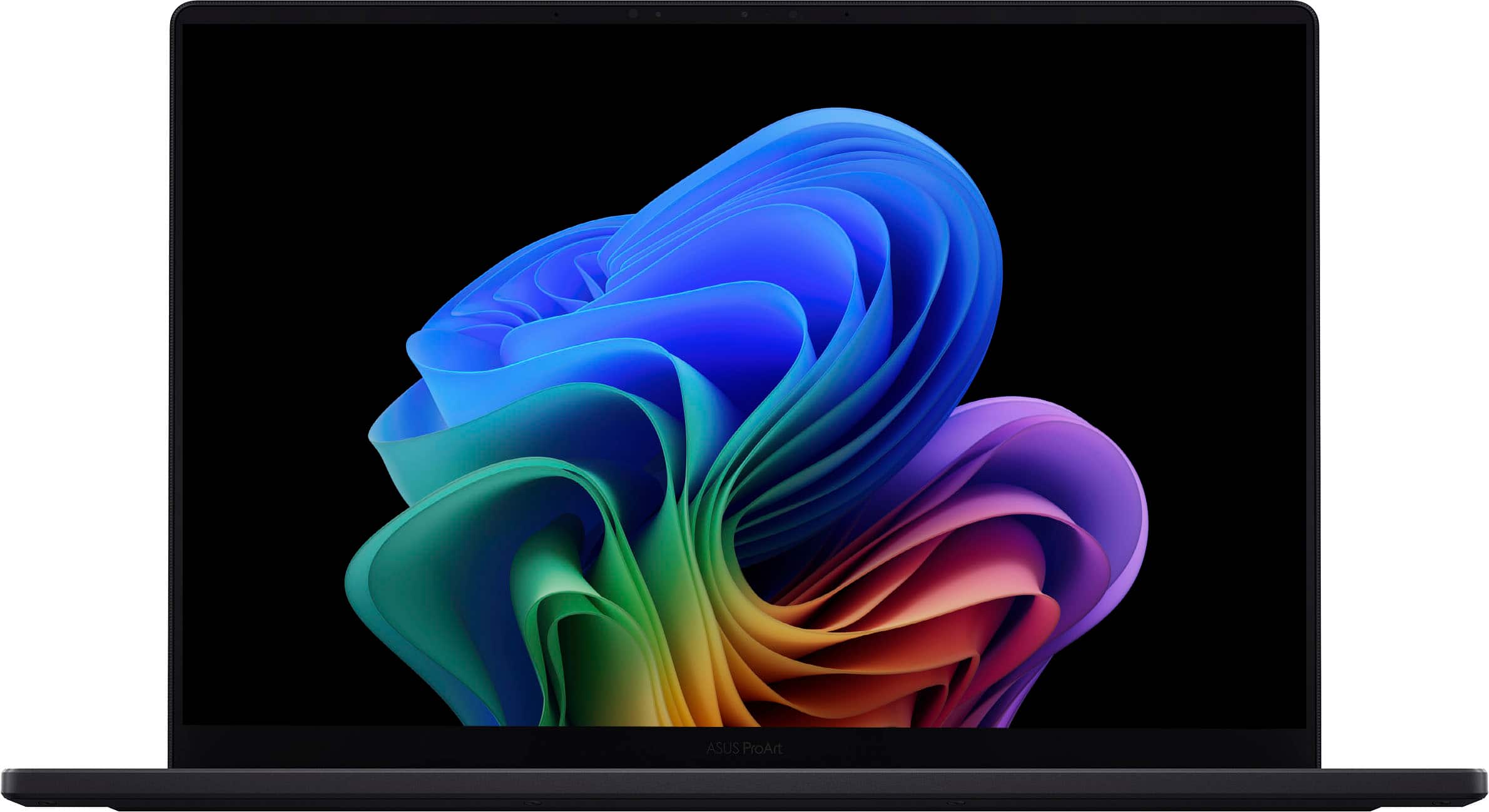
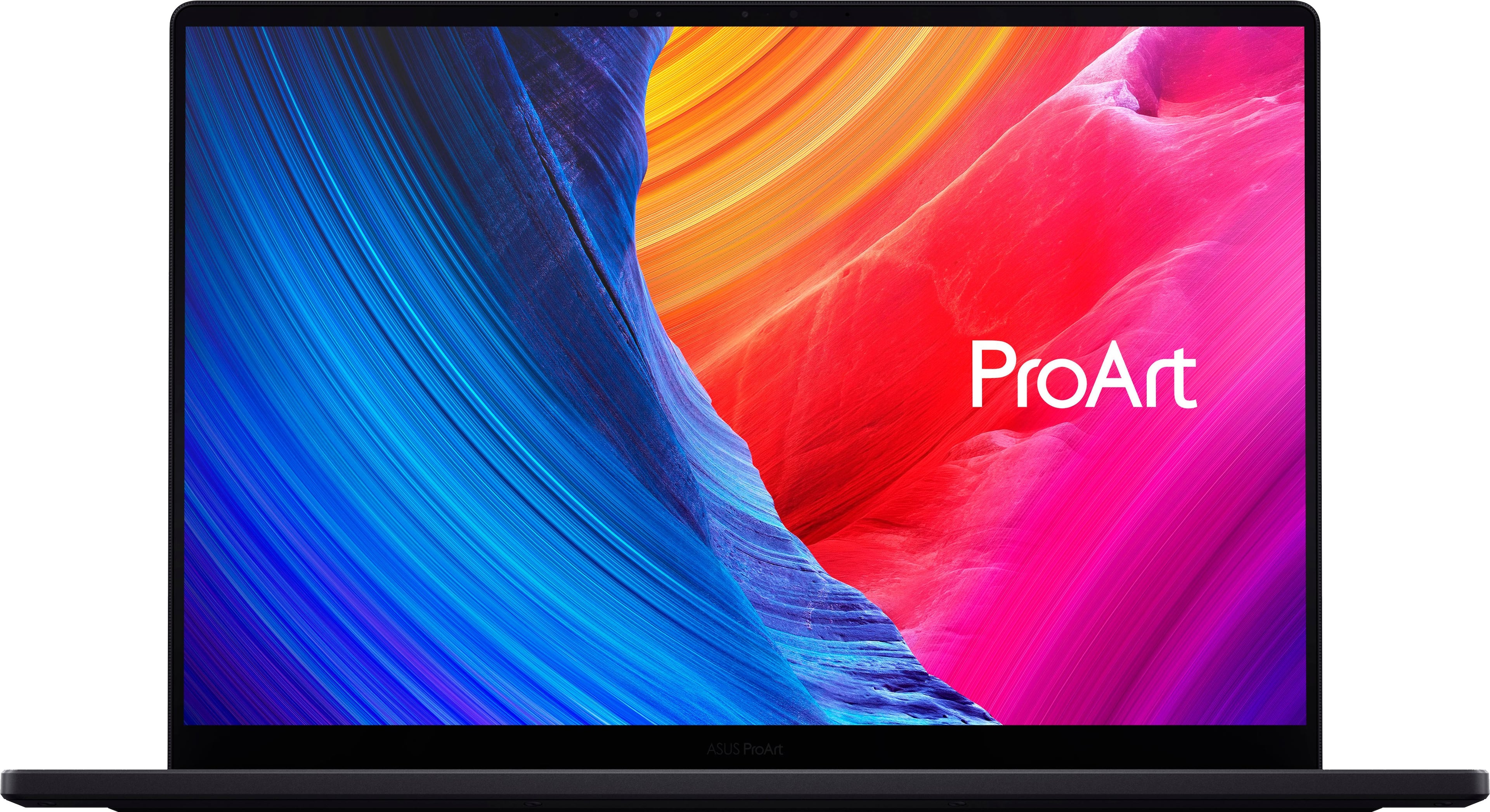
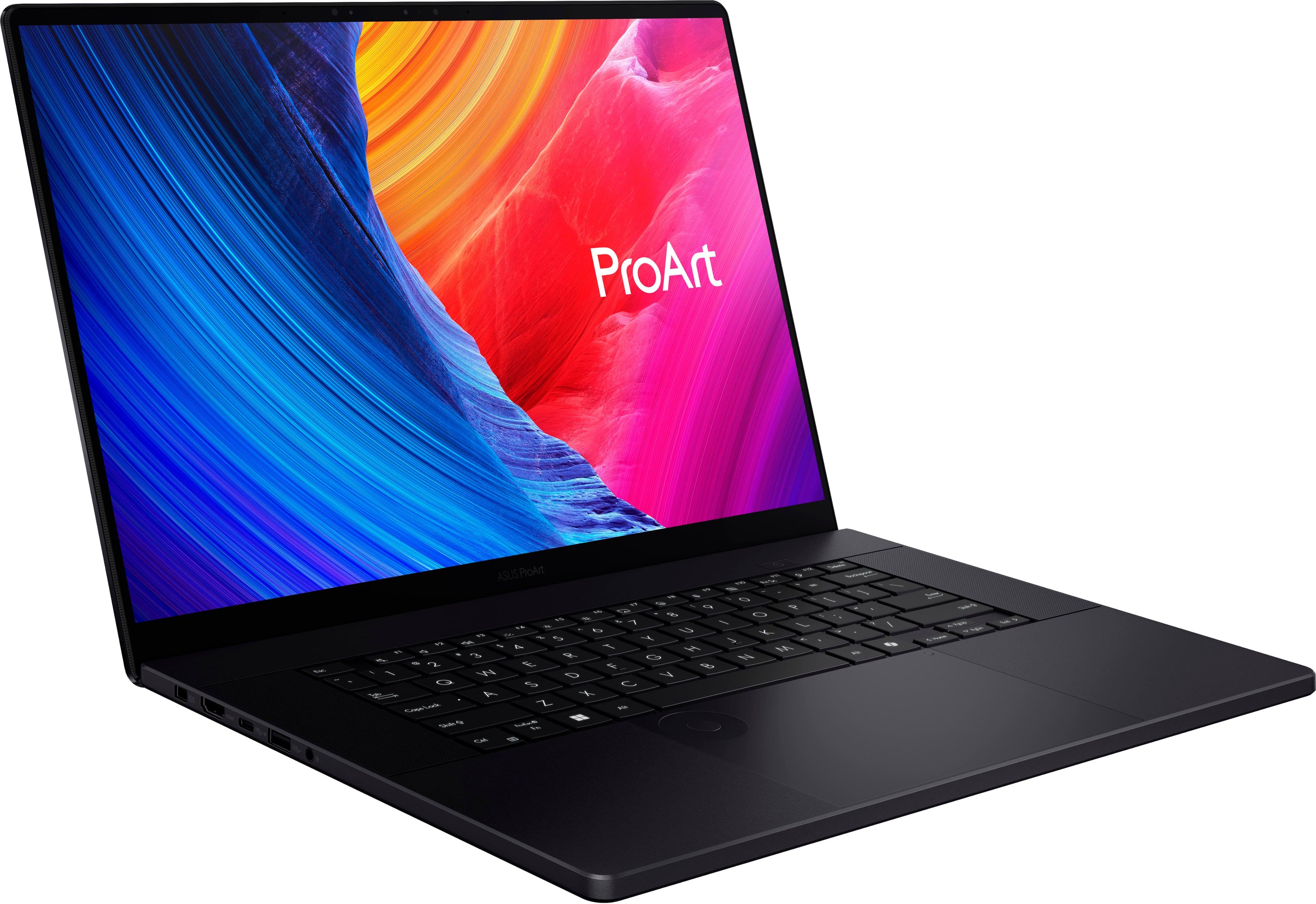

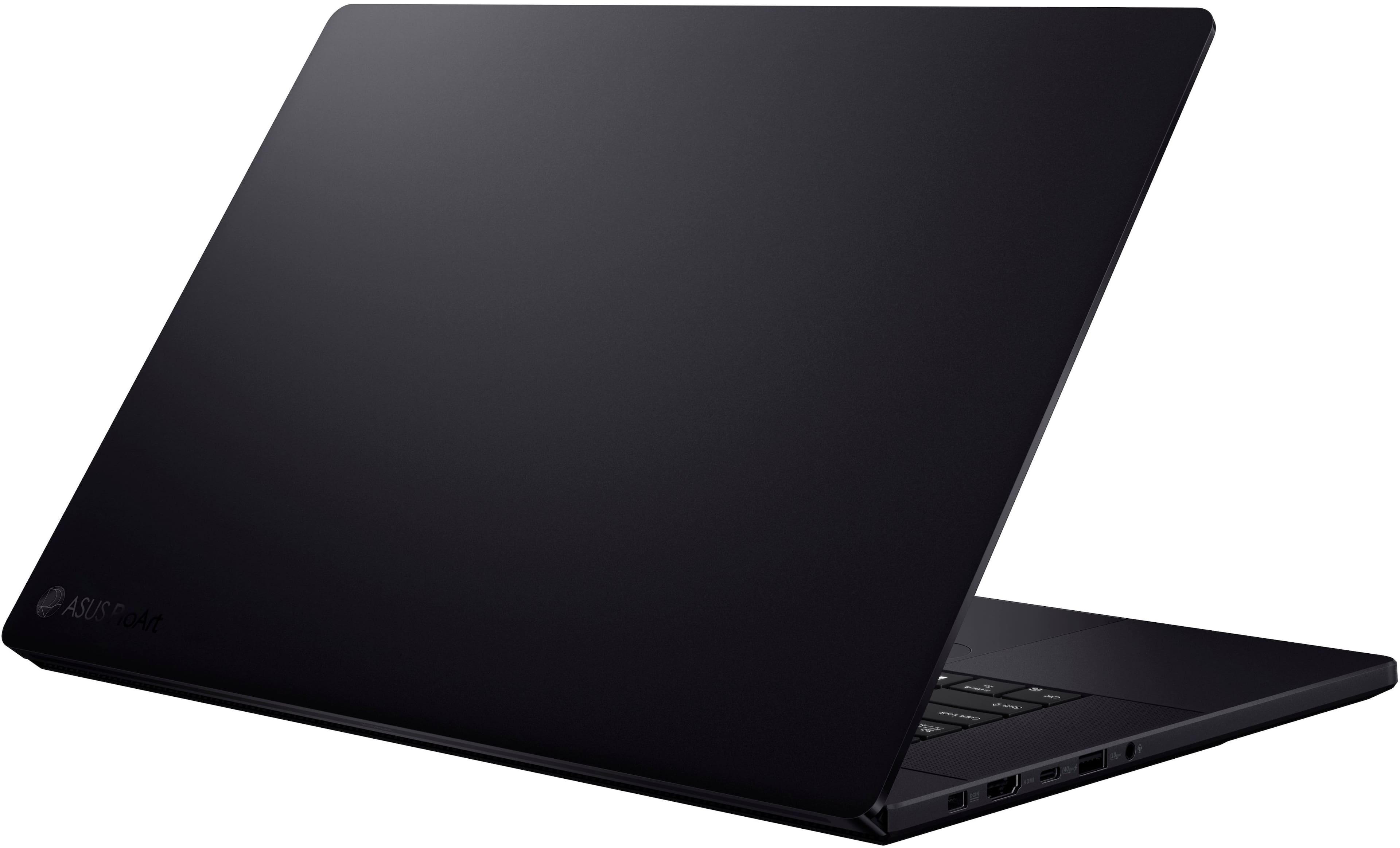

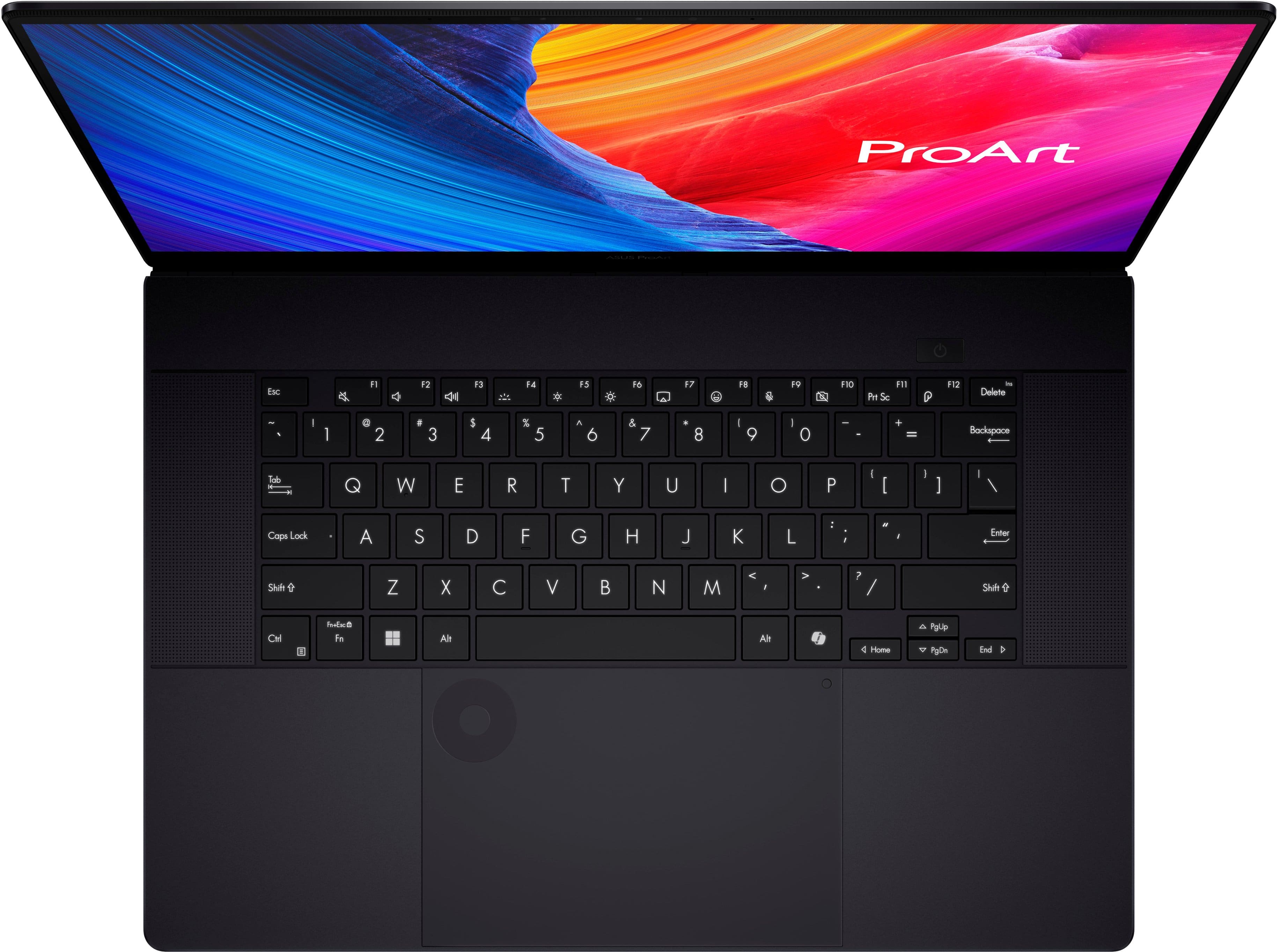
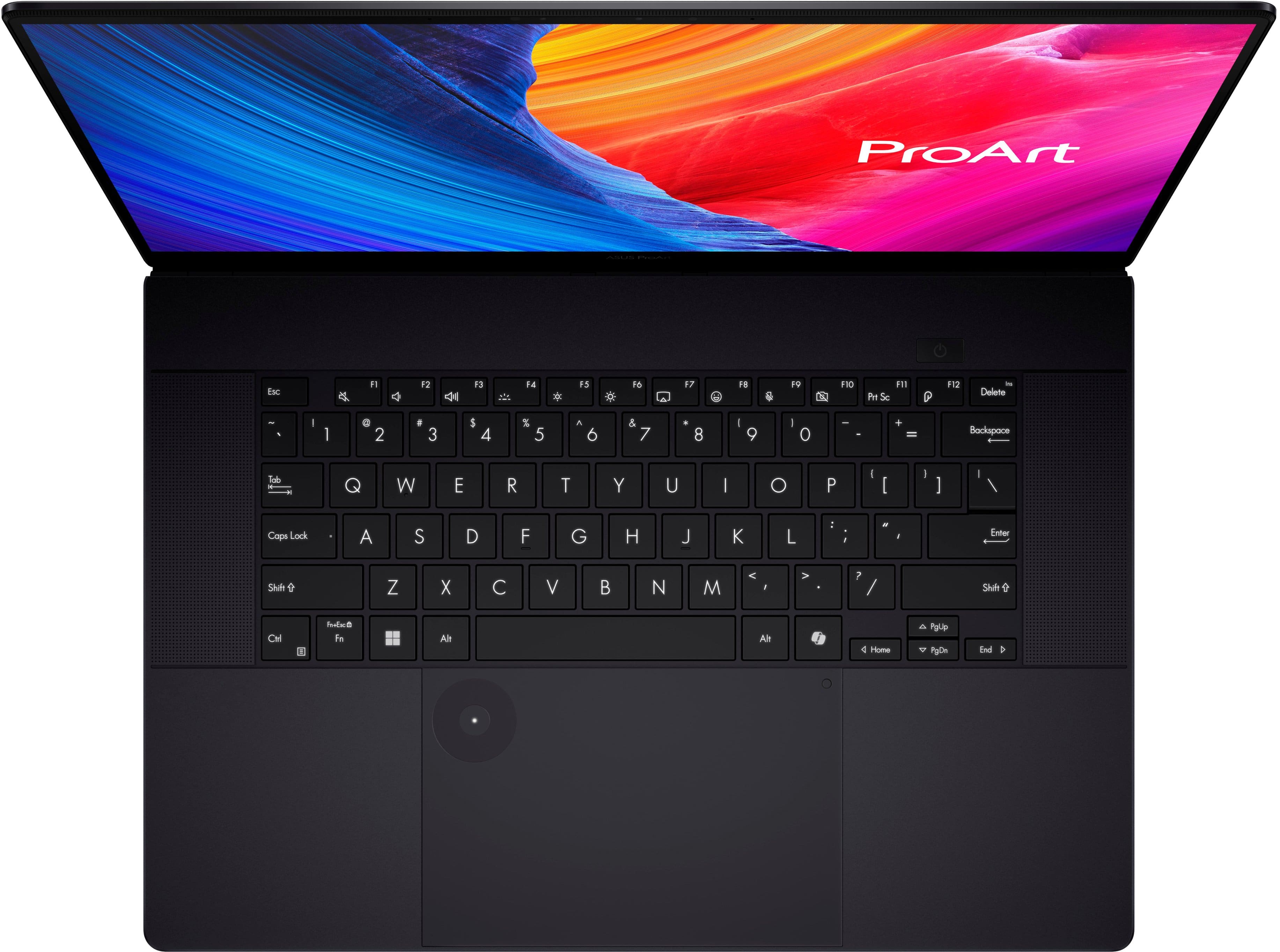






















- Model:
- H7606WV-P16.R3704060
- SKU:
- 11277521
Rating by feature
- Battery Life
Rating 4.3 out of 5 stars
- Speed
Rating 4.6 out of 5 stars
- Display
Rating 4.6 out of 5 stars
Great computer
||Posted . Owned for 1 month when reviewed.This reviewer received promo considerations or sweepstakes entry for writing a review.Excellent Touch Screen computer that I use for business and personal use. Very nice special features included
I would recommend this to a friendStopped working in less than a month
||Posted . Owned for 1 month when reviewed.This reviewer received promo considerations or sweepstakes entry for writing a review.BAD,I purchased less than a month ago for over $2,000. I am extremely disappointed that, despite being a new and expensive product, it is not functioning correctly. I have used other ASUS products in the past, and they have always been excellent in terms of performance and reliability. This makes it even more surprising and concerning that this particular device, which is part of your premium lineup, has failed so quickly. Here are the details of the issue: 1. I turned off the device, and when I tried to turn it back on, it did not respond as it appeared to be discharged. 2. Upon connecting it to the charger, a BitLocker blue screen appeared, requesting the Recovery Key. After entering the key, the system displayed another blue screen with the error message: “Your device ran into a problem and needs to restart” (STOP CODE: CRITICAL INITIALIZATION FAILED). I have attached images for your reference. 3. I attempted to reset the system, but the issue persists, and the laptop continues to show errors during startup. 4. I used the diagnostic tool provided by ASUS to check the hardware (battery, fans, touchpad, etc.), and while the tool indicates that everything is functioning properly, the laptop remains unusable. It is unacceptable for a brand-new, high-end device like the ASUS ProArt (P16) to present such serious issues in such a short period. I urgently request a definitive solution: either an immediate repair, a replacement with a new device, or a full refund of the purchase amount. I chose ASUS for its reputation for quality and reliability, and I hope this situation can be resolved quickly to maintain my trust in your brand. I look forward to your prompt response and an appropriate resolution to this issue.
No, I would not recommend this to a friendBrand response from ASUS Answers
Posted .Dear JoseN,
Thank you for reaching out.
We certainly understand your disappointment and the inconvenience this may have caused. Indeed, all ASUS products undergo intensive quality control testing and inspections that ensure each one is trouble-free, and are built to last, this is a random problem. Since you have performed most troubleshooting steps to no avail, we recommend to perform a Cloud Recovery. Seem like the OS is corrupted. For helpful tips on how to do a Cloud Recovery, please visit our Product Support page at: https://www.asus.com/support/faq/1048106/ . Additionally, we recommend to update the BIOS if the laptop is running with an older version. Updates for this laptop are posted at: https://www.asus.com/us/laptops/for-creators/proart/proart-p16-h7606/helpdesk_bios?model2Name=H7606WI .
If you need further assistance with the laptop, please email me at [email protected] and I would be more than happy to help. Or, you are most welcome to call Product Support Hotline at: 1(888) 678-3688. Also, you can chat with an ASUS live support agent from the link: https://www.asus.com/us/support/article/1135/.
We certainly understand your disappointment and the inconvenience this may have caused. Indeed, all ASUS products undergo intensive quality control testing and inspections that ensure each one is trouble-free, and are built to last, this is a random problem. Since you have performed most troubleshooting steps to no avail, we recommend to perform a Cloud Recovery. Seem like the OS is corrupted. For helpful tips on how to do a Cloud Recovery, please visit our Product Support page at: https://www.asus.com/support/faq/1048106/ . Additionally, we recommend to update the BIOS if the laptop is running with an older version. Updates for this laptop are posted at: https://www.asus.com/us/laptops/for-creators/proart/proart-p16-h7606/helpdesk_bios?model2Name=H7606WI .
If you need further assistance with the laptop, please email me at [email protected] and I would be more than happy to help. Or, you are most welcome to call Product Support Hotline at: 1(888) 678-3688. Also, you can chat with an ASUS live support agent from the link: https://www.asus.com/us/support/article/1135/.
Thank you for choosing an ASUS product.
Regards,
Rodel
ASUS Customer Loyalty
BSOD and Terrible Customer Support
||Posted . Owned for 1 week when reviewed.This reviewer received promo considerations or sweepstakes entry for writing a review.I had a horrible experience with Best Buy’s online store, and I feel the need to warn other customers. I purchased a laptop online, only to discover it was defective (I even have a BSOD screenshot as proof). Naturally, I contacted Best Buy’s online customer support, hoping for a resolution. At first, it seemed like they cared and offered me what I thought was a reasonable solution: exchange the defective laptop for a working one. However, this resolution turned out to be completely meaningless. When I went to the Plymouth Meeting store to process the exchange, I was told the online customer support’s promises didn’t apply to them. Their “solution” was for me to return the defective laptop and pay an additional $700 for a new one. How is that acceptable? If the online support can’t align with what the stores can actually do, what’s the point of trusting them? This entire ordeal made it clear that Best Buy’s online support team is disconnected from their in-store policies, leaving customers like me caught in the middle. Worse yet, there was zero accountability from anyone at either end. If you value your time, money, and sanity, avoid Best Buy’s online store altogether. You’re better off shopping at retailers like Amazon or Newegg, where customer service actually takes ownership of resolving issues. Don’t waste your time with Best Buy online. I’ll be taking my business elsewhere.
No, I would not recommend this to a friendBrand response from ASUS Answers
Posted .Dear DcDogan,
Thank you for your comment.
We do understand your dissatisfaction with the quality of your recent customer service experience with your seller and the inconvenience this may have caused regarding the BSOD issue with the laptop.
To resolve the BSOD issue, check if Windows, drivers and BIOS are updated. Updates for this laptop are available for download at: https://www.asus.com/us/laptops/for-creators/proart/proart-p16-h7606/helpdesk_download?model2Name=H7606WI . If you need further assistance with the laptop, please email me at [email protected] and I will be more than happy to help. Or you are most welcome to call Product Support Hotline at: 1(888) 678-3688. Also, you can chat with an ASUS live support agent from the link: https://www.asus.com/us/support/article/1135/.
Thank you for choosing an ASUS product.
Regards,
Rodel
ASUS Customer Loyalty
Good buy
||Posted . Owned for 1 month when reviewed.This reviewer received promo considerations or sweepstakes entry for writing a review.This laptop is great, bought it full price and still a solid deal. Battery is not quite as good as promised— you’ll get about 4 good hours out of it.
I would recommend this to a friendBlue Screen at Unbox
||Posted . Owned for less than 1 week when reviewed.This reviewer received promo considerations or sweepstakes entry for writing a review.I watched many positive reviews of this laptop and I was excited to pick this laptop up for my use. The build is premium and the weight is light. However, during my set up, i got blue screen error. After updating BIOS and every firmwares and softwares, the laptop was still super laggy when I trade on thinkorswim. I returned this immediately on the second day...
No, I would not recommend this to a friendBrand response from ASUS Answers
Posted .Dear Arbolito,
We sincerely apologize for the Blue Screen Errors you've faced with the ASUS ProArt P16 Laptop and for the inconvenience caused. What you've experienced was not intentional or representative of our brand. We understand that you have returned the laptop, and hope that you were able to obtain a functional replacement.
We stand behind our products and continuously strive to improve our products and processes to achieve customer service excellence. If you require any further assistance, please send us an email at [email protected] and include the case number "N2408027095-0018" as a reference. We will do our best to resolve your case quickly. Your feedback is very important to us, and it enables us to improve our support channels. Thank you for choosing ASUS.
Best Regards,
Chantae
ASUS Customer Loyalty US Support
I will never buy ASUS again
||Posted . Owned for 1 month when reviewed.This reviewer received promo considerations or sweepstakes entry for writing a review.I have bought ASUS twice due to the seemingly good price-to-performance ratio. But I will never do it again. The first time was an ASUS ROG Strix with an i9-12900H processor, the keyboard broke in two years, the touchpad broke in a year, the battery died in one and a half years, and the liquid metal dried out and burnt a black mark on the processor in one year, and even one corner of the cheap plastic casing chips in two years. If you're looking for a laptop that kills itself in one year, go for it. This time, I gave ASUS a second chance by purchasing this ProArt laptop, hoping that the Proline would give me a better experience. And here I have it: The A side is full of visible marks and scratches despite the great care I gave it. Today, I made the mistake of putting it in my backpack, and after I got home, one corner of the screen was crushed, and now there's a tiny but highly annoying and visible crease on the top cover. It's much, much, much more flimsy than the infamous iPad Pro, which people mock to no end about the bendiness of. The bottom cover is also thin and flimsy and filled with vent holes, so I don't even dare to hold it with one hand for fear I might bend it by mistake. It's literally the MOST flimsy laptop I have ever owned, and by the time I realized this, I could no longer return it. Deeply disappointed.
No, I would not recommend this to a friendBrand response from ASUS Answers
Posted .Dear Anhang Li,
We're sorry to hear that the notebook screen got damaged and we apologize for the inconvenience caused. To further investigate this problem or obtain assistance with repairing the device, we recommend contacting our support team at https://www.asus.com/us/support/CallUs.
We stand behind our products and continuously strive to improve our products and processes to achieve customer service excellence. For more information, email us at [email protected] and include the case number "N2408027095-0016" as a reference. We will do our best to resolve your case quickly. Your feedback is very important to us and enables us to improve our support channels. Thank you for choosing ASUS.
Best Regards,
Chantae
ASUS Customer Loyalty US Support
Nice and dainty
||Posted . Owned for 7 months when reviewed.This reviewer received promo considerations or sweepstakes entry for writing a review.Get protection plan! This thing is nice and thin and super light, which is great but with break easy! the durability is not there. Cannot be repaired just replaced.
No, I would not recommend this to a friendBrand response from ASUS Answers
Posted .Dear Peels,
Thank you for sharing your comments regarding the ASUS ProArt P16 Laptop. We understand that it didn't meet your full expectations, and we sincerely apologize for that as we do understand your concerns. Our top priority is providing our customers with high-quality products, and we'll forward your feedback to our team for review.
We stand behind our products and continuously strive to improve our products and processes to achieve customer service excellence. If you require any further assistance, please email us at [email protected] and include the case number "N2412036247-0007" as a reference. We will do our best to resolve your case quickly. Your feedback is very important to us and enables us to improve our support channels. Thank you for choosing ASUS.
Best Regards,
Chantae
ASUS Customer Loyalty US Support
Great laptop
||Posted . Owned for 2 months when reviewed.This reviewer received promo considerations or sweepstakes entry for writing a review.Its been 3 months science i buy this laptop is been so great so far only for photoshop, ilustrator and lightroom ! If you're a video creator you need the 64gb period! learn from my mistakes
I would recommend this to a friendRecommended! I love it!
||Posted . Owned for 1 week when reviewed.This reviewer received promo considerations or sweepstakes entry for writing a review.Great device! I do landscape design and it works great!
I would recommend this to a friendThe Best Buy I Made
||Posted . Owned for 1 month when reviewed.This reviewer received promo considerations or sweepstakes entry for writing a review.This is great, and Tucker helped me find exactly what I needed!
I would recommend this to a friendAmazing oled screen
||Posted . Owned for 1 week when reviewed.This reviewer received promo considerations or sweepstakes entry for writing a review.Excelent notebook, very fast and top for gaming too
I would recommend this to a friendPerfect laptop, you will not regret
||Posted . Owned for 2 weeks when reviewed.This reviewer received promo considerations or sweepstakes entry for writing a review.Great battery Life, amazing screen, premium build.
I would recommend this to a friendAlways have startup problems
||Posted . Owned for 3 weeks when reviewed.This reviewer received promo considerations or sweepstakes entry for writing a review.It's been 3 weeks since I bought it and it already can't start up properly. Always gotta type in my recovery key in order to use it, and now it is probably permanently unusable because the startup error keeps on happening and I can't even log into my data.
No, I would not recommend this to a friendBrand response from ASUS Answers
Posted .Dear Tizag Q,
We're sorry to hear that you are experiencing difficulties logging in to the notebook due to the BitLocker Recovery key always needing to be entered, and we apologize for any inconvenience this may have caused. To further investigate this problem, we recommend contacting our support team at https://www.asus.com/us/support/CallUs.
We stand behind our products and continuously strive to improve our products and processes to achieve customer service excellence. For more information, email us at [email protected] and include the case number "N2408027095-0014" as a reference. We will do our best to resolve your case quickly. Your feedback is very important to us and enables us to improve our support channels. Thank you for choosing ASUS.
Best Regards,
Chantae
ASUS Customer Loyalty US Support

A Laptop for Creatives and Power Users
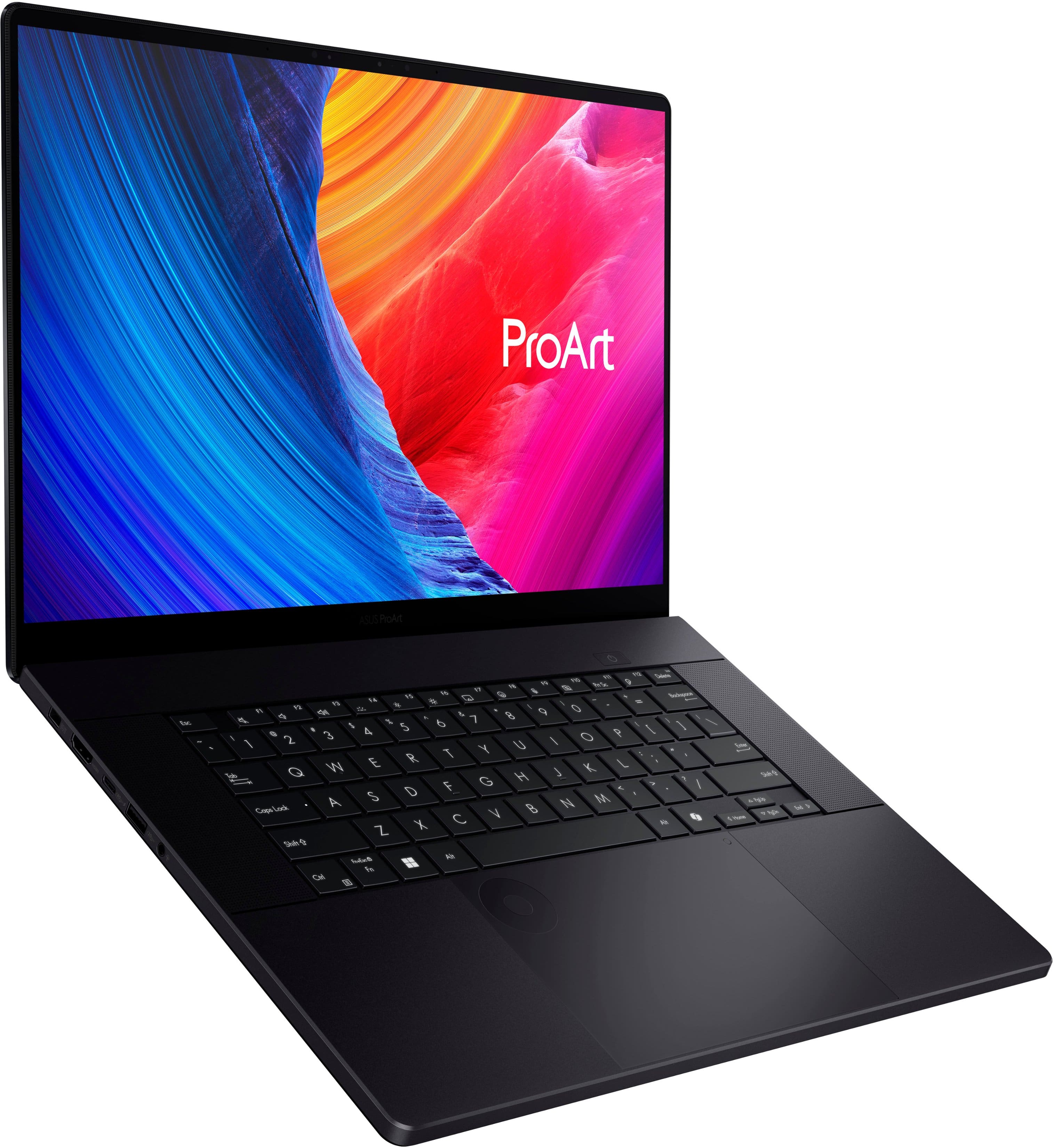
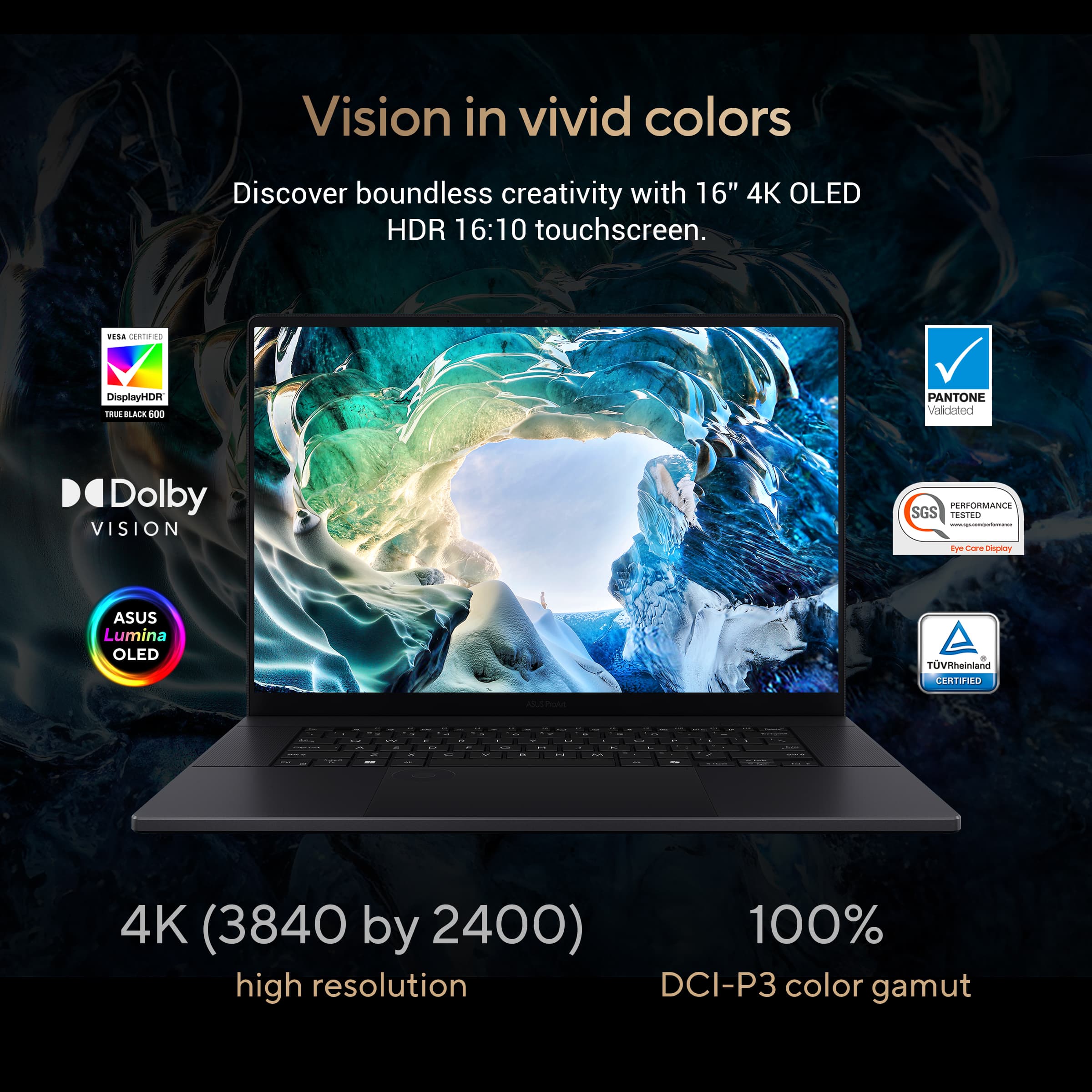
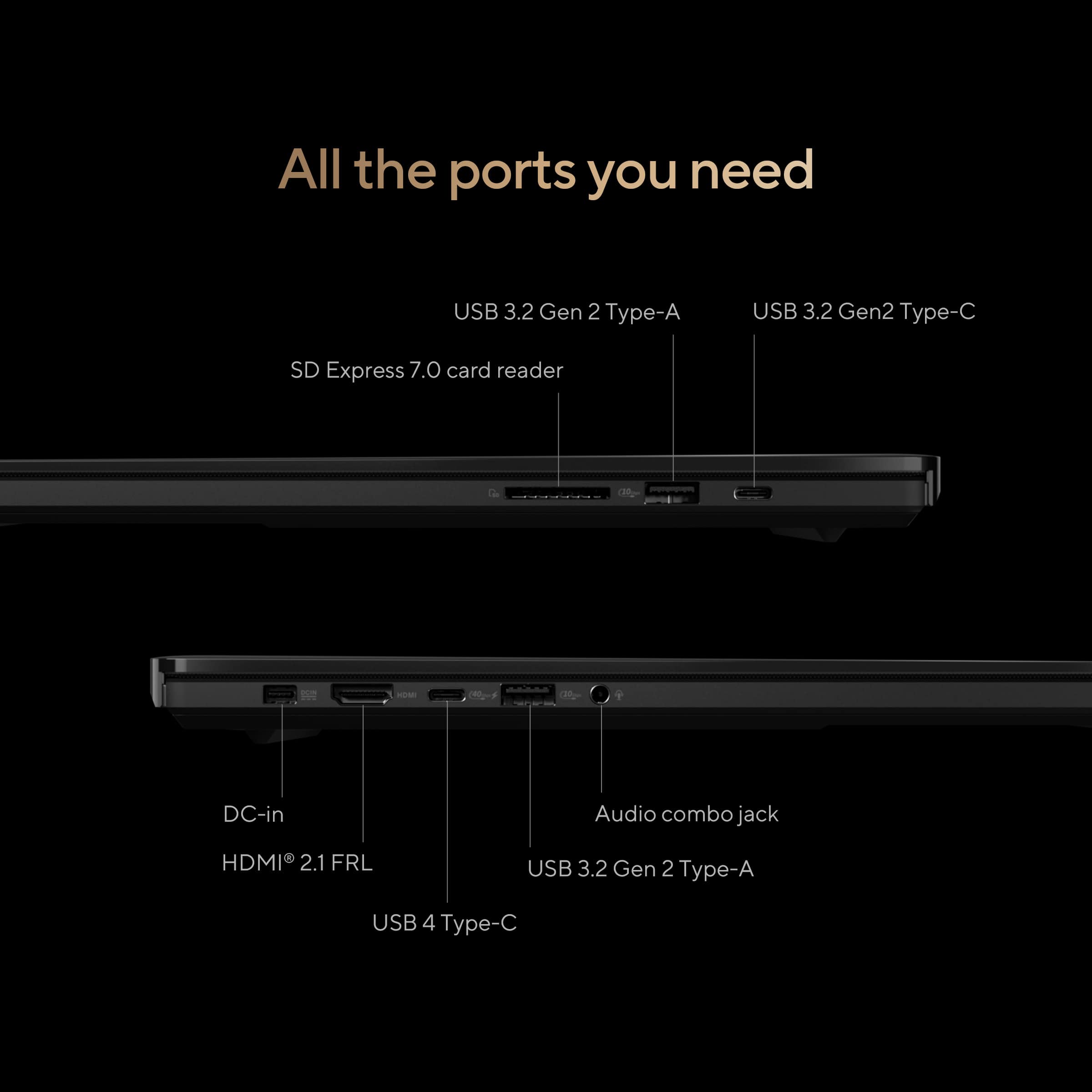
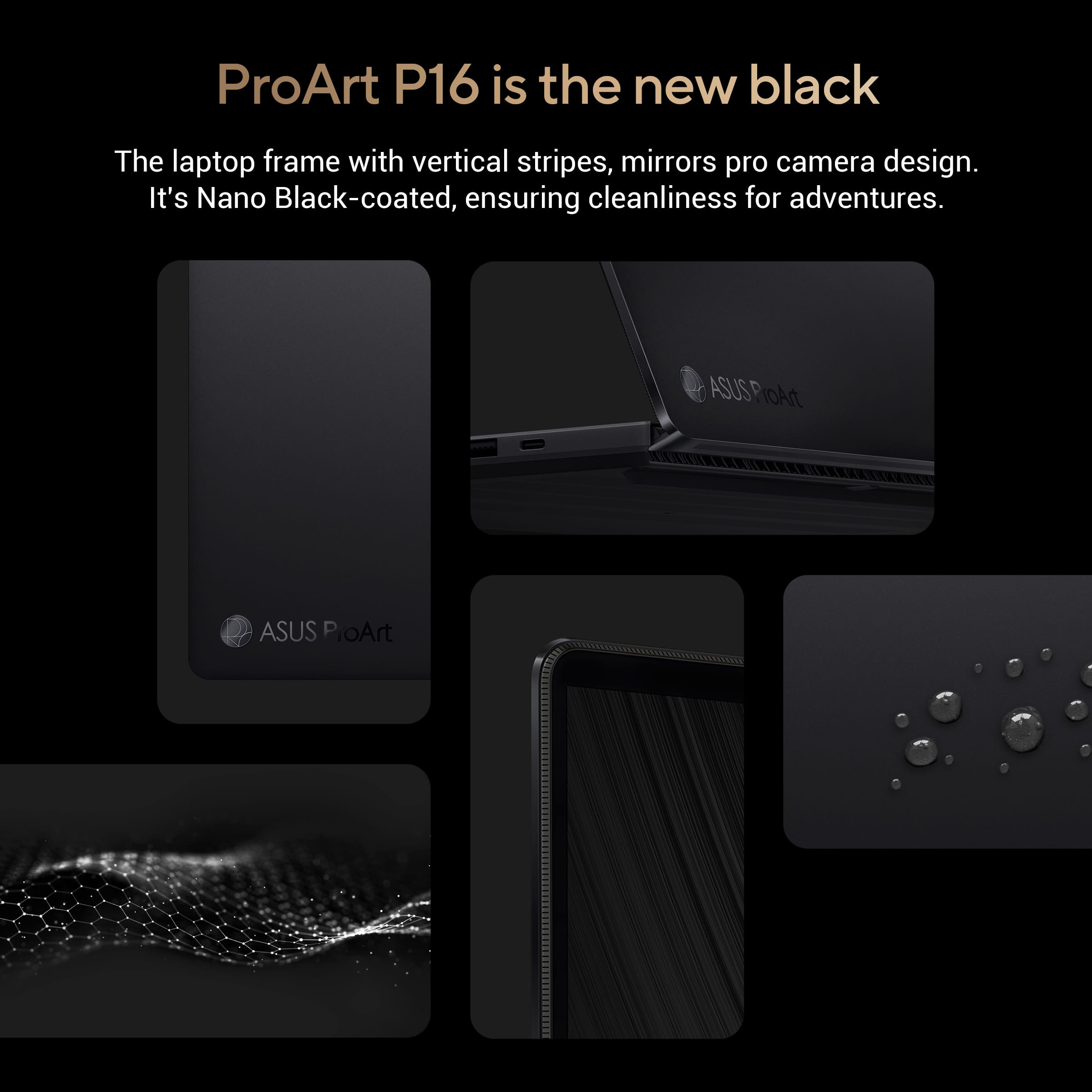
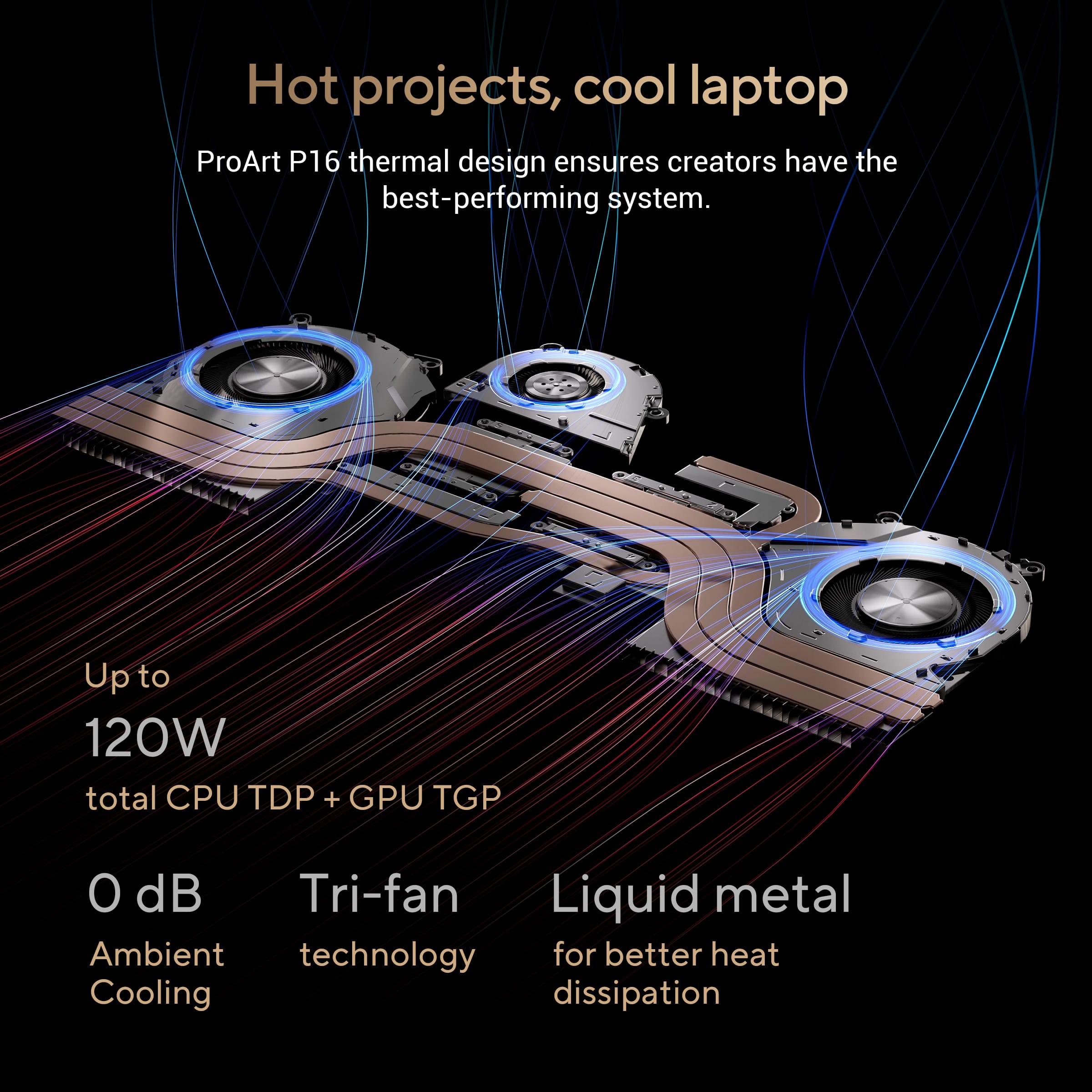
|Posted .This reviewer received promo considerations or sweepstakes entry for writing a review.I must admit that I'm really thrilled with the ASUS ProArt P16 with 4K Touch Screen Laptop that I recently got my hands on. I needed a device as a professional in the creative industry that could handle my rigorous workflow, and the ProArt P16 has surpassed my expectations in nearly every way. The ProArt P16's design caught my eye as soon as I opened the box. Its elegant and contemporary design is complemented with a layer of rigidity that is essential for endurance thanks to the high-quality aluminum CNC unibody construction. The laptop seems more professional with the Nano Black coating, which reduces reflections because of its nano-microporous structure. It also keeps its clean, crisp appearance even after prolonged use because to its smudge-resistant coating. Nothing less than amazing is the 16-inch 4K ASUS Lumina OLED touchscreen. With a 100% DCI-P3 color gamut and VESA DisplayHDR True Black 500 certification, the color accuracy and vibrancy are excellent. This makes it perfect for intricate tasks like producing videos and editing photos. My productivity is further increased by the touchscreen's responsive and fluid operation. Furthermore, the screen's durability and resistance to scratches are guaranteed by the incorporation of Corning Gorilla Glass NBT. The ProArt P16 is a beast in terms of performance. With its twelve cores and twenty-four threads, the AMD Ryzen AI 9 HX 370 processor can handle everything I give at it, from rendering intricate 3D models to heavy multitting. The laptop's cooling system, which has a tri-fan configuration and liquid metal thermal compound, keeps it cool and silent even while it's operating at a high load. Another noteworthy feature is the NVIDIA GeForce RTX 4060 GPU. It is ideal for 3D rendering and video editing since it provides outstanding performance for AI-accelerated workflows and real-time ray tracing. The laptop's performance is consistently improved for artistic apps with the addition of NVIDIA Studio drivers. Multitasking is effortless with the 32GB of LPDDR5X RAM that comes with the device, operating at 8333 MHz speed. There is no lag when I have several high-resolution projects open at the same time. The built-in 1TB PCIe 4.0 SSD has lightning-fast read and write speeds, which drastically cuts down on load times and guarantees that my information will be accessible quickly. The ProArt P16 offers a wide range of connectivity possibilities. WiFi 7 allows for blazingly quick wifi access, and it has a wide range of I/O connections, including two USB A ports, HDMI 2.1, a 3.5mm audio input, a full-size SD card reader, and one USB 4.0 and one USB 3.2 Type-C that facilitate charging and external displays. I can connect all of my peripherals with ease and transfer data swiftly and effectively thanks to this. Workflows may be greatly streamlined with the help of the ProArt Creator Hub and ASUS DialPad. The Creator Hub offers an easy-to-use interface for controlling system performance and customized settings, while the DialPad offers precise control over a variety of creative applications. By streamlining creative and asset management procedures, the suite of AI-powered apps like StoryCube and MuseTree further boosts productivity. Meeting US military-grade durability standards, the ProArt P16 is made to last. I can work from my studio or on the fly with confidence knowing that it can handle the rigors of everyday use. The ASUS ProArt P16 boasts impressive hardware, yet it has a very good battery life. I use it for 6–8 hours a day on average, mostly for browsing, streaming videos, and minor editing. The battery life of any high-performance laptop decreases when carrying out more demanding tasks like 3D rendering or video editing. A bonus is that I can rapidly top off the battery as needed. The Harmon Kardon-certified speakers of the ProArt P16 produce amazing audio quality. Because of its crisp and rich sound, it's ideal for media content enjoyment and video editing. An immersive audio experience is offered with the addition of Dolby Atmos, particularly when headphones are worn. The AI noise-canceling microphone ensures smooth communication by filtering out background noise, and the built-in HD webcam is decent for video chats and online meetings. It's not the greatest camera available, but it does the job and is a useful addition for working remotely. Because of its ergonomic design, using the ASUS ProArt P16 for lengthy periods of time is comfortable. Typing is made more enjoyable by the keyboard's generous travel and feedback. Working in low light conditions is made easier with the changeable illuminated keyboard.Large and responsive, the touchpad smoothly supports multi-touch motions. for imaginative work. Windows 11 Home is pre-installed on the ProArt P16 and is designed to maximize security and productivity. The addition of AI-powered apps and ASUS' creative toolkit improves the user experience overall. Because these solutions are expressly made to increase productivity and streamline workflows, the laptop becomes an even more useful asset for creative professionals. The laptop has an IR camera for face recognition as part of its security features. My work is kept safe thanks to these capabilities, which offer rapid and secure access to the device. For creative professionals who want great performance and dependability, the ASUS ProArt P16 is a comprehensive tool that goes beyond a laptop. It stands out in the competitive market for high-end laptops because to its remarkable specs, smart design, and practical functions. As a graphic designer, video editor, 3D artist, or other creative worker, the ProArt P16 is well-suited to effortlessly manage even the most taxing jobs. The productivity increases and high-quality work this machine can create make the price point justified, even though it may be pricey for some. For anyone in the creative field searching for a robust and dependable laptop, ASUS has certainly created a masterpiece with the ProArt P16.
I would recommend this to a friendExcellent premium laptop for AI content generation
|Posted .This reviewer received promo considerations or sweepstakes entry for writing a review.The Asus ProArt P16 16” 4K Touchscreen laptop boasts a premium aluminum CNC unibody that not only enhances its sleek, modern aesthetic but also adds rigidity to the chassis. The laptop is available in a sophisticated Nano Black color, achieved through an anodizing process that minimizes reflections and creates an ultra-black appearance under any lighting conditions. The design also features vertical stripes on the hinges inspired by professional camera equipment, providing both a visually appealing and functional element. The laptop's 16-inch 4K ASUS Lumina OLED touchscreen delivers exceptional image detail and color accuracy, making it ideal for tasks that require precise visual fidelity. It supports a 100% DCI-P3 color gamut and is VESA DisplayHDR True Black 500 certified, ensuring a contrast ratio of 1,000,000:1 and peak brightness of 500 nits. This display also offers a Delta E value of less than 1, guaranteeing accurate color reproduction that is PANTONE Validated. I found the 4K OLED display to be absolutely breathtaking, and equal to or better than the very best laptop displays in terms of picture quality that I have seen. However, note that the glossy finish is prone to glare, especially if a window is directly behind you. Also note that the display is only 60 Hz. Even though the OLED picture quality was outstanding. this was still disappointing as a premium laptop in 2024 should be at least 120 Hz. 60 Hz isn’t good enough for fast moving games. At the heart of the ProArt P16 is the AMD Ryzen AI 9 HX 370 processor, which operates at up to 5.1 GHz with 12 cores and 24 threads. This processor, combined with the NVIDIA GeForce RTX 4060 GPU, delivers outstanding performance for AI-accelerated computing and advanced creative workflows. The RTX GPU features up to 8 GB of GDDR6 VRAM, 4608 CUDA Cores, and significant AI processing power, making it perfect for rendering, 3D modeling, and real-time visualization tasks. The simple drawing tasks I gave to Copilot were done very quickly. In terms of gaming, this isn’t the fastest performer in terms of FPS, but it is more than adequate. I was able to get a consistent 100-110 FPS on Call of Duty Modern Warfare III under the highest settings running at 4K with Nvidia DLSS 3 frame generation turned on. The ProArt P16 excels in connectivity, featuring industry-leading WiFi 7 technology and a comprehensive array of I/O options, including ultrafast 40 Gbps USB4 Type-C, HDMI 2.1 FRL, and a full-size SD Express 7.0 card reader. Additional features like the ASUS DialPad and ProArt Creator Hub enhance and streamline creative workflows, providing tools specifically designed to boost productivity and creativity. Built to withstand the rigors of professional use, the ProArt P16 meets US military-grade durability standards, ensuring reliability in various environments. The laptop's stealth hinge design not only contributes to its stability but also improves cooling efficiency, which is essential for maintaining high performance during intensive tasks. Overall, the ASUS ProArt P16 is a powerhouse for creative professionals, offering unparalleled performance, a stunning display, and robust build quality. Its advanced AI capabilities and extensive feature set make it an excellent choice for those who need a portable yet powerful solution for their creative endeavors. Whether you're working on complex visual projects or need a reliable tool for AI-accelerated tasks, the ProArt P16 is a top-tier option that delivers on all fronts.
I would recommend this to a friendA Sleek, powerfull laptop with a great battery
||Posted .This reviewer received promo considerations or sweepstakes entry for writing a review.This laptop is pretty great. Pros: - Gorgeous screen - Great Mouse - Great keyboard - Dedicated Graphics - 32GB Ram - Spare NVME Slot - Great Processor - 5+ hour battery life Cons: - Can't upgrade the RAM - 4060 does not add significant performance boost compared to the integrated graphics. - Integrated graphics are not connected to the monitor - Could use better Linux support out of the box (Pretty typical for ASUS) -UEFI severely lacking options. Overall, I love this laptop and would be perfect if ASUS the few small complaints that I have.
I would recommend this to a friendGreat physical build, TERRIBLE software.
||Posted . Owned for 4 months when reviewed.This reviewer received promo considerations or sweepstakes entry for writing a review.Two times this PC has bricked on me. Blue screens each time. For the price you pay this is unacceptable. I have never had these problems with Lenovo.
No, I would not recommend this to a friendBrand response from ASUS Answers
Posted .Dear Stat55,
We sincerely apologize for the blue screen errors you're experiencing with the notebook and for the inconvenience caused. To troubleshoot the issue described, we recommend following the steps in the FAQ below. Should the issue persist, please contact our support team at https://www.asus.com/us/support/CallUs to further investigate the problem or assist with repairing the device.
We stand behind our products and continuously strive to improve our products and processes to achieve customer service excellence. For more information, email us at [email protected] and include the case number "N2408027095-0019" as a reference. We will do our best to resolve your case quickly. Your feedback is very important to us and enables us to improve our support channels. Thank you for choosing ASUS.
Best Regards,
Chantae
ASUS Customer Loyalty US Support
[Windows 11/10] Troubleshooting - Blue Screen Errors in Windows (BSOD) - https://www.asus.com/support/faq/1042499/
Strong performing machine for creatives
|Posted .This reviewer received promo considerations or sweepstakes entry for writing a review.This Asus ProArt P16 immediately impressed me with its robust art creation capabilities. It was clearly obvious who the intended audience is for this machine. It’s fantastic for media creation and productivity. Although it’s not the greatest gamer, it is more than good enough for casual gaming. Here’s my experience and feedback for the unit: The ProArt is a slim and easy to tote laptop. Despite the 16-inch screen size, I find the slim aluminum chassis lightweight, compact and easy to carry. The stylish slim form factor allows the ProArt to easily share the same sleeve space inside my backpack along with my 11-inch tablet. The power brick is also a good size rather than large and bulky. It too is easy to carry along with the laptop. The power brick utilizes a proprietary power supply connector rather than USB-C. It’s not a huge deal, just not as ubiquitous or as easy to replace as UB-C. The laptop has two USB-A and two USB-C ports, along with an SD card reader, HDMI, and audio ports. The 4K HDR OLED touch screen looks great. The panel shows no signs of graininess nor any other noticeable flaws. It sports deeply saturated colors, true blacks, and has excellent brightness. Colors aren’t as far off as I thought they might be. They’re much more pronounced and a touch more saturated than my drawing tablet, but for the most part they retain their hue nicely. I only noticed significant differences between my tablet and the OLED screen when it came to darker colors on the differing type displays, but this was expected. The P16 OLED has much more saturated colors, but the hues are still very similar, so it doesn’t throw off my sense of color too much. I’m happy with how beautiful everything looks. I haven’t noticed any blurriness, image retention or burn-in even after lengthy periods working on mostly static images. The 60Hz refresh while on the low side, feels snappy and responsive enough during gaming or media playback. The 500-nit brightness is vivid and sufficient for any tasks at hand. The Ryzen AI 9 and RTX 4060 powered ProArt P16 tears through media creation, particularly digital art. It also handles most 2D desktop apps like office suites, effortlessly. Prior to the ProArt, I was using another notebook that was also specifically designed for media creation. It has somewhat similar specs but older components (AI9, RTX4060, 32GB DDR on the P16 vs i7, RTX3050Ti, 32GB DDR on the other model). The older notebook frequently encountered issues when working with larger brushes, numerous layers, and complex textures in art programs. The ProArt effortlessly plows through projects with ease and never stumbles regardless of the tools selected or amount of cached content. It was such a pleasant experience to not have the software slow down simply for choosing too large a brush. Bear in mind, the performance boost mostly applies to media creation. The newer ProArt PC is actually a less robust gamer than the previous laptop mentioned above. It can play medium to med/high quality games at acceptable frame rates. However, some of the more demanding resource intensive games AAA titles I tried caused freezing, stuttering, and crashing. Less resource hungry games play fine and without issue. Medium graphics quality seems to be the sweet spot for the more demanding games that it can play. Real world talk, this machine can handle less demanding games fine, but I’d consider a more gaming focused option if planning to regularly play resource intensive games. The P16 normally runs quiet under low and regular loads but the fans can get pretty loud when the system is taxed. Battery life is acceptable and provides a full day of light to moderate usage. This usage consists of non-continuous drawing sessions, web browsing and productivity. For gaming and more intensive tasks, I prefer being connected to AC power. The speakers have a warm profile and sound somewhat decent. There isn’t much (or hardly any) bass, but the speakers sound good enough for listening to music while working. I prefer listening through a headset for better immersion while gaming. The HD camera is basic fare. It’s good for occasional use, but I’d opt for a better quality USB camera if I had to participate in regular video chats or conferences. On the plus side, the camera is Windows Hello compatible and allows the facial recognition login option. The trackpad and keyboard are both solid. The backlit keys have good low light visibility, along with solid feel and good travel. The large trackpad is reliably responsive and easy to navigate. The integrated DialPad is an excellent companion for shortcuts and some tasks that I’d normally use keyboard shortcuts for. The DialPad integrates better with more mainstream editors and drawing programs but also works with lesser known titles as well. It just takes a little more effort to customize than it would on an app like PS. Overall, the P16 is an excellent artistic and general use machine. Gaming performance isn’t the strongest but is good enough for less demanding titles. The machine is lightweight and easy to transport, has ample ports, a beautiful screen and feels reliably constructed. It’s an excellent machine for creatives with realistic gaming expectations.
I would recommend this to a friendGreat laptop for designers, artists and creators
|Posted .This reviewer received promo considerations or sweepstakes entry for writing a review.ASUS has been a leader in the computing industry for decades and their products have always been on the top of my list for consideration when deciding what to upgrade to. I have been through my fair share of PCs and laptops over the years and the new ASUS ProArt P16 sets itself apart focusing its high-end hardware on catering to content creators, designers, artists and more. Right after booting the ProArt up, you’ll immediately notice the stunning, colorful, durable, high-resolution 16” 16:10 4K ASUS Lumina OLED touchscreen which is VESA DisplayHDR True Black certified and is stacked with additional tech to help prevent burn-in. The screen is unapologetically the main feature that sets the ProArt apart from the competition even comparing it to loaded, expensive gaming laptops. The Nano Black, nano-microporous screen minimizes reflections and has a smudge-resistant finish which was surprising considering how glossy it appears. One of the best things about OLED panels is they emit about 70% less blue light than LCD displays which makes a huge difference if you’re planning on sitting in front of a screen for hours. For peace of mind, ASUS also provides a free OLED screen exchange for any burn-in issues while under warranty. Couple the incredible touchscreen with the new powerful AMD Ryzen AI 9 HX 370 processor and NVIDIA GeForce RTX 40 series graphics card and the ProArt is a workhorse for those needing superior graphics and streamlined processing power to run 3D modeling, rendering and real-time visualization. If you’re a gamer, you can even play AAA games on it as an added bonus. After doting over the screen, I was finally able to stand back and notice some of the other technical hardware and aesthetic features of the ProArt including the matte black chassis and track pad which are smooth and comfortable to the touch. I also noticed the speakers on the side of the keyboard which are relatively loud and crystal clear for a thin laptop. The sides of the laptop contain all the ports and connections as the stealth screen hinge folds over the rear providing enhanced durability, stability and improved cooling. On the left side of the laptop you’ll find the charging port, HDMI 2.1 FRL output, 10 Gbps USB-A, an ultrafast 40Gbps USB4 Type-C port and the auxiliary audio output. On the right is another USB-A and USB-C port as well as a full-size SD Express 7.0 card reader. Some notable features and hardware built into the laptop are the latest Wi-Fi 7, 32GB of super-fast LPDDR5X RAM that can run at 8333 MHz, a 1TB PCIe 4.0 SSD with read speeds up to 5,000 Mbps, and ASUS’ advanced cooling technology using their Tri-Fan cooling technology and liquid metal from Thermal Grizzly all making multitasking and heavy workloads a breeze without overheating. Using the ASUS exclusive AI-powered software, MuseTree and StoryCube, built into the laptop makes creating fun and a breeze. Once you start to use it, the software can help provide creative artist inspiration, digital-asset management for better organization and much less effort on the part of the user. I loved using the random inspiration tool that MuseTree offered for a lot of fun and inspiration for artists. I can’t wait for my kids to eventually start tinkering with it once they can pry my hands off it. It has a dedicated Copilot key providing instant AI assistance. Built into the mousepad is the ASUS DialPad which is useful for creators and artists familiar with using the tool and works great with the ProArt Creator Hub which is designed to enhance and streamline workflows. Another useful AI feature included with the ProArt is Microsoft’s Copilot which is an assistant that can improve user productivity and make Windows even easier to navigate. There is even a Copilot key built into the keyboard. The AI is honestly insane to play around with; I asked it to write me a song and it asked what genre. I said “Country” and, within a matter of seconds, it wrote me a whole country song with verses and a chorus. This example is just the tip of the iceberg of what all the AI built into this laptop can do. There is so much built into the new ASUS ProArt that I feel like I have barely scratched the surface on what it is fully capable of. As an artist, you could easily spend hours in one sitting tinkering with all the features it has to offer and the plethora of high-end technical specs built into the ProArt makes it even more appealing for anyone.
I would recommend this to a friendPowerful, versatile & beautifully designed machine
|Posted .This reviewer received promo considerations or sweepstakes entry for writing a review.Upon unveiling the Asus ProArt P16, I was instantly captivated by its exceptional build quality and minimalist design. The unboxing process was an experience in itself, as the impressive packaging hinted at the high standards that awaited me within. Beside the sleek design wrapped in ‘Nano black’, I was impressed with the hardware boasting an AMD Ryzen AI 9 HX 370 processor, 32GB of memory, and NVIDIA GeForce RTX 4060 that should deliver smooth and responsive performance for many demanding tasks. As a user of Adobe Photoshop and InDesign, I ran them both several times by rendering rather complex 3D models, editing high-resolution photos and this laptop passed the test without lagging or stuttering. I did some graphic-heavy gaming and I was impressed how easy it handled it. I strongly advise to keep it connected when pushing the limits as the graphics card would drain the battery quickly. The fan noise is clearly noticeable under heavy load but never to the point of becoming a distraction. The first standout feature though is the 16-inch 4K OLED touchscreen. The sharp details, deep blacks and vibrant colors make it ideal for creative professionals seeking accurate color representation. Watching a quality video provides such an immersive visual experience. The touchscreen was responsive and a joy to use, sensitive enough and precise. An added plus that I wasn’t expecting is the surprisingly crisp and rich audio provided by the speakers. Using the Asus ProArt P16 everyday is a joy. The keyboard offers a satisfying typing experience, and the large touchpad is responsive, allowing easy navigation of the operating system. A unique feature of this laptop, the Asus Dial, can be customized with software like Photoshop by adjusting opacity, brush size and other settings that actually helped streamline my workflow and creative process. The 1TB SSD provides ample storage space and is really fast. Loading large files and complex applications took little time and have been reliable. Battery life was okay as long as the hardware was not pushed too hard. It will definitely not last a full day of work but will give a few hours of regular use. Despite its impressive power, the laptop is remarkably thin, making it easy to carry around. Compared to other laptops with similar screen sizes, it is surprisingly lightweight, if not the same weight. The weight does not hinder extended travel, ensuring a portable and convenient computing experience. In conclusion, the ASUS ProArt P16 stands out as a formidable laptop, catering especially to content creators and professional artists. With its ingenious features, robust performance, and breathtaking display, this device transforms into a perfect tool for those who settle for nothing less than excellence. While it may not be the ideal choice for casual web browsing, the ProArt P16 undoubtedly deserves consideration if you're seeking a premium laptop capable of handling any task you entrust it with.
I would recommend this to a friend