Customer Ratings & Reviews
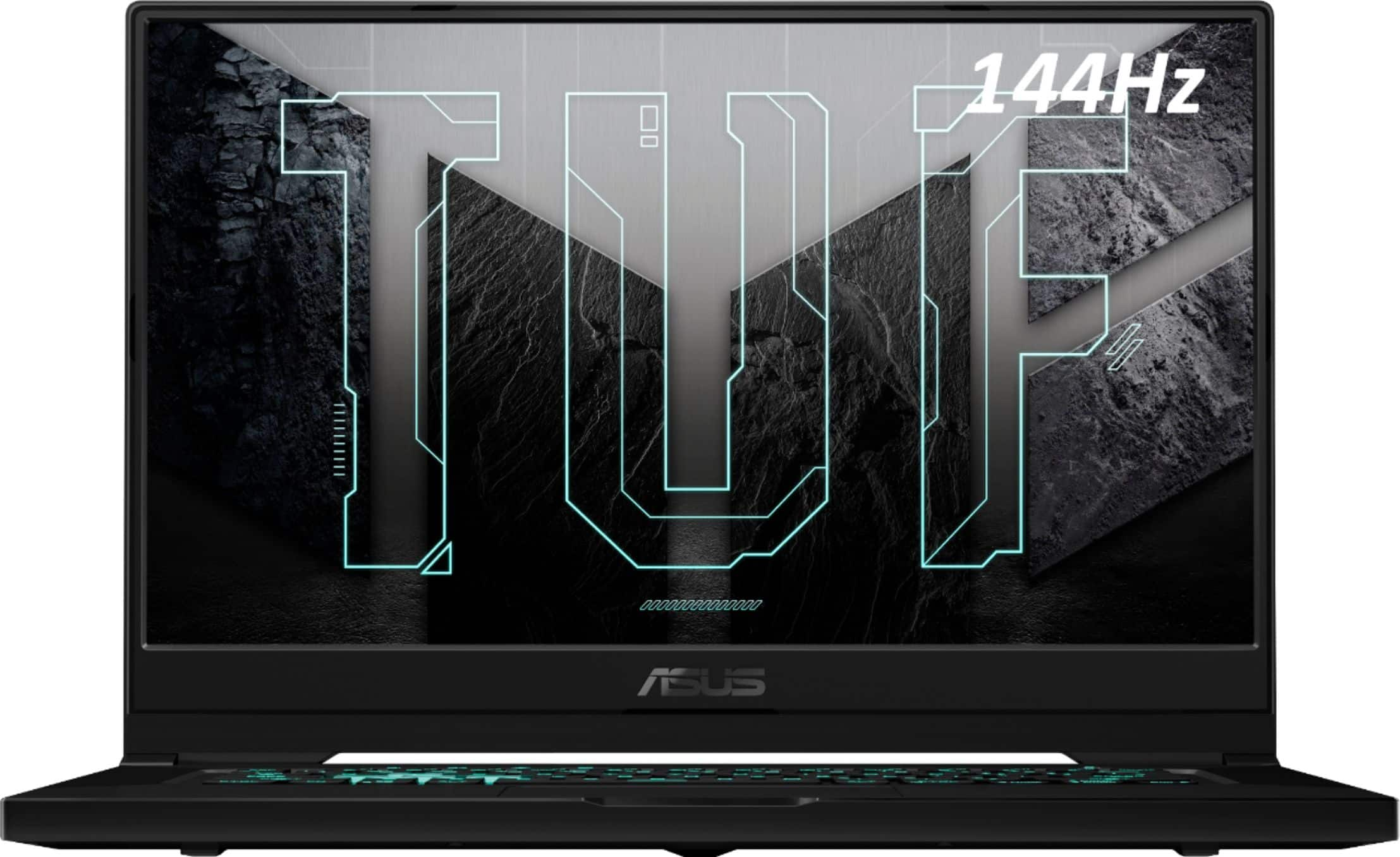
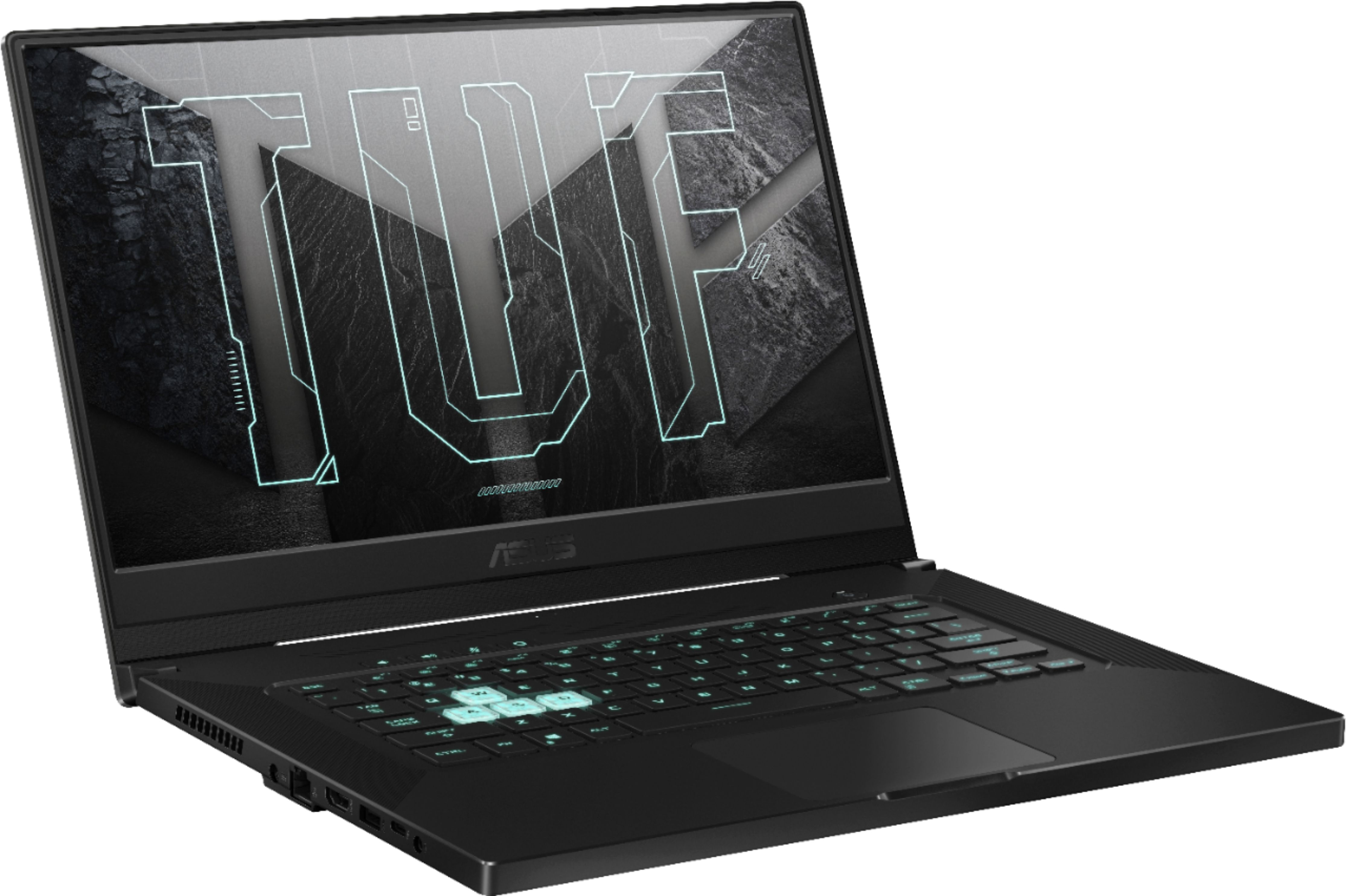
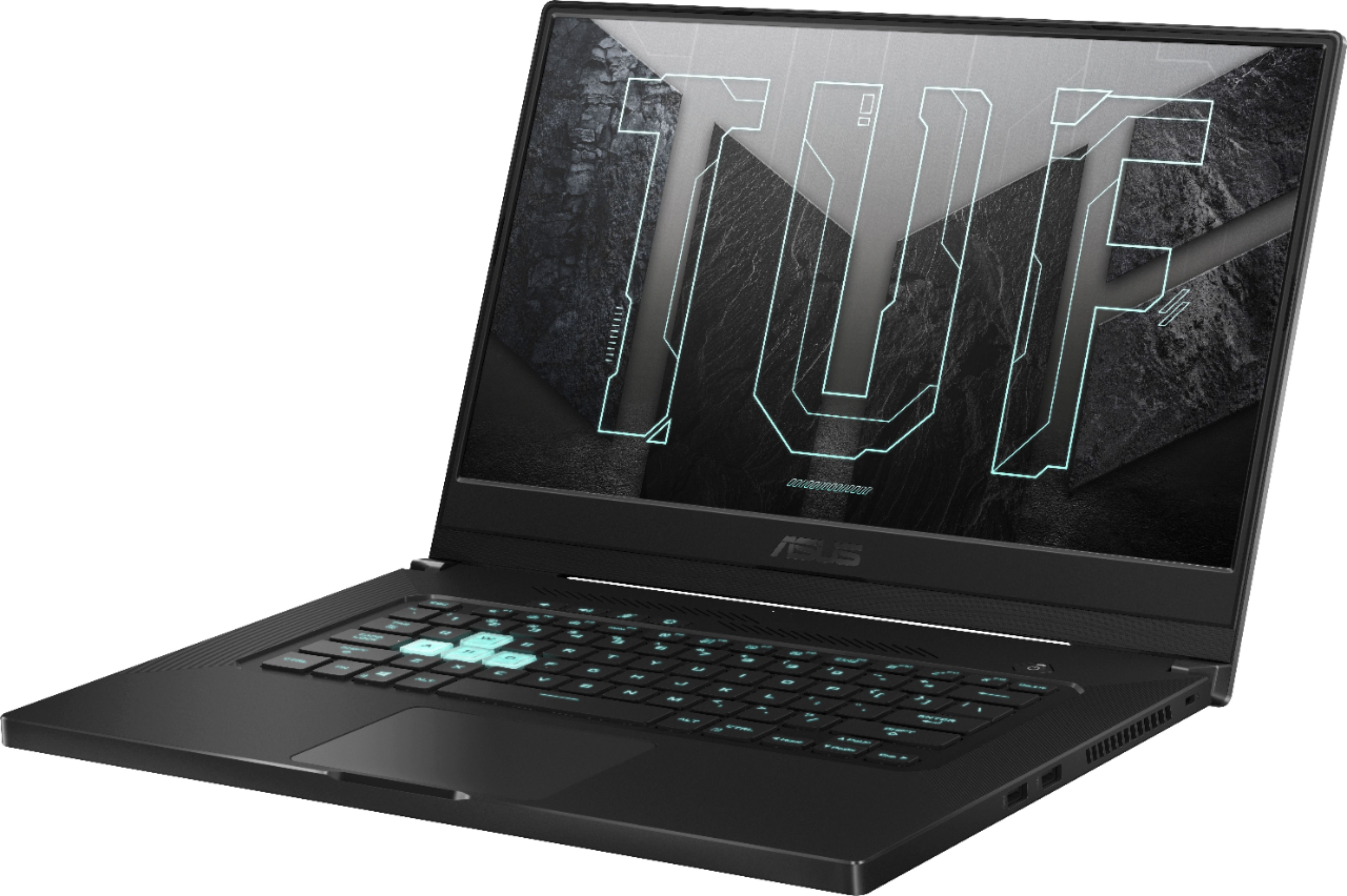
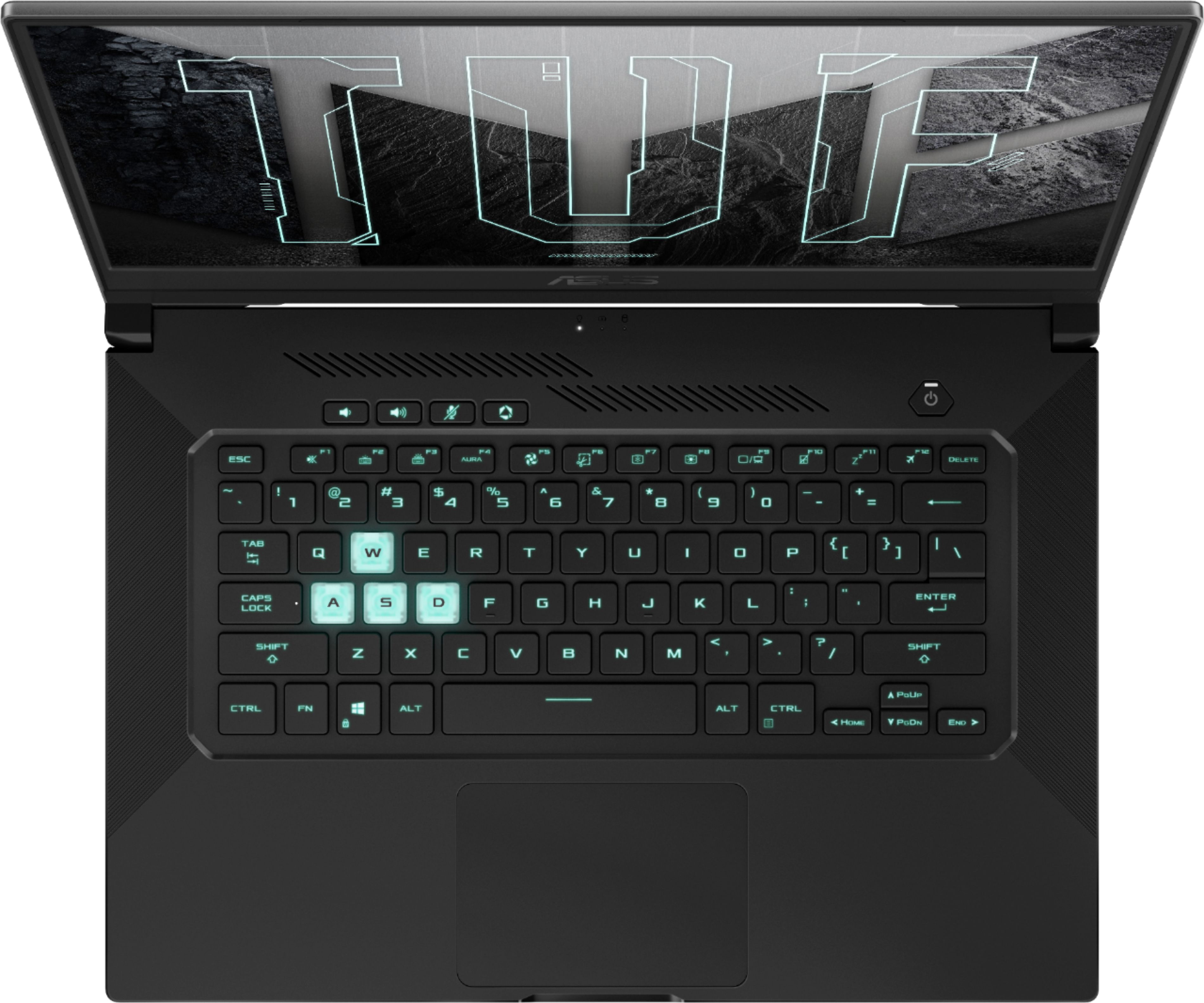


- Model:
- FX516PM-211.TF15
- SKU:
- 6448933
Rating by feature
- Battery Life
Rating 4.1 out of 5 stars
- Speed
Rating 4.5 out of 5 stars
- Display
Rating 4.5 out of 5 stars
Customers are saying
Customers regard the TUF DASH 15.6" Gaming Laptop favorably for its performance, SSD speed, and battery life, frequently praising its build quality and value for the price. However, some users noted that the fan can be loud and the device may overheat during intensive use, while the lack of a webcam was also a common complaint. The relatively small storage capacity was another point of concern for some customers.
This summary was generated by AI based on customer reviews.
- Pros mentioned:Battery life, Build quality, PerformanceCons mentioned:Webcam
Great Entry to Mid Range Gaming Laptop
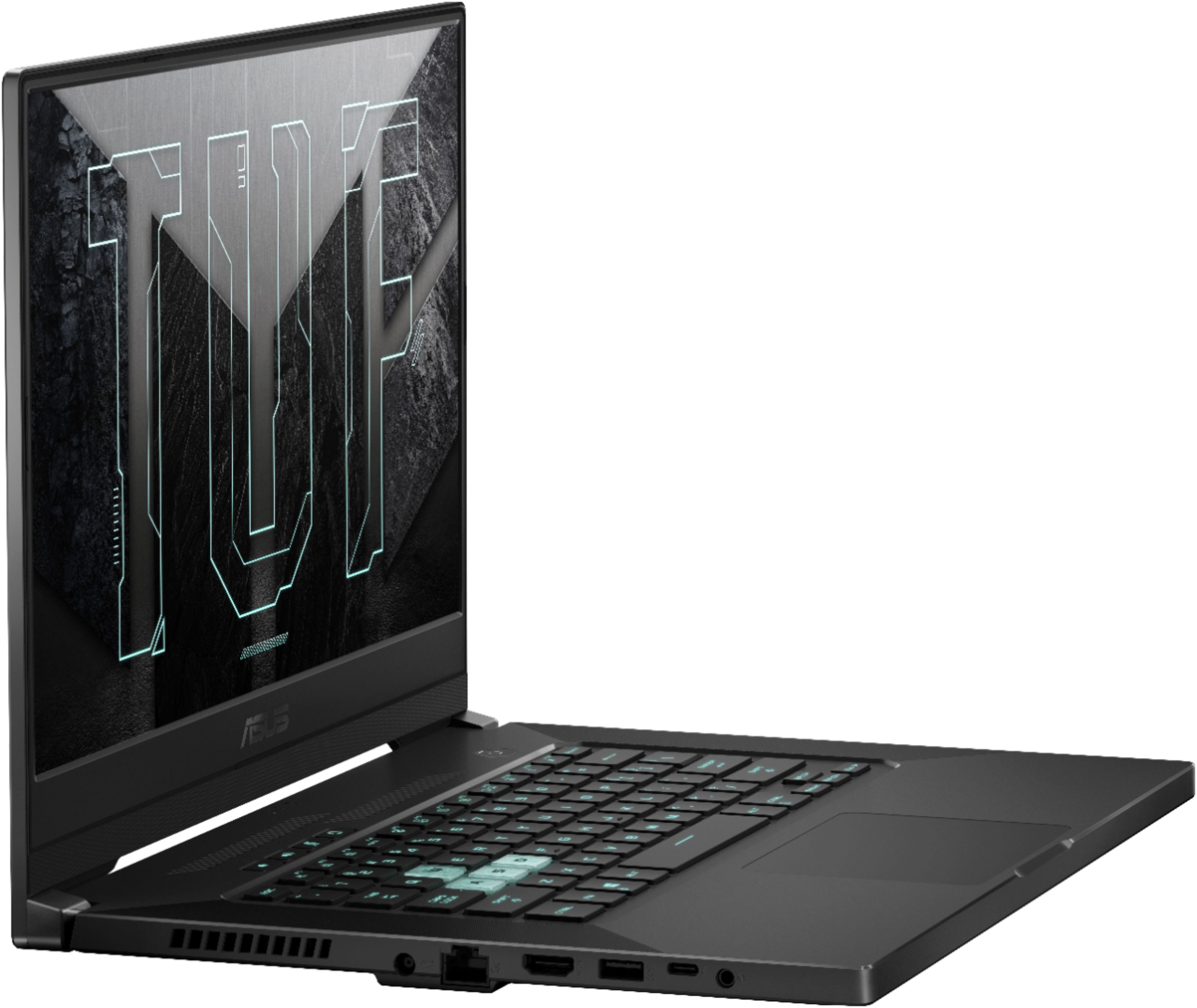
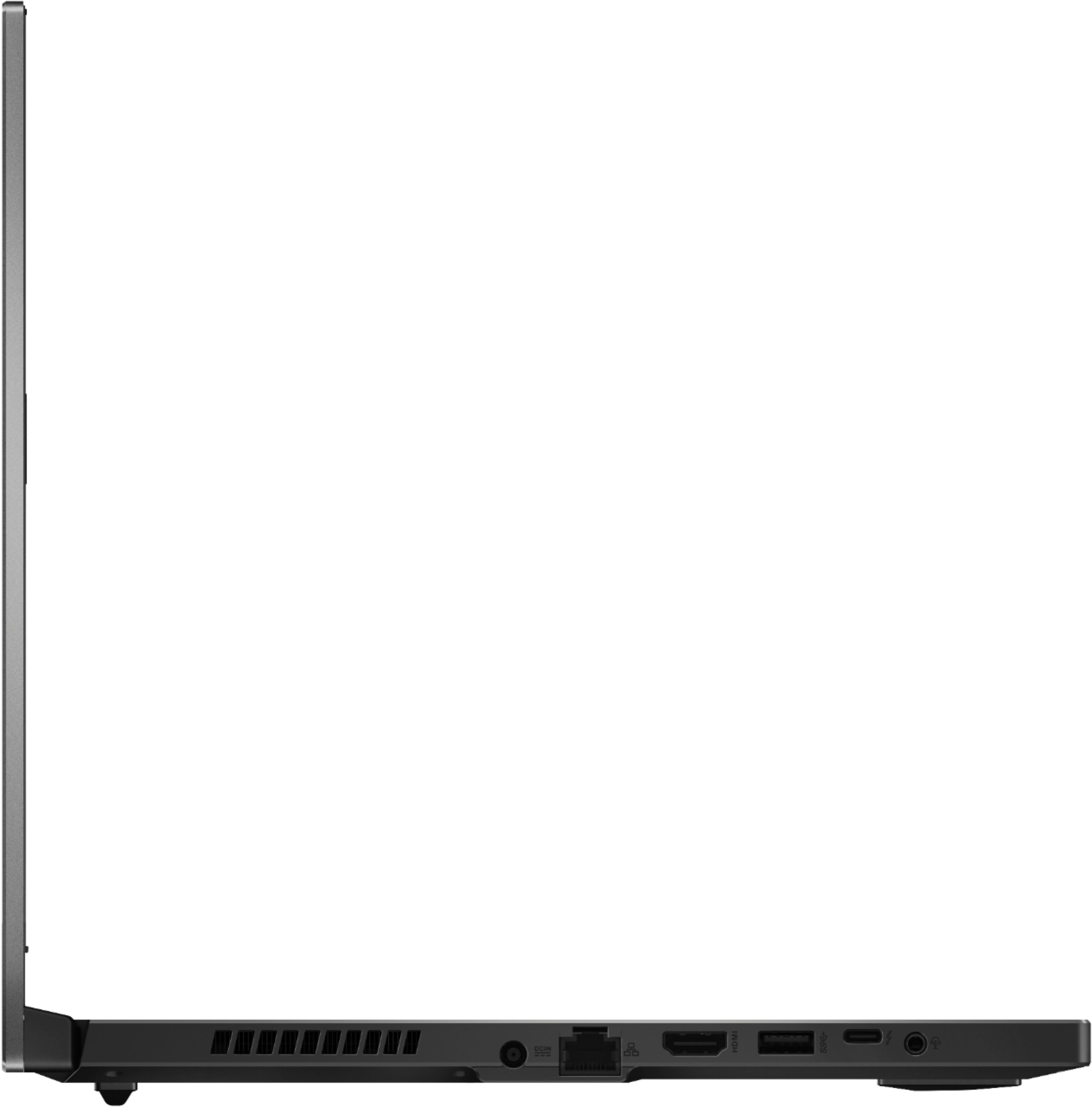
||Posted . Owned for 1.5 years when reviewed.This reviewer received promo considerations or sweepstakes entry for writing a review.I've owned several Asus ROG laptops in the past, they were amazing. This was my first from the Asus TUF lineup, and I've got to say that for the price, I'm impressed. I've owned this for almost two years now and it's running just as strong as it was on day one. Starting with the exterior: It is quite simple, but tasteful. With clean lines, metal lid, minimalistic color scheme, and that overall high quality feel, it reminds me a of a Razor Blade or Macbook. I'm Very Impressed with the exterior. Moving on the the Features: Overall, I'm not super impressed with the features on this. The Battery fairly decent and still holds a good charge, this doesn't have a webcam, the keyboard is backlit, however, It's only green, No RGB. I love that it has a USB-C Thunderbolt 4 port, very convenient seeing as I use USB-C for my headset receiver. (See Photos for port layout) Last but not lease, Performance: This can run the majority of new games (BF 2042, Diablo IV, MW2) on medium settings at around 60 fps. I personally aim for 60fps when I play games. For me, that's the balance of FPS to quality that I like. After several hours of prolonged play this thing does get HOT and will have a great reduction in performance. It's annoying, but understandable as its only a laptop. When this happens I just take a break for 10-20 minutes to let it cool back down. On that note, the fan is very loud, but if you are like me and use a headset most of the time, it's not noticeable. All in all, love this thing. Would definitely recommend a TUF series laptop to anybody looking for a solid mid range gaming laptop.
I would recommend this to a friend - Pros mentioned:Battery life, Build quality, Ssd
Great 3060 laptop for the money
||Posted .This reviewer received promo considerations or sweepstakes entry for writing a review.This was one of the few laptops that I could find that has a 3060 with a decent TDP for around $1000 that doesn't compromise on much. Pros: It runs pretty much everything at decent frame rates without easing back graphics settings. (usually) It's thin and light for a gaming laptop It feels solid even though it is plastic Dedicated button for cycling through power settings (silent, performance, turbo) The thermals are good under full load when the fans are max speed, but during light loads, silent mode is enough to keep thermals in check. The Asus utility allows you to set the level of charge you want to stop charging your battery at, and it even works when the laptop is powered off while plugged in. (60%, 80%, 100%). This is to save the battery from wear if you typically use your laptop plugged in. Battery life is okay when in silent mode at light load, you might get 6 or 8 house out of it. Don't expect much more than a few hours of medium load gaming in battery. You could kill it in under 2 hours at max load. Thunderbolt 4 WiFi6 The IPS screen is pretty decent for this price point. Colors are okay and brightness is enough for most environments. Keyboard is backlit Speakers are decent (the best laptop speakers I've ever had, but I've had some terrible laptops) Storage is quick (500GB NVMe SSD) and if you need more capacity, there is one more M.2 slot free for a storage drive. You'll need an M.2 NVMe SSD in 2280. (2280 is the physical size - 22mm x 80mm) Cons: No webcam No number pad The keyboard isn't RGB 16GB RAM is a bit on the low side and 8GB of that is soldered. To upgrade, the 8GB stick has to be removed. I personally opted to get a 32GB stick (around $80) but even a 16GB stick would keep you from running out in most situations. (Single stick DDR4 3200MHz SODIMM is the kind you'll want - the capacity is up to you - the price difference is $50 vs $80 between 16GB and 32GB respectively) Overall, this is a great laptop for the price; great specs for the price and decent upgradeability. However, I did buy it almost a year after it launched. It is a good buy now, but definitely do some research; there may be something better out there now in terms of bang for the buck. If your research has brought you here, and you are leaning towards this one, I would hope this review pushes you over that edge.
I would recommend this to a friend - Pros mentioned:Battery life, Build quality, Performance
Great little workhorse laptop.
||Posted . Owned for 3 weeks when reviewed.This reviewer received promo considerations or sweepstakes entry for writing a review.I've been working on this laptop daily for almost a month now, so far temps have been great, it's really quiet, and it can run apex really smooth for when i want to do a little gaming on the side. Feels really well built. I upgraded the memory which was a bit weird because one 8gb was swappable and the other 8 is soldered somewhere to the board so i have 24gb now. It boots really fast. Has no problem with my 60 or more chrome tabs that I'm constantly cycling through for work and connects to my Dell thunderbolt dock perfectly so i only need the one cable to run three monitors, ethernet, mouse, keyboard and a few USB devices. I like the placement of the track pad being farther to the right because i have large hands and my palm sometimes touches the track pad when I'm playing games with wasd and throws my aim off with my other two laptops. No camera which I'm not sure how i feel about cause everyone is doing virtual meetings these days but all in all I'm extremely satisfied with how much work it can get done quickly and makes the battery last hours! The cpu could be a tad better but paired with the 3060 it's a great combo. At a decent price it surprised me that it feels like a premium laptop with all the right features
I would recommend this to a friend - Pros mentioned:Battery life, Build quality
Best Bang for The Buck, Missing WebCam
||Posted . Owned for 1 week when reviewed.This reviewer received promo considerations or sweepstakes entry for writing a review.Overall I am very satisfied with this laptop. I’ve had mostly Sony VAIO and Dell laptops before. I’ve never looked at a laptop as the main house computer, this was what I intended to do with this one: Replacing my main Dell Studio desktop at home. I’m not a PC gamer but before our work issued us nice business laptops, I tried to do a 2 monitor set up with my Dell Studio Core2Quad. The Bios was too old and an Nvidia GPU didn’t pair with it correctly. I knew it was time for a new desktop with a GPU, no way around it. This was March / April 2020. I waited a long time. All articles 1.5-2 years old stated that laptops aren’t par with desktops right now as you cannot change parts on them, like you can with desktops. Although this ASUS Tuf Dash doesn’t have a camera, before Telework, I’ve used my web cam once in my entire life, so it’s not that big of a deal. I decided to give this one a try. I wasn’t necessarily looking for an ASUS brand laptop, but it seems to be the best bang for the buck. I do wish it has 1TB HDD though. I received this on the 10th of December. And boy is this computer fast or what. I do not know the specs but the screen isn’t as crisp as an older MacBook Pro with Retina display. Definitely not a deal breaker for me. Battery life is phenomenal for browsing web. I was on it more than an hour it seemed it only depleted about 7-8%. It’s about 7 hours or so if I had to guess. I did okay Roblox today, without the charger it lasted 2.5-3 hours and that game did make the laptop a bit warm also. Last week I tried connecting it to my Dell dock (Dell WB19TB) to try out dual monitors, it connected but it froze up and put the this laptop to sleep and didn’t wake up no matter what I did, it had a black screen with a cursor. Next day it had bunch of updates from Windows and Asus. I know I should t pair with that dock again, I almost got ready to give it a bad review. This laptop is more than anything 95% of the people will need. I was looking at some full resolution family pics, which freeze up my Dell i7 - 7th Gen Laptop, this guy handled it amazingly. I do use this for some light photography work as well. I have to say lots of people complaining about the arrow keys on the right being crowded, is so true but the keyboard it self: they keys are spread out nicely and makes it easy to type fast. I am disappointed about Best Buy though, I wont give Asus Tuf Dash a negative because of their screw up. Please see image below this was a Best But Excellent Geek Squad Certified Open Box, condition which had bunch of grease marks/ hand prints on it (it’s an $1100+ tax pc, clean it up). 2nd issue was that it has a screw missing on the bottom, which makes me wonder what was opened up and what was replaced. I do have till the 15th or next month to return it. I will monitor it. The condition with screws falling out should be Open Box satisfactory or just excellent or something, the not high test tier of Open Box.
I would recommend this to a friend - Pros mentioned:Battery life, Build quality, Speed

Well-balanced gaming laptop at a fair price.
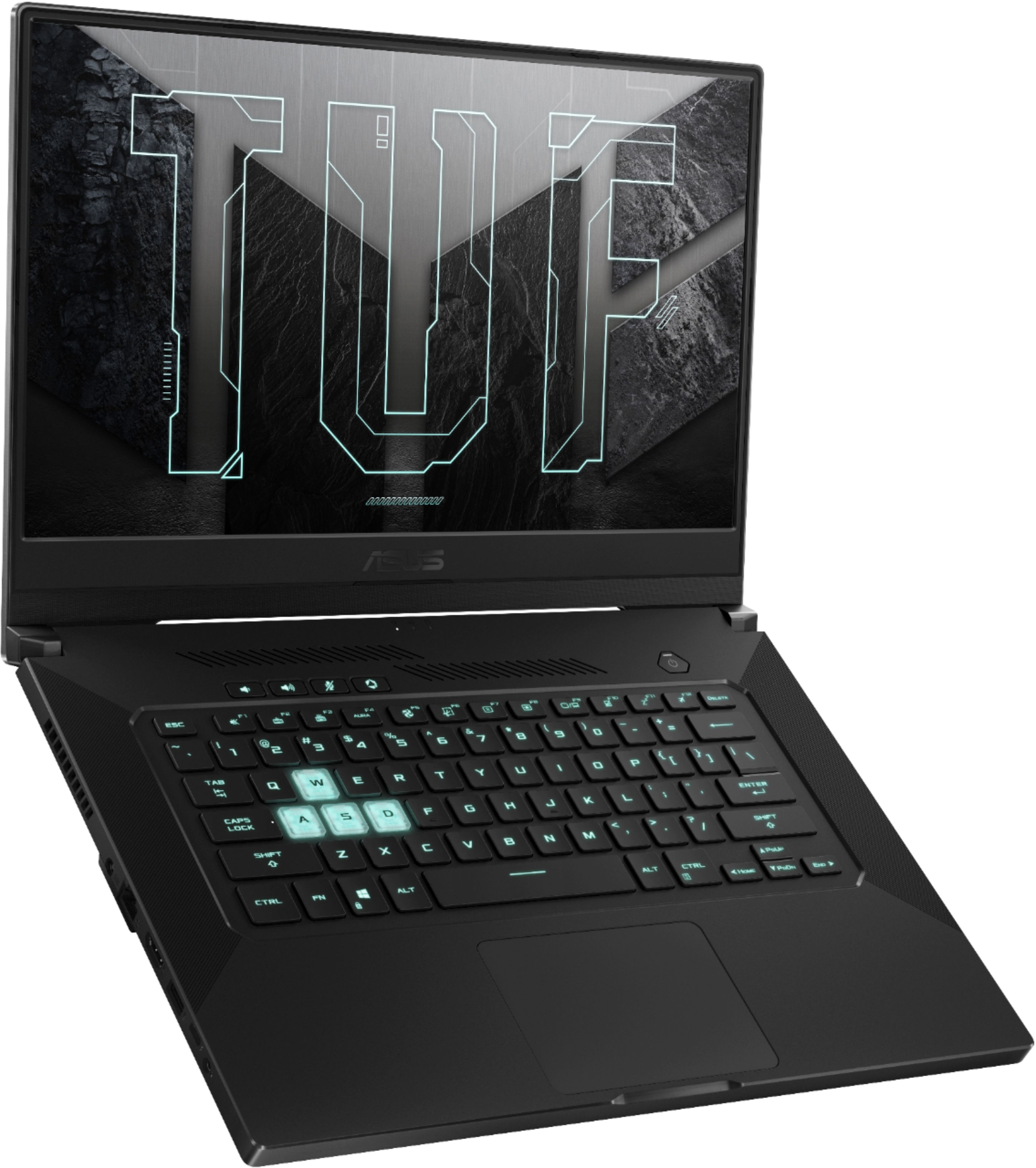
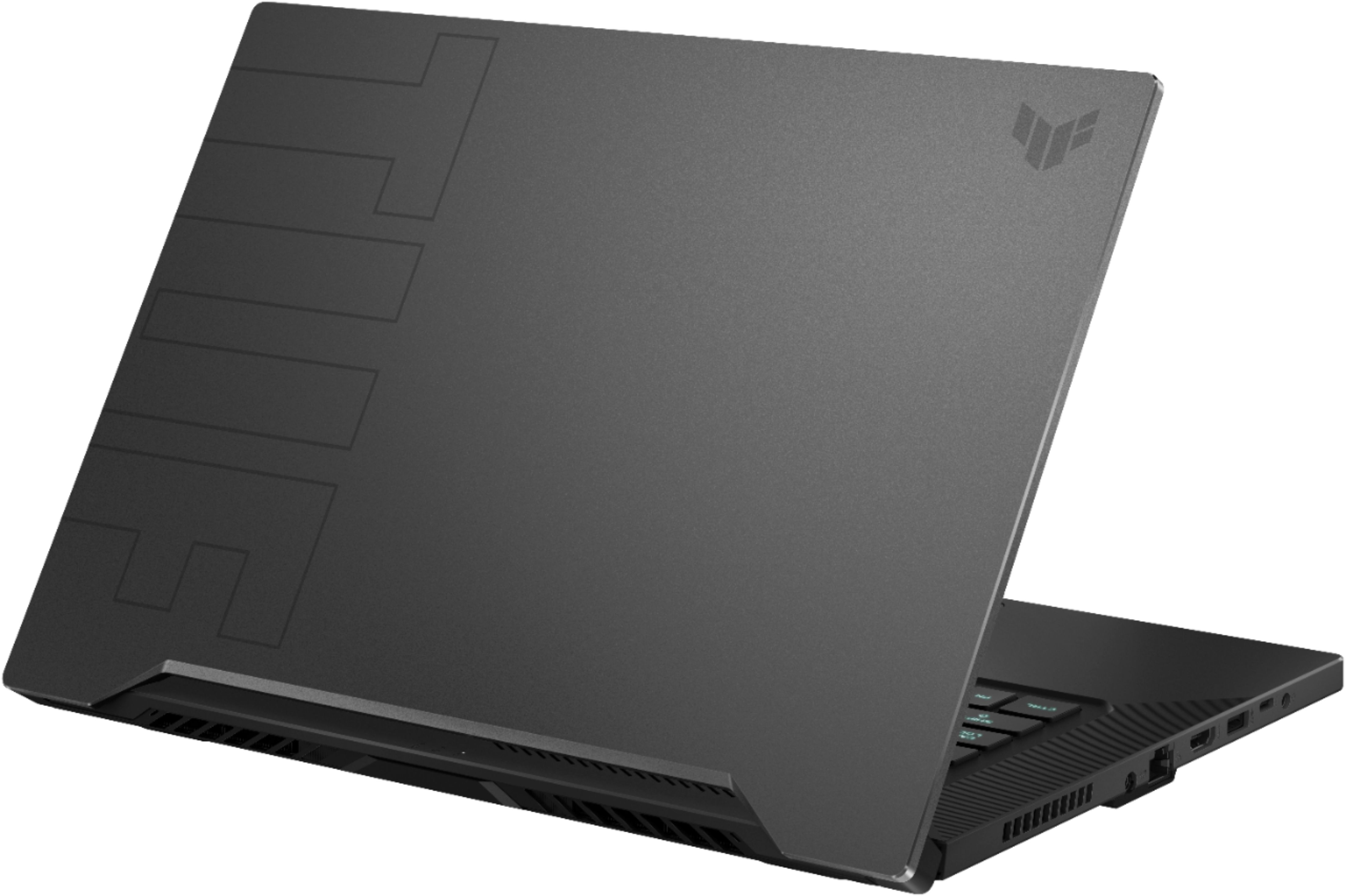
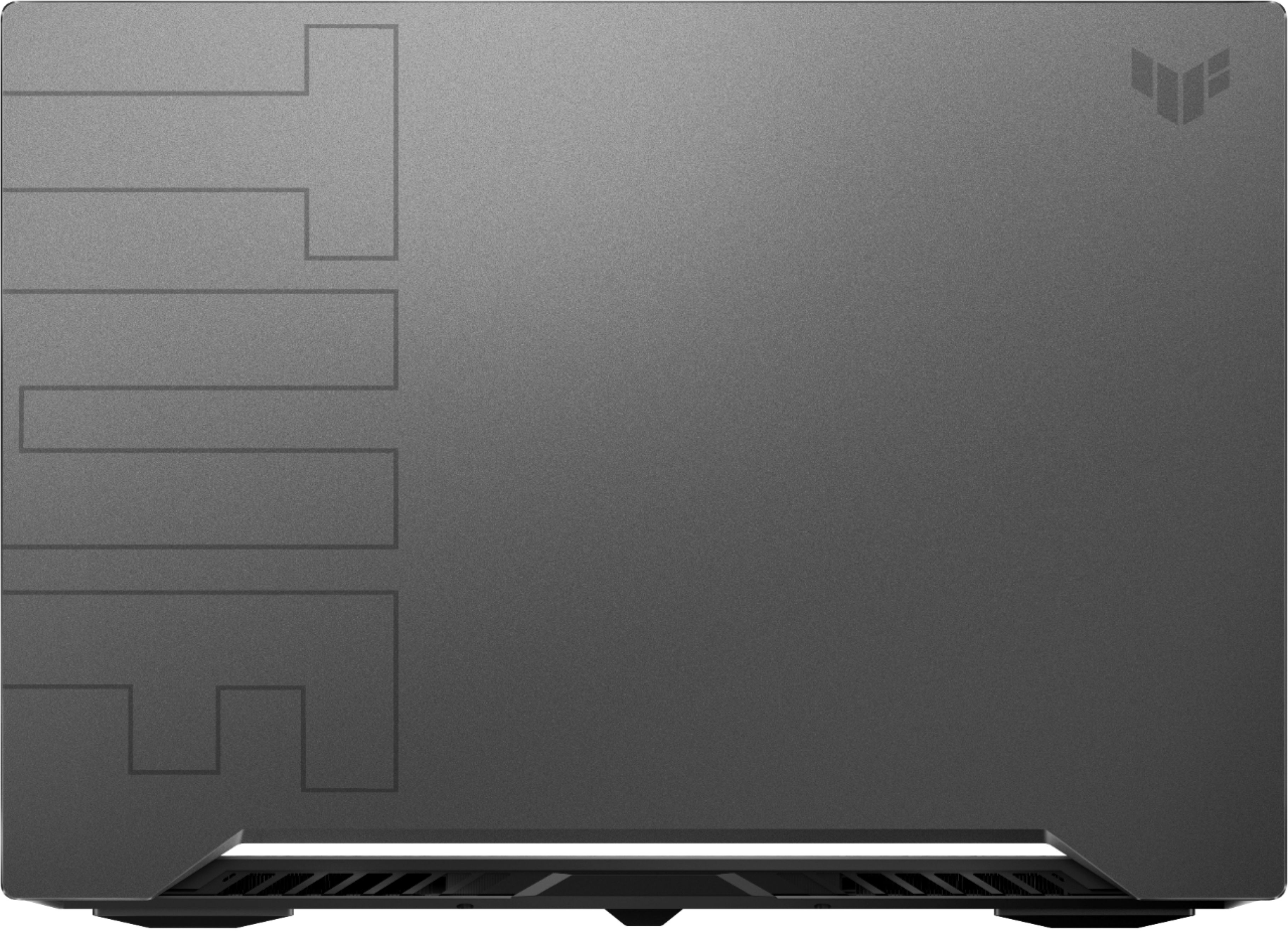
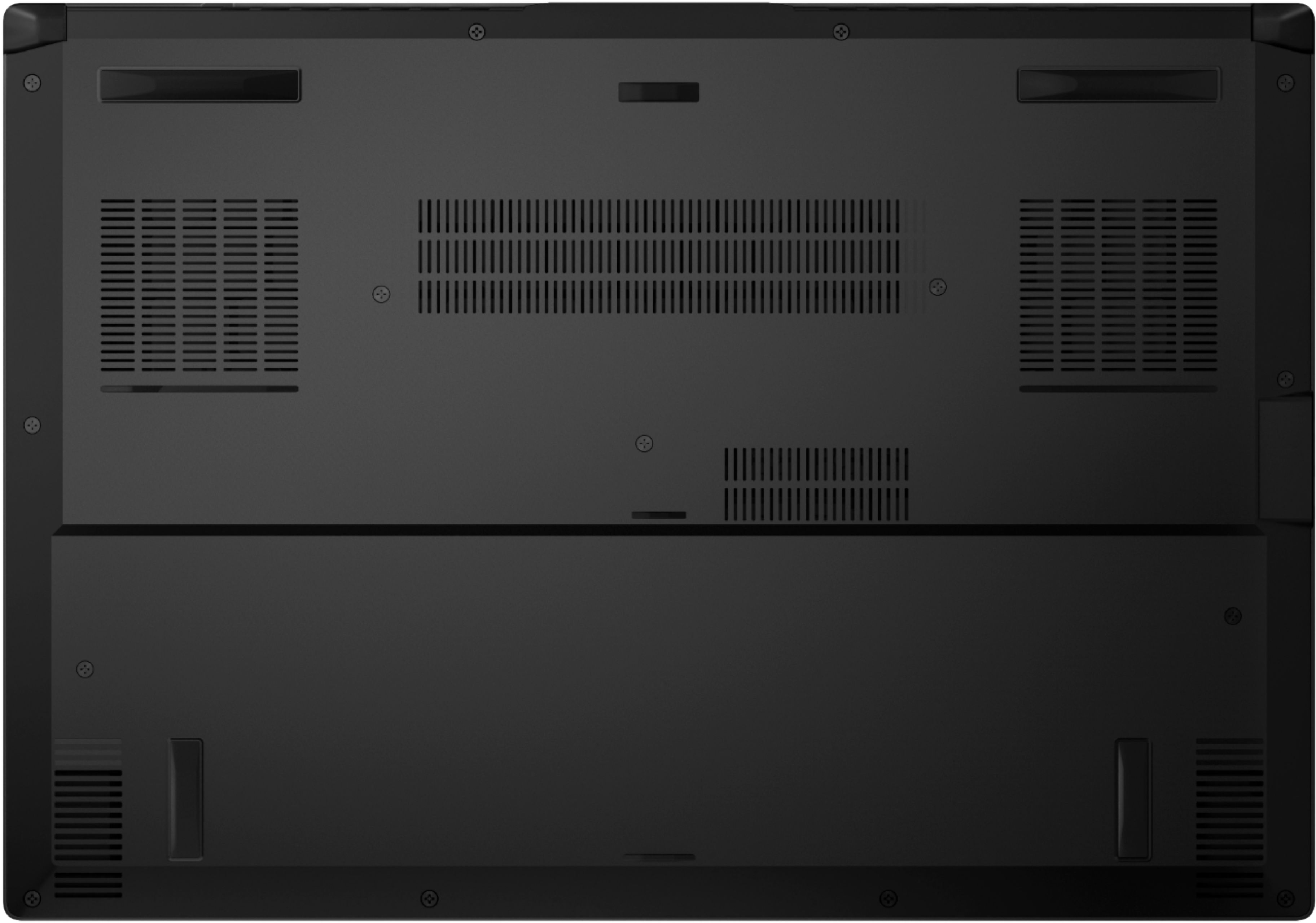
|Posted .This reviewer received promo considerations or sweepstakes entry for writing a review.=== Summary === The 2021 Asus TUF Dash 15 is an excellent mid-range gaming laptop that gets many things right. The design is clean and stylish, the build quality and fit-and-finish are great despite being plastic, the screen refreshes up to 144Hz for smooth tear-free gaming, the Nvidia RTX 3060 Max-Q GPU is capable for most modern and older games, the keyboard is well-balanced and suited for both gaming and general usage, the Precision TouchPad works well, and there are enough ports along the two sides to fit my needs. When not gaming, the Intel Iris XE 12th-gen integrated graphics and the 76-Whr battery provide long endurance, often up to 7 hours, which is quite incredible for a non-Ultrabook. At $1,099.99 (as of 2021-03-03), Asus has crafted a well-balanced gaming laptop that is relatively lightweight, performant, and easy to live with. It's a 5-star Win! _____ *Pros: -It's made from plastic, but it's durable with a good fit-and-finish. -General usage performance is fantastic and snappy all-around. -High refresh rate gaming at 1080P is fast and smooth. -Comes with Microsoft Precision Touchpad. -The speakers sound loud and clear after fine-tuning through the DTS:X Ultra app. -Has all the ports I want - no need for dongles. -Comes with a minimum amount of third-party bloatware. -Some preloaded apps are useful (e.g., Armoury Crate, DTS:X Ultra, MyAsus). -NVME SSD installs and loads large games fast. -The bottom cover is very easy to take off for future upgrades (bigger or additional NVME drive, RAM upgrade). -You get a lot for your money (H-class Core i7, 16GB DDR4, 512GB NVME, 144Hz screen, RTX 3060). -General-use, non-gaming battery life is excellent - up to 7 hours at max screen brightness. _____ *Neutral: -I wish the touchpad area was bigger and had a glass top. -No dedicated PgUp, PgDn, Home, and End keys. -Only comes with a 512GB drive. -Only one RAM slot is upgradeable. -The Asus website for driver downloads is a bit clunky and disorganized. _____ *Cons: -No built-in webcam. === Design & hardware === The Asus TUF Dash F15 has an understated, non-blingy look to it which appeals to me. Although I don't mind that onlookers know I own a "gaming" laptop, I personally don't want something that is too flashy or garish. The only design aspect that might tip off others that this is a gamer's laptop is the backlit keyboard lighting with special accents for the WASD keys which you can configure for static-on, breathing, or pulsing through the Asus Armoury Crate app. So, kudos to Asus for building a clean-looking yet stylish gaming machine. Like many gaming laptops in this price range, the build is all plastic. That means that when you press down on certain components, like the lid or the keyboard deck, you're going to feel some flex, and those surfaces will attract fingerprints and smudges more easily than metal. With that said, I don't have any issues with the plastic Asus chose because it's dense, durable-feeling, and not cheap-looking. Plus, the build quality and fit-and-finish are excellent, with no unsightly gaps, super-sharp edges, or unattractive color transitions from one surface to the next. Another benefit of using plastic is keeping the weight relatively light. I weighed the laptop and it was exactly 5 lbs; it's pretty okay for all the powerful hardware it's packing and it's definitely portable without straining my shoulders and neck when I'm carrying it inside my backpack. I'm quite satisfied and content with the types of ports offered: 3x USB-A, 1x USB-C/Thunderbolt, 1x HDMI, 1x ethernet, and 1x audio. Since I still own many accessories that are USB-A only, I'm spared from having to carry and use those annoying adapter dongles. The TUF 15 supports USB-C PD charging and I top it off with my Anker PowerCore III Elite 25600 PD powerbank when I can't or don't want to use the AC adapter (it's $99.99 on Bestbuy.com). Asus also did a great job with the cooling. When used as a general-purpose PC (e.g., browsing, video editing, spreadsheets), the TUF 15 is silent and I rarely hear the fan spin up. Even when the fans kick in, it's only for a short burst before they become quiet again. During gaming sessions, the fan noise level was totally acceptable. To help the laptop out, I have it raised about 2.5" off the desk via a height-adjustable laptop stand, which I recommend everyone gets since it helps with the airflow and cooling, thus extending component and battery cell longevity. Future upgrades are quite limited but easy to perform since Asus made it very simple and easy to take off the bottom cover. After taking off the 15 screws (one screw loosens but doesn't actually come out), you just pop off the bottom cover with either your fingernail or a soft plastic lever. I've already upgraded my NVME drive by replacing the OEM SK Hynix 512GB drive with a 1TB Samsung NVME one and it was dead simple. I'll most likely add another NVME drive into the second slot once I find a great deal on a 2TB NVME drive. All in all, I feel Asus has put together quite a compelling package that gives you lots for your money. It's a great do-it-all laptop that can run modern games with most eye-candy options turned on at a high refresh rate and provide a long-lasting battery and smooth multi-tasking for general-purpose computing. === Display === Since the display is gamer-oriented, I can forgive it for not getting very bright or being very color-accurate when compared against some of my high-end Ultrabooks. With that said, the display is still wholly adequate and fine for most usage scenarios. Just don't expect to do high-accuracy photoshop or video color-grading work on this laptop. For gaming purposes, though, I'm sure most people will be quite satisfied and happy thanks to the smoothness enabled by the 144Hz refresh rate. === Keyboard and touchpad === I'm a big fan of HP's keyboards on their Spectre Ultrabook range and the keyboard on the Asus TUF 15 isn't too far off when it comes to accuracy, feedback, responsiveness, and uptake rate. The keys don't wobble as they do on some mid-range Dell gaming laptops I've used in the past, and I found both gaming and typing to be a pleasant experience. The touchpad, fortunately, is a Microsoft Precision touchpad, and that means you can configure your own custom 2-, 3-, and 4-finger gestures to your liking inside Settings. My only gripes about the touchpad are that I wish the touchpad area was a bit larger and there was a glass layer on top for extra smoothness. Also, Asus could've better utilized the ~1.5" of empty space on the left and right sides of the keyboard area to fit in more dedicated keys, such as PgUp, PgDn, Home, End, and PrtScrn. === Gaming Performance === Since the RTX 3060 is the Max-Q kind, which is slower than both a desktop RTX 3060 and the more powerful Max-P mobile variant, I had doubts whether it could run Cyberpunk 2077. To my surprise, the game ran well after I enabled Balanced DLSS and reduced some shadow settings inside the game menu. The game never hit 60FPS but remained above the playable 30FPS mark. I also do console emulation gaming on my laptops and the TUF 15 handled Cemu and Yuzu smoothly, no surprise since the laptop runs both a powerful Intel CPU and an Nvidia GPU. Older PC games run extremely well with high FPS, thus taking full advantage of the 144Hz display. === General Usage Performance === When used as a general-purpose machine, the TUF 15 can do it all and do it well. With a powerful Core i7 CPU, 16GB of RAM, and an NVME drive, it can function as a powerful desktop replacement machine. I do photo and video editing on the TUF 15 and it's faster than my desktop with a 9th-gen, 8-core, Core i7 9700 CPU and an Nvidia GTX 1080. For those who like benchmarks, here's some data: *Asus TUF 15 vs my custom-built PC with a Core i7 9700 (8-core/8-thread), GeForce GTX 1080, 32GB DDR4-2666 RAM, WD SN720 NVME drive. -Geekbench 4.4.2: 6522 single-core, 20719 multi-core, 263252 OpenCL (Desktop: 5528 single-core, 28000 multi-core, 183050 OpenCL) -Geekbench 5.1.1: 1525 single-core, 5004 multi-core, 96621 OpenCL (Desktop: 1200 single-core, 7400 multi-core, 52588 OpenCL) -PCMark 10: 5857 total, 8914.0 Essentials, 8707.0 Productivity, 7028.0 Digital Content Creation (Desktop: 6032, 9823, 6746, 8991) -3DMark Time Spy: 6613 (Desktop: 6943) -3DMark Fire Strike: 14895 (Desktop: 18412) -3DMark Night Raid: 28175 (Desktop: 47741) The only thing the TUF 15 is missing for work-from-home (WFH) usage would be the lack of a webcam. === Battery life === The battery life on the TUF 15 has been fantastic. With the screen brightness set to 100% and doing regular PC tasks (e.g., Chrome browsing with +30 tabs, YouTube streaming, Google Suite running in the background, video editing), I consistently got 5-6 hours of battery life. That kind of battery life is normal and expected from an Ultrabook but I never expected it from a "gaming" laptop with a Core i7 CPU and a discrete RTX GPU. By lowering the screen brightness and not doing CPU-intensive tasks such as video editing, I can easily extend the battery life an additional 1-2 hours. Fantastic stuff! === Is the Asus TUF 15 a good buy? === Absolutely. At $1,100, you get your money's worth in terms of component selection and quality, as well as great performance and battery life. Thanks to an additional NVME slot, which is easily accessible, expanding the storage in the future is a simple affair. I feel very comfortable recommending the TUF 15 for someone who wants a single laptop that can do both gaming and general-purpose tasks in a relatively lightweight package that costs around $1K.
I would recommend this to a friend - Pros mentioned:Battery life, Build quality
Cheapest i7 11gen gaming laptop without webcam
||Posted . Owned for 1 week when reviewed.This reviewer received promo considerations or sweepstakes entry for writing a review.Bought this as my first gaming laptop. I needed a one which would be compatible with Oculus Quest 2 (I am yet to try on it as I dont have Link cable). The build is good, colors look average as compared to my old laptop - Dell Inspiron 13, fast enough to hold heavy software applications I have, sound quality is average, good battery (without gaming). I am working professional & need webcam as must requirement. As this laptop dont have it, I have to carry webcam as extra accessory. I feel non-glare screen on it makes color quality less bright. Also this laptop is a magnet for the fingerprints which might look very embarrassing if you use it in front of team/class. This laptop also dont have fingerprint scanner which is now a days common in new generation laptops.
No, I would not recommend this to a friend - Pros mentioned:Speed
Best ever
||Posted . Owned for more than 2 years when reviewed.This reviewer received promo considerations or sweepstakes entry for writing a review.love my purchase, use it for more less 2 years and always fast and always great!
I would recommend this to a friend - Pros mentioned:Performance
Perfect for gaming
||Posted . Owned for 11 months when reviewed.This reviewer received promo considerations or sweepstakes entry for writing a review.Excellent laptop for gaming. It runs everything at full specs.
I would recommend this to a friend - Pros mentioned:Performance, SsdCons mentioned:Fan noise
Fantastic budget friendly gaming laptop.
|Posted .This reviewer received promo considerations or sweepstakes entry for writing a review.ASUS - TUF DASH 15.6" Gaming Laptop - Intel 11th Gen i7 - 16GB Memory - NVIDIA GeForce RTX 3060 - 512GB SSD - Eclipse Grey - Eclipse Grey Summary: Compact, lightweight, yet surprisingly capable gaming laptop. Pros: * Form factor. This laptop has an extremely convenient form factor. Unlike typical gaming laptops (usually in the form of "desktop replacements"), this unit is thin and large enough to comfortably get on with your mobile gaming. * Light. This laptop is light! No two ways around it. It is only marginally heavier than my iPad Pro with keyboard/case or Surface Pro 4 with keyboard and case. That's awfully impressive. * Matte screen. The matte screen helps against glare. I owned an Alienware 18 and it was awesome (as a desktop replacement), but one of the biggest issues was the high gloss screen. While such screens are sharp, they also reflect much more clearly. This isn't a problem with this unit. The display is also adequately bright for on-the-go gaming while on FULL POWER. * Graphics card. This unit packs the punch it does because of the new line of Nvidia RTX 3060 chipsets. Surprisingly smooth gameplay for a gaming laptop at this price point. A sign of the times to come! * Pronounced AWSD keys. I like the full underlit transparent AWSD keys. It's not necessary for a gamer, but it is a neat touch. * SSD. The disk is indeed fast and installation and startup of games are quick and a breeze. I didn't run benchmarks for throughput because loading times weren't a problem for me. Cons: * Proprietary power supply. While the unit is equipped with a USB-C port and can be powered/charged with an appropriately rated charger (which I own, thankfully), for many this laptop means carrying around yet another type of charger and cables. I would much rather have had included an appropriately rated brick and USB-C. * No camera/microphone. I can understand foregoing a touch screen to optimize cost, but no webcam/microphone seems like a miss for any mobile device produced in the past few years and certainly one released during a pandemic. Those that might also use this laptop for work might skip this unit for that reason alone. Again, more accessories and cables. * Speakers. The built-in speakers aren't great. Again, also not a deal-breaker. There are not many other laptops I can think of including my Alienware 18 that actually had good speakers, either. Potential Concerns: * Port placement. You might consider a branded dock if you want to keep connectivity and cable sprawl to a minimum and use quality speakers. The ports are placed in standard locations for laptops. This means for some cabling might be an issue if you plug a lot of stuff in. Other than for a mouse, I don't and therefore not a deal-breaker for me. * No display port. With this kind of power, I would have loved a DP. * Fan noise. Even loading a game the GPU fans can kick on high and they are definitely noticeable. Not sure what I expect from such a slim form factor with such GPU power. * SSD size. 500 GB isn't enough for gaming consoles, not sure why it would be adequate for a gaming PC. An m.2 port would have been a great addition. * Battery size. While operating battery only using the HIGH PERFORMANCE (Windows power savings profile) playing a game like Warcraft (at MAX settings) you can expect about an hour's worth of gameplay. You can get more time if you reduce settings in various areas/combinations. Your mileage may vary. This is somewhat on par with other systems I've owned. This isn't a Nintendo Switch or an iPad. It is a full-on PC laptop, though. * No touch screen. At this point, I've grown accustomed to touching screens on laptops. Not usually gaming laptops, I'll admit. This isn't a deal-breaker, but something you might overlook if you're accustomed to Windows 10 devices like the Surface and thought a transition to this wouldn't be a stretch. Use: I initially struggled to get some frame rates I expected out of this unit with my most mainstay of games: World of Warcraft. With this generation of chipset and ray tracing support, I was expecting mind-boggling numbers given that WoW generally runs on anything almost. I thought it was a reasonable expectation to have. Please read all of the following paragraphs [as excerpts might otherwise be misleading if taken out of context]: Note: I always start with applying all system and driver updates! World of Warcraft: Initial gameplay was indeed smooth. But the frame rate was shocking abysmal. I simply not get the frame rate past 30 fps consistently. Usually, the rate was sustained, but occasionally it would drop to as low as 10 fps while moving quickly through dense forests with streams and various complicated lighting and NPCs. While standing in a room or sparse environment I might see a spike to 50s, but only then. My Surface could manage that in specific zones on my lonesome. So I kept digging. Nothing that stood out. I even reduced details settings from ULTRA to HIGH, to somewhere in between and nothing seemed to improve fps to a value I was expecting. I almost gave up. Then I decided to try another game one notch heavier on system requirements. Elder Scrolls Online: I proceeded to install ESO. I was shocked. As with WoW, ESO played smoothly on MAX and I was off wandering and killing stuff in a jiffy. I almost forgot about the point of the testing. I turned on the fps meter and saw a number I did not expect because of my experience with WoW: 90-100fps. For 1080p on max and with an RTX 3060, this is more along the lines of what I was expecting for WoW. Impressed with that experience I decided to kick things up a notch further and install a more modern and demanding game to confirm my findings. Destiny 2: I installed Steam and downloaded Destiny 2. Again, the game played smoothly. I was encouraged further. I turned on the frame rate display and again, surprised. The frame rate was fairly consistent in the high 90s up to about 110 fps. There were occasional dips to 70s, but even with other players on-screen during an event on MAX the fps was around 75. So what was the deal with WoW? Well, I am guessing optimization. I thought about the difference between the games. Having recalled that WoW enabled support for ray tracing, and since the other games played surprisingly well, I decided I'd start there. BINGO! I disabled ray tracing support altogether and it changed the game! FPS bumped up from the 30s up into the mid-80s and usually hovered around 100 +/-. This was splendid news. I played with reenabling ray tracing settings incrementally to MAX and it definitely reduced fps significantly for each setting. My guess at this point is that raytracing just isn't well enough optimized in the game OR perhaps with all other settings at MAX and for the 3060 the workload might be too much. In any event, ray tracing is new and not something I was accustomed to and so it's not a big deal to disable it - not if the trade-off is a gained 50+ average fps increase. Summary: This unit performs surprisingly well for its price point. I have owned other ASUS gaming laptops before this (years and years ago) and they were worth every penny. I switched to Alienware because I needed "more." Because of the reduction in travel requirements during the pandemic, I got a desktop and it serves primarily as my work machine as well as gaming. Now that travel expectations are being set at work post-pandemic I needed something I could game on while on the go and when I'm downstairs away from my desk or wherever. This laptop is cheaper than most smartphones and gives me much more entertainment (and productivity) value. DEFINITELY WORTH A LOOK.
I would recommend this to a friend The little power house that could?
||Posted . Owned for 2 weeks when reviewed.This reviewer received promo considerations or sweepstakes entry for writing a review.Shipping was a nightmare. I had to hunt it down as it was left on the "porch" unsigned for but I won't blame the laptop on that. Screen isn't as bad as I've read but maybe I'm lucky. Plays ACV very nicely 30+ hours clocked, and other triple A games RDR2 etc. She runs a little hot but a cooling pad is easy enough. No Webcam, don't need it I have a phone. No disc drive, got to make cuts somewhere. Over all build... well I don't know about "tuf" but it looks durable but not enough for me to test it lol. I didn't get my free game with it because I went to cancel the order and naturally they cancel the free game instead of the laptop. I never thought I would buy a gaming laptop from best buy but I did because you can't really find much out there for this price and power. Yes the highlighted keys are a eye sore but as I said best bang for buck.
I would recommend this to a friend- Pros mentioned:Performance
So far so good
||Posted . Owned for 1 month when reviewed.This reviewer received promo considerations or sweepstakes entry for writing a review.So far so good, i have been using it for about a week and runs well. Warzone (in rebirth island) with nvidia filters goes up to 80-90 fps. Minecraft all maxed out with shaders goes around 70fps. Temperatures stay good if your room is cool.
I would recommend this to a friend - Pros mentioned:Battery life, Build quality, SsdCons mentioned:Fan noise
Powerful, fast, lightweight
|Posted .This reviewer received promo considerations or sweepstakes entry for writing a review.The ASUS TUF DASH F15 is a mid-tier gaming laptop that packs in a lot of value for its price tag. Physically, the F15 is only ¾” thick and weighs in at just under 5 lbs thanks to its mostly plastic chassis. Despite that, the matte finish on the lid gives it a premium look and feel and the TUF branding, while prominent, isn’t garish. Every surface, however, is a fingerprint and smudge magnet so be prepared to constantly be wiping it down if you want to keep it looking tidy. The 15.6” IPS-level/type panel has impressive color depth, viewing angles, and contrast delivered at a 144Hz refresh rate. This makes for a smooth gaming experience in FPS games like CS:GO and other fast-paced action genres like MMORPG and racing games. I’ve played several AAA titles with all the max graphic settings (including V-sync) with only the rarest occasional stutter. I also felt the cinematic experience was quite good with natural colors and sharp detail on the 1080p display, so it’s also pretty good for watching movies and video. I appreciate that there are three USB 3.2 Type-A ports for I/O devices for all my peripherals and an HDMI 2.0b out for a second display since I tend to use dual monitors a lot; though, I did find grouping much of that on the left side a bit crowded. I also noticed that the FPS on my external monitor hooked up via HDMI was slightly less, on average, than the laptop’s screen despite also being a 144 Hz panel. The USB-C port (Thunderbolt 4) is multi-purpose for I/O, PD charging, and DisplayPort 1.4 out, and the headphone jack is capable of audio out and mic in; I had no problem hooking up my gaming headset with integrated mic for both chat and in-game audio. For those of you that are into mobile gaming on PC, I was able to run games on the Android emulator BlueStacks with no lag or stutter for responsive smooth gameplay. One thing I didn’t love is the trackpad. The left and right “mouse keys” are embedded into the bottom half inch or so of the trackpad, so while it looks nice as one smooth surface, it was hard to find the delineation between the keys and some of my left-clicks inevitably ended up right-clicks and vice versa. It also features gesture recognition, so be aware that if you try to wipe off the mousepad that you may end up switching active windows inadvertently. The laptop features a dedicated “Armoury Crate” button, alongside the one-touch volume and mute keys, which launches the proprietary software by the same name. This portal allows you to change system settings, choose performance profiles, and setup sync-able peripherals like RGB lighting and audio. I was very impressed with the two-way AI Noise-cancellation feature’s ability to scrub out background noise from mic input (both onboard and external) including typing sounds from the keyboard. The keyboard itself is tenkeyless chiclet style with good tactile feedback and low noise. It has highlighted WASD keys which are backlit, however, the lighting isn’t RGB, so you can’t change its hue from the default greenish-cyan (it has 3 brightness levels or can be turned off). The secondary commands on the keys are also backlit. Setting the laptop to ‘Silent’ lowers its power consumption and uses the fans minimally so the laptop is super quiet. However, bumping it up to Performance or Turbo mode when gaming runs the fans at full blast which are loud enough to compete with the onboard speakers’ tiny output; which makes sense given that it runs pretty hot when operating at full capacity. You’ll probably want to get a decent set of headphones, wired or Bluetooth, or external speakers for the best auditory gameplay experience. This laptop does not have a built-in webcam, which I’m ambivalent about, as gaming laptops often have disappointing webcams anyway, so its exclusion allows for a thinner bezel along the top of the screen, but also means you’ll need an external accessory if you do need to get on camera. The WiFi 6 is lightning fast (and there’s an Ethernet jack to boot) and downloads took no time at all, an essential feature for online gamers and streamers. The included 512 GB m.2 SSD is enough to get you started, but if there are several space hungry games that you plan on installing, then I recommend swapping with a larger 1 TB capacity or adding in another drive, though you’re limited to one additional m.2 NVMe SSD, as there is no HDD bay, and you have to remove the entire bottom of the case to access the slot. In terms of other upgrades, there is 1 SODIMM RAM slot, pre-installed with an 8 GB stick, which you can replace with a higher capacity, and with the additional 8 GB soldered on the motherboard have up to a combined 32 GB dual-channel RAM. Outside of gaming, the laptop performs well too, from simple web browsing to productivity apps and content creation. Battery life in “battery saver mode” and silent mode is between 3-6 hours depending on your usage. In performance mode, this figure is cut down to under 2 hours. Overall, I’d say there’s a lot to like packed into this laptop for the price. It’s lightweight and powerful enough for daily use, for both work and play, and is decently spec-ed to handle most contemporary games at or near the highest quality settings. While you’re limited in terms of upgrading, and you don’t have all the bells and whistles like RGB backlighting or a webcam, you can always build out your setup with peripherals.
I would recommend this to a friend - Pros mentioned:Performance
Great Laptop! Bad delivery service.
||Posted . Owned for 3 weeks when reviewed.This reviewer received promo considerations or sweepstakes entry for writing a review.Product was ok. Quite a little bit noisy! But overall great product for the value! Works perfectly nice and runs majority of the software and games that i have installed it! Disappointed with the delivery! I paid for a faster delivery and either way got delayed. I'll definitely recommend the product but don't spend money paying faster delivery.
I would recommend this to a friend Asus Tuff F15
||Posted . Owned for 1 month when reviewed.This reviewer received promo considerations or sweepstakes entry for writing a review.The Asus Tuff F15 is a pretty sweet laptop. It plays games pretty well, it has a decent fan; you can hear it running, and it looks pretty rad. Mine had an extra slot for more memory. The battery is about like any other laptop in my opinion, depends on what you are running. I usually leave it plugged in if possible. Only thing I have yet to figure out is if you can change the illumination color of the keyboard, not that it matters to me that much. Overall I was satisfied with my purchase
I would recommend this to a friendWonderful gaming laptop for college students
||Posted . Owned for 11 months when reviewed.This reviewer received promo considerations or sweepstakes entry for writing a review.Reliable laptop! I use the device for school and gaming on the weekends, runs as a beauty and never overheats.
I would recommend this to a friend- Pros mentioned:Battery life
Amazing
||Posted . Owned for 1 month when reviewed.This reviewer received promo considerations or sweepstakes entry for writing a review.The battery life is amazing. It even charges really quickly. The graphics during gameplay is pretty amazing as well. Highly recommended for gaming. :)
I would recommend this to a friend - Pros mentioned:Ssd
Good budget gaming laptop
||Posted . Owned for 2 weeks when reviewed.This reviewer received promo considerations or sweepstakes entry for writing a review.Good budget gaming laptop. Enough RAM and a good GPU and CPU. Ran benchmarks and they were good. FPS we’re strong but rating was lower than expected.
I would recommend this to a friend - Pros mentioned:Build quality
My Best Buy Budget Set Up
||Posted . Owned for 1 week when reviewed.This reviewer received promo considerations or sweepstakes entry for writing a review.I personally love my Asus TUF DASH shipping took 6 days for standard free shipping. Although they do offer faster shipping shipping at a cost. I just wish i could've made the switch from console to pc alot sooner. I paired my Pc the hyperx keyboard and mouse which i purchased through Bestbuy as well. All in all one happy and satisfied customer.
I would recommend this to a friend - Pros mentioned:Performance
Outstanding
||Posted . Owned for 3 weeks when reviewed.This reviewer received promo considerations or sweepstakes entry for writing a review.I switched over to pc from console and this was the best decision for a new pc gamer in my opinion
I would recommend this to a friend - Pros mentioned:Performance
Excellent
||Posted . Owned for 2 months when reviewed.This reviewer received promo considerations or sweepstakes entry for writing a review.Excellent laptop for my X-Plane 11; very good performance, thin, very good performance, quiet in turbo mode compared to other laptops, I have it for almost 3 months and it has not failed me. I recommend it.
I would recommend this to a friend