Customer Ratings & Reviews

- Model:
- VG32VQM5B
- SKU:
- 6638577
Rating by feature
- Display Quality
Rating 4.7 out of 5 stars
- Ease of Use
Rating 4.7 out of 5 stars
- Features
Rating 4.7 out of 5 stars
Customers are saying
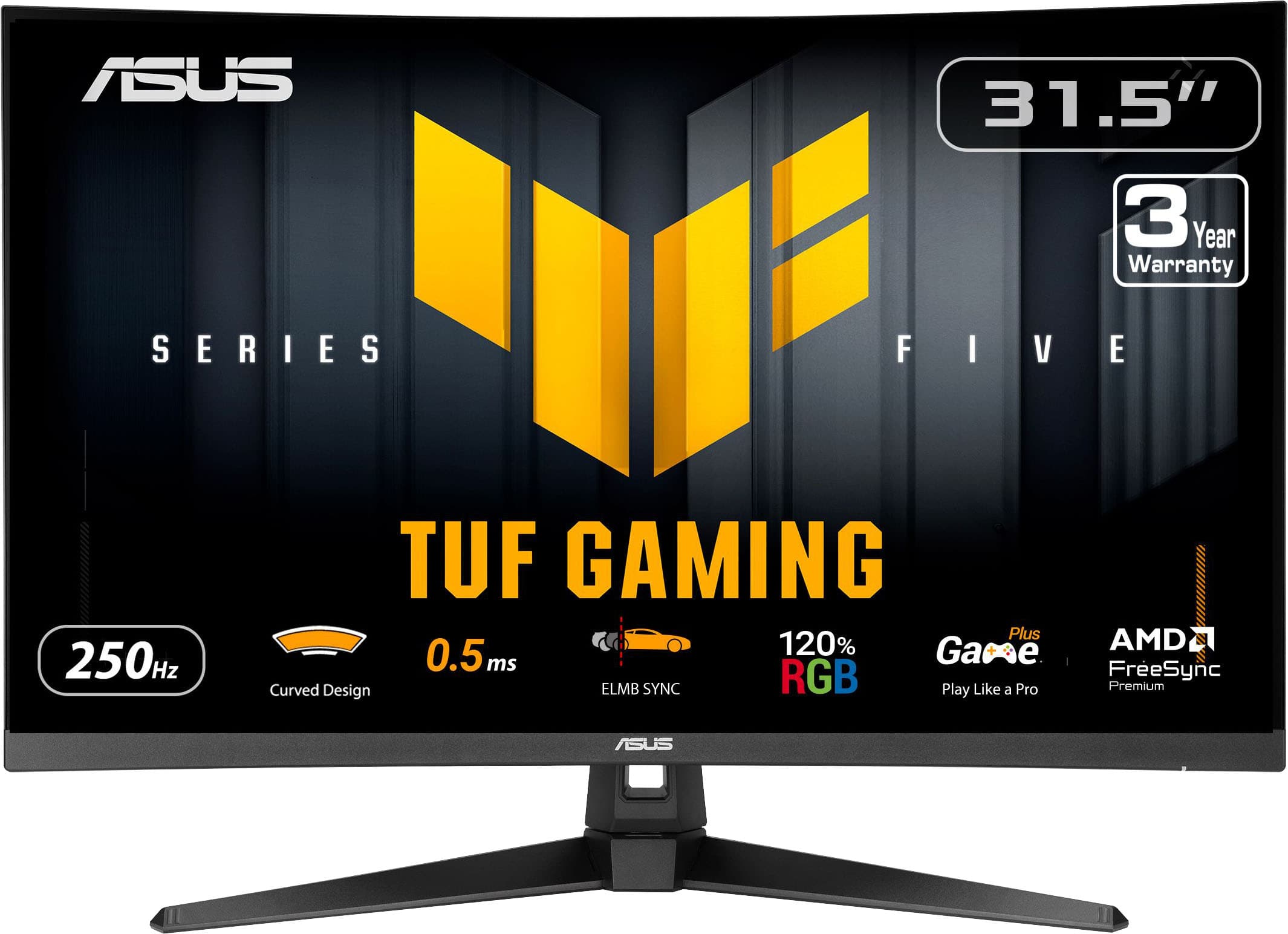
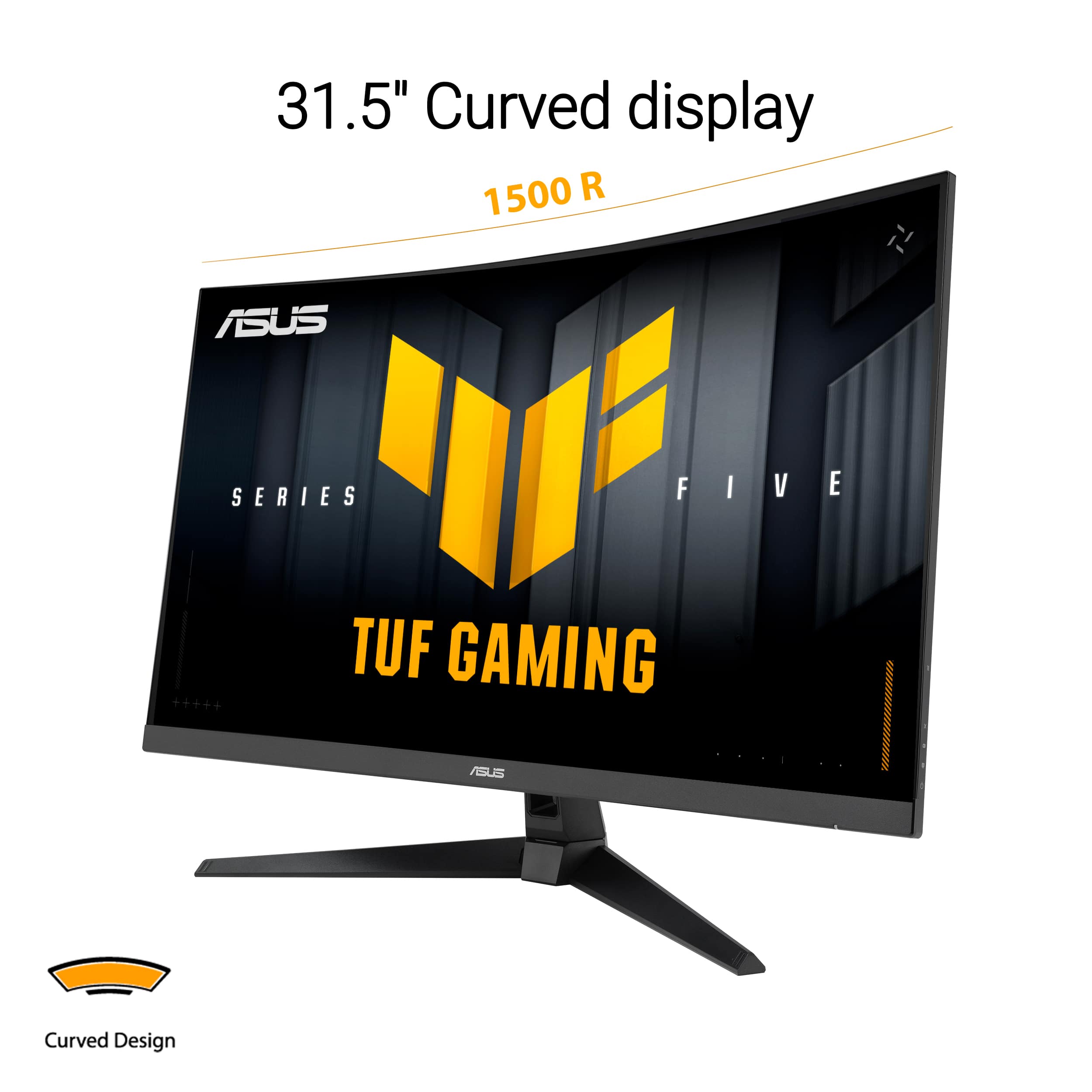
Customers are impressed with the overall performance of the TUF Gaming 32" monitor, noting it is a solid monitor. Many customers appreciate the screen size and love the curved screen. Additionally, customers find the high refresh rate noticeably better and the settings easy to use.
This summary was generated by AI based on customer reviews.
Great Product!
||Posted . Owned for 1 week when reviewed.This reviewer received promo considerations or sweepstakes entry for writing a review.Great size monitor, perfect fit, nice display of images, great price.
I would recommend this to a friendScreen
||Posted .This reviewer received promo considerations or sweepstakes entry for writing a review.Very nice monitor as expected i would recommend it
I would recommend this to a friendScreen
||Posted . Owned for 1 week when reviewed.This reviewer received promo considerations or sweepstakes entry for writing a review.Clear crisp view. More than enough space for gaming
I would recommend this to a friendGood all around monitore
||Posted . Owned for 1 month when reviewed.This reviewer received promo considerations or sweepstakes entry for writing a review.As advertised. Fast refresh but picture quality is average.
I would recommend this to a friendGaming
||Posted .This reviewer received promo considerations or sweepstakes entry for writing a review.Good quality screen for gaming, price reasonable if on sale.
I would recommend this to a friendMonitor review
||Posted . Owned for 2 weeks when reviewed.This reviewer received promo considerations or sweepstakes entry for writing a review.Great monitor res is awesome would definitely recommend for gaming
I would recommend this to a friendNot for us
||Posted . Owned for 1 week when reviewed.This reviewer received promo considerations or sweepstakes entry for writing a review.This was not the monitor for us.. We ended up returning it within a couple days. First we tried to connect it to a Mac and then a Mac Mini, but it didnt work properly. The picture was extremely washed out and we found out its because the Mac thinks its a "TV". We also connected it to our sons ASUS TUFF laptop, it was a beautiful picture quality - but there was still a downside. Anytime you changed a setting or the laptop went to sleep, the monitor would stay black for 30 minutes.
No, I would not recommend this to a friendBrand response from ASUS Answers
Posted .Dear Jjshort94,
Thank you for sharing your experience with the ASUS VG32VQM5B Gaming Monitor. We’re glad to hear you appreciated the picture quality when connected to your son’s ASUS TUF laptop, but we sincerely apologize for the difficulties you encountered when using it with Mac devices and for the issue with the screen remaining black after settings changes or sleep mode. What you experienced was not intentional or representative of our brand, and we regret the inconvenience it caused.
We understand that you have returned the device, and your feedback will be forwarded to our product team for review, as it provides valuable insight into compatibility and performance improvements.
We stand behind our products and continuously strive to improve our products and processes to achieve customer service excellence. If you require any further assistance, please email us at [email protected] and include the case number "N2602015819-0001" as a reference. We will do our best to resolve your case quickly. Your feedback is very important to us, and it enables us to improve our support channels. Thank you for choosing ASUS.
Best Regards,
Chantae
ASUS Customer Loyalty US Support
ASUS gaming monitor
||Posted . Owned for 1 week when reviewed.This reviewer received promo considerations or sweepstakes entry for writing a review.The response is great. Especially at this pricepoint.
I would recommend this to a friendMonitor
||Posted . Owned for 1 week when reviewed.This reviewer received promo considerations or sweepstakes entry for writing a review.Amazing especially with high performin games like hell divers and COD
I would recommend this to a friendFor Gaming Use Only
||Posted . Owned for 1 week when reviewed.This reviewer received promo considerations or sweepstakes entry for writing a review.It may be perfect for a gaming computer. However, it is okay for use as a business computer - issue with "Display Port" continuously appearing on the screen,
No, I would not recommend this to a friendBrand response from ASUS Answers
Posted .Dear CarolynG,
Thank you for your feedback regarding the ASUS VG32VQM5B Gaming Monitor. We’re glad to hear that you find it well‑suited for gaming and functional for business use. We apologize for the inconvenience caused by the “Display Port” message continuously appearing on the screen. To further investigate and resolve this issue, we kindly ask that you contact our support team at https://www.asus.com/us/support/callus/.
We stand behind our product and we continuously strive to improve our products and processes in order to achieve customer service excellence. For more information send us an email at [email protected] and provide the case number "N2511009668-0005" for reference. We’ll do our best to provide a quick resolution to your case. Your feedback is important as it helps with improvements to ASUS Support channels. Thank you for choosing ASUS.
Best Regards,
Chantae
ASUS Customer Loyalty US Support
It’s okay
||Posted . Owned for less than 1 week when reviewed.This reviewer received promo considerations or sweepstakes entry for writing a review.This monitor wasn’t really what I was looking for when it comes to work
No, I would not recommend this to a friendBrand response from ASUS Answers
Posted .Dear Book,
Thank you for sharing your experience with the ASUS VG32VQM5B Gaming Monitor. We sincerely apologize that the product did not fully meet your expectations for work purposes, and we regret any inconvenience this has caused.
We stand behind our products and continuously strive to improve our products and processes to achieve customer service excellence. If you require any further assistance, please email us at [email protected] and include the case number "N2511009668-0007" as a reference. We will do our best to resolve your case quickly. Your feedback is very important to us, and it enables us to improve our support channels. Thank you for choosing ASUS.
Best Regards,
Chantae
ASUS Customer Loyalty US Support
- Pros mentioned:Connectivity, Overall performance, Screen curvatureCons mentioned:Ergonomics

High quality monitor without the $$$
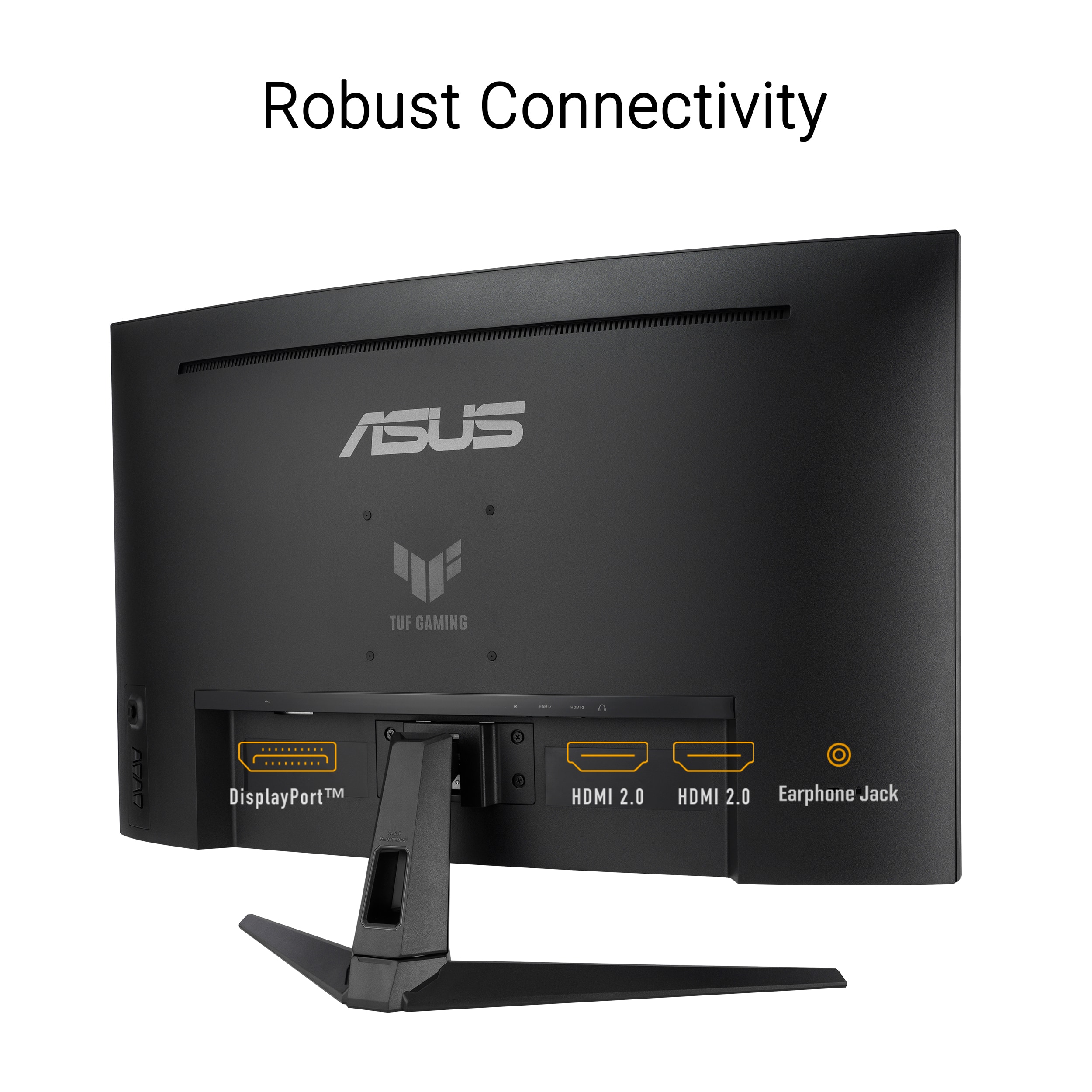
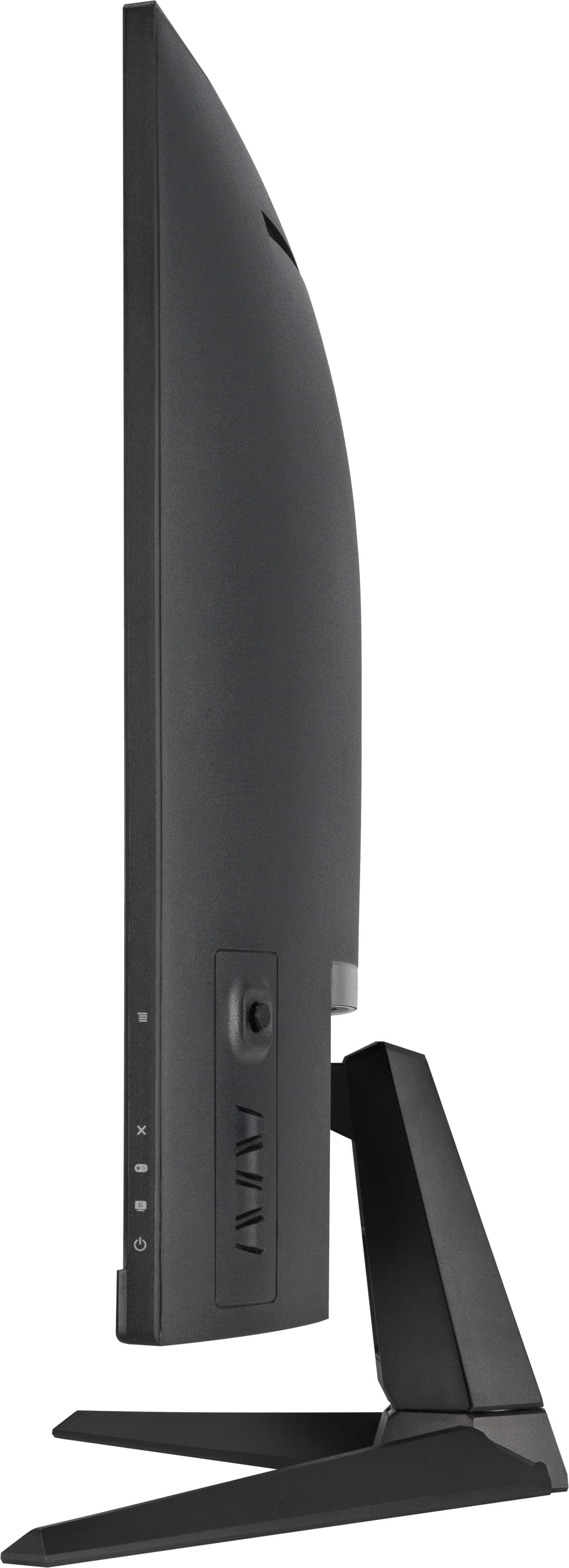
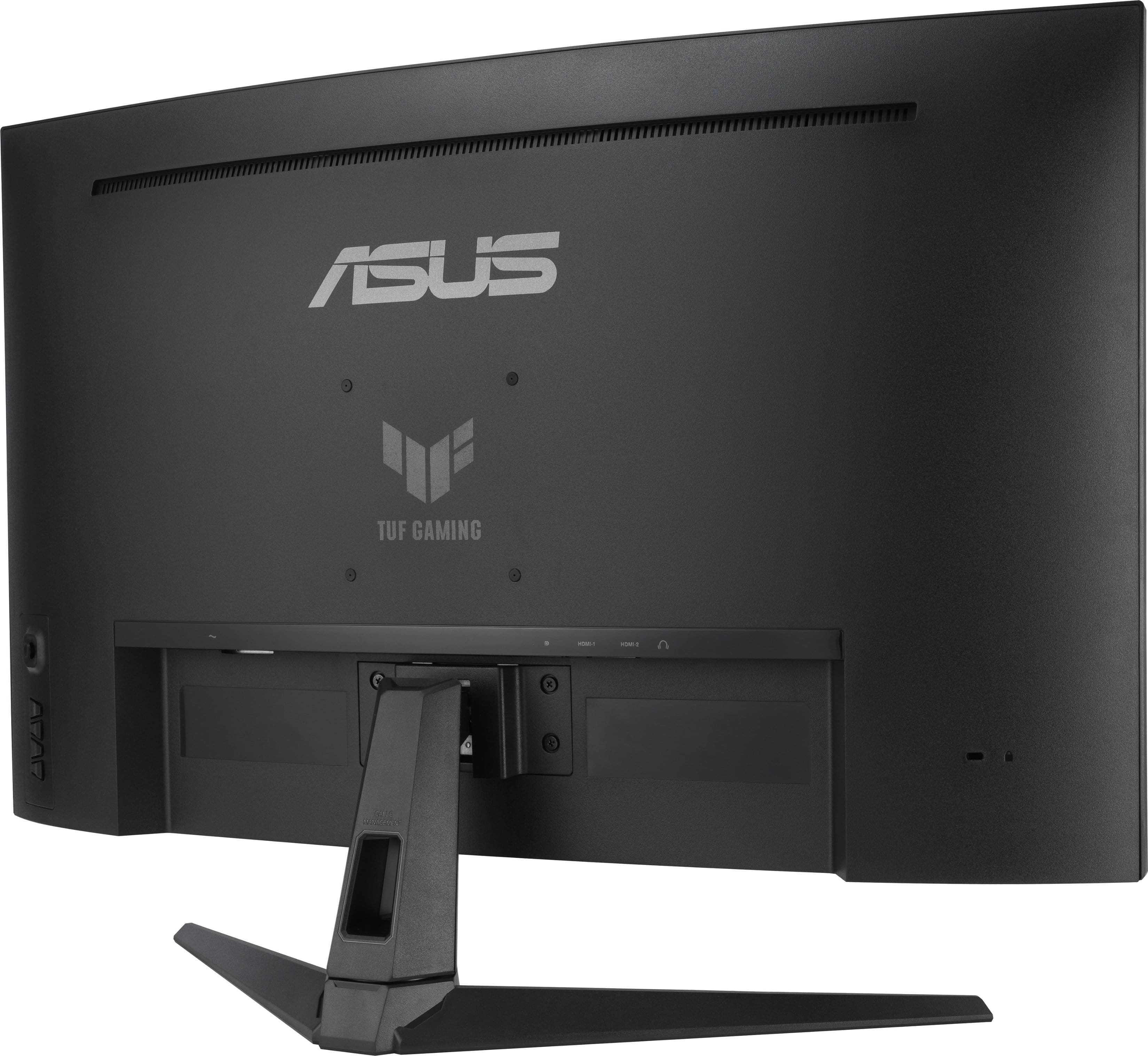
|Posted .This reviewer received promo considerations or sweepstakes entry for writing a review.One of the bigger purchases you'll need to make with your custom PC is the monitor. With oodles of pretty and shiny ones out there, pretty daunting task if you're a newbie. Fortunately, this TUF lineup of monitors deliver outstanding performance without breaking the bank. Considering the size and brand of this monitor, I'd put this right in the middle class of monitors. Yeah, it's 1080p but it's a decent brand monitor and the 32" screen size makes up for some display quality. I personally prefer the larger screen size over a 24/27" but that's just me. You get 2 HDMI slots and a Displayport so you can connect whatever you got to this and be good. The curve is slight understated so if you've never used a curved monitor before, this one isn't bad or so curved that it messes with your vision or anything like that. Good subtle curve and great clarity in the monitor. Standard VESA mount on the back as well. There is no side to side adjustments on this which is probably my only complaint really. Monitor height is OK but you may need a riser depending on how high you like your monitor to sit on your desk. Overall, for a reasonably priced, large sized monitor, this is a really nice one to pick up.
I would recommend this to a friend It was ok
||Posted .This reviewer received promo considerations or sweepstakes entry for writing a review.No difference with curve. Slow response to menu selection.
No, I would not recommend this to a friendBrand response from ASUS Answers
Posted .Dear ChristopherH,
Thank you for your feedback regarding the ASUS VG32VQM5B Gaming Monitor. We apologize for the concerns you’ve experienced with the curve design and the slow response to menu selection. Your input is important, and we will ensure it is passed along to our product team for further review.
We stand behind our products and continuously strive to improve our products and processes to achieve customer service excellence. If you require any further assistance, please email us at [email protected] and include the case number "N2511009668-0006" as a reference. We will do our best to resolve your case quickly. Your feedback is very important to us, and it enables us to improve our support channels. Thank you for choosing ASUS.
Best Regards,
Chantae
ASUS Customer Loyalty US Support
- Pros mentioned:Connectivity, Refresh rateCons mentioned:Resolution
Great Entry-Level Gaming Monitor
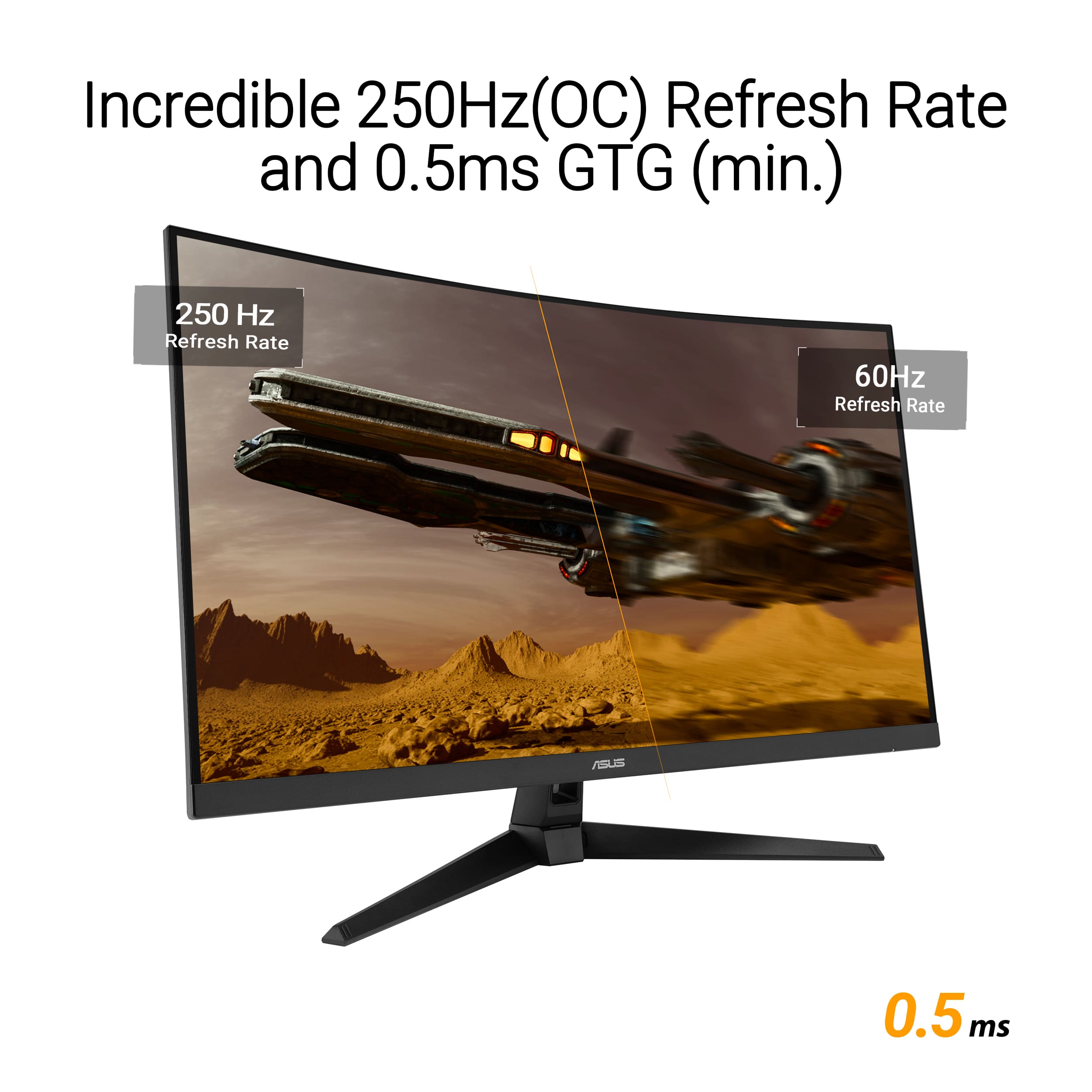
|Posted .This reviewer received promo considerations or sweepstakes entry for writing a review.This ASUS TUF curved gaming monitor gives you a ton of value for your money. Even at this price point, you're getting a 250Hz refresh rate, 0.5 millisecond response time, and a 3 year warranty. PROs: 1) Screen Size - Personally, 31.5" at this aspect ratio is the perfect size for desk gaming. I've used 27" monitors for years and I'm glad I gave this monitor a shot. It fills my field of view perfectly from 1-2 feet and it's not so big that I feel like I'm looking around to see edges of the screen. 2) Display Connectors - There are two HDMI 2.0 ports and one Display Port 1.2 on the back of this monitor. For this price range, that is on par with what I would expect. I use all three between my Switch 2, Ps5, and PC. 3) Curved Display - I am a huge fan of the curve on this display. It's subtle enough to add to the immersion while gaming but not drastic enough to feel like you have to look left and right as it wraps around your head. Just tossing this out there for ASUS - I think they should entertain a monitor that is curved left to right and top to bottom. CONs: 1) The Stand - Not a fan of this stand to be honest. I don't like how you have to assemble it with screws and I don't like the lack of height adjustment. I understand the height adjusting stands are typically reserved for more premium offerings but, I feel that in 2025, every monitor should have some range of vertical adjustment. If you are picky about your monitor height, I would recommend taking advantage of the VESA mount. 2) Resolution / Screen - While the monitor is color rich and boasts a HDR10 certificate, it's still a VA panel with 300 nits of brightness and 1080P resolution. If your expectations are aligned with it's price - you will be happy. If you are in a bright room and are someone who likes to count pixels - you may want to increase your budget. I think most monitors 27" and smaller can still get away with 1080P resolution, but it becomes a much harder argument for screens that are 32"+. I would bet most people would never notice but, if you are a pixel snob like myself, you may want to look at other options. SUM: This ASUS TUF monitor has everything you need to get your first gaming setup cooking. Between the curved display and crazy fast refresh rates - you will be very happy with this monitor. If you're a bit more experienced and have developed a trained eye for sharp text and grey uniformity - you may have to re-align your expectations.
I would recommend this to a friend Very poor
||Posted . Owned for 1 week when reviewed.This reviewer received promo considerations or sweepstakes entry for writing a review.It does not come with even simple directions as how to you should use it with your ASUS computer. I had it working one time. Then the next time I tried to used it the screen on the computer showed a good picture on the screen, but then in a few seconds it left the computer and jumped onto the larger screen which was an even better picture for about 5 seconds and then it shut down and went back to the computer. And the information that came with it might as well been in another language.
No, I would not recommend this to a friendBrand response from ASUS Answers
Posted .Dear Buell C,
Thank you for sharing your feedback regarding the ASUS VG32VQM5B Gaming Monitor. We sincerely apologize for the inconvenience you’ve experienced with the setup instructions and the display issue you described. We understand how important clear guidance and reliable performance are.
For detailed setup information, please refer to the official user manual linked below. If the issue persists after reviewing the manual, we recommend contacting our ASUS Support team directly at https://www.asus.com/us/support/callus/. Our specialists will be happy to investigate further and provide tailored assistance.
We stand behind our products and continuously strive to improve our products and processes to achieve customer service excellence. For more information, please email us at [email protected] and include the case number "N2601016473-0002" as a reference. We will do our best to resolve your case quickly. Your feedback is very important to us, and it enables us to improve our support channels. Thank you for choosing ASUS.
Best Regards,
Chantae
ASUS Customer Loyalty US Support
ASUS VG32VQM5B Gaming Monitor Manual - https://www.asus.com/displays-desktops/monitors/tuf-gaming/tuf-gaming-vg32vqm5b/helpdesk_manual?model2Name=TUF-Gaming-VG32VQM5B
- Pros mentioned:Connectivity, Refresh rate, Screen curvature
Immersive, super-smooth FHD gaming ahead
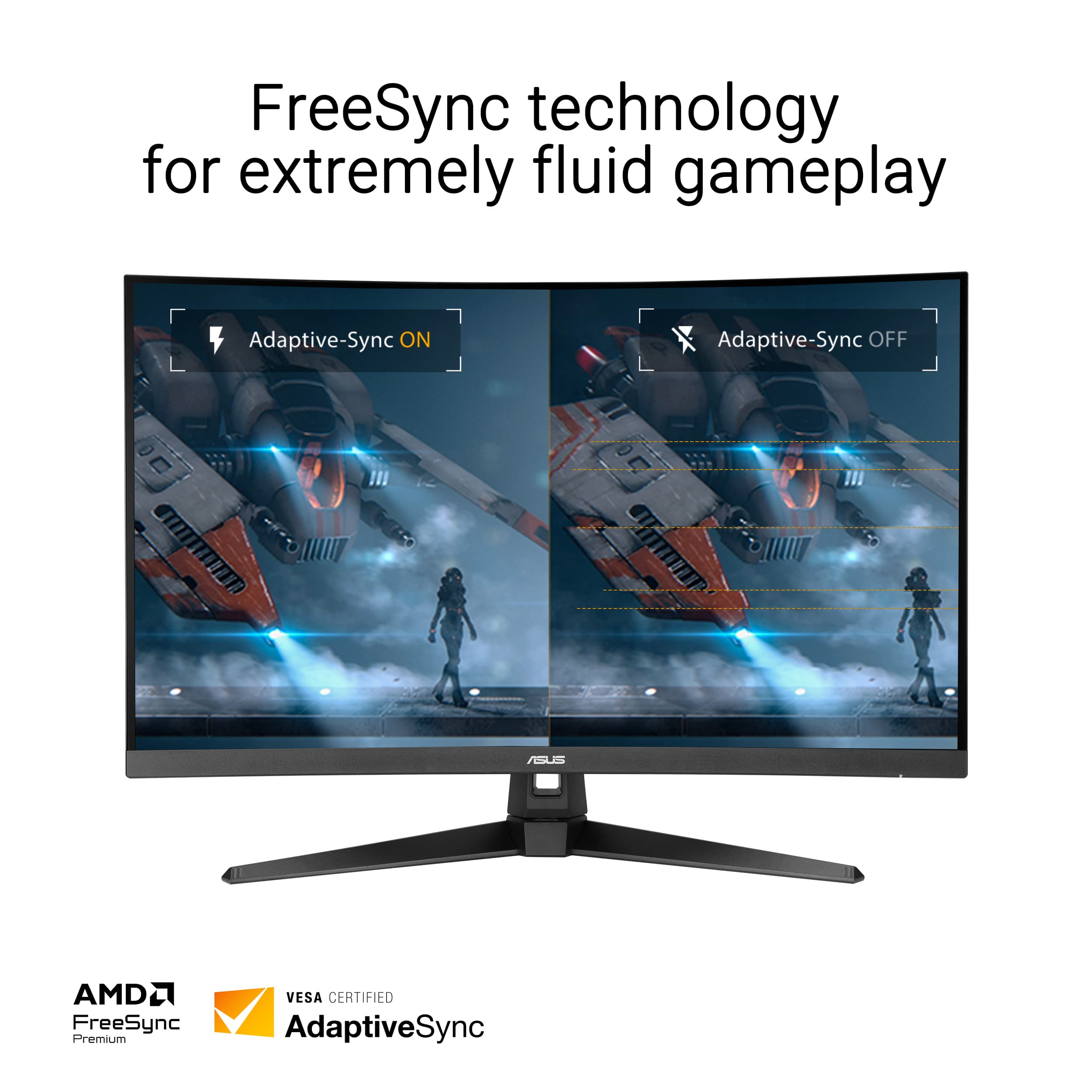
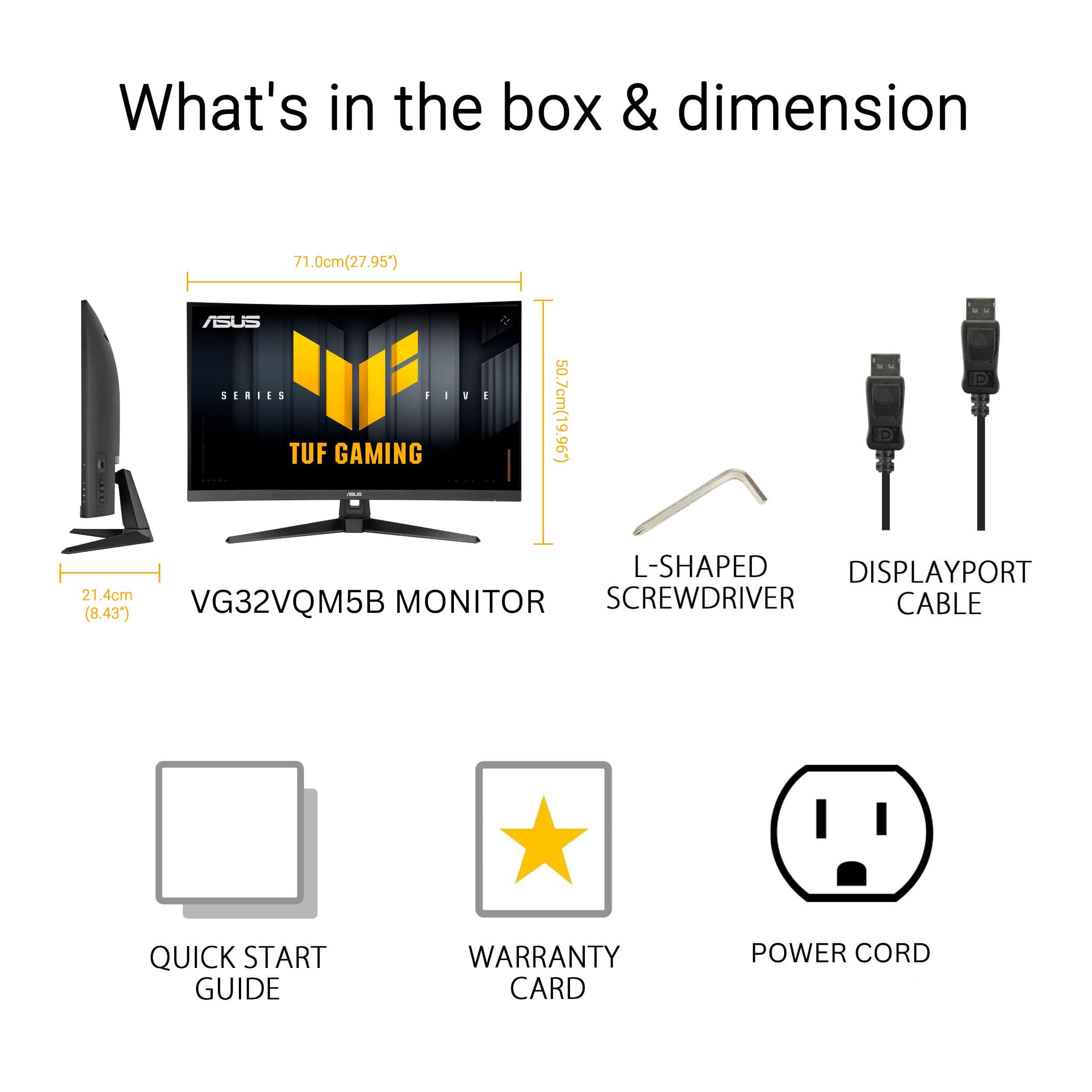
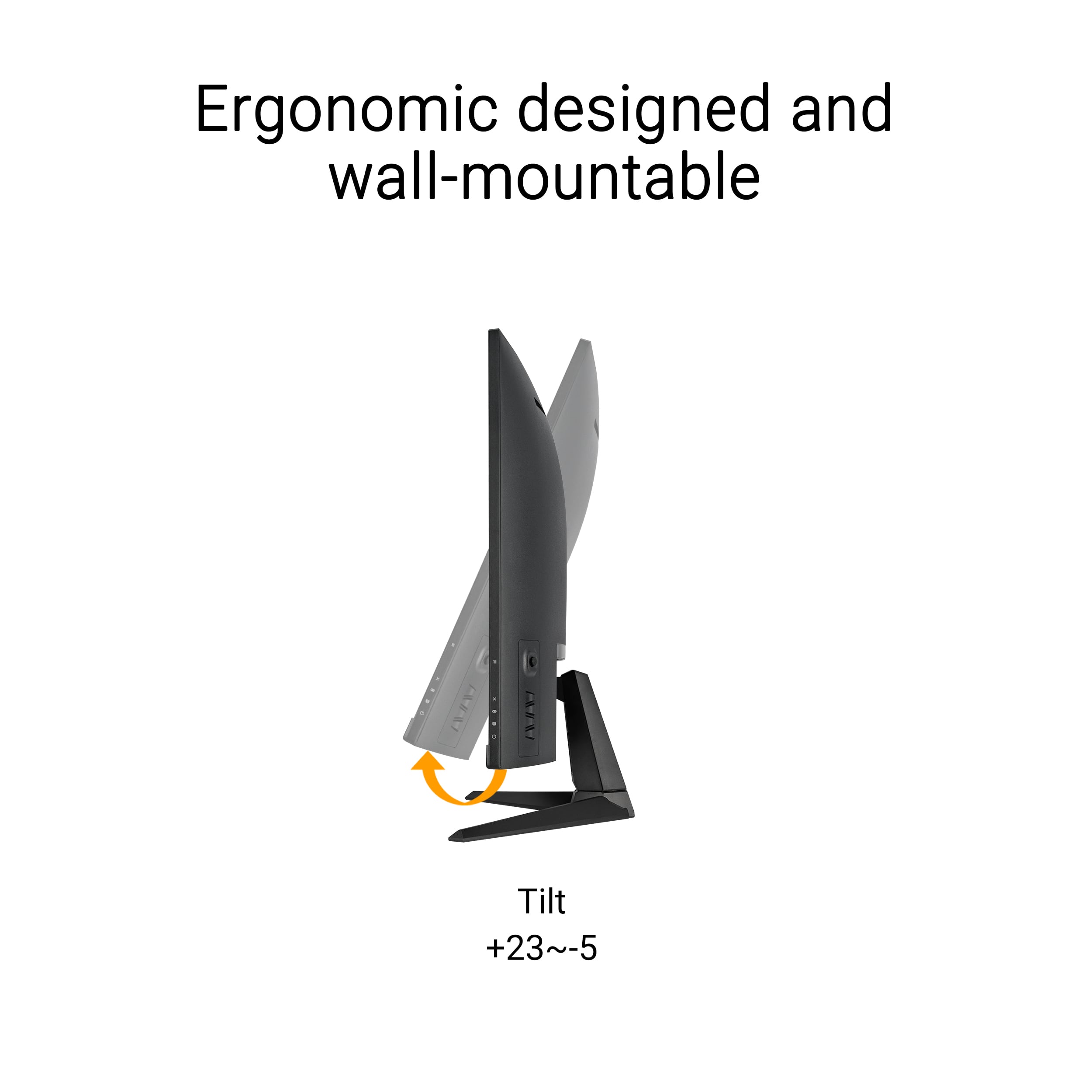
|Posted .This reviewer received promo considerations or sweepstakes entry for writing a review.ASUS - TUF Gaming 32" FHD VA 250Hz 0.5ms Curved Gaming Monitor is a great, immersive gaming monitor thanks to its 1500R curve and brilliant colors. It has a Full HD resolution that makes it a good companion for games, productivity apps and media consumption. The images are bright and crisp and with its 0.5ms super fast response time, and up to an impressive 250 Hz refresh rate for Extreme Low Motion Blur, it’s great for fast paced action games. It supports both NVidia G-Sync and AMD Free-sync Premium adaptive sync for smooth gaming. Additionally, much like other ASUS LED displays, the colors are vibrant, contrast and brightness are high and there are plenty of preset and custom adjustments you can pick from, even overclocking, especially with the GamePlus features and Display Widget Center App. It also supports HDR10. The connectivity options are just right with 1 x DisplayPort 1.2, 2 x HDMI 2.0 and a headphone jack that picks up the sound signal from your HDMI or DP input, so you can connect your favorite gaming headset directly to the monitor. A display port cable is included. Last but not least, the ASUS - TUF Gaming 32" FHD VA 250Hz 0.5ms Curved Gaming Monitor has an ergonomic stand with +23 to -5 degrees Tilt and if you need to mount it on a wall it also has the standard 100mm VESA mounting capability. All in all, this monitor is great for any gamer on a budget who is OK with running super-smooth at 1080p. It is totally more affordable than any 4K display, while still offering FHD and brilliant, bright colors.
I would recommend this to a friend - Pros mentioned:Connectivity, Refresh rate
Great Refresh Rate for a Gaming Monitor
|Posted .This reviewer received promo considerations or sweepstakes entry for writing a review.The Asus TUF gaming 32-in full high definition curved gaming monitor is a fantastic monitor for a fantastic price. If you haven't played on or watched movies on a curved monitor, they are amazing, but you can't really see how great they are until you use one. They virtually eliminate glare and add an amount of immersion to your experience making it an all-around better experience. Pair this with good headphones or a decent smaller sound system and you've got a great experience. Not only is this monitor curved, it has freesync as well as a 250 HZ refresh rate. This ensures that not only our games responsive, but they look amazing without having missed frames, or unnecessary blur or jaggedness. It's something you really have to see side by side with your current monitor to really see how much effect this has, but once you start using a refresh rate like this, you will really notice the difference. While this can be mounted on a wall, I rarely see curved monitors mounted that way. This does come with an adjustable stand that that is low profile and unobtrusive, meaning it doesn't take up unnecessary desk space. It has two HDMI ports and DisplayPort, meaning any of your devices can use it, and more than one device can use it, making it easy to switch between devices. If you're looking for the gift for the game or in your life, even if that gamer is you, you can't go wrong with this purchase.
I would recommend this to a friend - Pros mentioned:Refresh rate, Screen curvatureCons mentioned:Resolution
Good for me.
|Posted .This reviewer received promo considerations or sweepstakes entry for writing a review.This monitor is built for speed, and it shows. The 250Hz refresh rate makes gameplay ridiculously smooth, and the 0.5ms response time keeps motion sharp without the ghosting you get on slower panels. If you’re into fast shooters or competitive titles, it gives you that extra edge. The curve is just right — not overdone, but enough to pull you into the action. Colors look good with HDR, and FreeSync Premium keeps everything synced up without tearing. Setup was simple, and the stand feels solid. The downside is the resolution. At 1080p on a 32-inch screen, things aren’t as crisp as they could be. Text looks a little soft, and if you’re used to 1440p or higher, you’ll notice the difference. The built-in speakers are basically filler — fine for quick use, but you’ll want real audio gear. If you care about speed and smoothness above all else, this monitor delivers. If sharp visuals matter more to you, look at a 1440p option. For me, the performance wins out, and I’m glad I picked it up. I would recommend this one.
I would recommend this to a friend - Pros mentioned:Overall performance, Refresh rate
Kinda sick!
|Posted .This reviewer received promo considerations or sweepstakes entry for writing a review.After spending some good gaming time with the ASUS TUF 32” Curved Gaming Monitor, I must admit that ROG usually does not disappoint, and they most certainly did not here. This monitor hits on every point by offering a 250Hz refresh rate, 0.5ms response time, good sound, and most importantly, a beautifully illustrated display. This should give gamers confidence that it can enhance their gaming experience. Out of the box, this unit is easy to assemble by attaching the pedestal to the neck and using four screws to attach the neck to the display. From there, I would recommend playing with the settings. This is actually the second ASUS 32” curved monitor I have now, so I knew really what to expect. From a fresh rip, this unit does require some tweaks to meet your needs and visual expectations. I find it best to simulate the game you want and tweak the monitors on board menus and then go into your graphics driver if pairing with a PC (not needed for console after messing with the internal menu). Aside from that, the setup is easy. I say that because I would not think that the target audience would have a lot of issues with the simple instructions and are more on the initiated side of technology. Apart from that, the monitor is solid, and the materials feel exceptionally durable. One of the cons I found with the monitor is that the neck will allow a good amount of swivel, but the chassis does not elevate like its predecessor. The monitor is 1080P (1920x1080 recommended), but its presentation feels so much cleaner than those numbers would lead me to initially think they were going to be. To be fair, I juice every feature I can up to drive resolutions while gaming and then revert for school, work, or general scrolling. I found that at peak resolutions, text can get drowned out otherwise. But when sitting back to watch a movie or stream, the picture is clean, clear, and vibrant. The contrast ratio makes darks bright, and the curve satisfyingly provides a world of color like no other. I would be remiss if I did not mention the sound quality because there is actually some quality there. I probably would not rely solely on the internal speakers, but as a one off, not terrible. This makes the monitor feel like a well rounded choice for entertainment and gaming alike. As mentioned, the magic of this monitor lies in its 250Hz refresh rate & response time. To be clear, I play games, but I am not nearly good enough to know if the response time is that critical to my success. But I'm sure the 250Hz refresh rate is a game changer and can ignite any positive vibes you might be missing. This is easiest to see in a racing or sports game but in the major title that me and the rest of the world play, the faster frame rate will allow you to slide cancel faster around corners and break any would be attackers’ ankles before they have an opportunity at you. Combine that with Low Motion Blur and FreeSync or G-Sync (again, these are active on PC as well as console), and the immersion of a curved screen, and, if you are after a competitive edge, TUF can provide that experience. Ultimate thoughts are that if you want a monitor to genuinely boost your experience and hook you up with a competitive edge, look no further than the ASUS TUF 32” FHD VA Curved Gaming Monitor. I was excited to get it, and I have been thrilled about its performance and its visually stunning output in general.
I would recommend this to a friend Bad power supply
||Posted . Owned for 2 weeks when reviewed.This reviewer received promo considerations or sweepstakes entry for writing a review.The power cord doesn't fit tightly in the back of the monitor. It will fall out if barely touched
No, I would not recommend this to a friendBrand response from ASUS Answers
Posted .Dear Ryanc,
We are sorry to hear that your unit arrived with the wrong power cord. We would recommend that you reach out to BestBuy support so they can provide you with more information. We do stand behind our product and we continuously strive to improve our approach and processes in order to achieve customer service excellence. For more information send us an email at [email protected] and provide the link of this review for reference. We’ll do our best to provide a quick resolution to your case. Please refer to this case number ( N2302008357-0002) for us to better assist you.
Your feedback is important as it helps with improvements to ASUS Support channels.
Thank you for choosing ASUS.
Best Regards,
Schottky
ASUS Customer Loyalty US Support