Customer Ratings & Reviews









- Model:
- GA03131-US
- |
- SKU:
- 6517336
Customer reviews
Rating 4.7 out of 5 stars with 2105 reviews
(2,105 customer reviews)Rating by feature
- Value4.8
Rating 4.8 out of 5 stars
- Quality4.7
Rating 4.7 out of 5 stars
- Ease of Use4.7
Rating 4.7 out of 5 stars
Customers are saying
Customers are delighted by the Chromecast with Google TV (HD)'s ease of use, intuitive remote control, and excellent streaming capabilities. Many appreciate the smooth interface and straightforward setup process, resulting in a positive user experience. While some users noted occasional lag, the overall performance and picture quality were frequently praised. The device's compatibility with various streaming services and devices also received positive feedback.
This summary was generated by AI based on customer reviews.
- Pros mentioned:Interface
Rated 5 out of 5 stars
Love it !!
||Posted . Owned for 3 weeks when reviewed.This reviewer received promo considerations or sweepstakes entry for writing a review.This is the most amazing product from Google l've owned yet. I purchased this initially to upgrade my older Chromecast. Everything about this "Google TV" is 1000x better than what I owned previously. I can now view my content in 4K which the older model could not do, and it has a great interface. It's Android 10 over the Google TV UI, and it's pretty appealing. I can easily ask Google to find something particular to watch and it'll do it. This thing wil search movies across different apps to find exactly what you're looking for. What makes it even better is that it still has it's cast function. so you have the option to use the Google TV remote or cast from your Android phone like normal. I was hesitant at first, and I wish 1 had mad this purchase sooner. You can even control all your google connected with the remote included. For example I use my Google Home to control my AC, but I can also with my remote in hand tell the Google remote to turn the AC on or off, and it does it. Even quick than my home can which is pretty neat. If you were ever indecisive about buying this device then I hope this review helps you. You're gonna love this Google TV.
I would recommend this to a friend - Pros mentioned:Ease of use
Rated 5 out of 5 stars
one of the best investments I've ever made
||Posted . Owned for 1 week when reviewed.This reviewer received promo considerations or sweepstakes entry for writing a review.without the Chromecast with Google TV I'd be playing solitaire it's super easy to set up it turns any old TV with an HDMI port into a Smart TV only better link it with your Google account then access your assistant on the remote open any app or settings search for movie shows get the current weather ask questions play games she tells jokes sings I probably have a little too much fun with my assistant however the remote is small and slippery I put a small sticky piece of hard foam on the back of the remote so I have something to hold on to I cut the cable long ago it's a must if you're on a budget for what 30 bucks definitely recommend thanks
I would recommend this to a friend - Pros mentioned:Ease of use
Rated 5 out of 5 stars
Great reception, easy set up, working great!
||Posted . Owned for less than 1 week when reviewed.This reviewer received promo considerations or sweepstakes entry for writing a review.Great little gadget. It's fast, easy to set up and working great no signal loss good wifi reception. I'm satisfied. I used to have a Roku tv. But i only have a normal tv not smart TV and I want it to try this one! So far so good!
I would recommend this to a friend - Pros mentioned:Ease of use, Remote control
Rated 5 out of 5 stars
Best Streaming Device
||Posted . Owned for 1 month when reviewed.This reviewer received promo considerations or sweepstakes entry for writing a review.Best for streamlining Apps it has most flexible remote and can handle easily Easy to install Wide variety of applications
I would recommend this to a friend Rated 5 out of 5 stars
Chromecast replaced my tv.
||Posted . Owned for 1 year when reviewed.This reviewer received promo considerations or sweepstakes entry for writing a review.Love my chromecast,This device does alot without failure. PLUS IM USING THIS ON AN OLDER T.V. vizio 12 year old t.v. with hdmi Ports...
I would recommend this to a friend- Pros mentioned:Remote control
Rated 5 out of 5 stars
Best Streaming Device to use around the House.
||Posted . Owned for 1 month when reviewed.This reviewer received promo considerations or sweepstakes entry for writing a review.I think we have now purchased 3 of these devices for the house. This last one we use for our outdoor projection setup in the backyard. Fun fact, if the remote falls into a hot tub, Take the batteries out and put it in a container of rice. 2 days, the remote works again. Super happy for this. Of course, I would recommend trying to avoid dropping it in a hot tub but accidents happen. :)
I would recommend this to a friend - Pros mentioned:Interface
Rated 5 out of 5 stars
Google for the win
||Posted . Owned for 3 months when reviewed.This reviewer received promo considerations or sweepstakes entry for writing a review.Love the Google interface. I use this with other smart tvs because it's just easier to cast and/or not have to sign in again.
I would recommend this to a friend - Pros mentioned:Remote control
Rated 4 out of 5 stars
Least expensive streaming option on the market
||Posted . Owned for 3 weeks when reviewed.This reviewer received promo considerations or sweepstakes entry for writing a review.Pretty good. This is the cheapest way to start streaming. Some limitations compared to both the Amazon Fire Stick and a Roku. Good for casting. Very simple remote with volume buttons on the side.
I would recommend this to a friend - Pros mentioned:Interface
Rated 5 out of 5 stars
Google offers the best streaming device
||Posted . Owned for 2 months when reviewed.This reviewer received promo considerations or sweepstakes entry for writing a review.I’ve used plenty of steaming devices but google seems to surpass everything. It has a very clean interface and its connectivity is immaculate. The only con is that if you’re wanting something easy to open developer privileges to, this isn’t the device to do that with. Chromecast is a straight forward WYSIWYG, open it up set it up and you’re good. If you have other google products this pairs with them perfectly.
I would recommend this to a friend - Pros mentioned:Remote control
Rated 5 out of 5 stars
So easy even my parents can use this
||Posted . Owned for 3 weeks when reviewed.This reviewer received promo considerations or sweepstakes entry for writing a review.Went shopping for the Amazon fire stick replacement and they liked the remote. I encouraged them to try it because I already have android tv and it's simple enough. Setting it up was a bigger challenge than the Chromecast :-( but other than that, it did a good job of integration into the TV for volume and input.
I would recommend this to a friend Rated 5 out of 5 stars
Great improvement!
||Posted . Owned for 1 month when reviewed.This reviewer received promo considerations or sweepstakes entry for writing a review.This is def an improvement on the Chromecasts I've had before. It's much more like a HUB for all your streaming services and let's you know what's available across them all without having to dig into each one. What I was most impressed with is how fast & responsive it was, esp. with our Internet, it's not the fastest but still was quick to navigate. Def recommend if you have a TV with no built in apps or prefer to have them through a console/ device. My only gripe was the remote, it's a great light design, but a bit too small for my hands. Kept losing it too, so I recommend having a set place for your remotes that's easy to find & remember.
I would recommend this to a friend- Pros mentioned:Remote control
Rated 5 out of 5 stars
Best streaming device ever!!
||Posted . Owned for 3 weeks when reviewed.This reviewer received promo considerations or sweepstakes entry for writing a review.I used the original basic Chromecast and loved it for sharing photos on the TV. But this is so beyond... All your streaming services in one place! And voice search, Chromecast and more. We have 6 in our house!! Plus I can pair with headphones to not disturb others! Very responsive remote and sound control!
I would recommend this to a friend - Pros mentioned:Ease of use
Rated 5 out of 5 stars
Chromecast with Google TV (HD) - Works Great!
||Posted . Owned for 2 months when reviewed.This reviewer received promo considerations or sweepstakes entry for writing a review.Got this as a Christmas present, to myself from my wife, had to wait until Christmas though to open and install it. I had an original Chromecast and was having some issues with it plus I had an older 48" TV that I wanted to add Google TV to for all the streaming apps. Easy install, it did have all the streaming apps that I wanted, so it was a good purchase, plus it was on sale before Christmas.
I would recommend this to a friend - Pros mentioned:Ease of use
Rated 5 out of 5 stars
Great product
||Posted . Owned for 3 weeks when reviewed.This reviewer received promo considerations or sweepstakes entry for writing a review.Great device. Works flawlessly. I used to own roku, but have since switched all my tvs (even the smart ones) with google chomecast w google tv.
I would recommend this to a friend - Pros mentioned:Ease of use
Rated 5 out of 5 stars
Easy to set up
||Posted . Owned for 1 month when reviewed.This reviewer received promo considerations or sweepstakes entry for writing a review.SUPER EASY TO SET UP LOVE IT. The Google device allows you to watch anything and the control delay is close to non which I LOVE. Others tend to have input lag but not this
I would recommend this to a friend - Pros mentioned:Remote control
Rated 5 out of 5 stars
I recommend Chromecast with its simple set up.
||Posted . Owned for 1 month when reviewed.This reviewer received promo considerations or sweepstakes entry for writing a review.Love my chromecast . Have 3 of them. Works great on my old tv sets and it also helps my Smart Tv with stations I use to have trouble with .
I would recommend this to a friend - Pros mentioned:Ease of use
Rated 5 out of 5 stars
Excellent device!
||Posted . Owned for 1 month when reviewed.This reviewer received promo considerations or sweepstakes entry for writing a review.You won't be disappointed, this Google Stick is great! Really easy and fast to install. You can do more with your TV, and control it with your voice. Stream, tune in live, or play video games.
I would recommend this to a friend - Pros mentioned:Streaming
Rated 5 out of 5 stars
Chromecast
||Posted . Owned for 1 month when reviewed.This reviewer received promo considerations or sweepstakes entry for writing a review.Best product i ever got.. had some issue with my roku and couldnot download the app i needed. But with chromescast i not only downloaded the app but also got free tv channels as bonus. Highly recommended
I would recommend this to a friend - Pros mentioned:Smart tv
Rated 5 out of 5 stars
Chrimecast HD
||Posted . Owned for 1 month when reviewed.This reviewer received promo considerations or sweepstakes entry for writing a review.Amazing addition to make any tv smart-tv. I have older samsung tv that does not support new apps, so instead of buying new tv I just bought new chromecast. It’s amazing.
I would recommend this to a friend - Pros mentioned:Remote control
Rated 5 out of 5 stars
Get you one.
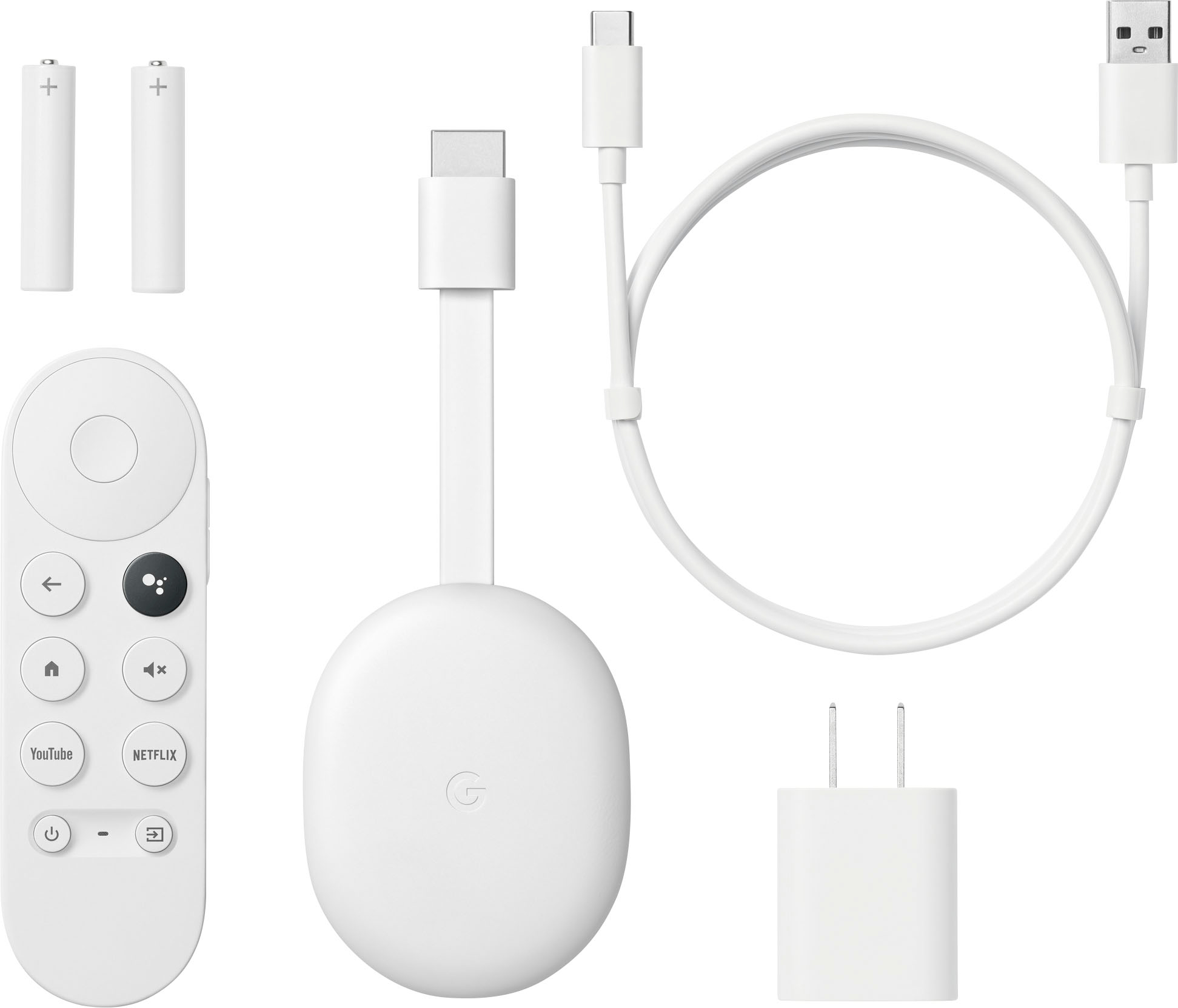
||Posted . Owned for 1 month when reviewed.This reviewer received promo considerations or sweepstakes entry for writing a review.I love it comes with everything plus batteries I wasn’t expecting that. But I love it. Excuse my tv my 70inch broke while I was moving, I had to improvise lol.
I would recommend this to a friend