Customer Ratings & Reviews

- Model:
- CH-931F000-WW
- SKU:
- 6604495
Rating by feature
- Value
Rating 4.5 out of 5 stars
- Quality
Rating 4.6 out of 5 stars
- Ease of Use
Rating 4.7 out of 5 stars
Customers are saying
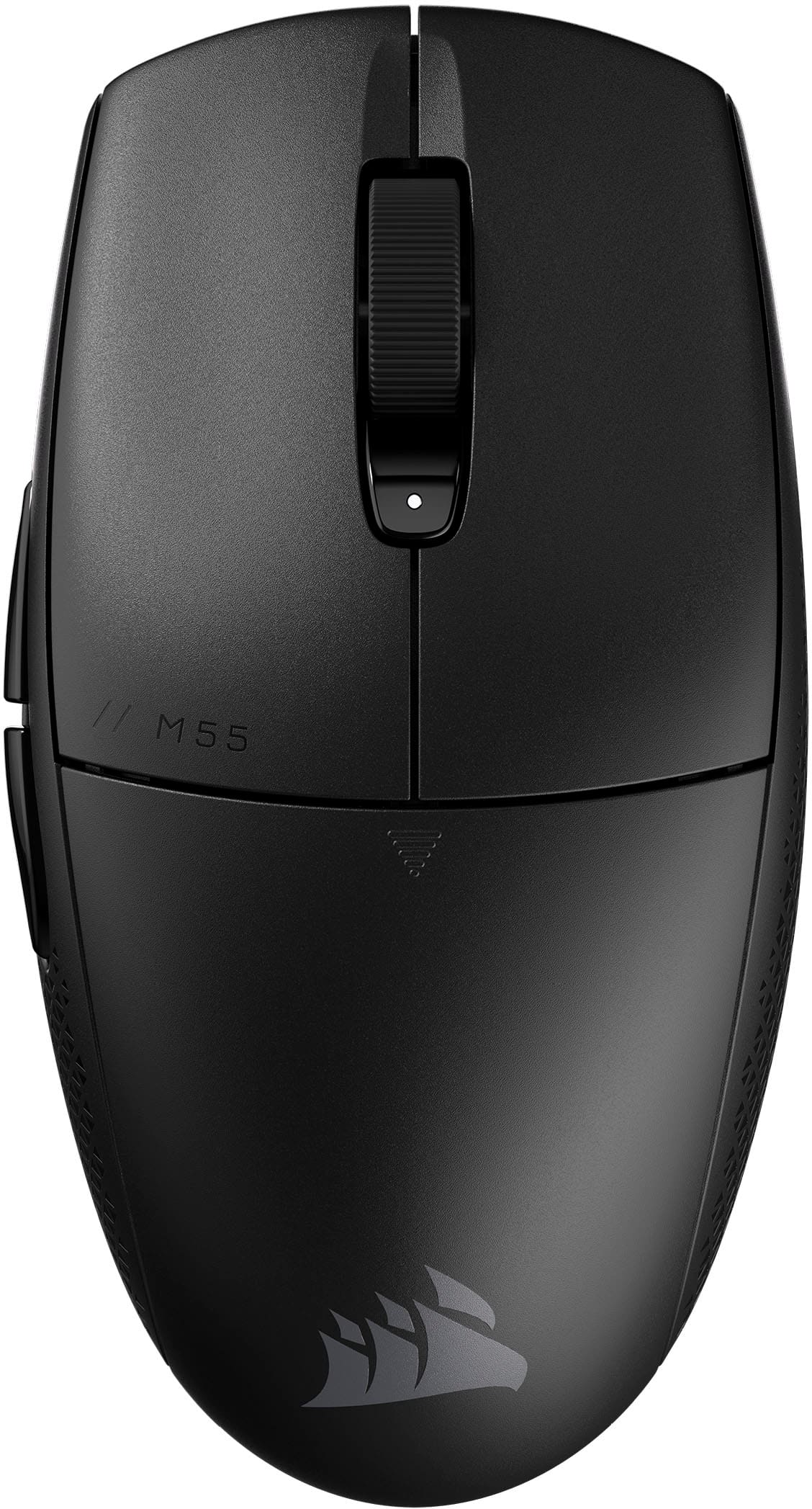
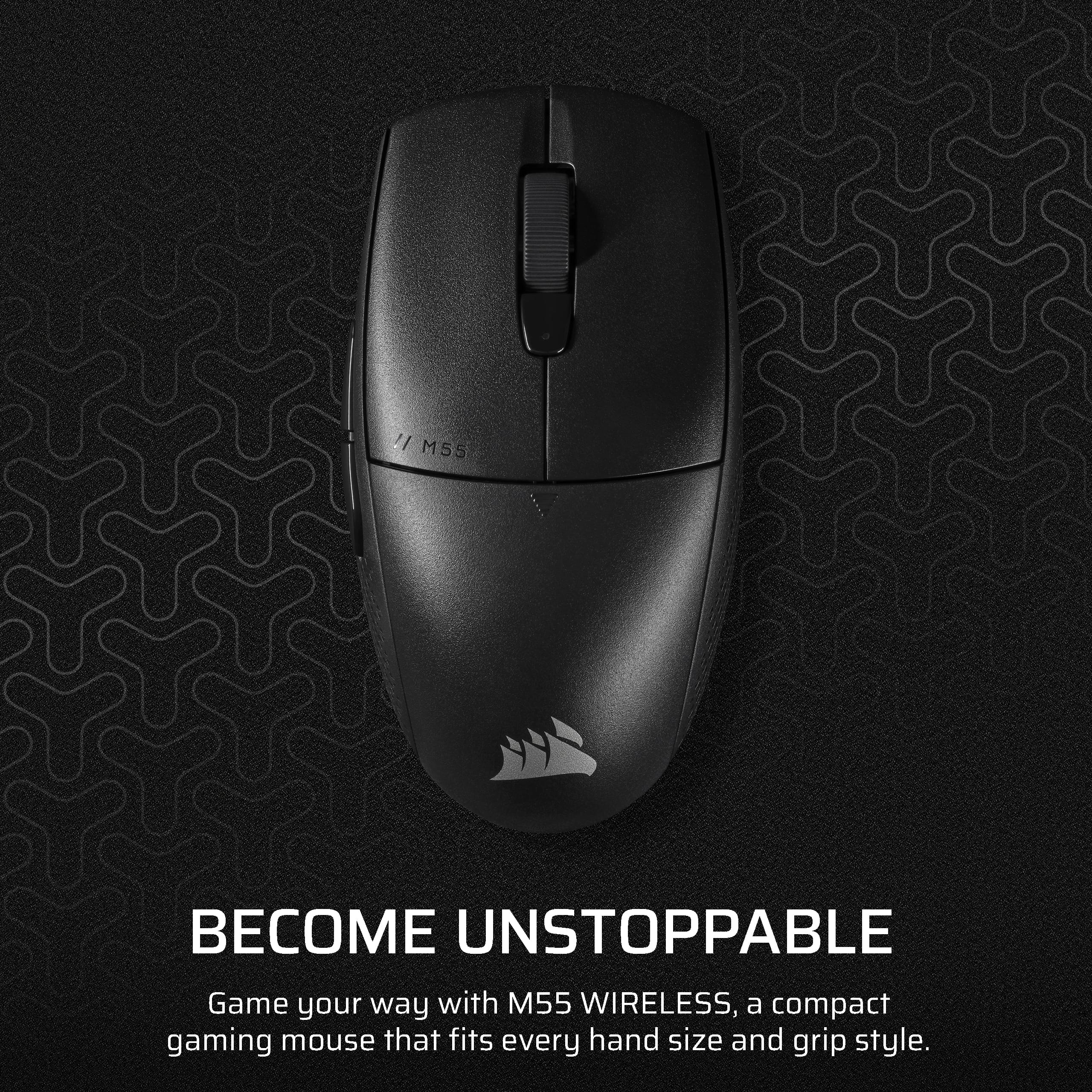
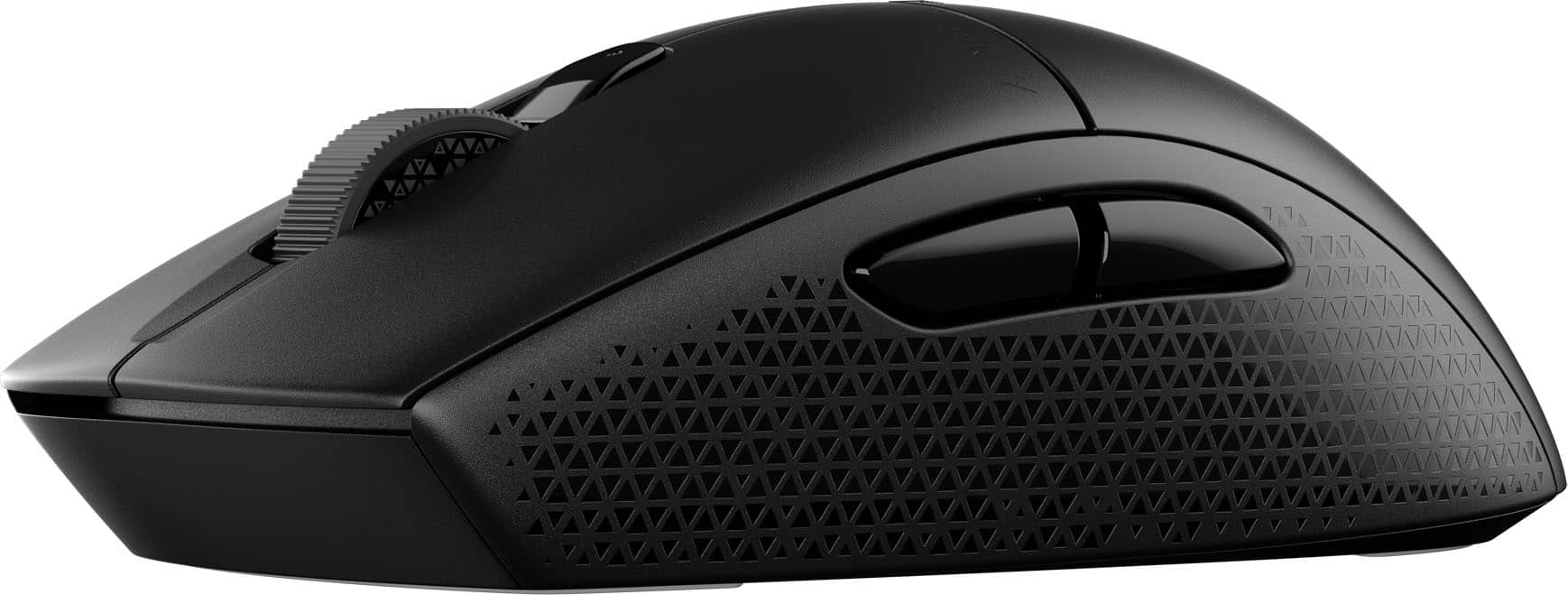
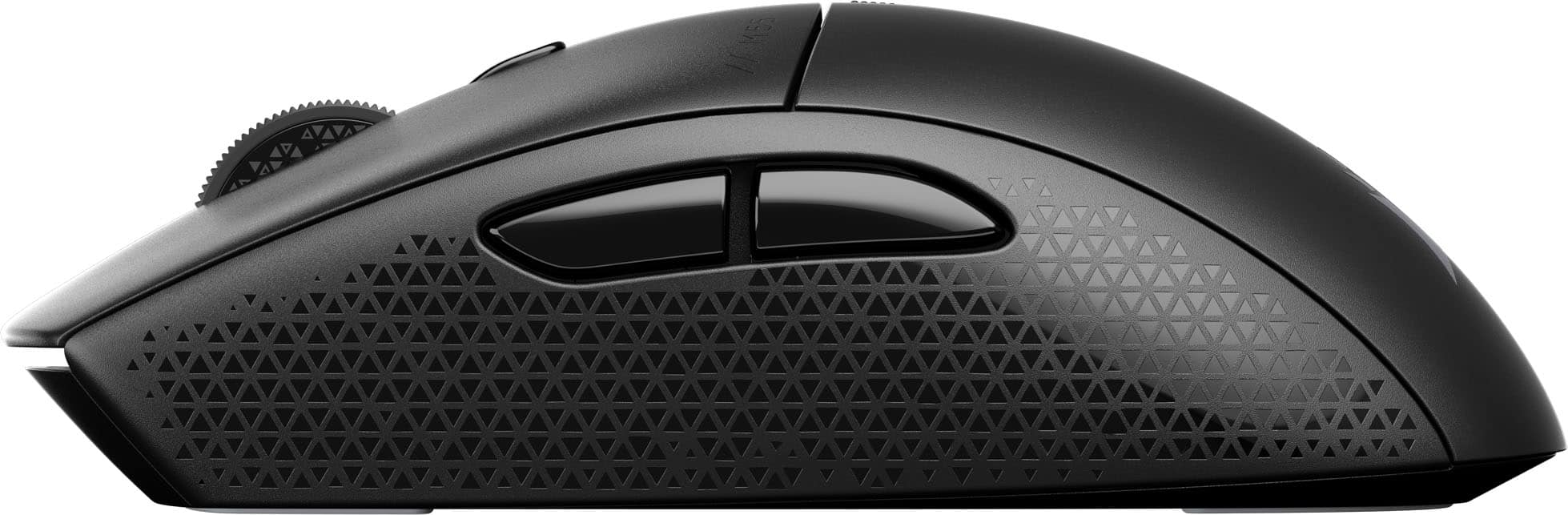
Customers have good things to say about the M55 Wireless Optical Gaming Mouse, especially its portability, weight, and battery life. Users appreciate the reliable connectivity and sturdy build quality. The mouse's effortless glide and comfortable grip are also well-received, along with its precise tracking and responsive sensor. However, some customers feel the mouse is undersized.
This summary was generated by AI based on customer reviews.
- Pros mentioned:Build quality, Portability, Weight

Great Mouse
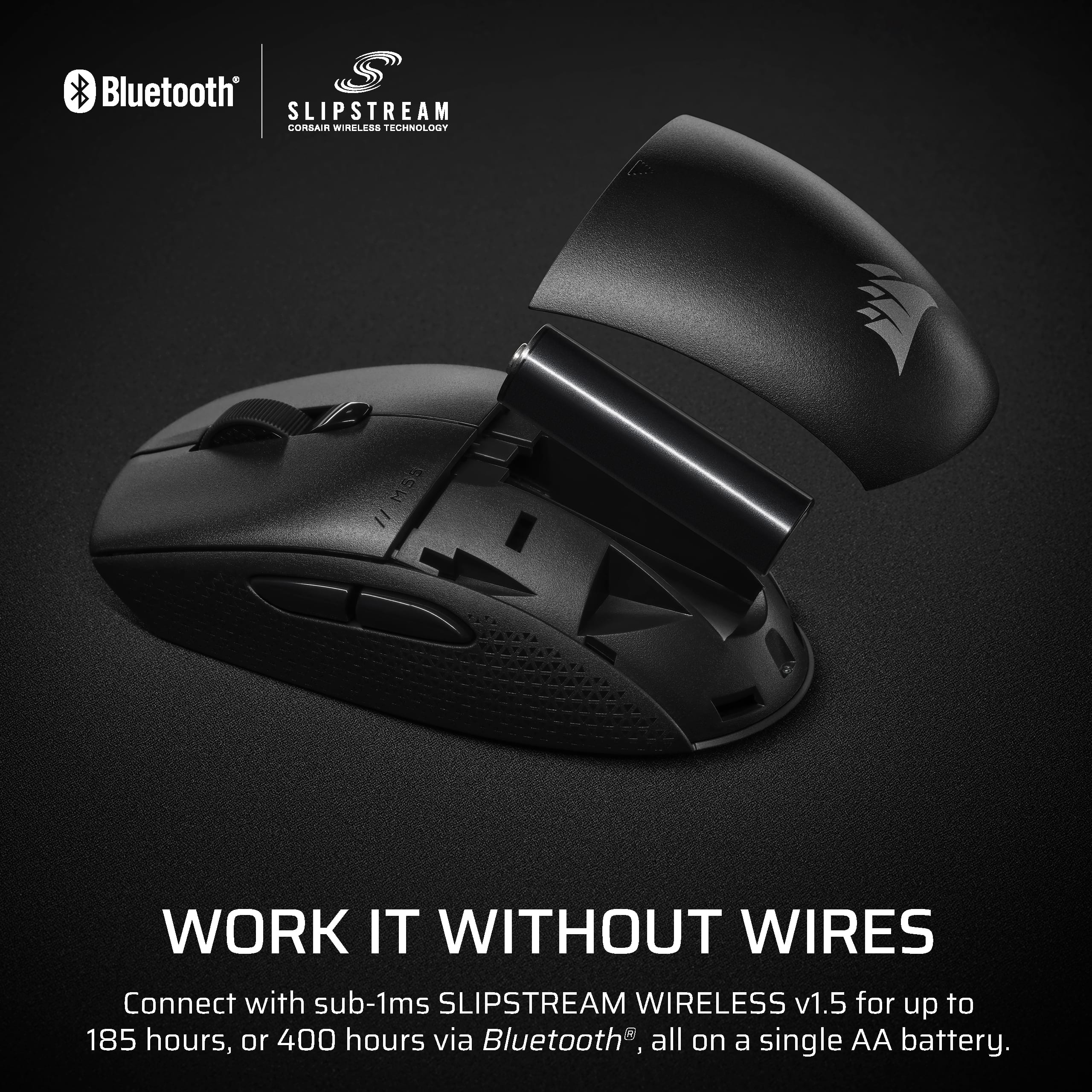
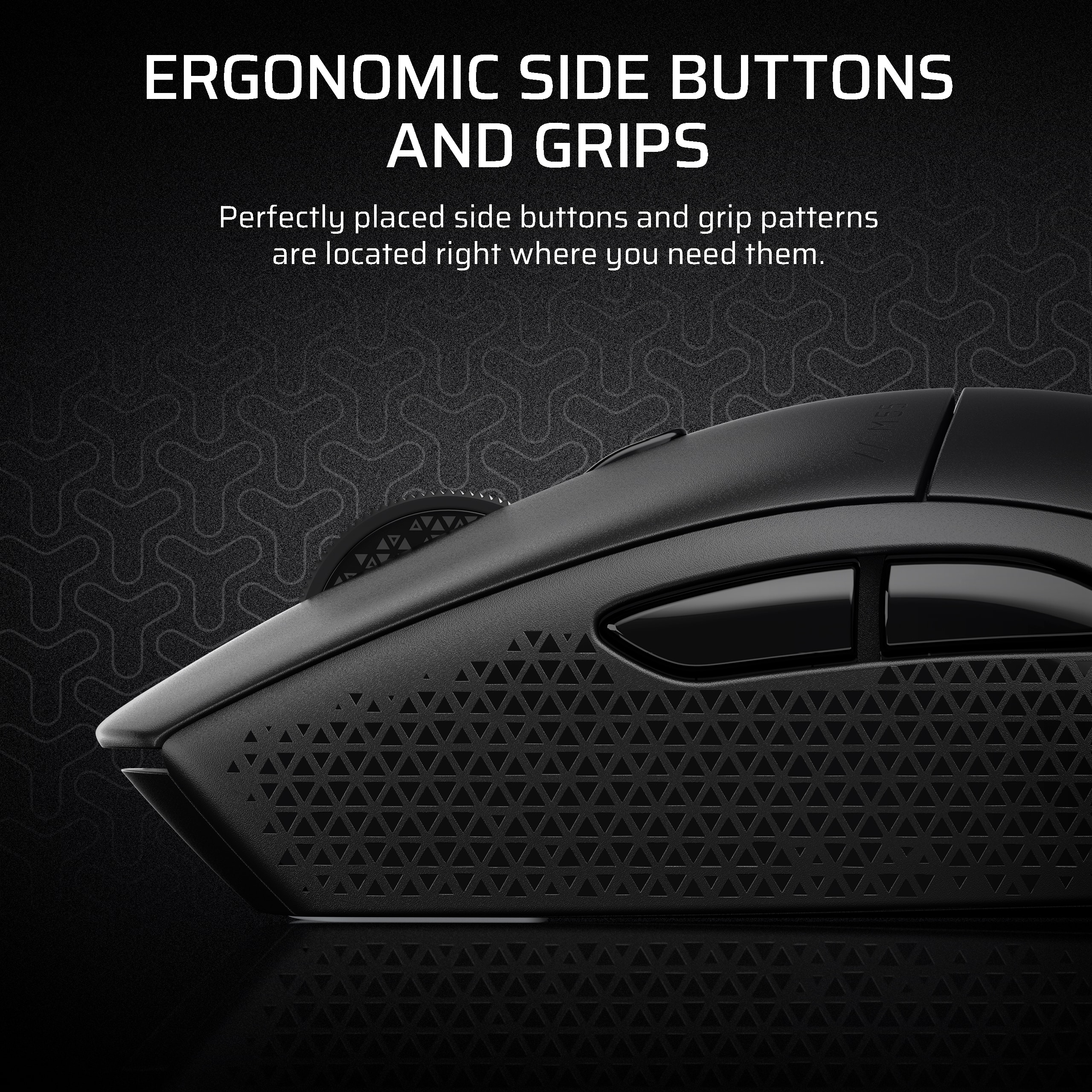
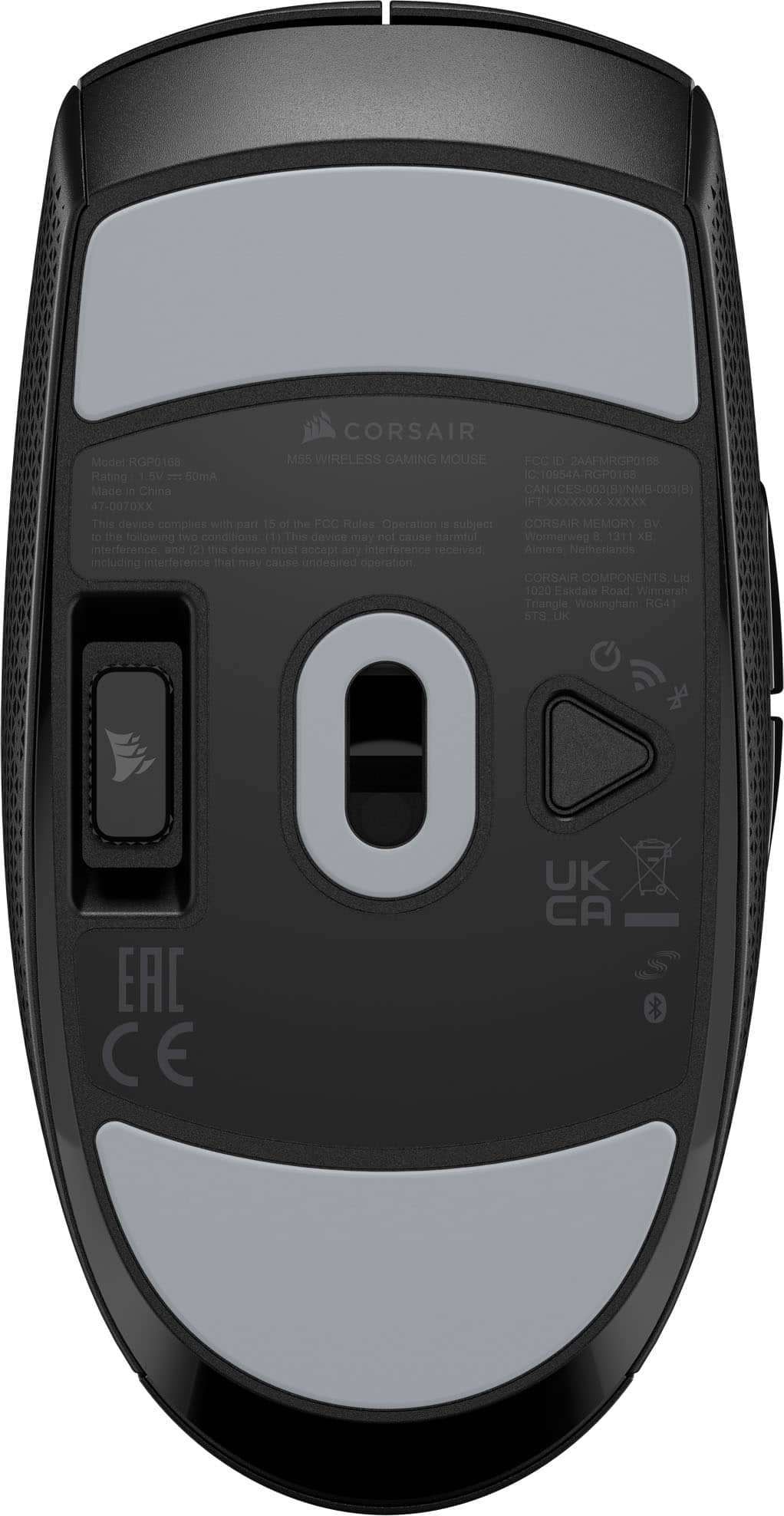
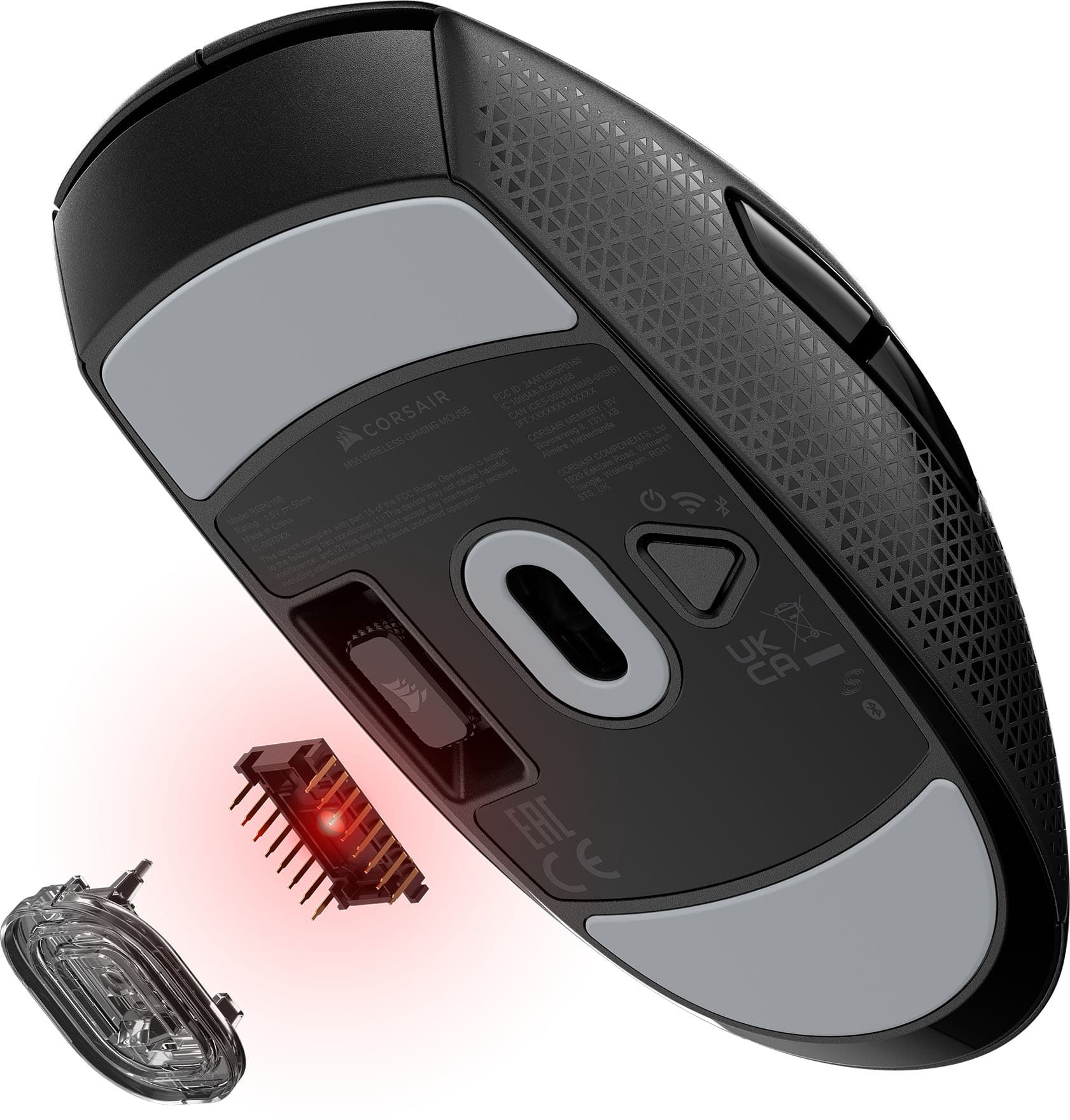
|Posted .This reviewer received promo considerations or sweepstakes entry for writing a review.I really like the size of this mouse. I have large hands, XXL, so over the years I have adapted to a very much fingertip mouse grip. This mouse, even being ambidextrous, is a really nice length and width for comfort and portability. The mouse will work both as BT or with a dongle. If you are gaming, I highly recommend using the dongle, slightly less latency. I actually use the dongle on one computer and BT on the other even with my KVM. It makes it a little easier to keep the work laptop awake while on my personal machine. A quick click on the underside button switches between BT and dongle. The mouse is powered by a single AA battery, it supposedly will last up to a year on one battery. Settings can be changed with the Corsair iCue software. There is no lighting, button assignments, sensor speed and power settings are pretty much all that is available in iCue. Performance wise, it does a great job tracking and is smooth gliding. The sensor works well on almost any surface, I do recommend a good gaming pad though. There is a lot to say for a good gaming pad. The battery compartment is under the hand rest, simply slide down from the buttons to open. A quick ALERT if you will. When opening the device, the packaging is a bit odd. The dongle is not in the mouse slot, and if you are not paying attention and are in a well lit area when opening, you will miss the dongle being in part of the cardboard that holds the mouse in place during shipping. If you can't find it, go back to the insert and you will find the black dongle on the black cardboard. One of those times when the packaging having a different color would make sense or having the dongle be a different color or a colored piece of plastic to alert that it is there. Maybe a while outline around the dongle in the packaging. Considering my only gripe is about packaging, it is safe to say this is a highly recommended mouse.
I would recommend this to a friend - Pros mentioned:Portability
Solid Travel Option
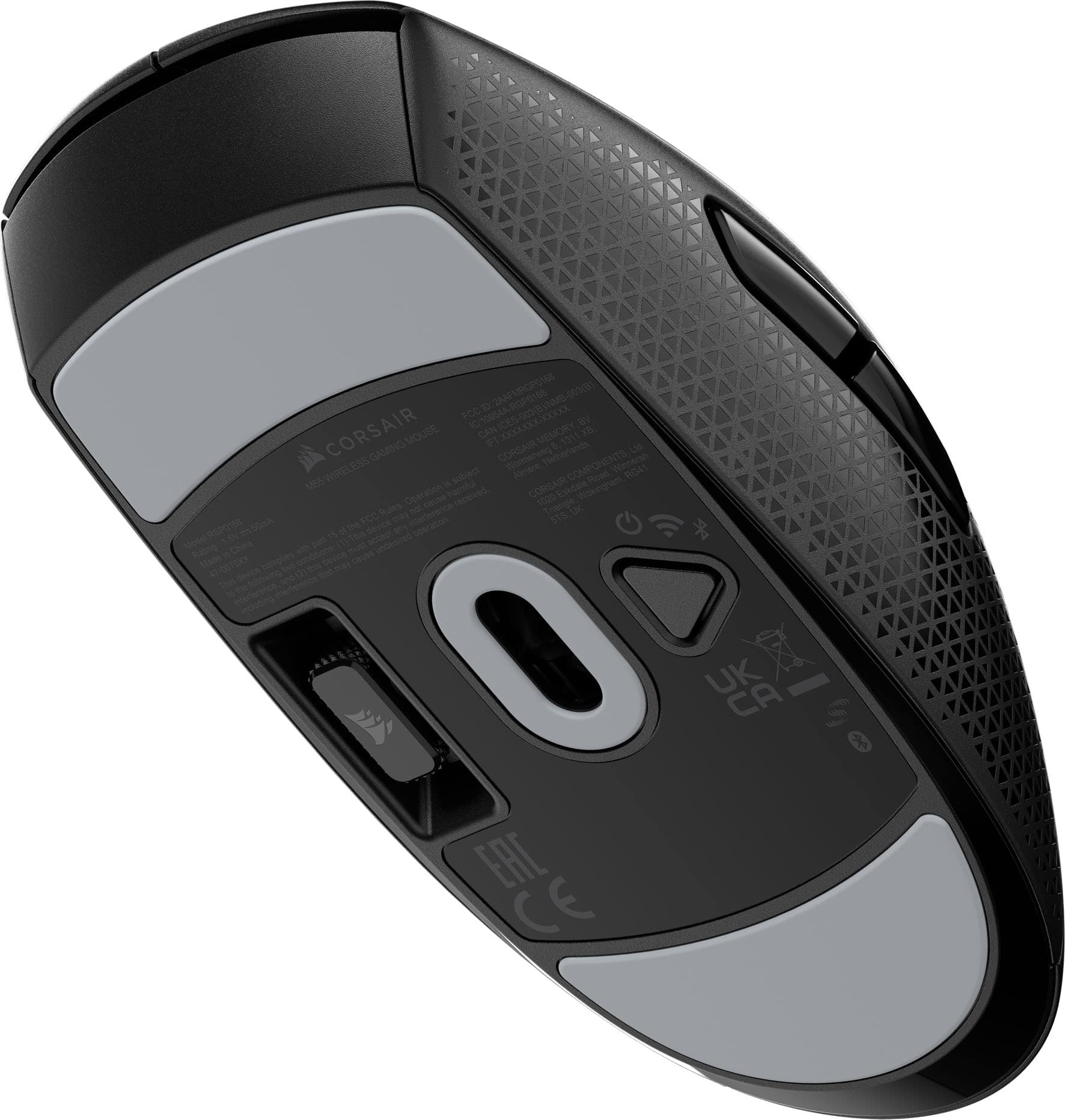
|Posted .This reviewer received promo considerations or sweepstakes entry for writing a review.Given the size of this mouse I would generally consider this a travel mouse or an option as an everyday mouse for someone with smaller hands. The Good: The shape of the mouse is pretty comfortable for a smaller sized mouse. The main buttons have a very nice tactile click and quick reset. The wheel has a nice feel to it and operates easily. The side buttons are easy to actuate, also with nice clicks, but are not in the way while moving the mouse around. The excellent glide feet on the M55 definitely help prevent mis presses on the side buttons as they are great and the mouse moves very smoothly across a variety of surfaces. Since I would consider this more of a travel mouse as stated earlier, I am happy to see a storage spot for the USB dongle on the underside of the mouse. I much prefer this placement instead of having to open the battery compartment to store the dongle. The Neutral: Speaking of the battery compartment, this is not a rechargeable mouse. It utilizes a single AA battery. This to me is one of those six in one hand, half a dozen in the other. AA batteries are easy to come by and they usually have a nice long lifespan, while most of my rechargeable travel mice seem to wind up discharged every time I pull them out of my bag. The advantage is using it as a wired mouse is always an option but then, that seems to become my default use method. This mouse is also on the heavier side, which I generally tend to prefer but I know this is not the case for everyone. These two attributes really boil down to personal preference. The Bad: This could ultimately bring one of the neutral points into the bad, but because of the placement on the AA battery inside the mouse, it is very back heavy. You can really feel it kind of being out of balance during faster movements. Since I don't generally game with a travel mouse and prefer a controller on the go, this won't affect me much but it could definitely be a deal killer for someone looking to leverage the M55s great gliding and good sensor for gaming.
I would recommend this to a friend - Pros mentioned:Battery life, Connectivity
M55 wireless mouse from Corsair
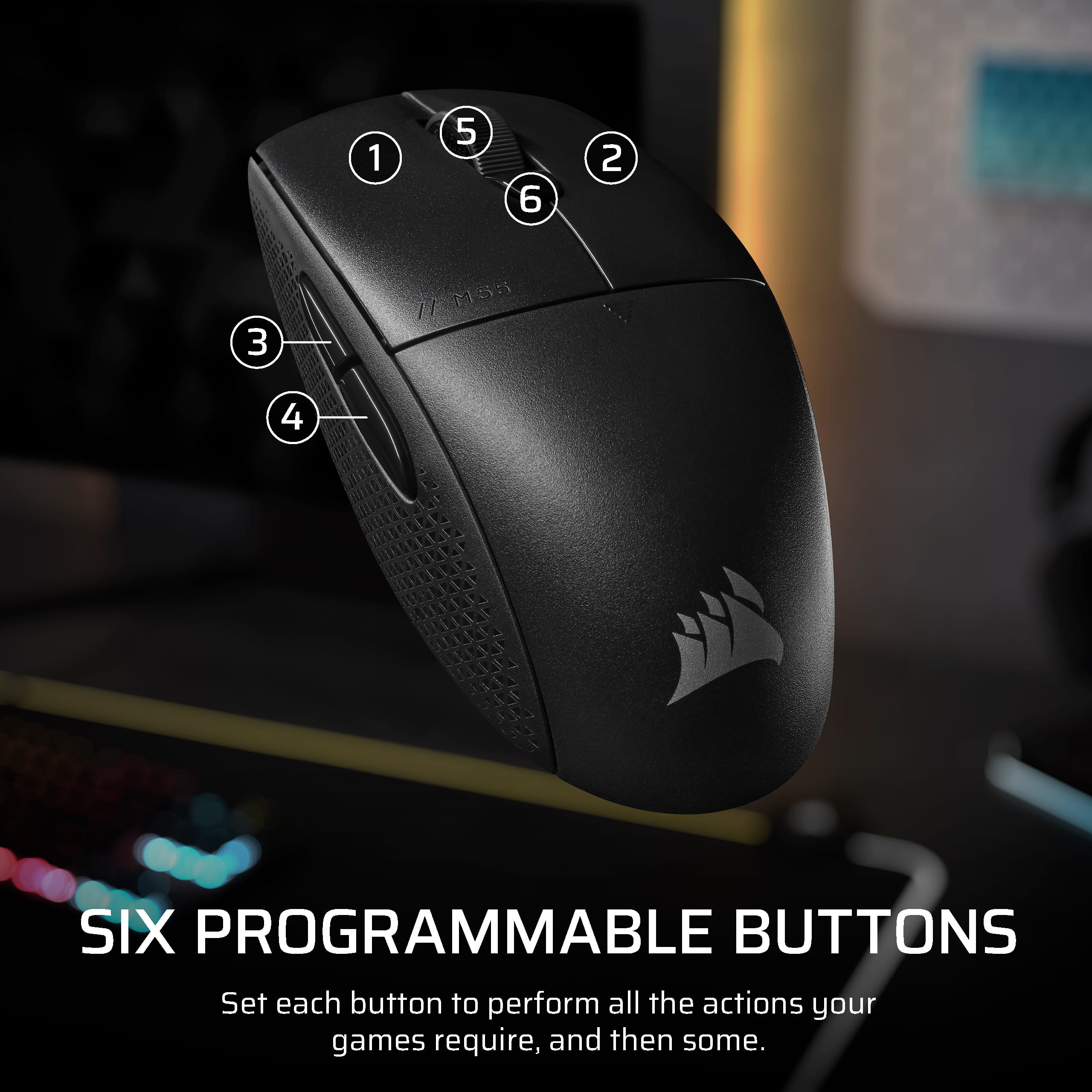
|Posted .This reviewer received promo considerations or sweepstakes entry for writing a review.The M55 wireless mouse feels ergonomic in either hand. I have always used the mouse in my left hand without reconfiguring and buttons. The mouse fit comfortability in my left hand. Not utilizing a mouse pad, the skates glide perfectly on the desktop. Most of the functions of the M55 are adjustable via software. You can program each button to match any key or key combinations. The left button is the only button which cannot be reprogrammed, but you can have fun the others. The battery is reported to last up to 185 hours on Wi-Fi or up to 400 hours on Bluetooth. Switching between Wi-Fi and Bluetooth is accomplished by pressing a triangle shaped button on the bottom of the mouse. There is also a spot on the bottom for storage of the Wi-Fi dongle. The tactile feel of the buttons is just about right. Each button has a distinct click. Using the application affords adjustability of the light to track the mouse movements. The Dots Per Inch are adjustable up to 24 thousand. Battery level is also tracked via the iCUE application. The weight of the mouse is heavier than my other wireless mice. The mouse is heavier in the rear than the front. This was noticeable when I had to pick up the mouse to reposition it. There is also no instructions for operating the mouse with-in the packaging.
I would recommend this to a friend Mouse
||Posted . Owned for 1 month when reviewed.This reviewer received promo considerations or sweepstakes entry for writing a review.Works like a 20$ mouse bought before it was on sale so even more of a bad purchase
No, I would not recommend this to a friend- Pros mentioned:Build quality, Weight
Great Choice for the Gamer
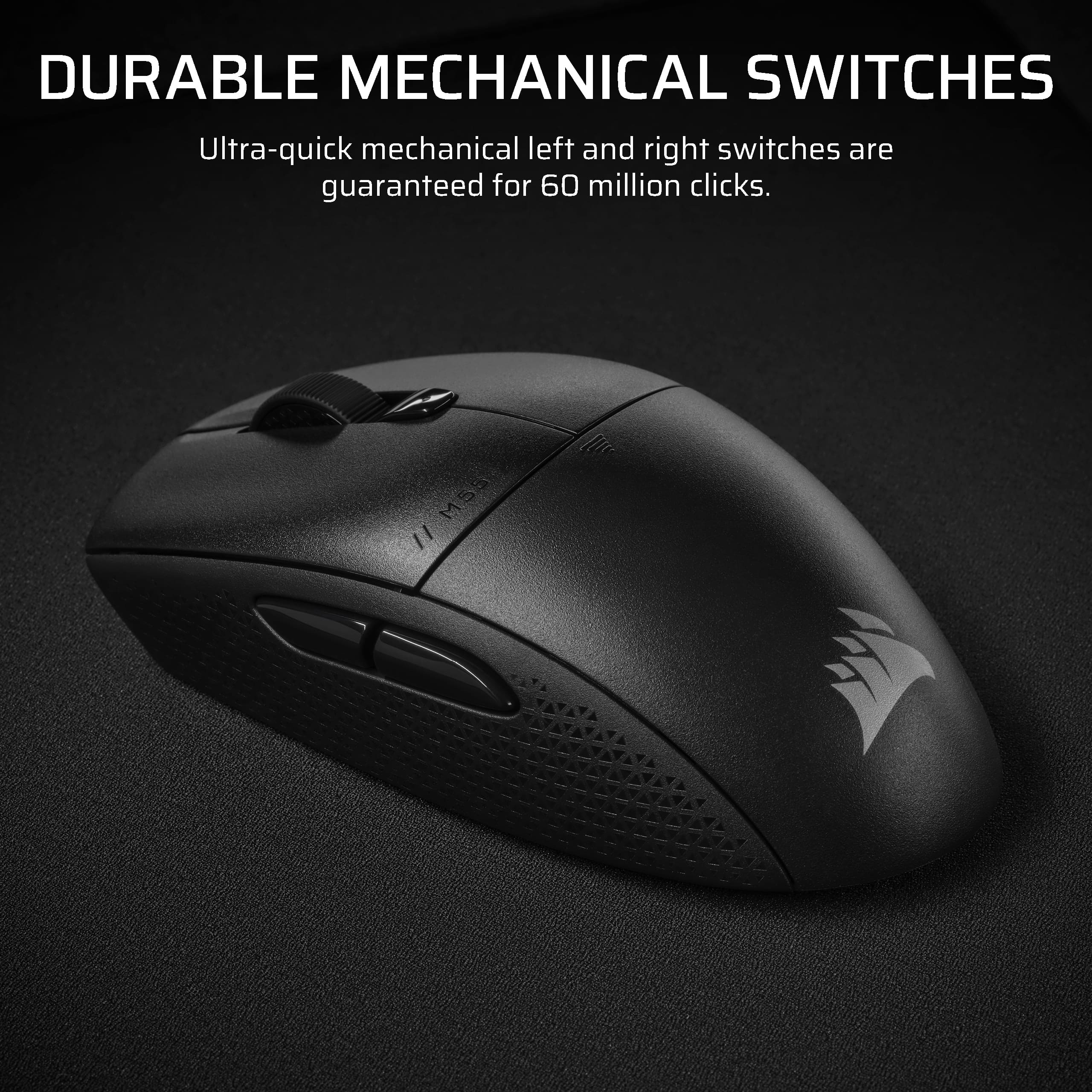
|Posted .This reviewer received promo considerations or sweepstakes entry for writing a review.As a gamer, I am always on the look out for the next best thing and owning a good gaming mouse is a must. I picked up this Corsair Wireless optical mouse that offers ambidextrous support. I know many hard core gamers are still sporting a good gaming Wired mouse and I used to be in that camp however, the wireless mouse technology has evolved so much in the recent 5 years that I had to give it a try one day and loved it. So this Corsair M55 wireless mouse is definitely worth checking out. Here are a few things I really like about it: - Light weight and well built. This mouse feels amazing in my hand, the programmable buttons are a hige plus for those of us who like to assign certain functions. The left and right clicks are so pleasant and not super loud. Handling a light mouse when playing an intense game is super important to me and this Corsair M55 mouse definitely delivers. I don't get a cramp in my hand either as the ergonomics of the mouse was well thought (I do take breaks though). - Durability is something I also look for in a mouse and after owning a few other Corsair mice, I am pretty sure this one will last me a while as well, and if I am to believe their promise - 60 million clicks are guaranteed, plus you also get 2 years of warranty which is super nice in case something goes wrong. - Overall experience with this mouse was very pleasant, it just felt right altogether. Another plus would be the price is great too, so if you are like me who enjoys gaming and loves quality hardware, check this mouse out, I think you will be pretty satisfied with it. -
I would recommend this to a friend - Pros mentioned:Build quality, Weight
This will get you right, or left :)
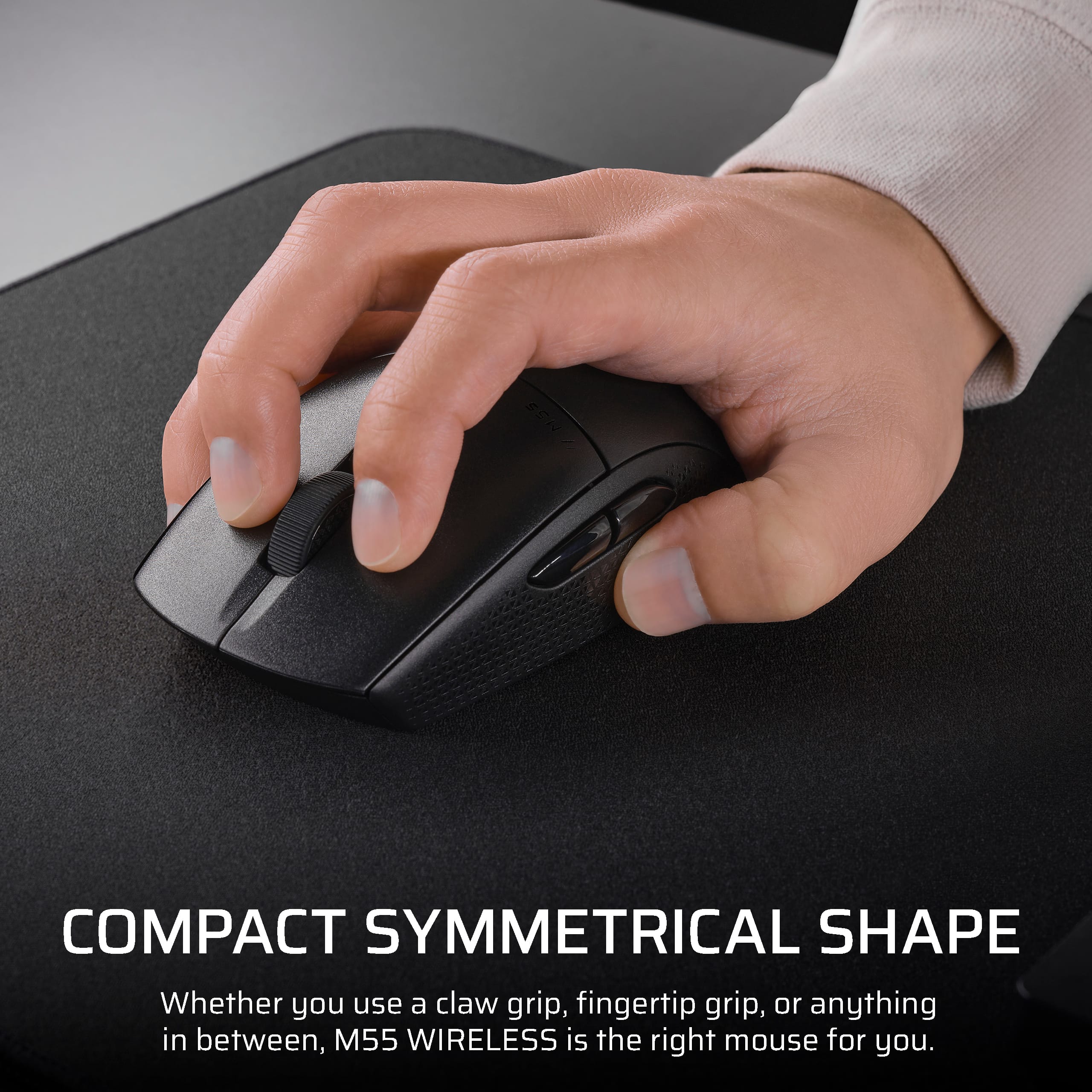
|Posted .This reviewer received promo considerations or sweepstakes entry for writing a review.The Corsair M55 wireless optical gaming mouse is a lightweight entry level mouse that acts, feels, and responds as well as, if not better than, many of its higher-end counterparts. I recently had the opportunity to evaluate the M55 for a few days, and if you are looking for a lower-priced, high-quality wireless mouse, the M55 will get you right. Out of the box, the unit is nicely made of traditional, heavier duty feeling plastics. I have used many assorted styles of mouses for gaming, business, or personal use, and one noticeable uniqueness the M55 has is the oblong oval in the middle of the mouse that allows for a comfortable grip for either hand. This does not diminish its playability, though. Two items that I like most about the mouse, short of the price, are its incorporation of Slipstream Technologies and the weight of the device while under palm. First off, if I understand it correctly, Slipstream essentially allows one dongle to seamlessly connect all of your Corsair devices to your PC. This works great for me since I play games on a laptop but use a Corsair wireless keyboard and Corsair headphones. I did not even realize that I was a fanboy until now. It works really well for me, and using the one connector saves me ports or having to buy a multiport connection peripheral. Next, the weight is spot on for me, and this is a very goldilocks subject. Much like sizing a wristwatch to your wrist, there are a lot of variables that people want differently; the weight of your gaming mouse is no exception. For example, I have one or two featherlight mouses that I like, but I tend to always revert back to my older, heavier mouse that I have been using for like seven years. The M55 is really a perfect balance for a middle-weight mouse. It is light enough that slight flicks of the wrist and its high DPI will make you game like you have hacks, but it is heavy enough for me that I am not over-flicking as I tend to do with a featherlight, if that makes sense. The only negative is that I would like more RGB, even at this price point. Concluding thoughts are that the Corsair M55 is an excellent option for any level and a perfect companion to complement a multitude of hand-play gaming styles.
I would recommend this to a friend - Pros mentioned:Battery life, Connectivity
Excellent mouse for both Windows and Mac
|Posted .This reviewer received promo considerations or sweepstakes entry for writing a review.Switching between my Windows gaming laptop and Mac Mini used to mean compromising on peripherals—but not anymore. The Corsair M55 Wireless Optical Gaming Mouse with Slipstream Technology has effortlessly adapted to both systems, giving me a seamless, lag-free experience whether I’m grinding through FPS battles or navigating macOS. Its cross-platform consistency is a quiet triumph that often goes uncelebrated in gaming hardware, but for someone like me who jumps between operating systems, it’s been very useful. Performance-wise, this mouse holds its own against much more expensive competitors. Latency is virtually nonexistent. I tested it thoroughly with high-speed games like Call of Duty: Black Ops 6, where every millisecond counts, and never once did I feel outpaced by my gear. Battery life is another major win. Corsair claims up to 185 hours of usage on a single AA battery, and while I haven’t pushed it to the absolute limit yet, I’ve put in several gaming sessions over the past week with no dip in performance or battery status. What immediately stands out is the design. Despite its small footprint, it doesn’t sacrifice ergonomics or usability, and I can game for hours without experiencing fatigue or cramping. The USB dongle, cleverly stashed at the base of the mouse, made it easy for me to move the mouse between my Windows and Mac setups. This mouse also features an ambidextrous shape. Left-handed and right-handed users alike can pick it up and play with ease, although it’s worth noting that while the form is neutral, the button layout is geared toward right-handed users. The side buttons are physical and fixed in place, so they can’t be repositioned for lefties—but that’s a minor drawback in an otherwise inclusive design. In summary, the Corsair M55 isn’t just a solid wireless gaming mouse—it’s an excellent all-around performer that balances form, function, and flexibility. I had no issues gaming on Windows and then using it to navigate around business apps like Excel on the Mac. It offers an impressive array of features and reliability that punches well above its weight class.
I would recommend this to a friend - Pros mentioned:Connectivity
Wireless Gaming Mouse from Corsair
|Posted .This reviewer received promo considerations or sweepstakes entry for writing a review.The Corsair M55 Wireless Optical Gaming Ambidextrous Mouse with Slipstream Technology was easy to pair over Bluetooth to my MacBook Pro. I used it to try playing the latest game I downloaded from Steam (Civilization VII), which is currently more my gaming style than the typical first-person shooter type games. Corsair included a USB-A adapter, but in the case of the computer I wanted to use it with, there were no USB-A ports available, so I was thrilled that Bluetooth support was there. While playing the game above, using a mouse was more natural to me than using the built-in touchpad - I made more progress in 10 minutes playing the game with this mouse than I did in 10 days of playing with the touchpad. The mouse seemed to respond quickly, with no noticeable delay. The mouse fit my hand perfectly and was well designed in size and feel. Clicking the mouse buttons makes an audible mechanical click, which I like to hear when I’m playing because it gives me audio (and tactile) feedback that the click was registered, and I can click again if I need to respond quickly. The scroll wheel motion also gives mechanical tactile feedback as you scroll it. I will enjoy using this Corsair Gaming Mouse and hope you do too - I recommend it to anyone searching for a gaming mouse.
I would recommend this to a friend - Pros mentioned:Build quality, Portability
I love a simple mouse!
|Posted .This reviewer received promo considerations or sweepstakes entry for writing a review.I have large hands with thick fingers. I’ve found computer mice over the last few years, particularly gaming mice seem to be growing in size and complexity. My big hands and fingers love the size of these larger mice, but there are plenty of times where I just need a compact mouse that works. That’s where I find myself with this M55 mouse. It is small, but not minuscule. The shape works well in my hands. The mouse supports the basic two buttons and a scroll wheel functionality and it includes a couple of trigger buttons on the side. The materials used for the body of the mouse are lightweight without feeling cheap. I love the built-in slot for storing the USB-key-dongle when the dongle is not in use. I had no problems connecting this to both my Windows and Apple devices. The mouse is not recharable, instead opting for a single AA battery that is easy to swap out and overall the mouse is doing what its supposed to do. For anyone looking for a travel mouse that supports low-latency wireless this is a good choice with what I consider a great balance between size and complexity.
I would recommend this to a friend - Pros mentioned:Portability
Great Gaming Mouse for gaming on the go
|Posted .This reviewer received promo considerations or sweepstakes entry for writing a review.This was a great mouse! After about a week of use I can say that its got smooth and responsive feedback: it's not quite as good as a wired mouse for fast twicth reflex games where milliseconds count, but for most games most of the time its an extremely worthy accessory. I've paired this with a gaming laptop as its relatively small and easy to carry along, no cords mean that is easy to setup where I am and the capabilities mean that I don't miss the dedicated gaming tower with wired mouse while I'm playing, mostly anyway. The grip is nice, and the click of the different buttons is satisfying: precision movements like building the Fortress of Solitude in Minecraft feel natural, and I don't notice any jerkiness or off input. The programmable buttons make it easy to map this mouse to your favorite game. I tend not to be a price concise shopper for hardware: functionality is more important to a price as long as the price "reasonable" but I do feel compelled to mention that this mouse is currently less than $50 and feels like a tremendous bargain at that price point: it was comparable for me to using mice in the $75 range and so value for money this feels like a great decision.
I would recommend this to a friend - Pros mentioned:Portability
Compact yet mighty
|Posted .This reviewer received promo considerations or sweepstakes entry for writing a review.The Corsair small form factor mouse is a compact gaming mouse that brings simplified design to gaming. This mouse has ample palm space for usage and doesn’t feel to bulky in your hand when you’re laying games or doing normal everyday computing tasks. This mouse allows for the 3 top hand positions, Claw, Palm and Fingertip. To test this mouse I tried playing COD, Ark and Doom. In COD I tend to play with a Fingertip style to match my reflexes. The 6 programmable buttons help with quick reloads and switching on the fly. In the settings I tend to like high DPI and you can select up to 24,000 on the sensor. I noticed zero lag in connections or input delay and was spot on with my presses to action on screen. I Ark I played with a traditional palm grip and it had zero fatigue on my med/large hand size. I tried 3 6 hour sessions and had an amazing time with the mouse. It glided smooth and functioned at every task I gave it. In Doom it was same as COD performed exceptional. Overall this mouse jumps through every hoop thrown at it and gives gamers a solid point at an excellent mouse that boasts features of high end expensive mouse’s.
I would recommend this to a friend Slim but back heavy.
|Posted .This reviewer received promo considerations or sweepstakes entry for writing a review.Pro: -Smooth gliding -Tactile scroll wheel -Keys can be customized in many ways Neutral: -No RGB Con: -Uneven weight. Back heavy from AA battery -Not truly ambidextrous The M55 is mostly a symmetrical mouse. The body is slim, perhaps too slim for some. The mechanical switches are nice and tactile and don't have a sharp tang to them so it sounds more muted. The scroll wheel has a nice clicky feel. It’s not truly ambidextrous since the side buttons are only on the left side. It uses an AA battery, so it’s not the lightest and the weight of the battery makes it uneven and back heavy. When it’s completely on the surface, the PTFE pads make it feel light and smooth. However, when I pick it up or do quick flicks, I can definitely feel the unbalanced weight on the back. I feel like it was designed to be gripped in the middle rather than a palm grip. The battery is supposed to last up to 180 hours with the USB receiver, or up to 400 with bluetooth. Only used it a few days but so far still show full power. With iCue, all but the left button can be remapped. They can pretty much be remapped into any keyboard key, key combinations, macros, or preset functions. The DPI can be set between five stages, ranging from 100 to 24,000. Personally, I think the mouse is good for single player games and maybe competitive games if the uneven weight doesn’t bother you. It’s tactile and glides easily. The symmetrical design makes it somewhat slim and can make my palm cramp up during more intense gameplay.
I would recommend this to a friendNice but pricey
Posted .This reviewer received promo considerations or sweepstakes entry for writing a review.Smooth, easy to use, and comfortable to grip. Too pricey, however.
I would recommend this to a friend