Customer Ratings & Reviews









- Model:
- CH-9127012-NA
- |
- SKU:
- 5713205
Customer reviews
Rating 4.8 out of 5 stars with 808 reviews
(808 customer reviews)Rating by feature
- Value4.4
Rating 4.4 out of 5 stars
- Quality4.8
Rating 4.8 out of 5 stars
- Ease of Use4.7
Rating 4.7 out of 5 stars
Customers are saying
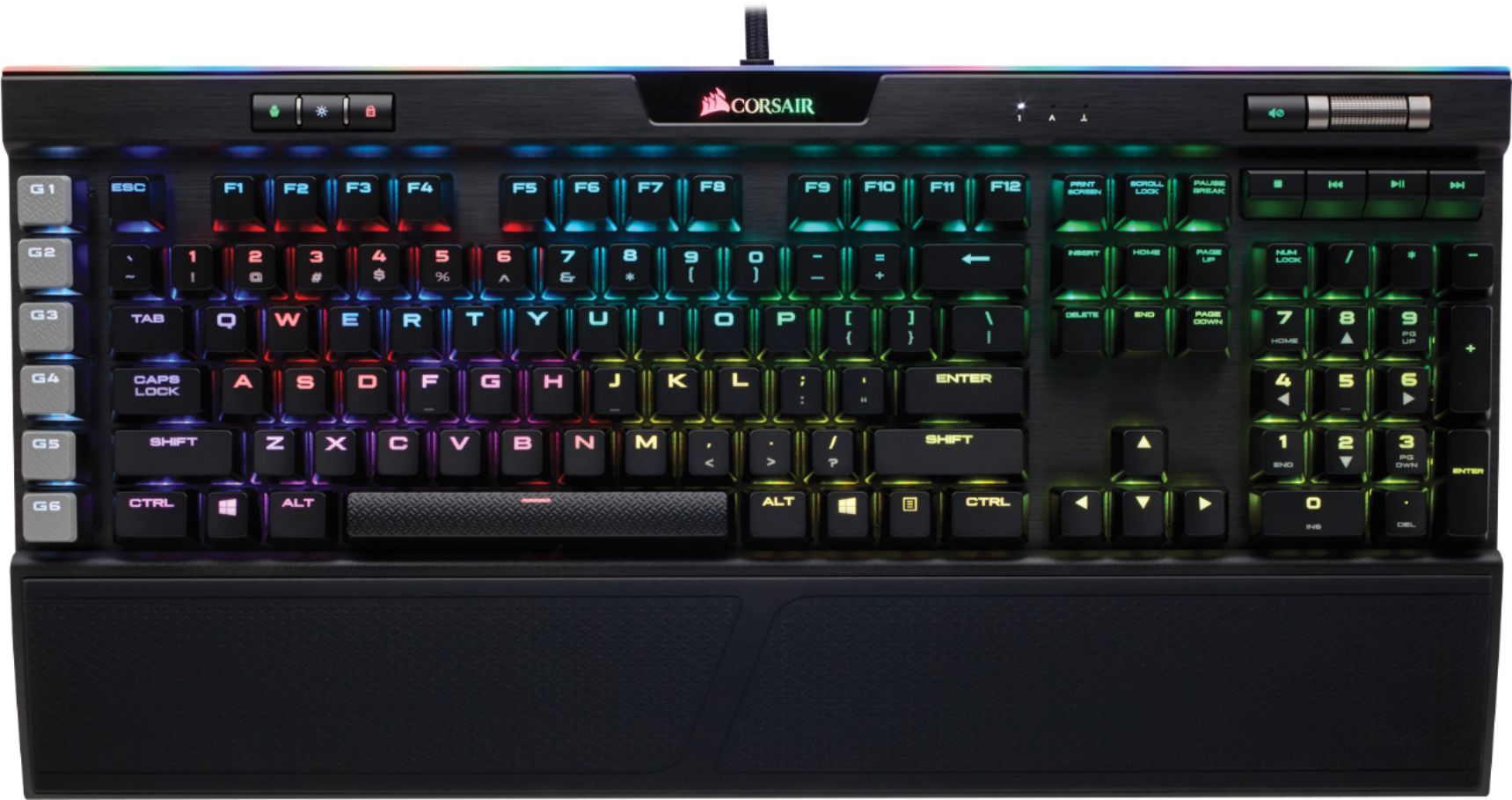
Customers regard the PLATINUM K95 keyboard highly, praising its build quality, RGB backlighting, and key feel. Many appreciate the customizable features and included wrist rest, finding the software intuitive and the typing experience satisfying. However, some customers find the price to be a significant drawback.
This summary was generated by AI based on customer reviews.
- Pros mentioned:Rgb backlighting
Rated 5 out of 5 stars
Absolutely the best!
||Posted .This reviewer received promo considerations or sweepstakes entry for writing a review.Awesome cherry speed switches. Great layout and design. Sweet RGB LED lighting controlled by Corsair software. I can't think of anything bad to say about this keyboard.
I would recommend this to a friend - Pros mentioned:Key feel, Rgb backlighting
Rated 5 out of 5 stars
AMAZING!
||Posted .This reviewer received promo considerations or sweepstakes entry for writing a review.Smoothest keys I have ever typed with. RBG iCue software allows you to set your own patterns and the color schemes that you want. Box says that it doesn’t work with Mac but it does if you have a usb 3.0 slot, may still work in a 2.0. You can’t change the colors though except for the 3 onboard presets it already has.
I would recommend this to a friend - Pros mentioned:Keyboard quality, Rgb backlighting
Rated 5 out of 5 stars
Very good and well built
||Posted .This reviewer received promo considerations or sweepstakes entry for writing a review.The K95 Platinum is a very well built, responsive, and good sounding keyboard with the MX brown switches. It's is fully RGB witch I love and links to other corsair products. A must buy for an avid PC gamer or enthusiasts.
I would recommend this to a friend Rated 5 out of 5 stars
Fantastic choice for the PC gamer.
||Posted .This reviewer received promo considerations or sweepstakes entry for writing a review.The price tag may dissuade many from looking at this, but I decided to try it out and I love it. Display: Using the Corsair Utility Engine, you can create your own macro profiles and color profiles, with literally thousands of different options. Each key is its own color zone - you can specify the color for each key, and even match it to your gaming. This also works with all your Corsair RGB connected devices, and more importantly, the pass-through USB port is really helpful for your other peripherals. The sleek design and removable wrist rest makes this definitely look the part, and the braided cord is easy to wire around your unit. Mechanics: Keeping in mind that this is a mechanical keyboard, the keys are louder than other keyboards. The trade-off is increased usability, response speed, and a more comfortable typing experience. While the description says 18 G-Keys, I would like to point out that the 18 G-Key version is not the Platinum K95, but the original K95. This one, however, has three programmable profiles that you can switch from with the push of a button without having to go to your desktop, which effectively gives you 18 options to use on your 6 G-Keys through 3 profiles. The smooth operation of the media keys and volume control is an added benefit, and the "Disable Windows Key" option is great if you are in a game you need to focus on - this way, you won't accidentally bump into the windows key. All in all, I absolutely love this keyboard and I think it is definitely worth the money. You aren't paying for flashing lights in this one - you are paying for quality. Especially considering most of the newer Corsair peripherals are RGB-connected devices anyways.
I would recommend this to a friend- Pros mentioned:Key feel
Rated 5 out of 5 stars
Very nice so far, better than my Logitech I had
||Posted . Owned for 1 month when reviewed.This reviewer received promo considerations or sweepstakes entry for writing a review.Love the wrist rest that my Logitech didn’t have, also the easy click mechanical keys. Recommend 109%
I would recommend this to a friend - Pros mentioned:Rgb backlighting
Rated 4 out of 5 stars
The Ferrari of gaming keyboards?
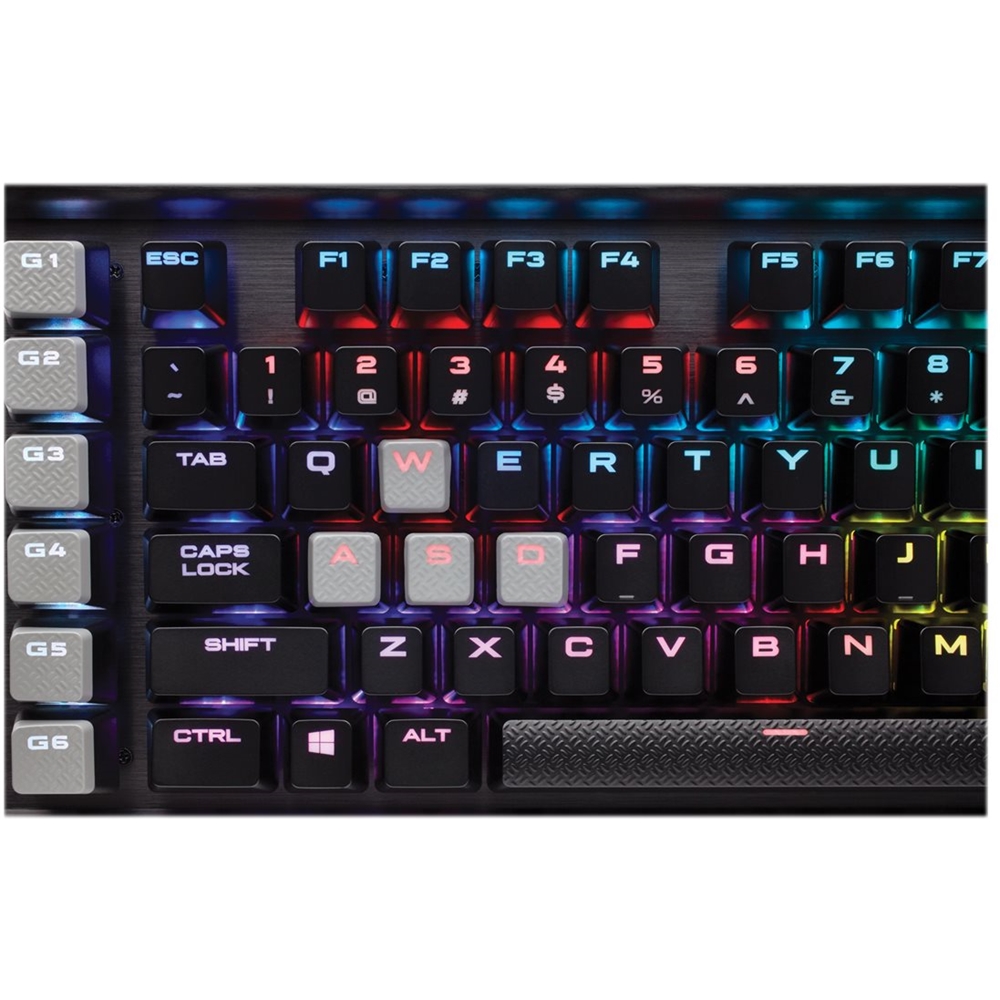
||Posted .This reviewer received promo considerations or sweepstakes entry for writing a review....at least price-wise Pros: -looks: the brushed metal finish gives this keyboard class. -RGB: -Comes with 3 decent RGB profiles which can be modified via icue plus you can control the brightness directly from the keyboard -iCue is getting better, beta software for mac users which is OK as of now. Cons: -Noisy as you would expect for MX browns -takes time to get used to, specially when typing - WHY CORSAIR, WHY? The color, material and pattern of the programable keys just don’t go well with the aesthetics of the keyboard. They’re gray with a metallic diamond pattern which look awkward. Not only that, but they are wobbly, moreso than the rest -Wobbly keys specially the space and programmable keys - Price: bought it for 170 something just to come back a day later and find that the price dropped to 130. Fortunately, Best buy gave me a price match. Conclusion: I would recommend this keyboard at the current price. Not worth the original 170+
I would recommend this to a friend Rated 5 out of 5 stars
Top of the line Keyboard!!!
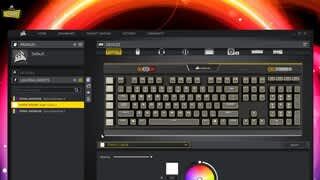
||Posted . Owned for 1 week when reviewed.This reviewer received promo considerations or sweepstakes entry for writing a review.This keyboard comes well packaged and lives up to its reputation. The hardware is easy to install (just plug in two USB cables) and you could be off and running with about 5 builtin lighting profiles. However, to get the full benefit out of this keyboard you will have to also install the Corsair iCue software and the ElGato (G keys) software. With the iCue software, you will be able to control all your RGB Corsair devices so the color scheme all synchronizes. You can control up to 16 Billion different colors on each and every key and add effects like highlighting particular keys in a different color or initiate a color change on a key strike that fades back to the original color over a specified amount of time. There is a lot to experience if you are into the lighting effects. The keys are a bit "clicky" (which I like) so if you are looking for a keyboard that is quiet and able to be used late at night without disturbing the household, this is NOT the keyboard for you. They keys, however, have a good feel and I actually enjoy typing on this keyboard; it was easy to migrate to after using my Logitech G510 for several years. The one thing I want to note about this keyboard from the Platinum K95 XT (which I tried also) is that the font on the keys for this keyboard is much more "standard" as opposed to what the XT version of this keyboard uses. The XT font was hard to see. Outside of that and a little harder wrist rest, I don't think there is much difference between the two. Expensive but worth it.
I would recommend this to a friend- Pros mentioned:Keyboard quality
Rated 5 out of 5 stars
ULTRA INSTINCT GAMER MODE
||Posted . Owned for 1 year when reviewed.This reviewer received promo considerations or sweepstakes entry for writing a review.This keyboard is great, lasted me about a year and more to go (hopefully) Brown MX switches sounds a blessing to type but it's okay for gaming (especially spamming title games) Value is quite good if you were to get it on sale > $180. Media keys are a plus, Its really nice to change music with a click of a button, and the macro key makes it nice for gaming.
I would recommend this to a friend - Pros mentioned:Rgb backlighting
Rated 4 out of 5 stars
Awesome keyboard, rgb galore and more!
||Posted .This reviewer received promo considerations or sweepstakes entry for writing a review.Picked up the keyboard for me set up, good switched overall and nice wrist rest for the price. Rgb lighting is good with no stuttering, good addition to any set up.
I would recommend this to a friend - Pros mentioned:Rgb backlighting
Rated 5 out of 5 stars
It's perfect
||Posted .This reviewer received promo considerations or sweepstakes entry for writing a review.Corsair has such great quality and performance definitely worth it! The rgb lights look awesome in any setup and this keyboard should be on every setup! If your looking for a keyboard grab this one!
I would recommend this to a friend - Pros mentioned:Switch type
Rated 5 out of 5 stars
Its CORSAIR and its an amazing KEYBOARD RGB!
||Posted . Owned for 2 weeks when reviewed.This reviewer received promo considerations or sweepstakes entry for writing a review.Keyboard is an exceptional keyboard mechanical brown switch. I prefer that switch type and I recommend this keyboard as there are still some on the shelf.
I would recommend this to a friend Rated 5 out of 5 stars
Good deal and good product!
||Posted .This reviewer received promo considerations or sweepstakes entry for writing a review.Really enjoy the sound and typing experience brought in by the Cherry Brown Switch. I also like the substantial metal framework. The 8MB on-board storage allows to save three lighting modes so that you can uninstall the Corsair iCUE after configuration. I can easily switch lighting modes with a button without worrying about the resource taken by the software. It would be even better if they leave more space between the six G keys and the regular keys. Sometimes I hit them accidentally.
I would recommend this to a friend- Pros mentioned:Rgb backlighting
Rated 5 out of 5 stars
Excellent gaming keyboard
||Posted .This reviewer received promo considerations or sweepstakes entry for writing a review.This is an excellent gaming keyboard, with quick response time and beautiful RGB lighting to boot.
I would recommend this to a friend - Pros mentioned:Rgb backlighting
Rated 5 out of 5 stars
Excellent Product
||Posted .This reviewer received promo considerations or sweepstakes entry for writing a review.Beautiful keyboard with everything a gamer needs and more
I would recommend this to a friend Rated 4 out of 5 stars
Great keyboard
||Posted . Owned for less than 1 week when reviewed.This reviewer received promo considerations or sweepstakes entry for writing a review.I'm a little bummed that Corsair doesn't offer official Mac support but the work around solution is great. It's too noisy for my office so I put dampeners on it. Still a bit loud but everything else is so great I can't be too upset about that. The software is also a bit difficult to learn but there are a lot of premade profiles out there you can import
I would recommend this to a friend- Pros mentioned:Keyboard quality, Rgb backlighting, SoftwareCons mentioned:Price
Rated 5 out of 5 stars
Oh boy, this thing is a beast!
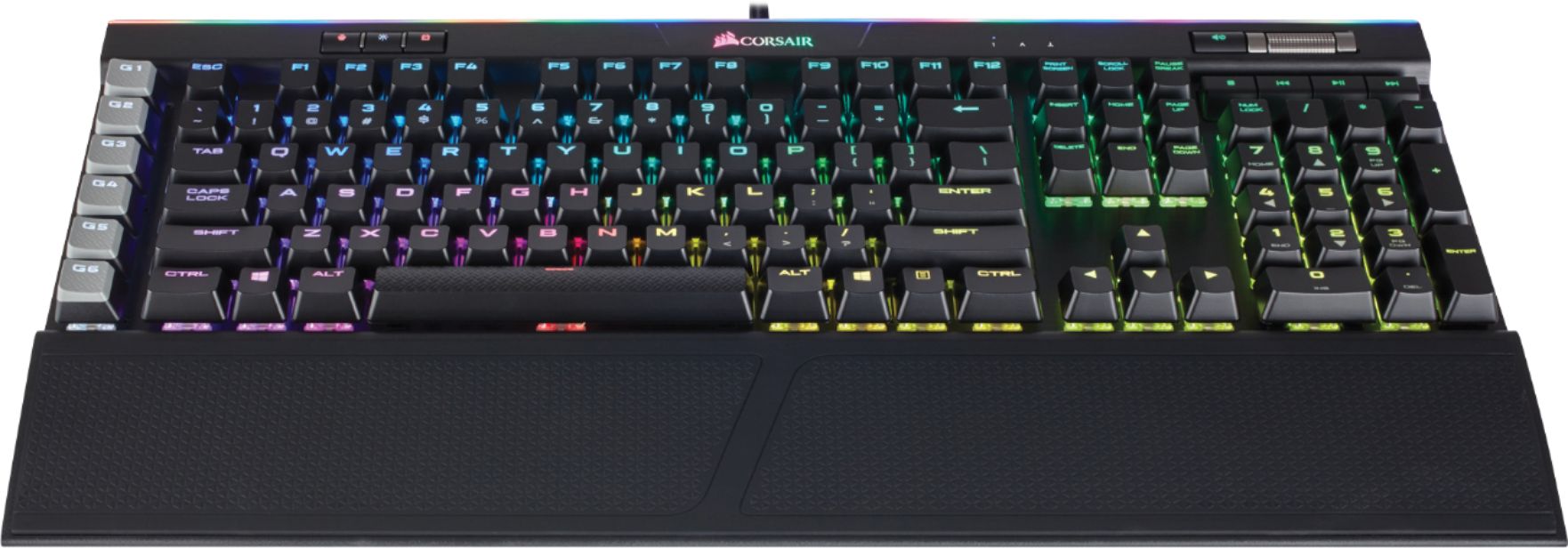
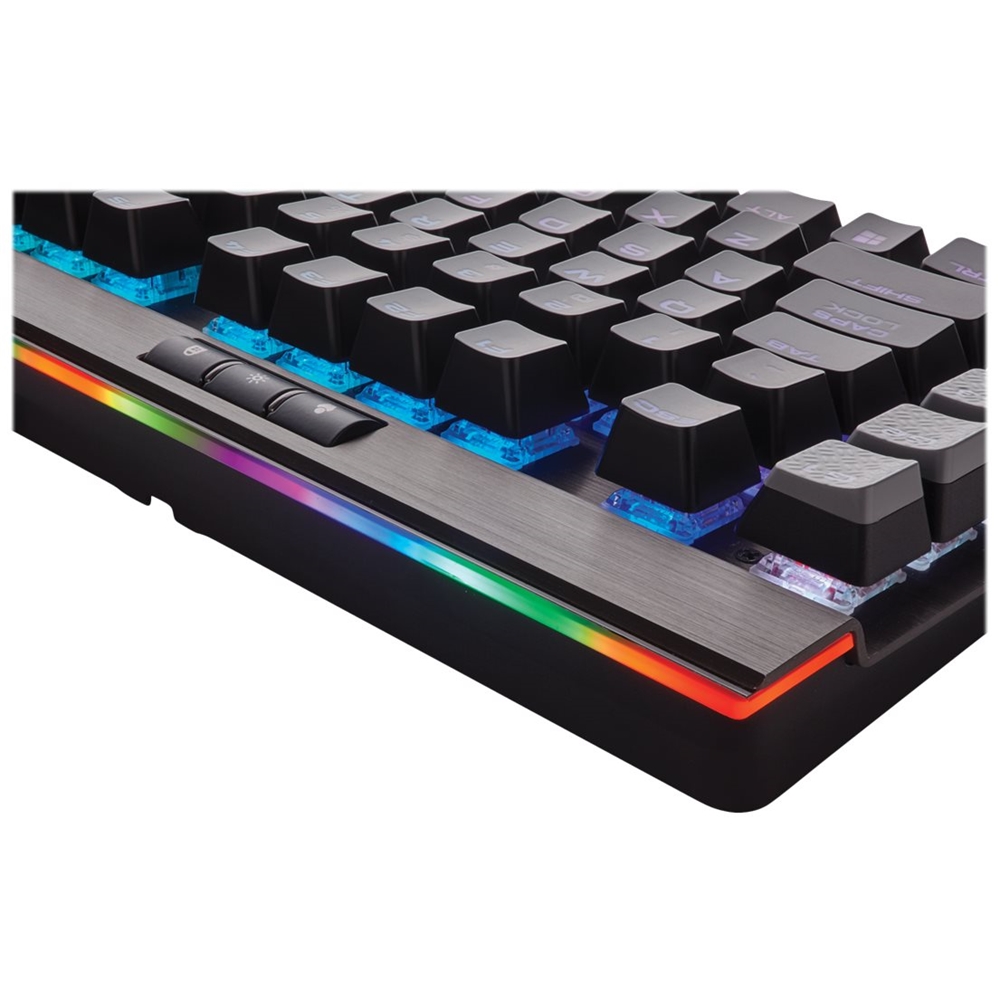
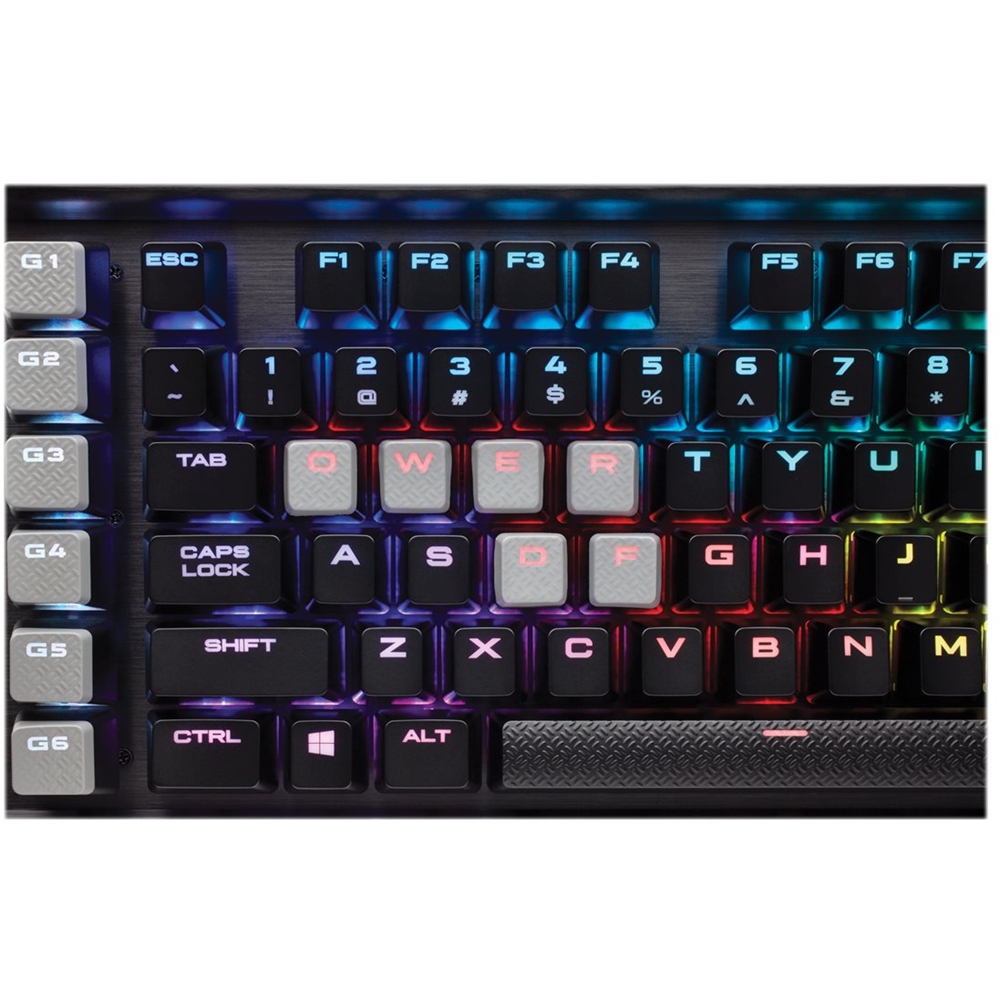
||Posted . Owned for 1 week when reviewed.This reviewer received promo considerations or sweepstakes entry for writing a review.Alright, where to even begin? This thing is such a beast of a keyboard. The basics: - Great key switches (Cherry MX Browns and Reds are available, I chose Browns). - 6 macro keys on the side that can be customized to do whatever you need them to. - Individually backlit (and customizable) RGB keys. - USB passthrough for a mouse, headset, or whatever else you may need. - Metal baseplate underneath the keys which keeps things sturdy and looks and feels really nice. - Dedicated media keys and a volume scroller. - Beefy cable that is sure to last awhile. - A nice looking RGB light strip and logo at the top, just for aesthetics. - Removable wrist rest with a double-sided, rubber pad. So, first off,the key switches. I chose the MX Browns cause, although I'm using it for gaming (obviously), I like more clicky switches that have a nice little bump. So the Browns are perfect. The keycaps are nice as well, with optional textured keycaps for the WASD keys (and the QERF keys as well, but I don't really play a lot of the games where those come in handy). The overall build quality is amazing, with a metal backplate that looks and feels very premium. The dedicated media keys are very nice, but I think the volume scroller is the best part when it comes to media features. With just a simple roll with your finger, the volume can be changed. I love it. The USB passthrough is pretty nice. Though I don't currently use it as I have no purpose for it yet. The wrist rest feels nice and is pretty comfortable. It has two sides, a smoother side and a more "bumpy" side with a little more grip to it. The macro keys are awesome. 6 keys you can set to do whatever you want? Count me in! And finally, the lighting and software. The lighting is fully customizable. Each key can be set individually and to practically any color. It looks amazing, and when you have a rainbow of RGB flowing across your desk that looks smooth as heck, who can complain? There are many other options for lighting styles which can be explored in the software, as well as the option to combine different styles to create your own unique look. The software is easy to set up and use. Very straight forward, and I've never had a problem. All in all, it's amazing. If you can get it on sale, get it. I got mine on sale for $130, which was a great deal. I probably wouldn't pay the full price for it, but that's just me. It is worth the money I think. I do recommend watching some videos on YouTube, specifically from Linus Tech Tips, before buying. That way you get a more visual look at the keyboard. But I do highly recommend it if you have the money for it. It's a great piece of gaming hardware.
I would recommend this to a friend Rated 2 out of 5 stars
Paint finish not holding up
||Posted .This reviewer received promo considerations or sweepstakes entry for writing a review.I should have wrote this when it started happening; the keys are fading to the plastic, "w" and "s." Ive owned logitech keyboards longer that never did this. summation, finish durability less than 2 years.
No, I would not recommend this to a friend- Pros mentioned:Key feel, Keyboard quality, Rgb backlighting
Rated 5 out of 5 stars
Great quality mechanical keyboard for gaming
||Posted . Owned for 3 weeks when reviewed.This reviewer received promo considerations or sweepstakes entry for writing a review.The Cherry Brown switches they use feel great to type on without being obnoxiously noisy. They are definitely a bit louder than standard membrane keyboards, but it's nothing like the CLICK CLACK of an IBM Model M from days of yore. The keycaps have a matte finish with cutouts for RGB to illuminate each key's function. Corsair has included replacement keycaps for FPS and MOBA configurations. I'm a big fan of the scroll wheel on the top right used for controlling system volume. It makes it easy to hone in on just the right volume very quickly; very handy when playing games online. The media keys for stop, back, play/pause and forward could be better, but at least they're spaced evenly enough for your fingers to naturally rest on them. Once you've remembered the order of the buttons, it's an easy task to move your right hand over without looking away from the screen. The wrist rest comes with a 2-sided, magnetically-secured cover that gives you a choice between two textures. I prefer the rougher side that seems to provide a little bit of traction to keep my wrists in place. The smooth side provides a slick surface that makes it easy to move your hands quickly between home row and arrows, 10-key and media controls. The cover can be a bit tricky to remove, as the magnets are strong and there aren't any notches to get a good grip on its sides. Would be nice to have a plastic pry tool included to make this easier. I wasn't sure if I'd care about the addressable RGB, but the lighting effects are quite nice. There are a handful of visualizations you can toggle between in the iCue controller software, or you can select a single color for the whole board. The iCue software is also where you program macros, which are not limited to the G1-G6 keys. Profiles can be set for specific games, so you can have individual macro/lighting for each game you play. (Somehow Diablo 3 is able to control the keyboard's lighting and provides neat effects for leveling up and other events, but this is the only title I've seen that does this.) RGB illumination can be turned off entirely if it's not your thing. My only real gripe with this board is the layout of the G1-G6 keys on the far left. It's not an easy task to switch your left hand between home row and these macro keys without looking away from the screen. This makes these keys practically unusable in fast-paced online shooters.
I would recommend this to a friend - Pros mentioned:Keyboard quality, Rgb backlighting
Rated 5 out of 5 stars
Fast, but loud!
||Posted .This reviewer received promo considerations or sweepstakes entry for writing a review.I read a lot of reviews, most stating that this is the Cadillac of gaming keyboards. I have to say, they’re not wrong. The Cherry MX red switches require very little pressure and my gaming experience has definitely improved. There is, however, one little drawback,those switches are VERY loud. If you’re single or your significant other doesn’t game in the same room, no harm, no foul. My wife on the other hand does play in the same room and the keyboard is distracting to her when I type. Aside from the noise, the keyboard is fantastic. The wrist rest is actually useful and comfortable, the key arrangement is fantastic, the keys are comfortable and the caps fully replaceable. The lighting is, I have to admit, pretty cool. Overall, I’d agree, it is the Cadillac of keyboards, and i would highly recommend it, even at the high price.
I would recommend this to a friend - Pros mentioned:Keyboard quality, Rgb backlighting, Switch type
Rated 5 out of 5 stars
Great Keyboard
||Posted .This reviewer received promo considerations or sweepstakes entry for writing a review.I have been a longtime Razer fan. I owned about 3 different Razer mechanical keyboards and with the last one I had (Razer Blackwidow Chroma) I would occasionally have keys stick so I decided to give the Corsair a try. I must say, I REALLY love this thing. I like the aluminum feel better than the plastic of the razer. I know its not a big thing but I love that it uses real Cherry Mx switches instead of the razer made switches. I like having the 6 macro keys although I really only use 1 to launch games. LOVE having the built in multimedia keys as the razer does not have that. Color options are pretty close although the razer software is better to me and supports changing colors in games automatically. Overall this keyboard is fantastic and I will definitely be sticking with Corsair over Razer in the future.
I would recommend this to a friend