Customer Ratings & Reviews

- Model:
- CT1000P5SSD8
- SKU:
- 6432876
Rating by feature
- Value
Rating 4.7 out of 5 stars
- Quality
Rating 4.8 out of 5 stars
- Ease of Use
Rating 4.8 out of 5 stars
Customers are saying
Customers recognize the P5 1TB Internal SSD PCIe Gen 3 x4 NVMe as a high-performance drive, particularly praising its speed, ease of installation, and ample storage capacity at a reasonable price. Many appreciate the straightforward setup and significant improvements in boot times. While some users experienced compatibility issues, the majority reported positive experiences, highlighting the excellent value and reliable performance of this SSD. A five-year warranty further enhances customer confidence.
This summary was generated by AI based on customer reviews.
- Pros mentioned:Performance, Speed
A 'crucial' m.2 to have in your system
||Posted . Owned for 1.5 years when reviewed.This reviewer received promo considerations or sweepstakes entry for writing a review.This thing has been beast mode for almost 2 years now. Never had any crashes, and speeds are constant. I have no intention on upgrading anytime soon.
I would recommend this to a friend - Pros mentioned:Performance, Price
Great price, great performance, and great warranty
||Posted . Owned for 3 months when reviewed.This reviewer received promo considerations or sweepstakes entry for writing a review.Great price, great performance, and great warranty. In comparison to other nvme drives with commensurate specs, this one is hard to pass up. This drive can utilize proprietary micron software - found on in the user manual - to further bolster performance (enhance speed, enhance longevity, etc.). If you're looking for an nvme drive that delivers on performance at a reasonable price, then look no further.
I would recommend this to a friend - Pros mentioned:Performance, PriceCons mentioned:Heat

Speedy little drive. Good value.
|Posted .This reviewer received promo considerations or sweepstakes entry for writing a review.*Summary: The Crucial P5 NVME drive lived up to its marketing claims and delivered great performance on my Windows 10 PC. Everything was sped up, like video-editing, gaming, and transferring large files. The 5-year warranty is awesome and the price is competitive and reasonable. It's a win! _____ *Pros: -Fast for gaming, editing work, and file transfers. -Easy install on my Win10 PC. -Good pricing and value. -5-year warranty. _____ *Neutral: -The drive runs a bit warm and could benefit from an aftermarket heatsink. _____ Cons: -None. The P5 was my first experience using a drive from Crucial (Micron) and my experience with it has been all positive. I usually get Samsung drives because they're rated tops most of the time but the P5 from Crucial have changed my perspective and I'm glad to see other companies bringing down the heat on the competition. The installation of the P5 was a simple affair. Since my motherboard's two M.2 NVME slots were already occupied, I used a PCI Express NVME adapter card and installed it to the secondary x16 PCIe slot on the motherboard underneath my graphics card. At first, Windows 10 didn't recognize the drive but I got it to show up by going into Computer Management -> Disk Management, and initializing the drive. Soon after, it was available as a 931.50 GB NTFS drive ready to go. Because I know NVME drives are great for gaming and video editing, I began installing some games onto it, as well as transferring large 4K@60fps files from my GoPro Hero 8 and Autel Evo 4K drone. Not surprisingly, the games installed really fast and file transfers completed in mere seconds. The games I played on the P5 include Red Dead Redemption 2, Horizon Zero Dawn, and Resident Evil 3 Remake. In all cases, the loading times were kept short and noticeably faster than when playing the same games on my older non-NVME Samsung SSD that runs on the SATA-3 interface. It's not a huge difference but still tangible and appreciated. I noticed a bigger improvement when performing video editing work on the P5 NVME than on the non-NVME drive on my PC with an Intel Core i7 9900 (8-core) and 32GB of RAM. I use CyberLink PowerDirector 18 and encode my videos in H.265. The time I saved per video project averaged about 15%; it's not a mind-blowing improvement but appreciated nonetheless. The final render times got shortened by only a little bit but the editing process was improved with less dropped frames and smoother playback during previews. I benchmarked the P5 with CrystalDiskMark 7.0.0 and the results were excellent (see pic). At a queue depth of 8, I got a sequential read speed of 3,444.42MB/s and a sequential write speed of 3,207.74MB/s. Among all the drives I own, the P5 performed the best in CrystalDiskMark and beat out even my slightly older (and more expensive) Samsung Evo 970 Plus NVME by a few percentage points. When it comes to thermals, the P5 ran a bit warm but not worryingly so. At idle, the P5 reported 52 C in a room with a 77 F ambient temperature. My other NVME drive, a WD SN720 NVME, idled at 49 C. During load, the P5 went up to 60 C, well under the drive's warning temperature threshold of 78 C and the critical temperature threshold of 81 C. How hot the P5 gets will depend on the airflow configuration of your desktop or laptop system. In my case, the P5 is installed in a large ATX case with one 200mm front fan, one 120mm rear fan, and a 240mm AIO watercooler from Corsair. In the near future, I'll be applying a heatsink to the P5 to bring down the temperature a bit more. To manage the P5 from Win10, I downloaded the Crucial Storage Executive app and I liked it for its clean interface and ability to perform firmware updates. === Is it a good buy? === Absolutely. You're getting cutting-edge performance from a big brand-name company with a 5-year warranty.
I would recommend this to a friend - Pros mentioned:Speed
Fast.
||Posted . Owned for 1.5 years when reviewed.This reviewer received promo considerations or sweepstakes entry for writing a review.I run this for my steam files and use one as an Adobe flash drive. Fast.
I would recommend this to a friend - Pros mentioned:Speed, Storage
Great Value for the Storage Size !
||Posted . Owned for 1 week when reviewed.This reviewer received promo considerations or sweepstakes entry for writing a review.I recently have been looking for a upgrade to my 500gb nvme hdd in my computer due to lack of space when playing games ! I could not be happier with this purchase , considering the cost !! I was a little hesitant on Crucial Brand , but so far I will say it has been just as good as my western digital black NVME
I would recommend this to a friend - Pros mentioned:Performance, Price
This is the m.2 NVME drive for you
||Posted . Owned for 3 weeks when reviewed.This reviewer received promo considerations or sweepstakes entry for writing a review.Excellent performance and punches well above its price point. Super happy to finish my build with this product. I'd recommend it my gramma, good product.
I would recommend this to a friend Great Replacement Drive
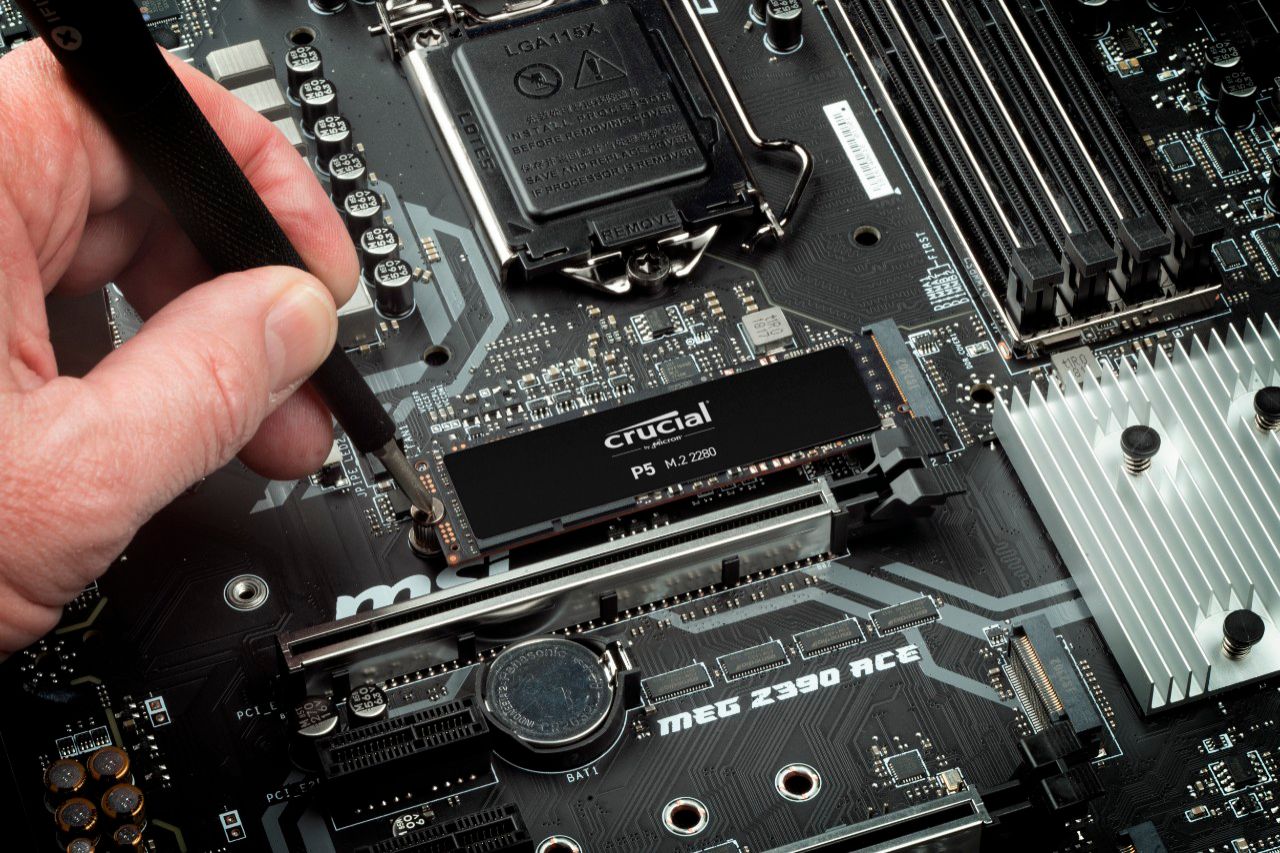
||Posted . Owned for 3 weeks when reviewed.This reviewer received promo considerations or sweepstakes entry for writing a review.I replaced a Crucial SSD with this Crucial M.2 NVME drive as my boot drive. I went from around 400MBps read speeds to 2,800MBps. It is rated at 3,400MBps, so I'm still researching to see where the bottleneck is. It's most likely an issue with my older motherboard, Asus Prime B350 Plus, and not a drive issue. It did shave a few seconds off my boot time and some apps seem a little more responsive, but not enough to be noticable to the average user coming from an SSD drive. Installation was a breeze. Make sure your PC is off, connect the drive to your M.2 slot on your motherboard and secure with the screw that your motherboard should have included. Then turn on your PC and boot into your OS to start using it. You may need to format the drive first and assign a drive letter to it in order to see it. If you are making it your boot drive and would like to transfer your contents from your original boot drive, Crucial offers a link to cloning software which is free and works great. Temperatures have remained around 52 -56 C even while gaming. My older SSD ran around 40 - 45 C. It's normal for these to run hotter than your regular SSDs and older Hard Drives, but these are made for that, so don't worry unless your NVME starts to get close to the maximum rated temperature. I would recommend this drive to anyone looking to shave off a few seconds off their boot time and app start up times, or anyone who just needs a new drive.
I would recommend this to a friend- Pros mentioned:Speed
Nice drive
||Posted .This reviewer received promo considerations or sweepstakes entry for writing a review.Excellent quality, fast compared to the plextor m6e it replaced, better software. Looks nice too, almost a shame my vision g motherboard has heat sinks that cover it- although I prefer the heat sinks. The pictures are a comparison of the the plextor and the crucial speeds. Keep in mind the write cache was on during the crucial test.
I would recommend this to a friend - Pros mentioned:Speed
a little overpriced but the drive works
||Posted . Owned for less than 1 week when reviewed.This reviewer received promo considerations or sweepstakes entry for writing a review.Gotta tell ya this M.2 is pretty good drive notice the pics? the P5 read/write are 2-3xs faster dont know whats with the windows boot speed but the other 2 drivers loaded windows in a 15-20 secs times frame the P5 only 14 secs...some streaming games may start faster then others opening apps about a second, now if you are wondering if you will get more fps with this drive theres a slight chance but for me it didnt i mean when i had the intel 760p with fortnite i used to get an average 120fps now under 80fps still thats better then nothing, anyways i do recommend this ssd for whatever you need it the price should be under $100 lucky i got it on sale.
I would recommend this to a friend - Pros mentioned:Speed
Fast Drive
||Posted . Owned for 3 weeks when reviewed.This reviewer received promo considerations or sweepstakes entry for writing a review.This paired with a AMD 5600x and DDR4-4000. I know I could of went for a PCI-E x4 but the speed this drive has is great a value and simple. Mounted it and that was it. Also stays cool with a heatsink.
I would recommend this to a friend Samsung who?
||Posted . Owned for 2 weeks when reviewed.This reviewer received promo considerations or sweepstakes entry for writing a review.Fast! Achieves advertised R/W speeds. One of the best deals on a 1TB Gen3 NVMe SSD, with a 5 year warranty. I jumped on it when it was $109 and glad I did. Highly recommended.
I would recommend this to a friend- Pros mentioned:Speed
Pretty Great SSD!
||Posted . Owned for less than 1 week when reviewed.This reviewer received promo considerations or sweepstakes entry for writing a review.I recently got this SSD for $90, and isn’t it fast. As other reviews had said, make sure to download Crucial Storage Executive and turn on Momentum Cache, This would increase the speed by a lot.
I would recommend this to a friend Crucial p5 1tb nvme m2 drive VERY IMPRESSED!
||Posted . Owned for 1 week when reviewed.This reviewer received promo considerations or sweepstakes entry for writing a review.I am really REALLY impressed with this nvme m2 drive! It is even running faster speeds than both of my Western Digital SN850 pcie4 nvme drives that are rated at twice the speeds of this drive, read and write both! Refer to the pictures I included of benchmark results via crystal disk mark program. BE SURE to goto crucial's website tho and download their Crucial Storage Executive software and make sure to enable "momentum cache" or it will only run at the lower rated speeds. Like I said before I was truly impressed with this drive, as a simple reboot of my system after enabling it was only a few seconds. I swear I turned around and it was already rebooted!
I would recommend this to a friend- Pros mentioned:Performance
PCIe 3.0 Prosumer SSD
||Posted . Owned for 1 week when reviewed.This reviewer received promo considerations or sweepstakes entry for writing a review.I debated between this, WD SN750 and SK P31. Finally pulled the trigger when this was on sale. Performance did not let me down.
I would recommend this to a friend - Pros mentioned:Performance, Speed
Crucial P5 NVMe M.2 Offers Premium Performance
|Posted .This reviewer received promo considerations or sweepstakes entry for writing a review.The Crucial P5 1 TB NVMe M.2 SSD is a blistering fast drive offering impressive performance for the price. Pros: * Competitive synthetic benchmark scores - I ran the P5 through various synthetic benchmarks on CrystalDiskMark. For one of the benchmarks, I used a total of 2 runs and 1 GiB test size. I was able to achieve a sequential (Q8T1) 3538 MB/s read and 3321 MB/s write. I compared this to my current drive which is a Samsung 970 EVO Plus which achieved sequential (Q8T1) 3293 MB/s read and 2377 MB/s write. The Samsung EVO is priced the same as the Crucial P5; however, the Crucial P5 performed about 7% faster for read and 29% faster on the write when sequential operations were performed. When random operations were performed (RND4K Q1T1), the P5 achieved a 58 MB/s read and a 128 MB/s write compared to 48 MB/S read and 173 MB/S write of the 970 EVO. The Crucial P5 performed about 17% faster for read but about 26% slower for write in random operations. Overall, the results demonstrate Crucial has made a premium NVMe M.2 drive that can often outperform the competition in its class. * Great real-world performance - Synthetic benchmarks are great, but even more important is how it performs in day to day tasks. I installed Apex and Watch Dogs Legion onto the drive. Both games installed quickly once downloaded. The load times are noticeably shorter. Transferring large files is a breeze. Under load (both gaming and benchmarking), I only reached a maximum temperature of 64C; however, my motherboard has thermal pad equipped metal covers to aid in cooling. If you are coming from a HDD expect a very noticeable difference in installation times, load times, and file transfer speeds. Likewise, if you are coming from a standard SSD you will still see a slight improvement in these. * Great warranty - Crucial offers a limited 5-year warranty. * Easy installation - Simply install into the M.2 slot and tighten the screw. Cons: * None Overall, I recommend the Crucial P5 NVMe M.2. It has great overall performance, both in gaming and other real-world tasks.
I would recommend this to a friend - Pros mentioned:Ease of use, Speed, Storage
Blazing fast with lots of storage space
|Posted .This reviewer received promo considerations or sweepstakes entry for writing a review.Great HDD with awesome preformance and lots of storage. Installed on HP OMEN Obelisk Desktop which previously had smaller size M2 drive which was fully removed. From powering on to full boot up it takes only 10 seconds. New clean installation of Windows 10 took just 8 minutes which is proof itself on data transfer speed. Ended up with 930GB of free space after Windows installation. Great for anyone especially gamers because games today are taking lots of storage space. Installed Crucial Storage Executive application which even increased performance by a lot. Also HDD does not come with mounting screw but in my case it didn't matter because I just replaced existing drive which has been mounted by same screw. Here are the test results from PC UserBenchmark: Test before enabling Momentum Cache UserBenchmarks: Game 75%, Desk 99%, Work 71% CPU: Intel Core i7-9700 - 98.1% GPU: Nvidia GTX 1660-Ti - 74.6% SSD: Crucial P5 3D NVMe PCIe M.2 1TB - 272.5% RAM: Kingston HP26D4U9D8ME-16X 1x16GB - 51.4% MBD: HP OMEN by HP Obelisk Desktop 875-0xxx Test after enabling Momentum Cache UserBenchmarks: CPU: Intel Core i7-9700 - 96.9% GPU: Nvidia GTX 1660-Ti - 74.8% SSD: Crucial P5 3D NVMe PCIe M.2 1TB - 1,003.4% RAM: Kingston HP26D4U9D8ME-16X 1x16GB - 51.5% MBD: HP OMEN by HP Obelisk Desktop 875-0xxx Pros: NVMe SSD drive Speed (File transfer, Boot, Applications) Easy install Size/Capacity 5 Years warranty Cons: None
I would recommend this to a friend - Pros mentioned:Performance, Price, Speed
Great Upgrade
|Posted .This reviewer received promo considerations or sweepstakes entry for writing a review.WOW! Excellent value, incredible warrant, and amazing performance! I dropped this NVME drive into my Razer Blade Stealth – not only did it double the capacity, but speed tests showed a boost in performance as well. Crucial claims blistering speeds for a gen 3 x 4 m.2 drive at 3,400 read/3,000 write. One of the great things about this kit is that Acronis True Image is included to make moving to the new drive even easier. Grab your free copy, install it on your computer and easily clone it over to the new drive. Install it in minutes and you’re good to go! Crucial also includes disk management software called “Storage Executive”. Don’t forget to grab it. It will allow you to monitor SSD temps, health, and available space. You’ll also be able to install the newest firmware, enable drive caching (claims up to a 10x performance boost), and an easy way to reset your disk encryption password. Speaking of which, enabling full disk encryption is an easy way to keep your data safe and fully supported!
I would recommend this to a friend - Pros mentioned:Performance, Storage
Great NVMe for the price!
|Posted .This reviewer received promo considerations or sweepstakes entry for writing a review.Got this to use in my Omen Laptop as my storage for my Steam Library and other games/apps and let the NVMe that came with the laptop to be strictly a boot drive. The price to value is great in regards to performance/storage. Installation is super easy if you are familiar with installing M.2 drives. Be warned however, the package does NOT come with a screw to mount the drive! I can see stress levels rising due to this for the unprepared. Drive runs cooler that my boot drive and load times are great for gaming. Advertises up to 3400 MB/s and attached are my numbers getting very close to that. If you plan on using this drive as your primary boot OS, you can download the software suite from Crucial's website and use the cloning software. If you are like me and just adding additional storage, you will more then likely just need to use the Disk Management to format it.
I would recommend this to a friend Buy it
||Posted . Owned for 3 weeks when reviewed.This reviewer received promo considerations or sweepstakes entry for writing a review.It’s a great fast option for the price it went into a customers pc I was building an temps were decent on the drive I’m a fan of sabrent drives but you can’t beat the price per gb without losing quality
I would recommend this to a friend- Pros mentioned:Performance
Great SSD for a performance boost
|Posted .This reviewer received promo considerations or sweepstakes entry for writing a review.First of all, this thing is tiny. Pretty impressive if you compare the size of this drive to a a regular eSATA drive. I ran into a snag when I didn't have an available NVMe PCIe port available in my older motherboard so what I had to do was buy an adapter to plug it into my existing PCIe2 port. After a restart I had to update my drivers for the drive to be recognized by the system. After that I downloaded the utility software from Crucial's support website and after the data transfer and optimization programs were installed and data moved, I restarted my machine again. I had already seen a performance boost by ditching my old HDD and replacing it with a Crucial eSATA SSD but after migrating the OS and all my data to the new drive, my system became faster still! My boot time went from 18-20 seconds to under 10 seconds. Color me impressed! I don't have the software or inclination to run all the benchmarks, which I am sure someone else might've already done, but everything in my system performs better and faster than before. I am happy because I like my current PC setup and didn't want to upgrade it yet, so i would recommend this drive to folks wanting to extend the life (and usability) of their systems. Some of my own personal benchmarks are things like Adobe products and game loading times. Photoshop load extremely fast as do current games like Valorant. So far I have nothing but positive comments about this drive. And the best part is that when I'm ready to upgrade my system, I can install this drive in my new setup without the need of an adapter. I also like the fact that everything in the packaging is recyclable. So if you are trying to save money by trying to extend the life of your aging system, go out and buy one of these. You won't be disappointed.
I would recommend this to a friend