Customer Ratings & Reviews

- Model:
- DSH-C310/AN
- SKU:
- 6043605
to a friend
Customers are saying
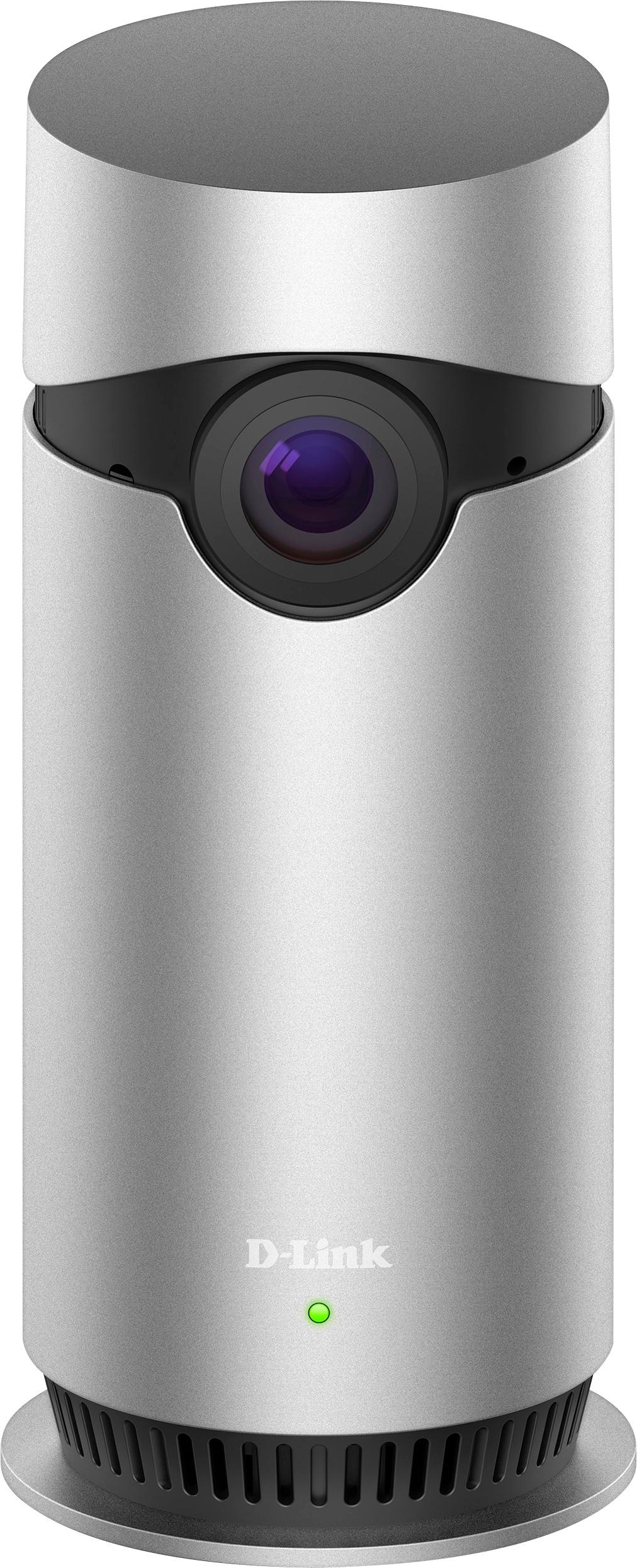
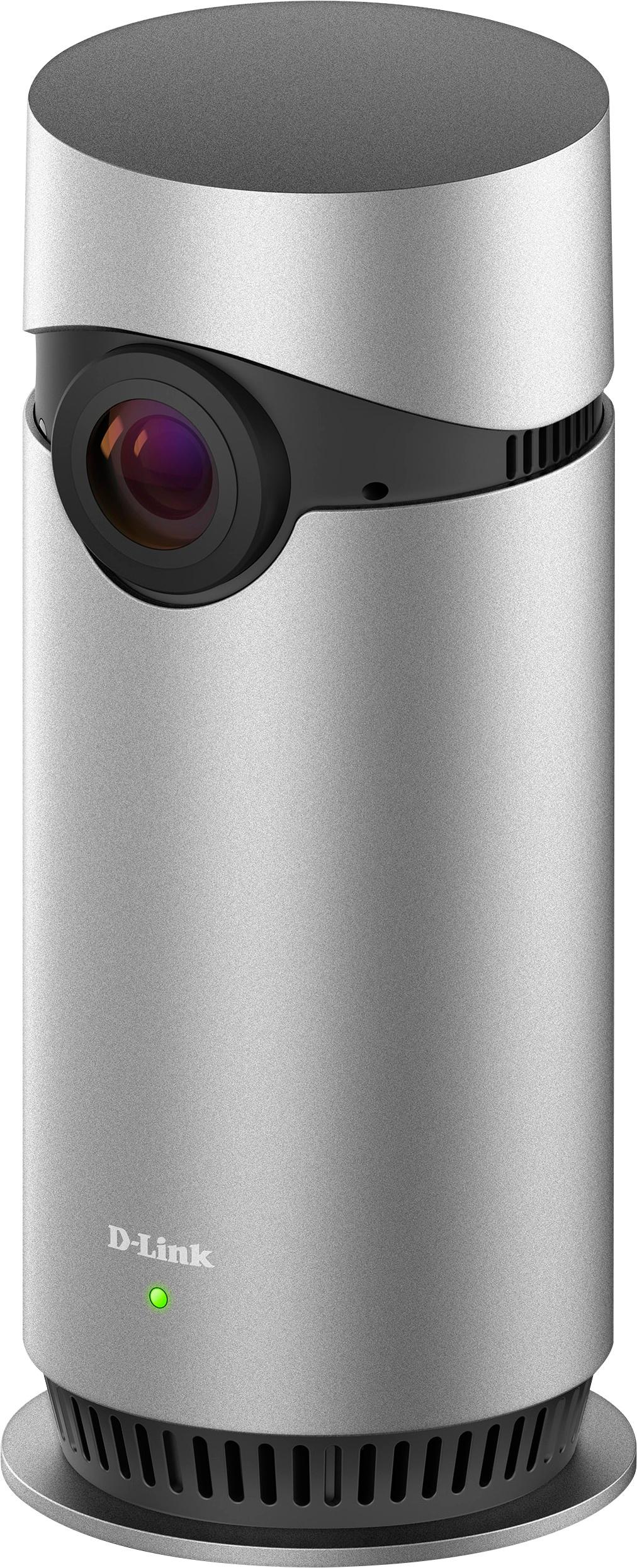
Customers recognize the Omna™ Indoor 1080p Wi-Fi Surveillance Camera's excellent video quality and wide field of view as key strengths, frequently praising its effective motion detection and user-friendly setup. Positive feedback also highlights the camera's night vision capabilities and attractive design. However, some users noted that the device can become warm during operation.
This summary was generated by AI based on customer reviews.
- Pros mentioned:Design, Night vision, Video quality

A standout product in the wireless camera market
|Posted .This reviewer received promo considerations or sweepstakes entry for writing a review.Bottom line: The D-Link Omna 180 Cam HD packs several features that make it an attractive option, but it comes with limitations. Pros: Apple HomeKit support; wide 180 degree camera; local microSD card video storage; attractive design; easy to set up and to use Cons: limited placement options; no zoom; no cloud storage; lack of web browser viewing; always on status light Review (The Pros): There's a lot to like in D-Link's Omna 180 Cam HD. The standard camera features work well (e.g., 1080 video, night vision mode, etc.), and it delivers easy Apple HomeKit integration (also compatible with Android) and a wide 180 camera lens. Local card storage is especially appealing to those who do not want to pay for cloud-based video recording, and you can easily export your recorded videos to the Apple Photos app. The design is modern and attractive, which sets it apart visually from the typical bulb-and-stem design. HomeKit: Setting the camera up and enabling HomeKit was really easy (probably took 5-7 minutes total). It's nice to be able to see live video on the HomeKit screen. For those vested in HomeKit, this is the camera to purchase. The only issue is that you can't seem to use motion detection on the Omna to trigger an automation event. 180 Camera: I am really impressed with the 180 degree camera and was quite amazed at how much more of the room you can see compared to the standard 120 degree lens on other products. My living room has doors on opposing diagonals, and you can actually see both with this camera. You can also set the motion detector to only trigger on certain parts of the room in the app. Review (The Cons): The camera must be placed on a flat surface and the viewing angle cannot be adjusted. Additionally, the included power cord isn't flush against the back; rather it adds another inch or so of depth to where the camera can be placed. You cannot zoom. This makes it fine for whole room viewing, but you couldn't use this camera for, say, watching inside of a baby crib by placing it on a shelf. Local SD card recording is great, but there's no cloud recording service available for those who might want it. Coupled with its always on status light, it may not serve as the best home security camera especially if thieves have physical access to the camera/SD card.
I would recommend this to a friend - Pros mentioned:Design, Field of view, Motion detection
Excellent HomeKit 1080p HD Camera from D-Link
|Posted .This reviewer received promo considerations or sweepstakes entry for writing a review.OMNA 180 CAM HD from D-Link is an excellent HomeKit Camera. Camera is very small with elegant design. Setup was really simple and quick using iPhone Apple HomeKit. There is dedicated app in iOS and Android as well. I was blown away with video quality and 180 degree wide eye view. It is 1080p full HD quality and it is stunning. It has a microSD slot with support up to 128gb cards. Motion detection works really well. OMNA app has really coo features like enable / disable motion detection, SD recording, Night vision etc. It has an option to take photo in live view. Integration with Home app is seamless and works flawlessly. I like the feature receiving alerts and record video clips. It has built-in Microphone and speaker. Night vision is much better than costly home monitoring cameras and ability to see up to 5m (16ft) in the dark. I will be buying more OMNA 180 CAM HD for each room. It is excellent product and highly recommend to anyone who are looking for Home Monitoring camera.
I would recommend this to a friend - Pros mentioned:Field of view, Motion detection, Video quality
A nice looking camera with a great picture
|Posted .This reviewer received promo considerations or sweepstakes entry for writing a review.I had been looking for a security camera to replace the camera that my actual security camera provided to me simply because the motion detector on my security camera that they had provided did not seem to work very well. This camera promised a wider field of view, had a better looking aesthetic design and (hopefully) would provide motion detection that would actually work right when someone, or something, moved in the front of my house. Setting up this camera, per the instructions provided (which are all pictures in lieu of words) appears to be very easy and quick and, had the process worked correctly, I'm sure would have been super easy. Well it wasn't quite that easy because I got just partially into the setup process before the entire process simply did not work for me. To setup the camera you simply power it on by connecting the enclosed ac adapter (which has a smallish block, no need to worry about it taking up multiple slots on your power block), wait until it flashes orange, then, on your phone or tablet, download either the iOS or Android app from D-Link and start it up. It should find your camera, which mine did, right away. Then you are asked to input a short code which is provided both on the documentation for the quick install and on the camera itself. You are able to type in the code or have the camera simply snapshot it to log it in automatically. In my case this is where it all went south. After inputting the code manually on my iPad it said that the camera was "pairing" and to wait a moment. I waited. And then I waited some more. And finally after several minutes it gave me an error that it was unable to pair. So I did this process again to no avail. I tried it a third time and this time I used the camera to take a picture of the code just to try something different. Unfortunately the result was the same. So I then switched up things and tried it on my iPhone 6 Plus. Same result. Tried again and again over the course of the next 30 minutes, all to the same error message. I then decided to go ahead and reset the camera. To do so there is a small hole on the bottom of the base in which you insert a pen and hold, the camera will then reset. I tried this and recycled the camera from power in a hard reset and still no luck. Finally I decided to try to sign into the app using my login name and password before pairing the camera. I did this on my iPad. No change, still cannot pair the camera. I then tried logging into my account on my phone and then pairing the camera in the same manner. This worked. I have no real idea what, if anything I did. I can guess that signing into the account prior to pairing the camera assisted in some fashion but then that did not work on my iPad so I am not sure that to be the case. Honestly it just seemed as if I did it enough that eventually it worked. This entire process took just over an hour of doing the same thing again and again and again and was fairly frustrating, I will not lie. One can only assume (hope) that this process was an exception to the norm and the actual pairing will work on the first try for most people and, if that is the case, then this camera should be very easy and simple to get it up and running. Once I got the camera going the picture was amazing. It's also very wide, they call it 180 because that's the view that you get a full 180 degrees of view. You can also pinch zoom in to see better detail and it works really well. So the actual picture and field of view gets 5 stars. Lastly, there is the issue of motion detection. After installing my 64gb memory card and formatting it, both of which were very easy thanks to the documentation on D-Link's site, I was ready to set the camera up in its permanent place of residence near my front door and see what, if anything, it detected and would it actually record those events in the manner in which I desired? I'm happy to report that on this test it passed with flying colors. Any sort of motion in the front area triggers an alert to my iPad and iPhone and records a short clip of the event. These are all easily accessible for further review at any time. The older clips will be deleted as well once space becomes a premium. One thing of note, I did not see any method in the software in which to adjust sensitivity to motion in case you are getting too many alerts. This is something I will have to hope is added but for now I think the motion detection works pretty good and I am not getting too many false alerts when the wind blows a branch for example. The software provided by D-Link on iOS, works really well and is very simple to use. There is only one issue that I have found that is worthwhile to note and that is that when one does the live view of the camera and then zooms in that you are then unable to return to the home screen and are "stuck" in the live view. The only way out of it is to kill the app and restart it. I am hopeful that this is a bug in which D-Link is aware of and this will be fixed in a future update. Also, be aware there is no PC software for watching the camera from a PC, at least none that I could find. Everything software wise will be done from a phone or a tablet and not a PC. All in all I'm very happy with this camera and plan to use it as my point of security for the front of my house going forward. The setup process was quite easy until the pairing incident and yes that was quite frustrating but once that was overcome everything else has worked quite well. I'd definitely recommend this camera to anyone looking for a very nice, quality camera with a beautiful design and a very, very wide field of view. It's also a recommended option for a security camera as well, due to how it detects and records motion. Check this camera out if you are in the market for a new camera!
I would recommend this to a friend - Pros mentioned:Field of view, Motion detection, Night visionCons mentioned:Heat
OK camera, Android App Immature
|Posted .This reviewer received promo considerations or sweepstakes entry for writing a review.This D-Link Omna 180 Cam HD is marketed as the first HomeKit compatible camera. But alas, I do not have HomeKit setup, we are mostly Android users here. Upon getting the device, I can see that box has been revised with a new sticker that adds on Google Play application. So I assume Android compatibility was a bit of an afterthought. More on that later. After unboxing, I immediately notice that the fit and finish is not what I expect from a D-Link device. There is a bit of extra glue just left of the camera lens. I also take note that the device requires a flat surface to sit on. There are no mounting options available to hang it on a wall. Setting up the device is a little awkward. I'll admit, I wasn't in a brightly lit room, but part of the setup involves entering a few characters from the bottom of the unit. The printing is small so it was hard to see without getting additional lighting involved. Unfortunately, the Android app seems to have been cobbled together. Once setup, there is a circle with a carat symbol inside (^) towards the bottom of the screen. It looks to indicate 'swipe up' action to get into the meat of the app. It's not for swiping. Single tap instead. In Live View mode, if you hold your phone normally, you get snapshot, microphone and speaker controls. But if you turn your phone to widescreen mode, you lose those controls. After playing around for a few minutes, I went to move the camera and noticed it was unusually warm. Later, on separate occasions, I noticed it was still warm. To the tune of 104 degrees F warm. The power adapter puts out 5V @ 2A, so it's not more than any modern smartphone charger. Yet the device heats up more than I am comfortable with. The App does send notifications to your phone, but it does not notify with any sound or vibration, just text. I like how the app allows you to set motion detect zones. It does so by breaking up the image into a grid pattern and you have the option of selecting which boxes you want or don't want to monitor. I liked that this camera has a better speaker than my Arlo Pro cameras. I found that the Arlo Pro has a tiny speaker and if I'm going to be warding off would-be thieves, I want my voice to boom with authority. It has a bit of delay, but the Omna camera has a decent speaker to its credit. Two way communication is a nice feature, but I don't find that I use it with any of my camera devices. Picture is OK. I like having a 180 degree horizontal field of view. The algorithm they've applied reduces the amount of distortion, but if you're not within 5 feet and straight on with the camera, the image is still distorted. Another nice thing about this camera is that it doesn't have a cloud component and therefore no subscription fees. Of course, it means you need to supply a microSD card to record to, but you don't have to worry about the camera sending footage to some cloud account. However, without a microSD card, the camera does not store anything and there is no way to let your phone record the live view. File sizes on the microSD card are small, just over 1 meg for a 30 second recording. The image quality along with size of recording, I find it hard to believe I am getting FullHD 1080 video. Night vision performs to what I expect. Be careful with placement of the camera. I had mine sitting on a light colored cloth and the infrared lights lit it up brightly to the point where I could not see anything else in the room. Moving the camera a few inches forward resolved it. But that affects all night vision cameras. If you've been waiting for a HomeKit camera, this seems to be the only game in town. After playing around with this device and its Android App, I would have rather bought another Arlo Pro camera for about the same price.
No, I would not recommend this to a friend - Pros mentioned:Field of viewCons mentioned:Heat
Great little indoor surveillance camera for home
|Posted .This reviewer received promo considerations or sweepstakes entry for writing a review.I got this for my Parents's home to check up on them when I'm not able to visit and to also allow them to keep an eye on their property when they're way. My parents are getting older and naturally I became a little concerned for their safety and well-being. I wanted away to keep an eye on them when I'm not able to visit. The D-Link Omna 180 degree camera was the perfect solution for me. D-Link is a trusted brand and the 180 degrees of viewing was unique to this camera. Unboxing and setup was very easy and intuitive. The Omna app was easy to setup once you downloaded it from the app store. A few clicks of your phone and you're camera is ready to be mounted and start viewing. This camera has the ability to record and store videos or event triggered by movement in it's Micro SD memory card slot (memory card is not included so make sure you pick one up at Best Buy while you're there, they have great prices). The only issue with the camera is that it gets hot. Not a melting hot but a concerning "hot". I guess this is why the camera housing is made from aluminum to act as a heatsink and dissipate heat, where most other cameras use plastics or polymers for their housing but most other cameras do not have internal recording abilities. I felt safer being able to record internally, not to a cloud based service; just incase there's ever a internet connectivity issues, you'll be able to record as long as you have space on your memory card. In addition to recording, you also have the ability to communicate through it's speaker and mic. I was able to help my father find the right angle to set the camera just by login on and talking to him via it's internal mic and speaker. This is a great feature if I ever needed to view and quickly talk to my parents. I'm quiet happy with the camera and it's performance. I had it placed in a showcase against the wall and I'm able to view from one side of the house to the other.
I would recommend this to a friend - Pros mentioned:Field of view, Motion detection
A nice looking camera with a great picture!
|Posted .This reviewer received promo considerations or sweepstakes entry for writing a review.I had been looking for a security camera to replace the camera that my actual security camera provided to me simply because the motion detector on my security camera that they had provided did not seem to work very well. This camera promised a wider field of view, had a better looking aesthetic design and (hopefully) would provide motion detection that would actually work right when someone, or something, moved in the front of my house. Setting up this camera, per the instructions provided (which are all pictures in lieu of words) appears to be very easy and quick and, had the process worked correctly, I'm sure would have been super easy. Well it wasn't quite that easy because I got just partially into the setup process before the entire process simply did not work for me. To setup the camera you simply power it on by connecting the enclosed ac adapter (which has a smallish block, no need to worry about it taking up multiple slots on your power block), wait until it flashes orange, then, on your phone or tablet, download either the iOS or Android app from D-Link and start it up. It should find your camera, which mine did, right away. Then you are asked to input a short code which is provided both on the documentation for the quick install and on the camera itself. You are able to type in the code or have the camera simply snapshot it to log it in automatically. In my case this is where it all went south. After inputting the code manually on my iPad it said that the camera was "pairing" and to wait a moment. I waited. And then I waited some more. And finally after several minutes it gave me an error that it was unable to pair. So I did this process again to no avail. I tried it a third time and this time I used the camera to take a picture of the code just to try something different. Unfortunately the result was the same. So I then switched up things and tried it on my iPhone 6 Plus. Same result. Tried again and again over the course of the next 30 minutes, all to the same error message. I then decided to go ahead and reset the camera. To do so there is a small hole on the bottom of the base in which you insert a pen and hold, the camera will then reset. I tried this and recycled the camera from power in a hard reset and still no luck. Finally I decided to try to sign into the app using my login name and password before pairing the camera. I did this on my iPad. No change, still cannot pair the camera. I then tried logging into my account on my phone and then pairing the camera in the same manner. This worked. I have no real idea what, if anything I did. I can guess that signing into the account prior to pairing the camera assisted in some fashion but then that did not work on my iPad so I am not sure that to be the case. Honestly it just seemed as if I did it enough that eventually it worked. This entire process took just over an hour of doing the same thing again and again and again and was fairly frustrating, I will not lie. One can only assume (hope) that this process was an exception to the norm and the actual pairing will work on the first try for most people and, if that is the case, then this camera should be very easy and simple to get it up and running. Once I got the camera going the picture was amazing. It's also very wide, they call it 180 because that's the view that you get a full 180 degrees of view. You can also pinch zoom in to see better detail and it works really well. So the actual picture and field of view gets 5 stars. Lastly, there is the issue of motion detection. After installing my 64gb memory card and formatting it, both of which were very easy thanks to the documentation on D-Link's site, I was ready to set the camera up in its permanent place of residence near my front door and see what, if anything, it detected and would it actually record those events in the manner in which I desired? I'm happy to report that on this test it passed with flying colors. Any sort of motion in the front area triggers an alert to my iPad and iPhone and records a short clip of the event. The clip is also not "cut off" and by that I mean that in some cameras they get motion and start recording but they may miss some of the action because they don't backtrack to where the motion is when they record the clip. This is not an issue with this camera. It will detect motion and the clip that is recorded does not start off AFTER the motion but actually a few second prior to it. Also, all clips recorded on to your memory care are all easily accessible for further review at any time. The older clips will be deleted as well once space becomes a premium and you will not have to do this manually (as is done on some cameras including the camera this one is replacing, this may not sound like a huge deal but trust me, it is!). One thing of note as well, there are controls in the app to adjust the sensitivity for the motion detection. This is very important because as you may or may not know too sensitive of motion detection and you get a lot of false alerts and not sensitive enough you get no alerts. So because of this it is nice to have the ability to adjust this range. Also of note, the screen for motion detection control is sectioned off into blocks (so that you can highlight certain blocks and make them more sensitive while making other areas much less sensitive). This took a little tuning but once you get it right it makes the world of difference! The software app provided by D-Link on iOS, works really well and is very simple to use. Again please note though that I have found no way to view your camera on a PC, right now all I have found is the app. There is only one issue with the app that I have found that is worthwhile to note and that is that when one does the live view of the camera and then zooms in that you are then unable to return to the home screen and are "stuck" in the live view. You can zoom in and out no problem but you cannot exit this screen. The only way out of it is to kill the app and restart it. I am hopeful that this is a bug in which D-Link is aware of and this will be fixed in a future update. Also, be aware there is no PC software for watching the camera from a PC, at least none that I could find. Everything software wise will be done from a phone or a tablet and not a PC. All in all I'm very happy with this camera and plan to use it as my point of security for the front of my house going forward. The setup process was quite easy until the pairing incident and yes that was quite frustrating but once that was overcome everything else has worked quite well. I'd definitely recommend this camera to anyone looking for a very nice, quality camera with a beautiful design and a very, very wide field of view with a very nice resolution. I would also not hesitate to recommended this as a security solution as well, due to how it detects and records motion. Check this camera out if you are in the market for a new camera!
I would recommend this to a friend - Pros mentioned:Design, Video quality
Decent Cam Marred by Limiting Software
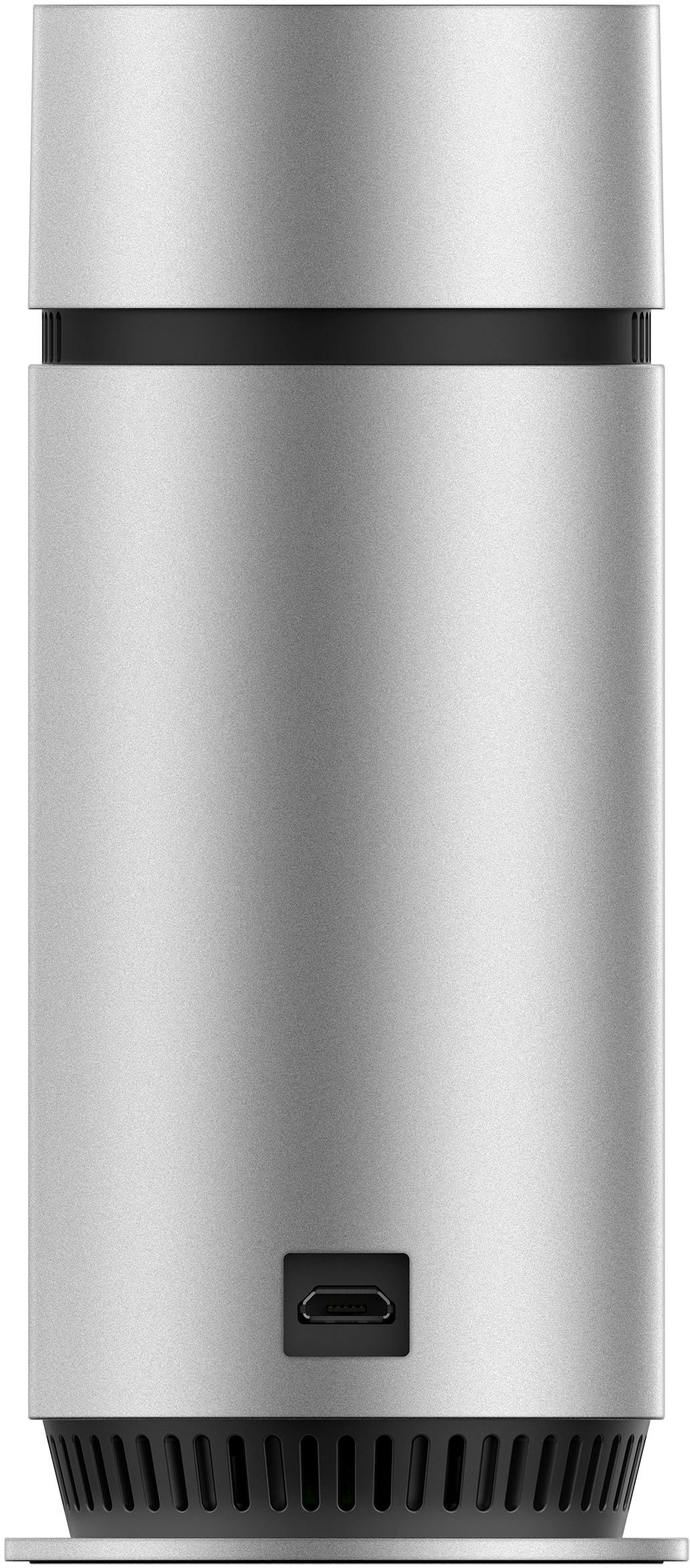
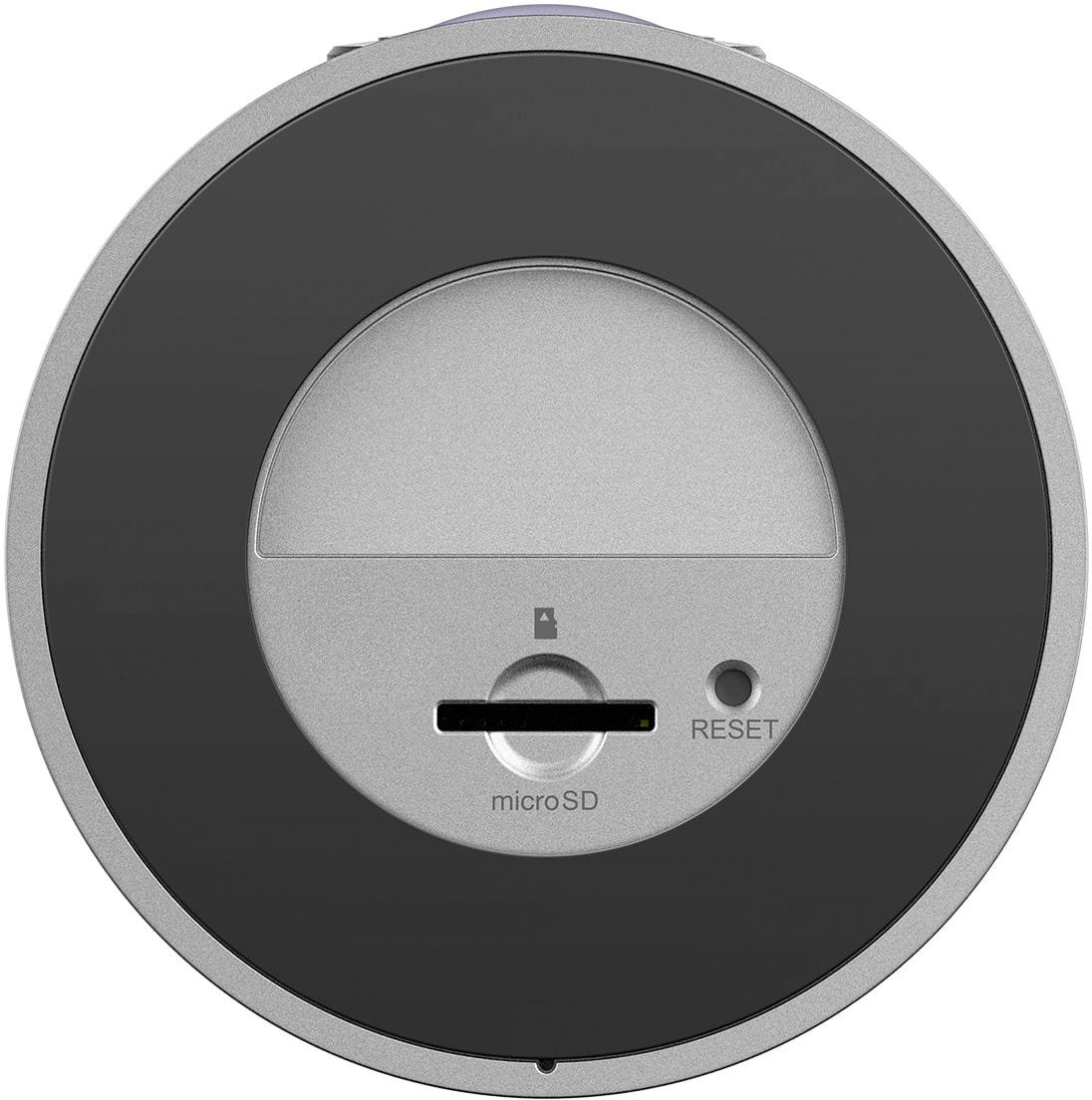
|Posted .This reviewer received promo considerations or sweepstakes entry for writing a review.As home automation and home security continue to merge, I'm always curious about new tech. D-Link is an established name in home networking, so when I heard they were coming out with the Omni 180, I was very curious and wanted to test it out. I wish the testing had performed to my hopes, but as nice of a camera as the Omni 180 is, it's marred by the limiting software that D-Link packages with it. From a design aesthetic, the Omni 180 is a sleek aluminum cylinder that's only about 2 or 5 inches tall. It's honestly about the same size as a toilet paper roll. The power cord is cut specifically to fit a notch in the rear of the camera. This is nice because it keeps the power constantly connected and doesn't protrude from the back. That being said, you have to align it perfectly and it, like most USB items, took me more tries to connect than I'd care to admit. If you turn the Omni 180 over, there's a slot on it's base for an SD card. Cool, I thought, I can store local recordings. In truth, that's the only way you can record them. There's no cloud option! Zero, zip, zilch... this means that if someone were to break into your house and take the camera, they've also taken the only recording as well. From that aspect, I was immediately disappointed. As far as video goes, you can stream in 1080p, which looks fantastic and there was no lag. Recording is limited to 720p which isn't really a bad thing, but given that D-Link touts this for it's 180 degree view, hence the name, I would've liked to have seen 1080p recording as well. The Omni software that accompanies the camera doesn't provide the features found in their competitors'. But before I go there, let's talk about HomeKit. Setting up the camera with HomeKit was a breeze, and I was up and running in less than 3 minutes. The Omni 180 also appears in HomeKit as a motion sensor - great, I thought, I can get alerts if we're out of town or only during the times when we're not at home. As cool as HomeKit integration is, I was shocked to learn that was the only platform D-Link is supporting. There's no way to connect this with any other Smart Home service, such as Alexa, Nest, Google Home, etc. Nope - the Motion Sensor setting has only 2 functions: On and Off. I was really disappointed that what's being touted as a high-end home camera with motion detection doesn't even have the basic ability to set a schedule. My Apple Watch and iPhone were constantly buzzing with alerts, so I ended up having to turn motion detection off to save my watch's and phone's batteries. Most other home video providers have the ability to set a scheduled monitoring window - so I would hope that D-Link has this on their product roadmap because I have a hard time seeing it's use until they do. Pros: * Sleek, compact design * 1080p streaming without lag * Ability to turn off LED light * HomeKit integration Cons: * No cloud recording option * No motion detection scheduling * Limited software options in Omna app * No Android support * No IFTTT integration * Limited to HomeKit smart home platform
No, I would not recommend this to a friend - Pros mentioned:Video qualityCons mentioned:Heat
Difficult to pair, clunky app, flaky connectivity
|Posted .This reviewer received promo considerations or sweepstakes entry for writing a review.The D-Link - Omna™ Indoor 1080p Wi-Fi Surveillance Camera comes in a nice box, with all the features stated on the outside. Once open, it's a well built and tactile product. The aluminum case and sturdy base make this feel like a quality product. I have several other brands of security camera and this by far feels like the best put together of them. So - time to pair up and get this camera up and running. Power cord - check. Camera - check. That's it, all you need. Oh, and an app. I plugged in the camera and it burst into life, the infrared LED's lighting up as it started to boot up, flashing orange LED in the center at the bottom. Downloaded the app and tried to get the camera paired up with my phone. As a caveat, I want to mention that I have AT&T GigaPower service, with up to 1GB of data up and down per second. I have absolute high speed internet. The app downloaded in a second. I set up my account and launched the pairing QR code. The app would switch to the screen to scan the QR code, show a warning message for a split second and then return to the previous screen. I tried this 10-12 times to no avail. I power cycled both the camera and my iPhone this time. Fired up the app again and got to the screen to scan the QR code. It was finally accepted. It then switched to a screen which read 'Adding Omna... to your account'. There it just hung. Hung for minutes. I went and did something else, came back and it was still having a connection issue. I force quit the app, rebooted and finally saw the camera in my Omna Account. I launched the camera, an for all intents and purposes, it was a nice picture I had of my kitchen, from one end of the room to the other. And then there was no picture. It timed out. Relaunched the app, got the camera running again, and then it timed out again. When I can get it to work, the picture looks good, you can zoom in and see what's going on in the house. This unit does get very hot when it's plugged in, so be careful where you place it. I had it on a granite countertop, so it was ok, but it may mar a wooden surface over time. Overall, this is a nicely designed camera, a lot smaller footprint than I was expecting, great visual range with the 180 degree camera, but the overall experience of actually using the camera, setting it up and trying to access it, has made it clunky and unreliable to me. And in this day and age of cloud recording, paired with it's $199 price point, the micro SD recording capability seems a little archaic.
No, I would not recommend this to a friend - Pros mentioned:Field of view
A nice camera solution
|Posted .This reviewer received promo considerations or sweepstakes entry for writing a review.This camera performs very well. Its field of view is easily its top feature. It will have 180 degrees of your area in view at all times. It works very well for that. I purchased a MicroSD card to record clips as well, which also works very well. The app seems to work without issue as well. It's very easy to view or located recorded clips for the day. My only complaint, is that I do wish this worked off a batter as well. It would be nice to place it where a power connection wasn't available. Pros: High quality recording, 180 degree recording area, good app Cons: No battery power
I would recommend this to a friend - Pros mentioned:Video quality
Portable surveillance
|Posted .This reviewer received promo considerations or sweepstakes entry for writing a review.I'm going to start this review very positive because D-Link did a great job with packaging. I find that very important so I think it is necessary to point that out. In the box you have the Omna 180 HD Camera, power cable, and a very simple quick start guide. To get you started all you need to do is follow those easy instructions and you will be good to start monitoring the room of your choosing. You can easily move it to any area in your home or business as long as you have an outlet to plug it into. This is great for iOS users because of HomeKit but it also works with Android. When you view the live feed it does cover the entire room but it is the fisheye lens which is not my favorite but the image is clear with no distortion. A feature that can come handy is the 2 way mic that you can use to talk back and forth but some might not think to much of it but it's a feature. With pinch to zoom and recording to your phone this is a great start to something amazing. I've never owned a camera like the Omna and I think they have it right with opportunities to make it better with updates. I would love to see D-Link update the Omna to have it recognize when you are home to eliminate motion detection alerts instead of going into the settings to turn it off. I would also like to have the choice of different lens options instead of just the fisheye view. I know this camera can be used many ways but I will start using it to help protect my assets and my love ones.
I would recommend this to a friend - Pros mentioned:Field of view, Motion detection, Night vision
Some Nice Features
|Posted .This reviewer received promo considerations or sweepstakes entry for writing a review.The D-Link Omna 180 Cam HD is pretty interesting. It seems clearly designed to blend into the Apple ecosystem (works well with HomeKit), but it now works with Android, too. It's a pretty decent little camera, but it lacks some basic features that reduce its overall value. First, let me me say setup was unusually difficult. I actually gave up the first day after an hour of trying. It seemed even the reset button didn't work. My plan was to try again the next day and then call the help desk. The last time I called a help desk was more than five years ago now; I can almost always get things to work. The mere fact I was seriously prepared to call the help desk is an indicator of a real problem with setup. To be fair, the Omna works better with Apple products, and I was using my Android phone rather than my iPad. Once it was up and running, it operates fine. Controls are relatively limited, though. The interface is reasonably intuitive if you use any modern technology. If you're not up to speed with current tech, you should be aware the documentation is very sparse and this might not be the camera for you. The 180-degree field of view is pretty nice. I was impressed with how much area the camera covers. The camera shoots in 1080p, but I'd say image quality is just ok. It is good enough to do what it needs to do. It does have night-vision, which is helpful. And it has two-way audio, so you can communicate, when necessary. In order to save video, you have to use a micro-SD card. I would have strongly preferred a cloud storage options. Other similar cameras offer tiered cloud storage options, which comes in very handy.The video only saves in 20-second clips, which seems too short for some situations. Also, the camera is pretty conspicuous. If someone broke in, all they'd have to do is take the camera or the SD card, and you'd have no video. So, is it worth it? I guess that depends. The size is good; it's fairly small. It's also attractive, at least in my opinion. Video quality is reasonable. Image quality is good, although there is a dramatic fishbowl effect with the 180-degree view. The lack of cloud storage is an issue. I wouldn't dock it too much for setup despite my complaint above since I don't know if that was an issue with Android or just a random issue; plus it's operated perfectly once setup was complete. It also doesn't have any sort of battery backup system. So, if your power is off, so is your camera. Due to the cylindrical design, the Omna is not suited for wall mounting. It needs to sit on a flat surface, which might somewhat limit where you can place it. You can set it for automatic motion detection, but there is not a geo-fencing option; so you have to change that setting manually every time you want it active. There is also not a timer or a scheduling feature. Anyway, it works as a basic security camera, but it doesn't wow me and it lacks too many features to make it something I could confidently recommend.
No, I would not recommend this to a friend - Pros mentioned:Video quality
Great camera for HomeKit
||Posted .This reviewer received promo considerations or sweepstakes entry for writing a review.I purchased this camera because of HomeKit support. It works as advertised and is of really good quality. It's much smaller than I expected and the video picture and sound are great. You can zoom in on the picture, and even play back from the SD card if it captures motion.
I would recommend this to a friend - Pros mentioned:Field of viewCons mentioned:Heat
Great camera with a great view with a bit of bulk
|Posted .This reviewer received promo considerations or sweepstakes entry for writing a review.The Omna 180 Cam HD by D-Link provides a wide 180 degree coverage area so you can get a good view of your home or office whenever you're away or simply in another part of your home or office. Setting up the Omna 180 is simple, just download their mobile app and following the simple instructions to connect your Omna to your wireless network. Even with this impressive 180 degree view, what makes it even more impressive is that while using the app, you can zoom in on the camera view to get a closer look at something in particular and move left or right while zoomed in. The Omna 180 is a great camera for those that want to keep things off the cloud or would like to maintain their camera footage offline. The Omna 180 has a memory slot on board that utilizes a microSD card to record video onto it, which can be viewed using the Omna mobile app. The only drawback to using this sort of system is that if say someone were to enter your home or office and say... take the camera with them, you no longer have the video evidence of someone being present. The other thing that might make this camera a bit noticeable is that fact that it stands as tall as a can of soda. And unless you have the perfect spot for where the camera can sit and blend in, people will notice that there is a camera there. Also, it tends to run a little hot, so make sure that you can keep it somewhat ventilated. Overall, a great camera to have at home or in the office to be able to keep an eye on things while you're away or somewhere else in your home or office. With the easy setup, it doesn't take much to get this camera up and running.
I would recommend this to a friend Awesome cameras!
||Posted .This reviewer received promo considerations or sweepstakes entry for writing a review.These are great cameras, they have video and audio, we can talk to our dogs while we are away and see what they are up to also. They are also good looking in your room.
I would recommend this to a friend- Pros mentioned:Field of view, Motion detection, Video quality
Decent product, balky app!
|Posted .This reviewer received promo considerations or sweepstakes entry for writing a review.The DLink Omna 180 security camera is a small, stylish cylinder that offers a twist. Specifically, the camera offers a 180 degree view without too much fisheye distortion. It also offers audio monitoring and motion detection. It can support an SD card for recording as well. My number one complaint is DLink's app. Similar to their app for managing their smart electrical plugins, this thing can be a pain in the a** to download, install, login and bind to the camera. It took multiple tries to get through this process and when it finally did work it was still claiming to have failed! If you can control the urge to throw your phone across the room, once installed the app does offer some decent features. My favorite is the ability to pinch and zoom the image. The image quality is good enough to still give you a very decent picture even when zoomed in. Audio quality is decent although I noticed a significant lag. Also, if you have the motion detection turned on (you can disable it through the app) prepare to have your phone blow up with a constant stream of notifications. This is NOT an indictment of the feature - just be aware of the environment in which you intend to place the camera! In summary, the camera is small, sleek and unobtrusive with good image quality but the supporting application needs work.
I would recommend this to a friend - Pros mentioned:Field of view, Motion detection, Video quality
Just barely Ok...
|Posted .This reviewer received promo considerations or sweepstakes entry for writing a review.Let me begin by stating that this item was supplied to me for review. If you are looking for an Apple Homekit enabled indoor security camera, this might be the item for you. It offers excellent video quality, both day and night, (via IR) and a 180 degree field of view. It has a micro SD card slot for recording, is motion activated, and provides two-way audio. One glaring oversight in it's tall cylindrical form, is that it has no provision for wall mounting. It must reside on a table or shelf. While I am firmly entrenched in the Apple ecosystem, Homekit is too little to late in the smart home arena. There are just too many other players supporting a great deal more hardware. Apple should have made this move several years ago. As a result, my home runs on the Smartthings platform. D-link has also failed by making this item accessible only through Homekit or the Omna app (iOS & Android). What this means is, if you don't own an Apple TV 4 or have an iPad you want to press into dedicated Homekit hub service, you can't access the video feed or two way audio this camera offers unless you are on the same wifi network as the camera. When I attempt doing so I get an error message that reads, "Accessory Unavailable, To control it make sure you are connected to the same Wi-Fi network as the accessory. If you want to remotely control this accessory, either you must have an Apple TV (tvOS 10.1 or later) or an iPad (iOS 10.1 or later), or you can register the accessory to an Omna Account." I use Roku for streaming, so I don't have an Apple TV, and I don't leave my iPad at home, so I also lack that option. Finally, I have registered the camera, and it still offers the same error message when I leave my Wi-Fi network, leading me to the conclusion that it isn't going to function well outside the Homelit ecosystem.
No, I would not recommend this to a friend - Pros mentioned:Design, Motion detection, Video quality
Good concept, but lacking in features
|Posted .This reviewer received promo considerations or sweepstakes entry for writing a review.I own lots of expensive toys, so I take security very seriously! I had been using a different system but thought I would give this new one a try and see what it was all about. First of all, the product is small, sleek looking, and would fit in with pretty much any decor. It's basically a silver cylinder that's about 6 inches tall. Set up was about as easy as it can get. Took it out of the box, downloaded the app, plugged it in, entered the special code into the app, and the camera was up and running. So I give it a A+ for design and ease of setup. The problem comes in the feature set for this camera. First of all its touted as a 1080P Full HD camera...which it is. For some reason you can view 1080p video, but you can only record 720p. This makes absolutely no sense to me! Especially for a security camera...you want to pick up every little detail possible if there was ever a burglary. If a camera can view at 1080p, it should be able to record at that size as well. That itself is enough to make me want to return this camera. Not sure if that can be added with a firmware update or not...but that should be fixed ASAP! Second of all (i use an android phone) There is no way to set up schedules for this camera to be on. With my current system I have it set up to automatically arm during certain hours of the day when im gone. With this one, you cant do that. You have to either leave it on all the time, or manually turn it off and on every time you leave the house and come home...which can be a pain in the butt. Again, this is probably something that can be fixed in a app update. It appears that if you use it with the Apple Home Kit you can schedule it, but that's alienating half of the buyer's right there. Those are the 2 major flaws I find with this camera. Other than that, the camera does display very crisp and clear video in both regular and night vision modes. The motion detection works well, and it easily records to a SD card. I could see this being used in a situation where you always wanted your camera on. But for most home users...I think you might want to look elsewhere until some upgrades are made to the firmware and app.
No, I would not recommend this to a friend Not Clear it is NOT Compatible with other DLink
||Posted .This reviewer received promo considerations or sweepstakes entry for writing a review.Annoying that it works with Apple Home only and not with myDlink software. It ticked me off and I sent it back
I would recommend this to a friend- Pros mentioned:Video qualityCons mentioned:Heat
Great Quality Video. Hot Little Camera
|Posted .This reviewer received promo considerations or sweepstakes entry for writing a review.The Omna was very easy to set up: You download the fee app (whether Apple or Android) and your phone walks you through a quick account registration (first name only ok) and within minutes using your Wifi router and phone, the camera is set up and viewable from the phone, even when you are away from your home Wifi. It has an AC adapter that ends in a mini USB connector to power the camera. You can install and format a mini SD card to have the software save motion-detected recordings saved to it and viewed from the phone through your home wifi. The settings allow you to tweak the notifications etc and you can also opt to turn off the LED signal light on the camera so it can do it's work *undetected* (Nanny Cam etc.) The scope of the lens is truly amazing, with half a room visible easily, and in clear detail. Like all these cameras, it reverts to black and white in low light conditions. It is a little warm, about 100 degrees when left plugged in. It is very nice. And a great quality image. I would have given it 5 stars if it had a browser-based interface like competitive brands or interacted with home automation. It could be that these features are coming. Hopefully. It would add a lot of value to this camera. It would be great to offer cloud storage like other brands...
I would recommend this to a friend - Pros mentioned:Motion detection, Night vision, Video quality
A Great Remote Camera with Excellent Features
|Posted .This reviewer received promo considerations or sweepstakes entry for writing a review.The D-Link Omna 180 Cam HD is a full-featured security camera with a high-quality image, good sound and speaker functions and a useful motion-detector with the helpful ability to adjust sensitivity. The night vision is excellent, allowing me to see everything very clearly (infrared black and white). The new OMNA app works very well and integrated with Apple Home app smoothly. Set up seemed simple initially, but it took a follow-up conversation with tech support to get it back up and running correctly. The included documentation wasn't clear enough and even the more detailed, online information wasn't enough for me to understand a couple of important steps. The tech support was friendly and helpful. Just wish I hadn't needed to call for it. But, now that it's working as advertised, I'm very impressed by it.
I would recommend this to a friend