Customer Ratings & Reviews
- Model:
- IP2KCB1
- SKU:
- 6353469
to a friend
Customers are saying
Customers have good things to say about the camera's picture quality, night vision, and ease of use, with many praising its clear visuals and straightforward setup. However, the app's functionality and initial setup process received criticism for being less user-friendly and somewhat cumbersome. Some users also noted concerns about the power cable being exposed and the lack of a battery option. Overall, the camera's strong visual performance is frequently highlighted, but improvements to the app and setup experience are suggested.
This summary was generated by AI based on customer reviews.
- Pros mentioned:Camera quality, Motion detection, Night visionCons mentioned:App, Battery life, Power cable

Great Surveillance . Bad Interface.
|Posted .This reviewer received promo considerations or sweepstakes entry for writing a review.I own a couple of indoor/outdoor cameras and have enjoyed using them for various purposes such as identifying what nightly visitor is digging a hole in my backyard beneath the fence (it was a raccoon) or simply catching my cats doing bizarre cat behaviors. Unfortunately, most indoor/outdoor cameras rely on an internal battery that needs to be replaced eventually. The batteries aren’t cheap. I needed a camera to place on the outside of my home where there’s been a blind spot when it came to having proper camera surveillance. I had high expectations with the Defender 2K Wireless camera. The camera is wireless to an extent. The camera doesn’t rely on optical/coaxial cables but it does run on a required power cable. So, if you’re looking for a completely wireless camera then this security camera isn’t what you are looking for. The power cord that comes with the camera is 10 feet long which pretty much allows initial freedom of placement. Once secured, you can position the camera in almost any direction without worrying about the camera “shifting” under its own weight over time. The camera also appears to be weather ready, meaning that it will endure rain, snow or heat. Connecting the Defender camera to your internet is frustrating. REALLY frustrating. You download the SmartSignal app and have to connect the camera to the app. It took SEVERAL tries to make it connect via ethernet cord. However, once the app and the camera are connected, you are free to set up the camera wherever you want for as long as it’s within your Wi-Fi range (or if you have a long enough Ethernet cable). I placed my camera high enough with the power cable out of reach of anyone that may attempt to cut it. The SmartSignal app feels outdated and is cumbersome to navigate through compared to other surveillance camera apps. There are several gigs of memory allotted for recordings to be stored in the cloud. The app would sometimes not show me recorded history right away and would take a couple of minutes to show me the recording. Sometimes, I would have to close out the app entirely and reopen it in order to access the recorded history. But there is a peace of mind in knowing that there is a 16GB removable memory card installed within the camera in case you have to have a hard copy of footage that might not save to your phone/device when prompted. The visual quality is fantastically clear, whether you're watching it from your phone or tablet. The night vision is just as clear as daytime footage which is nice since other cameras seem to have a muddled night vision playback. Another nice feature is the Motion Alert/Activity Zone options. You can tap and drag on the display grid to specify a zone that you want focused on in the recordings. You can also turn on Human Detection or just general motion movement that alerts the app that there’s camera activity. Overall, the Defender - Indoor/Outdoor 2K Wi-Fi Wireless Security Camera is a high def surveillance camera but it’s accessing and navigating through the companion app is what makes it a frustrating experience.
No, I would not recommend this to a friend - Pros mentioned:Camera quality, Night vision
Could be so much more but falls short
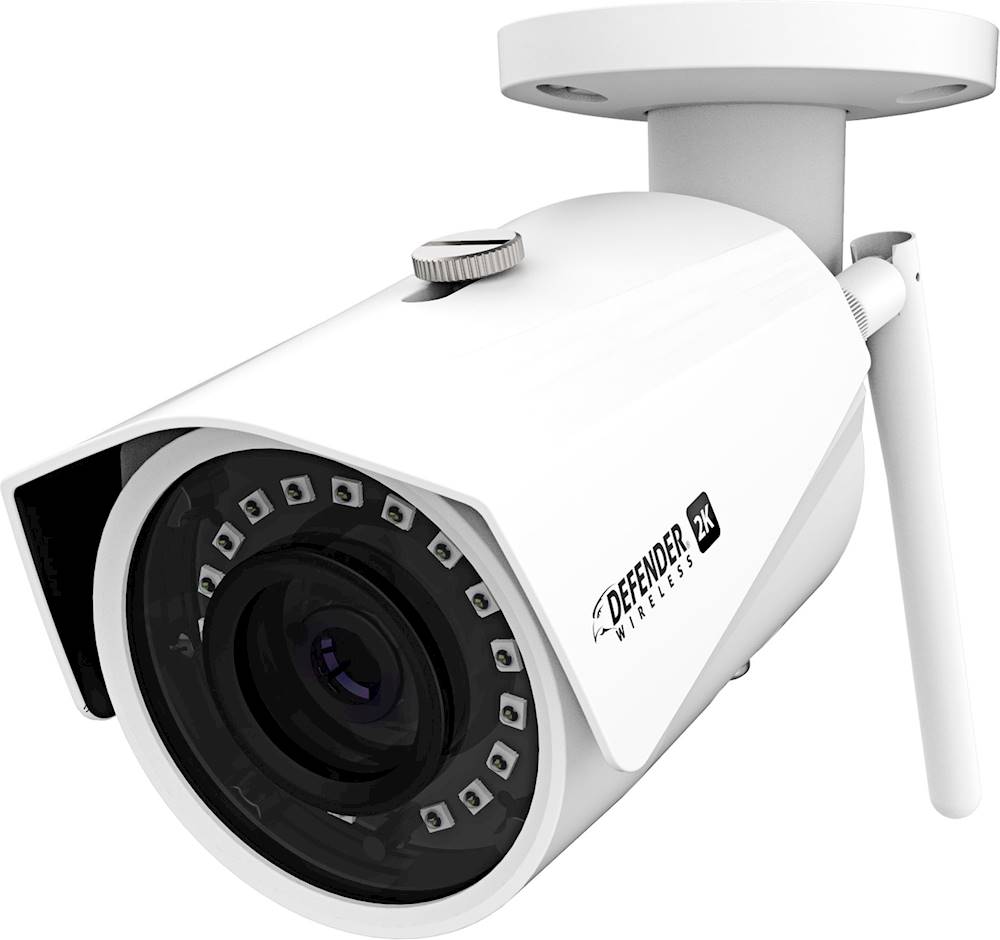
|Posted .This reviewer received promo considerations or sweepstakes entry for writing a review.I got the opportunity to review this new Defender 2K (4MP) model IB2KCB1. Let start at the beginning now, I’ve had a 4 camera IP Security system tied into a DVR recorder years ago, as in 15 years ago. I installed it myself, 4 cameras, all had its own power supply and feeding into my Security DVR which was cat line plugged into my router, quite a job. Seeing this new stand alone with the ability to connect via Wi-Fi was interesting. My old cameras all had a DC power feed and a coaxial BNC connectors, so the Wi-Fi as well as using a cat line was interesting, not to mention in Hi-Def. Here’s what I found, Camera is well build and sturdy no doubt in its aluminum body. For those that may know or not now, night vision is rated in LUX and how far it can see. This Camera has a 1 Lux rating which is good for 100 ft. night vision. A .5 is better and .0 is best. The Camera came with a pre-installed generic 16 GB micro SD memory card. Now take note, you have to unscrew a small cover to get the Micro SD card out, so if the camera is mounted high, grab a ladder, then unscrew the cover, remove card, copy files and reinsert or swap with another MicroSD card. There is a small preformed rubber gasket O ring that is pre-fitted on the cover to weatherize it and it tends to fall out! Yes, not something you want to do continuously. It came with a screw on Wi-Fi antenna and a small bag with covers for cables as well as an O ring for the screw on antenna. Nowhere in the paperwork was there any mention of this O ring or what it was for! The instructions that came with it were only a quick reference start up guide pamphlet, has to be easy? It wasn’t, and frustrating at times. Let’s start with the App, which is required. The app has shortcomings. Installation of the App gives you a log in screen where you have the option to sign up? Easy huh? So I skipped pressing the Login button and pressed Sign up. Then Country United States, and Next. Next screen asks for you to enter an Email and a password and select the Verification code which does nothing. There is a “I have read and agreed” circle with a check mark, it shows a check mark but it’s not agreed until you tap it and high lighten it, simple yes but initially I tapped it and what popped up was the Smart Privacy Policy which I scrolled down and closed and tried the Verification button again. It was not until I zoomed it that I could select the “I have read and agree” button and could move to the next stage. Defender then sends a Verification code email, not minutes later you’ll receive it and the email states, this code is for registration ONLY, valid in 15 minutes not FOR 15 minutes. Now I take it that it will be valid in 15 minutes so I wait 15 minutes, enter the code and its invalid! Evidently it’s valid for only 15 minutes once sent so I go thru it a second time with success. These 2 hiccup’s, seems simple but it threw me off for a few minutes and Defender should have caught this, after all we are working thru a phone’s screen to sign up. Some screen images on the app are not fitted to the screen size as one would expect, so you may see a screen and be at a loss only to then slide it up a hair and see the next step button. I did try signing up on line and it directed me to use the app. I am now getting the feeling that this quick start manual has issues with say when it’s written by someone who’s native language isn’t English and we have these small language barriers that come into play. Forward I move and finally the app is installed. Scan the code on the camera, the serial number is locked into the app and give your wifi access password. Within a few minutes the camera is logged in and it loads it into memory. My cell is also connected to the same network as the camera and I can see what the Camera see’s so I’m thinking I’m good. The camera records and you get alerts and can see the recordings on the memory card and can download them. So I’m finally thinking ok, a rough start but its working. Night vision was good as well. But here is where it comes short, the moment I leave home and leave my home Wi-Fi network, I can’t log in live. You will see messages such as percentage loading only to fail and get “Play error, click to refresh” “Cloud Storage not available at this time” You’ll still get the alerts after it happens you can download them, or wait till you get home and back on your network to download them or climb up and remove the SD card. BUT it’s not as what one would expect with today’s commercial of live video cams and one using their cell to view and speak with someone on the other end. So I went on line looking for answers and how to. After a bit I was chatting live with tech support. I clearly explained what I have gone thru and what I was trying to accomplish. They clearly understood what my objective was. I was then told I needed to have a Dual Band Router and have the camera hard wired in with a cat line, hmmm. Then I was told I could accomplish it via Wi-Fi. After 15 minutes they advised they would email me instructions on how to accomplish what I wanted, live video stream. A short while later I received the email, puzzled as what they sent me were the exact same pamphlet instructions that came with the unit in PDF format! At this point I was done. Searching more on line I learned this same camera is sold in a generic form and is used with an add on security router as well as a DVR router box which is the best ideal solution. The add on security router allows you to hard wire the camera or cameras to it and plug it into your router so you can see live feed or you can go via the DVR box does the same but adds much more features, Defender has the upgraded DVR. Take into consideration that this is a Hi-Def camera and if you do get it going to stream live, you will need a fast internet connection as well as fast Wi-Fi router IF it even can connect live via the Wi-Fi method. So results are while this camera is a good value in price and quality, it falls short in features and easy of set up. The lack of a detailed manual explaining all the features, how to use the app as well as lack of customer support and knowledge I feel will make it somewhat frustrating for most individuals. After all it is advertised as a quick set up and use, which it fails on. This is more of a standard security camera with Wi-Fi option and is definitely not a RING type or I should say camera like on the insurance commercial where the mayhem guy breaks into a guy’s car while he is away from home and chatting with him. Where you save in money, you will pay in frustration.
No, I would not recommend this to a friend - Pros mentioned:Camera quality, Motion detection
Home Security 101
|Posted .This reviewer received promo considerations or sweepstakes entry for writing a review.First off, please note regarding this wireless security camera, it does indeed connect to wifi and you can view it remotely from your cell phone, however it does require a power cable to be connected at all times to use, there isn't a battery option. The camera itself is pretty standard. Seems durable with a strong shell and antenna. It comes with the connections you need, however, if you do not have an outlet near where you will use it, or would like to run the cable safely/hidden, you will have to run some extensions to wire it yourself or call a professional. The picture quality is decent as well as response time and images are fluid. It works well in the dark with limited light. Night Mode is decent, and it switches back to being able to a clear picture fairly quickly when drastic light change occurs. Notifications of movement seem to work well and the recommended phone app is simple enough for viewing the feed and recordings stored from activity observed. Sadly, zone setup seems very lacking in the app and the FAQ is very limited. Be ready to mess around or watch a YouTube video on your own for discovering other features. Note: the uploaded photos were just taken off the app while I was tinkering around with the camera in my living room. Mostly just to showcase the difference between day/night mode as well as image quality. Overall, physical construction is solid, image quality is good, and visibility in various lighting conditions is clear. Set up is easy as well. The biggest negatives are zone setups, no audio as far as I could tell, and the requirement to be plugged in for power. It’s a solid buy but is basically security 101, just the basics that work well, no special bells and whistles.
I would recommend this to a friend - Pros mentioned:Camera quality, StorageCons mentioned:App
99 Problems But Is This Cam One
|Posted .This reviewer received promo considerations or sweepstakes entry for writing a review.The Defender Indoor/Outdoor 2K Wi-Fi Wireless Security Camera is a decent buy for $99.99, but the fact that the app is hit or miss, bugs me a little. The features vary depending on whether or not you go Wi-Fi or plug it into a modem. The picture quality is great, day or night. The camera held up rather nicely through some recent bad weather also. There's a 16 GB micro SD card pre-installed so that makes for saving footage on a daily basis. The Defender app could use more features, but still does the basics in keeping you notified of movement in the activity zone. You can adjust the zone to your liking through the app. You can connect up to four cameras to the network. But again, $99. is an okay price, for what you're getting. You could do much worse.I just wish I could link it to my Smart Things list( as of writing, I haven't had that luxury. I do recommend this to someone in need of an easy and quick security fix. It's a good starter camera. It's not the best, but definitely isn't the worst.
I would recommend this to a friend - Pros mentioned:Camera quality, Night vision
Clear and sharp pic/vid...very awful software.
|Posted .This reviewer received promo considerations or sweepstakes entry for writing a review.This is the review of the Defender IP2KCB1 2K Wi-Fi Wireless Security Camera Likes: - Clear video image and picture - Camera build is excellent - Easy to mount (comes with mounting screws) - 2K resolution - Small footprint - Remote viewer application available for free - The camera hardware is 5 stars -Excellent night vision Dislikes: -For an outdoor camera defender chose thing gauge cabling -Cable is not in wall rated if you plan on concealing the cables -Please next time make the cables modular -Software experience is very limited and almost non existent -No desktop viewer if you have a pc (but there are workarounds to that) -Quick setup finally worked after 20 attempts but with Amcrest View pro app (go figure) -No mention of available firmware updates (website is lacking) -No audio (but that is in the listing) -FOV says 2.8mm on defender website and best buy...not the case, label clearly says 3.6mm (what is it really?) My experience with the camera: Out of the box after 30 minutes of trying to setup the device with the Defender SmartSignal Android application I about pulled my hair out. I gave up on the QR scan setup method and plugged my camera directly into my router via lan cable. Typed in serial number and setup password through the app. Finally I was able to see video (while connected to lan). The LiveView video was super laggy (about 10-15 seconds). Very terrible and when I switched from SD/HD the app couldn't find the feed again. Tried using WiFi and again the application was very slow to connect to the camera and display live feed. Finally connected to LiveView. Switched my phone LTE and was welcomed with a message that I was using 3G/4G data (no way to turn this off). Took about 10 minutes to finally connect to video. At this point any user would give up, take it back to Best Buy, and give it one star. But you don't take a Ferrari back to the dealer because you don't like the tires they put on it ( i know poor analogy but this hardware is super premium). So I tinkered around a bit with it. I have Amcrest IP cameras and they are super easy to install but they are only 1080P. The image on the defender is night and day better then my Amcrest. Seeing what the camera can really do without unpolished software holding it back: So I used the Amcrest IP Config tool and connected the Defender camera to my computer with a crossover cable (didn't really have to do this because just logon to your router and you can see what IP your network assigns to the camera). Set the Lan adapter on my computer so I could talk to the camera. Connected to camera to see what default settings defender had. The camera model reports back as IPC-HFW1435S-W which interesting enough is a camera sold by Dahua Consumer (now imoulife). So I used the Easy4IP (superseded by Imou App) that looks near identical to the defender app. Bonus is imoulife has a desktop app called Imou Client. This app can easily scan for IP cameras connected to your router. This camera also looks just like the Amcrest IP3M-943W. So after giving up on the Defender software I did the following. Since I have more than one IP camera on my network and for some reason the setup application likes to use http port 80 for all the cameras I set each of my cameras on a different port. I have an ASUS RT-AC1900 so your experience might be different than mine. Remember everyone's network is a little different how things are setup. So with the amcrest ip config tool I changed the camera to 30FPS from 15FPS and of course the lag was gone. Changed some other camera settings, installed camera outside under an eave and set my focus area. Tried connecting while on wifi and then over cellular data....no issues or drop in video and connected right away. Showed my wife and she was amazed on the clarity of the camera. I have a palo verde outside that keeps triggering the motion detection. Tried playing with settings but still get false positives. In time I will figure out the sensitivities. I am happy with the camera now and hope Defender puts time into their remote viewing app. Maybe people will use a different viewer. I have a lot of Amcrest cameras so I will stay with their app ecosystem unless Defender can surpass the quality of their application. This is why I couldn't recommend to a friend without knowing how much time and effort they are willing to put in if the plug n play method fails. But I will say again, maybe my network, router, ISP, makes it more difficult for the plug and play to work. Best Buy has a great return policy or use Geek Squad to install it.
No, I would not recommend this to a friend - Pros mentioned:Camera quality, Night vision
Great camera, a few caveats
|Posted .This reviewer received promo considerations or sweepstakes entry for writing a review.Great camera, it has a metal and sturdy construction. It comes with all the required hardware to mount it anywhere. At first, it was difficult to set my wifi network, not matter what I did, it would not connect. Thankfully, this camera also has an Ethernet port. So I did the setup using an Ethernet cable, and from there I was able to setup my wifi network and then it would connect just fine. Video quality is great and has night vision too. Does not require any paid subscriptions and it was nice to see they included a 16GB micro SD card for recordings. Apart form the difficulty setting my wifi, also the micro SD card port cover uses just regular Phillips screws. Anyone with a screwdriver can go and steal your SD card. I would recommend to encrypt it (the app has this function) so your footage remains private, but would have been nice if the screws were of a more "non common type", like proprietary ones or maybe torx? You can mount it anywhere, be it outdoors (has IP rating) or indoor to monitor what you would like. I'm using it indoors to monitor sensitive equipment. Great camera for the price!
I would recommend this to a friend - Pros mentioned:Camera quality, Motion detection, Night vision
Great quality hardware, good value.
|Posted .This reviewer received promo considerations or sweepstakes entry for writing a review.I didn't necessarily need a security camera. I live in a fairy safe area. But I do get a decent amount of packages delivered to me so it's better to be safe than sorry. The quality of the video is great. I'm really impressed with it's night vision. My porch light is out so it's depending on its own hardware to capture video. For 99.99 this is a good camera. It was pretty easy to set up, once you realize what app it is you need to download ( smartsignal ). I wish the app had more flexibility and easier navigation . It can be somewhat confusing but not the worst, I really can't compare it to anything since I've never owned anything else. I wish the device had sound detection . It does send alerts for motion and is very good in doing so. I personally didn't mount the device. I have it laying down for now but do intend on mounting. All in all I'd say I could recommend Thai device as the video quality is extremely clear, the hardware seems extremely durable. For the price it isn't bad at all.
I would recommend this to a friend A reasonably good security camera
|Posted .This reviewer received promo considerations or sweepstakes entry for writing a review.The Defender 2k security camera offers premium features like ip67 rating, 4mp resolution, and app control. It also has some negatives that prevent it from being worth getting. If this were strictly an indoor camera, then cord length wouldn't be an issue. But an 8 ft. power cord would pose a considerable issue when mounting outside unless you were putting it right outside your window. If it were going to be connected to a console, then an NVR cable with power hookup would alleviate that issue. I would strongly suggest connecting it since it won't work on anything but a 2.4ghz wifi signal. My 2.4/5ghz ac2200 wifi would not work with it, even in 2.4ghz mode. I had to connect my old wifi for it to get the signal. The app works well to live view or watch playback from the included 16gb card, but the motion sense schedule doesn't work well. It sends notifications even when the schedule is on standby. The sensing area creation feature doesn't display the camera view, just a black screen; so you don't know the areas you want to include or ignore. Night mode infrared lighting doesn't illuminate more than 30ft. On my camera, I noticed lens flare in night mode, my guess is due to the black ring separating the camera lens from the leds. The pictures I posted should give you an idea of the type of image quality in HD mode and lens flare or blurring in night mode. It's a good camera in need of a software upgrade.
No, I would not recommend this to a friend- Pros mentioned:Camera quality, Ease of use
Good camera quality and easy to install
|Posted .This reviewer received promo considerations or sweepstakes entry for writing a review.Overall I feel like this camera works really well. Easy to install indoor or outdoor with a strong base. I had an easy time to get the camera unboxed and set up with the easy instructions. Downloaded the app and used the QR code to get it going on my network. Easy and ready to go. The picture quality is pretty good and I really like it much better than my previous YI camera. The app works pretty well but could use a nicer interface for simpler and cleaner usage. The only thing I wasn’t a fan of is that it’s a wired unit that requires a plug at all times. It’s wifi for being on my network but needs to be plugged to a wall outlet with the 10 foot cord. Still I think it is great for peace of mind and keeping an eye on what is happening inside or outside your home or business.
I would recommend this to a friend - Pros mentioned:Camera quality, Ease of use
Fantastic security camera!
|Posted .This reviewer received promo considerations or sweepstakes entry for writing a review.From creating an account to downloading and setting up the app, it might have taking me 15 minutes and the camera was up and running. Once you have it up and running the app and camera controls are easy to use and figure out. I’m not big on having monthly or yearly subscriptions, so being able to use a micro sd card (16 gb included) and monitor my own stuff on my phone or tablet is very appealing. I’ve got some cheap cameras that I’ve been using for a while to monitor the outside of my house and though they have served me well, the pic/video quality of the Defender is much better. You really notice the difference when zooming in, the Defender will zoom in further and still have the clarity. Although these are “wireless” they still need power from an outlet. In the era of package thieves a good camera can really come in handy to monitor your property. The Defender will provide you with that piece of mind.
I would recommend this to a friend Mixed bag: solid build quality w/below-average app
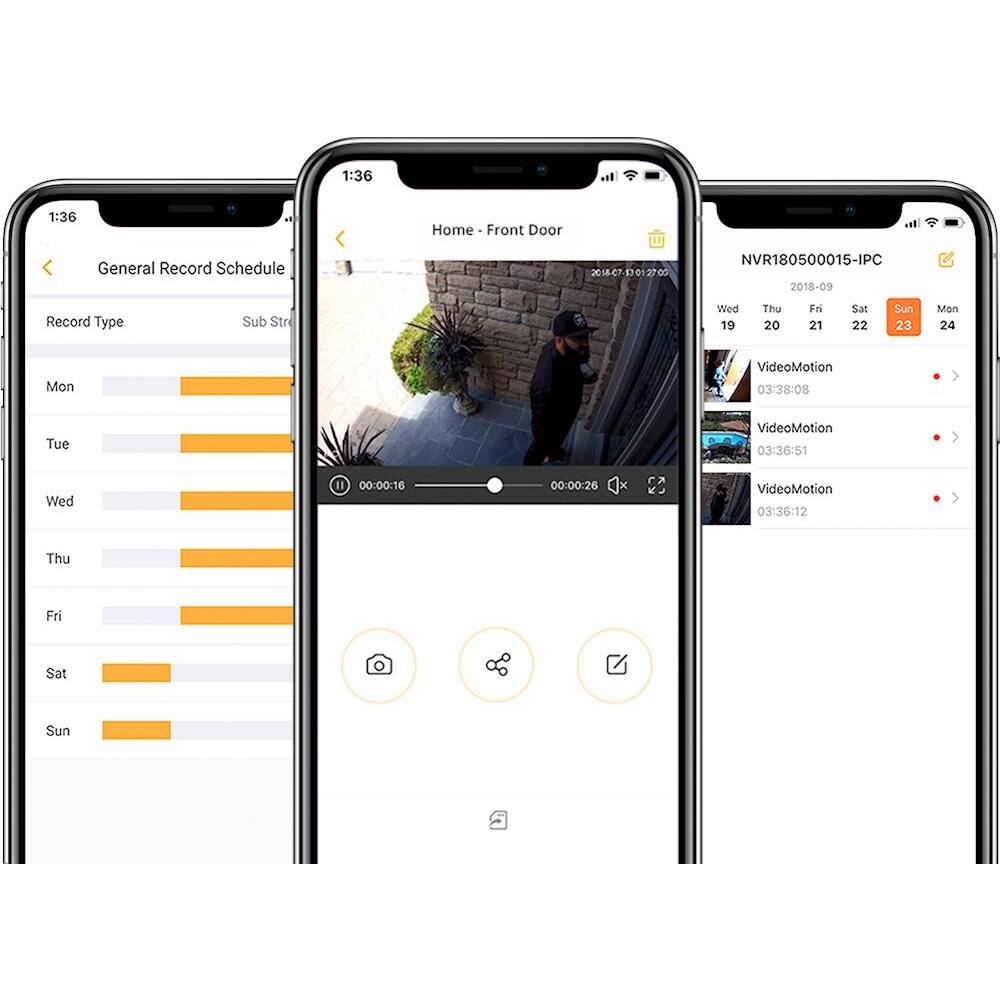
|Posted .This reviewer received promo considerations or sweepstakes entry for writing a review.Pros: - Mostly metal construction w/built-in, adjustable sun hood, included mounting hardware, some water-proof cable sleeves, free monitoring app and hubless application make this an easy way to get sort of DIY home security - Included pigtail allows for Ethernet-based hookup for those hard-to-reach wireless zones (garages, pool sheds, etc.) where you might still have the option to run a length of CAT5/6 - Picture quality (in HD/2k mode especially) is exceptionally clear both in photo and video mode - IR illuminator ring allows for impressive performance in dark and very-low light--ideal for shorter-throw backyard or in-home night-time surveillance - Free software requires no monthly subscription fees--videos & images can be viewed live, downloaded to phone or used with one of Defender's hubs for "home cloud" video collection; included 16GB microSD card is adequate for some limited retention of recorded images/video - In-software adjustments gives you the ability to customize recording schedules, specify activity zones (i.e recording starts when someone specifically pulls into the driveway or approaches the front door), and send alerts/alarms when any motion is detected...or only for "Human motion detection" events which actually worked very well! Cons: - That Ethernet pigtail makes it awkward to mount the camera because it's got a BIG, non-weatherproofed jack just sitting open relatively close to the camera but dangling separate from the power adapter plug--if you intend to use it in wireless mode you may have some difficulty figuring out how to secure and weather-proof it (I suggest white liquid tape to cap off the open jack)...and if you need to run the cabling through a wall, you have to make the hole BIG to accommodate that dangling Ethernet jack - Speaking of cabling, the power cord looks to be about 10 feet long but is very thin and not weatherproofed and terminates with a medium-sized wall-wart--any installation outside, high up, etc. may require running some extension cabling inside, cutting through walls, etc. - Integrated wall mount does not serve double duty as a stand--if you had the intention of mounting this high on a bookshelf or something, be advised that it won't stand up on its own because of the weight of the camera body; it MUST be mounted to a wall which, again, presents some installation challenges - No external LEDs or visible status indicators--impossible to know if the camera is actually working or broadcasting without heading into the app - The software app is--quite frankly--a big letdown (actually, it's the BIGGEST letdown of the entire experience) given that the camera itself seems to be of high quality: nothing is very intuitive, some icon choices aren't clear, explanatory labeling is often not self-explanatory, and strangely, documentation in the box and on the website is limited primarily to getting the cameras up and running, but not actually USING them in the app to set up a home surveillance/security net Summary review Honestly, despite the seemingly heavier-duty construction and outdoor-friendly design of the camera itself, the limited placement options dictated by cabling length and the larger power connector seem to make this unit better suited for an indoor camera kit...I mean, how many of us have power outlets placed high up on an exterior wall or under an overhang to even start things off? But I could probably tolerate some of the difficulties with physical placement if the software weren't so clunky and frustrating to use. Right off the bat, you have to create an account that includes the now familiar "we're going to e-mail you a code to verify your address before we begin" step--easy enough, but the code entry has a countdown timer that lasts exactly 1 minute (!!!!) and it was easily 10 minutes before the first e-mail came rolling in...then suddenly all 5 I had been waiting on arrived at once. In all, I spent 2 hours just trying to get things set up in the app before I could even start using the app...not a good first impression. Once inside the app, I THOUGHT things were relatively straight-forward at first, and most camera-specific settings seem easy enough to adjust. But then I found that recordings seemed to be haphazardly managed; you find evidence of them in the "record history" logs, but there's no clear indication of how to delete the videos from the microSD once you've reviewed them. But then sometimes I did find the "pencil" icon which I assume is supposed to mean 'edit'...then the trash can showed up and I could clear out the videos I wasn't interested in keeping...but then at other times, the pencil wasn't available--do I just format the card? What about references to local storage and files, does that mean the files on my phone/in the app, or the files on the camera's own microSD card--I see some options to download the files to my phone's photo/video library, but again, it's not made very clear. Other options like "Device Indicator" probably have something to do with one of the home kits that include a backup station/hub, but again, there's no indication in the app what that might mean. Similarly, you get a thumbnail picture of a camera feed in your app...it's listed as one of 4 and you can swipe through different cameras left to right...so it looks like you can set up to 4 active camera feeds and have a "control station" grid to pick from; great! I added a second Defender 2K camera to my network to start building out a home surveillance package--but guess what, the "control station" configuration doesn't save in the app...or maybe it does and I just can't figure out how...so now I have two thumbnails in the main screen for two cameras, but when I select each one, they both show up on their own as "1/4" with the option to create a new set of viewing couples with left/right swipes...oy! I'm sure the designers had the requisite functionality in mind governing the rules about what different controls mean, which are are available and when, but there's no explanation of those rules or where to find them--Defender's support pages are extensive, but often point to other similar products including the ones with the home monitoring station/backup drive--there's virtually NO support material for the app you're told to use with these cameras which is a real shame. So, where does this leave us? If you have very VERY modest home video/security needs, these might just fit the bill--the performance of the cameras themselves appear top-notch for the money, and not having a subscription service to pay for means you have control over the gathering and retention of your videos and images. Were it not for the fact that a great many features and capabilities seem to be obscured by a clunky and sometimes confusing user interface, I would recommend it without question. As it is, you really can't use these cameras without the accompanying app, and the app kind of ruins (or at least sours) the experience making it tough to recommend for someone itching to DIY their way to more peace of mind--at least not without warning them ahead of time that they're probably in for some confusion and headaches along the way.
No, I would not recommend this to a friendNice wifi security cam
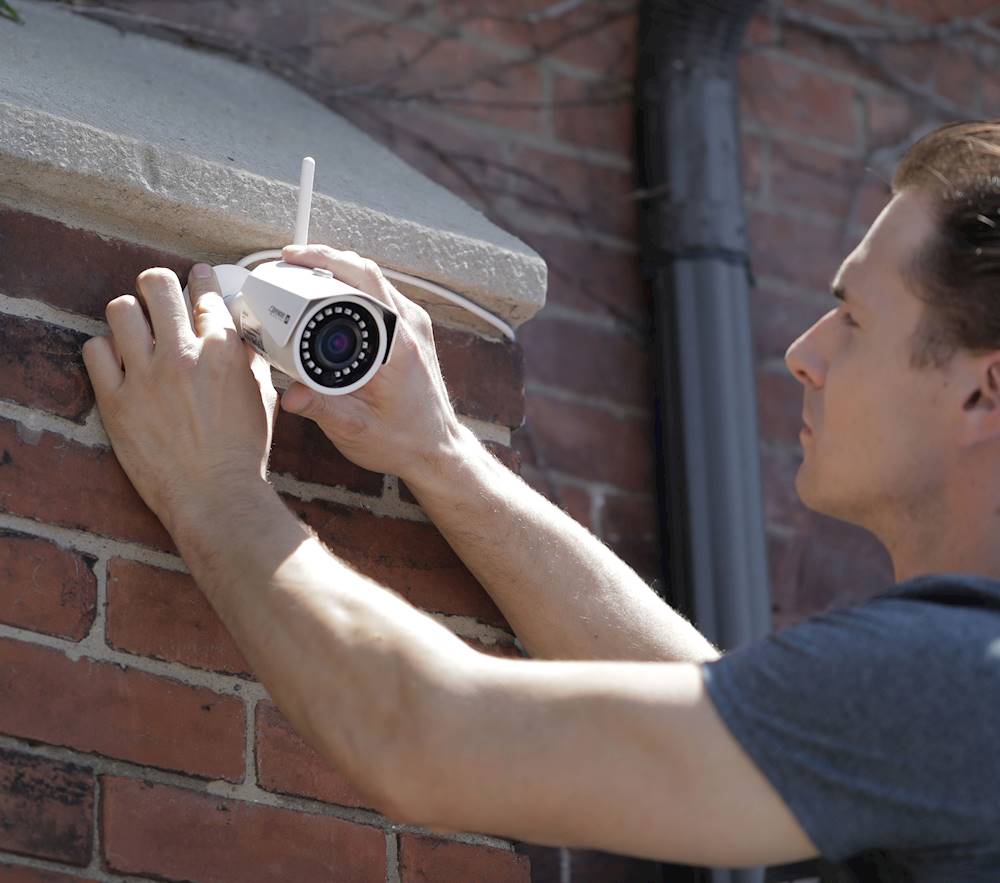
|Posted .This reviewer received promo considerations or sweepstakes entry for writing a review.While I do like this security camera by Defender, it does need some improvements and or firmware updates. Improvements Id like to see is Audio, and 2-way audio as well. For updates, what Id like to see is selectable 108pp picture that stays. So you dont have to switch from SD to HD every viewing, while using the app. Setup of the camera is fairly easy and straight forward. 1st youll need to select your mounting location. Drill a 3/4" hole to run your camera power wire& ethernet adapter through, connect the camera to its power adapter which is 10ft long. You also have the option to connect this camera to ethernet cable. Should you choose to not use 2.4ghz wifi, or if your wifi is weak in your desired location. Then simply mount the cameras base using 3 included screws. Setup a account with defender and connect the new camera to wifi or your wired network(seperate ethernet cable required for wired connection)! Ive had no issues whatskever with this camera. Works perfect everytime. Whether Im using it over my wifi or cellular network. Id reccommend this to anyone not wanting to spend a ton of money on a home security camera or multiple ones.
I would recommend this to a friendDoes it work?
|Posted .This reviewer received promo considerations or sweepstakes entry for writing a review.I received the camera and was pretty excited to have a chance to keep an eye on things in the barn from the house. I opened the box and it seemed straightforward to set up the camera. Alas. First, it would not connect to my wifi and so I pulled out an ethernet cord and it immediately showed up on my network. Alright! Went to the next step on my iPhone to connect to it and chose "Device connected to the network" as my next step as instructed in the brochure that came with the device. No joy. I get to a screen where it says it is connecting to the camera, the circle spins and then the circle goes away and it's still on the same page. Ugh. I have attached said picture from my screen. I went to the website for support and found a product manual that was longer. By about one page. I watched a video. Still joyless.
No, I would not recommend this to a friend- Pros mentioned:Camera quality, Ease of use, Motion detectionCons mentioned:App
Nice camera but lacking consumer functionality
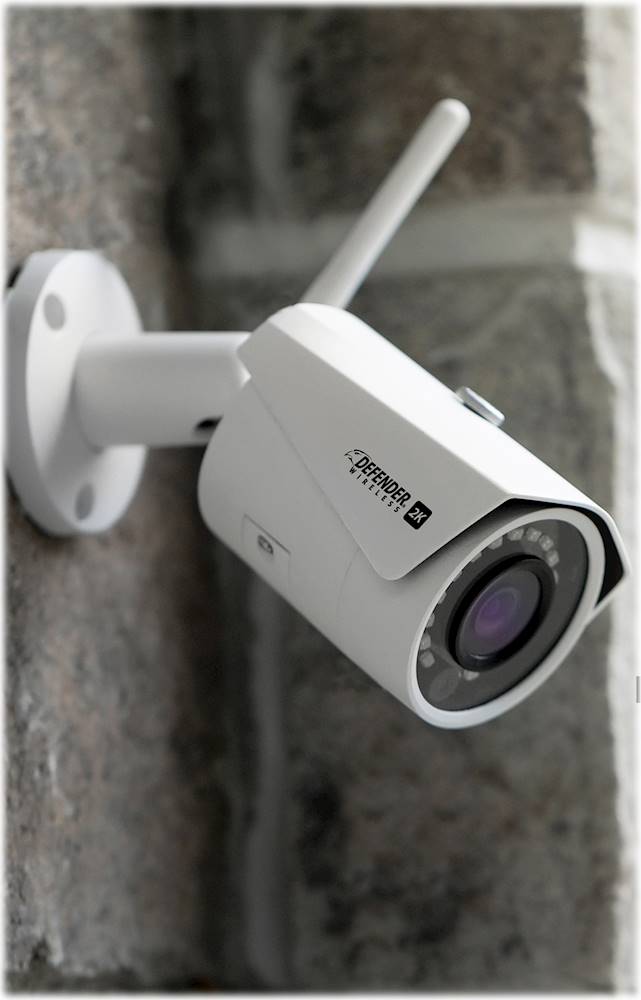
|Posted .This reviewer received promo considerations or sweepstakes entry for writing a review.I received this product in exchange for my fair and unbiased opinion. TL:DR - The Defender Wireless 2k security camera looks every bit of the role that it's meant to play. It looks as if it belongs on the side of your building, not a shelf in the living room. The 18 IR LEDs surrounding the camera allow it to take great, detailed images at night. The WiFi connectivity is unreal, and it uses industry-standard SMA connectivity if you need a better antenna - or even better yet, ethernet if you want the absolute best network connection. Motion detection is terrific. The app that controls this camera is rather dated, however (the layout for the iPhone version of the app looks to be designed for a 5, 5s, or SE and not a 6/6s/7/8/Plus or X series device) and lacks watch and TV apps for the camera. SD card recording is a plus and the camera comes with a 16GB card already installed, with stated support up to 128GB. Setup: Defender recommends that you configure the camera while connected to an ethernet cable, as a more robust connection guarantees the camera will complete setup. I configured on WiFi, which most people buying this camera will do, and didn't have any problems with configuration. The only annoyance is the app makes noise while performing wireless configuration. Installation: Defender recommends that you configure the camera before you install it. Once configured, installation is easy. I set mine up on an outside wall where I'd be able to monitor anything happening by my garage. I passed the combo network/power cable through the wall and plugged it into a power outlet. Easy enough. I spent about 15 minutes getting the camera leveled out. Once set up, everything worked flawlessly. The camera connected to the mesh point furthest away from it in my home, and still maintained excellent signal. Because the antenna uses the industry-standard SMA connector, you can always change out the antenna for a larger and/or/directional one for signal improcements. Usage - while opening the camera and using it was fine, the app leaves a lot to be desired. Accessing content on the SD card seemed a little weak unless it was puled out and viewed on a computer/. Dating the folders as recording content wold go a long way. Note that this camera lacks functionality with Google Assistant and Alexa integration.. A TV app would be great for the major Smart TV platforms (Apple, Samsung, LG, Roku, Android, and Fire). Recording works well, motion detect is top-notch, and a SD card helps make things better about sunlight. My recommendation? Yes for businesses and those that want no frill cam. For homeowners, however? Maybe if you don't have another camera system and don't want smart integration, then go ahead and go with this set.
I would recommend this to a friend - Pros mentioned:Ease of use
Good camera for beginners
||Posted . Owned for 3 weeks when reviewed.This reviewer received promo considerations or sweepstakes entry for writing a review.Easy camera to setup. Only problem if your Wifi goes down, you have to take down camera to link the Wifi again. Other than that it's good
I would recommend this to a friend - Pros mentioned:Camera quality
Good system.
||Posted .This reviewer received promo considerations or sweepstakes entry for writing a review.Good product. Working as expected. Would buy again.
I would recommend this to a friend - Pros mentioned:Camera quality
Great quality
||Posted . Owned for 8 months when reviewed.This reviewer received promo considerations or sweepstakes entry for writing a review.I love this security camera has great quality and i can see the video in my phone.. i got this on a deal of the day and i love it
I would recommend this to a friend - Pros mentioned:Camera qualityCons mentioned:Battery life, Power cable, Setup
Great video quality, but frustrating at times
|Posted .This reviewer received promo considerations or sweepstakes entry for writing a review.This camera has very good video quality - no complaints there. Once it is finally set up, it works great. The main two issues I have run into are: 1 - setup is very clunky! It was very difficult to connect to wifi, especially 2 - the power cable is not in-wall rated - if we could conceal the cable in-wall, it would be nice. However, I would like to see a battery added to the future version of this camera, to keep it more in line with some competitor offerings. If you can overlook these things, this is a good camera. I would recommend to a friend, if you can overcome some frustrations.
I would recommend this to a friend - Cons mentioned:App
Good buy
||Posted . Owned for 9 months when reviewed.This reviewer received promo considerations or sweepstakes entry for writing a review.Can’t beat the price app needs a little help but for the money and no monthly charges how much complaining could you do.
I would recommend this to a friend - Pros mentioned:Camera quality
Great Cam
||Posted . Owned for 1 year when reviewed.This reviewer received promo considerations or sweepstakes entry for writing a review.Great cam for the price, great picture quality 7 easy hook-up
I would recommend this to a friend