Customer Ratings & Reviews
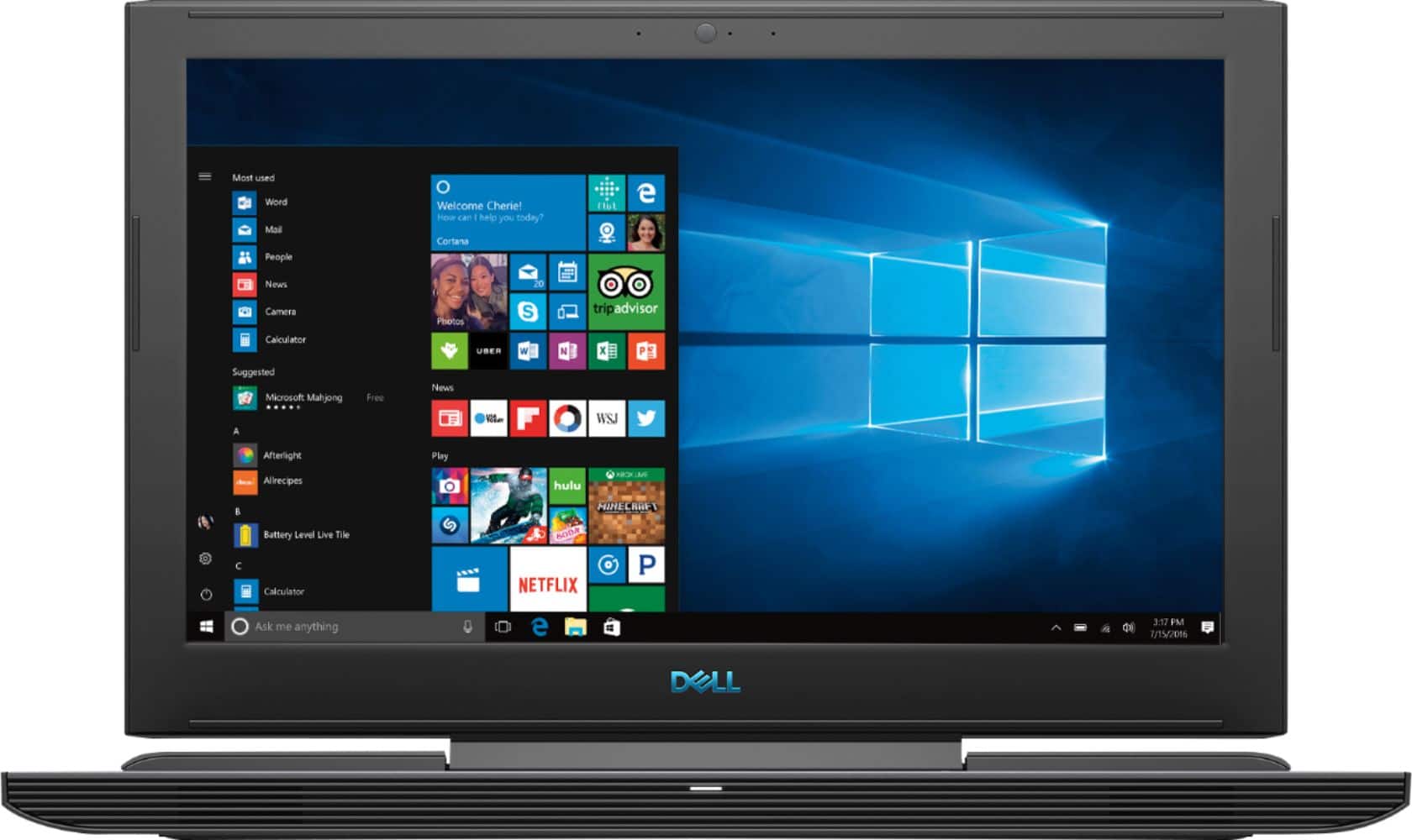

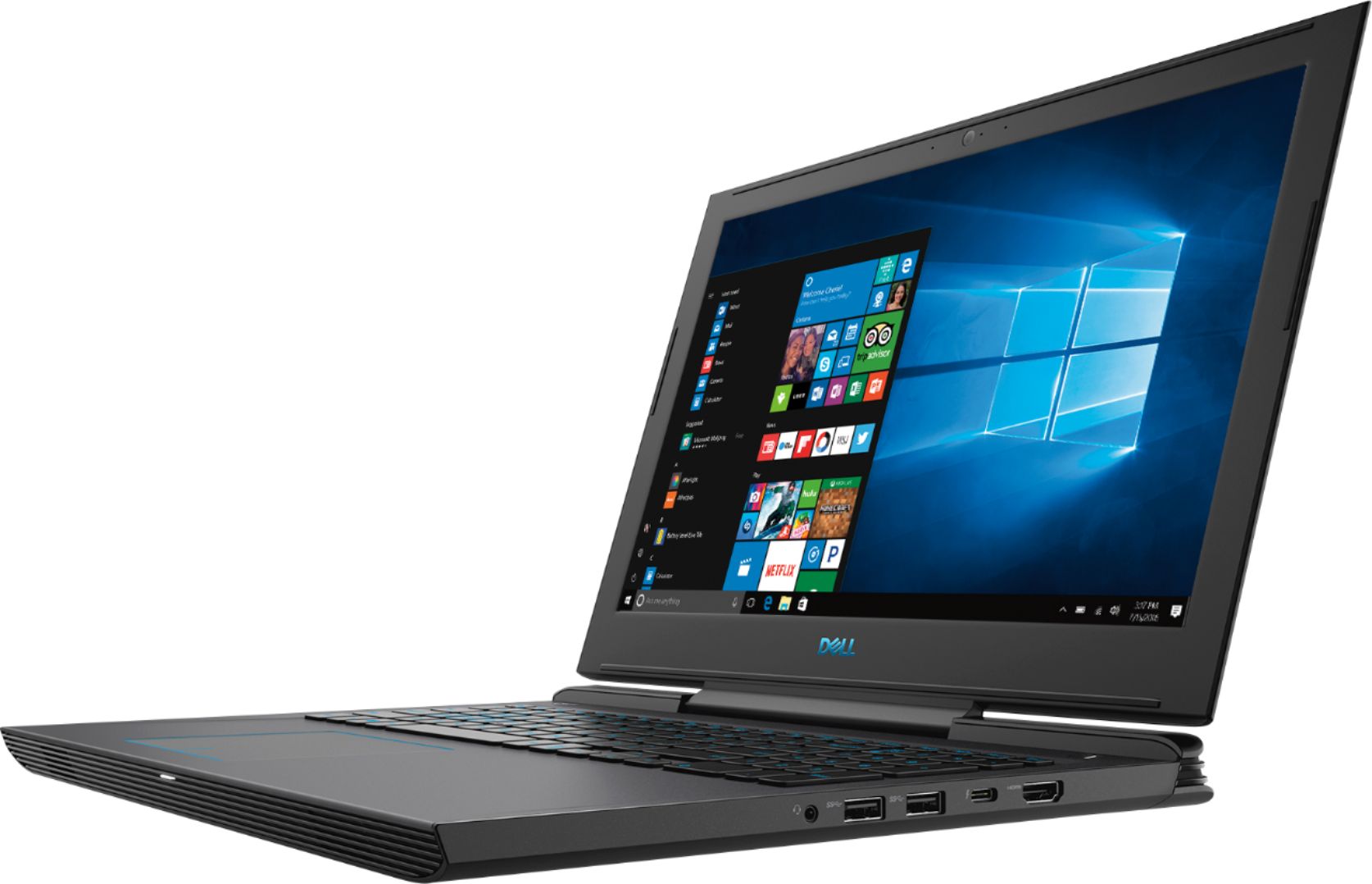
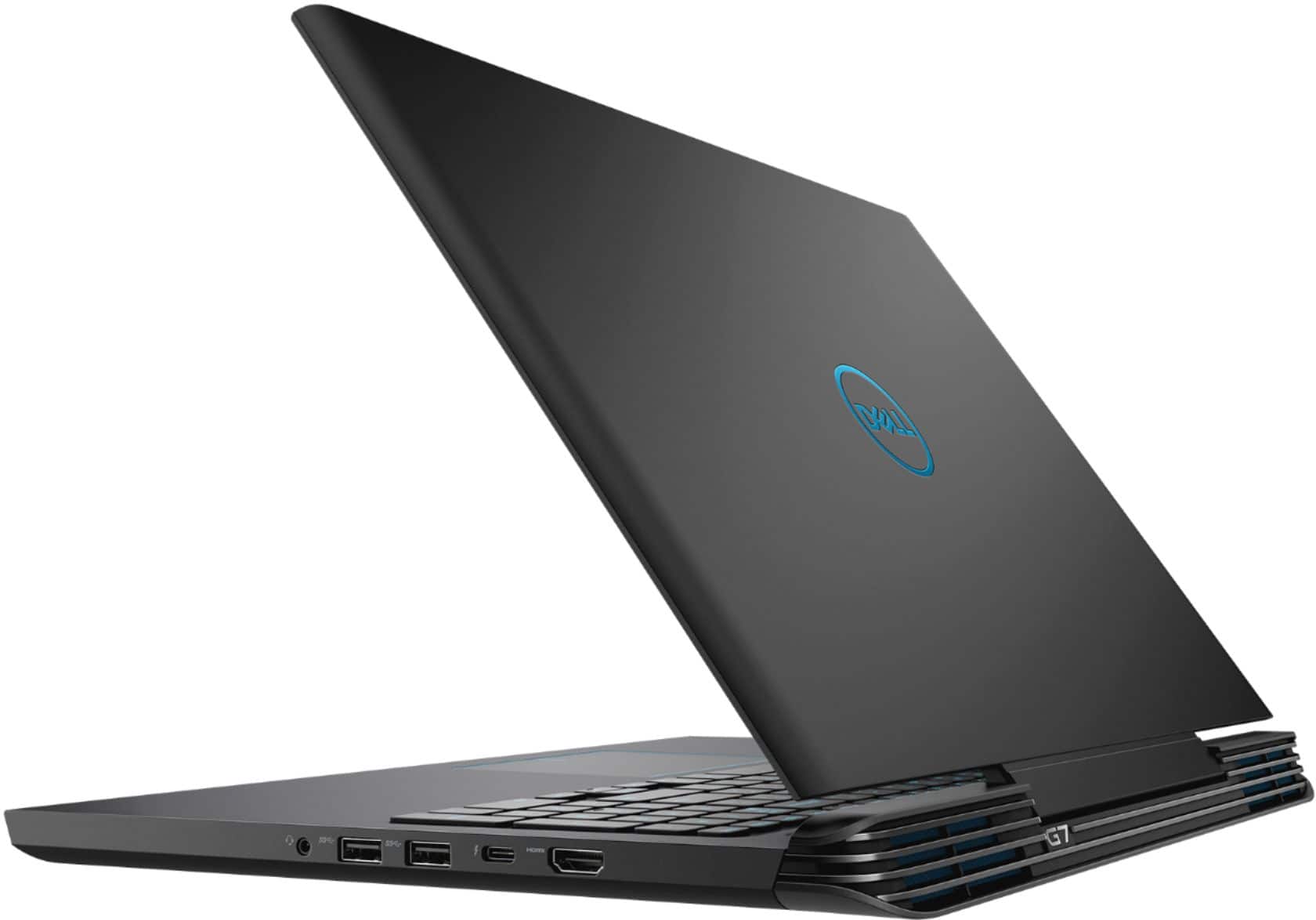
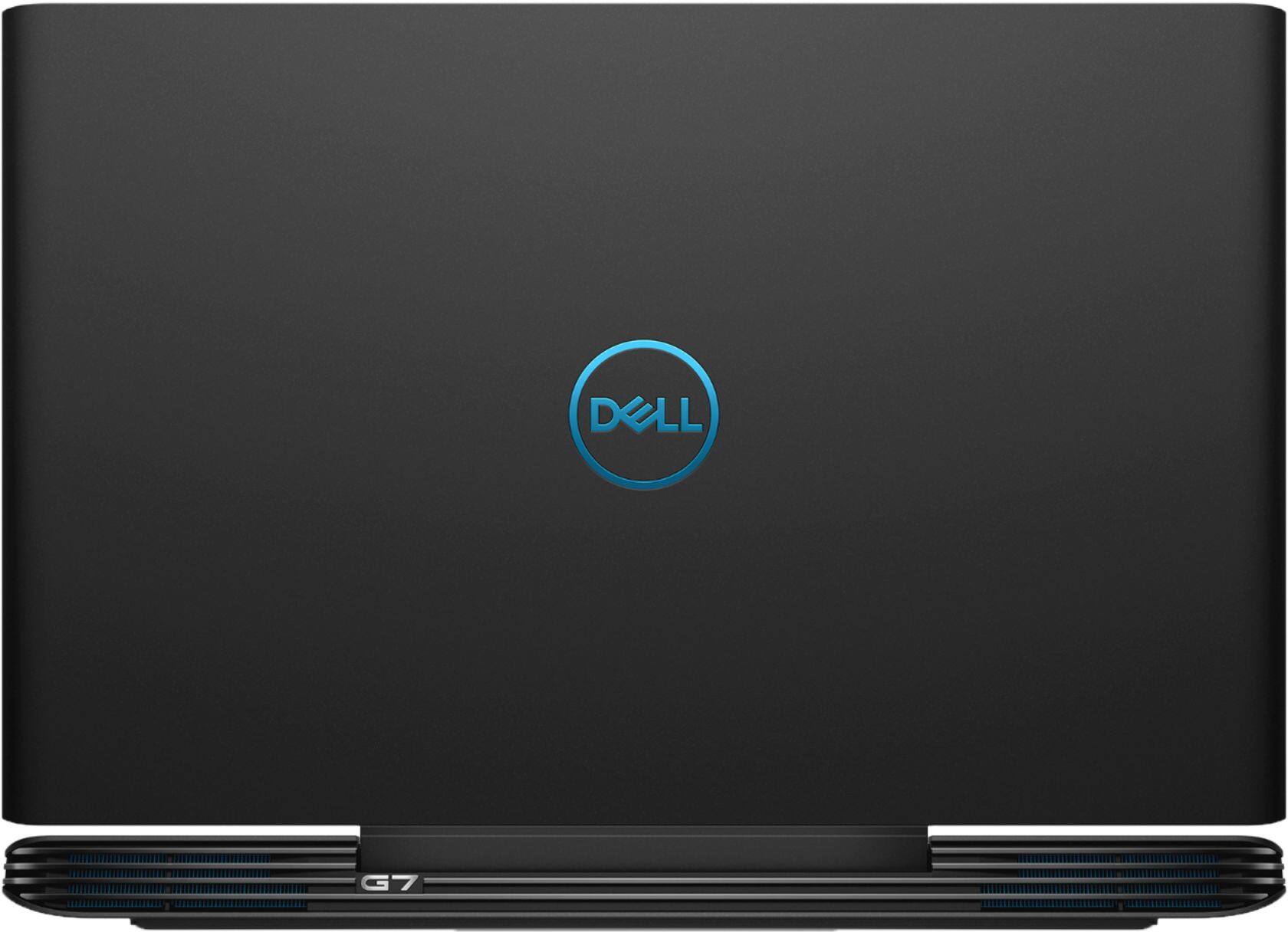
- Model:
- I7588-7378BLK-PUS
- SKU:
- 6212435
Rating by feature
- Battery Life
Rating 3.4 out of 5 stars
- Speed
Rating 4.4 out of 5 stars
- Display
Rating 4.1 out of 5 stars
Customers are saying
Customers enjoy the high performance and excellent graphics of the G7 15.6" Gaming Laptop, along with its affordable price and ease of use. However, some customers point out that the screen brightness could be improved, and some have noted concerns about the laptop's weight, battery life, and fan noise. The storage options are also a point of discussion, with some users suggesting upgrades.
This summary was generated by AI based on customer reviews.
- Pros mentioned:SsdCons mentioned:Battery life, Screen brightness
Almost perfect but!!!!!!!!!!!!
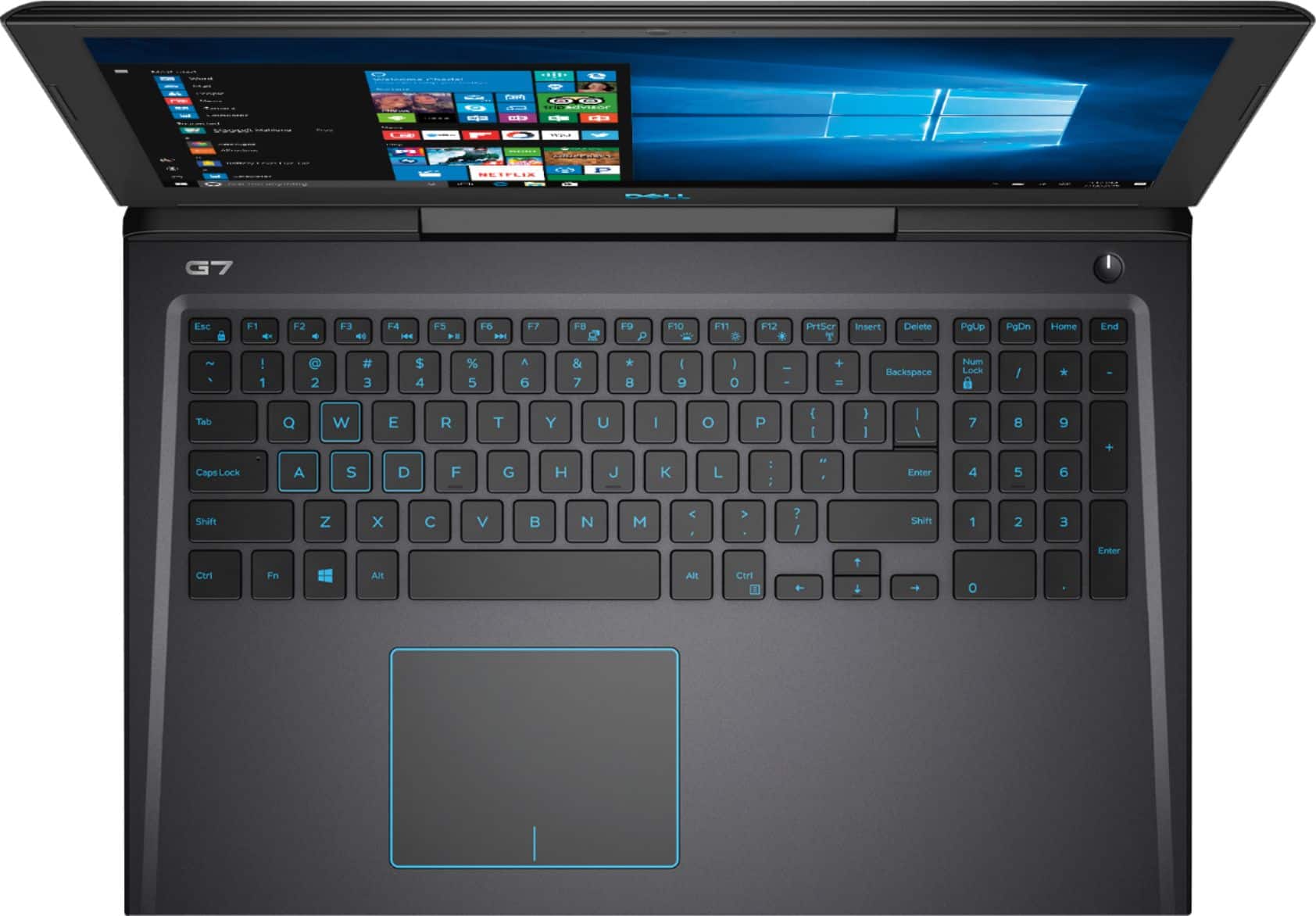
||Posted .This reviewer received promo considerations or sweepstakes entry for writing a review.Build Quality: It’s a solid laptop, the hinge although not the standard dual hinge is still solid. The plastic case while not a good as say the aluminum ones like MSI or Asus it is more than enough if you are not going to abuse it. Input: The keyboard is decent and while it's not a gaming mechanical one for a laptop its not bad. The blue back lighting is nice as it's easy on the eyes and makes gaming at night in the dark easy. They added an extra nub on the S key so when gaming to find wasd is easy by touch also there is graphic boxes around those keys as well. The palm rest and touch pad are on par with any other midtier laptop in this price range. Ports/IO: The power is on the right-hand side and that’s a plus however like all dell systems it’s a straight plug and I can see over time if you are not careful putting undue stress on the power port and causing the solder connections to come loose causing it to not charge. This is not all that uncommon, and a right-angled adaptor would have been nice given its location. IO on this laptop is good you not only get the standard USB 3 type A ports there is also a USB 3.1 type C, SD Card, RJ45 Gigabit Ethernet as well as HDMI, headphone and a lock slot to round it out. I would have like to have seen a mini display port for connection to a monitor but more on that later. Display & Video The display on this laptop is ok at best, while FHD 1080p it’s only a 60Hz and not sure how you can call something a gaming laptop with only a 60Hz display. To add insult to injury there is only an HDMI connection and would have liked to see a mini display port as well to take advantage of some higher end monitors. On the plus side the 1060 MaxQ while not a full-fledged 1060 (its been clocked down for thermal reasons) is more than enough to run most AAA games at high settings and even some at ultra and still get 60+ FPS. Battery: The G7 comes with a 56 Wh battery that will give you about 3.5 – 4.5 hours of use under normal use ie Netflix, web browsing, office productivity, etc. Now gaming you will only get about 1.5 hours before you need to find an outlet. In addition to that, you will not get peak performance out of just the battery as it can not keep up with the i7 and the 1060 running full blast. Storage: The G7 has two options that best buy carries one comes with a single M.2 256GB SSD the other like I have is a 128GB SSD and a 1TB 5400RPM HD. Now for pure storage ie movies, word doc’s, etc the 5400RPM drive is more then enough however you will see substantial load times if you install your games to it and with only a 128GB SSD there is not much room to load games on to it either. Upgrades: Well, in short, there is not much, both the ram slots are populated with 8GB DDR4 SODIMMS so to upgrade to 32GB of ram would be rather costly and to replace the 128GB SSD with say a 500GB Samsung 970 will run you about $130. Networking: This is where the system falls apart, almost all modern gaming is online based everything from the Battle Royals’s like PUBG, Fortnite & BO4 to games like GTA, HotS, CS:GO & WoW. The built-in networking on this system just flat out sucks, I have a 1GB cable connection and have yet to see speeds over 40Mbs via WiFi. I know its not my cable because I did a google search and found page after page of the same complaint all of them have no fix from Dell for this problem. This is totally unacceptable for a performance gaming system that when is not on sale cost $1200. Conclusion: While the laptop has many points in its favor from the GPU, IO, and general build quality the lack of a display over 60Hz and the networking are just too much to overcome. If these issues were addressed I would have no issues giving this a solid 4.5 stars but with these, I can’t give it any higher then a 3 star just beware of its shortcomings.
No, I would not recommend this to a friendBrand response from YourDellTeam
Posted .@GeeksGuideTo,
We thank you for taking the time to write about your experience. The team regrets to read that you haven't been 100% satisfied with your GTX.
At your convenience, our tech support team would love to chat with you on your concerns at 1 (800) 999-3355.
Best,
Chris
- Pros mentioned:Graphics, PerformanceCons mentioned:Battery life
Awesome computer
||Posted .This reviewer received promo considerations or sweepstakes entry for writing a review.Works perfectly for games photos and extra C drive for documents and runs steam, epic, fortnite, blizzard and works brilliantly with Nividia graphics card 1060 great performance battery does last only about two hours which is the only con but overall it’s a great machine
I would recommend this to a friend - Pros mentioned:Performance, Ssd
Owned for a year now perfect for gaming
||Posted . Owned for 1 year when reviewed.This reviewer received promo considerations or sweepstakes entry for writing a review.This has made me a great investment. I stream games on twitch at home and from my semi truck . I did change out the m.2 ssd for a 1tb Samsung 860 evo . I used the cloning software from Samsung . Simple . I can easily run 240 frames per sec on rocket league , same on fortnite, dauntless, etc . Laptop does a great job of keeping itself cool too !
I would recommend this to a friend - Pros mentioned:Performance, Price
Gaming laptop for teenager
||Posted .This reviewer received promo considerations or sweepstakes entry for writing a review.This computer hits the bullseye. It is exactly what a teenager needs. It’s the right price and the right configuration. We are very pleased with it’s performance and it’s size. No issues at all!
I would recommend this to a friend - Pros mentioned:Graphics, Speed
Great gaming laptop for beginners
||Posted . Owned for 1 month when reviewed.This reviewer received promo considerations or sweepstakes entry for writing a review.Not bad for gaming laptops under $1000 Specially if your looking for speed, graphics and quality you can afford.
I would recommend this to a friend - Pros mentioned:Price
Great Value Gaming Laptop for Design Work too!
||Posted . Owned for 11 months when reviewed.This reviewer received promo considerations or sweepstakes entry for writing a review.I only use this Laptop for design of outdoor projects Landscaping, Pools, anything outdoors really. For the price (around $1,200 to $1,400) this work great. I also use the desktop version with Dell Alienware and although this is not quite as fast with the help of a 27" monitor it makes a great design computer for design work.
I would recommend this to a friend Hands down BEST spec Gaming Laptop for the price
||Posted .This reviewer received promo considerations or sweepstakes entry for writing a review.I got this laptop exactly 2 weeks ago and can honestly say I have no complaints.. I’m coming from a MacBook so had high expectations, but this computer has crapped on anything I’ve ever had or worked on. I did a bunch of research and only wanted to spend around 1200 and was going to get the 7577 but found out the G7 just came out. Happy I got it now cuz BestBuy ran a Labor Day sale on the 1200 version for 1050 so I got 150 back!! :) You can’t find a better option for that price with the hardware and port options. Hope this helped anyone who might be on the fence. Trust me I KNOW lol
I would recommend this to a friend- Pros mentioned:Ssd
Great work laptop
||Posted . Owned for more than 2 years when reviewed.This reviewer received promo considerations or sweepstakes entry for writing a review.When u got this laptop it was going to be my mind editing laptop for my content. The laptop is a great work station and a ok for gaming, I dont game much but it's great. Since I got the laptop I have installed Ram and M.2 for more space.
I would recommend this to a friend Hi speed ,but not excellent shape as described.
||Posted . Owned for 3 weeks when reviewed.This reviewer received promo considerations or sweepstakes entry for writing a review.A message of "activate your windows" and I can't make it. A sticker on the device is not attached properly. Attempting to activate my windows it does not allow me to and says the error code is "0xC004F213" . The device runs smoother and better while in charge.
I would recommend this to a friend- Cons mentioned:Heat
Bad cooling system
||Posted .This reviewer received promo considerations or sweepstakes entry for writing a review.The first couple of days I use this laptop, the computer gets extremely hot when I play games. The situation doesn't alleviate when I tried some old games like far cry 3, a game released 5 years ago. I put a book under the laptop and the temperature dropped a little bit but that is not enough. What's worse, this week the fps drop to about 40 periodically. First I thought it was caused by the update of the graphic driver. But right now I reinstall the old version. The experience remains the same. It was definitely the automatic underclocking.
No, I would not recommend this to a friendBrand response from YourDellTeam
Posted .FlyingHObb1t,
We're sorry to hear about the overheating issues that you're facing with your computer. Here are some tips to help keep the temperature on your computer down:
Tips for Proper Usage:
1. Dell does not recommend placing portable systems directly on your lap. Due to reductions in the thickness of modern portable systems, heat transfer can be an issue.
2. Using a portable system (Laptop) on a hard, flat, non-cloth surface will increase airflow and reduce heat from underneath and inside the system.
Using the portable system on a blanket, pillow, or other types of cloth will cover up the fan cause the computer to overheat and can cause permanent damage.
3. It is recommended to use the portable system in a Room temperature of 0°C to 35°C (32°F to 95°F) with a Humidity level no greater than 90%.
4. Use compressed air to clean the vents on a regular basis.
5. Using a cooling pad can decrease heat and increase performance.
6. If you want to know the temperature limitations for your system, go to the Dell Support Website, look up your system model then open the user guide under the manuals link.
You can read the full article here - http://dell.to/2uJ8AdG.
We hope these tips help your computer perform better for you.
Best,
Bryan
1-800-624-9896
Great laptop computer
||Posted .This reviewer received promo considerations or sweepstakes entry for writing a review.This is a great laptop for the money but wish the m.2 ssd was a nvme m.2.
I would recommend this to a friendGreat laptop
||Posted .This reviewer received promo considerations or sweepstakes entry for writing a review.It is the best laptop.it has best features and quality
I would recommend this to a friend- Pros mentioned:PerformanceCons mentioned:Heat, Screen brightness, Weight
Fantastic Laptop with a Few Negatives
||Posted .This reviewer received promo considerations or sweepstakes entry for writing a review.So my first impression upon opening the box and taking it out was...dang, this is heavy! So if you've never used a gaming laptop before you'll probably find it heavy at first. But after some time of carrying it around every day (I'm using it for college) you will get used to it. Plus, the weight provides a certain solid sturdiness--the keyboard deck is metal and does not flex at all unless you put your weight on it. The screen portion has very little flex as well--so it is a very solidly built laptop. Keyboard--absolutely love it. Some people say it's too shallow, but coming from using laptops since 6th grade I find it pleasantly responsive and clicky. However, this is a negative for me--though you can turn it off, the backlighting is bright blue. Why? Isn't Dell aware Windows 10 has a Blue Light Filter for a reason? Blue light makes your eyes tired. Everybody knows that. That's why at night you make your screen yellow. But then they make the backlighting of the keyboard, meant to be used at night, bright blue. I have no choice but to always keep it off. Sure, don't put RBG lighting but at least make the keyboard lighting white. Performance-wise, you will have absolutely no trouble running the game of your choice (as of October 2018) on max settings. Grand Theft Auto 5 is about as graphics-intensive as games get, and I run it on the highest settings possible--and there's no lag. I'm happy with the screen as well--though I did with it could go a little dimmer for use at night. The biggest problem I have with this laptop is the heat. There are two large fans at the back (which look cool, I might add). But if you use this for gaming (and why wouldn't you..it's a gaming laptop) it will get VERY hot. I mean EXTREMELY hot. Doesn't have to be GTA 5. Play Minecraft for 3 hours and you can literally boil water above the keyboard deck. I'm not joking--I checked the CPU temperature after my 3 hours of gaming and found 3 of the cores to be at 98 degrees celsius. 100 degrees is the max operating temperature for the i7-8750h, and water boils at 100 celsius. You cannot touch the g7 logo and the f8, f9, f10 keys for more than a second without your fingers literally getting burned. Halfway through I got an ice pack from the freezer and just kept it on the keyboard, which helped a bit. So if you're going to get this laptop, bear in mind--it gets very hot. Whether this insane heat is slowly damaging the internals, I don't know. Probably--but that still doesn't stop me from gaming. Another somewhat minor negative--if you're someone who likes a clean laptop, you're going to have to keep some wipes handy. From the lid to the keyboard deck, fingerprints and smears easily show. After a while it will start to get greasy..but this is just a downside of smooth, matte metal. Overall, I'm very happy with it--but if you're going to get it, you'd better make sure that you use it as a desktop, not a lap-top--if you keep it on your lap you'll probably burn your thighs.
I would recommend this to a friend The Wifi Card
||Posted .This reviewer received promo considerations or sweepstakes entry for writing a review.Overall the laptop is good, but the WiFi card just doesn't seem to work. I know that this might be my model only. However, I was wondering if I could get an exchange.
No, I would not recommend this to a friendBrand response from YourDellTeam
Posted .Alberttheman,
We're sorry to hear that the WIFI card on your computer is not working the way that you had hoped it would. We'd recommend running the following diagnostic:
1. Run the Network Troubleshooter.
a) Touch and hold or right-click the network icon (Available Networks or Network Icon, located in the lower right-hand corner).
b) Touch or click Troubleshoot problems and then follow the prompts.
You can read the full article here - http://dell.to/2sLtwRh.
If you feel like your connection issues have not been resolved you can reach out to Best Buy to find out what your options are, if you are within their return period: http://bit.ly/2v2IVhI.
Best,
Bryan
1-800-624-9896
- Pros mentioned:PerformanceCons mentioned:Heat, Screen brightness
Great laptop for the price.
||Posted .This reviewer received promo considerations or sweepstakes entry for writing a review.I've had this laptop for a few weeks now, so I have a pretty good feel for its performance. I purchased this laptop so I'd have a good laptop that could last me through the next 4 years of university. Its a really well made laptop with great specs. I take it to college everyday and the battery life is really great when kept on low power mode. I get between 5-7 hours for basic productivity tasks, so I never need to carry around the charger. For gaming it works really well, I can run all my games at max settings and get above 60 fps. The laptop does get pretty hot and loud when gaming, but Dell did a good job at keeping the heat towards the top of the laptop so that the keyboard remains comfortable. Also, the laptop is fairly big and might be somewhat heavy for some people. The reason I gave it 4 stars is because I don't like the screen much. The IPS matte panel is comfortable to look at but its not very good for a $1000+ laptop. It doesn't get very bright and the color accuracy is pretty poor. Another small downside is that the included SSD isn't very good, so boot up times are average at best. Overall, I really love this laptop, I take it to school and it gets me through my classes without any trouble and when I'm at home I can game with great performance.
I would recommend this to a friend - Pros mentioned:SsdCons mentioned:Battery life, Fan noise, Weight
Decent laptop overall
||Posted .This reviewer received promo considerations or sweepstakes entry for writing a review.The hardware is excellent. Strong GPU, fast SSD, great processor and plenty of RAM. However, laptop is big, heavy, and the fan can get loud at times. The bezel around the screen is HUGE. Looks like an old laptop with new hardware. While gaming, frames drop massively when playing on battery only, without being plugged in.
I would recommend this to a friend - Pros mentioned:PerformanceCons mentioned:Fan noise, Heat, Weight
Runs great, at a cost
||Posted . Owned for 1 year when reviewed.This reviewer received promo considerations or sweepstakes entry for writing a review.The laptop is objectively pretty great. It plays games really well, and feels good to use. Unfortunately it has some downsides. It's huge, really heavy, not touch screen, the display is kind of dim, and it gets hot fast (while the fan makes a ton of noise).
I would recommend this to a friend - Pros mentioned:PerformanceCons mentioned:Battery life, Fan noise, Weight
Excellent laptop
||Posted .This reviewer received promo considerations or sweepstakes entry for writing a review.The major cons I found most people reported were battery life, weight, and noise/fan. I agree with them. I think unless you tweak the heck out of options the battery life isn't great. Is it good? Yes! I can take my charged laptop to work and have a bit left by the time I go home. But I'm not maxing out the battery or using it all 9 hours. I do lots of video editing and graphics on it. It's a heavy laptop, but that doesn't bother me. Fan and noise, yeah I get why there are complaints especially if I'm doing something with narration, but there are programs filter that out. Although it is one more step for me. Which is where it gets 4 stars. That said, I may not be the demographic this laptop is meant for. I'm looking for a school laptop meant to do lots of videos and animation. It works beautifully for that! And is the same price of the non-gaming laptop I compared it too with more features.
I would recommend this to a friend - Cons mentioned:Fan noise, Screen brightness
Great for gaming, good for productivity
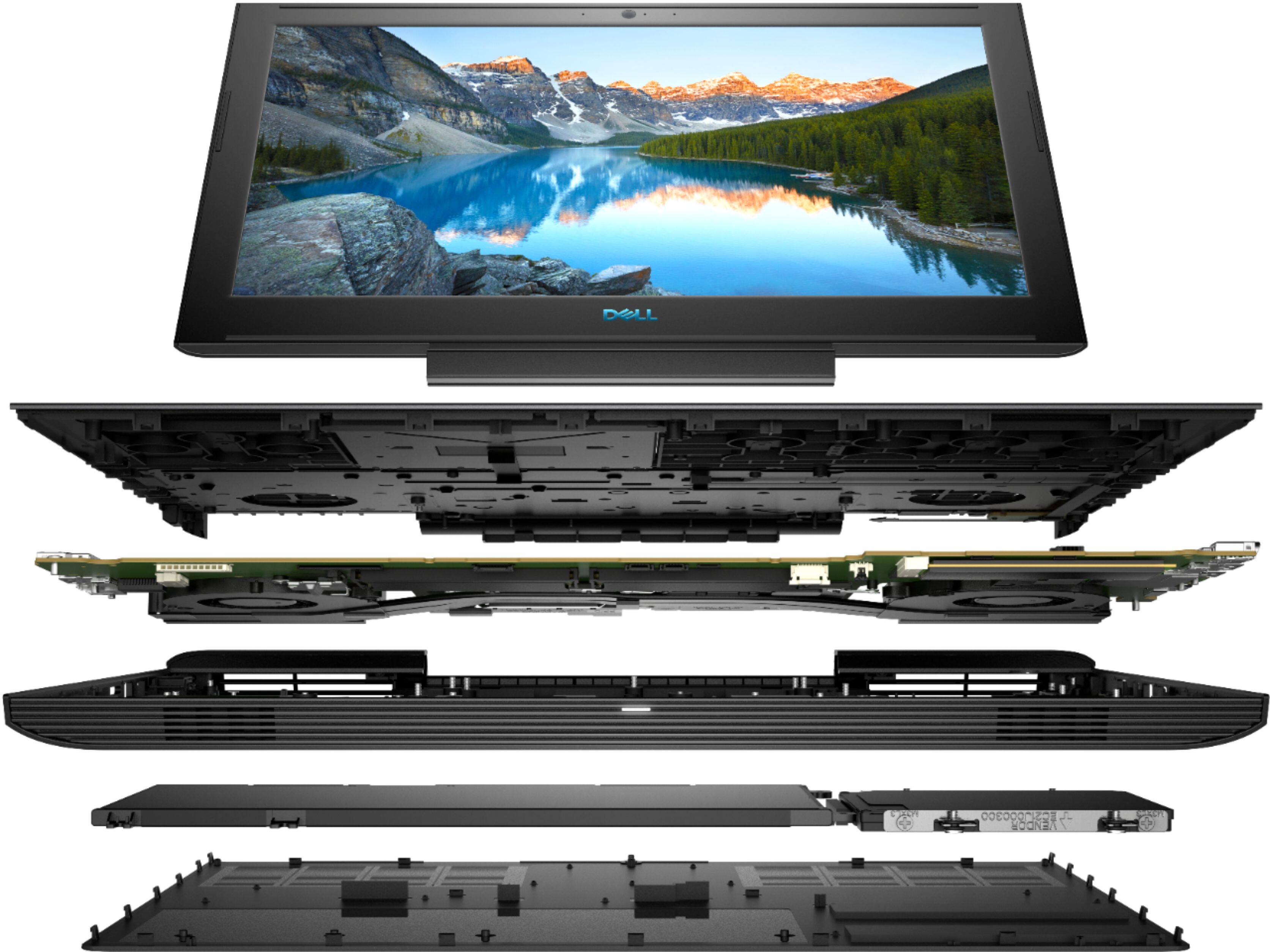
||Posted .This reviewer received promo considerations or sweepstakes entry for writing a review.I bought this laptop to mainly run circuit simulation software and for use as a general productivity machine. It was a bonus that it also had an integrated GTX 1060 Max-Q, which means that overall the chassis is thin and light compared to other "gaming" laptops. The combination of the fast GPU and exeptionally good CPU means that there are no bottlenecks for most tasks, including gaming at high settings (or more). My only problem with the laptop is that the matte screen is only 60Hz and is pretty dim. If I did not have an external monitor to game on, it would be difficult to see dark areas of games. Brightly colored games do not have this problem, but this may be a concern for people playing games that take place in dark settings. For the construction of the chassis, the keyboard is just a standard Dell keyboard, but with an odd blue backlight; it's nothing gaming grade. I would have loved to see a red or white backlight (or RBG for that matter). The trackpad is also pretty standard, which is good since Dell trackpads are far better than any others (besides apple products). Everything is metal which makes it a bit heavy but very sturdy. The screen has thick bezels and is a little dim, but has good colors for basic tasks. Everything feels solid and should be durable for years to come. My specific model comes with a GTX 1060 Max-Q (which is slower than a 1060), a very powerful 4GHz 6 core 12 thread i7-8750H (this will have enough power for many years to come), 16GB of ram (2x8GB), a 128GB M.2 Sata SSD, and a 1TB HDD. The battery is above average at 56WHr and the connectivity is above average with a good wireless card for WiFi and Bluetooth. The power brick is huge and delivers 180W to the laptop, so if you purchase their 90W aftermarket charger, when the laptop draws more power than the charger can deliver it will use power from the battery. The laptop stays cool during gaming but the fans are loud since this is a very high performance, almost desktop class 45W TDP CPU and 1060 Max-Q. A real gaming desktop delivers more performance for a lower cost than this laptop, but the ability to take it with me around the room or to different buildings is worth it. This is a great laptop and deserves 5 stars, but I have to take a star away for a few reasons. The screen is a bit disappointing for what it is, and a 128GB SSD is unreasonable as a boot drive. I would rather have a smaller HDD with a 256GB SSD or no HDD and a 512GB SSD. There is no reason to include an HDD with a laptop today, SSDs are much faster with better battery life and are more durable when moving around. My first upgrade was to replace the SSD with a 500GB Samsung NVME SSD, which enables even faster loading times and no need to use the included HDD. Keep in mind this only costed me around $120. If I need more than 500GB of space on the laptop, a cheap SATA 2.5 inch drive can be purchased and installed where the HDD is. Otherwise the ability to remove only one screw to access both drives, the RAM, battery, CMOS battery, fans, and wireless card is amazing compared to my old laptop which required removing about 20 screws to get to this point. Hopefully the next revision fixes these problems, but for now this is a solid machine.
I would recommend this to a friend - Pros mentioned:Graphics, PerformanceCons mentioned:Fan noise, Weight
Great Laptop
||Posted .This reviewer received promo considerations or sweepstakes entry for writing a review.This computer is a great bargain. Powerful internals and a sleek look. The body is pretty tough. The weight is a little more than expected, but thats fine considering what the machine can do. The only thing I could say is a negative is the fan noise, but it isn’t loud. If you have a game going at 50% volume, you won’t notice it. If you’re just running chrome and office (in class, work, or home) then the fans won’t kick on unless plugged in. My concern was that it would be loud in class but the battery will get you through half a day with power saving options, disabling background apps, and dictating the default graphics processor. No need to charge then no fans.
I would recommend this to a friend