Customer Ratings & Reviews

- Model:
- I3180-A361GRY-PUS
- SKU:
- 6188326
Rating by feature
- Value
Rating 3.9 out of 5 stars
- Quality
Rating 3.7 out of 5 stars
- Ease of Use
Rating 3.9 out of 5 stars
Customers are saying
Customers praise the Inspiron 11.6" Laptop for its portability, compact size, and affordable price. Many users find it perfect for students and everyday tasks. However, some customers express concerns about its limited storage space, slow performance, and insufficient memory.
This summary was generated by AI based on customer reviews.
- Pros mentioned:PortableCons mentioned:Storage
Light and small notebook
||Posted .This reviewer received promo considerations or sweepstakes entry for writing a review.Light to carry, practical, no faults, the problem is that Microsoft updates reduce the storage space, you will be forced to buy external drive.
I would recommend this to a friend - Pros mentioned:Portable
Great Laptop
||Posted .This reviewer received promo considerations or sweepstakes entry for writing a review.Wow I am really happy with this laptop. I would recommend this to friends and family. Great for children,teens ,adults so. Whether u r a beginner or a pro very simple to use. Like to bring my laptop to the coffe shop to do homework and research. Yes I would recommend to everyone
I would recommend this to a friend - Pros mentioned:Portable
Great laptop for school
||Posted .This reviewer received promo considerations or sweepstakes entry for writing a review.This laptop does everything I need for school and It’s small and portable. The storage isn’t that great but you can buy a micro sd card and pop it in and your good to go
I would recommend this to a friend Ok for small tasks
||Posted . Owned for 1.5 years when reviewed.This reviewer received promo considerations or sweepstakes entry for writing a review.Ok for on the go internet, document writing or email. That’s about it. You will run out of hard drive me worry fast with this unit. Be careful. The screen attachment is not great. A small bump you the top of the screen and it broke the right side hinge completely in two. Now the screen hangs on by only one hinge. Dell needs to heel up the screen attachment
No, I would not recommend this to a friend- Pros mentioned:SizeCons mentioned:Performance
Perfect laptop for traveling and general use!
Posted .This reviewer received promo considerations or sweepstakes entry for writing a review.Okay, so let me begin by saying i've had this laptop for exactly one month as of today. (I received it on the 16th of June.) I was really on the fence about buying this laptop because at the time I saw a whole bunch of negative reviews regarding it. But I went with my gut instinct and purchased it regardless. Anyways, one month in I can say I couldn't be happier with the purchase and I am super happy that I didn't let the negative reviews hold me back from acquiring this little guy! Okay look, i'll label some pros and cons. PROS: Compact Size - Its small size makes it perfect for travelling! Whether going from one state to the other or from one street to the other, its size never disappoints! You can store this little guy literally anywhere! Which is a major perk for me! Surprisingly Durable - When traveling a lot, there'll be times when your luggage gets tossed around. This thing has fallen once or twice and has definitely been handled roughly by bagging personnel, but despite this, not a SINGLE crack! On anywhere! Not even the screen and I don't even have a screen protector! The thing has survived the test of time! It still looks just as fabulous as it was when I first purchased it! Which is a SUPER plus ESPECIALLY if you travel a lot like me! It's actually fast for its price - Despite a sometimes slow startup, and slow running speeds for like the first 5 minutes or so after the little guy is booted up for the first time, thereafter the thing runs like a breeze! Originally when I purchased this laptop, I was going to use it for travelling. But since i've started using it more, due to the speed, it has now become my general use laptop for all purposes! Whether traveling or not! You'll see no complains from me on this little guy's speed! I love it! This is definitely my new laptop of choice! Plenty of room for its compact size - This thing is loaded by default with 27.5 GB internal memory. Compared to other similar sized computers i've had in the past, this thing vastly outnumbers them in terms of sheer memory! And unlike most other computers that get super slow when you run low on memory, that is NOT a problem with this computer! I have less than 2 GB of memory left on this computer from my last travelling adventure, but still this thing runs like a champ! Quality and speed has NOT been diminished even a little bit! It literally still runs just as fast as it was when I first purchased it! Which is a god send for me honestly since I often times keep my computers filled with work-related files! Battery Life - Though battery life varies depending on which mode you have this computer on, on average, even in hardcore performance mode, I can get at least 2 - 3 hours of this bad boy before needing a recharge. In battery saver mode, easily 4 - 5 hours. I prefer battery saver mode because with this guy, it is still just as fast regardless in either mode. And of course, I don't go blind in battery saver mode. Which is a nice touch. Recharge time - Even if you waste all 5 hours of battery life on power saving mode and your laptop dies, this thing gets back up to 100% charge regardless within two hours. (For me at least.) Long battery life and fast recharge times makes me a happy boy! No overheating - This laptop does a frighteningly well job at keeping itself cool! Despite how long you may have it going for! As well as despite which setting you may have it on when running! Whether power saving mode or all-out performance mode! Either or, and this thing will AT MAX only grow a LITTLE warm below! Don't ask me how it does it for I do not know! The only way i've figured out to get it a bit more heated was by literally burying it under layers of covers! Yet even then, it still didn't get that heated at all! Not bad! But unfortunately, this thing does also have one some cons, as no computer is perfect. So let's move onto that list, shall we? CONS: Screen size - This one should have been obvious. It is a tiny computer, thus for the most part it will be hard to see the screen unless you're squinting your eyes from afar or are within a comfortable length from it. For me, the ideal length where it doesn't hurt my eyes as much is on my lap. It sits relatively comfortably on my lap and I can still see the screen relatively clearly. Slightly uncomfortable to use - Given how it is so small, it does get uncomfortable at times. Even if you are sitting upright and using it on a desk. So as you might expect, an average adult with big hands will find this a bit uncomfortable no matter how they try to use it or where. However, on the bright side, this issue can be fixed relatively quickly. All it requires you to do is to adjust yourself slightly in your preferred positioning. Incapable of loading performance-draining programs/websites - This thing is no beast. If you plan on using this thing for say gaming, editing software, or emulation purposes, I recommend you go for a different computer altogether. I once tried playing a flash game on this computer and it couldn't even load that without lag. ...Yeah. This computer definitely seems to be made only for office-related programs. Sorry. But hey, on the bright side, at least this thing can still handle videos at 480p. (Not 720 and above.) So if you watch a lot of videos, at least this thing is still useful for that. Constant Windows Updates - A very prominent issue. Windows will keep trying to force its updates on this computer. But since each update is generally too large for the computer's memory, it just puts you in a never ending loop where it tries to force you to restart your computer for an update, is unable to install the update, then fails. Meaning that every time you try to restart/turn off the computer thereafter, it will try the update once more annoyingly enough. Thankfully, there is a fix. Believe it or not, you can actually shut down the computer's Windows Update command altogether. Meaning you won't get bothered by Windows Updates ever again. I am pretty sure I can't link it on here, but I recommend to anyone who plans on purchasing this computer in the future to look up guides on how to shut off Microsoft Update for good first thing once you have the computer in your possession. Trust me, it will save you much frustration later on down the line! Good luck! That concludes my review. Overall, despite its few faults, I still vote this computer 10/10! I would never replace this laptop for any other! I hope my review helps! Thank you for your time!
I would recommend this to a friend Computer lasted 10 months
||Posted .This reviewer received promo considerations or sweepstakes entry for writing a review.I had this computer for 10 months. The hinge broke between the screen and the computer. Just spoke with Dell and they said they cannot fix the computer. Thus, I have to trash the computer. What a waste of money!
No, I would not recommend this to a friend- Pros mentioned:Price, SizeCons mentioned:Storage
Great value for netbook device
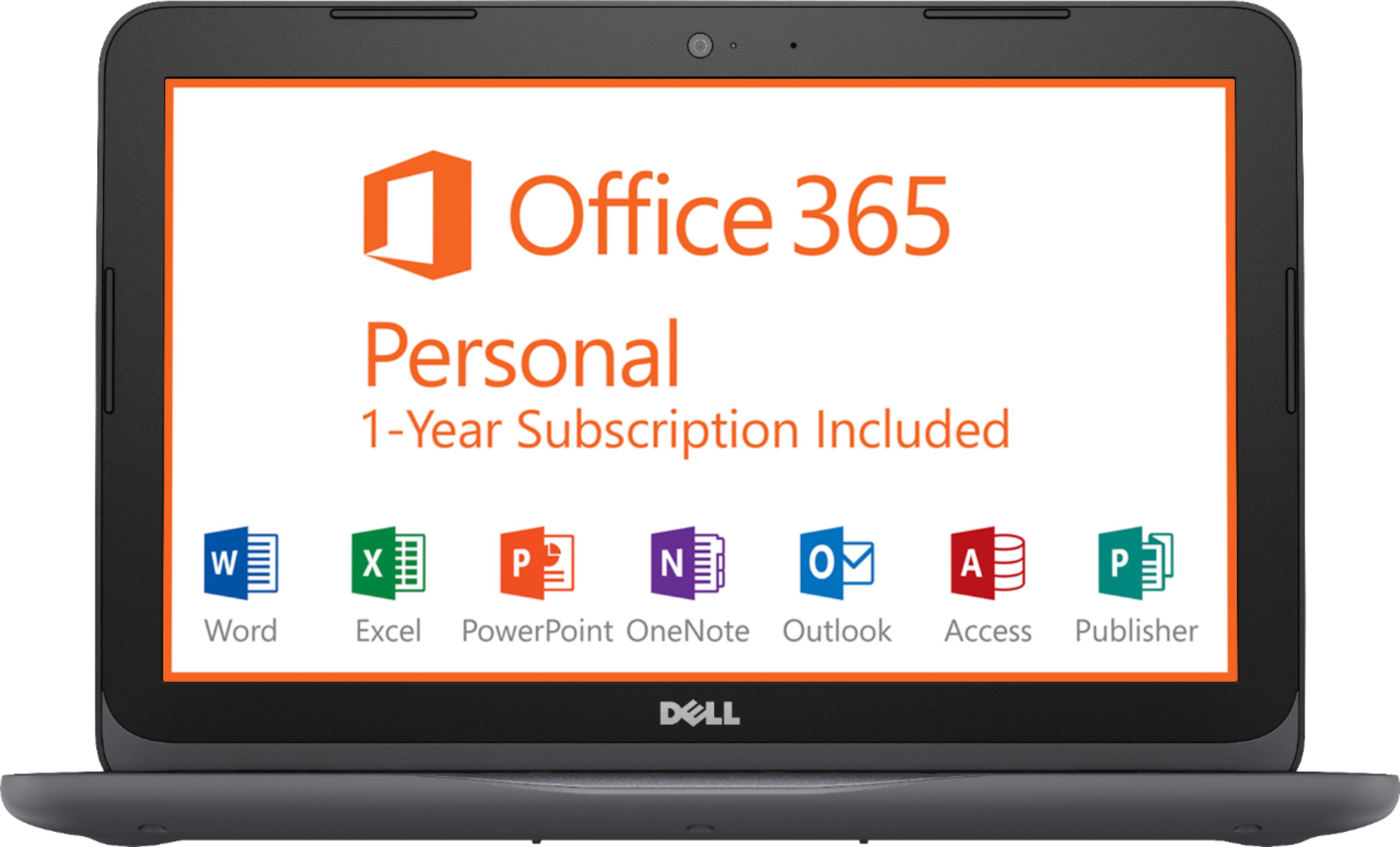
||Posted .This reviewer received promo considerations or sweepstakes entry for writing a review.Purchaed on sale for a great price. When buying this laptop make sure you know how you intend to use it. Great for Word, Excel, etc. and Internet searches. Video streaming and video chat can be a little laggy (though functions okay). Response time on clicks, typing and application opens are impressive for this class of "netbook". Size and weight are awesome if you are looking for a small, transportable and yet functional device. RAM is a single 4GB 2400 MHz DDR4. However, it is single channel, due to the processor, so it runs at 1200 MHz. Seems to be okay on speed though. Setup was a breeze and Office 365 was very easy, not even a code to enter (just open office and sign-in to a Microsoft account). 32 GB eMMC storage is very tight, so don't expect to store much. We use thumb drives and network/cloud storage for everything and do fine. Dell seems to load the 32 GB down a bit more compared to our other 32 GB netbooks. This laptop runs with about 7 GB of free space and our others are 12-15 GB free (all assuming you are not really using the storage and run regular disk clean up or often executions on the Win10 Storage Sense feature). Another minus is there are No power LEDs on the laptop to tell you it is powered (closest you can get is by using the Caps Lock key which does have an LED). All came as advertised, no surprises except the RAM speed at 1200 MHz in operation, as mentioned.
I would recommend this to a friend - Cons mentioned:Slow, Storage
Great Laptop Perfect Size
||Posted .This reviewer received promo considerations or sweepstakes entry for writing a review.Let me start off by saying that this laptop has McAfee installed, other reviews mentioned it has nothing, that is not true. Once you let it download all of the updates and what not, you end up with at least 10GB of memory. Now that's not a lot of storage space obviously, but you can put either an Micro SD card or you can use a 3.0 USB stick to expand the storage. I have a 64GB Micro SD in mine, and decided to see if it can run cuphead. I downloaded it to the SD card and Cuphead actually runs pretty good. I even synced my XB1 controller via Bluetooth for the controls. Now as for the speed, I will admit that the speed during my first use was slow, but that is understandable since it was installing tons of software, and since everyone seems to have no patience and can't wait and just judge the laptop saying it's slow, just give it a few hours, finish installing everything, turn off Cortona, uninstall apps that you don't want, and this laptop is actually pretty good. I have a windows tablet with 2GB ram and a Celeron CPU, this Laptop blows that out of the water in literally every single way. It boots up pretty quick, the build quality is excellent, and the design is very slim. This laptop has 4gb of ram installed and a AMD A6 dual core Max 2.9 GHZ with a Radeon R4 which is a heck of a lot better than a Celeron and Intel HD graphics you find in most of these small notebooks and 2 in 1's. It is definitely much faster than any of those. Battery life has been excellent, you can change settings to excel in battery life, or excel in performance. Negatives for me would be the lack of a wireless AC network card, but I ordered a USB adapter from Amazon, no biggie. Another negative would be the lack of storage and lack of ability to open up the laptop and add additional storage. Best Buy says the ram is expandable, but this may or may not be true. One person who reviewed this said it's not, but I will try and contact Dell about this. Overall, if you plan on buying a laptop for media use, YouTube, web, emails, even some light casual gaming ie Roblox, Minecraft, plus the speakers are decent and with built in Bluetooth this laptop is an excellent mobile companion. For $150 you can't beat this laptop unless you purchase a refurbished or used i3 or i5 from eBay, and good luck with that.
I would recommend this to a friend - Pros mentioned:Price, SizeCons mentioned:Storage
Just what I needed
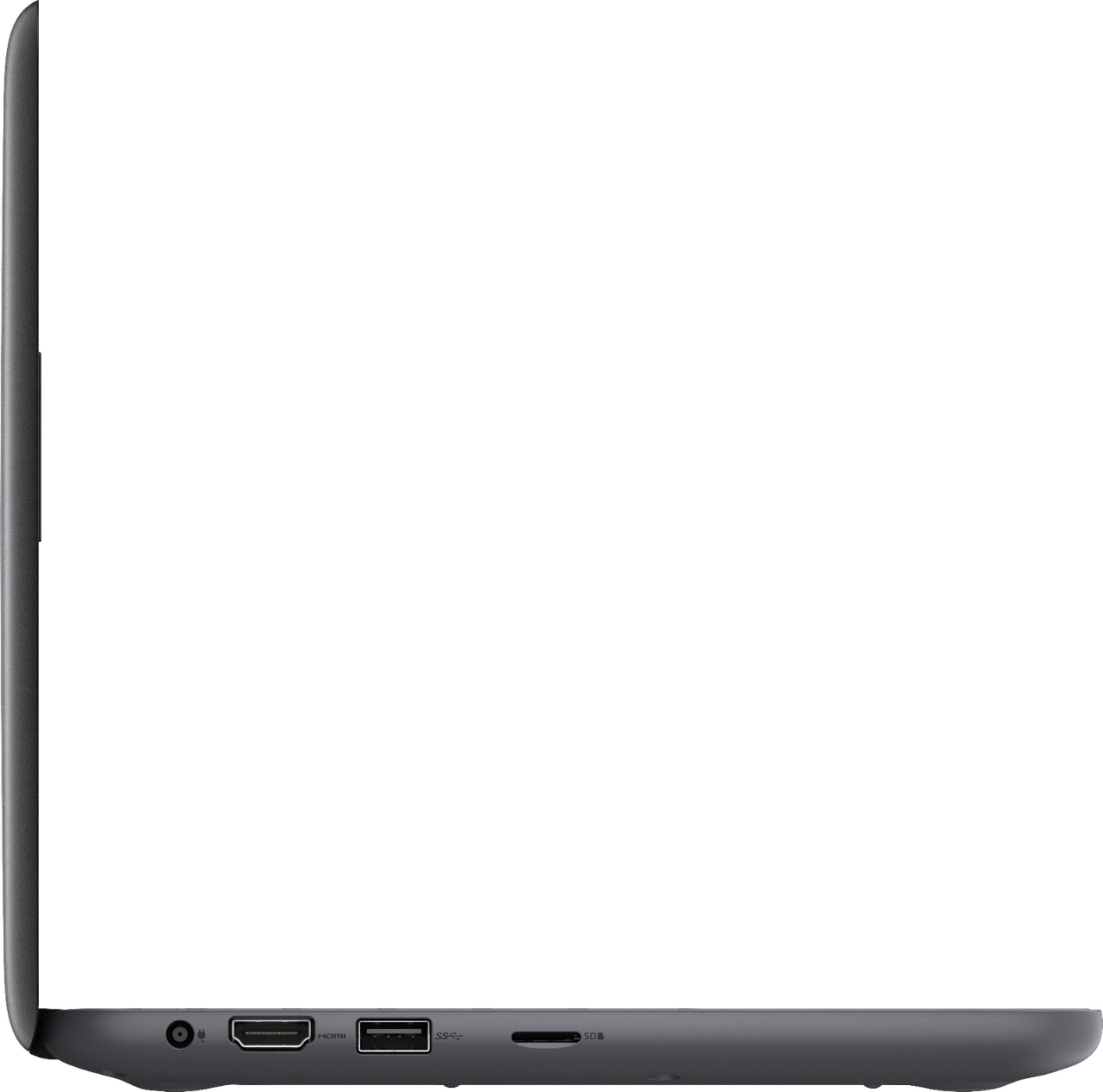
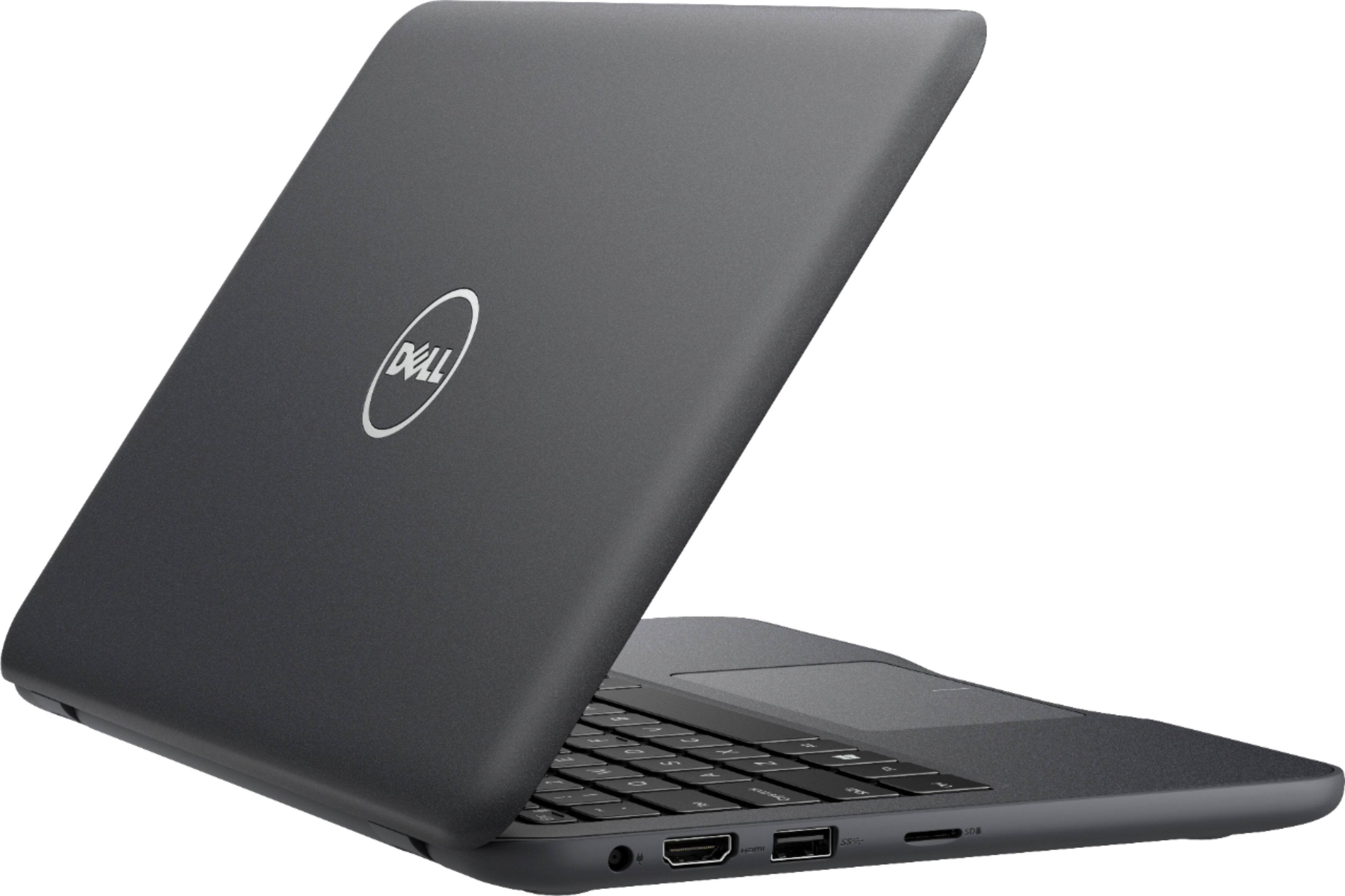
||Posted .This reviewer received promo considerations or sweepstakes entry for writing a review.I was looking for a small laptop that I could take with me while traveling. After comparing similar models, I landed on the Dell 3180. This laptop fits all my needs. It was the right size for my small travel backpack and I found it at a great price. Now, I wouldn't recommend using this computer as your primary or only computer. However, as a secondary computer, it's fine. It's not the fastest and it doesn't have a lot of storage space, but it does what I need to do like browse the web or watch Netflix. When I travel, I like using the hotel room TV as a second monitor. The HDMI out allows me to do that. If you plan on getting this laptop, I would recommend also getting a Micro SD card to install apps and programs and keep your personal files on a thumb drive or portable hard drive.
I would recommend this to a friend - Cons mentioned:Performance
Pretty good bargain
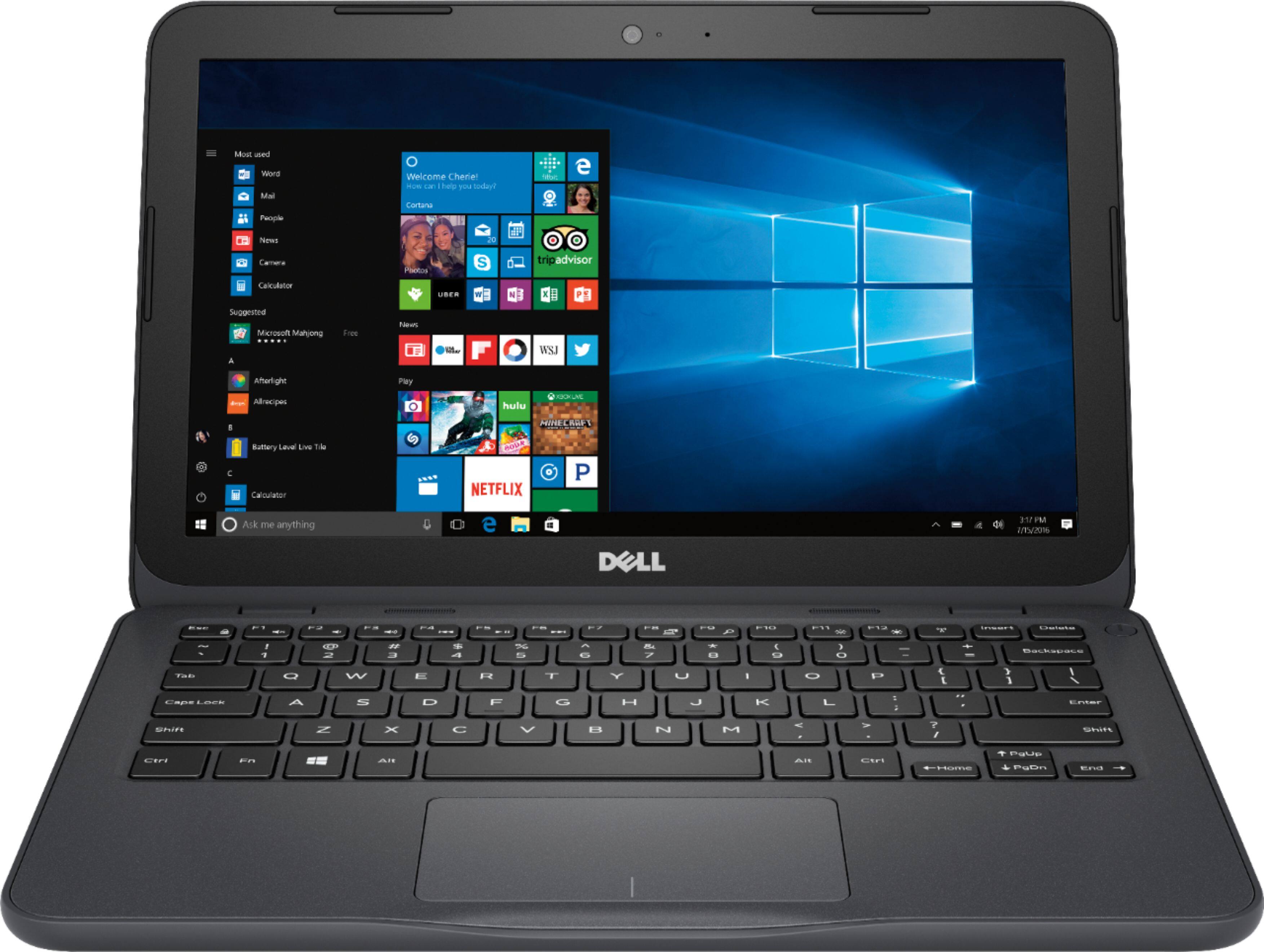
||Posted .This reviewer received promo considerations or sweepstakes entry for writing a review.When purchasing this laptop, it is important to keep a few things in mind. This computer probably costs less than your smartphone and/or tablet, in fact, your sneakers might even cost a bit more - which means there are tradeoffs to make and trying to compare this computer to something that costs $200 more would be a mistake. For one, it is not the fastest of processors, it only has 4GB of RAM (which is 2GB more than most other systems around the same cost), and it only has a 32GB "hard drive" (it's really MMC). Yes, it is also made of plastic, it has no fancy OLED, it's not even a 1080p screen resolution (just 1366x768), and the screen does have an ugly bezel around it. ...so, we could probably assume that you are not buying this computer to play the latest games or to show off at the local coffee shop. So why buy this computer? Perhaps you're the type of person that only browses the web and checks email, or maybe you just want to play some basic games from the Windows App Store and watch YouTube videos, maybe you're buying for a senior citizen or a child in your family who's just getting started with computers, perhaps you just want a computer to tinker with and install a Linux distro, you just need something to keep connected to a 3D printer or a security camera, or maybe you travel and need something to view pictures or other documents on the go and don't feel like carrying your more powerful heavy laptop or risk the loss of your super expensive flagship laptop/tablet. In my case, I just needed something to run specific software a few times a month that could connect to an HDMI source, was portable, and I would not be super concerned if someone accidently breaks it or feels like borrowing it and never returning it (I call it stealing). So far, I am happy with how the computer runs, in fact, I was expecting something much slower and like the netbooks from a few years ago. This computer is a bit strange compared to other similar choices since it has an AMD A6 instead of an Intel Celeron (do not compare to an i3 - that's just a different category) and 4GB of RAM. The AMD processor clocks higher than the Intel, perhaps helping the system perform a bit better. The 4GB of RAM might sound better than the competing units that only have 2GB or RAM; however, the AMD processor needs about 50% more memory than the Intel counterpart. The AMD does include entry level Radeon R4 graphics, which is another plus over intel. Since the computer only has 32GB for storage, after uninstalling 2 pieces of McAfee software (get rid of it and just use Windows defender), installing Office 2016, and the software I needed, I'm only left with 4.12GB; but, that's not a problem since I stuck a 256GB Micro SD into it and have everything I need on there. Finally, there's battery life - if you need the battery life over performance, go with the Inspiron 11 that has the Celeron CPU. Battery life on this machine is about as bad as it was with the netbooks of the past, perhaps about 4-5 hours with the screen at half brightness and trying to get work done at the same time; which is bad considering my normal laptop gets about 9 hours doing the same thing. If you really dim it and aren't listening to audio or watching videos, you may be able to squeeze 9 hours or so out of the system; where most higher-end computers today may get about 12 hours or more. Performance wise, if you want something with more processing power and better graphics, get this model with an AMD processor; if you prefer better battery life, get the Intel Celeron model. In using the word "performance" I don't mean going from a scooter to a crotch rocket; but, depending on what you are doing it can make a difference. In some reviews people are complaining that the computer is slow right out of the box - that's because computers with these specs can't multitask so well and when you first open there's likely tons of updates to install from Microsoft and Dell. It's also probably trying to synch your OneDrive or Dropbox if you set those up when prompted (I would ignore the OneDrive/Dropbox prompts until the other updates are done and you format a micro-SD card). I let mines run for about 6 hours and checked it every 2 hours or so since it required restarts - and no, it won't take 6 hours to install the updates, it's just because I hate sitting and waiting and even went on a long hike with the dogs while the computer updated. Once those updates are 100% completed, the computer should boot-up in a matter of seconds, and apps like Word, Excel, and OneNote boot-up in about 6-8 seconds. The one bug I've encountered is when going into Settings - sometimes the app just stalls and doesn't fully open, just close it and restart it and it'll open quickly; a Microsoft or Dell update might fix this. Like I said, this computer won't make a fashion statement; but, it's not ugly and does not feel as cheap as similar models. If you just want a computer for basic tasks or a secondary computer that's not so powerful, this machine won't disappoint. The form factor is pretty awesome, and it would be cool if Dell ever considered making an 11" XPS or even Alienware model (granted, it would be a lot more $$).
I would recommend this to a friend - Pros mentioned:PortableCons mentioned:Memory, Storage
Good basic level machine
||Posted .This reviewer received promo considerations or sweepstakes entry for writing a review.Not fancy, gets the job done. You definitely need to get a memory card in order to download more than 1 app or two. You will likely use this to access files off of a Google drive or attached storage. Solidly built. It dropped out of the back of my car onto the asphalt, hitting corner first. Has some scratches but maintained integrity. Good size for portable use while still big enough to use for typing papers.
I would recommend this to a friend - Cons mentioned:Storage
Fine but very basic laptop
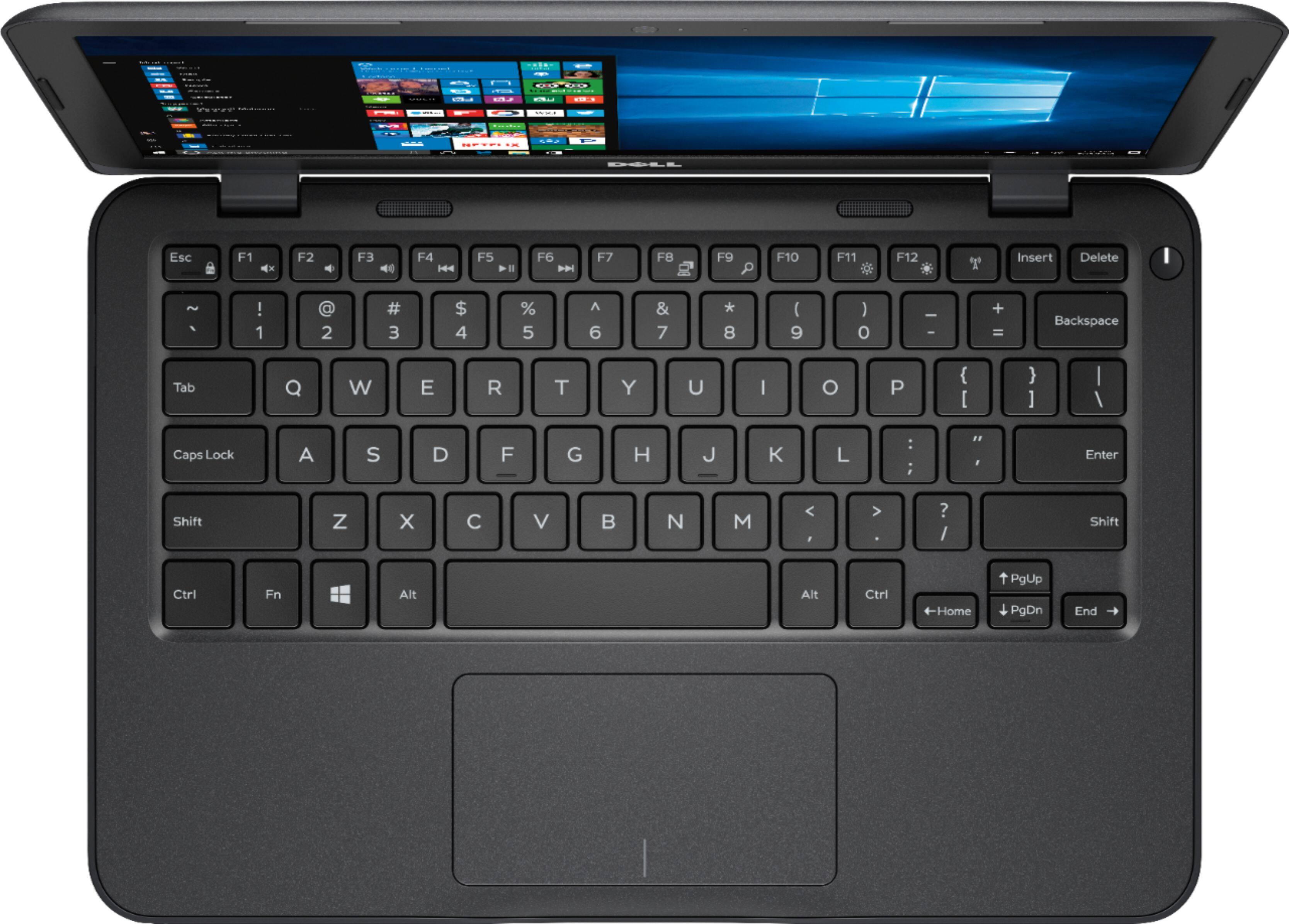
||Posted .This reviewer received promo considerations or sweepstakes entry for writing a review.The Inspiron 3180 is a well-designed basic laptop, well-suited for limited use (e-mail, internet, simple word processing and spreadsheets, watching YouTube or Netflix videos). It is not a desktop replacement or a laptop that will work well as for more intensive use, such as multitasking, graphics editing and so on. If you plan to use the computer for those purposes, then spend the money to get a Dell Inspiron 5000 series laptop, where you will get an i3 or i5 processor, 8gb of RAM, and a larger hard drive. I purchased two 3180's in the last month. I purchased the first to donate to a railroad museum where I volunteer, and set it up as a single-purpose weather radar laptop for use in the conductor's station. As I was setting it up for that purpose, I realized that the 3180 configuration (AMD A6-9220e CPU, Radeon R4 GPU, 4gb RAM) was a remarkably good setup for this class of computer (most configurations in this class use an Intel Celeron, Intel HD graphics and 2gb RAM), so I bought a second 3180 as a personal computer to use at the museum to maintain the museum's network, get my e-mail, check the weather, do internet searches, and store/read/review the museum's computer/network documentation as needed. The 3180 is not fancy. It does not have a lighted keyboard or other bells and whistles that I am used to in my main laptop, a Dell Latitude 7280, and it took some adjusting to get comfortble with it. The processor is not up to serious multitasking, although it will handle having 3-4 browser windows open at the same time without any performance issues. It has minimal (maybe subminimal) HD capacity at 32gb, so I added a 16gb microSD card to store documents and other data on my personal one. I get 4-5 hours of battery life, which is nothing to write home about. But it is solidly built and doesn't have the "cheap" feel of other brands I looked at in this price range, and it is more than adequate for light use. In short, if you realistic about the limitations of laptops in this price range, and plan to use it for light duty, you won't be disappointed with the 3180. A few of recommendations: (1) Cut down the startup items (Task Manager, Startup) to the bare minimum you can live with. This will improve boot time (mine typically go from button to sign-in screen in about 30 seconds) and cut down the load on the processor, allowing the laptop to operate more efficiently. (2) Adjust Windows 10 visual effects for "best performance" (Control Panel, System and Security, System, Advanced Settings, Performance Options, Visual Effects). This will eliminate Windows 10 animations, shadows and so on, but significantly increase the 3180's performance. (3) Go though the Windows 10 Settings menus and eliminate anything you won't be using. Everything you eliminate will cut down on processor load. (4) Go through the Start menu and uninstall as much bloatware as you can (Don't plan on playing "Candy Crush"? Get rid of it.) Every app you eliminate will cut down on processor load. A note to Linux users: I've seen a few comments to the effect that the R4 graphics don't play well with a number of Linux distros. I installed a number of different distros (Lubuntu, Zorin OS Core and a couple others) on my personal 3180 for testing before doing a clean Windows 10 install, and I had the same issues (hesitations during boot, screen flicker, and so on) that have been reported by others. It may be that this will straighten out in time as Linux distros provide better support for the A9/R4 combination, but right now I would be cautious about purchasing a 3180 planning to wipe Windows and install Linux. Overall, I think that the 3180 is fine but very basic laptop. I recommend it, with the caveat that this is a basic computer designed for light use. It you understand what you are getting, you won't be disappointed.
I would recommend this to a friend - Cons mentioned:Slow, Storage
Excellent choice for people with minimal needs
||Posted .This reviewer received promo considerations or sweepstakes entry for writing a review.I own a computer repair shop. I tell the vast majority of my customers not to buy this laptop. This laptop is non-upgradable, has a "slow" processor, and has a very small solid-state hard drive. You can't store much on them, they can't handle really heavy applications, the screen is small...and I own two of them. Why would a computer repair shop owner who tells most of his customers to avoid this computer have two himself, and give it five stars on top of that? It's simple: if you buy one of these with an understanding of what they are and reasonable expectations about how they'll perform, you'll be very happy with them. These computers are best suited to users that will only use a browser and an office suite most of the time, though they can do much more, albeit slowly at times. I use one to do all my retail tasks through a web interface and I am very happy with it. These machines are also perfect "burners" for taking on the go and not caring if an unfortunate event damages the computer. You can do sound recording and even fairly decent live streaming and podcast creation with this laptop. They're a lot more capable than they seem, but it is important to remember that they're some of the slowest, lowest-spec brand new laptops available and set your expectations and patience accordingly. Some performance tips for after you get the computer: You will need to uninstall as much of the factory-installed stuff as possible when you get the computer because it comes with very little available space. You will also need a large USB storage device to install "feature updates" (which are really major upgrades) to Windows 10 down the line. Once you've updated everything with an external drive and tossed all of the factory junk that you can, you'll want to run an administrative command prompt and type two commands: "cleanmgr" and "compact /compactos:always" which will let you run a system-wide Disk Cleanup and compress system files to take up almost 1/2 the space they currently do. After all of this, you may have over 10GB of storage available!
I would recommend this to a friend - Pros mentioned:Price, SizeCons mentioned:Storage
Good for surfing, storage fills up quickly
||Posted .This reviewer received promo considerations or sweepstakes entry for writing a review.This laptop is a nice size for easily toting around, and great for children, and seems to be built with solidly. It has worked well for general web surfing, school work, etc., but as you'll see with other reviews, the storage can quickly fill up, and an add-on SD card is necessary rather quickly...in fact, I would factor that in as an essential purchase if you're looking at this laptop. Other than that, it's been a good computer for the price, and since SD cards are fairly cheap, it still remains in a good price range for the overall specs you're getting. If you're doing heavy computing, or plan to download/install a decent amount of applications, I'd consider a higher spec model, otherwise this is a nice transition from tablet to laptop, and has held up well to use by kids.
I would recommend this to a friendBrand response from YourDellTeam
Posted .Jpcalli101,
Thanks for your feedback and suggestions for your Dell computer. We're glad that using an SD card has helped you with any storage concerns that you may have. We'd also recommend storing some files in the cloud with Microsoft's One Drive. If you have additional questions about your computer you can check out our Product Support Page here - http://dell.to/2om4IeG.
Best,
Bryan
1-800-624-9896
- Pros mentioned:PriceCons mentioned:Build quality, Memory
Great performer for the price
||Posted . Owned for more than 2 years when reviewed.This reviewer received promo considerations or sweepstakes entry for writing a review.Paid less than $200 for the laptop. I use it for robotics courses for the LEGO League. The laptop is perfect for this. The laptop shell is a bit flimsy, and of course this laptop could benefit from more processing power and memory. But for the price, it is excellent and has everything needed.
I would recommend this to a friend - Pros mentioned:Price, Size
Good deal and value
||Posted .This reviewer received promo considerations or sweepstakes entry for writing a review.Bought this on sale for $149.It was the last one and it was the second day of the sale. I bought a lenovo with a bigger screen in december and was waiting to get the 11 inch model. But this popped up and with an AMD A6 cpu. So I wasn't planning to buy a laptop now but this look like a good deal. Trying it out, I like it. It is good enough for me to do youtube and trading stocks, and some homework, and company work. And it can share space in my computer bag with my other laptop and not weigh my shoulder down. The speed to me is good and boots up faster than hard drive models. And I can expand the memory by adding usb drives. I think Dell will have other manufacturers looking at changing CPUs on their low end model laptops because of this model. I had other A6 cpu laptops and they worked awesome. I really like this laptop for its price, size, and CPU, and memory. If you have realistic expectations than you will appreciate its value.
I would recommend this to a friend - Pros mentioned:SizeCons mentioned:Storage
Fine Basic Travel Laptop
||Posted .This reviewer received promo considerations or sweepstakes entry for writing a review.I really appreciate the small footprint of this laptop and the price points cannot be beaten. However, there are serious limitations to this device. Expect to have to spend money to buy a memory card to expand the 32gb capacity. There will be nearly no capacity available with default programs. Video can run slowly and processing speed isn't breaking any records. However, if these are items of serious concern, I guess you would have wanted to spend more for a faster/stronger laptop to begin with. I think this will be fine for travel where you need access to email, web surfing, social media, etc. (which is what we got it for). Overall, I think it is a good purchase - just understand what it is good for versus not.
I would recommend this to a friend - Cons mentioned:Slow
Like the hardware, not the OS
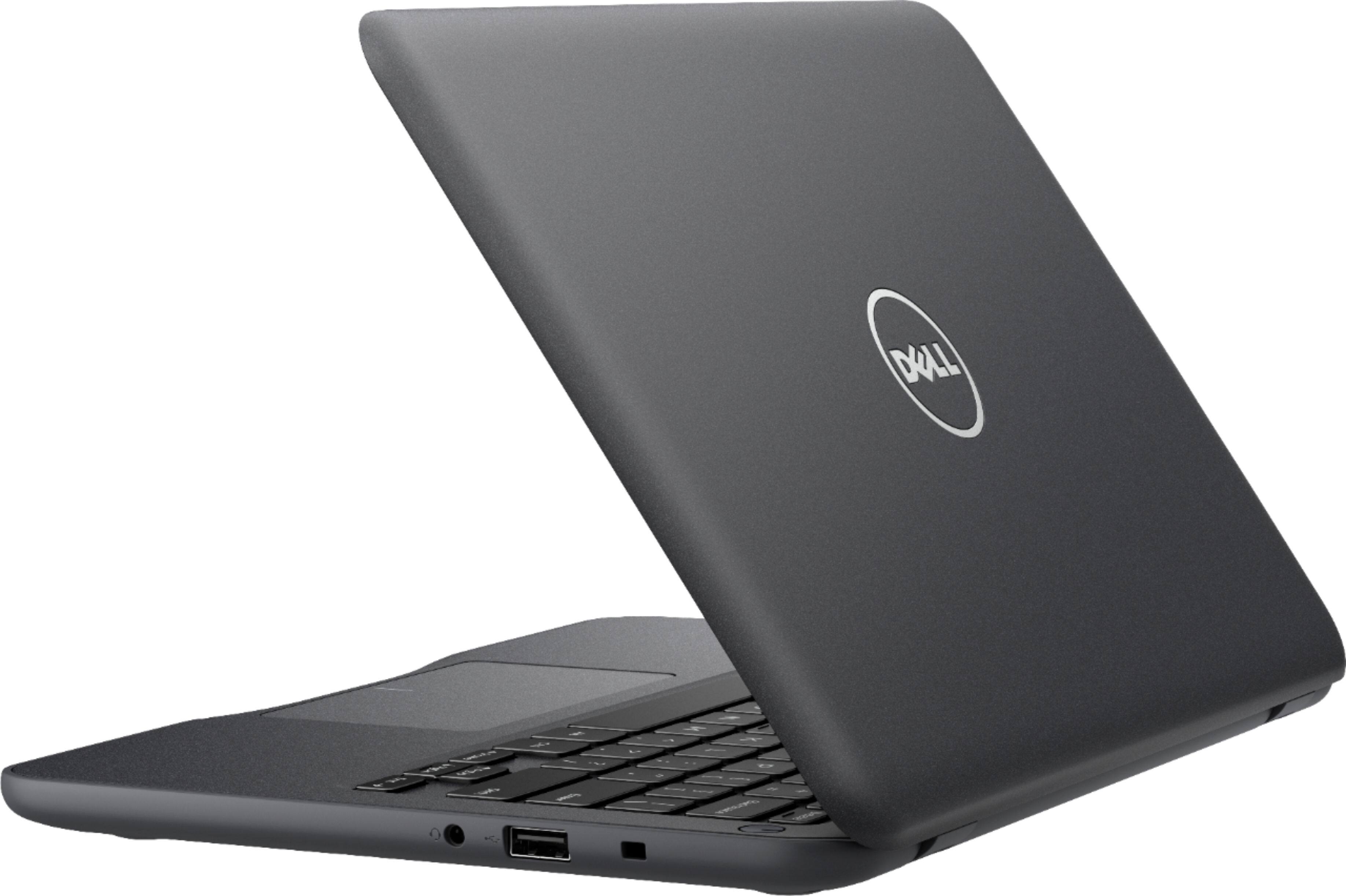
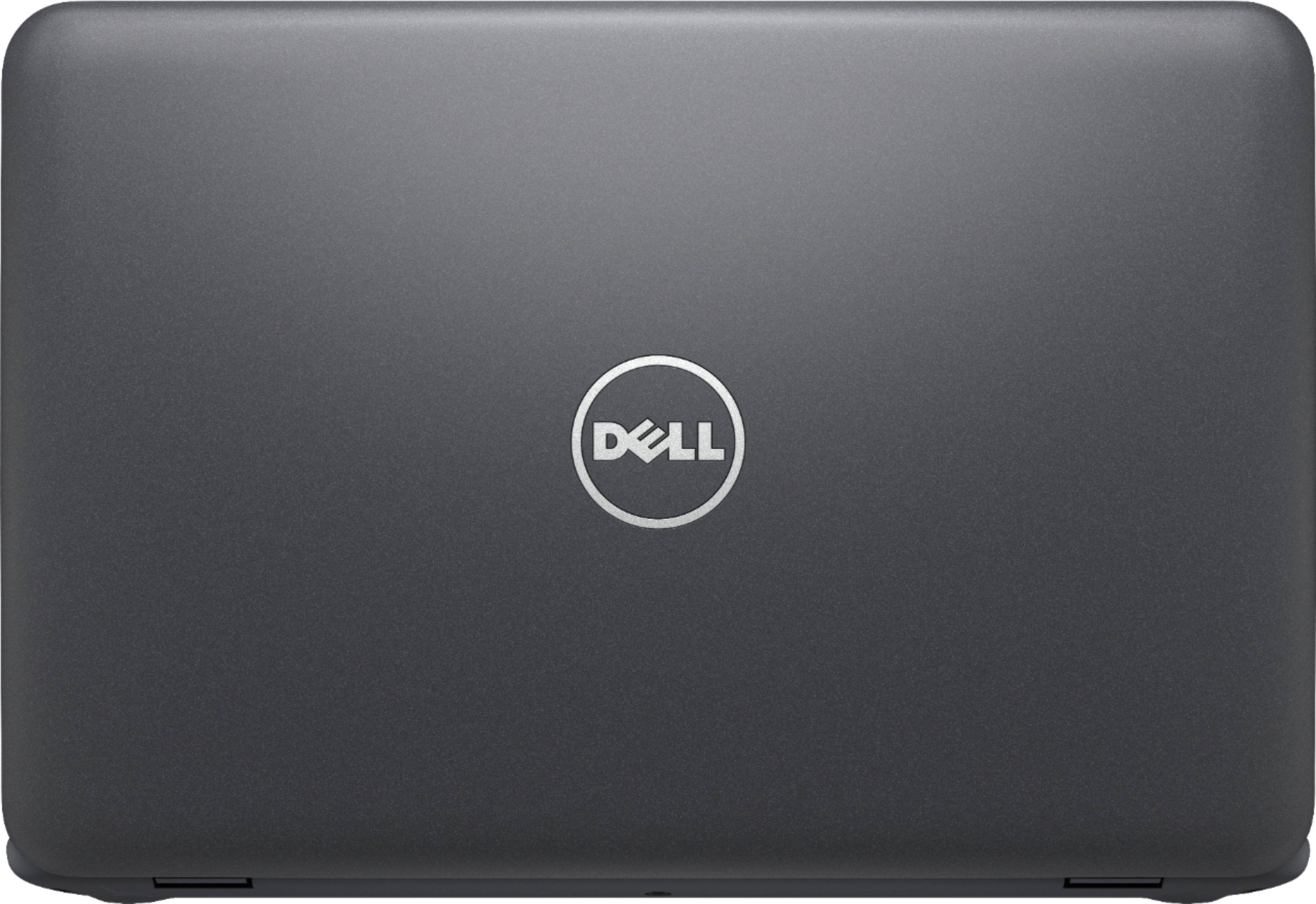
||Posted .This reviewer received promo considerations or sweepstakes entry for writing a review.Miserably slow with Windows. Painfully slow straight out of the box. Thankfully, I'm an IT professional looking for an inexpensive laptop to install Linux on. Once I got that sorted out (required upgrading to kernel 4.15, otherwise trackpad unusable), the laptop came to life. Night and day the difference. If you just plan to run Windows though, I can't imagine anyone being satisfied with the performance. Physically, It's a nice looking laptop (matte gray rather than the glossy blue pictured), and I've always been a fan of these mini notebooks, going back to the days of netbooks. Bottom line: it's a 1-star Windows laptop (maybe even a zero), but it works for my needs with Linux on it. I wish Dell had sold it that way. Might've cut down on these 1-star reviews. I would only recommend this to someone with no intention of running the installed operating system. The general consumer should avoid, sorry to say.
No, I would not recommend this to a friendBrand response from YourDellTeam
Posted .Dear Wayne - Thanks for your in-depth review of your computer and Windows. If you do have any additional questions about your new computer please don't hesitate to check out our Product Support Page here - http://dell.to/2om4IeG. - Bryan
- Cons mentioned:Memory, Storage
Good Within Limits
||Posted .This reviewer received promo considerations or sweepstakes entry for writing a review.We got this to replace a failing laptop. The Windows 10 OS is nice. As a means to surf the web, use email, access social media, or stream videos it seems adequate. The processor and memory are the limiting factors. The machine was almost out of memory straight out of the box. I added a 128gb memory card for additional space but there is nothing that will speed processing power/RAM. That is why I don't understand packaging it with Office. Takes a huge amount of already limited storage and other than Word is really outside it's effective processing capability.
I would recommend this to a friend - Pros mentioned:PortableCons mentioned:Storage
Low Cost Compact Laptop
||Posted .This reviewer received promo considerations or sweepstakes entry for writing a review.I purchased this small laptop specifically for travel and vacations. It has everything needed to connect to wifi and read/send email and query the internet. However, lacking a hard drive, the 32 GB memory is not quite sufficient to handle Microsoft updates and to store user files. Using a micro SD card to store user files is a must. Aside from this shortcoming, it is meets all my requirements for an easily carried laptop when I travel.
I would recommend this to a friend