Customer Ratings & Reviews
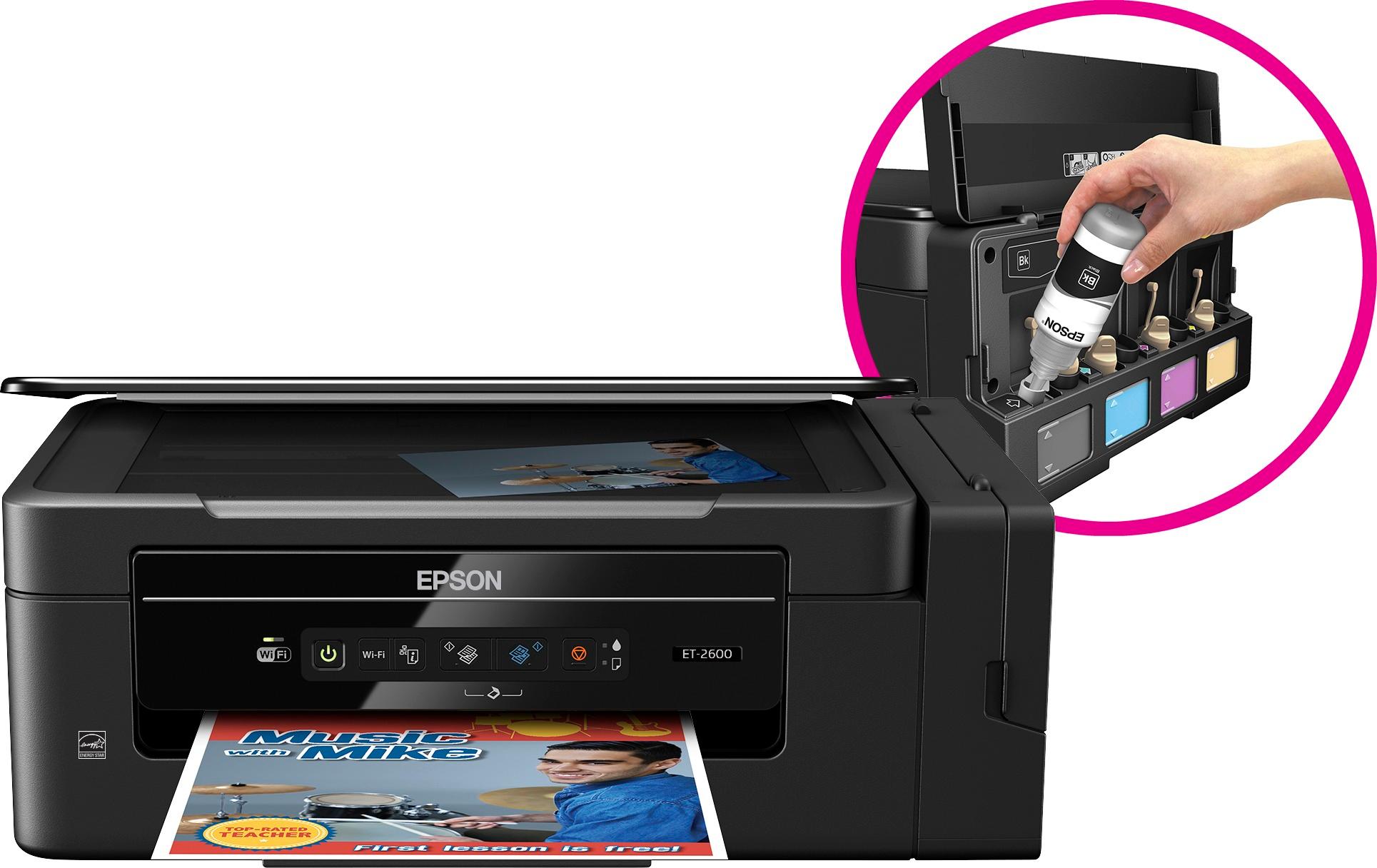
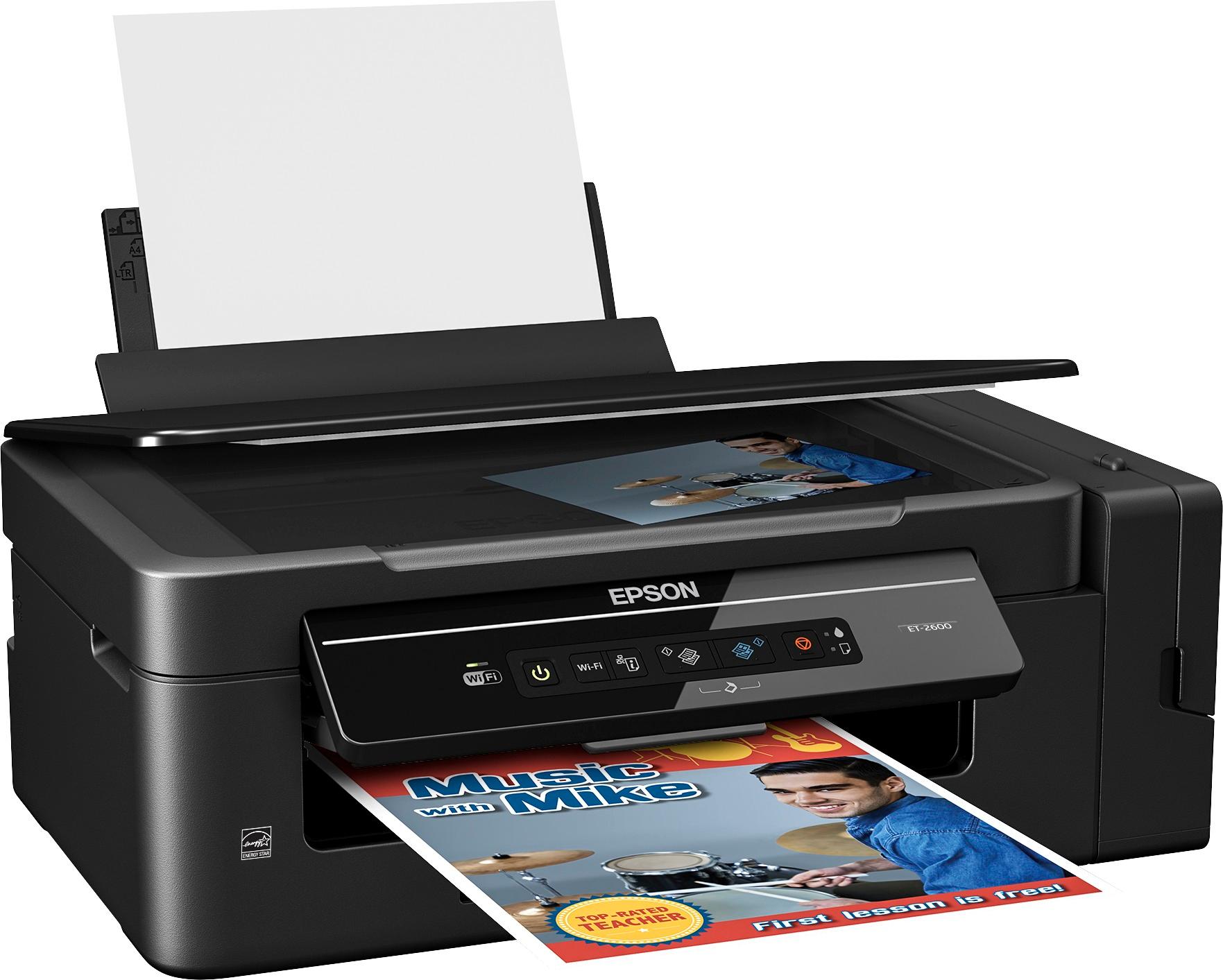
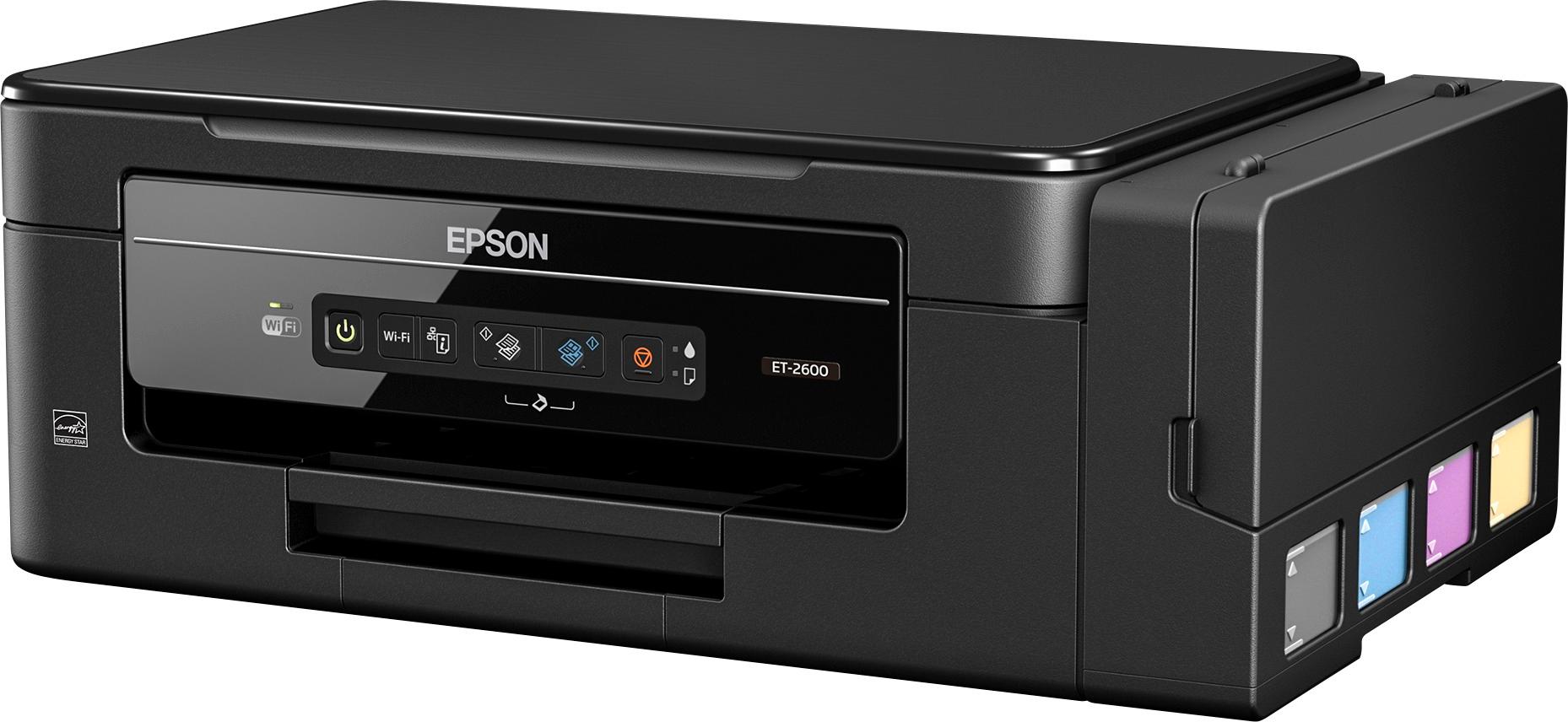
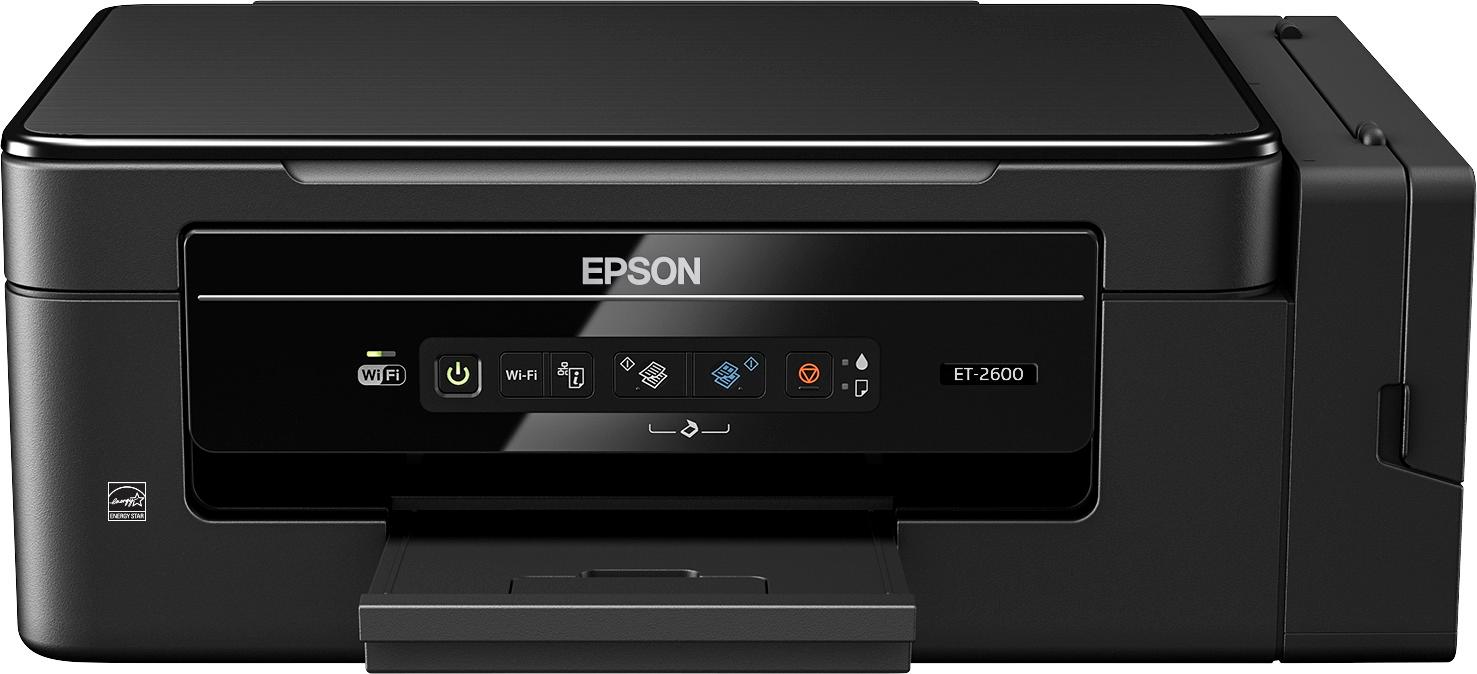
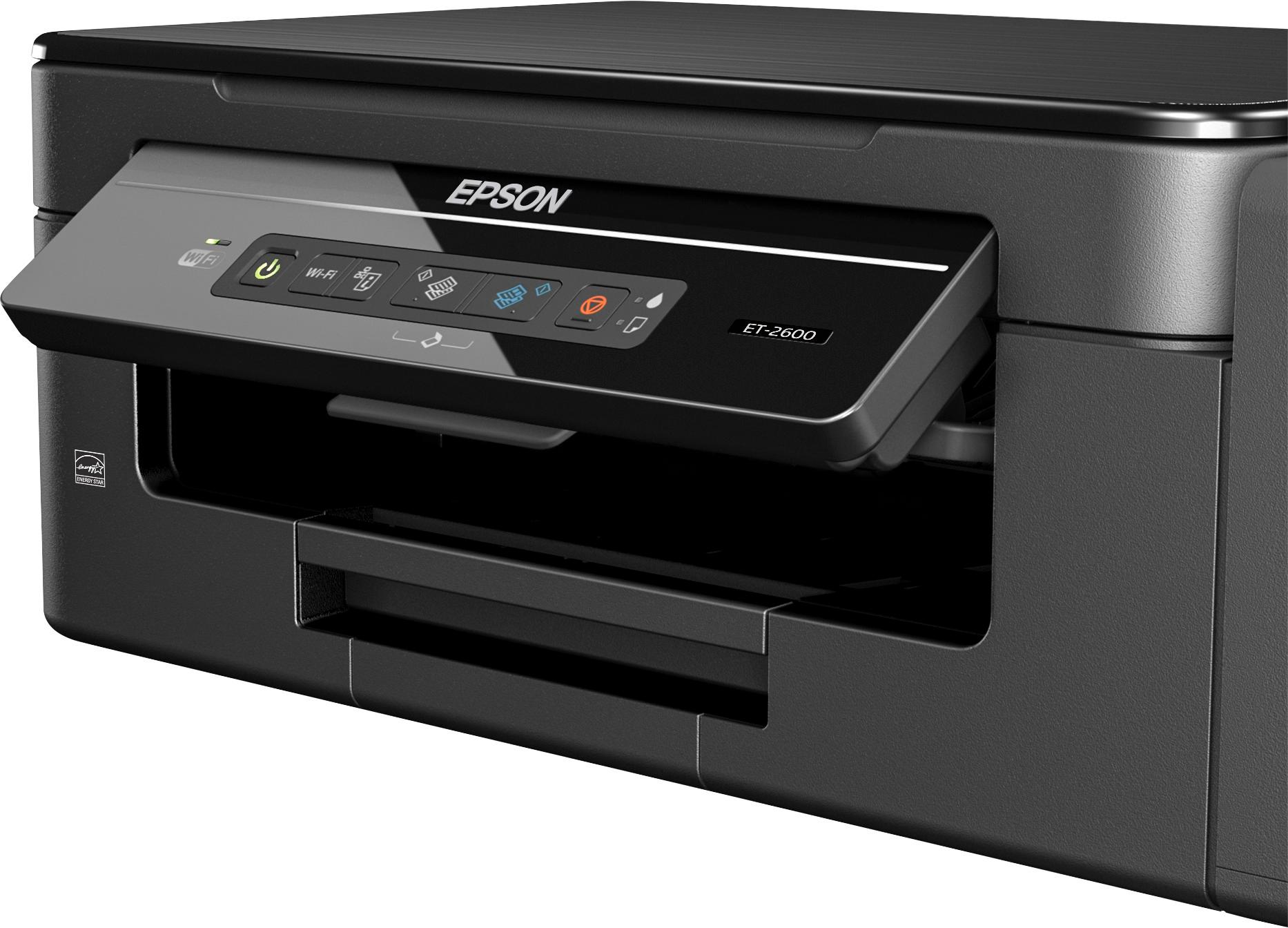
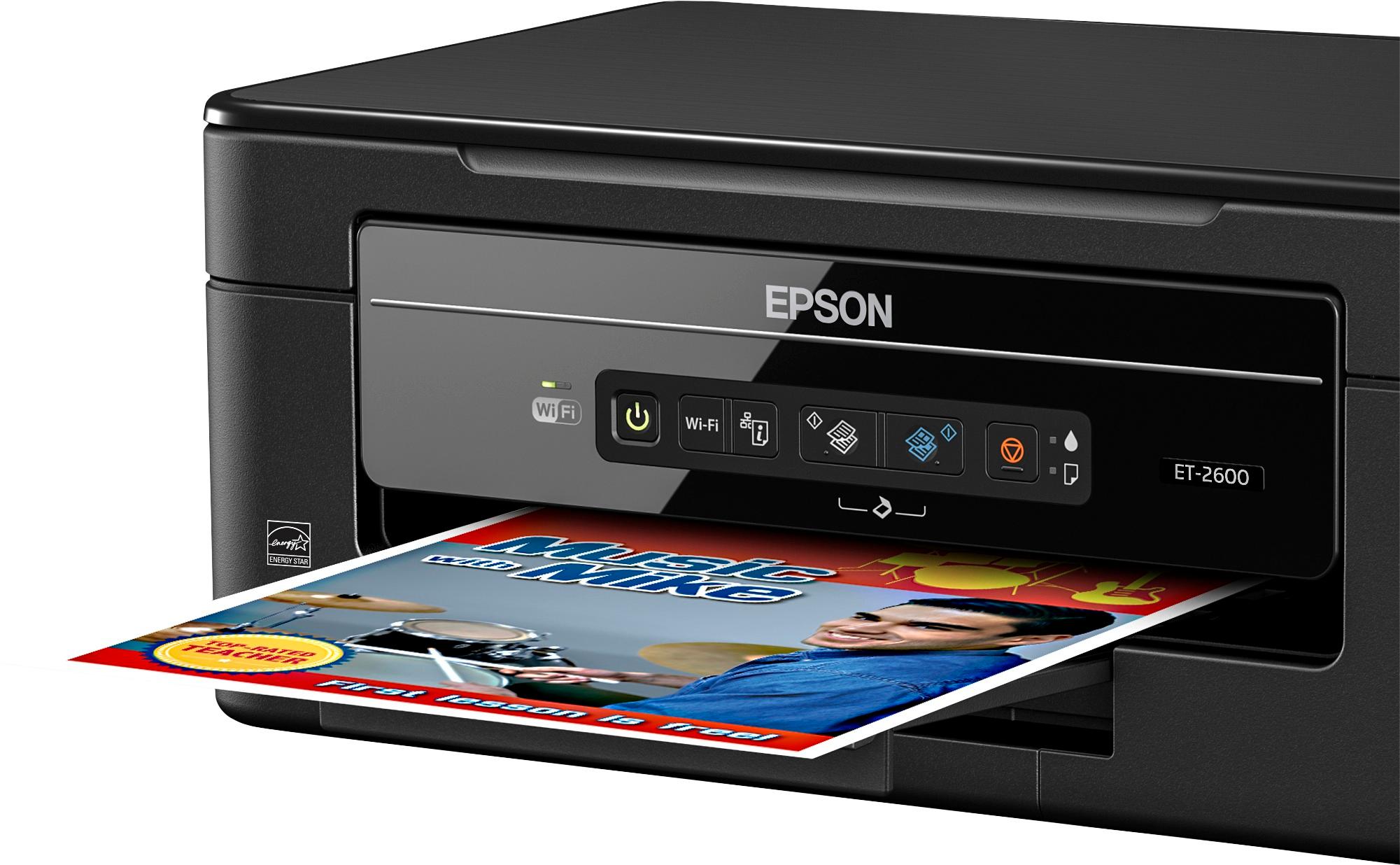
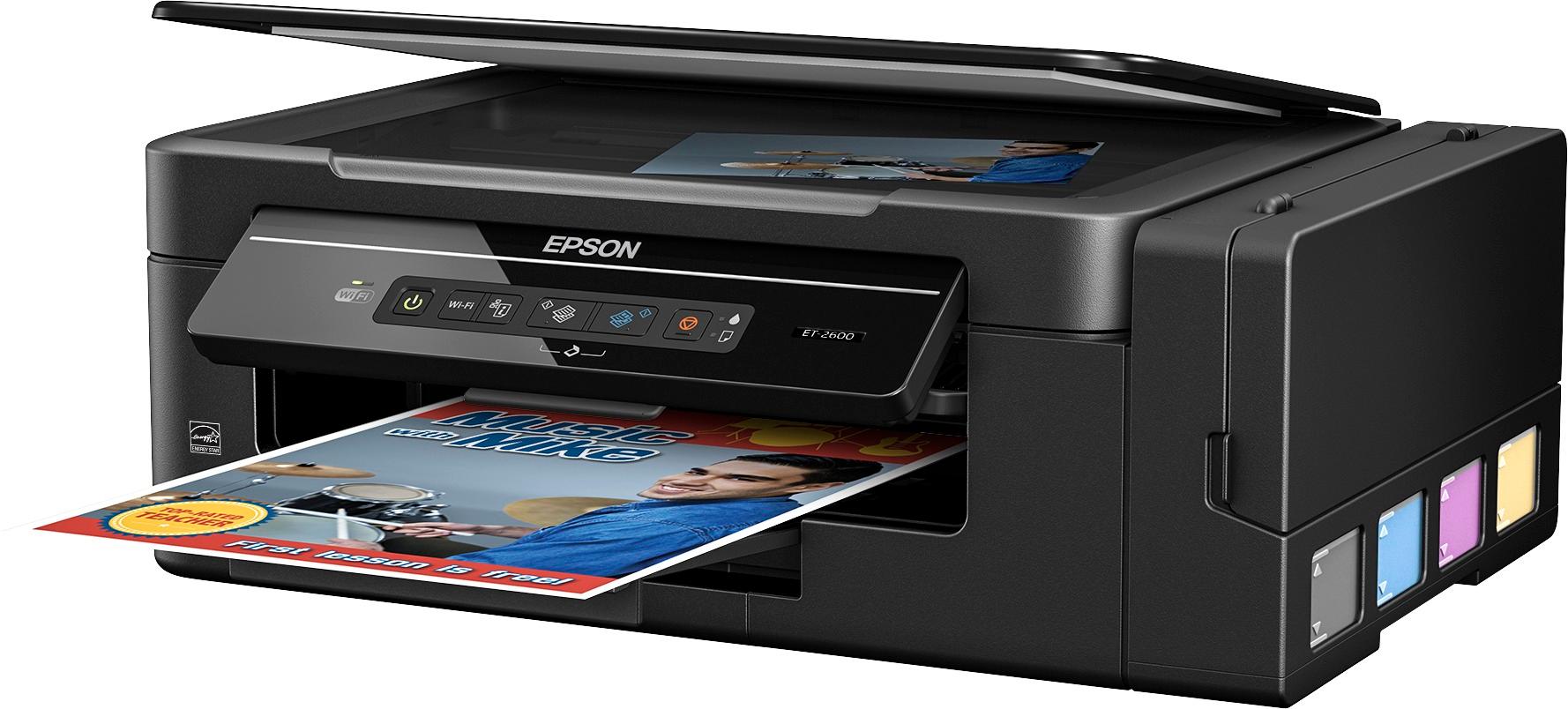


- Model:
- C11CF46201
- |
- SKU:
- 5711423
Customer reviews
Rating 4.4 out of 5 stars with 60 reviews
(60 customer reviews)to a friend
Customers are saying
Customers are pleased with the excellent print quality, compact size, ease of use, simple setup, and wireless capabilities of the Expression EcoTank ET-2600 Wireless All-In-One Printer. The design is also well-received. However, some customers have noted that the printer can be a little noisy during operation.
This summary was generated by AI based on customer reviews.
Rated 5 out of 5 stars
No buying cartridges
||Posted .This reviewer received promo considerations or sweepstakes entry for writing a review.No more buying cartridges. Can just replace ink as needed
I would recommend this to a friend- Pros mentioned:Ease of use, Print quality, Size
Rated 5 out of 5 stars
Definitely worth buying!
Posted .This reviewer received promo considerations or sweepstakes entry for writing a review.Note: This is a review for the Epson Expression ET-2600 EcoTank All-in-One Printer that I received free of charge to do a beta test and review. As a college student, I need to print off a lot of assignments and papers so I really need a good and reliable printer. I received this printer about a week ago and it has worked great! Setting up the printer was very simple and didn’t take too long. Even the wireless capability didn’t take too long to set up. The printer is nice and small, and thus easy to move. It also looks really nice compared to many other printers I have seen. The printer also comes with a lot of ink to start off with which is really helpful. The printer is very easy to use. It is capable of copying, scanning, and printing. From what I have seen, this printer is very ink efficient. It uses much less ink than my last printer and prints in great quality at the same time. The printer does not use ink cartridges but just requires you to refill the ink tanks which is extremely simple. The wireless printing feature has worked flawlessly from both my phone and my laptop. The printer prints very fast and works amazingly. I highly recommend this printer! The only down side of this printer is that it takes 20 minutes for the ink to charge. Despite this, I choose to give it 5 stars because I think it is definitely worth the wait!
I would recommend this to a friend - Pros mentioned:Ease of use, Print quality, Size
Rated 4 out of 5 stars
Long Lasting Printer Ink
Posted .This reviewer received promo considerations or sweepstakes entry for writing a review.I am already the owner of one Epson printer. The ET-3600. My overall experience with that printer has led me to try the ET-2600. In all honesty, I have tended to stay away from Epson printers for several years due to what I believed was an expensive brand with hard to find printer cartridges. That has all changed with this new feature called EcoTank. This feature allows you to just purchase the ink and fill up the tanks on the side of the printer. What is nice about this is that it lasts. No more constantly swapping out ink cartridge. Even better, you know for sure that you are low on ink. Just take a look at the tank on the side. Try doing that with an ink cartridge. The ET-2600 is easy to setup, easy to use, reliable, and does a wonderful job of printing and scanning. The printer is quickly recognized by Windows and automatically configured. Same can be said for smartphones. iPhones, iPad, and Androids. Not a lot of software overhead with long installs. The scanner does an excellent job and it is fairly quick on scans. The print quality is excellent. The photo quality is very good. The printer is also wireless and it's range is fantastic. It can also be setup to printer via the internet. I have many times printed letters, spreadsheets, and pictures 300 miles away using my laptop and smartphone. I am pleased with this printer and it's features. I have found it to be low maintenance. It's size is fairly compact so it does not require much space. I highly recommend this printer to any one that is tired of costly ink cartridges that seem to always run low and normally at the worst possible time. With this printer you always know, without a doubt, how much ink you have left. If you have kids that are students, this printer will get that job done too.
I would recommend this to a friend - Pros mentioned:Print qualityCons mentioned:Noise
Rated 5 out of 5 stars
Great Printer!
Posted .This reviewer received promo considerations or sweepstakes entry for writing a review.This is a review for the Epson Expression ET-2600 EcoTank All-in-One Printer that I received free of charge to do a beta test and review. I have been very pleased by the greatness of this printer! It has a tank on the side that you can pour in ink, and the refill bottles are only about $12.99 each. The bottles should last for about 4,000 black and white, or 6,500 color pages, which seems like an awesome deal to me. I can see this being a huge money-saving product. I was a bit nervous with spilling a bunch of ink while putting the ink included in the box of my printer to set it up, but it was actually super easy and clean. The pages I have printed came out great! The color is not grainy at all, and it was a very fast printing process. The nice lip catches the paper so that it does not fly off. I also really like how the paper is loaded in the back and the printed page comes out the front. This way, the printer does not confuse the paper that was already printed with the paper that can be used for printing, as other printers I have used tended to do. I have never used a wireless printer before, but it could not have been easier. I cannot imagine going back to a different printer! I am smitten with this one and am so thankful I get to use it every day! The only down side was that it took a very long time to set up (over an hour) and can be a little noisy. However, these deficiencies pale in comparison to the benefits, so that is why I still gave it five stars. This is a revolutionary printer that should be in every home and business.
I would recommend this to a friend - Pros mentioned:Print qualityCons mentioned:Noise
Rated 4 out of 5 stars
Great Printer with Ink Savings
Posted .This reviewer received promo considerations or sweepstakes entry for writing a review.This is a review for the Epson Expression ET-2600 EcoTank All-in-One Printer that I received free of charge to do a beta test and review. Right out of the box this printer looked smaller then I had expected considering the ecoTank feature. Setup took some time as the installation CD and quick start guide were not included in the packaging that I received even though it stated on the box that they would be included. I then had to go to the Epson website to get the software and manuals that I needed. The instructions said that the printer could be connected via wifi using the WPS button on the wireless router. I tried this mulitple times unsuccessfully and after consulting the user manual I discovered that this would not work with WEP setup on a wifi network. A usb cable is then required for setup, which is not included. I could see this being an issue for many individuals as this is not something most people have on hand anymore. Luckily for me, I had a cable that I could use. It would be nice to clarify this a little better in the quick setup guide. When I started setup with the USB cable I was quickly able to get the software installed and the printer onto my wifi network. Once the printer was on my wifi network and all of the software was installed, it was time to load the ink and then charge. I like the idea of not using cartridges and am hoping it saves me money in the long run. When putting the ink in the printer I would be careful as there is a possibility you will get some on your hands. The instructions stated that it would take 20 minutes to charge the ink and that is accurate. I was a bit surprised that it took so long, which was a little frustrating, but definately not a deal breaker if the ink lasts as long as stated. I have used the printer many times in the last week and have not had any issues since the installation. The print quality is something that is excellent for document printing but if you are looking to print pictures then you will want to look at other options. You will be able to print pictures, but don't expect the best quality. Since I do not print pictures, this fully meets my needs for printing. During use, the printer does seem a little loud, but again not a deal breaker and definately not out of line based on other printers that I have had in the past. The scanner works well and again is on par with any other printer/scanner combo that I have used in the past. I would like to give this 5 stars but due to the initial setup being a little lengthy, some unclear instructions in the quick start guide, and the usb cable not being included, I can only give it 4 stars. Overall I would highly recommend this printer, especially if the ink lasts as long as advertised.
I would recommend this to a friend - Pros mentioned:Design, Print quality
Rated 4 out of 5 stars
Cost effective basic printing
Posted .This reviewer received promo considerations or sweepstakes entry for writing a review.For starters I like the minimalist design of the printer. The eco tanks save a ton of money in printing costs and take up less space as they are stored on the side of printer instead of moving with the print head. For initial setup I used the included CD. It prompted me to download a software update which I did. It then went ahead and I tried connecting the printer to my network wirelessly which kept failing. I retried 4 times and then gave up. I then tried the alternate method of using a USB cable which was not included. I used the cable and after an initial fail, it connected and finished setup on the second try. Installation was completed with a Windows 10 computer. I have over twenty wireless devices I have connected to my router and never had this many issues. I have connected three other printers previously, About ten IP cameras, a few phones, tablets etc. I highly recommend including the USB cable as I can see other customers getting frustrated with the install. After I completed the install I setup the Epson connect for printing via email and from my android phone. The local printer search failed but the connect remote function worked. I checked the list of supported printers and it is not listed as supported. Hopefully that will be fixed soon as that is how I do a lot of my printing. I have another Epson printer the XP-830 that I will compare this to. The XP-830 my previous printer is cheaper and has way more features. The XP-830 has Auto document feeder, a nice large LCD display, a scan to cloud or computer option, a memory card slot, app support and more that the ET-2600 is lacking. The Et-2600 has very basic on printer controls for copying black and white or color. It has one advantage as it has a cheaper cost for ink. When deciding what printer to get you have to decide if it is worth losing all that functionality for long term savings. It really depends on what you primarily do with it. For a small business that prints a lot I highly recommend it as you will save money down the road in ink costs but for a homeowner I prefer the added features such as scan to cloud that unfortunately this printer is lacking. Overall it prints fast and reliably for basic high volume black and white or color printing. Copying a document is done easily via the on board buttons. I am hoping for an app update to at least allow some more control via the app so I don't always need to use my computer. If you want all the features that this is missing you either have to choose a cheaper printer with them but lose out on the ink savings or get the pricier version of this printer that will allow ink savings and the above mentioned options.
I would recommend this to a friend - Pros mentioned:Print quality, Size
Rated 4 out of 5 stars
Good Printer
Posted .This reviewer received promo considerations or sweepstakes entry for writing a review.This is a review for the Epson Expression ET-2600 EcoTank All-in-One Printer that I received free of charge to do a beta test and review. My family had been looking for a new printer when we received this one to test. It is definitely different than the traditional inkjet printers that I am use to. The speed of printing whether black and white or color is faster than my previous printer. Definitely been pleased so far. Unboxing the printer was simple. There was minimal packing material and tape protecting the important parts of the printer. The instructions even told you where the tape was to ensure you removed them all. Sometimes that pesky tape that runs under the flap for the scanner can be overlooked. The tape was easy to remove and didn't require scraping. Set-up was relatively painless. The instructions were easy to follow. It took us about a half hour to set it up. It was a little more time consuming due to filling the ink. The priming took about 20 minutes. It is advised to wear a rubber glove while filling the ink. It could be a little messy perhaps if you are in a hurry. Make sure you have a glove handy just in case. The printer installed easily on Windows 10 when using the wizard. The system found the printer easily. Even though it was stated in the instructions, it was forgotten that it will disconnect you from the internet during setup. Just me mindful of this and don't panic. It was also easy to set up to print from an iPhone. This is definitely a good size printer to fit on the corner of a desk. I'd equate it to the size of a shoebox for women's boots. It isn't cumbersome or heavy. Definitely good for home use. Possible concerns I could see with the printer would be the potential hassle of refilling ink. Given that the ink supposedly can last 2 years, this will be an infrequent hassle. A positive of this hassle is that the ink lasts much longer than traditional ink cartridges which mean less trips out when you run out of ink in the middle of something which was what always seemed to happen with us. Had I not been given this printer to test, it definitely would be one I would have purchased myself. I like the speed and ease of use. The long life of the ink makes me believe that there will be some cost savings in the long run. Time will tell if we get 2 years out of the ink but I'm optimistic.
I would recommend this to a friend - Pros mentioned:Print quality, Setup
Rated 5 out of 5 stars
Epson ET-2600 Amazing Printer!
Posted .This reviewer received promo considerations or sweepstakes entry for writing a review.This is a review for the Epson Expression ET-2600 EcoTank All-in-One Printer that I received free of charge to do a beta test and review. That being said, this is still an honest review of this printer. Every since I heard I was getting this printer I've been excited. I finally got it today and have to say I'm very impressed. I haven't owned an Epson in a very long time. I didn't read up on this printer because I wanted a complete out of the box experience just as someone not familiar with it would be. The eco-tank is amazing. I can't believe how much ink they give you just to start off. I'm constantly printing things and one of my biggest complaints is the price of cartridges! It's even gotten to the point that I have literally bought a new printer because it was cheaper than replacing all the ink. Over all this printer was pretty easy to set up. I was a little worried about the ink when first opening the bottles because I was worried I may spill it. I'm happy to say I didn't. Filling the tanks was also very easy with no mess. The way the bottle is designed helps ensure this. Hooking up to the internet and setting up the wireless was also very painless. The setup program worked very well and made it extremely easy, something I have had issues in the past with other printers. The only con I found was the 20 minute wait time while the ink charges. Though really not a big deal for me, if this were an emergency purchase and I needed to hook up and go it could be a problem. But honestly, I didn't mind at all. Once the ink was charged I printed the test page. Guess what? No alignment page! printed a test page and BOOM! perfect! I sent pictures, text, used the email setup to send an email to it, used the app on my phone and challenged this printer with everything I could throw at it. Amazing. Quick, quiet, and no problems. I highly recommend this printer especially to those who print a lot!
I would recommend this to a friend - Pros mentioned:Print quality, SizeCons mentioned:Noise
Rated 3 out of 5 stars
Novel Cartridge-Free Printer from Epson.
Posted .This reviewer received promo considerations or sweepstakes entry for writing a review.The ET-2600 was well packaged on delivery. It was small and lightweight, taking up much less desk space than my previous all-in-one printer. The printer's approach to ink is novel and impressive. The starter bottles of ink were very large, and seem like they'll last much longer than the traditional cartridges from previous printers. It makes for a bit of a messy experience though -- the instructions caution you to wear rubber gloves and place the printer on newspaper or similar to avoid spills -- not exactly a process I'd expect from my office hardware. But if this cartridge-free approach to ink means longer life and less expense, I'll put on the gloves. The setup process was less than stellar. Configuration to a wireless network requires a USB printer cable, naturally not included with purchase, and it takes 20 minutes to "charge" the ink tanks -- whatever that means. Once installed though, it starts up quickly, and prints even faster. It's not a quiet device, though -- it's noisy when printing -- a little unexpected from a printer that costs nearly $300. Side note -- we love the Epson Connect service, allowing printing via email from any device. Just forward a message and attachments to the printer, and it'll do the rest. It's a nice feature for friends needing to print without having to install the hardware drivers. *This is a review for the Epson Expression ET-2600 EcoTank All-in-One Printer that I received free of charge to do a beta test and review.*
I would recommend this to a friend - Pros mentioned:Ease of use, Print quality
Rated 4 out of 5 stars
Nice printer with innovative ink handling
Posted .This reviewer received promo considerations or sweepstakes entry for writing a review.First off, I need to disclose: This is a review for the Epson Expression ET-2600 EcoTank All-in-One Printer that I received free of charge to do a beta test and review. I'll get the negatives out of the way first. Installation was not the easiest I have ever attempted. I tried at least 3 times to connect it to my main wireless network that I use for all the computers in the house without success. The setup program mentioned using WPS for the setup, but when it launched the Epson Net program, I never got that option. I moved on and configured it for the other router that I use, which is connected to the computer that will do the most printing as well as the other network, and all went really easily. The only other negative was the amount of time that it took to let the printer charge the ink lines, which isn't a big deal considering the savings on cartridges that I will see over the life of the printer. These 2 items are my reasoning for a 4-star rating as opposed to 5. Now, to backup to the beginning. The printer was packaged well, had sufficient pieces of tape to prevent parts from moving during shipment, box wasn't way oversized. Filling the ink tanks was very simple, just open them, take the cap off the tank, pour the ink into the tank. Other than the wifi connection to my primary network, the setup was simple. There's even an option to configure printing by email! I'm looking forward to giving this printer a workout over the next few weeks.
I would recommend this to a friend - Pros mentioned:Print quality
Rated 4 out of 5 stars
Quality Printer, Lacks Some Features,Ecotank A +
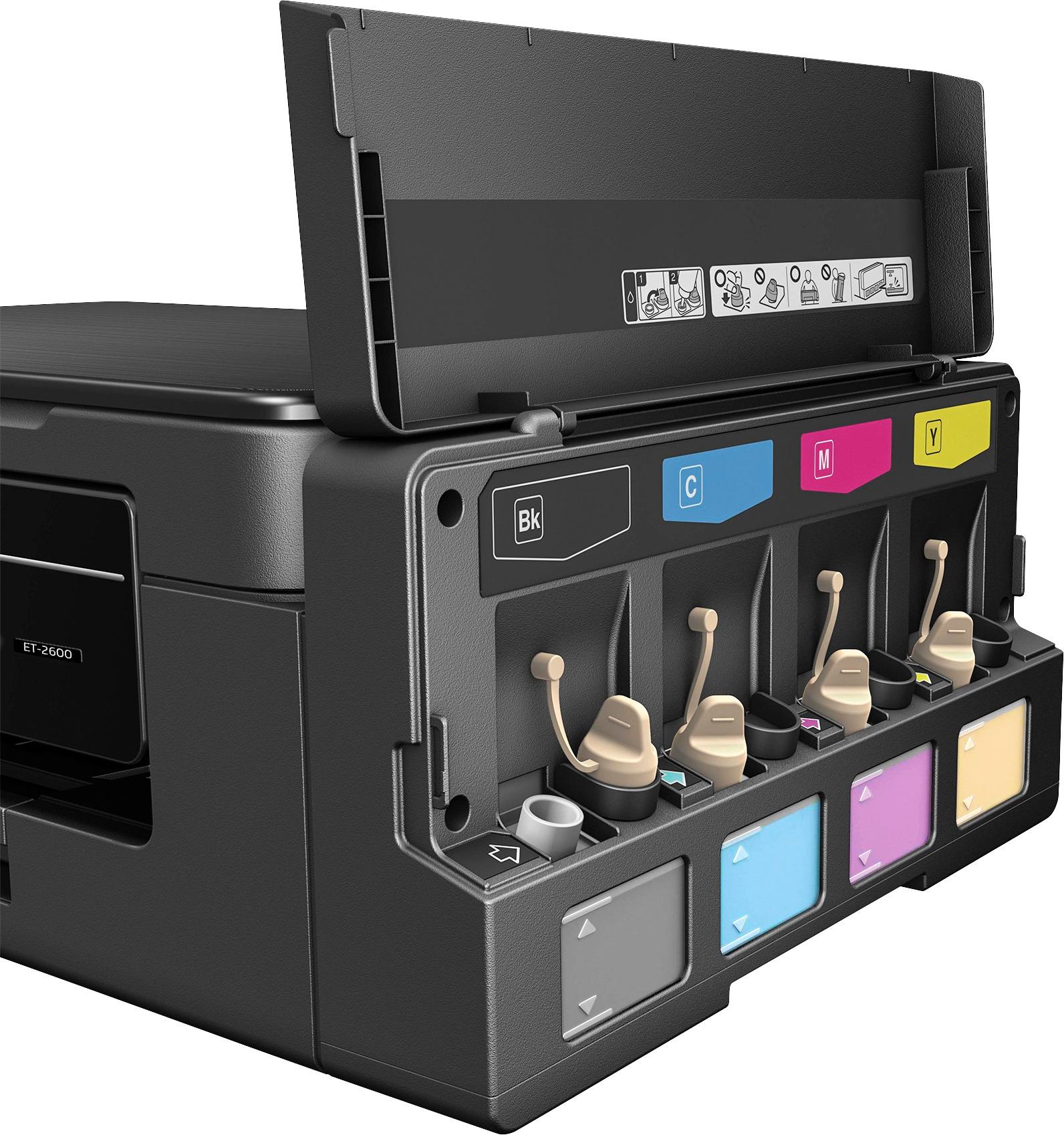
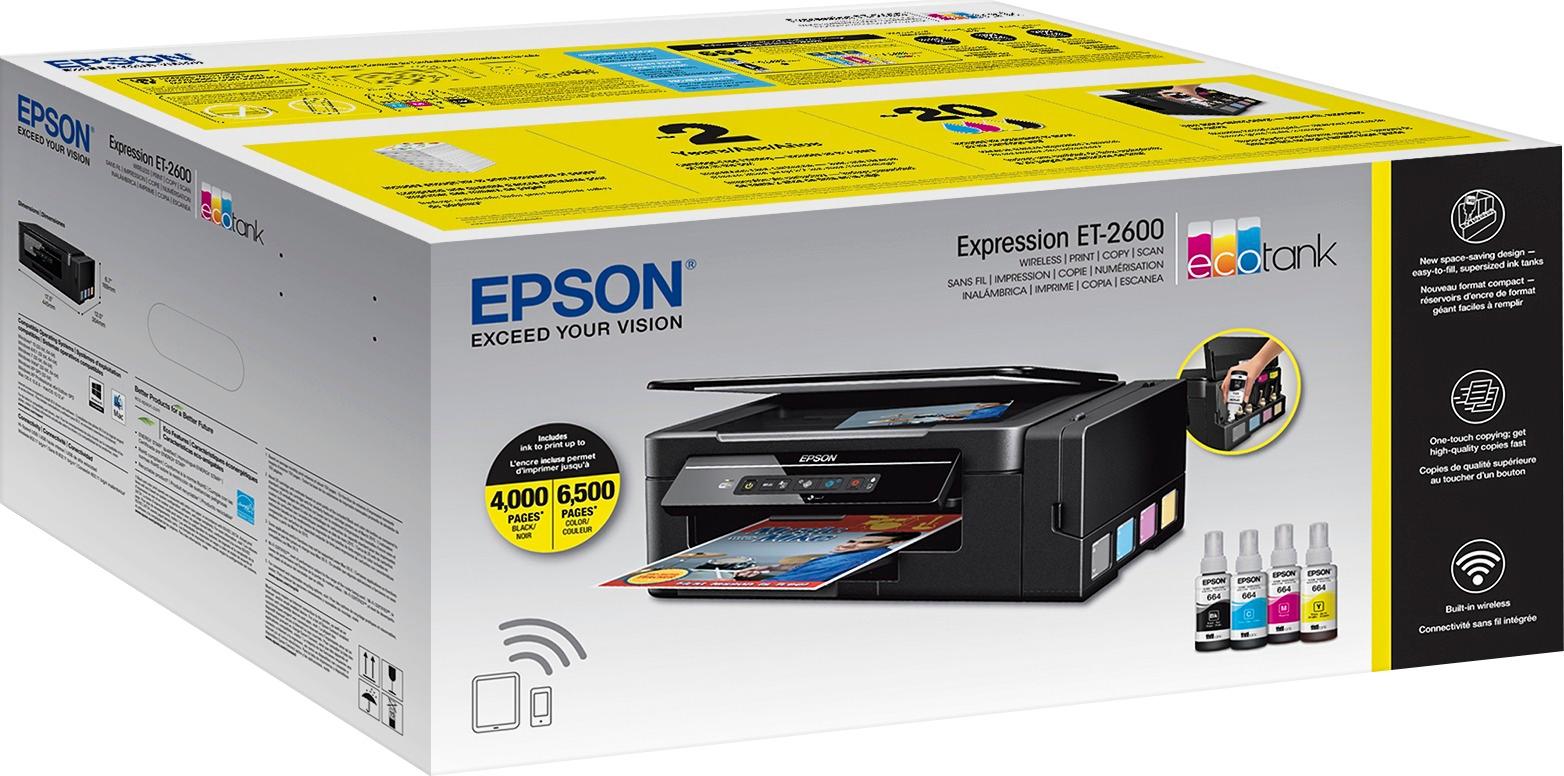
Posted .This reviewer received promo considerations or sweepstakes entry for writing a review.This is a review for the Epson Expression ET-2600 Eco Tank All-in-One Printer that I received free of charge to do a beta test and review. I received the printer 8 days ago, and have been using it daily for multiple projects. Working in the IT field I feel honest reviews for the consumer is important. My review is not bias it is my honest opinion of working with the product in the short period of time I tested. Packaging: The printer was well packed and easy to unbox. The print on the box was very detailed and branded well. The vibrant coloring on the box does catch your eye and the specs on the box were laid out well. The dimensions of the printer are very accommodating for any size space measuring 17.5” L, 12.0” W & 6.7 “H. In addition the printer was light in weight but constructed well. Setup: I was excited when I was chosen to test this printer due to the Ecotank design as I have had many traditional printers with the print cartridges. The printer comes with 4 ink bottles (Black, Cyan, Magenta & Yellow). The refillable tanks are labelled well to identify each color so it is very hard to make a mistake and fill the wrong tank. The tanks have a rubber cap and holder while filling the units. As the manual suggest put down a piece of paper of plastic down, wear gloves and protect your clothing and furniture to prevent ink spills. I felt the opening of the tanks was large and for someone that does not have a steady hand could easily spill the ink. I would have preferred to see a smaller opening on the tank where the nozzle of the ink bottle fits securely into the tank. From their I plugged the unit in and charged the ink in the unit which takes about 20mins. From their setting, up the software and the wireless printing options was a breeze. I connected mine with a USB to my desktop as well as wirelessly to use the mobile printing option. Overall the setup time took about 30-35 minutes from start to finish which includes the 20 mins for the one-time ink charging. Printing Feature: Over the past serval days I have printed many types of documents from standard text documents in word using the black only which the print quality was very good. Dark and Sharp fonts which made reading the document easy. In addition, I have printed a few spreadsheets with the same results. I have printed a few pictures on standard plain white 8.5 x11 inch paper. The quality of the print was quite good for standard paper. I then proceeded to print on HP High Gloss 8.5 X 11 Premium paper as well as 4 x 6 Premium card stock and the pictures came out great. A very good balance of color with vibrant tones. I look at the ink tank level after the printing I performed to see if the level had changed and I did not see any noticeable difference with the naked eye. So, it looks to me so far, this printer is very conservative on ink (Finally a printer with such a feature!!!) Copy Feature- Copying both in black and color was as easy as a 1 button touch for each mode. The copies came out clear and easily legible. Scan Feature- The scan feature is achievable via two methods. The first is using the product buttons on the printer which requires you to hold the B&W button and Color button simultaneously and the document will scan to your computer. The second is using the Epson Scan 2 software which is launched from the desktop. I preferred the second option as it seemed much easier to run than holding two buttons on the printer. My only recommendation is that Epson had put a single scan button on the printer especially for those that are not as technical. In addition, I found it difficult to change the name of the document to something customizable rather than a generic scan name which saved into my documents. It made it hard to find which document so I changed the name of the file in the directory itself. One other downfall is each page needs to be scanned individually it would be a plus if there was a feeder to scan multiple pages especially when using the software.
I would recommend this to a friend - Pros mentioned:Print quality, Setup
Rated 5 out of 5 stars
The Epson ET-2600 is an excellent value
Posted .This reviewer received promo considerations or sweepstakes entry for writing a review.“This is a review for the Epson Expression ET-2600 EcoTank All-in-One Printer that I received free of charge to do a beta test and review.” The ET-2600 is a good midrange printer designed for the home user. The tanks are an incredible innovation. To be able to use a bottle of ink to fill up the printer is so much more sensible than the cartridge, and something I had wondered why it hadn’t been done before. This printer has convinced me I was right. The setup is simple, if you can look at a picture you can set up this printer. The wifi setup is very straightforward and simple, and the print quality is excellent. Printing from a cell phone, tablet or other device is very simple. The printer has been very easy to locate on the network and has never failed to connect to any of the devices I have tested it with. Photo prints are crisp and clear with faithful reproduction of detail. The price is very fair, and will be more than offset by the savings in ink supplies. The advertised ink usage seems to be accurate, and refilling the tank is very straightforward and easy to do. Simply open a tank and put ink in. Only one access door needs to be opened and there is no waiting for the print heads to align before you can place ink into the printer. Overall, the printer is excellent and I would rate it five stars on any site.
I would recommend this to a friend - Pros mentioned:Print quality, Size
Rated 4 out of 5 stars
Epson ET-2600 Cool Printer
Posted .This reviewer received promo considerations or sweepstakes entry for writing a review.This is a review for the Epson Expression ET-2600 EcoTank All-in-One Printer that I received free of charge to do a beta test and review. On my first impressions upon receiving printer i was shocked by how small and compact it was. The unpacking was a very simple easy task nothing major to do. Also the printer is very lightweight so not a issue moving.Really a convenient product! Preparing printer for first use was simple. Only down fall was 20 Minutes for ink to charge. Also no USB cord was provided as one is needed for installation. I like the fact that the ink is in a tank which helps keep the design sleek and lightweight.I use the printer for personal use just wish it had a fax service. Connecting and printing from WI-Fi was very simple and easy. I have printed over 200 pages in color and 100 pages in B&W not errors. Now im Going to Print a few Pictures. Love the pop out panel and easy paper tray!
I would recommend this to a friend - Pros mentioned:Print quality, Size
Rated 5 out of 5 stars
EcoTank is Awesome!
Posted .This reviewer received promo considerations or sweepstakes entry for writing a review.This is an excellent printer that can print up to 4,500 black pages w/out buying more ink refills! It can copy, scan, color printing and the awesome EcoTank which will save me a lot of money and time. The box contains the driver CD, power cord, and ink bottles for each color. Very simple to load the ink but be very careful not to spill and make sure it goes in the tank correctly. It could get messy. After that, it's just running through the setup and then you're off and running. Great printing of grayscale and color documents. This is still ink but this is the greatest achievement in a long time! Very simple operation to scan and copy virtually anything that will fit into the printer. Easily print from your mobile device using Epson Connect. High color resolution produces great images. Very nice compact size that fits nicely on my desk. The ink is equivalent to 20 sets of ink cartridges! This will definitely help me to keep my costs down and not worry so much about printing too much or letting the kids print everything that they ever see! Great buy and will definitely recommend to my friends and family. This is a review for the Epson Expression ET-2600 EcoTank All-in-One Printer that I received free of charge to do a beta test and review.
I would recommend this to a friend - Pros mentioned:Print quality, Size
Rated 5 out of 5 stars
Good Quality Printer; Love The Ink Tanks
Posted .This reviewer received promo considerations or sweepstakes entry for writing a review.I have been in the market for a new printer for a few months. I have never owned an Epson printer but decided to give this one a try as it met my needs. The printer seems to take up a little less desk space than my previous one because there is not a lot of “bulk” on back side of the printer. It easily connects to my Wi-Fi which gives me the ability to print from all of my wireless devices. The ink tanks are on the side so you can easily monitor the amount of ink you have left. I absolutely love that the printer holds a large amount of ink. The printer is very easy to maintain. The ink refills do not cost a lot of money. You just have to refill the ink containers. Ink can be replaced as needed. The print quality is perfect. I printed a couple pictures from my Epson printer as well as my older printer and there was not a difference in the quality. Two sided printing does require that you turn the paper and insert it back into the feed. A screen comes up on the computer and shows you how to turn the paper. There is no guesswork. I am very pleased with this product and will continue to try other Epson products. This is a review for the Epson Expression ET-2600 EcoTank All-in-One Printer that I received free of charge to do a beta test and review.
I would recommend this to a friend - Pros mentioned:Print quality, Setup
Rated 5 out of 5 stars
Great printer
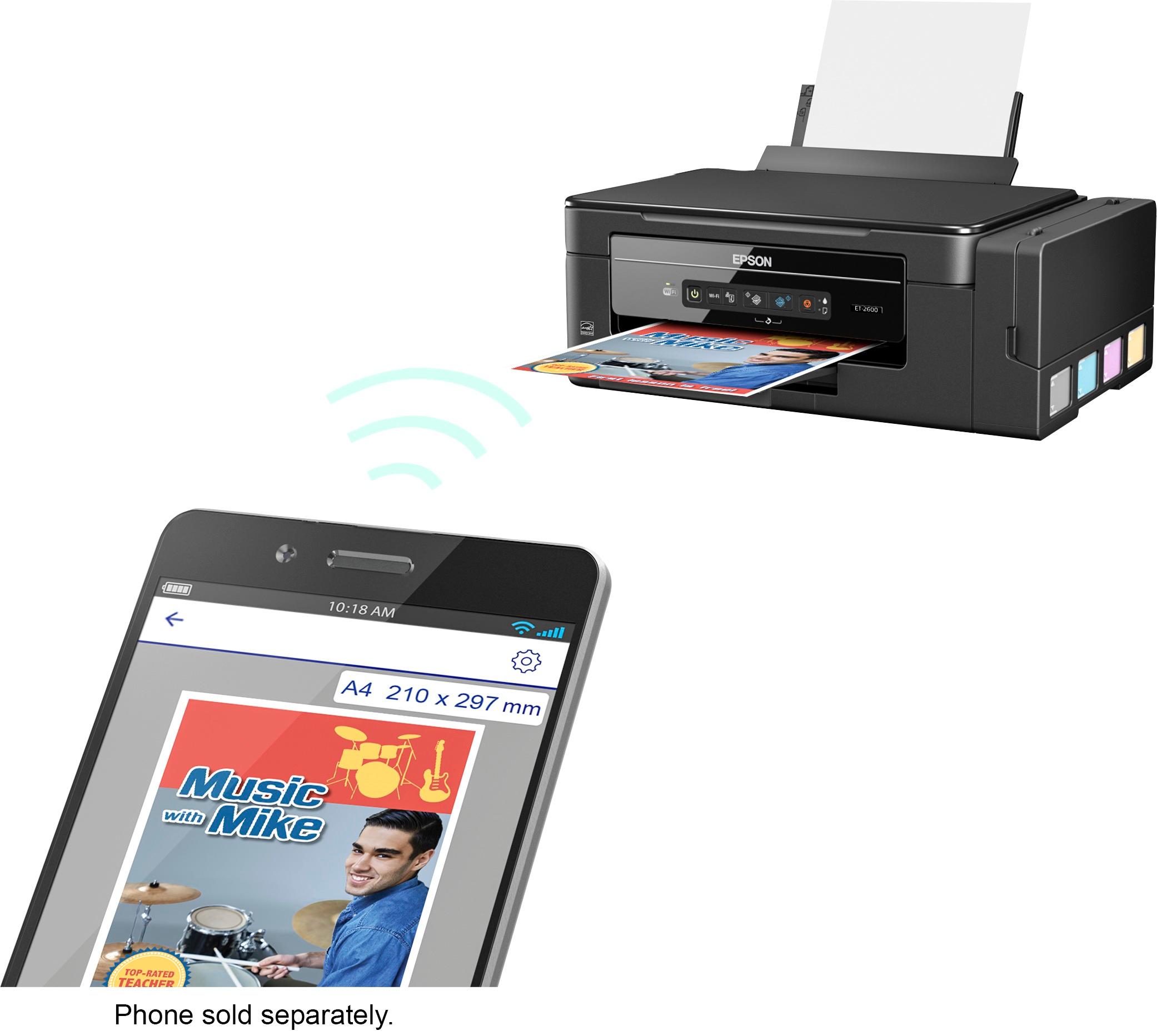
Posted .This reviewer received promo considerations or sweepstakes entry for writing a review.This is a review for the Epson Expression ET-2600 EcoTank All-in-One Printer that I received free of charge to do a beta test and review. The eco-tank is amazing. Ink has gotten very expensive. I myself have found it has been cheaper to get a new printer than to buy new ink, this printer however is the solve to that issue. Over all this printer was pretty easy to set up. Filling the tanks was also very easy with no mess. The way the bottle is designed helps ensure this. Hooking up to the internet and setting up the wireless was also very painless. The setup program worked very well and made it extremely easy, Once the ink was charged I printed the test page. I sent pictures, text, used the email setup to send an email to it, used the app on my phone and challenged this printer with everything I could throw at it. Amazing. Quick, quiet, and no problems. I highly recommend this printer especially to those who print a lot! Very good printer for anyone who hates buying expensive ink!
I would recommend this to a friend - Pros mentioned:Print quality
Rated 4 out of 5 stars
Great Printer for everyone!!
Posted .This reviewer received promo considerations or sweepstakes entry for writing a review.This is a review for the Epson Expression ET-2600 EcoTank All-in-One Printer that I received free of charge to do a beta test and review. I recommend this particular model to everyone, but the cost is hard to justify. Personally, I am a big fan of AIO (all in one) printer. This is no different than what you get from HP, or Canon. The only difference is that this AIO Printer comes with Cartridges free printing. Meaning, you won’t be purchasing ink cartridges at all. Instead, you will be purchasing low cost ink bottles and fill the tank (It reminds me of my old fountain pen, when the ink is out, fill the ink). The machine lacks few features, but more on that later. I am going to discuss, what are the good benefits of owning this printer. This machine is impressive. It is a about the same size as most of the multi-function printers I've owned. The built quality on the device is amazing, not every printer is built the same. The initial set up was easy, download the latest drivers and software of Epson’s website for your Windows and Mac. Epson constantly improving their driver and software, so you can enjoy more features. Although the disk is included with the printer, but the driver and software may be old, so it is best for individual to download off the internet. I really like the fact that this printer supports Google Cloud Print Support, which you may or may not know, but it is a big deal for me. With Google Cloud Print Support, you can print from anywhere. I have my printer set up at home and keep it on always, I want to print something important, so I want to do it right away, so I don’t forget. Google Cloud Print comes in very handy. I encourage everyone to set up Google Cloud Print. The great thing about WiFi printers are that the fact that you can set up on smartphone or tablet. I have an app from Epson, called Iprint, which does exact same thing as the utility on Windows and Mac. Everyone these days likes to do things from phone, so it makes sense to download the app on your device and make a good use of it. The app works great, scans directly to my device and prints from my device. The printer does fantastic job at scanning and printing. The color accuracy is very important to me, and this printer does excellent job, and in fact one could say as good as more expensive/high end printers you see at work or at FedEx facilities. I was not expecting the quality that this machine produced. The Epson website claims, that the printer comes with two years worth of ink and the printer is capable of printing 4000 monochrome/grayscale pages and 6500 color pages, which is a quite a lot. Of Course, I am not able to test their claim at the time of writing my review, but I am impressed with the quality of the printer and it does its job very well. The negatives of owning this printer is the cost, and it doesn’t feature auto full duplex printing and no auto document feeder, which you will miss a lot, if you have a lot of pages to print and to scan respectively. The less expensive printer from Samsung, HP and Canon have these particular features. I hope to see these features implemented in the future models. The price doesn’t justify the features. I appreciate the quality of the printer, and it capabilities, but auto duplex printing and auto document feeder is a must. Overall, I am quite impressed with this printer. On top of the great feature set, powerful scanning and printing capabilities, and ease of use, there is the additional benefit of ink tanks - the ink bottles only cost 80% less than ink cartridges. Epson likes to brags about 2 years of ink in the box, which is very bold claim.
I would recommend this to a friend - Pros mentioned:Print quality, Setup
Rated 5 out of 5 stars
Everything I Need!
Posted .This reviewer received promo considerations or sweepstakes entry for writing a review.This is a review for the Epson Expression ET-2600 EcoTank All-in-One Printer that I received free of charge to do a beta test and review. My review is still my honest opinion though. I am constantly using this printer for coupons, emails, directions, and even coloring pages for my child. The wireless option is easy to use, and such a convenience. With how much I print, I love the fact that the ink lasts so long! It's gives me such peace of mind knowing that what I'm printing is going to turn out right. Set-up and installation was a breeze! I highly recommend this printer!
I would recommend this to a friend - Pros mentioned:Print quality
Rated 4 out of 5 stars
Goodbye ink cartridges. Hello Eco-Tank!
Posted .This reviewer received promo considerations or sweepstakes entry for writing a review.This is a review for the Epson Expression ET-2600 EcoTank All-in-One Printer that I received free of charge to do a beta test and review. The printer came packaged securely to avoid damage during shipping. All moving parts were secured with tape as an extra precaution. Epson includes 4 full bottles of ink (Black, Cyan, Magenta, and Yellow). Other items in the box include the setup disc, power cord, and a quick setup guide. This printer is a little different in how you set it up for use. In older inkjet printers you would install 4 cartridges from the top of the printer. With this printer there are no cartridges to install or change. Instead there are four individual ink storage tanks on the side of the printer that can be filled as needed. The included ink bottles are vaccuum packed to prevent spills during shipping. After opening the bottles it was a simple process of pouring the bottles into the tank. The bottle caps have a tip and a stopper on them to prevent a mess during filling. A quick note: Before using you will need to run the ink charge process. This printer can be connected in one of two ways (WiFi, USB). I opted for the WiFi connection as the printer was being installed downstairs. WiFi setup will be a simple process if you have a standard router / access point setup that allows setup via WPS. Most of the off the shelf and cable provider provisioned equipment include this feature. However in my case I use enterprise grade equipment that does not support WPS. In this case you will need a USB cable which is not included in the box. After supplying my own cable the installation continued without any issues. I did not test doing a USB connected printer setup. But I assume that it would work as they always have. When the software installer was completed I printed the test sheet successfully. However halfway through my first print the printer stopped printing black ink. To resolve the issue I ran through the ink charging process for a second time. The printer includes the capability to copy documents and photos using the onboard flatbed scanner. This feature is easy to use without ever accessing your computer. It can all be done from the control panel on the front of the device. Scanning documents to you PC is also available via the control panel or the Epson software. Epson offers other ways to print from your printer such as their mobile application an a email service. I used have used this printer for the past 7 days and I can say that the printer is solid. I don't feel as if I will have any issues with it in the near future. Other that the few hiccups I had in the beginning everything is working as expected. The prints that I have created have been colorful and vibrant. And black and white documents have came out with crisp text. The ink tanks are still full after large amounts of printing and I feel that they will be for quite a while. Overall I would recommend this printer to anyone that is : a) Looking to save money on ink cartridges. b) Print high quality photos and documents at a reasonable price.
I would recommend this to a friend - Pros mentioned:Ease of use, Print quality
Rated 5 out of 5 stars
I love it!!
Posted .This reviewer received promo considerations or sweepstakes entry for writing a review.This is a review for the Epson Expression ET-2600 EcoTank All-in-One Printer that I received free of charge to do a beta test and review.” I was first impressed by the ink bottles. Although the I was a little sceptical about the bottles being messy. I soon found out that loading the ink tanks was fairly easy and mess free. I love the fact that the ink seen a to last much longer than the regular ink cartridges. The refill cartridges are a great price also. The print quality is excellent. I actually had some wedding pictures I never had printed and decided to see what quality this printer had. I was so impressed by how beautiful the pictures turned out, I put it in a pictures in frame. Also I work from home sometime and my documents printed out perfect. I also found it easy to use with my phone and my iPad. I have to say I'm impressed with this printer!
I would recommend this to a friend


















