Customer Ratings & Reviews
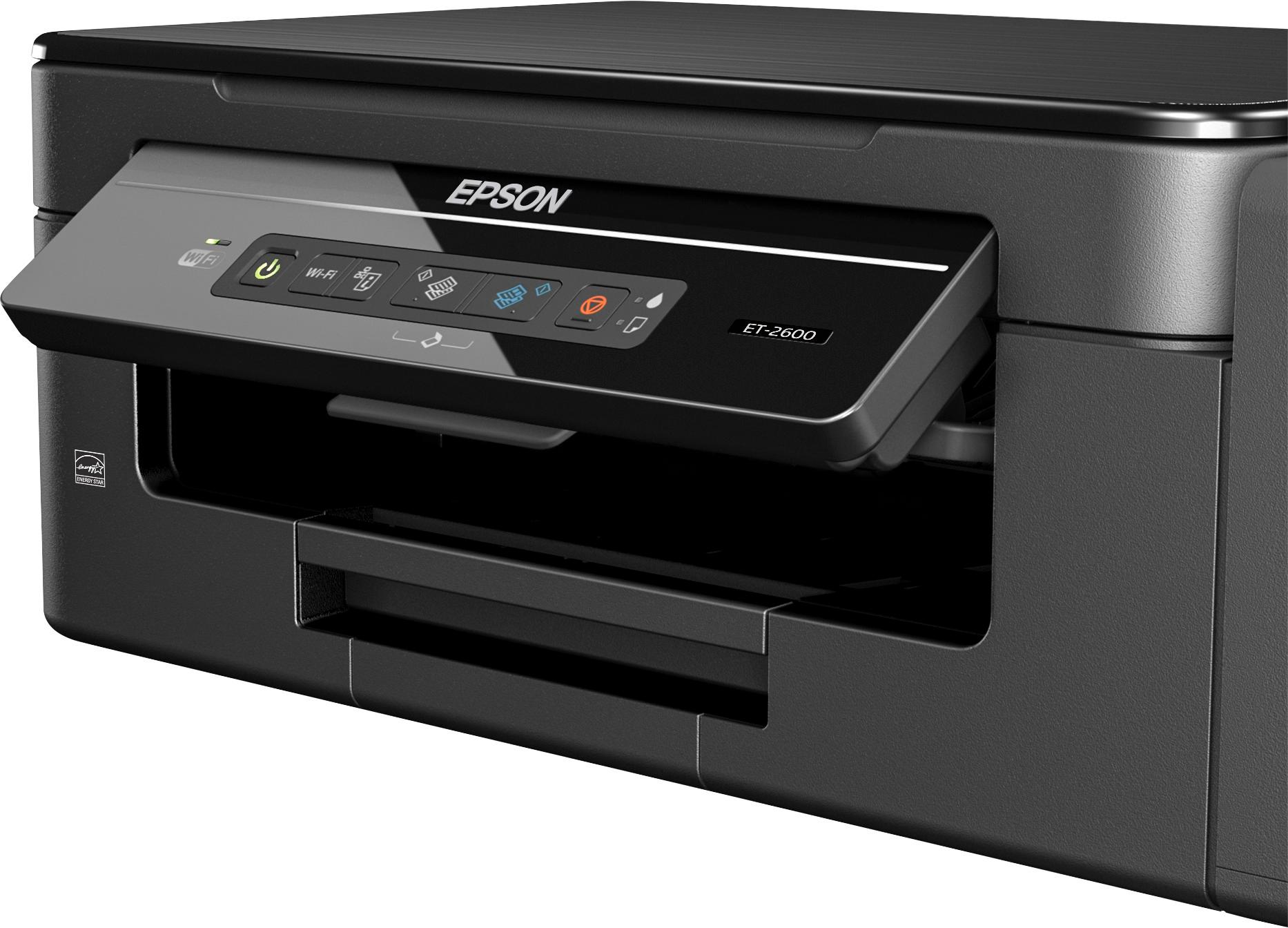
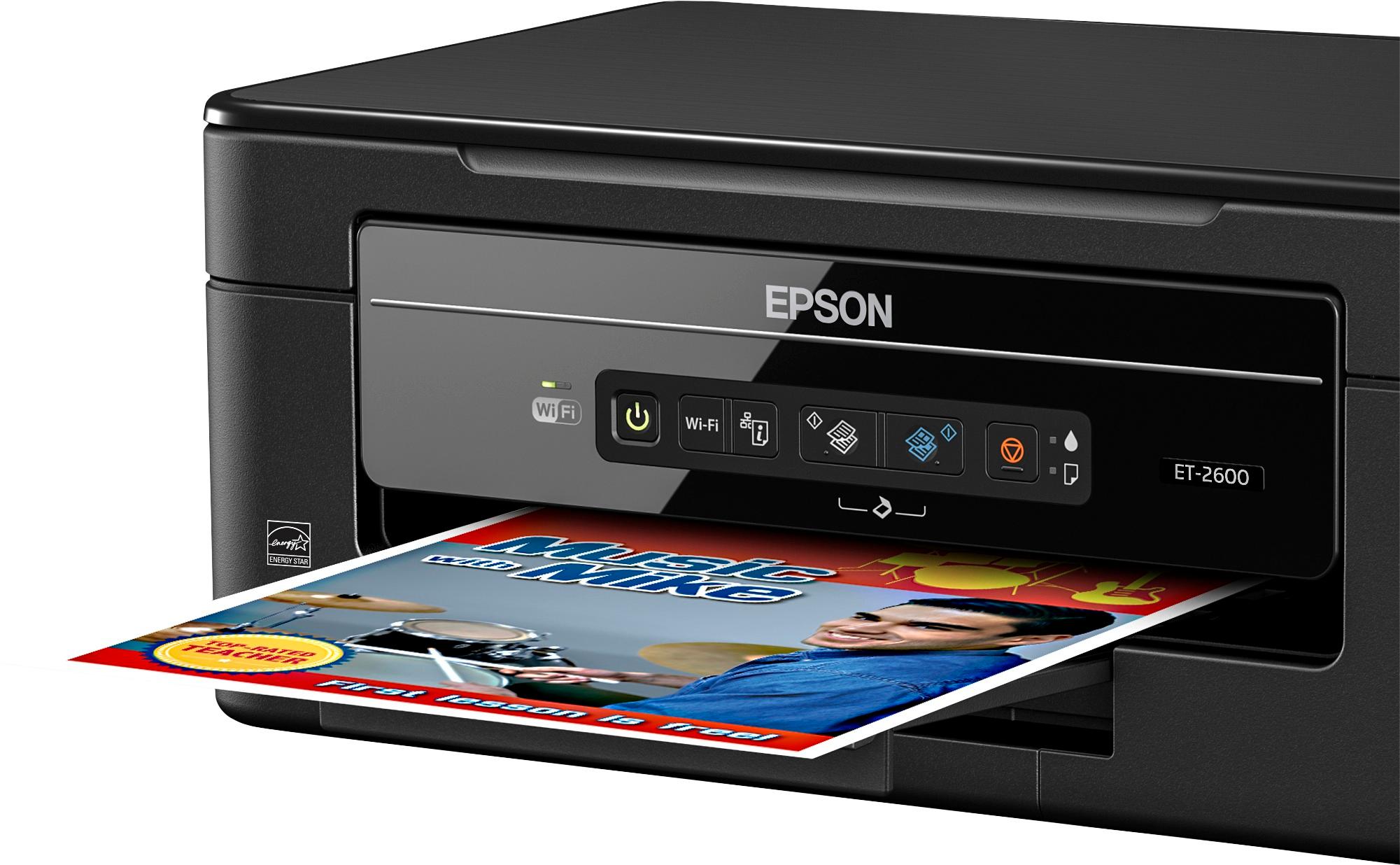
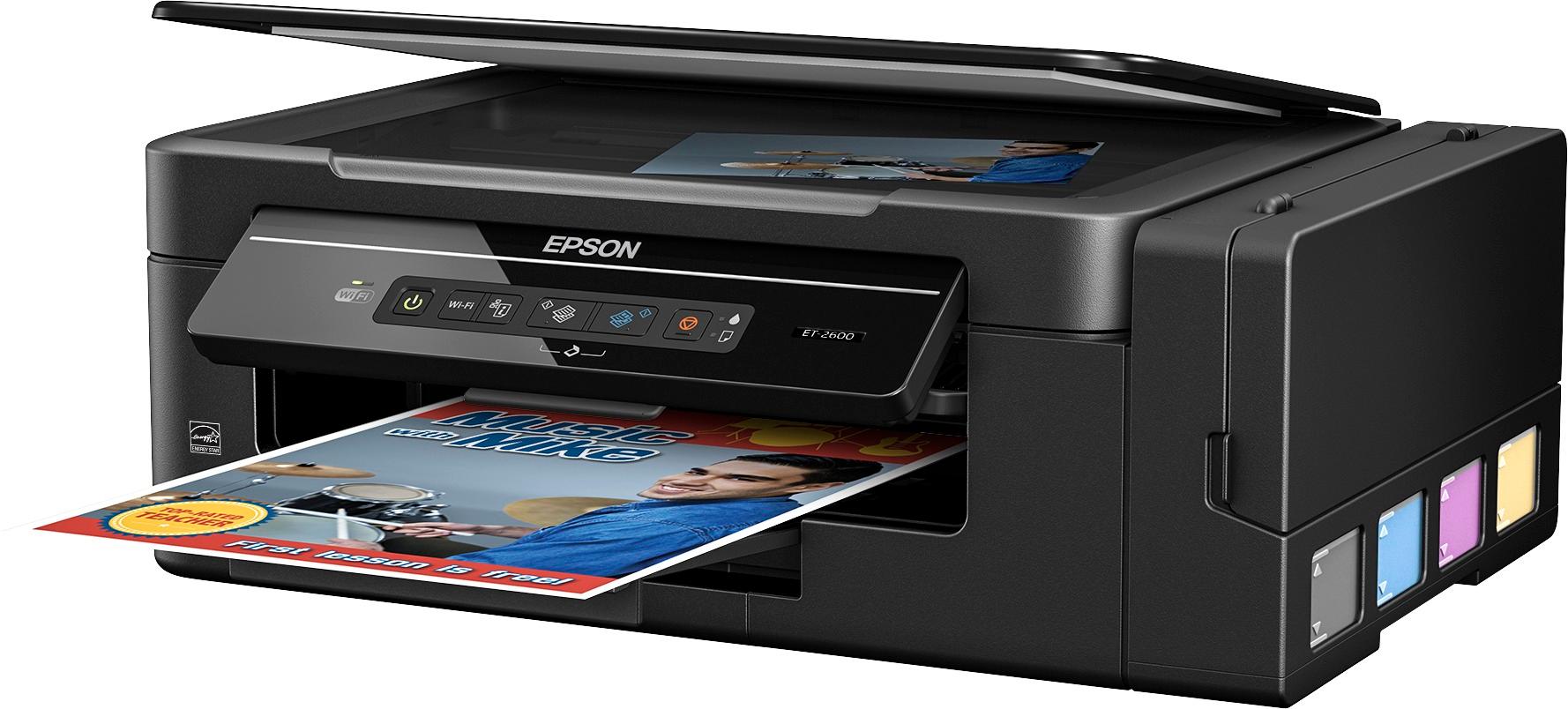
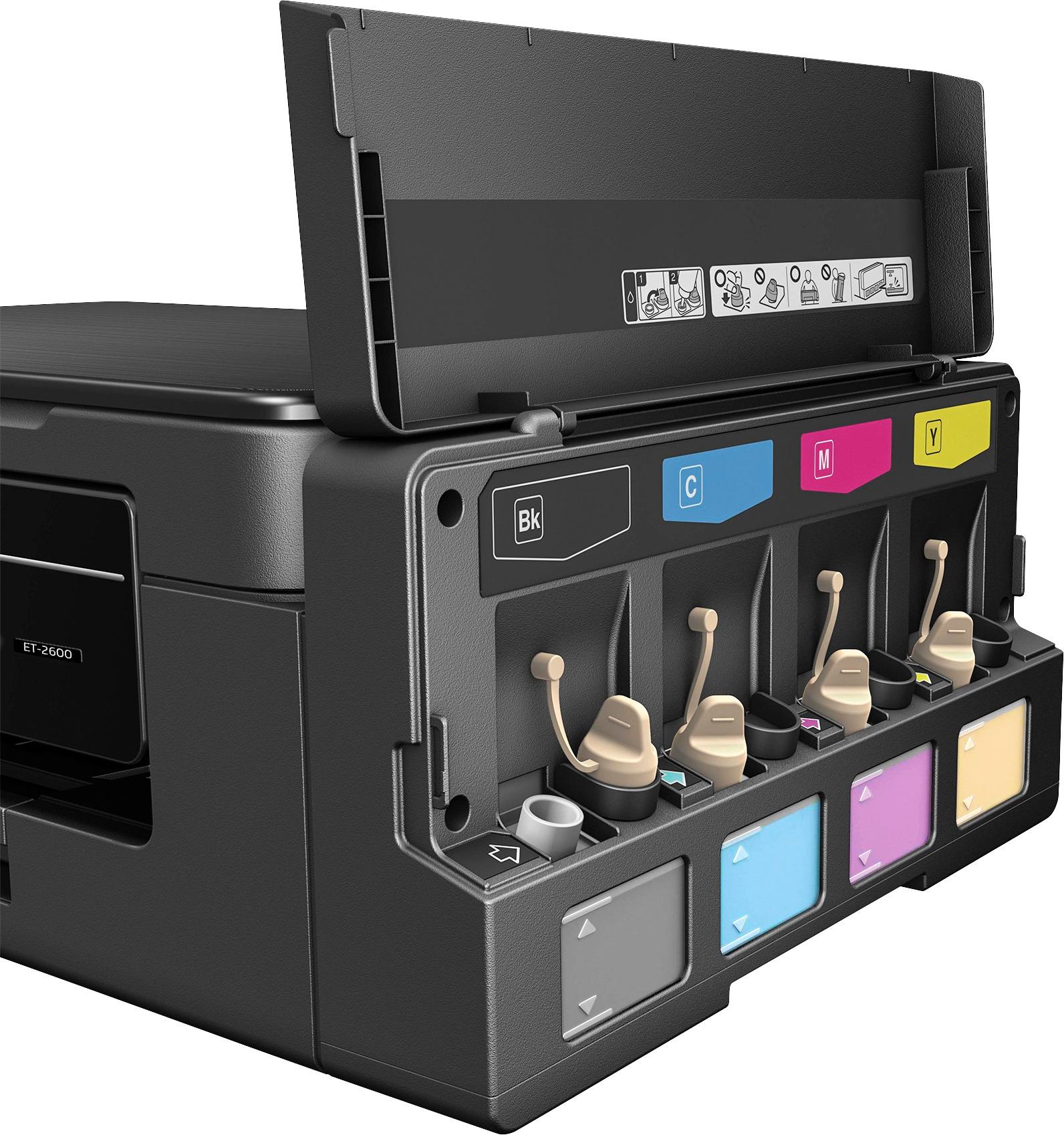


- Model:
- C11CF46201
- |
- SKU:
- 5711423
Customer reviews
Rating 4.4 out of 5 stars with 60 reviews
(60 customer reviews)to a friend
Customers are saying
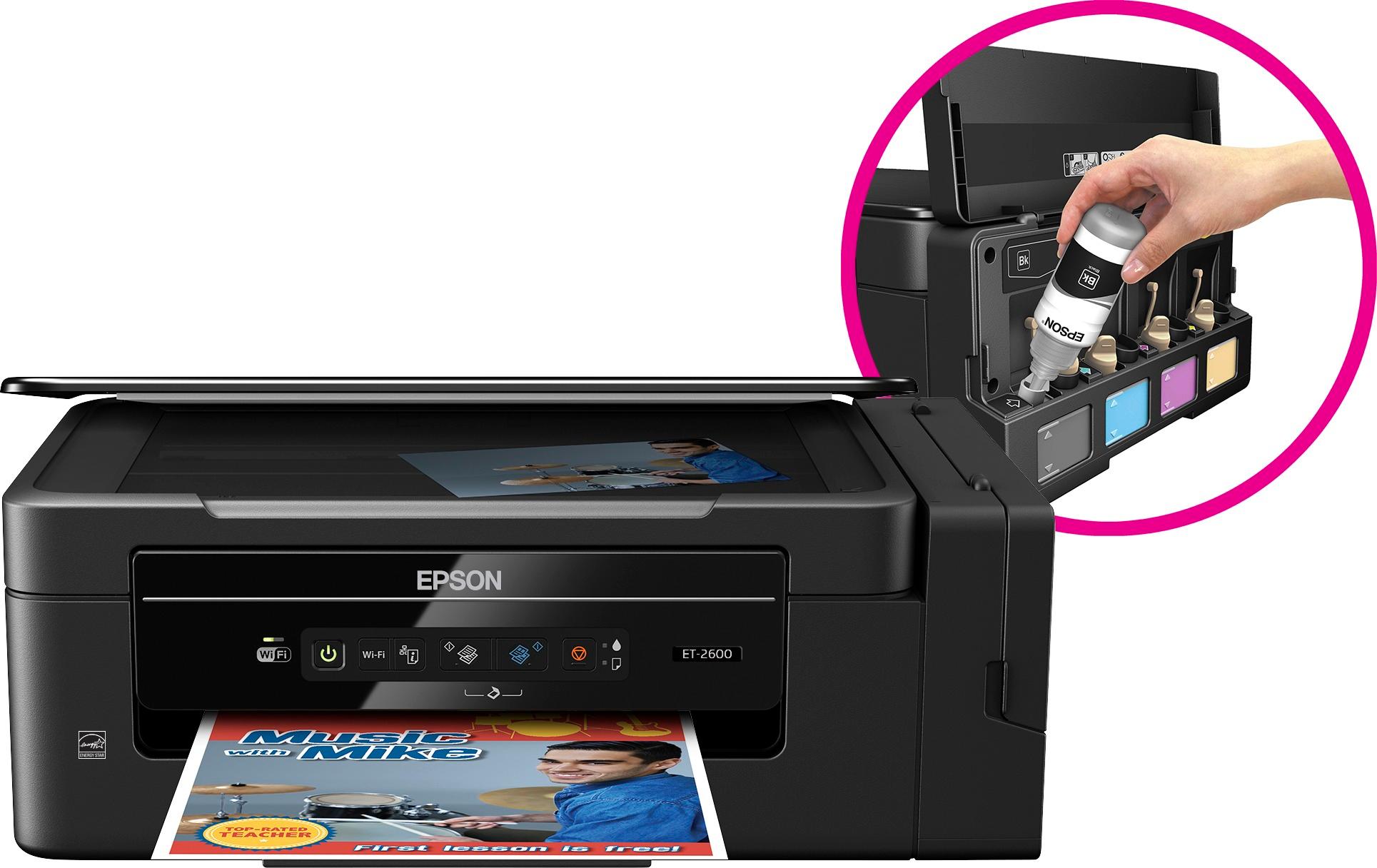
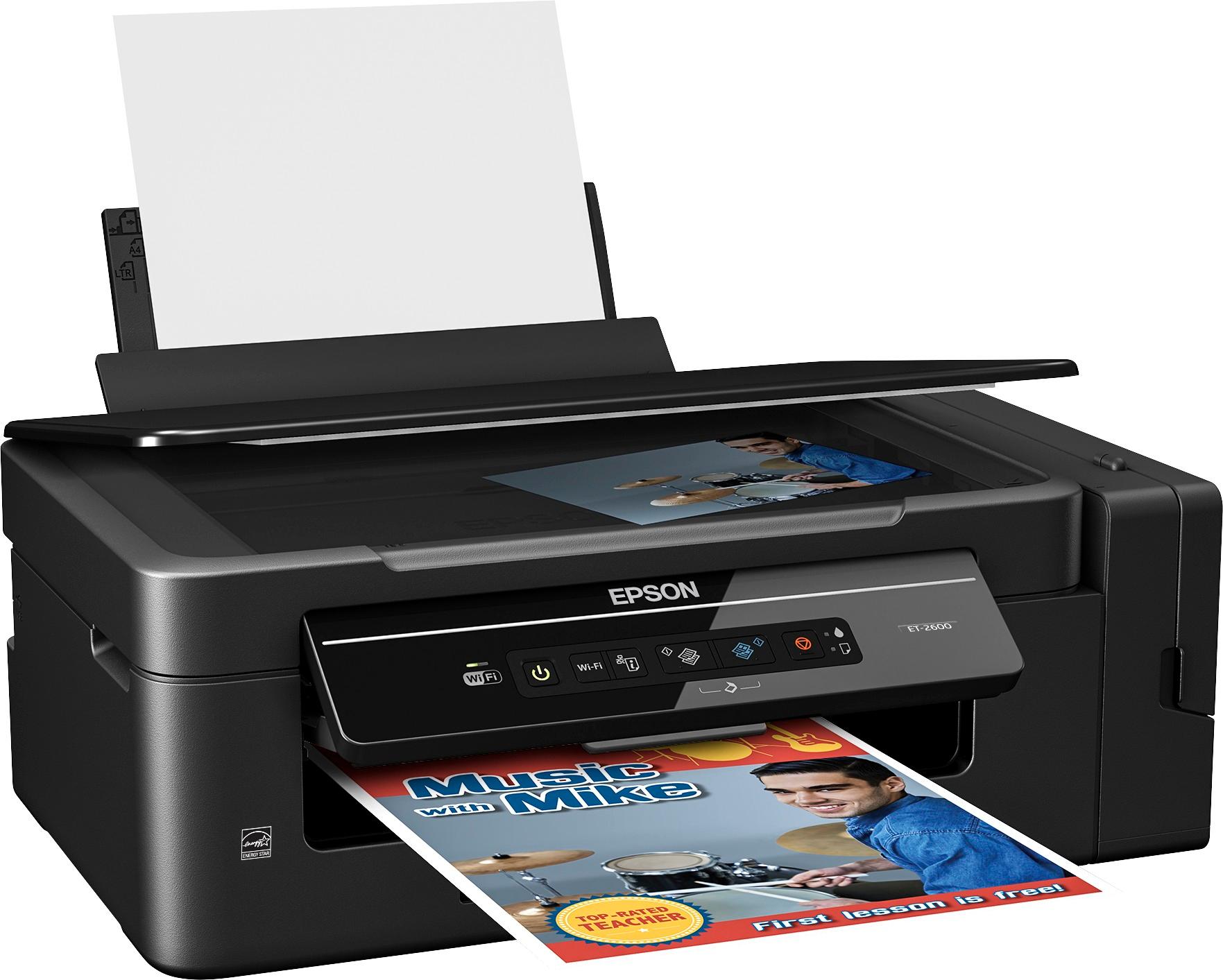
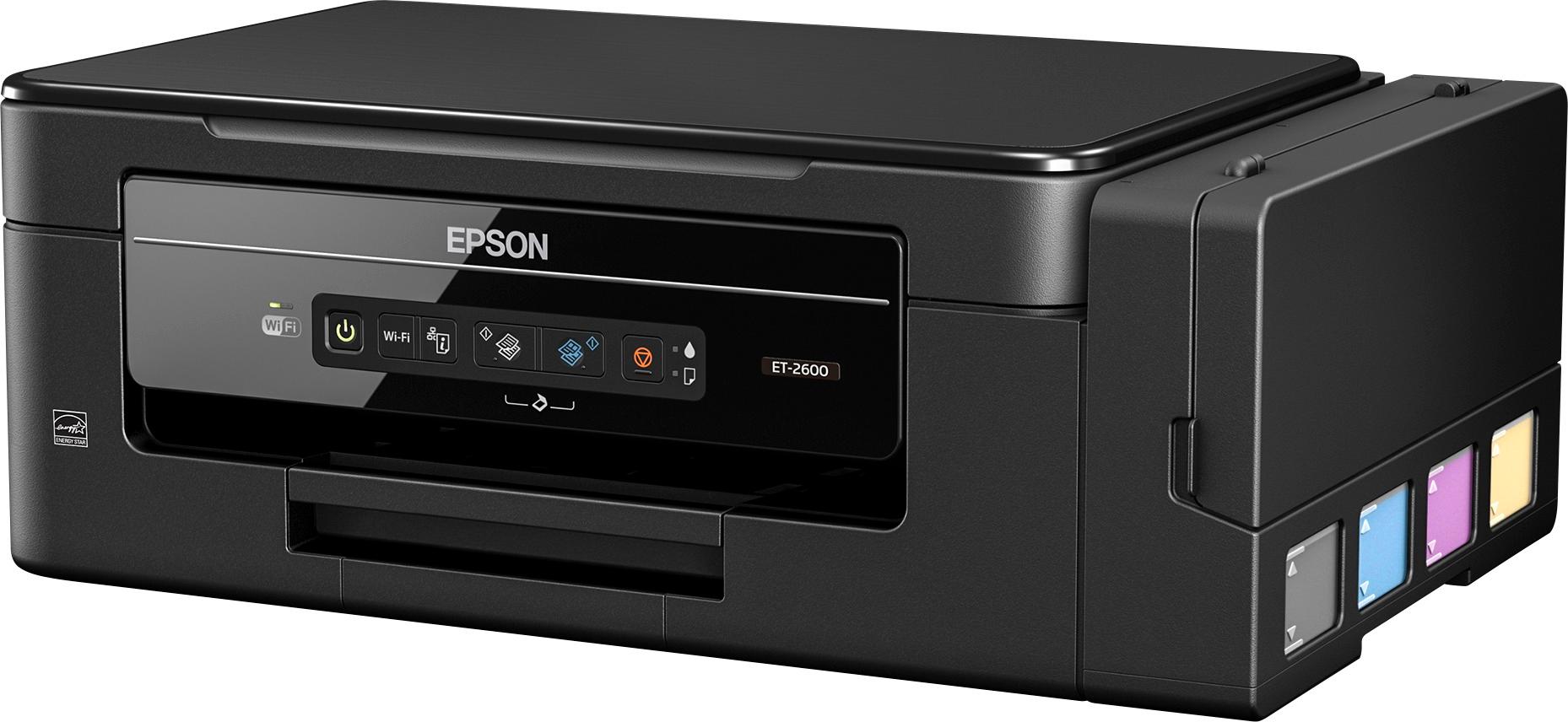
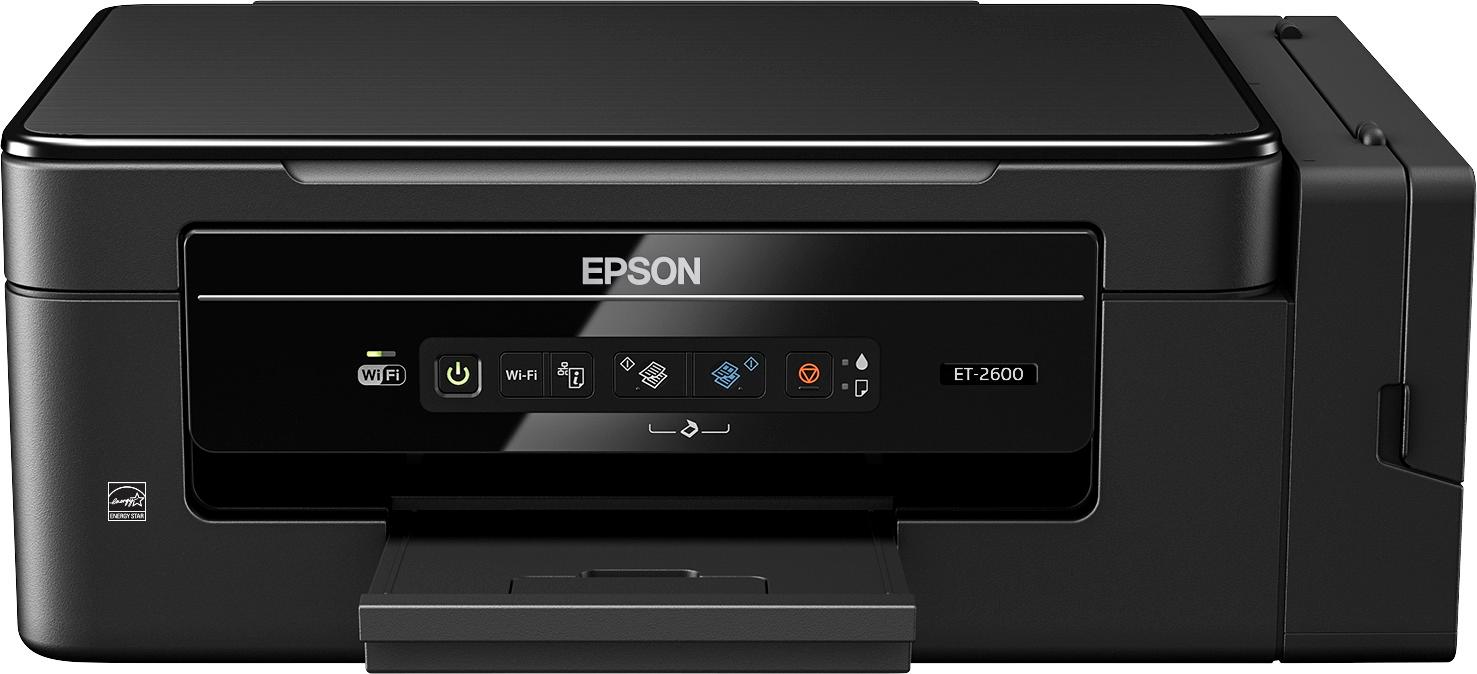
Customers are pleased with the excellent print quality, compact size, ease of use, simple setup, and wireless capabilities of the Expression EcoTank ET-2600 Wireless All-In-One Printer. The design is also well-received. However, some customers have noted that the printer can be a little noisy during operation.
This summary was generated by AI based on customer reviews.
- Pros mentioned:Ease of use
Rated 4 out of 5 stars
Gets the job done
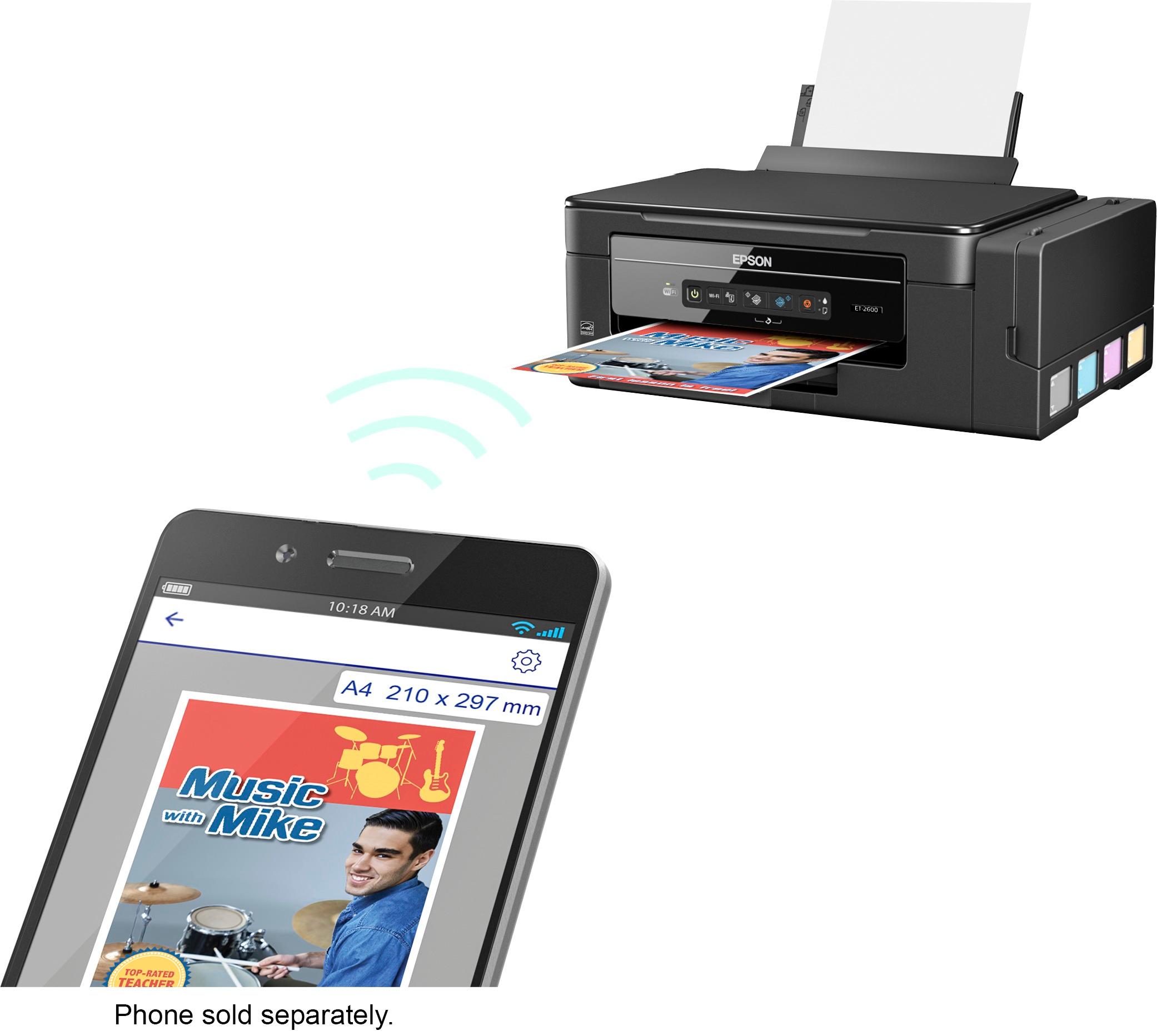
Posted .This reviewer received promo considerations or sweepstakes entry for writing a review.This is a review for the Epson Expression ET-2600 EcoTank All-in-One Printer that I received free of charge to do a beta test and review. What I like about this printer: Setup is very easy so anyone can complete it without much trouble. I also like the fact that the printer has four separate ink reservoirs so you only have to replace the ink that runs out instead of a cartridge that may not be completely empty. Ink installation is also very easy and if you take your time and be careful no mess. I think the ink reservoirs is a good idea to alleviate ink cartridges drying out. Wifi and mobile printing are also a nice feature but I cannot comment on the ease of setting these features up or using them as I am using it in a USB direct connection. Printer speed is comparable to most other printers. The size is also comparable to most other printers. What I don't like about this printer: This printer has only a flatbed scanner which really limits the scanning abilities to very small documents. A document feeder should be standard on a printer this expensive. The printer doesn't ship with a USB cable. USB cables are so inexpensive to not include one is ridiculous. If you are looking to use this with a Linux OS like Ubuntu there is no direct driver for it. There is a workaround to get it to work but really they should support some Linux based systems since there are a lot of people that use them. I think there should be a sensor for the ink levels instead of just look at the side of the reservoir. Lastly, which this just a semantic issue, you can't really call this an all-in-one printer because there is no fax capability but really who faxes anymore. In conclusion: The printer does a fine job printing and scanning and is simple for most people to setup and use. There are some shortcomings to this printer but for the vast majority of people it should work just fine. Lastly, in my personal opinion, I think this really isn't a printer for sporadic home use. I think there are a lot of cheaper printers with better features. I think this printer is more suited to a business setting.
No, I would not recommend this to a friend - Pros mentioned:Print quality
Rated 4 out of 5 stars
Great if you want to be environmentally friendly
Posted .This reviewer received promo considerations or sweepstakes entry for writing a review.I would highly recommend this printer to anyone who wants to get away from buying the little ink cartridges all of the time. Especially with Espon printers, which eats them like candy. The printer was fairly easy to set up and most of the instructions were fairly straight forward, but this was one printer I actually had to read the instructions, as there were different steps to prime the ink lines etcetera. This printer is different because it has the ink tanks, which is really cool, but would limit who I would recommend it to. For example I would not recommend it so my grandmother who has a hard time even changing the ink cartridges in her current printer. Filling the ink tanks was an easy task, but you have to be really careful to put the correct ink color in the correct tank. I assume you would ruin the printer if incorrectly filling a tank. Also with filling the tanks, when the bottles were empty there were bubbles that formed at the tip which popped when putting the lids back on which caused ink to splash on my hands. Also the foil seals on the tops of the ink bottles had ink on them so it was hard not to get the ink on your hands. Pros: More environmentally friendly Ink cost less & get more initially with the printer Very good print quality (color and B&W) Ink tanks hold a lot of ink Scanner quality great WiFi setup very easy Cons: Have to fill the ink tanks, can spill ink Paper feeds in from the top Scanner does not have an automatic document feeder No USB cable provided, which was required during my setup All in all I would recommend this printer to everyone that is looking for a quality printer, with the added benefit of not have to buy expensive ink cartridge replacements all of the time, but only if they were comfortable carefully pouring ink into the printer. This is a review for the Epson Expression ET-2600 EcoTank All-in-One Printer that I received free of charge to do a beta test and review
I would recommend this to a friend - Pros mentioned:Print quality
Rated 5 out of 5 stars
Very nice color printer that will last
Posted .This reviewer received promo considerations or sweepstakes entry for writing a review.I’ve had about a week now to test out my new Epson printer. I have never used or owned a printer with ink tanks like this one before, and I absolutely love the idea behind them. From what I can tell, this is a much more cost effective than constantly replacing ink cartridges or having them filled elsewhere. The simple fact that this “should” last me years on the initial fill-up is amazing. Looking at the printer itself, it seems relatively well put-together. The flip-out screen is nice, but I really can’t anticipate myself ever putting it back flush with the rest of the printer unless I wanted to move or store it for some reason. Overall, I do like the size of the printer and added functionality of having a scanner never hurts! Setting up the printer came in a few steps. After filling up each of the tanks, I was instructed to charge them. Charge/prime/whatever, it basically is a 20 minute process that I’m assuming pulling some bit of ink through all channels so its ready to print a full quality page as soon as you need it. This step was easy. Installing the printer and drivers on my computer was slightly frustrating. The program installed an update and I went through the process to do a 100% wifi setup. The next step was for me to temporarily connect the USB printer cable (which was not included). So, I was actually 100% unable to install the printer and drivers this way. I did eventually find a round-about way of installing them by locating and installing different Epson programs on my computer which had more success. Once I had the printer installed, I tested it out by starting with a full color picture of my dog as a puppy. It looked pretty good for not being on photo paper. I also tested printing out a few pages of a word document, to just see how well it worked. It does work well, though speeds can’t really be compared with my laser printer. Overall, I had a few setbacks with the install, but this is a very nice printer and scanner. Photo prints look nice (and I’m sure they will look even better on a shinier photo paper). Black and white or simple text prints also work well, though the overall speed of getting through a sizable document would be noticeable. I do like the printer and will continue to use it for my photo and any color prints. This is a review for the Epson Expression ET-2600 EcoTank All-in-One Printer that I received free of charge to do a beta test and review.
I would recommend this to a friend - Pros mentioned:Print quality
Rated 5 out of 5 stars
Great All In One
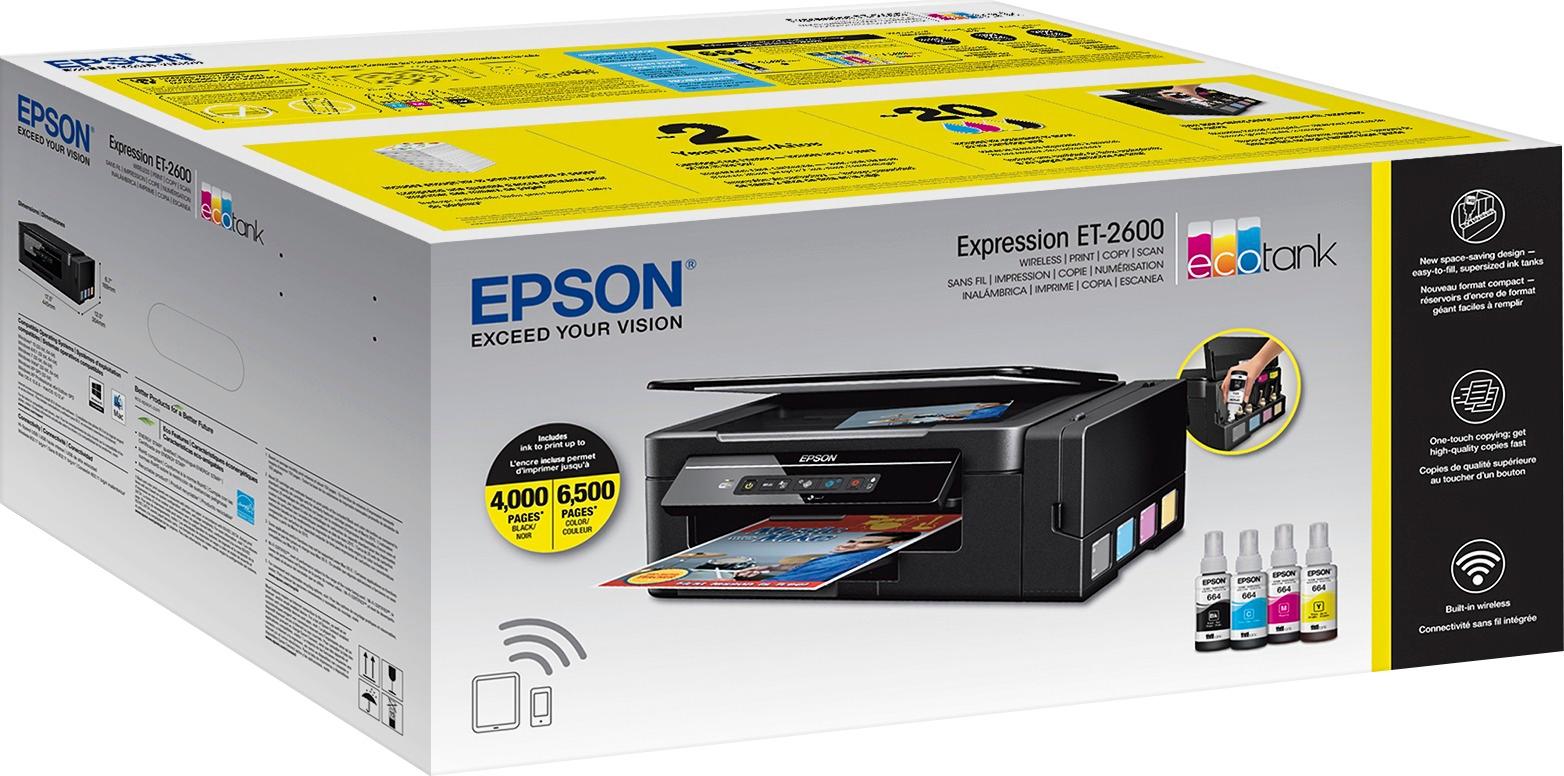
Posted .This reviewer received promo considerations or sweepstakes entry for writing a review.Overall this is an excellent printer with quick print speeds, high quality printing, simple all in one features, WiFi and Epson iPrint app support, and the Eco Tank ink containers which will be great to minimize refill needs for years. Unboxing was straight forward, containing the well packaged printer with basic documentation, driver CD, power cord, and ink bottles for each color (these are full size refills). After running through the setup guide and loading the ink (which does take a bit of care to avoid any spills) the printer primes the ink for about 20 minutes. The printer can then be powered on, software installed, and added to your WiFi network, which does temporarily require a USB connection to your PC, then it is ready to go. General printing with the ET-2600 is very good, in draft mode the printing speed is quite fast and will extend the ink life even more. On high quality, the print density is very good and B/W and color images look sharp and clear. This is not a photo printer, so while it does print photos and images well, that is not what it is best at. All in One features include scanning and copying and it does both well. Copies are easy and fast with the buttons on the front of the printer and the unit has a very capable scanner for everyday needs such as photos, receipts, documents, etc. While this model does not include AirPrint, it does support Epson’s iPrint app which lets you print photos, documents and even webpages from your mobile device and control other features of your printer. It also lets you scan items directly to your mobile device which is very cool. Overall a great app and doesn’t leave me wanting for AirPrint. Epson states the included ink will print up to 4,000 pages black and 6,500 pages color so I will be very interested to see how long the ink lasts with my typical usage. I think this is an excellent printer option for someone with typical home or small office printing and scanning needs with the added benefit of the EcoTank ink storage to keep ink costs down and ink replacement to a minimum. This is a review for the Epson Expression ET-2600 EcoTank All-in-One Printer that I received free of charge to do a beta test and review.
I would recommend this to a friend - Pros mentioned:Print quality
Rated 5 out of 5 stars
Quality Printing
Posted .This reviewer received promo considerations or sweepstakes entry for writing a review.If you are reading this then you are probably wondering if the printer is the right fit for you. The printer setup is quick and easy and each step is outlined in the manual and software setup process. After you unbox the printer, you will need to add all the printer ink into the individual color slots, install the software and configure the wireless while doing a print test. Once you have completed the initial setup, you can configure to your preferred settings. There are many settings that can be adjusted and I provided all the setting menus in the video. I must warn you that the printer is a little loud while starting up and slower than usual for printing, however, the print quality is excellent. The scanner works great and the quality of the scanned document looks amazing. The color transition is smooth and clean. When printing high quality images the accuracy and quality is extremely noticeable. Adding the printer inks is time consuming and a little messy if you don't take your time. I had no issues during this process, however, I could see how it could be a big mess if rushed. The printer is economical as it prints in a full set of ink; boasting 4000 pages in black and 6,500 pages in color. That should last the average person 1 1/2 to 2 years of printing or longer. The buttons on the front panel are responsive and press down easily. Setting up the wireless was a little annoying; the printer lacked a cable for the connection, luckily, I had an extra cable from my previous printer. This would not be an issue if your router is visible on the network, which I recommend always to hide your router. I setup the printer on a PC using the Windows 10 64 bit system and a TP- Link Archer C5400 router. It took around 1 to 1 1/2 hours to fully complete the setup. Keep in mind 20 minutes of that time was dedicated to adding the printer ink, and waiting for the mandatory 20 minute for the software to recognize the ink. The printer also offers mobile and email printing. Overall, this is a high quality printer that performs excellent and has a modern design. I recommend this printer and happy to know that the ink adding process only happens every few years.
I would recommend this to a friend - Pros mentioned:Print quality
Rated 5 out of 5 stars
This printer has truly been an amazing product.
Posted .This reviewer received promo considerations or sweepstakes entry for writing a review.This printer has truly been an amazing product. I've been eyeing them for a while but have not needed a replacement, I was very wrong. Initial Thoughts: It comes with enough ink to last two years if you're an infrequent printer. I can only assume that that rating comes based on 5% page coverage. What I can tell you is that the bottles that come with it hold just as much liquid as the refill bottles for my HP T520. As usual, it does not come with a USB cable, and you'll need that to do initial setup. Once you install the software from epson.com you can connect the cable and tell it to connect via WiFi. The driver doesn't have a lot of frills, but what do you expect from a consumer printer? The only downside that I found with the driver is that it can't report the ink levels. This is very unfortunate since you have to keep looking at your printer to make sure you have enough ink for the print job you're about to send it. Quality: The build quality is typical for a high end consumer printer, made of plastic, buttons fill solid. The print quality was what really surprised me. I was able to use the printer for lab quality photos when using a high quality paper. I had no issues with the color reproduction. I even created a custom ICC profile and found that the default settings really weren't that far off. Print speed could be a little faster but I didn't expect laser printer speed from an inkjet. I haven't tried sublimation ink in the printer since I can't easily clean the tank/lines and it would probably void the warranty. Although, I see no reason that it wouldn't work for this unit since the jets are not heated. I've been very impressed thus far and look forward to many more prints. This is a review for the Epson Expression ET-2600 EcoTank All-in-One Printer that I received free of charge to do a beta test and review.
I would recommend this to a friend - Pros mentioned:Print quality
Rated 5 out of 5 stars
Great printer for home use
Posted .This reviewer received promo considerations or sweepstakes entry for writing a review.This is a review for the Epson Expression ET-2600 EcoTank All-in-One Printer that I received free of charge to do a beta test and review. I've had this printer for a week and have used it as my main printer at home. So far its been a champ. Initial setup takes more time than other printers due to the need to fill the ink tanks and then charge the ink heads. This part takes about 25 minutes. The wireless setup shouldn't take long either but my router doesn't have a WPS button so I needed to find a USB cable to complete the wireless setup. NOTE: No USB cable is included with the printer. All in all, from removing the printer from the box to my first print took me about 35 minutes. The printer works great for color, black & white, or photo prints. Given the huge capacity ink tank design, I don't need to worry about replacing costly ink cartridges. The printer comes with 2 years of ink which is equivalent to 20 sets of ink cartridges. Plus the replacement ink bottles are very affordable. Why didn't someone think of this earlier!! Now I don't have any worries when I want to print out a bunch of photos. Wireless printer works great. I was able to add it as a network printer easily. For my iPhone and iPad, I can use the Epson app to print documents and scans. Epson even has a service called Epson Connect where they provide you with an email address that you can use to print photos and documents on the printer from any device that has email. Overall this printer provides great value for and is a great printer for home or home office use. Print quality is great and it prints and copies fast. The ink tanks are easy to fill and are inexpensive. Great printer!!
I would recommend this to a friend - Pros mentioned:Print quality
Rated 5 out of 5 stars
Reliable and Efficient!
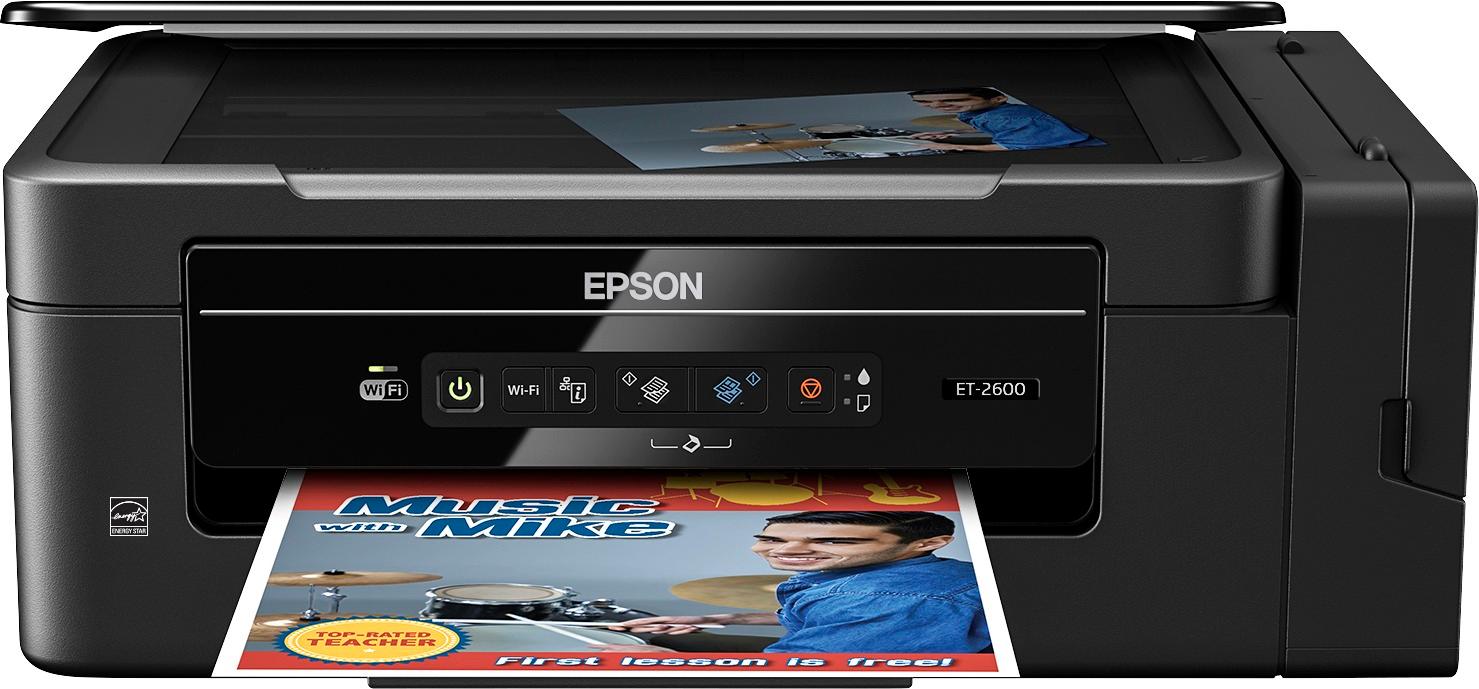
Posted .This reviewer received promo considerations or sweepstakes entry for writing a review.Epson ET-2600 Out of the box the Epson ET-2600 was all ready to go besides filling up the ink tanks which was fast, easy, and well worth the money it will save in the long run. The printer’s build is very solid, the pop out panel is secure and the buttons have a nice feel when pressing them. The printer is very sturdy, unlike many printers I have had in the past. The rear paper hold container is nice because it is nearly vertical so you can put the printer right up against a wall and it doesn’t bend the paper. As far as printing goes, it works great! I print several times a day and the wireless connection never fails. I send print jobs from my laptop and also from my cell phone and have had no problems. My favorite part about the printer is knowing that I will not run out of ink. You can actually see how much ink is left on the side tanks so you will never be left halfway through a job to find out that the ink is running out. I love the printer it works great for quick prints or large documents. The only difficulty I had was getting the printer on the wifi but using a USB cord made it quick and easy. I am looking forward to printing many many pages in the future with my very cool and very eco friendly ET-2600. “This is a review for the Epson Expression ET-2600 EcoTank All-in-One Printer that I received free of charge to do a beta test and review.” Overall the Epson ET-2600 is very solid, sturdy, reliable, clean, and extremely efficient. I have and will recommend this printer to anybody looking for a new printer.
I would recommend this to a friend - Pros mentioned:Print quality
Rated 5 out of 5 stars
Awesome Concept - Great Printer
Posted .This reviewer received promo considerations or sweepstakes entry for writing a review.Upon receiving this printer, I opened the box to find the printer was well packaged. The presentation was excellent for a printer within this price range. Once unpackaged, I begin the setup of the device. Using a MacOS Device without a CD-ROM, I preceded to download the software, as there is no way to configure the device on your network without it. I find this annoying for a printer that cost more than 200. The software was very straightforward and easy to install. As an IT Manager, I would feel comfortable providing this software to my user and allowing them to configure this printer in a home environment. After feeling the ink tanks, I do think the bottles provided can use some work. The top needs to be configured in a way that it snaps onto the ink reservoir to start the flow of ink and discontinue the flow when removed. Since I did not use the entire bottle to fill my reservoirs, it ended up being a bit of a messy situation. The 20 minutes to charge the system was annoying but not a showstopper for me. Once the setup is complete – The results from this printer were amazing… I found that it rivaled printers from my 400 buck OfficeJet Pro.. Overall, I’m highly impress and would recommend this device to my friends. This is a review for the Epson Expression ET-2600 EcoTank All-in-One Printer that I received free of charge to do a beta test and review.
I would recommend this to a friend - Pros mentioned:Print quality
Rated 5 out of 5 stars
Nostalgia at its finest
Posted .This reviewer received promo considerations or sweepstakes entry for writing a review.This is a review for the Epson Expression ET-2600 EcoTank All-in-One Printer that I received free of charge to do a beta test and review.This printer is AWESOME. Yes, the setup is a bit cumbersome but once the WiFi is set up it's flawless. It doesn't do annoying alignment procedures or overuse ink. It prints fairly quickly and in excellent quality for a printer. The ink reservoirs are engineered to perfection. He reminds me of using eight bottles from when I was a kid to fill up our old printer, needless to say, is nostalgia with a modern twist and I just love it. You can even use free Epson software to print from your phone if you like. There's a huge upside to this printer and the only real downside I've found is the setup process. The cable (not included with printer) is the same as any other printer cable and doesn't require a special, proprietary connection. I'd gladly recommend this printer to anyone--unless you're looking for an expensive, high-speed, photo printer.
I would recommend this to a friend - Pros mentioned:Print quality
Rated 5 out of 5 stars
Excellent Epson ET-2600 Printer
Posted .This reviewer received promo considerations or sweepstakes entry for writing a review.This is a review for the Epson Expression ET-2600 EcoTank All-in-One Printer that I received free of charge to do a beta test and review. When I first received the printer, I noticed that the box was smaller and weighed significantly less than the previous all-in-one printer that I had. Opening the box was easy. Things were nicely packaged. Following the installation instructions were pretty strait forward. It included unpacking, removing protective materials, and filling the ink tanks, charging the ink (took about 20 minutes to finish), and loading paper. I have printed about 100 papers. I noticed that the quality of the print jobs are significantly better than the old printer. The colors are vibrant and the text seem to be of high contrast. I have also noticed that the printer can print pages significantly faster than my older printer. I connected the printer to WI-Fi. It took me about 10 minutes to set up. The process was easy. I love this printer!
I would recommend this to a friend - Pros mentioned:Print quality
Rated 3 out of 5 stars
Good Printer, few minor issues
Posted .This reviewer received promo considerations or sweepstakes entry for writing a review.This is a review for the Epson Expression ET-2600 EcoTank All-in-One Printer that I received free of charge to do a beta test and review. The printer was packed well, setting up and installation was easy. The ink bottles were easy to fill the tanks. Just ensure there is no human error to spill ink. The only con was that the initial ink priming time took about 20 minutes, which is not a big deal as we have to deal with it only once in 2 years depending on the usage. Its amazing that I don't have to worry about the replacing expensive cartridges for a long time. I wish they included a link to install the software, but a quick google search returned the software to install. I knocked a star because the Android app could not find the printer after several tries. Another star lost for not having a screen or button for scanning directly to a desktop or laptop. My old $50 printer has that feature. Also was expecting a auto-feeder at this price point. Despite these shortcomings, it is a fast printer and scanner with a good build quality that saves money in the long run. It may not be for everyone, but definitely for someone who regularly prints a large volume of pages.
I would recommend this to a friend - Pros mentioned:Print quality
Rated 3 out of 5 stars
Good printer for the super eco-concous person.
Posted .This reviewer received promo considerations or sweepstakes entry for writing a review.With the Epson ET-2600 printer, it is a nifty little printer to own if you want to save on money with buying ink. The ecotank refills are currently $12.99 at the local Best Buy store. That is less than half the cost of normal $30 in cartridge refills. Ink cartridges normally would last me about 250-300 sheets of paper. So with the advertised cost of ink alone, it will save money long term. The printer currently cost $279.99 at BestBuy and epson.com, compared to similar cartridge style printers that cost about $50. So instead of Epson making their money of a person over years of buying ink, they are selling the printer for 5 times what a simililar cartidge style printer cost. This is the smart choice for Total Cost of Ownership. Unboxing the printer was really easy. The first thing I read out the box was the "Quick Start Guide." It is not a Quick Start Guide, but more of trouble shooting printer ailments. Filing up the printer with ink was easy. The next thing I had to do was find a USB Type-B connector cable to USB Type-A cable, as the $280 printer does not come with a $2 cable. After that, I just had download the software to run the printer as the software that came with the printer was already outdated. This printer is on the limited side of functionality as the $50 comes with more bells and whistles. So it a trade-off, a higher printer cost with low ink cost or lower cost printer with higher ink cost. And if the ink last two years, this printer might die before then, or you might just toss the printer in the trash as it may reach End of Life in 10 months. I also wish the printer came with an wired Ethernet port, as I live in a wired house. So it is not worth $280 to me, as the same printer with ink cartridges. But if you are the save the planet type that wants to generate less trash, then maybe the printer for you. I did receive this product at a discount to beta test, and give my thoughts on it.
No, I would not recommend this to a friend Rated 5 out of 5 stars
Review of Epson ET-2600
Posted .This reviewer received promo considerations or sweepstakes entry for writing a review.My review of the ES-300W “This is a review for the Epson ET-2600 printer that I received free of charge to do a beta test and review.” Upon arrival of the printer I found the packaging to be well designed and well protected. All items were neatly packaged and easy to unpack. First let me state that this is my entry level printer I have owned. I like the look and feel of the product and have high hopes of its performance. Upon beginning the setup, I found that setting up the wireless connection is not as easy as pushing a button. After several attempts I was able to get it connected wirelessly. I do have other Epson products and have been completely satisfied with them and with their customer service. The performance of the printer is amazing. I have printed several documents and the speed and quality is very impressive. I find myself looking for things to print. The thing I am most excited about is the EcoTank of this printer. It says the included ink is equal to 20 cartridges sets. That is amazing. The thing I hate the most in other printers and I have 5 of them at my home is replacement cartridges and how they run out at just the worst time. Checking on line the cost is very reasonable for the replacement ink. Adding the ink was so simple, just be careful it can be messy if you rush the filling process. If you are looking for an entry level quality printer that connects wirelessly, print, copy, and scan that is fast and can handle several sheets at a time this is the one for you.
I would recommend this to a friend- Pros mentioned:Print quality
Rated 3 out of 5 stars
Great computer printer, weak tablet printer
Posted .This reviewer received promo considerations or sweepstakes entry for writing a review.The ink tanks are a great idea, Saves on ink costs. Print quality was average. I felt the tablet/phone printing software is very weak. I was unable to make many adjustments to the print. For example when printing from tablet you cannot adjust print quality, regular print is standard resolution and pictures are always set at best. It is also limited by the lack of a screen on the printer itself. You can make a copy in B&W or color with no adjustments possible at the printer.
No, I would not recommend this to a friend - Pros mentioned:Print quality
Rated 2 out of 5 stars
Epson Expression ET-2600
Posted .This reviewer received promo considerations or sweepstakes entry for writing a review.This is a review for the Epson Expression ET-2600 EcoTank All-in-One Printer that I received free of charge to do a beta test and review.” The first problem I ran into with this was the black ink tube had broken open inside the plastic and was a huge mess to get out and use, Once I was finally able to get it cleaned up enough to use the rest when smooth. The product itself is lacking for the price point a screen showing Wi-Fi and printer setting is needed. I spent forever pressing the Wi-Fi connect button on my router and then pressing the Wi-Fi button on the printer only to wonder if it was doing anything ( here is where a screen would come in handy ) The first 3 test prints where off alignment on the page, this is due to the poor design of the paper holder in the back of the printer, it doesn't adjust itself as it feeds in the paper and the smallest bump means your pages come out printer off center. The quality is in no way comparable to my HP Office Jet Pro at the same price point ( with a screen no less ) There is no way to scan in more than one page at a time without doing each by hand. The only thing going for this printer was the print speed. If it wasn't close to a $300 dollar printer and more in the $99 dollar range it would be a worthy value.
No, I would not recommend this to a friend Rated 2 out of 5 stars
Clever ink system, disappointing printer
Posted .This reviewer received promo considerations or sweepstakes entry for writing a review.This is a review for the Epson Expression ET-2600 EcoTank All-in-One Printer that I received free of charge to do a beta test and review. I was excited to try out this printer with an innovative ink tank system which aims to do away with expensive ink cartridges. The product makes bold claims that the included ink will last as long as 20 cartridges, and based on my initial experience I'm not inclined to doubt that claim. Refills are $13 per color from Epson, and filling the tanks is remarkably easy. I honestly make more of a mess when swapping out cartridges, so I was feeling pretty pleased at this point. Unfortunately, my enthusiasm came up short once I started trying to use the printer. The ink must be "charged" before the printer can do anything else, and this is a noisy process which takes up to twenty minutes. Once that is out of the way, you must use a USB cable to perform the initial setup of this WiFi-equipped printer - and Epson couldn't be bothered to include a $2 cable with their $279 printer. (I tried to connect it wirelessly with WPS, and it seemed to be successful, but Epson's software on my Windows 10 laptop was unable to connect to the printer.) The setup utility is buggy, doesn't provide useful suggestions to resolve problems, and doesn't clean up after itself, so I was left with four copies of the driver installed and occupying space in my system tray. Even after the printer is successfully set up, installed, and connected, the Epson software remains a nightmare to deal with. It's clunky and loaded with unclear dialog messages, and each time you print it helpfully pops up a screen which would (on other printers) convey the ink level status - but it just tells you to look at the ink levels yourself. How helpful! Really, Epson's poor desktop software is a prime example of why I usually skip the manufacturer's software entirely and make use of Google Cloud Print instead; that works great with my $70 Epson WF-2750! Unfortunately, while the ET-2600 does connect to Epson's cloud service (for easy printing from mobile devices), it inexplicably doesn't support the Google Cloud Print service. And while it is equipped with scanning capability, it also doesn't support Epson's Scan-to-Cloud feature (another thing the much cheaper WF-2750 handles with ease). Even once I got past the frustrating software, I continued to be disappointed by how this multi-function printer actually functions. The quality of printed text and images doesn't look as good as what my WF-2750 produces, and those prints aren't super-crisp to begin with. The same goes for scans and copies; the expensive ET-2600 introduces more artifacts and blurriness than cheaper products from the same manufacturer. And despite the eco-friendly branding, this printer does not feature a duplexer so you are unable to save paper with two-sided printing. It does print fairly quickly, but I found that it occasionally needs to repeat the extensive charging/cleaning process if it's been sitting idle for a while. The ET-2600 does offer a clever ink refill mechanism which would likely save you money over the life of the product, but at what cost? I don't think that one trick is worth the mediocre performance as a printer/scanner/copier, the frustrating software, and lack of features.
No, I would not recommend this to a friendRated 5 out of 5 stars
Excellent printer great value
Posted .This reviewer received promo considerations or sweepstakes entry for writing a review.This is a review for the Epson Expression ET-2600 EcoTank All-in-One Printer that I received free of charge to do a beta test and review. Overall the printer is of great value. The ink lasts a long time and it was easy to setup. You can print from any internet enabled device.
I would recommend this to a friendRated 3 out of 5 stars
Nothing outstanding
Posted .This reviewer received promo considerations or sweepstakes entry for writing a review.This is a review for the Epson Expression ET-2600 EcoTank All-In-One printer that I received free of charge to do a beta test and review. This printer has ink tanks which will save money if you like to print. The ink can be messy to put in if your not careful. The print is average. I did not like the Android App. it is too basic. Their is no screen on the printer itself so all but basic print jobs must be done from a computer. If you want quick copies its easy press 1 button.
No, I would not recommend this to a friendRated 1 out of 5 stars
Do not buy for an office
Posted .This reviewer received promo considerations or sweepstakes entry for writing a review.Wifi setup if changing wifi or if you have a wifi that is centrally controlled or needs a username/password to be entered via a web page this will not work..
No, I would not recommend this to a friend
















