Customer Ratings & Reviews




- Model:
- GA00191-US
- SKU:
- 6133307
to a friend
Customers are saying
Customers enjoy the Clips' excellent video quality and ease of use, finding it simple to set up and operate. However, some users express concerns regarding the battery life and limited compatibility with certain devices. The small size and wide-angle lens are also frequently praised.
This summary was generated by AI based on customer reviews.
- Pros mentioned:Lens, Size, StorageCons mentioned:Battery life

Surprisingly Good, but Too Expensive
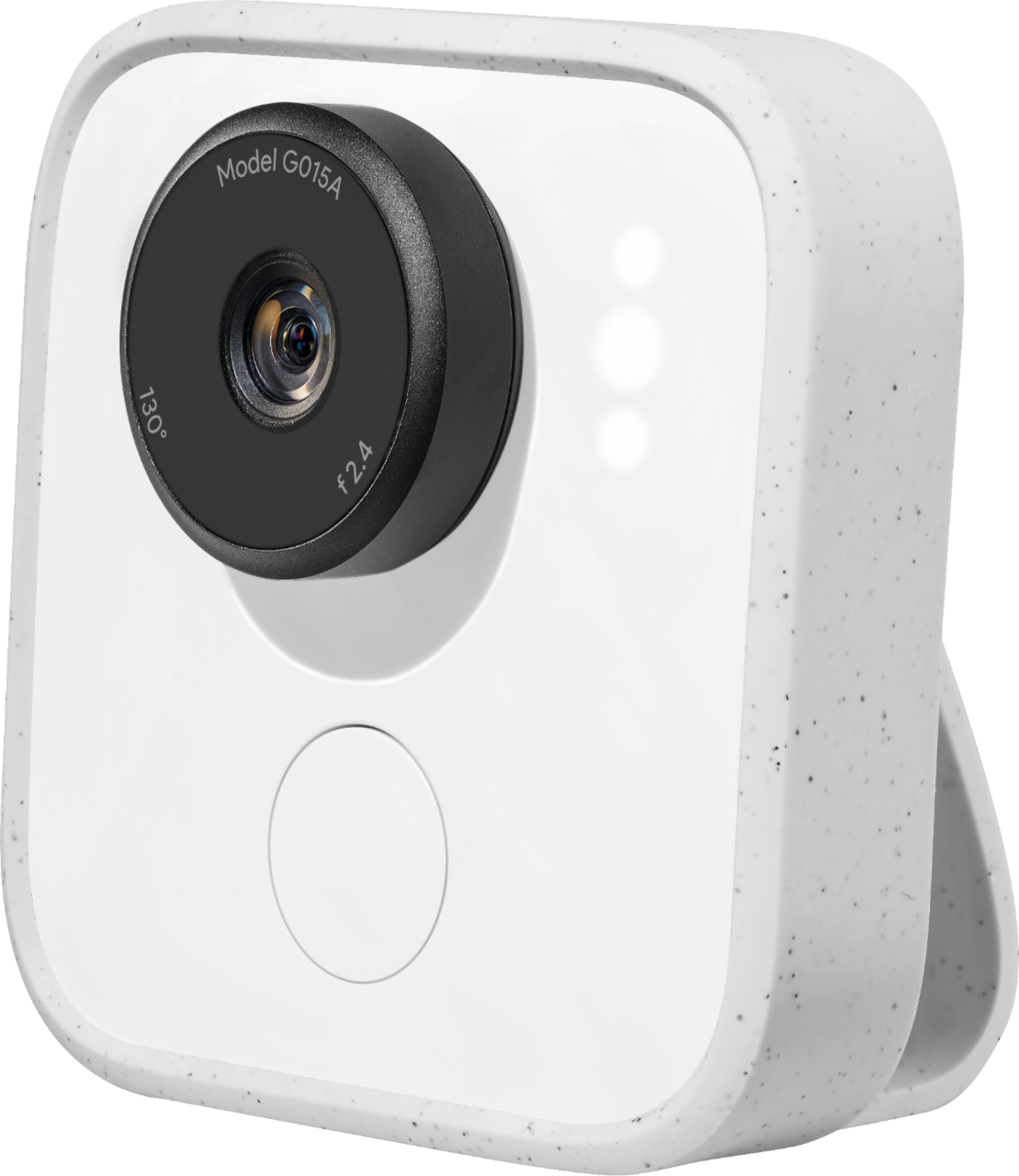
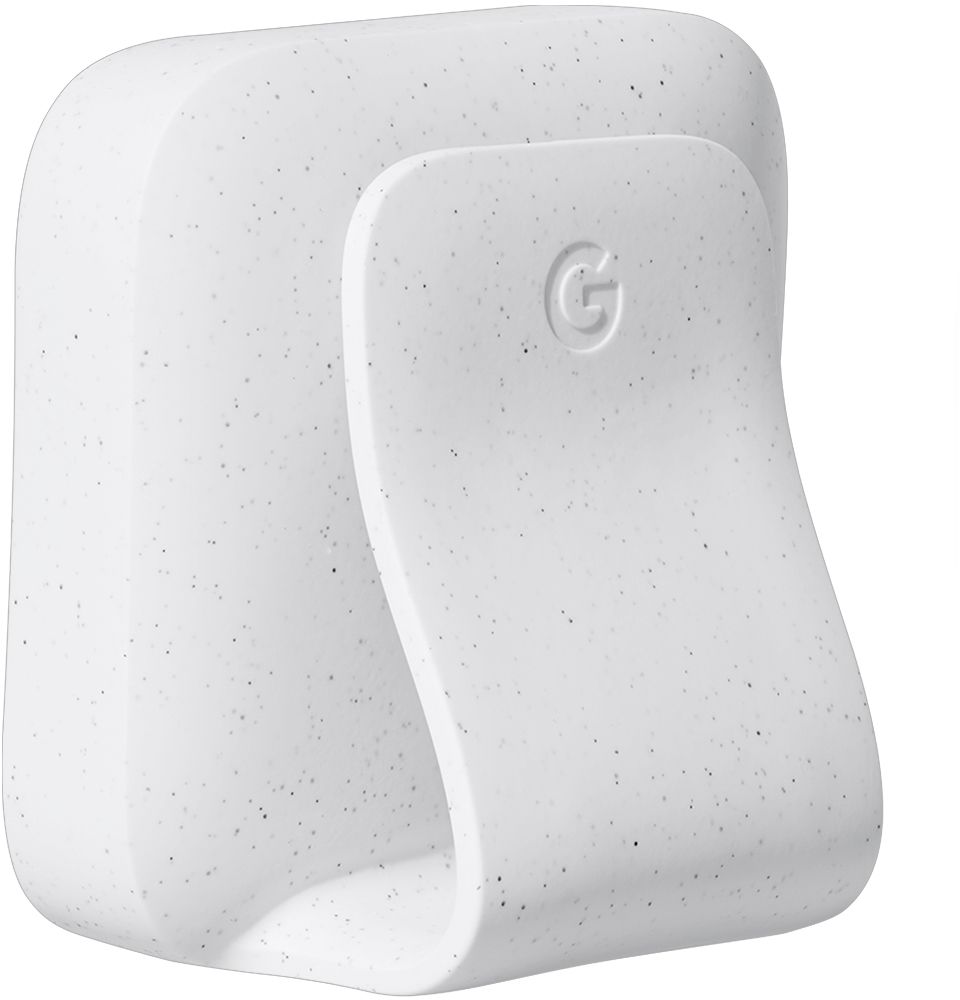
|Posted .This reviewer received promo considerations or sweepstakes entry for writing a review.I went into this not expecting much. I was curious about Google Clips ever since it was announced and from the time I’ve had using it I have to say I’m pleasantly surprised at how great some of the pictures and clips that come out of this are. You get a lot of not-so-great pictures, but the best ones are moments I could never hope to capture on my phone because that moment is usually lost in the time it takes to get your phone out, open the camera, and take the picture. Google Clips does really well in this regard and almost makes it feel like a disposable camera in the way that you’re not reviewing every single photo you take until you go through the camera later; you just let it do its thing and go. It has its shortcomings and for what it is I do think it’s too expensive, at least for me, but I can see some real value here for families once you get to know it. The camera is very compact - it’s about 2 inches wide by 2 inches tall and about an inch thick. It comes with a rubber case that has the clip built-in. The clip feels solid and is pretty easy to open and attach to things. It also allows the camera to stand on its own on a table or the floor. There’s one button on the camera for manually taking photos; most everything else is done through the app. Setting up through the app was dead simple and about as easy as any other Google product. Using the camera requires a little bit of faith and experimentation. You twist the lens and it will automatically start looking for pictures to take. The lens a very wide 130 degrees and I found that most pictures don’t look very good unless you get right up to whatever/whoever your focusing on. It’s an odd feeling not know when it has taken a photo or how they look - the camera will flash its LED to let you know it’s on, but I don’t think it does anything to indicate when it’s recording something. I think the main reason is it takes A LOT of pictures and videos. You do end up with some garbage, but buried in there are just some of the best pictures. When I say best I don’t mean image quality - I’d put that on par with a phone from maybe a year or two ago - they’re just the type of pictures you’d have a really hard time getting by yourself. I swear our dog knows when we’re trying to take a picture of him and we’ve gotten some of our favorite pictures with the Clips. It’s not completely hands off; if you just leave it looking out into the room most of your pictures are going to look like security camera footage, but as long as you have a general idea of what you want it to see and help position it for that you’re going to get a least a few good pictures. The photos and videos all live on the local camera storage until you save or delete them from the app, which is good peace of mind knowing everything isn’t being automatically streamed to the cloud. The videos are short and don’t have any sound. They’re longer than something like a Live photo on the iPhone, but they only go up to 7 seconds. Battery life is also relatively short at around 2-3 hours, though I never used the Clips long enough for that to really be an issue. The onboard storage is 16GB (not expandable), which also feels perfectly adequate as long as you’re getting on there and saving/deleting things enough. One issue I ran into is the Clips can only be paired to one phone at a time. I’m not sure why this is, but in order to connect to a new phone you have to reset the entire thing, which clears all the pictures you haven't save. It makes sharing this with a partner a pain. As much as I love the Clips, I don’t think we’re going to see another one, at least not in its current state. It feels niche like an Instax camera, but it’s too expensive to be an impulse buy. It feels like a beta for something better that’s yet to come, but for the right person I do feel like this could be a godsend. It certainly surprised me.
I would recommend this to a friend - Cons mentioned:Battery life, Compatibility, Focus
Ok Product – Could Have Been Much Better
|Posted .This reviewer received promo considerations or sweepstakes entry for writing a review.I am rating this Google Clips product at 2.5 out of 5 stars based upon its initial selling price compared to its overall limited functionality, with that said, Google could upgrade the product firmware and add some functionality which would make it a more versatile product. It seems to me that a product of this type should have been made to be more versatile, it is designed to be placed in various locations and it automatically captures short video clips of you and your family and friends, but naturally a customer is going to hope that it could also do other things, such as have more video and picture capturing modes. The Google Clips app could have a mode that would allow it to capture more than 7 seconds of video, and also a mode that captures only a single picture each time that the shutter button is pressed. These are things that Google could add to future firmware upgrades. The future upgradeability of this product is limited in several ways, Google will not be able to add the capability of this camera to record audio, since it does not have a built in microphone, not adding a mic was a bad choice, after all, adding a mic would have been simple, and what customer would not hope to be able to record video with audio at some point if owning this Google Clips product. Another way the future upgradeability of this product is limited, is that this camera does not seem to be designed to be able to focus on objects that are close up to the camera, say for instance if Google ever added a mode to capture only images with each shutter press, then if you wanted to take a close up picture of an item in hopes of getting a really detailed view, this still won’t be possible because this camera does not focus well on up close objects. With that said, the Google Clips does capture objects that are at a distance clear enough. As it is, upon the release of this product, its functionality is limited to 7 seconds of video, or a picture download capability, of which if you wanted only a single picture, every time the shutter button is pressed, it records 7 seconds of video anyway, and a picture can be downloaded from any place in the 7 seconds of video. Given the limited functionality of this product, why on earth is the original selling price so expensive? This is what any customer might wonder given the impressive functionality that is built into most electronics these days. This Google Clips product has quite limited battery life, it is a small portable product so this in kind of to be expected, but I was expecting a bit better battery capacity, and I was actually surprised that it took so long to charge the battery. I did not test to see exactly how long it took to charge the battery, but I did find myself looking over at it several times and being surprised that it was not charged yet. Last of all I found it quite annoying that in order to connect a smart phone to this Google Clips, it is necessary to have both the Bluetooth and WiFi turned on. Bluetooth can transfer data in the same way that WiFi can, except WiFi is faster, and since this product requires the faster WiFi connection to be able to transfer video fast enough, I am not understanding why it is necessary to also need a Bluetooth connection in order to connect your smart phone to the Google Clips.
No, I would not recommend this to a friend - Pros mentioned:Ease of use, SizeCons mentioned:Resolution
Just get a camcorder or an action cam
|Posted .This reviewer received promo considerations or sweepstakes entry for writing a review.This little camera is interesting to say the least. I have never seen anything like it. It’s small, light, and easy to clip on anything that is no thicker than a half an inch or sit on any flat surface and let it record some random moments. Maybe I haven’t given the smart feature enough time to “learn” what to take, as it seems truly random. From slight subtle movement to absolutely nothing in the picture, see photo where I left it in my truck. Then you have to sort through it, finding what you hope it captured and wondering why it suggested that particular clip out of the multiple clips taken over a 3 hour period. Then, if you simply hit save, it saves the mp4 clip to your phone to let you find another way to edit it if you didn’t decide to edit a photo before you saved. The resolution isn’t bad, but isn’t amazing either. Though the specifics of the camera are limited, it appears to save them at a 6MP resolution and the frames per second can leave some strange jitter effect in fast moving clips. It has an auto leveling feature, so it always keeps the camera upright, but if it happens to record while moving it rocks the video clip with it. This is not an action camera by any means. However, it is about the size and format of one. For the price though, you would think that it is, as there are cheaper cameras that provide better resolution, full video capture, a display screen and fully waterproof. I can’t recommend this to anyone, for any purpose. I would personally recommend getting a camcorder or an action camera for the price they are asking of this and then you can capture every moment, with sound, water resistance and removable storage.
No, I would not recommend this to a friend - Pros mentioned:Lens, Storage, Video quality
Cool gadget, needs development
|Posted .This reviewer received promo considerations or sweepstakes entry for writing a review.Clip is the new AI powered camera from Google. It is cool that they have packed there people recognition algorithm into a chip a feat in its own. While the clip may seem to be a security problem it is not, all clips are kept and processed in your camera. Your clips are never uploaded, never sent to Google. There's no internet connection, the Clip connects to a single phone at a time by a Wifi Direct link. You can manually train the camera to recognize people and pets important to you or you can “prime” the AI algorithm with pictures from your google photos. The AI is contained on a chip in the camera not on some remote server. Google is serious about privacy your videos encrypted and Clips won't let other phones access them in fact it will wipe your Clips internal storage if someone tries. The only way to access those videos, according to Google, is to stream them wirelessly to your phone. You decide wat happens to them from there just like your other photos and videos. The clips are assembled from still images into seven second clips. The camera decides what to capture looking for familiar faces or interesting activity with the AI. The Camera captures a 130 degree wide angle view with optimal focus at 6-8 feet at 15 fps at 6-8 megapixel resolution in 1080p. The video is H264 encoded. The camera lens itself if gorilla glass. You can export clips in many formats including MP4, Jpeg, and Gif. Using the Clip app you can extract single photos or export the whole clip. You use the device by setting it somewhere and letting it automatically capture based on the AI. This is where training helps, I have the sense that if you train it more you will get more of what you want but that has not happened yet. Google will probably update the AI and provide a training routine as more of these get out into the community. I was able to get some candid shots of my wife using the clip and the quality is good. Overall I feel this camera has potential but it needs more development for the $249 list price you can purchase better products. At a $50 price range I would buy it if you have Kids or pets you would like to get pictures of that you may otherwise miss. If Google adds more AI smarts and includes sound in new models then my opinion may change.
No, I would not recommend this to a friend - Pros mentioned:Video qualityCons mentioned:Battery life
Limitations Ruin the Fun
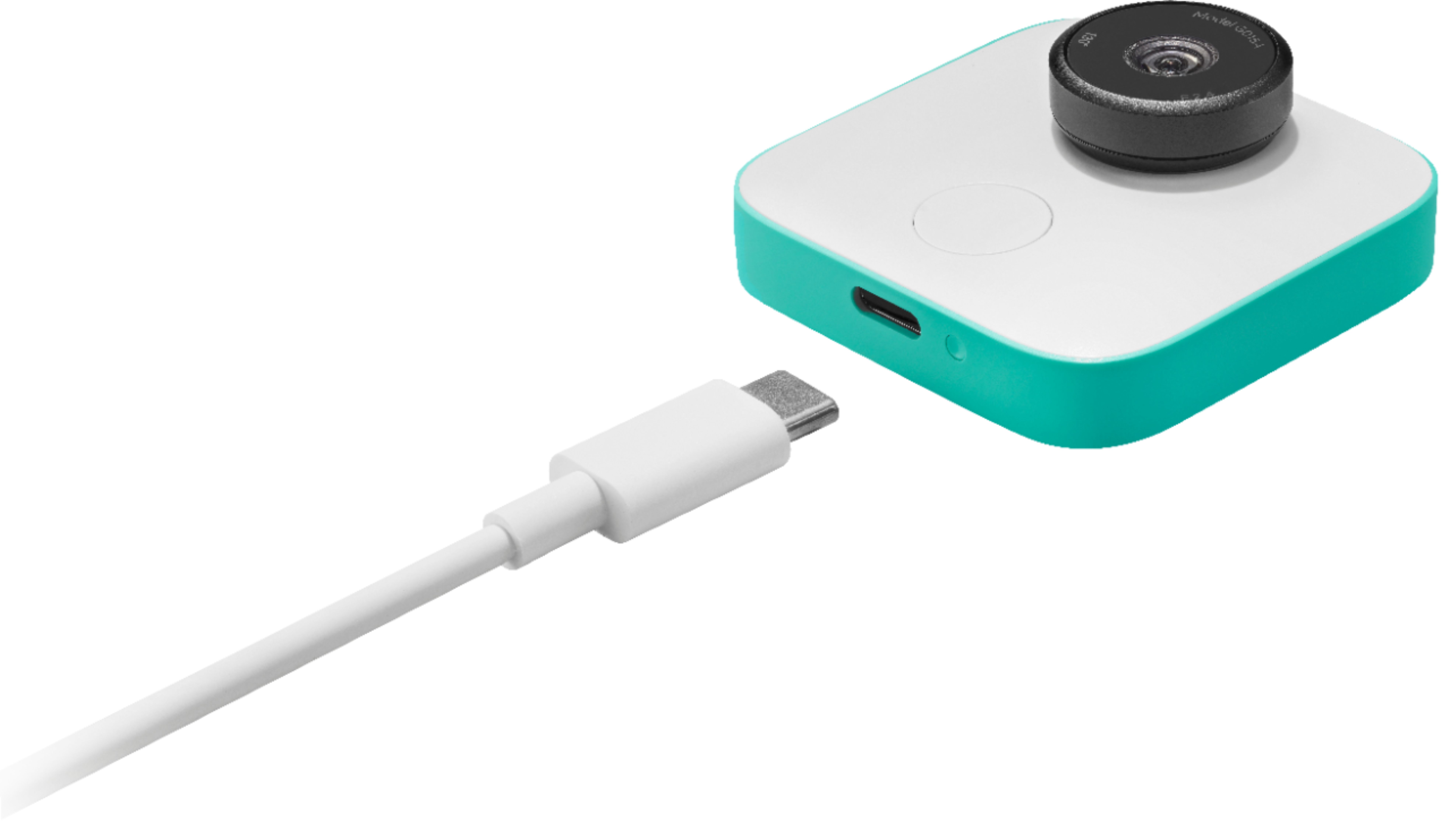
|Posted .This reviewer received promo considerations or sweepstakes entry for writing a review.---SETUP--- The setup of the Google Clips white camera was painless. A full charge out of the box takes under 2 hours, as well as a charge from zero percent battery. You can begin using it and setting it up while it charges with it’s included USB-C cable. It requires a download of an app called Google Clips. The app itself guides you on connecting it to the phone. It doesn’t require internet for use, as it connects wirelessly to your phone via bluetooth by creating its own local network. ---FEATURES--- The key feature of this camera are that it auto-detects family and pet members when in front of it to take motion pictures (no audio is ever captured as the device has no microphone). The battery lasts about 3 hours of continuous use and has an internal memory of 16 gigs, which is more than enough for the images it’s taking. The app is simple to understand and can transfer photos from the app to your phone’s gallery with a simple swipe (for individual photos) or you can transfer/delete all photos at once through a quick menu option. It comes with it’s own protective case with a clip to hang in places. The clip also doubles up as a stand. Also, the lens is protected by a Corning Gorilla Glass 3, a leading brand of protective glass makers. The camera will auto-correct itself if you put the camera upside down, though if you put it sideways, you will end up capturing images in portrait mode as opposed to landscape. ---PERFORMANCE--- This camera is great at taking crystal clear pictures when there is plenty of lighting. It doesn’t perform well in darkly lit rooms, though. Though you can see a live feed of what the camera is looking at and take a manual picture from a button on the camera itself or wirelessly from within the app, though the purpose of the camera is for users to rely on an algorithm that detects when people are smiling, celebrating, or moving. This also applies for pets like dogs and cats. That algorithm, though, is unreliable. I tried taking a picture of my family as we posed in front of the camera and stood there smiling for several seconds. The camera captured the moment I was approaching my family and the moment our family walked away from the camera, but not the actual moment where we stood there smiling for 7 seconds hoping to get a good image of us. To the app and camera’s credit, though, whenever it does capture good pictures, editing is a breeze from within the app itself. If you save a full motion picture to your iPhone (the device I tested it with), it saves as an iPhone LIVE photo, the kind you can hold your finger against the screen and it moves temporarily. That is neat. ---EXPECTATIONS--- The product does not meet my expectations. Though it has a lot of potential, it’s unreliability render it useless as a candid photographer. Instead, it serves more of a neat parlor trick to show of your friends random pictures that the device decides to capture. Most of the time, you’ll probably end up capturing the back of heads, because few people actually stare at walls or edges of rooms. A feature I thought would be great was the ability to share the camera view with someone else. However, I discovered that after sharing the camera with someone, the current viewer of the camera loses connection. This means that two people can’t be watching the live feed nor have access to see the pictures it’s taken at the same time. What’s worse, if that person you share access to the camera decides to delete a picture or save it to their phone, you will not be able to see that picture unless you ask for a copy of it to be sent to you. Be careful who you give permission to access your camera. ---VALUE--- The price for the device in terms of value is a bit high for its limitations. ---APPROVAL--- This product is hard to recommend, but I can see people who want to use it to capture unique angles of their children or pets could come to appreciate what it does. It wouldn’t do a good job of monitoring constantly, though, as its short battery life (3 hours) isn’t suitable for a turn-on-and-forget mode. Since it does work while being plugged in, that could be an alternative route to take, but it then defeats the purpose of being inconspicuous and would limit your locations.
No, I would not recommend this to a friend - Pros mentioned:Ease of use, Video quality
Good innovation, little purpose with no options
|Posted .This reviewer received promo considerations or sweepstakes entry for writing a review.My initial thoughts when I first heard about the Google Clips were the idea seemed innovative and could come in handy in certain situations. So, of course, I had to have it like any tech geek would, especially since most of the products I already use are Google based. However, when I received it, I wasn’t exactly sure what I was going to use it for and was at a loss for ideas in my everyday life. Let me start off by saying the quality of the camera it what you would expect from Google (meaning great), the clips it takes are great like their Pixel cell phone cameras, it’s easy to use, very simple to understand and conveniently small and lightweight. I also like that the application syncs with your current Google Photos to determine who, in your life, is most important to you and to take clips of those people when it detects their faces. However, the cons far outweigh its use for my life, even with little children and animals; I found it’s just as easy to point and click with what you already have in your pocket like we’ve been used to for the past decade. There is much room for improvement and I like the concept, I just wish there were more options for its use. I found myself trying to think up situations where it would come in handy and I could get the most picture "bang for my buck". So, I started off small by setting it on my kitchen table during dinner hoping to catch an epic fail moment or something that would start trending on social media… nope, just a regular family dinner as usual. I got plenty of clips of my daughter making a mess of her meal, as usual, and found that it would be really nice to actually hear what was going on, not just seeing a three second clip. Then I decided to take it to a friend’s child’s birthday party but after I arrived thought it would be awkward clipping this thing on my body in hopes for another great family moment or trending video… nope, just a bunch more three second clips of regular everyday life moments. Next, I set it by my pool to capture the fam in the water… except I’m usually the one behind the camera and realized after viewing clips why I’m still insecure about being in pictures myself as I tend to ruin them; my family is much more photogenic. Again, more and more three second clips. Okay, this sounded like a great innovative idea but perhaps not in my world. The best part about it was that I no longer felt obligated to have my cell phone camera at the ready and this little guy took more clips than I would have ever considered taking in any situation. You do have the opportunity to review the clips before saving them, and the application is very user friendly and easy to set up; swipe one way to save the clip and the other way to delete it. The device has on board memory so you don’t have to worry about having your phone around you at all time and once you’re back in range of the phone it will upload the clips. A few improvements I would like to see are the option for sound, the option to take single pictures or record longer than three second videos, a small built in screen for reviewing clips and waterproofing would be a start to compete with what is out there for small cameras. Any option for accessories, like a waterproof housing, would be great too; there really isn’t anything aftermarket that serves much of a purpose.
No, I would not recommend this to a friend - Pros mentioned:Ease of use, Video quality
Creative little camera with a powerful purpose
|Posted .This reviewer received promo considerations or sweepstakes entry for writing a review.Over the past couple of years, I’ve had a lot of experience with connected cameras. I have a natural attraction to them because they can be used for so many different things. I typically use them for security and monitoring my home but Google has actually come up with a new idea for these connected devices — personal memories. The Google Clips camera is designed to be worn so that you can continue capturing memories without having to interrupt your activities. Getting started with the Google Clips camera is actually incredibly easy. First, you want to make sure that the camera is charged. When I unboxed mine, it was not charged and therefore I had trouble getting it to work. After discovering that power was the issue, I didn’t have many problems. Once the camera is charged you only need to download the Google Clips app and connect to your camera. To set it up you will press the button on the front of the camera so that the app will read it. Once it detects a Google Clips camera, the ID code will show up in a menu. You select it and then that camera is connected to your phone. A Clips camera can only be connected to one phone at a time. And, even though the camera doesn’t require a network for general operation, it will ask to connect to WiFi to make sure that its software is up to date. Once the camera is up to date, you can then start using it. A simple twist of the lens and the camera starts capturing camera clips. The nice thing about these ‘clips’ is that they are simple. Each clip is a motion photo that lasts several seconds. There is no audio recorded but you do get high-quality photos and video. I have been unable to find what the actual resolution is of the video/motion images but a still image translates to 2566 x 1859 and downloads as a JPEG. While I like the concept of this device overall, I do see some issues with it. First, it’s not capturing actual video. It’s recording the equivalent of a Live Photo from Apple, which is a combination of a JPEG and a 3-second MOV file. In this case, the motion is captured as H.264. I found out though that you cannot simply save the memory off to your desktop. For example, I took a clip using the Google camera and then I saved it to my iPhone’s Camera Roll. At this point, the clip showed up as a Live Photo. Then, I tried to share it with myself using AirDrop. Unfortunately, the clip was reduced to a still image at this point. I did share it with myself using iCloud Photo Sharing and could still view it as a Live Photo in my Photos Library but again, I could not export it as a motion file. Conclusion I’m a little confused about this tiny camera’s purpose. When I started out on this review, I thought I had found a gem that could possibly be a supplement for my video equipment needs. What it turned out to be was a camera that replicates what my iPhone does with Live Photos. Because of this discovery, I’m just not sure what the best use is of this camera. I like the idea that it will continue recording clips even when you aren’t clicking a shutter button and I know that is useful for capturing memories especially around little ones but I don’t like that you can’t save those motion images any further than a photo library.
I would recommend this to a friend - Pros mentioned:Ease of useCons mentioned:Battery life
A natural extension of UR phone
|Posted .This reviewer received promo considerations or sweepstakes entry for writing a review.Came in a handsome square shaped box with a clip stand and charging cable. I had already installed the Android app but couldn’t finish setup as battery was too low. Might be able to use the wall charger that came with my OG Pixel phone, as it uses USB-C also. After charging the device to 85% I mounted it to the included clip stand and then attached it to the top of a coffee cup. Took three clips and then used OG Pixel phone to cast it to a family room TV. What fun that was ! After a few minutes, I realized I could have used the clip stand to place it on the kitchen table. There is an optional, small tripod and carrying bag I might purchase to get more out of the Clips. I do like the option of just saving clips to the device and not being forced to upload to the cloud. Just so U know I have been using Google Photos since it came out three years ago and don’t mind storing photos and videos on the cloud. By doing this I can use any internet enabled device to look at my content. I view the Google Clips as a natural extension of my phone and can’t wait to visit a relative with two dogs and use the device at several family gatherings later this year. AI for Photography is great fun and I look forward to saving those special moments. I highly recommend this product. And not just for families or people with pets.
I would recommend this to a friend - Pros mentioned:StorageCons mentioned:Battery life
Clever Camera - creative uses
|Posted .This reviewer received promo considerations or sweepstakes entry for writing a review.To be honest - I was a little unsure how to "test" this Google Clips camera. I already have my house monitored by 8 wireless cameras, so I wasn't sure of how to use or where to place it. After thinking a few days - BOOM - I had an idea! In the last few days, I've been attend High School Graduation parties. I decided to clip the camera on the photo boards that the graduates are displaying - capturing candid shots of the guests as they walk past looking at the pictures! AWESOME! We got some pretty cool shots! The camera itself is impressive. It has 16GB storage, a large 130 degree field of view and takes live photo shots! My only complaint is the 3 hour battery life. You have to recharge it everyday at a minimum - so just another thing I have to remember to plug in. The concept is great - but I'd like to see an 8+ hour battery. I turned it on before the 4 hours grad party started so I could gather some of the setup, and burned through an hours and a half of the battery - so only could capture 90 minutes of the party.... I'd also like to see a few different mounts come standard. Perhaps a suction cup, larger clip and adjustable angle. Overall - if you're looking for a new perspective on your photos - this is a very cool addition to parties, events and normal family life!
I would recommend this to a friend - Pros mentioned:Storage, Video quality
AI Camera with very little AI
|Posted .This reviewer received promo considerations or sweepstakes entry for writing a review.The Google clips camera is the first of its kinda to offer AI support with facial recognition to help capture some of the best moments in your life. Its goal is to take the photographer from behind the lens and allow them to be part of the picture so that all of lifes little moments can include you in them. Rather or not it truly accomplishes this task is a matter of personal perspective. Hopefully this review will help in deciding if this is the right buy for you. First lets talk about the some of the basics such as what you will receive out of the box and some of the functions you will find on the camera. Out of the box you get the camera, usb c cable for charging and a cover which also acts as a base to mount the camera in different positions and angles. Set up is done through the Google clips apps which also serves for the main Hub for all your photo viewing, editing and storage. Full charge is accomplished in about an hour and you can expect to get about 3 hours of run time depending on how active the camera is for that moment. Twist the outside of the lens clockwise and the camera will power up and start working. Right underneath the lens is a shutter button which allows you to manually snapshot a photo . Photos can be taken in 3 ways Motion photo ( These are high quality photos with short 2 sec video clips), Video, and animated GIF. Photos are stored in the cameras internal storage which is 16GB of storage. With that much storage you won't have to worry about deleting and editing photos immediately and can go back and review your photos at your convenience. Simply swipe left to delete them and right to save them. You can manually go in to each photo and pick a certain moment in that photo still shot and zoom in at the particular moment you want to focus on and proceed to crop and edit. Once you have the desired image you want simply hit save and Google clips will then transfer that photo directly to your phone. Google clips will also ask you if it can access your photos to help with facial recognition to help identify in deeming when an important person is nearby to start snapshot. This is supposed to help with the AI's training process however it seems pretty much useless at this point since it snapshots just about anybody that walks by. Google clips takes pretty good still photos and has a good low light lens but at 15fps don't expect any smooth video clips that involve anything other than walking. Sounds decent right? So why the low score? Google is pitching this as an AI photographer that can can basically adapt and learn people and important moments so that you can take part in the photo with your family. This is a very hard claim to back up due to the fact that in my eyes this seems more like a glorified security camera. The reason i say this is because the camera snap shots anything that seems to trigger motion. My sister just recently had a baby and i will admit it was very nice to be able to set this thing down and hold my nephew while it started taking photos. However there was nothing intelligent about it. There are a series of three lights to the right of the lens. When the camera is turned on it will light up one light letting you know that it is on and actively searching for photos, however there is no indication of when it is actually taking a photo so that you can pose for it. Once we left the room to get something to eat i had noticed the camera kept taking photos of absolutely nothing. The blinds moving from the a/c duct had trigger the AI in to thinking something important was going on and so it started taking photos. This is no different from my home security camera which pretty much does the same thing. Anytime motion is detected on my security camera a video is taken and stored. Google clips is no different in the fact that there is very little to almost no AI interaction with this camera. Sure over time in the photos it will tag it with a little cluster of stars in the upper right hand corner letting you know that it recognized this person but that's about it. Here's my final verdict and take away from this camera. While the camera does have some nice features and will allow you to take part in family events and life's precious moments there is nothing smart about it that allows for it to be labeled as having AI ability. While it is still a nice piece that i can see myself using in the future its lackluster function and ability to contain no real "break out of the box" ability makes the item kind of hard to buy especially at this price point. If this was just labeled as a standard automated camera and came in at a lower price i would of given this a better score. At the end of the day its really hard to say "GO OUT AND BUY THIS, ITS GONNA CHANGE YOUR LIFE'" when the reality is it won't. Buying this is really going to come down to personal preference and budget. If you do decide to buy this just keep this one thing in mind. While it may take good photos don't expect too much recognition out of the AI system, at least not yet anyways.
No, I would not recommend this to a friend - Pros mentioned:Video quality
Good for use at home but freaks other people out
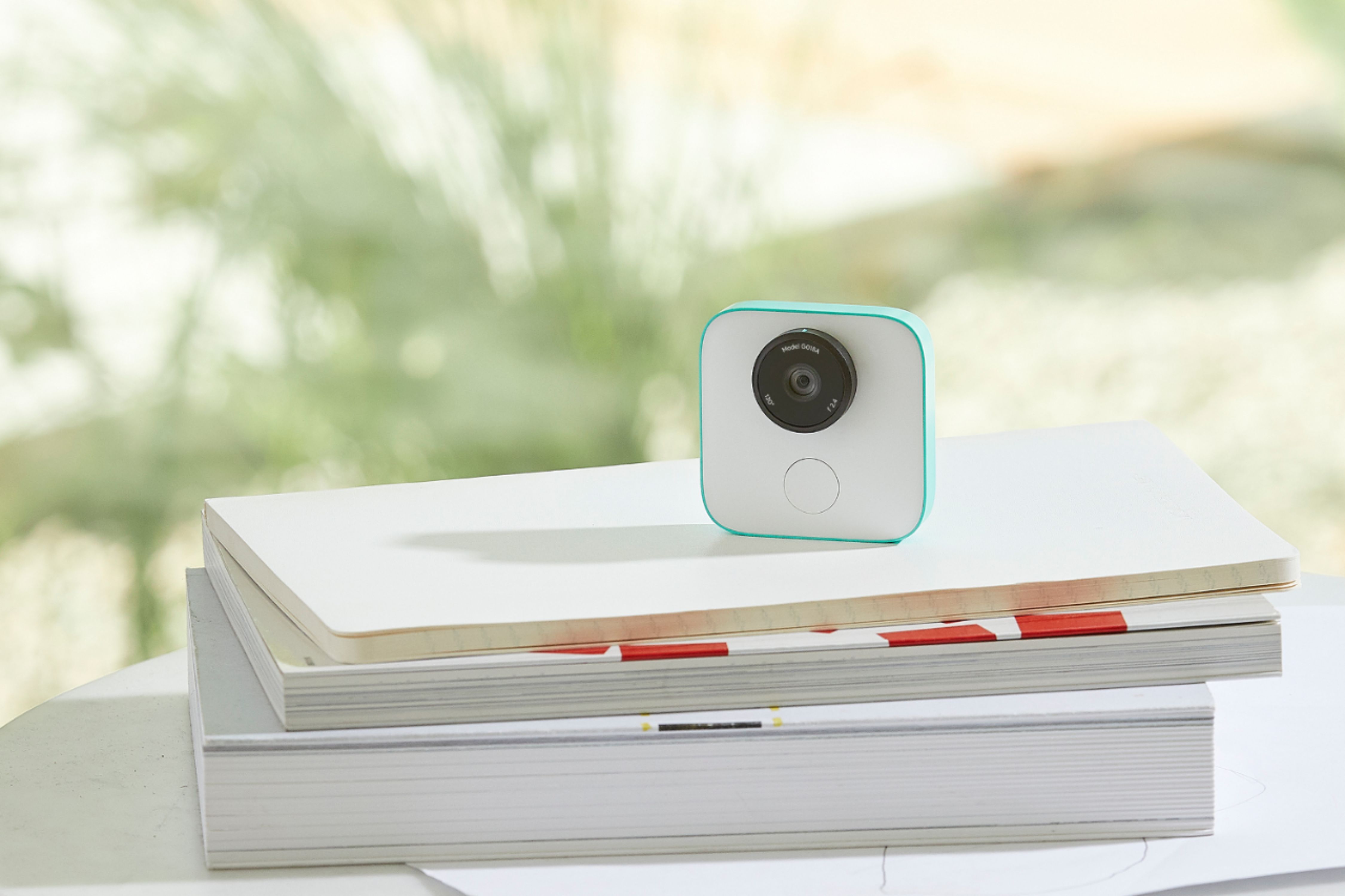
|Posted .This reviewer received promo considerations or sweepstakes entry for writing a review.Google Clips is a neat little camera. It's about as tall as a credit card and 2/3 the size of a credit card in width. It weighs just two ounces and comes with a clip so you can wear it on your shirt collar or attach it anywhere you like. It recharges with a USB-C type charger, which is included. Once you turn it on, you can either manually take short video clips by pressing the button or you can let it take its own clips when it thinks there is someone of interest in the shot. A nice feature is that it will right the picture no matter which way you have the camera oriented. So if the camera is sideways, the video will still be right side up. The only caveat to that is that if the camera isn't oriented either straight up, down, left or right, the resulting video will be tilted slightly. You can later fix this in the Google Clips free smartphone app's built-in editor, but it will zoom the picture and you'll lose some of the outer parts of the clip. The video clips last about 7 seconds each and are in color but with no sound. Clips is perfect for setting somewhere to capture your pets or children in the moment, not posed. Clips captures video, not still images, but you can get still images from any video clip in the Clips editor, which is another nice feature. When you take this out in public, people tend to get a little freaked out. People generally don't like to be filmed when they don't know they're being filmed, so if you wear this to a party or just anywhere in public, you're bound to get some leery glares, if not comments; so beware of that. Viedos are stored internally on the Clips and nothing is sent to the cloud, so you don't have to worry about leaked videos in that sense. That said, the videos do get sent to your app on your smartphone, so there is potential there for them to get hacked. The only way for you to view your videos is through the app. Overall I'd say this is a pretty neat little gadget that's great for people with young children and/or pets. Just set it and forget it and wait for those adorable video clips to pour on in.
I would recommend this to a friend - Pros mentioned:Storage
Cool little camera packed with Tech but ...
|Posted .This reviewer received promo considerations or sweepstakes entry for writing a review.So I'm the new owner of Google Clips. I'm a tech nerd (hence the name), tech enthusiast and camera appreciator that will jump on the chance to try almost anything camera related. I own DSLRs in the $2K range and below so I'm always look at not just specs but also usability, functionality and practicality of a camera. Google Clip is a little camera with intelligence and learning AI used to capture life's little moments. (I'm paraphrasing) I really got it because I thought it was a great idea. A camera with an AI that learns the about you and the people you with recognizing faces and also framing or certain lighting conditions where if you had a regular camera you'd be getting ready to take a picture. Well Google Clips also everyone to be in the picture, kinda like having your own personal photographer. That's what I got from their marketing. So Google Clips is a really cool idea, Google says it captures Motion photos (JPEGs with embedded MP4s), MP4 (NO audio), GIF, JPEG. Make sure you set which format you want. Remember there is no audio for any of the formats which is a bummer. The Motion photos is a bit tricky if you don't have the right viewing app or too. Google says it's best used with Google Photos. Although Google doesn't officially post any photo/video specs, I found my JPGs were at 3078x1952 pixels and the MP4 were output at 1540x976 pixels. The camera itself has an f2.4 aperture lens which I tested in a low light out door bbq and it worked well with little lighting. Google Clips has an internal 16gb which is plenty of room and Google claims 3 hours of use before having to charge again. I wasn't able to verify that I was able to use it for 3 hours but it came really close since I forgot to charge it the night before and began use at 75% charge. Right out of the box, you get Google Clips, case/stand and a USB-C cable and of course your instruction manuals. I'm somewhat of a videographer so set Google Clips to record at the highest quality and also fast frame rate, out of the box it's set at a lower frame rate to save space but I found the movements not really to my liking and usable for making home videos. So if you're like me make sure you play and change the setting to suite your taste. Since Google clips doesn't record audio I like using it for B roll videos where I can stick non-audio clips from another camera other then my main camera into a video I'm making to help keep the video interesting. I think this is a great idea and awesome way to capture video of which you might just not want to always pull out your cellphone camera and hit the record button. If any there was a way to get audio.
No, I would not recommend this to a friend - Pros mentioned:Video quality
A tool for capturing those special pictures.
|Posted .This reviewer received promo considerations or sweepstakes entry for writing a review.Taking Google Clips out of its box you might think its a Duplo Lego accessory. It’s got that soft, but unbreakable, plastic look and feel, in a perfect raised square . . . but with a lens on the face of one side! Not a play block at all, but an actual camera. When you plug it in for charging using the USB-C port, you realize it’s got electronics inside. The giveaway is a trio of blinking lights. These indicate when you snap a manual photo. In its more usual application Google Clips is designed to be used as a stand alone video camera. In this use one light blinks away letting you know it’s on standby waiting for any random, interesting or special people to perform out in front of the lens. You aren’t given indication of actual picture/movie capture but it uses AI to capture 7 seconds of 1080p video which you later edit with the mobile Clips APP. You can extract individual images or use the video mp4 or create a GIFs from your capture, all using only the APP. How did it all work? The camera definitely stayed busy when placed in front of active people working in a kitchen and in an exercise area. The resulting photos and videos covered a wide range of quality. Many videos were a little soft because of motion blur. Still pictures were similarly soft or out-right blurred. And yet, there were a selection of fairly sharp videos and stills in the extensive collection Google Clips provides after an event. Having a 3rd “hand” with a camera always at the ready is not a bad thing. The APP is easy to use and you decide what pictures to edit and then send off to your photo or video library. Use on my iPhone6 and the hand-off to my Photo APP was seamless. What’s it good for? Have you got youngsters and pets? I’ll bet many people will find that Google Clips is more persistent and reliable at taking those exciting, fun, wonderful pictures your friends or family always seem to have but you keep missing. The device has a snug silicon case which serves as a stand or clip for attaching it to things. You will not want to use it for security or travel because there are too many limitations for those purposes. The battery has approximately 3 hours of life before recharging, and the auto-capture technology is really looking for faces or pets. Recommendation: Goggle Clips really is that 3rd “hand.” I’m betting your current smart phone/camera can take better pictures, but only you know if you can be trusted to pull it out at those family and special events. For me, it’s less useful, so the cost is harder to justify. Your calculation might be different. Considering the high number of soft images, I’m lowering the score to 3.
I would recommend this to a friend - Cons mentioned:Battery life
Overpromised and under delivered
|Posted .This reviewer received promo considerations or sweepstakes entry for writing a review.I had high hopes after seeing the press release but the Google Clips falls a bit short. Ill explain why below. Pros: • Easy setup • Minimalistic design • Comes with case and clip • Great app Cons: • Cost • Short battery life • No indication on recording Like other google products, the quality and ease of use is fantastic. I love the innovation and the idea of an AI driven camera that puts me in the center of the action. As a photographer myself, there are very few photos of me with my family as im always the one behind the camera. I loved the idea that I can set it down and its not continuously capturing but smartly capturing key moments via its AI algorithms. Reason for my 3 star rating is the following: • Yes im in the videos/photos but its hard to aim with no view finder. The lens is super wide so everything looks very small if its not within 3 feet from you. • Cost. Maybe worth $125. Not MSRP at $249.99 The perceived value isn’t there. I know its packed full of technology for facial recognition but it should come with a few more things to justify the high price point. • No indication that its recording. I wore the camera on the collar of my shirt while playing with my daughter hoping that it was capturing all her smiles at 7 weeks old. Logged into the app, nothing. I was crushed. It could have been user error and I realize I could have used the phone to live stream it to check my aim but where was the spontaneity? Maybe a small audible beep if it doesn’t detect a face every 30 seconds? I want to recommend Google Clips for the shear idea of the potential, but I really couldn’t with the lack of execution on its promises. It may be a bit early and early adapters beware.
No, I would not recommend this to a friend - Cons mentioned:Battery life
Innovative Product
|Posted .This reviewer received promo considerations or sweepstakes entry for writing a review.I was skeptical about this camera at first but it eventually won me over after using it for a few days. First off, this is a luxury item. Most phones can do what this camera does so you only really need one of these for situations like: - You want to be in the moment at certain events and not focused on getting good pictures - You like to grab a bunch of content and edit later to find the perfect images The best thing about this device is the partner app. It works flawlessly and allows you to easily edit and/or upload any of the content you capture. Your phone pairs to the camera and will allow you to adjust settings from within the app and even tells you the battery life of the camera. It's very small and lightweight (see picture below with an Apple TV remote for scale). You can easily take it anywhere. What I love about the camera was how I could go into the app, easily delete any footage I didn't care for by swiping left, and then use the edit feature on certain clips to find the perfect image. Since this camera is taking many clips, you are able to view each frame of the clip and save an individual photo that you like best. Cons: - Battery life is not great. After playing around with it for about 30 minutes the app showed me at 50% battery life. I expect that I'll have to turn it on and off to save battery life during some outings. - Like most cell phones, image quality is not great in low light. But it works great outdoors. This camera is not for everyone. But if you want an accessory camera that you can leave on its own and play with the media later on to find some great shots, you'll have fun with this.
I would recommend this to a friend - Cons mentioned:Battery life
Fun camera for automatic spontaneous shots
|Posted .This reviewer received promo considerations or sweepstakes entry for writing a review.Pros: * Small and unobtrusive. * Easy to operate. * Captures spontaneous shots automatically and gets better over time. Cons: * Video quality is merely OK - especially in low light. * Have to plan for your spontaneous shots. * Relatively short battery life. * Too pricey for an impulse purchase. The Google Clips camera is designed to capture spontaneous short sound-free video segments. While that sounds good in theory, in practice you have to plan for your spontaneity a bit more than you might want. The camera lasts about 3 hours on a charge, so you have to plan ahead to not only place it in a spot that might get a good shot, but also have to charge it up and turn it on before capturing that great spontaneous shot. For example, if you want to catch your dog doing something funny, you have to put the charged camera in a spot where it might see the dog, turn it on and hope that the dog does something funny in front of the camera within the 3 hours of battery life. This camera can be kinda fun to experiment with, but ultimately its just not quite ready for prime-time. Longer battery life and better low-light sensitivity would help a lot - especially at the same price for a point-and-shoot camera that has better picture quality. The concept is fun and novel, but the product is best left in the oven a tad longer before buying.
No, I would not recommend this to a friend - Pros mentioned:Video quality
Ambitious Concept; Poor Implementation
|Posted .This reviewer received promo considerations or sweepstakes entry for writing a review.Google Clips has an ambitious goal: to help memorialize those quick moments where you can't get to your phone or camera fast enough to capture. Those times the kids or pets do something funny. Quick interactions at family parties. The camera wants to be a seamless part of your life, but in practice, it requires more effort than it's worth. PROS: - Easy setup, assuming you have a compatible phone. The Google Clips app (iOS and Android) will walk you through everything and begin the process of "learning" about your existing pictures, family, friends, etc. - Includes a sturdy clip-case that can also be used as a stand. - Durable design. The camera should easily survive short falls and curious children. - The Clips app is easy to use and offers tons of export options, including GIFs, MP4, and Live photos. - For a camera of this size, image quality is decent (perhaps a little soft-looking). CONS: - Google Clips wants to be a set-it-and-forget-it camera, but unless you only live or play in one place, you'll have to constantly remember to move the camera to wherever the action is. I already carry my phone with me, so the idea of hauling around a second device seems strange. - The camera "intelligently" learns common faces over time, but it seems to record very random moments. Movement alone will not activate the camera, but a smile or a laugh will. - The camera angle is very unflattering, as it almost always needs to be resting on a flat surface. Videos are often taken from way too low of an angle. What's worse, the camera has fallen down flat several times while I've used it. - Video clips look crisp, but they are very jerky (only 15 frames per second). Acceptable for GIFs and Facebook posts, but I wouldn't rely on this to capture important moments. - There is no obvious way to tell if the camera is recording. In my testing, that made everyone in the room a bit uneasy. Is it recording? Is it not? Should we perform for the camera or not? - The camera is compatible with a very limited range of devices. It only works with Pixel phones, iPhones, and the Samsung Galaxy S7 and S8. If you don't own any of those, this camera isn't for you. OVERALL: I'm partially confused and partially creeped out by Google Clips. It's not going to replace anyone's smartphone camera. If you want to use it effectively, you have to constantly remember to move it around and check the app to make sure it's recording what you want. I also don't like knowing whether or not a camera is recording me or my family. With a security camera, I've accepted the fact that it's always recording a specified area. With the Google Clips, I find myself constantly wondering whether it's recording me during an unflattering or unwanted moment. If you are heavily invested in the Google Photos ecosystem and don't mind tinkering with this camera to capture more footage of your family, then give this a look. But for everyone else, this feels like more of a guinea pig for Google's AI capabilities -- which, if Google Clips is any indication, could use some improvement.
No, I would not recommend this to a friend - Cons mentioned:Battery life
AI Automation Camera - Gets Better With Time & Use
|Posted .This reviewer received promo considerations or sweepstakes entry for writing a review.I looked forward to using this complimentary Google Clips camera at my Grand Kids home to see what Google's AI (Artificial Intelligence), Moment IQ, was all about. I wondered just how this cutting edge tech could benefit me by taking impromptu clips and images of my Grand Kids when I already had one of the world's latest, greatest smart phones to do that? ? ? Well, for starters this Clips camera can be setup inconspicuously almost anywhere, and runs continuously for approximately three hours. I would have to be in the same vicinity and have my smart phone in hand, ready to shoot at a moment's notice to duplicate what it can do. Additionally, my Grand Kids are now conditioned to say 'cheese' every time Grandpa has his smart phone ready to take their pics. The Clips camera almost looks like some kind of a toy, not a smart phone at all. It can be placed in a location to blend in with the surroundings, and, not noticeable. The Google Clips camera is an automated robot, which will also allow you to preview live action from a remote location if you wish through the Google Clips App and Bluetooth. I set my camera up clipped to the kids art easel on the wall facing the middle of the 'play room', which is approximately ten feet by ten feet. Google states that the optimum distance is from three to eight feet. It is designed for close-up video and image capturing, which is ideal for kids, pets, and immediate family members. So, what can I tell you about this ingenious little automated camera after two weeks of daily use? Probably the most important phenomenon is that Google Clips AI required some time to 'learn' my Grand Kids faces, expressions, gestures, playing habits, etc. The next most important dimension is that Google Clips presents opportunities for me to capture images I never would have been able to capture with my Smart Phone. WooHoo! The first eight days of use this camera took approximately eight hundred pics a day (over a period of two and half hours of use). I think the average length of the motion clips was three to four seconds long at most. In my opinion there were about forty that were worth saving or sharing for the entire first week. However, after the ninth day the Clips camera started to take fewer motion clips per day (about five-hundred), but longer in duration. Surprisingly, there was approximately two-hundred clips and images worth considering to either save or share. That really convinced me the AI was working and getting better at recognition of expressions, gestures, and 'quality' of clip taking over all. This whole technology fascinates me. Although the Google Clips camera is more ideal for a stationery setup then one in motion, it may be updateable in the future. It does need to be close to the action since its field is limited to one-hundred-thirty degree, 'fish-eye' lens. However, you can use this camera as your automated robot to take clips without your physical presence and take advantage of the remote control of live action through the App and it will record while charging. *** Cautions *** * AI – Give this camera several weeks or more so it can 'learn' how to take the best clips. It will react to expressions instead of plain motion, which is what you really want to capture. * Storage – Once you start getting successful clips for saving, you will need more hard drive and, or, auxiliary storage to save the clips and images. * It is not designed to be worn to take motion images. Mine turned out to be extremely blurry. * Audio - Does not record audio. * Charging – Requires USB-C to USB-A cable (furnished). * Video Resolution - Since it has a 'fish-eye' lens the resolution can vary, especially at the limits of the lens. The images can turn out to be distorted at the very edges of the lens. * Battery Life – Google says three hours. I got no more then two and one half hours of use. * Lighting – Clips does a great job in ample lighting, but not good for night time conditions. * Because this camera is not weather or water proof extreme care must be taken in an outdoor environment. * Update – Needs a Wi-Fi connection to update. * Camera – Does not pan, tilt, or zoom. *** Advantages *** * AI, Moment IQ – Work in progress and cutting edge tech, which can capture motion and images you would not be able to do without a personal sacrifice of time and effort. * Updateable – Google has already stated they will make this camera 'smarter'. * Google Clips App. - Free for both IOS and Android. Allows you to select the quality, You can switch between High and Low quality, and make the camera snap videos at three levels of frequency. High-quality clips are mostly in the 2 to 3MB range, and low-quality clips are 1 to 2MB. I use the High-quality and High-frequency range. The App also allows you to save still images from motion clips, and or, delete clips or images. There are two manual shutter buttons. One in the app, one on the Clips itself. Tap either to capture immediately. * Longer Motion Clips – To take longer motion clips, hold down the shutter button in the App, or, on the camera to shoot longer than the standard 7-second shot. * Live Preview Mode – You can stream the camera to your phone from the App. * Motion Videos Encrypted – Videos and images are not sent over Wi-Fi to Google Cloud, or, anywhere else but to the phone you have connected too. It only connects to one phone at a time and keeps your videos and images safe. * Easy Connections – Uses simple Wi-Fi Direct to connect to one phone at time and Bluetooth to your phone. After downloading Google Clips App it will walk you through connecting the camera to your phone. * Orientation – Work in any physical orientation you place it in, even upside down. *** Conclusion *** If you are like me and live for 'cutting edge' tech, this is the camera for you to have fun with. The AI only requires some time to learn faces and expressions. A few days of use is not enough to realize its full potential. I really love this fun Google Clips camera except for the lack of audio. I am not a good lip reader and am disappointed it does not have that feature. However, I do recommend it for folks like me, who have some of cutest Grand Kids in the world, and, or families with children, or pets for impromptu videos and images you could never take otherwise. Step into the future and buy this for yourself or that special someone you know, who loves and appreciates the latest tech.
I would recommend this to a friend - Pros mentioned:Ease of use
Very cool device!
|Posted .This reviewer received promo considerations or sweepstakes entry for writing a review.I absolutely love the idea and execution behind this product! First of all, it is light weight and very small. It has great battery life and simple operation. You have to have a phone or tablet to operate this device as it does not function standalone. You can set it to take small video clips, photos, or gifs. You can conveniently save it directly to your photo library on your phone. All in all it's a fun product to set up during an event and see what it captures!
I would recommend this to a friend Clips Brings AI to Casual Photography
|Posted .This reviewer received promo considerations or sweepstakes entry for writing a review.Clips is a groundbreaking camera, offering Artificial Intelligence to guide video & photo capturing. I brought Clips to a restaurant with 6 friends & balanced it on top of a ketchup bottle, to get it at face level. Rotate the ring around the lens 1/4 turn to the right to activate the camera. Enjoy the venue & let the camera learn the situation & decide when to take videos & photos. Results: Clips captured a lot of smiles! Simply put, if you broke into a big smile or laugh, Clips captured your photo! Most images were sharp and clear, at 1080P resolution. A few of the 17 images were blurred. These appear to have blurred the individuals who were sitting next to the camera - they were too close to produce clear motion. Clips does not capture sound. I pressed the white button below the lens to manually capture several still photos at the table. These still images came out tack sharp, with clarity near Smart Phone quality. Bottom line: AI is the future in cameras, available today from Google in Clips. It is based on a forward thinking AI concept. There is plenty of room to improve Clips. Initial decisions of which images to capture appear to be made based simply upon movement & smiles. As Clips learns familiar faces, better decisions on which scenes to capture are likely. I recommend Clips as a fun camera to add capability to your camera arsenal.
I would recommend this to a friend