Customer Ratings & Reviews
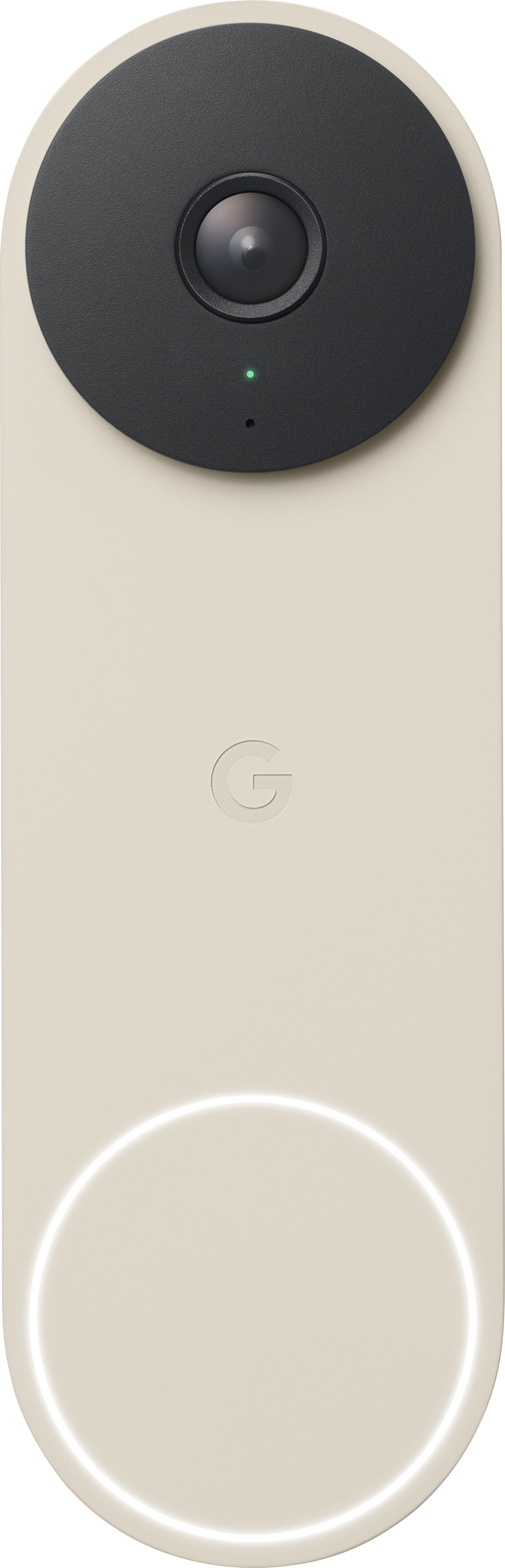
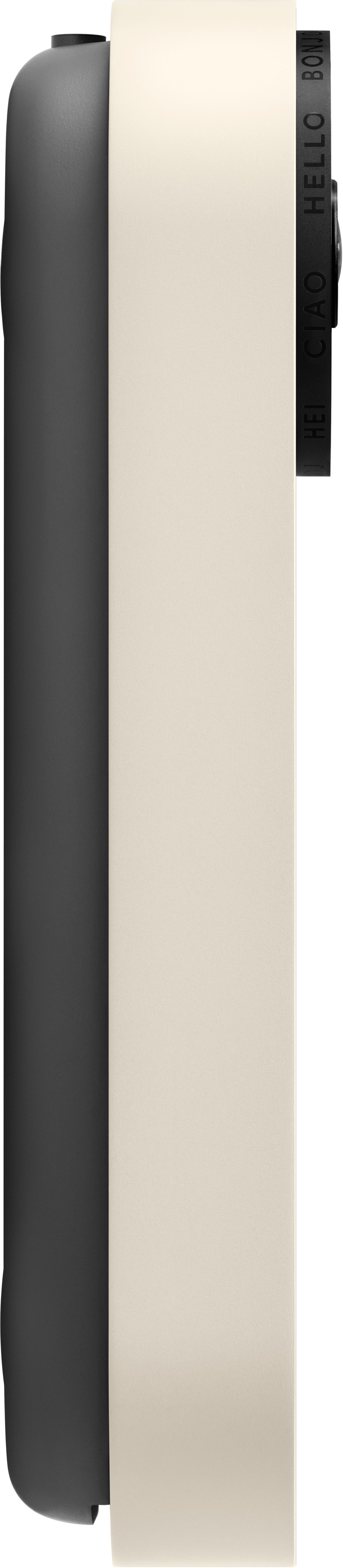
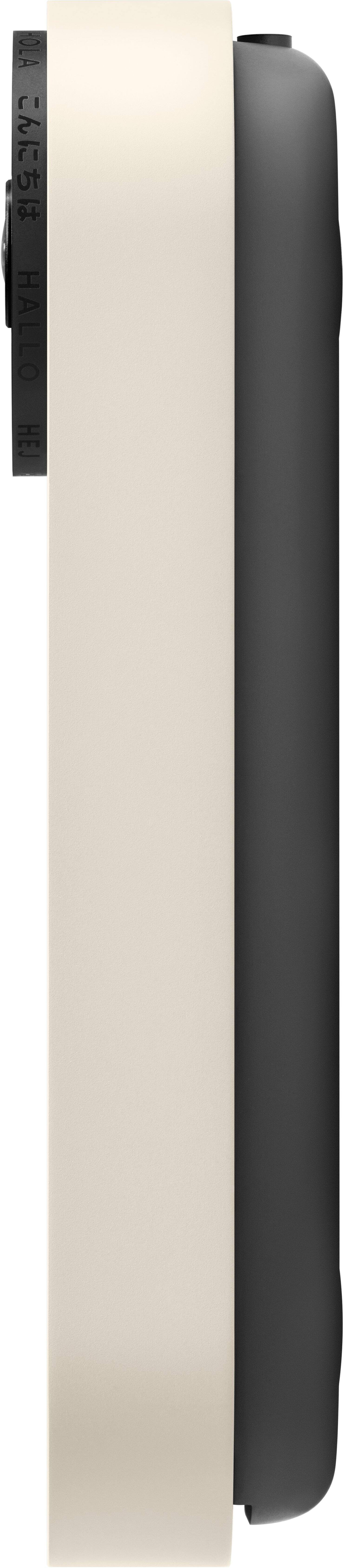
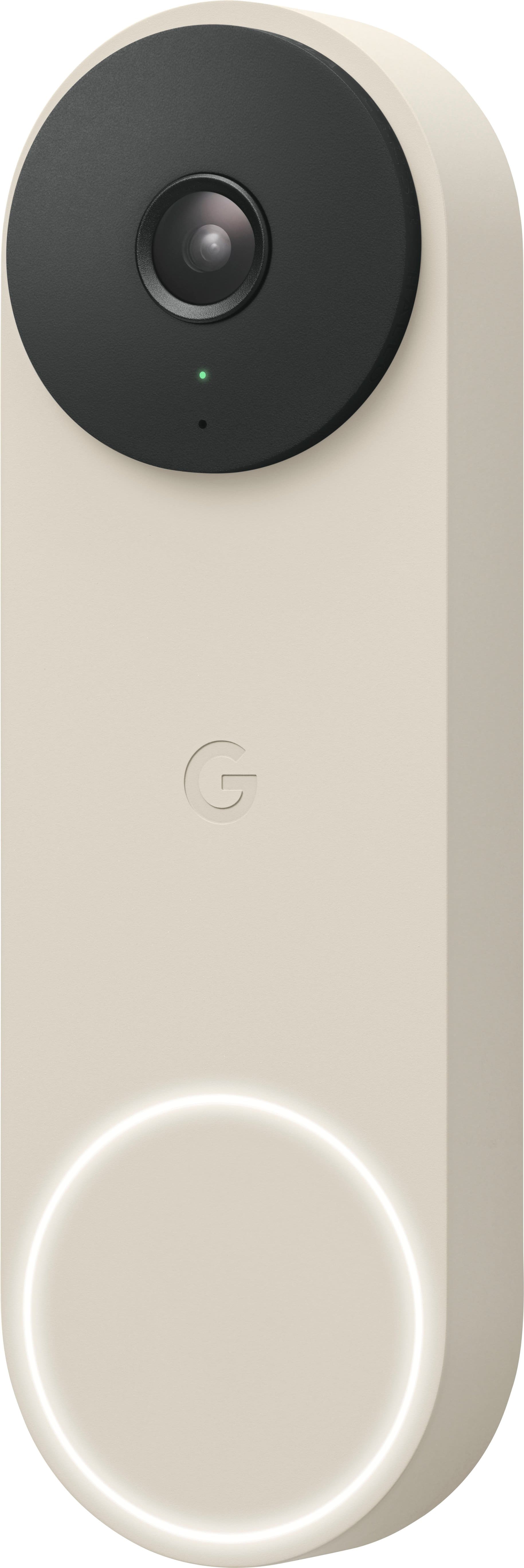
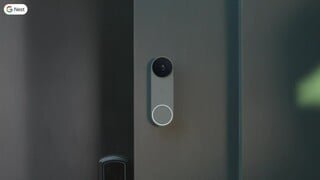
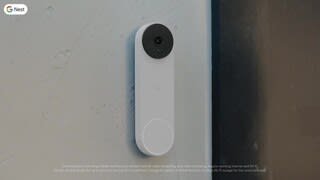
- Model:
- GA03695-US
- SKU:
- 12476120
Rating by feature
- Video Quality
Rating 4.6 out of 5 stars
- Mobile App
Rating 4.4 out of 5 stars
- Sound Quality
Rating 4.5 out of 5 stars
Bad camera result
||Posted . Owned for 2 weeks when reviewed.This reviewer received promo considerations or sweepstakes entry for writing a review.There are black spots in video when a person approaches the camera
No, I would not recommend this to a friendBrand response from Nest Support
Posted .Hi there, Attique. Thanks for bringing this issue to our attention. It's unfortunate to hear that you're seeing black spots on the video feed from your Nest Doorbell (Wired, 2nd Gen).
Over time, your video doorbell may collect dust, pollen, water spots, and other types of debris from its outdoor environment. Although Nest doorbells are designed to withstand the elements, there are cases where these factors may cause some spots and stains to build up on the lens of Nest doorbell. You can easily remove these stains by moistening a soft cloth with a little water and gently wipe the lens clean and wipe down the body. You could also use a drop of cleaning solution that’s made for cameras, eyeglasses, and other optics. You can then dry it up by gently wiping your camera’s lens and body with a soft, lint-free cloth. You can use compressed air to blow dust and particles off.
If cleaning doesn't help remove the black spots, we recommend contacting our support team for further assistance with issue here: https://support.google.com/googlenest/gethelp
Terrible
||Posted . Owned for 1 month when reviewed.This reviewer received promo considerations or sweepstakes entry for writing a review.Terrible. I like the old next doorbell this wasn’t isn’t worth the money.
No, I would not recommend this to a friendBrand response from Google Nest Support
Posted .Hey there, We’re sorry to hear your experience with the Nest doorbell wired 2nd gen wasn’t the best. Your feedback is valuable and we’d like to hear more — share your thoughts with this survey: https://google.qualtrics.com/jfe/form/SV_2aStd8wsbcLGvwG
Surprisingly useful
||Posted . Owned for less than 1 week when reviewed.This reviewer received promo considerations or sweepstakes entry for writing a review.Didn’t think it would be as useful as it’s been, besides seeing whose at the door
I would recommend this to a friendBest Door bell
||Posted . Owned for 2 weeks when reviewed.This reviewer received promo considerations or sweepstakes entry for writing a review.Smaller and works flawlessly - no issues at all with Doorbell Camera.
I would recommend this to a friend
Great reliable video doorbell
|Posted .This reviewer received promo considerations or sweepstakes entry for writing a review.This review is for the Google - Nest Doorbell Wired (2nd Generation) - Snow. The install and setup up went very smoothly. If you have never changed out a doorbell before it is only two wires and it is low voltage. I used the supplied wedge bracket to angle the camera for the best view in my situation. After the install I opened my google home app and added the door bell very easily. There were some updates but didn’t take long at all. I installed this unit only hours before leaving for a funeral 1,000 miles away. I found the video quality to be quite well. And you can skip though the video history very easily. I still need to find tune the motion zone for the notifications. I like that I don’t get notifications for cars or animals passing by at night. I’m still playing with a feature called familiar faces. Where you can set up with people you know use this door and then you can get a notification telling you who is at the door. It has been good at telling me when the camera seen a person with a package. So after I could call my neighbors to move the package inside for me. And if you have a google hub like me this door bell works very well with it. Not only can you see who is at your door but you can also talk with them from wherever you are.
I would recommend this to a friendGoogle Nest Doorbell Wired (2nd Generation)
||Posted .This reviewer received promo considerations or sweepstakes entry for writing a review.Google best Nest Doorbell Wired (2nd Generation) - Snow yet!
I would recommend this to a friendNot as good as ring
||Posted . Owned for 1 month when reviewed.This reviewer received promo considerations or sweepstakes entry for writing a review.Not as good as Ring! Poor video quality with a huge delay on audio and video. Lacks in functionality and is completely dependent of the Google home app.
No, I would not recommend this to a friendBrand response from Nest Support
Posted .Hey there, CaioB. Thanks for sharing your feedback on your Nest Doorbell (wired, 2nd gen). We're sorry to hear that your experience with the video quality and audio was less than ideal. We suggest checking if the device is consistently getting a good Wi-Fi connection. If it does and the video quality and audio are still the same, we recommend checking this Google Help article that may help improve the performance of the camera of your doorbell: https://support.google.com/googlenest/topic/13433613
If you need further assistance or have additional questions, please don't hesitate to contact us on our Google Nest Help page here: https://support.google.com/googlenest/gethelp
Never got it to work
||Posted . Owned for 3 weeks when reviewed.This reviewer received promo considerations or sweepstakes entry for writing a review.After testing the transformer for the correct voltage and wiring the doorbell per instructions and getting a green light, I could not get pass “something is not right”.
No, I would not recommend this to a friendBrand response from Nest Support
Posted .Hey there, MilusS. We're sorry to learn that you're experiencing some difficulties with installing your Nest Doorbell (wired, 2nd gen). It's important to us that we provide you with the best help possible and identify the cause of the installation issues you’re having with your device and find a solution. We recommend that you reach out to our dedicated team of specialists on our Google Nest Help page for immediate support here: https://support.google.com/googlenest/gethelp
Not happy!
||Posted . Owned for 3 weeks when reviewed.This reviewer received promo considerations or sweepstakes entry for writing a review.Not pleased at all. Cannot even hear the doorbell ring. This is the 2nd one I purchased!
No, I would not recommend this to a friendBrand response from Nest Support
Posted .Hello, TyleneF. We appreciate you for trying the Nest Doorbell (wired, 2nd gen), and thanks for sharing your feedback with us about your experience. We can imagine how hard you tried, and we’re sorry to hear it didn’t go well for you.
The new Nest Doorbell (wired, 2nd gen) needs to be powered by wires delivering 16 - 24 V AC, and at least 10 VA (in North America) or 12 - 24 V AC and at least 8 VA (in Europe). While the Nest doorbell can replace most wired doorbells, there are some cases where the doorbell system, including doorbell wires, either doesn’t give enough power or gives too much power. In some homes, you may need to upgrade your transformer to meet the doorbell's higher power requirements. On the other hand, some doorbell systems are incompatible like a traditional doorbell system that uses very little power, so it’s important to make sure that the wires and transformer (power supply) meets the required amount of power so the doorbell can record videos.
We’re always here to help improve your experience. Please visit us at the following link for troubleshooting guidance and assistance: https://support.google.com/googlenest/gethelp
Older version is waaay better!
||Posted . Owned for 3 weeks when reviewed.This reviewer received promo considerations or sweepstakes entry for writing a review.Older version is better, the camera is not wide for this version.
No, I would not recommend this to a friendBrand response from Nest Support
Posted .Hello there, EusaV. Thanks for posting a review about the Nest Doorbell (wired, 2nd gen). We understand that having a wider camera view can be ideal for you. However, unlike some other video doorbells, Nest Doorbell (wired, 2nd gen) has a 145° diagonal field of view at 3:4 aspect ratio. It is intended so you can see people from head to toe, and packages left on the ground.
While the newer model offers improved features like increased resolution, better night vision, and a sleeker design, we acknowledge the trade-off in field of view. We're constantly evaluating user feedback and exploring ways to optimize future models to balance desired features with a wider field of view. In the meantime, you may be able to adjust the viewing angle slightly within the Home app settings for better coverage depending on your porch layout. Or if possible, consider mounting the doorbell slightly higher or at a slight angle to capture a wider area.
If you have other concerns, please don't hesitate to reach out to our support team here: https://support.google.com/googlenest/gethelp
Not as good as my original nest doorbell
||Posted . Owned for 1 week when reviewed.This reviewer received promo considerations or sweepstakes entry for writing a review.Would be nice if i didn’t have to convert to the google home app as i like Nest better. Camera quality doesn’t seem as good also.
No, I would not recommend this to a friendNew nest doorbell
||Posted . Owned for 2 weeks when reviewed.This reviewer received promo considerations or sweepstakes entry for writing a review.Returned it. It doesn’t work. I had 4 geek squad technicians working on it. The tone would only ring at the doorbell not to the indoor chime.
No, I would not recommend this to a friendBrand response from Nest Support
Posted .Hello there, EllenB. We're sorry to hear that you're experiencing some difficulties with your Nest Doorbell (wired, 2nd gen). If you’re ever considering Google products in the future, we recommend reaching out to our dedicated team of specialists on our Google Help page for any technical support here: https://support.google.com/googlenest/gethelp
Good Doorbell Camera, Installation Frustrations
|Posted .This reviewer received promo considerations or sweepstakes entry for writing a review.I was upgrading from the 1st gen Nest doorbell so the physical installation went pretty smoothly for the most part. Google provides a wire connector that bridges the wires between the house and the doorbell. However, room for the extra wires wasn't accounted for in the doorbell so you have to smash the wires as you install the doorbell. In the instructions that are explained in the Google Home app (Nest app is no longer supported for this Doorbell), it clearly states that the Chime Connector is required for the doorbell to work properly. After installing the Chime Connector (and verifying my transformer met the requirements), the doorbell would not ring the chime. I engaged with support and after some back and forth, they indicated just to leave the Chime Connector unconnected to make it all work. Very strange to say it's required, but then say it isn't. The second issue I encountered was that I had Nest Aware on the Gen 1 Nest doorbell. I found no way to transfer that to the Gen 2 doorbell. Contacted support and they said that the Nest Aware for 1st Gen is no longer supported and I would need to cancel that subscription and subscribe to the new Nest Aware. Again, zero information with the doorbell or in the app to indicate this. Overall the doorbell works well. The one issue I have (besides the installation ones mentioned above) is that a number of times when I am notified of an activity (person, animal, etc.) and I go to the app to view the event, I am given a message of "video isn't ready yet". Kind of frustrating honestly. The video provided by the doorbell seems to be fine and the field of view works well for my setup (but does seem to be diminished from the previous generation). Overall, the 2nd gen Nest doorbell works well, but if your first gen Nest doorbell still works, you won't see much benefit in upgrading.
I would recommend this to a friendBrand response from Nest Support
Posted .Hi bobcats9498, thanks for sharing the details of your feedback on Nest Doorbell (wired, 2nd gen), and we’re sorry to hear it didn’t meet your expectations.
Once a subscription has been assigned to a camera, it can’t be moved to a different one. But if you’re subscribed to the Nest Aware (2nd gen), it covers all cameras added on the same home structure. The maximum number of cameras per Home is 10. Since you can have a maximum of 5 Homes, you can hypothetically have 50 cameras among those 5 Homes, each with Nest Aware (2nd gen) attached to each Home structure and applied to each camera.
For the notification quality issue, here are some recommended troubleshooting steps that may help improve your experience with the doorbell:
- If you have a lot of open apps on your phone, they can slow down its overall performance. Try closing some apps, including the Home app, and then re-open it.
- If that doesn’t work, you can try restarting your phone or device.
- Check your network as your doorbell announcement/notifications can also be delayed by a slow network connection.
- Other devices in your home may be using a lot of bandwidth. You can temporarily stop a device’s bandwidth use manually by quitting an app or program, disconnecting it from Wi-Fi or ethernet, or by turning it off.
- The announcement/notifications can be delayed if your camera, phone, tablet or computer is connected to a Wi-Fi extender, which adds extra relay time to any device that’s using it. In this case, connect your camera directly to your Wi-Fi router to help reduce the delay.
You can adjust your cameras’ video quality that may improve the resolution. The higher the video quality setting you choose, the sharper and more detailed your footage can be, but it also uses more of your internet bandwidth. This setting lets you pick the maximum video quality for your cameras. But whichever level you choose, your camera will automatically adjust its resolution and compression according to how much bandwidth is available. Check this link to learn more: https://support.google.com/googlenest/answer/9218596
We’d be happy to share your feedback, about the installation, with the right team for future improvement. In the meantime, please feel free to let us know if you have concerns about the Nest doorbell by visiting us here: https://support.google.com/googlenest/gethelp
Would not work.
||Posted . Owned for 3 weeks when reviewed.This reviewer received promo considerations or sweepstakes entry for writing a review.Returned it. Could it make it work. Bought a Ring and all is well
No, I would not recommend this to a friendBrand response from Nest Support
Posted .Hi there, Rierman63. We're sorry to hear the Nest Doorbell (wired, 2nd gen) didn't work out for you. We appreciate you letting us know and choosing Ring instead. We regret your decision to return it. But if you have some questions, should you want to try the Google Nest devices in the future, you’re always welcome to contact us and we’d be happy to provide you with services and support here: https://support.google.com/googlenest/gethelp
Fixes the problems from the battery version
|Posted .This reviewer received promo considerations or sweepstakes entry for writing a review.I had the original Nest Hello for years and loved it. We do the 24/7 recording with the subscription for the multiple Google cams we have around the house. When the new version came out last year it was labeled as (battery) but with the ability to be hardwired. I don't think I was alone in thinking that this would just give a battery backup for power outages. Instead, it eliminated 24/7 recording and had issues in cold weather. I had to get a replacement of that one from Google under warranty because the battery wouldn't hold a charge. It remains to be seen how this one will fare in the cold but so far I am extremely happy to have 24/7 recording back, and the picture quality is improved as well! The night vision is excellent and the vertical field of vision allows us to see the entire porch from ceiling to floor, which is great for when packages are delivered. Notifications are quick and precise and easy to customize in the Home app. I still think that the older Nest app is superior to Google Home, but Home is improving and I'm hopeful it will eventually get to the point that I won't need both apps. This doorbell does not work with the old Nest app, by the way. Also, coming from last year's battery version, I had hoped installation would be a simple swap. Instead, this doorbell is slightly shorter, so it required full removal of the old doorbell and mounting hardware. I also had to replace the doorbell chime component with the newer version. Slightly annoying but overall it was an easy process and the app walks you through it with pictures and animations. Overall, I still think that the original Nest Hello was the best doorbell Google ever did. However, this one is a much closer replacement to that compared to the battery version last year. It looks great and has all the functionality I want, although I wish the camera had a slightly higher resolution. I get that there's a lot of wizardry going on in the background that makes this image "better" than a higher pixel count, but the old Nest Hello had a great picture for anything in the distance. Night vision is better with this one, so it's a wash for me, and I like the vertical picture vs horizontal. As long as Google continues to update the Home app to mirror the functionality of the Nest app, this will be perfect. Also, the Seasonal ringtones, especially Halloween, have been getting lots of laughs from delivery drivers!
I would recommend this to a friendBrand response from Nest Support
Posted .Hi cusedice, thanks for being a loyal advocate of our Google Nest products. It pleases us to hear that you liked the overall design and features of the new Nest Doorbell (Wired, 2nd Gen). We do apologize for any confusion you may have had with Nest Cam (Battery). It's also unfortunate that it stopped holding a charge and had to be replaced. Rest assured, you can count on our support team to help you with your support needs.
We understand that long time Nest users, like you, have enjoyed viewing their Nest camera feeds from the Nest app. However, our priority with this launch was building a complete experience for our new cameras and doorbell in the Google Home app. We wanted to make the Google Home app as the one place you can control all your favorite Nest and other smart home devices with the Google Assistant. We also wanted to create an integrated experience with other Google Nest speakers and displays.
If you have older Nest cameras in your home, you may set up your older Nest cameras on the Google Home app as well. For more information, check out this help article:
https://support.google.com/googlenest/answer/9293657
We're always improving our products and the features we offer and we recommend keeping a close watch on our blog site to get the latest announcements here: https://blog.google/
We'd be happy to answer any questions you may have and even walk you through some of the rich features for your Nest Doorbell (Wired, 2nd Gen) by simply reaching out to us once more using this link: https://support.google.com/googlenest/gethelp
DON'T BUY!.
||Posted . Owned for 3 weeks when reviewed.This reviewer received promo considerations or sweepstakes entry for writing a review.I DON'T LIKE IT!. YOU NEED TO BUY MORE TOOLS FOR INSTALATION.
No, I would not recommend this to a friendBrand response from Nest Support
Posted .Hello there, Roberto1. We appreciate your input about the Nest Doorbell (wired, 2nd gen). The Nest doorbells are designed to replace your existing doorbell. Everything you’ll need to install the doorbell is included in the box. However, you’ll need the following tools for new installation:
- Phillips screwdriver
- Power drill, 1/4’’ (6.35mm) drill bit (optional, to drill into hard materials like brick and stucco) or 3/32’’ (2.38mm) drill bit (to drill pilot holes into wood or siding for attachment screws)
- Bubble level (to check doorbell alignment)
If you find yourself wanting to try the Nest doorbell, refer to this link for the installation guide: https://support.google.com/googlenest/answer/12570869
Replaced
||Posted . Owned for less than 1 week when reviewed.This reviewer received promo considerations or sweepstakes entry for writing a review.I returned this item yes but I also bought one.. !!
No, I would not recommend this to a friendBrand response from Nest Support
Posted .Hi there, AudraM. Thanks for sharing your feedback. We're sorry to hear that you had to return your Nest Cam (Wired, 2nd Gen). We do appreciate that you bought another one.
Your Nest Cam (Wired, 2nd Gen) offers a lot of awesome features that help secure your home and give you an enjoyable experience using these features too using the Google Home app. With an active Nest Aware subscription, you get the most out of the built-in intelligent alerts to help you know and see what's relevant. It gives you smart algorithms that help tell the difference between people, vehicles, and animals. You can also create routines and adjust brightness, sensitivity, and set how long the light stays on. And, with the Google Assistant, you can turn your Nest camera on with a simple voice command. You can even talk through the camera using the Talk and Listen feature. We invite you to learn more about these features, with detailed guides, using this link: https://support.google.com/googlenest/topic/9299925
We'd also be happy to walk you through these features and even entertain some questions you may be having by visiting us here: https://support.google.com/googlenest/gethelp
Great video doorbell, improved over the prior gen.
|Posted .This reviewer received promo considerations or sweepstakes entry for writing a review.The 2nd gen wired Nest Doorbell is a great improvement over the previous generation of Nest doorbells. My sister has the wireless gen 1 doorbell and the picture, audio, and night vision quality on this new gen 2 wired doorbell are greatly improved over the earlier version. The new smaller size of the doorbell and the included wedge kit make it easy to install this doorbell in most doorways quickly and easily. The step-by-step instructions for installing the doorbell are easy to follow and are available inside of the Google Home app when adding the doorbell as a device. It takes you through all of the steps for installing the doorbell including the steps required for wiring up the chime adapter depending on the configuration of your homes chime. One thing to note is that unlike other wired video doorbells that completely bypass your home chime and make it necessary to have an external chime, the Nest Doorbell just hooks into your existing chime allowing you to power the doorbell and still have your original house chime still working. This is not entirely clear in the instructions as it states that you need either a Nest Hub or one of the Nest speakers to have notifications, this is not entirely true as long as your existing house chime works you can still get the doorbell sound, however, if you want the smart notifications where the doorbell announces who is at the door, you will need either the Hub or a speaker for that functionality. The best thing about the Google Nest Doorbell is the fact that basic functionality is NOT locked behind a paywall, all of the smart features are included out of the box with the only exception being familiar face detection and the length of video history that you can save varying on which Nest Aware subscription you have. So if you don't want to pay an additional monthly cost after buying this doorbell you will have the included intelligent alerts, activity zones, and 3 hour event history. If you want additional event history length as well as the familiar face detection you will need to pay for a subscription but as long as you are fine without those you can buy this doorbell and be happy knowing that it works straight out the box (after installing) with no subscription required.
I would recommend this to a friendQuality video doorbell with great features!
|Posted .This reviewer received promo considerations or sweepstakes entry for writing a review.I was looking to upgrade my front doorbell to a video doorbell and got Google - Nest Doorbell Wired (2nd Generation) – Snow. It came with a Nest Doorbell, Base plate, Chime puck, wedge, wire connector, Hex key, 2 sets of wall screws, anchors and spacers, extra security screw, window decal, and quick start guide. The setup is easy. I have turned off the power and removed the old doorbell. I have watched the installation video which was very helpful to install the doorbell. Google Home app does provide step-by-step instructions as well. The entire installation took only 15 mins, and the latest firmware was available to update. The video quality is superb during daytime as well as nighttime with HDR. There is no subscription required for recording and 3 hours of event video history are included by default. The wired Nest Doorbell spots and records important activity with clips up to 5 minutes long and 2-second previews for context. If the Wi-Fi goes out, the Nest Doorbell automatically records events for up to an hour. When it’s back online, it is easy to see exactly what happened during that time. I have subscribed to Nest Aware plan which provided more functionalities like Facial recognition, package recognition, and recordings for 30 days. Visitor announcements (with Nest Aware plan) can be enabled in the Google Home app under the settings. It is easy to view the live camera feed on the Nest display by saying “Hey Google, show me my front doorbell”. I have used Quick Response which is handy during meetings and quiet time is another great feature to disable the doorbell ring for a specific time. With the recent launch of Google home on the web, it was very convenient to watch the live video feed from a laptop or desktop. With Software tuning and Machine learning improvements, the video quality is better than other doorbells quality I have seen at other places. With the vertical field of view, it is easy to see head to toe, including packages as close as 8” from the doorbell. It is definitely a great addition to the existing Google ecosystem at home.
I would recommend this to a friendGoogle Nest Is Best
|Posted .This reviewer received promo considerations or sweepstakes entry for writing a review.Google builds solid products that work well. My Google Assistants and the Google Home app have become the key pieces of my smart home. I have multiple products from different vendors and Google makes them all work together like one happy family. Speaking of happy families, doorbells aren't good for my house. We have two dogs and knocks on the door and the ringing of doorbells drives them bonkers. My love affair for Google products made the Nest Doorbell the only viable option. I knew everything would be well documented, would work without much fuss and look great. The hardest part of my install was removing the existing video doorbell installed by a previous owner. Once that was done, the install of the Nest Doorbell was straightforward. Google provides a nice pair of spade connectors to connect to the back vs looping the wires around the screws for a more secure connection. Mounting the doorbell to the base was a little tricky to get the wires in the right spot, but once that was done everything else fell into place. Now when the doorbell rings, my Google Assistant says "there's someone at the front door" and the dogs haven't figured out what that means - yet. Video quality is great and it makes it easy to determine if you want to answer the door or ignore it. We don't have an issue with packages being stolen from our front porch, but having the option to know when something is there or alerting if an unexpected visitor shows up on the doorstep is nice. Like most Google products, the Nest Doorbell is a quality product.
I would recommend this to a friend