Customer Ratings & Reviews

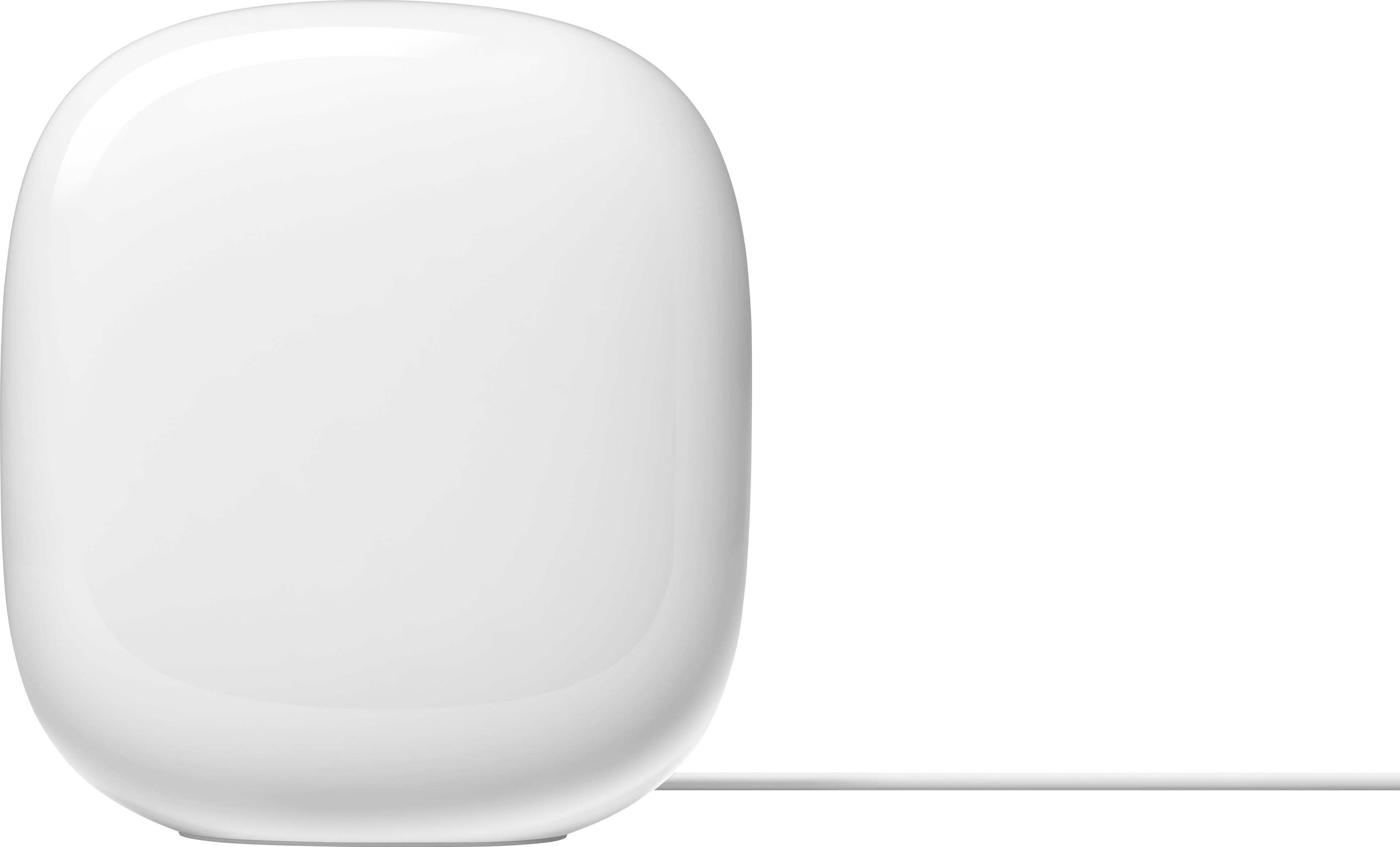










- Model:
- GA03689-US
- SKU:
- 12182024
Rating by feature
- Setup
Rating 4.6 out of 5 stars
- Range
Rating 4.5 out of 5 stars
- Signal Strength
Rating 4.4 out of 5 stars
Get the Google Nest Pro today!
||Posted . Owned for 1 month when reviewed.This reviewer received promo considerations or sweepstakes entry for writing a review.Easy and simple set up! The best mesh system I’ve ever owned to date.
I would recommend this to a friend- Cons mentioned:Connectivity
Might work for someone else
||Posted .This reviewer received promo considerations or sweepstakes entry for writing a review.These would not connect to my modem. I tried several times to get them to work.
No, I would not recommend this to a friendBrand response from Google Team
Posted .Hey there, HappyCamper. Sorry you’ve been running into connection issues with the Nest Wi-Fi Pro — we understand it’s frustrating when this happens. To ensure the best possible connection, try the following:
1. Factory reset your Wifi devices: If you continue to have connection issues, factory reset your Wifi devices.
2. Check your configuration: you might need to adjust the WAN settings in the Google Home app.
3. Check your cables and connections: sometimes loose, disconnected, or damaged cables can cause connection issues.
Here’s a link for more troubleshooting steps: https://support.google.com/googlenest/answer/13151717?hl=en#zippy=;
If you need any additional help, we’re just a click away: https://support.google.com/googlenest/gethelp?
Works Perfectly!
||Posted . Owned for 6 months when reviewed.This reviewer received promo considerations or sweepstakes entry for writing a review.These work great in our house. We don’t have the best internet service so anything to help improve what we have is awesome.
I would recommend this to a friendWe have been waiting for Wi-Fi 6 for a while
||Posted . Owned for 1 week when reviewed.This reviewer received promo considerations or sweepstakes entry for writing a review.They finally made Wi-Fi 6 for Google. We have been waiting for for a while and my hope was it would come with the last iteration. It's here now and seems to work perfectly fine. Same standard situation where you don't have to swap networks depending on what speed you want to use.
I would recommend this to a friend- Pros mentioned:Speed
Tricks you into believing they are good.....
||Posted . Owned for 2 weeks when reviewed.This reviewer received promo considerations or sweepstakes entry for writing a review.Initially, the unit seemed great. I saw great speeds throughout the house. However, after about a day or less of the units running I started seeing major slow down issues. The units will seemingly at random drop to very slow speeds. Dropping to less than 10Mbit while sitting in the exact same location. The issue is with these Google units since I can connect to another wifi network that is connected to the exact same internet and will experience 150-200Mbps+ speeds from the exact same location and device. A reboot of the Google units will cause the speeds to return to 200-400Mbps+ but it will be short lived and a day or so later they will experience the exact same problem. It is not a signal strength issue, it is something with however these devices are internally processing their mesh network, it seems to get confused and causes major issues and sluggish performance. Unfortunately, I am outside of my return window otherwise I would return these. Not recommended at all.
No, I would not recommend this to a friendBrand response from Nest Support
Posted .Hi there, LouisJ. Thank you for posting your review on the Nest Wifi Pro. We're sorry to learn that you're experiencing some inconsistencies with the speeds you're getting with the device. We recommend checking your Wi-Fi network to see if your bandwidth is congested, which may happen if you have too many devices connected on the same bandwidth or if your network package is not enough to handle the data traffic on the network. These few steps can help:
- You can try restarting your router to reset your internet connection.
- If you have a lot of open apps on your phone, they can slow down its overall performance. Try closing some apps.
- If that doesn’t work, you can try restarting your phone or device.
- Other devices in your home may be using a lot of bandwidth. You can temporarily stop a device’s bandwidth use by quitting an app or program, disconnecting it from Wi-Fi or ethernet, or by turning it off.
If you've done these steps before or if the issue still persists, reach out to us at the following Google Help link for further assistance: https://support.google.com/googlenest/gethelp
- Cons mentioned:Connectivity
Is it useful? Not sure.
||Posted . Owned for 2 months when reviewed.This reviewer received promo considerations or sweepstakes entry for writing a review.I'm not really sure What this does? If it is a range extender and has to be connected to the router how would i set up the mesh system described if they have to be connected to the router. 2 stars bc unclear on its use, and it constantly needs to be restarted every time a new device is connected
No, I would not recommend this to a friendBrand response from Nest Support
Posted .Hello there, Ryan. Thanks for sharing a review, and we’re sorry to hear about your experience with the Nest Wifi Pro. The device needs to be connected to a modem with broadband internet connection from an Internet Service Provider (ISP). Check out this link for the setup requirements and guide: https://support.google.com/googlenest/answer/9548301
Or you may contact us anytime at the following link if more help is needed: https://support.google.com/googlenest/gethelp
- Cons mentioned:Connectivity
Constant WiFi drops. No fix to date.
||Posted .This reviewer received promo considerations or sweepstakes entry for writing a review.I purchased this product to replace a previous google mesh network that had intermittent connectivity issues. Once installed, I had the same issues and learned that this was a k own issue from google and to date has not been fixed. This will be my last purchase from Google.
No, I would not recommend this to a friendBrand response from Google Nest Support
Posted .Thanks for reaching out about the Nest Wifi Pro, EdS1. We’re sorry to hear about those connectivity issues — we understand how frustrating that may be. Here’s a couple of solutions to get the most reliable connection.
1. Your device is far from your Wifi router: often moving your device closer to your router or point will result in improved connection.
2. Building materials and other objects may slow your connection: if possible, try to use your device within a clear line of sight to your router or point.
3. Some devices do not support the faster Wi-Fi standards: speed is dependent on both the router or point and the device that is connected to it. If you have an older device, it may not support the latest standards for the fastest speeds.
For more information, here’s a link: https://support.google.com/googlenest/answer/7578264?hl=en&ref_topic=7620336&sjid=14351523150742169093-NC
Don’t hesitate to reach out to us here: https://support.google.com/googlenest/gethelp?
Overall good but can be better.
||Posted . Owned for 1 month when reviewed.This reviewer received promo considerations or sweepstakes entry for writing a review.Overall its been good. However encountered some network congestion while playing FIFA. Will try to review once again if anything goes bad.
I would recommend this to a friendBrand response from Nest Support
Posted .Hi there, DhanushS. We appreciate your feedback on Nest Wifi Pro. We're sorry to hear that you experienced a network congestion issue.
Congestion issues may be affected by various factors, including Wi-Fi interference and physical barriers, which can limit the range and cause a slower connection to the internet. We recommend placing your Nest Wifi Pro Routers within a line of sight to improve signal reception. As a general rule, mesh routers work best when they're about 2 to 3 rooms apart. For example, if the far end of your house has weak Wi-Fi, it's advisable not to place a mesh router in that exact spot. Instead, position it halfway in that direction. Placing it in an elevated position, such as on a shelf, can also help. Additionally, adding one or more Nest Wifi Pro routers can improve Wi-Fi coverage in your home. For more detailed information, please refer to this help guide: https://support.google.com/googlenest/answer/7182840
If the issue persists, we recommend contacting our support team for further assistance. You can reach out to them by visiting this link: https://support.google.com/googlenest/gethelp
Google WiFi
||Posted . Owned for 3 weeks when reviewed.This reviewer received promo considerations or sweepstakes entry for writing a review.A big upgrade over the Gen1 Google nest WiFi. (Minimum 50 characters reviewed required, less is sometimes more )
I would recommend this to a friendGreat mesh system
||Posted . Owned for 3 weeks when reviewed.This reviewer received promo considerations or sweepstakes entry for writing a review.Excellent mesh system. Very easy to setup. Speed is consistent. Tip: you'll get the best performance if you use Ethernet to connect your satellite with your main router. The coverage is overall pretty good.
I would recommend this to a friendWorks for me
||Posted . Owned for 1 month when reviewed.This reviewer received promo considerations or sweepstakes entry for writing a review.Gets me the wireless speeds to match the Internet providers speed. Ease of control through Home app
I would recommend this to a friendGreat for large houses with several floors
||Posted . Owned for 1 month when reviewed.This reviewer received promo considerations or sweepstakes entry for writing a review.Was having issues with Spectrum router. I have a 4,000 sq ft house. The basement rec room and bedrooms upstairs had very poor wifi connection power. Computer connections and tv streaming were terrible. All soved with this mesh system. Very pleased.
I would recommend this to a friend- Pros mentioned:Speed
Not as good as previous version
||Posted . Owned for 1 week when reviewed.This reviewer received promo considerations or sweepstakes entry for writing a review.Previous version worked flawlessly so I was anxious to upgrade. This newest version is vastly inferior. I have a 1.2gb plan from Xfinity. Wired speed measurements were never higher than 435mb at the router. I pulled 800+ with the previous Nest WiFi. I returned this setup and purchased the Eero Pro 6E. Much easier to setup, so much faster and more stable.
No, I would not recommend this to a friendBrand response from Nest Support
Posted .Hello there, IanF. Thanks for leaving feedback. We’re sorry to learn that your experience with the Nest Wifi Pro didn’t meet your expectations. We understand you have returned it for another Wi-Fi device, but if you have some questions about the Nest Wifi Pro, should you want to try it again in the future, please let us know and we’d be happy to help: https://support.google.com/googlenest/gethelp
- Cons mentioned:Connectivity
Issues, issues and more issues ...
||Posted .This reviewer received promo considerations or sweepstakes entry for writing a review.GEN 2 Google wifi died, just after the 2 year waranty expired, it worked great, so decided to go with Google for the second purchase. Unfortunetly, the Wifi Pro has been a big disapointement. Constant disconnects, signal goes from low to high, buffering, more disconnects, lights and smart devices stop working etc etc, you get the idea. That's why, I am going back to the GEN1+2 routers Both worked great for years. GEN 2 lasted 2 years, if I get the same for the replacement one, I rather go that route.
No, I would not recommend this to a friendBrand response from Nest Support
Posted .Hi FreddyXZ2, we appreciate you for sharing your experience with Nest Wifi Pro. It's unfortunate to hear that your experience with the device didn't meet your expectations when it comes to connectivity. If you're willing to give it another go, we'd recommend that you reach out to our support team and allow us to help you with identifying the cause of the issue and provide you with troubleshooting steps that may improve the overall performance of your Nest Wifi Pro. Please contact us on our Google Help page here: https://support.google.com/googlenest/gethelp
Google mesh is excellent
||Posted . Owned for 4 months when reviewed.This reviewer received promo considerations or sweepstakes entry for writing a review.I love my Google mesh. We were not getting the most of it out internet before but now that we've upgraded we do not have lagging issues anymore.
I would recommend this to a friendneeded extension
||Posted . Owned for 3 weeks when reviewed.This reviewer received promo considerations or sweepstakes entry for writing a review.difficult to put in couldnt get it to work returned the item
No, I would not recommend this to a friendBrand response from Google Team
Posted .Hi there. We're sorry the Nest Wifi Pro may not have been the best fit for you. Even though you’ve returned the item, we’d appreciate any additional feedback — when you get a second, here’s a survey to share more: https://google.qualtrics.com/jfe/form/SV_2aStd8wsbcLGvwG
My nest
||Posted . Owned for 3 weeks when reviewed.This reviewer received promo considerations or sweepstakes entry for writing a review.Absolutely love it. Solved our streaming issue and now I am not having to pay for a router.
I would recommend this to a friendRouter
||Posted . Owned for 6 months when reviewed.This reviewer received promo considerations or sweepstakes entry for writing a review.Satisfied with Wi-Fi router only parental control have very less options.
I would recommend this to a friendGoogle nest
||Posted . Owned for 3 weeks when reviewed.This reviewer received promo considerations or sweepstakes entry for writing a review.I recently purchased these in the hopes it would improve our WiFi. So far, so good
I would recommend this to a friendGreat speed so far
||Posted . Owned for 3 weeks when reviewed.This reviewer received promo considerations or sweepstakes entry for writing a review.So far loving it. Placed through out the house. I did have issue with the 3rd one trying to connect to the mesh. It took a while but it eventually worked. The 2nd one conntected right away and I ahve them all hard wired in as well
I would recommend this to a friend