Winter SaleEnds 1/19. Limited quantities. No rainchecks.Shop now

Skip to contentGo to Product SearchGo to Footer
Main Content

Customer Ratings & Reviews

Your price for this item is $132.04
The comparable value price is $199.99

Customer reviews

Rating 4.5 out of 5 stars with 226 reviews

Rating Filter

Rating by feature

  • Setup

    Rating 4.7 out of 5 stars

  • Range

    Rating 4.6 out of 5 stars

  • Signal Strength

    Rating 4.6 out of 5 stars

88%
would recommend
to a friend
The vast majority of our reviews come from verified purchases. Reviews from customers may include My Best Buy members, employees, and Tech Insider Network members (as tagged). Select reviewers may receive discounted products, promotional considerations or entries into drawings for honest, helpful reviews.
Page 10 Showing 181-200 of 226 reviews
  • Rated 4 out of 5 stars

    Great WiFi

    |
    |
    Posted . Owned for 3 weeks when reviewed.
    This reviewer received promo considerations or sweepstakes entry for writing a review.

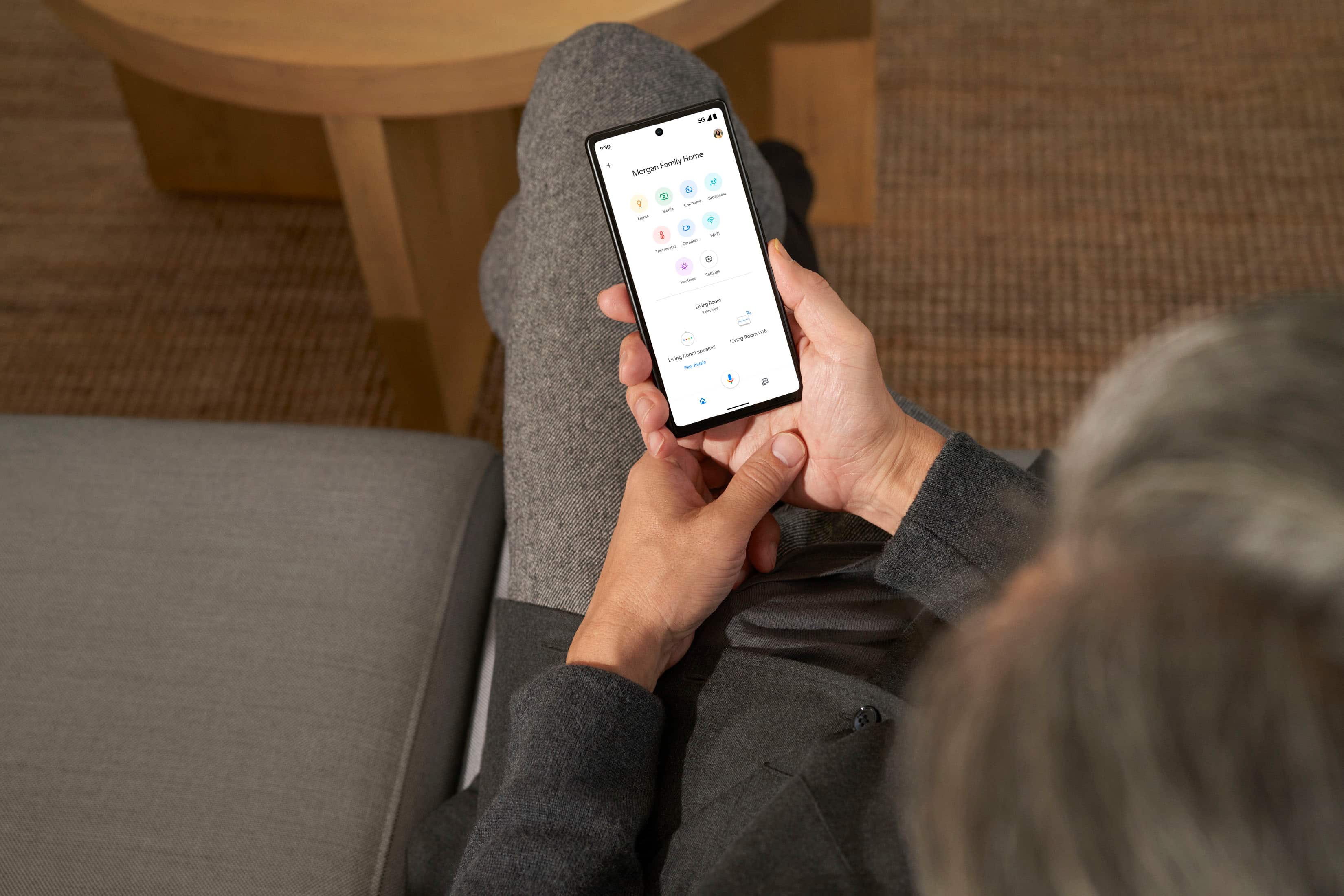
    Great WiFi for my parents condo. I manage from Google Home app.

    I would recommend this to a friend
  • Rated 4 out of 5 stars

    Great Wifi option

    |
    |
    Posted . Owned for 2 weeks when reviewed.
    This reviewer received promo considerations or sweepstakes entry for writing a review.

    Nice option for those that use many google smart home items.

    I would recommend this to a friend
  • Best Buy Employee

    Rated 5 out of 5 stars

    Love it.

    |
    Best Buy Employee
    Posted . Owned for 2 months when reviewed.
    This reviewer received promo considerations or sweepstakes entry for writing a review.

    WiFi 6E has never been easier. Mesh networks in general are a go-to

    I would recommend this to a friend
  • Rated 5 out of 5 stars

    Fast reliable easy to set up

    |
    |
    Posted . Owned for 1 month when reviewed.
    This reviewer received promo considerations or sweepstakes entry for writing a review.

    My house is about 1200 sq ft and I get full speed and coverage in every room with just one pod. I haven't had any issues as of yet. The set up was super easy. I think just about anyone can install this router.

    I would recommend this to a friend
  • Rated 5 out of 5 stars

    Nest wifi pro

    |
    |
    Posted . Owned for 1 week when reviewed.
    This reviewer received promo considerations or sweepstakes entry for writing a review.

    Works as it should. Everything has been good and working.

    I would recommend this to a friend
  • Rated 2 out of 5 stars

    Expensive

    |
    |
    Posted .
    This reviewer received promo considerations or sweepstakes entry for writing a review.

    Expensive and very slow I would not recommend it for the price

    No, I would not recommend this to a friend
    • Brand response from Google Team
      Posted .

      Hi there, Cable. Sorry you're running into slower speeds with the Nest Wifi Pro. There could be a few things impacting your connection — here are some ways to improve this:

      1. Your device is far from your router: often moving your device closer to your router or point will result in improved speeds.
      2. Building materials and other objects may slow your connection: if possible, try to use your device within a clear line of sight to your router or point.
      3. Some devices do not support the faster Wi-Fi standards: speed is dependent on both the router or point and the device that is connected to it. If you have an older device, it’s likely it won’t support the latest standards for the fastest speeds.

      For more information, check out this link: https://support.google.com/googlenest/answer/7578264?hl=en&ref_topic=7620336&sjid=14351523150742169093-NC

      We’re just a click away: https://support.google.com/googlenest/gethelp madebygoogle

  • Rated 3 out of 5 stars

    Outlet Hog

    |
    |
    Posted . Owned for 1 month when reviewed.
    This reviewer received promo considerations or sweepstakes entry for writing a review.

    Wifi is fine, but this product continues an obnoxious trend of having it's power cable be so bulky that it prevents anything else from being plugged in adjacent to it. Hope you have an extra power strip

    I would recommend this to a friend
    • Brand response from Nest Support
      Posted .

      Hi there, 2020. We appreciate your feedback on Nest Wifi Pro. We're sorry to hear that the size of the power adapter fell short of meeting your expectations. We value your feedback and have taken the details that you provided us into consideration with our future product releases. We recommend checking our blog site for announcements on the new products and features here: https://blog.google/

      For any other support needs you have with Nest Wifi Pro, you may reach out to us by visiting this link: https://support.google.com/googlenest/gethelp Nest

  • Rated 2 out of 5 stars

    Doesn't work well with Iphone

    |
    |
    Posted . Owned for 4 months when reviewed.
    This reviewer received promo considerations or sweepstakes entry for writing a review.

    Works well with android and windows devices but has major issues with iphone connectivity. I can't say how well it works with Apple computers but with the iphone it is very buggy. Sometimes it won't connect at all, other times it will constantly connect and disconnect, other times it will connect and say it has 3mb/s of download speed while other devices say 300mb/s.

    No, I would not recommend this to a friend
    • Brand response from Nest Support
      Posted .

      Hey Crimpchimp. We appreciate you sharing your experience with your Google Nest Wifi Pro. To help troubleshoot the phone connectivity issue you're having, we recommend taking a look at this link: https://support.google.com/googlenest/answer/6274141?hl=en&sjid=15075110714223629687-NC
      If the issue persists please contact your phone’s manufacturer in order to find additional troubleshooting. Nest

  • Rated 2 out of 5 stars

    Not great if working from home

    |
    |
    Posted . Owned for 1 week when reviewed.
    This reviewer received promo considerations or sweepstakes entry for writing a review.

    Currently have Xfinity with a Netgear modem. I upgraded to the faster speeds and wanted to use mesh wifi. I saw google and thought because of the name they would be a great router, but this is not the case. I work from home and this wifi was great when it was working lighting fast, but all my calls were pretty choppy and I don't live in a big place. When it was working it was great but for work it was terrible. If I didn't work from home maybe this is a great system since the UI is really easy to use.

    No, I would not recommend this to a friend
    • Brand response from Nest Support
      Posted .

      Hello there, FranciscoS. We appreciate you for sharing your review on Nest Wifi Pro and we're sorry to hear that your experience with using the device for work has been less than ideal. We suggest setting a priority device or changing your activity preferences to streamline bandwidth. The priority device setting gives a device of your choosing the fastest connection on your Wi-Fi network and can help with improving the quality of your calls. We recommend reaching out to our support specialists so we can help you with tips and steps in setting your priority device. You can contact us on our Google Help page here: https://support.google.com/googlenest/gethelp Nest

  • Rated 3 out of 5 stars

    Needs some updates

    |
    |
    Posted . Owned for 2 weeks when reviewed.
    This reviewer received promo considerations or sweepstakes entry for writing a review.

    Experienced some issues with this model. I have the nest wifi router, and have had no issues. The pro model needs some updates. Maybe I will pickup again when everything is fleshed out

    I would recommend this to a friend
    • Brand response from Nest Support
      Posted .

      Hello AliBaba, thanks for sharing your feedback on Nest Wifi Pro, and we’re sorry to learn you had some issues. We’ll be using your feedback to work on improving the products and the services we offer. If you find yourself wanting to try the Nest Wifi Pro again in the future, we’d be happy to provide you with guidance and assistance for any concerns you may have here: https://support.google.com/googlenest/gethelp Nest

  • Tech Insider Network Member

    Rated 5 out of 5 stars

    A perfect hub for a Smart Home

    |
    Tech Insider Network Member
    Posted .
    This reviewer received promo considerations or sweepstakes entry for writing a review.

    Three generations in and I think Google has perfected the Wifi Router. The Nest Pro checks every box imaginable for a Wifi router, plus more. The Nest Pro has 2200 feet of coverage, tri band, 5.4 Gbps speed, matter and thread capable, all in a very small aesthetically pleasing package. Google is on a different level with it's setup. Rather than confusing manuals and admin screens to set up router names and passwords, Google takes advantage of it's Google Home app to guide you through the entire process. It's almost effortless and for those that use the Google Home app already, it helps make the app your one stop shop for all your smart home and networking needs. Now the important part, how does it perform? In short, amazing. I don't have a 2200 square foot home, but have yet to find anywhere that I couldn't get signal. The speed is top notch, umm getting lightning day speed from this router. One thing to note, that 5.4 Gbps speed advertised is dependant on your ISP. If the ISP doesn't push that speed, Nest Pro won't have that speed. The inclusion of 6 GHz band is another future proof design that really stands out. There aren't many devices that support it yet, but ideally once you get a device that supports the band you should see much less interference and get much better speeds. A big part of this router is it's support for Matter. Ideally this should be the last smart home hub you need and reduce the amount of hubs you have to hide in a cabinet. Matter is still fairly new, but having it included in your router makes perfect sense. Of course as with most modern routers this one also functions as a mesh network. It isn't compatible with older Google wifi generations, but that lack of backward compatibly does make since, because this router used the new bands exclusively for it's wireless backhaul, which means you should get almost zero interference between your mesh nodes. So lightning fast internet from anywhere in a big home! My only disappointment is the lack of LAN ports, only one. I'm still a person that tends to need several LAN ports so I'll have to attach a switch to the router to meet my needs. Overall this is an amazing router that checks almost every box for high speeds and functioning as your central smart home hub with a great UI to work with. You can't go wrong here.

    I would recommend this to a friend
    • Brand response from Nest Support
      Posted .

      Hi Clshipp91, thanks for sharing an amazing review of the new Nest Wifi Pro. We appreciate all the details that you provided us, especially on the features that worked well for you such as the wider coverage area, tri-band, combined 5.4 Gbps, including matter and thread capabilities. However, we do apologize for any disappointment you may be having with the number of LAN ports for Nest Wifi Pro. We value your feedback and we'll certainly take this into consideration and pass this along to our product team. If you're willing to try, you may connect a switch to your Nest Wifi Pro to increase the number of LAN ports. However, we value your feedback and we'll make sure to share this with our product team, since this helps us in our continuous drive to keep improving our products, including the features and services we offer. We hope you will keep enjoying your Nest Wifi Pro, and follow our blogsite for the latest news and updates. Here's the link: https://blog.google/

      For any support needs that may arise with your Nest Wifi Pro. Please do not hesitate to contact us here: https://support.google.com/googlenest/gethelp Nest

  • Rated 5 out of 5 stars

    FAST Mesh Router/Latest Wi-fi Standard

    |
    |
    Posted . Owned for 1 month when reviewed.
    This reviewer received promo considerations or sweepstakes entry for writing a review.

    If you're looking for a premium, fast, and leading edge wireless mesh router, this is it. It's cheaper than other 6e wireless routers and works amazing. I hardwired my PlayStation 5 into one of the three units and my in-game latency has dropped significantly. I used to have lots of hiccups and dropped from when playing Modern Warfare, but now very few, if any. The setup was fairly easy, though I did have a couple issues from the google home app during setup. However, once these are set up they are awesome!

    I would recommend this to a friend
  • Rated 1 out of 5 stars

    Bad Experience

    |
    |
    Posted . Owned for 5 months when reviewed.
    This reviewer received promo considerations or sweepstakes entry for writing a review.

    Had this along with a 2 pack nest pro wifi, absolutely the worse experience ive had with a mesh/router system. Always dropped connection, and does not work with T mobile well. But then again i had problems with it on my Spectrum also.

    No, I would not recommend this to a friend
    • Brand response from Nest Support
      Posted .

      Hey there, Mike. We appreciate your time sharing your feedback on the Nest Wifi Pro. It's disheartening to know that your experience has been less than ideal and we're sorry for the negative experience you've had with your device including connection drops, buffering during streaming, and compatibility concerns with T-Mobile and Spectrum internet services. Ensuring a reliable and seamless internet experience is our top priority, and we regret any inconvenience it has caused. We're committed to addressing these concerns and we wanted to know more so we can provide a better resolution. We recommend reaching out to our dedicated team of specialists on the Google Help Center here: https://support.google.com/googlenest/gethelp Nest

  • Rated 1 out of 5 stars

    Not retro-compatible

    |
    |
    Posted . Owned for less than 1 week when reviewed.
    This reviewer received promo considerations or sweepstakes entry for writing a review.

    Best Buy staff assured me that this product was retro-compatible with my older Nest mesh. Arriving at home I read the fine print pointing out that it was not compatible. The return made a 10-mile round trip necessary.

    No, I would not recommend this to a friend
    • Brand response from Nest Support
      Posted .

      Hi UweM. We appreciate your feedback. We're sorry for the inconvenience caused by the incompatibility issue with your Nest Wifi Pro and your older Nest mesh system. We understand the frustration of making a return trip, especially after being assured of compatibility. We want to get more details so we can provide a better resolution to your concern. We recommend reaching out to our dedicated team of specialists on the Google Help Center here: https://support.google.com/googlenest/gethelp Nest

  • Rated 5 out of 5 stars

    Much needed

    |
    |
    Posted . Owned for 2 weeks when reviewed.
    This reviewer received promo considerations or sweepstakes entry for writing a review.

    Added this on to my existing set up and it just made everything so much better.

    I would recommend this to a friend

  • Rated 1 out of 5 stars

    Don’t buy if you have Roborock

    |
    |
    Posted . Owned for 3 weeks when reviewed.
    This reviewer received promo considerations or sweepstakes entry for writing a review.

    Don’t get this router. Some devices will not be able to connect after set it up properly first time (Philips Baby monitor and Roborock vacuum). I wish I can return this.

    No, I would not recommend this to a friend

    • Brand response from Nest Support
      Posted .

      Hey NandikaC, thank you for sending in your review on Nest Wifi Pro. We're sorry to hear that you're experiencing some difficulties with connecting some of your devices. Your Nest Wifi Pro is built on mesh Wi-Fi technology. Each router works together to make sure your devices stay on the channel with the most bandwidth. The result is a strong Wi-Fi signal throughout your house, not just near your modem. If you're willing, we'd like to know more details about your issue so we can help you with finding a better resolution and improve on your overall experience with the device. Please reach out to our support specialists by contacting us on our Google Help page here: https://support.google.com/googlenest/gethelp Nest

  • Rated 1 out of 5 stars

    Best Buy Policies are desperate - customer unfrien

    |
    |
    Posted . Owned for 3 weeks when reviewed.
    This reviewer received promo considerations or sweepstakes entry for writing a review.

    ATTENTION - I’ve been a loyal BB customer for years. NO MORE. They are disallowing returns of products if not made in 15 days!!!!! Tried to return this sealed box to BB and they would not take it back!!! I am cutting up my BB card and never return. Do not shop at BB.

    No, I would not recommend this to a friend

  • Rated 2 out of 5 stars

    weak signals, difficult to program with google

    |
    |
    Posted . Owned for 1 month when reviewed.
    This reviewer received promo considerations or sweepstakes entry for writing a review.

    The signal is too weak even within the same floor, less than 50 ft. I had a hard time coordinating with google home.

    No, I would not recommend this to a friend

    • Brand response from Nest Support
      Posted .

      Hello there, Guess. Thank you for sharing your concern with us. We apologize for the weak signal issue you're experiencing with your Nest Wifi Pro and the difficulty you're facing with the Google Home app.

      Wi-Fi signal strength with your Nest Wifi Pro may be affected by various factors, including Wi-Fi interference and physical barriers, which can limit the range and cause a slower connection to the internet. We recommend placing your Nest Wifi Pro routers within a line of sight to improve signal reception. As a general rule, mesh routers work best when they're about 2 to 3 rooms apart. For example, if the far end of your house has weak Wi-Fi, it's advisable not to place a mesh router in that exact spot. Instead, position it halfway in that direction. Placing it in an elevated position, such as on a shelf, can also help. Additionally, adding one or more Nest Wifi Pro routers can improve Wi-Fi coverage in your home. For more detailed information, please refer to this help guide: https://support.google.com/googlenest/answer/7182840.

      Furthermore, here are some recommended steps to address the issue with the Google Home app:
      - Ensure that your mobile phone, where the Home app is installed, is connected to your Wi-Fi network or has mobile data enabled.
      - Try installing the Home app on another mobile phone or tablet device and log in using the same Google account as your Nest Wifi Pro.

      If the issue persists, we recommend contacting our support team for further assistance. You can reach out to them by visiting this link: https://support.google.com/googlenest/gethelp Nest

  • Rated 2 out of 5 stars

    Not what I expected Google:

    |
    |
    Posted . Owned for 1 month when reviewed.
    This reviewer received promo considerations or sweepstakes entry for writing a review.

    I was expecting more from a Google product. This unit constantly is having latency issues with micro drops outs. This means that video calls with work drop mid call, it means that online cloud services seem to connect but they don t. It will be going back to the store.

    No, I would not recommend this to a friend

    • Brand response from Nest Support
      Posted .

      Hi ErickP, thanks for bringing this issue to our attention. We're sorry to hear about the latency issues you are experiencing with Nest Wifi Pro.

      If you're willing to try, we recommend checking if your Nest Wifi Pro has the latest firmware version by simply going to the Google Home app and following the steps below:
      - Open the Google Home app.
      - Touch and hold your Nest Wifi Pro device's tile.
      - Tap Settings > and then Device information.
      - Under ""Technical information,"" check for the firmware version.
      - The firmware version should be 1.63.324946 or higher.

      Your device should automatically download the update via an Over-the-Air (OTA) update. However, if the firmware version is older or has a lower version than the one above, we recommend removing some of the connected devices in your network to free up some bandwidth space. Your Nest Wifi Pro should be updated after sometime. For additional help needed with your Nest Wifi Pro, our support team would be happy to help you further here: https://support.google.com/googlenest/gethelp Nest

  • Tech Insider Network Member

    Rated 5 out of 5 stars

    Google Nest WiFi Pro Speeds It Up

    |
    Tech Insider Network Member
    Posted .
    This reviewer received promo considerations or sweepstakes entry for writing a review.

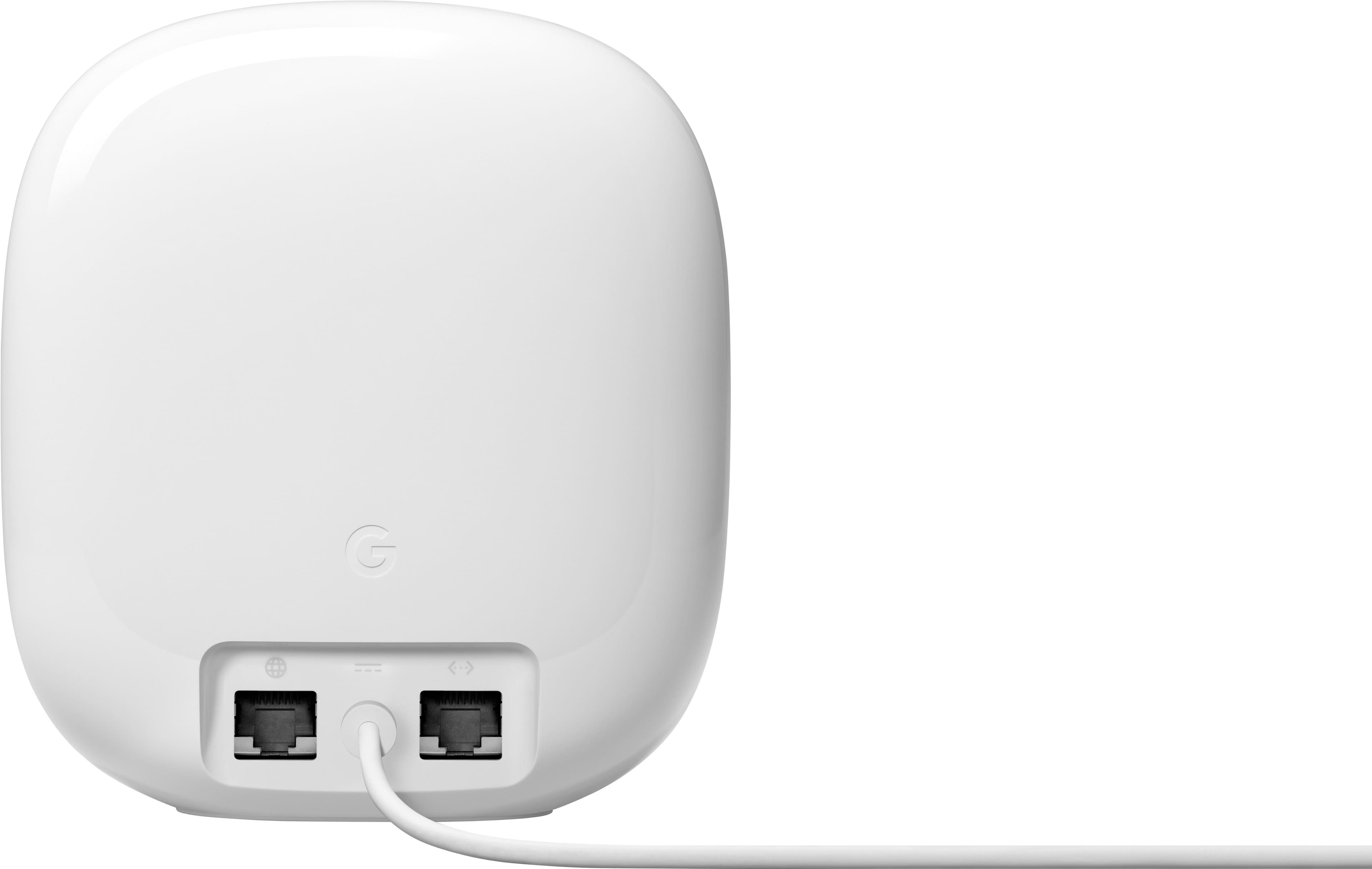
    The Google Nest Pro is a 6Ge tri-band mesh router. You get 2.4g, 5G and 6G bands and it covers 2200 square feet of space. You really don’t need any other router for your home. If you find dead spots, you need to know that this does NOT work with previous versions of Google Wifi or Nest Wifi. This router comes with a power adapter and Ethernet cable. It is very stylish and it does not look like your average router with all the antennas. It has a sleek modern design that blends in just about anywhere. This comes in four colors, but I find the Snow (white) works best for me making it blend in with its surroundings. If you have numerous devices that you want to plug this into, you will be disappointed. It has only 2 Ethernet ports and one of those is for hooking up to your modem. You will need an Ethernet splitter. Setup for this device is simple enough. You need to plug it into your modem and into an outlet. Next you will need the Google Home app and follow the on-screen steps to get this working. Internet speeds with this 6G router are great in comparison to the 5G router this is replacing. I had 300 mps Internet service and could not get above 201 mps with my old router. This router gives me well over 270 mps when doing a speed test. I have found that, when using multiple devices, streaming works much better than the old 5G did. For the price and ease of setup this is a great home router, especially for those looking to upgrade to Wifi 6e, and it doesn’t really look like it is a router sitting on my TV console. The upgrade from 5G to 6G is unbelievable…you can see a definite difference in the speed.

    I would recommend this to a friend