Customer Ratings & Reviews











- Model:
- GA03030-US
- SKU:
- 12049432
Rating by feature
- Setup
Rating 4.6 out of 5 stars
- Range
Rating 4.5 out of 5 stars
- Signal Strength
Rating 4.4 out of 5 stars
Much needed upgrade!
||Posted . Owned for 1 month when reviewed.This reviewer received promo considerations or sweepstakes entry for writing a review.My older google wifi system was not handling the amount of devices on my network. Upgraded to the nest wifi pro and it’s all smiles. No drops, low latency, great coverage throughout my apartment.
I would recommend this to a friendUpgraded from previous generation
||Posted . Owned for 5 months when reviewed.This reviewer received promo considerations or sweepstakes entry for writing a review.Upgrading from previous generation Google mesh was a breeze. The signal strenght, bandwidth, and speed are much improved. Highly recommend!
I would recommend this to a friendBeautiful Device
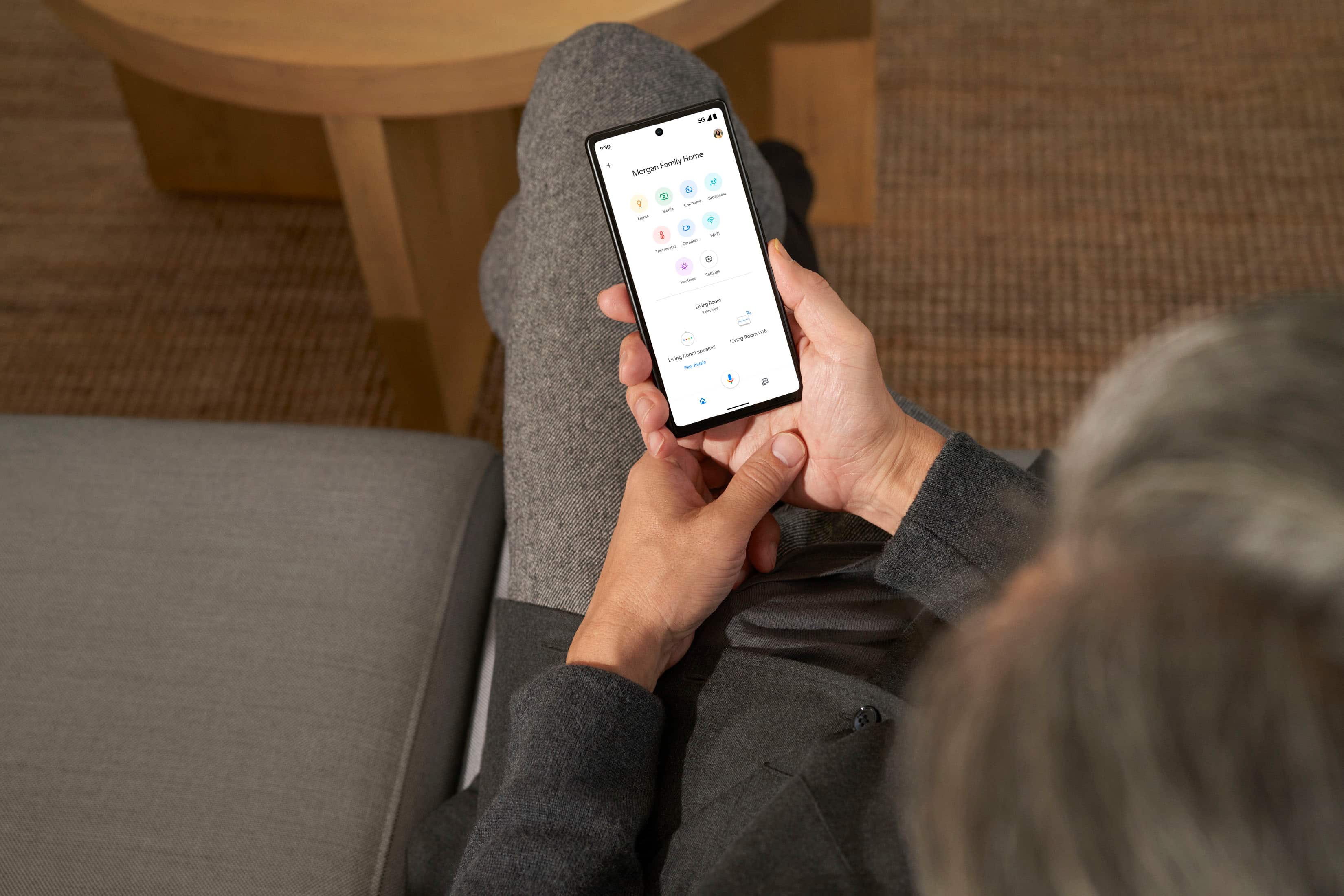
||Posted . Owned for 3 weeks when reviewed.This reviewer received promo considerations or sweepstakes entry for writing a review.These are very cute looking pod like structures that I love aesthetically as well as practically because they are not as big or tall as a common modem provided by internet providers! The color option is pretty cool and this device will look good with any kind of decor even if you decide to keep it out on a console or counter! All my Google devices are linked together in my Google Home app which is very convenient as I don’t have to look for different things in different places in my phone! My internet service has been great ever since I opted for this device to have better connectivity and I wasn’t let down! The range is surprisingly good too!! I will definitely recommend this to anyone looking to have a smarter home!
I would recommend this to a friendSolid 6e Mesh System
||Posted . Owned for 1 month when reviewed.This reviewer received promo considerations or sweepstakes entry for writing a review.While there was a slight hiccup with the price, overall the mesh system has been wonderful. I mostly needed it for gaming and it does the trick. The only issue so far and the other part of why I gave it a 4/5 is the mesh router in my other room will randomly get really hot and slow down speeds to my devices. Its been a simple fix to just power cycle but its becoming worrisome hopefully it just needs a software patch.
I would recommend this to a friendOnce up and going. It's good.
||Posted . Owned for 1 month when reviewed.This reviewer received promo considerations or sweepstakes entry for writing a review."upgrade" from tp-link on-hub to this new router because I like Googles software. Blocking items on the network is not a feature you have to pay monthly for unlike some other routers software. There was no way to migrate the old settings to the new router. Had to reassign all forwarded ports and rename all devices on the network, and recreate any groups (all kids devices removed from network at night etc.). Two devices easily cover 2400 sq. ft. home. my two previous dead zones are fully covered now. Minus one star for having to setup everything again.
I would recommend this to a friendBrand response from Nest Support
Posted .Hi trev, thanks for sending in your review for Nest Wifi Pro. We're happy to learn that your device was able to enhance your internet's range and performance. Your feedback on the setup process is appreciated and we'll relay this to the right team for future improvements. If you still need any assistance or have additional questions, please don't hesitate to contact us on our Google Help page and allow us to improve your overall experience. You can visit the help site here: https://support.google.com/googlenest/gethelp

Noticeable increase in speed
||Posted . Owned for 1 month when reviewed.This reviewer received promo considerations or sweepstakes entry for writing a review.I had the 2nd generation google wifi and upgraded to this. I saw a noticeable increase in speed. Keep in mind that this alone wont increase your onternet speed. You need to ensure that your service is upgraded (I have Spectrum Internet Gig) and have a compatible modem (currently using a Netgear Nighthawk CM2000) that can handle the upgraded speeds. Download performs at 600+ mbps and upload 40+ mbps. I have tons of smart devices, streaming tv, wife and i both work from home with constant zoom calls and it has performed very well.
I would recommend this to a friendGoggle router
||Posted . Owned for 1 month when reviewed.This reviewer received promo considerations or sweepstakes entry for writing a review.Awesome fast and easier to install fast and reliable
I would recommend this to a friendGreat Wi-Fi system
||Posted . Owned for 2 weeks when reviewed.This reviewer received promo considerations or sweepstakes entry for writing a review.I get mesh WIFI all around the house if I’m getting 500mbs at the base I’m getting 500mbs anywhere around
I would recommend this to a friendBlazing fast speeds
||Posted . Owned for 3 weeks when reviewed.This reviewer received promo considerations or sweepstakes entry for writing a review.I’ve used Google (Nest) Wi-Fi pucks in the past with great results. I purchased these newer model ones for my new home. I had great difficulty setting these up to work with a Verizon 5G Internet Gateway. The difficulty was on Verizon’s end and honestly nobody at the Best Buy store that took my money, or the Verizon store where I picked up my gateway would or could help. Turns out if you’re going to use this product or the older “puck” style devices, not only do you need to go into the IP address of the internet gateway device from a computer hard wired with a LAN connection to the gateway device to set it up as a pass through device, but you also need to go into your network settings and allow the devices to have network access. Nobody at Verizon or Best Buy mentioned that. About of week of trial and error and I figured it out myself and I’m not a computer savvy guy. Once the Verizon Gateway was set to pass through and the green light was illuminated, the Nest devices connected and setup was a breeze using the QR codes on the bottom onlf the device. The Nest devices now work superbly. I have several wireless devices connected with blazing fast upload and download speeds throughout my 1.25 acre property. Additionally, I have my security camera DVR, a LAN 8 port prioritizing splitter, AmazonFire TV and four Ring security devices hooked up and everything is working seamlessly. I highly recommend these Nest devices. Don’t mind the spaghetti wire mess… this a new install and is still underway. Wired will be tucked nicely away once the final positions are determined. ;)
I would recommend this to a friendWorks well
||Posted . Owned for 1 year when reviewed.This reviewer received promo considerations or sweepstakes entry for writing a review.Works really well I have them distributed throughout my home for seamless Internet connection. Works way better than cable modems highly recommended.
I would recommend this to a friendGood product
||Posted . Owned for 4 months when reviewed.This reviewer received promo considerations or sweepstakes entry for writing a review.Love it. It's very easy to set up and works great it covers my home with ease.
I would recommend this to a friendGreat prodding
||Posted . Owned for 2 weeks when reviewed.This reviewer received promo considerations or sweepstakes entry for writing a review.The best purchase I’ve made in a long time. I have to chart on my computer from home. I was using my hotspot to connect to my computer because my WiFi signal was weak. This mesh symptom eliminated that problem. Goodbye slow internet.
I would recommend this to a friendAmazing router!
||Posted .This reviewer received promo considerations or sweepstakes entry for writing a review.So glad I purchased this! We have our modem coming into the basement. Before I had Linksys WRT3200ACM in the basement as well and the signal was weak. We only live in a 700sqft home but I understand the router probably shouldn’t belong in the basement anyways. Did some research and found out about mesh wifi and came upon the Google Nest Wifi Pro. I was able to find a open box excellent one from Best Buy! I jumped on it right away. Shipping arrived 3 days earlier than expected! The item practically looks new! Setup was so easy! Using the Google home app it took 15 mins to set up both pods. Before I was getting 30mbps down and 20mbps up, now I’m getting close to 300 down and 25 up. I’m the process of getting fiber so excited to see what the Google mesh wifi pro can do!
I would recommend this to a friendEnhanced Connectivity with Google Nest Wi-Fi Pro 6
||Posted . Owned for 1 month when reviewed.This reviewer received promo considerations or sweepstakes entry for writing a review.I recently upgraded my home network with the Google Nest Wi-Fi Pro 6, and I've been thoroughly impressed with its performance. The setup process was a breeze, thanks to the user-friendly app that guided me through each step. The sleek and minimalist design of the device blends seamlessly with my home decor, which is a big plus.In terms of performance, I've noticed a significant improvement in Wi-Fi coverage and speed. My home is now free of dead zones, and the Pro 6 effortlessly manages multiple devices without any lag. This is a game-changer for my work-from-home setup and streaming needs.The Google Home app is intuitive and offers useful features like setting up a guest network and parental controls, enhancing my overall experience. One of the standout features for me is the smart device integration, which allows me to control my other Google-compatible devices seamlessly.While the price point is on the higher side, I believe the Google Nest Wi-Fi Pro 6 offers great value for its exceptional performance and features. It's a worthwhile investment for anyone looking to elevate their home Wi-Fi experience.Overall, I highly recommend the Google Nest Wi-Fi Pro 6 for its superior connectivity, user-friendly interface, and smart home integration capabilities. It's a robust solution that caters to the demands of modern, connected homes.
I would recommend this to a friendI highly recommend the Nest Wifi Pro 6E
||Posted . Owned for 3 weeks when reviewed.This reviewer received promo considerations or sweepstakes entry for writing a review.I am extremely impressed with the Nest Wifi Pro 6E. I replaced my Ampli Alien Mesh Router with the Nest Wifi Pro. The setup was so easy and get the mesh points setup was a cinch. I also love being able to access router and network information and settings directly from thw Google Home app. I would highly recommend this product.
I would recommend this to a friendGreat upgrade for Google Wifi and Nest
||Posted . Owned for 1 week when reviewed.This reviewer received promo considerations or sweepstakes entry for writing a review.I had bought the original Google Wifi 3-pack, and then upgraded the router only to Google Nest, keeping the original 3 points as extensions. This new 2-packs brings about the same coverage with astonishing connection speed and reliability. This also allows to speed up latest generation devices that were doing ok before.
I would recommend this to a friendWork Great
||Posted . Owned for 1 month when reviewed.This reviewer received promo considerations or sweepstakes entry for writing a review.Super pleased with these! Recently upgraded our internet speed amd we kept getting drops in connection. We bought tyese and we haven't experienced a single drop since! We placed them throughout the firsr level of our two story home and the connection upstairs is fabulous as well. They were very easy to set up.
I would recommend this to a friendGreat product
||Posted .This reviewer received promo considerations or sweepstakes entry for writing a review.Great wifi system that uses wifi 6 and allows for a more spread out connection. Mesh is just a much more functional wifi system at this time, allowing the secondary router to reduce traffic on the primary router.
I would recommend this to a friendGood for 3500 + sqft house
||Posted . Owned for 1 month when reviewed.This reviewer received promo considerations or sweepstakes entry for writing a review.This is a very good network mesh for a house above 3500 sqft but will be overkill for anything below 2000 sqft.
I would recommend this to a friendIt's pretty good. Could improve a lot.
||Posted . Owned for 1 month when reviewed.This reviewer received promo considerations or sweepstakes entry for writing a review.I'm not too sure the price meets the specs. Because they use 6E as a back channel I question if this will be usable in the future. Also, I've never seen a device that has the wired connection slower than it's wifi capability. However, I've purchased most of mine with open box sale and they work quite well giving connectivity. The Internet were I live is very limited and be very careful not to bottleneck your super faster (250 and up) connections.
I would recommend this to a friendBrand response from Nest Support
Posted .Hi Charles, thanks for reaching out about your experience with your Nest Wifi Pro and your interest in the 6E band. We've got a helpful link that explains how 6E Wi-Fi works and its benefits for you: https://support.google.com/googlenest/answer/12367191?hl=en-NZ&sjid=13818631439504733928-NA
If you need some additional help in the future don't hesitate to reach out to us at your best time: https://support.google.com/googlenest/gethelp?sjid=840754907294195819-NA