Customer Ratings & Reviews
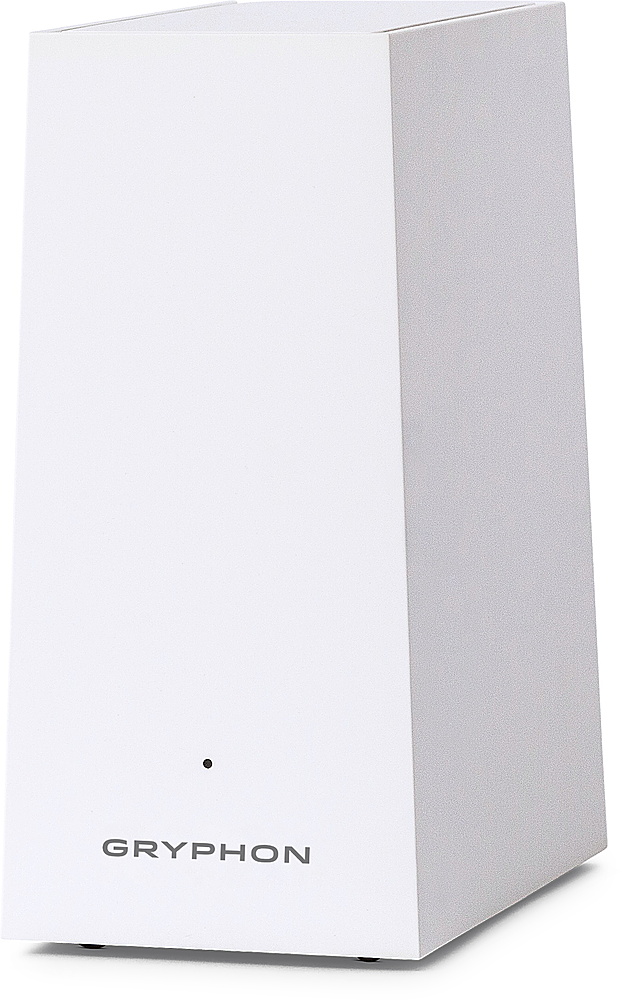




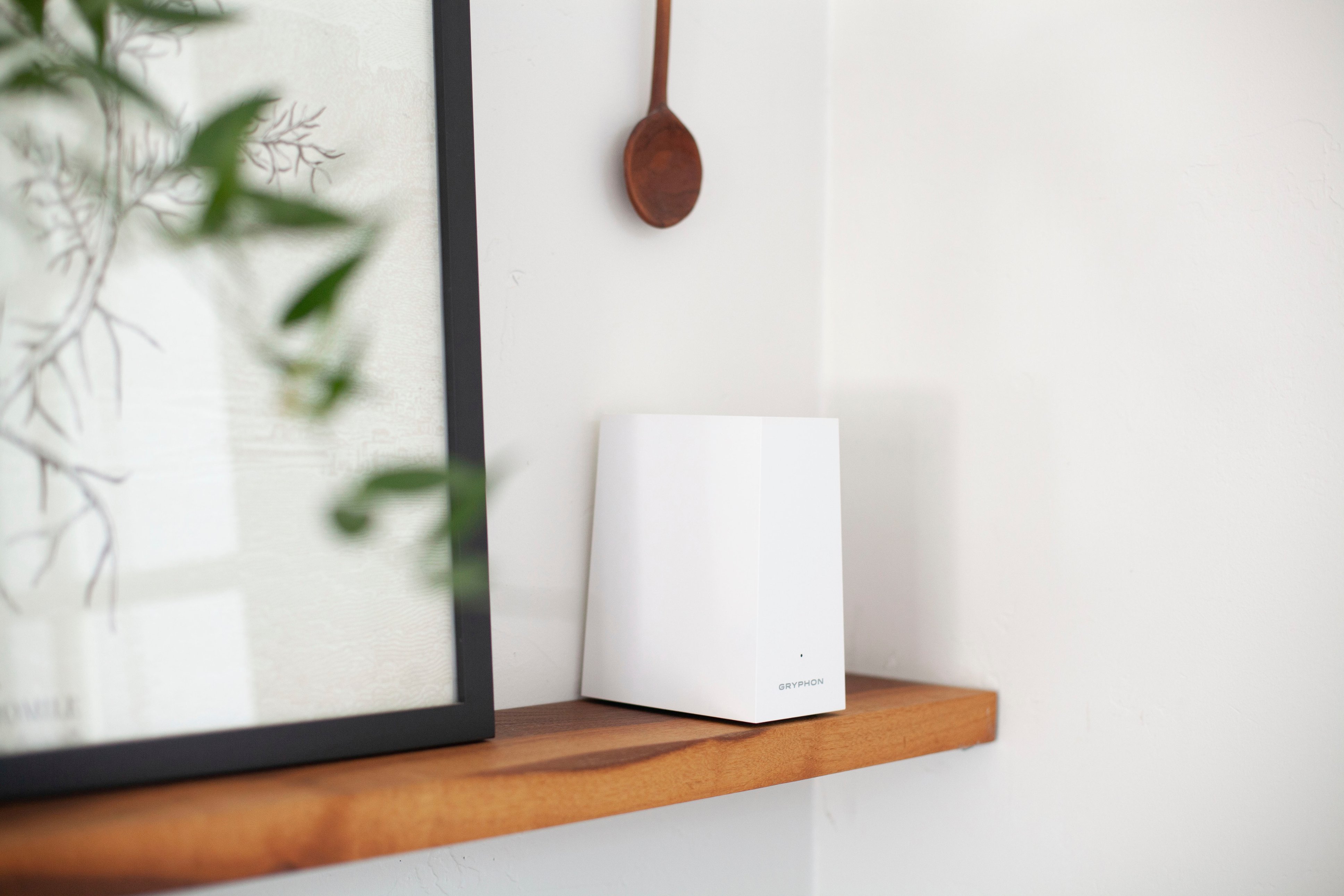

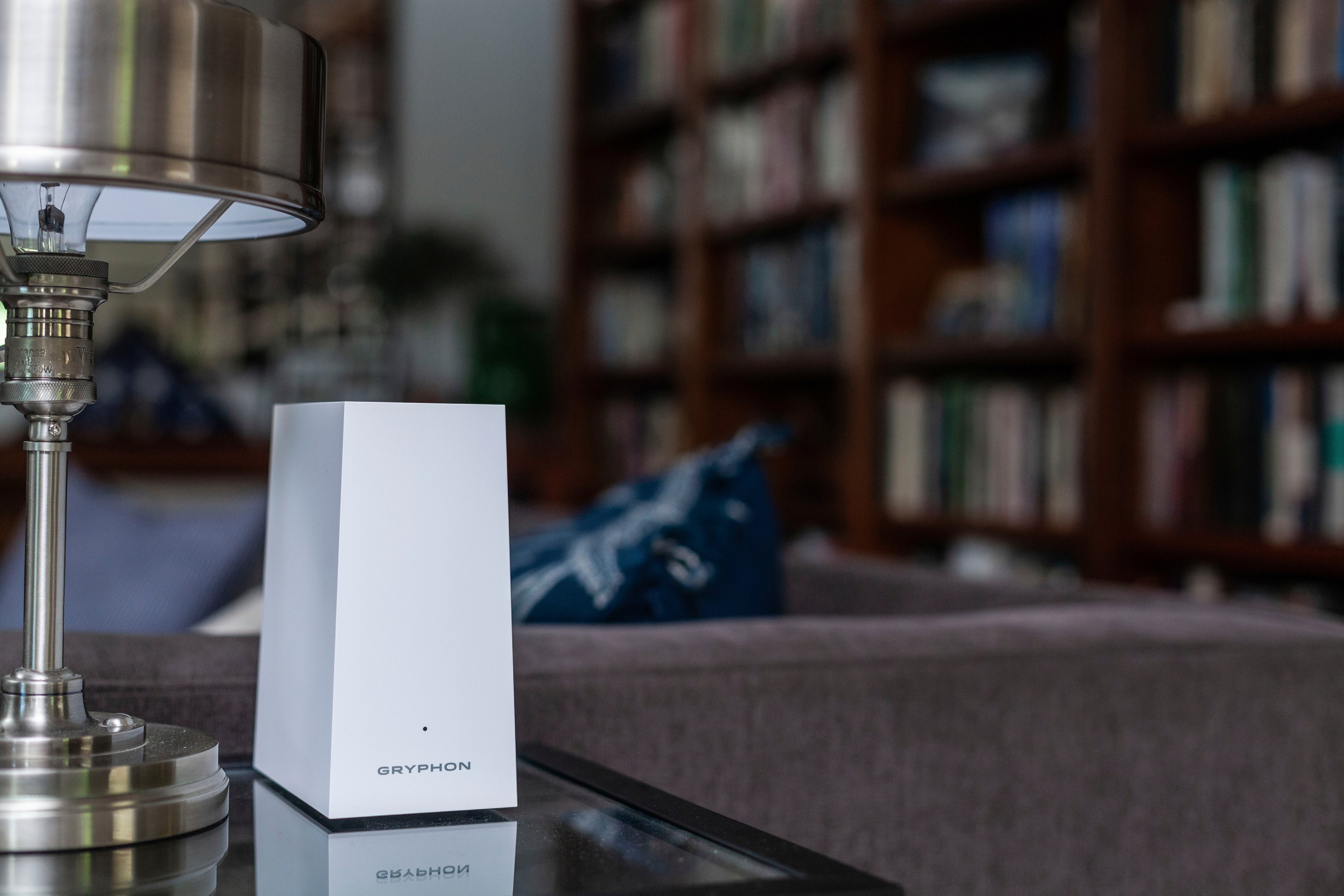
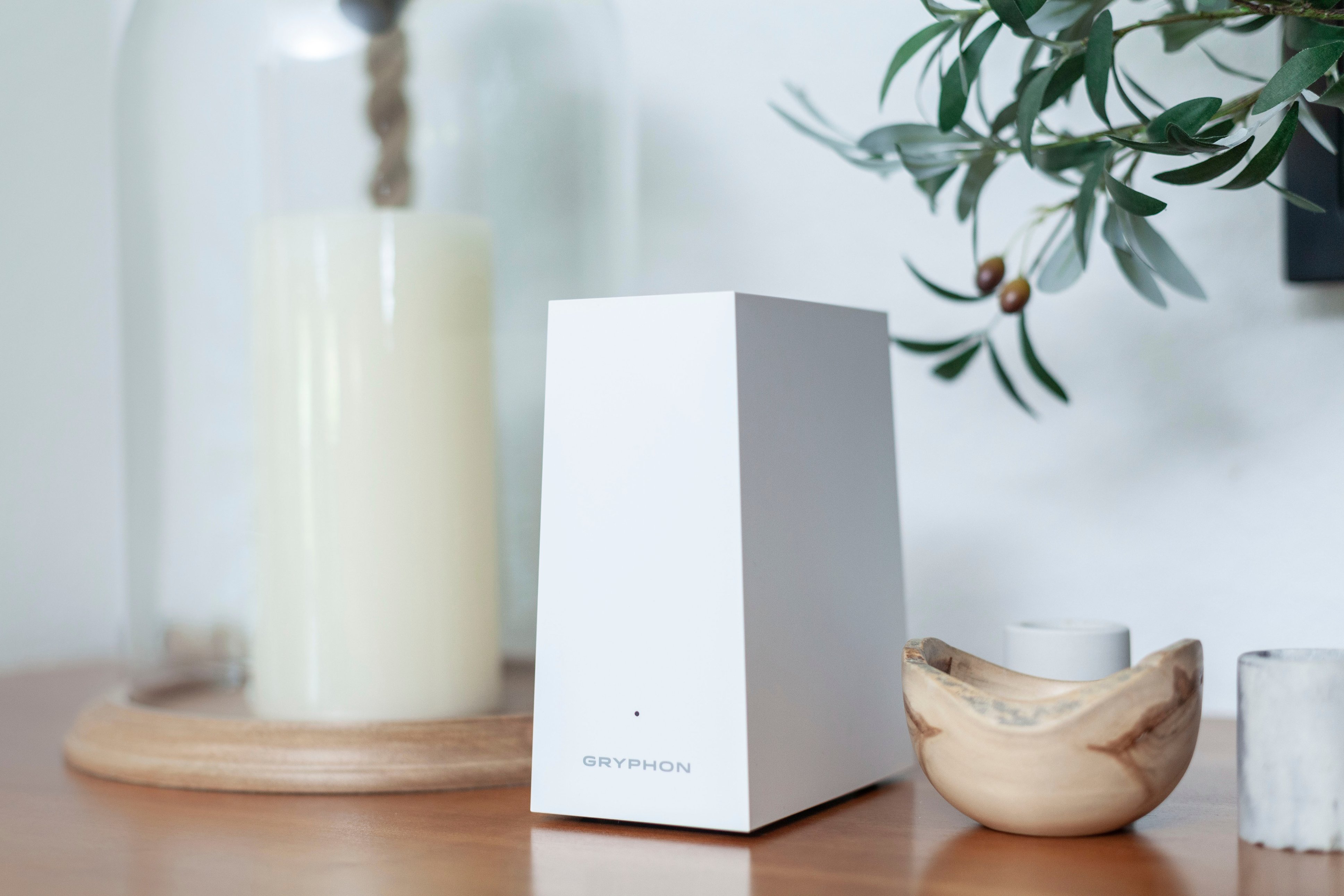
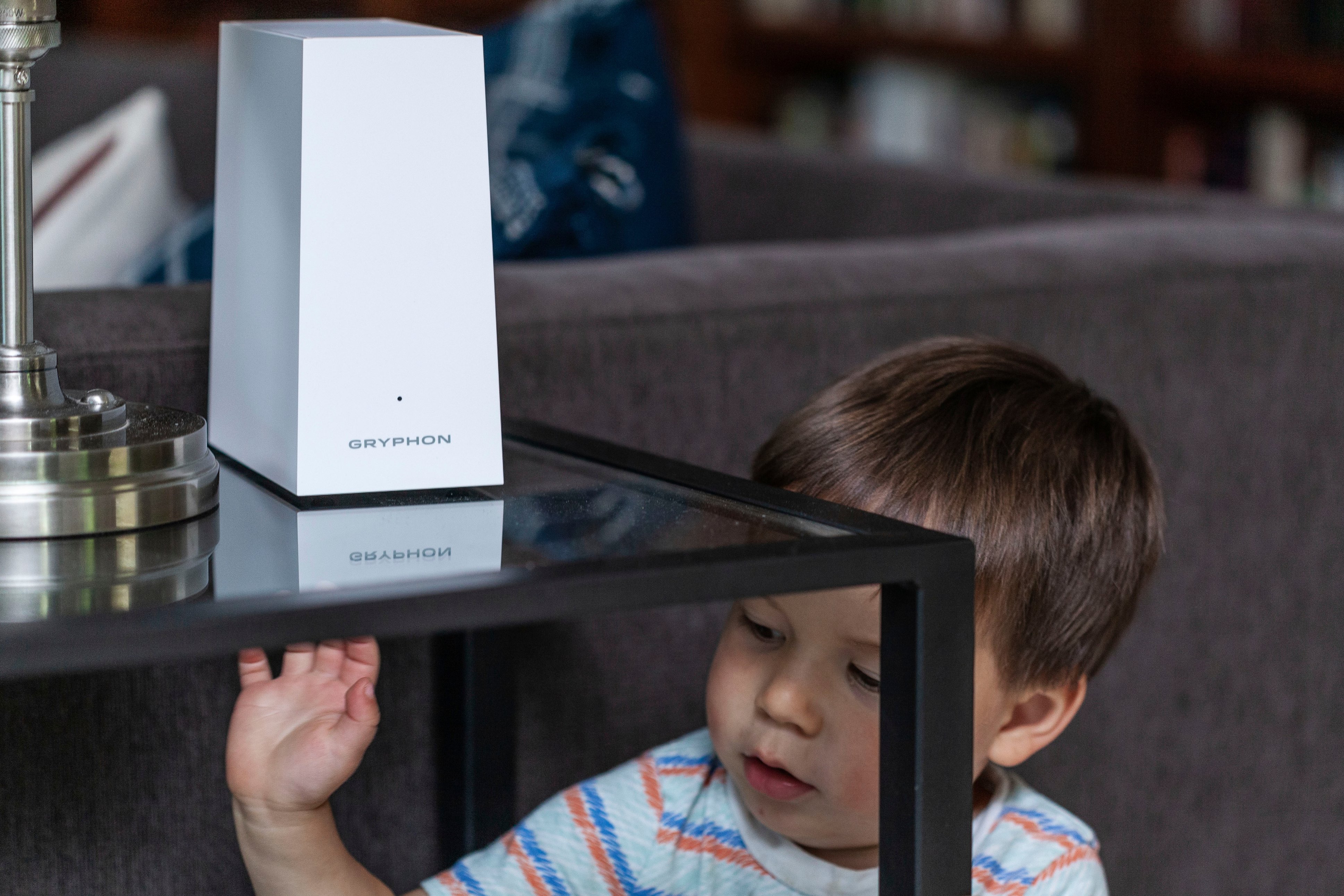
- Model:
- WiFi 6 1 pack
- SKU:
- 6520778
Rating by feature
- Setup
Rating 4.5 out of 5 stars
- Range
Rating 4.6 out of 5 stars
- Signal Strength
Rating 4.5 out of 5 stars
Customers are saying
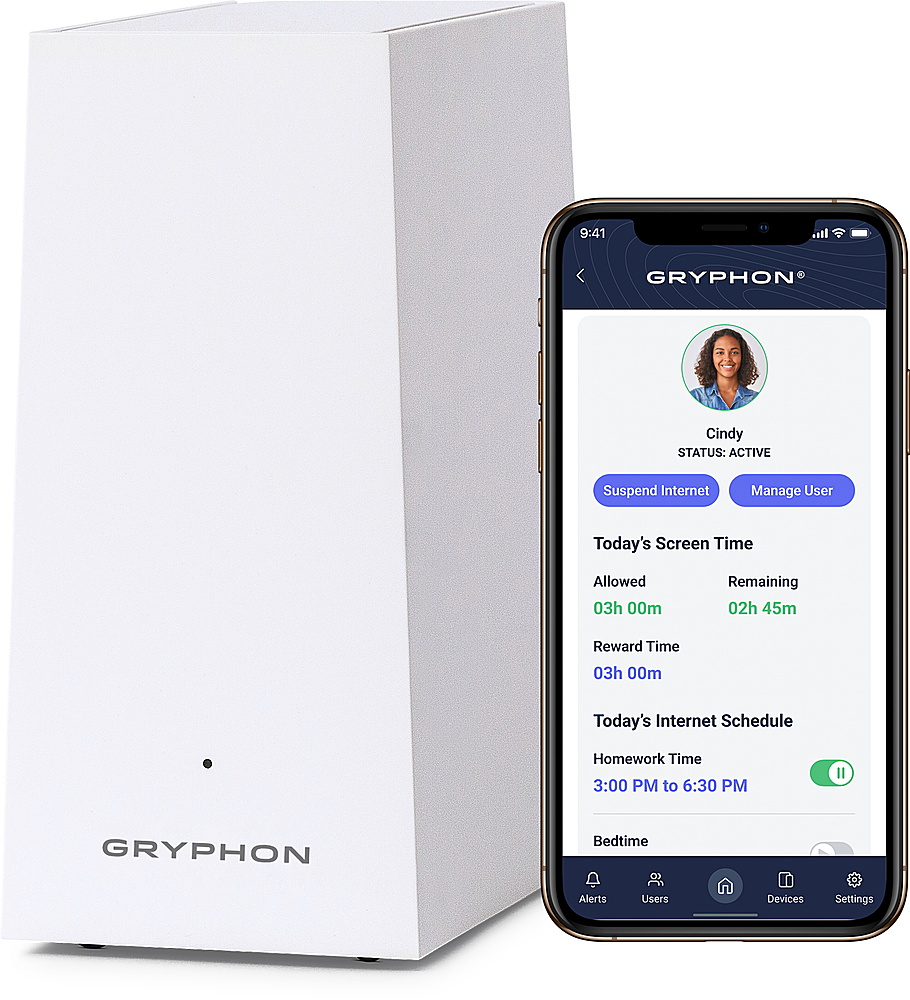
Customers recognize the Gryphon AX Tri-Band Mesh Wi-Fi Router's excellent parental controls and fast Wi-Fi speeds, with many also praising its ease of setup and strong security features. However, some users experienced difficulties during the initial setup process, and a few noted the limited number of Ethernet ports as a drawback. Overall, the positive feedback on key features outweighs the reported minor setup issues and port limitations.
This summary was generated by AI based on customer reviews.
- Pros mentioned:Parental controls, SecurityCons mentioned:Ethernet ports

Perfect Balance of Security and Performance
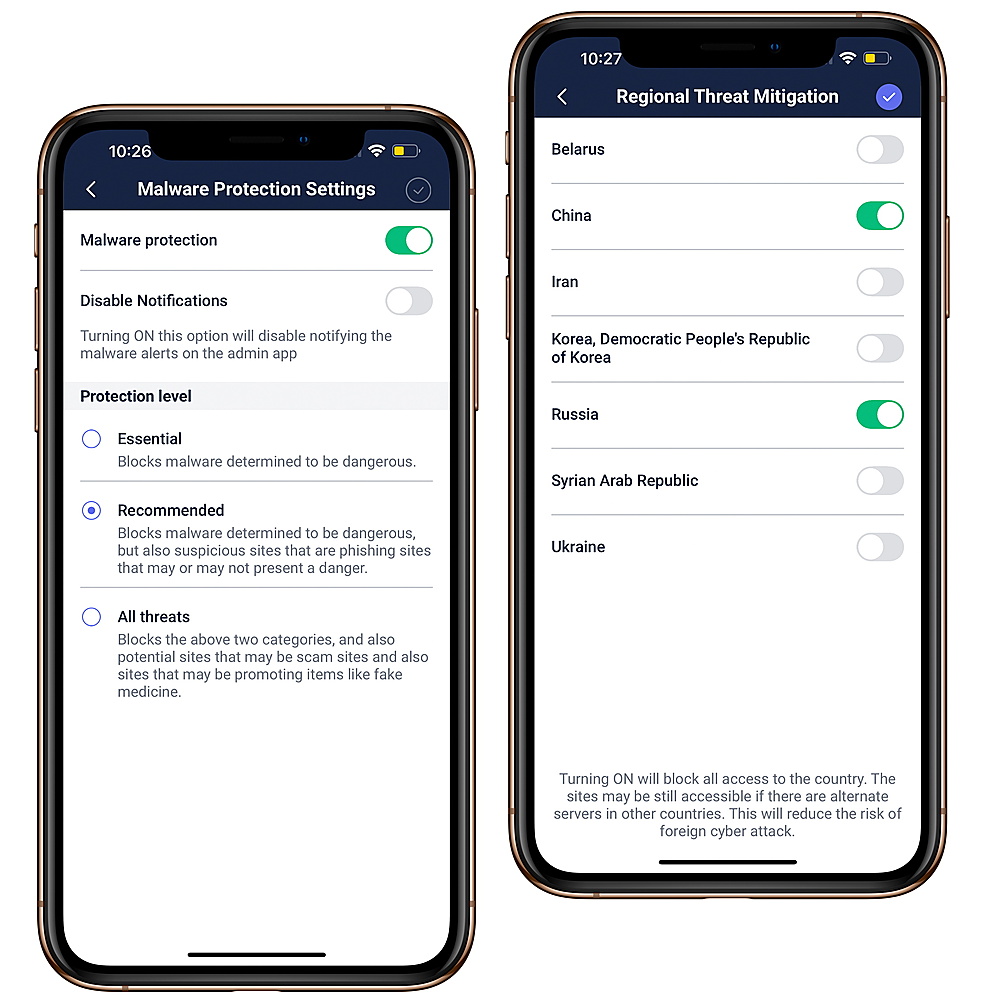
|Posted .This reviewer received promo considerations or sweepstakes entry for writing a review.I am an IS Security Analyst and have installed and configured multiple routers at my home. This router has exceeded all my expectations. I was hesitant of replacing my much larger high-end gaming router with this surprising small unit. Setup was super easy with the mobile app. It has a slick and simple appearance that does not look as awkward as some other routers on the market. As with most other mesh routers, you are limited to only one available ethernet port on the back of the router. This is easily overcome by connecting to network hub that range in price from about $10 to $50 for residential use. Almost all of your routers come with a default admin password which is big security vulnerability. Gryphon prompts for setting up the admin router password upon setup. By default, it is set to auto band steering which sets one SSID for all three wireless channels and load balances all devices across them all. You also have the option to configure a separate SSID on each channel as well. The feature I am impressed with the most is the protection it has for IoT devices. Basically, IoT stands for Internet of Things and includes devices that are concerned 'dumb', such as cameras, doorbells, appliances, etc., that connect to the internet but should not communicating with anything outside of your network. These devices normally have no security and firmware updates are normally not pushed out in a timely manner. Gryphon has a separate channel just for IoT devices so they can be separated from your primary network. You are given the options to hide the SSID for this, or any channels, and you can select Network Isolation and / or Client Isolation. This keeps your device from communicating with anything outside of your network and anything outside from communicating with it. This alleviates it from being hacked or putting the rest of your network at risk if it becomes compromised. The latest security protocol of WPA2/WPA3 is supported. There is a QoS option and up to three devices can be prioritized. Malware protection is built in and free for 90 days. After the trial it cost $8.99 a month or $89.99 annually. This is a small price to pay for all of the advanced security features it provides. You have the option from locking any new devices from connecting to your network even with the correct password. This is another essential layer of protection from hackers. On top of your admin password, you can enable Multi-Factor Authentication (MFA) as well to require a code from your registered mobile device to be entered upon login. You have the option to enable full parental controls over screen time, bedtime and age-appropriate profiles. With their optional HomeBound software installed you can also protect any of your kid’s devices when they are away from home. It uses a VPN to route any Wi-Fi connection outside of your network back through your router to use your configured parental security features. Normally, with all of these advanced security features I would be worried about the performance. I am an avid gamer and have it connected to multiple Xbox and PCs both wired and wireless. There were some minor settings that needed 'tweaked' to get the NAT to an Open status in order for multiple player to work properly. After contacting customer service, I was able to get it configured correctly with no issues. I have been gaming for hours over the past several days with absolutely no issues. Speed Test are actually faster than much more expensive, flashy gaming router. I highly recommend this router to everyone and if you google the company, you can see that they really care for their customers and the founder invented it to protect his own children. You will not find this personal connection with the other major network routers companies. The company even hosts a weekly learning webcast where owners can get additional information about getting the most out of their device. This is unheard of these days and good luck with even contacting customer support with another router company. The prices is great and you only need one tower unless you have a really large, multiple story house. I am using one tower in an average size, one floor brick house, and I have no dead spots anywhere, including the basement and garage.
I would recommend this to a friend - Pros mentioned:Ease of use, Security, Wi-fi speedCons mentioned:Ethernet ports
Best router for home user
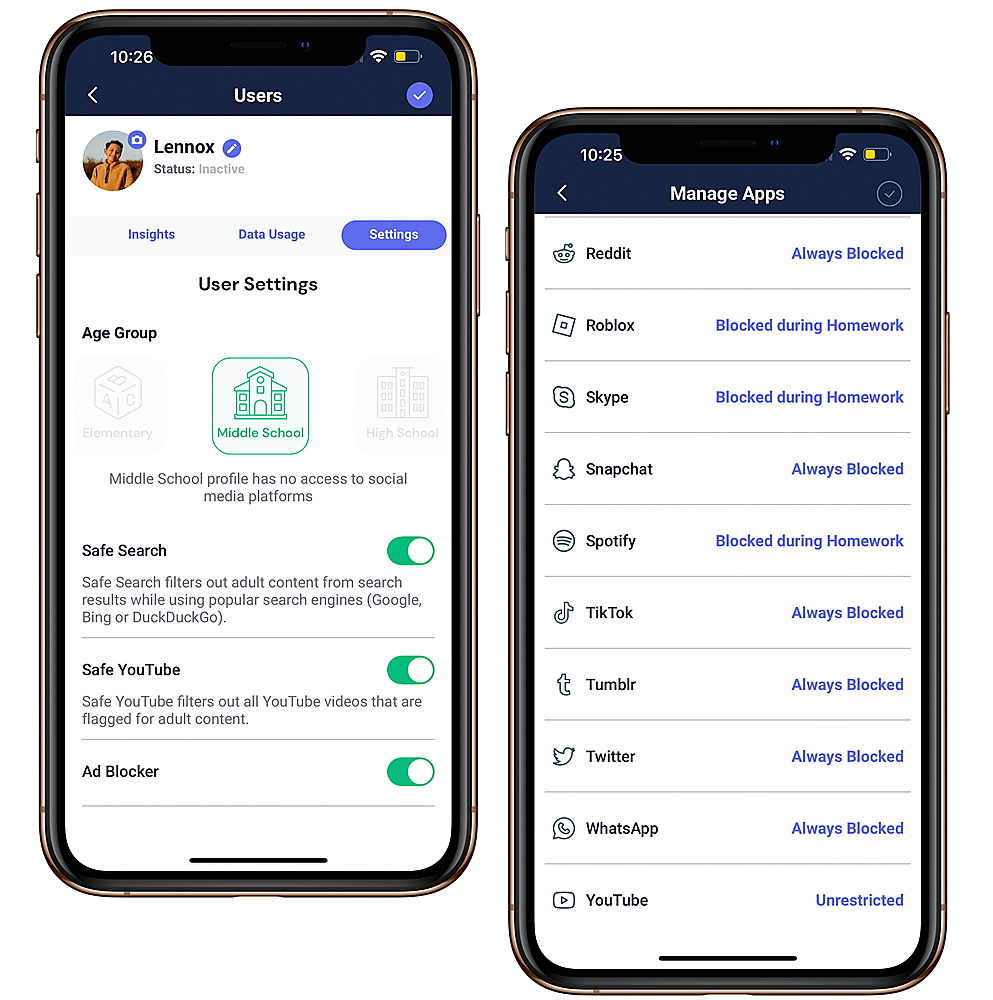
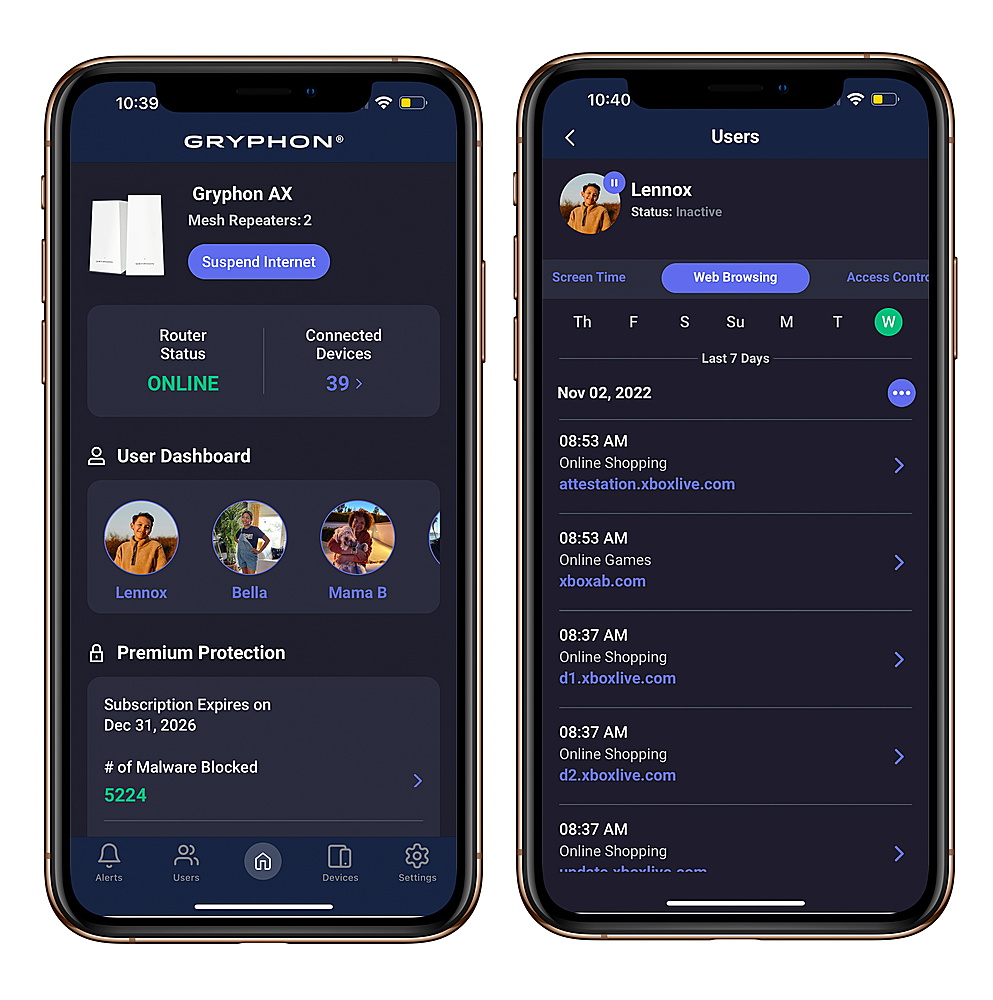
|Posted .This reviewer received promo considerations or sweepstakes entry for writing a review.Let me start out by saying I have used a total of 15-20 different routers over the course of the last 2 years, some of these include business routers managing 100+ users, so I have a great amount of experience and a good idea of what works and for whom a particular router is for and the Gryphon is the absolutely perfect for a home user with kids/teenagers or adults who may not be very tech savvy. The installation for the Gryphon is childishly easy all you need to do is create an account and follow the app instructions which is basically just plug and play and you’re up and running. As I stated this is the perfect router for the home user because it is simple and intuitive to use. The app has a minimalistic layout to it and is very fast and responsive. Once up and running you can assign users that you know will be on your Wi-Fi and assign the age group and the type of management you want on that device. The amount of management you can do per devices is amazing, you’re able to set time schedules/block sites and even manage chats/messaging. The Gryphon also allows you to set up an ad blocker through the router and store the browsing history. I have included a few screen shots for a more detailed view. The device identification function works pretty well so you have an idea of who is connecting (be a phone from a certain company or a streaming device) which is very beneficial is helping you set rules for the devices connected to your network. Gryphon provides a premium protection which has a 90 day trial and I would say its worth trying out with the amount of sensitive data is on our devices and how phishing schemes are becoming more prevalent and if you have kids or adults who aren’t as tech savvy it is a must now a days. Overall the router was able to handle all of my devices and me streaming 5 4k streams without any hiccups and I was able to get a good Wi-Fi signal in about 3/4 of my house (please keep in mind that Wi-Fi signal will depend on where you reside and the types of materials used in the construction of your home) My only issue was that I wish it had at least 2 or 3 more Ethernet ports for me to plug in a few more devices directly otherwise it is the best router for home user with kids hands down.
I would recommend this to a friend - Pros mentioned:Ease of use, Parental controls, Wi-fi speed
Gryphon - A Parent's Best Friend
|Posted .This reviewer received promo considerations or sweepstakes entry for writing a review.Without question, this is the best router that gives fine tuning parental controls. This is significantly important with all the stuff happening on social media and the internet in general. Let’s face it: social media is the toilet of the internet, and you don’t want your kids playing in it. The Gryphon AX Mesh WiFi Security Router takes all the guesswork out of configuring profiles for the younger audiences at home, and even goes further to protect everyone from malware and intrusions. Setting up the Gryphon took no more than a few minutes to set up. Assuming you’re all plugged in and ready to go, setup using the Gryphon App was a breeze. App setup requires the scan of the QR code affixed to the unit itself and, to be honest, I can’t remember the rest of the initial setup process. It was that easy. And after you’re able to establish internet access, you can change SSIDs on your primary network and guest network. Each network will perform auto band steering which will force 5GHz capable devices to connect in that fashion. You can certainly turn this off, if desired. Something new that I haven’t seen before is an additional IoT Network SSID that you can configure for all your IoT devices; they would sit on this additional SSID. I don’t know if it really buys you anything new, but it definitely helps organize your devices connected to your network. For every new device that connects to your network, the Gryphon App will notify you of the new connection, and you will have the opportunity to assign this device to a “User”. A user is a specific user or group that you will be able to define. You can provide this “User” a name, decide what age group is appropriate for the user, and turn on things like Safe Search (prevent adult content from search results) and Ad Blocker. You will also be able to store browsing history so there is no hiding from what this user has been viewing. These settings can be changed at any time after they have been created. After you’ve set up a few users on your Gryphon app, then you can fine tune each user role further. There are two main types of “Time” management: Screen Schedule and Internet Schedule. Screen Schedule allows you to configure a maximum screen time allowance for a user role/group. Internet Schedule allows you to control what times of the day the internet is effectively “OFF”. Think homework time, bedtime and just a general suspend time. Pretty neat, and it’s super simple to set up. Another customizable area is something called “Access Control” where you’ll be able to manage specific URLs(always blocked, managed based on your Internet Schedule, etc). Similarly, you can manage specific Categories in the same fashion. Then there are the statistics. For each user role, you’ll be able to see what websites were visited by the user; if a website was blocked, you’ll see a blocked icon next to the URL. You’ll also be able to see Insights, a tab that shows you how much time was spent doing activities (Streaming Video, Web Browsing, etc). Each statistic is broken down by day. Finally, you’ll be able to see weekly data usage based on device. So, none of these parental tools really matter if the Gryphon AX doesn’t perform…so how does it perform??? Well, happy to report that it is one of the best mesh router types I have ever used. Now a big caveat to this is that I am not using it in a mesh network fashion; in fact, I only have one unit in a 2400 square foot, two story home. Being upstairs in the complete opposite corner away from the Gryphon, I am still able to achieve 60-70% of what my current mesh network is able to achieve. That’s pretty good for me, and if I did get another unit, this would have no problems getting me that data much faster. There is a “pay to play” aspect for the Gryphon: malware and security monitoring. For $7.99/month or $89.99/year, you’ll be able to filter out malware, detect vulnerabilities and infected devices. But where I think it matters most is to extend parental controls when on mobile data or WiFi that is not your own. Remember, once that device leaves your home, it is either on a mobile network or on another WiFi network, and neither of these networks hold your parental controls. Using Homebound, you’ll be able to continue these parental controls. You get a 90 day trial and after the period is over, you can decide to continue this premium service or cancel. Overall, I am very happy with the Gryphon AX Tri-Band Mesh WiFi Router. Being a parent and a techie, it is very refreshing to have a company not only place emphasis on performance, but also a huge emphasis on the safety and security of our children. Highly recommended.
I would recommend this to a friend - Pros mentioned:Ease of use, Parental controlsCons mentioned:Ethernet ports
Great Parental controls!
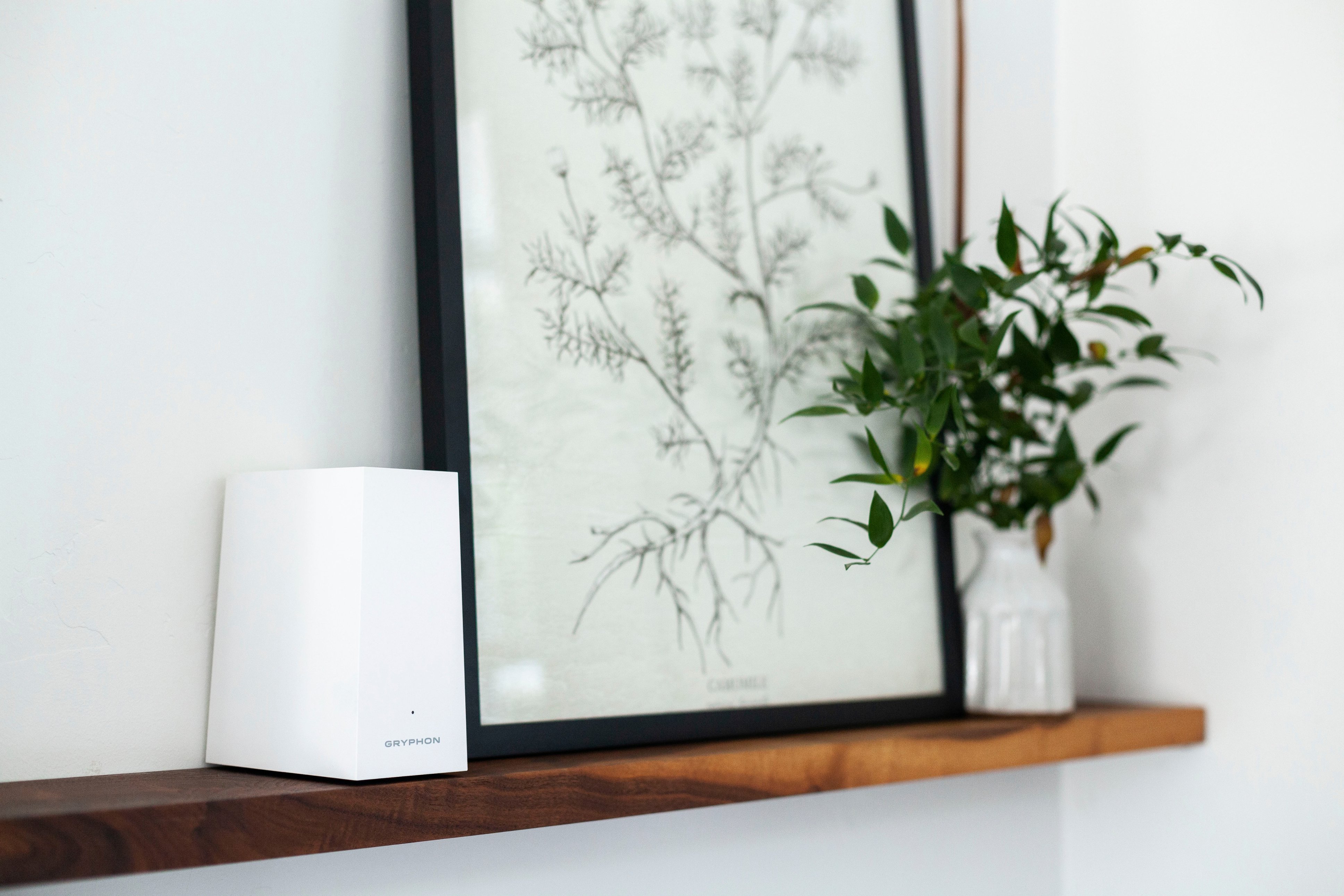
|Posted .This reviewer received promo considerations or sweepstakes entry for writing a review.The Gryphon AX Tri Band Mesh Wi-Fi router is a small router that can easily be placed on a bookshelf depending on where your cable modem is located. This is my first time using a Gryphon router. The setup was relatively easy. Connect the router to power and to a modem, download the Gryphon application, and register your account. The Application then provides a status update and that you are connected to the internet. Within the app you have access to the router settings and other features. An area where this device really shines is with the parental controls. You can view the screen time, schedule internet access, filter webs and apps plus more. All that is accessible in the app and is very simple to use. I have done online gaming with no issues, The connection is great. Fast web browsing and quick downloads. Something I found cumbersome was when a device is connected to a router it is a bit difficult to identify it since the app only shows you the MAC address and sometimes the manufacturer’s name. So it may be challenging to identify which device belongs to whom. For example, if you and your spouse both have iPads and your two kids each have iPads the app will show Apple products with a MAC address but not the specific iPad model or name. My workaround was to connect each device one at a time. Of course that can easily be resolved with an update. I used the same SSID and password from my old router so that every device would connect automatically. That saves me a lot of time than starting from scratch with a new SSID and password. The Gryphon AX Tri Band Mesh Wi-FI router is rated 3000 square feet. I am a bit disappointed because I have an 1800 sq feet home that is 2 floors and the signal is great on the first floor but once I go to the second floor the Wi-Fi cut out. This is quite disappointing because you will need a second mesh router and that will put you around the $500 mark for two routers. Something worth noting is the available ethernet inputs, is only 1. There are two ethernet slots but one is for the modem. The back of the router has plenty of space, and they could have easily put 4. Overall this is a good router with really strong signal connection and great parenting control tools. It is very well constructed and easy to setup. On the downside if you have a 2 floor home, you may need to buy a second mesh router or a set of two to cover that floor. In the box you get the router, ethernet cable, power brick and some manuals.
I would recommend this to a friend - Pros mentioned:Parental controls, Wi-fi speed
As Simple as Routers Get, But Is it Right for You?
|Posted .This reviewer received promo considerations or sweepstakes entry for writing a review.The Gryphon AX Tri-Band Mesh Wi-Fi router is a compact and easy to set up router with features tailored towards parental control of your network. This router is for parents who want to set up their network quickly and easily and manage the users and devices on it and this router is appealing to those less tech savvy and want easy wireless network management. What do you get?: The box itself is small and contains a small quick start instruction card, the router, power cable, and a short ethernet cable. The unit itself is surprisingly small, not much bigger than a 12oz aluminum can width and heigh wise and maybe two cans deep. Setup was easy! The first thing you do is download the Gryphon app. I installed it on my Pixel 6 Pro android phone and had no issues. You are required to register an account you must use the app in order to set up the router. The app very clearly walks you through the setup process, complete with updating the firmware of the router (which was needed after setup). The entire setup including firmware update time was less than 15 minutes. The app does provide links contact support every step of the way and I was even emailed further setup instructions as soon as I had created my account. Using it: I reused my previous network name and passcode and all of my 30+ devices connected and worked right away. There have been no issues with the combined 2.4Ghz and 5Ghz connections, although it’s worth noting that you DO have the options to create separate network for this, in addition to a guest network. This router is Wi-Fi 6 / 802.11ax so it’s ready with the latest Wi-Fi protocols and backwards compatible with older Wi-Fi devices. My home is just shy of 2000 square feet, and I have no connection or dead spots even through several walls. What makes this router stand apart and the main selling point is the app connection and its parental controls. You can create profiles and assign devices to said profiles, with each having their own filtering options – including for guest devices on your network. You can schedule times when certain devices are active, view how active the devices have been, browsing habits, data usage, and more. There are default settings for various age groups: toddler, elementary, middle school, high school, adult, and unfiltered. It’s worth noting that you can also block VPN access, should you have someone clever enough to think of bypassing the router parental controls. At any point you can suspend internet for your whole network, a user, or a specific device. There is an option for a user to immediately request access to a blocked website, which would then ping you via the app. Downsides: The unit itself has ONE wired port, which means if you want to hardwire more devices, you’ll need to a buy an additional switch. Most consumer routers have around four ports for additional wired devices. The unit has a single light on the front. I haven’t had any outages, so it’s just been lit white the whole time. As best I can tell, this is not a light meant to be used to really indicate any network conditions. I would like to see more status indicator lights on the device itself. You can ONLY access the router settings via the app. Most routers allow you to access the settings from any web browser via the ip address. When you try to do that, it brings you the dialog where you can request access to a blocked site. Speaking of settings, you have access to most every basic setting for your network. However, there’s many router settings that you do not have access to. There are no real advanced settings where you can really get into some deep network professional customization. This is likely not a concern for the average user, but if you wanted to get granular you cannot. This is not a router for a power user or one wants access to every networking setting available. Lastly, the main screen of the app pushes for you to sign up for their monthly subscription service, Premium Protection. This plan costs $7.99/mo or $89.99 a year. This service protects your network “from hackers, malware, and security threats.” It also extends parental controls to devices outside of your home network. It also extends the hardware warranty past 1 year. I cannot speak towards the service, but I am not a fan that you cannot hide this notice about your unprotected network. It’s an ad that’s built right into the app that’s required for you to use. Final Thoughts: I’ve given this router 4/5 stars due to my list of what I consider cons. I think a future version of this router could easily eliminate a lot of what concerned me. As for someone who may be thinking of buying it, ask yourself the following: Are you a parent who wants easy parental control options to set up that are as simply as can be? Do you need a router that’s incredibly easy to set up an manage? Then I can wholeheartedly recommend this router. It’s easy, intuitive, and I think a leader in what it offers to those users. This is the router you want! If you do not fall into the above category of user, then I’d be hesitant to recommend this router. It is clearly geared towards the parental control features, although you certainly don’t need to use them. I feel that the negatives bring it down if you’re not taking advantage of its key components: parental controls and simplistic network control. For a similar price you can get a different router that has none of the concerns I brought up above and will suit you better.
I would recommend this to a friend - Pros mentioned:Wi-fi speed
An impressive router
|Posted .This reviewer received promo considerations or sweepstakes entry for writing a review.This wireless router impressed me with the features it comes with. I don’t buy networking equipment often so it’s been a few years since I got my last one. This router is controlled via app available on both iOS and Android. You will need to create an account on Gryphon Connect’s website. The app will walk you through creating an account, if you don’t have one. During the account creation it will suggest to enable MFA (multi factor authentication) which is a plus that I wish became standard with devices. It is an extra step but can increase security with accessing your router and account. Once you go in the app, logged in, it will check to see if the router’s firmware is up to date. Mine was not so it downloaded the latest version. At this time it was 0.06.0004.31. One thing that should be improved is the scanning of the QR code. It always gets blurry as you move the camera closer to the QR code. This is how your phone will connect to the router on the initial setup. It will also ask for bluetooth access. The router itself felt light. It is made of plastic. It comes with two ports. One for “internet” which you connect your modem to. The other is LAN. This is where you can connect up to one device with ethernet cable. This is the first “gotcha”. If you were planning to use this to connect multiple devices over ethernet, you can’t. You will need a switch, which I have, to expand the one port. If this router will primarily be used with wireless devices, then you’ll be fine. There are vents on top and one at the bottom. It seems to be running cool so far and quiet. A big plus on the app is a contact us via chat or phone. You don’t have to Google or search to find the number. It’s part of the app. It even tells you the hours (Mon-Sun from 8am to 11pm EST). It’s simple things like this that add a huge value to products. I did call to see what the response time is. On a Friday morning 11:51am PST, I was on hold for almost 6 minutes. No one answered and took me to voicemail. I didn’t leave a message since the router is running fine. Surprisingly, someone called back 3 hours later. I guess they got caller ID. I didn’t pick up since it looked like a marketing call but they left a voicemail message. There is family control. I played with setting a homework schedule on one of my desktops. During the time period/day set, that device has no internet connection. It remains on your local network just in case the user needs to continue to access network devices (I checked by pinging). You can set it to Homework, Bedtime, Suspend. Homework seems to continue to allow internet access while Suspend does not. This area on the app may need improvement as it was confusing to add a device. You first need to go to the device and to add it to the family group then it will show up. If you don’t, the device list for family will be empty. One way to improve this is to add the ability to add devices in the family section of the app. You can also filter content by URL or by category such as Gambling, Email, Chat & Messaging, Mature, just to name a few. But the list is long. The wifi can have 3 different types of users/devices. The first is Primary network which would be your typical devices used by the persons of the household. Next is a Guest network. You can enable this for guests so you don’t have to share passwords and can also be isolated from your Primary network. Third is IOT devices network. Just like Guest, it can be isolated. All wifi networks support both 2.4GHz and 5GHz. You can broadcast the SSID or make it hidden. The security can be set to use WPA2 or WPA3. The wifi coverage on this router is great. It covers 2500 sq/ft of two story house. I placed it in my network comms area in my closet and was able to reach devices even in the garage and back yard. We have fiber internet at 1Gbps both download and upload. I ran the speed test off my iPhone 14 Pro Max and Google Pixel 7. It’s detecting weird results. The slowest download speeds is 22222 Mbps and slowest upload is 3792 Mbps. That’s faster than what my ISP provides me. It could be testing local network wifi speeds. Wifi6 supports up to 9Gbps but doesn’t explain the download speeds at 22Gbps according to the speed test. There is Premium Protection monthly plan that is optional. You can find more information at https://gryphonconnect.com/pages/premium-protection. I guess if you want someone else to handle it, then you have to pay monthly fee. It’s not required but an added service. It does take up space (visually) in the home page of the app even when you don’t want to use it. There should be a way to remove it since it also appears under the Settings tab. For advanced users, here are some features that I noticed it has. - QOS - DDNS - Port Forwarding - VPN One thing I had to get used to is many routers now are managed by an app. You no longer have to open a browser and go to your gateway IP address. In this case, the default Gateway IP is 192.168.1.1. I only connected a handful of wireless devices so far. Some phones, tablets, a desktop, PS5. No issues with network traffic. If you need to expand, you can purchase additional access points (mesh network). Overall, this is an impressive router that does many things. Just remember to purchase a multi-port switch if you want to connect more than 1 device using ethernet.
I would recommend this to a friend - Pros mentioned:Parental controls, Wi-fi speed
Great parental controls, disappointing performance
|Posted .This reviewer received promo considerations or sweepstakes entry for writing a review.Whether or not the Gryphon router is for you is going to depend on what your primary goals are, and whether you’re willing to pay for more than the base station. Let’s start with what I consider the biggest reason to purchase the Gryphon router, the parental controls. I’ve seen Gryphon recommended in various parenting groups due to the controls available, and while skeptical at first, I’m very impressed with the level of detail you can gather from the router. The Gryphon app allows you to assign every device to a household member, which in itself isn’t unique as my Xfinity modem/router has that feature built in. Where Gryphon does shine is the additional controls you can setup. You can assign different user types to each profile, from toddler, elementary, middle school, high school, adult, and unfiltered. Each has recommended default settings like safe search, add blocker, screentime, and browsing history tracking. There’s also a new beta feature you can sign up to be notified for to monitor YouTube video titles, which as a parent is a definite win. There are some features built into the router for the cost of the router, but to take full advantage of all the parental controls, including adblocker, you’re required to spend on a monthly or annual subscription ($99). I don’t think that’s unreasonable given they’re still adding new and improved features and updates, but it’s definitely something to keep in mind. One of the most recent update indicated in the patch notes that screen time can now filter to allow music apps during bed time if desired, which is nice because my kids listen to music at night and sometimes do so using their tablets. It’s not a game changing update for me, but I’m happy to see new features being developed and added, presumably meaning they listen to their user base. If parental control is your primary goal, I’d give this router a 5/5. However, the other reason I was excited to pickup this router was due to some wifi “dead spots” in my house that my Xfinity router just doesn’t reach reliably. Unfortunately, connecting to the Gryphon network in those locations was significantly worse, getting 10-20mbps vs 80-90mbps when connecting to my Xfinity network. The Gryphon router does have an additional satellite unit you can purchase to extend the network further, but that’s an additional cost to consider as well. While in the same room as the Xfinity router and Gryphon router, connection speeds are pretty consistent, hovering close to 500mbps (gigabit wired internet). Overall, if you’re primarily looking for something to keep your family safe, and to have easier control over things like screen time or the ability to view browsing history, and you’re willing to purchase a subscription to unlock all the features, I’d feel comfortable recommending the Gryphon router. If your primary goal is just a router to get the best range and speeds available, and you don’t really care about the parental controls, I’d recommend looking into a different product.
I would recommend this to a friend - Pros mentioned:Parental controls
Best WIFI 6 Router Ever
|Posted .This reviewer received promo considerations or sweepstakes entry for writing a review.I currently have a wifi 6 router from a big brand that too with multiple bridges in a mesh setup but trust me the speeds am getting with this one router in my entire 3000Sqft 3 store home is unbelievable i never saw this kind of coverage and speeds with my current mest network with multiple devices With more than 80 devices which are combination of both 2.4ghz and 5.0ghz on my home network none of them experienced any issues every single device connected in seconds after setting up this router which is very rare Coming to setting up this router its just done in 5 minutes install the App just follow the in app prompts your network is up in no time, the customization this device got is literally unlimited you can set specific rules and controls to each and every device, the parental controls this router got are by far the best i ever saw on any router period After so many years this router gave the option to separate 2.4ghz and 5.0ghz unlike other mesh routers it won't stop you from experimenting This Wifi 6 router is a must have in every household where parents want to make sure that there kids are browsing internet safely and securely, if you have blind spots in your house where wifi signals are weak this is device you must have 4k Streaming and gaming is a breeze with this no buffering no lags First time in so many years i really liked a router from the minute i connected this, it solved all my bandwidth issues
I would recommend this to a friend Best option for network-level parental control
Posted .This reviewer received promo considerations or sweepstakes entry for writing a review.I am a parent who wants to protect my children and any guests on my home network from objectionable content on the Internet. I have tried two or three other products, including other routers and network devices that use ARP spoofing. None of them were able to enforce the policies I set effectively. I read about the Gryphon and decided to try it. I bought the two-unit AX mesh system to replace the TPLink Deco mesh network I was using. Unlike most other products in this category, the Grypon AX has no web interface. You do everything from a mobile phone app, which the company says provides better security because the AX is only paired to your device. I found the setup straightforward. Within minutes, the AX started discovering the devices on my network. I had to look up the hardware (MAC) addresses on the various devices to name them correctly and assign them to the right person in the household, but I would have to do this with any parental control system. I created users, assigned policies and devices to them. The basic policies are based on age (elementary school, middle school, high school, adult), and you can customize them for each user by blocking or allowing categories and specific sites. The best thing about the Gryphon AX is that its policy enforcement works. This should be a given, but as I said earlier, the other products I have tried didn't do it. I think the reports could use improvement. Other products have better reporting on user activity, but I know Grypon is working on this, and I expect better capabilities in this area in the future. Overall, I recommend the Grypon AX to other parents who want this level of control over their home networks. It is worth the price in my opinion.
I would recommend this to a friend- Pros mentioned:Wi-fi speed
A Great Easy to Manage Mesh router
|Posted .This reviewer received promo considerations or sweepstakes entry for writing a review.Gryphon - AX Tri-Band Mesh Wi-Fi Router I have to say it took me way too long to install this router to be able to evaluate it. I emphasize it was not the result of Gryphon, their installation procedures or the router itself. The delay in installation was in my error. But I will say this, when I called the support group the individual that helped me with the problems I was having help me in the most professional, positive and polite way possible. So I will give an excellent rating for the support team for this router. The router itself installed through the app on my phone. Once support walked me though it, the process is simple and fairly quick and painless. The most outstanding showcase for this router was the speed and Wi-Fi coverage area. I upload videos onto the internet and it handled those videos quickly and efficiently. I tested the coverage by connecting my phone to the router and started walking. I walked over two blocks and turned around. I decided that coverage was more than I needed. As far as the security features are concerned, I will test those things after the holiday. Right now the router is secured and operable.
I would recommend this to a friend Super easy Setup and Easy controls.
|Posted .This reviewer received promo considerations or sweepstakes entry for writing a review.I have 3 kids all of age that they require internet access for homework, games, and other stuff. I have always wanted to control their access and screen time and have had to be vigilant in controlling them physically/manually over the years. Gryphon has it figured out pretty well. I have tried other routers with other controls but they lack the type of control that gryphon offers. We'll get to that in a few seconds.. Let's talk about setup. I am technologically savvy and I am able to set up complex systems. Gryphon takes all of the complexity and flushes it down the toilet. I downloaded the app, created an account, followed the instructions and I was up and running. It took all but 15 mins to do. That included 5 mins for a firmware update as well. Setting up users and other limits and constraints was easy too via the app. Speed for up and down is pretty good. I was pegging 650 MB down and 220 MB up. I have Gig service and that is pretty close to my provider's router. Overall look and design is nice. Compact form factor. Overall coverage is pretty good. Moving from upstairs to downstairs while running another router was fine. No issues. Based on what gryphon specifications and what I was able to test and try I would recommend this product.
I would recommend this to a friend- Pros mentioned:Parental controls
The perfect solution to parental controls
||Posted . Owned for 5 months when reviewed.This reviewer received promo considerations or sweepstakes entry for writing a review.My kids were evading all the other attempts at software parental control, such as Qustodio, in part because school Chromebooks cannot be installed with control software, and they could use their iPhones with wireless data. This product is great because it solves all these loopholes, provides user-friendly, robust control over Homework Time, Screen Time, and bedtime periods of the day, with easy ability to temporarily override. Being able to control the phones even when on cellular data is pretty amazing. I feel like I can finally manage what the kids are doing with ALL the devices they have access to. I did extensive research prior to my purchase and didn't see any other product like this. I'd highly recommend this for anyone looking for parental controls, but also an excellent home extended router for adult-operated devices.
I would recommend this to a friend 
Awesome parental controls
|Posted . Owned for 2 months when reviewed.This reviewer received promo considerations or sweepstakes entry for writing a review.Great router I was able to work as a modem router combo
I would recommend this to a friend- Pros mentioned:Ease of use, Parental controls, Security
Blazing fast router for that busy household.
|Posted .This reviewer received promo considerations or sweepstakes entry for writing a review.This router has a lot of fantastic features. This is different from any router that I have owned. First and foremost, with having grandkids that come over and play on the internet, I love the fact that you can control what they look at, the parental controls. Considering that we alway get busy we don't have to worry about them accessing something by accident. The price on the router is economical considering all that it delivers. The speed is amazing, This device can cover up to 3000 square feet of fast service. This is great for someone that is a gamer in the household (my son). This is a mesh device, although I would prefer another color (black or grey) to match my decode, the white is great. The security is great, It is easy to install, it has a great signal strength, it blocks ads and so much more. We have about 20 devices in our home and we have yet to experience slow speeds. This router is also available for IOS or android. You can’t go wrong with this router. If you have lots of devices in your home, You need this router.
I would recommend this to a friend - Pros mentioned:Parental controlsCons mentioned:Setup
Not Ready for the Masses
|Posted .This reviewer received promo considerations or sweepstakes entry for writing a review.THE SETUP: The setup process was not as easy as stated. If you mess up during the setup, you'll need to turn on your old router because it needs an existing Internet to sign-in (consider that you'll need to create a new account too). Also, if you have any Wi-Fi extenders, turn it off as it WILL interfere with connecting your phone to your Gryphon router (I had to learn that hard way restarting the entire setup process like 3 times as the setup instructions failed to mention that). Also, you can only manage the router through mobile app (no website because Gryphon thinks that provides the maximum security). THE FEATURES: Good features for parental controls for kids such as setting internet time, blocking apps, web history and web content blocking. Other good things, the router comes with dynamic DNS, IoT network separation, QoS settings, and supports meshing. You can also subscribe to live 24/7 monitoring (aka Premium Protection) for threats and malware for $6.99 per month and you get a 3-month free trial. USER EXPERIENCE: The mobile app takes getting used to and not 100% user friendly for a non-tech savvy person. I can see normal non-techies struggling to navigate the application. You will need to create user profile and assign the user profile to the device. You will also need to understand MAC or IP addresses to determine what an ‘unknown’ device is that is connected to your home network so that you can properly assign the right user profile to that device (will not be easy for a non-techie). It will take some time to learn how to navigate the user menu as well. I like how you can segment or segregate the Guest network so that if your guests have infected devices, they won’t bleed or spread on to your primary Wi-Fi home network. THE ISSUES: 1. Bitdefender VPN will not work with Gryphon (I’ve opened 5+ tickets and 4 days later, still not fixed as of writing this review). 2. Customer support is not 24/7 and only can use emails when offline. 3. Gryphon VPN solution called Homebound that comes with this the 24/7 monitoring service will not easily run Windows 10 or Windows 11 (customer must jump through hoops (such as running 3rd party virtualization software) and it does not work as of writing this review – again, not good for a non-tech savvy person). 4. Newest games like Blizzards’ Diablo Immortal and Call of Duty will not work on PC because update is blocked and there is no way to make it an exception in the Gryphon application. 5. Lack of support for Microsoft Windows and laptop devices. THE SUMMARY: Gryphon is a start-up and made the same mistakes as most startups, they enter the market way too early and have not matured their product/services such as providing support and ensure their product is compatible and interoperable with ither software. I think there was too much focus was on mobile devices and Windows laptop did not have strong compatibility (for example, customers are expected to take their laptop over to the router to scan the QR code? And no direct software for Windows). I really wanted to love Gryphon and be a new loyal customer, but the experience has failed me. I had to re-connect my Bitdefender BOX (will be Gryphon’s biggest competitor) and everything was working again. Maybe one day I will come back because I will still have the hardware.
No, I would not recommend this to a friend Simple Instructions...doesnt even work
||Posted . Owned for 1 week when reviewed.This reviewer received promo considerations or sweepstakes entry for writing a review.Instructions are pretty simple. plug it in, use the app, get going except.... I plugged it in and the app could never find it. Factory Reset it, nothing, reset my modem, nothing. Support is non existent. Do not Buy
No, I would not recommend this to a friend- Pros mentioned:Parental controls, Security
I really wanted to love it, but...
|Posted .This reviewer received promo considerations or sweepstakes entry for writing a review.I was super excited and nervous to try this router. It's a very niche product that at one point saw an influx of manufacturer's trying to enter the space (that space being stepping over the line from simple home router to true security appliance) and most ultimately backing out of it. I have some experience with business-grade security appliances because the reality is that most home routers offer very poor security. Case in point, consider that security breaches happen multiple times a day, everyday. Maybe you hear about them, maybe you only hear about certain big data breaches. Now think about what type of device the average person is using - some modem/router issued by their internet service provider and how often does it get updates? Who knows? Does it tell you about potential network breaches or threats? Likely not. In most cases it's not even running on the latest WiFi standard so why would it give you advanced features like that? Enter Gryphon and they are trying to fill a space where you can seemingly have it all. The latest WiFi standards. Constant updates via security patches, firmware updates and app updates. Parental controls and restrictions -- not just filtering websites but implementing screen-time limits as well from the network level. They even thought of a clever feature called Homebound. For those of you who's kids are more savvy than the parents and try to circumvent the security, it basically directs all internet traffic back thru the Gryphon - so that means they can't circumvent security by jumping on a neighbors open WiFi and you can technically enforce your security rules even when their devices aren't at home. Side note, this requires installing an app on said devices so it's not as covert as it sounds. Now with all of that - why the poor rating? Well if something seems too good to be true you won't have to look far to expose the "catch" and this was no different. There's some big catches too. You MUST use a smartphone or tablet to configure this. This is a very targeted device - remember, we are buying this over XYZ brands because of the security features - we want to be protected (and protect our family) from ads, adware, malware, spyware, ransomware and phishing/scam sites. Gryphon is very happy to help with this for $7.50/month after a 90 day trial. To put that into perspective, Best Buy sells almost 100 different wireless AX devices, ranging in price from $89-$1499. Normally, I wouldn't go digging for the price on something I'm reviewing but when you have a subscription tied to it, it becomes an important part of the total cost of ownership. After two years of ownership, this router costs almost $500 (and mind you, this cost continues to climb if you want the more robust features of this router) which is why this market quickly ballooned and fizzled out and why you don't see this approach as much with consumer-grade routers. What else is pay-walled behind this subscription? Being notified about network vulnerabilities. Being alerted of infected devices and being able to isolate these devices from the network to protect other devices and the network itself. The Homebound feature. Some other cons that I think are worth mentioning: this router ships with a single LAN port. This means you can only hardwire a single device without having to go out and buy a switch (think how you have to buy a hub for a computer to expand the number of available ports if it only comes with minimal ports and you have more things to connect). Example: I have a Philips Hue bridge. This eats the available LAN port. I also have a printer and storage device I hardware to my existing router. I now have to go invest in a switch (a network hub) to connect these additional devices. For the average user, this is adding to my already expensive router. If you have a larger home and want to "mesh" this router, because so much of the functionality is controlled via the app, you can seemingly only expand this with other Gryphon products. Lastly performance is not the best (speed-wise) after running independent speed tests before/after installing this. Now this is a smaller caveat because you have to know going into this when you use these type of internet security routers, this is a natural side effect of how they work. If you're constantly analyzing traffic and devices in real-time as they're being used, this is naturally going to create a latency of sorts which is another issue with these type of devices in business environments. The Gryphon wasn't this bad where sites took forever to load or I experienced buffering with video playback, but it also didn't seem drastically faster than the dated equipment I have from AT&T, which it should [theoretically] be. TLDR summary: it's nice and I can see the appeal for parents who want to protect themselves and their kids (and everyone's devices) while connected to the internet. Just note the price of admission is high and for the full experience it requires a subscription that goes on for as long as you're willing to pay. It may also require add-ons right away if you have many wired devices or larger-sized home or a home with a complex layout/thicker building materials which may require you to mesh point or repeater/extender.
No, I would not recommend this to a friend - Pros mentioned:Wi-fi speed
Dependable router with online access control
|Posted .This reviewer received promo considerations or sweepstakes entry for writing a review.The Gryphon AX Tri-Band Mesh Wi-Fi router retails for $279.99 msrp. Its structure design is simple and it can be set up anywhere in the home. I set it up in an open space that is not enclosed to breath due to the heat it emits. I also set it up as central as I could to get the best wifi coverage on the house. My house is roughly 2200 sq. ft. and the wifi coverage is good up to 3000 sq. ft. Set up was pretty simple. There is only one port on the back of the router. So if you need more ports, you are going to have to get a multi-port switch. I have about 12 devices connected to it at any point and there doesn't seem to be any bandwidth issues. The best part about this router is that you have the control to limit access to it. You also can monitor what is being accessed online, such as which web sites are being visited, gaming, social media, etc.. The best part about the monitoring is that you can block any site you wish to via the app. This is good if you have kids so you can block specific sites and limit gaming times. The app is easy to use and is downloadable to your phone. The only bad thing about this router is that the settings is only accessible through the app. The premium version of the app is a subscription. So you have to ask yourself if premium protection worth about $8 a month.
I would recommend this to a friend - Pros mentioned:Security, Wi-fi speed
Stronger and more secure than most
|Posted .This reviewer received promo considerations or sweepstakes entry for writing a review.The Gryphon - AX Tri-Band Mesh Wi-Fi Router caused me a little trouble, at first, to connect to my home network. The Gryphon Connect app would not operate correctly with my Android version 11, but worked perfectly on my older Android version 7.1.1. The Gryphon - AX Tri-Band Mesh Wi-Fi Router has more power than most routers, because my home is made with solid stone walls that block or weaken the Wi-Fi signal of routers. The further a device is from the router, the weaker the signal becomes and my device stops working. With the Gryphon - AX Tri-Band Mesh Wi-Fi Router I had a signal all throughout my home. At the farthest point from my Gryphon - AX Tri-Band Mesh Wi-Fi Router, my android device still had three bars out of five allowing my device to continue working. There are several security features that come with the Gryphon - AX Tri-Band Mesh Wi-Fi Router. I can view all devices connected to the Gryphon - AX Tri-Band Mesh Wi-Fi Router and the MAC ID and IP Address is listed. I can assign separate devices to individual users to manage internet usage. Malware is blocked with a subscription to Premium Protection. The Gryphon - AX Tri-Band Mesh Wi-Fi Router is the new technology of routers.
I would recommend this to a friend - Pros mentioned:Ease of use, Parental controls
Great router for parental controls
Posted .This reviewer received promo considerations or sweepstakes entry for writing a review.This router is awesome. It allows us to easily manage all of many our devices and helps give us peace of mind knowing we can set up unique parental controls for everyone in our house. It is easy to set up and with the app, easy to make temporary (for example extend internet time for homework) or permanent changes. My only complaint is that sometimes it inconsistency blocks something (ie Childs school email) that it shouldn't. Customer service is very helpful and responds quickly, just a little bit of a pain when it happens.
I would recommend this to a friend