Customer Ratings & Reviews



- Model:
- 14a-ne1013dx
- SKU:
- 11066169
Rating by feature
- Battery Life
Rating 4.7 out of 5 stars
- Speed
Rating 4.6 out of 5 stars
- Display
Rating 4.6 out of 5 stars
Great computer for school/college
||Posted .This reviewer received promo considerations or sweepstakes entry for writing a review.I bought the HP Chromebook because the college courses that I am attending is mostly compatible with Chrome. It made my life easier.
I would recommend this to a friendGreat work
||Posted . Owned for 1 month when reviewed.This reviewer received promo considerations or sweepstakes entry for writing a review.I actually like the computer but it can sometimes start stopping and mess up
I would recommend this to a friendLaptop for school
||Posted . Owned for 2 months when reviewed.This reviewer received promo considerations or sweepstakes entry for writing a review.Great product a little hard to see keyboard because it doesn’t light up it works great very functional
I would recommend this to a friendHP Chromebooks are superior !!!
||Posted .This reviewer received promo considerations or sweepstakes entry for writing a review.Purchased several HP Chromebooks ! Got the best price ! Got the best Product ! Got the best customer care all from BestBuy !!
I would recommend this to a friendNew Laptop
||Posted . Owned for 3 weeks when reviewed.This reviewer received promo considerations or sweepstakes entry for writing a review.Great reliable computer for homework and research.
I would recommend this to a friend
Good Chromebook for basic web browsing and video
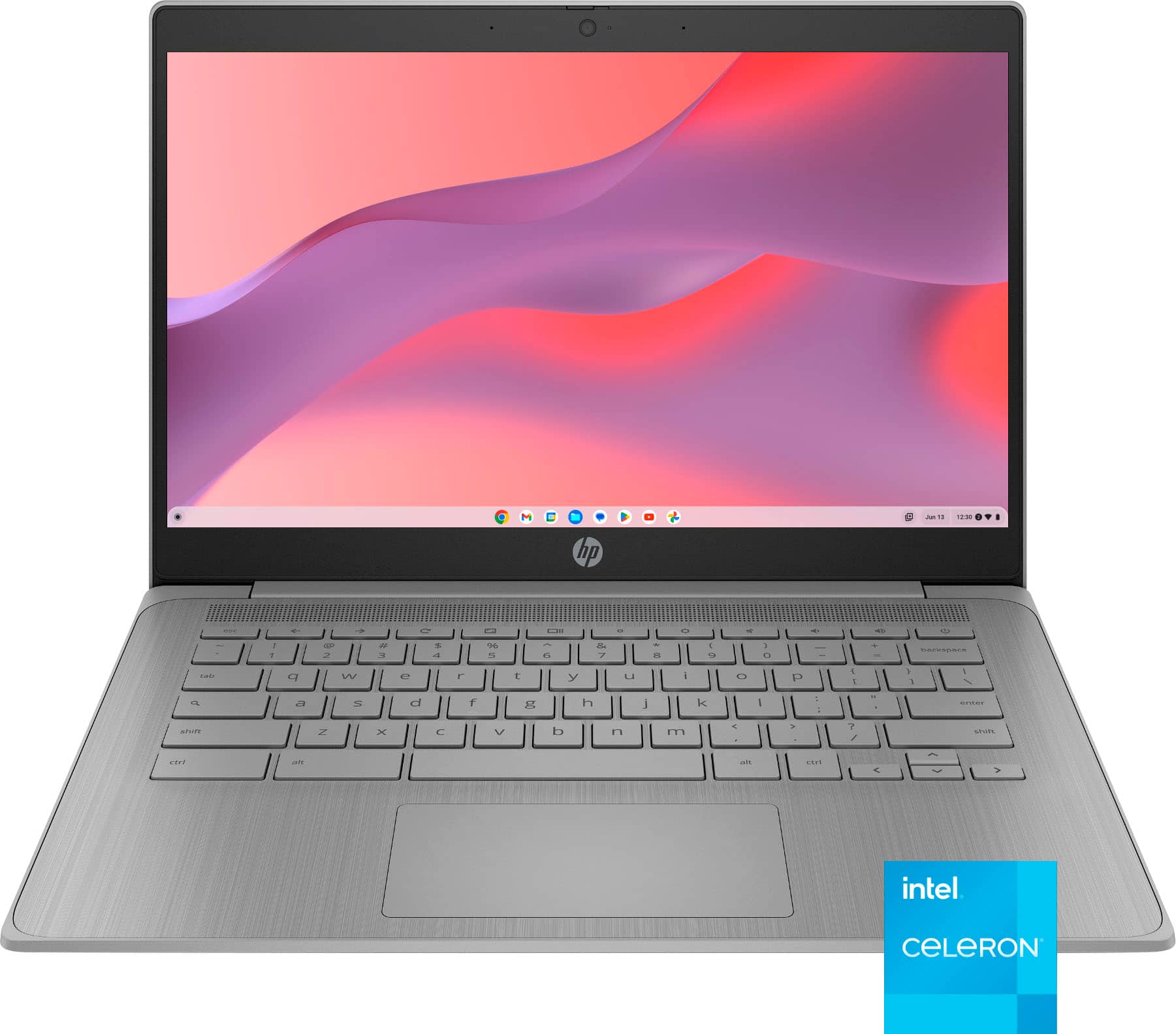
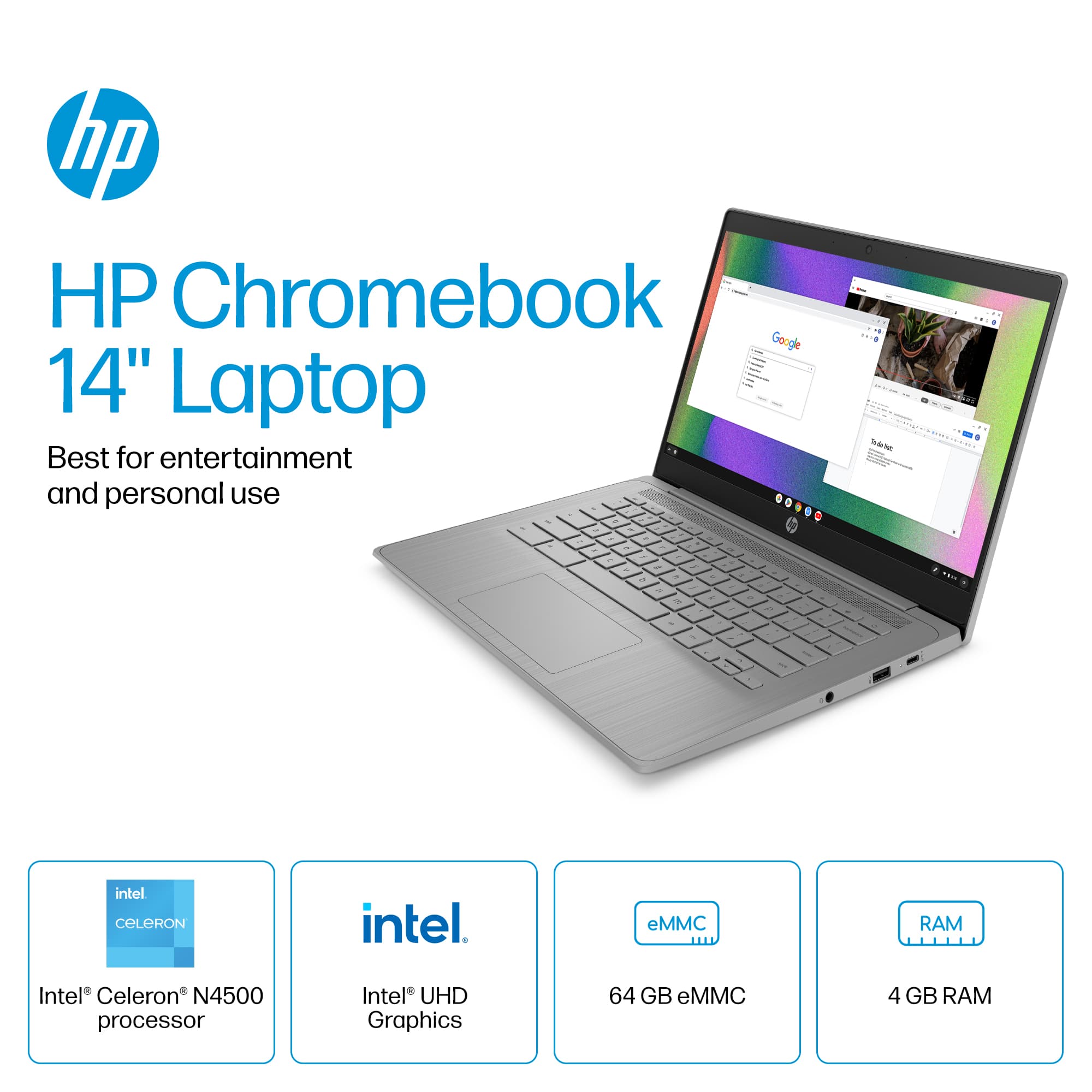
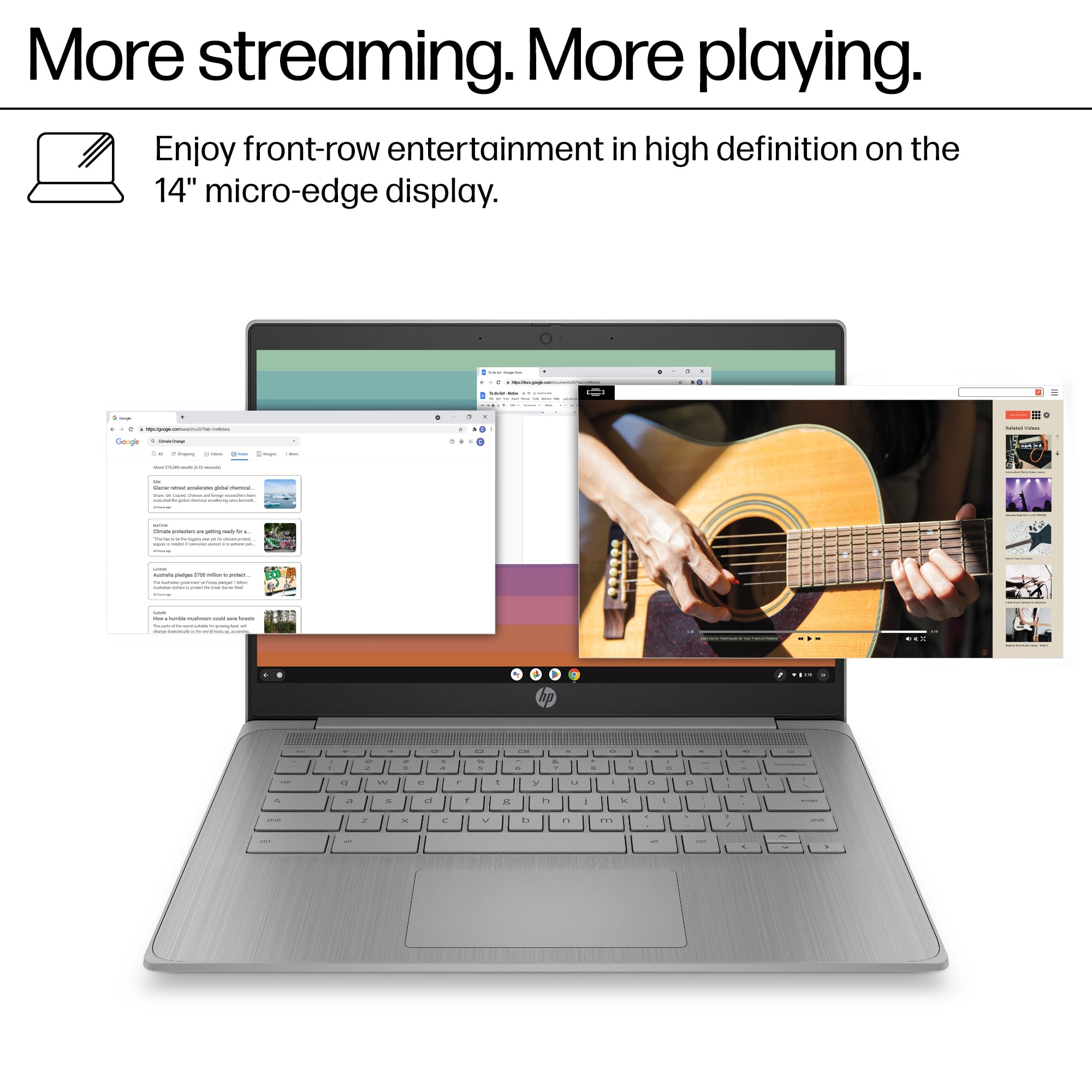
|Posted .This reviewer received promo considerations or sweepstakes entry for writing a review.This HP 14-inch Chromebook has an Intel Celeron N4500 processor, offers solid performance for everyday computing tasks. This lightweight machine excels at web browsing, efficiently handling Gmail and other Google services. Google Docs runs smoothly, making it suitable for students and professionals who primarily work with web-based documents. The 4GB of RAM proves adequate for these tasks without noticeable slowdown. Surprisingly, this Chromebook handles streaming video content exceptionally well. It manages 4K YouTube videos without buffering issues or frame drops. The 14-inch micro-edge display is also of decent quality for a Chromebook, making it an excellent option for media consumption despite its modest specifications. Look, I’m not saying I’m going to be watching my Dolby Atmos movie collection on this, but for simple YouTube videos like a recipe I want to follow along in the kitchen this display is fine. The 64GB eMMC storage is limited but sufficient for Chrome OS’s cloud-focused nature. The grey finish gives it a professional appearance. Battery life is respectable, typically lasting through a full day of intermittent use. The keyboard is comfortable for typing sessions, although it doesn’t match the comfort of premium models. The trackpad is just ok, not bad but not great either. For users seeking an affordable and reliable device for web-centric tasks, this Chromebook strikes a good balance between performance and price. It’s definitely on the higher end of Chromebooks compared to the underpowered ones I’ve used in the past, which were not pleasant to use. However, it’s not suitable for gaming or tasks that require significant CPU and GPU horsepower, such as photography and video editing. Keep in mind this only has Intel UHD graphics. If you go in knowing this you won’t be disappointed with this laptop.
I would recommend this to a friendA solid Chromebook offering
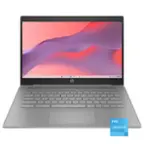
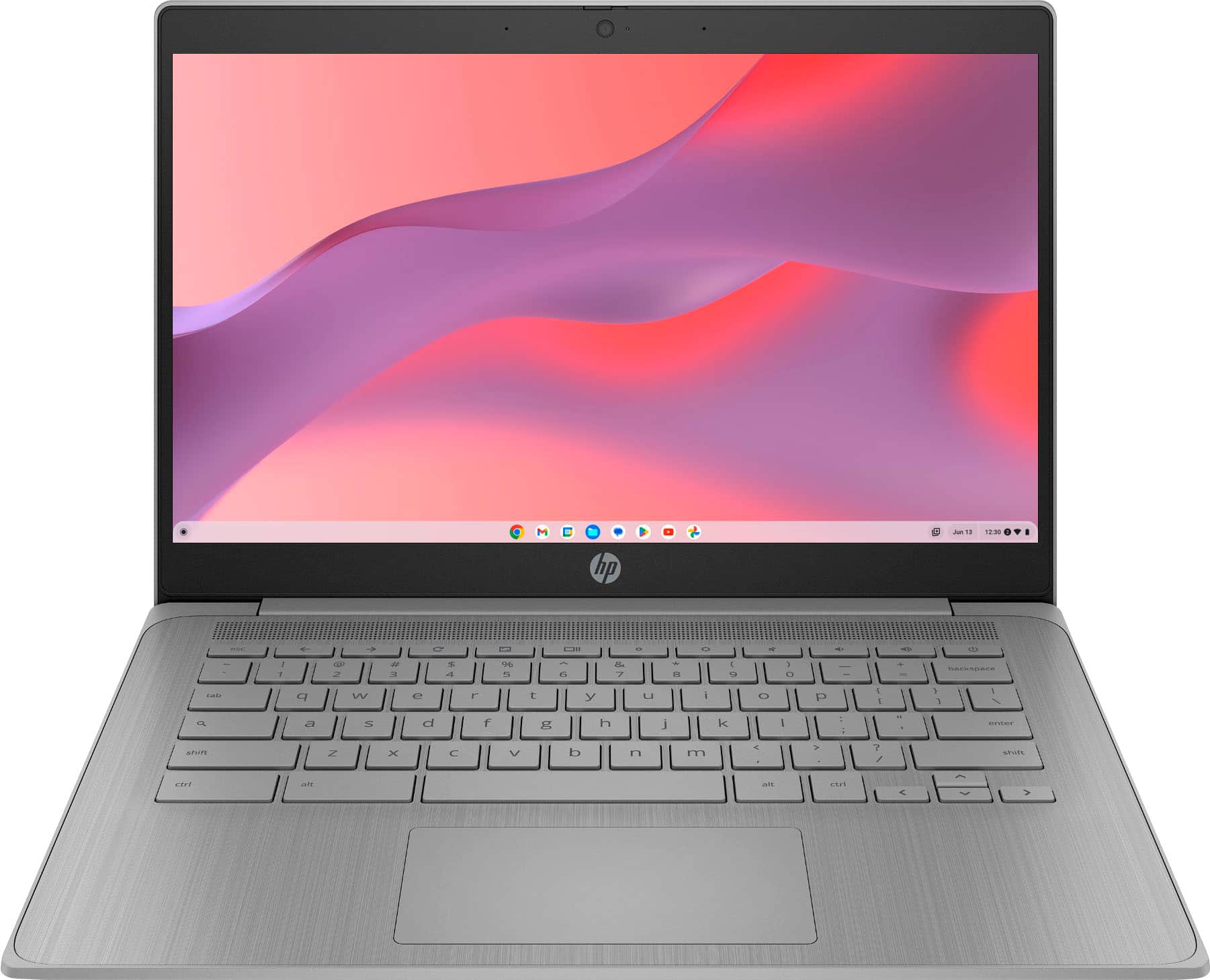
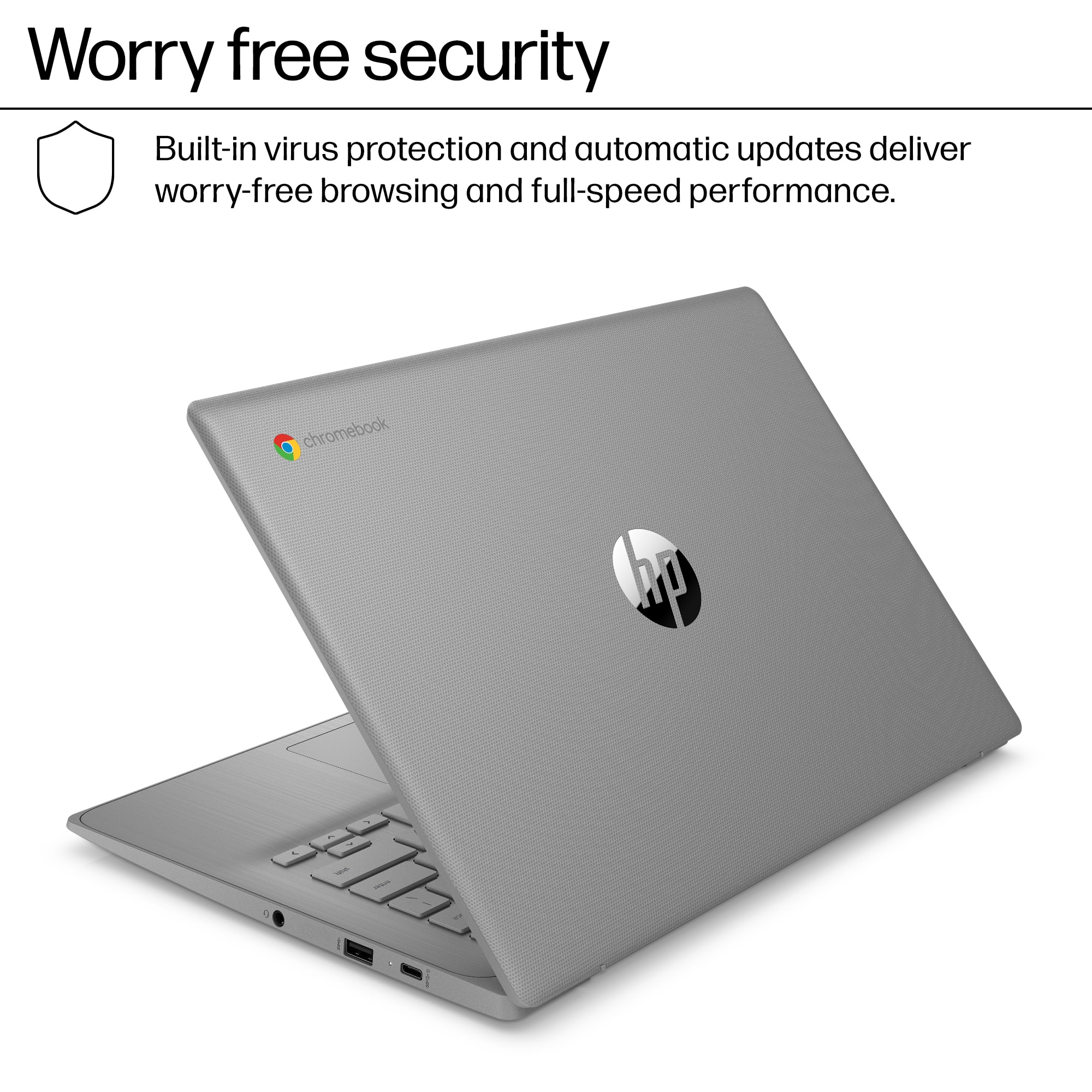
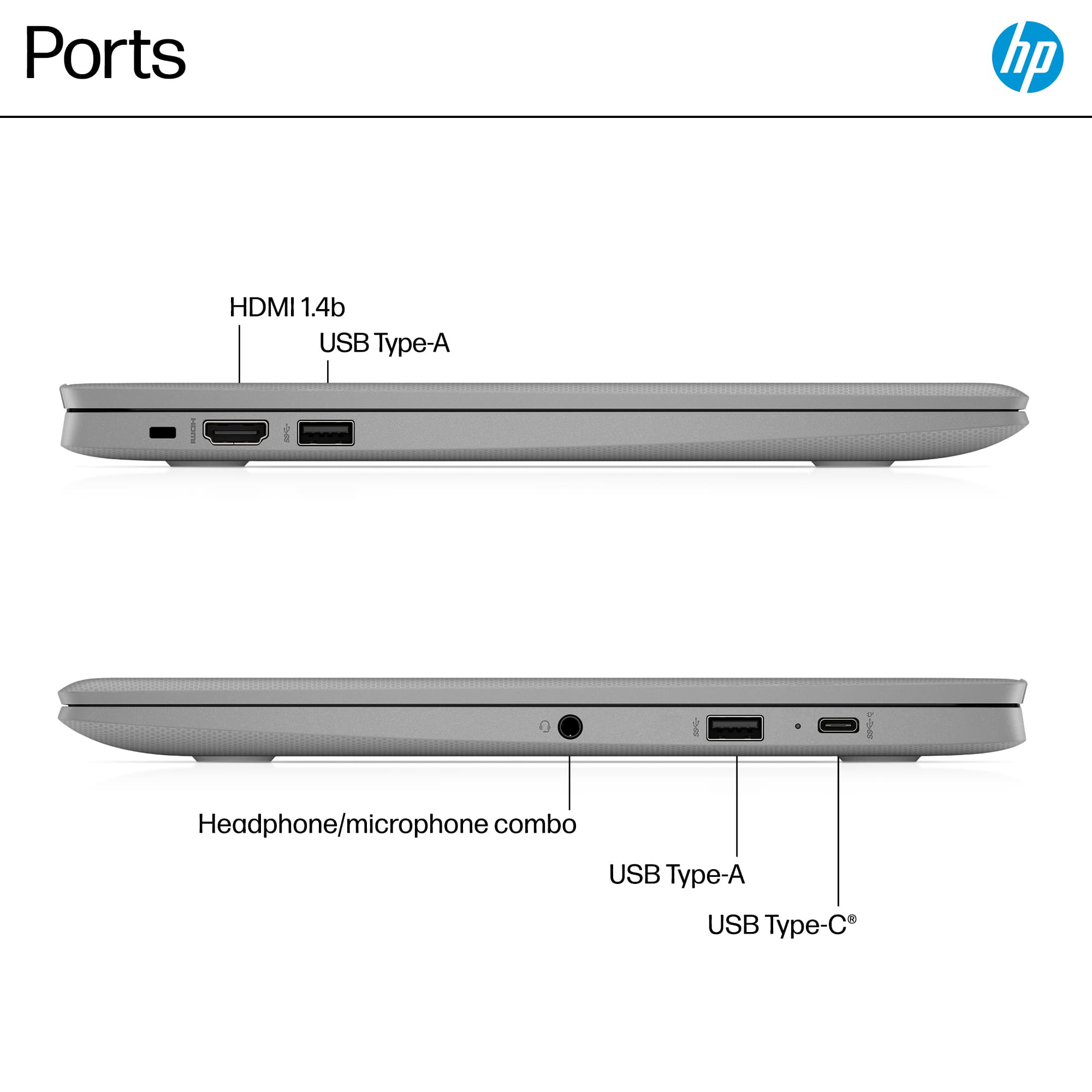
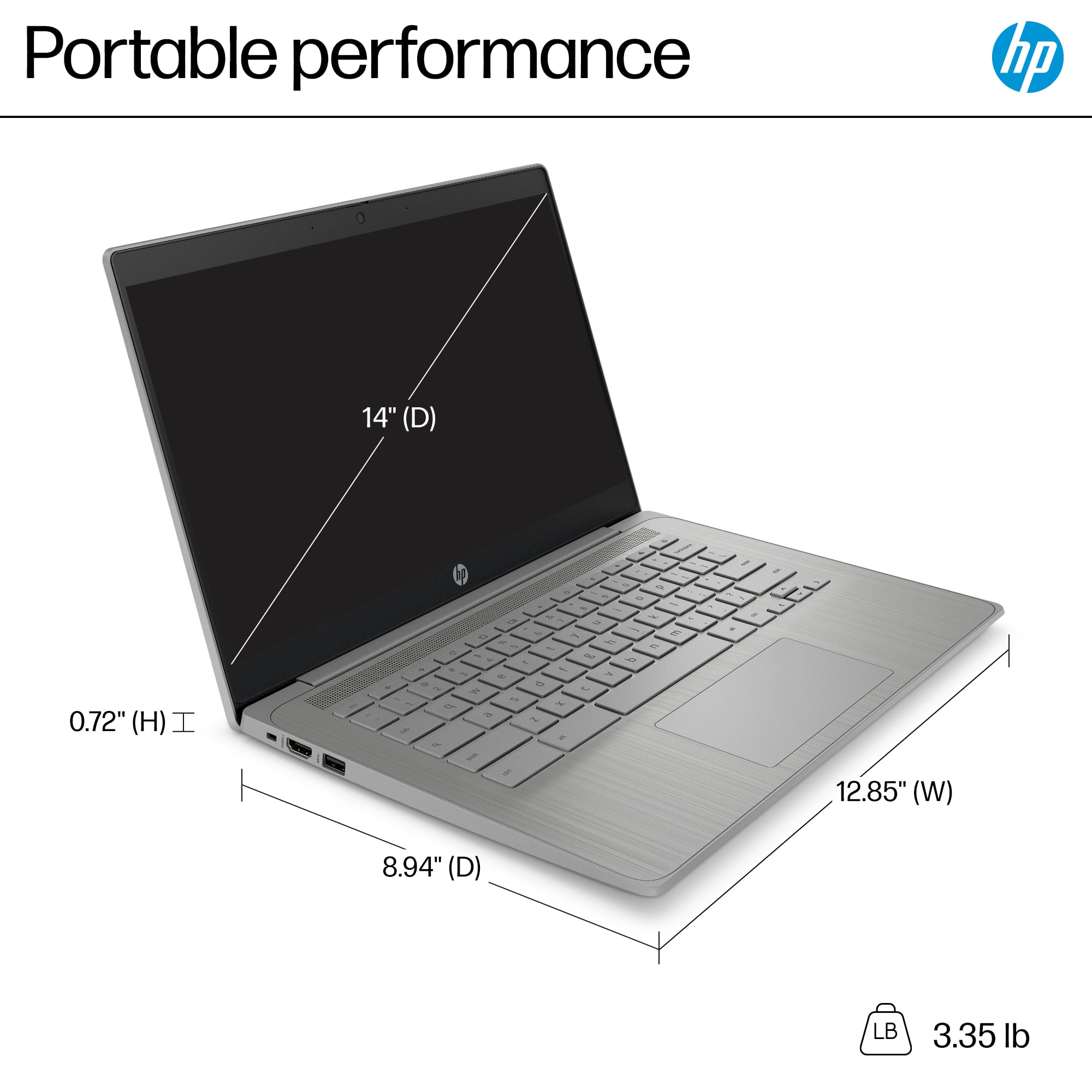
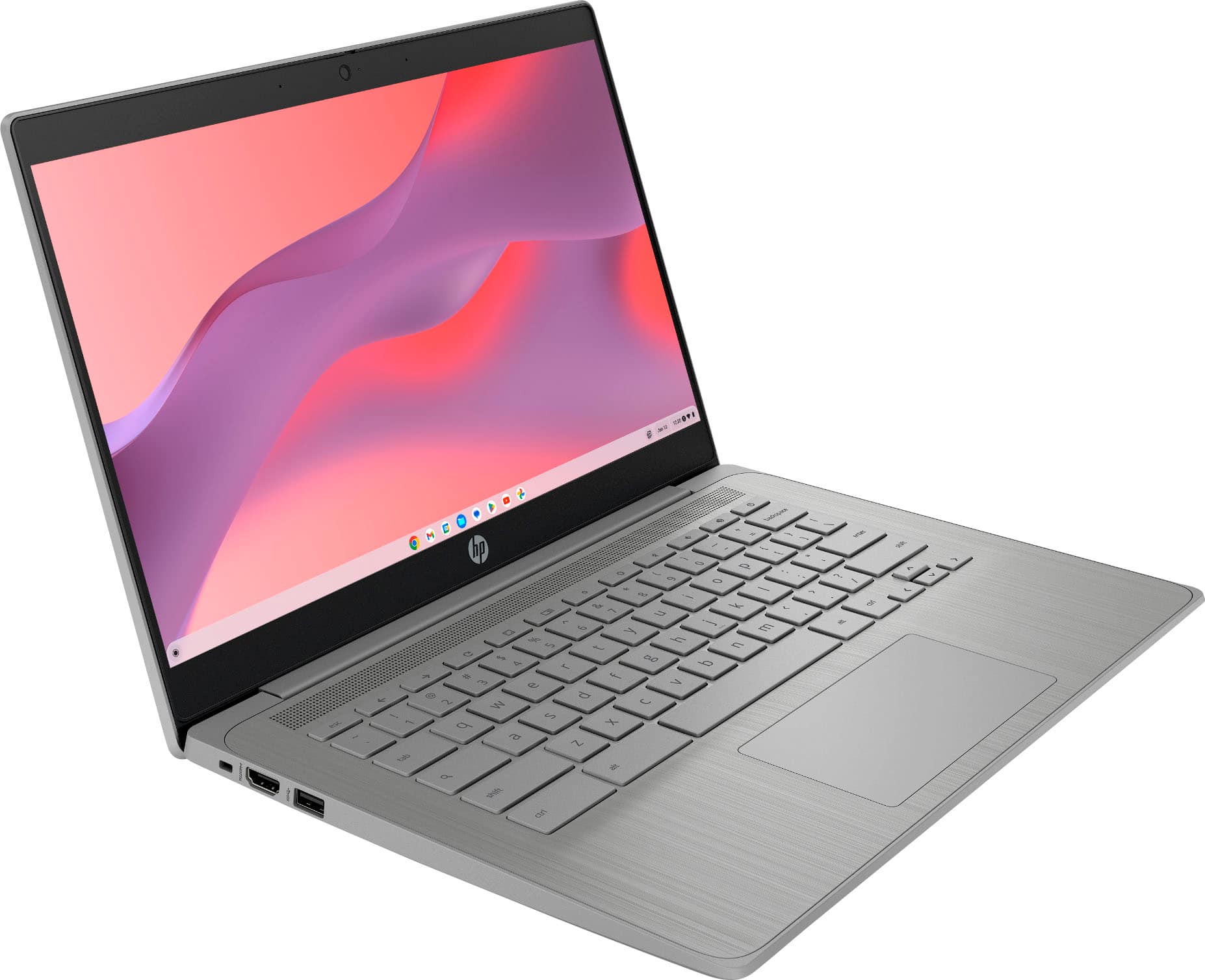
|Posted .This reviewer received promo considerations or sweepstakes entry for writing a review.The HP 14a-ne1013dx Chromebook is a fairly basic but still highly functional Chromebook. None of its specs will wow you, yet ChromeOS is light enough that everything still feels very snappy and responsive. Indeed, ChromeOS’s limitations for intense production work makes packing a Chromebook with high-end multicore CPUs a bit of a waste. Still, there are a few “luxuries” I wish this Chromebook had, nonetheless. Like most Chromebooks, setup out of the box is super simple. If you are an Android user, it’s even easier–you can use it to transfer your WiFi and Google credentials, making setup even smoother. You can be up and running in mere minutes. The device itself is made of plastic, with the out-facing areas covered in a textured plastic that resists showing fingerprints. Opening it up, the plastic is smooth but with a faint pattern of vertical lines to give it a more visually interesting look. The screen is surrounded by very dark gray, almost black, plastic bezels. While it’s a 14” screen, it is almost the same size as the most svelte 15” devices you might find, but the chassis is still lightweight. The non-backlit keyboard is acceptably comfortable to type on, with a generously sized but not huge trackpad beneath it. There isn’t a number pad, so keep that in mind if you’re a Google Sheets aficionado. The screen itself is 1366x768, which just crosses the threshold of being HD, and is about the lowest I would accept on a 14” screen. It’s acceptable enough for most casual uses though, and the viewing angles aren’t bad. Above the screen in the upper bezel you’ll find the webcam along with a slider for a privacy cover. Around the sides you’ll find two USB ports on the right side–a Type A port and a Type C port that doubles as the charging port for the 45W adapter. On the left side you’ll find another Type A USB port, the Kensington lock, and an HDMI port. Keep in mind that this is an HDMI 1.4 port, so if you’re connecting to a UHD TV you’ll be capped at 30Hz. Under the hood, so to speak, you’ll find an Intel Celeron N4500, a 2-core/2-thread CPU built for the mobile device market. It’s backed by just 4GB of RAM, but again, remember that ChromeOS is built for just such chips–it feels subjectively much faster than its modest specs suggest. Browsing the web, watching Youtube videos, working in Google Docs–all of these are plenty snappy, and remember one of the virtues here is that this translates to having great battery life. And although ChromeOS is a cloud-oriented OS, there’s a relatively generous 64GB of eMMC storage included as well. Overall, this is a perfectly serviceable Chromebook for most day to day tasks. There are a few features I wish it had–HDMI 2.0, full HD resolution, or perhaps a backlit keyboard–but as is it’ll definitely serve its intended purpose. I think anyone looking for an inexpensive computing device would be happy with this HP Chromebook.
I would recommend this to a friendHP+Google’s Collab is Legit
|Posted .This reviewer received promo considerations or sweepstakes entry for writing a review.I opted for this Chromebook becuase of Google's recent strides with Gemini and their Alphabet of applications. it's a great value and super stinking light to carry. I've got some gaming PCs and they are hefty. The Chromebook isn't going to be heavy but it packs quite a bit. First off, it's quick and the wi-fi chip makes it super fast and easy to use and from opening the box to plugging it in, it took about 3-5 minutes to get up and running. It is important to know that you'll need a Google account to allow you to take full advantage of the Chrombook. The design is pretty sleek and standard for an HP computer. The light matte gray color goes with everything and there aren't jarring etched out edges or rough edges either like other PCs which can sometimes get caught in your bag. The 14 inch screen is perfect for watching your movies or streaming services. The resolution isn't anything to write home about but if you have a great internet connection it is more than great for a computer that you're going to use for daily tasks. I wouldn't recommend it for intense movies or games. The top three things I loved after some time wtih it were: quick charging with USB-C, the large screen, and how light the laptop is. The long term pitfall for me was the memory becuase I can see myself filling this up really quick with files and photos but these days exteral hard drives are an awesome accessory to keep on hand. Overall, a great laptop for daily tasks, and probably great use for a young student or college student. The combination of HP and Google's technology partnership makes for a strong piece of technology for my house!
I would recommend this to a friendSnappy and easy to use!
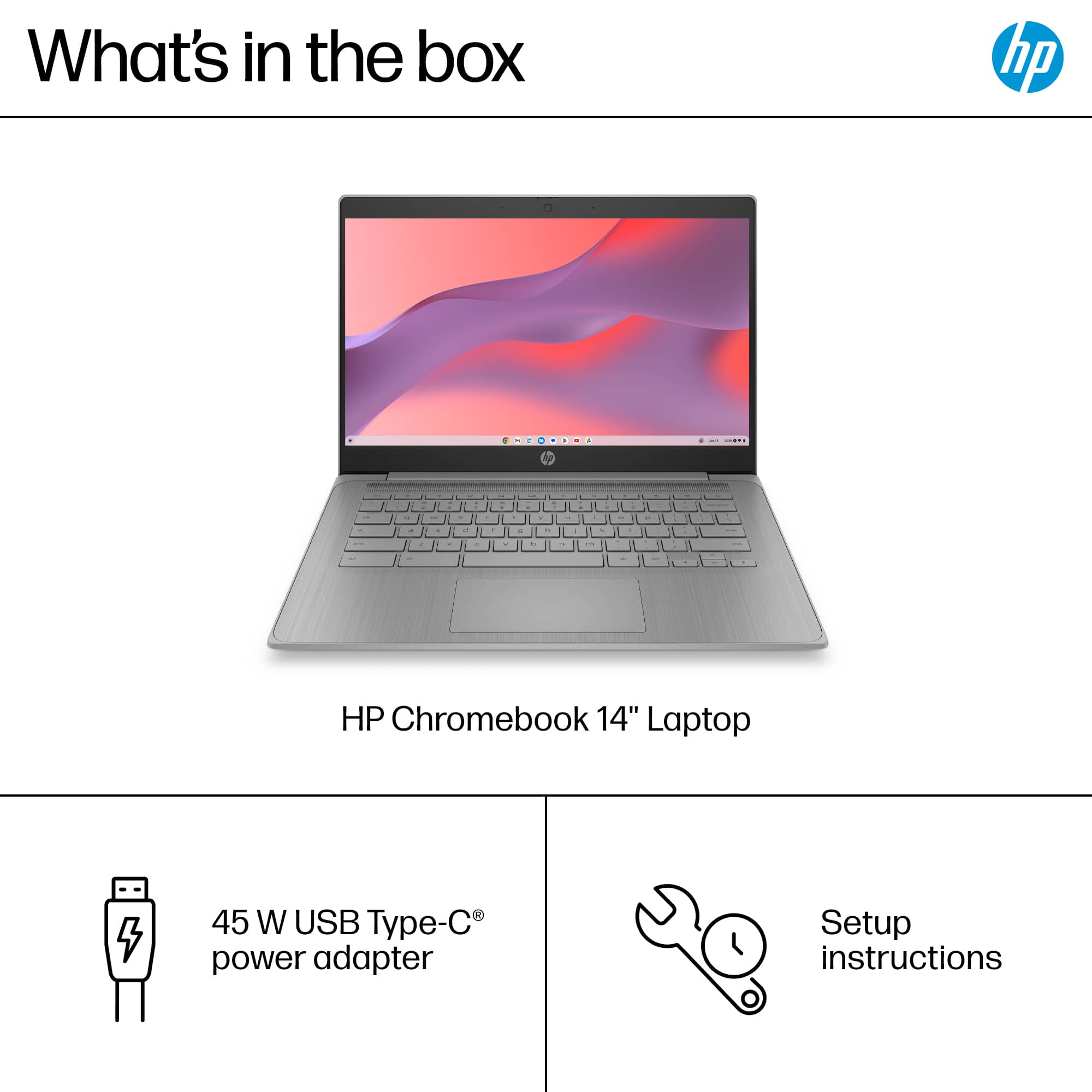
|Posted .This reviewer received promo considerations or sweepstakes entry for writing a review.Very nice Chromebook. It comes well packaged and they include a power brick, a type C USB charging cable and a quick instructions leaflet. It charges via the type C USB port and it has a status LED next to it. Setting it up was easy. Being a Google ecosystem, you need google account, but its way easier to setup if you also have an Android based phone, if you do, it gives you the option to set up the Chromebook using your phone. They pair via Bluetooth and your Google account info is transferred and setup on the laptop. Very easy. Hardware wise, its made of a nice textured plastic. The screen is bright, although has some narrow viewing angles, so you have to be looking at the screen straight up for better clarity. They keyboard is very responsive and its your classic chiclet type keycaps, a little con is that they are not backlit (not even one single color), so it may be hard to see if you are trying to type on low light or in a dark room. The touchpad is very responsive and it has regular USB ports, so I also plugged a generic USB mouse and it worked just fine. The speakers are good enough for this type of laptop. The Celeron CPU and the generous 4 GB RAM (plenty enough for a OS like ChromeOS that is super light and not bloated like other OSes) makes it snappy opening and closing apps. I only noticed a little bit of slow down when I had a large amount of tabs opened on Chrome, but that is it. It also has a front web cam and a privacy shutter that slides over it should you chose to. Its a very useful Chromebook for home use or a student, it wont break the bank and its plenty enough for daily use for me. Battery life has been good, but I charge it every night when going to bed. If you need a laptop for school or just for light home use, It will work great!
I would recommend this to a friendHp laptop
||Posted . Owned for 1 month when reviewed.This reviewer received promo considerations or sweepstakes entry for writing a review.It’s a nice laptop, it wasn’t for me. I bought an Mac book ease of use
I would recommend this to a friendGets The Job Done
|Posted .This reviewer received promo considerations or sweepstakes entry for writing a review.The HP Chromebook is functional. That is really the best compliment I can give it. It is not fancy. But, if you are in the market for a Chromebook, then HP has provided a no-frills model that gets the job done. The screen is serviceable. There is barely enough storage and RAM. The machine will not be winning any points for style or performance. But it works. And, sometimes, that is enough. Setup: Inside the box, you get the Chromebook, the 45W USB-C power adapter, and a brief startup pamphlet. Setup is straightforward. After charging and performing first time setup, you will be up and running in a matter of minutes. I did not have any software or firmware updates waiting for me to install. Experience: At this price, it is difficult to nitpick the experience. Users should know this is a 1080p display that can appear a bit washed out. Colors are not as vivid as I would like, but I never struggled to read or watch videos on the screen. Colors felt a bit off, but never terribly so. But HP has included a HDMI port. You could hook the Chromebook up to an external monitor if you wished. With only 64GB of internal storage, there is not a lot of storage. My unit did not come with a SD or MicroSD card slot. So, unless you want to use USB-A flash drives, your storage will be a bit limited. The only USB-C port is powering and charging the Chromebook. There is a headphone jack. The webcam has a privacy shutter. There are internal speakers. I cannot say that I was terribly impressed with the speakers, but, again, they do work, and I had no problem understanding videos or listening to music. The textured keys on the keyboard are nice and responsive. The trackpad is responsive and functional. The unit is not light. It was heavier than I expected. I still have some qualms with the Chromebook experience. There are apps, but many of them tend to be apps that are designed more for the Android phone or tablet experience. For instance, you can watch videos on the MAX application, but not in full screen for some reason. If you want to watch videos on Disney+ or MAX, your best bet is to use the web browser. Microsoft has Android apps for the suite of Office applications, but if you want to use Office on a Chromebook, you need to do so through the web browser. So, on one hand, I wish the unit had more storage, but, on the other hand, if everything is done over Chrome, storage may not matter all that much. My biggest nitpick comes from the 4GB of RAM and the Celeron processor. I noticed significant slowdowns when trying to multitask or view more intensive websites. Everything still worked, but the Celeron processor and the 4GB of RAM definitely seemed to be taxed at times and the machine could stutter a bit to keep up. Conclusion: The machine is functional. If your kid needs a Chromebook for school, this machine should get the job done. For that reason, I am confident in recommending it. It will not impress anyone in terms of style or functionality, but it will get the job done. And, sometimes, that is enough. 4/5
I would recommend this to a friendDecent Chromebook limited by low specs
|Posted .This reviewer received promo considerations or sweepstakes entry for writing a review.Having teenagers that require Chromebooks for school, I thought that the HP 14" Chromebook would be adequate for their basic school needs. I was not looking for the top of the line models that use Chromebook Plus, just a basic Chromebook. Well, this is exactly what I wanted and not in a good way. This HP 14" Chromebook meets all of your basic needs. From the design to the operations, don't expect this to wow you or expect this to handle multi-tasking skills well. Yet at the same time, knowing that my needs were what they were, this was a great choice for what I needed it to do: basic school work for the kids, using Google suite, and having a portable device with a keyboard attached without the worry of this getting damaged. The design is your average clamshell look. With the overall gray colors and this nice brushed finish around the keyboard, it looks really good. Having legacy USB-A ports along with 1 USB-C port was good, although it would have been nice having 2 USB-C and 1 USB-A. It also has an HDMI port so you can attach this to any external monitor. The bezels around the screen are not too wide where it looks dated. I was amazed at the screen quality of this device. Images and texts were very crisp and clear, vibrant colors. Yes, it is not OLED but we are able to read our texts easily and without any eyes strain due to low quality even though it is 1366x768 HD. I would have liked for this to have been touchscreen. Operations side, this does what we need it for. We have full utilization of the Google suite so using Docs, Slides, gmail, Google Drive, etc are all easily available. And having the Google Play Store provides us with all Android apps, but you are limited to just 64gbs of internal storage. As all Chromebooks, they expect you to save everything on the cloud but 64gbs in 2025 is just ridiculous, the standard should have been twice that at 128gbs. Despite that, I did not notice any lagging even with a dozen tabs opened. Only when I had the YouTube app running did I notice some hiccups. That's when you start to see this struggling due to the 4Gb of RAM and the Celeron processor at work. Despite these short comings, we have been impressed with how this has been for us for both work and School. The kids are able to get their projects on this, and I can utilize the apps from the Google Play Store. I would have liked for this to have double the storage or at least a microSD card. Just be aware of your needs and expectations.
I would recommend this to a friendSimple Chromebook for in the go work!
|Posted .This reviewer received promo considerations or sweepstakes entry for writing a review.No matter what, when you open a laptop or Chromebook for the first time, you instinctively look at how to turn it on—and better yet, charge it. Now, Chromebooks aren’t meant to be the be-all and end-all media center or high end PC replacement, but they’re made to be practical and minimalistic and offer a small window of ability to do work on the go, and that’s what I’ll be basing my review on: simplicity, convenience, and practicality. Super simple—it comes with a 45-watt USB-C charger. It has only one USB-C port, so if you’re looking to transfer files fast, this is not your go-to. But who uses Chromebooks for data transfer unless it’s something small like a home video? This unit only has 64 GB of eMMC storage, so storage and transfer use are out of the question unless it’s documents that require a lesser amount of storage. There are also two USB ports, one on each side, so that’s wonderful. I’m just used to computers having more than one Type-C port. For everyday use, it’s fast—whether you’re browsing the internet or just doing some quick research. This is especially good if you’re already integrated with Google’s slew of apps and services. This is your all-in-one Google-centered hub. The texture of the ridges and plastic feels nice in your hand; it gives it a good grip as well. I think it provides a comfortable hold. It’s relatively light, and the keyboard is very simple, but I must say the feel is nothing like the outside of the Chromebook. The keyboard feels like a regular run-of-the-mill plastic keyboard. I mean, it’s not the most expensive-feeling one, but it gets the job done. Overall, I use it for on-the-go Word and Excel, as well as some online research. It’s a great Chromebook with a bright screen. The only downside is that I have a hard time typing with my big sausage fingers at night. It may be an issue with my own hands, but it would be nice to have some sort of backlit keyboard. But I digress—I may be asking for too much out of a Chromebook, but I’m just thinking about the extra help for people like me, and it would be great to have. I’d recommend this. It’s fast, and there are so many uses for it.
I would recommend this to a friendBudget Doesn't Have to Mean Junk!
|Posted .This reviewer received promo considerations or sweepstakes entry for writing a review.It’s nice to see a full sized, well built, Chromebook on the market for such a reasonable price. I've been using it for a few days now and haven’t been disappointed. In its class, it has a nice overall build, with decent IO, and a bright screen. First off, this Chromebook has a modern look and seems sturdy for its price range. The build quality is surprisingly good. It’s plastic, make no mistake, with some lid and keyboard flex. For a low cost Chromebook, it manages to feel lightweight but solid. The design feels contemporary, and it would be perfect for tossing in a backpack without worrying too much about dings and dents. Performance wise, the Intel Celeron processor paired with 4GB of memory and 64GB of eMMC storage gets the job done for everyday tasks, but it does have moments of sluggishness. Especially when installing apps, running updates, and working with high Chrome tab counts. Web browsing, streaming videos, and working on documents are decent experiences. If you're a student or someone who needs a reliable machine for basic tasks, this Chromebook excels. The battery life is the star here. I can go through almost a whole day of casual use before needing to charge. There are a few caveats. 4GB of memory can be limiting if you try to run multiple heavy apps/tab numbers at once. Don’t expect to do any serious multitasking or gaming on this machine. Also, 64GB of eMMC storage fills up quick and handles write tasks slower than you’d expect. Compared to other Chromebooks in this class, the HP 14a-ne1013dx holds its own pretty well. It’s cheaper than some other options and if you can catch it on sale, it’s a great deal. The keyboard is comfy to type on and the screen, while not the highest resolution, is clear and bright enough for everyday use. If you need an affordable, reliable Chromebook for basic tasks, the HP 14a-ne1013dx is a solid choice. It won't replace a high end laptop, but for the price, it offers good value and dependable performance.
I would recommend this to a friendIt’s remarkably…unremarkable.
|Posted .This reviewer received promo considerations or sweepstakes entry for writing a review.In my experience, there are three kinds of products that clock in under the moniker of a “budget” XXXXXXX. First, calling something “budget” can be a way of dressing up what you might otherwise consider “cheap” or even “chintzy.” Such products are usually short-lived and accompanied by a folksy “Well, you get what you pay for,” after the purchase. Then there’s “budget” that implies good value for the money, be it more features, better build quality, refined fit and finish, etc. than you might expect for the price point--something that surprisingly punches above its weight class. Then there’s just a “budget” product that simply does what it’s supposed to and not much else at a price that scrapes at or near the bottom of its market segment. It may not necessarily excel at any one thing or in any one area, but there’s also usually nothing particularly offensive about its performance. This third “budget” descriptor seems well suited to this HP Chromebook. If you simply need basic Chromebook-level functionality (i.e., online content browsing and multimedia consumption) at an affordable price and you really don’t care about or need much else for your dollar, this HP will do…just fine. Construction admittedly feels a bit “plasticky” and underwhelming. For example, keyboard flex is high, especially in the middle. The large, nearly full-width hinge is fairly unforgiving—it will resolutely hold the screen open, but as a consequence of the lightweight build, you’ll be lucky to open it with one hand without flipping the whole thing over. The flip side of this lighter build is that the laptop is reasonably easy to carry and tote around. The outward design is plain (or at least “style-neutral”) with a nondescript grey colorway and slightly textured outer shell that evokes early 90s-era business PCs. There’s a reflective HP logo in the middle of the top lid, but it’s a fingerprint magnet and ends up looking more dingy than stylish most of the time. The large trackpad is fine and seems responsive, though clicking it causes a great deal of additional flex of the keyboard deck. Speaking of the keyboard, I’m not sure when OEMs decided that using low contrast lettering was a good idea for non-backlit keyboards—but it’s a practice that needs to stop IMHO. The grey chicklet keys are reasonably well sized (except for the awkward half-height arrow keys), but the lettering is nothing but a bit darker shade of grey (not even black) sitting on the grey keycaps. Without an LED backlight or high-contrast lettering, the keys start to get pretty difficult to see in low-light conditions or darkened rooms. There is a single USB-C port with power delivery, an HDMI port, two USB-A ports, as well as a combo 3.5 audio jack. I really appreciate that this Chromebook comes with a USB-C charger so it wouldn’t be as difficult to find a replacement charger down the road like it often is for those devices that come with barrel-shaped power connectors. I do wish the power brick wasn’t in two pieces however (one transformer with USB-C cable, one outlet cable). I think we’re far enough along now that a single, low-profile 45W wall wart with a captive USB-C cable could be swapped in at minimal cost while keeping things simpler for the user, especially for product that is clearly designed to be used on the go. As it is, having this older 2-piece laptop-style charger just means I have one more cable to keep track of, lest I get where I’m going only to find out I left that separate outlet cable somewhere else. Sadly, there is no SD/microSD slot for storage expansion so the slower, less durable, and somewhat paltry 64GB onboard eMMC drive is all the storage space you’re going to get. The 4GB of onboard RAM will be enough to get by for basic online multimedia consumption or simple office productivity using Google’s browser-based office suite, but you’ll be hard pressed to run any Android or Linux apps with so little RAM on board. And while the Chrome OS itself was reasonably snappy as expected, especially when compared to a Windows-based laptop, I couldn’t help but feel that this particular Chromebook was just a tad on the sluggish side when it came time to download and install the few apps I was using (Netflix, Office 365, etc.). Above the screen is a pinhole webcam with a privacy slider; it will work in a pinch, but I noticed the image fluctuating onscreen fairly often as the camera and underlying software tried to compensate for small fluctuations in fluorescent lighting levels in our kitchen. The screen itself is HD but otherwise looks underwhelming at best. Image quality is simply passable as it tended to be a bit grainy and washed out no matter how much I futzed with brightness, color, and saturation adjustments. This is unfortunate given that the primary functions Chromebooks typically excel at are associated with accessing online and multimedia content. I figure the picture will be fine if you’re simply looking for a “beater” laptop or something specifically to use in class/on the go; but it doesn’t offer the kind of vivid and engaging picture quality that would keep me glued to the screen while I binged some Netflix content. Having said that, the screen does fold over 180 degrees and offers a nice matte finish that deals with direct light very well. As you can see in the comparison photo I posted, the more premium Chromebook on the right clearly takes the prize for vivid colors and better detail, but the bright room lights reflecting off the glossy screen can also be quite distracting depending on the task at hand. If you need an easily portable laptop to work in areas with a lot of bright and direct lighting (like in a classroom setting), you will probably appreciate the screen on the HP despite the hit you will take in overall picture quality. So, is this a recommendable Chromebook or not? That’s hard to pin down depending on your perspective. If this was a mid-priced Chromebook, the specs, computing horsepower, styling, and overall performance would be a bit unforgiveable. But this *is* a budget-priced Chromebook, so I suppose it’s easier to look past some of those shortcomings and focus on what does come under the hood. With that said, the more pressing question then becomes whether the HP is a good value for what you *do* have to pay. In that respect, the budget price point really only gets you what I consider to be mandatory baseline functionality. Sadly, there is nothing much else here to make you say, “Wow, this is really a great bit of technology”…other than the fact that you don’t have to pay a lot for it. So long as you go in primarily eyeing that tantalizingly low price—and adjust your expectations accordingly—you’ll satisfy your “need-to-haves” despite not finding too many other “nice-to-haves.”
I would recommend this to a friendneed some improvement HP
|Posted .This reviewer received promo considerations or sweepstakes entry for writing a review.new year and new sets of google chrome laptop here’s to another 14” HP google chrome laptop the price is $319 so it is worth it? let’s find out DEVICE this HP laptop equip with 4GB of memory with space for 64GB of eMMC storage. you get total of 3 USB and one HDMI out of you would like to plug it on bigger screen. the camera is also equipped with 720p HD. and running on Intel processors. first impressions the body is governed with plastic type of material the best way for me to explain what it feels, it reminds me of a gaming controller plastic quality feel to it. the colorr grey reminds me of the PlayStation 1 color, keyboard is nicely spaced but they are not back light, this chrome book is also equipped with stereo speakers. for 14” this laptop is not heavy. EXPERIENCE initially setup is fairly simple since it’s google, you will need a google account to use this laptop since it does not run on windows. setup is a breeze from connecting to wifi and confirming few pages. then you’ll be taken to the main menu which is equip with everything google including google app store. first impressions the brightness and color quality was not something to be impressed about, it looks like it’s using a TN panel due to horrible picture quality on angles. it was hard to find the perfect angle for me even when using to watch anime on this laptop. the speaker sounds alright and it would have been better. I bit muffled and need to raise up the volume quite bit. back to the color. I didn’t have to almost use the max brightness due to the laptop being dim a bit for my liking. using the keyboard was no issue, it was spaced fine but from what it was mentioned no lights on this keyboard. no issue with the trackpad I found it responsive to all actions i’ve tested. CONCLUSION Overall performance of this chromebook was snappy and responsive I didn’t experience any major slow down. having google account it pick up right back to all my google chrome profiles which was easy to use. I do recommend this laptop to younger kids since now even they have to use laptop in school. also this laptop is perfect for elder people who just wanted to browse the web without worrying about other unnecessary settings, and I believe this is why they keep making google chrome books. it’s a hassle free laptop that takes you and do what matters most. the screen panel need some improvement and the audio quality needs an upgrade in the future but overall would have been a perfect deal for $300 laptop.
No, I would not recommend this to a friendGo in with low expectations
|Posted .This reviewer received promo considerations or sweepstakes entry for writing a review.Chromebooks are very budget-friendly machines meant to be bare minimum devices that help you complete the basics. There's not much that separates one from another. Sure, there are "premium" Chromebooks, which have better displays and more powerful processors but lack disc drives, graphics cards, or other features that would have it compete with an all-out laptop. This 14" HP Chromebook (model 14a-ne1013dx) is the newest "budget-friendly" Chromebook from HP. Costing $319, it's not expensive, but not as cheap as other basic Chromebooks on the market. And that is where I have issues with it. There are other HP Chromebooks that you can buy for less than $200. Those offer the same features as this one. HP lists this one as featuring "budget" everything: processor, graphics, and system memory. The screen is LCD and sports a 1366 x 768 resolution. These are all very bottom-of-the-barrel specs. This forces me to recommend not going with this model but a cheaper one if you are going for a basic Chromebook. The differences are not worth an additional hundred. I may be spoiled by having a Pixelbook, which was released in 2017 and still holds up in 2025. That model can be considered a "premium" Chromebook, with a higher MSRP ($550) when released, but the differences are night and day from this HP Chromebook released in 2025. The first thing I noticed was the lack of a screen. Whether it's the LCD or the resolution, the screen lacks punch, and the text isn't sharp. Using the device feels like you've taken a time machine back to 2016. However, the more I thought about it, the more I understood that this device wasn't made for someone like me. Sure, I love to write, and this is perfect to throw in a bag and travel with when all I want to do is write. But I have a lovely laptop, which can also do other things. No, this Chromebook is for a student. And it costs in tune with what a school could purchase at wholesale for an entire class. Or parents buying their child's very first "laptop." Something that will do the basics - type, photoshop, slideshows, YouTube, Netflix, etc. It's fast enough not to be challenging to work with, so it's very easy to use. That's precisely what I'm doing with it. My kid is stoked that he doesn't need me to set up my laptop or desktop so he can play Scratch or Prodigy. He's happy, and I'm so glad. In the end, that's all that matters. That's worth $319.
No, I would not recommend this to a friendIntuitive and easy to use
|Posted .This reviewer received promo considerations or sweepstakes entry for writing a review.This is my first experience with a Chromebook, and I’ve really enjoyed learning how it works. My son uses a Chromebook for school (4th grade), and I can easily see why schools choose these devices because of intuitive and easy to use they are. Setting it up was a breeze. During the initial setup, I was prompted to indicate whether this Chromebook was for a child. Later, I was given an option to sign in with his school account, and within minutes, he had full access to all his school information. This computer is designed primarily for web use ans Google-based applications. All the programs in the Google suite operates effortlessly, with pretty much no lag at all. One thing that surprised me was the large size of the charging brick. I expected something much smaller, especially considering this uses a USB-C charging port. However, I was able to use a high-watt wall charger, and it worked just as well. Overall, getting to know this Chromebook has been a great experience. It’s perfect for anyone looking for a simple, long-lasting device primarily for internet browsing. It’s especially ideal for kids, and my son has pretty much stolen this device from me! He absolutely loves it, and the fact that he can use it independently, and even teach me a few things, speaks volumes about how user-friendly and well-designed it is.
I would recommend this to a friendGreat for the students
||Posted .This reviewer received promo considerations or sweepstakes entry for writing a review.The HP 14" Chromebook is great for students or anyone who needs a basic, lightweight laptop for everyday tasks. It's super portable and the battery lasts a long time, which is perfect for carrying around campus or working on the go. Performance-wise, it's good for browsing, streaming, and basic productivity, but don't expect to run heavy software or games smoothly. The screen and keyboard are decent for the price, making it a solid budget option!
I would recommend this to a friendAbsolute Steal
||Posted . Owned for 3 weeks when reviewed.This reviewer received promo considerations or sweepstakes entry for writing a review.It's perfect. It syncs seamlessly with your android and google One. Perfect for balancing budgets, discord, or simply watching YouTube. Recharges from almost dead in under an hour and half then lasts for a day as you use it. Thin sleek and fast. Got mine for the sale of $129 plus tax. It's better than my $300 touchscreen laptop. Everything is digital nowadays so I'm not worried about a disk drive. Be sure to let it vent properly. So no setting it on a bed as the bottom will get hot but that's a rule for all laptops.
I would recommend this to a friend