Last-Minute SavingsLimited quantities.Shop now

Skip to content
Gift Ideas
Main Content

Customer Ratings & Reviews
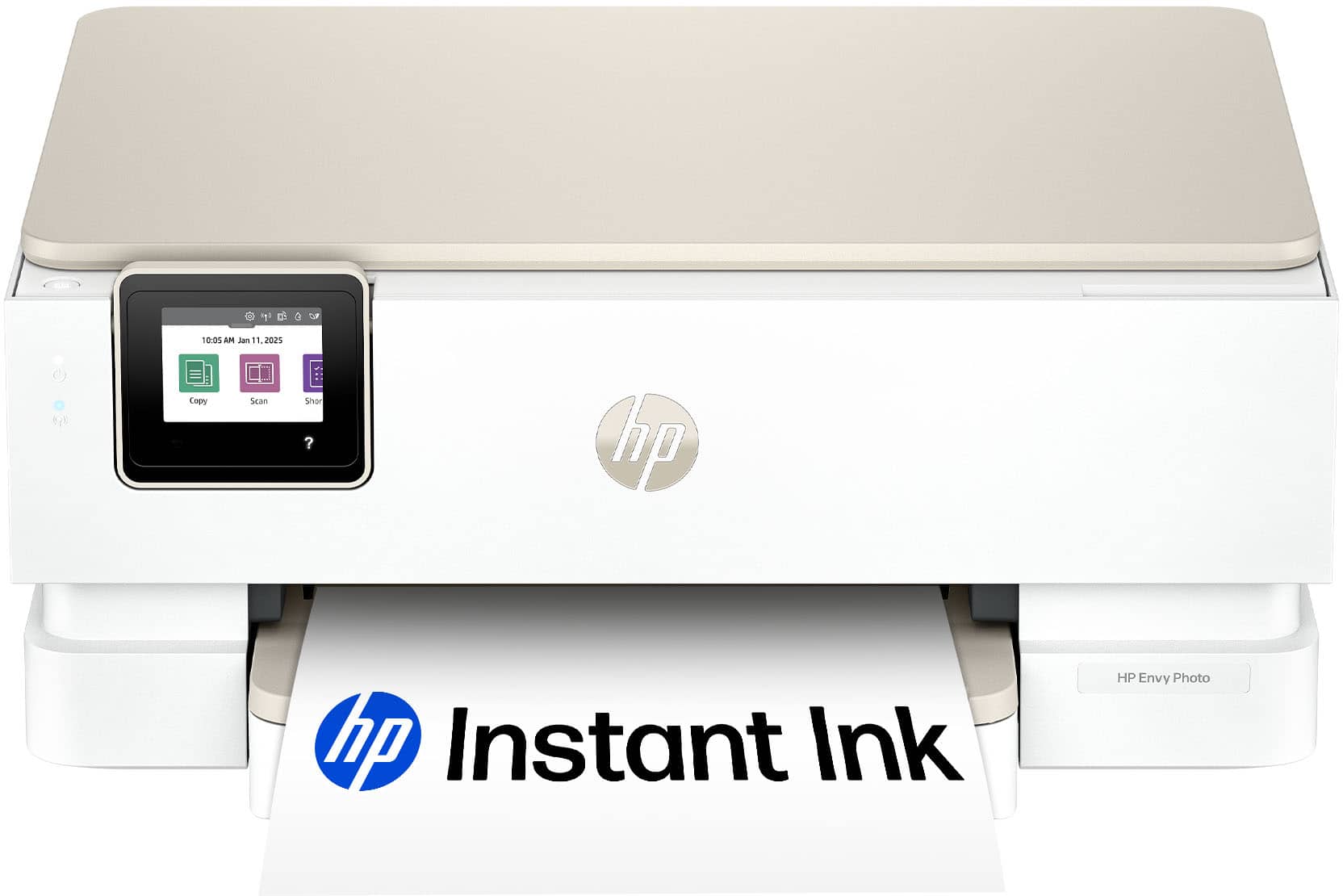
Your price for this item is $149.89
The comparable value price is $219.89

Customer reviews

Rating 4.5 out of 5 stars with 36 reviews

Rating Filter

Rating by feature

  • Value

    Rating 4.7 out of 5 stars

  • Quality

    Rating 4.6 out of 5 stars

  • Ease of Use

    Rating 4.5 out of 5 stars

Pros mentioned filter

Cons mentioned filter

94%would recommend to a friend
The vast majority of our reviews come from verified purchases. Reviews from customers may include My Best Buy members, employees, and Tech Insider Network members (as tagged). Select reviewers may receive discounted products, promotional considerations or entries into drawings for honest, helpful reviews.
Page 2 Showing 21-36 of 36 reviews
  • Pros mentioned:
    Connectivity, Print quality, Setup ease
    Tech Insider Network Member

    Rated 4 out of 5 stars

    Great quality, ink is not cheap

    |
    Tech Insider Network Member
    Posted .
    This reviewer received promo considerations or sweepstakes entry for writing a review.

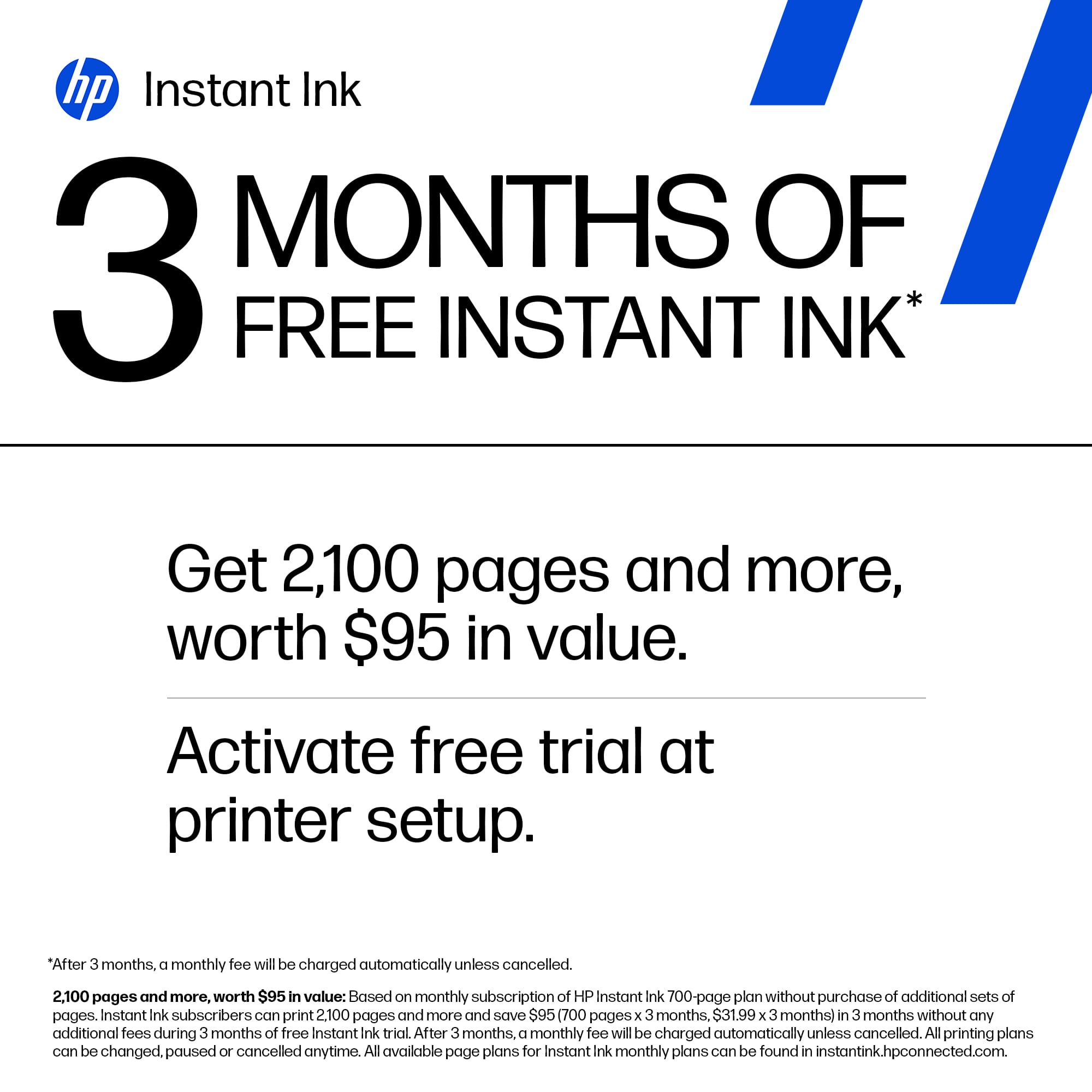
    I’m one of those few people who still print physical photos. I’ve used on older Epson Stylus Photo printer for years. The ink was pricey, but the quality was so good, I kept using it until it finally died. I went looking for a replacement and ended up with an Epson Ecotank model. The ink is amazingly affordable, but the quality of printed photos is just barely adequate. Color reproduction is not great and on top of that, loading anything other than 8x11 paper is a chore. I went looking for a better option and came across this HP Envy Photo 7275 and decided to give it a try. Unpacking the printer and getting it up and running was very easy. It only uses two ink cartridges – one for black and one for color. As with most HP inkjet printers, the print head is built into the cartridge, so fresh ink also gives you a brand new head, which is great for quality, but makes the cartridges a bit expensive. HP helps a bit by giving you three months of “free” ink if you sign up for auto-delivery. Once that promotion ends, it’s around $50 for new cartridges. I have not yet run out of ink so I can’t verify capacity, but they are rated at 200 pages with “typical” coverage. Photos use much more than that, so I’ll be happy if I get 50 4x6 prints. That would equate to about $1 per print, which is not horrible if the quality is good. The printer uses a phone app to perform its initial setup and connect to Wi-Fi. It’s easy to use and has the added benefit of not requiring the user to create an account. It can be used without logging into HP, and I like that. Once that was done, my Windows 11 PC found the printer and I was able to use it. However, when printing photos, the settings for paper type and image quality were limited. I downloaded the full driver set from HP and that opened up more options which resulted in better quality prints. The paper tray is easy to load, and its lid includes a single-page feeder. That’s a handy feature, but it’s only for photo-size paper. It would have been nice if it accepted envelopes or anything other than 4 or 5 inches wide. The output tray is a bit flimsy, but its not going to hold more than 10 or 20 pages at a time, so that’s not an issue. The control panel is small, but it is easy to use being a touch screen. It tilts up, but not very much so it’s best if the printer is closer to eye-level rather than on a bottom shelf, as I have it located. The printer also has a flatbed scanner and I have found it to be fast and its native 1200dpi resolution is fine for most needs. Color reproduction is decent, though not up the quality found in dedicated photo scanners. Of course this entire printer is less than half the price of a dedicated scanner, so I can’t complain about it. One feature I di appreciate is that the power cord is a standard 120v style – no big chunky power brick or wall wart to deal with. So, the whole reason I bought this printer is to print photos. How does it do at that task? Well, it’s much better than the Epson Ecotank I tired, but not quite as good as my former Epson Stylus. Print speeds are amazingly fast, and colors reproduction is reasonable. My biggest complaint is that fine detail seems lacking. An example is in skin tones. I am guessing it’s the AI technology trying to smooth things out, but it just seems to “smudge” some of the finer variations in tone. Also, large variations in contrast seem to result in darker areas being muddled looking. Again, I am assuming this is an AI feature. There are some adjustments that can be made in the print settings, so I will continue to experiment until I find ones that work well. Overall, I give this printer 4 out of 5 stars. The price is decent, its build quality is decent, and it has some good features. I do with it had a more versatile single sheet feeder and that the ink were less expensive, but those are really my only two complaints. I do recommend this printer.

    I would recommend this to a friend
  • Pros mentioned:
    App usability, Connectivity, Print quality
    Tech Insider Network Member

    Rated 5 out of 5 stars

    Great For Home Office/Personal Printing

    |
    Tech Insider Network Member
    Posted .
    This reviewer received promo considerations or sweepstakes entry for writing a review.

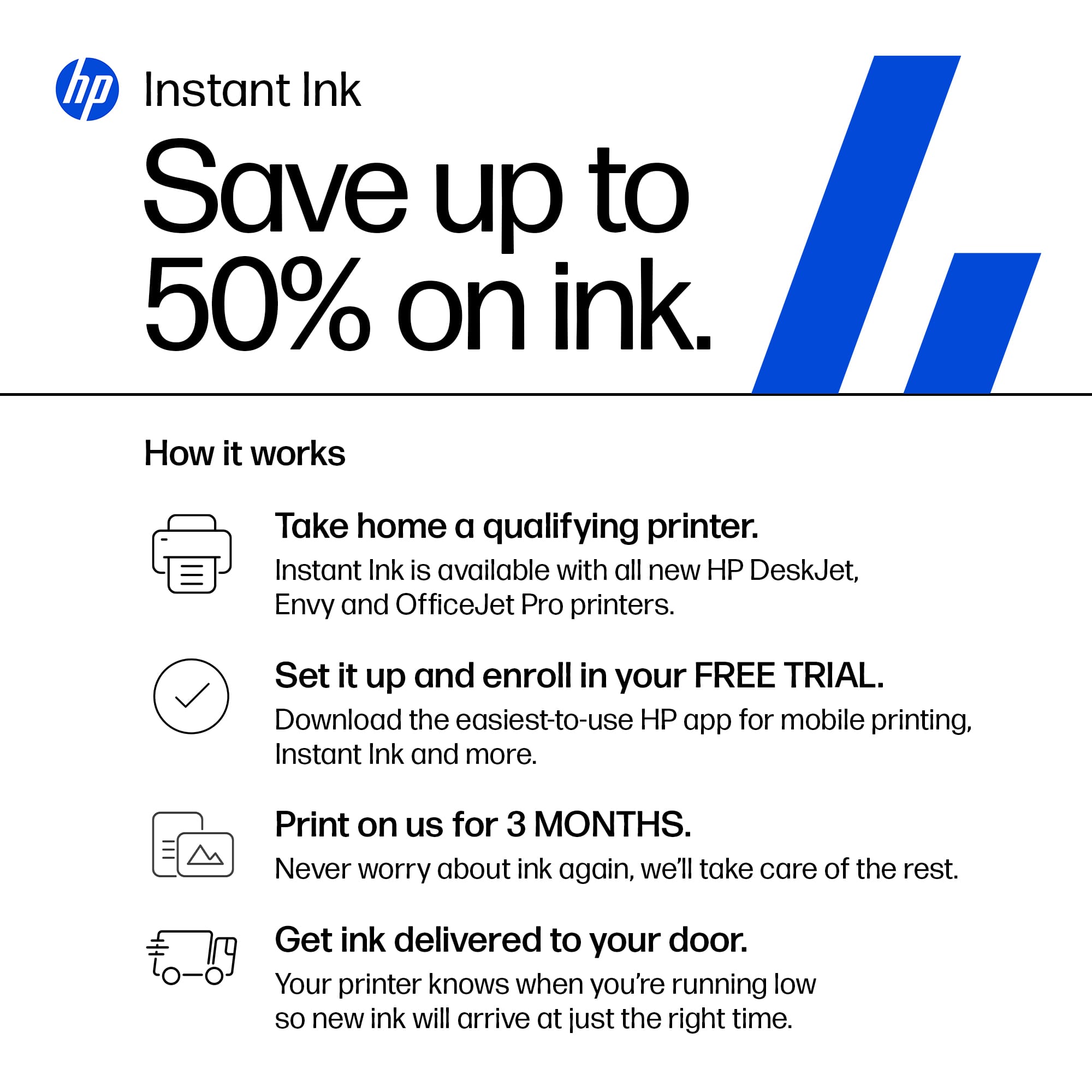
    Having used Hewlett-Packard printers for a while now, I was in need of a good, reliable and "small footprint" printer for my home office. This new HP Envy 7275 looked like a good fit for what I needed. If you're looking for a robust, office/multi-user printer, move along.. This isn't your printer. If you are in need of that reliable (so far), small, WI-FI anywhere printer, well you're in the right place. Set-up was simple as I already had the HP app. Once it recognized my printer and wi-fi, it did a little set-up routine and I was off to the races. It only comes with a power cable, so be aware if you are planning to hard-wire or need LAN capable printing. I pretty much use Wi-Fi for everything, so for me it was a non-issue. Paper tray holds around 50 sheets or so, which is fine for the smaller types of print jobs I need. Having a separate photo paper tray area is also a welcomed items for this size printer. The printer comes with "demo" ink cartridges and HP really pushes the Instant Ink program. I have no issue with it as I have used it in the past, but some might take issue. Be aware also that this particular printer has security circuitry that prevents third party or other ink cartridges. It will flat out not work unless it's genuine HP cartridges. The prints themselves are, well, prints! Nothing to write home about, but clear and precise enough to use in the home office I have. Pictures printed quite well for this being a smaller printer (still heavy though). It goes through a LOT of ink when doing pictures and obviously the best prints come out with good photo paper. The HP app is pretty straightforward and I had no issues with controlling the printer. I would say overall this is a good home/small home office printer with good output, speed and really good picture printing, just don't expect multi-user, office-level printing. I highly recommend the HP Instant Ink program as the printer talks directly to HP and makes an order when it senses you are low on ink. Hope this review helps you in your quest for a good printer!

    I would recommend this to a friend
  • Rated 2 out of 5 stars

    Disappointed

    |
    |
    Posted . Owned for 2 weeks when reviewed.
    This reviewer received promo considerations or sweepstakes entry for writing a review.

    I have always purchased HP printers probably for the Instant Ink which makes things easier for a super busy woman like me, plus, I could print my own. However, the HP Envy 7275 Wireless AI enabled Inkjet printer Geek Squad couldn't even get it to work properly. GS kept saying that the ink was not inserted properly, I followed given instructions exactly including removing the 2nd layer of tape which was very difficult to remove, I will be returning the printer to Best Buy.

    No, I would not recommend this to a friend
  • Pros mentioned:
    Connectivity, Noise level, Print quality
    Tech Insider Network Member

    Rated 5 out of 5 stars

    A Great New HP Printer

    |
    Tech Insider Network Member
    Posted .
    This reviewer received promo considerations or sweepstakes entry for writing a review.

    HP's latest all-in-one color printer, the HP Envy Photo 7275 is a keeper! It uses just two ink cartridges to produce crisp black and white and bright color prints. The printer was very easy to set up out of the box and fit perfectly behind my monitor on a printer stand I use. The HP Envy Photo 7275 printer is very quiet and easily produces two-sided pages automatically without any fussing with flipping and reinserting pages like some other lesser printers require. The HP printer connected to my computer via bluetooth and my home Wi-Fi network and is now available to all users in the household. I am able to print from my desktop, laptop, smartphone and tablets. This makes it very handy for other family members and guests. HP provides an optional ink subscription program at reasonable prices that can be tailored to individual users' printing needs. The program saves users from running out of ink, wasting time and expense running to a sotre for replacement ink cartridges and provides a recycle program to reduce the wasting of resources. The HP Envy Phot 7275 is well thought out and nicely designed and built. it prints quickly and quietly with colors that stand out nicely. While many printers are currently promoting "tank" ink printing, I prefer HP's cartridge based products finding it much easier to just snap in a new cartridge when needed; no spilled ink and no mess! I really like this new Envy Photo printer from HP as it does everything I need in one package; prints, scans and copies quickly and easily.

    I would recommend this to a friend

  • Pros mentioned:
    Connectivity, Print quality, Setup ease
    Tech Insider Network Member

    Rated 5 out of 5 stars

    Another winner from HP

    |
    Tech Insider Network Member
    Posted .
    This reviewer received promo considerations or sweepstakes entry for writing a review.

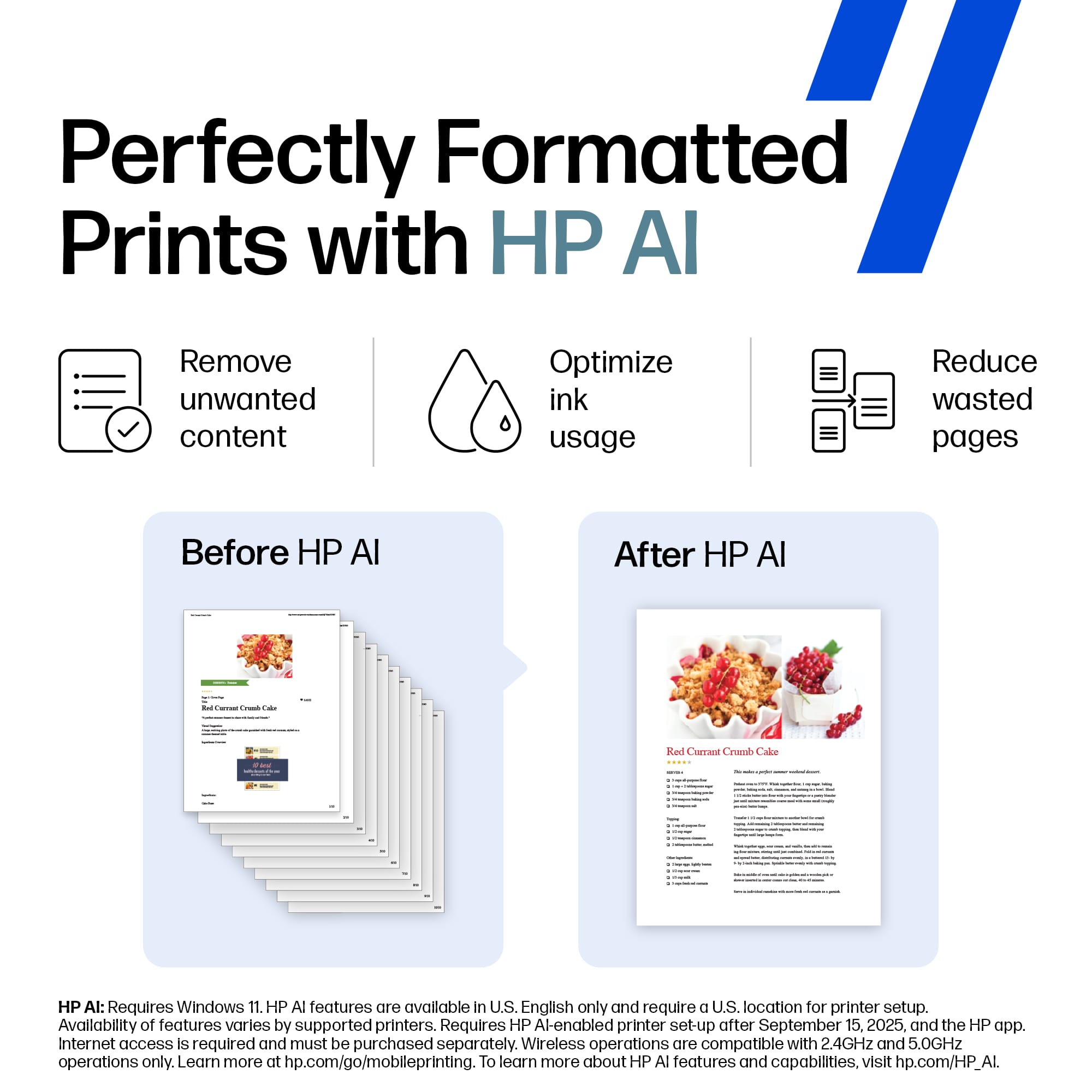
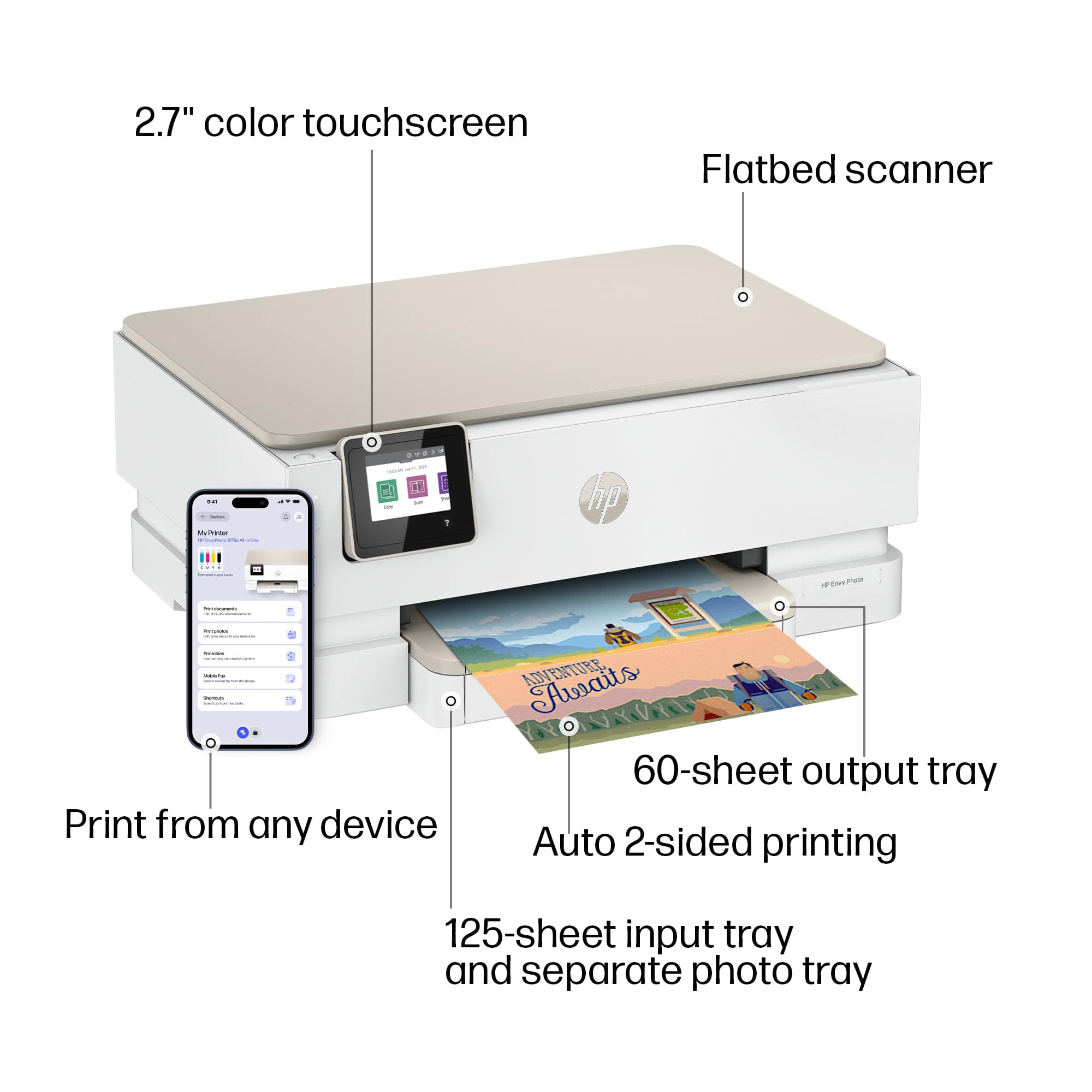
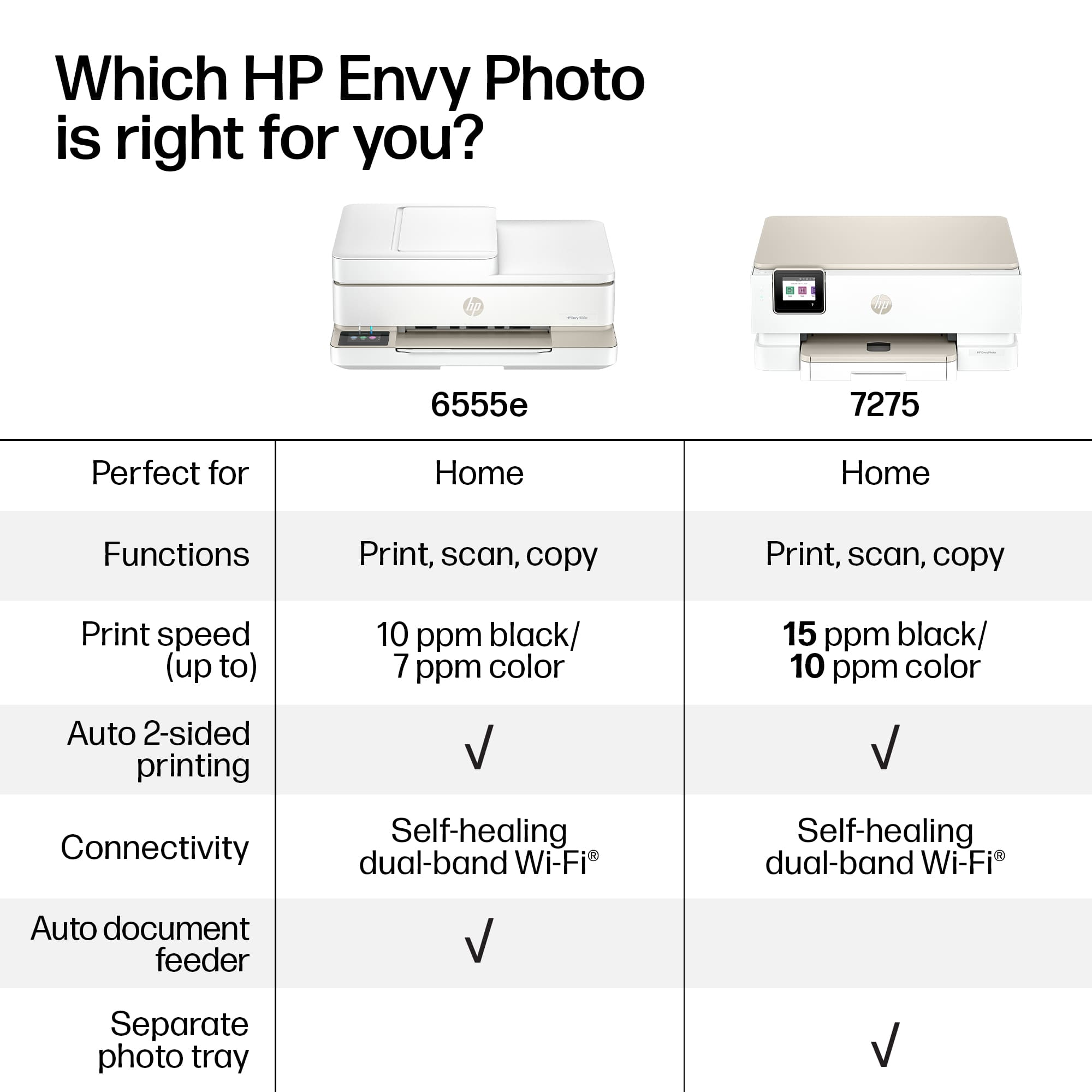
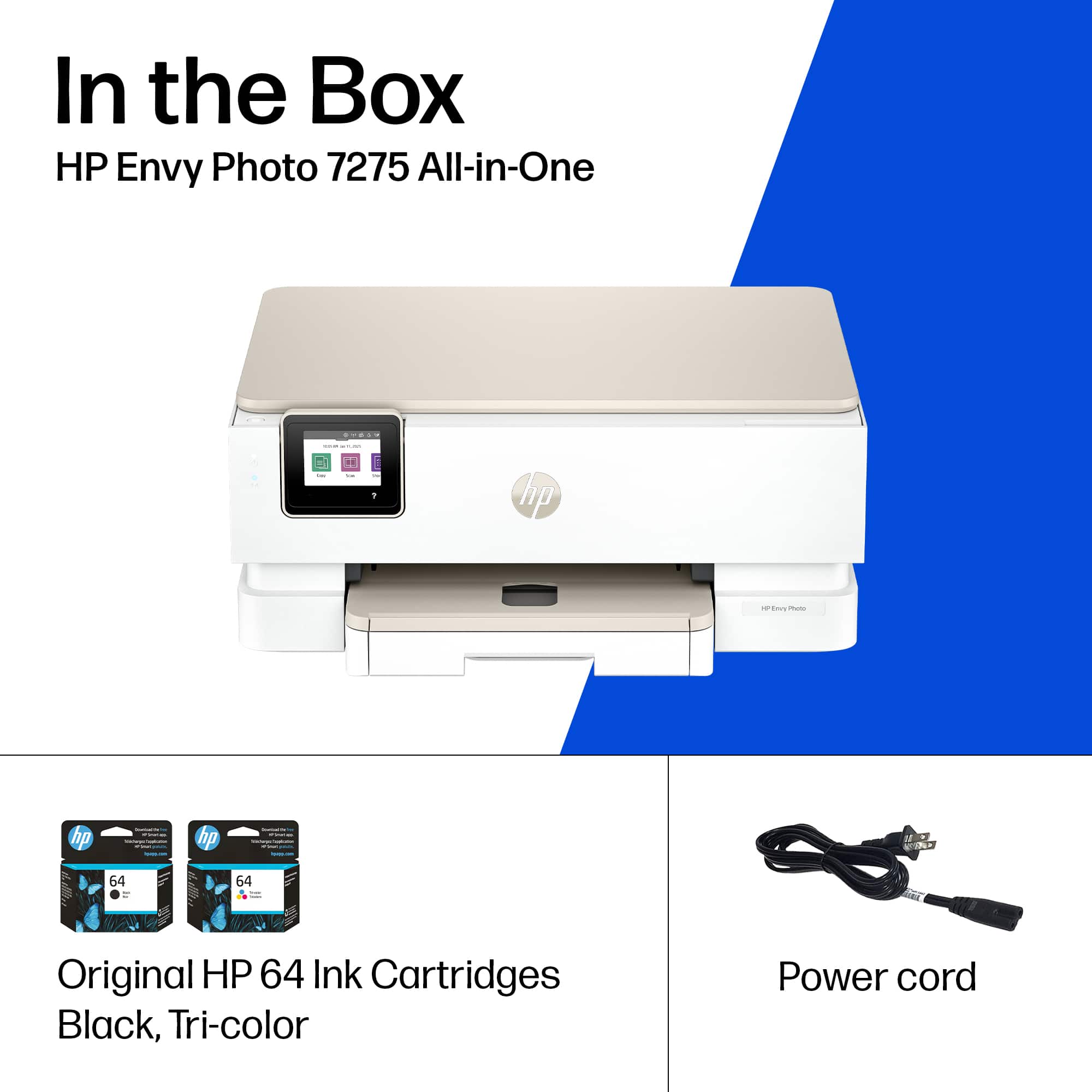
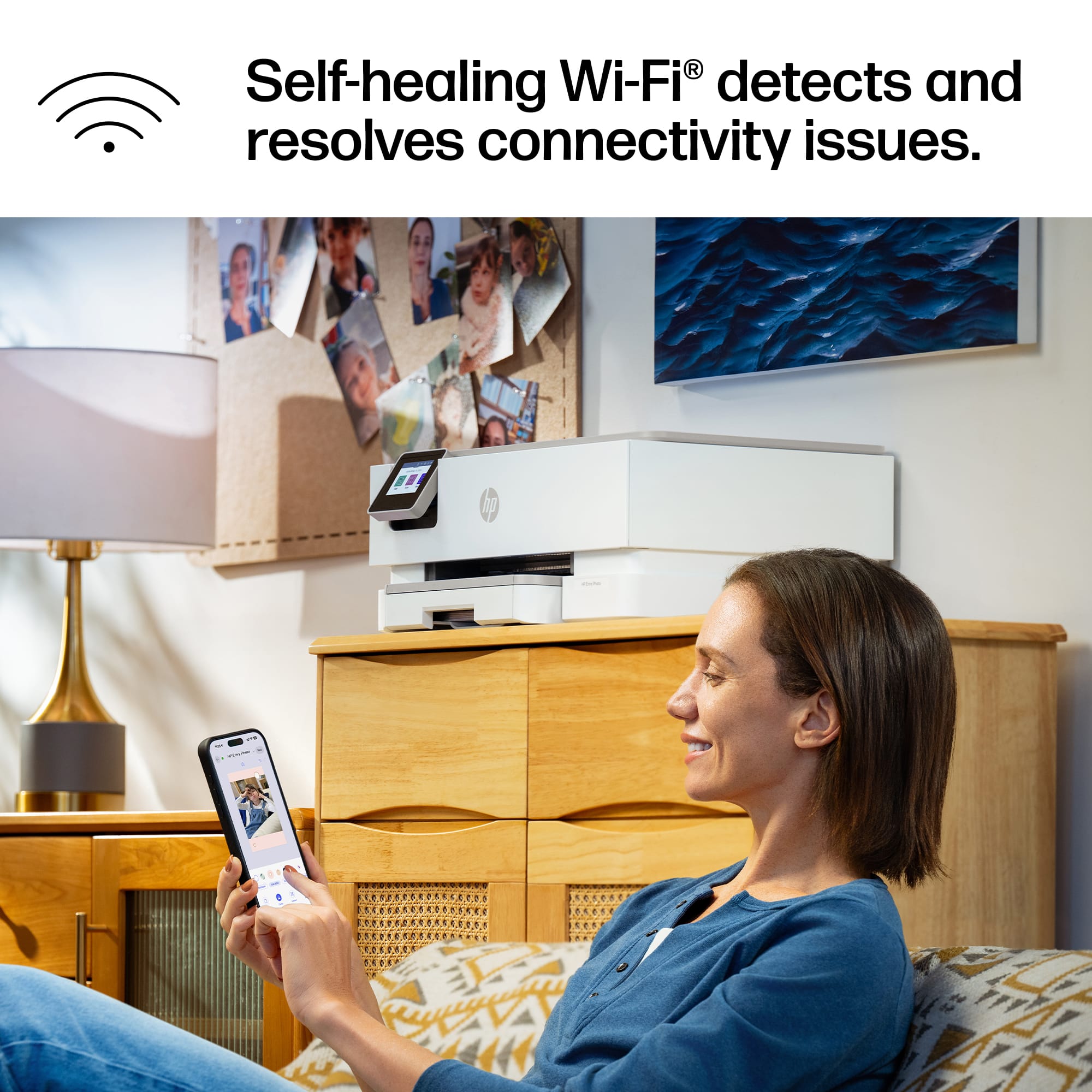
    The HP Envy 7275 all in one printer is another hassle free reliable offering from HP. This all in one Inkjet printer from HP continues to be one of the most recognizable and reliable inkjet printers on the market today. After my last inkjet bit the dust after 3 years of heavy usage I decided to try offerings from other brands and they fell short on many things including print quality, reliability and ease of use. HP. Once you open the box you will find the printer, some paperwork including a set up guide and both the color and black cartridges. Set up is quite easy using the HP app however I did have to power cycle the printer because of difficulty setting up my wife connection. Once I power cycled the printer it easily connected to my Wifi. The printer does have a 2.7 inch touchscreen but I find it easier to just use the app. The printer features a 125 sheet input tray as well as a 60 page output tray. The printer also has auto double sided printing so there is no guessing on how to put the paper in when trying to do double sided printing. The printer also has what HP refers to self healing wife which simply means it will try to repair a wifi connection on its own if the printer gets disconnected. Just like many of the HP printers available today the printer is eligible for an HP instant ink subscription, which is great if you have kids who are constantly printing stuff for school. I briefly tried the HP AI feature when printing a webpage and it did a great job in consolidating the helpful info into as few pages as possible. Overall print speed is great for a home office printer and it does a great job printing photos at home when needed. Overall, as mentioned before HP has released another reliable all in one printer that get the job done

    I would recommend this to a friend
  • Pros mentioned:
    Print quality, Setup ease
    Tech Insider Network Member

    Rated 4 out of 5 stars

    New Feature With Familiar Woes

    |
    Tech Insider Network Member
    Posted .
    This reviewer received promo considerations or sweepstakes entry for writing a review.

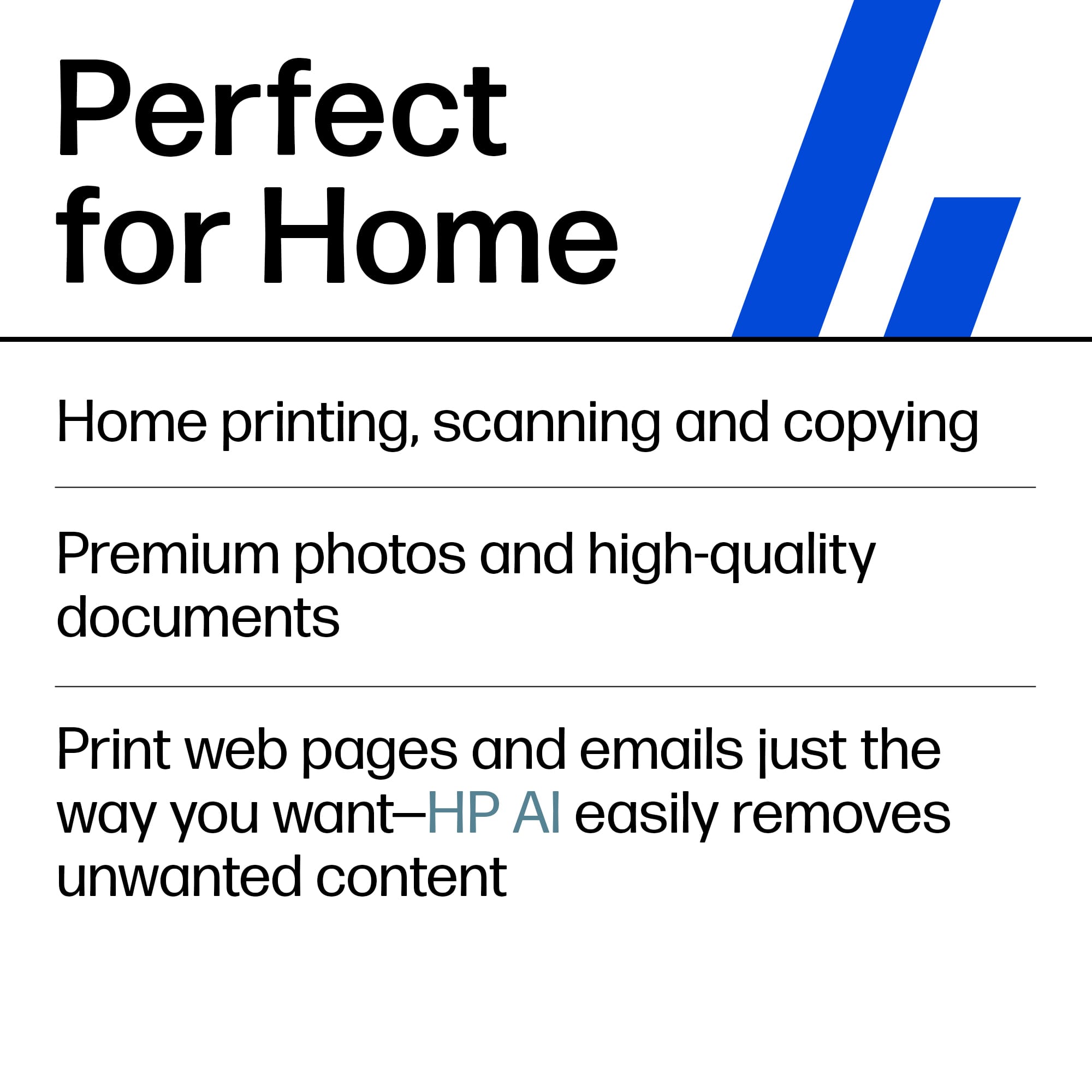
    [PROS] Streamlined Setup: Out of the past HP printers that I’ve owned, I was able to get up and started with the 7275 the quickest. Physical setup required just removing protective tape and installing cartridges. Software configuration was able to be done quickly through my phone. Once I scanned the QR code from the display, I was guided through easy self-explanatory prompts. AI Assistance: I'm very conservative when it comes to printing. Personally, I try to rely on digital copies as much as possible for any important files. However, it’s nice to be able to print with the least amount of paper and ink. HP AI printing removed ads and a bunch of other unnecessary content when generating a print preview for a recipe I found interesting. I was able to further reduce it by selecting certain sections for elimination. AI is still in its early growing pains, but the feature does seem promising. Excellent Print Quality: Duplicating photos and creating cards is an enjoyable experience. All of the documents that came out contained the appropriate amount of pop and highlight that I was expecting. Overall, it does the job and saves me money and time from relying on consumer print services. [CONS] Software Quirkiness: Printers have come a long way when it comes to speed and functionality. The HP 7275 is no exception. However, as a decade-long user of HP printers, the software still can come with issues. I did run into a problem of attempting to cancel a print job before it got started, but the printer ended up printing a few pages before it finally stopped. In other cases, it takes the HP Smart App a second to recognize the printer, but I can extend grace given that new releases can sometimes exhibit small bugs. One thing I did notice was that the time on the device didn’t match the current time. It could only be manually adjusted despite having constant internet connection that can validate the current time as well as timezone. Small and Slow Display: I don’t have a need to interact with the display much as most functionality can be completed on the computer or phone. However, it can be a nuisance trying to make selections and complete certain operations because the on screen buttons are tiny. For as many strides that we’ve made with technology, printer displays aren’t as responsive as they should be. [CONCLUSION] The HP 7275 is an exciting step in printing innovation. I can appreciate the implementation of AI functionality that makes it stand out among its peers. The software bugs are still present, but the print quality standard is still maintained. The 7275 is a great pairing of productivity and sustainability that I would recommend.

    I would recommend this to a friend
  • Pros mentioned:
    Connectivity, Print quality
    Tech Insider Network Member

    Rated 5 out of 5 stars

    Nice photo printer with ink subscription

    |
    Tech Insider Network Member
    Posted .
    This reviewer received promo considerations or sweepstakes entry for writing a review.

    Setup of this printer was pretty easy, just unbox it, plug it in and follow the instructions to connect using the HP app and install the included ink. I've always liked HP Printers and as long as you know how the Instant Ink thing works before you setup your printer, you'll be happy with it. While this review is not necessarily about the HP Instant Ink, it is a big part of the setup and knowing about it is part of the ownership of this printer and as such cannot be ignored. This printer is one that is compatible with the Instant Ink subscription which you can use but do keep in mind if you set it up for instant ink, the cartridges will be locked to the subscription and to cancel you'll have to buy a new set in order to print. That said, I think that the service offers a great value, especially for people like me that only occasionally print and I don't live close to any stores that have replacements available. The best part is, once you sign up, they automatically send you new cartridges, so you never run out and there's no contract. They also offer a variety of plans with pages that roll over so you'll find one that works for you. The only thing I don't like about the instant ink cartridges is that the cartridges in older HP printers I have that use these exact same cartridges seem to clog when you don't use them often and HP's support is definitely great to help with this in the event it happens so you can have peace of mind with the service that it'll be taken care of. This printer so far has not given me any issues and actually prints photos and text crisp/clear with bright colors. The Wifi connection to it is solid and has worked seamlessly with printing from my phone and PC. Scanning works great as well and is just as easy. Out of all of the brands of printers, HP's app works the best and is one of the easiest ones to use. What I like about this printer specifically is the quality and print speed. It does do a good job with photos and regular documents and has features like front/back printing and a try for photo paper. It prints quiet and fast. I'd absolutely recommend this printer if you're in the market for a new one whether for your home office or small business.

    I would recommend this to a friend

  • Pros mentioned:
    Connectivity, Print quality
    Tech Insider Network Member

    Rated 4 out of 5 stars

    Great home use printer!

    |
    Tech Insider Network Member
    Posted .
    This reviewer received promo considerations or sweepstakes entry for writing a review.

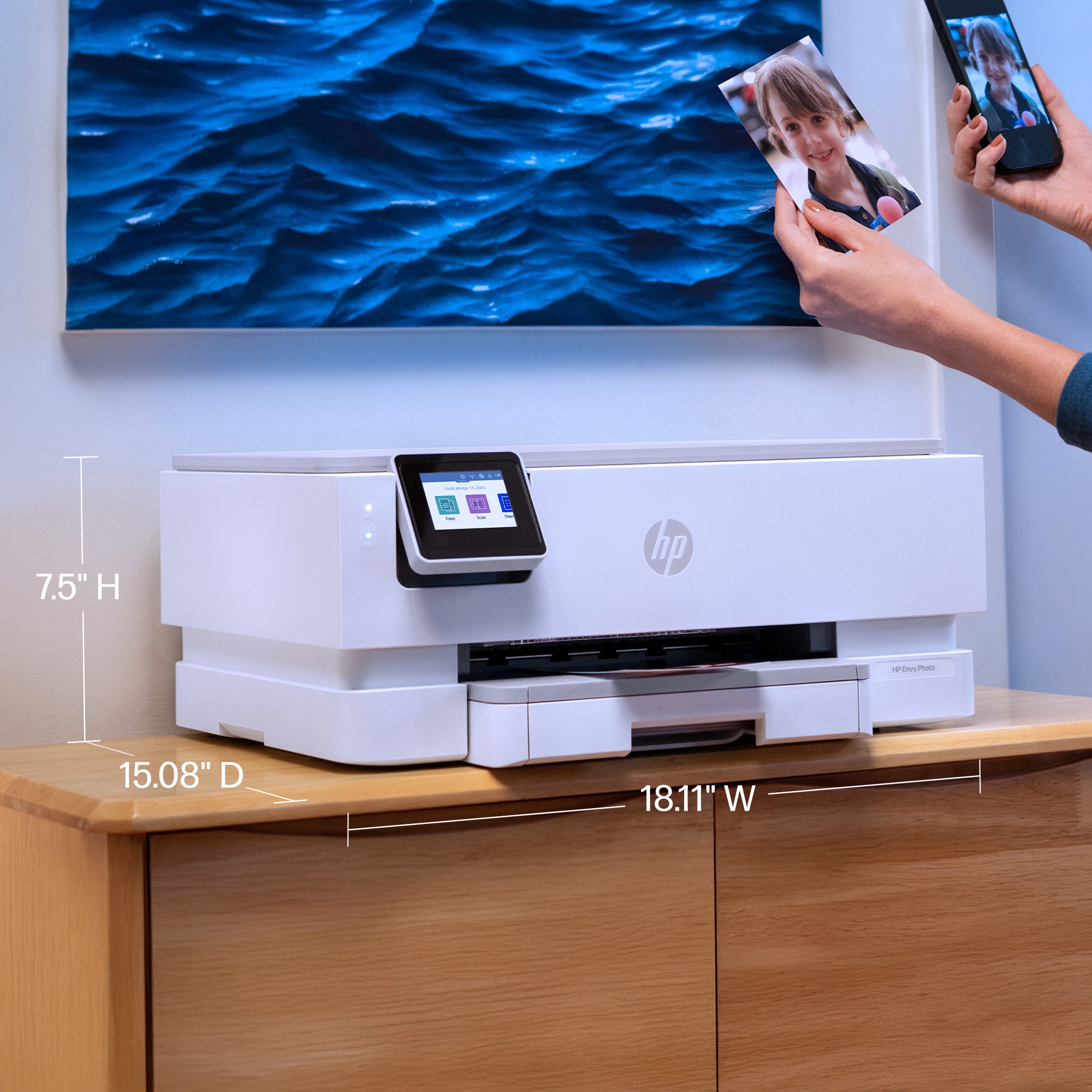
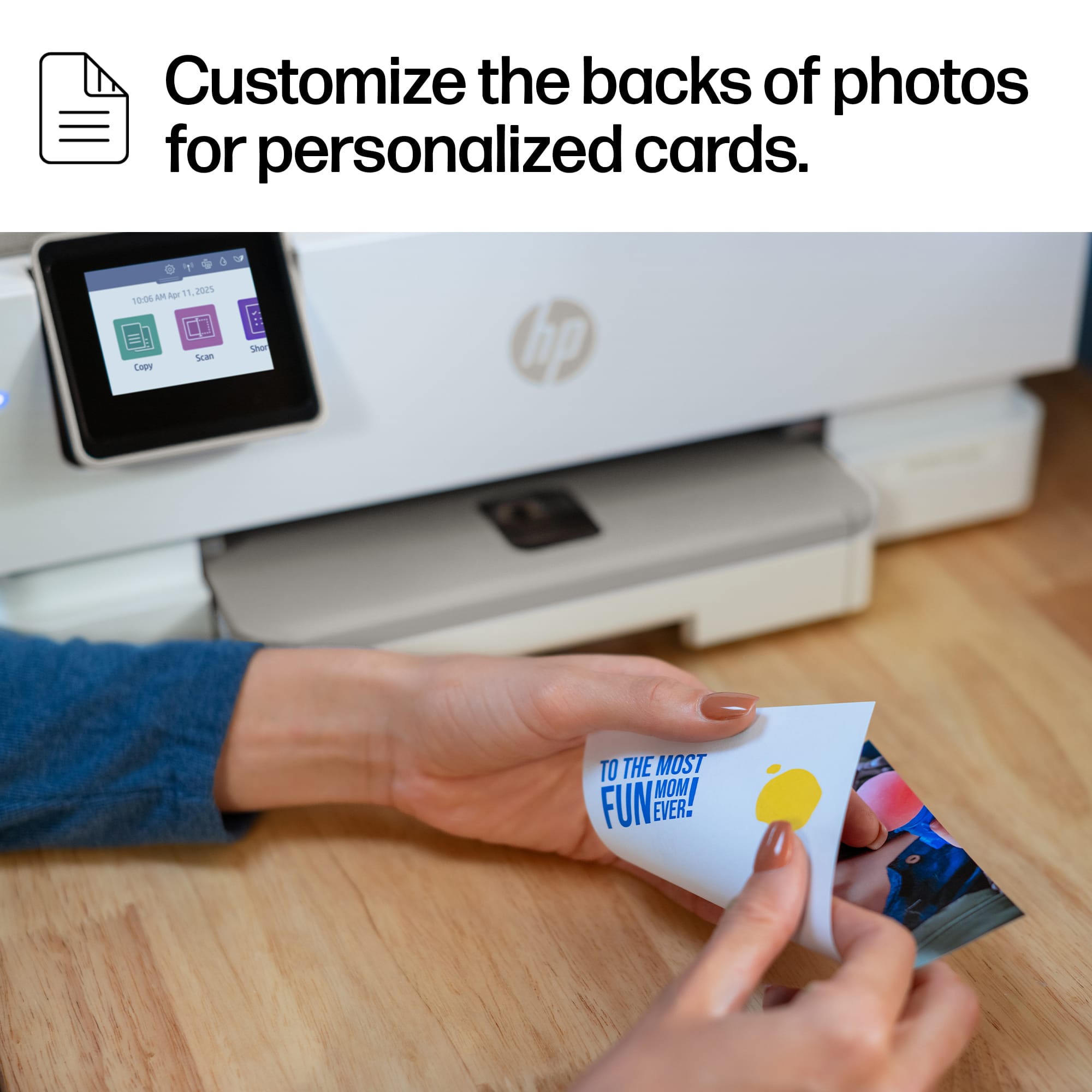
    The HP ENVY Photo 7275 All-in-One is definitely built for the modern home, aiming to be that do-it-all machine that handles both the kids' homework and your cherished photo albums beautifully. What stands out most immediately is the photo quality—the prints are vibrant, with great color depth that genuinely makes your snapshots look better than a typical document printer, especially since it handles borderless printing and even automatic two-sided photo printing for things like personalized cards. The separate photo paper tray is a huge convenience, meaning you don't have to keep swapping out plain paper for glossy stock every time you change tasks, and the dual-band Wi-Fi connection is reliable, making the setup and printing process, especially from a mobile phone via the HP Smart app, incredibly smooth and quick. However, like most inkjet printers in this class, it's not without its drawbacks, and they usually revolve around the ink system; it uses a two-cartridge system (one black, one tri-color), which can feel wasteful when only one color runs out, and while HP heavily pushes the Instant Ink subscription service to keep costs manageable and prevent running out, the printer's reliance on genuine HP electronic circuitry in the cartridges is a clear barrier if you prefer using third-party inks. For everyday documents, the speed is decent enough, and the inclusion of scanning and copying functions makes it a solid home office tool, but be prepared for the occasional maintenance, as print quality issues like streaks or clogs, which are common on two-cartridge printers, will eventually require you to run the automated cleaning cycles. Overall, if your primary goal is hassle-free, high-quality photo printing at home with easy phone connectivity, and you're comfortable with the Instant Ink subscription model, the 7275 is a compact, feature-rich machine that performs its main job very well.

    I would recommend this to a friend
  • Pros mentioned:
    Print quality, Setup ease
    Tech Insider Network Member

    Rated 5 out of 5 stars

    A Good Choice for an All-in-one Home Printer

    |
    Tech Insider Network Member
    Posted .
    This reviewer received promo considerations or sweepstakes entry for writing a review.

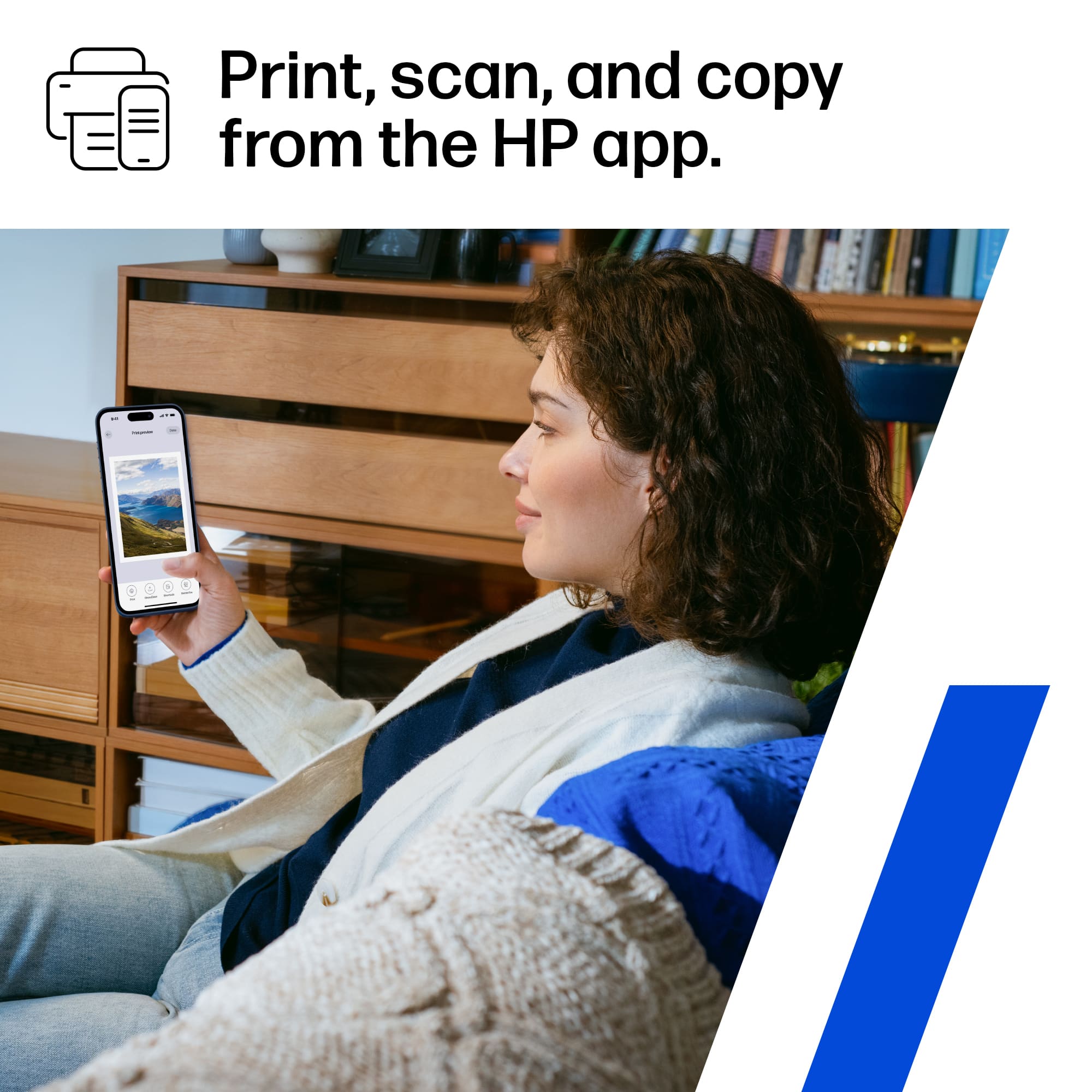
    The HP ENVY PHOTO 7275 is a solid choice for an all-in-one home printer. HP has been the source of a number of great printers I’ve used over the years. The Envy Photo 7275 appears to build on the qualities of previous models while adding some nice improvements. As far as the standard features go, the 7275 offers black-and-white and color prints that are clear and crisp. The paper tray holds 120 pages. Copies and scans also come out nice and clear. The ink cartridges are easy to install and HP offers a 3-month trial of their service which automatically senses and sends new ink when needed. In the past there have been some problems with this service as HP would cause your printer not to work if you did not use their ink. I believe this has since been remedied. So, what are the nice improvements? * Setting up a new printer has become a relatively simply procedure, yet somehow it seemed even smoother with the 7275. Using the HP app on my smartphone made it feel like it was setting itself up. Very nice. * The overall build and form factor seem to have squeezed all the functionality into a slightly more compact footprint with a subtle, yet noticeably more attractive form factor. * The color touchscreen is bright and clear and simple to use. * The paper tray includes a separate part for loading small quantities of smaller photo paper. * The HP app has been updated and has some helpful features. I was able to use the printer scanner to scan directly into my phone, straighten, and enhance, the image! * Although the 7275 uses standard HP ink cartridges, installing them seemed slightly easier than with previous models. For a medium-duty, all-in-one home printer, you really can’t go wrong with the HP Envy Photo 7275.

    I would recommend this to a friend

  • Pros mentioned:
    Print quality, Setup ease
    Tech Insider Network Member

    Rated 4 out of 5 stars

    Smart, Efficient Home Printer with AI Ink Savings

    |
    Tech Insider Network Member
    Posted .
    This reviewer received promo considerations or sweepstakes entry for writing a review.

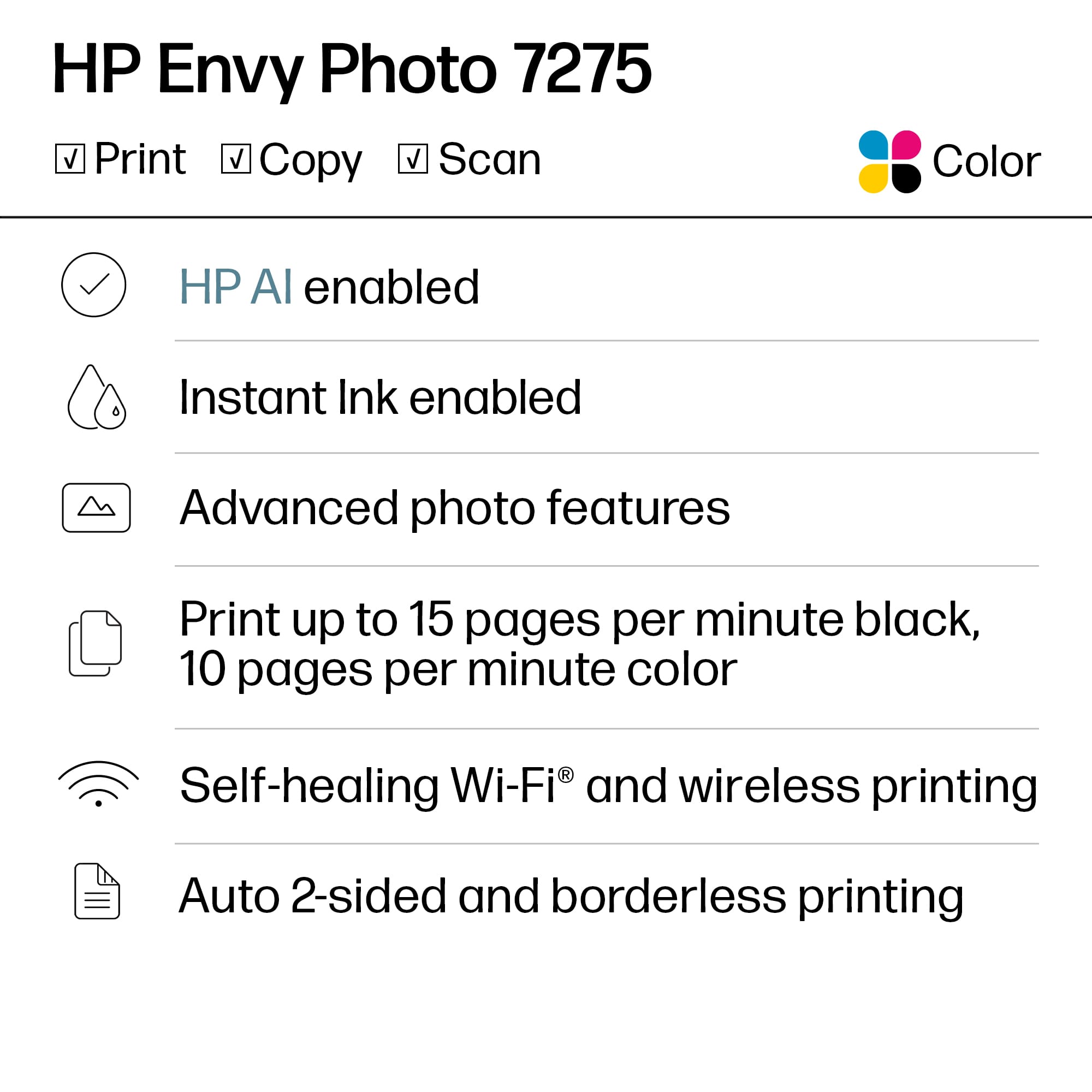
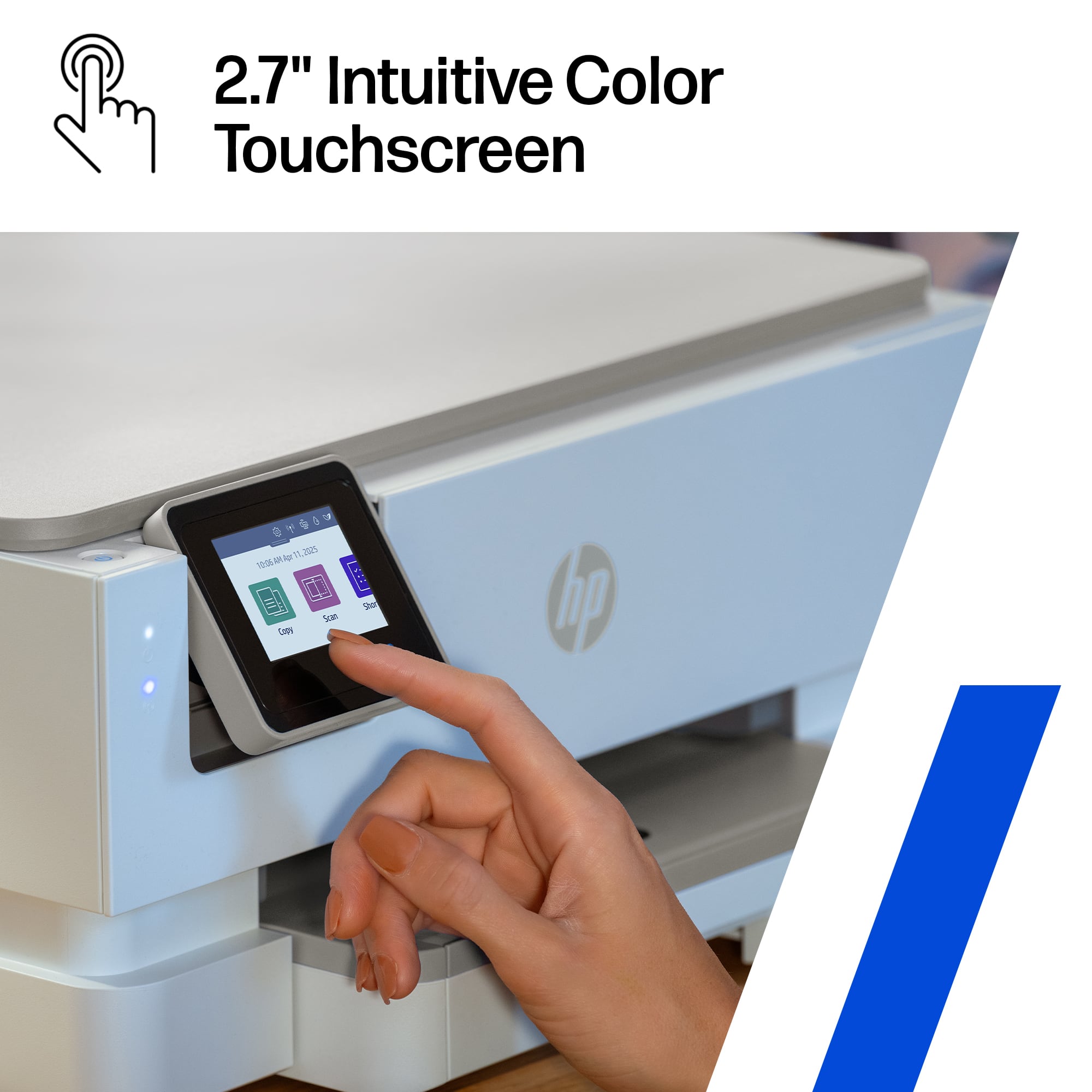
    The HP Envy Photo 7275 is designed for home users who need a reliable all-in-one printer that can handle both everyday tasks like homework and high-quality photo printing. It offers print, scan, copy, and photo capabilities with a 2.7-inch color touchscreen for easy navigation. The printer supports dual-band Wi-Fi and mobile printing through Apple AirPrint, Mopria, and the HP Smart app. It delivers print speeds up to 15 pages per minute in black and 10 pages per minute in color, with borderless photo printing up to 8.5 x 11 inches. A dedicated photo tray allows for seamless switching between photo paper and regular documents. What sets the HP Envy Photo 7275 apart is its use of AI-driven printing technology that helps minimize ink and paper waste. The printer automatically optimizes print layouts, removes unnecessary content, and reduces margin spacing to use fewer resources. When paired with HP’s Instant Ink subscription service, it can significantly lower long-term ink costs by tracking usage and delivering refills only when needed. For families or students printing a mix of school assignments, forms, and photos, these smart features ensure you get quality results while keeping ongoing expenses in check. Compared to other home printers, the Envy Photo 7275 stands out for its blend of versatility, photo quality, and cost efficiency. Its intelligent ink management system and duplex printing save both time and materials, making it a practical choice for moderate use. If you’re looking for a printer that can handle everything from crisp text documents to vibrant borderless photos while actively helping reduce waste, the HP Envy Photo 7275 is an excellent balance of performance and sustainability.

    I would recommend this to a friend
  • Pros mentioned:
    Print quality
    Cons mentioned:
    Size
    Tech Insider Network Member

    Rated 3 out of 5 stars

    Too simple

    |
    Tech Insider Network Member
    Posted .
    This reviewer received promo considerations or sweepstakes entry for writing a review.

    The Envy Photo 7200 All-In-One-Printer is just another printer. Nothing too fancy at all. Great benefit is that the install is simple and it is all done with the HP App. The printer allows you to use your mobile device to print documents and images. The images are mediocre quality. However, if you use this printer just for simple documents such as word documents it is a good printer. The print rate is fairly fast. It is large and bulky. As the name states it is an all-in-one therefore allows for print scan and fax. Would I say HP went above and beyond? No, I would not. The build quality feels flimsy and the printer is very lightweight. Based on the ink cartridges included it seems you may not get too many pages from each cartridge. Some benefits I do like are, simple install that is done with the HP app. Prints fairly fast for an inkjet printer. I love the fact that is an all-in-one. My greatest dislike is how flimsy it feels and how bulky it is. Like I previously stated the picture print quality is pretty bad. Overall, 3 out of 5 stars would not recommend unless you want a simple printer.

    I would recommend this to a friend
  • Pros mentioned:
    Print quality
    Cons mentioned:
    Size
    Tech Insider Network Member

    Rated 3 out of 5 stars

    Mixed feelings: Feels bulky, but prints great

    |
    Tech Insider Network Member
    Posted .
    This reviewer received promo considerations or sweepstakes entry for writing a review.

    So I am really torn on this one. So going middle of the road. Let's go from GREAT to frustrating. So honestly, the PRINT quality is fantastic. Even on regular stock white paper, the photo print from my iPhone was stellar, and it wasn't even fine mode. No sample photo paper to try, and don't have any around at the moment, but will be getting some, and I can image the quality will get even better. Prints VERY quick. Full 8.5x11 print, in what felt like under 1 minute, and the print started almost as soon as I hit print from my iPhone. Good: Setup was very painless with the iPhone app. I already had the app and an HP account, so that was quick for me... And then it immediately found the printer, used Apple's newest Accessory setup features, and I just had to pick the correct WiFi network. It was under 10 minutes, from unboxing, to setup, to printing. WiFi signal, picked it up and seems to be strong. With my above average WiFi setup, going to be able to put this printer anywhere in the house Showed right up on my iPhone to print with, so that is a big plus. Fair: Noise level, was hit and miss. On startup, this printer clanged and clunked a LOT and was loud. When printing the sample pages, it wasn't as quiet as I hoped it would be.. .and I even hit "quiet mode", didn't do anything it seemed like. But when I printed the first real print, it was not overly loud. Also fair, easy to scan. I rarely use scan features, maybe 10 times a year, but this was easy to use on my desktop Mac, just went right into scanning, and the quality was pretty good. Sub-Par: It just feels Bulky, and a little boxy. Taller than my other photo printer, and just felt "big" compared to some other printers. The provided cord is also VERY short, I will have to find a longer one, for most places I plan to put this. 2 cartridges for the ink... I get that this has a 3 month trial for insta ink, we will see how this goes. I don't like that the app tried to immediately to enter my credit card info so they can send me ink after 3+ months, I caught it and was able to go into the credit-card free trial, but they didn't make that default. Super Frustrating: I actually HATE the paper tray, seems too over engineered. 1) It can't be removed. I tried over and over to get it to completely come out, like most other printers, does not. 2) When putting int he 8.5x11, the tray will support 8.5x14, and there seems to be no spacer bar in the back to keep paper tight. Just odd. 3) Photo paper, on the top, seems to be limited in the number that can be added at once... will be testing that soon But overall this paper tray situation, just seems so different then other printers, and over engineered, for no apparent benefit. if you can get past the paper tray situation, and the bulky size, this may be a good printer for most people that need to print quality photos, this is going to be good. But I would NOT be using this for the research paper or other long documents. Will be a good color supplemental printer for the house

  • Pros mentioned:
    Print quality
    Cons mentioned:
    Size
    Tech Insider Network Member

    Rated 4 out of 5 stars

    Inkjet Printer working to compete with Laserjets!

    |
    Tech Insider Network Member
    Posted .
    This reviewer received promo considerations or sweepstakes entry for writing a review.

    The HP ENVY PHOTO 7275 ALL-IN-ONE PRINTER is a ink-based printer working hard to compete with Laserjets in the market. Unlike Laserjets, the HP Envy Photo can produce stunning photographs from home or the office. It is perfect for an amature or budding photographer to produce their own quality prints without the cost and time of submitting online or standing in like at the big box store to use their dirty kiosks! I found this printer to be surprisingly large for an inkjet, still smaller than my color laser, but big. It features a color touchscreen and the menu functions are easy to navigate. The screen is small, but for most people, it will work fine. The print quality exceeded my expectations and handles standard paper prints in B&W or Color well and transitioned to photo paper just as easily. While this will not replace my Color Laser printer, it will be a nice alternative to waiting in lines or shipments to arrive. PROS - Color touch screen - Produces good photo prints - Useable as a document printer as well - HP name and quality CONS - Ink-based printing - Ink cartridges are expensive

    I would recommend this to a friend

  • Tech Insider Network Member

    Rated 5 out of 5 stars

    Super easy to use and set up, great features!

    |
    Tech Insider Network Member
    Posted .
    This reviewer received promo considerations or sweepstakes entry for writing a review.

    In my opinion, printer tech has come a long way in the last 10 years. At least when it comes to HP. This little printer has so many cool features, and it's so easy to use. I remember when setting up a printer was a painful chore, and it never worked right the first few times, and even after getting it working it was a pain to get it to print how you wanted it to and you were lucky if it printed the page you wanted or were looking at when you hit print. Even at my work, half the time I print something it's formatted incorrectly, or it tries to print an entire book instead of just the page I'm trying to print. But this HP ENVY PHOTO 7275 ALL-IN-ONE PRINTER has really impressed me! 1st of all it ships in a well designed box that protected the printer very well. It was easy to unpack, and set up was intuitive. The in printer touch screen displayed an QR code to scan, and it also listed the web address to go to to start the set up. I chose the web address version of the set up, and simply followed a series of easy to do prompts, and my printer was set up in less than 10 minutes. The print quality is amazing, even when printing photos etc. As a bonus, the printer includes 3 months worth of free printer ink. The printer itself is well designed and very compact. It's also made from mostly recycled materials which is nice to see these days. Using the downloaded app makes changing settings super easy and intuitive. And the best thing is it connects over WiFi so I don't have to have it sitting right next to my PC, I can literally place it across the room. The paper tray has easily movable side guards to keep what ever sized paper being used in the center, and there are handy measurement marks to let you know where to set them for common paper sizes. Also nice is I can link my phone to the printer and print from my phone as well. And it has the ability to print on both sides of the page as well. Overall this printer is an amazing bargain. I can't imagine being able to squeeze any more features, or to make it any easier to use. It does everything I need it to do and then some!

    I would recommend this to a friend
  • Tech Insider Network Member

    Rated 5 out of 5 stars

    Great Home Printer with photo and AI capabilities

    |
    Tech Insider Network Member
    Posted .
    This reviewer received promo considerations or sweepstakes entry for writing a review.

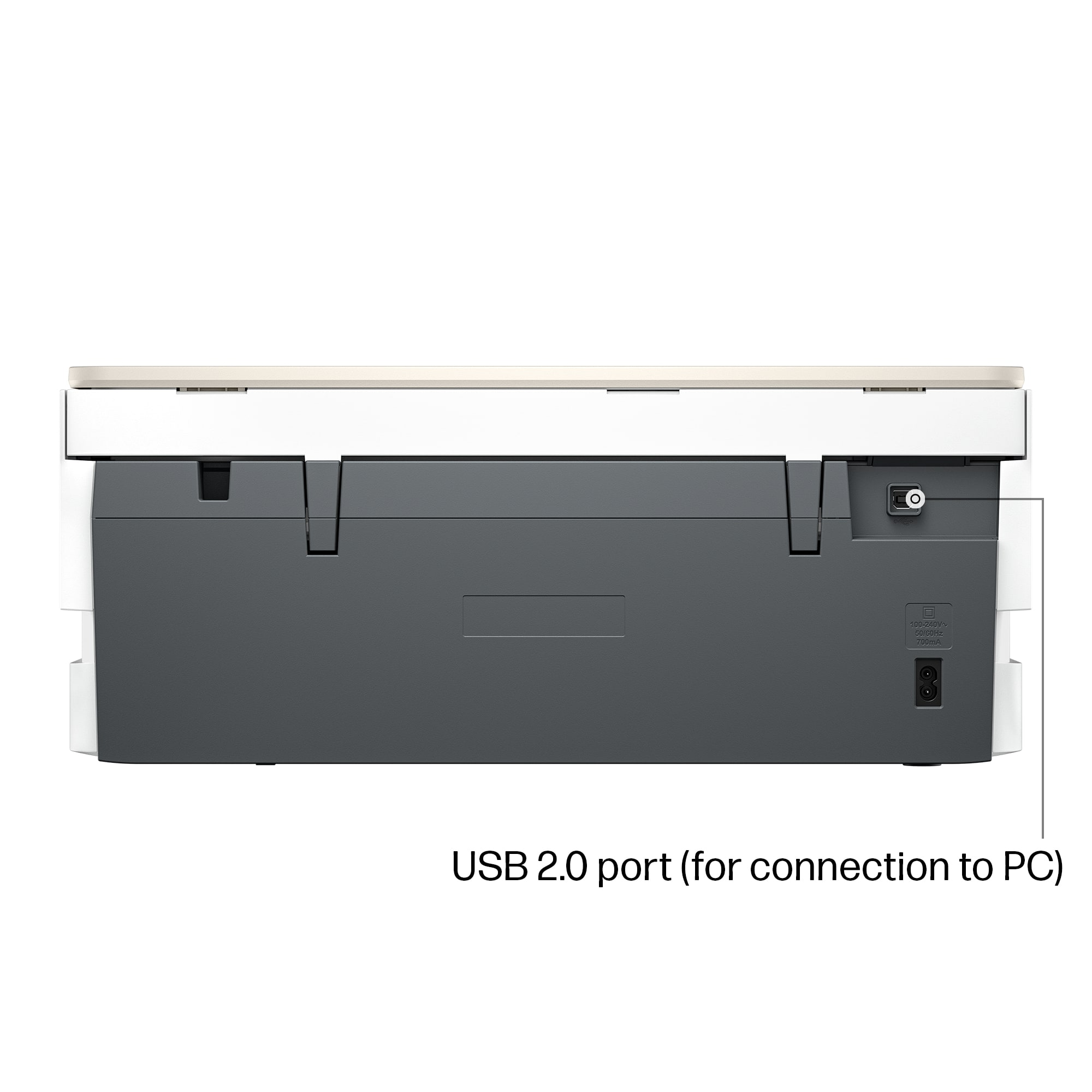
    This is my second printer now with HPs Instant Ink feature and I'm a fan of it. I like the way they reorder ink based on your usage and the discount helps. I'm torn on needing an all in one these days with the quality of phone cameras and scanning apps, but the inclusion of the flatbed scanner is worthwhile as well. No included USB cable, even though there is a port makes me think this printer was designed with wifi in mind and it works well at that. The self healing feature of the wifi is useful if you ever move the printer or have a network that sometimes has some instability. Respectable quality on photo prints, especially smaller format borderless prints are handy to have, but not usually worth a second printer. In this case you don't need a second one because the speed of 8.5 x 11 black and white prints is also quick enough to be your main printer for lower volume households. Easy to set up using the app or the large touch screen, though the app has some other features you'll want to make use of as well from your device. Overall this is a well made wireless all in one, and if you're a household that doesn't print a large volume and appreciates the occasional photo print, this is ideal for you.

    I would recommend this to a friend
  • Tech Insider Network Member

    Rated 5 out of 5 stars

    Good for home and small office use.

    |
    Tech Insider Network Member
    Posted .
    This reviewer received promo considerations or sweepstakes entry for writing a review.

    The HP Envy 7275 is a sleek & capable all-in-one printer ideal for light dutt printing needs. It has printing, scanning, and copying features and connects easily to home wifi networks and cell phones. The touchscreen interface is easy to navigate but it’s a touch small, which can make moving through menus a bit finicky for users with big hands. The build feels solid for a printer in this price range—sturdy enough for regular home use but not meant for heavy-duty office workloads.Text documents come out crisp, and color images are vibrant with good detail, especially on photo paper. It handles everyday tasks like school projects and small office documentd easily. The printing speed is average, but it is fairly quiet and not obnoxiously slow. It uses a lot of ink, and the cartridges are expensive. You are pushed to sign up for the ink subscription service. Pros Excellent print and photo quality Easy wireless setup and printing from cell phones Compact- fits into most spaces. Cons Ink can be expensive without a subscription Not ideal for high-volume printing Small touchscreen

    I would recommend this to a friend