The vast majority of our reviews come from verified purchases. Reviews from customers may include My Best Buy members, employees, and Tech Insider Network members (as tagged). Select reviewers may receive discounted products, promotional considerations or entries into drawings for honest, helpful reviews.
Page 27 Showing 521-540 of 575 reviews
Rated 1 out of 5 stars
None
|
|
Posted . Owned for 1 month when reviewed.
This reviewer received promo considerations or sweepstakes entry for writing a review.
I could get it to work with the usb cable but not wifi. The Wi-Fi code sticker was shown as on the back of the printer but it was not there. I called Best Buy tech support and HP tech support but got no help. Took the printer back for a refund.
This reviewer received promo considerations or sweepstakes entry for writing a review.
It goes in and out of service due to connection issue. We don't have that problem with any other device using the same connections.
Reseting the to a different wireless is not an easy process on this model printer.
This reviewer received promo considerations or sweepstakes entry for writing a review.
DO NOT BUY FROM BESTBUY OR HP.
Had this printer for a week and started to give me issues. I reached out to BestBuy but they told me to reach out to HP. Well, now a week later, HP still could not get the printer to work. HP wants to send me the exact same printer and BestBuy won't take it back because they know it's a bad printer.
This reviewer received promo considerations or sweepstakes entry for writing a review.
I couldnt offer a review on use because i didn’t open it. Purchased online then went into store to see display. Poorly made toner/ink 100+ each and doesnt hold enough paper. I purchased during a flash sale. Now I Know.
This reviewer received promo considerations or sweepstakes entry for writing a review.
Physical setup was a breeze. Packing was designed (and gave instructions) to allow for it to slide out of the box by turning onto one side and pulling on the box to remove it. Plugged into power and network cable, powered on and it was instantly connected and seen. Toner cartridges were all pre installed and ready to use.
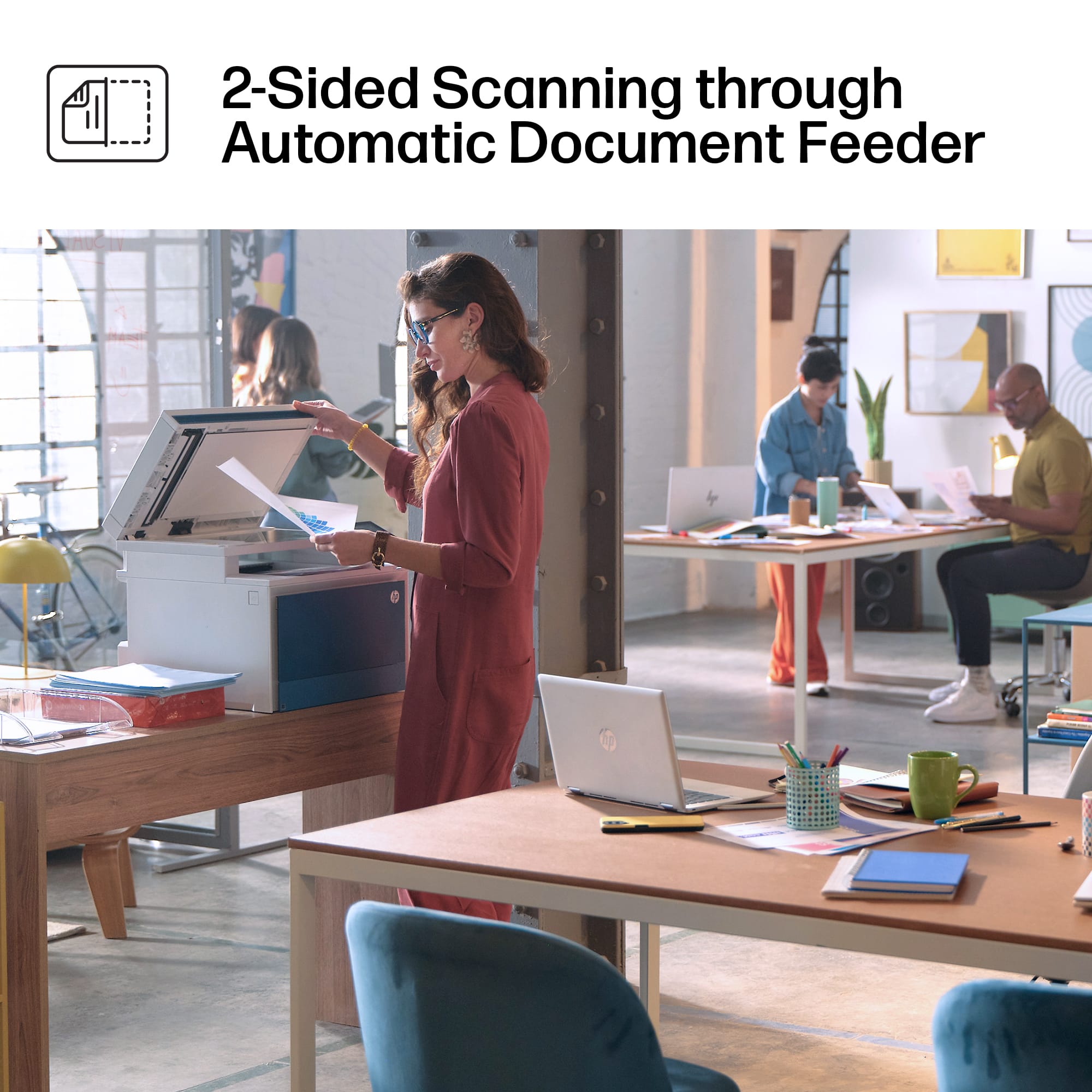
Scanning was simple, touch screen even allows for preview of scanner bed. Copying is quick from the touch screen and crisp. You can print and scan with an attached USB flash drive through the USB on the front top.
Printing was quick and for black and white prints worked phenomenally. Color printing was however not working immediately, and took troubleshooting and Google searches to find the setting to flip. Color Mode settings were not enabled by default and had to be manually turned on. Now that they are changing the color mode is quick.
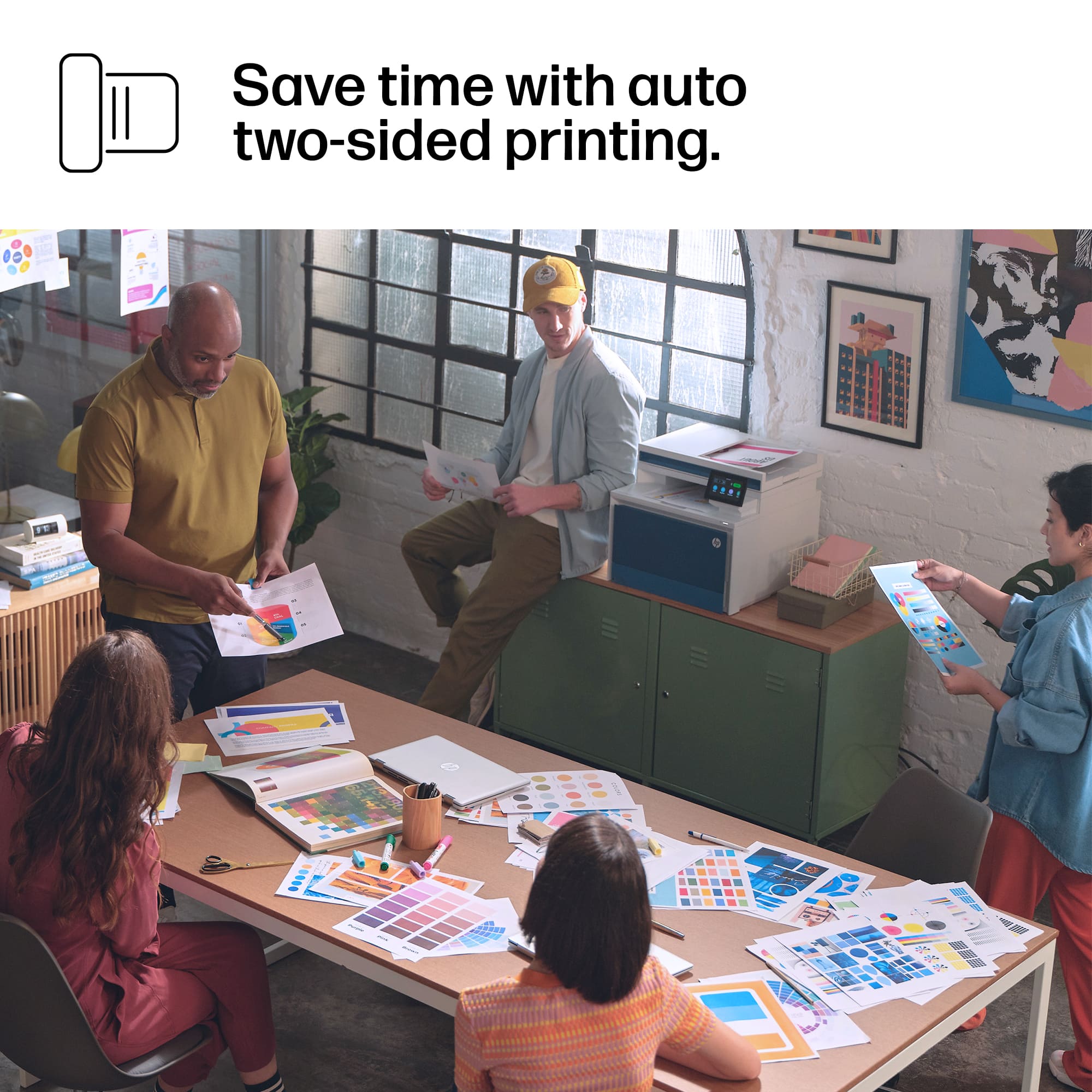
Prints are fast, printing of a 64 page PDF that contained pictures, text, and background color/imagery was done in under 8 minutes using double sided full color printing. Printing the same document in black and white made no difference in print speed, just used a lot more toner as Black was the only cartridge in use.
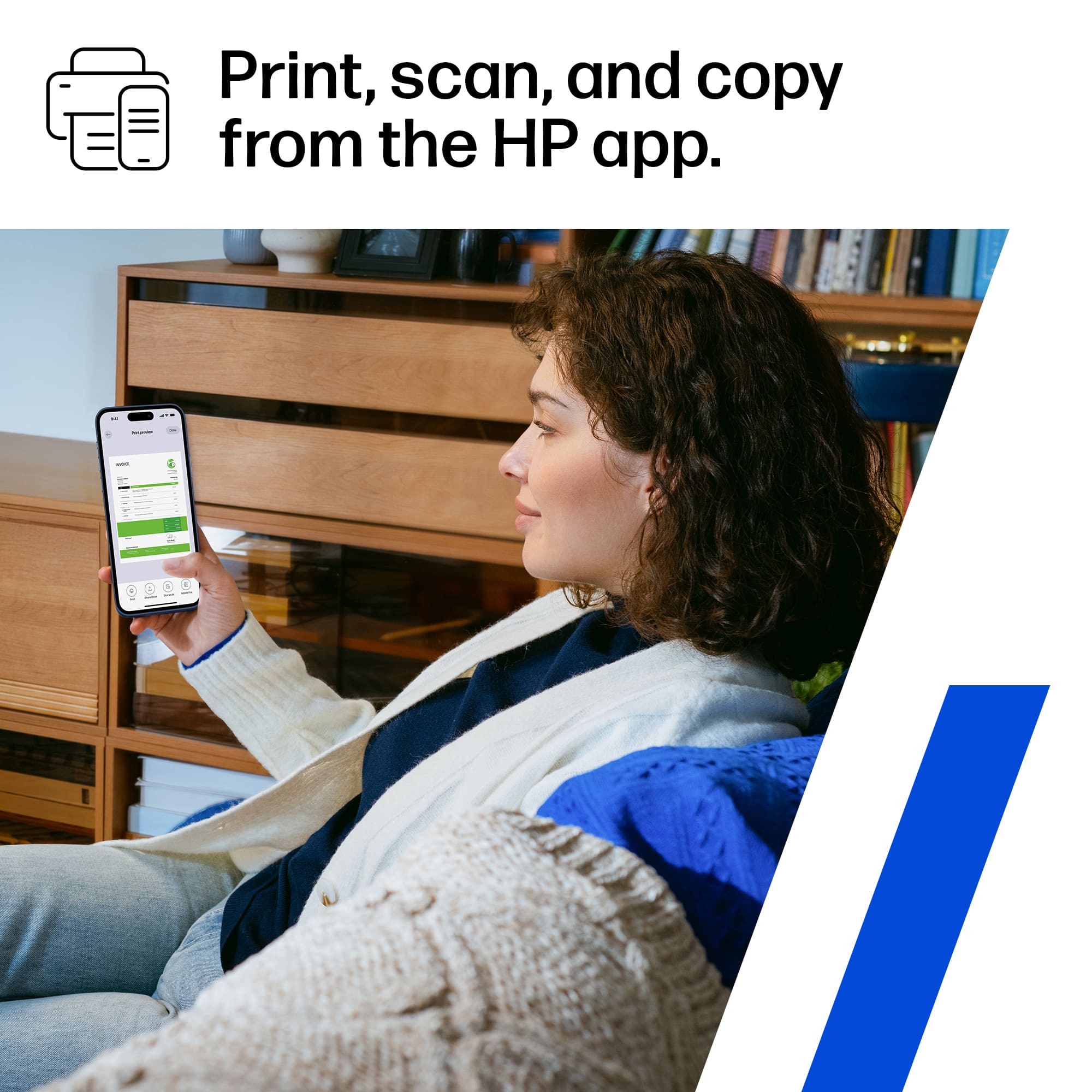
Printing from my my phone was SEAMLESS. Used print option in iOS and it immediately detected printer and there was no setup required on either device to print, pressed ok and had the picture printed in seconds.
Overall the HP LaserJet Pro 4301fdw is perfect for us!
This reviewer received promo considerations or sweepstakes entry for writing a review.
I've had the pleasure of using the HP LaserJet Pro 4301fdw for the past few weeks and so far the experience has been nothing short of extraordinary.
Once configured, this unit does what you expect and does well.
My wife and I both work from home and needed to upgrade our printer - and this unit had all the features we were looking for - color laser printing, duplex/two-sided printing, and scanning with an ADF. It also supports Apple AirPrint for printing from our iPads or iPhones.
From out of the box to printing, my first page took less than 10 minutes. Setup on the high-res color display on the unit is a breeze - you are guided through every step of the process - most of the setup is getting connected to your Wi-Fi network if you choose to go wireless like I did. The toner cartridges are pre-installed. All you have to do is add paper and connect the device to your computer.
Adding the printer was a breeze once the device was connected to Wi-Fi. Since it supports AirPrint/Bonjour - all our Macs found this printer and added the driver in less than a minute. We get rich information about supply level and print status without having to do any manual setup. It's all handled automatically.
The print quality is top-notch - and fast. Colors are vibrant when printing out photos, which look great when presenting materials to clients. I did a quick test with a copy of a magazine cover from our 8-year-old MFP and again on this one, and the difference is immediately noticeable - the color reproduction is incredibly accurate for a color laser printer. I used to run into issues printing complex PDF documents with our old printer, where the printer would error out. With the LaserJet 4301, I have yet to find a PDF this printer will not print, and it prints them out quickly.
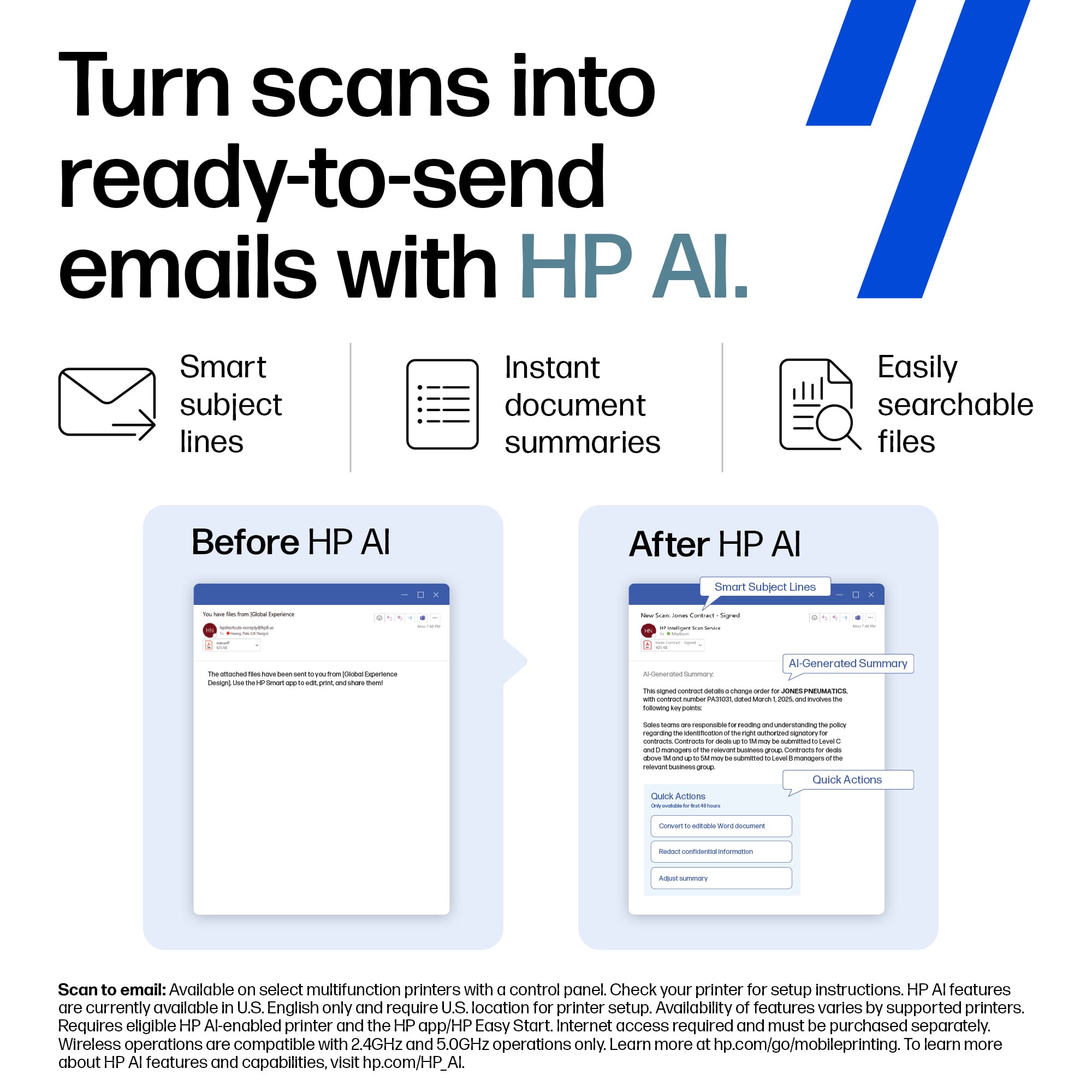
Scan to email works great - I was able to set it up to use my Gmail as the source address / SMTP server by setting up an app password, which is the method to use when your Gmail account has MFA enabled.
One caveat to remember with any printer, especially color laser printers, is the operating cost. This is a costly device to use on a per-page basis.
You have two options to manage consumables (toner cartridges) - buy new ones from the store when they are empty or subscribe to HP Instant Ink.
If you decide to go it on your own, the toner cartridges last between 1,800 (color) and 2,000 pages (standard capacity black). At current prices at the rated page counts, you end up paying between 21-23 cents per page you print! In past experiences, I usually get a bit more printing than the rated page count, but it all depends on what you print and how much toner gets used on the page.
HP Instant Ink can be a better deal if you print a lot. The base package offered to me was $24.99/month for 200 pages per month, with the ability to roll over 800 pages. If you print out all 200 pages per month, the price per page drops to 12.5 cents and drops even further the more pages you buy - down to .04 cents per page at 3,000 pages per month.
You will have to decide which way to manage consumables works best for you - but this is something to keep in mind.
The bottom line is that this device works and is easy to use - I can print from all my devices, and nothing gets in the way. Historically, printers have always been a thorn in my side, and this device excels in ease of usability.
This reviewer received promo considerations or sweepstakes entry for writing a review.
Functions
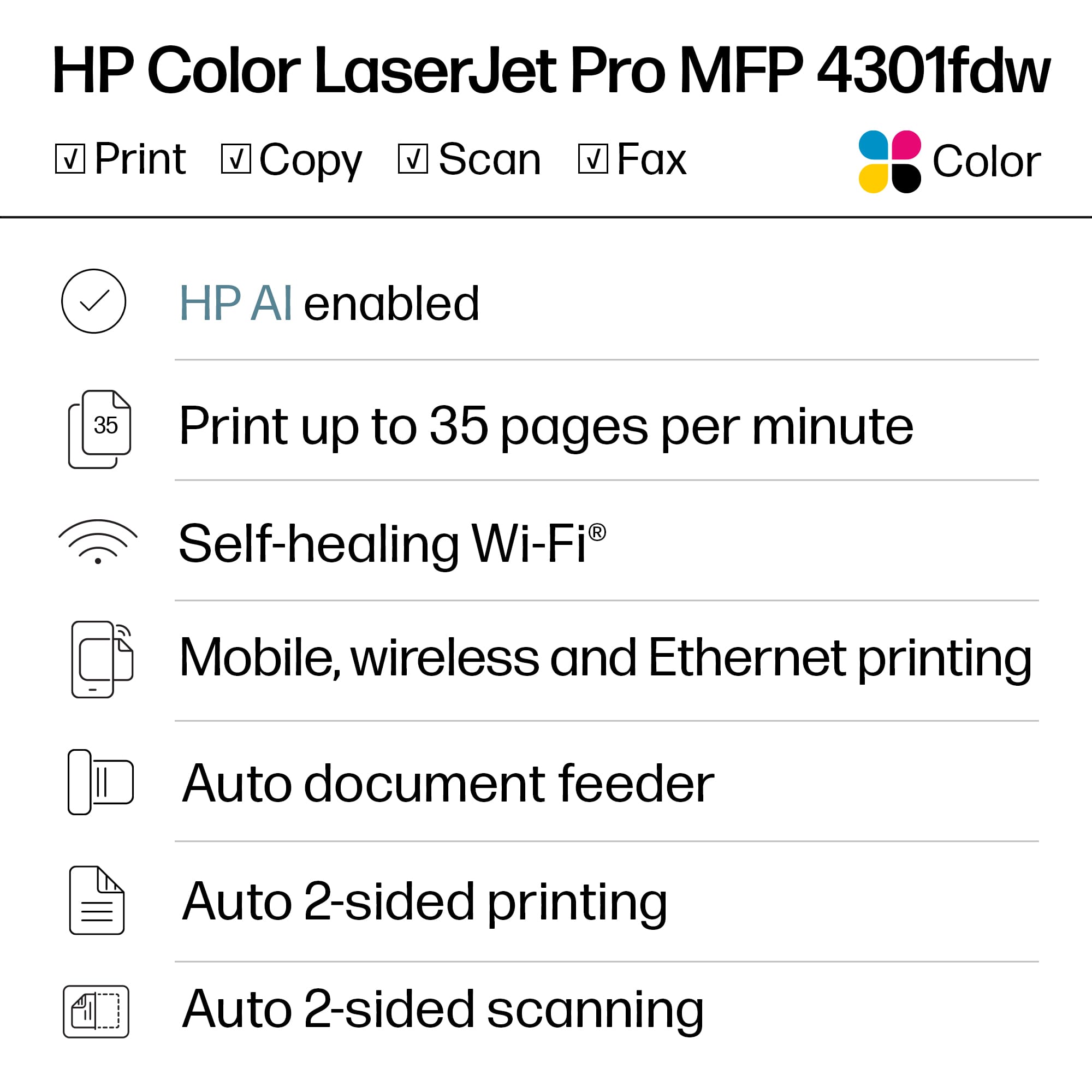
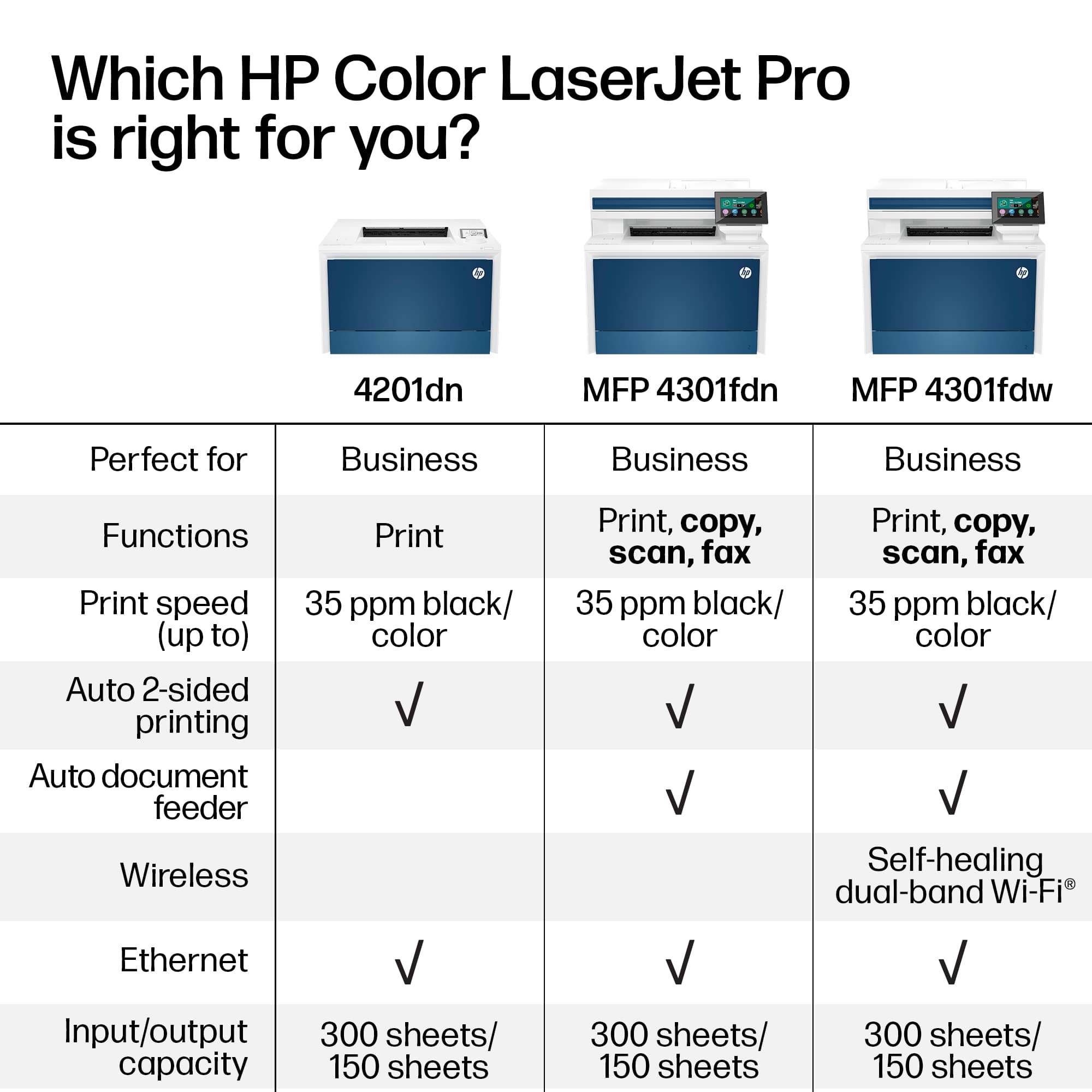
Print, copy, scan, fax
Print Speed - Black (normal)
Up to 35 ppm
Print speed - Color (normal)
Up to 35 ppm
First page out (ready) black
As fast as 9.1 sec
First page out (ready) color
As fast as 10 sec
Resolution (black)
Up to 600 x 600 dpi
Resolution (color)
Up to 600 x 600 dpi
Resolution technology
HP ImageREt 2400, PANTONE® calibrated
Monthly duty cycle
Up to 50,000 pages[7] Duty cycle is defined as the maximum number of pages per month of imaged output. This value provides a comparison of product robustness in relation to other HP LaserJet or HP Color LaserJet devices, and enables appropriate deployment of printers and MFPs to satisfy the demands of connected individuals or groups.
Recommended monthly page volume
750 to 4,000
Print Technology
Laser
Display
4.3” diagonal WLED-backlit anti-glare (480X272)
Number of print cartridges
4 (1 each black, cyan, magenta, yellow)
Replacement cartridges
HP 210A Black Original LaserJet Toner Cartridge (~2,000 pages) W2100A; HP 210A Cyan Original LaserJet Toner Cartridge (~1,800 pages) W2101A; HP 210A Yellow Original LaserJet Toner Cartridge (~1,800 pages) W2102A; HP 210A Magenta Original LaserJet Toner Cartridge (~1,800 pages) W2103A; HP 210X Black Original LaserJet Toner Cartridge (~7,500 pages) W2100X; HP 210X Cyan Original LaserJet Toner Cartridge (~5,500 pages) W2101X; HP 210X Yellow Original LaserJet Toner Cartridge (~5,500 pages) W2102X; HP 210X Magenta Original LaserJet Toner Cartridge (~5,500 pages) W2103X[2]
Product disclaimer
This printer is intended to work only with cartridges that have a new or reused HP chip, and it uses dynamic security measures to block cartridges using a non-HP chip. Periodic firmware updates will maintain the effectiveness of these measures and block cartridges that previously worked. A reused HP chip enables the use of reused, remanufactured, and refilled cartridges. More at:http://www.hp.com/learn/ds
Print languages
HP PCL 6, HP PCL 5e, HP Postscript level 3 emulation, PDF, URF, PWG Raster, Native Office
Automatic paper sensor
No
Paper trays, standard
2
Paper trays, maximum
3
Mobile Printing Capability
HP Smart App; Apple AirPrint™; Mobile Apps; Mopria™ Certified; Wi-Fi® Direct Printing
Minimum system requirements
2 GB available hard drive space, Internet connection or USB port, Internet browser. For additional OS hardware requirements see apple.com;2 GB available hard disk space, Internet connection or USB port, Internet browser. For additional OS hardware requirements see microsoft.com;
Compatible operating systems
Windows 11; Windows 10; Windows 7; Windows Client OS; Android; iOS; macOS 12 Monterey; macOS 11 Big Sur; macOS 10.15 Catalina; Linux; Citrix; Chrome OS; Mobile OS
Memory, standard
512 MB NAND Flash, 512 MB DRAM
Memory, maximum
512 MB NAND Flash, 512 MB DRAM
Printer management
HP Web JetAdmin Software, Security Manager, HP SNMP Proxy Agent (Part of HP WebJetAdmin), HP WS Pro Proxy Agent (Part of HP WebJetAdmin), Smart Printer Administrator Resource Kit for HP Smart Universal Print Driver (Driver Configuration, Utility - Driver, Deployment Utility - Managed Printing Administrator)
Supported network protocols
TCP/IP, IPv4, IPv6; Print: TCP-IP port 9100 Direct Mode, LPD (raw queue support only), Web Services Printing, Apple AirPrint™, Mopria, IPP Print; Discovery: SLP, Bonjour, Web Services Discovery; IP Config: IPv4 (DHCP, AutoIP, Manual), IPv6 (Stateless Link-Local and via Router, Stateful via DHCPv6), SSL Security and Certificate management; Management: SNMPv1, SNMPv2, SNMPv3, HTTP/HTTPS, Syslog
Paper handling input, standard
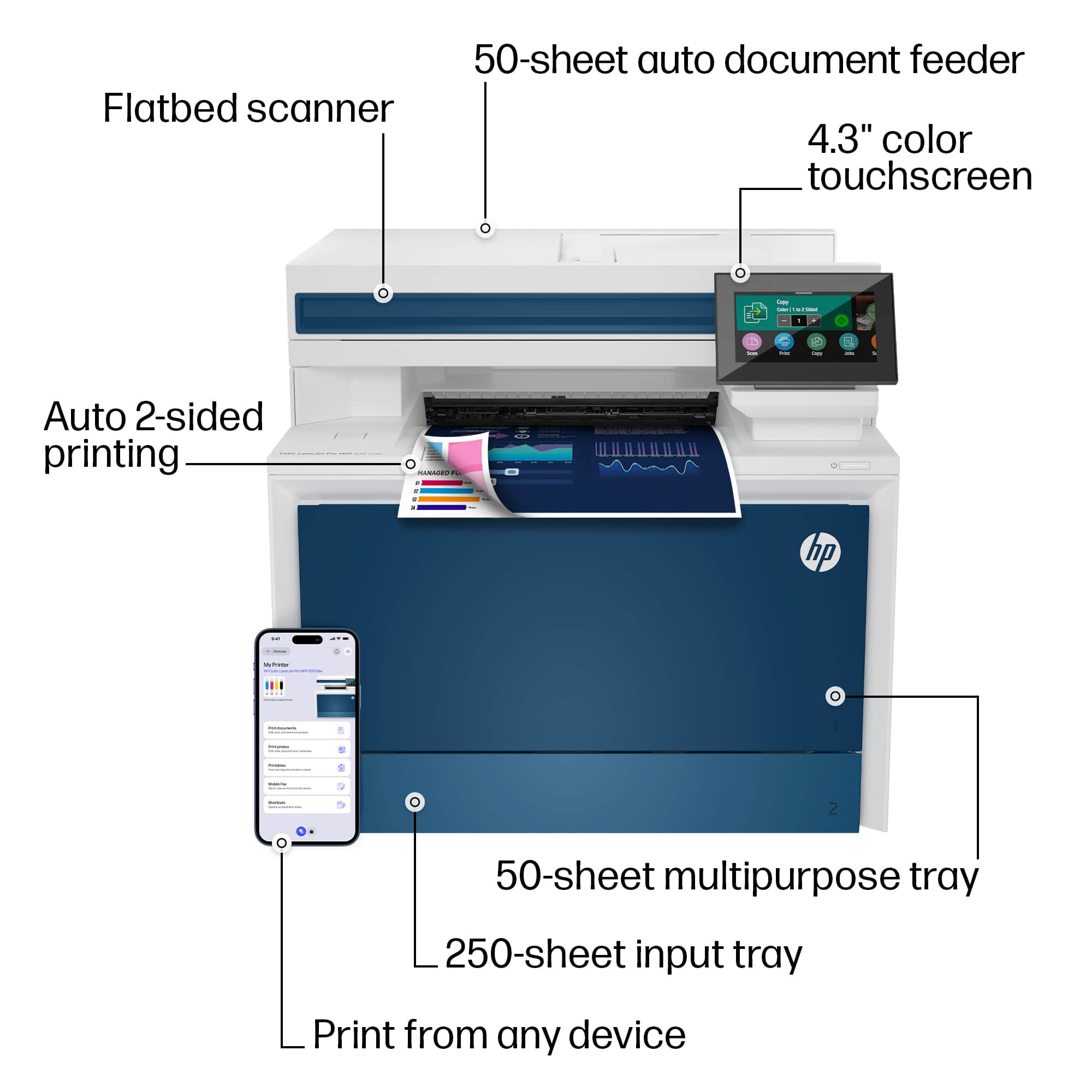
50-sheet multipurpose tray, 250-sheet input tray, 50-sheet Automatic Document Feeder (ADF)
Paper handling output, standard
150-sheet output bin
Duplex printing
Automatic
Envelope input capacity
Up to 15 envelopes
Finished output handling
Sheet feed
Media sizes, custom
Tray 1: 3 x 5 to 8.5 x 14 in; Tray 2, optional Tray 3: 3.93 x 5.82 to 8.5 x 14 in; Duplex (all trays): 5.82 x 5.82 in to 8.5 x 14 in
Media types
Paper (bond, brochure, colored, glossy, letterhead, photo, plain, preprinted, prepunched, recycled, rough), postcards, labels, envelopes
Media weights by paper path
60 to 163 g/m² (up to 176 g/m² postcards, up to 200 g/m² HP Color laser glossy photo papers)
Power
110-volt input voltage: 110 to 127 VAC (+/- 10%), 50/60 Hz (+/- 3 Hz); 220-volt input voltage: 220 to 240 VAC (+/- 10%), 50/60 Hz (+/- 3 Hz) (Not dual voltage, power supply varies by part number with # Option code identifier)
Power consumption
585 watts (Active Printing), 18 watts (Ready), 0.8 watts (Sleep), 0.8 watts (HP auto-off/auto-on), 0.07 watts (auto-off/manual on), 0.07 watts (Off)[5] Values based on 115V test results based on ES test method.
Energy efficiency
IT ECO Declaration; EPEAT® Silver Australia; EPEAT® Silver Canada; EPEAT® Silver US
Operating temperature range
50 to 90.5°F
Operating humidity range
30 to 70% RH (non-condensing)
Software included
No software solutions are included in the Box only on http://hp.com http://123.hp.com;
Warranty
One-year, next-business day, onsite warranty. Warranty and support options vary by product, country and local legal requirements. Contact your Contractual Vendor or go to hp.com/support to learn about HP award winning service and support options in your region. (wty code 4G; wty ID A001)
Dimensions (W X D X H)
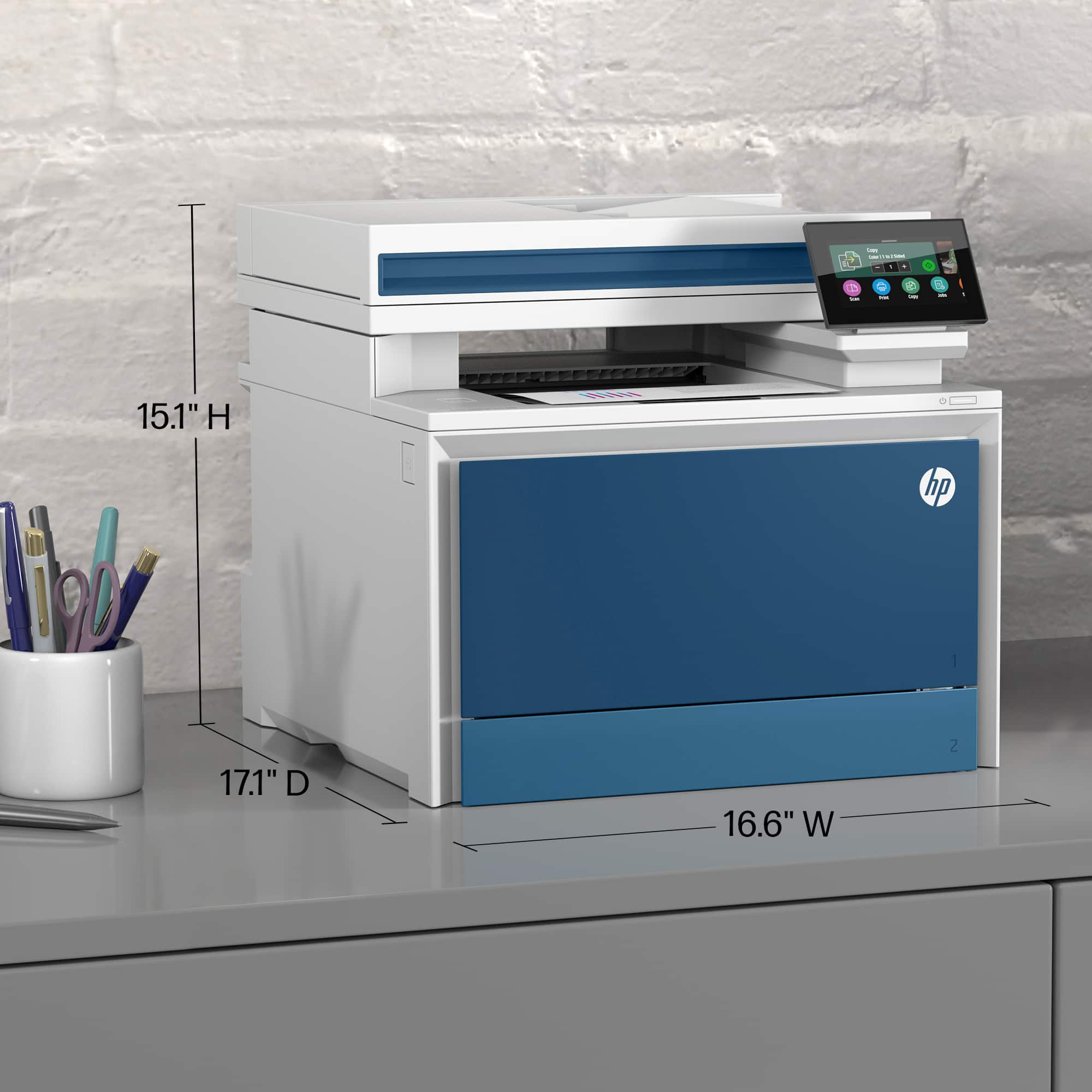
16.6 x 17.1 x 15.1 in
Dimensions Maximum (W X D X H)
16.6 x 27 x 30 in (with optional 550-sheet tray 3)
Weight
~45 lb
Package weight
52.0 lb
What's in the box
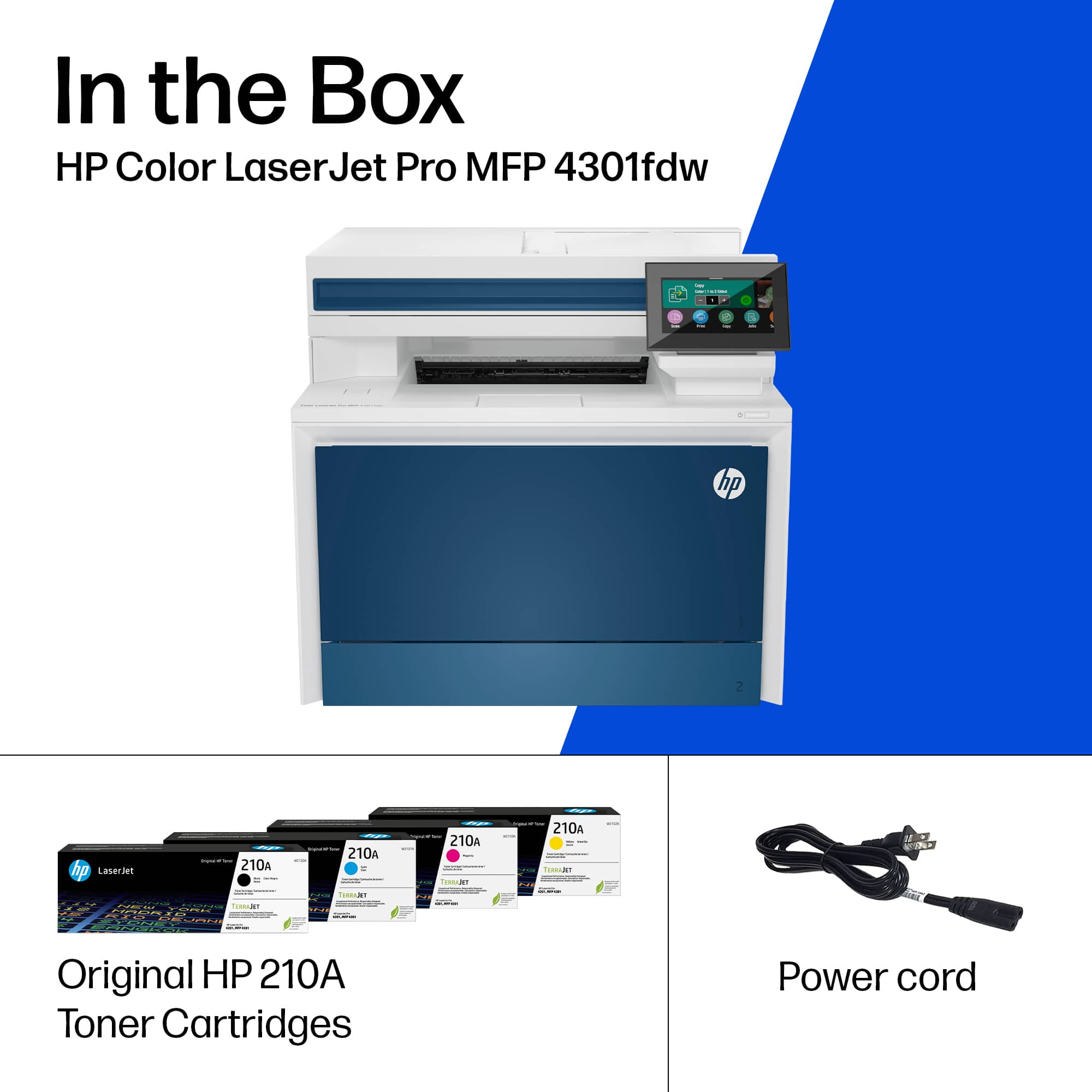
HP Color LaserJet Pro 4301fdw; 4 preinstalled HP LaserJet Toner cartridges (Black: ~2,000 pages, Introductory-Cyan, Magenta, Yellow: ~1,000 pages); In-box documentation (Reference Guide, Setup Card); warranty card (Where required). HP printer software is available at www.hp.com/support; Power cord; USB cable; fax cable (New Zealand only).
Cable included
Yes, 1 USB cable. Yes, Fax cable, New Zealand only
Sustainability Impact
ENERGY STAR® certified; EPEAT® registered; 15% post-consumer recycled plastic
Dynamic security
Dynamic security enabled printerCertain HP printers are intended to work only with cartridges that have a new or reused HP chip or electronic circuitry. These printers use dynamic security measures to block cartridges using a non-HP chip or electronic circuitry. Periodic firmware updates will maintain the effectiveness of these measures and block cartridges that previously worked. Reused HP chips and electronic circuitry enable the use of reused, remanufactured, and refilled cartridges.
This reviewer received promo considerations or sweepstakes entry for writing a review.
We scan and fax a lot for our business. This printer is fast, quiet and VERY easy to use. Setup was fast and simple. We are very plessed with this printer and definitely recommend it.
This reviewer received promo considerations or sweepstakes entry for writing a review.
I’m very very very pleased with this item. Moving on, if you read the reviews on this product from people who are technical experts, their complaints regard connection issues, and signing up for HP instant toner program. It is imperative to read the rest of this article. If you were truly interested in this printer. The most important to understand information regarding the HP4301fdw and the HP4301fdn is that first firmware update the printer…THEN call HP to be transferred to the BUSINESS technical support department. The reason for all of the complaints about the hours that it takes to connect if that even happens is because no one, but the business department of HP technical support can configure your printer. You will definitely want PHP toner program that can cost up to $119 a month for 3000 pages. When you look at this, it’s an actual excellent deal. Keep in mind you purchased a laser printer toner is not inexpensive. The quality of the printing is second to none, if you do not choose the instant in program, it will cost you almost as much each time you buy the toner cartridges as it cost you for the printer. Needless to say advantageous to use the toner program… Absolutely… I spoke to Naveen at HP business who was fantastic. The Direct number for Instant Ink would be 1800 762 3485, then choose INSTANT INK , Then Business / Commercial. I already told him I will have everyone calling him. At the beginning of our conversation, he apologized for the over 12 hours plus that it took two weeks to get the printer connected, but he would be able to solve the problem in 15 minutes… That he did…! After my experience with Naveen, I love HP again… And now that you have been alerted, you will not go through what I went through but this printer and the business/commercial department is fantastic…!!! There is nothing that this printer cannot do. I purchased the 550 sheet additional paper tray, and this baby looks like a monster. There is no comparison to any other printer, and I have looked at many printers prior to purchasing this item. The Laserjet 4301 fdw is flawless…!!!
This reviewer received promo considerations or sweepstakes entry for writing a review.
The HP LaserJet Pro 4301FDW is a powerhouse Laserjet printer for your office or family setup.
I’ve owned HP printers for about 20+ years now. Hewlett Packard is the pioneer of printers in my opinion. They have stayed the one constant in the computing printing world and have not relinquished that number one status. I have owned some good and bad HP products in the past but have always found them to be mostly user friendly printers that hold up over a long period of time until you’re ready for an upgrade.
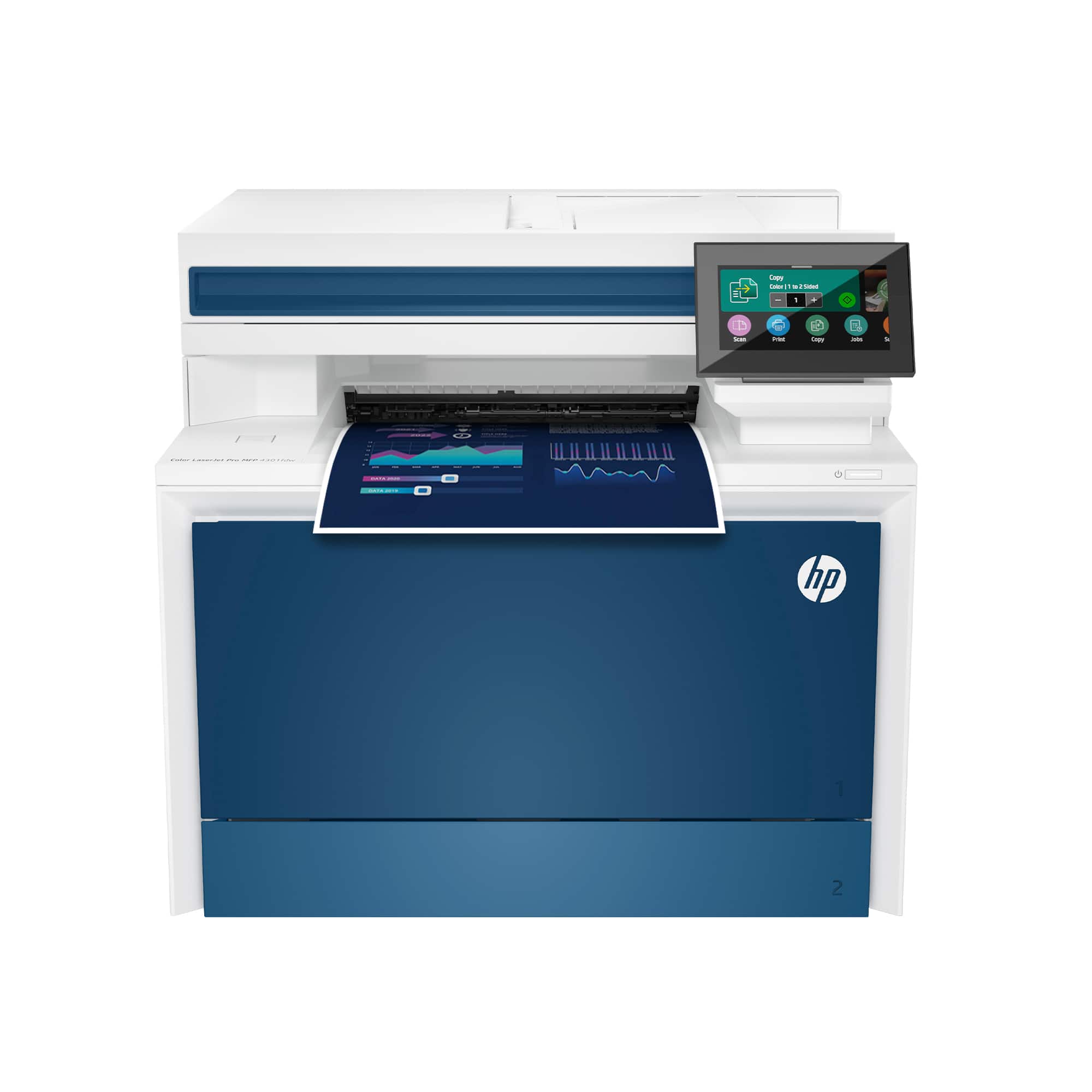
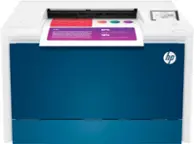
Enter the HP Laserjet Pro 4301FDW. This is a robust and beautiful machine with all the bells and whistles you could want in a printer. The printer itself has nice blue accents and an easy to use touch screen but comes in weighing a hefty 43 pounds. Out of the box it took me less than 5 minutes to setup, which was a nice relief because in the past I haven’t had the same experience. Initially Airprint on my iphone did not work but after power cycling the printer and phone I was able to get it to work. The printer itself is blazing fast with a faster output rate than most people will need at 35 color pages per minute. I tested out a couple full size photos from my phone and the printer actually does a pretty decent job on normal paper. I wouldn’t call it a photo printer but it will work in a pinch! The printer will do Duplex printing no problem and can print on both sides simultaneously which is impressive. There is a copier/scanner on top which I used to scan a few documents and they were very clear and precise copies. The touch screen is user friendly and has all the options you would need for any home or office setup.
The only downfall I have to say is the printer utilizes 4 different cartridges, which say they will print out 5500 pages but clock in at a whopping $200+ per cartridge. Meaning a full 4 cartridges refill is more than the cost of the printer itself. I’m not sure when ink got THAT expensive but that’s insane in my opinion. I will use this primarily for business purposes at home but hopefully the cartridges it came with will last a few months.
All in all I am very impressed with this LaserJet Pro 4301FDW. It is a robust and well designed printer that is fast, quiet and easy to use. Although the cartridge price is insane I do think this has a place in a office environment for businesses that want a well designed and user friendly printer.
This reviewer received promo considerations or sweepstakes entry for writing a review.
HP knows how to make hardware. They consistently produce great products in that way, but recently they’ve been rushing things and launching with disastrous software that ruins their products. Either that, or their ridiculous HP Instant Ink initiative is sabotaging otherwise great products.
Opening the box, the first thing you notice is how big and heavy it is. I expected it to be fairly big since it has to hold multiple toner cartridges which are always makes printers bigger than otherwise equivalent inkjets. I was a bit taken back by the color. I knew it was white and blue, but getting it in person it just looks pretty ugly. The color scheme may work out in HP’s home office when you’re matching the company’s colors, but it just looks off and ugly anywhere else. My mistake and I knew what I was getting into, but really they should have made it all white or black or at least given some options for different colors.
Set up seemed to go well for the printer itself, and as I tried to connect it to my devices that’s where everything when horribly wrong. First, the HPSmart does not work for this printer. It loads on your devices just fine, but you can’t find the printer at all. If you use a hard wire to connect it, then windows will self install the program and the printer shows up, but HPSmart will not add it. It just continually tells you the device is offline (even though the app shows it as online) and won’t let you add it. Well, you might think that plugging it in will make it work, well kind of. It will now recognize it as a printer, but you can’t use the scanner and it won’t print color, just black and white no matter what settings you choose. Except, you can’t be totally sure of that because some settings require you to use HPSmart, which won’t recognize the printer.
Now, not all my computers are near my printer so I want to connect them over the network. Again, all the documentation tells you to use HPSmart, which doesn’t work. I was able to get windows to add the printer using the WPS code, but again no scanning or color, but I was at least able to print in black and white.
I did learn that to access the network functions you have to have a password. Online they claim its on a label in the toner section. It was a pain to turn around and find space to access the toner section to find the label, and I was even more disappointed once I did because it wasn’t there. Luckily I was able to do a factory reset and if you choose the right option on resetting the printer, you can set a new password to be able to get into the settings. Unfortunately it needs to be fairly long so hopefully you don’t forget it because I also learned that if you think you have the printer working but need to reset it to set a password, then you have to reinstall the printer on all your devices.
I tried to use the touchpad on the printer to scan to my computer. It gives you 2 options, either go to the printer’s IP address and do it by browser, or it tells you to go to a different link to get a program to run the scanner. The IP address doesn’t work. I tried 4 different browsers and 5 different computers and 3 different operating systems. All failed. Eventually I found a different support page and downloaded a separate scanner program directly which once installed finally loaded up the printer’s scanning function and got the scanner working. I was able to repeat this with my other computers. I also on that same support page found drivers for the printer. After downloading 2 different drivers and using trial and error to delete and override the printer drivers windows tried to use, I was able to get color working on all my Windows devices, but I still can’t connect it to any phone or tablet since they require HPSmart and I only got it working by working around HPSmart.
So after 3+ hours and a lot of troubleshooting well beyond your average user, I am able to use the printer as well as I really needed. I’m still wondering if there are other functions I can’t access because HPSmart won’t work, but I can’t think of a scenario now and maybe HP will fix their software before I need it.
Once the printer was working the hardware is great. The pictures are clear and well colored. Not as detailed as an inkjet can do, but even in fairly dense pictures you can make most things out and you don’t have to worry about special paper so that the ink doesn’t make the paper wet and wrinkled or worrying about smeared ink. The documents print very quickly after pushing print and the production speed on the actual printing is really pretty fast.
I can also scan or copy documents right from the touch screen without using a computer and it all works very smoothly and its as fast as most copy machines I’ve used.
My last complaint is the stupid HP Instant Ink cash grab Hp keeps trying to push. Unless you’re a small business that still works mostly in paper, there is no way you will use enough prints to make it worth the monthly fee. They try to say, just try it out for free for 2 months to see if you like it. What a scam. These are toner cartridges and the black has more than 7,500 pages. There’s no way most people will go through a whole cartridge (or 2) in 2 months to even use the instant ink trial and you’re just wasting your trial in the hopes you’ll forget and they’ll get to charge you a monthly fee for a service you’ll never use. But maybe the jokes on them because you have to use HPSmart to get the instant ink to work, and HPSmart doesn’t work either.
If you’re very techy and can manage the problems the hardware is pretty good. If you’re not techie you may never get it working at all. Overall -1 star for instructions and software that are wrong. -1 star for installation process that practically requires installation by an IT professional. -1 star for the HP Instant Ink cash grab.
This reviewer received promo considerations or sweepstakes entry for writing a review.
oh my, I can't begin to explain how fast this printer is. It just blows away an inkjet. Quiet and smooth the pages just rip right out. Print quality is terrific, super sharp even the tiniest of letters comes out crisp and legible. As far as color its good, but not as accurate as an inkjet so photo printing is not its forte. The warm up time is fast I don't have to wait very long for the first print to come out. Even with wifi connection it is quick. I printed from my PC, laptop, ipad, iphone all no issues. What I will really appreciate is that I won't have to worry about ink cartridges drying out after a few months. I don't print often maybe once a month or so and am so tired of spending $75 because my ink dried out. With this laser printer it will no longer be an issue.
The scanner works with crisp images and a big surprise is that the document feeder actually works! I have had so many printers in the past that would jam or pull multiple sheets at a time but this one just works. It quickly feeds a sheet at a time with no missing pages or jams.
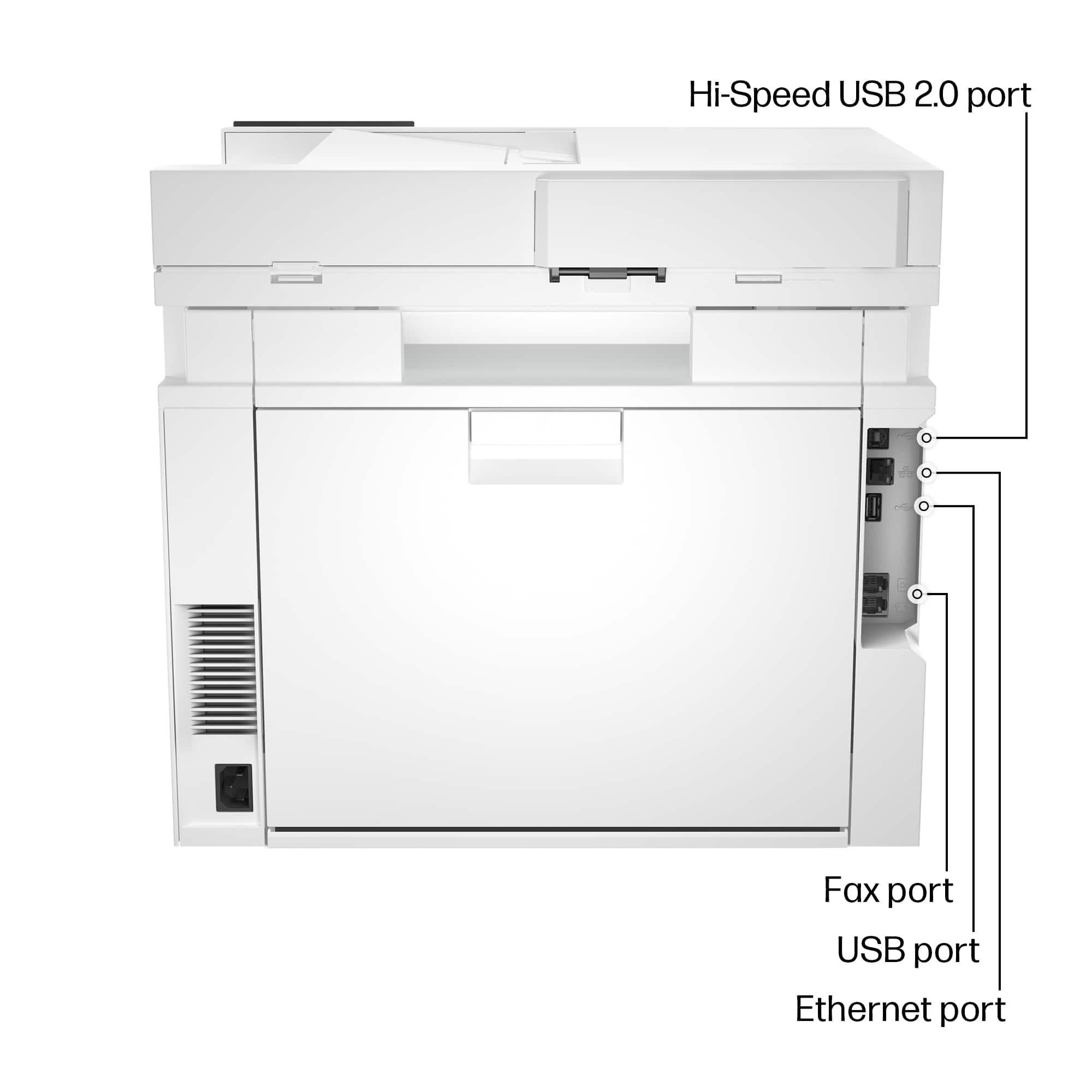
One big issue I had while setting it up was that the install program asked me for a printer PIN number. For the life of me I could not find it, looked all around, the back, bottom under the scanner, paper tray, doc feeder no where to be found. I looked on the HP site and it said the PIN was on the printer cartridge, you have to open up the front by pressing a side button to change the toner and there is a sticker there. Don't know why they had to hide it so well and not mention where it was in the instruction manual. Once I got the PIN installation was straight forward and all is well.
This reviewer received promo considerations or sweepstakes entry for writing a review.
I purchased my first HP laserjet printer in 2012 from Best Buy and has really enjoyed it all the way up to receiving this one. I have been having issues with the last printer every time an update comes out for either my computer, or the printer, I have to continually work with it to get it scanning and printing again. So I figured, being over 10 years old, it's time to get a new one. The first thing I've noticed about this new printer when Reading about it yes, the simplest thing that my current printer doesn't do, and that's print two sided paper. I contemplated for years about getting a new printer strictly for that reason alone, and I couldn't be more happy that I finally have one now! This printer is so easy to connect to my computer and Wi-Fi, which is always been a difficult thing with new printers for me. I was amazed at the colors and how Vivid they are, and how much faster I get my print outs! I also connected it to my MacBook Pro laptop with ease, and this is the computer I use the most. I'm really not all that into pictures, but as nice as these printouts are, I'm going to Best Buy tomorrow, and get me the special print paper to hang some of these photos in my computer on my walls! I'm really so happy that I decided to get this, I've use it every day since I've had it, and will experiment with it going forward.