Customer Ratings & Reviews
- Model:
- 5HG80A#BGJ
- SKU:
- 6401099
Rating by feature
- Value
Rating 4.1 out of 5 stars
- Quality
Rating 4.3 out of 5 stars
- Ease of Use
Rating 4.3 out of 5 stars
Customers are saying
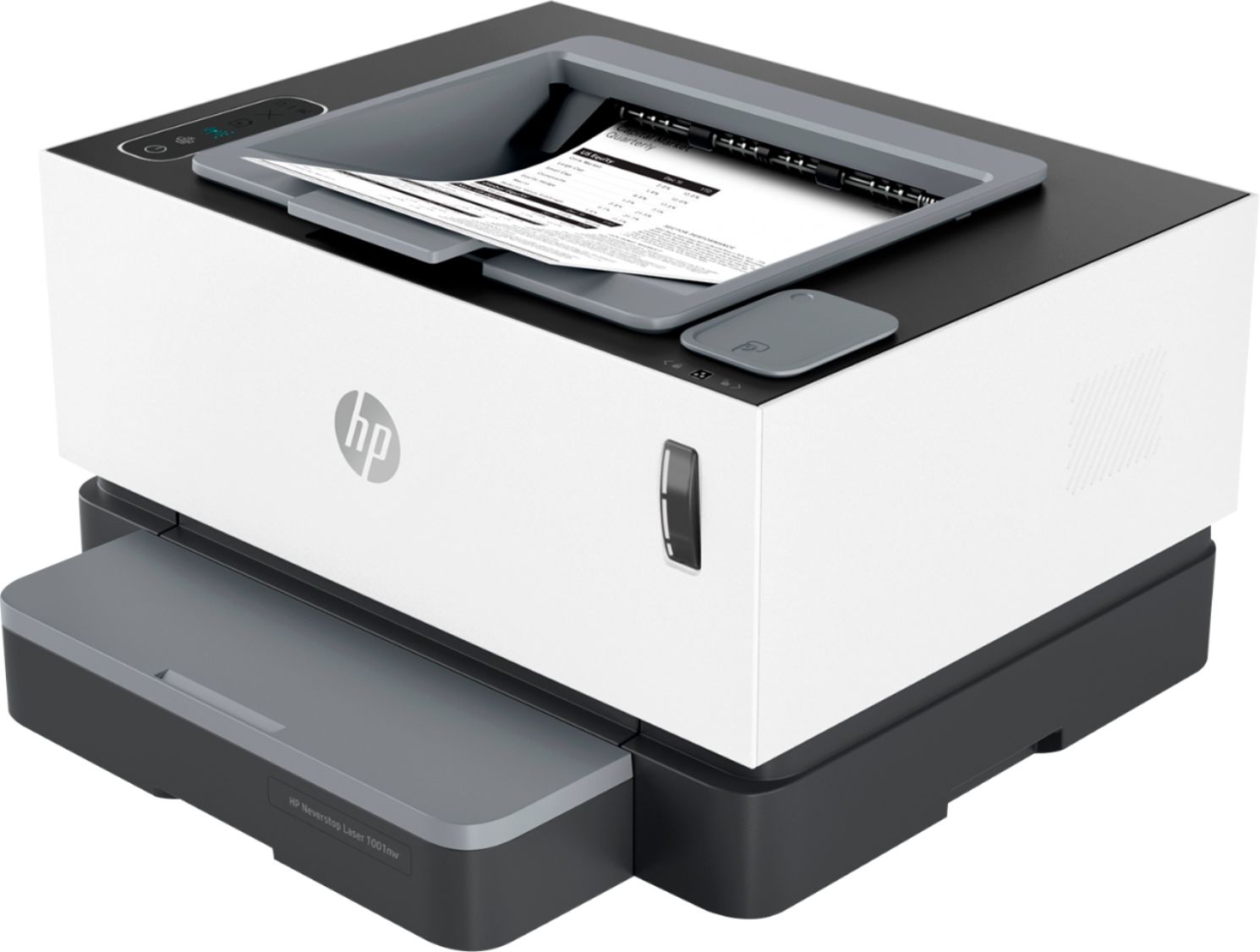
Customers recognize the exceptional print quality and ease of use of the Neverstop 1001nw Wireless Black-And-White Laser Printer. Many appreciate its compact size and straightforward setup process, while some find the paper tray design and price to be less satisfactory. Positive feedback also highlights the printer's quiet operation and reliable performance. However, the lack of automatic duplexing is a noted drawback for some users.
This summary was generated by AI based on customer reviews.
Not up to HP standards.
||Posted . Owned for 1 month when reviewed.This reviewer received promo considerations or sweepstakes entry for writing a review.Very difficult to unpack, set up and pair with wifi. Printer makes a loud, unpleasant sound when it first runs any print job, on any setting. Worse of all, no actual paper tray - just a very cheaply made cover over a slot, that won't go back on correctly when the paper is refilled. Entire unit feels poorly designed and made. Do not recommend.
No, I would not recommend this to a friendBrand response from HP Team
Posted .Hi there.
I’m sorry to hear that you’re unsatisfied with your printer. It’s no surprise that you’re frustrated and discouraged, considering you’ve endured a difficult setup process, a disturbing noise from the device and a problematic paper-feeding design. I want to help you resolve this situation, so I’ll direct you to a resource and provide some information aimed at making that happen.
I can’t tell from your review what’s causing the noise or the ill-fitting cover you describe, but I believe they deserve further investigation. I recommend that you contact us directly at +1 800-474-6836 so we can help you assess the situation and determine the best course of action. (Please note that because of restrictions on personal movement and workplace attendance associated with the COVID-19 pandemic, wait times for agents are longer than normal. Thanks in advance for your understanding.) To expedite the process, I recommend gathering the following information before the call:
- Model number
- Serial number
- Your location
- Case number (from any previous contact with HP support)
I'll also mention that HP printers have a one-year warranty from their purchase date that covers hardware as well as ink supplies, so if it comes to that, you might consider making use of it. You can verify the warranty using the following link:
- support.hp.com/us-en/checkwarranty
Keith
HP Care
hp.com/support
Not a good printer
||Posted . Owned for less than 1 week when reviewed.This reviewer received promo considerations or sweepstakes entry for writing a review.This printer is no good. Bad print quality and seems to take power spike every time I print. Very noisy.
No, I would not recommend this to a friendBrand response from HP Team
Posted .Hi there.
I’m sorry that your printer is not performing like it should in terms of print quality, and that you’ve experienced problems with power and noise. I can understand how that combination of issues would quickly become frustrating, so I’ll offer some resources and information that I hope will help.
First, I recommend you follow the steps in this guide to improving print quality:
- support.hp.com/us-en/document/c06377819
For the issues regarding noise and power spikes, I can’t tell from your review what’s causing those, so I recommend that you contact us directly at +1 800-474-6836 so we can guide you through the proper troubleshooting. (Please note that because of restrictions on personal movement and workplace attendance associated with the COVID-19 pandemic, wait times for agents are longer than normal. Thanks in advance for your understanding.) To expedite the process, I recommend gathering the following information before the call:
- Model number
- Serial number
- Your location
- Case number (from any previous contact with HP support)
I'll also mention that HP printers have a one-year warranty from their purchase date that covers hardware as well as ink supplies, so if it comes to that, you might consider making use of it. You can verify the warranty using the following link: support.hp.com/us-en/checkwarranty
Keith
HP Care
hp.com/support
- Pros mentioned:Print quality

HP’s laser printer answer to the ink-tank printer
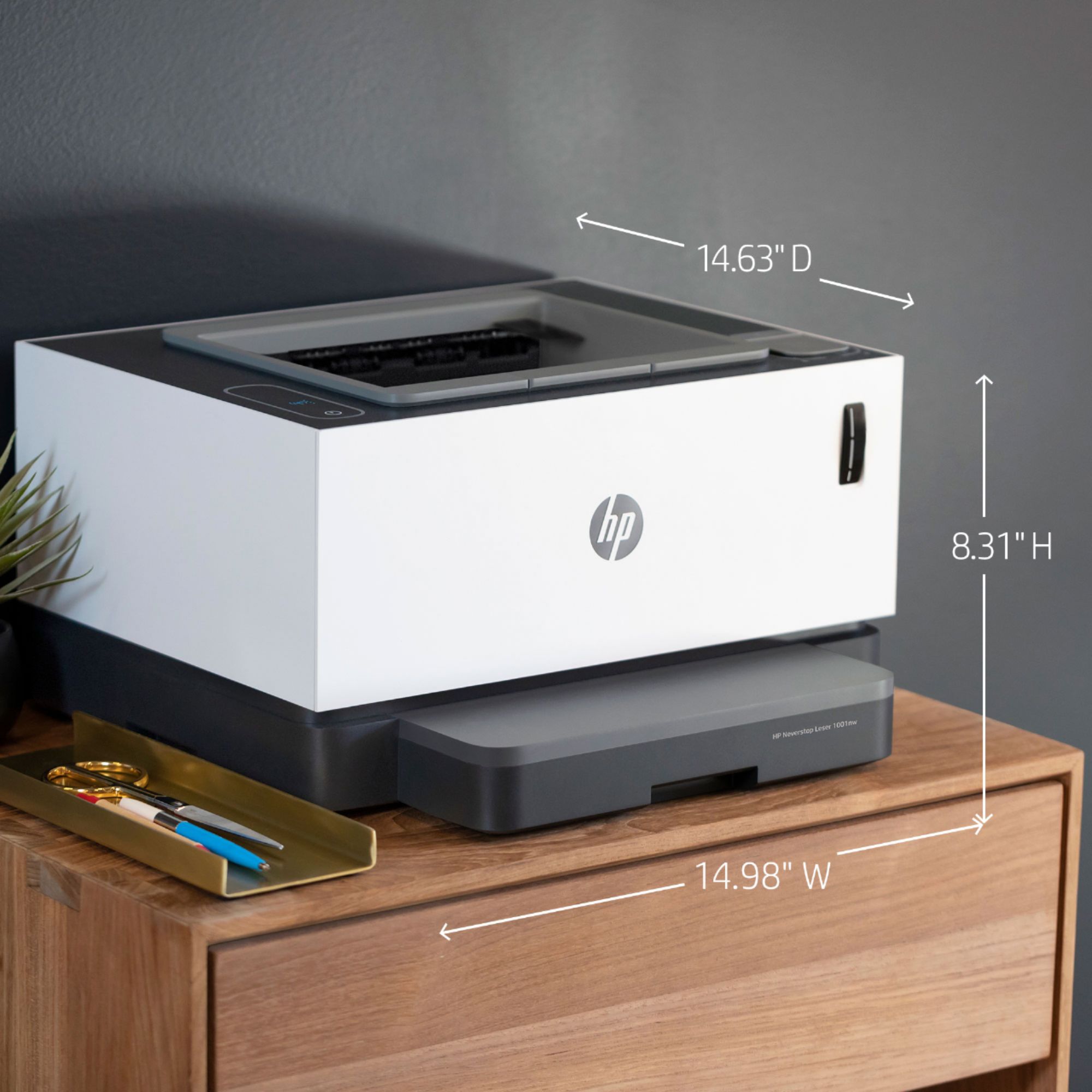
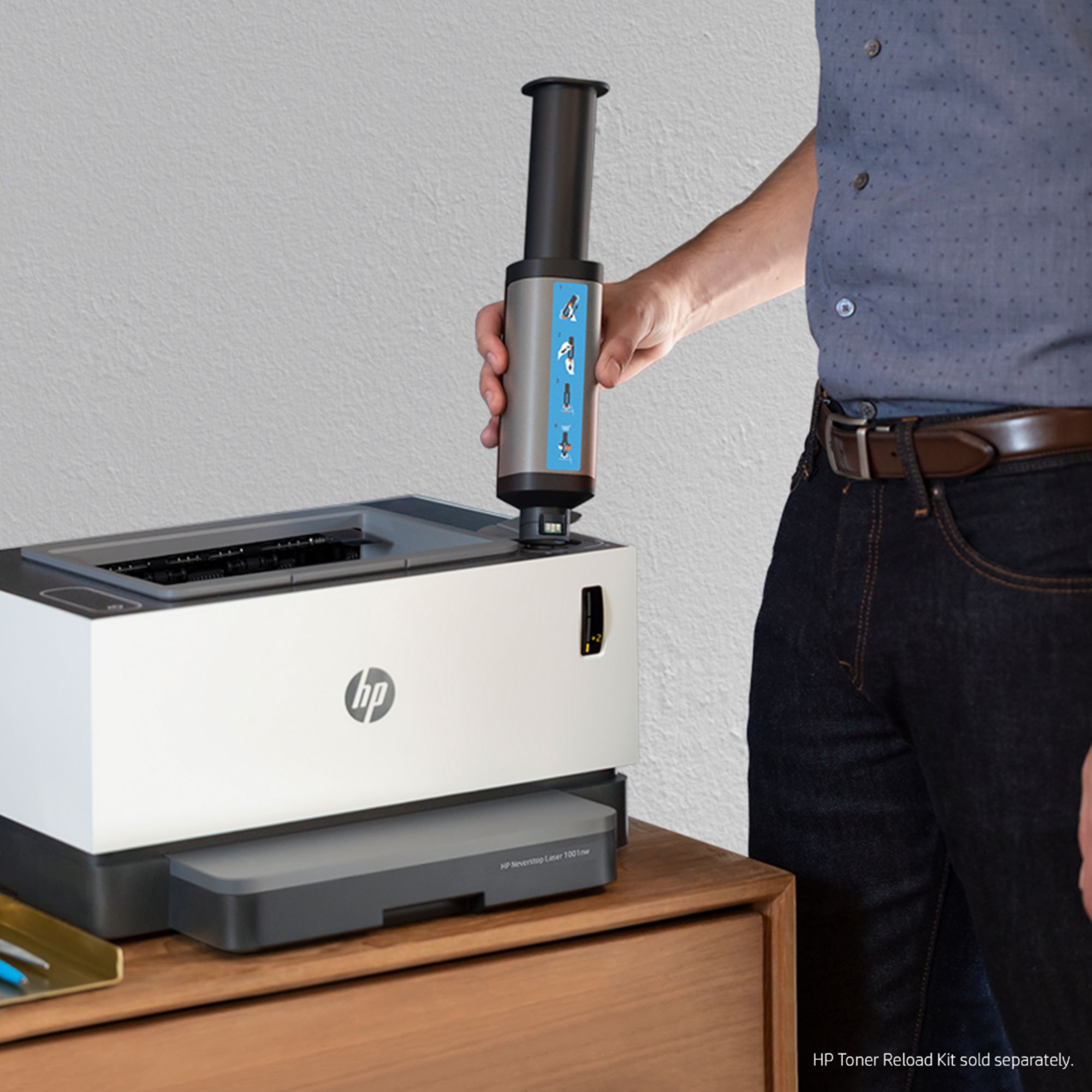
|Posted .This reviewer received promo considerations or sweepstakes entry for writing a review.First, my apologies, in advance, for not following my usual review format. When I received my Neverstop 1001nw, I was packing to head to visit family, so I didn’t have the time to do my usual extensive, very-informative, review. Nevertheless, I did spend enough time with it to get a general understanding, to put it through its paces, and to make a general/initial evaluation. The idea behind HP’s line of ‘Neverstop’ laser printers is, essentially, the same as that found in ink tank-based InkJet printers. With ink tank printers, instead of replacing cartridges of color ink, you purchase bottles of ink, and pour them into individual tanks (one tank for each color). HP has taken that idea, and “modified” it for laser printers. Instead of having to replace messy…and they can be VERY messy…toner cartridges, you use a special HP Neverstop Refill Kit ($16 at Best Buy, or $28 for a 2-pack) a large syringe, screw it into a port on the printer, and “inject” the toner into a holding tank. Out of the box, HP claims 5,000 pages, with each refill kit good for (according to HP) up to 2,500 pages (the “tank” can hold two 103A/143A refill kits worth). So…the nitty-gritty: The Neverstop 1001nw has a monthly cycle rating of up to 20,000 pages, thus it’s aimed at small businesses, and prints up to 21ppm. Resolution is an industry average of 600x600dpi. If you use apps, note that the 1001nw supports the usual collection. For cloud services, it supports Dropbox & Google Drive. The printer, itself, is fairly light (slightly more than 15lbs), and the print quality is very-good (say, 8 on a 1-10 scale) for text, and approximately average (4.5) for graphics. The price is right…and, that’s about all I can say on the “good” side. Now, for the “bad” side…though, not entirely bad. First, wireless networking is supported through the usual standards…although, I did find it ‘interesting’ that it doesn’t support the latest 802.11ac standard. This isn’t, necessarily, a bad thing, as even ac routers can connect with earlier standards. Also ‘interesting’ (considering this is being marketed as a “small business” printer) is that the tray holds only holds 150 sheets. For something being marketed towards business used, I would have thought it to hold at least 250 sheets. Sadly, the 1001nw does NOT include auto-duplex. This is not to say you can’t do duplex printing…you can…but, doing so requires manual intervention (ie. software duplex). The final thing I had a problem with is the printer’s ‘startup time’, which HP lists as “As fast as 8.5 seconds”. Now, in my (very limited) testing, I experienced startup times in the 6-8 second range…but, this is still quite slow in comparison to me similarly-priced LaserJet Pro (approx 2-3 seconds). Oh well…for the price, can’t really complain (too much). FINAL VERDICT: So…what do I truly think of the HP Neverstop 1001nw? let me start with probably the best thing abou this printer, and that’s the expected annual operating cost. If you’re a small business, compared to the typical laser printer using toner cartridges, you’re going to save money…a LOT of money. Even better, you get to help “save the environment” while you’re at it. Yes, the refills are made of plastic, but they contain far less plastic than the usual toner cartridges. Not only that, but you also won’t get messy toner all over your clothes. Then, there’s the time saved – changing a toner cartridge, from start-to-finish, usually takes 2-4 minutes. With the Neverstop refills, you can easily add two kits worth in less than a minute (actual “injection time” is around 15 seconds per “syringe”). There is one not-so-good thing I forgot to mention, although it’s not really a “negative”. Obviously, this is not an AIO, thus, there’s no scanning/copying/fax functionality...but, if you do need these functions, HP offers a more expensive version (just don’t know the model number). If you are a small business, in need of a laser printer, and you’re sick & tired of changing toner cartridges, then I foresee an HP Neverstop laser printer in your future. It’s compact enough to take up very little space…and, if you need to move it, it’s light enough to carry in one hand. While its startup speed is on the slow side, and its print quality isn’t quite as good as mid-range & high-end laser printers using toner cartridges, the lower print quality & slower speed is a reasonable enough trade-off to make the 1001nw a worthy addition. If you factor in the money you’ll save (compared to purchasing toner cartridges), it’s even better. Do you need to be a “small business” to have this printer? Certainly not. If you’re a home-user, in search of a ‘good’ laser printer, and want to save money in the long-run, the HP Neverstop 1001nw would be an outstanding choice. Disclaimer: This product was provided free, or at reduced cost, for the purpose of reviewing the product. Nevertheless, the above review, be it positive, negative, or anywhere in-between, is a 100% honest review, and the price paid played absolutely no part in my review.
I would recommend this to a friend Why can't I copy????????
||Posted . Owned for 1 month when reviewed.This reviewer received promo considerations or sweepstakes entry for writing a review.Pretty expensive for such a worthless piece of junk. I replaced a 20 year-old printer, copier, scanner, faxer that finally died. I have used HP printers for years at home and at work and never had problems. I can't get the paper to load. I finally got the front piece to shut but I'm getting error messages. Apparently this printer does not copy. I want a simple black-and-white laser printer that prints and copies. This printer does not fit my needs.
No, I would not recommend this to a friendBrand response from HP Team
Posted .Hi there.
I’m sorry to hear that your printer has performed so poorly. I can certainly understand why difficult paper-loading and -feeding in addition to lacking a copy function you expected would be a frustrating combination indeed. With that in mind, I’ll point you toward some resources that I hope will help you resolve some of these issues.
I can’t tell from your review what’s causing the loading problem you describe, but you might find useful information in this guide to document feeders that fail to pick up paper or pull through too many pages:
- support.hp.com/us-en/document/c01728503
You might also benefit from reading this troubleshooting guide for printers that display an out-of-paper error and do not pick up paper:
- support.hp.com/us-en/document/c00786157
If any problem persists, I recommend that you contact us directly at +1 800-474-6836 so we can help you assess the situation and find a solution. (Please note that because of restrictions on personal movement and workplace attendance associated with the COVID-19 pandemic, wait times for agents are longer than normal. Thanks in advance for your understanding.) To expedite the process, I recommend gathering the following information before the call:
- Model number
- Serial number
- Your location
- Case number (from any previous contact with HP support)
I'll also mention that HP printers have a one-year warranty from their purchase date that covers hardware as well as ink supplies, so if it comes to that, you might consider making use of it. You can verify the warranty using the following link:
- support.hp.com/us-en/checkwarranty
Keith
HP Care
hp.com/support
- Pros mentioned:Print quality, Setup
HP Nice little workhorse! Sheets for days!!
|Posted .This reviewer received promo considerations or sweepstakes entry for writing a review.I've been using HP products for years and they've always had a great track record in my opinion. This printer does not disappoint. With everyone being stuck at home right now or working from home this is an excellent printer to get your hands on. With 5,000 sheets from the toner tank, This is a unique design skipping the hassle of buying ink cartridges and instead when you need to refill you directly inject the ink back into the tank so you're literally paying for the ink itself and not wasting on cartridges. Printing sound is average compared to same size printers. The quality is great as always with my past experiences with having HP printers. Setup is easy, the HP app has every feature I could possibly need to control the printer. Overall This would be excellent for small business.. or who needs to print a lot of documents being its monochrome. School work Home work .. Would recommend to others
I would recommend this to a friend - Pros mentioned:Print quality, Setup
Awesome printer for home/small business
|Posted .This reviewer received promo considerations or sweepstakes entry for writing a review.I have to say, I was skeptical about this printer in the beginning. I have not had very good luck with laser printers. This printer has really changed my opinion. Congrats to HP on making one heck of a printer. This printer is amazing for home use! It would be great for a small business too! I would like to list some Pro's and Con's to hopefully help you make a decision on purchasing this product. PRO: Amazing speed, print quality, toner capacity, and design. I would really like to point out the ease of setup. This was probably the easiest printer that I have ever set up. Another pro is the ease of printing from mobile devices. The HP smart app that goes along with this product is amazing! CON: When printing double sided, it prints the odd pages then prompts you to place those pages a certain way in the paper tray, the press a button. It will then print the even pages on the paper. Would be so much easier if it just did it all in one whack. That is a huge downfall for me. All in all, I would recommend this product to my friends and family anytime, anyway, or anywhere. I am truly loving the HP Neverstop 1001NW. Shout out to HP! Y'all go give this product a try! You won't regret it!
I would recommend this to a friend a real chunker, pass on it
||Posted . Owned for 3 weeks when reviewed.This reviewer received promo considerations or sweepstakes entry for writing a review.Clunky, loud, roller creases on every copy, cheap and looks it. Returned after three days -- to Bets Buys credit no issues on return and they found a super replacement thatday
No, I would not recommend this to a friendWell, not again
||Posted . Owned for 3 months when reviewed.This reviewer received promo considerations or sweepstakes entry for writing a review.Died right outside return date, only got to use it a few times (3 or 4) Had it plugged into a surge as well, just went to print one day and it said printer wasn't online. Went down to look and it wasn't powered on. Tried power cycle, a different outlet and a different cable Just DOA
No, I would not recommend this to a friendBrand response from HP Team
Posted .Hi there.
I’m sorry that your printer stopped working. I can certainly understand why finding the printer unresponsive after you’d used it only a handful of times would be quite a shock. I want to help you remedy this situation, so I’ll direct you to some resources and provide some information I hope will reach that goal.
First, if you’ve not done so already, I recommend going through the steps in this troubleshooting guide for printers that do not turn on:
- support.hp.com/us-en/document/c01321436
If the printer remains unresponsive, I suggest that you contact us directly at +1 800-474-6836 so we can help you assess the situation and determine the best course of action. (Please note that because of restrictions on personal movement and workplace attendance associated with the COVID-19 pandemic, wait times for agents are longer than normal. Thanks in advance for your understanding.) To expedite the process, I recommend gathering the following information before the call:
- Model number
- Serial number
- Your location
- Case number (from any previous contact with HP support)
I'll also mention that HP printers have a one-year warranty from their purchase date that covers hardware as well as ink supplies, so if it comes to that, you might consider making use of it. You can verify the warranty using the following link:
- support.hp.com/us-en/checkwarranty
Keith
HP Care
hp.com/support
Great…until it died
||Posted . Owned for 1 year when reviewed.This reviewer received promo considerations or sweepstakes entry for writing a review.This was a great printer for our needs, until it suddenly quit working just over a year after we bought it. Of course the warranty was gone by then so we were just out the money and forced to buy a new one. Would not recommend this product.
No, I would not recommend this to a friend- Pros mentioned:Ease of use, Print quality
Back to HP happily
|Posted .This reviewer received promo considerations or sweepstakes entry for writing a review.For years I have used another brand of printer simply due to cost of toner. The printing is good, but eh the difference in the cost to replace toner was too big to ignore. Enter HP Neverstop. It's the real deal. 5000 pages! This printer delivers beautiful B&W printing you would expect from HP, AND it saves on toner cost. I'll be honest and tell you that once I had it linked up to my WiFi network, I just print from the app from wherever I am. It's too easy not to. Most of what I print is documents from emails, and rolling them right over from my email to my printer is so simple. Not sure when I will reach the end of the toner, but I'm happy to have super HP quality printing for a fraction of what it used to cost. No compromise necessary! Would recommend to anyone who wants professional quality BW printing, small or home office.
I would recommend this to a friend - Pros mentioned:Print qualityCons mentioned:Duplexing
Great Printer
|Posted .This reviewer received promo considerations or sweepstakes entry for writing a review.This HP printer does everything it says it does. Toner is easy to refill and I'm looking forward to a less expensive solution. Set up was very easy. Even set it up on my iPad with no issues. It has wifi, USB and ethernet connection. Print quality is great. The only reason I gave it 4 stars instead of 5 is there is no automatic duplexing. My opinion, all printers should do this today,. Other than that, it's perfect.
I would recommend this to a friend Don't know if it prints, won't connect 2 laptop
||Posted . Owned for 1 week when reviewed.This reviewer received promo considerations or sweepstakes entry for writing a review.does not work with all computers!!!! Research ahead of time if this works with yours! Has stupid app you need to install to work, not a plug and go. HP products are too fussy. Only bought this because literally every other printer is currently sold out.
No, I would not recommend this to a friendBrand response from HP Team
Posted .Hi there,
I’m sorry to hear that your printer would not connect with both your laptops. I can understand why that would be a frustrating start to owning a printer, so I’ll offer some resources and information I hope will help.
First, you can access a setup tutorial as well as user manuals, troubleshooting guides, how-to documents and software updates for your printer on our support site. Do that by following this link:
- support.hp.com/us-en/product/hp-deskjet-3700-all-in-one-printer-series/8954253/model/11262035
You can also visit a page on our support site that has diagnostic tools for various tasks and issues, including setup and connectivity. There you can also find a general-purpose tool called the HP Print and Scan Doctor. If you use Windows, the tool will help identify and guide you through solutions to a wide range of common printing and scanning issues. You can find the page here:
- support.hp.com/us-en/topic/diagnostics
If you need further assistance with setup, I suggest that you contact us directly at +1 800-474-6836 so we can help you assess the situation and guide you through any applicable troubleshooting. (Please note that because of restrictions on personal movement and workplace attendance associated with the COVID-19 pandemic, wait times for agents are longer than normal. Thanks in advance for your understanding.) To expedite the process, I recommend gathering the following information before the call:
- Model number
- Serial number
- Your location
- Case number (from any previous contact with HP support)
Marco
HP Care
hp.com/support
Setup is a bear
||Posted . Owned for less than 1 week when reviewed.This reviewer received promo considerations or sweepstakes entry for writing a review.Setup is terrible. It should work out of the box .. but noooo. I am considering returning it. My sister recommended it because of the neverstop ink feature.
No, I would not recommend this to a friendBrand response from HP Team
Posted .Hi there.
I’m sorry to hear that your printer has not completed the process of setup and connection. I can understand why that would be a frustrating start to owning a new device and lead you to consider returning it, so I’ll offer some resources and information I hope will help.
First, if you’ve not done so already, I recommend that you follow a setup tutorial specific to your printer you can find on our support site. On the same page you can also access user manuals, troubleshooting guides, how-to documents and software updates. Do that by following this link:
- support.hp.com/us-en/product/model/30334637
You can also visit a page on our support site that has diagnostic tools for various tasks and issues, including setup and connectivity. You can find the page here:
- support.hp.com/us-en/topic/diagnostics
If you need further assistance with setup, connectivity or anything else, I suggest that you contact us directly at +1 800-474-6836 so we can help you assess the situation and find a solution. (Please note that because of restrictions on personal movement and workplace attendance associated with the COVID-19 pandemic, wait times for agents are longer than normal. Thanks in advance for your understanding.) To expedite the process, I recommend gathering the following information before the call:
- Model number
- Serial number
- Your location
- Case number (from any previous contact with HP support)
Keith
HP Care
hp.com/support
Get a different printer
||Posted . Owned for 5 months when reviewed.This reviewer received promo considerations or sweepstakes entry for writing a review.This printer worked great for the first few months. After a while it took forever to spool and print. Reinstalled drivers etc still no good
No, I would not recommend this to a friendcomplete and utter poppy cock
||Posted . Owned for 1 month when reviewed.This reviewer received promo considerations or sweepstakes entry for writing a review.Complete and utter junk. If some slapped a black only ink between to paper plates and handed it to a 5 year old, it would be better than this.
No, I would not recommend this to a friendBrand response from HP Team
Posted .Hi, Jimmy.
I’m sorry to hear that you’ve had a difficult time with your printer. I can’t tell from your review precisely what problems you’ve encountered, but print quality is my best guess. With that in mind, I’ll offer some resources that I hope will help you get the most from the device and remedy the issue.
First, to learn more about your printer and all its features, or for help solving problems, you can find user manuals, how-to documents, troubleshooting guides and software updates for your printer on our support site here:
- support.hp.com/us-en/product/hp-neverstop-laser-1000-printer-series/22955787/model/30334637
You might find it specifically useful to follow the steps in a guide to improving print quality that you can find on our support site. This guide covers issues including smeared, fuzzy, dark or faded prints, and loose, partially missing or scattered toner. Find that guide here:
- support.hp.com/us-en/document/c06377819
If any problem persists, I suggest that you contact us directly at +1 800-474-6836 so we can help you assess the situation and find a solution. (Please note that because of restrictions on personal movement and workplace attendance associated with the COVID-19 pandemic, wait times for agents are longer than normal. Thanks in advance for your understanding.) To expedite the process, I recommend gathering the following information before the call:
- Model number
- Serial number
- Your location
- Case number (from any previous contact with HP support)
Keith
HP Care
hp.com/support
- Pros mentioned:Print quality
Prints at insanely fast speeds.
|Posted .This reviewer received promo considerations or sweepstakes entry for writing a review.The HP Neverstop Laser is a powerful intuitive printer that holds nothing back when it comes to printing out pages on the fly. There isn't that much here that feature-packed but you get the essentials you need for printing out what you want. It's not much here inside, seeing how many other printers over the years packaged so many features and touchscreen apps this one is a refreshingly easy to use printer. Setting up the printer was easy and it's light enough for you to move on your own. It has a smaller footprint than most printers of this factor. The toner comes with the printer and they give you enough to carry you without the need for buying some for a long time. Neverstop Laser set up in minutes and was good to go once the HP app was installed. Airprint worked fine but so did my other devices over wifi to print. The speed of printing black and white images was insane. Easily spit out 10 pages in a half of second which is insane; The printer only prints out black and white pages. First thing I printer out was a 300,000-word draft document to see how the printed handled sound and noise and it wasn't that bad. If you don't have Wifi it comes with USB cable to connect to a PC or Mac. )Only 2.4 GHz) and Design wise its nothing special outside of the way the printer display how much Ink you have left inside. It's a great printer with the features you need at the moment. HP has never failed using their software apps nor have their hardware ever been an issue for me. Can't go wrong with this Neverstop printer indeed.
I would recommend this to a friend - Pros mentioned:Print quality
Perfect for my business!
|Posted .This reviewer received promo considerations or sweepstakes entry for writing a review.I needed an affordable printer that offers high speed, quality B&W prints and most importantly; inexpensive toner. I seem to have found exactly what I was looking for. It can print pages in about 3 seconds. The qualities of the prints are excellent. After seeing how it handles my daily business reports I played around printing black and white prints of my cats and chickens. Got some fun pictures there. The paper sheet tray holds a hefty 150 pages, which I appreciate. Now the part I really like. The cheaper toner. I have not had to replace the toner yet as this printer actually comes with a good amount…a very welcome change from what I have become used to with modern printers. No ¼ filled cartridge here, the accompanying paperwork claims this beast has included enough to print 5000 pages, very nice! The replacement toner looks to be very affordable, easy to add and will result in less wasted materials than traditional cartridges. Personally I don’t have much use for the mobile app, but it does work well. Set up and printing from my phone is easy. Overall set up of the printer itself was also quick and easy. I have a PC, laptop and 2 phones in the house and all are printing just fine. All in all Im very happy with this machine.
I would recommend this to a friend - Pros mentioned:Print quality
5000 Pages, No Toner Cartridge, Easy Mobile Setup
|Posted .This reviewer received promo considerations or sweepstakes entry for writing a review.The. Neverstop was very easy to setup for mobile printing on my IPad and Android phone. Just plug in the printer and download and run the hp app. The app automatically finds the printer and sets it up for wireless printing. All of this in about 5 minutes. Setting up my pc for wireless printing was slightly more difficult in that I had to first connect with the supplied usb cable in order to print wirelessly. However, what really separates this printer from the rest is its ability to print approximately 5000 pages and to do it without a traditional toner cartridge. Although I only printed several hundred pages, I saw no effect on the amount of toner remaining. When toner does become low, you simply refill the toner tank. In summary, the Neverstop is a unique printer that addresses two of the major issues with laser printers, long printing life and toner cartridge replacement. It is easy to setup and convenient for mobile printing.
I would recommend this to a friend Quality Basic B&W LASER Printer
|Posted .This reviewer received promo considerations or sweepstakes entry for writing a review.The arrival of this low-cost laser printer couldn’t have come at a better time. Like many of you, my wife’s office has mandated a work at home policy until Covid-19 clears. Despite the paperless office utopian dream, hard copy printouts remain a valuable necessity. We’ve owned a half-dozen or more “ink jet printers” that operate on the Gilette business model — give away the razor for near nothing, and charge for the blade. Once on the treadmill, we’d mindlessly invest hundreds of dollars in replacement cartridges for sub-par quality prints. This is a Laser printer designed for the masses. I plugged it into a kitchen outlet. With no screen for input I wondered how to enter the WiFi password. Simple press of WPS button on Router and it was done. Magically now listed as an available printer on an Alienware PC, MacBook Pro, iPad, and iPhone Air Print. The initial unit is loaded with toner for 5,000 pages. We don’t plan to exhaust this soon, but if we do, simply plunge more ink into the tank and we’re set for another 5,000 pages. PROS ——— + Simple setup, plug-and-play from any device + precise laser-quality prints + insanely fast prints (32mb buffer) + compact form factor + visual toner level indicator with easy refill + WiFi and Ethernet connectivity + surprisingly low-cost for a Laser Printer + no more pricy ink-hey cartridges CONS ——— -Black and White only -No informative display screen -No Multifunction features -Rudimentary basic feature set -paper cover serves clutter prevention -HP Smart app introduces privacy concerns CONCLUSIONS : If you need a Multifunction Printer (Fax, Scan, Copy, etc) there are other decent options available at a higher price, BUT if you are using an Ink-Jet printer now, you’ll never go back once you compare your prints to Laser prints.
I would recommend this to a friendGreat B&W Printer!
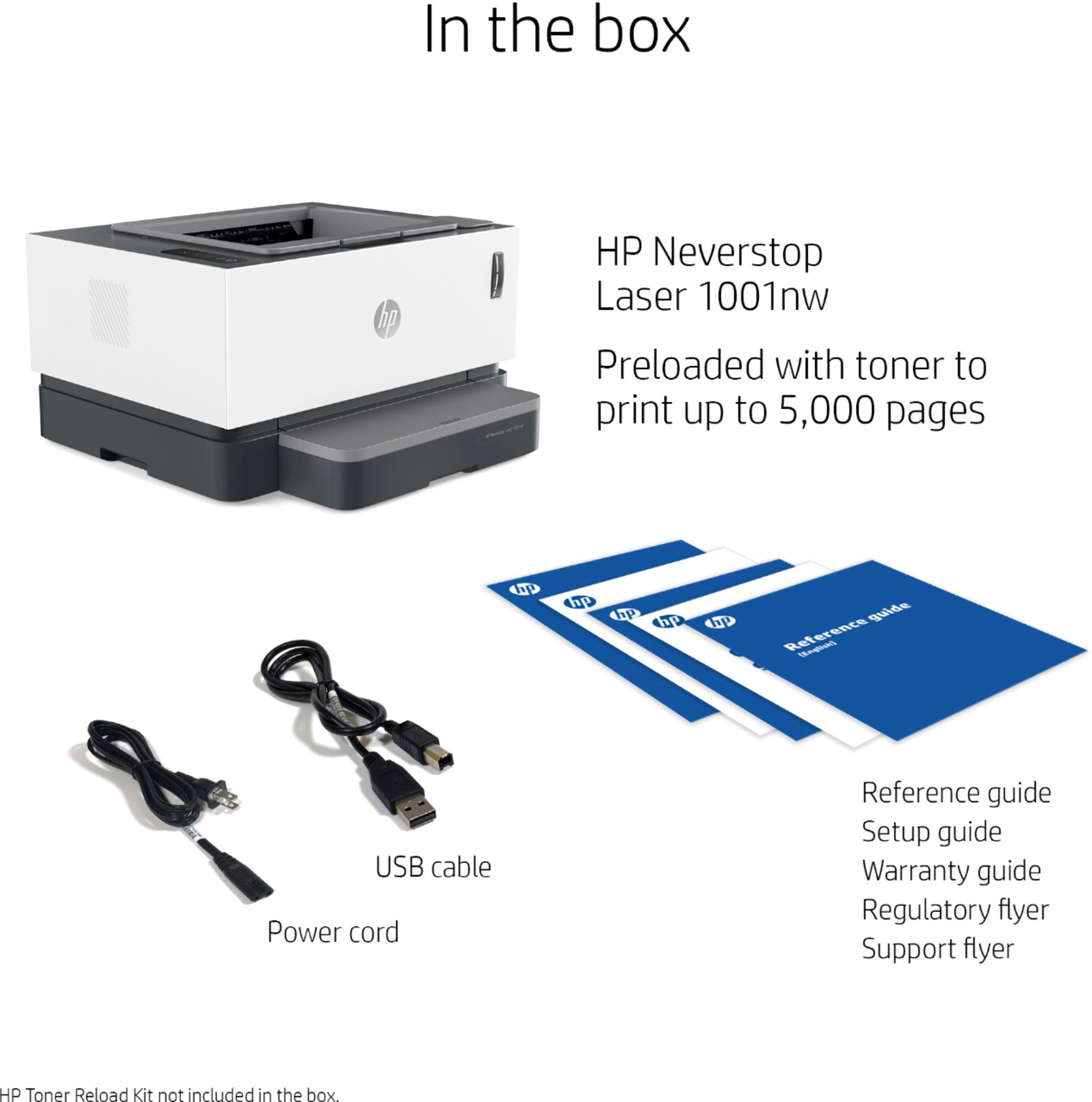
|Posted .This reviewer received promo considerations or sweepstakes entry for writing a review.The HP - Neverstop 1001nw Wireless Black-And-White Laser Printer is an amazing printer that simply does what it is designed to do: print great quality black-and-white pages without the need for expensive ink cartridges. To make things even better, the setup process was extremely simple and straightforward. To start, there were only a couple small things that needed to be attached to the printer due to the way it is packed. There is a handy quick start guide which depicts what needs to be done but it really isn’t that hard to figure out based on the pieces that are included. You basically just have to attach the paper input tray which easily snaps into place, add paper, then slide the cover into place over the paper tray. At this point, the printer is ready to be plugged in. The next part of the setup process will differ depending on how you plan on using the printer. I chose to set mine up by connecting it directly to my home router via an ethernet cable. It should be noted that an ethernet cable is not included but a standard USB printer cable is included in case you wish to connect the printer directly to a computer. If neither of these options suits you and your desired setup, the printer can also connect to your wireless network making it wirelessly accessible via Wi-Fi. Since I wired my printer directly to my home network via ethernet cable, I didn’t have to go through the process of connecting the printer to a wireless network which would normally be done via the HP Smart app. Regardless of whether you plan on setting the printer up for wireless functionality, you will need the app to complete the setup process and manage the printer. The app can be downloaded from your preferred app store for mobile or from the HP website for computer. When I first plugged the power cord into the printer, the printer made various noises that lasted approximately 1 to 2 minutes but it is noted in the quick start guide that this is normal and that the ready light on the top of the printer would stop blinking once the printer was ready. As soon as it seemed to be done warming up, I opened the HP Smart app on my phone and it instantly found the printer which was already connected to my network. I then ran the HP Smart app on my PC and it also immediately recognized the printer and gave me the option to add it. Once everything was setup, I ran a few test pages and not even the first page printed had any sort of blemishes or imperfections whatsoever. It prints very fast (product description states up to 21ppm but I haven’t actually tried timing it) yet the quality is impeccable. Another thing to note is the printer is advertised to print approximately 5,000 pages out of the box before needing to reload the toner. I certainly have not gotten anywhere close to that number of pages yet and can’t state whether or not this figure is accurate but based on everything else I have experienced with this printer, I see no reason not to trust what is advertised. When it does come time to add toner, it seems like it will be a very simple, mess-free process by using the port on the top right of the machine. This is a really cool design and I’m almost sort of excited to get to the point when it is time to add toner just to be able to do it. Overall, if you are looking for a black-and-white printer that produces excellent results, I highly recommend this HP - Neverstop 1001nw Wireless Black-And-White Laser Printer.
I would recommend this to a friend



















