Customer Ratings & Reviews








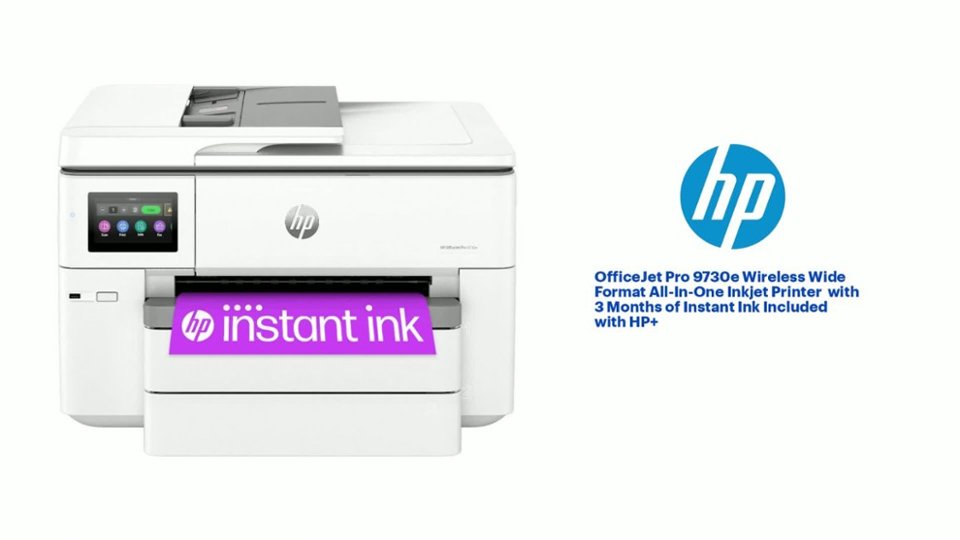
- Model:
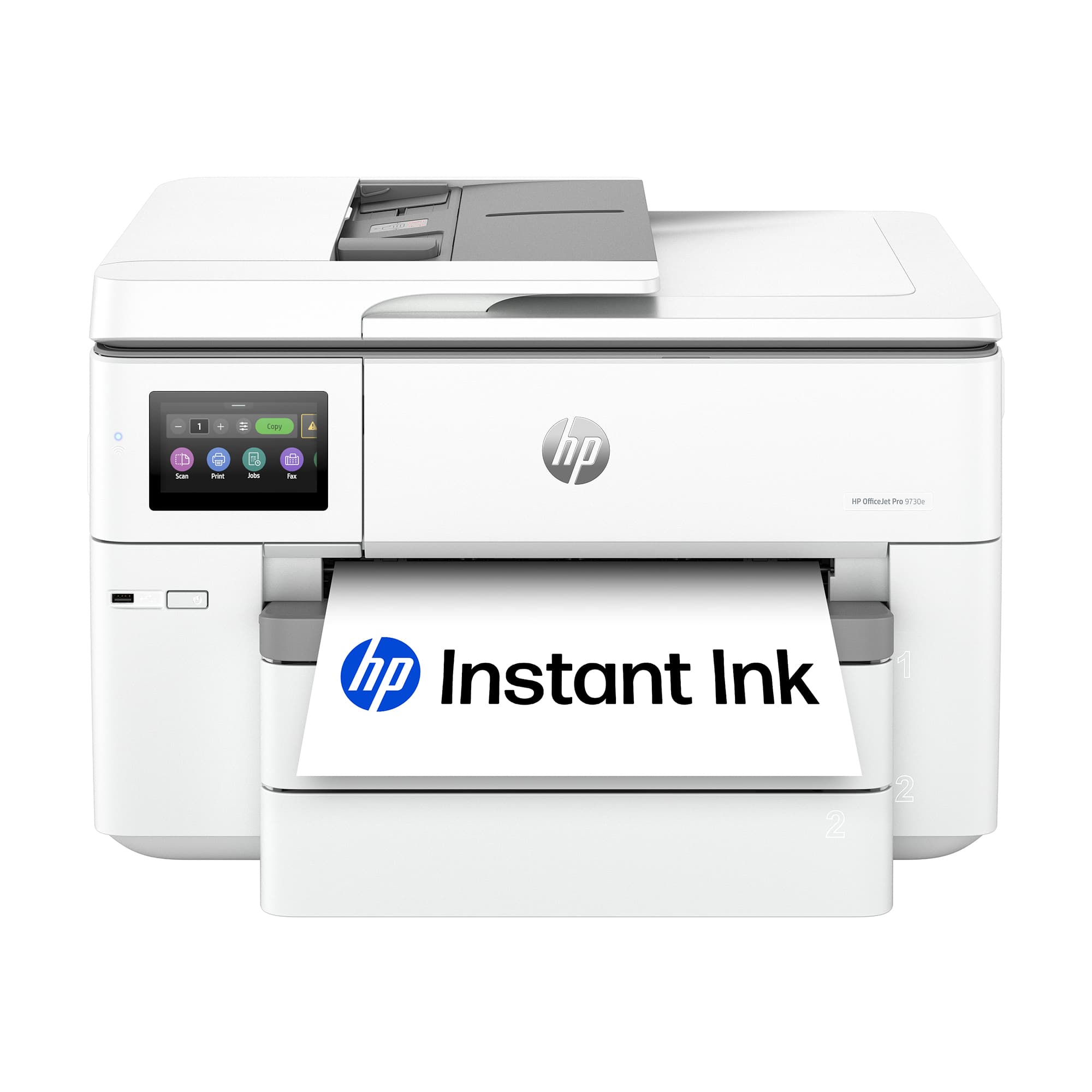
- OFFICEJET PRO 9730E/537P6A#B1H
- SKU:
- 6578444
Rating by feature
- Value
Rating 4.5 out of 5 stars
- Quality
Rating 4.4 out of 5 stars
- Ease of Use
Rating 4.2 out of 5 stars
Customers are saying
Customers are pleased with the OfficeJet Pro 9730e's print quality and overall performance, as well as its paper tray capacity and ease of use. The printer is also praised for its quick setup and connectivity. Some customers find the printer's size to be a drawback, particularly the limitations of the ADF scanner, and have noted its considerable weight.
This summary was generated by AI based on customer reviews.
- Pros mentioned:Print quality
HP Rocks
||Posted . Owned for 1 month when reviewed.This reviewer received promo considerations or sweepstakes entry for writing a review.Super easy to set-up. Makes great color copies. Scans are fast & high quality.
I would recommend this to a friend Average Printer
||Posted . Owned for 3 weeks when reviewed.This reviewer received promo considerations or sweepstakes entry for writing a review.Average printer. Works a bit slow. Scanning is also slow. The HP software "HP Smart" is flawed: some options do not work, and heavy use caused the software to stop working leaving the only option to "X" out and lose the un-saved work. Knowing the signs before the software stops, allows a work around to continue working. The printer works well enough for home use but I would not recommend it for small business. HP Support was also average - very scripted when they finally responded.
I would recommend this to a friendI NEED HELP PRINTING
||Posted .This reviewer received promo considerations or sweepstakes entry for writing a review.NICE PRINT IF I KNEW HOW TO PRINT 11 X 17 PAPER IN THE PRINTER
I would recommend this to a friend- Pros mentioned:Print quality
Great printer for the price
||Posted . Owned for 1 week when reviewed.This reviewer received promo considerations or sweepstakes entry for writing a review.I like the wide format and it’s much faster than the last printer I had
I would recommend this to a friend Poor Replacement for Older Model
||Posted . Owned for 1 week when reviewed.This reviewer received promo considerations or sweepstakes entry for writing a review.Our old HP Wide Format printer would no longer accept ink cartridges. Even when purchased directly from HP. Wasted $$'s on ink cartridges. Was able to get HP to replace one, and that took a good hour plus on chat support. The new HP Officejet Pro 9730e arrives. On the 2nd day, realized that it will not feed cardstock or photo paper. Did all the suggested things. It would feed regular paper without an issue. Over 2 days I spent at least 4+ hours trying to fix this. I was on 2 different chats over these 2 days. On the second day I was finally transferred to tech support. This person was not knowledgeable. They could not understand the problem and tried the most ridiculous fixes. None of them worked. Finally, I had to state that enough is enough. I wanted a new printer. After another 30 minutes, it was agreed that I would be sent a new printer. Received the printer and opened it, it was the wrong model and a refurbished unit. UGH
No, I would not recommend this to a friendGets the job done
||Posted . Owned for less than 1 week when reviewed.This reviewer received promo considerations or sweepstakes entry for writing a review.Gets the job done. I thought it would print a little faster than it does. It could be better especially for the price. Scanner could definitely be better.
No, I would not recommend this to a friendhp printer
||Posted . Owned for 4 months when reviewed.This reviewer received promo considerations or sweepstakes entry for writing a review.The first time it did not work crucial error message, was replaced. Replacement was satisfactory. Others have mentioned problems with this printer. This one is needed specifically for larger paper
I would recommend this to a friend- Pros mentioned:Connectivity, Print qualityCons mentioned:Size

Great home office printer
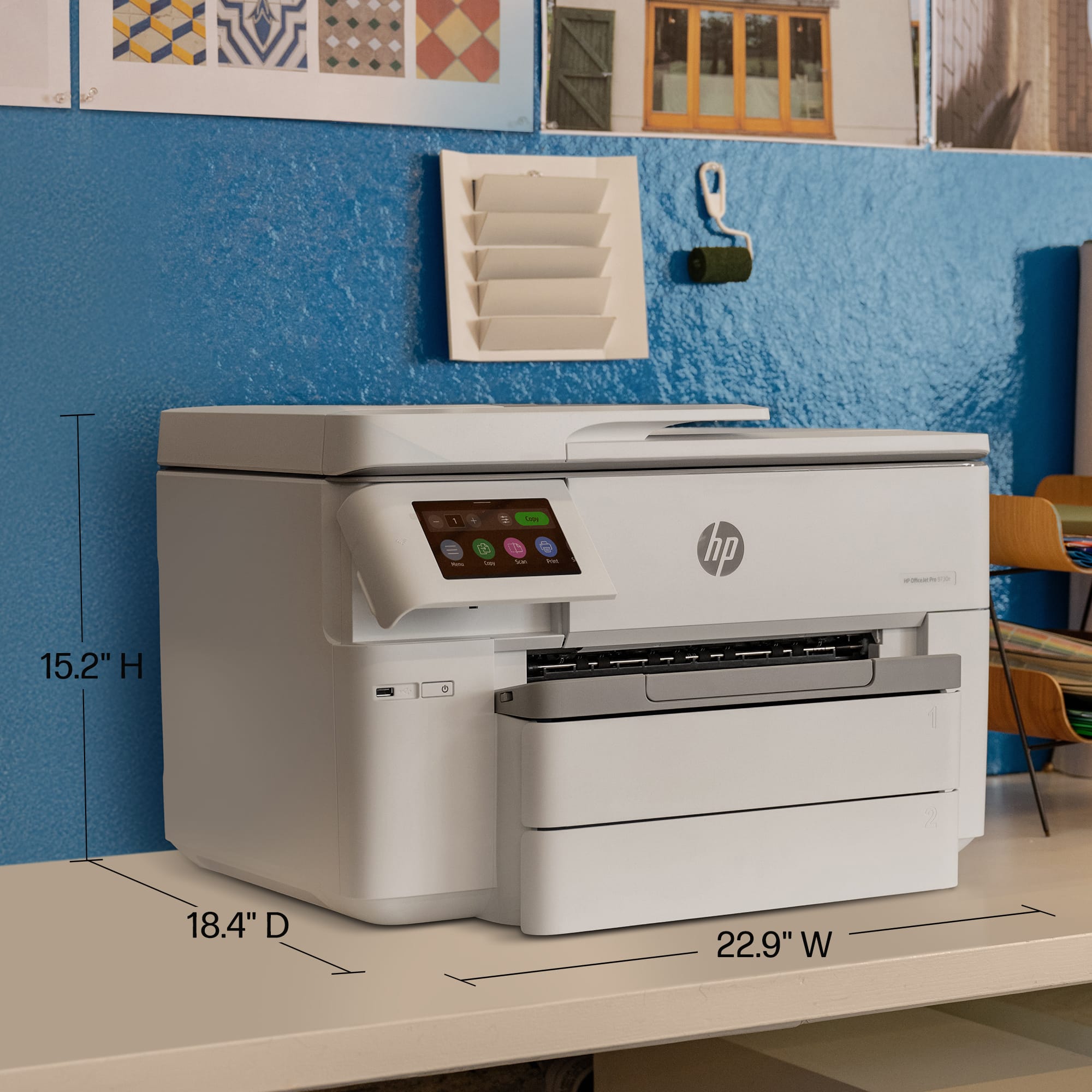
|Posted .This reviewer received promo considerations or sweepstakes entry for writing a review.I've been putting this printer through its paces for a few weeks now, and I've got a pretty good feel for what it's all about. First off, let's address the elephant in the room: this is a wide-format printer. If you're just printing standard 8.5x11 documents, you might be overkilling it. But if you regularly need to print larger documents, blueprints, posters, or anything that goes beyond the standard letter size, this thing is a lifesaver. Setting it up was surprisingly straightforward. HP has really streamlined their setup process. I used the HP Smart app on my phone, and it walked me through everything step-by-step. Connecting to my Wi-Fi was seamless, and I was printing in no time. Even if you're not particularly tech-savvy, you should be able to get this printer up and running without too much trouble. The print quality is excellent. Text is sharp and clear, and graphics are vibrant and detailed. I've printed everything from standard documents to high-resolution photos, and I've been consistently impressed with the results. Especially on the larger format prints, the detail really shines. If you're doing any kind of design work or presentations, this printer will definitely deliver. Speed-wise, it's pretty quick. It's not the fastest printer I've ever used, but it's definitely not slow. For standard documents, it churns them out at a decent pace. And even when printing larger, more complex documents, it doesn't bog down. One of the features I really appreciate is the automatic duplex printing. It's a huge time-saver and paper-saver. It just automatically prints on both sides of the paper, which is great for reports, presentations, or anything where you want to reduce paper waste. The touchscreen display is also a nice touch. It's responsive and easy to navigate. You can access all the printer's features and settings directly from the display, which is convenient. The interface is intuitive, so you don't have to spend a lot of time digging through menus to find what you're looking for. Now, let's talk about the ink. This printer uses HP's Instant Ink service, which is a subscription-based ink replacement program. I was initially a bit skeptical, but I've actually found it to be quite convenient. You pay a monthly fee based on the number of pages you print, and HP automatically sends you new ink cartridges when you're running low. It takes the guesswork out of knowing when you need to buy ink, and it can save you money in the long run, especially if you print a lot. The printer is also relatively quiet, which is a plus. It doesn't make a lot of noise while it's printing, so it's not disruptive if you're working in a quiet environment. One thing to note is that this is a fairly large printer. If you have limited space, you'll need to make sure you have enough room for it. It's definitely not a compact printer. Also, while the paper tray capacity is decent, if you're doing very large print runs, you might find yourself having to refill it more often. Overall, I'm really happy with the HP OfficeJet Pro 9730e Wireless. It's a reliable, high-quality printer that's perfect for anyone who needs to print wide-format documents. The print quality is excellent, the setup is easy, and the features are convenient. The Instant Ink service is a nice bonus, and the printer is relatively quiet. If you're looking for a wide-format printer that can handle a variety of printing tasks, I would definitely recommend giving this one a look.
I would recommend this to a friend - Pros mentioned:Connectivity, Overall performance, Print qualityCons mentioned:Size, Weight
It’s BIG, but I’m loving it
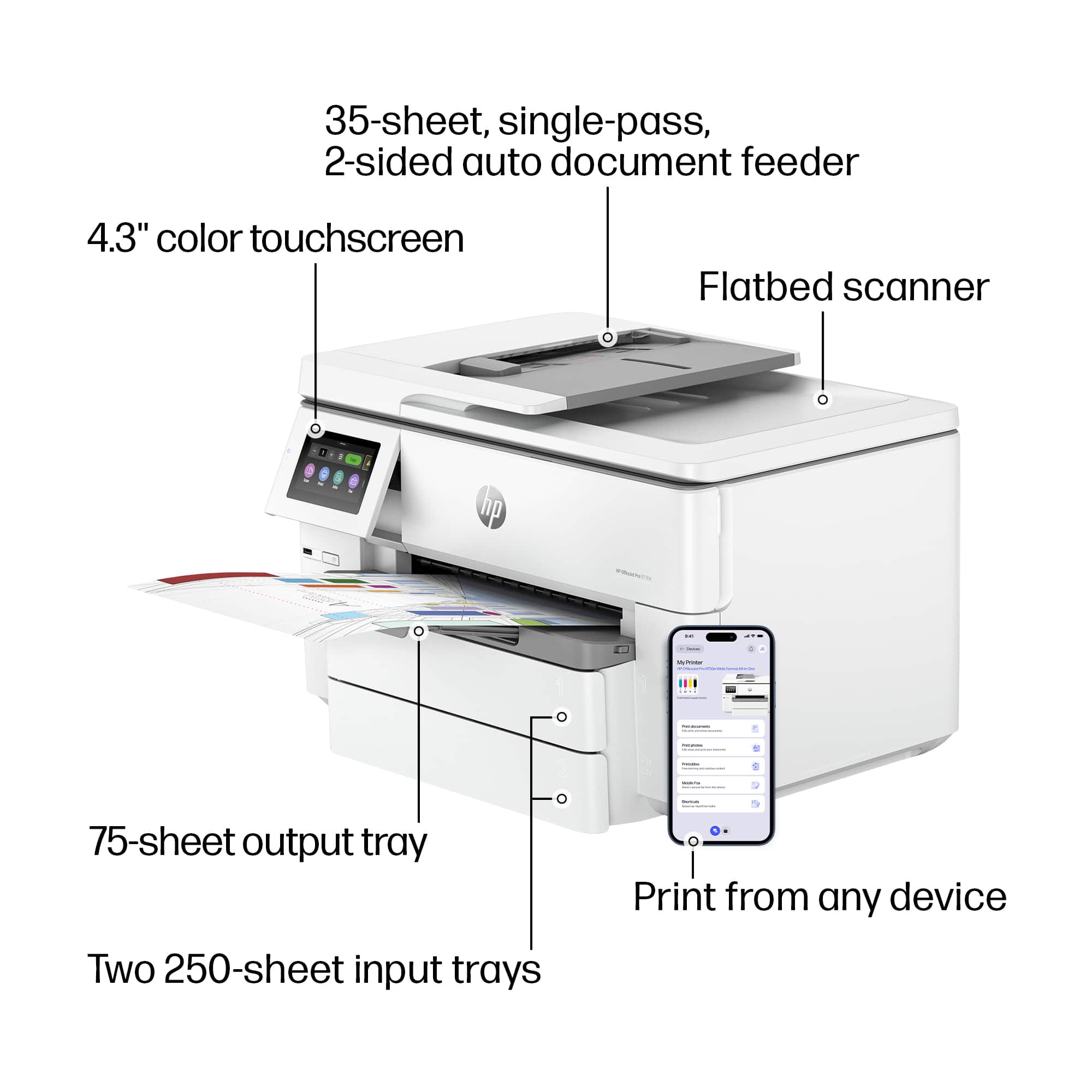
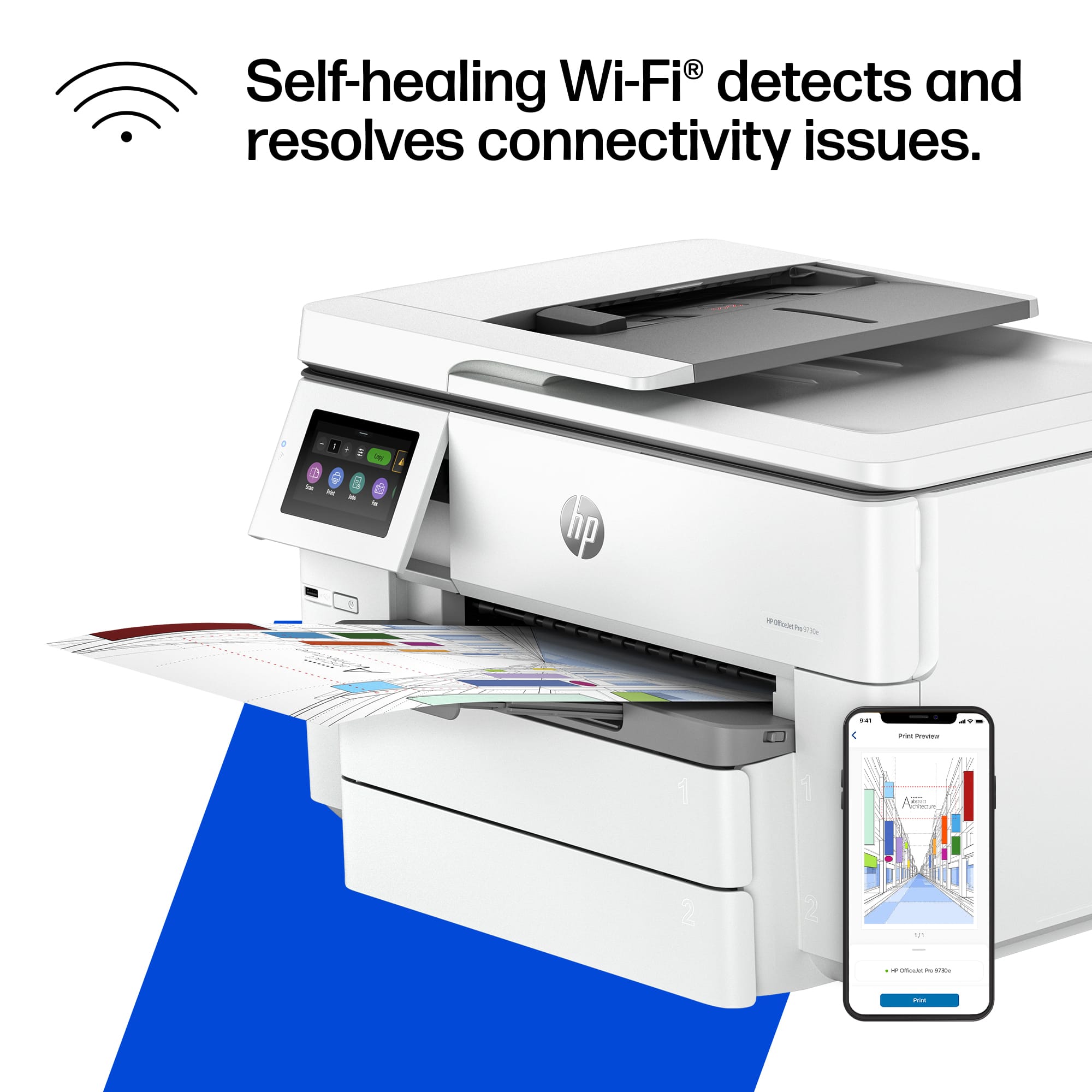
|Posted .This reviewer received promo considerations or sweepstakes entry for writing a review.The HP 9730e is the latest in my long line of HP printers. I’ve used exclusively HP for decades at this point. They have all been simple and easy to use. This new unit is no exception. First off, you should know that it’s huge and heavy. If you don’t have a lot of space or have trouble lifting heavy things, you should do your research and line up some help if for installation. The packaging was nice. It comes in a bag that has handles so you can lift it out of the box. It would have been pretty tough without that well thought out packaging feature. Setup was super easy. Just plug it in, let it run through it’s startup routine, install the cartridges and align the print head. That’s pretty much it. It does spin on its setup screens for a bit, so be patient. The printer hooked up to my wifi network with no issues at all. There is a QR code to scan for setup software. I did it on my iPhone. Just follow the prompts and you’re good. I was immediately able to print from all of my devices without installing anything from HP (except for what I put on my phone for initial setup). The large color touchscreen is easy to read and use. It's prints pretty fast, and it looks nice. I’m not printing photos, so I can’t really speak to that quality, but based on normal printing on normal paper, I’m pretty confident in saying it would look good. Color accuracy is great. The large format is a nice feature. You do have to set up one of the 2 trays to hold the larger paper, but it’s not hard. I can’t say I really “needed” large format, but it’s fun when printing banners and flyers. Scanning works really well. I love that it has a UBS port right on the front. I just plug in my drive and hit scan to USB. You can use the document feeder or the flatbed and it will dump the scanned image directly to you USB drive. If you are using the flat bed, it will ask if you have additional pages. It’s also nice having the ability to scan 11x17. You can also print and scan remotely if you are away from the printer. I don’t use this often, but it came in handy when my wife needed something while I was at work. Rather than emailing things to her, I was able to send it directly to the printer and she just grabbed it and was on her way. The HP software is nice. You can keep tabs on your ink levels (order supplier) and printer settings. Speaking of ink, it does support the instant ink subscription service if you don't want to worry about running out of ink in the middle of a print job. It also has a link to take you to some fun printables for birthdays, events, coloring pages, etc. A lot of the advanced tools require you to give it the pin for the printer. It is located on a sticker on the unit. You only need to do this once, but it might be good to write it down before you put the unit into place. You’ll need it. You can also use this software to manage scanning resolution and such if you prefer. It is capable of mobile faxing, but I really haven’t had use for that feature. So ya, it’s a very solid unit. It does everything I need it to do. It does it all easily without a lot of fiddling with software and options (unless of course I want to!) It connected to all of my devices regardless of the operating system. It’s big, and heavy, but easy to set up and use once you get it in place.
I would recommend this to a friend - Pros mentioned:Print quality
Fsst printer and very quiet
||Posted . Owned for 3 weeks when reviewed.This reviewer received promo considerations or sweepstakes entry for writing a review.Works great a lot faster than i thought it would be.
I would recommend this to a friend - Pros mentioned:Connectivity, Print quality, SetupCons mentioned:Size
Large footprint printer and scanner
|Posted .This reviewer received promo considerations or sweepstakes entry for writing a review.First off I was not expecting a printer/scanner this large, but it is a wide format printer/scanner. I found the set-up to be quick and easy. I have it connected to my home Wi-Fi and I can use it with pretty much any device in my house. The ink is easy to load. It is easy to find the printer to set it up with new devices. I have used my windows 11 computer and my iPhone 15 to print. The copy function works well for both the flatbed scanner and for feeding documents into the top. Making copies works really well. I tried copying receipts that were much smaller than the paper size and they copied well. I copied 8.5 x 11 documents and cannot tell which one is the original and which one is the copy, so that worked great. The unit wakes up quickly and prints pretty quickly, even in color. I like the touchscreen as well. Especially the fact that it folds in and out of the printer to make it easier to use/see. My only complaints would be around the HP ink costs. New cartridges are pretty expensive. They offer a monthly plan that starts at 100 sheets per month as long as you don't go over that. If you go over the 100 sheets in a month, I think they charge you the overage. They will send you new cartridges as part of the monthly plan. Be aware that they can control the cartridges, so if you cancel the plan, they disable to cartridges, so that could be a pain. Also, they will allow you to print from anywhere if you sign up for this service, but you have to agree to only using HP ink. All in all it is a very nice printer/copier. As long as you understand that the ink costs are not cheap and the monthly plan options before you purchase it. I think you will like this printer/scanner. I am only taking away 1 star for the ink prices and cost of the monthly ink plan.
I would recommend this to a friend - Pros mentioned:Connectivity, Paper tray capacity, Setup
Can print up to 11x17
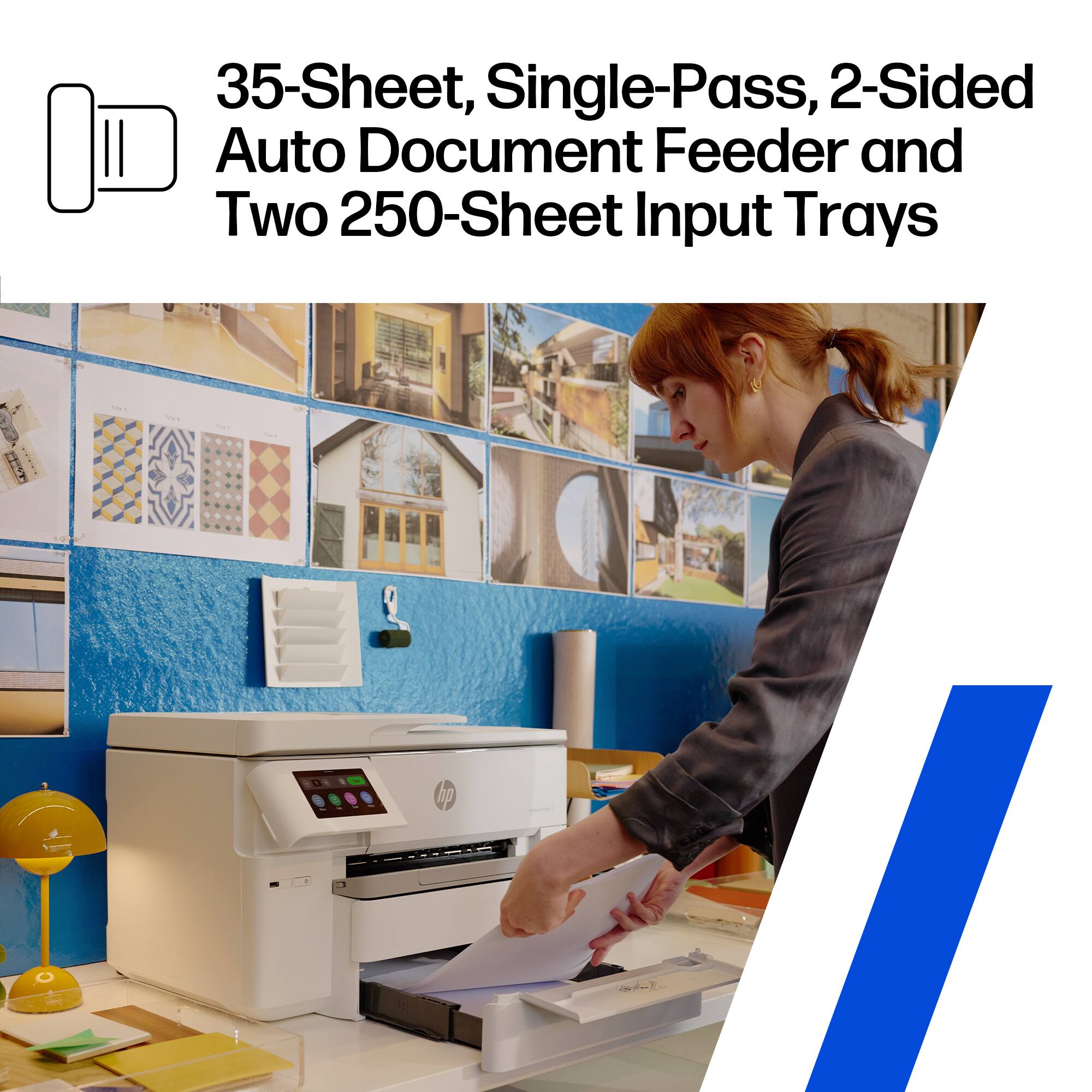
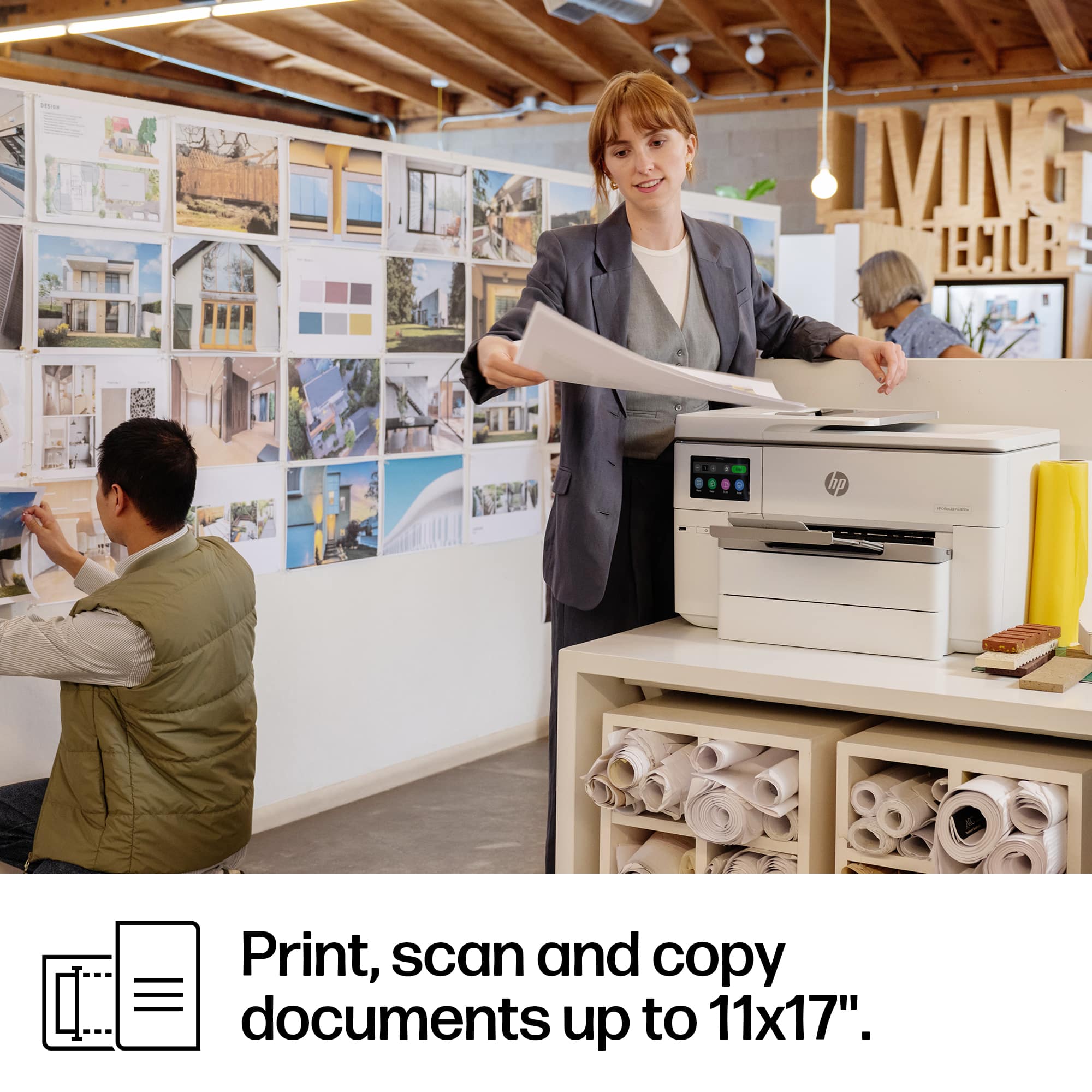
|Posted .This reviewer received promo considerations or sweepstakes entry for writing a review.WOW, I needed a new home office printer and I needed to be able to print 11x17 documents. This is EXACTLY what I needed. I have been an HP fan for years. And this lives up to the HP reputation. Unboxing was easy. Be sure to locate all the blue tape and remove it prior to turning it on. The setup instructions are super easy to follow and guide you step b step. But this printer almost sets itself up. SO EASY. Just follow the on screen prompts and you will be set up in no time. The only speed bump I hit was installing the ink cartridges. The instructions indicate there should be a “click” when you press the ink into the slot but I never heard a click. Otherwise this was the easiest set up of any printer. The 2 large paper trays are awesome. The bottom one can be extended to allow for paper up to 11x17 size which is exactly what I needed. You do have to extend the BACK of the tray as well, I missed that at first. But once I figured that out I was off and printing. The touch screen on the front is quite large and tilts out for easy reading and interaction. The paper trays hold a lot of paper, you have an auto feeder on top as well. This has IT ALL for a home office. I downloads the app to my phone and I can easily control scanning from my phone. I also had NO issues locating the printer on my home network from my other laptops, phones and tablets and was able to PRINT. with ease from all devices,. I can even control the type of printing and get 2 pages on 1 for example and duplex printing. I am signed up for the Instant Ink 3 month trial as well and look forward to seeing how that goes and how much I really print at home. It does need a large space to sit. I have put mine on our entry table in our front hallway for now. Honestly it is not an issue but it is visually larger than most printers I have had in the past.
I would recommend this to a friend HP printer for the win!
||Posted . Owned for 3 weeks when reviewed.This reviewer received promo considerations or sweepstakes entry for writing a review.We love HP products. Before this new model was available, we had purchased a different brand of printer and absolutly hated it. Less than a year later we purchased this HP printer. We will never purchase another brand of printer again.
I would recommend this to a friendHp printer
||Posted . Owned for 2 weeks when reviewed.This reviewer received promo considerations or sweepstakes entry for writing a review.I love this printer! I was excited to have two trays for paper. I print patterns and need card stock and regular office paper too. This is the second HP printer i’ve had. it’s great that i can get the ink delivered as well on a subscription.
I would recommend this to a friendPerfect Printer
||Posted .This reviewer received promo considerations or sweepstakes entry for writing a review.Perfect for home office needs. We love HP products.
I would recommend this to a friendHP - OfficeJet Pro 9730e All-In-One
||Posted .This reviewer received promo considerations or sweepstakes entry for writing a review.I'm very happy with a printer like this in my office. My son wanted on for the farm. I knew right away what to get.
I would recommend this to a friendHP OfficeJet Pro 9730e
||Posted .This reviewer received promo considerations or sweepstakes entry for writing a review.Great printer! I like the scanning ability to scan 11x17 documents and that it qualifies for HP ink program.
I would recommend this to a friend- Pros mentioned:Overall performance
HP Support was terrible
||Posted . Owned for less than 1 week when reviewed.This reviewer received promo considerations or sweepstakes entry for writing a review.This is not a review of the printer but of tech support for HP. I called having issues with connecting my IPad to the printer wireless. I need to print out 11 x 17 drawings to review while working at home and corporate does not allow us to connect wireless or with cable to our computers our personal printers. Called and talked to 3 different agents saying they have to send this to up the chain. Get a phone call to help with agent and he diagnosed my printer had a virus without having me check anything on my printer and wanted to send a tech agent to my house for $50 dollars on a brand new HP printer. I finally got it working on my own but support was useless. The printer works fine but it is too early for a review of the printer.
I would recommend this to a friend - Pros mentioned:Print qualityCons mentioned:Size, Weight
Large Format Printer, Easy Setup/Use, Great Screen
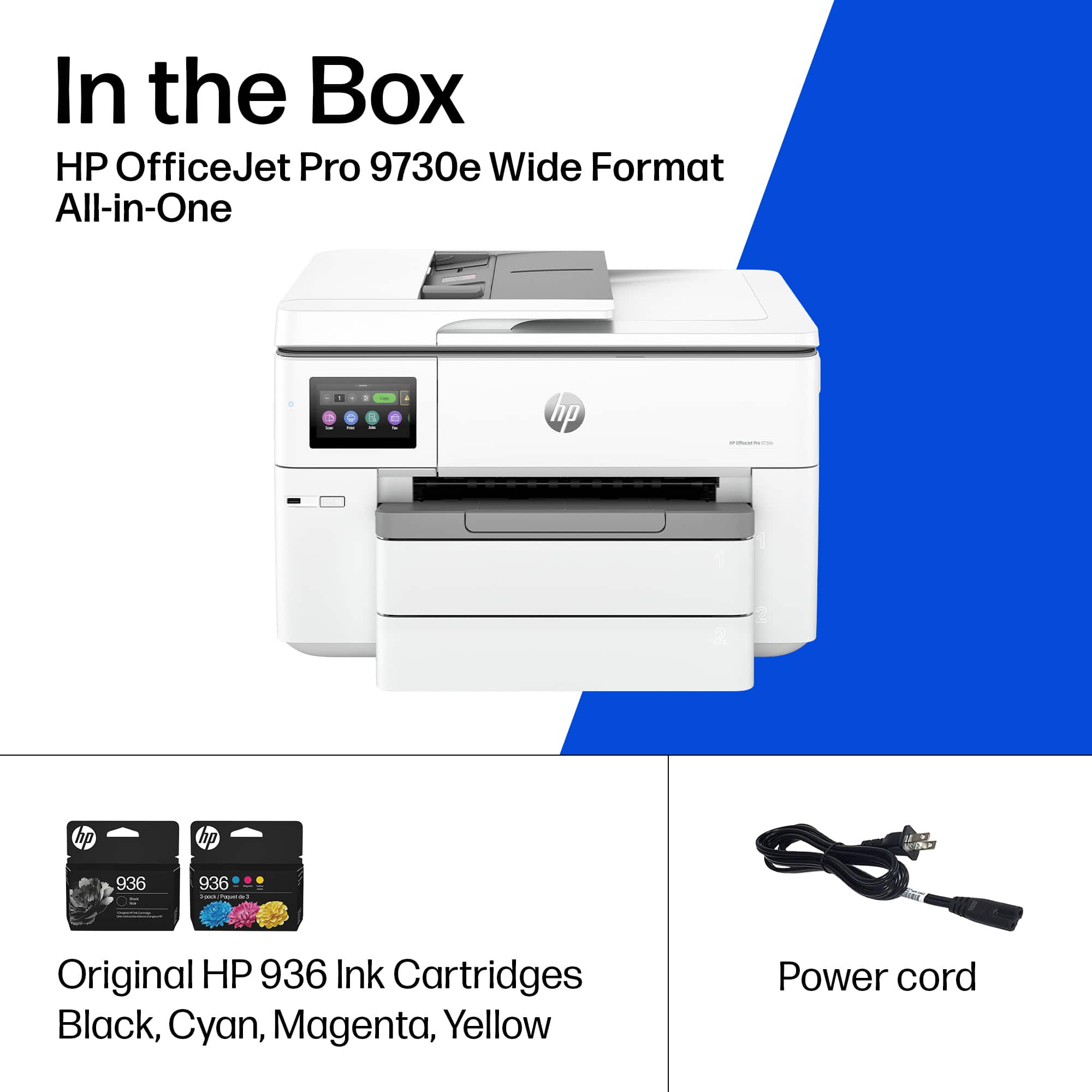
|Posted .This reviewer received promo considerations or sweepstakes entry for writing a review.I'll start by saying the HP 9730e is big - yes, it's a wide format printer, but I was a little surprised by how big it is, and it's also got some serious weight. I would encourage you to check out the HP 9730e in store before you buy, because on reflection, its size makes it best suited to work vs home (unless you have a large home office). For this review, I setup the HP 9730e first at home, but then decided to move it to the office, so this is a two part review. First Impressions I've said it before, will say it again, the HP 9730e is a BIG printer. Fortunately, HP make it easy to lift out of the box thanks to handles on the bag. In the box you get: - HP 9730e wide format printer - HP Instant Ink Cartridges (Cyan, Yellow, Magenta, Black - Black is twice the size of color, nice) - Power Cable - Various Leaflets, but these direct you to HPs website and app Setup This was the nice surprise. Aside from a lot of blue packing tape to remove (check the trays carefully!) and the foam on the scanner, then power on. The full color touch screen is excellent quality (smartphone like screen) and if you follow the steps, you'll have your ink installed, wifi connected, and be doing your first test print - in my case, documents I needed to file my taxes. I will say, even getting the HP OfficeJet Pro setup in my office on the corporate network was easy, it was just getting it loaded into the car and into the freight elevator that was hard (again, big heavy printer, ha! ha!) The best part of setup and use is the touch screen. It's just clear, vibrant, touch is responsive, and the design is smart. I also love that you can til the screen, so you can have the printer desk height and not have to squat down to read the screen. Using the HP OfficeJet Pro 9730e I know people have mixed views of HP Instant Ink, which is what this printer supports. There's, to be fair, some anxiety on first use as you print test pages and get a feel for the printer. But, the HP Instant Ink pricing has become much more reasonable. I got $10 credit in the app when I signed up and there's 3 months included, and that should give me enough to know my average print needs until I settle on what I really need month to month. You can also change you subscription at any time, and, at least for me, it's not hard to predict if I will need to print a lot in a month. I will say that what's great about the 9730e is the dual trays. I am splitting the trays between plain white and colored paper - the latter is a work requirement, we use yellow for invoices. In use, the OfficeJet Pro is quiet and I, while I'm no expert, it seems more energy efficient than the old black and white laser I had in my office that I replaced (no flickering of my desk lamp as it powers up). Printing speeds are also fast, I did a stopwatch test and got about 16-17pages per minute on documents that were an even mix of text, images, and some color (internal finance reports). The A3 scanner is huge. I don't really need to scan at A3 size - this is probably the one thing I am not sure how to comment on the A3 scanning, as I never need to scan anything that size. I tested a letter sized scan, and the scanning speed was a fast as I would expect. Verdict. Overall, I think the HP 9730e is a great office printer - especially if you need to print wide format. This is the sort of printer built for anything you need for work, and those science fair projects where you family needs to print something a little bigger. The trade off is the size, but for office use (which is where I am using it now) it's definitely great. If you're thinking about it for home, I would (again) encourage you to see it in store to make sure you have a desk or shelf big enough for it. I only gave it 4 instead of 5, because I think it's important you read this review and consider the size before you make your decision. Otherwise, recommended!
I would recommend this to a friend HP Printer
||Posted . Owned for 3 weeks when reviewed.This reviewer received promo considerations or sweepstakes entry for writing a review.Package arrived on time and in great condition. Delivery company called before leaving on my porch to make sure I was arriving soon.
I would recommend this to a friend