Customer Ratings & Reviews







- Model:
- ZenWifi BE14000 3-PK
- SKU:
- 6594278
Rating by feature
- Setup
Rating 4.1 out of 5 stars
- Range
Rating 4.3 out of 5 stars
- Signal Strength
Rating 4.2 out of 5 stars
Customers are saying
Customers praise the ZenWiFi BE14000 for its speed, coverage, and easy setup. Many users report increased WiFi speed and a consistently strong connection throughout their homes. However, some customers have experienced connectivity issues with the auto hand-off feature. Additionally, a few users feel that the firmware needs improvement.
This summary was generated by AI based on customer reviews.
- Pros mentioned:Coverage, Performance, Setup

Complete coverage, fast, some future proofing.
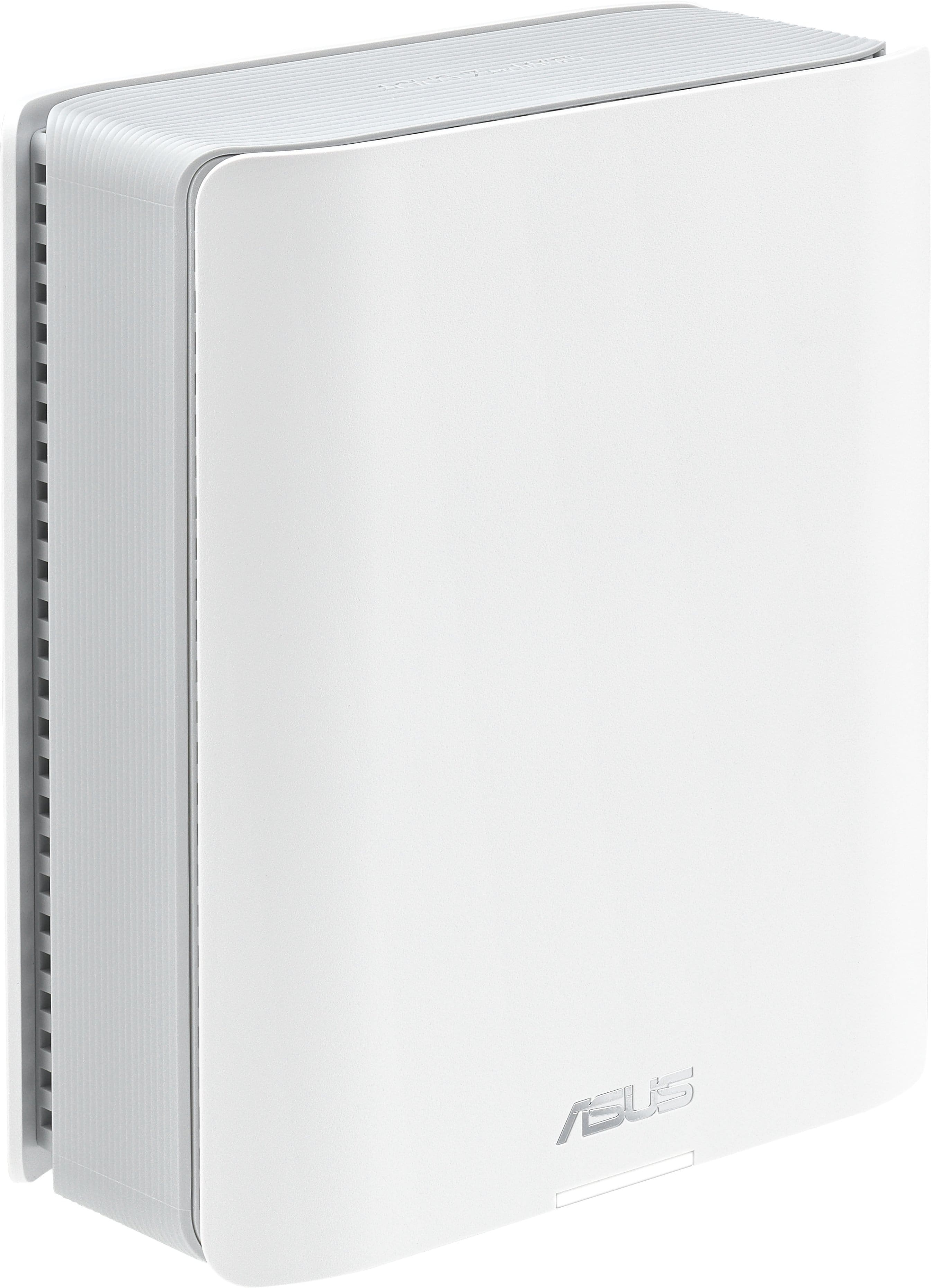
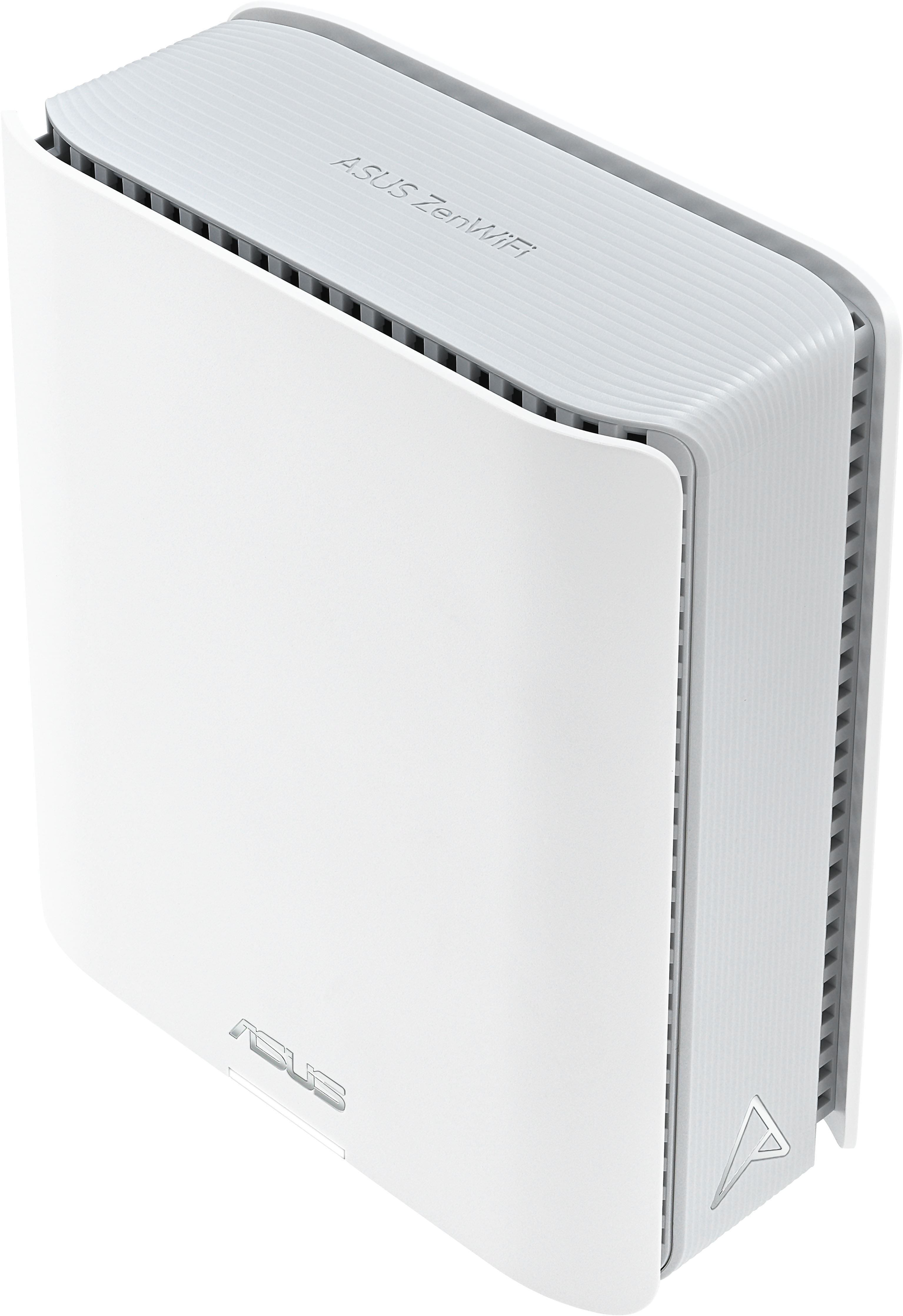
|Posted .This reviewer received promo considerations or sweepstakes entry for writing a review.Out of the box, the nodes are well-built and a good size. Not small, but definitely not huge either. They are rather plain looking, which is perfect for me. I really like the shape, being a flatter rectangle, as I think it makes placement easier (as well as hiding if need be), and honestly, makes them slightly more attractive to me (as does the lack of a large external antenna as well as the ability to turn off front LEDs). As for setup, I found it rather easy and consistent with other systems I have done previously. Generally, a little physical setup as well as a bit of time in the app. Connect the main unit to your modem and then proceed to the other nodes. The app is fairly simple, as well as intuitive, and delivers a great deal of control over the system as a whole, while also providing lots of customization options. All in all, other than a brief initial hiccup, I had no issues getting it all up and running and I think that would be the experience for just about everyone. Performance-wise I could not be happier. Full stop. To be clear, I am not dealing with a very large space (or 100s of devices), but I have complete coverage, connections have been rock solid, and my speeds have been fantastic. Better than my previous setup, and I am more or less consistently getting everything I can from my ISP plan. Largely, this is just plug and play, as is. I am really looking forward to digging in and playing with some of the customizations to dial things in even more to my liking and needs. Ultimately, this is a very good router. On some level, it may be more than some need, but it delivers. Great coverage, reliable, designed for many devices, and very fast speeds. It is consistent. Everything just works. I also like that it handles older tech while also having headroom for what is here now and coming in the future. I think I will be using this for quite some time, which is probably the best endorsement I can give. For all that you get I think the value is there.
I would recommend this to a friend Don't buy.
||Posted .This reviewer received promo considerations or sweepstakes entry for writing a review.Major issues, devices dropping off the network constantly and their support is awful!!
No, I would not recommend this to a friendBrand response from ASUS Answers
Posted .Dear User729655,
We're sorry to hear that the ZenWifi BE14000 Wifi signal is often disconnected and we apologize for the difficulties you have encountered with our support team. To troubleshoot this issue, we recommend following the steps in the FAQ below. Should the issue persist, please send us an email at [email protected] and include the case number "N2501032114-0001" as a reference so that we can further investigate this issue. Maintaining a functioning unit is an urgent matter, and we are committed to helping you.
We stand behind our products and continuously strive to improve our products and processes to achieve customer service excellence. We will do our best to resolve your case quickly. Your feedback is very important to us, and it enables us to improve our support channels. Thank you for choosing ASUS.
Best Regards,
Chantae
ASUS Customer Loyalty US Support
[Troubleshooting] WiFi signal is often disconnected - https://www.asus.com/support/faq/1030641/
- Pros mentioned:Setup
This Is The Answer You've Been Looking For!
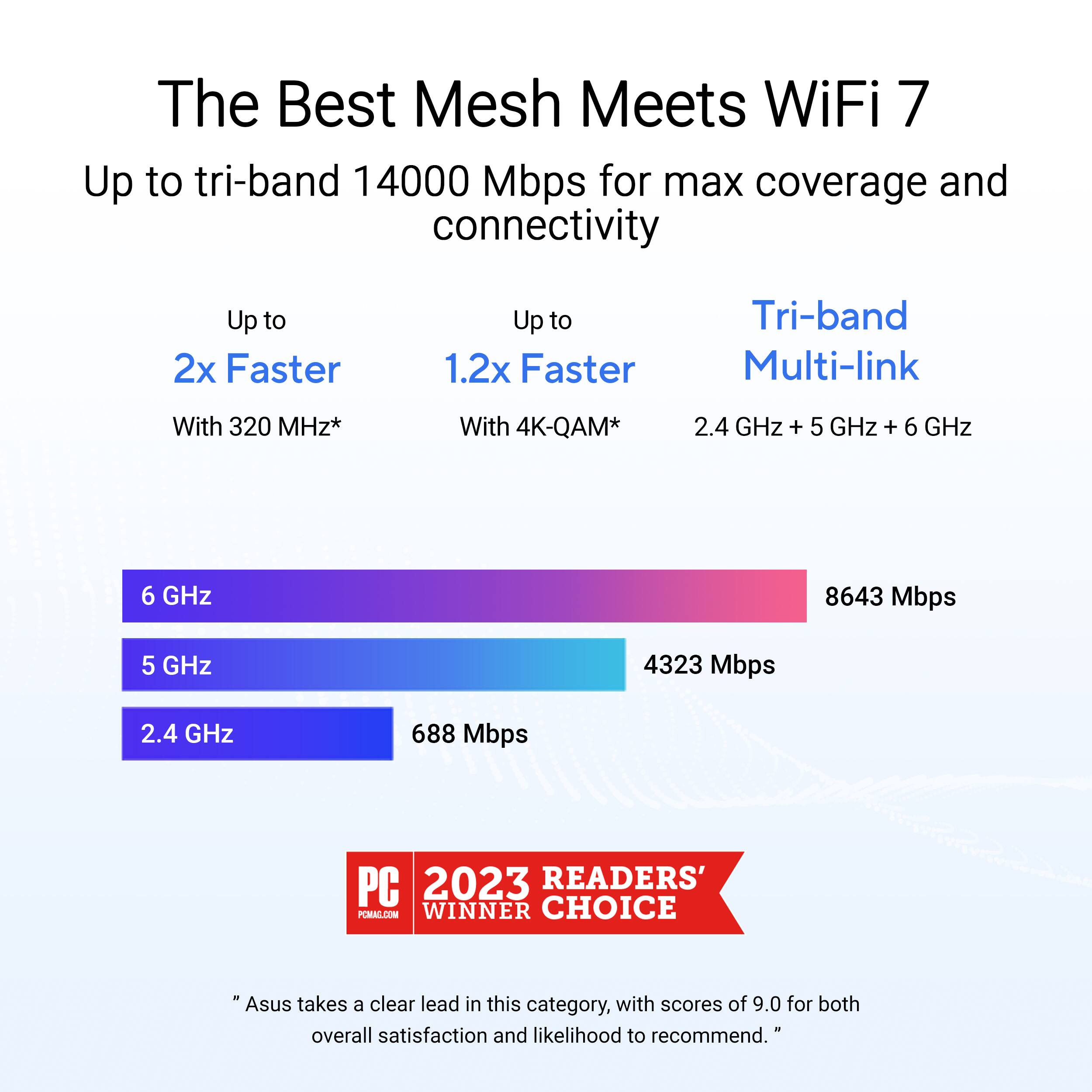
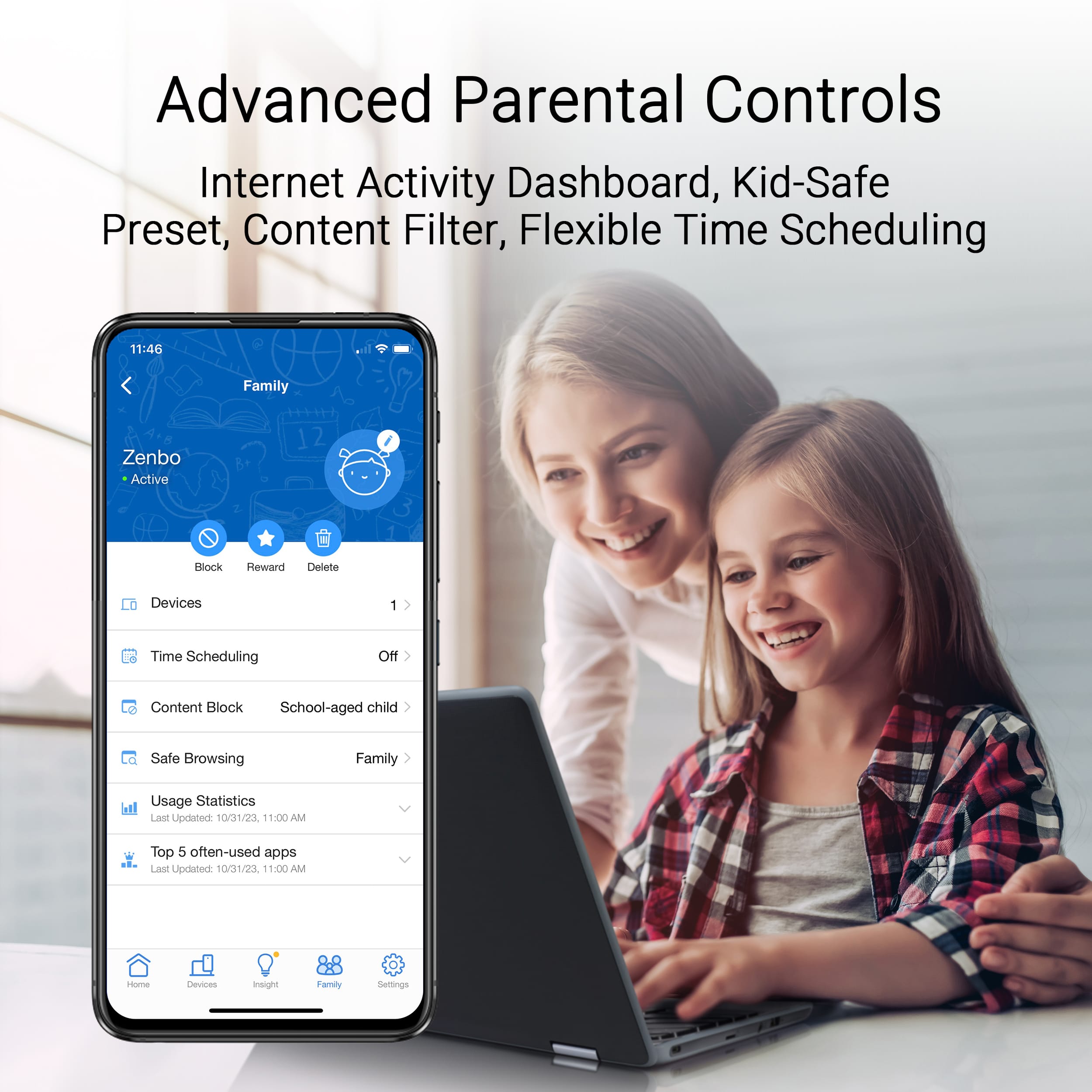
|Posted .This reviewer received promo considerations or sweepstakes entry for writing a review.I am writing this review for the ASUS ZenWifi BE14000 Tri-band WiFi 7 Smart AiMesh Extendable Router. In the world of tech, it is my opinion that ASUS has consistently lead the way in innovation and quality. I currently own several other ASUS products beside the Zen router, and I consider each of them to be a crown jewel. So, I was only too happy to get the ASUS ZenWifi in order to solve a nagging problem in my home network. One of the main reasons I use a mesh router is that it seems like my house is built of nothing but walls. This has been a real issue in that by the time the wi-fi signal gets to my family room/office, it is almost non-existent. I already had a mesh system in place, but to be honest it just wasn’t living up to its purpose. After reading up on the Zen WiFi, I was ready to upgrade. As I opened the wonderfully-designed product box, I was impressed by the very futuristic and sleek design of the router and the nodes. As I picked them up, they felt substantial, and appeared to be extremely well-built…no rough edges, smooth and quite aesthetically pleasing. I immediately knew they were going to be a wonderful addition to my home décor. Besides the router and the nodes, the box contained three power supplies, an ethernet cable, quick-start guide, warranty information, and all the other typical paperwork. After I unpacked everything and gave it all a good looking over, it was time to get it up and running. The first thing to do was to download the ASUS router app which is necessary to set up and configure the system. Besides walking you through the setup process (quite easily, I might add), the app also allows you to monitor the system from your phone, keep an eye on activity, and even allows you to set up parental controls…all in addition to several other functions. After downloading the app, I was walked through the entire process step-by-step. As I said, it was insanely easy to get the Zen WiFi up and running. I would say the most difficult aspect of the setup was trying to decide the best location for the nodes. Then it was time to see what it could do. One of the first things I encountered as far as tasks to complete after initial setup was to reconfigure all the connected devices. I did not realize just how many there are…computers, printers, TVs, security system, smart appliances, phones...you get the picture. And speaking of connected devices, I didn’t realize how dated some of my connected devices were. I say this to point out that ASUS accounts for this by offering multiple bands, 2.4, 5, and 6Ghz, with each band offering multiple streams. So after getting all the connected devices, well, connected, it was time to see if this particular ASUS product was going to live up to my expectations. Easy setup is one thing. Performance is completely different. And that is the bottom line, does the ASUS live up to its boasting? Short answer is absolutely. TV streaming and device streaming has been amazing. With my old wi-fi mesh system, I had to sometimes deal with the blasted buffering ordeal where you get to watch the circle go round and round. There are very few things that can match that aggravation. All my other devices seem to be buzzing right along, especially including the security system. There were times when sitting inside my house the old system would take almost forever to connect to individual cameras. Not so with the ASUS. Although I have had the ZenWifi for a relatively short time, I have the feeling that I am going to continue to be impressed with its performance for a very long time. If you are simply tired of wi-fi dead spots in your home, the ASUS ZenWiFi is your answer. Its contemporary and forward-looking technology will ensure you have all the coverage and speed you need, plus some, for many years to come!
I would recommend this to a friend - Pros mentioned:Setup
Solid performance, easy setup
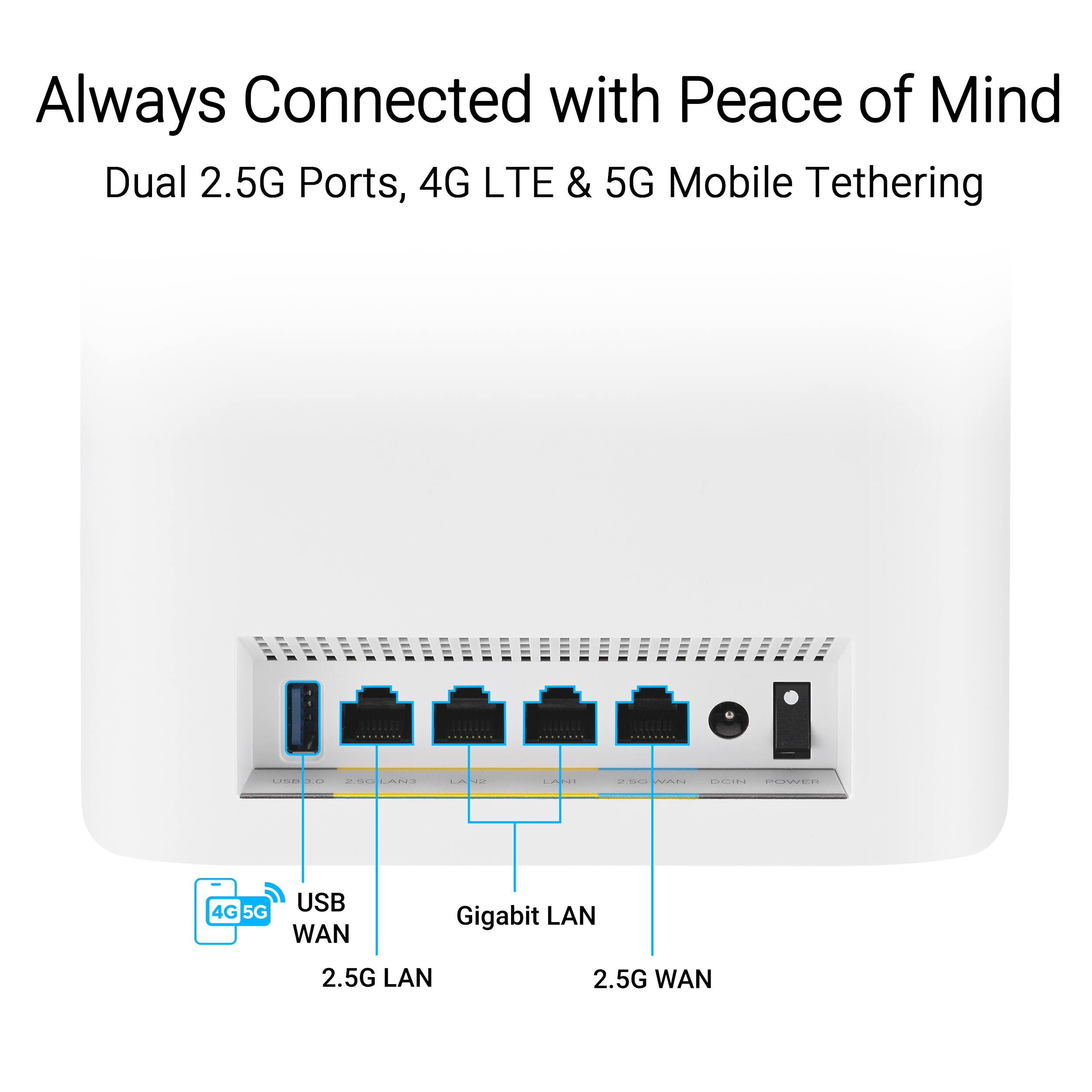
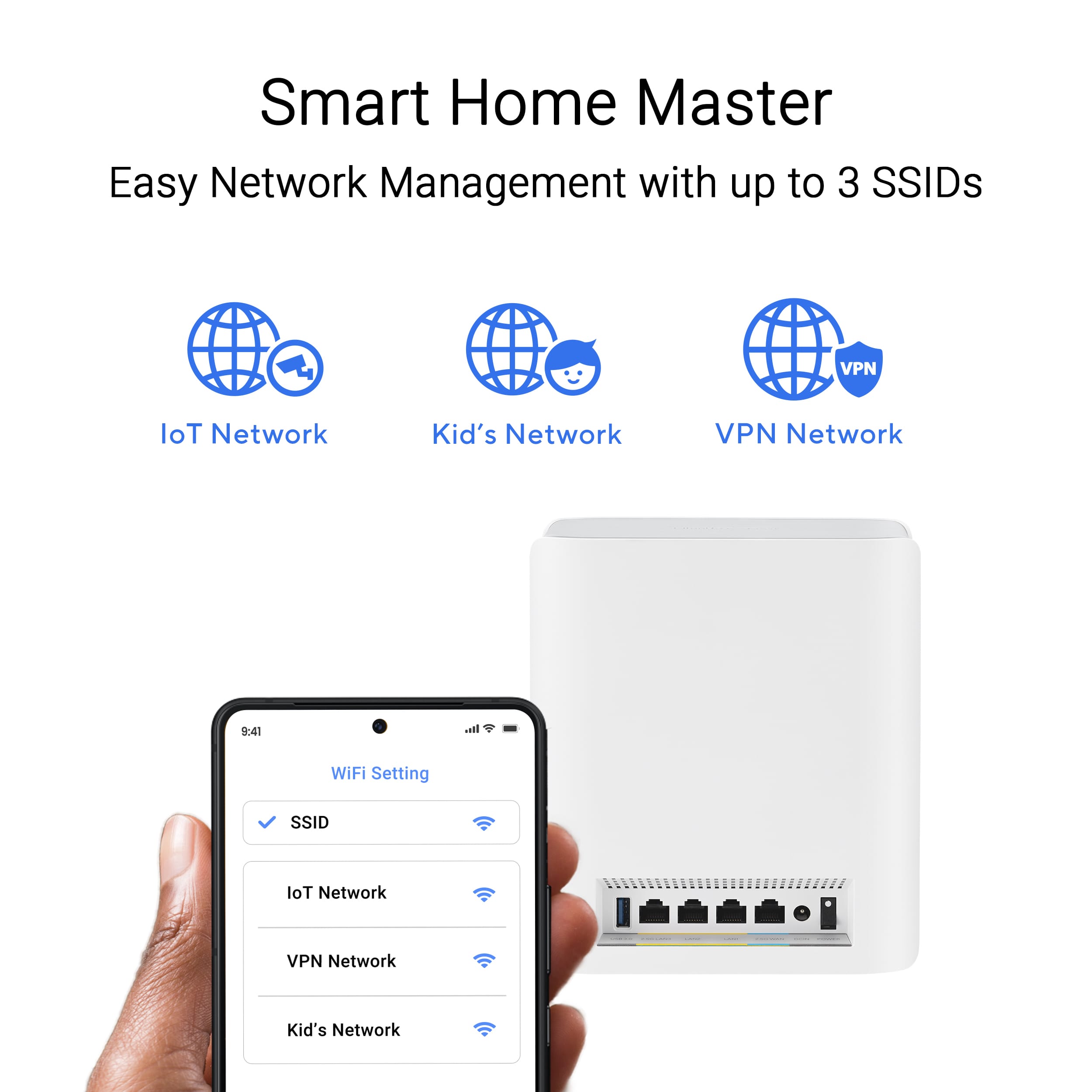
|Posted .This reviewer received promo considerations or sweepstakes entry for writing a review.If you've got a large home with spotty WiFi coverage, a mesh router can be the next best thing to running ethernet. Unfortunately the market is a decidedly mixed bag with several options being unreliable, hard to set up, or lacking in key features necessary for advanced users. ASUS's latest effort is none of those things, to the point that it may actually be gratuitous overkill for the majority of home users. Setup was refreshingly simple, particularly coming from an older ASUS router like I was. Using the mobile app I was able to backup the settings from my previous router, including all my static IP assignments and firewall rules, and with a single click immediately transfer them to the new system. This is a feature I never even would have thought to look for outside of a professional grade router, and was very much appreciated. Apart from that, there was really very little for me to do. The satellites are all paired out of the box, and while the firmware needed an update all that was required was a single button press in the app. The biggest time sink turned out to be having to run new cables to take advantage of the total of 9 ethernet ports for devices, and I was still completely done in well under an hour. I imagine most will stop there, as the default configuration is more than sufficient for most use cases. I, however, did not. I spent the next day exploring some of the new features that come with the router and making various tweaks to address some long standing issues with my network, and I have to say was very pleased with the results I got. ASUS's front end gives you tons of tools to optimize your setup, including the ability to create multiple SSIDs to deal with, for example, older smart home devices that don't fully support the 5 or 6GHz bands. It's just been a few days, but being able to shunt these into a dedicated IoT network that only uses 2.4GHz has already greatly reduced some persistent issues I've been dealing with where devices would lose their connection several times throughout the day after trying and failing to switch to a different band. And while I don't have many devices that fully support the latest WiFi standards, with those that do the speed and range is really quite incredible. I've gone from feeling like I wasn't fully utilizing my fiber line to seeing it as my network's biggest bottleneck. Really, the only qualification I have to give for my recommendation is that it feels very much like a prosumer product. And even if you're a networking professional, I doubt you'd need more than half the features the system comes with. Still, if you've been burned by other options before, there is an undeniable appeal to investing in an over the top solution. So for those who have been persistently plagued by weird WiFi failures, it might be worth taking a look. Because odds are there's something in its toolbox that will help you solve it.
I would recommend this to a friend - Pros mentioned:Performance
Excellent Choice For A LARGE Home
|Posted .This reviewer received promo considerations or sweepstakes entry for writing a review.In this review, I am not going to get into any "tech spec's" since they are readoily available from the Best Buy and ASUS website's as well as other reviewers. Instead, I am going to try to paint a picture of the environment I have deployed and tested this in, hopefully giving you a picture of whether or not this will meet your needs. That said, I have a fairly large house. it is 2800 square feet on the main level, 1500 sq ft on the second and another 1500 sq ft in the basement. Additionally I have an 1100 sq ft attached "4 seasons" room that attaches the main house to a 1500 sq ft enclosed pool are. For clarification, the enclosed pool area is similair in construction to a green house. In all, it is a large are to cover for even, reliable and stable WiFI. OK, that is the environment, lets talk about set-up. Overall it was pretty easy to follow the instructions. From first unit to 3rd node, it was maybe 20 minutes and that includes s/w updates and the 3 nodes calibrating. As for set up, I had a 3 node mesh unit prior, and as a CWNA (Certified Wireless Network Administrator), I have much experience in wireless networks. I placed 2 node on the first floor, 1 on the north side of house, the other directly in the middle and the third on the second floor. After testing, I had ample coverage and speed in the entirety of the interior of the home as well as well outside the home. In all, this is an EXCELLENT choice, but ONLY if you have the need. If you live in a small apartemnt or home, there are other more appropriate and less expensive options for you.
I would recommend this to a friend - Pros mentioned:Setup
Powerful capable router for full Wi-Fi coverage
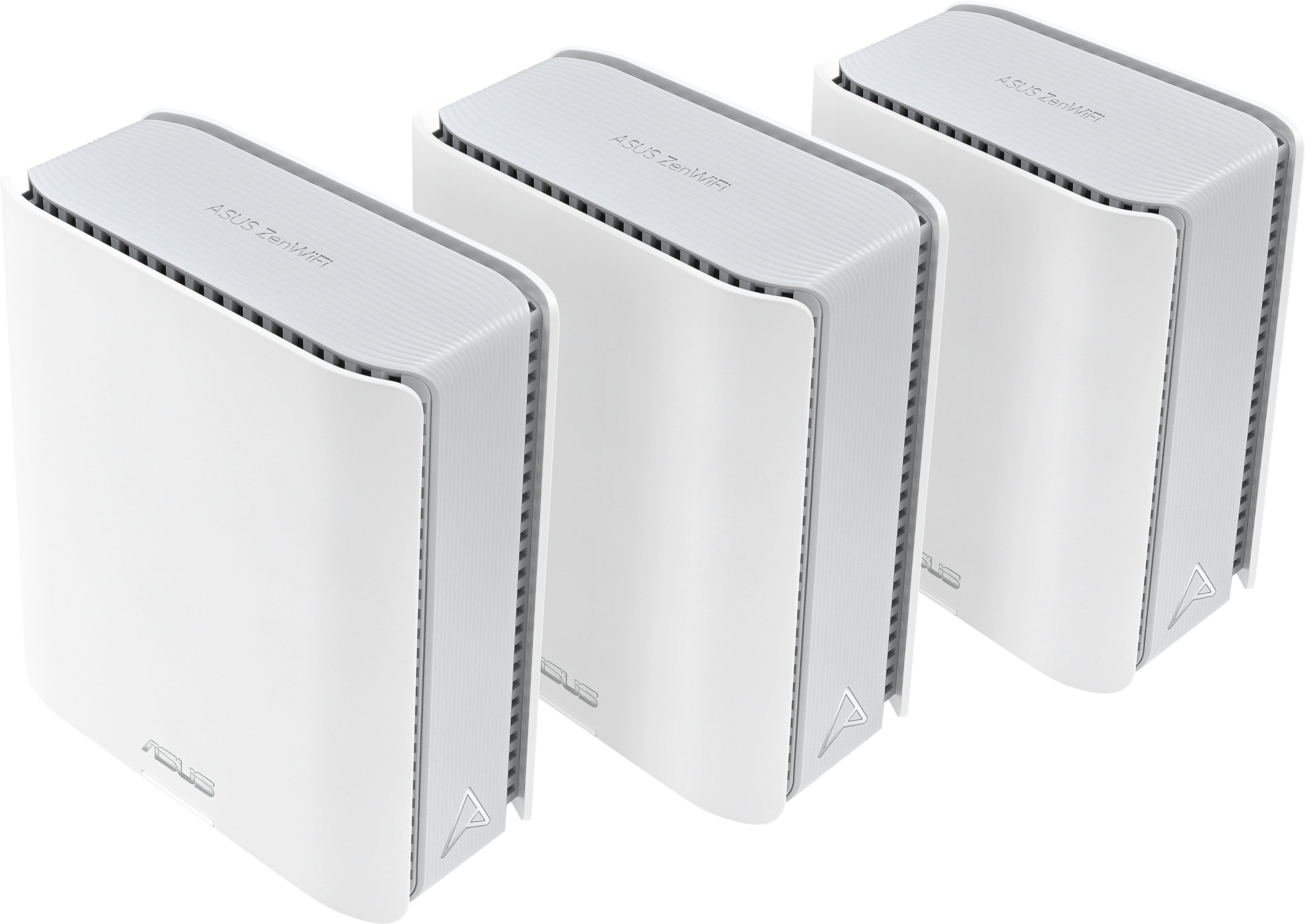
|Posted .This reviewer received promo considerations or sweepstakes entry for writing a review.This router has several nice features. It is small and self-contained, with no antennas sticking out. It has a fantastic range. I can go anywhere in our house and yard and get a good signal. Our home is difficult for Wi-Fi because most walls are 16-inch-thick brick, and every wall is lined with heavy furniture. This is a three-pack, with one central unit and two extender units. The extender units can be easily moved around to find the best coverage. The mesh capability keeps the extenders well-connected. If that is not enough, this setup can have an Ethernet backhaul channel where you can connect the WAN port on the extenders to a LAN port on the central unit. Setup and configuration were easy: connect the central unit to your Internet router/modem (connected to a 5 GB port on the Internet router; the ASUS router supports a 2.5 GB connection). Then, plug in and turn on the extenders locally. Open the ASUS WiFi Router app, which will take you through an easy initial configuration process. We have a smart home, and it was nice to see that the router set up an IOT (Internet of Things) channel during the process. Many IoT devices cannot connect to the newer network protocols, so having a dedicated network for them is nice. Once the setup is complete, you can move the ZenWifi access points around your house. To configure the router's features in greater detail and enable other capabilities, use your Internet browser to go to the base address of the Wi-Fi router and log in. You will have access to the full range of configuration options. This powerful, highly configurable router has the latest Wi-Fi networking capabilities. We are pleased with this Wi-Fi 7 Router.
I would recommend this to a friend - Pros mentioned:Speed
A little tricky to setup but works great
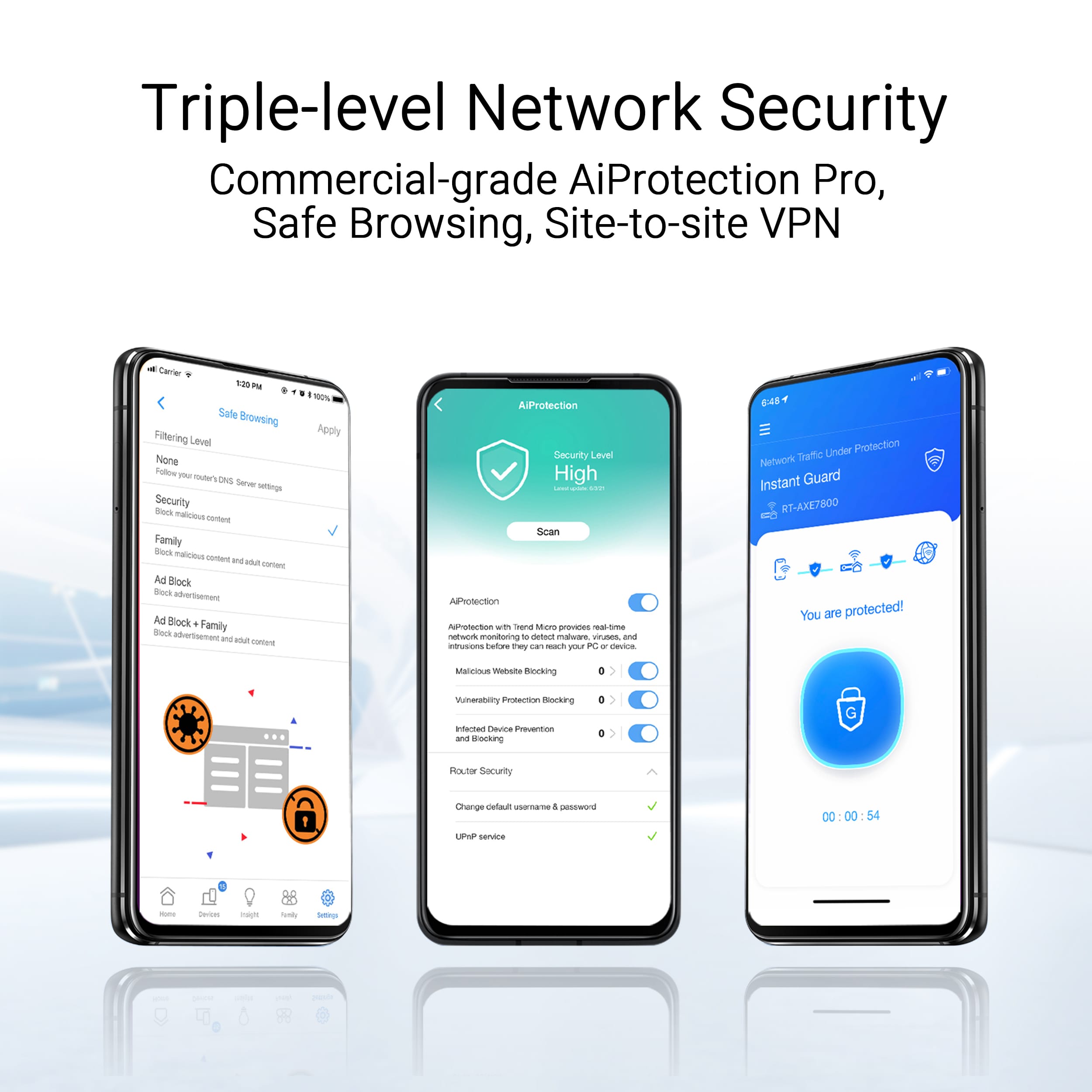
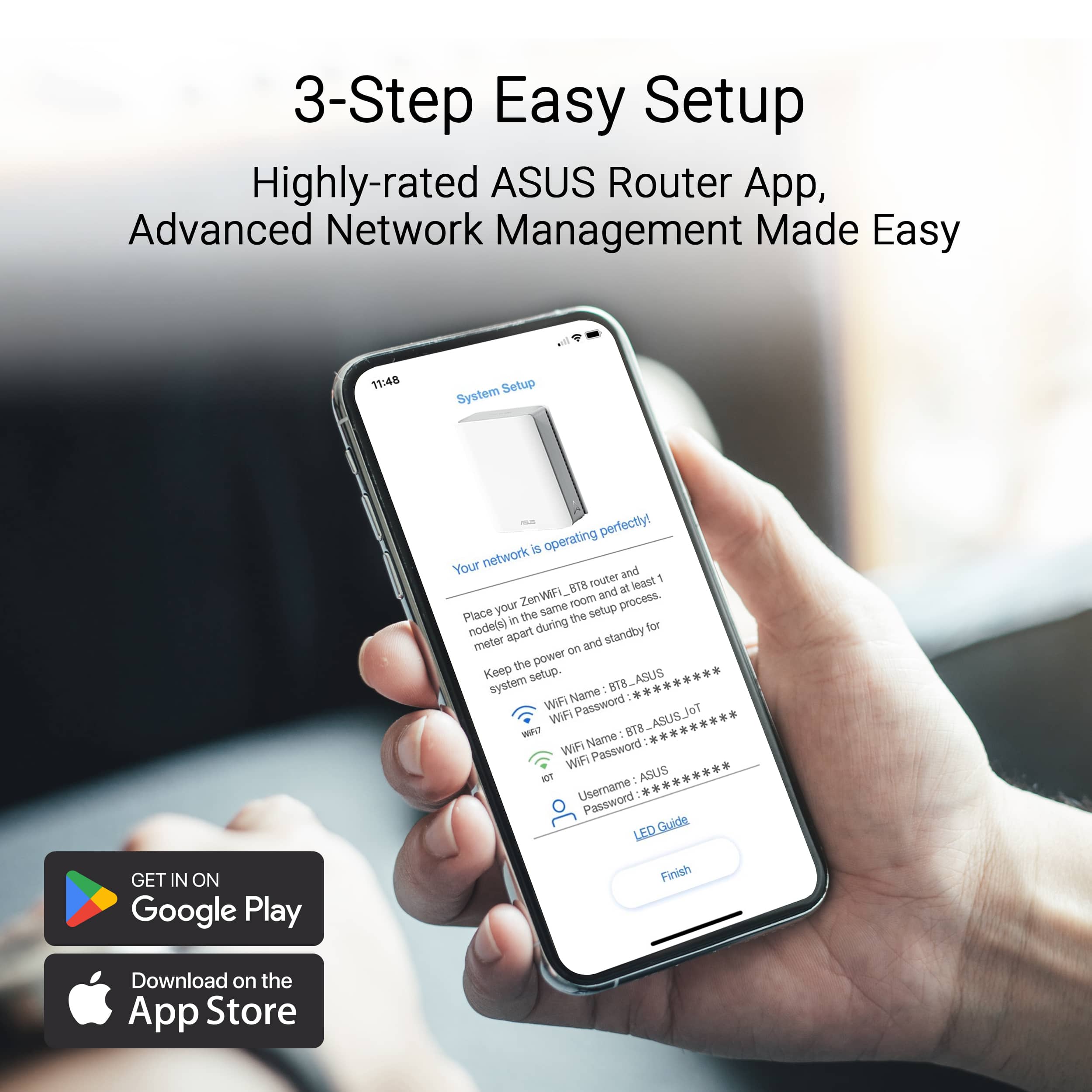
|Posted .This reviewer received promo considerations or sweepstakes entry for writing a review.This product comes well packaged and each of the nodes comes individually sealed. The setup instructions are very straightforward. First, you scan the included barcode to download the Asus mobile application. You then follow the instructions to login or create a new login account. Once you connect the first node, you scan the barcode with the initial Wi-Fi credentials. The app will then walk you through creating an SSID and password. Adding the first node was quick and simple. I had issues with adding the second node and it was placed in an adjacent room within eyesight of the first node. I kept getting an error that the node was not found. After about three attempts it finally connected. The third node was placed on the second floor, directly over the initial node. It took multiple attempts before it connected and then it would connect and disconnect over and over. I was able to resolve the issue by changing the default primary backhaul channel from the 6mhz to 5mhz band. It was set to auto, but due to the distance, and walls, the signal was too weak, and it would disconnect and reconnect on the 5mhz band. The unit has now been connected for several days, and I've not had any more issues. Speeds are great and there has been no disconnects. The application gives you full control to view each device, see the status of the network and setup parental controls to control internet time and content filtering. Unlike other competitors, Asus does not charge any subscription fees to utilize all the advanced features. In addition to the mobile app, you can manage router settings by going to the web URL connection link. This gives added information and configuration options. The included security features are the best of any router I've used. It scans your network and alerts you to potential vulnerabilities and provides solutions to increase your security posture. I have had to pay as much as $10 a month for other router manufactures to get the same features. This makes the router an excellent value and the warranty provides a quick turnaround process for node replacements if needed.
I would recommend this to a friend - Pros mentioned:Speed
Dead zones gone and my network speed is awesome!
|Posted .This reviewer received promo considerations or sweepstakes entry for writing a review.I recently switched ISPs to get better speed and that was the final straw for my wireless network. As my network has grown to include a number of automated home devices (IoT), two NAS units, streaming appliances and TVs, two wireless printers and a number of laptops and mobile devices, the cracks really began to show. The mobile devices revealed dead zones, the IoT stuff insisted on squatting in the 2.4GHz band and the overall traffic level was reaching a level that was causing severe congestion. The ASUS ZenWiFi product offered me a number of silver bullets. The 3 units working transparently together have allowed me to eliminate my dead zones! I disabled the WiFi feature on my ISPs router, hardwired the ZenWiFi "master" node via ethernet and set the unit right next to the old router. The system automatically found the satellite units and I had a full mesh within 20 minutes after opening the box! Each unit offers ethernet ports and a USB port in addition to the WiFi capability! This is a welcome expansion option that will allow me connect hardwired devices anywhere I have installed a node. I was a little apprehensive about managing this thing but the ASUS Router app is very impressive. I was expecting to need to login to the router directly to manage the mesh but I was pleasantly surprised to see how comprehensive the app is. I was able to setup VLANs for guest access and even a dedicated network for my IoT devices. There are troubleshooting and tuning tools and even some graphics and graphing displays. Firmware management is one-touch and worked flawlessly. After setting the network up I took my Pixel 9 (WiFi 5+) and my Dell laptop (WiFi 7) and began to walk through the house performing speed tests. Most locations provided me full bandwidth to the Internet (~300Mbs, all my ISP can provide) with a decline only at the extreme edges of my home. Those areas were complete dead zones before I installed the ASUS network so I am beyond happy! There are a ton of features that I have yet to explore in depth including AI security and access restrictions, tuning and much more. But that is exactly what I wanted. The comprehensive suite of features along with the mesh architecture and support for three frequency bands will offer me the obsolescence insurance that I have been seeking. Definitely keep this one on your list when it is time to upgrade your network!
I would recommend this to a friend - Pros mentioned:Coverage
Simple
|Posted .This reviewer received promo considerations or sweepstakes entry for writing a review.If I could use only one word to describe the ASUS ZenWifi BE14000 it would be - SIMPLE! I had been looking at these and other products for some time, due to the fact that where I live and the way our home is laid out I have a lot of “deadspots” for some reason. I have a small workshop that is located on our property that is about 175’ from our router and could not get a Wi-Fi signal constantly, and I have a CNC machine and need a strong signal. I have purchased several “boosters” and even then it was sketchy. I began looking at this product even before I had received it and the first thing that I did was download the App, I thought I would register for an account and be ahead of the game. That’s were the simple part comes in to play, once you get this product its basically a three step, simple process. You find which node has a sticker that tells you that node is the “base” node and the other two work in conjunction with it. You attach the power cord to all three and power them on, and then use the provided cable to attach to your home router. After that process it’s simply allowing the ASUS app do the rest, that’s it. W/ in 20 minutes they all were paired and I had assigned the name of the Wi-Fi on my phone and I had the system up and running. I placed one of the nodes in the farthest part of our home that normally we had trouble getting a stead, good, strong signal and one in our basement. I was reluctant that it would work but I gave it a try. I was pleasantly surprised that w/ in minutes both were recognized and we now have a strong signal all throughout our home. And the caveat is I did not have to reprogram all my existing Wi-Fi based cameras, garage opener, etc. ASUS say this product will cover 8000 sq feet and 8+ rooms, I truly believe that it does. The nodes are small and take up very little space and are hardly noticeable. I am just scratching the surface w/ what this product can do and how reliable and secure they make our system. I am so pleased that we no longer have any dead spots in our home or basically on our property. If you are looking for a very simple, reliable, and fast mesh system look no further than the ASUS - ZenWifFi BE14000 Tri-band WiFi system. I highly recommend it.
I would recommend this to a friend - Pros mentioned:Performance, Setup
So far, so good!
Posted .This reviewer received promo considerations or sweepstakes entry for writing a review.I always purchase Linksys routers but their products and customer service has taken a nosedive over the years so I took a chance on Asus and I’m glad I did! Setup was intuitive and seamless. We just got 2GB Google Fiber service and this router provides full speed! I’m extremely happy with this product!
I would recommend this to a friend - Pros mentioned:Speed
Great mesh system, firmware could use some work.
Posted .This reviewer received promo considerations or sweepstakes entry for writing a review.Installed in a two floor, 2,000 sq ft house. Great speeds between nodes. 1Gbps fiber, get nearly full speed when connected via ethernet at both of the satellite nodes using wireless backhaul. Only knock would be every little change in the software requires the entire system to reboot, which disconnects all devices and takes a few minutes to get back online.
I would recommend this to a friend Finally full Wi-Fi house coverage includ. garage
|Posted .This reviewer received promo considerations or sweepstakes entry for writing a review.The devices themselves look nice and are antenna-less. Getting it all up and running was overall easy. I connected to my Comcast router/ modem combo and had it all up and running fairly quick. These made all the Wi-fi connections through the house work much smoother and faster. We have 4 TV's, 3 of which are running on Wi-Fi only. They use to have buffering and pauses but all streaming is nice and smooth now. My main issue was that when doing projects in my garage I like to be able to look stuff up on my phone. And my data connnection isnt always there. So I wanted a strong wireless to reach the garage for looking up part numbers, tutorials, etc. So I put on of the nodes near our front door that leads to the garage. I now have perfect Wi-Fi all the way into my driveway and then some. There are a lot of very specific settings available on these to tweak if you want to. But for me just leaving it at default setting for now is fine. I may get in there and change a few things, but for now its doing exactly what I needed and then some. If you rely heavily on wireless in your house or office this is a great option to set it and forget it. Very much on the recommended list.
I would recommend this to a friendThis system paired with App is amazing!!
|Posted .This reviewer received promo considerations or sweepstakes entry for writing a review.ASUS - ZenWifi BE14000 3-PK Tri-band WiFi 7 (802.11be) Smart AiMesh Extendable Router - White It's a great system. First, make sure you follow the directions, even if you think you know what you’re doing. I have set up other mesh systems, but this one was slightly different but so much better. Let’s talk about the pros, number one the app! The app allows you to see the connectivity of each node throughout the system. As in which node is connected how many devices are connected to each node? It also allows you to see the name of the device that is connected to each node. Let’s say you have one node that is significantly closer to your router. You can choose which point you want your nodes to connect to. For example, I have a node in the garage, and another node in my master bedroom which is significantly closer to the garage than the office where my router is, so I have my node in the garage connected to the one in the master bedroom. The back of each node also has Ethernet ports which allows for four devices to be connected to it via Ethernet. This mesh system sets the bar high for other systems, and the best part is, if you have an Asus AI Mesh system-enabled router, it is beyond easy to use, and set up is a breeze. Oh yeah, one last thing, each node has an LED, which is great unless you put it in a bedroom right, but you can turn off the LED with the App, and voila no more light.
I would recommend this to a friendThis is the ZenWiFi BT8 (BE14000)
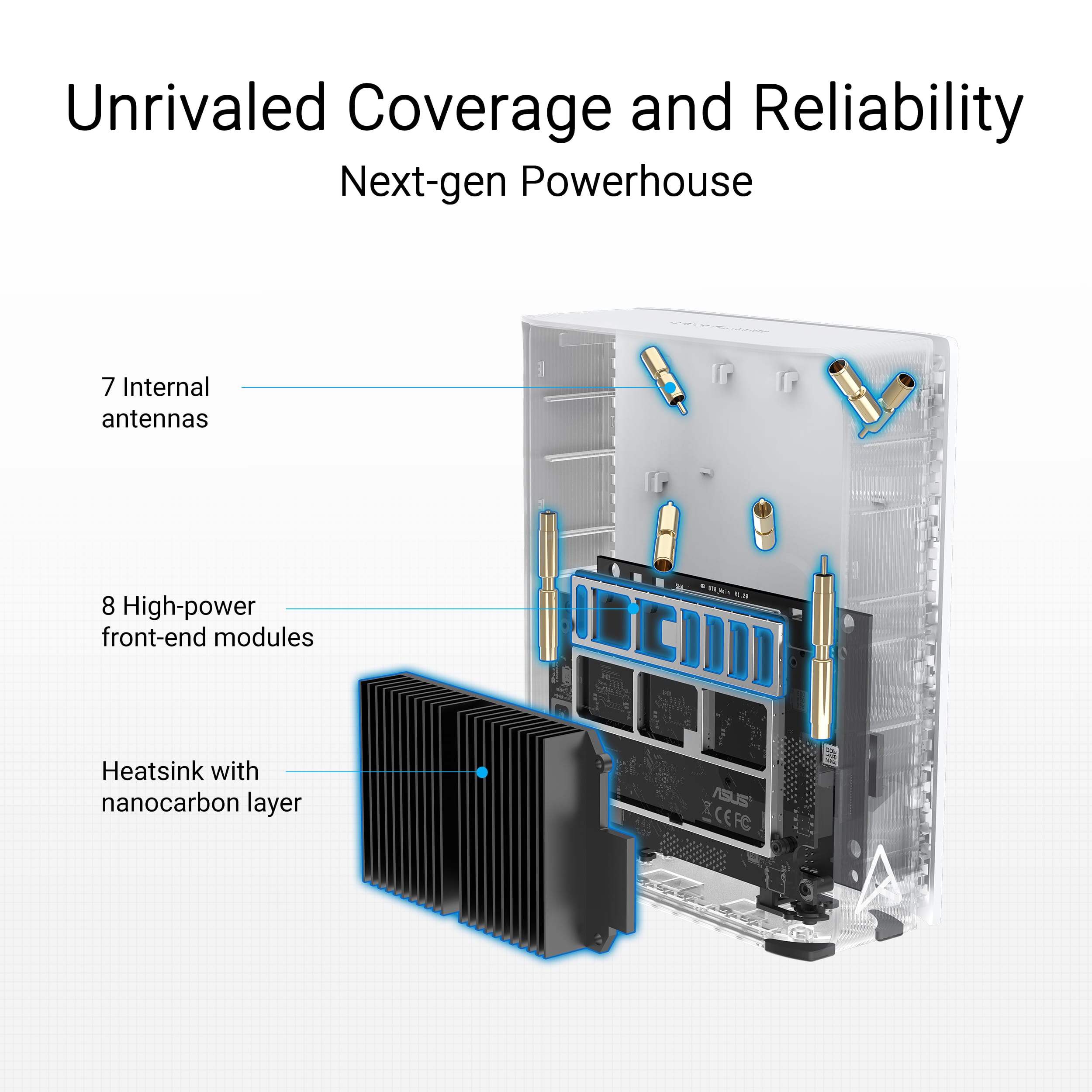
Posted .This reviewer received promo considerations or sweepstakes entry for writing a review.I haven't bought one, but other people like it so i gave it 5 stars. I wanted to point out that that this is Asus ZenWiFi BT8. I had to search the Asus site to figure that out. I'm testing a BT10 (BE18000) which is quite similar, but has 1 more antenna, 2 more Front-end Modules (whatever they are), 10 G ports instead of 2.5 G, 2 GB DRAM instead of 1 GB. But it pretty much looks the same from the outside.
I would recommend this to a friendTrash cutomer service
Posted .This reviewer received promo considerations or sweepstakes entry for writing a review.Do not buy.... Customer service is the worst experience ever. Called, and they walked through resting the router and still have the same issue on 2 different sets. Now theu wont help or even answer the phone. Placed on hold and hung up numerous times. Dont waste your time or money buy a diffent brand. Thankfully, Best Buy has great customer service and returned for a different brand.
No, I would not recommend this to a friendBrand response from ASUS Answers
Posted .Dear Whzzzup,
Thank you for your comment.
We appreciate your feedback. Information coming from valuable customers, like you, will continuously help us improve our future product offering and services. Should you need further assistance with the product, please email me at [email protected] and I would be more than happy to help. Or you are most welcome to call Product Support Hotline at: 1(888) 678-3688. Also, you can chat with an ASUS live support agent from the link: https://www.asus.com/us/support/article/1135/.
Thank you for choosing an ASUS product.
Regards,
Rodel
ASUS Customer Loyalty