DoorBOOsters are hereExclusions apply. Ends 11/2/25.Shop now

Main Content

Customer Ratings & Reviews
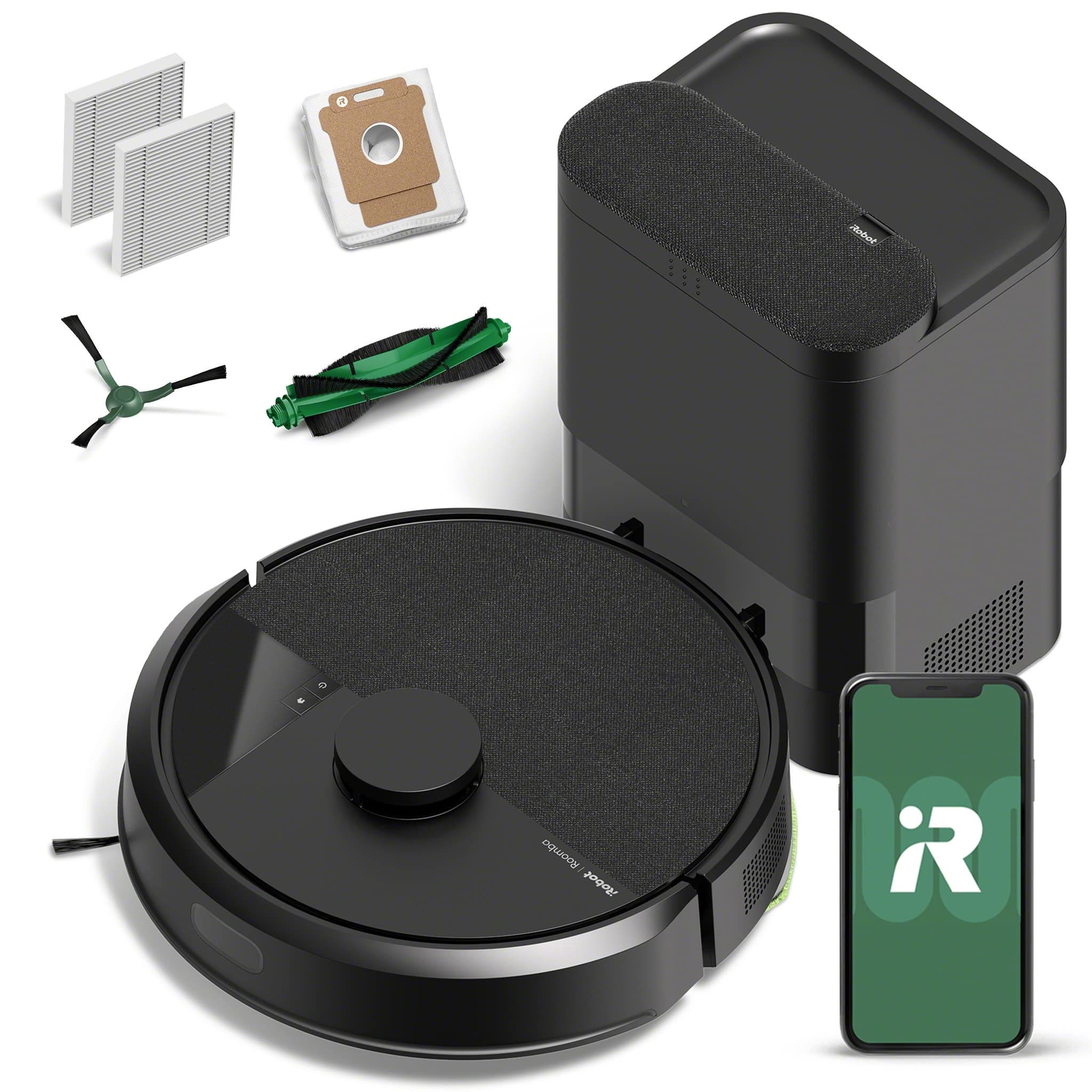
Your price for this item is $349.00
The comparable value price is $449.99

Customer reviews

Rating 4.4 out of 5 stars with 46 reviews

Rating Filter

Rating by feature

  • Value

    Rating 4.3 out of 5 stars

  • Quality

    Rating 4.3 out of 5 stars

  • Ease of Use

    Rating 4.4 out of 5 stars

Pros mentioned filter

Cons mentioned filter

87%would recommend to a friend

Customers are saying

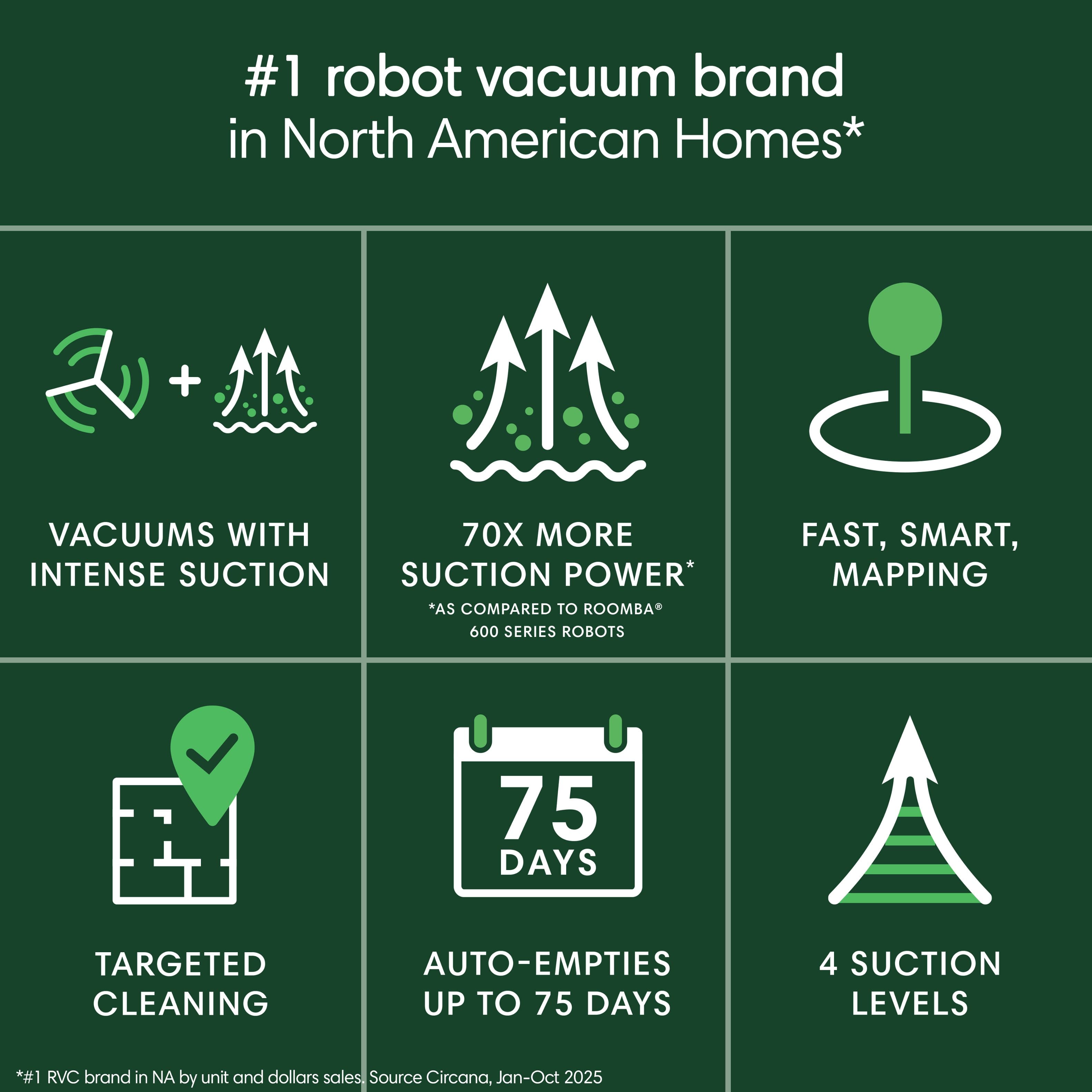
Customers are positive about the Roomba 105's smart navigation, strong suction, and overall cleaning performance, as well as its easy setup and solid build quality. However, some customers find the emptying process to be noisy and have concerns about the battery life. Additionally, a few customers have found the docking process to be a bit tedious.

This summary was generated by AI based on customer reviews.

The vast majority of our reviews come from verified purchases. Reviews from customers may include My Best Buy members, employees, and Tech Insider Network members (as tagged). Select reviewers may receive discounted products, promotional considerations or entries into drawings for honest, helpful reviews.
Page 2 Showing 21-40 of 46 reviews
  • Pros mentioned:
    Cleaning performance

    Rated 5 out of 5 stars

    Zoom Zoom Rooms

    |
    |
    Posted .
    This reviewer received promo considerations or sweepstakes entry for writing a review.

    Best decision ever! I haven’t had to vacuum in a week. So nice to remove one chore off of the list. Can go out for errands and return to a dirt free floor.

    I would recommend this to a friend
  • Pros mentioned:
    Cleaning performance
    Best Buy Employee

    Rated 5 out of 5 stars

    Roomba FTW!

    |
    Best Buy Employee
    Posted .
    This reviewer received promo considerations or sweepstakes entry for writing a review.

    Keeps the house clean. We have a large dog that constantly sheds his coat. This significantly reduces actual need for vacuuming.

    I would recommend this to a friend
  • Cons mentioned:
    Battery life

    Rated 3 out of 5 stars

    Doesnt like to go home.

    |
    |
    Posted . Owned for 1 week when reviewed.
    This reviewer received promo considerations or sweepstakes entry for writing a review.

    I bought this because I tore my meniscus. It doesnt last long on a single charge and also has trouble finding home or runs out of battery before it gets there.

    No, I would not recommend this to a friend
  • Pros mentioned:
    Navigation

    Rated 5 out of 5 stars

    Roomba 105

    |
    |
    Posted . Owned for 3 weeks when reviewed.
    This reviewer received promo considerations or sweepstakes entry for writing a review.

    Excellent product, works great, good app. Works better than older models.

    I would recommend this to a friend
  • Rated 5 out of 5 stars

    Better than hand vacuuming

    |
    |
    Posted .
    This reviewer received promo considerations or sweepstakes entry for writing a review.

    Works well for our small house. Seems to have getting over a few of our carpets.

    I would recommend this to a friend
    • Brand response from iRobot Team
      Posted .

      Hello Meghan, thank you for taking the time to share your feedback about the Roomba 705 Combo. We’re thrilled you are loving your new robot. Three cheers for clean floors! IRobotPWR

  • Rated 5 out of 5 stars

    Very nice!

    |
    |
    Posted .
    This reviewer received promo considerations or sweepstakes entry for writing a review.

    Love it. It maps perfectly, you can also choose individual rooms at the push of a button.

    I would recommend this to a friend
  • Rated 5 out of 5 stars

    George

    |
    |
    Posted .
    This reviewer received promo considerations or sweepstakes entry for writing a review.

    George is the best. Even the cat likes him. Don’t know why I waited so long to get a roomba.

    I would recommend this to a friend
    • Brand response from iRobot Team
      Posted .

      Hello, thank you for taking the time to share your feedback about the Roomba 105. We’re thrilled you are loving your new robot. Three cheers for clean floors! IRobotPWR

  • Pros mentioned:
    Build quality, Cleaning performance, Navigation
    Tech Insider Network Member

    Rated 5 out of 5 stars

    Roomba has been around since the start.

    |
    Tech Insider Network Member
    Posted .
    This reviewer received promo considerations or sweepstakes entry for writing a review.

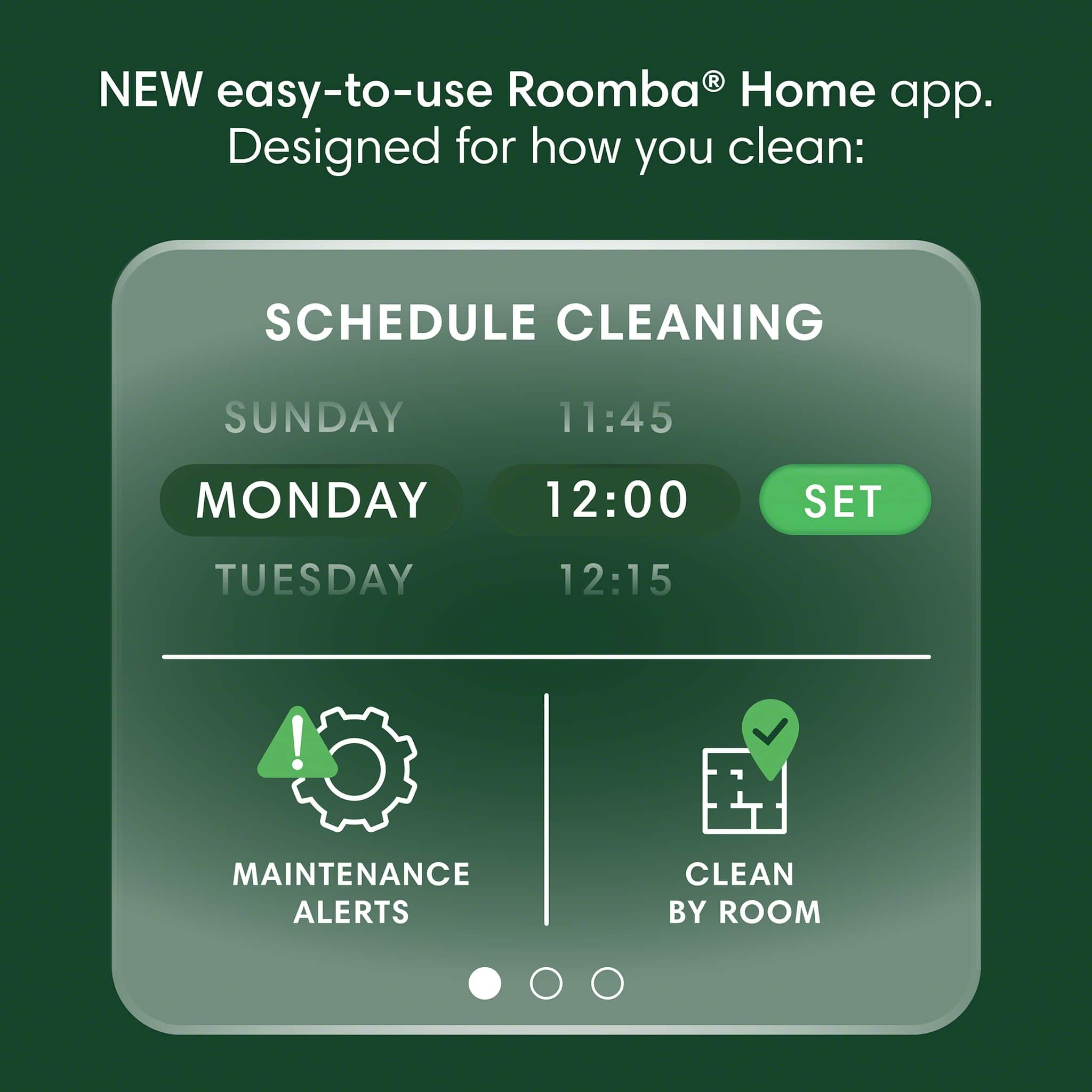
    Roomba has been around since the start. The Roomba 105 robot vacuum with the Auto empty dock are made of quality materials that won't fall apart if bumped or stepped on by a pet. The app makes things very simple when it comes to setting up the Roomba for your living spaces layout. The Roomba will map the apartment or house, and you have the ability with the app to assign spaces like living room, kitchen, bedroom. You can also change the floor type if the Roomba does not already detect it. like tile vs carpet vs wood. In the app you have the ability to build jobs. So, if you only want it to vacuum the bedroom and nothing else it will. You can also set it up on a schedule, so you don't have to interact with it until the trash bag is full in the Dock. The Roomba leaves behind nice clean lines that give an impression of a freshly vacuumed room. Because it is automated the lines are evenly spaced and parallel. It looks nice. The Roomba also does a great job of avoiding obstacles if you happen to leave shoes or child toys out when the schedule sends the Roomba out to clean. This is nice for ease of mind. I like it.

    I would recommend this to a friend
    • Brand response from iRobot Team
      Posted .

      Hello, thank you for taking the time to share your feedback about the Roomba 105. We’re thrilled you are loving your new robot. Three cheers for clean floors! IRobotPWR

  • Rated 3 out of 5 stars

    Ok robotic vacuum

    |
    |
    Posted .
    This reviewer received promo considerations or sweepstakes entry for writing a review.

    Does not do as good of a job as other models but then again this is the lower model. Like the auto empty feature but other than that was not impress by it.

    No, I would not recommend this to a friend
  • Pros mentioned:
    Cleaning performance, Navigation, Setup ease
    Cons mentioned:
    Battery life
    Tech Insider Network Member

    Rated 4 out of 5 stars

    Great time saver

    |
    Tech Insider Network Member
    Posted .
    This reviewer received promo considerations or sweepstakes entry for writing a review.

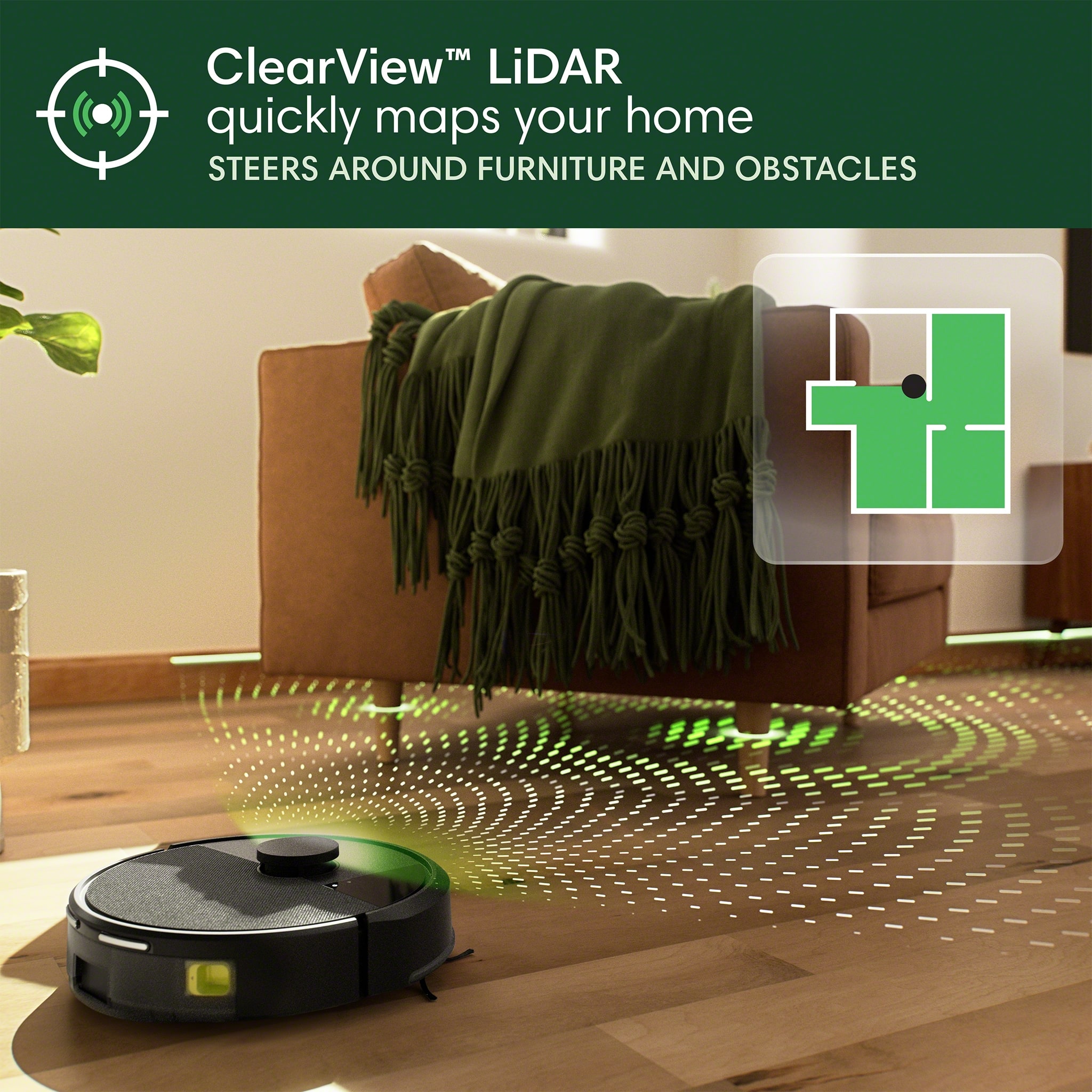
    This has easily been one of the best robot vacuums I have ever used. Setup was extremely easy, once downloaded it immediately found my new vacuum without me having to initiate anything. It has a clean layout and is easy to find the settings you use the most like setting a schedule and starting a cleaning run. Other than the app getting hung up while it was doing a firmware update and being forced to make an account instead of being able to log-in with google or apple are my only complaints software wise. The lidar system this roomba uses to learn and adapt to its surroundings works extremely well. Where some of my other robot vacuums just brute force it by running into the wall constantly until it finds the next opening, this guy set out to map my home like it had already been living here for years. Once it has mapped out the floor layout it will automatically generate zones, these can be customized from what the app comes up with to allow you to implement your cleaning preferences. Cleaning wise it seems to have enough power to leave both my hardwoods and my carpets looking pretty clean. Depending on the amount of traffic in your home I would run this more frequently, even daily, to keep the work load lower. It will detect when its full, return home to empty automatically, and then resume cleaning which is nice, uses the same behavior if it has to stop to recharge during a clean. Automatic emptying works great, the only drawback being you will have to buy Roomba compatible bags for the base station/empty station for the life of ownership. That brings us to the one most noticable shortcoming of this model, that would be the battery life and charge time. If I have this roomba clean my area rug on maximum power it will be back on the charger in about 15min. This ultimately didnt affect have a major negative impact on my experience but it would have been nice to have a bit more juice in the tank. Overall if you are in the market for a new robot vacuum to help make your life easier this is a great option to consider, great performance from the lidar system, a clean easy to use app, and good cleaning performance just a little short lived makes this a great value.

    I would recommend this to a friend
    • Brand response from iRobot Team
      Posted .

      Hello Alex, thank you for taking the time to share your feedback about the Roomba 105. We’re thrilled you are loving your new robot. Three cheers for clean floors! IRobotPWR

  • Pros mentioned:
    Cleaning performance, Navigation, Setup ease
    Tech Insider Network Member

    Rated 5 out of 5 stars

    The vacuum you didn’t know you need in life!

    |
    Tech Insider Network Member
    Posted .
    This reviewer received promo considerations or sweepstakes entry for writing a review.

    Roomba is the lazy/busy girl's best friend! I have two dogs and cats who shed profusely and track liter everywhere! With this Roomba, my floors (and bottom of my slippers) have never been cleaner. It was packaged well with step by step instructions for set up right when you open it. Set up was quick and simple, I thought it would take forever to figure out but all I had to do was take it out of the box and plug it in. I’ve had Roombas in the past so I knew they’re great little vacuums. The app basically does everything for you which is such a time saver. After a quick scan of the rooms, Louise (I had to give her a name) was all ready to do her first cleaning. My area that I use this Roomba on is very small, only 750 sq ft and crowded with furniture; a normal cleaning only takes her a half hour and she hasn't gotten stuck or lost yet. Having the AutoEmpty dock was a must for me, I have a lot of debris and pet hair to contend with and didn't want to keep cleaning it out. When it gets too full during a cleaning it automaticly goes and empties itself. The app is so easy to figure out, you can schedule a clean or start it manually. A great feature of the app is it tells you when you're due for new parts and can buy the parts directly from the app. This Roomba is such a time saver, with working full time, going to school and being a mom my time is important. Having my floors cleaned so simply and effortlessly is a huge weight off my shoulders!

    I would recommend this to a friend
    • Brand response from iRobot Team
      Posted .

      Hello, thank you for taking the time to share your feedback about the Roomba 105. We’re thrilled you are loving your new robot. Three cheers for clean floors! IRobotPWR

  • Rated 1 out of 5 stars

    Waste of money

    |
    |
    Posted .
    This reviewer received promo considerations or sweepstakes entry for writing a review.

    Purchased it and used it maybe 3 times before it stopped working. I threw away the box and when I contacted Best Buy because the return says you have to have the box, it was too late to return it. Best Buy told me that I had to contact the company. Well after many of wasted hours on the phone and emails to try to fix it, nothing worked. My case is still under review with the company and it’s been over a month. When I contacted Beat Buy back about the issue with the company (they told me to contact them back if I had any issues and they would contact them on my behalf) well Best Buy then told me it was nothing they could do. So basically a waste of $300

    No, I would not recommend this to a friend
    • Brand response from iRobot Team
      Posted .

      Thank you for taking the time to share your feedback about the Roomba 105. We’re disappointed to hear about the challenges you encountered with the product. We understand how this situation could be frustrating. Your experience is not the standard we strive to deliver, and we genuinely appreciate your insights. Feedback like yours helps us improve our designs and technology. Please reach out to our team https://homesupport.irobot.com/s/contact-support-info. We’d love to help ensure you’re getting the most from your product. IRobotPWR

  • Pros mentioned:
    Cleaning performance
    Cons mentioned:
    Noise level
    Tech Insider Network Member

    Rated 5 out of 5 stars

    A Very Nice entry-level robotic vacuum!

    |
    Tech Insider Network Member
    Posted .
    This reviewer received promo considerations or sweepstakes entry for writing a review.

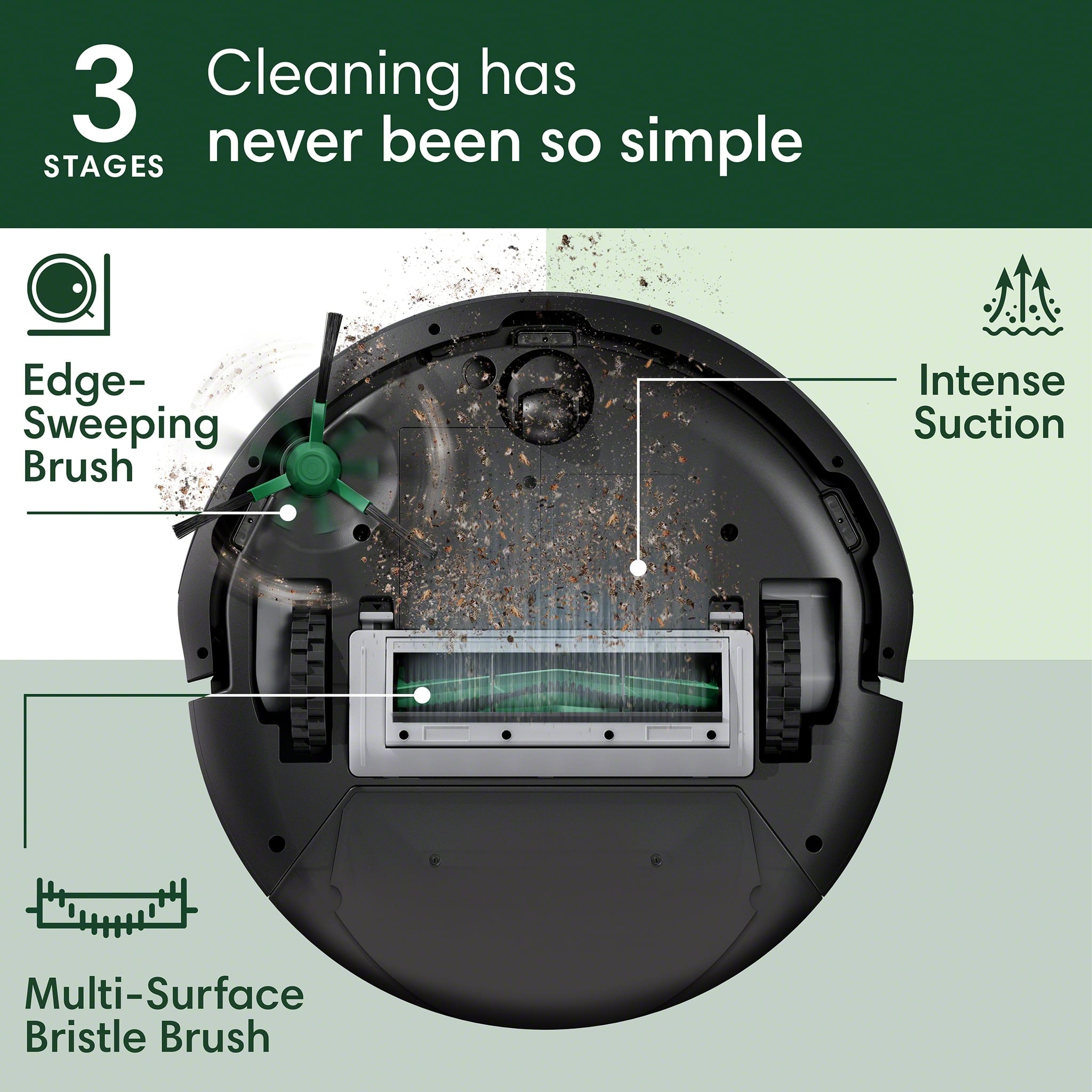
    We have been an iRobot family off and (mostly) on for the past 9 years, starting with the iRobot Roomba 980 model (which I believe was their top-of-the-line model at that time) for 7 years (before the battery aged enough to not clean very long) and then two i5+ models over the last couple of years (one with the mop combo). Having more than one is pretty much essential with a larger 1-story house with 3 cats. After our older i5+ Combo stated having issues where it wouldn't go anywhere left of the base, we decided to get the Roomba 105 with the AutoEmpty dock to take its place. The first thing I noticed is that finally, the overall design has changed a little bit, top and bottom (as with the i5+ and the 980 the main underside design really hasn't changed over 9 years). Underneath, the front edge detection (to keep it from going downstairs on its own) has gone from two either side of the front wheel to a single in the middle. Also, with this "entry-level" model, it just has a single, bristle brush opposed to the dual roller in previous models. Also, the charging contacts, as well as the auto-emptying port have been moved to the very back of the vacuum now. The Roomba 105 is one of their new/current entry level series (there is a 105 model that does have the mop combo, but we never really used it). With it being the entry level, I was initially expecting it to not have a few features compared to the higher levels (like the i5 ones), but was pleasantly surprised! They have brought the better features, such as LiDAR with live mapping and active location display to this model! We had that in our original (as well as another robotic vacuum brand for 3 years before it stopped working). More on that later… Getting it set up in the all-new iRobot Home app is mostly simple. One thing to be aware of is to make sure the phone/device being used to set it up is connected to a 2.4GHz wireless network. Once it is configured in the app, it can get its own name, and it can be ready to go! For us, it required a software update immediately. After initializing that, it said it could take up to 30 minutes. Watching for the update to complete, I noticed that it stayed the <1 minute left for a fairly long time. I eventually exited out of the app (it said it would send a notification anyway when it was ready), and when I got in, it said it was ready to go. Oh, as I mentioned, this is a new app, and this vacuum only works in that app. And, unfortunately, the other remaining i5+ does not (currently) work in the new app, so I will need to keep both apps, at least until (hopefully) it the old i5+ can work in the new app. Getting started, it can do a quick, no-clean mapping run. With the LiDAR, it makes the process run really quickly, compared to the mapping process of the i5+ (that has to run the whole house, bumping into everything to complete the map). After the mapping was complete, I was able to label the rooms (that were mostly partitioned out correctly) and make adjustments to the rooms (splitting and joining). This process was a bit easier than the previous app, except for pinch-zooming to the area I was trying to work with. One new thing (I think) is that each room can be customized on how it is cleaned. There are 4 suction levels and can be set to have 1 or 2 cleaning passes. Following along with our previous experiences, it does a pretty good job of cleaning. Just like most of the robot vacuums, it doesn't get quite everything, not quite. but still not that bad of a job. One thing I like now with how it goes through the cleaning is that it that it finally does it in a very smart manner!! It does one room at time now (instead of part of a room, then go do another part of room, then go back, for the entire time). Also, when watching in the app, it will say what room it is heading to, which is a nice new touch. And like normal, it does an edge clean first, then does the middle, but now it does it completely from one side to the other, instead of doing little sections at time, which is another improvement to me. After it is done cleaning (or going back to recharge before continuing the job), it makes its way to the base, then it empties the dustbin. Also, even if it still has enough battery, it will take a quick break to empty the bin if it detects it is full enough. The base has fairly high-power vacuum, which can be somewhat loud until you are used to it. The base itself is a new, smaller design than the previous models. It is a little more than half the width of the previous dock. Also, it no longer has a ramp for the Roomba to roll up on for the emptying and charging. Overall, there is a lot less material (less plastic) used now. Because there is no ramp, it now backs in to connect to the base for charging and emptying the dustbin (as I mentioned earlier that the contacts and port are on the back now). The process almost looks a little funny as it first determines the dock location, eventually spins around, then backs in. The base comes with only one dust bag installed and has a storage area for another. The bag has heavy cardboard now instead of plastic (so even less plastic), but it does seem that the older bags with plastic will still fit (if you have any extra). When trying the "Clean specific room routine" it finally worked the way I have always expected but never did. The main, repetitive/scheduled routine would be our laundry room, where the litter box is. I have set the suction higher and with 2 passes (those cats can be a bit messy). If you are looking for really nice robotic vacuum with better than basic functionality, this is definitely a great choice. As always, be sure to go to the iRobot website and "Compare Products" to make sure you do get the best model for your home and situation.

    I would recommend this to a friend
  • Pros mentioned:
    Cleaning performance, Navigation
    Cons mentioned:
    Noise level
    Tech Insider Network Member

    Rated 4 out of 5 stars

    Roomba 105: Good for Daily Cleaning, Not Perfect

    |
    Tech Insider Network Member
    Posted .
    This reviewer received promo considerations or sweepstakes entry for writing a review.

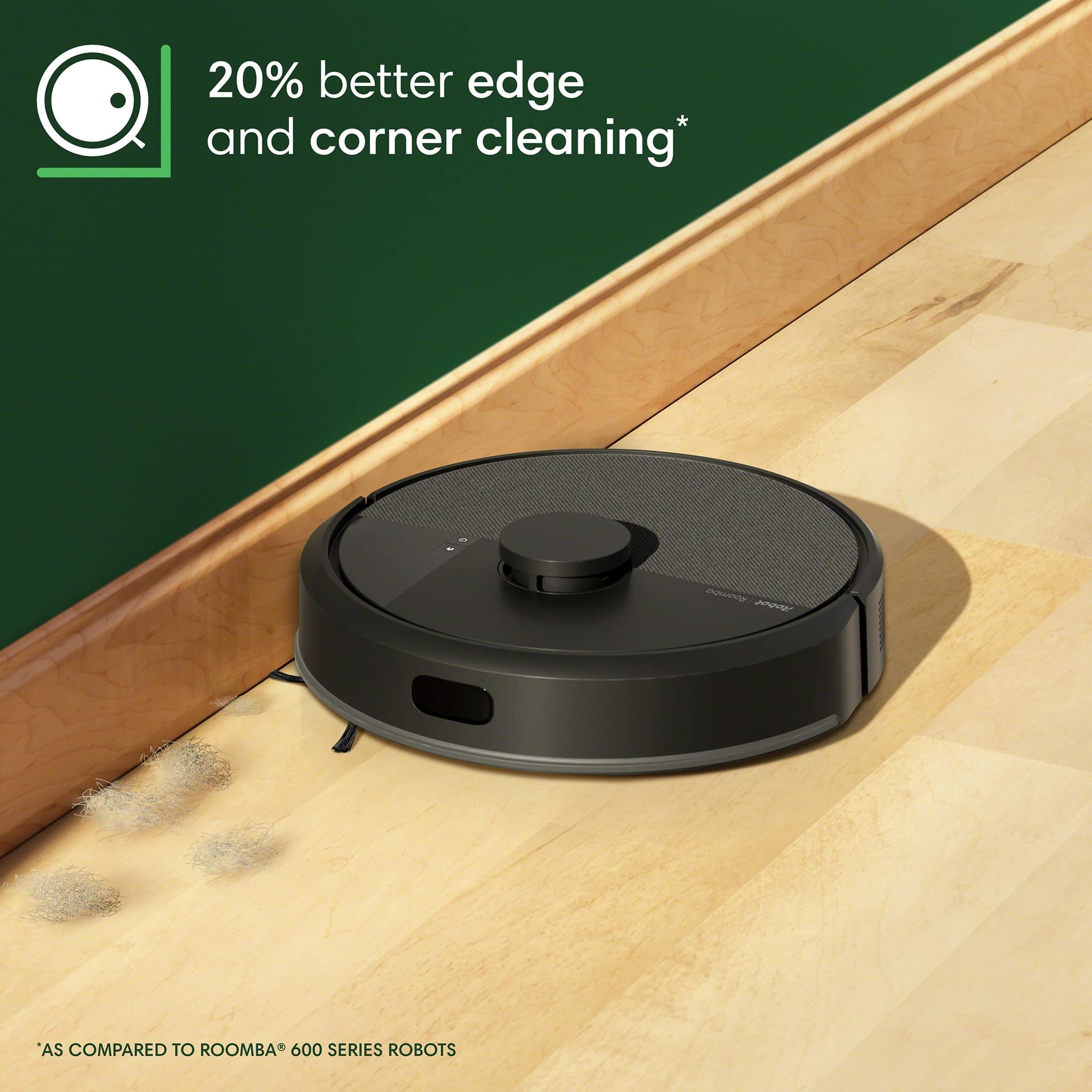
    I've used this roomba for awhile now. It does what it's supposed to - cleans floors without much work from me. Setup was easy: plug in the dock, connect to the app, and let it map the house. The navigation works well most of the time. It moves in straight lines and avoids big obstacles, though it sometimes bumps into chair legs. The self-emptying feature is the best part. After cleaning, it empties itself into a bag in the dock. I only have to change the bag every couple months. It picks up pet hair and crumbs fine on both hardwood and carpet. But it's not perfect - sometimes it misses bigger pieces of debris. The app lets me schedule cleanings or block off areas I don't want it to go. Battery lasts about two hours, enough for my main living areas. The emptying process is loud - like a quick vacuum noise. It doesn't last long but might surprise you. Maintenance isn't bad. I clean the brushes every few weeks to remove hair. The edge brush works okay but doesn't get everything in corners. It's good for daily cleaning but won't replace deep cleaning. If you want something to keep floors decent between proper cleanings, this works. The self-emptying is convenient if you don't want to empty the bin often. Good: -Self-emptying works well -Good for pet hair -Easy to use Not so good: -Loud when emptying -Misses some debris -No mopping

    I would recommend this to a friend
    • Brand response from iRobot Team
      Posted .

      Hello, thank you for taking the time to share your feedback about the Roomba 105. We’re thrilled you are loving your new robot. Three cheers for clean floors! IRobotPWR

  • Pros mentioned:
    Cleaning performance, Navigation
    Cons mentioned:
    Noise level
    Tech Insider Network Member

    Rated 4 out of 5 stars

    Save your back -- get it!

    |
    Tech Insider Network Member
    Posted .
    This reviewer received promo considerations or sweepstakes entry for writing a review.

    The Roomba 105 is fun to use and relatively efficient. Setup was easy — just follow the instructions and download the app. One of the first things this little guy will do is wander around and ‘map’ your entire floorpan. Once it has that set in its brain, it’s ready to go to work. Using the app, you can easily tell it specific rooms to clean and set up cleaning schedules. If the Roomba encounters a low battery, don’t worry. It’ll find its way back home and get charged sufficiently before heading off again. Crazy! The normal suction level seems good and cleans thoroughly, both on hard floor and carpet. The transition from carpet to hardwood is no problem. It's also relatively compact, so it won’t seem to add to any clutter. When the Roomba 105 returns to its home base, the dirt cup is emptied. This helps to minimize the number of times you need to bend over to tend to any issues. My back appreciates that. The main concerns I have regarding the Roomba 105 — long hair gets tangled in the main roller/wheel. It’s a chore to take apart the wheel to get rid of tangled hair (hair can be trimmed off the roller with scissors or very carefully with a utility knife). Also, it’s a bit noisy when transitioning from carpet to hard flooring — not really a big deal though. It’s just reminding you that it’s there ;-) Do you want your life made easier? Get it.

    I would recommend this to a friend
    • Brand response from iRobot Team
      Posted .

      Hello, thank you for taking the time to share your feedback about the Roomba 105. We’re thrilled you are loving your new robot. Three cheers for clean floors! IRobotPWR

  • Pros mentioned:
    Cleaning performance, Navigation, Setup ease
    Tech Insider Network Member

    Rated 5 out of 5 stars

    Great new addition to the iRobot lineup

    |
    Tech Insider Network Member
    Posted .
    This reviewer received promo considerations or sweepstakes entry for writing a review.

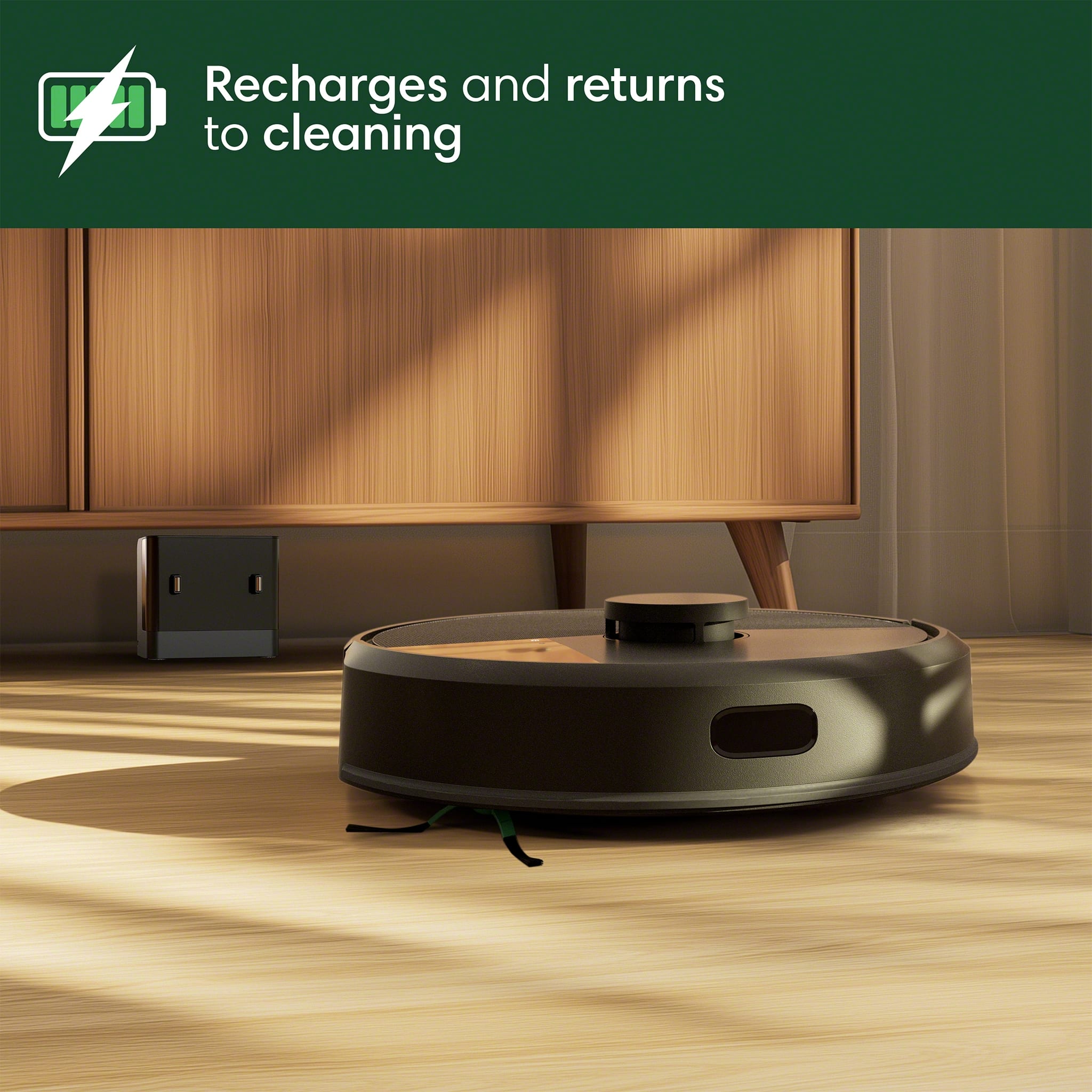
    This is an excellent new addition to the iRobot lineup. I have had several Roombas over the years, and this one solves a very simple problem that I've previously run into... the charging dock being on an incline. When the tires get a little worn and the inclined charging station is sitting on carpet, the roomba will simply spin wheels and be unable to charge. This unit has no actual piece for the robot to sit on, as it simply backs into the emptying dock flat on whatever surface it sits on. Setup of this robot was very easy thanks to a brand new iRobot app. The flow is smoother than the older one even though functionality is extremely similar. I run this unit regularly, roughly 3 times per week or as needed and so far, it has had no issues. The initial mapping run went faster than estimated, and the robot thoroughly cleans the entire area every time, so far without issue. You do not need to worry about blocking areas each time thanks to edge and wall detection. Since I use this on my 2nd floor, not once has it even thought about going down the stairs. I do recommend a little light when in use, as sometimes it can't find the dock in the dark. This unit is a little cheaper than other iRobot units, and as such provides excellent value in the marketplace. Highly recommend

    I would recommend this to a friend
    • Brand response from iRobot Team
      Posted .

      Hello, thank you for taking the time to share your feedback about the Roomba 105. We’re thrilled you are loving your new robot. Three cheers for clean floors! IRobotPWR

  • Pros mentioned:
    Navigation, Suction power
    Tech Insider Network Member

    Rated 5 out of 5 stars

    Good performance for the price point

    |
    Tech Insider Network Member
    Posted .
    This reviewer received promo considerations or sweepstakes entry for writing a review.

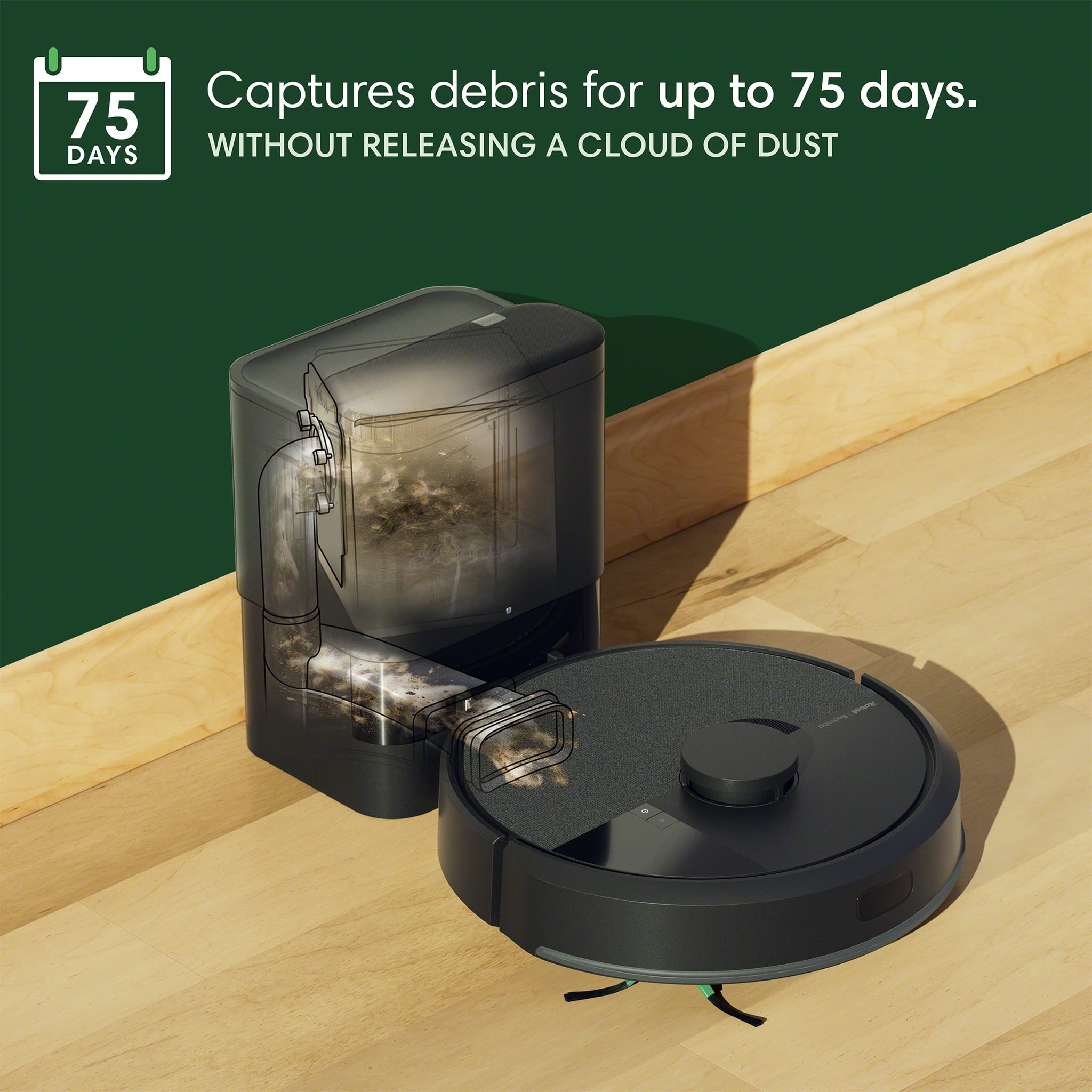
    This is the second robot vacuum that will be in our home and will be used to keep the vinyl floors in our finished basement clean. It's not a space that needs mopping very often, so a vacuum only robot is a good option for this relatively low traffic floor. Initial mapping is quite fast, presumably due to the LIDAR sensors used in the unit. The app has the features you would expect, room selection, number of cleaning passes, scheduling, maintenance reminders, etc... The app has some more advanced features which take a bit more work to set up, but once done, it can make cleaning very easy with different routines for different rooms etc... Performance is very good on my hard vinyl floors as well. For a good weekly clean, I would probably run it twice to make sure it gets everything out of the corners. Standard suction power seems sufficient for my basement floors as well. Obstacle avoidance seems to work fairly well too, it doesn't seem to bump into too many things. It is nice that this included an autoempty dock making cleaning much more hands off. The bag can last as long as 75 days before needing to be replaced. Overall I am very happy with this, feels like it vacuums as well as more expensive models. If you don't need a robot that can mop and vacuum, this is definitely worth considering!

    I would recommend this to a friend
    • Brand response from iRobot Team
      Posted .

      Hello, thank you for taking the time to share your feedback about the Roomba 105. We’re thrilled you are loving your new robot. Three cheers for clean floors! IRobotPWR

  • Pros mentioned:
    Build quality, Navigation
    Tech Insider Network Member

    Rated 4 out of 5 stars

    Great cleaning, app experience needs a little work

    |
    Tech Insider Network Member
    Posted .
    This reviewer received promo considerations or sweepstakes entry for writing a review.

    INITIAL HARDWARE SETUP All physical components of this Roomba are of high quality. Each part, the brushes, the filters, the buttons, the lights, is made well. All of them altogether make the vacuum a very premium vacuum. It also has a small footprint, especially the base. The components can be easily snapped together. And it is pretty light too. The design is nice and sleek and it looks easy to clean, exterior-wise. It comes with an extra vacuum filter. Although the way the filter and the brush were placed in the package was done like an after-the-fact deal. It was just placed in certain crevices of the package, like it was not well-thought out. Other than that, hardware is top-notch. ROBOT AND APP SET UP The app has pros but the cons outweigh the pros. To start, connecting the device to the app is easy. I did not have any issues (IYKYK especially the dreaded 2.4ghz / 5ghz switching issue) recognizing the robot and adding it onto the app. Once it added the robot, it took a long time to update the robot. Maybe 45 minutes or more. Once it is ready, it was time to set up the robot, which has its own share of wins and woes. Map creation is great. It did my whole floor in 80% less time than other robot vacuums. I was wondering why it was already back and did not even go to the farthest corners. It just scanned the floor like it looked at it then went back, unlike others that has to go to each inch of the open floor just to get a detailed map. Then when I looked at the map accuracy, THE ROBOT WAS ABLE TO MAP IT ALL, without even going through each corner. Pretty cool. This is a big improvement-- like it's radars are very advanced, at least compared to other big name brands I have owned. App is quite wonky. First, it does not save the robot. Everytime I open the app, it has to locate and load the robot in the app. It’s like the app and the robot function separately from each other as it takes a good 2 minutes to load the robot up completely in the app. I have good wi-fi and I am beside the robot. The app is not easy to navigate. The menus are simple, however, the options are not laid out clearly and are not intuitive. For example. if I click the robot on the main menu, the robot initial setup menus are still up like “Getting started” they are the big ones that you see, even if the vacuum has already been set up. But the options to tweak it, are on the three dots, which is quite usual, but the cards take away the experience. I would rather they use cards for “child/Pet lock on off” or volume or locate robot. Another example is, if I need to edit the map or add zones, I have to go back over and over to figure out how an option happened. The path for getting to what I need to do is not clear, and it will take a lot of getting used to figure out how I got to the current choice. Now don't get me wrong. For daily tasks, there are helpful initial cards in the app that are very clear, like “Clean all rooms” or “spot clean.” This is what a regular user would need 80% of the time any way. But it takes away from the real convenience that this vacuum offers, because it does have good features like creating routines for specific clean areas that I can add. However, setting them up is the challenge, I cannot expect my wife or my mother to simply jump in this to get the best of the features. Someone savvy has to set it up for them and even the one who sets it up will not have an easy time. On some of the pluses, Google home integration is easy. It works well. I just hope there is an option to trigger an action for a specific zone. For now, I can just do voice commands or automate a Google home start action to clean the whole map. The vacuum responds fast on voice commands. I know it is a Google Home feature, but the key here is the response time of the vacuum on integration, and the Roomba does this well. PERFORMANCE Cleaning is great. It picks up even the lightest debris—very helpful for us with a messy toddler. The vacuum cleans and goes around each foot of a chair-- pretty impressive. The vacuum has tolerable noise when it cleans, even on max setting. The voice prompts are very clear. I really appreciate the child lock feature because it avoids enabling my toddler to keep playing with the vacuum. The self-cleaning feature is awesome, and it emits a reasonable volume for someone like me used to emptying vacuums on their base bins. SUMMARY This robot vacuum is almost perfect. It just needs to polish the app experience, which is huge, by the way, but I am sure can be updated post-purchase. The hardware is exceptional, and if it gets matched with a well-polished app, this will be the one to beat. For now, at the time of posting, the app needs work; not a deal breaker but worth to be worked on, because we all live on our phone experiences everyday. It is still a great device, if you can live with the correctable setbacks. I think though, the Roomba guys will do something about it.

    I would recommend this to a friend
  • Pros mentioned:
    Navigation, Suction power
    Tech Insider Network Member

    Rated 4 out of 5 stars

    Smart and convenient

    |
    Tech Insider Network Member
    Posted .
    This reviewer received promo considerations or sweepstakes entry for writing a review.

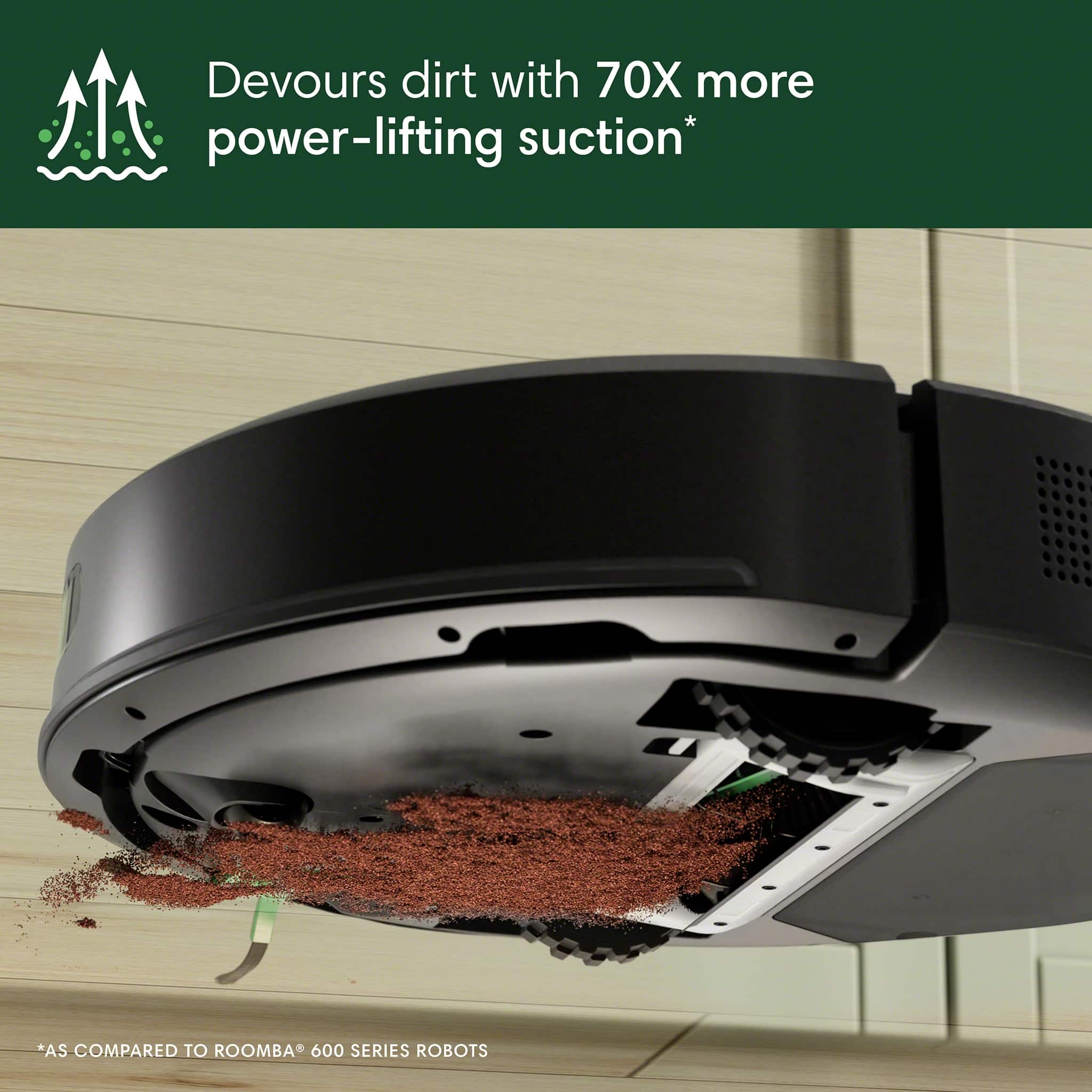
    The iRobot Roomba 105 is our 2nd Roomba vacuum after trying out another brand. The ClearView LiDAR object detection of the 105 works well combined with its super smart mapping and navigation capability. iRobot makes everything so easy from the very start - even the unboxing has simple instructions. Once out of the box and packing materials, just plug the home base in and wait for the Roomba to fully charge, at least four hours. Take this time to download and install the Roomba Home App on your smartphone and complete the setup process and get the Roomba connected to your Wi-Fi network. Unfortunately this model is NOT compatible with the old iRobot App, which is a bit of an inconvenience especially if you are still using the older models. Once fully charged, the Roomba can do its mapping going first in straight lines back and forth. I was a bit nervous shortly after it started, as it was heading toward the stairs, but it clearly knew when to stop, thanks to its cliff detection sensor. Then it proceeded to go over the threshold between the hardwood floor in the living room and the tile floor in the kitchen and dining areas. Once in the dining area, it had to navigate around several chairs which I should have moved out of the way a bit, but I didn’t really have to, because it managed to find its way in between the legs and back out when it couldn’t fit. The show went on systematically and included going over an area rug but could not go under the coffee table or under the couch because of the LiDAR bump that makes it about 4.1” high. Previous models tested were able to go under but were a bit afraid of the dark, since they were camera based, not LiDAR. Once it was done, it found its way back to the home base where it performed the self-emptying routine which I must say was fairly loud, like a jet airplane taking off, but completed pretty quickly since its bin capacity is only 0.1 gallons. The next day, I ran the Roomba 105 again and it took nearly five minutes less to cover the same areas, since it probably already knew where all the obstacles were. I now let it go down the hallway and discover the 3 bedrooms and bathroom. The cleaning program is fully customizable, from specifying which rooms to clean, suction levels, how many passes and if an area needs special attention it can spend up to 5 minutes cleaning it. Overall, there are some technological advances over previous series like LiDAR, but also some lower end features such as single brush roller that’s in-part mitigated by the 70% stronger suction. Also it’s worth mentioning the added convenience of the self-emptying feature will cost you extra in consumables, as it comes with a single-use bag that you have to replace after 75 or fewer cleaning sessions. This iRobot Roomba 105 Vacuum with an auto-empty dock is a solid performer at a mid-range price. Personally I would only get it when on-sale, so you can spend the extra money on replacement bags.

    I would recommend this to a friend
    • Brand response from iRobot Team
      Posted .

      Hello, thank you for taking the time to share your feedback about the Roomba 105. We’re thrilled you are loving your new robot. Three cheers for clean floors! IRobotPWR

  • Pros mentioned:
    Cleaning performance, Navigation
    Tech Insider Network Member

    Rated 5 out of 5 stars

    New Roomba, Same Excellent iRobot Product

    |
    Tech Insider Network Member
    Posted .
    This reviewer received promo considerations or sweepstakes entry for writing a review.

    So far so good with the new Roobma 105 with AutoEmpty Dock. As I have mentioned in the past, iRobot Roomba Vacuums continue to improve with every iteration. I currently also have the J9+ Vacuum and the 981 Vacuum. The J9+ also has an AutoEmpty, but the new 105 has a much smaller footprint and doesn’t have to ride up a ramp to dock. It simply backs up to the dock, empties out, and continues rolling. The mapping is a vast improvement. It maps out your house the first time and then shows you the exact path it takes every time it runs. You can see exactly where it cleaned, the back and forth paths, and what was missed so you can adjust for next time if you want a specific area cleaned. You can select specific rooms too and the functionality of the new app is much more user friendly. It also does not get stuck under the couch as much, I guess because it’s either that much smarter, or it can’t go under furniture because of the little head on top. It picks up a lot of dog hair, dust, dirt, and larger solids too. The brush roll is also different, and I think it will hold up better overtime as it seems to be made of better materials. The only downside, not with the vacuum, but with the new Roomba Home App, is I cannot control all 3 of my Roombas with a single app. The two older vacuums require the old iRobot app while the new 105 can only be controls with the Roomba Home App. Hopefully they can add support for previous vacuums to the Home app.

    I would recommend this to a friend
    • Brand response from iRobot Team
      Posted .

      Hello, thank you for taking the time to share your feedback about the Roomba 105. We’re thrilled you are loving your new robot. Three cheers for clean floors! IRobotPWR

Sponsored