Customer Ratings & Reviews

- Model:
- Q312020
- SKU:
- 6618891
Rating by feature
- Value
Rating 4.3 out of 5 stars
- Quality
Rating 4.2 out of 5 stars
- Ease of Use
Rating 4.0 out of 5 stars
Customers are saying
Customers are pleased with the Roomba 105 Vacuum's cleaning performance, suction power, and navigation capabilities. Many appreciate its mapping feature and acceptable noise level. However, some customers have expressed a desire for longer battery life.
This summary was generated by AI based on customer reviews.
- Pros mentioned:Cleaning performance
Roomba Series 105: Long Overdue
||Posted . Owned for less than 1 week when reviewed.This reviewer received promo considerations or sweepstakes entry for writing a review.It has officially completed its first mission—and I’m not exaggerating when I say I gasped. Watching it glide across the floor like a silent little ninja, weaving between chair legs and fearlessly confronting dust bunnies I didn’t even know existed… I teared up. My floors haven’t felt this clean since I moved in. It found crumbs from snacks I don’t even remember eating. It tried to fight a pretzel, got stuck for a second, and then triumphed. I stood there like a proud parent watching their kid’s first recital, whispering “You did it, buddy” as it rolled back to its charging dock like the humble hero it is. If it asked me for a raise, I’d give it one. No notes. Just love.
I would recommend this to a friend - Pros mentioned:Cleaning performance
Upgrade
||Posted .This reviewer received promo considerations or sweepstakes entry for writing a review.Our died few months ago, 7 years service. This upgrade was above our expectations
I would recommend this to a friend - Pros mentioned:Cleaning performance, Mapping, Noise levelCons mentioned:Battery life

Nice Entry Level Robovac - Good Suction
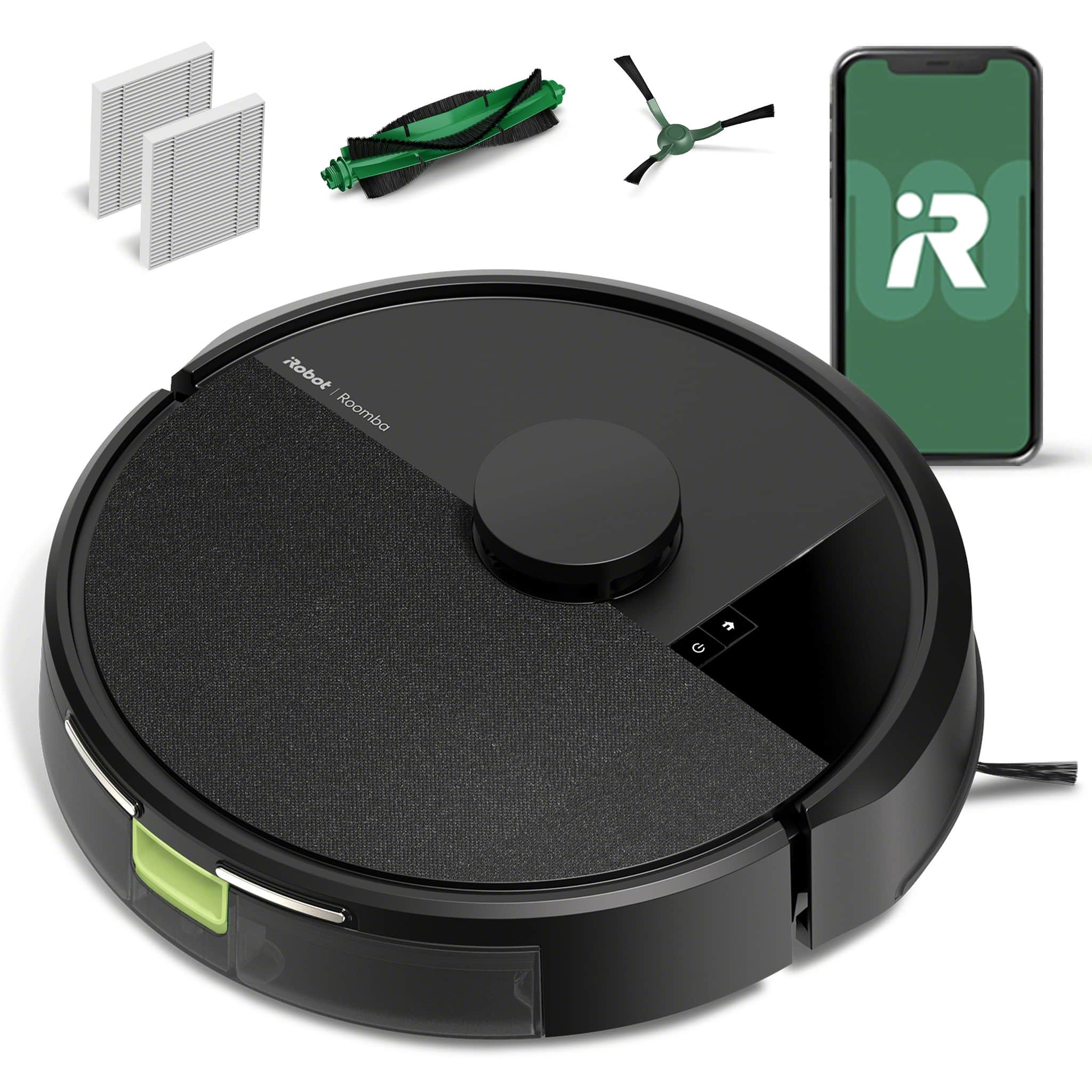
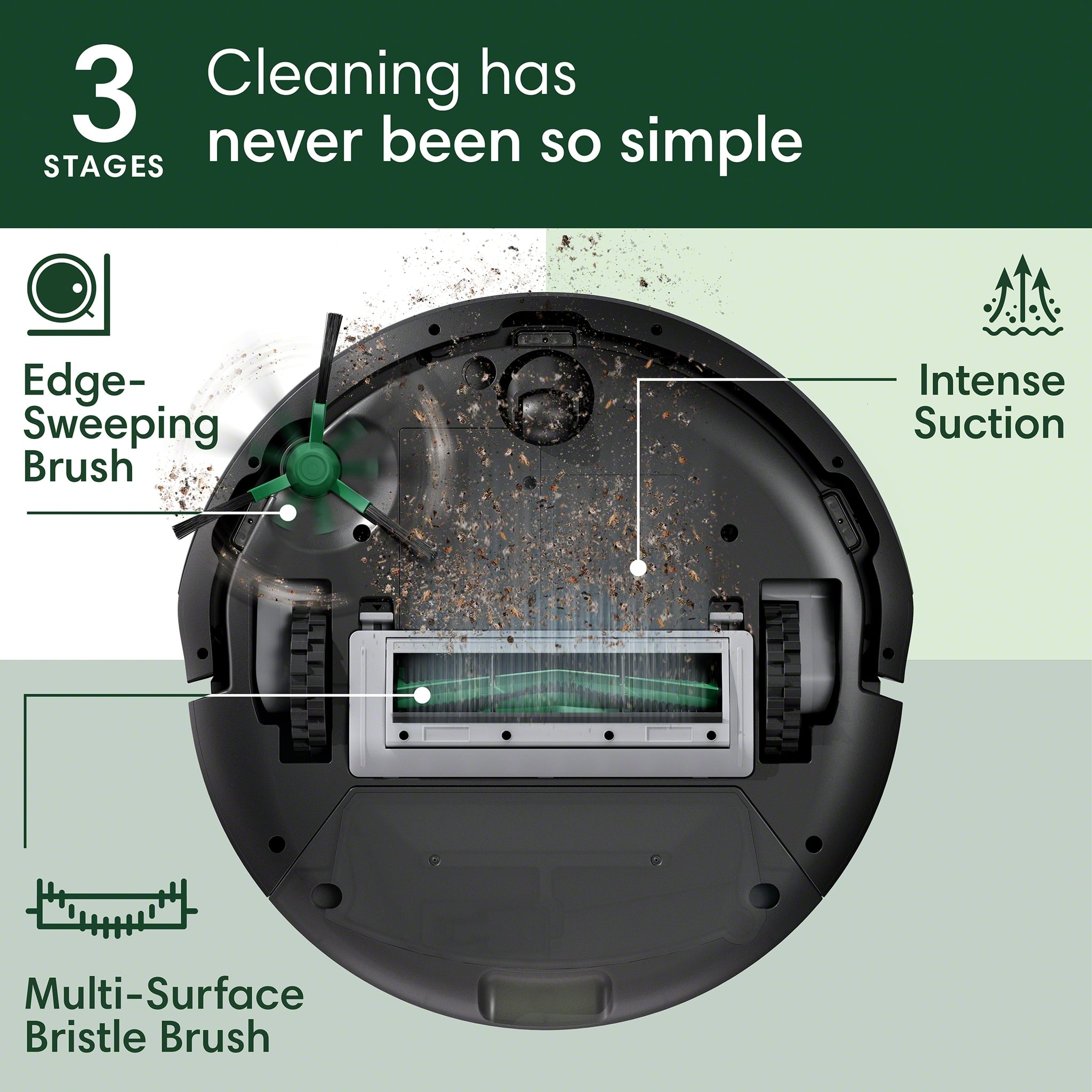
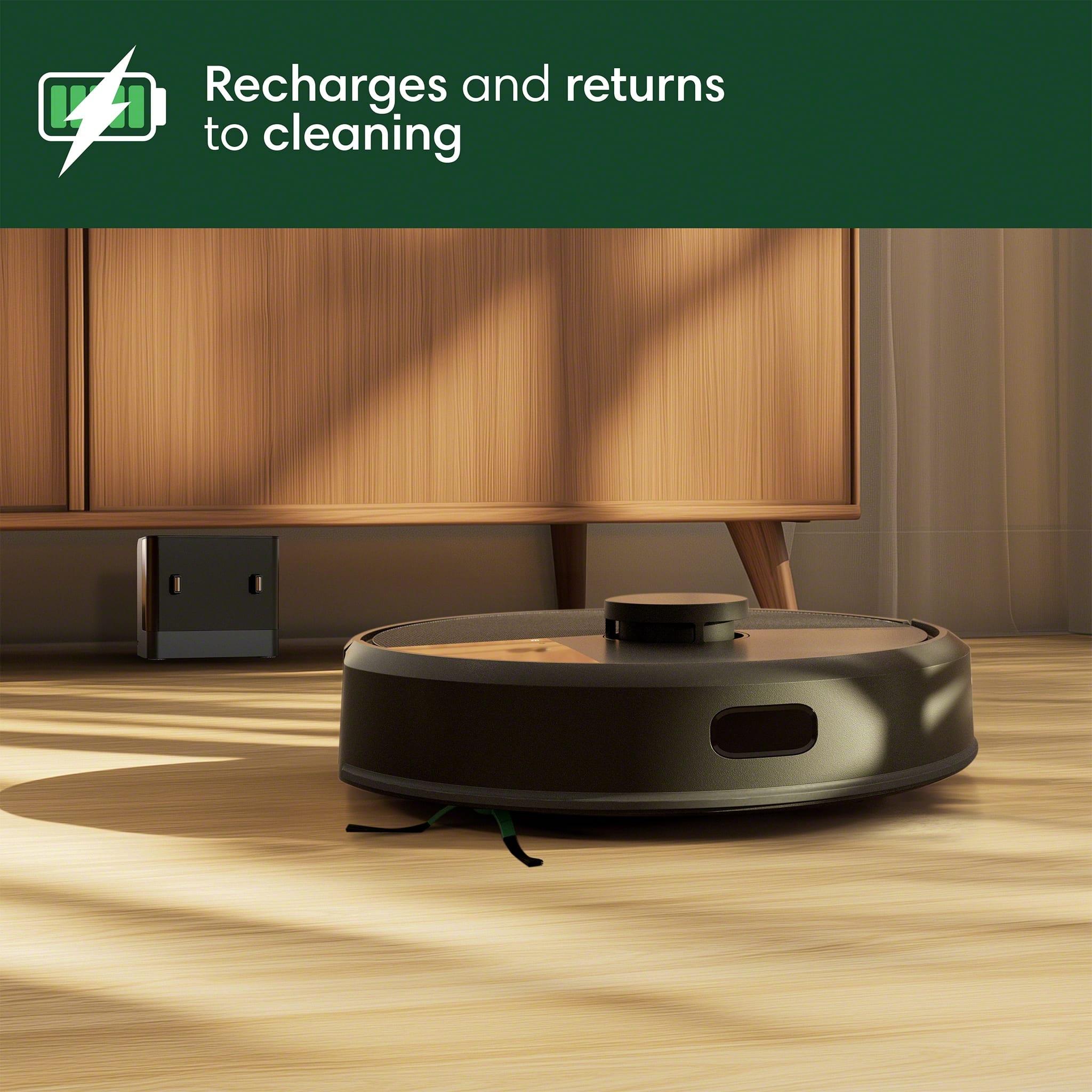
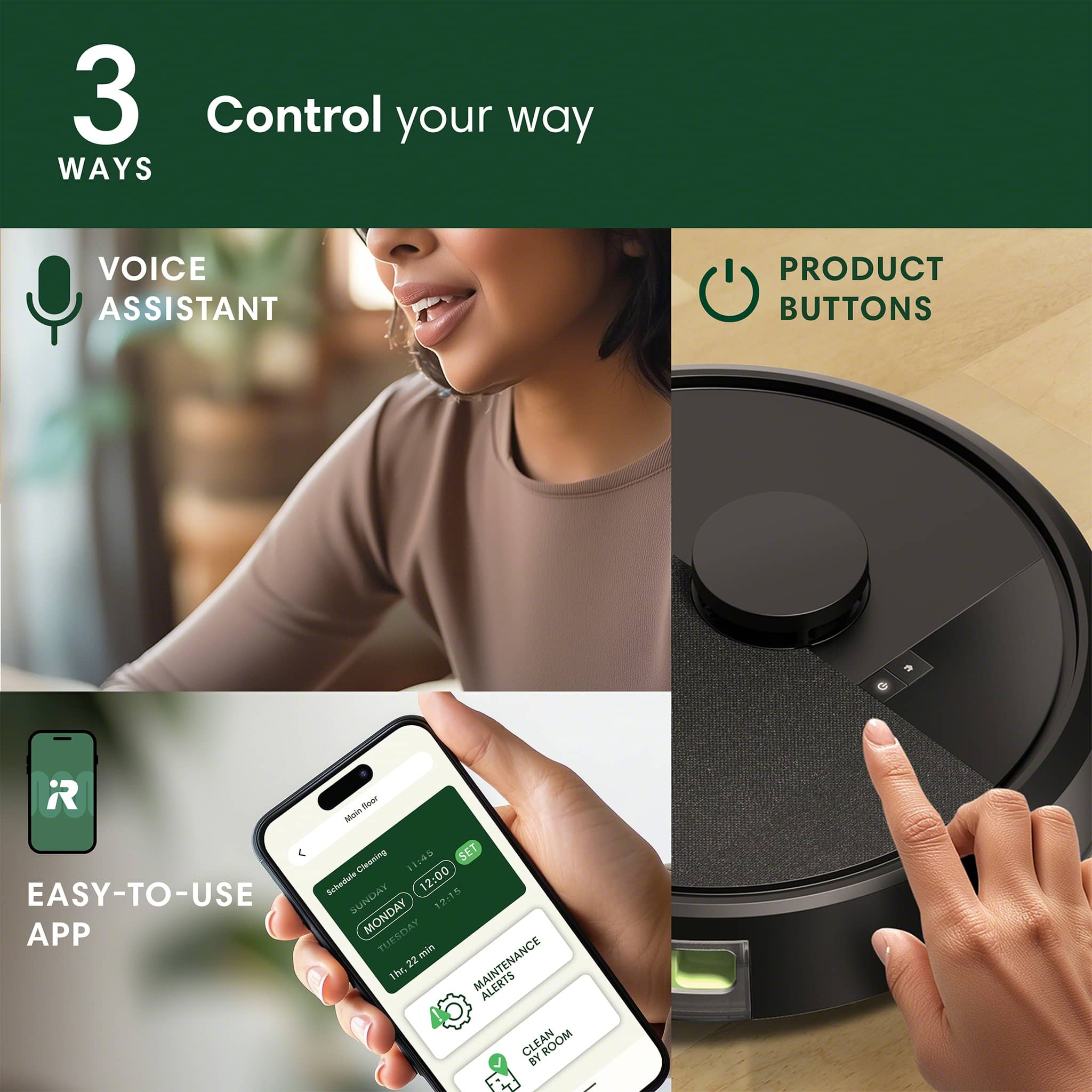
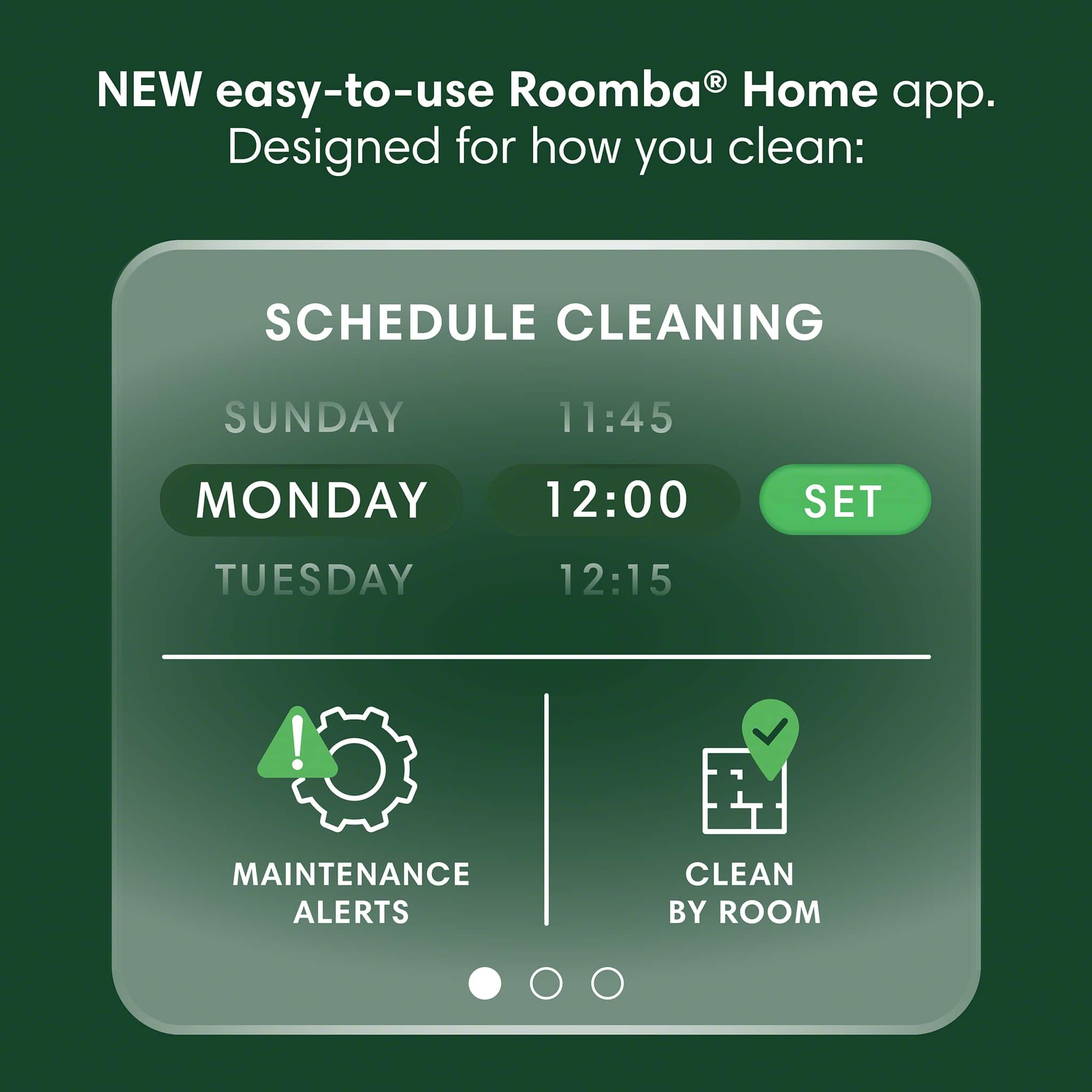
|Posted .This reviewer received promo considerations or sweepstakes entry for writing a review.The iRobot Roomba 105 is iRobot latest entry level robovac option. There are 2 versions of the non-mopping 105 – 1 with a standard dock and the other with a self emptying dock. This model comes with a standard charging dock and requires manual emptying. I have used iRobots for several years now including a self-emptying J7+ and last year’s Essential Combo. These vacuumshave held up well and for the most part been pretty reliable. This version of the 105 basically replaces last year’s Roomba Essential. Design and Features The 105 maintains the standard round shape that Roomba’s always have, but now has a puck on the top of the body that carries the LIDAR sensor. It measures in at Ø13.2” x 4.1” which is basically the same diameter as the Essential, but is an inch taller due to the LIDAR sensor puck. The main cleaning path (roller head width) is 6” along with a side brush that picks up dirt along the edge. The top of the vacuum has 2 buttons (Home and Power), along with the sensor puck. The home button returns the 105 to the dock while the power button turns on the 105 or will start a cleaning session. The front of the device has the sensor array with light, touch, and cliff sensors. The rear of the device is the dustbin and charging contacts. To remove the dustbin you need to remove the 105 from the dock to access it. This is really not the best solution, but because this vacuum has a self-emptying dock version I understand the need for placement at the rear. Pulling the dustbin out reveals a cleaning brush/tangle knife for cleaning/maintenance, and opening the dustbin reveals the location of the replaceable air filter. The dock is small and easy to tuck up next to a wall, which keeps the robot from sticking out a long ways. There is plenty of cord length to reach a decent ways, and the dock has some built in cable management. The 105 seems to find the dock pretty easily, and manually putting the 105 on the dock is easy as the charging contacts have a good contact area. Most of your options and settings are found once you start to setup a cleaning run. You have the option of 4 different suction levels, 3 levels of cleaning (light, normal, and deep), and the number of passes you need to make. You can also setup the order of rooms being cleaned in case you want one area prioritized first. Aside from that there is the scheduling assistant. You can also see your previous runs, but it only shows you the cleaning sessions that occurred in the last 10 days. The vacuum also likes to talk to you. It caught me off-guard the first time I heard it because I was home alone, and started hearing a woman talking to me. Once I realized it was the vacuum I knew what to listen for. The vacuum will notify you when it completes its run, needs to recharge, successfully docks, and has the dust bin reinstalled. Setup and Initial Mapping Run Controlling your 105 is done with the NEW iRobot Home app. I already had iRobot Home installed for my j7+ and the Essential Combo, but that app wouldn’t connect. I found out iRobot released a new, separate app to control the 105, which is more than a little annoying. Once the NEW version of the app installed from the Play store I was able to add the 105 to my network and get it set up. There’s not a whole lot to control on the 105 once you are in the app. already had the app installed for my J7+, so this was one less step for me to take. Pairing it with the app was easy and getting it onto the home Wi-Fi was no problem. I left the vac to charge on the dock for about 2 hours before starting any cleaning processes. Before cleaning you do need to complete an initial mapping run, which took about 20 min for the upstairs (1000 ft2). The mapping run produced a floor layout, and the app makes a solid attempt the break the space up into rooms. The only area of the map that was a little wonky was in the bedroom where the closet door is a full mirror to the floor. That produced an interesting result and caused the map to show 2 rooms as 1 – it connected the next room that is “through” the mirrored closet. That was a simple edit to the map and caused zero actual issues. Cleaning Performance Cleaning is fairly straightforward once you have your mapping completed. I made sure the floors were picked up prior to started a run, like I’ve done with all my robovacs. From there I can select the rooms I want to vacuum, the suction strength, cleaning level, and the number of passes I want it to make (1 or 2). I left the cleaning level on normal and used the highest suction level for all spaces for my first run, and this is the setting I will probably leave it on going forward. I have found that I can select different suction/cleaning levels based on the room being cleaned. I can have it be more thorough in the room with carpet vs. the areas with hardwood. That’s pretty convenient. The main brush roll is only 6” wide and its a combo rubber finned/bristle beater bar. The rubber fins help a lot on carpet where fur and hair might stick down. My j7+ has counter rotating rubber finned rollers and its awesome on carpet, so I assumed carpet performance wouldn’t be too bad. I have 2 huskies at home and 4 girls with long hair that rival the huskies in shedding. I only have 1 room with carpet so I don’t have much use for the deep clean function. I have ran it on the deep setting, and it really cuts the battery life down – it needed a recharge in the middle, and it really wasn’t a benefit except in the carpeted room. For the most part I have left it on the normal setting but with higher suction – it helps when pulling the wisps of husky fluff out of corners and along baseboards. The higher suction level does create a decent uptick in noise, but it’s not the loudest vacuum I have used. On the hardwood floors the vacuum does a good job of collecting the dog hair. In corners and along baseboards the little rotating brush did fine pulling fur and crumbs out. Its not perfect, but it does no worse than other round robovacs. The one thing I did notice was I found little pilled up balls of fur left in the room with carpet. I wasn’t surprised because my j7+ does this sometimes as a result of the rubber fins on the roller. It pulls the hair up fine but sometimes it will make a little ball that doesn’t get sucked up. The cleaning pattern for the vacuum is to work the perimeter of the room before running lines up and down. This is my preferred cleaning path rather than the randomized bouncing around the room. The run time is lower and its more efficient. I was surprised to not get a “Bin Full” notice or something like that while it was running, because the bin was pretty full after each cleaning run. Emptying the bin requires pulling the vacuum from the dock to access the dust bin. It opens up and empties easily enough. I had to clean out the roller after a few runs to undo the long hair/dog fur combo before it impacted the rollers ability to spin or clean effectively. I used the little tool located on the bin to cut the hair/fur. Overall, the Roomba 105 is a good starter robovac. While it was annoying to download another iRobot app, I can say it does work well. I really didn’t run up against any issues while using the 105 either from and operational or software perspective. I could monitor its progress while away from home and schedule cleanings in the app. The vacuum handled the dog fur welland did a good job of picking up the little wisps that like to tumble around. I do see this as a pretty significant improvement over the Essential that was released last year, and I am really glad this vacuum cleans in rows instead of bouncing around. I do hope iRobot makes the self-emptying dock available for separate purchase because I would be willing to pay for that upgrade. However, the basic dock helps keep the initial cost down, and it’s really not that much of a burden to empty it on my own.
I would recommend this to a friendBrand response from iRobot Team
Posted .Hello, thank you for taking the time to share your feedback about the Roomba 105. We’re thrilled you are loving your new robot. Three cheers for clean floors!

- Pros mentioned:Cleaning performance, Mapping, Noise level
Perfect for Keeping our Basement Clean
|Posted .This reviewer received promo considerations or sweepstakes entry for writing a review.I received this product from Best Buy to review and tested it out in our basement living room. Setup was simple and only took a few minutes. The app walks you through everything, and after a couple of cleaning runs, the Roomba had a solid map of the space. The whole process was simpler than other robot vacuums I have in my home so I was pleasantly surprised. It handled the room really well. We have a small dog, and I was impressed with how well it picked up pet hair without getting clogged or stuck. It also ran quieter than I expected, which was a nice surprise. I could let it run while I was watching TV and it never felt disruptive. While the Roomba 105 worked great for our basement, which is a medium-sized space with a mix of furniture. I don’t think it would be the best fit for cleaning an entire main floor or large open areas, but for a secondary room or smaller living space, it definitely gets the job done. Pros • Quick and easy setup • Picks up dog hair with no problem • Runs quietly and doesn’t get in the way • Good performance in medium-sized rooms • App control and scheduling are easy to use Cons • Not ideal for large open floor plans • Takes a couple of runs to complete room mapping If you need a hands-off way to keep an extra room clean, especially one with pets, this little robot is a helpful addition to home automated cleaning.
I would recommend this to a friendBrand response from iRobot Team
Posted .Hello, thank you for taking the time to share your feedback about the Roomba 105. We’re thrilled you are loving your new robot. Three cheers for clean floors!
- Pros mentioned:Cleaning performance, Navigation, Suction power
I love this lil guy
|Posted .This reviewer received promo considerations or sweepstakes entry for writing a review.Have you ever found yourself walking in your home and notice lil bits of dust and debris touching your feet? And you tell yourself… ahh I’ll sweep or vacuum later today. Then you forget or get lazy about it? Well, this lil guy will do the work for ya. It isn’t perfect, it sometimes misses a piece here and there but it sweeps up just enough to keep your floor looking and feeling nice and clean. We have no shoes inside rule in our home, we like to keep our floors clean. So it’s nice to have this roomba (I like to call him Lurch) roaming around helping and cleaning a up a little. It’s a total time saver, it allows me to spend a little extra time doing other chores or hobbies. This particular roomba doesn’t mop, and it doesn’t have a home base that will dump / suck the dust and debris out of the robot. But I’m ok with that I don’t mind cleaning the tray myself. The included charging base is small and unobtrusive. It was pretty simple to set up, and the Roomba Home app will map out your home’s floor and guide your lil robot around your place. You can choose to keep it out of some rooms if you’d like. I like to let him sweep our hard floors in the living room , restrooms and kitchen. The app is also really convenient for scheduling the cleaning. Even though it only has a brush on one side of the machine, I find that it still sweeps up small things pretty well. Suction is good, it doesn’t leave too much dust laying around. I just spot clean and mop when it is done doing its thing. Total time saver! Would I recommend it? Yes. The smartphone apps make setting up the robot quick and easy. The small charging base stays out of sight and out of the way, battery life on the robot is good enough to clean all the floors in my apartment. And he is smart enough to avoid obstacles and finds his own way back to the base everytime to charge and rest 😂.
I would recommend this to a friendBrand response from iRobot Team
Posted .Hello, thank you for taking the time to share your feedback about the Roomba 105. We’re thrilled you are loving your new robot. Three cheers for clean floors!
- Pros mentioned:Cleaning performance, Navigation, Suction power
Better than expected!
|Posted .This reviewer received promo considerations or sweepstakes entry for writing a review.This little Roomba for the price is a little powerhouse of a robot vacuum that’s easy to setup and operate. This is my second robot vacuum, my first one was from a different brand and much more expensive. That model had the mop feature along with vacuuming and I much prefer the fact this Roomba is vacuum only as it allows for a bigger bin that has to be emptied less. Once you charge the machine up, setup with the iRobot Roomba app is very simple and takes maybe five minutes. Once the vacuum maps the room, you can let the vacuum do a regular clean or spot clean certain areas. You can even set the vacuum to automatically clean at a certain time with automations. You can also choose the cleaning level from light clean, normal clean or deep clean. In terms of cleaning, my previous robot vacuum I would regularly have to help it when it would get stuck on different surfaces, such as hardwood to carpet etc. But with this little sucker, it’s almost like it has four wheel drive! Going between the different surfaces I have in my house it had no problems at all. When vacuuming, it picked up 97 to 98% of the stuff on carpets and 99% on hardwoods, completely acceptable to me as it compares favorably to my previous robot vacuum. The biggest things it wouldn’t completely get is cat hair off carpet. Honestly I wouldn’t expect it to as our powerful stick vacuum has to go over the carpets multiple times to fully get the hair up. With having a mix of thick carpets and hardwoods, this Roomba won’t replace my main vacuum but will complement it, with getting under furniture that my main vacuum can’t. But, if you’re someone that has only hardwoods this could easily be the only vacuum you need. As it delivers strong suction and cleaning power with a large bin at a very affordable price.
I would recommend this to a friendBrand response from iRobot Team
Posted .Hello, thank you for taking the time to share your feedback about the Roomba 105. We’re thrilled you are loving your new robot. Three cheers for clean floors!
- Pros mentioned:Mapping, NavigationCons mentioned:Connectivity
Cleans well, and easy to use.
|Posted .This reviewer received promo considerations or sweepstakes entry for writing a review.Real nice robot vacuum. I've had these in the past and though the technology was not there yet as they would constantly crash against things, would not go over carpet etc. Not his guy! I was surprised to see its able to map your place using Lidar. Upon starting it, and charging it for a while (more on this later), I was able to get it started with their app. You connect it to your Wi-Fi (only 2.4 Ghz unfortunately, so if you have a crowded 2.4 Ghz network, beware of this, I won't do 5 Ghz or newer Wi-Fi bands) and then it was a firmware update. After that, it mapped my whole place using its Lidar. I kind of builds an image/map of your whole place. Once done, I was able to have it clean my place. The app is well done and you can setup schedules, tell it to avoid certain areas and the strength of the vacuuming. I was surprised how good it was on carpet and hardwood. It was good at avoiding things on its way (compared to my past experiences with this vacuum robots). The only problem it had was with a couple of small rugs I have on my bathroom and kitchen, being so small it cramped them and didn't go over them. I would guess not entirely its fault as those rugs are so small that move with just a small push. The dust reservoir must be emptied regularly manually as this guy doesn't have an automatic dust collector on its charging base (only charging). Highly recommend it, specially since for the price this little guy has Lidar mapping!
I would recommend this to a friendBrand response from iRobot Team
Posted .Hello, thank you for taking the time to share your feedback about the Roomba 105. We’re thrilled you are loving your new robot. Three cheers for clean floors!
- Pros mentioned:Cleaning performance, Mapping
Great Entry-Level Robot with LiDAR
|Posted .This reviewer received promo considerations or sweepstakes entry for writing a review.The Roomba is an entry-level robot but it’s well equipped with useful technology to make vacuuming a small to medium size house effective. In particular, the robot uses LiDAR technology, something that’s not really that commonly employed in an entry-level robot. The technology makes huge difference as the robot has the capability to define and create operation boundaries of all rooms in the house much more accurately. Initial setup and installation were easy and intuitive. There’s an app that needs to be downloaded to make optimum use of the robot. The app is quite polish and it is easy to use. A firmware upgrade is likely waiting to be performed after the initial setup, which I did as soon as the setup and first-time house vacuuming were completed. At the end of the first run, the app shows a map detailing each room of the house. Initial operation provides great results, the robot was able to identify the rooms in my house accurately and it vacuumed pretty well. Of course, as in the case of most robots, it has problems with loose cables lying on the ground but this does not bother me at all because the fix is easy: never start vacuuming without ensuring there’s nothing lying on the ground. Also, the robot can start vacuuming right from the app. User can even choose which rooms to vacuum and even set a regular cleaning schedule. User can also perform spot cleaning, which targets specific area in a room. The app will show cleaning progress real time, which is really neat. There’s also monitoring tool from the app to keep track of parts usage and user can also place order of parts once it’s time to replace them. Overall, this is a great robot that can perform daily task of house vacuuming satisfactorily. It performs well and effectively and it’s great to see how an entry-level robot can map the entire rooms in my house accurately. Also, the app is easy to use and useful.
I would recommend this to a friendBrand response from iRobot Team
Posted .Hello, thank you for taking the time to share your feedback about the Roomba 105. We’re thrilled you are loving your new robot. Three cheers for clean floors!
- Pros mentioned:Cleaning performance, Mapping
Great vacuum for the price
|Posted .This reviewer received promo considerations or sweepstakes entry for writing a review.I've been using this vacuum for about a week and it's been doing a great job. It goes over carpet and ceramic tile and it keeps everything nice and dust free. The amount of dust it pulls from the carpet is impressive. Unboxing and setup were very easy. All you have to do is install the app and register the robot. It worked on the first try which is the first robot vacuum I've had that didn't take multiple tries. The mapping run is cool because it will actually build the map on your phone as it goes around so you can see its progress. The mapping run also took about half as long as all my previous robots and was just as accurate. The robot itself is designed very nicely for maintaining. Everything is easily accessible when you flip over the robot and you don't need any tools to take things apart for a deep cleaning. It also comes with a handy little 'knife' in case there is hair tangled around the bars. It is not the best at avoiding obstacles but it went around the larger things. I will run over things that are not tall and lay close to the floor. Even when it did run over things it did not damage the item or the robot. The only downside I've found to this robot is that it the noise level is louder than nicer ones I have used. I normally run the vacuum on high suction and between robots, high level for high level this one is louder. I do not have a problem with it's noise level but did notice the difference. For the price point of this vacuum I'm very happy with it.
I would recommend this to a friendBrand response from iRobot Team
Posted .Hello, thank you for taking the time to share your feedback about the Roomba 105. We’re thrilled you are loving your new robot. Three cheers for clean floors!
- Pros mentioned:Mapping, Navigation, Suction power
Very Efficient Robot Vacuum
|Posted .This reviewer received promo considerations or sweepstakes entry for writing a review.The newest member of the family has earned its keep, my floors have been vacuumed, and I've gotten some time back. The first night with the Roomba, all I had it do was map the house. Using LiDAR technology, it quickly mapped our first floor, rolling smoothly between carpet, tile, vinyl, rugs, and transitions. It created rooms for cleaning, and I was able to use the app to splice rooms into convenient sections, and excluded areas. Of course I watched it complete its first cleaning. It traversed the edges of a room, filling in the space getting every inch of the house. Thanks to the LiDAR it rarely bumps into things, instead it gently gets as close as it can. Random objects weren't an issue, as it went around table legs, shoes, reusable shopping bags and anything else remaining on the floor. It has intense suctions on the carpet versus the hard surface. It announces it status when it starts and when it is returning to charged/finished cleaning. The cleaning tray is easily accessible, and a breeze to dump. It even has a little cleaning brush with a safety razor to get the corners of the tray and keep the roller clear of hair. Using some of the more advanced features of the app has a bit of a learning curve, but once you get everything set up, you can take advantage of Alexa integration and routines. These allow you to start the cleaning process with a simple command or at a specific time. I also really like that the app tracks hours on the replaceable parts like the brushes and filter.
I would recommend this to a friendBrand response from iRobot Team
Posted .Hello, thank you for taking the time to share your feedback about the Roomba 105. We’re thrilled you are loving your new robot. Three cheers for clean floors!
- Pros mentioned:Navigation, Suction powerCons mentioned:Battery life, Connectivity
Roomba 105 good but only for technically inclined
||Posted . Owned for less than 1 week when reviewed.This reviewer received promo considerations or sweepstakes entry for writing a review.So far so good -- Vacuuming is very good and has different settings to save battery power if you want. The 1st unit I got died after 1 day (battery died and wouldn't recharge). I had to take it back to local best Buy to get a replacement unit. I was very nervous getting a second unit rather than just bailing for another brand. My previous roomba lasted almost 10 years and still works well but its ready for another replacement battery so I thought I would finally upgrade. The 105 works well and I love the lidar feature - it never gets stuck and finds its way around obstacles well. I like the mapping feature but will say its less than intuitive but I'm technically proficient so I was able to figure it out. That said when the software works like it should its acceptable but it is buggy on an iphone. I had to restart the app several times to get setup completed. The roomba also seems to require a daily reboot. It will from time to time try to start a job and return to the base saying an objects in the way even when there isn't. Definitely a bug of some kind. That said I did not have any luck calling or getting a hold of anyone at Roomba customer support. The did not answer phone or chat requests.
I would recommend this to a friendBrand response from iRobot Team
Posted .Thank you for taking the time to share your feedback about the Roomba 105. We’re disappointed to hear about the challenges you encountered with the product. We understand how this situation could be frustrating. Your experience is not the standard we strive to deliver, and we genuinely appreciate your insights. Feedback like yours helps us improve our designs and technology. Please reach out to our team https://homesupport.irobot.com/s/contact-support-info. We’d love to help ensure you’re getting the most from your product.
- Pros mentioned:Cleaning performance, Noise level
A super easy way to keep our home very clean.
|Posted .This reviewer received promo considerations or sweepstakes entry for writing a review.The Roomba 105 arrived nicely packaged, only one plastic bag, the rest was recyclable. It comes with some paperwork, an extra filter, the brush that goes on it, the Roomba and the application. The setup was not as bad as I thought, it takes time to know the space but once it is done, it starts to clean. It is quiet yet it is cleaning all around, I have set it up to clean when nobody is home and I think it is the best way because we come back at a clean home. I usually clean the floors once or twice a week, well now the Roomba can take over and do it more often and probably better. I like how easy it is to empty out the Roomba, slide the bin out and throw out the trash; it even has a brush to keep it clean. I like that it cleans not only the hardwood floors but also the area rugs. Once the battery is low, the Roomba goes back to its charging station to take a breather and recharge. We really like it, it can deep clean, or just do normal as well as a light clean, and there are many other settings to choose from, best of all I can do it from my phone. Overall, we wished we got this sooner; the Roomba is a great helper to keep our home clean.
I would recommend this to a friendBrand response from iRobot Team
Posted .Hello, thank you for taking the time to share your feedback about the Roomba 105. We’re thrilled you are loving your new robot. Three cheers for clean floors!
- Pros mentioned:Cleaning performance, Mapping
Great investment
||Posted .This reviewer received promo considerations or sweepstakes entry for writing a review.I really like this vacuum. We had a Eufy 11S Max and I thought it was pretty decent but it was actually a dumb robot vacuum. It only used bumpers to clean and didn’t have lidar. There was never a guarantee of where it was going to clean. With the Roomba it has mapping. It mapped my upstairs and downstairs and did a great job with it. It’s so easy to just tell it to do a room or a series of rooms and it just gets them all done very efficiently. The only reason I gave it a 4 is because mapping is a must. You can’t use a controller to just manually control the thing and make it go where you want. You can do spot cleaning which sort of fills that gap but I would also like to have manual controls built into the app. If you try to do a room and it’s not mapped or the bot can’t recognize the room then you have to do a remapping of the house. A bit annoying but it’s a minor gripe. I have found that since buying this device, we have been vacuuming more often and the house does feel cleaner when walking barefoot. We have dogs and 3 kids so this thing has a lot of work to do.
I would recommend this to a friend Good if you have very few obstacles
|Posted .This reviewer received promo considerations or sweepstakes entry for writing a review.I always wanted one of these but I’m not the type of person who has an empty house with unlimited, clear floor space. We configured a billiards room from my previously cluttered room, put new hardwoods down so I figured I’d use it for this new setup. The setup was confusing. The dock is not intuitive, and you have to remove a bunch of pieces of tape and cardboard from the Roomba, attach the brush and everything, and then line up these metal contacts. I have quarter round so when you push up against it, it wants to lean but the Roomba was able to make contact when I messed with it enough. I let it update and charged it up, then went through with a room scan. After the first room scan, I ran an automation for it to clean the room. As a side note, I have a threshold level change so I closed the door during the room scan. The cleaning process is VERY noisy. Granted, it is a vacuum cleaner, but it’s lightly banging into things and the wheels are hard plastic. There is some kind of suspension that raises it up or lowers it so we can get over obstacles. It went right where the threshold was because the door was open and then got caught on a carpet that I have right outside that door. It then spun around and came back into the billiards room But was then operating lopsided with one side of it way higher. There is a usb cord with the tip on the floor that was there during the scan and hadn’t moved. It sucked up the cord and pulled on the surge protector that it was attached to and got jammed. I came in and heard the noise and turned it off.. poor usb cable is busted. The tray was full of dust when it was all done, it’s pretty easy and straightforward to empty. I just don’t think I can use this due to the fact that I don’t live in a mostly empty house; I always have junk around. It didn’t mark up anything but it definitely lightly likes to tap things. This would be a great product for someone with a really clean house with nothing on the floor. It won’t bump into anything in the direction it’s moving but it is not really aware if it’s peripheral vision.
I would recommend this to a friendBrand response from iRobot Team
Posted .Hello, thank you for taking the time to share your feedback about the Roomba Combo 105. We’re thrilled you are loving your new robot. Three cheers for clean floors!
- Pros mentioned:Suction power
A very capable robot vacuum
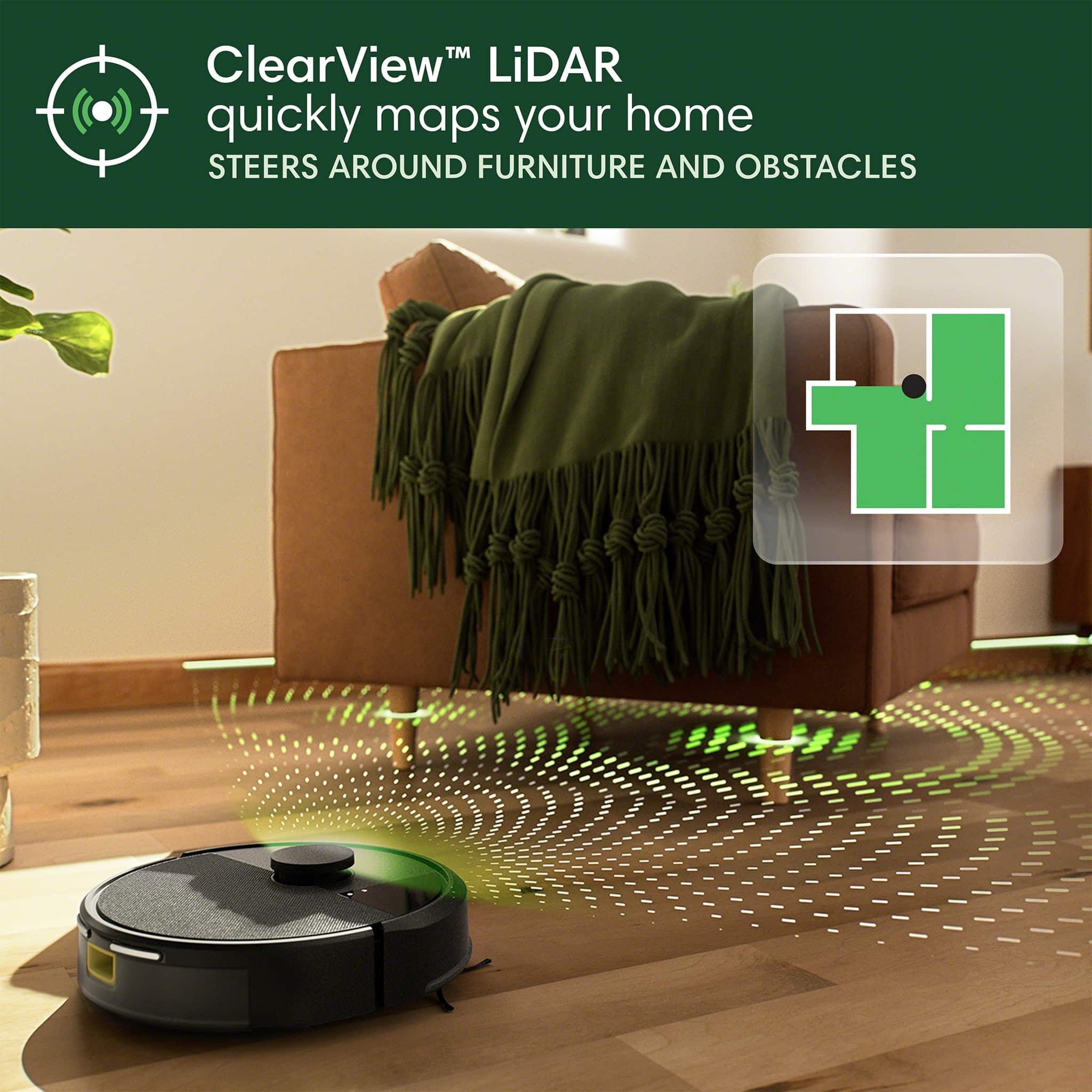
|Posted .This reviewer received promo considerations or sweepstakes entry for writing a review.The iRobot Roomba 105 is a very capable robot vacuum, and is incredibly convenient for me with my pets. Once you get the Roomba 105 setup and in it's home position, you have to run a learning pass. The learning pass with the ClearView Lidar works phenomenally well. It was able to map my house accurately on the first pass, and only took a few minutes. Also, during cleaning jobs the ClearView Lidar does a remarkable job avoiding obstacles, like my pets while they are moving throughout the house while the vacuum is doing it's thing With three levels of suction, light, normal, and heavy, the Roomba 105 does a good job on carpet and bare floors. It even does a decent job up against the walls and in corners with the spinning brush. The Roomba 105 requires you to have the Roomba Home app on your phone to setup. This app gives you access to the robot vacuum settings and also the ability to live tracking while it's cleaning. You can also schedule tasks and can set cleaning zone, keep out zones, suction level, and number of passes. I find the Roomba 105 incredibly convenient for me in my situation. I have a dog and two cats. One of the cats sheds a lot, and having the ability to run this robot vacuum every day without having to get out a upright has been a huge plus. An issue I have encountered a few times is that it sometimes gets stuck under furniture. In my case, I have a TV stand that for some reason it keeps getting stuck under it.
I would recommend this to a friendBrand response from iRobot Team
Posted .Hello, thank you for taking the time to share your feedback about the Roomba 105 Vac. We’re thrilled you are loving your new robot. Three cheers for clean floors!
- Pros mentioned:Navigation
Love my iRobot
|Posted .This reviewer received promo considerations or sweepstakes entry for writing a review.The Roomba is such a necessary item to any busy household where the last thing you want to do is vacuum after running around with kids in sports. After setting up the robot vacuum, an update was needed, and that took about an hour. I think it froze in the update process, so maybe that is why it took a little longer. Once it is ready to go, the robot will assess your house and map out a route, visiting each room to get an idea of where to vacuum. You can choose options of where to vacuum later or to do the complete house. I have a 3-bedroom house and an average-sized living room. It was able to complete the task at a 100 percent charge. When it needs to be charged, it will make its way back to the home location to charge. You can control everything via your phone on the iRobot app, which makes life so easy. You don't even have to be home to control the Roomba. It stays on and can be accessed from anywhere. I was at my sister's house and was able to control it and have it begin a cleaning session. I love that. So easy and so easily accessible. I would definitely recommend this to everyone.
I would recommend this to a friendBrand response from iRobot Team
Posted .Hello, thank you for taking the time to share your feedback about the Roomba 105. We’re thrilled you are loving your new robot. Three cheers for clean floors!
Kinda Sucks
|Posted .This reviewer received promo considerations or sweepstakes entry for writing a review.This is my third iRobot/Roomba that I’ve picked up over the years. The others being the iRobot Essential Vacuum, and the iRobot Combo i5. Unfortunately, from my experience, the iRobot branded vacuums have always left plenty to be desired comparative to their peers, but the good news is, this may be their best yet. Out of the box, this was a pretty simple setup for most. Unfortunately, strike one here is that this vacuum uses a separate app from their other vacuums for some reason, and the data can’t go back and forth. Now I have one app for this vacuum, and another app for my two other iRobot vacuums that can’t communicate with each other. Setup was pretty quick though. Get the app, setup the wifi, let the vacuum wake up and update, charge, and go. I don’t know why it occurs and assume it’s varied but my vacuum came at 57% charged, and took maybe 1.5 hours to get fully charged. The docking bay plugs into the wall, and has a touch charge model, which is unique but I’m fearful of how that lasts. Once charged, I sent the vacuum out to map. The mapping was great and extremely fast and accurate, much better than most models. The vacuum will not clean while mapping, but it’s so quick it doesn’t matter. The cleaning portion left a lot to be desired. We have a clean house with a hypoallergenic dog, hardwood floors, and some rugs. The vacuum needs little to do besides general upkeep and luckily there’s a schedule on the app that you can setup, alongside spot cleaning, and do-not-enter areas, which should be a no-brainer on any robo vacuum, though isn’t on the other two vacuums that’s I own from iRobot. Cleaning went… fine? The vacuum did a thorough job but it does terrible with rugs. We have three different rugs of different make and size. It crumbles them up, moved them, messed up the edges, etc. A big nightmare to say the least. Now I don’t feel like I can/want to run this while I’m gone. Another pro/con is you can set suction power for a lighter, regular, or more heavy duty suction, but the issue is you can only customize them on one-off cleans, not on a scheduled clean which is a very silly admission. A small issue but they included a loose filter in the packaging but never mention it on their app, box, or paperwork. No idea why it’s here or what it’s for. I assumed the vacuum needed it installed, so I went to do so and found one already in there. Turns out this is a spare, which is nice, but I don’t know why they wouldn’t explain this upfront. The last issue is based on design. The dustbin is on the front of the machine where the charger docks, and can only be accessed from the front. So any time you want to empty the bin, you have to pull the thing off the charge, pop open the front, and empty it. Vacuums from competitors would put it in the back or top, to avoid having to constantly move the vacuum for cleaning. Either way… if you have ONLY carpet or ONLY hardwood, and no other iRobot product, this is a good choice. Besides that, good luck dealing with silly designs, poor app integration, and a vacuum that can’t handle multiple surfaces.
No, I would not recommend this to a friendBrand response from iRobot Team
Posted .We appreciate you taking the time to provide feedback on the Roomba 105. We're sorry to hear about the difficulties you are experiencing. Please reach out to https://homesupport.irobot.com/s/contact-support-info, so we may properly diagnose your issue
- Pros mentioned:Suction power
On the fence with this 105
||Posted .This reviewer received promo considerations or sweepstakes entry for writing a review.I hesitated purchasing this Roomba over the standard 600/700 series that I am familiar with... and, at this point, I think I should have gone with what I know. This 105 model is for our second home. Our 6 year old 600 (or 700?) series is still running strong... we do not use the app for that model as it wouldn't connect with our wifi. This 105 seems to do a great job in 1 of the 4 rooms it initially mapped out upon startup. However, in my most heavily used room (by me and my dog) this 105 finds ways to get itself stuck in the most peculiar places, amd therefore has not completely vacuumed this room no matter how many times I have programmed it to do! The app is not very user friendly... can be confusing to set routines in particular areas and then stops you from doing so because of a timeframe conflict... even if the time between cleaning is 3 hours apart from the next scheduled clean! I find the app to be more annoying to use, and I consider myself to be pretty agile in technology. Regardless, I am giving this 105 a try in the hopes we can somehow get along and agree that in my one room, which it seems to not like, we can find a way to just get it fully vacuumed without any hiccups! Suction seems to be overall good and sucks up what it needs to, including the dog bowl mat. My main complaints are the app and total coverage map not being met in some of the mapped out rooms. Right now I regret not going with the original model.
No, I would not recommend this to a friend - Pros mentioned:Cleaning performance, Suction power
Great product great price
||Posted .This reviewer received promo considerations or sweepstakes entry for writing a review.We absolutely love our vacuum. It has amazing suction and cleans the floor perfectly will definitely buy another one for the basement.
I would recommend this to a friend - Pros mentioned:Noise level
Owner
||Posted .This reviewer received promo considerations or sweepstakes entry for writing a review.Overall I like this Roomba. It is a great price. It is much quieter than other older models. The trash bin is also a good size. It seems to do a good job picking up dog hair.
I would recommend this to a friendBrand response from iRobot Team
Posted .Hello, thank you for taking the time to share your feedback about the Roomba 105. We’re thrilled you are loving your new robot. Three cheers for clean floors!