Customer Ratings & Reviews
- Model:
- JCD395
- SKU:
- 6515259
Rating by feature
- Value
Rating 4.4 out of 5 stars
- Quality
Rating 4.5 out of 5 stars
- Ease of Use
Rating 4.6 out of 5 stars
Customers are saying
Customers are enthusiastic about the 4K60 Pro USB4 Hub with MagSafe Kit's HDMI and USB4 connectivity, praising its ease of use and compact size, which makes it ideal for both travel and everyday use. Many appreciate its straightforward setup and reliable performance. However, some users noted that the device can get warm during extended use.
This summary was generated by AI based on customer reviews.
Perfect
||Posted . Owned for 2 months when reviewed.This reviewer received promo considerations or sweepstakes entry for writing a review.Works amazingly well. Never leave home without it!
I would recommend this to a friendAudio Connection
||Posted . Owned for 3 weeks when reviewed.This reviewer received promo considerations or sweepstakes entry for writing a review.The audio connection is sometimes not the best. Also if you have a case, you can not use the dock.
I would recommend this to a friend- Pros mentioned:Port count
A must have accessory for a MacBook.
||Posted . Owned for less than 1 week when reviewed.This reviewer received promo considerations or sweepstakes entry for writing a review.Works great and gives you additional ports for plugging in more accessories. The only nitpick is that the usb-c ports are a bit snug and you need to be careful when unplugging from them.
I would recommend this to a friend - Pros mentioned:Portability
Type c hub
||Posted . Owned for 2 weeks when reviewed.This reviewer received promo considerations or sweepstakes entry for writing a review.A much needed piece for convenience. Makes it easier while multitasking and editing.
I would recommend this to a friend Not worth it
||Posted . Owned for 1 week when reviewed.This reviewer received promo considerations or sweepstakes entry for writing a review.The plug is very loose. I really don’t recommend this product. This product is not for Apple Mac Pro. Maybe designed for other pc.
No, I would not recommend this to a friendBrand response from J5create Team
Posted .The 4K60 Pro USB4® Hub with MagSafe Kit is designed for MacBook Pro 2021 or later / MacBook Air M2. Please contact our Technical Support Team for further information about this issue. Their information can be found on our website under the "Support" tab and a specialist will be ready to assist you. Thank you.

Great for iMac. Connection concerns though.
||Posted . Owned for 3 weeks when reviewed.This reviewer received promo considerations or sweepstakes entry for writing a review.Everything works perfectly. My only concern is breaking off the connections since that’s the only thing holding the hub to the iMac.
I would recommend this to a friend- Pros mentioned:Port count, Portability

A pleasant surprise!
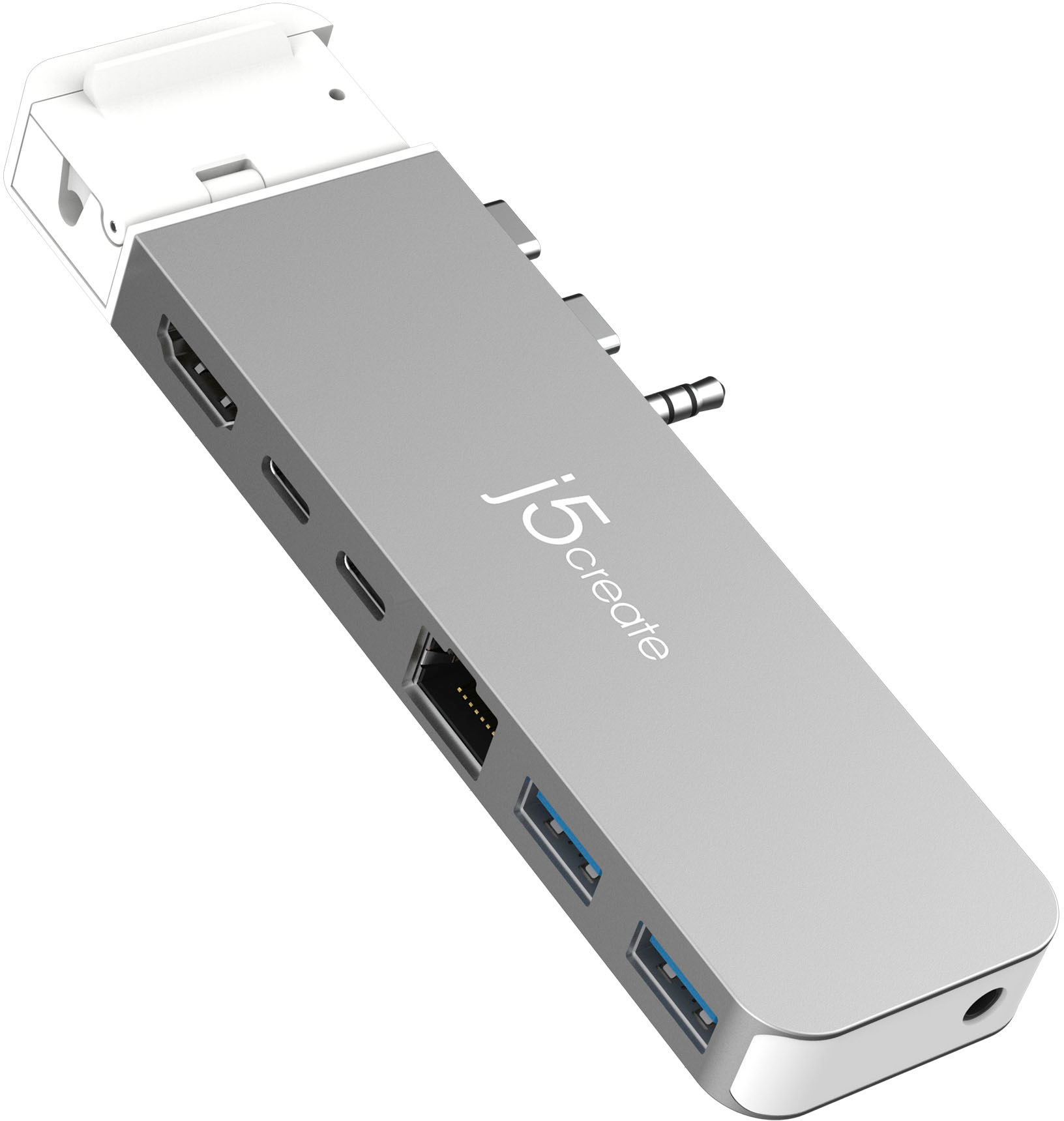
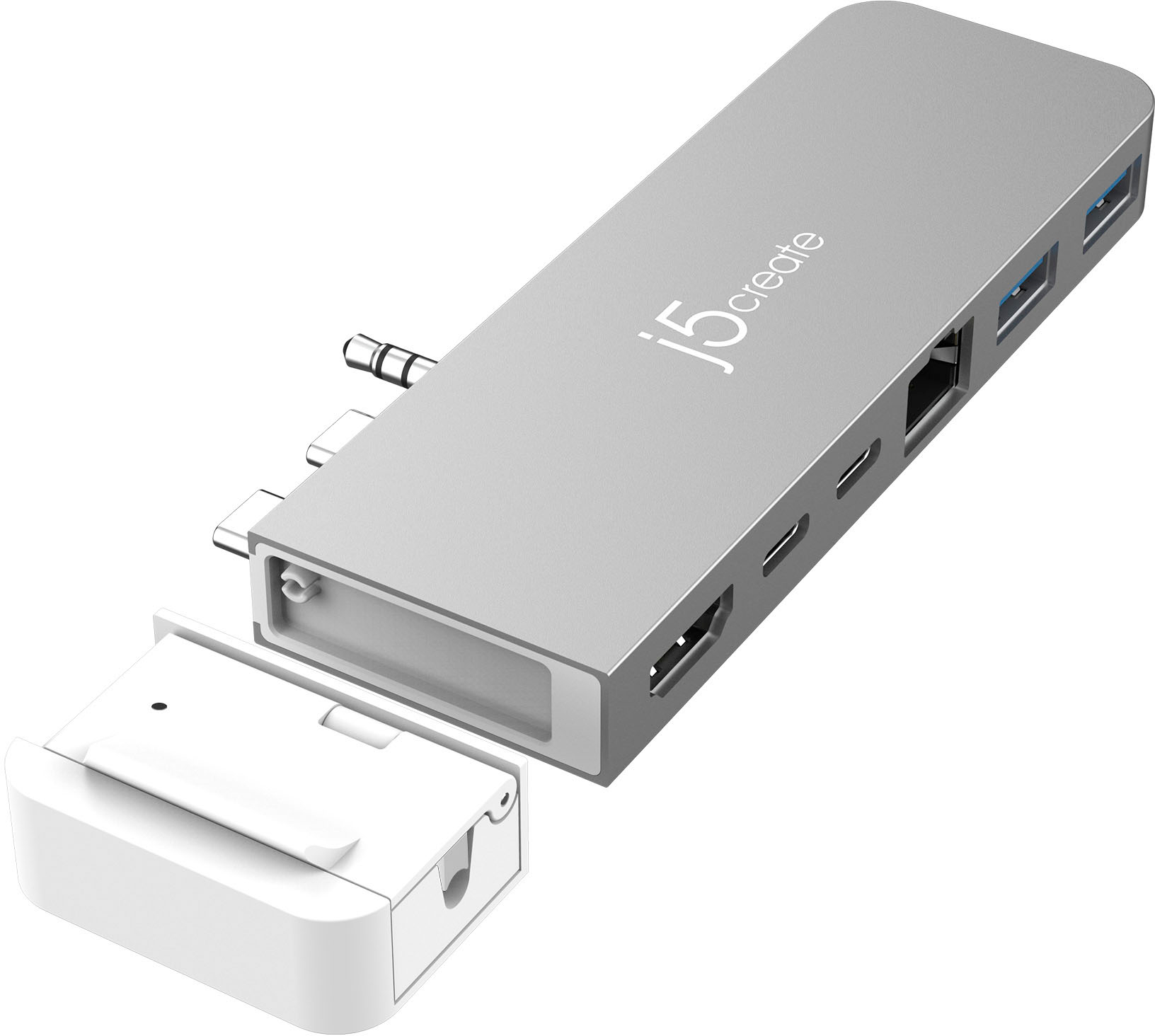
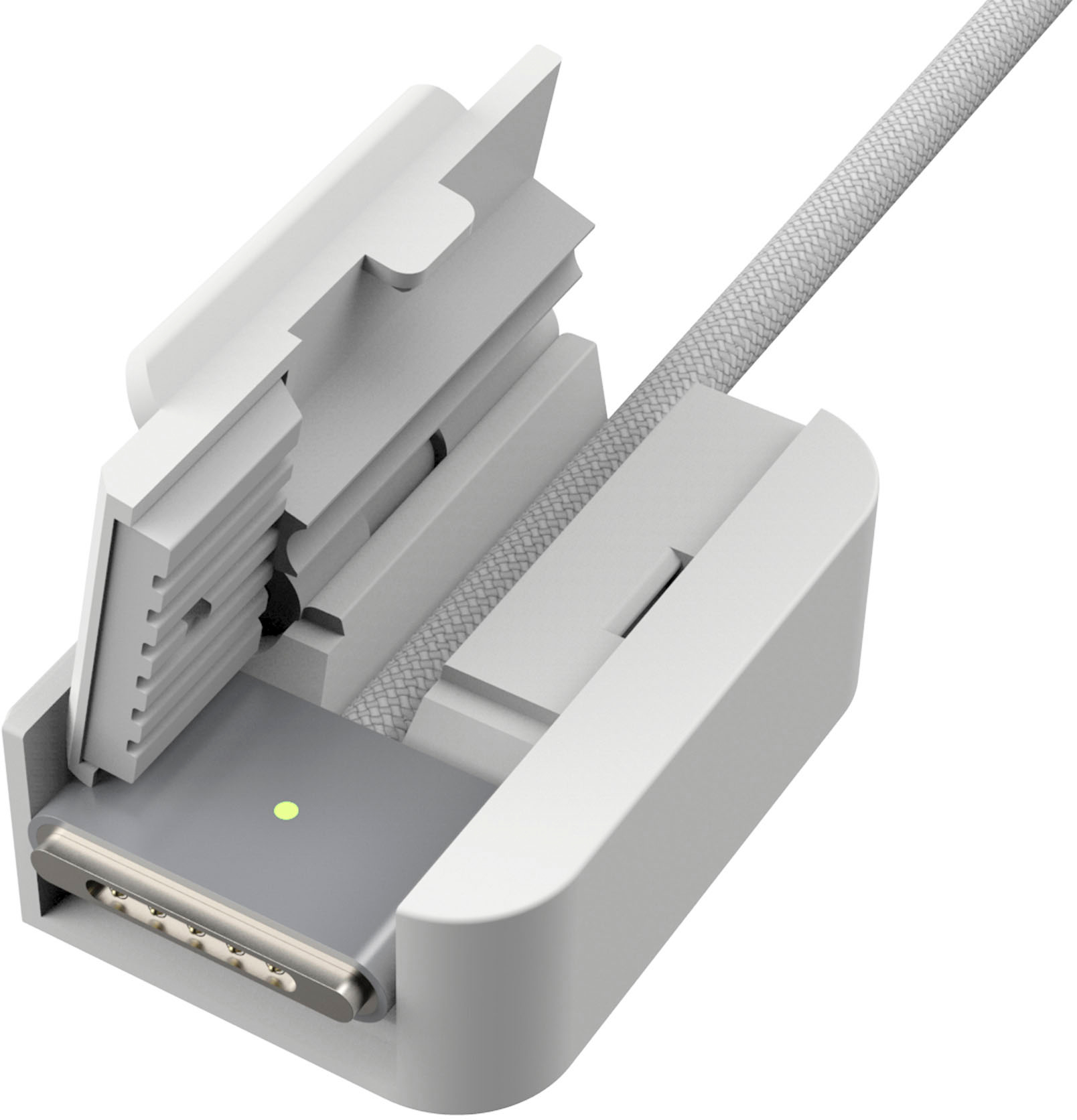
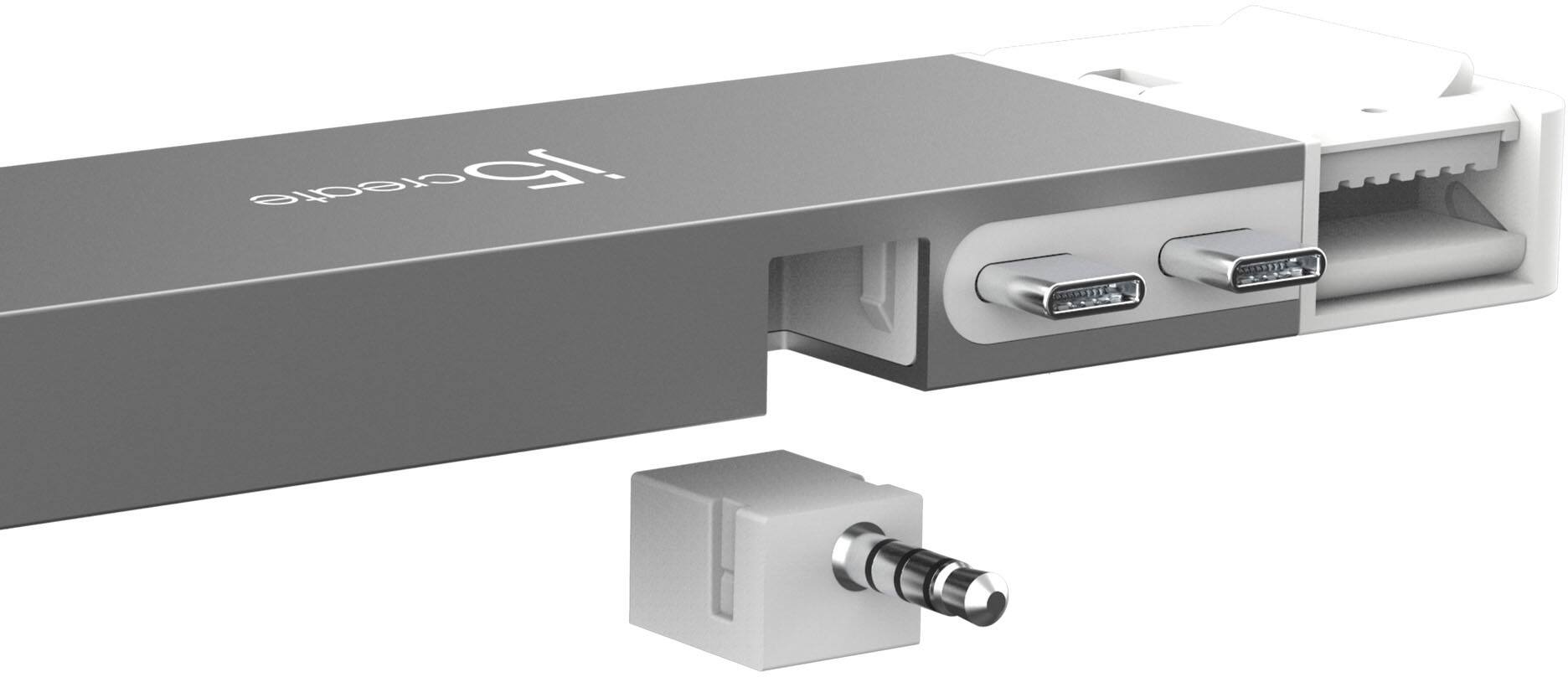
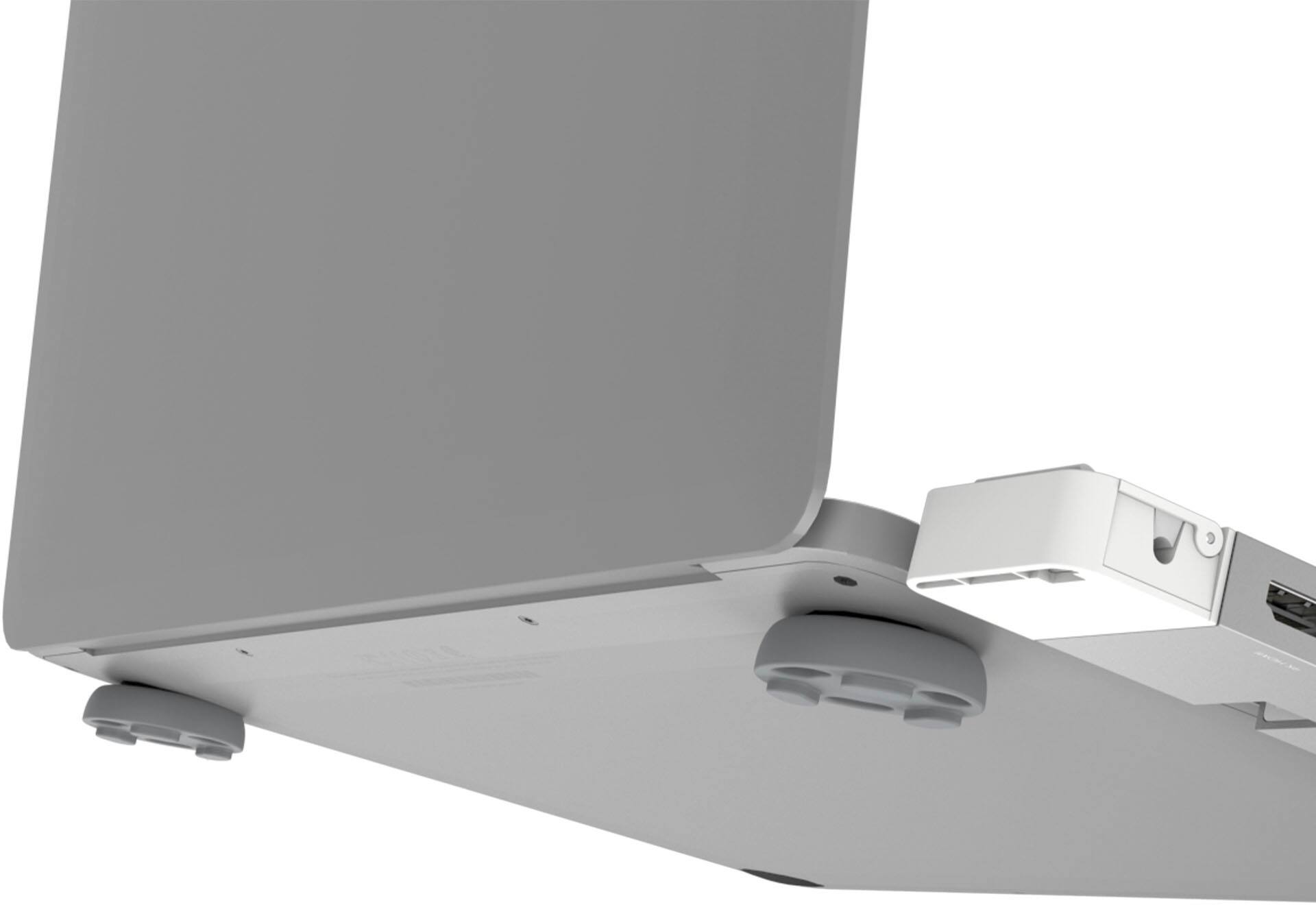
|Posted .This reviewer received promo considerations or sweepstakes entry for writing a review.I was pleasantly surprised by this hub! You can tell j5create really went out of the way to nail the use or need case for this. Having an M1 MacBook Air, I was concerned with compatibility since the headphone jack is on the opposite side, but the audio piece on this hub is removable to ensure compatibility and the hub even has a place where you can feed and store a MagSafe adapter which makes it compatible with the latest M2 models of MacBook Air and MacBook Pro. For someone that has multiple external drives, the extra ports are welcome as my current solution was a Digital AV adapter and USB-C to USB-A adapter from Apple, but this setup is cleaner and more functional. The ethernet is a welcome edition too as I was required to work wired when working from home due to the spotty reliability of WiFi. For travel, this is a much easier, space-saving solution and because of the HDMI I can hook my Mac up to the TV in hotel rooms (for example) and play Netflix or Hulu out to the TV. Cons (there's only a few small ones): it would be nice if this hub was made in the same color finishes as all Mac options -- the Midnight and Starlight color MacBook Airs are sure to be hot sellers and as such it would be nice to have a hub that matches the color finishes of all machines. Secondly, if you're using one of those snap-on cases this is likely going to not work those on. Lastly, they are a little fast with the wording on the packaging and call out that they support dual displays on both M1 and M2 Macs. This is a HUGE deal because M1/M2 Macs (not to be confused with M1 Pro or M1 Max) do not support dual monitors without jumping thru hoops or buying really specific video adapters. It's actually the first bullet point on the packaging and immediately caught my eye and made me curious and suspicious. I quickly found this not to be true and it was confirmed by the back of the package where they slid a disclaimer in that it's not compatible with M1 or M2 Macs. You could easily fix that by saying "Dual Display (M1 Pro/Max/Ultra only) and possibly prevent a lot of returns and/or disappointment due to the poor way this is worded/advertised. TLDR summary: really cool hub. I really like the functionality of it and I can see/appreciate the use-cases for it; However, I do wish it was available in more colors and that they were more honest (or specific) with the marketing of this, specifically around the dual-display support.
I would recommend this to a friend - Cons mentioned:Heat
Overheating and Smelling
||Posted . Owned for 2 months when reviewed.This reviewer received promo considerations or sweepstakes entry for writing a review.This works great except for the electrical burning smell. It started overheating after weeks of normal use. I disconnected all devices and left this connected to my laptop. No change. Still got very hot and started putting off an electric smell.
No, I would not recommend this to a friendBrand response from J5create Team
Posted .Please contact our Technical Support Team for further information about this issue. Their information can be found on our website under the "Support" tab and a specialist will be ready to assist you. Thank you.
- Pros mentioned:Build quality, Hdmi
Serious upgrade for your limited Macbook ports!
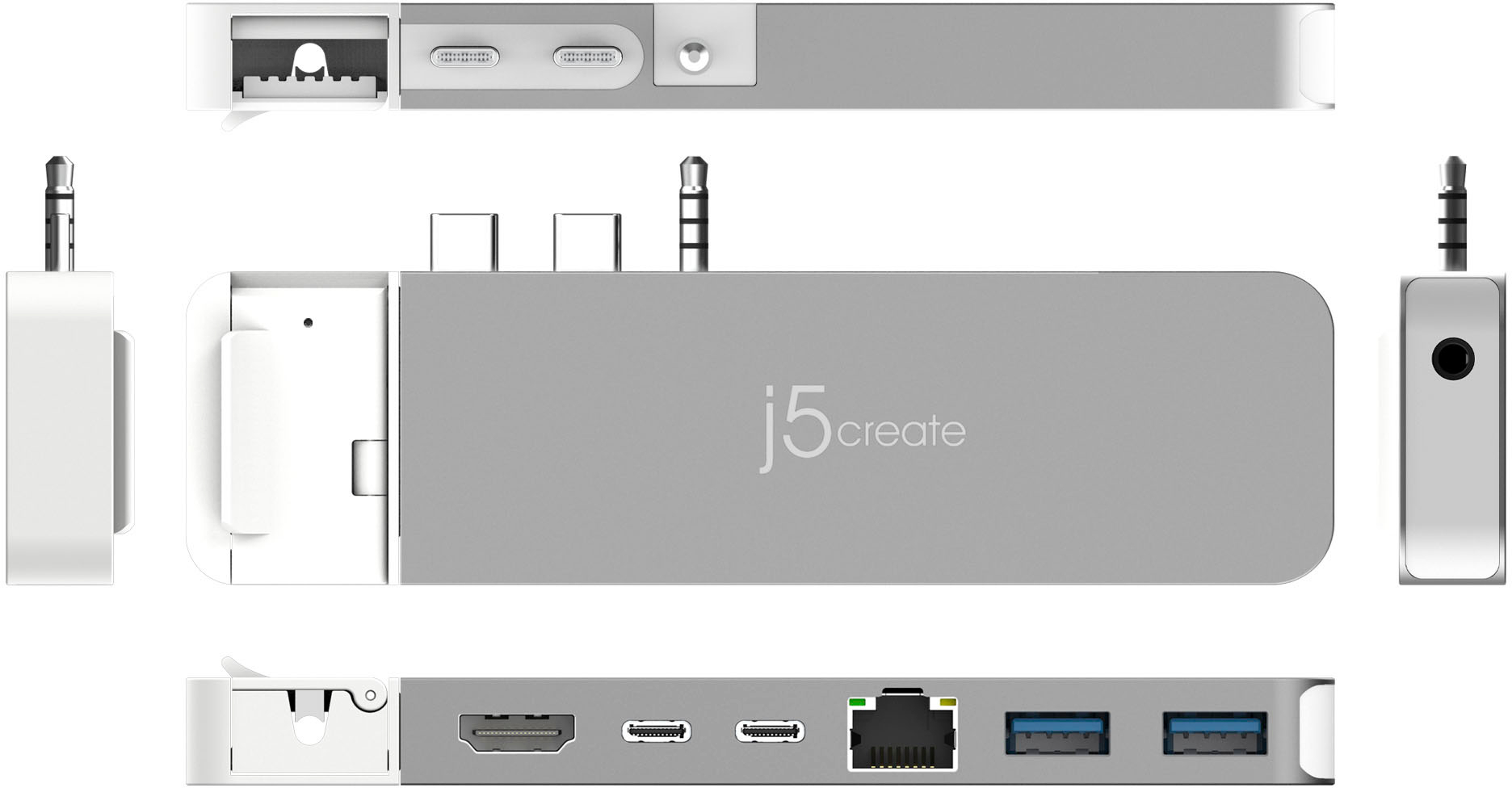
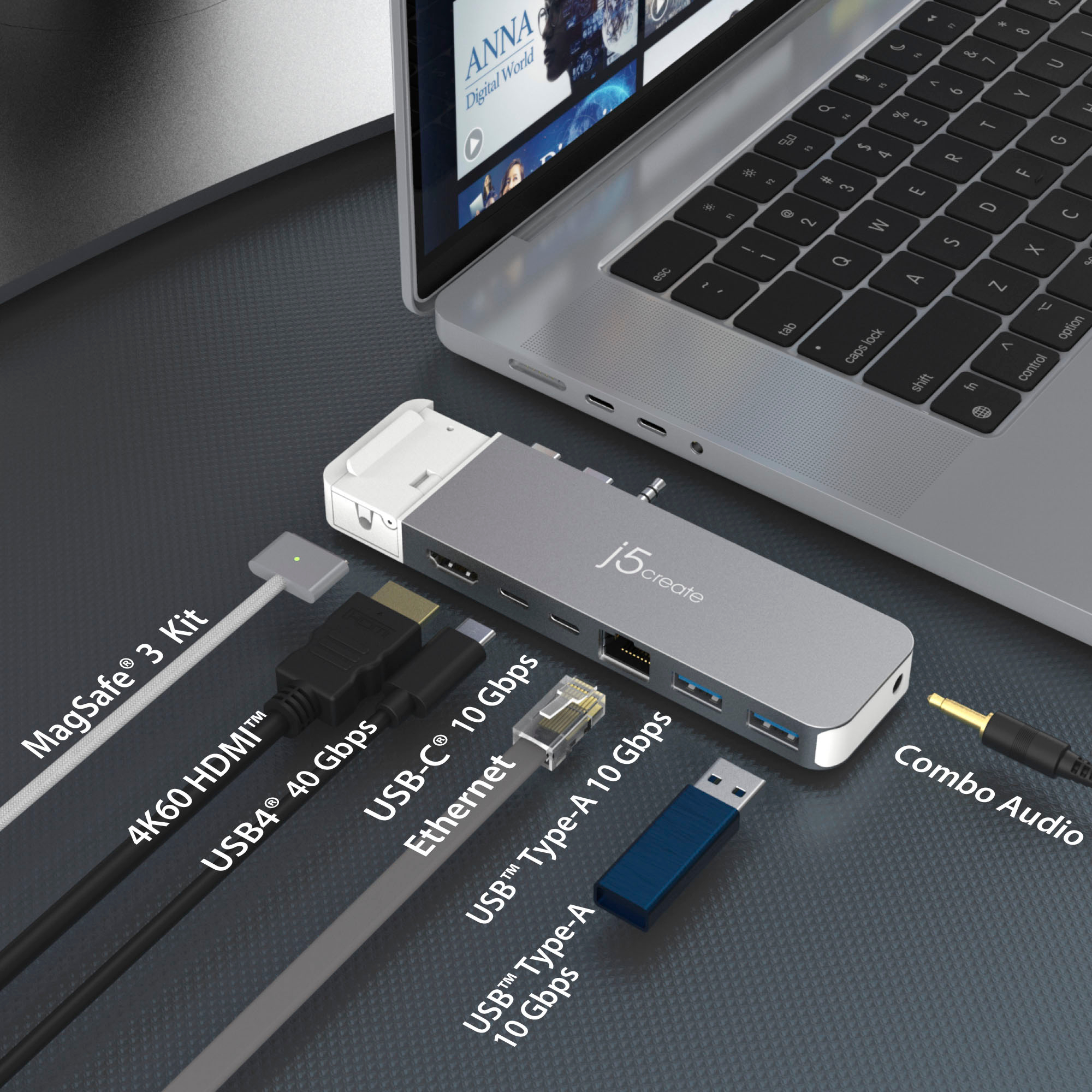
|Posted .This reviewer received promo considerations or sweepstakes entry for writing a review.The j5create - 4K60 Elite Pro USB4 Hub with MagSafe Kit - Spacesaver offers an immediate upgrade to your limited Macbook Air or Pro by expanding your 2 USB-C ports to a buffet of necessary ports for everyday users. THis 4k60hz adapter isn't like its competitors that rob you of quality in the effort to get more access. It gives you top quality picture while bringing necessary ports such as direct Ethernet, 2 USB-A, 2 USB-C, HDMI, and audio 3.5mm port all on one add-on for your 2 limited onboard ports. This hub also offers a magsafe style adapter which can be added or removed as needed for your Macbook's power cord to help limit cord clutter. The audio jack is available and integrated but it has a detachable addon that works for those model that have the audio jack positioned next to your USB-Cs. This was a huge upgrade addon for my Macbook Pro. I have several other hubs, but this one got it right! Everything I need for ports, high quality throughput, and compact for on-the-go business. This is my new go-to fo business travel and presentations. Solid design and construction. PROS - j5create innovation and build quality - 4k quality video - Every port you actually need! - Expandable, customizable for your model's needs - Well constructed - A must-have Macbook addon! CONS - None at this time!
I would recommend this to a friend Dock
||Posted . Owned for 1 week when reviewed.This reviewer received promo considerations or sweepstakes entry for writing a review.Got it at a great price, perfect if you need a few usb ports. Easy connect no drivers needed
I would recommend this to a friend- Pros mentioned:Port count, Portability
Very Good Device
|Posted .This reviewer received promo considerations or sweepstakes entry for writing a review.OK, let me start by saying I am an Android/Windows guy while my wife is an Apple kind of gal so when I had the opportunity to get this j5create - 4K60 Elite Pro USB4 Hub with MagSafe Kit, she was really excited. After using it for a few days, she is happy with ij5create. She had been looking for a hub for quite some time and even tried a couple options and none of them really brought her what she needed. With this one, it seems to not only do what the Macbook stock ports seem to lack, but it does it very well. Packaging was good, and had a quality feel. Opening was simple. Some items are either flimsy in packaging or have a cheap feel. Opening was simple, set-up is (of course) simple and she was using it from opening box to full use in just a couple minutes. It's a plug-and-play device so no need to download any software. End of the day, if you are in the market for an Apple compatible USB hub, the j5create - 4K60 Elite Pro USB4 Hub with MagSafe is an excellent choice. I would (and have) reccomend this to a friend.
I would recommend this to a friend Poor performance and runs Hot
||Posted . Owned for 9 months when reviewed.This reviewer received promo considerations or sweepstakes entry for writing a review.Poor quality, overheating a lot and can’t plug more than 3 usb.
No, I would not recommend this to a friendBrand response from J5create Team
Posted .Adapters emit heat as a normal part of its operation. Please note that hotter operating temperatures can be expected, if the USB-C pass-through charging and/or all ports on the hub are utilized. High-powered USB devices like external hard drives or certain peripherals, may consume more power than the USB4 Hub can provide. This can lead to issues if the combined power requirements of the connected devices exceed what the Hub can deliver.
Not happy
||Posted . Owned for 2 weeks when reviewed.This reviewer received promo considerations or sweepstakes entry for writing a review.It’s very flimsy, and it falls out of that Mac Pro computer
No, I would not recommend this to a friendBrand response from J5create Team
Posted .The 4K60 Pro USB4 Hub with MagSafe Kit is compatible with MacBook Pro 2021 14/ 16 inch and MacBook Air M2. Please contact our Technical Support Team, so that they can get more information from you. Their information can be found on our website under the "Support" tab and a specialist will be ready to assist you. Thank you.
No go... read more..
||Posted . Owned for 1 month when reviewed.This reviewer received promo considerations or sweepstakes entry for writing a review.Takes 2 usbC ports and only dishes out one... lame.
No, I would not recommend this to a friendBrand response from J5create Team
Posted .The 4K60 Pro USB4 Hub with MagSafe Kit requires that the host device must support DisplayPort v1.4 and USB Power Delivery 2.0 or 3.0 features. Please refer to the manufacturer of your hardware for more information on your device. Thank you.
- Pros mentioned:Build quality, Port count
Gives you a whole bunch of ports!!
|Posted .This reviewer received promo considerations or sweepstakes entry for writing a review.Summary ------------ This is a great device to convert your macbook pro to a real full functional desktop with a wide range of ports - HDMI, Type A, Type C , 3.5mm audio and Ethernet. Pros ------ • Excellent device to expand your ports on Macbook Pro • 1 x USB4® port capable of the following: ○ 6K60 resolution display ○ 40Gbps data transmission ○ charging through up to 100W ○ Supports HDMI™ resolutions up to 4K @ 60 Hz • 2 x USB™ Type-A 3.2 Gen 2 ports • 1 x USB-C® 3.2 Gen 2 ports • Ethernet Port • 3.5 mm audio / mic combo jack Cons ------- • Cant think of anything at this point, may be make it available in space gray? Details ----------- Basically a plug and play device and no driver required for using. Looks very well made and matches the color of your MacBook if it is silver. However I wish it did come in different colors. Basically it really converts your type C to a laptop having HDMI, Type C, A , Ethernet Port , 3.5mm Mic and Audio jack I can use this to connect my external monitor now which uses HDMI connection. No flicker or issues.. Lovely device and no interruptions.
I would recommend this to a friend - Pros mentioned:Hdmi, Portability
Small and reliable usb hub
|Posted .This reviewer received promo considerations or sweepstakes entry for writing a review.Best usb out there for macbooks . The j5create 4k60 pro matches nicely with the macbook. It comes with magsafe kit. It clips on to the wire just open the flap put the cord there and then close it. I definitely love that it brings 2 usb c, 2 usb a 1 lan port, 1 hdmi port and the headphone jack. You dont lose any ports from the macbook even though the 2 usb c ports and the headphone jack are used . The j5create is small and super portable a must have if you need extra ports . I tried all the ports i had no issues they charged my devices and let me transfer files. I used printers, tablets, smartphones and cameras to try out the ports.my primary use of the j5create 4k60 pro was really to use my cd drive that uses 2 usb portsso having this gives me 2 extra usb ports and im glad i have this, because if i need to connect anything else while using my cd drive i can. So if you're like me and neeed extra usb ports then i recommend the j5create 4k60 pro. You will not be disappointed with this purchase !
I would recommend this to a friend - Pros mentioned:Port count, Portability
A decent port replicator for the newest Macs
|Posted .This reviewer received promo considerations or sweepstakes entry for writing a review.The j5 Create USB4 hub is a great addition to the already-existent family of port extenders for Apple's MacBook Pro and Air devices - This one brings us the ability in the J5 stable of directly supporting the new thicker MacBook Pro M1 Pro/Max models and the MacBook Air M2 models - The port config is adjustable to include/exclude MagSafe management along with the port replicator and the ability to add/remove the audio jack for replication for MacBook Pro devices only (though this seems to be a one-time connection of the 3.5mm jack, not something you can selectively cover/not cover as it seems to snap into place most permanently. The industrial design is "ok" on this model - I dont like flashy logos of manufacturers on these kinds of products as it is antithetical to Apple's design language and makes the products stand out as "cheap" or "cloned" and not part of the native experience. The core of the product is milled aluminum with a finish very close to that of the MacBook Pro, but the trim areas and the entire MagSafe attachment for cable management is white polycarbonate plastic, which seems cheap and brittle, and its whiteness when otherwise matching a MBP aesthetic doesn't match up. This will be even more apparent on colorful (or darker) MacBook Air devices that use it. Besides style, the device does what it should - USB-C, USB-A, HDMI and Ethernet redirect when using this adapter as a quasi-docking station for my office desktop set everything worked reliably - The Power management with MagSafe worked nicely as well, and has its own magnetic release if the cord is tripped or pulled, but the way this j5 adapter grabs the cable, it seems less likely to "break away" as designed and will likely hold on too well. I like the uses for the device, particularly if you're using this with a very port-limited MacBook, but for the new MacBook Air, the biggest advantages here are Ethernet and USB-A which can be accomplished with much better looking Apple dongles in my opinion for roughly the same cost.
I would recommend this to a friend - Pros mentioned:Build quality
Dual monitor support with a bit of style
|Posted .This reviewer received promo considerations or sweepstakes entry for writing a review.When it comes to laptop docking stations/dual monitor support devices I'm normally used to big bland devices, or small, cheap-looking devices. I have to say the j5create Hub looks nice connected to my Macbook Pro. The silver coloring of the Hub matches my Macbook almost identically. It gets style points for its appearance. The build quality on it doesn't feel cheap either (again, matching my Macbook). Understandably, some may prefer a docking station distanced from their laptop connected via a small cord (USB C), but if your hub is going to connect directly to your device, this has a decent look to it. The j5create Hub looks nice connected to my Macbook Pro. The silver coloring of the Hub matches my Macbook almost identically. It gets style points for its appearance. Regarding laptop docking stations/dual monitor support devices, I'm generally used to big bland devices or small, cheap-looking devices. Its build quality doesn't feel cheap either (again, matching my Macbook). Understandably, some may prefer a docking station distanced from their laptop connected via a small cord (USB C), but if your Hub is going to connect directly to your device, this has a decent look. Regarding actual functionality, j5 made some interesting choices with this Hub. The Magsafe Kit magnetically connecting to the Hub seems cool. It normally connects easily and covers your Magsafe charger. A few times when connecting the Hub, my Magsafe charger didn't connect automatically and had to be pushed further in. The decision to go with USB type A ports on the Hub is...interesting. The Macbook Pro with the Pro chip has no USB type A ports. Apple is going away from those ports and cords; however, this Hub adds two you could have probably done without. They may have been better having 3 USB-type C ports instead. I may be alone on this one, but I could have done without the ethernet port. Removing that and using different USB ports could have made the Hub even smaller, but I understand that's more of a personal gripe. When it comes to using dual monitors, this Hub gets the job done. That is what we're here for, correct? That's why ultimately, with my gripes or choices I would have made for this Hub; I still have to rank it highly. For some, the USB type A ports come in handy...others may want to hardwire their laptop's internet connection. Solid build quality and setting out what it aims to accomplish, this is a quality dual monitor USB hub.
I would recommend this to a friend - Pros mentioned:Portability
J5create - 4k60 Elite Pro USB4 Hub
|Posted .This reviewer received promo considerations or sweepstakes entry for writing a review.Great docking station utilities. Easy to install and works great with macbook pro. I wish it had a dongle for the usbc ports so it would be more flexible. The device works really good and has alot of options. USB ports, both A & C. Ethernet if you need it. Hardware: The hardware is very nice. Small device so not alot of space when connected to the macbook, you don’t notice it, it just is on the side with my monitor hooked to it. Quality of the hardware is really solid, feels top notch like my macbook. Connectivity: USB A&C, 4k Monitor ran without issue - Connected my 42” OLED TV to my macbook without any issues. Plug n play in the very real sense of the word. Just plug it in and it works as expected. Overall Impressions: Very impressed how easy it was to connect and to connect my monitor and everything was working in seconds. I ran it for a few hours and felt the device to make sure it wasn’t hot or showing signs of heat. No issues. I let the macbook go to sleep and restarted it with no issues waking the machine or when rebooting. Everything connected and worked as I expected. Highly recommend the device if you have a newer macbook pro or 2021 or newer macbook air. Otherwise you won’t be able to use this device that I am aware.
I would recommend this to a friend - Pros mentioned:Usb4
Great Option for Expanding Mackbook I/O
|Posted .This reviewer received promo considerations or sweepstakes entry for writing a review.The j5 delivers! Almost all the ports you could possibly need, housed in a convenient and portable package. Personally, I’m using the j5create to replace all of the dongles that crowed my desk at home. Before this USB4 hub, I had a dongle for my monitor, external hard drive, Ethernet cable, etc. Now all peripherals run through this one hub. Setup is truest plug and play; the way it should be. There is one annoyance that isn’t a deal breaker but do pay attention to the following. I have a 2017 MacBook Pro as well as a 2021 MacBook Pro. Yes, the j5 will work with both, but the ports and port locations are very different for each computer. If I want to use it on the 2021 MackBook Pro, the removable headphone jack on the hub should be installed. But if I want to use it on the 2017 MackBook Pro, the headphone jack needs to be removed. What’s the issue? Well, as it turns out, the directions make it very clear that once the “removable” headphone jack is installed, they do not recommend removing it… mostly because you can’t. So, be sure to read the instructions and know your setup before installing the headphone jack.
I would recommend this to a friend