Customer Ratings & Reviews
- Model:
- JDA159
- SKU:
- 7903123
to a friend
Customers are saying
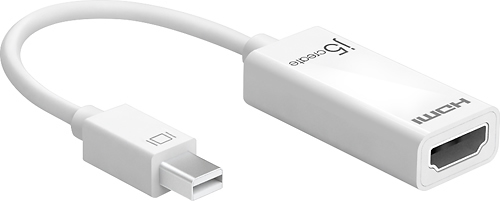
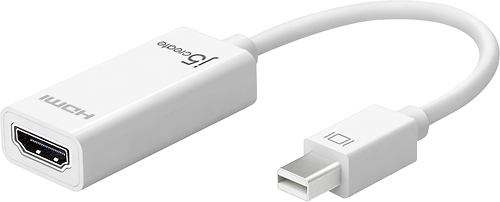
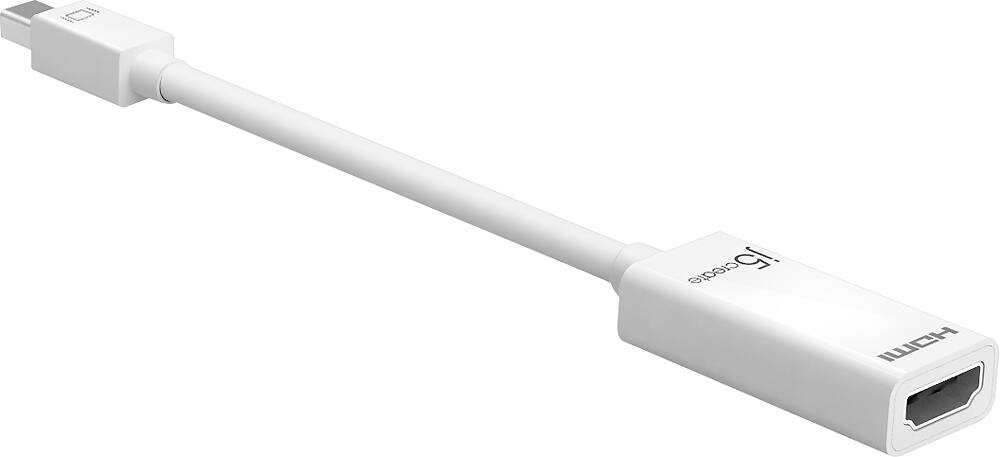
Customers have good things to say about the Mini DisplayPort-to-4K HDMI Adapter. They appreciate that it works well with 4K displays, unlike other adapters they have tried.
This summary was generated by AI based on customer reviews.
Works perfectly with Suface Pro 3 & Vizio 4K TV
||Posted .This reviewer received promo considerations or sweepstakes entry for writing a review.I bought this to connect my Microsoft Surface pro 3 to my vizio 50 inch 4k TV. I plugged it in using a high quality HDMI cable and it worked perfectly the first time displaying at 3840x2160 resolution. I've also used it with Samsung 24 inch monitors, and a 47 inch vizio 1080p TV all of these work without a hitch. This is now plugged into my Surface Pro 3 docking station at work plugged into a monitor permanently.
I would recommend this to a friendThis adapter works well with my Surface Pro 4
||Posted .This reviewer received promo considerations or sweepstakes entry for writing a review.I bought this adapter to connect my Surface Pro 4 to a new 4K TV being used as a monitor. It works great.
I would recommend this to a friendGood mini Display to hdmi male to male
||Posted .This reviewer received promo considerations or sweepstakes entry for writing a review.Works great, no complaints. Sleek design. It's great to play media from my laptop to my TV.
I would recommend this to a friendWorks great
||Posted .This reviewer received promo considerations or sweepstakes entry for writing a review.I am very glad I purchased this model/brand. I wasn't sure who to buy from and I am so happy I chose J5 HDMI adapter! It does a great job daisy chaining with my Mac Book Pro. Totally recommend!!
I would recommend this to a friendThis works great with the Microsoft Surface Dock
||Posted .This reviewer received promo considerations or sweepstakes entry for writing a review.I previously tried the Microsoft mini display port to HDMI Adapter however, it did not work with the 4K display. Very happy to report the J5 worked great and allowed me to attach the 4K display. In addition, I believe it costs less.
I would recommend this to a friendPerfect for the MS Surface Pro 3
||Posted .This reviewer received promo considerations or sweepstakes entry for writing a review.I purchased this so I could connect my MS Surface Pro to monitors and projectors with HDMI inputs. It works great and supports higher definition displays than the similar device sold by MS.
I would recommend this to a friendWorks great
||Posted .This reviewer received promo considerations or sweepstakes entry for writing a review.No issues whatsoever. I definitely recommend this product.
I would recommend this to a friendBrand response from J5create Team
Posted .PnP at it's finest! The JDA159 connecting via Mini DisplayPort swiftly adds another screen to work with - simply plug it in and done.
Appreciatively,
j5create
Product does exactly what it's meant to do
||Posted .This reviewer received promo considerations or sweepstakes entry for writing a review.great and easy to connect your mac to an external screen.
I would recommend this to a friendBrand response from J5create Team
Posted .Easily connect your Mac to a display device using an HDMI input.
It was eh from the beginning.
||Posted .This reviewer received promo considerations or sweepstakes entry for writing a review.I got this adapter for my MacBook. It was a hassle from the very start. It would not connect to my monitor automatically. I would have to unplug and replug it for my monitor to work. After 4 months, it stopped working completely. I will never buy from j5create again. Their customer service is the worst!!
No, I would not recommend this to a friendBrand response from J5create Team
Posted .The JDA159 adapter allows you to quickly and easily connect your Mac or PC to a 4K display device using an HDMI input. Please contact our support department for troubleshooting. Cordially, j5..
Works as described
Posted .This reviewer received promo considerations or sweepstakes entry for writing a review.Good product.. works as advertised. Good quality! I would recommend.
I would recommend this to a friendStopped working after 6 months of light use
Posted .This reviewer received promo considerations or sweepstakes entry for writing a review.Used the adapter to connect my MacBook Pro to an hp external monitor. The display port doesn't work anymore after such a short amount of time. Terrible product. Please remedy this best-buy.
No, I would not recommend this to a friendBrand response from J5create Team
Posted .This device is a Plug n Play, no drivers required. However, it uses your computer's hardware to read the JDA159. Please check to see if your computer has any available updates such as Bios, chipset, drivers, etc. Being behind on updates could cause the j5 device to not function as intended. Cordially, j5.