Customer Ratings & Reviews


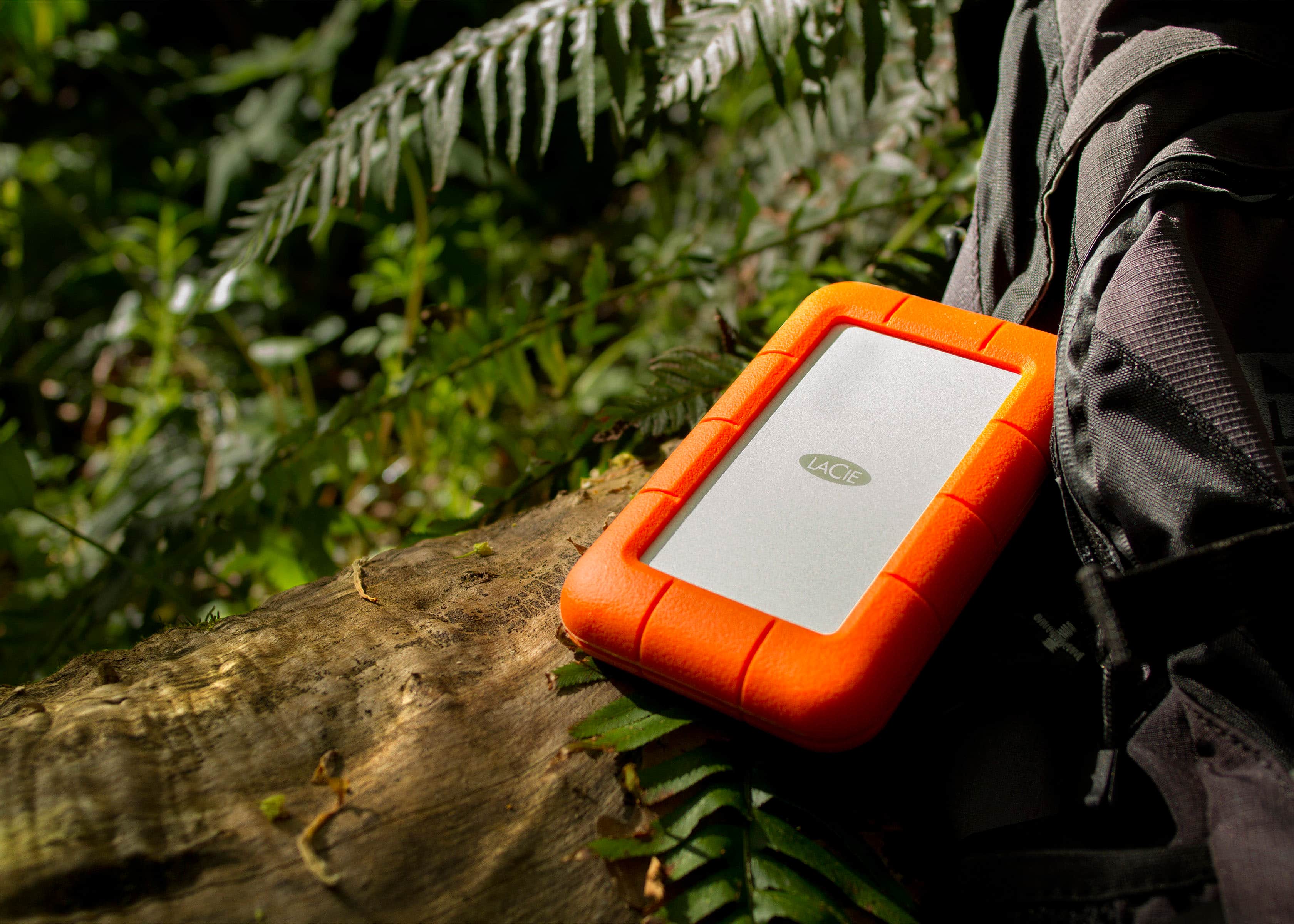

- Model:
- STFR5000800
- |
- SKU:
- 10466437
Customer reviews
Rating 4.7 out of 5 stars with 864 reviews
(864 customer reviews)Rating by feature
- Value4.6
Rating 4.6 out of 5 stars
- Quality4.7
Rating 4.7 out of 5 stars
- Ease of Use4.8
Rating 4.8 out of 5 stars
Rated 1 out of 5 stars
Feel like i beeen scammed
||Posted . Owned for 1 month when reviewed.This reviewer received promo considerations or sweepstakes entry for writing a review.its been acting crazy since the first week i got very dissapointed
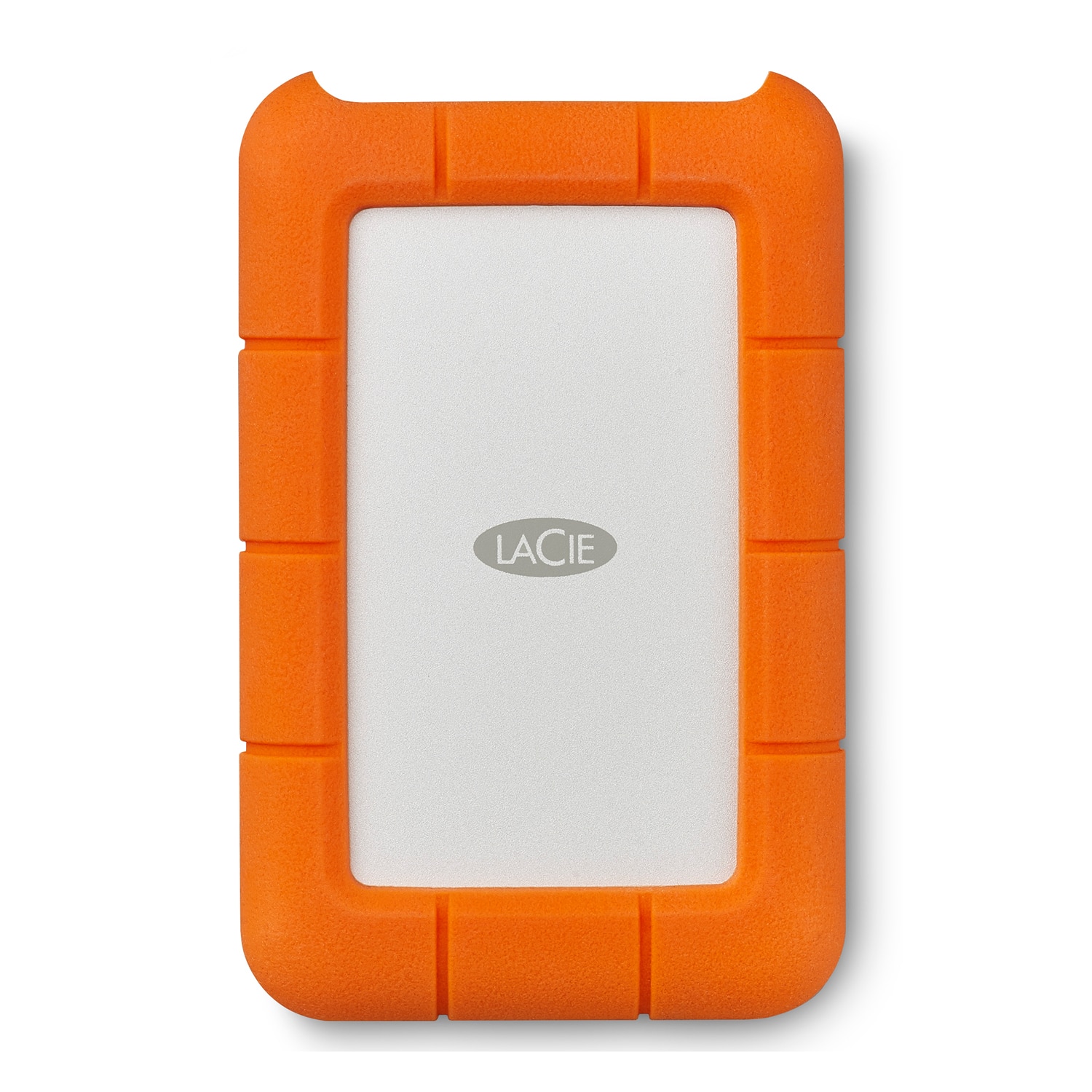
This review is from LaCie - Rugged 5TB External USB-C, USB 3.1 Gen 1 Portable Hard Drive - Orange/Silver
No, I would not recommend this to a friendRated 1 out of 5 stars
Save your money!!
||Posted . Owned for 6 months when reviewed.This reviewer received promo considerations or sweepstakes entry for writing a review.I’ve had such a horrible experience! Lost 125GB worth of stuff!!! Save your time and money and buy a different hard drive!!!
This review is from LaCie - Rugged 5TB External USB-C, USB 3.1 Gen 1 Portable Hard Drive - Orange/Silver
No, I would not recommend this to a friendRated 1 out of 5 stars
cable doesn't stay in!
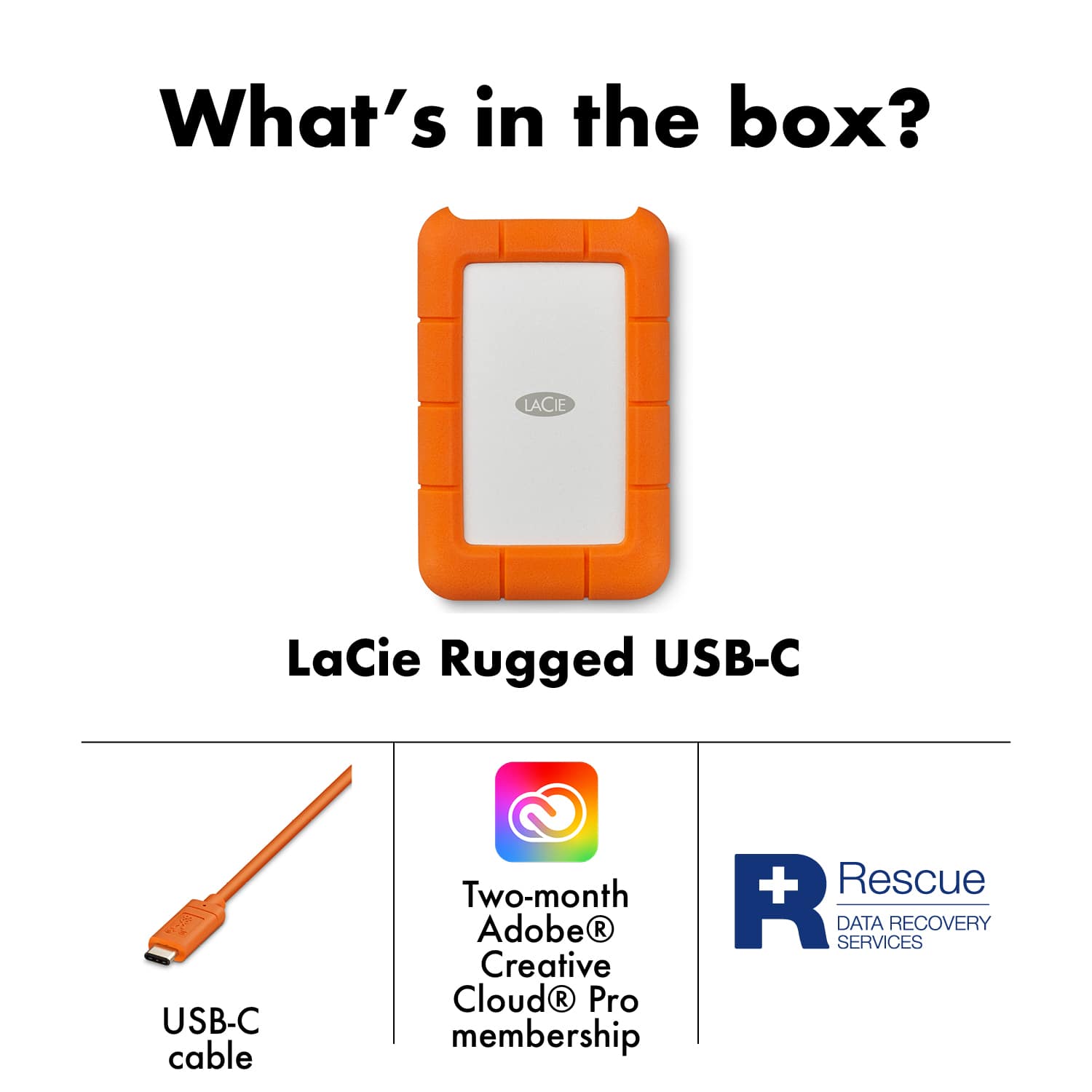
||Posted .This reviewer received promo considerations or sweepstakes entry for writing a review.The cable that it came with would not stay in the USB port of this item. It kept falling out. I was unable to even begin to try and transfer files because of this. I returned it.
This review is from LaCie - Rugged 5TB External USB-C, USB 3.1 Gen 1 Portable Hard Drive - Orange/Silver
No, I would not recommend this to a friendRated 3 out of 5 stars
Used for DJing
||Posted .This reviewer received promo considerations or sweepstakes entry for writing a review.Very slow Won't recommend to use with Serato......
This review is from LaCie - Rugged 5TB External USB-C, USB 3.1 Gen 1 Portable Hard Drive - Orange/Silver
No, I would not recommend this to a friendRated 1 out of 5 stars
Junk
||Posted . Owned for 1 month when reviewed.This reviewer received promo considerations or sweepstakes entry for writing a review.Had a month and a half locked up and cant use it not worth it
This review is from LaCie - Rugged 5TB External USB-C, USB 3.1 Gen 1 Portable Hard Drive - Orange/Silver
No, I would not recommend this to a friendRated 1 out of 5 stars
Died shortly after purchase
||Posted . Owned for 2 weeks when reviewed.This reviewer received promo considerations or sweepstakes entry for writing a review.The drive died within two weeks of purchase. Will be returning it.
This review is from LaCie - Rugged 5TB External USB-C, USB 3.1 Gen 1 Portable Hard Drive - Orange/Silver
No, I would not recommend this to a friendRated 5 out of 5 stars
Worth the buy
Posted .This reviewer received promo considerations or sweepstakes entry for writing a review.LOVE IT. This has saved my life and laptop. It's worth every penny. I love saving everything on my external hard drive and having my laptop clear. Its also convenient that I can just plug in another computer and have all my files accessible.
This review is from LaCie - Rugged 5TB External USB-C, USB 3.1 Gen 1 Portable Hard Drive - Orange/Silver
I would recommend this to a friendRated 5 out of 5 stars
Great Backup Drive
Posted .This reviewer received promo considerations or sweepstakes entry for writing a review.I've had one for years and it's the best archive drive I've got. The bumper does a good job of protecting the disk drive inside from bumps. The USB C connector overkill for the HDD inside but it's a lot more robust than the USB 3.0 mini connectors. Lots of reviews complain about the mechanical HDD being slow but speed is not the point of these. LaCie lists the max read/write speed as 130mbps, which is about as fast as you're going to get with an external HDD. Disk drives are for backing up and archiving. If/when the drive fails it's reasonably easy to recover data from a mechanical drive. SSD's are fast but when they fail they tend do do so without warning and recovering data can be impossible. Bottom line, if you want to edit directly off the drive, get an NVMe SSD, and use a journaled format compatible with your system, APFS for MacOS, NTFS for Windows etc. If you want to archive your work long-term and don't want to mess around with burning optical media or make the investment in an NAS or raid, get this.
This review is from LaCie - Rugged 5TB External USB-C, USB 3.1 Gen 1 Portable Hard Drive - Orange/Silver
I would recommend this to a friendRated 5 out of 5 stars
Simply the Best!!!
Posted .This reviewer received promo considerations or sweepstakes entry for writing a review.Love this brand beyond words! I’ve had nothing but amazing experience with it. I do photography so I’m always in need of a great external hard drive. Best one!
This review is from LaCie - Rugged 5TB External USB-C, USB 3.1 Gen 1 Portable Hard Drive - Orange/Silver
I would recommend this to a friendRated 1 out of 5 stars
stop working
||Posted .This reviewer received promo considerations or sweepstakes entry for writing a review.stop working after few month . I want to exchange .
This review is from LaCie - Rugged 5TB External USB-C, USB 3.1 Gen 1 Portable Hard Drive - Orange/Silver
No, I would not recommend this to a friendRated 5 out of 5 stars
Great portable drive
Posted .This reviewer received promo considerations or sweepstakes entry for writing a review.Purchased this for the price and storage size already own 2 smaller portable units from them and can’t go wrong. Great price and works great
This review is from LaCie - Rugged 5TB External USB-C, USB 3.1 Gen 1 Portable Hard Drive - Orange/Silver
I would recommend this to a friendRated 5 out of 5 stars
great quality for photo work
Posted .This reviewer received promo considerations or sweepstakes entry for writing a review.runs smooth, compact, great for my photo editing work
This review is from LaCie - Rugged 5TB External USB-C, USB 3.1 Gen 1 Portable Hard Drive - Orange/Silver
I would recommend this to a friendRated 5 out of 5 stars
Great product, very durable
Posted .This reviewer received promo considerations or sweepstakes entry for writing a review.I use this for Music since I DJ and my computer ran out of space. It seems very durable since it is covered by a thick rubber casing. I have been using it everyday and so far no issues, I love it. The installation for my old MAC was a bit confusing but nothing that Google couldn’t help me figure it out.
This review is from LaCie - Rugged 5TB External USB-C, USB 3.1 Gen 1 Portable Hard Drive - Orange/Silver
I would recommend this to a friendRated 5 out of 5 stars
Satisfied Customer
Posted .This reviewer received promo considerations or sweepstakes entry for writing a review.Connected seamlessly to MacBook Pro M1 Max as my backup drive. The rubber casing feels rugged.
This review is from LaCie - Rugged 5TB External USB-C, USB 3.1 Gen 1 Portable Hard Drive - Orange/Silver
I would recommend this to a friendRated 5 out of 5 stars
Perfect backup drive for my 5k film
Posted .This reviewer received promo considerations or sweepstakes entry for writing a review.Been editing a short film for the past few months and realized I didn’t have a backup. Eek! This was the perfect drive from a reputable company at a decent price.
This review is from LaCie - Rugged 5TB External USB-C, USB 3.1 Gen 1 Portable Hard Drive - Orange/Silver
I would recommend this to a friendRated 4 out of 5 stars
Works as expected
Posted .This reviewer received promo considerations or sweepstakes entry for writing a review.It work's well enough and hasn't broken on me yet after a few months of use.
This review is from LaCie - Rugged 5TB External USB-C, USB 3.1 Gen 1 Portable Hard Drive - Orange/Silver
I would recommend this to a friendRated 5 out of 5 stars
Great external drive.
Posted .This reviewer received promo considerations or sweepstakes entry for writing a review.Great external hard drive, very fast ! Still yet to put it to the test in terms of ruggedness but so far I’m very pleased with it.
This review is from LaCie - Rugged 5TB External USB-C, USB 3.1 Gen 1 Portable Hard Drive - Orange/Silver
I would recommend this to a friendRated 5 out of 5 stars
hard drive
Posted .This reviewer received promo considerations or sweepstakes entry for writing a review.It works great only thing is it makes a little whirring noise once in a while, but that’s not really an issue just a heads up if you don’t like noises like that.
This review is from LaCie - Rugged 5TB External USB-C, USB 3.1 Gen 1 Portable Hard Drive - Orange/Silver
I would recommend this to a friendRated 5 out of 5 stars
Very Solid Product
Posted .This reviewer received promo considerations or sweepstakes entry for writing a review.very sturdy and solid hard drive, I'm able to take it in any weather conditions and it works well.
This review is from LaCie - Rugged 5TB External USB-C, USB 3.1 Gen 1 Portable Hard Drive - Orange/Silver
I would recommend this to a friendRated 4 out of 5 stars
Good, but data transfer is not as fast as I hoped
Posted .This reviewer received promo considerations or sweepstakes entry for writing a review.Easy to use but data transfer is slower than I expected. I'm accustomed to using transfer modes that are faster than USB 3, and didn't realize how much of a difference it would make, particularly for large backups. I would recommend the drive for people who do not have to transfer large amounts of data at the same time.
This review is from LaCie - Rugged 5TB External USB-C, USB 3.1 Gen 1 Portable Hard Drive - Orange/Silver
I would recommend this to a friend