Customer Ratings & Reviews

- Model:
- F0D8001LUS
- SKU:
- 6196003
Rating by feature
- Value
Rating 4.2 out of 5 stars
- Quality
Rating 4.1 out of 5 stars
- Ease of Use
Rating 4.2 out of 5 stars
Customers are saying
Customers have good things to say about the 330-20AST's ease of use, screen size, and price, frequently citing its simplicity, clear picture quality, and affordability. The all-in-one design and compact size are also appreciated. However, some customers report that the performance and memory could be improved.
This summary was generated by AI based on customer reviews.
- Pros mentioned:Price
Good for price
||Posted .This reviewer received promo considerations or sweepstakes entry for writing a review.I wanted to replace my 8 year old laptop so all my pics and docs could be transferred to a new computer before my old one died. This desktop is well worth the price.
I would recommend this to a friendBrand response from Lenovo Product Expert
Posted .Thank you for choosing the lenovo IdeaCentre 330-20 All-In-One system. We are pleased to hear that the value and features of the IdeaCentre 330-20 AIO meets your computing needs so well. This is an entry level, light use system with its AMD E2 processor. It is not meant for multi-tasking or demanding programs. It is good for Microsoft Office and light internet browsing. If this describes your computing needs, the IdeaCentre 330-20 AIO would be a good choice.

Product is a perfection of Lenovo genius
||Posted .This reviewer received promo considerations or sweepstakes entry for writing a review.I love my Lenovo desktop all-in-one. It completely covers all of my education,work, and life needs. I look forward to turning on this computer. It makes my day. The search engine is great. Also this bundled with a free six month internet protection installation. Professional!!! Once again I can’t say it enough. I love this desktop
I would recommend this to a friendBrand response from Lenovo Product Expert
Posted .Thank you for choosing the Lenovo IdeaCentre 330-20 All-In-One system. We are pleased to hear that the features and performance of the IdeaCentre 330-20 AIO meets your computing needs so well.
- Pros mentioned:Ease of use, Screen sizeCons mentioned:Speed
Serving its purpose while my laptop is in hospital
||Posted .This reviewer received promo considerations or sweepstakes entry for writing a review.Got this to see me through while my laptop is being repaired. Not the fastest system in the world, but completely adequate. Easy to set up and get going. Decent screen (but not a touchscreen). Keyboard and mouse work just fine. So very happy I decided to get this system instead of relying on my phone or tablet. Will probably continue to use for my machine embroidery software once my laptop is returned.
I would recommend this to a friendBrand response from Lenovo Product Expert
Posted .Thank you for choosing the Lenovo IdeaCentre 330-20 All-In-One system. We are pleased to hear that the value and performance of the IdeaCentre 330-20 AIO meets your computing needs so well.
- Pros mentioned:Screen size
MY WIFE & I LOVE THIS COMPUTER
||Posted .This reviewer received promo considerations or sweepstakes entry for writing a review.With our later years in life it seems important to slow down the strife, and our little laptop for my wife and me , was getting hard to see. While at BEST BUY we saw this nice size computer and Whoa, with a 19.5 inch big screen on sale all in one made by LENOVO ? We knew this deal was hot , and we bought it on the spot. It was easy to set up , and is a such a delight to use , no more squinting , and no more snooze. We not only recommend this item to a friend or some , but to everyone..
I would recommend this to a friendBrand response from Lenovo Product Expert
Posted .Thank you for choosing the Lenovo IdeaCentre 330-20 All-In-One system. We are pleased to hear that the features and performance of the IdeaCentre 330-20 AIO meets your computing needs so well.
- Cons mentioned:Memory, Speed
Verdict still out...
||Posted .This reviewer received promo considerations or sweepstakes entry for writing a review.Still running test on this machine...not using it for anything too demanding but was having pauses and skips in video and audio playback...had to use “fresh start” feature in Win10 to make it perform better. Cleared out the Lenovo loaded software and seems better now but still an entry level machine...couldn’t beat the price though.
No, I would not recommend this to a friendBrand response from Lenovo Product Expert
Posted .This is an entry level, light use system with its AMD E2 processor. You can regularly check the health of this device and keep operating software up to date. This system has Lenovo utilities installed to help maintain the health of the device and keep the operating system software up to date. Type "Lenovo Vantage" in the Cortana Search window (if Lenovo Vantage is not installed on your device, you can download the APP and install it now). Select Lenovo Vantage from the list. In the window that opens, click on "Health and Support". In the expanded menu, select "Hardware Scan" In the window that opens, select "Run Quick Tests". This will scan your entire system for errors. Follow any directions that may pop up. If the problem continues after this scan, now click on "System Update". First select Windows update from the menu. Scan your system to be sure you have the latest version of Windows 10. Once that scan is complete, select "Additional Updates". This will scan your device to be sure there are no new BIOS/Driver updates needed. Follow any instructions that may pop up.
- Pros mentioned:Ease of use, Screen size, Space saving
Great computer
||Posted .This reviewer received promo considerations or sweepstakes entry for writing a review.I love that it is an all in one computer. I have limited space and this is perfect. Easy to use. Love the larger screen.
I would recommend this to a friendBrand response from Lenovo Product Expert
Posted .Thank you for choosing the Lenovo IdeaCentre 330-20 All-In-One system. We are pleased to hear that the features and performance of the IdeaCentre 330-30 AIO meets your computing needs so well.
- Pros mentioned:Ease of use, Price
The right fit
||Posted .This reviewer received promo considerations or sweepstakes entry for writing a review.Bought this when looking for a reasonably priced desktop for my grandkids to use for school work. They have had no trouble with opwrating the system and it amply fits their needs.
I would recommend this to a friendBrand response from Lenovo Product Expert
Posted .Thank you for choosing the Lenovo IdeaCentre 330-20 All-In-One system for your grand children. We are pleased to hear that the ease of use and performance of the IdeaCentre 330-20 AIO meets your grand children's computing needs so well. Lenovo is the number #1 manufacturer of computers in the World:
https://venturebeat.com/2019/01/10/gartner-and-idc-hp-and-lenovo-shipped-the-most-pcs-in-2018-but-total-numbers-fell/
- Pros mentioned:Ease of use, Screen size
Good all in one computer for a family.
||Posted .This reviewer received promo considerations or sweepstakes entry for writing a review.This is a good all in one computer for families. Good for internet usage, checking email and for kids school work.
I would recommend this to a friendBrand response from Lenovo Product Expert
Posted .Thank you for choosing the Lenovo IdeaCentre 330-20 All-In-One system for your family. We are pleased to hear that the IdeaCentre 330-20 AIO meets your family's computing needs so well.
- Cons mentioned:Performance
Ok so far
||Posted .This reviewer received promo considerations or sweepstakes entry for writing a review.This was a gift for my inlaws , and so far so good .They've only had it a few weeks . They have had no issues . Set up was pretty simple and it's been working great for them so far . They just need a simple computer for basic daily needs , no gaming so I cannot say how well it would perform on the gaming front .
I would recommend this to a friendBrand response from Lenovo Product Expert
Posted .Thank you for choosing the Lenovo IdeaCentre 330-20 All-In-One system as a gift. We are pleased to hear that the IdeaCentre 330-20 AIO is working out so well.
- Pros mentioned:All-in-one, Price
Great starter
||Posted . Owned for 11 months when reviewed.This reviewer received promo considerations or sweepstakes entry for writing a review.Excellent value for a starter computer. Nice having everything in the monitor. No bulky towers.
I would recommend this to a friend - Pros mentioned:Ease of use, Screen size
Perfect computer for my Mother
||Posted .This reviewer received promo considerations or sweepstakes entry for writing a review.My Mom does not like technology but has to use it. This computer was perfect for her. Easy to setup and to use. She had an old monitor and desk top model from 12 years ago. She loves the fact that she has lots more room on her desk.
I would recommend this to a friendBrand response from Lenovo Product Expert
Posted .Thank you for choosing the lenovo IdeaCentre 330-20 All-In-One system for your mother. We are pleased to hear that the easy setup and performance of the IdeaCentre 330-20 AIO meets your mother's computing needs so well.
- Pros mentioned:Ease of use, Screen size
Good all in one for basic computing
||Posted .This reviewer received promo considerations or sweepstakes entry for writing a review.For basic computing, it does the job. Web browsing, office documents, etc.
I would recommend this to a friendBrand response from Lenovo Product Expert
Posted .Thank you for choosing the Lenovo IdeaCentre 330-20 All-In-One system. This is an entry level, light use system with its AMD E2 processor. It is not meant for multi-tasking or demanding programs. It is good for Microsoft Office and light internet browsing. If this describes your computing needs, the IdeaPad 330-20 AIO would be a good choice. We are pleased to hear that the IdeaCentre 330-20 AIO meets your computing needs so well.
- Pros mentioned:Ease of use
Decent computer for the price.
||Posted . Owned for 10 months when reviewed.This reviewer received promo considerations or sweepstakes entry for writing a review.Works very well. It’s a little slow a booting up. Easy to use.
I would recommend this to a friend - Pros mentioned:Ease of use
Good Bang for the Buck!
||Posted .This reviewer received promo considerations or sweepstakes entry for writing a review.I purchased this open box as it met all the features and requirements I needed. The only item that I wish this computer had was a CD/DVD drive built in. My kids love the drop down camera and that it is touch screen. Overall super happy with the computer and features. It was easy to set up, a relief as I am not super tech savvy!
I would recommend this to a friendBrand response from Lenovo Product Expert
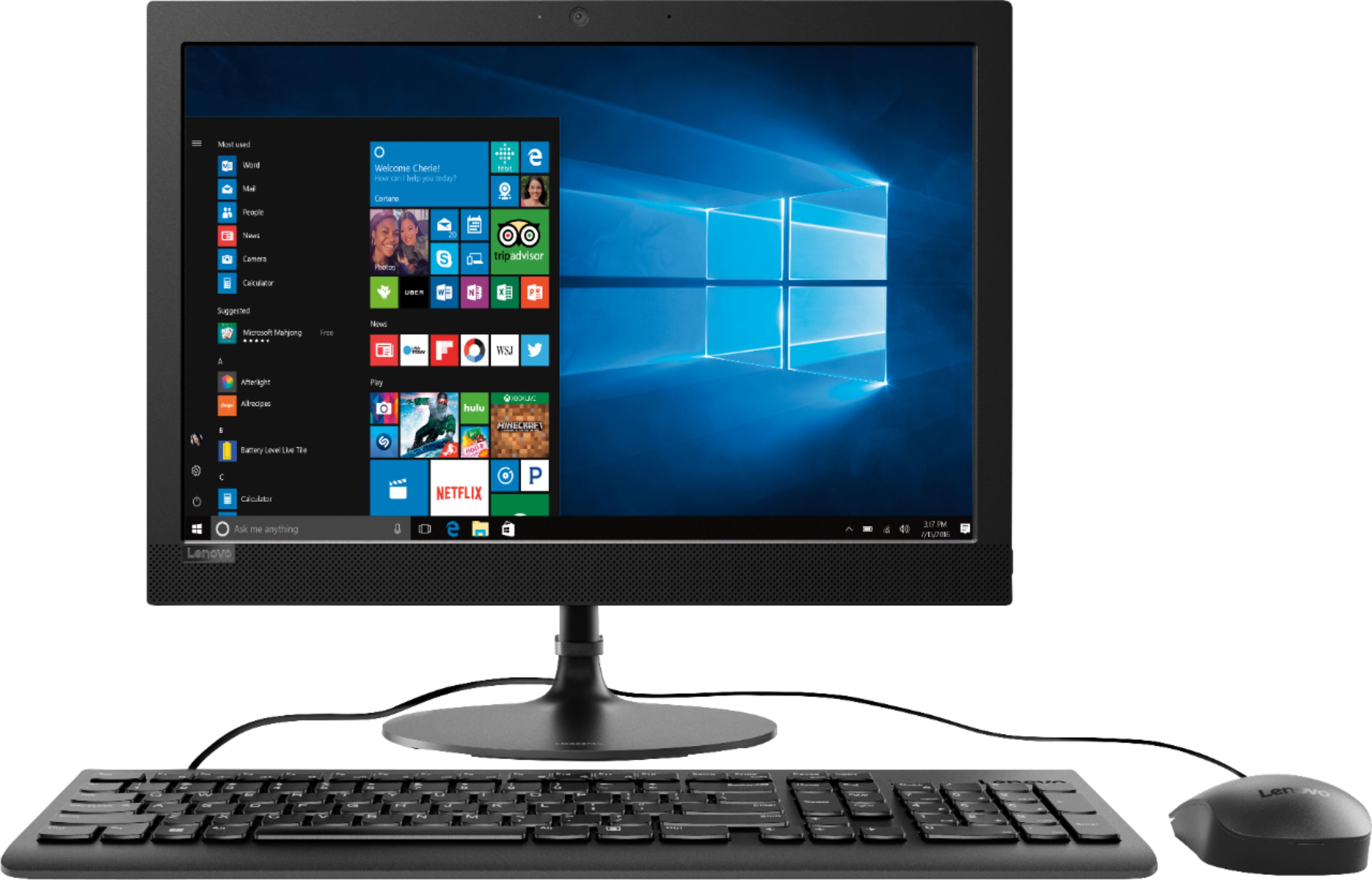
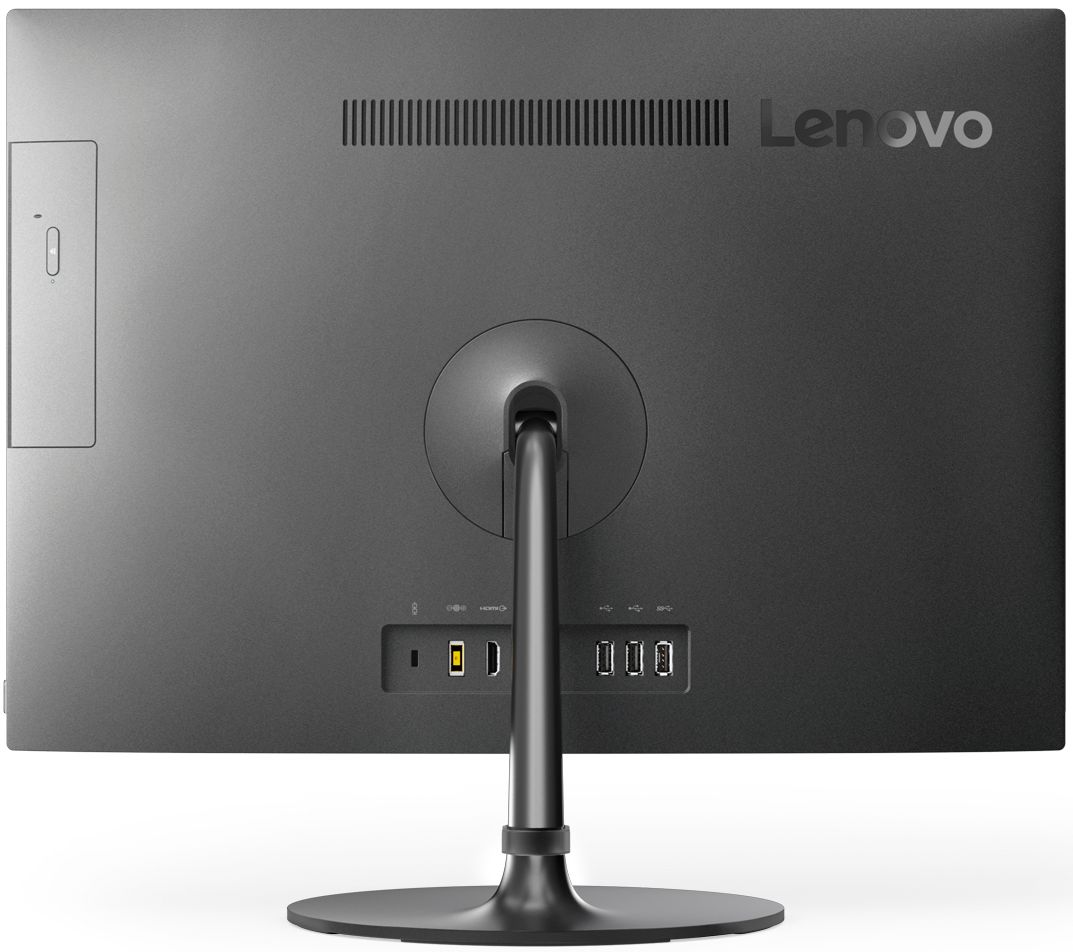
Posted .The Lenovo IdeaCentre 330-20 All-In-One system, model number F0D8001LUS does have a built in CD/DVD-RW drive. It is on the back right side of the device. There is no dropdown web cam on this model. The web cam is built in to the screen frame at the top of the screen.
- Pros mentioned:Ease of use, Price
easy setup
||Posted .This reviewer received promo considerations or sweepstakes entry for writing a review.just what i was looking for. easy to set up. good value.
I would recommend this to a friendBrand response from Lenovo Product Expert
Posted .Thank you for choosing the Lenovo IdeaCentre 330-20 All-In-One system. We are pleased to hear that the value and easy set up of the IdeaCentre 330-20 AIO meets your computing needs so well.
- Pros mentioned:Screen size
Great Screen
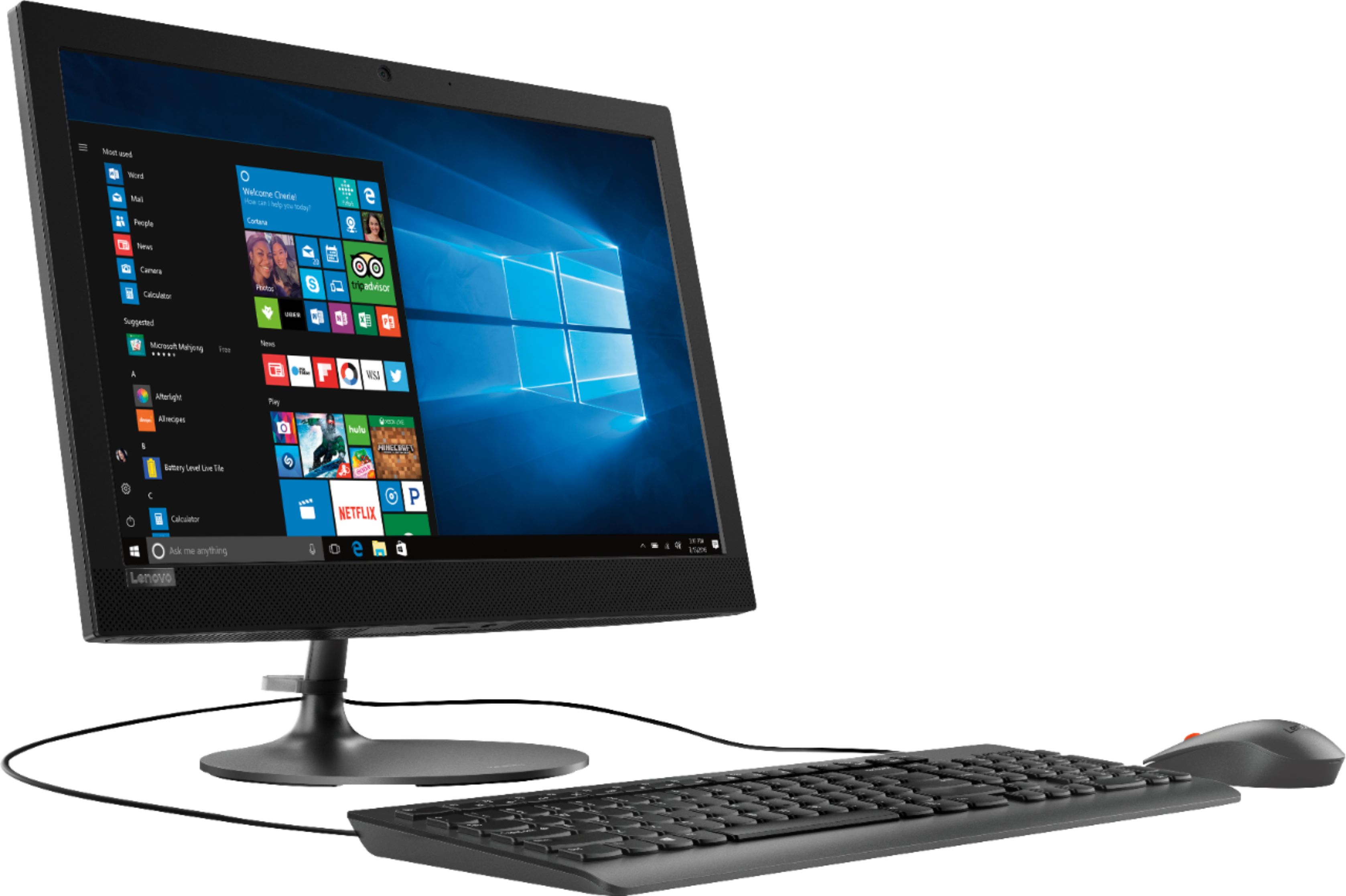
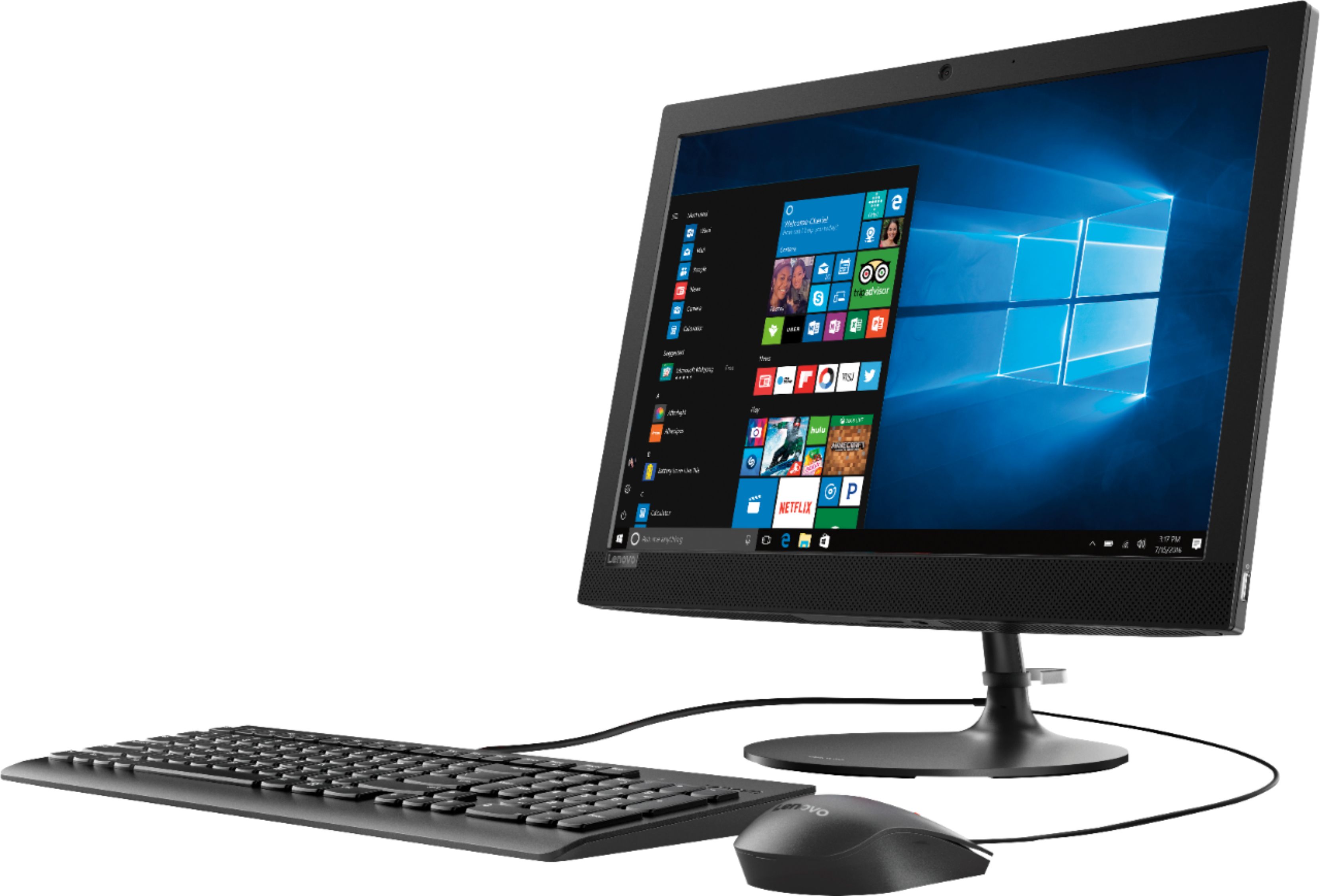
||Posted .This reviewer received promo considerations or sweepstakes entry for writing a review.Looks awesome, like others have said, it looks flimsy in the picture but I assure you they are not. Very sturdy and looks sleek and not bulky. The screen is the same size as the ones I replaced and I have more desk space as they are sleek and slim, very sharp looking monitors. Check them out in person!
I would recommend this to a friendBrand response from Lenovo Product Expert
Posted .Thank you for choosing the Lenovo IdeaCentre 330-29 All-In-One system. This is an entry level, light use system with its AMD E2 processor. It is not meant for multi-tasking or demanding programs. It is good for Microsoft Office and light internet browsing. If this describes your computing needs, the IdeaCentre 330-20 AIO a good choice.
- Cons mentioned:Memory, Speed
Good computer for a Kindergarden
||Posted .This reviewer received promo considerations or sweepstakes entry for writing a review.Fit a kindergartner use. Very slow for an adult use. Basic use only due to available memory.
No, I would not recommend this to a friendBrand response from Lenovo Product Expert
Posted .This is an entry level, light use computer system, with its AMD E2 processor. It uses Windows 10 Home 64-Bit as its operating system, which requires less than 2GB of RAM to run. This device has the latest WiFi capability, with 802.11AC connectivity. If your requirements fit this profile, this device is a good choice.
- Pros mentioned:Ease of use, Price
No problems
||Posted .This reviewer received promo considerations or sweepstakes entry for writing a review.Good product. It meets my needs easy to set up no issues whatsoever.
I would recommend this to a friendBrand response from Lenovo Product Expert
Posted .Thank you for choosing the Lenovo IdeaCentre 330-20 All-In-One system. We are pleased to hear that the ease of setup and performance of the IdeaCentre 330-20 AIO meets your computing needs so well.
Excellent! Light weight!
||Posted .This reviewer received promo considerations or sweepstakes entry for writing a review.Very satisfied with this purchase. no issues. I was surprised at how lightweight it is and minimal to transfer to a different location. I've had no issues since my purchase. Speaker works great and the screen tilting upwards is an awesome bonus. Highly recommend.
I would recommend this to a friendBrand response from Lenovo Product Expert
Posted .Thank you for choosing the Lenovo IdeaCentre 330-20 All-In-One system. We are pleased to hear that the features and performance of the IdeaCentre 330-20 AIO meets your computing needs so well.
- Pros mentioned:Ease of use, Screen size
Great computer
||Posted .This reviewer received promo considerations or sweepstakes entry for writing a review.Very easy set up Works nice and smooth very clear and picture quality is great the price you really cannot beat this I would recommend this to everybody
I would recommend this to a friendBrand response from Lenovo Product Expert
Posted .Thank you for choosing the Lenovo IdeaCentre 330-20 All-In-One system We are pleased to hear that the value and performance of the IdeaCentre 330-20 AIO meets your computing needs so well. This is an entry level, light use system with its AMD E2 processor. It is not meant for multi-tasking or demanding programs. It is good for Microsoft Office and light internet browsing. If this describes your computing needs, the IdeaCentre 330-20 AIO would be a good choice.